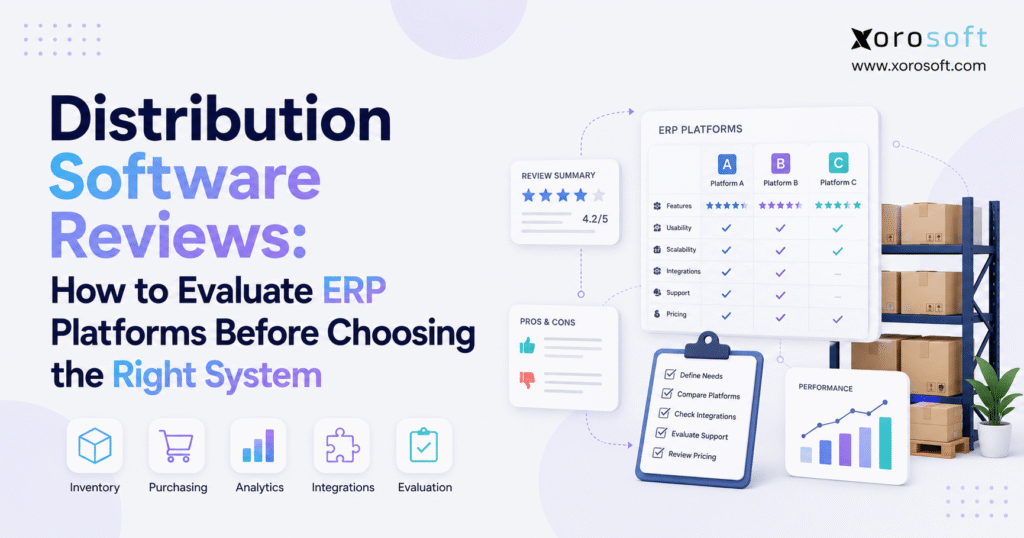
If you are looking for insights on various platforms, distribution software reviews can help guide your decision.
1. Distribution Software Reviews Often Create More Noise Than Clarity
Choosing software for a growing distribution business has become harder, not easier. Buyers can find hundreds of product pages, software directories, customer ratings, comparison articles, implementation stories, and vendor demonstrations within a few searches. The volume of information creates the impression that evaluating ERP should be straightforward. In practice, it often makes the decision more confusing.
The problem is that distribution software reviews rarely describe the exact environment in which your company operates. A system praised by a single-location ecommerce brand may struggle to meet the requirements of a distributor managing six warehouses, EDI customers, customer-specific pricing, Amazon inventory, light manufacturing, and complex landed costs. Likewise, a platform designed for a multinational enterprise may introduce unnecessary complexity for a $15 million wholesale business.
The right question is therefore not, “Which distribution software has the best reviews?”
A better question is, “Which platform can support the workflows, transaction volumes, integrations, controls, and growth requirements that matter to our operation?”
That shift changes the entire evaluation process.
Instead of starting with vendor rankings, begin with the business. Understand where inventory visibility breaks down, why purchasing relies on spreadsheets, which warehouse processes create errors, how long finance spends reconciling systems, and what happens when another sales channel or location is added.
Reviews then become useful evidence rather than a substitute for due diligence.
A strong ERP evaluation combines four things: documented requirements, relevant user feedback, workflow-based demonstrations, and a realistic understanding of implementation and total cost. When those elements are considered together, software selection becomes far more defensible.
2. What Distribution ERP Software Should Actually Solve
Distribution ERP software connects the commercial, operational, and financial activities involved in moving physical products through a business. It should do more than display inventory quantities. A capable system creates a common operating record for purchasing, receiving, inventory, warehouse activity, sales orders, fulfillment, accounting, and reporting.
That matters because distribution problems rarely stay inside one department.
A sales order affects available inventory. Inventory levels affect purchasing. Receiving changes warehouse availability. Shipping creates financial transactions. Returns affect inventory, customer balances, and margins. If each department works in a separate application, the organization must constantly synchronize those events.
An integrated ERP reduces that dependency on manual reconciliation.
For companies evaluating broader operational architectures, Xorosoft’s ERP solutions for inventory-driven operations illustrate this connected approach across inventory, warehouse, purchasing, manufacturing, accounting, ecommerce, fulfillment, and reporting.
2.1 Distribution ERP vs Inventory Management Software
Inventory software is often sufficient when the main requirement is stock control. It may handle products, purchase orders, sales orders, reorder points, and basic fulfillment extremely well.
ERP becomes more relevant when the problem crosses departmental boundaries.
A distributor may need inventory valuation connected directly to accounting, purchasing connected to forecasting, customer orders connected to warehouse execution, and operational activity connected to management reporting. At that point, adding another inventory application may simply create another integration to maintain.
2.2 Distribution ERP vs Warehouse Management Software
A warehouse management system focuses primarily on physical execution inside the warehouse. It manages activities such as receiving, putaway, replenishment, picking, packing, scanning, cycle counting, and shipping.
ERP has a broader role.
The two systems may be separate and tightly integrated, or warehouse functionality may operate within the broader ERP environment. Either architecture can work. Buyers should focus less on software labels and more on how accurately information moves between orders, inventory, warehouse tasks, and financial records.
3. Who Needs Distribution ERP—and Who May Not Need It Yet
Not every distributor requires a full ERP platform.
A company operating one warehouse with straightforward products, modest order volume, simple purchasing, and reliable accounting integrations may continue operating effectively with specialized tools. Implementing ERP merely because the company has reached a certain revenue threshold can introduce cost and disruption without solving an important problem.
ERP becomes more compelling when complexity begins multiplying.
A distributor may be ready when inventory exists across several warehouses, buyers maintain separate replenishment spreadsheets, wholesale and ecommerce channels compete for the same units, finance repeatedly reconciles data between applications, or reporting depends on exports from several systems.
Another important signal is organizational scale. When sales, purchasing, warehouse, finance, and operations teams begin maintaining their own versions of the truth, the software stack becomes an operating risk.
3.1 Common Signs a Distributor Has Outgrown Its Current Stack
The clearest warning signs are operational rather than technical. Inventory numbers cannot always be trusted. Buyers spend hours deciding what to reorder. Warehouse transfers are difficult to reconcile. Customer service cannot confidently promise availability. Finance waits for warehouse or ecommerce data before closing the month.
The company may also have accumulated software gradually: QuickBooks for accounting, a separate inventory application, another warehouse system, an EDI service, Shopify, shipping tools, and purchasing spreadsheets.
None of those applications may be failing individually. The failure happens between them.
That is often the point at which ERP deserves serious evaluation.
4. How to Read Distribution Software Reviews Without Being Misled
The best way to use distribution software reviews is to treat each one as a source of questions.
Ratings alone provide very little operational context. A 4.8-star platform is not automatically more suitable than a 4.3-star platform. The score may reflect users from different industries, company sizes, implementation scopes, and job functions.
Reviews become more informative when you understand who wrote them.
4.1 Look for Businesses That Resemble Your Own
A food distributor should pay close attention to feedback involving lot control, expiry dates, traceability, and recalls. An apparel company should investigate reviews discussing style, size, color, seasons, and wholesale allocation. A multi-warehouse distributor should prioritize feedback about transfers, replenishment, fulfillment routing, and visibility across facilities.
The closer the reviewer is to your operating model, the more relevant the experience becomes.
4.2 Separate Product Problems From Implementation Problems
This distinction is critical when analyzing distribution software reviews.
An unhappy user may be experiencing inadequate training, poor data migration, excessive customization, a weak implementation partner, or unrealistic project scope rather than a fundamental product limitation.
That does not mean implementation complaints should be ignored. Implementation capability is part of the buying decision. However, buyers should identify what actually created the problem.
If multiple reviewers mention difficult reporting, turn that observation into a demonstration requirement. If customers repeatedly mention integration problems, ask exactly how your required integrations will be implemented and maintained.
4.3 Look for Patterns Instead of Extreme Opinions
ERP reviews frequently contain very positive and very negative experiences.
Neither extreme should dominate the evaluation.
Repeated patterns are more useful. If comparable businesses consistently praise warehouse usability, that is worth investigating. If several companies mention difficulties changing reports or managing a particular workflow, that issue belongs on the demo checklist.
The goal is not to determine whether reviewers are right or wrong. The goal is to identify risks that require validation.
5. Distribution Software Reviews Should Lead to an ERP Requirements Checklist
Reading reviews before documenting requirements creates a subtle problem: the vendor’s feature list begins defining what the buyer thinks it needs.
The process should work in the opposite direction.
Start by mapping the workflows that matter to your company and then use distribution software reviews to identify platforms worth investigating.
5.1 Turn Operational Problems Into Testable Requirements
Avoid requirements such as “good inventory management” or “easy Shopify integration.” They are too broad to evaluate.
Suppose the real issue is overselling. A stronger requirement might read:
“Available inventory must reflect wholesale allocations and warehouse commitments before inventory quantities are sent to ecommerce channels.”
If receiving creates delays, write:
“Warehouse users must be able to receive purchase orders by scanner, record discrepancies, and make accepted quantities available without waiting for a separate manual update.”
Specific requirements force vendors to show how the process works.
5.2 Separate Must-Haves From Preferences
ERP projects often become bloated because every department treats every request as mandatory.
Classify requirements as critical, important, or optional. Then assign greater weight to workflows that materially affect customer service, inventory accuracy, financial control, compliance, or scalability.
A distributor with heavy warehouse operations may weight WMS functionality far more heavily than CRM. An ecommerce business may place more importance on real-time channel synchronization.
The score should reflect the business model rather than a generic ERP checklist.
6. Inventory Management Is the First Major ERP Test for Distributors
For most distribution businesses, inventory is the operational center of gravity.
That makes it one of the most important areas to test when comparing distribution software reviews and ERP platforms.
Basic on-hand quantity is not enough. Buyers need to understand how the system distinguishes physical stock from available stock, allocated stock, incoming supply, damaged inventory, committed transfers, and other inventory states.
6.1 Multi-Warehouse Inventory Visibility
Ask vendors to show inventory across locations without relying on exported reports.
Can users see what is physically present, what is committed, what is on purchase order, and what can still be promised to customers?
Then test transfers.
A transfer should affect both locations predictably while goods are in transit. If the organization operates several facilities, those rules become essential for accurate planning.
For businesses that want inventory, purchasing, accounting, warehousing, manufacturing, forecasting, and commerce workflows within a connected environment, XoroONE cloud ERP is one example of the integrated platform model.
6.2 Allocation and Availability
Allocation becomes especially important when wholesale, ecommerce, Amazon, and other channels share inventory.
A system may show 500 units on hand while only 120 are genuinely available for a new order. The remaining quantity may already be committed to wholesale customers, transfers, production, or other demand.
Ask every vendor to explain exactly how available-to-sell inventory is calculated.
That calculation should be understandable to operations, sales, and customer-service teams.
7. Warehouse Management Can Expose the Difference Between a Demo and Daily Reality
Warehouse software can look impressive during a presentation while remaining difficult for workers performing hundreds of transactions every shift.
That is why warehouse evaluation should happen on the floor whenever possible.
The warehouse team should test receiving, putaway, replenishment, picking, packing, transfers, cycle counts, exceptions, and returns. Managers should examine labor visibility and inventory accuracy, while frontline users should evaluate how many scans and screens are required to complete common tasks.
7.1 Test Exceptions, Not Just Perfect Orders
Ask the vendor to show what happens when a picker cannot find an item, a receiver discovers a quantity discrepancy, a product arrives damaged, or part of an order must be backordered.
Those situations reveal far more about system usability than a perfect order moving through a scripted demonstration.
If warehouse execution is a major selection criterion, review dedicated capabilities such as XoroWMS warehouse management alongside the ERP layer rather than assuming every ERP provides the same WMS depth.
A strong warehouse system should help operators execute accurately without forcing supervisors to repair transactions later.
8. Purchasing, Forecasting, and Accounting Should Work From the Same Operational Reality
Purchasing decisions become unreliable when buyers cannot trust inventory or demand information.
A distributor should therefore test how the ERP identifies shortages, recommends replenishment, considers supplier lead times, and converts requirements into purchase orders.
Forecasting deserves similar scrutiny. Ask what data influences recommendations and whether users can understand why the system suggested a particular quantity.
8.1 Accounting Integration Matters More as Inventory Complexity Grows
Inventory transactions eventually become financial transactions.
Receiving affects inventory value. Shipping affects cost of goods sold. Landed costs affect margin. Returns may change both inventory and customer balances.
When these records live in disconnected systems, finance often becomes the final reconciliation layer.
For organizations specifically evaluating integrated financial and operational workflows, XoroERP provides an example of an ERP model that combines accounting, purchasing, reporting, vendors, warehouse-related processes, and manufacturing operations.
During any demo, ask finance to trace a transaction from operational event to general ledger impact.
That is more informative than viewing an accounting dashboard.
9. Integrations Should Be Evaluated as Workflows, Not Connector Logos
A logo on an integrations page proves very little.
The real question is what data moves, in which direction, how frequently, and what happens when an error occurs.
A distributor should document every important system connection before vendor selection. That may include ecommerce platforms, marketplaces, EDI networks, shipping systems, payment providers, 3PLs, tax applications, CRM software, and business intelligence tools.
A useful starting point is to review the platform’s available ERP and WMS integrations and then validate each required workflow individually.
9.1 Shopify Integration Needs Transaction-Level Testing
For Shopify merchants, test orders, cancellations, fulfillment updates, refunds, inventory, locations, customer data, discounts, and payments.
Do not stop at “orders synchronize.”
Ask what happens when a Shopify order is placed at the same time a wholesale salesperson allocates the last available units.
Also verify whether the integration is formally available through the ecosystem being used. Xorosoft, for example, has a dedicated Xorosoft ERP listing on the Shopify App Store.
9.2 EDI Requires Clear Ownership
EDI can create significant operational risk when responsibilities are unclear.
Ask who manages mapping, monitors failed transactions, handles trading-partner changes, and resolves rejected documents.
Then test how an EDI purchase order becomes an ERP sales order, how allocation occurs, how the warehouse generates shipment information, and how invoicing returns to the customer.
A technically functioning EDI connection is not enough if staff must manually repair transactions every day.
10. Use Distribution Software Reviews to Build Better ERP Demo Scenarios
One of the best uses of distribution software reviews is discovering what to test during demonstrations.
Instead of asking a vendor to “show inventory,” create a scenario.
A customer places a wholesale order for 200 units. Fifty units are in Warehouse A, 100 are in Warehouse B, 80 are expected tomorrow, and 40 are reserved for ecommerce demand. Ask the vendor to show availability, allocation, fulfillment options, customer communication, and financial impact.
That single scenario can reveal more than 30 minutes of feature navigation.
10.1 Test Complete Business Cycles
Every shortlisted platform should demonstrate at least three complete processes.
First, test purchase-to-pay: replenishment requirement, PO, receiving, discrepancy handling, supplier invoice, and accounting.
Second, test order-to-cash: order entry, pricing, allocation, picking, shipping, invoicing, payment, and financial posting.
Third, test an exception-heavy workflow involving a return, short shipment, damaged inventory, or warehouse discrepancy.
If a vendor cannot demonstrate a critical requirement, document whether the gap requires configuration, customization, another module, or another application.
11. Total Cost of Ownership Matters More Than Subscription Price
ERP pricing comparisons often become misleading because buyers compare different scopes.
One vendor may quote software licenses only. Another may include implementation. A third may rely on external partners for integrations. A platform that appears inexpensive initially may require substantial customization or ongoing administration.
Use the same cost framework for every vendor.
ERP total cost of ownership should include software, implementation, data migration, integrations, customization, training, support, internal project resources, and ongoing administration.
11.1 Include the Cost of Keeping the Current Stack
The existing environment also has a cost.
Employees may spend hours reconciling inventory, maintaining spreadsheets, correcting orders, entering the same data twice, investigating stock discrepancies, and rebuilding reports.
Those activities are easy to overlook because they appear as payroll rather than software invoices.
ERP does not automatically eliminate them, but the business case should compare the cost of change with the cost of continuing the current operating model.
12. Distribution ERP Comparisons Need More Context Than Vendor Rankings
Many distribution software reviews eventually lead buyers toward familiar platforms such as NetSuite, Acumatica, Microsoft Dynamics 365 Business Central, Epicor Prophet 21, Infor, Sage, Cin7, Brightpearl, Fishbowl, and Xorosoft.
The right shortlist depends on the organization.
A company with extensive enterprise requirements may evaluate a different group of systems than a fast-growing ecommerce wholesaler replacing QuickBooks and several point solutions.
12.1 Compare Architecture and Fit, Not Just Features
When examining NetSuite or any alternative, understand how the platform will be configured for your specific workflows, what partner resources may be required, and what the implementation model looks like.
Businesses considering both platforms can use the Xorosoft vs NetSuite comparison as one research input, but the final decision should still be based on independent requirements and demonstrations.
Acumatica, Business Central, Epicor, Infor, Sage, Cin7, Brightpearl, and Fishbowl should receive the same treatment.
Do not ask, “Which vendor wins?”
Ask, “Which architecture creates the least operational compromise for our requirements?”
12.2 Avoid False Precision in Comparison Tables
Feature matrices often use simple checkmarks even when capabilities are not equivalent.
Two vendors may both receive a check beside “warehouse management,” while one provides basic warehouse functions and another supports much deeper execution.
Record whether requirements are native, configurable, customized, partner-delivered, or unavailable.
That detail turns a feature matrix into a decision tool.
13. Industry Requirements Should Change the ERP Scorecard
Distribution is not one operating model.
An apparel distributor may manage thousands of style-color-size combinations. A food company may prioritize lot tracking and expiry controls. Furniture distributors may care about containers, landed costs, large-item warehousing, and delivery workflows. Sporting-goods companies may manage strong seasonal demand across wholesale and ecommerce channels.
The evaluation framework needs to reflect those differences.
Businesses can review Xorosoft’s industry-specific ERP use cases to see how requirements vary across sectors, but those industry categories should serve as a starting point rather than a substitute for process mapping.
13.1 Wholesale Distribution
Wholesale businesses commonly need customer-specific pricing, allocations, EDI, purchasing, credit controls, warehouse management, and demand planning.
13.2 Ecommerce and Consumer Products
Inventory synchronization, returns, marketplace operations, fulfillment, payments, and high transaction volumes become more prominent.
13.3 Manufacturing and Distribution
Businesses that both manufacture and distribute should evaluate BOMs, work orders, production planning, material requirements, costing, and the availability of finished goods alongside standard distribution requirements.
The best scorecard reflects these operational realities.
14. Implementation Quality Can Matter as Much as Software Capability
A strong ERP product can still produce a weak outcome if implementation is poorly managed.
Before signing, understand who will lead the project, which responsibilities belong to the vendor, which belong to your internal team, and which depend on third parties.
Data migration deserves particular attention.
Duplicate products, inconsistent units of measure, outdated customer records, incorrect inventory, and poorly structured vendor data do not become clean simply because they are imported into a new ERP.
14.1 Ask for Comparable Customer References
Reference conversations should involve businesses that resemble your own.
Ask what surprised them during implementation, which processes required more work than expected, what they would change if they started again, and how the system behaves after go-live.
Published Xorosoft customer case studies can provide useful examples of industry and workflow use cases, but direct reference conversations remain valuable for serious buyers.
References are especially useful for understanding the gap between the sales demonstration and everyday operations.
15. Future ERP Evaluation Will Include Data Access and AI Readiness
Traditional ERP selection concentrates on transactions: entering orders, receiving inventory, creating purchase orders, posting invoices, and producing reports.
A newer requirement is emerging: how easily can the company use its operational data for analysis and AI-assisted decision-making?
That does not mean every distributor needs an AI project immediately. It does mean buyers should understand whether their ERP data can be accessed securely, consistently, and with appropriate permissions.
Xorosoft’s Model Context Protocol server for ERP data represents one approach to connecting authorized ERP information with AI models.
The broader evaluation question is more important than any single technology.
Will today’s ERP architecture make future analytics and automation easier, or will another layer of exports and disconnected data be required?
Long-term architecture deserves a place on the scorecard.
16. A Weighted Scorecard Makes Distribution Software Reviews Actionable
After reading distribution software reviews, running demonstrations, checking references, and calculating cost, the team needs a consistent method for making the final comparison.
A weighted scorecard prevents the last impressive demo from dominating the decision.
| Evaluation Area | Example Weight |
|---|---|
| Inventory and allocation | 20% |
| Warehouse management | 15% |
| Purchasing and forecasting | 10% |
| Accounting and financial control | 10% |
| Ecommerce and EDI | 10% |
| Reporting and analytics | 10% |
| Implementation fit | 10% |
| Integration architecture | 5% |
| Usability | 5% |
| Total cost and scalability | 5% |
These weights are examples, not universal recommendations.
A warehouse-intensive distributor might increase the WMS weighting substantially. A business outsourcing fulfillment could reduce it. A company with large wholesale accounts may assign more weight to EDI, pricing, and allocations.
16.1 Score What You Actually Saw
Do not give full credit because a salesperson said a capability exists.
Record whether the team saw it working during the demo. If the workflow requires configuration or customization, note that separately.
This keeps distribution software reviews, feature claims, and demonstrations in their proper roles. Each contributes evidence, but none should independently determine the decision.
17. Frequently Asked Questions About Distribution Software Reviews and ERP Selection
17.1 What is distribution software?
Distribution software helps product-based businesses manage activities such as inventory, purchasing, sales orders, warehousing, fulfillment, and reporting. Broader ERP platforms also connect these processes with accounting, forecasting, manufacturing, ecommerce, and other business functions. The appropriate scope depends on the company’s operating complexity.
17.2 What is distribution ERP software?
Distribution ERP is an integrated business platform designed to connect operational and financial processes involved in buying, storing, selling, and distributing physical products. Rather than maintaining separate records for inventory, purchasing, orders, warehouse activity, and accounting, ERP creates a common transaction environment across departments.
17.3 Are distribution software reviews reliable?
Distribution software reviews are useful when read with context. They should not be treated as objective rankings. Review relevance depends on the reviewer’s industry, size, implementation scope, requirements, and role. Repeated feedback from businesses resembling yours is generally more useful than isolated high or low ratings.
17.4 What should I look for in distribution software reviews?
Look for recurring comments about inventory accuracy, warehouse usability, reporting, integrations, implementation, support, purchasing, and scalability. Pay particular attention when reviewers describe workflows similar to your own. Turn repeated comments into questions that vendors must address during demonstrations and reference calls.
17.5 How should negative ERP reviews be evaluated?
Determine whether the issue appears to involve the software itself, implementation, configuration, training, or an integration. Then look for patterns. One negative review should not automatically eliminate a platform, while repeated complaints involving comparable businesses deserve deeper validation before purchase.
17.6 What are the most important ERP features for distributors?
Important capabilities commonly include inventory visibility, allocations, purchasing, replenishment, warehouse management, sales-order processing, accounting, reporting, forecasting, ecommerce, EDI, and integrations. Businesses with manufacturing requirements should also evaluate BOMs, work orders, production planning, and material requirements.
17.7 How is distribution ERP different from inventory software?
Inventory software primarily focuses on inventory and related transactions. ERP usually connects inventory with broader financial and operational functions such as accounting, reporting, procurement, approvals, and manufacturing. The distinction can blur because modern inventory platforms may provide increasingly broad functionality.
17.8 Does every distributor need ERP?
No. Smaller businesses with straightforward operations and reliable existing software may not benefit from ERP yet. ERP becomes more relevant when multiple departments, warehouses, channels, financial processes, or integrations create complexity that point applications can no longer manage efficiently.
17.9 When should a business move beyond QuickBooks?
The trigger is usually operational complexity rather than accounting itself. If inventory, purchasing, warehousing, ecommerce, and reporting require several additional tools and regular reconciliation, the company should investigate whether an integrated ERP could simplify the overall operating model.
17.10 How many ERP vendors should be shortlisted?
There is no fixed number, but a small, serious shortlist is generally more useful than running detailed demos with many vendors. Start broadly, eliminate platforms that fail critical requirements, and reserve scenario-based evaluations for candidates with credible operational fit.
17.11 How should ERP vendors be compared?
Use a weighted scorecard based on documented requirements. Score inventory, warehousing, purchasing, accounting, ecommerce, EDI, integrations, reporting, usability, implementation, total cost, and scalability according to their importance to the business. Apply the same scenarios and assumptions to every shortlisted vendor.
17.12 What should an ERP requirements checklist include?
The checklist should cover actual business processes, exceptions, integrations, controls, reporting needs, data requirements, and future growth. Requirements should be specific enough for vendors to demonstrate. “Supports inventory” is too vague; “shows available stock after allocations across three warehouses” is testable.
17.13 What should distributors ask during an ERP demo?
Ask vendors to run complete business workflows rather than showing isolated features. Good scenarios include purchasing and receiving inventory, allocating a wholesale order, picking and shipping, processing returns, transferring inventory between warehouses, and tracing operational activity into accounting.
17.14 What are common ERP demo red flags?
Warning signs include repeatedly avoiding requested workflows, answering with slides instead of showing the application, failing to explain which features require customization, or leaving integration ownership unclear. Buyers should also investigate important processes that appear to require extensive manual intervention.
17.15 Should warehouse employees participate in ERP selection?
Yes. Warehouse employees understand practical issues that executive teams may miss, including scanning steps, exception handling, picking workflows, receiving speed, and inventory movements. A platform that looks excellent to management may still create unnecessary friction for employees performing hundreds of transactions each day.
17.16 Does distribution ERP support multiple warehouses?
Many platforms do, but the depth varies. Buyers should evaluate transfers, location-level inventory, allocations, replenishment, fulfillment routing, in-transit stock, and reporting. Simply displaying quantities by location is not the same as providing comprehensive multi-warehouse operational control.
17.17 Does distribution ERP include accounting?
Full ERP platforms generally include accounting or financial-management capabilities, while inventory-focused systems may integrate with external accounting software. Buyers should examine how inventory valuation, landed costs, COGS, invoices, returns, and payments flow into financial reporting.
17.18 Can distribution ERP integrate with Shopify?
Many platforms can, but connector depth differs. Buyers should test orders, inventory, customers, locations, fulfillment, cancellations, refunds, payments, and returns. The important question is not whether a connector exists but whether it handles the company’s specific Shopify workflows accurately.
17.19 What should distributors evaluate for Amazon operations?
Evaluate order import, inventory synchronization, marketplace-specific inventory, FBA or FBM workflows where relevant, returns, fees, settlements, and financial reconciliation. Amazon should be tested as an end-to-end business process rather than treated as a simple order connector.
17.20 What should distributors check for EDI?
Identify required trading partners and documents, then determine who manages mappings, failed transactions, updates, and support. Buyers should also test how EDI orders move into inventory allocation, warehouse fulfillment, shipping documentation, invoicing, and accounting without unnecessary manual re-entry.
17.21 How much does distribution ERP cost?
Cost varies according to users, modules, implementation, integrations, data migration, customization, training, and support. Buyers should request a three- to five-year total-cost model using consistent assumptions rather than comparing software subscription prices alone.
17.22 How long does ERP implementation take?
Implementation timelines vary substantially with scope. Data quality, integrations, customization, number of entities, process changes, internal resources, and training all affect duration. Buyers should ask vendors for a project plan based on their actual requirements rather than relying on a generic implementation estimate.
17.23 What causes ERP implementations to struggle?
Common causes include unclear requirements, poor data, excessive customization, weak project ownership, insufficient process decisions, inadequate user involvement, and unrealistic timelines. Software selection matters, but implementation discipline is equally important to a successful operational outcome.
17.24 Is cloud ERP better for distributors?
Cloud ERP can reduce infrastructure requirements and make multi-location access easier, but deployment model alone does not determine fit. Buyers should still evaluate functionality, security, performance, integrations, implementation, support, data access, and total cost against their requirements.
17.25 What is the best distribution ERP software?
There is no single best platform for every distributor. The strongest choice is the system that satisfies critical workflows with acceptable implementation complexity, cost, usability, integration requirements, and scalability. Distribution software reviews can build the shortlist, but structured testing should determine the final selection.
18. Choosing the Right Distribution ERP Requires Evidence, Not a Popularity Contest
The purpose of reading distribution software reviews is not to discover a universally superior ERP platform. Instead, reviews should reduce uncertainty and help buyers identify questions that deserve closer investigation before making a major operational decision.
Start with the business rather than the vendor landscape. Document where inventory becomes unreliable, how purchasing decisions are made, and where employees still depend on spreadsheets or manual reconciliation. Then follow a typical order from sale through allocation, warehouse fulfillment, invoicing, and accounting.
This process often reveals that the real problem is not one missing software feature. The larger issue may be disconnected systems, inconsistent data, duplicated work, or limited visibility across departments.
18.1 How Distribution Software Reviews Should Influence the Shortlist
Once operational problems are documented, convert them into measurable requirements. Distribution software reviews can then help identify which platforms deserve deeper investigation and which concerns need to be tested during demonstrations.
Customer feedback may highlight reporting limitations, implementation complexity, warehouse usability, integration issues, or support experiences. Rather than accepting those comments at face value, turn recurring observations into specific evaluation questions.
Vendor demonstrations should test the workflows that matter most to the business. Comparable customer references can provide additional insight into implementation realities, while a weighted scorecard helps prevent personal preferences or an impressive sales presentation from controlling the decision.
Three- to five-year total cost should also be evaluated consistently across every shortlisted system. Subscription pricing alone does not capture implementation, migration, integrations, customization, training, support, or internal project resources.
18.2 Final ERP Selection Should Follow Operational Evidence
The strongest ERP choice is rarely the system with the longest feature list. It is the platform that solves the company’s highest-value operational problems while introducing the fewest unacceptable compromises.
For some distributors, the right decision may be to continue using specialized applications. For others, the combination of QuickBooks, spreadsheets, inventory apps, warehouse tools, EDI services, and ecommerce connectors may already have become the central operational problem.
When that happens, evaluating a connected cloud ERP becomes a strategic business decision rather than a simple technology upgrade.
Xorosoft is built around this inventory-driven operating model, connecting inventory, purchasing, warehouse management, accounting, forecasting, manufacturing, Shopify, Amazon, EDI, and multi-warehouse operations. However, companies evaluating the platform should apply the same requirements, workflow tests, implementation questions, and scoring process used for every other ERP candidate.
If your requirements are already documented and you want to test them against a real ERP environment, the practical next step is to contact Xorosoft for a personalized ERP discussion based on your actual distribution workflows rather than a generic product tour.
Final recommendation: allow distribution software reviews to shape the shortlist, but let documented requirements, workflow testing, implementation fit, and total cost determine the final ERP decision.
Recent Posts
-
 Distribution Software Reviews: How to Evaluate ERP Platforms Before Choosing the Right System
 -
 Warehouse Labor Productivity KPIs
 -
 Wholesale Fuel Distribution ERP Software for Managing Inventory, Purchasing, Delivery, and Accounting
 -
 Best Ways to Compare Enterprise Software Products Before Choosing an ERP, WMS, or Inventory System
 -
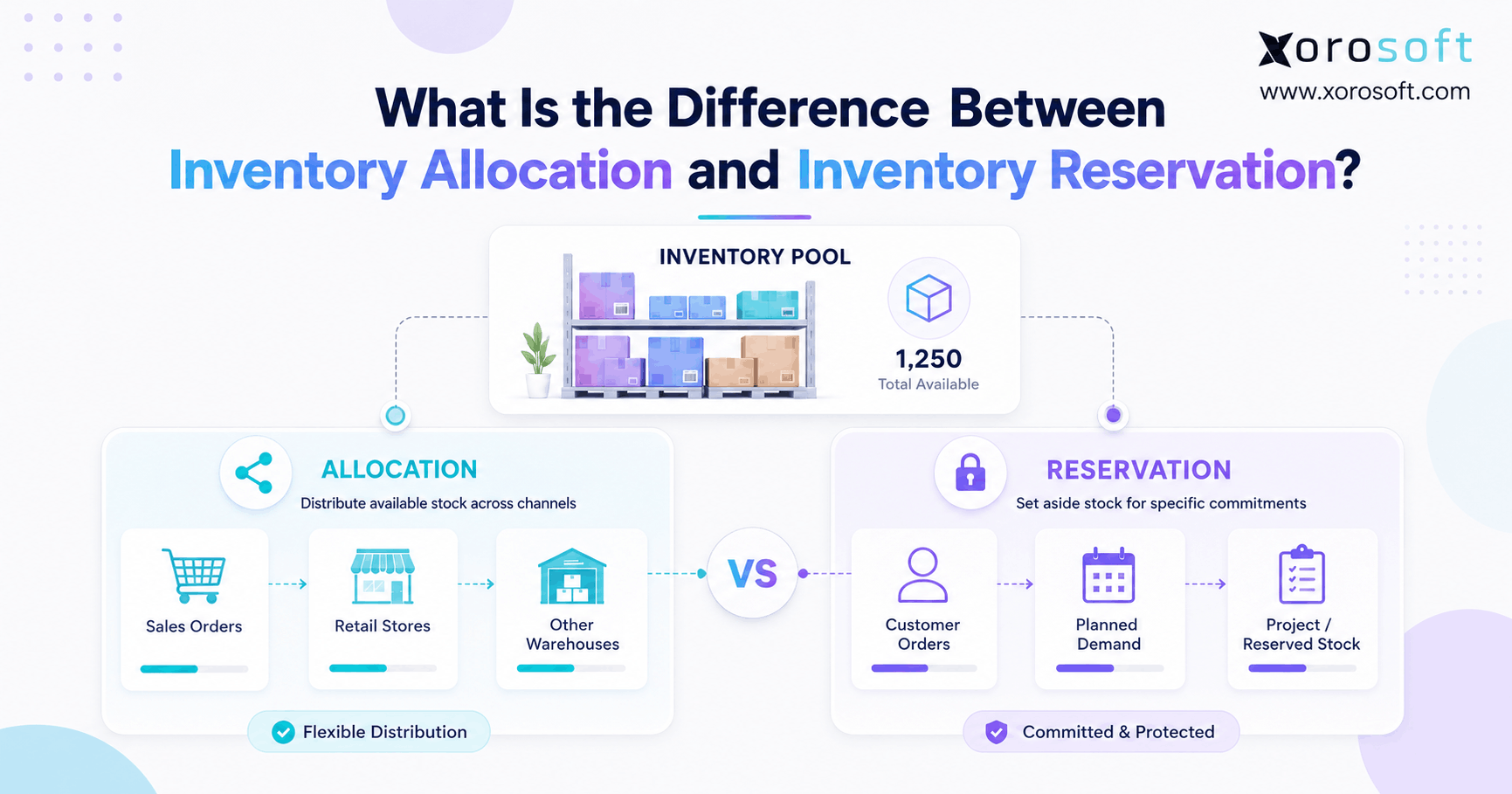
 What Is the Difference Between Inventory Allocation and Inventory Reservation?