If you’re searching for an effective solution to manage your automotive business, an automotive parts ERP can streamline processes and improve efficiency.
1. Growth Reveals Hidden Gaps in Automotive Parts Operations
1.1 Manual Workarounds Hide Operational Problems
Automotive parts companies rarely outgrow their systems in one clear moment. Instead, pressure builds as the company adds products, suppliers, warehouses, customers, and sales channels. Meanwhile, employees create spreadsheets and manual steps to keep daily work moving.
At first, these workarounds may appear harmless. However, they often become part of the normal operating process. Buyers manage purchase plans in spreadsheets, warehouse teams rely on memory, and finance adjusts inventory values at month-end.
As a result, each department may work from a different version of the truth.
1.2 Disconnected Systems Create Inventory and Reporting Gaps
For example, the warehouse may show that a part is available. However, the ecommerce store may show the same part as sold out. At the same time, the accounting system may report a stock value that no longer matches the physical count.
Common warning signs include:
• Website stock does not match warehouse stock.
• Buyers calculate purchase needs in spreadsheets.
• Customer service must call the warehouse before confirming an order.
• Several employees enter the same data into different systems.
• Returns and core deposits require manual checks.
• Wholesale and ecommerce orders follow separate workflows.
• Finance spends days matching inventory with accounting records.
• Managers cannot see profit by SKU, customer, brand, or sales channel.
Although each problem may look separate, they often share one cause: disconnected systems. Therefore, leaders should treat them as connected process problems rather than isolated software issues.
1.3 Automotive Parts ERP Creates a Shared Operating Process
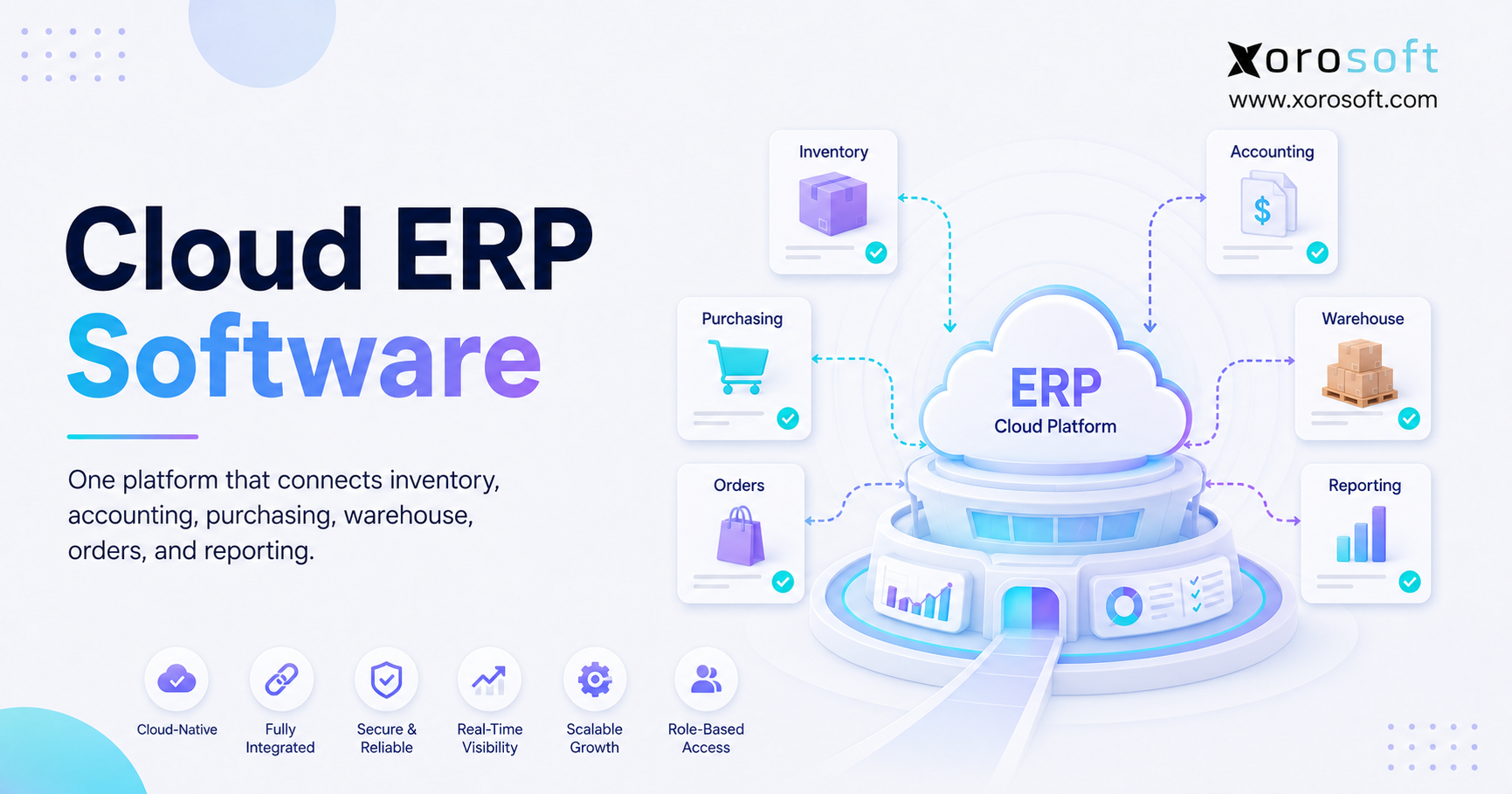
Automotive parts ERP helps close these gaps by linking inventory, purchasing, warehouse work, production, sales, accounting, forecasting, ecommerce, and reporting.
Consequently, teams can follow one shared process instead of maintaining several broken workflows. In addition, each department can work from the same stock, order, and financial records.
The goal is not simply to install new software. Rather, the goal is to create a clear and controlled flow of data across the company. Ultimately, the business needs a system that supports growth without adding the same amount of manual work.
2. What Automotive Parts ERP Manages
Automotive parts ERP is software that connects inventory, purchasing, warehouse management, production, sales, accounting, forecasting, ecommerce, and reporting in one system.
Instead of keeping data in separate tools, ERP records the full effect of each business activity. Consequently, one transaction can update several departments at the same time.
For example, when a supplier shipment arrives, the system can update:
1. On-hand stock
2. Open purchase-order quantities
3. Warehouse receipt records
4. Lot or serial details
5. Inventory value
6. Supplier invoice status
7. Future product availability
Likewise, when a customer order ships, the system can reduce available stock, record cost of goods sold, update revenue, create a shipping record, and send tracking details to the sales channel.
Therefore, the warehouse does not need to update one system while finance waits for a separate file. Instead, both teams can work from the same transaction record.
2.1 Who Needs Automotive Parts ERP?
Automotive parts ERP is most useful when a company manages several types of complexity at once.
Typical users include:
• Automotive parts manufacturers
• Aftermarket parts distributors
• OEM and Tier suppliers
• Wholesale replacement-parts companies
• Automotive parts importers
• Private-label brands
• Shopify and Amazon sellers
• Remanufacturers
• Multi-warehouse businesses
• Companies that use EDI
A business may also need ERP when its accounting software still works well for finance but cannot support daily operations.
For instance, QuickBooks may record invoices and payments correctly. However, the company may still struggle with warehouse control, product planning, production, purchasing, or channel updates.
In that case, the main problem is not accounting. Instead, the problem is the lack of a shared operating system.
2.2 Who May Not Need a Full ERP System?
Not every automotive parts company needs a complete ERP platform.
A small business may continue to work well with accounting software and a reliable inventory application. For example, this setup may be enough when the company has:
• One warehouse
• A limited product range
• Simple pricing
• Few employees
• No manufacturing
• One main sales channel
• Low order volume
• Easy month-end checks
However, the decision should not depend only on sales revenue.
For example, a $4 million company with three warehouses, 30,000 SKUs, wholesale pricing, and ecommerce orders may need ERP sooner than a larger business with a narrow catalog. Therefore, system needs should be based on process difficulty, transaction volume, and operational risk.
2.3 Automotive Parts ERP Versus Basic Business Software
Accounting software mainly records money. Inventory software mainly tracks products and orders. Warehouse software manages receiving and shipping. Meanwhile, manufacturing software plans materials and production.
Automotive parts ERP connects these areas.
That difference matters because one transaction may affect several teams. For example, a returned alternator may require:
• A customer credit
• A warehouse check
• A core deposit refund
• A warranty record
• An inventory update
• A supplier claim
• An accounting entry
When separate systems handle each step, employees must link the process by hand. As a result, errors and delays become more likely.
By contrast, ERP keeps these steps connected through one transaction record. Therefore, each team can see what has happened and what still needs attention.
3. Why Automotive ERP Software Needs Industry-Specific Data
A general ERP system may manage standard products well. However, automotive parts often require more detailed product data.
These needs may include fitment, cross-references, substitute parts, serial tracking, customer part numbers, and core deposits. Therefore, automotive businesses must review more than basic inventory features.
The ERP does not always need to manage every detail itself. Still, it must work with the systems that hold that data. In addition, the business must clearly define which system owns each record.
3.1 Part Numbers and Cross-References
One physical part may have several names or codes.
These may include:
• Internal SKU
• Manufacturer part number
• Supplier code
• Customer part number
• Barcode
• Marketplace listing ID
• Competitor number
• Old or replaced part number
However, the system must know whether these codes point to the same item or to different items.
For example, a supplier code may simply be another name for the same product. In contrast, an interchange part may come from another brand. Meanwhile, a replacement part may work only for certain vehicles or production dates.
Poor item data can lead to:
• Duplicate products
• Incorrect purchase orders
• Confusing search results
• Inaccurate stock levels
• Shipping mistakes
• Higher return rates
Therefore, the item master needs clear rules and regular review. In addition, employees should not create new SKUs without checking existing part numbers and cross-references.
3.2 Vehicle Fitment Data
Aftermarket sellers often manage fitment data such as:
• Year
• Make
• Model
• Engine
• Trim
• Body type
• Drive type
• Vehicle options
ACES is commonly used for vehicle fitment data, while PIES supports product details. As a result, these standards help manufacturers, distributors, retailers, and ecommerce tools exchange product information more consistently.
However, ERP may not replace a complete catalog or product information system.
Instead, the business should decide which system owns each type of data. For example:
• ERP may own stock, cost, price, and orders.
• A catalog system may own vehicle fitment.
• A PIM may own product text and images.
• Shopify may display the final online listing.
Therefore, each system should have a clear role. Otherwise, several applications may begin storing different versions of the same product record.
3.3 Superseded and Replacement Parts
A replacement part is not always a simple one-to-one match.
For instance, a new part may replace an old one permanently. However, another replacement may apply only to a certain vehicle or model year. In some cases, the customer may need two new units instead of one old unit.
Likewise, a replacement may require a kit or extra hardware.
Automotive parts ERP should show these links clearly. However, it should not treat every replacement as the same product.
During a product demonstration, buyers should test:
• One-way replacements
• Two-way substitutes
• Date-based changes
• Vehicle-based changes
• Quantity changes
• Kit-based replacements
As a result, the team can identify weak replacement logic before launch. Therefore, these tests should be part of the vendor scorecard.
3.4 Long-Tail and Uneven Demand
Demand for automotive parts is rarely even.
Some filters, brake parts, and service items sell often. However, many replacement parts move only a few times each year.
Consequently, a simple monthly average may not work well for these items.
Instead, planners should also review:
• How often the part sells
• Supplier lead time
• Order minimums
• Part value
• Available substitutes
• Customer service goals
• Product age
• Obsolete stock risk
• Key customer needs
For example, a slow-moving part may still be important for a large fleet customer. Therefore, low sales volume does not always mean the item should be removed.
Likewise, a fast-moving part with a short lead time may require less safety stock than a slower part with an unreliable supplier. As a result, planning rules should reflect both demand and supply risk.
3.5 Customer Pricing and Margin Rules
Automotive distributors often use different prices for different customers.
Price may depend on:
• Customer type
• Contract terms
• Product brand
• Order size
• Product group
• Sales region
• Effective date
• Special deal
As a result, price lists can become difficult to control in spreadsheets.
A reliable ERP should apply the correct rule automatically. In addition, it should show why the rule was used.
The system should also flag:
• Prices below the allowed limit
• Expired agreements
• Unapproved discounts
• Low-margin orders
• Incorrect freight terms
• Missing rebate rules
Therefore, the sales team can respond quickly without giving up margin control. Meanwhile, managers can review pricing exceptions before they become normal practice.
3.6 Core Deposits, Returns, and Warranties
Remanufactured parts often include a core deposit.
The process may include:
1. Selling the new or rebuilt part
2. Charging a core deposit
3. Receiving the old part
4. Checking its condition
5. Approving or rejecting the core
6. Issuing a customer credit
7. Returning, rebuilding, or scrapping the core
If these steps happen in different systems, the warehouse and finance team may lose track of the full process.
For example, finance may issue a credit before the warehouse checks the part. Alternatively, the warehouse may receive the core without linking it to the original sale.
Therefore, ERP should keep the sale, return, deposit, check, and credit connected. As a result, both inventory and customer balances remain easier to review.
3.7 Traceability and Recall Readiness
Traceability matters for companies that make, import, relabel, or sell safety-related parts.
A strong record should connect:
1. Supplier
2. Supplier lot or serial number
3. Purchase receipt
4. Inspection result
5. Production or assembly record
6. Internal lot or serial number
7. Warehouse movement
8. Customer shipment
9. Return or warranty case
As a result, the company can identify affected stock more quickly.
ERP does not create a full recall plan by itself. However, it gives teams the records they need to act.
The company should still test whether it can:
• Find stock in each warehouse
• Block affected items
• List every customer who received the item
• Create replacement orders
• Track returned units
• Record final disposal
Therefore, recall testing should be part of both system selection and regular business checks. In addition, the company should assign clear owners for customer contact, replacement stock, and final reporting.
4. Core Automotive Parts ERP Features
The right feature set depends on the business model. However, most automotive parts ERP projects should review the same main areas.
| ERP feature | Main purpose | Business value |
|---|---|---|
| Inventory management | Track stock by SKU and location | More accurate availability |
| Purchasing | Plan and control supply | Better buying decisions |
| Warehouse management | Control receiving and shipping | Fewer warehouse errors |
| Forecasting | Plan future demand | Better stock levels |
| Manufacturing | Manage BOMs and work orders | Better material control |
| Sales orders | Process customer demand | Fewer manual steps |
| Accounting | Link stock with finance | Faster checks |
| Ecommerce links | Sync orders and stock | Lower overselling risk |
| EDI | Share documents with partners | Faster wholesale processing |
| Reporting | Review company data | Better decisions |
4.1 Automotive Inventory Management
Inventory management should show more than the total number of units.
The system should separate:
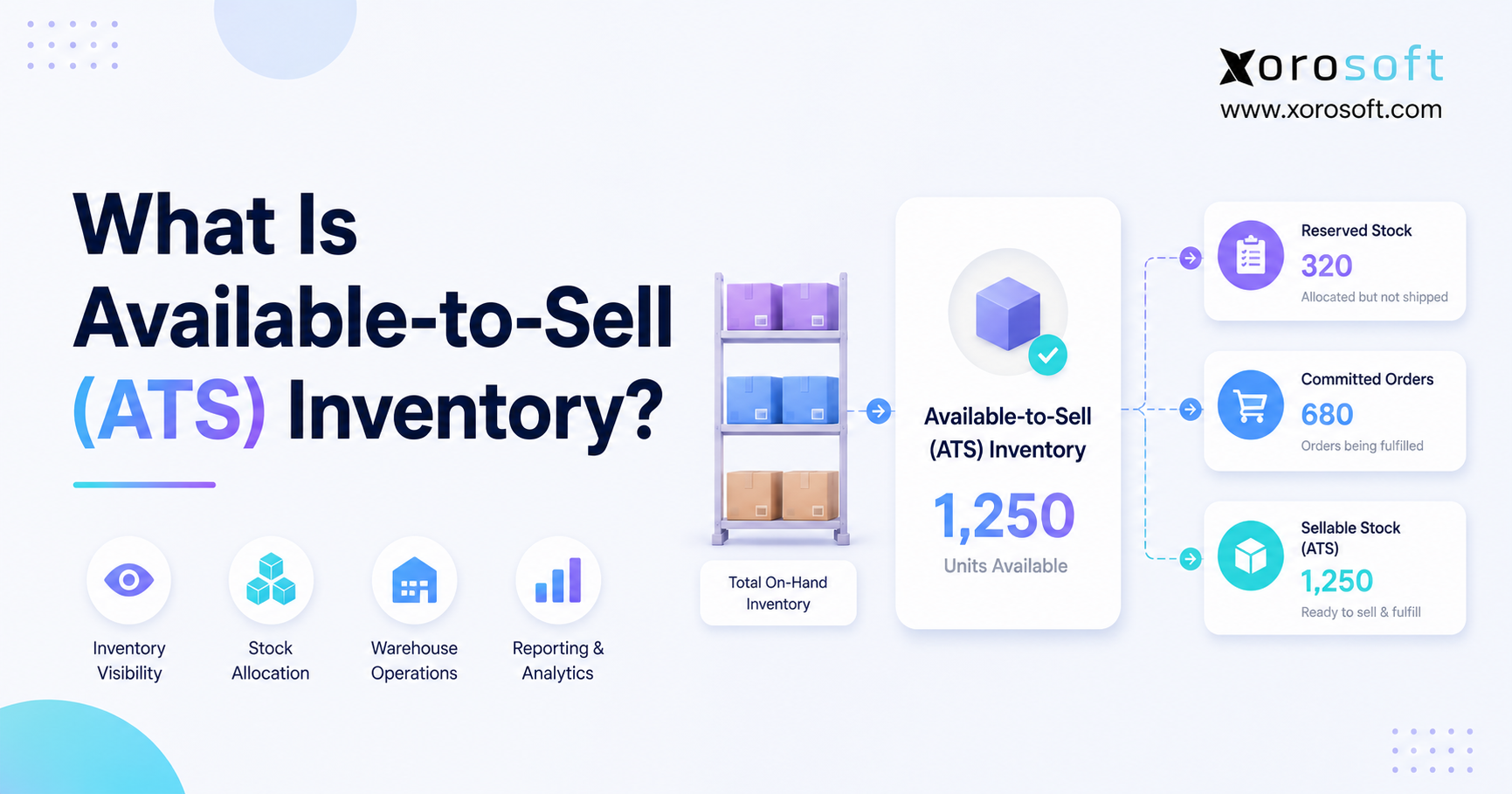
• On-hand stock
• Available stock
• Allocated stock
• In-transit stock
• Damaged stock
• Quarantined stock
• Backordered stock
• Stock on purchase orders
For multi-warehouse businesses, the system should also show the exact building and bin.
However, stock visibility alone does not prevent overselling. Therefore, the company also needs clear allocation rules.
For example, the business may want to reserve stock for:
• Large wholesale customers
• Fleet contracts
• Ecommerce orders
• Marketplace orders
• Production needs
• Service agreements
Consequently, available stock should reflect real commitments, not just the physical count. In addition, employees should understand why a unit is unavailable before promising it to a customer.
4.2 Automotive Purchasing and Supplier Management
Purchasing should move beyond spreadsheets and buyer memory.
A useful system gives buyers one view of:
• Past sales
• Current stock
• Open orders
• Incoming supply
• Supplier lead time
• Order minimums
• Safety stock
• Contract prices
• Product age
• Demand forecasts
In addition, purchasing tools should support:
• Purchase requests
• Order approval
• Supplier price lists
• Partial receipts
• Inbound shipment tracking
• Landed cost
• Supplier scorecards
• Reorder advice
For companies that have outgrown basic software, XoroERP connects purchasing with inventory, accounting, warehouse work, production, and forecasts.
As a result, buyers can make decisions from a shared data set instead of several exports. Moreover, managers can review whether purchase decisions match the agreed service and cash-flow goals.
4.3 Automotive Warehouse Management
Warehouse management controls the physical movement of parts.
The system should guide:
1. Receiving
2. Inspection
3. Putaway
4. Replenishment
5. Picking
6. Packing
7. Shipping
8. Transfers
9. Cycle counts
10. Returns
Barcode scanning can confirm the item, bin, order, and quantity.
Therefore, employees rely less on memory and handwritten notes. In addition, supervisors can see which tasks remain open and where delays are forming.
A connected warehouse management system can also keep warehouse work tied to purchasing, sales orders, stock, and accounting.
4.4 Automotive Demand Forecasting
Demand forecasts should support a decision. However, they should not replace buyer review.
A useful forecast may include:
• Sales history
• Seasonal demand
• Open customer orders
• Promotions
• Supplier lead time
• Product age
• Substitute parts
• Safety stock
• Forecast error
• Service goals
For example, a demand spike may come from a one-time fleet order. Therefore, the buyer should not always treat it as normal future demand.
Likewise, a new product may have little sales history. In that case, the buyer may need market data, similar-item history, and supplier input.
As a result, forecasting works best when the system provides context rather than only one suggested quantity.
4.5 Automotive Sales Order Management
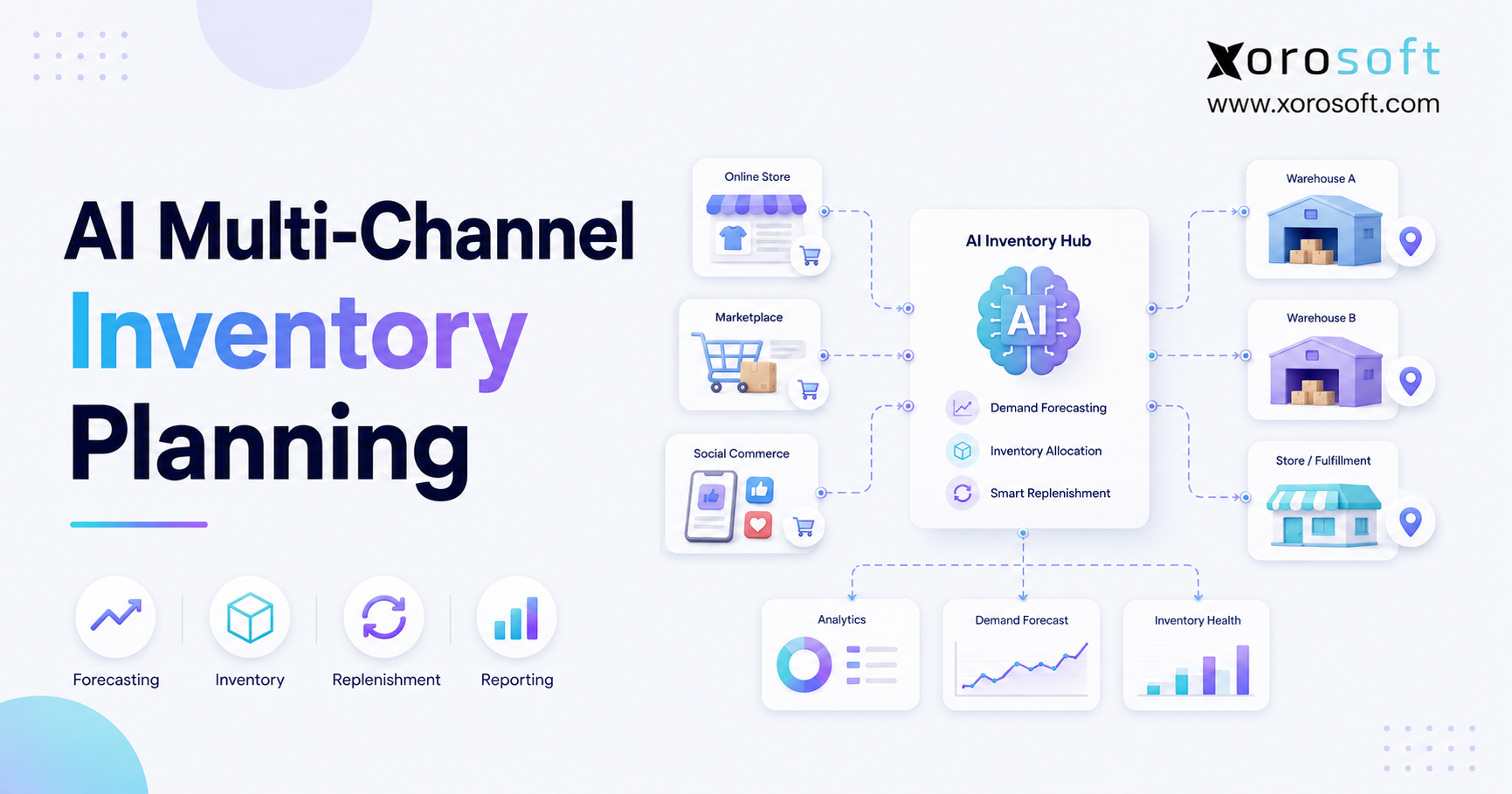
Sales-order tools should support wholesale, ecommerce, marketplace, EDI, and direct orders.
Important features include:
• Customer pricing
• Credit limits
• Payment terms
• Stock allocation
• Backorders
• Partial shipments
• Substitute products
• Drop shipping
• Freight rules
• Approval steps
In addition, the system should keep channel details without creating a separate stock record for each sales source.
Therefore, every order can follow one controlled process. At the same time, each channel can retain its own customer, fee, tax, and shipping information.
4.6 Automotive Parts Accounting
Automotive parts ERP should connect stock activity with finance.
This helps support:
• Inventory value
• Landed cost
• Accounts payable
• Accounts receivable
• Cost of goods sold
• Production cost
• Return credits
• Margin reports
Managers should also be able to review profit by:
• SKU
• Brand
• Customer
• Warehouse
• Channel
• Product group
• Sales region
A platform such as XoroONE brings inventory, purchasing, warehouse work, accounting, production, forecasting, ecommerce, and reporting into one cloud system.
Therefore, finance and operations can review the same source data. As a result, month-end questions can be traced back to the original warehouse, purchase, or sales transaction.
5. Automotive Manufacturing ERP Requirements
Parts manufacturers need functions that pure distributors may not use.
5.1 Bills of Materials in Automotive Manufacturing ERP
A bill of materials shows which parts and amounts are needed to make a finished item.
The system may need to support:
• Multi-level BOMs
• Alternate parts
• Units of measure
• Scrap rates
• Revision dates
• Approved substitutes
• Subassemblies
• Packaging items
• Component costs
However, BOM control is not only about the parts list.
An engineering change may affect suppliers, work steps, checks, cost, stock, and packaging. Therefore, the ERP should also manage revisions and effective dates.
In addition, planners should be able to identify which open work orders use an older revision. Otherwise, production may continue using outdated material rules.
5.2 MRP and Material Planning
Material requirements planning calculates what is needed and when it is needed.
The plan may review:
• Customer demand
• Current raw material
• Open purchase orders
• Work in progress
• Supplier lead time
• Safety stock
• Order rules
• Planned scrap
• Existing work orders
As a result, planners can see shortages before production starts.
However, MRP results still need review. Poor lead times, incorrect BOMs, and old stock data will create poor plans.
Therefore, companies should treat planning data as an ongoing business process. In addition, buyers and production planners should regularly review lead times, order rules, and material losses.
5.3 Work Orders and Production Tracking
Work orders record how production moves through the plant.
They may track:
• Planned quantity
• Material use
• Labour
• Start and finish time
• Scrap
• Completed units
• Lot numbers
• Serial numbers
• Work status
Therefore, managers can compare planned output with actual output.
In addition, completed work orders can update stock and cost records. As a result, finance receives more timely production costs while operations sees completed inventory sooner.
5.4 Production Scheduling and Capacity
Material supply does not always mean the company has enough capacity.
Manufacturers may also need to plan:
• Machines
• Work centres
• Skilled staff
• Tooling
• Outside work
• Changeover time
• Inspection time
For example, all materials may be ready, but a key machine may already be booked.
Therefore, production planning should review both material and capacity. Otherwise, MRP may suggest a production date that the plant cannot meet.
5.5 Quality and Compliance Records
Automotive suppliers may need quality checks, customer records, part approvals, and clear production history.
ERP can help store:
• Inspection results
• Supplier records
• Approval steps
• Production lots
• Serial numbers
• Work-order history
• Non-conformance records
• Corrective actions
However, the business must still confirm its exact customer and quality needs.
A general quality module may not support every process. Therefore, vendors should show how the system handles real documents, checks, approvals, and exceptions.
In addition, companies should verify which records remain inside ERP and which require a separate quality or document-management system.
6. Automotive Parts ERP for Distributors
Distributors usually focus more on catalog size, stock, pricing, buying, and order speed.
6.1 Large Product Catalogs
The system should manage a large number of items without creating duplicate records.
Useful search fields include:
• Internal SKU
• Maker part number
• Supplier number
• Customer number
• Barcode
• Brand
• Product family
• Cross-reference
• Substitute
• Replaced part
However, not every detail must live in ERP.
A product data system may hold rich descriptions and fitment. Meanwhile, ERP may control price, cost, stock, and orders.
Therefore, the company should define clear ownership before building integrations. Otherwise, employees may update the same field in several systems.
6.2 Multi-Warehouse Automotive Inventory
A distributor may hold the same part in several sites.
Sales teams need to know whether the item is:
• Available nearby
• Available at another site
• Already allocated
• In transit
• On a purchase order
• Backordered
• Available from a supplier
However, stock in another warehouse may not always be truly available.
Transfer time, freight cost, customer need, and warehouse workload may affect the decision. Therefore, availability should include these limits.
For example, transferring one low-value part across the country may cost more than the order margin. As a result, the system should help employees choose between transfer, backorder, substitute, and supplier-direct options.
6.3 Automotive Inventory Allocation
Allocation decides who receives limited stock.
The business may reserve parts for:
• Contract customers
• Fleet accounts
• Open wholesale orders
• Online orders
• Marketplace orders
• Production
• Service-parts needs
Without clear rules, the first order may take stock meant for a more important customer.
Therefore, allocation rules should match the company’s sales plan. In addition, managers should review exceptions so that manual overrides do not weaken the policy.
6.4 Wholesale Pricing and Credit Checks
Wholesale orders may use contract prices, volume rates, or customer group prices.
At the same time, the system may need to check:
• Credit limit
• Payment terms
• Old unpaid invoices
• Tax status
• Freight terms
• Margin level
• Order approval
As a result, the sales team can respond quickly without missing key controls.
However, the company should avoid adding so many approval rules that normal orders slow down. Therefore, controls should focus on real financial risk.
6.5 Backorders, Substitutes, and Drop Shipping
When an item is out of stock, the system should show other choices.
These may include:
• An approved substitute
• Stock at another warehouse
• Incoming supply
• A supplier-direct order
• A later ship date
• A partial shipment
Therefore, customer service can give a clear answer without checking several systems.
In addition, the chosen option should remain linked to the original demand. As a result, purchasing and service teams can understand why the order changed.
7. Automotive ERP for Ecommerce Sellers
Online parts sales add speed and stock-sync needs to an already complex business.
7.1 Automotive Parts ERP With Shopify
A Shopify store can accept an order at any time.
However, the business still needs to decide:
• Which warehouse will ship it
• Whether stock is already promised
• Which carrier should be used
• How stock will change
• How the sale will reach accounting
• How a return will be handled
The Xorosoft ERP Shopify application can connect Shopify orders with wider stock, purchasing, warehouse, accounting, and reporting work.
As a result, Shopify does not need to operate as a separate stock system. Instead, it can display availability based on the same controlled inventory used by wholesale and warehouse teams.
7.2 Amazon and Marketplace Orders
Marketplace sales may require support for:
• Seller-fulfilled orders
• Marketplace-held stock
• Reserved units
• Shipping updates
• Returns
• Fees
• Settlement reports
• Channel item codes
• Product listings
However, a connector that imports normal orders may still fail on unusual cases.
Therefore, companies should test cancellations, split shipments, refunds, duplicate listings, and payment checks. In addition, they should confirm how errors are displayed and who is responsible for correcting them.
7.3 Wholesale, Ecommerce, and EDI Orders
Different sales channels should not create different versions of stock.
Instead, all orders should enter one controlled process while keeping channel details.
These details may include:
• Customer type
• Price source
• Shipping method
• Marketplace fee
• Tax treatment
• EDI reference
• Service promise
As a result, the company keeps one stock record while still meeting each channel’s needs.
Moreover, management can compare revenue, cost, returns, and margin across channels using the same reporting structure.
7.4 Preventing Overselling
Fast stock sync is useful. However, it is not enough by itself.
The system must also subtract:
• Open orders
• Customer allocations
• Safety stock
• Damaged units
• Production demand
• Pending transfers
• Marketplace reserves
Therefore, online channels receive a more accurate available-to-sell number.
In addition, the company should define what happens when inventory changes before an online order reaches ERP. For example, the system may need to hold, reroute, backorder, or cancel the order based on clear rules.
8. How Automotive Parts ERP Improves Warehouse Work
Inventory accuracy comes from good process. However, software helps teams follow that process.
8.1 Accurate Receiving
Receiving should match the supplier delivery with the purchase order.
Workers may need to record:
• Actual quantity
• Damage
• Short or extra units
• Lot or serial number
• Inspection result
• Warehouse location
• Freight details
• Supplier documents
In addition, blind receiving may require the worker to count the shipment without first seeing the expected amount.
As a result, the count may be more reliable.
However, the system should still make it easy to record shortages, overages, and damaged goods. Otherwise, employees may force the receipt to match the purchase order.
8.2 Putaway and Replenishment
Directed putaway helps place items in the correct bin.
The rule may consider:
• Available space
• Item size
• Sales speed
• Handling needs
• Product group
• Pick method
Meanwhile, replenishment moves stock from reserve areas to pick bins before the bin runs empty.
Therefore, pickers can keep working without avoidable delays. In addition, warehouse managers can plan replenishment before peak order periods.
8.3 Barcode Picking and Shipping
Barcode scans can confirm:
• Item
• Bin
• Order
• Quantity
• Carton
• Shipping label
As a result, the system can catch a wrong pick before the order leaves.
Packing checks may also confirm customer labels, carrier service, box size, and shipping documents. Therefore, the warehouse can reduce both product errors and shipping errors.
8.4 Risk-Based Cycle Counting
A yearly stock count finds errors after they have built up.
In contrast, cycle counting checks selected items throughout the year.
Companies may count more often based on:
• High value
• High sales volume
• Frequent changes
• Past errors
• Several bin locations
• Recent receipt issues
• Safety risk
Therefore, the business spends more time checking the items that matter most.
Moreover, count results should lead to process review. For example, repeated differences in one bin may point to a receiving, picking, or unit-of-measure problem.
8.5 Multi-Warehouse Visibility
Multi-warehouse visibility should show stock across the full network.
However, managers should not treat every unit as freely available.
For example, stock may be reserved for a key customer or needed for local demand. In addition, the cost of moving one unit may be higher than the value of the sale.
Therefore, transfer rules should consider cost, time, service, and warehouse workload. As a result, employees can make decisions that protect both customer service and margin.
9. Automotive Parts ERP and Financial Control
Operations and finance often report different inventory numbers when systems are disconnected.
9.1 Linking Inventory With the General Ledger
Each receipt, sale, return, transfer, stock change, and production step may affect inventory value.
Therefore, the system needs clear posting rules.
Finance should be able to trace a ledger amount back to the warehouse or production transaction that created it.
As a result, teams can find errors faster. In addition, managers can review whether the issue came from process timing, incorrect setup, or a manual adjustment.
9.2 Automotive Inventory Valuation
The company may use an approved method such as average cost, FIFO, or another suitable method.
However, the method alone does not guarantee correct results.
Backdated receipts, negative stock, late returns, and manual changes can still affect cost.
Therefore, transaction timing and process control remain important. Moreover, the business should review unusual cost changes before they affect pricing and margin reports.
9.3 Landed Cost for Imported Parts
The supplier price may not be the full cost of an imported part.
Other costs may include:
• Freight
• Duty
• Broker fees
• Insurance
• Port charges
• Handling
Landed-cost tools spread these charges across the received items.
For example, the company may allocate cost by weight, value, quantity, or volume.
Therefore, managers can see a more accurate product margin. In addition, buyers can compare suppliers using total delivered cost rather than purchase price alone.
9.4 Faster Month-End Checks
A connected system reduces the number of exports needed to match operations with finance.
However, ERP does not remove the need for controls.
Teams still need to close periods, review late transactions, check returns, and confirm stock changes.
Still, a shared record makes this work easier. As a result, finance can spend less time rebuilding operational history and more time reviewing exceptions.
9.5 Profit by Product, Customer, and Channel
Revenue does not show the full value of a sale.
The company should also review:
• Product cost
• Freight
• Discounts
• Marketplace fees
• Returns
• Warranty cost
• Warehouse work
• Customer terms
• Landed cost
As a result, managers can see which products and channels truly support growth.
Therefore, buying, pricing, and sales decisions can be based on contribution rather than revenue alone.
10. Signs an Auto Parts Company Has Outgrown Its Software
A company should consider automotive parts ERP when current systems can no longer control daily work.
10.1 Stock Reports Do Not Match Physical Stock
Frequent differences often point to weak receiving, picking, transfer, return, or stock-change steps.
However, disconnected systems make the source harder to find.
Therefore, the company may spend more time correcting records than improving the process. In addition, sales teams may stop trusting available inventory.
10.2 Purchasing Depends on Spreadsheets
A buyer may need to combine stock, sales, open orders, lead times, and supplier rules by hand.
As a result, two buyers may reach different answers using different files.
ERP can bring these inputs into one planning view. Therefore, buyers can follow shared rules while still applying judgement.
10.3 QuickBooks Cannot Support Daily Operations
QuickBooks may still work for accounting.
However, the company may need stronger stock, warehouse, production, and sales-channel tools.
Therefore, the main reason to move to ERP may be process control rather than finance alone. In addition, replacing several connected apps may reduce the number of reconciliations required each month.
10.4 Warehouses Use Different Rules
Several warehouses often expose weak item data and uneven work methods.
For example, one site may receive into a staging area, while another may place stock directly into a pick bin.
As a result, company-wide reports become difficult to trust.
ERP can support shared rules while allowing valid local differences. Therefore, the goal should be standard control rather than forcing every warehouse into an identical layout.
10.5 Ecommerce and Wholesale Stock Are Separate
When sales channels use different stock numbers, overselling becomes more likely.
In addition, staff may reserve stock by email or spreadsheet.
Therefore, a shared allocation process becomes important. As a result, ecommerce and wholesale teams can work from the same availability rules.
10.6 Month-End Close Takes Too Long
Slow close often comes from late warehouse transactions, return issues, landed-cost changes, and manual checks.
A connected system can reduce these handoffs.
However, teams must still process transactions on time. Therefore, the ERP project should include period-close rules and daily operating controls.
10.7 Profit Data Arrives Too Late
If managers need several exports to calculate margin, the answer may arrive after the buying or pricing decision.
Therefore, ERP should bring revenue, cost, fees, freight, and returns into one report.
As a result, leaders can act before weak margins become a larger problem.
11. Automotive ERP Versus Other Software
ERP is not the only option.
| Software type | Best fit | Main limit |
| Accounting software | Small and simple businesses | Limited operations |
| Inventory software | Basic stock and buying | May lack full accounting |
| WMS | Complex warehouse work | Does not run the full company |
| MRP | Material planning | May exclude sales and finance |
| Connected apps | Teams with strong tech support | More links to manage |
| Automotive parts ERP | Connected operations | Needs careful rollout |
11.1 Automotive ERP Versus Inventory Software
Inventory software mainly handles stock, buying, and orders.
ERP also links accounting, production, approval, planning, and reports.
Therefore, inventory software may remain enough for a simple business. However, ERP becomes more useful when teams keep matching inventory with finance or warehouse tools.
11.2 Automotive ERP Versus WMS
A WMS controls warehouse tasks. In contrast, ERP controls the wider business.
Some companies use both.
For example, a high-volume warehouse may need a deep WMS linked to ERP. However, a smaller operation may use the warehouse tools inside ERP.
Therefore, the decision should reflect warehouse volume, automation, and process depth.
11.3 Automotive ERP Versus MRP
MRP mainly plans materials for production.
ERP covers sales, buying, stock, warehouse work, production, accounting, and reports.
Therefore, MRP may be enough for a narrow production need. However, it may not solve wider company gaps.
11.4 Automotive ERP Versus Dealer Software
Dealer systems usually support vehicle sales, service, repair, and parts-counter work.
In contrast, automotive parts ERP is usually built for manufacturers, importers, distributors, wholesalers, remanufacturers, and ecommerce sellers.
Therefore, companies should confirm that the vendor serves their actual operating model.
11.5 Automotive ERP Versus Connected Apps
Separate applications can provide strong features.
However, every connection needs owners, checks, error handling, updates, and support.
Therefore, a connected application stack works best when the company has clear data rules and enough technical skill.
Otherwise, the business may replace spreadsheet work with integration monitoring.
12. How to Choose Automotive Parts ERP Software
Software selection should start with real business work.
12.1 Define Clear ERP Needs
First, list the current problems.
Next, place each need into one of these groups:
• Required at launch
• Important after launch
• Nice to have
• Needs another app
• Can be fixed through process change
As a result, the team can focus on the most important needs.
In addition, this process prevents minor preferences from receiving the same weight as inventory valuation, traceability, or order fulfillment.
12.2 Test Full Automotive Workflows
Ask vendors to show real cases.
For example:
• Receive part of a supplier order.
• Track a lot or serial number.
• Move stock between warehouses.
• Use an approved substitute.
• Process a return and core deposit.
• Add landed cost to imported stock.
• Trace a part from supplier to customer.
• Complete a production order.
• Match Shopify, Amazon, wholesale, and EDI sales.
Therefore, the team can see how the system handles both normal and unusual work.
Moreover, vendors should explain which steps are standard, configured, customized, manual, or supported by another application.
12.3 Review the Product Data Plan
Decide which system will own:
• Item data
• Fitment data
• Product text
• Images
• Price
• Cost
• Stock
• Supplier data
• Customer orders
For example, ERP may own stock and cost. Meanwhile, a PIM may own rich product content.
Therefore, the company needs a clear data map before setup begins. Otherwise, integrations may create duplicate or conflicting records.
12.4 Compare Automotive ERP Vendors
The shortlist should match the business model.
Xorosoft may suit inventory-led companies that need connected stock, purchasing, warehouse work, accounting, production, forecasting, ecommerce, and EDI.
Other companies may also review NetSuite, Epicor, Acumatica, Business Central, Sage, Plex, QAD, or Infor.
For broader cloud ERP research, the Xorosoft versus NetSuite comparison can support the review.
However, no vendor should be chosen from a page or checklist alone. Therefore, every shortlisted platform should be tested against the same workflows.
12.5 Use a Weighted Scorecard
| Review area | Suggested weight |
| Inventory and warehouse | 20% |
| Production and tracking | 15% |
| Accounting | 15% |
| Ecommerce and EDI | 15% |
| Reports and forecasts | 10% |
| Rollout fit | 10% |
| Growth support | 10% |
| Total cost | 5% |
However, each company should change the weights.
For example, a manufacturer may give more weight to production and tracking. In contrast, an online distributor may focus more on fitment, stock sync, pricing, and returns.
Therefore, the scorecard should reflect actual risk rather than a generic software checklist.
12.6 Compare the Full Cost
Software price is only one cost.
The full cost may include:
• Setup
• Data migration
• Integrations
• Custom work
• Staff time
• Training
• Support
• Upgrades
• Third-party apps
• Ongoing administration
Therefore, the lowest first quote may not be the lowest long-term cost.
In addition, buyers should consider the cost of keeping systems that ERP will not replace.
13. How to Implement Automotive Parts ERP
ERP rollout is a business change project.
13.1 Set Clear Business Goals
Goals should describe results.
For example:
• Create one trusted stock record.
• Reduce spreadsheet buying.
• Standardize warehouse receiving.
• Connect stock with accounting.
• Improve part tracking.
• Join online and wholesale orders.
• Reduce month-end checks.
Therefore, the team can measure whether the project worked.
In addition, each goal should have an owner, starting point, and target date.
13.2 Build a Cross-Team Project Group
The group should include people from:
• Operations
• Buying
• Warehouse
• Production
• Finance
• Sales
• Customer service
• Ecommerce
• IT
However, the IT team should not make every process decision.
Department leaders must decide how future work will operate. Therefore, key users need enough time to take part in design, testing, and training.
13.3 Clean Data Before the Move
Data work may include:
1. Active and old items
2. Duplicate SKUs
3. Units of measure
4. Alternate part numbers
5. Suppliers
6. Customers
7. Prices
8. Stock balances
9. Warehouse bins
10. BOMs
11. Open orders
12. Accounting balances
Poor data will remain poor after migration.
Therefore, cleanup should happen before testing and launch. In addition, the company should define who can create or edit key records after launch.
13.4 Standardize Work Before Setup
The team should agree on:
• Who creates purchase orders
• Who approves them
• How receipts are checked
• When stock becomes available
• How transfers work
• How substitutes are approved
• When returns create credits
• How periods are closed
• Which issues need manager approval
As a result, the system can support one clear process.
However, standardization does not mean every site must work in exactly the same way. Therefore, the team should separate necessary local differences from old habits.
13.5 Test Complete Transactions
Testing should follow work from start to finish.
For example, an order test should include price, allocation, picking, shipping, invoice, payment, cost, and return.
Likewise, a purchase test should include planning, approval, order, receipt, freight cost, supplier invoice, and payment.
Therefore, the team can find gaps before launch.
In addition, tests should cover errors, partial transactions, cancellations, and late changes.
13.6 Train Users by Job
Different teams need different training.
Warehouse staff need receiving, picking, and counting. Buyers need planning and supplier orders. Finance needs posting, costing, and period close.
Therefore, training should use real work instead of general software tours.
Moreover, managers should check whether users can complete their tasks without help before the system goes live.
14. Common Automotive ERP Mistakes
14.1 Choosing Software Before Defining Needs
A polished demonstration can make almost any system look right.
Therefore, the team should define needs and test cases first.
Otherwise, software may be selected based on presentation quality rather than operational fit.
14.2 Copying Every Old Process
Some old steps exist only because the current software is weak.
Therefore, copying every workaround into the new system adds cost without adding value.
Instead, the team should ask why each step exists and whether it still serves a useful purpose.
14.3 Underestimating Product Data
Fitment, units, brands, substitutes, and part numbers need clear rules.
Otherwise, data issues may delay the entire project.
Therefore, data owners should be assigned before configuration begins.
14.4 Ignoring Returns and Unusual Cases
Teams often test a perfect order.
However, real work also includes damage, partial shipments, returns, cores, credits, and shortages.
Therefore, exception testing is essential.
In addition, these cases often reveal whether finance and warehouse processes remain connected.
14.5 Keeping Finance Outside the Project
Stock value, landed cost, returns, and production cost affect finance.
Therefore, accounting must take part in design, testing, and launch.
Otherwise, operational workflows may be approved without considering their financial effect.
14.6 Adding Too Much Custom Work
Some custom work may be needed.
However, too much custom code can raise cost and make upgrades harder.
Therefore, teams should first check whether a process can use standard settings. In addition, every custom request should have a clear business value and owner.
15. Where Xorosoft Fits Automotive Parts ERP Needs
Xorosoft is a cloud ERP platform for inventory-led businesses.
It combines:
• Inventory management
• Purchasing
• Warehouse management
• Accounting
• Production
• Forecasting
• Ecommerce
• EDI
• Reporting
Therefore, it may suit automotive parts companies that need one system across several teams.
The platform may be relevant when a company:
• Sells through several channels
• Runs several warehouses
• Uses Shopify or Amazon
• Sells wholesale
• Uses EDI
• Manages a buying team
• Makes or assembles products
• Needs stock and finance together
• Has outgrown QuickBooks
• Uses too many separate applications
For example, a distributor may want online orders, wholesale orders, purchasing, warehouse tasks, and accounting to use the same stock record.
Likewise, a light manufacturer may need BOMs, work orders, buying, cost, and shipping in one process.
However, companies with deep engineering, fitment, or quality needs should test each requirement closely.
Therefore, Xorosoft should be evaluated against real automotive workflows rather than general feature claims.
The Xorosoft industries page gives more detail on the platform’s use across manufacturing, wholesale, and other inventory-led industries.
16. Frequently Asked Questions About Automotive Parts ERP
16.1 What Is Automotive Parts ERP?
Automotive parts ERP is software that joins inventory, purchasing, warehouse work, production, sales, accounting, forecasting, ecommerce, and reporting. Therefore, teams can work from one shared record. Meanwhile, manufacturers may use it for BOMs and work orders, while distributors may focus more on stock, pricing, purchasing, and shipping.
16.2 What Does Automotive ERP Software Do?
Automotive ERP software manages the daily and financial steps used to make or sell parts. For example, it can handle supplier orders, receipts, warehouse movements, production, customer orders, shipping, invoices, and accounting. As a result, departments have fewer data gaps.
16.3 Why Do Automotive Parts Companies Need ERP?
Parts companies often manage many SKUs, warehouses, price rules, online channels, and tracking needs. However, spreadsheets and basic applications become difficult to control as the company grows. Therefore, ERP becomes useful when teams face repeated data entry, stock errors, slow checks, and weak reporting.
16.4 What Features Should Automotive Parts ERP Include?
Key features include inventory, purchasing, multi-warehouse control, forecasting, sales orders, warehouse tools, accounting, reporting, ecommerce links, and EDI. In addition, manufacturers may need BOMs, MRP, work orders, quality checks, and traceability. Therefore, the feature list should match the company’s operating model.
16.5 What Is the Best ERP for Automotive Parts Companies?
There is no single best system for every company. Instead, the right choice depends on whether the business manufactures, imports, distributes, or rebuilds parts. Therefore, companies should test real workflows, integrations, growth needs, cost, and implementation fit.
16.6 How Much Does Automotive Parts ERP Cost?
Cost depends on users, modules, sites, production needs, integrations, data work, training, and support. Therefore, buyers should compare several years of cost rather than only the monthly fee. In addition, they should include staff time and third-party applications.
16.7 Can ERP Manage Fitment Data?
Some ERP systems can hold basic fitment fields. However, many companies use a catalog or PIM system for detailed vehicle data. Therefore, the company should decide which system owns fitment and how it connects with stock, price, and orders.
16.8 Can ERP Support ACES and PIES?
ERP can work in an environment that uses ACES and PIES. However, direct support differs by vendor. Therefore, buyers should ask how the system imports, exports, checks, and shares this data.
16.9 Can ERP Manage Part Cross-References?
Yes, ERP can store supplier numbers, customer numbers, barcodes, manufacturer codes, and interchange numbers. However, the company must define whether each record is the same item, a substitute, or a different part. As a result, item rules remain just as important as software features.
16.10 Can ERP Track Replaced Parts?
A suitable system can link an old part with a new part. However, some changes depend on date, vehicle, quantity, or kit needs. Therefore, buyers should test real replacement cases.
16.11 Can Automotive Parts ERP Manage Several Warehouses?
Yes. Multi-warehouse ERP can track stock, demand, inbound supply, bins, transfers, and available units by site. In addition, it can help stop the same unit from being promised to several orders.
16.12 How Does ERP Improve Stock Accuracy?
ERP supports clear receiving, moving, picking, shipping, return, and counting steps. Barcode scans can also help. However, good data and staff training still matter; therefore, software and process must improve together.
16.13 Can ERP Forecast Spare-Parts Demand?
Yes, but slow and uneven demand needs careful review. Therefore, planners should consider sales timing, lead time, value, order limits, substitutes, and service goals rather than using only a basic average. In addition, buyers should review unusual demand before accepting system suggestions.
16.14 Can ERP Track Lots and Serial Numbers?
Yes. ERP can link supplier lots, internal lots, production, warehouse movements, customer shipments, and returns. As a result, the company can trace a part forward and backward.
16.15 How Does ERP Help With Recalls?
ERP can connect supplier, part, lot, warehouse, and customer records. Therefore, teams can find stock, block items, contact customers, create replacements, and track returns more quickly. However, the business still needs a tested recall process.
16.16 Can ERP Manage Bills of Materials?
Manufacturing ERP can manage parts, quantities, revisions, substitutes, and subassemblies. In addition, BOMs may connect with MRP, work orders, costing, and finished stock. Therefore, BOM data should be reviewed before migration.
16.17 What Is the Difference Between ERP and MRP?
MRP mainly plans production materials. In contrast, ERP covers sales, purchasing, inventory, warehouse work, production, finance, and reporting. Therefore, MRP is often one part of a wider ERP system.
16.18 Can Automotive ERP Support EDI?
Many ERP systems support EDI directly or through a partner. For example, EDI can share orders, forecasts, shipping notices, and invoices. However, companies should test every required document and customer.
16.19 Can ERP Manage Customer Pricing?
Yes. ERP can set prices by customer, group, product, quantity, contract, or date. In addition, it can apply discount and approval rules. Therefore, the sales team can work quickly while managers maintain control.
16.20 Can ERP Manage Core Deposits?
Yes, when the process links the sale, deposit, returned core, inspection, and customer credit. Therefore, warehouse and finance teams can follow the same record. In addition, the system should show rejected and approved cores separately.
16.21 Does Automotive ERP Work With Shopify?
Many ERP systems work with Shopify through a direct application or connector. Therefore, they may share stock, orders, shipping, returns, and finance data. However, buyers should test refunds, bundles, and multi-site inventory.
16.22 Does Automotive ERP Work With Amazon?
Yes, through direct integrations or marketplace tools. However, companies should test seller shipping, marketplace stock, fees, returns, and settlement reports. Therefore, the demonstration should include more than basic order imports.
16.23 Can ERP Replace QuickBooks?
ERP can replace QuickBooks when the platform includes suitable accounting. However, the move should also review tax, banking, historical data, stock value, and reporting. Therefore, finance must be involved from the beginning.
16.24 When Should a Parts Company Move to ERP?
A company should consider ERP when stock errors, spreadsheet purchasing, slow close, warehouse gaps, and manual online checks limit growth. However, it also needs clear owners, clean data, and enough staff time. Therefore, readiness should be reviewed before software selection.
16.25 How Long Does ERP Setup Take?
The timeline depends on sites, users, production, integrations, and data. Therefore, a simple project may be faster than a multi-company rollout with EDI and ecommerce. In addition, testing and training should not be reduced simply to meet an early date.
16.26 What Data Should Move Into ERP?
Common data includes items, part numbers, suppliers, customers, prices, warehouse bins, stock, open orders, BOMs, lots, serials, and finance balances. However, not every old transaction must move. Therefore, the team should separate active operating data from records that can remain in an archive.
16.27 Why Do ERP Projects Fail?
Common causes include weak goals, poor data, too much custom work, limited testing, and weak training. Therefore, leadership and process owners must stay involved. In addition, the team must make timely decisions about future workflows.
16.28 Who Does Not Need Full ERP?
A small company with one site, simple purchasing, and no production may not need ERP. Instead, accounting and inventory applications may remain enough. Therefore, the decision should be based on process needs rather than company status.
16.29 How Should ERP Vendors Be Compared?
Vendors should be scored on stock, warehouse, production, finance, ecommerce, EDI, reporting, setup, growth, and cost. In addition, each vendor should show the same real workflows. As a result, the team can compare operating fit rather than sales presentations.
16.30 What Should an ERP Demo Include?
A demonstration should show complete work, not only menus. Therefore, ask to see receiving, stock allocation, shipping, returns, landed cost, tracking, ecommerce errors, production, and accounting. In addition, ask which steps depend on custom work or another application.
17. Conclusion: Build the ERP Roadmap Around Real Workflows
The best automotive parts ERP is not always the system with the longest feature list.
Instead, it is the platform that supports the company’s real work, fits its team, and creates a clear flow between inventory, purchasing, warehouse work, production, ecommerce, EDI, and finance.
Therefore, the first step should be to list where the current operation loses control.
Next, map the future process. Then, clean product and customer data. After that, test vendors with real orders, returns, transfers, shortages, and production cases.
Finally, compare both software fit and implementation risk.
Companies reviewing Xorosoft can book a personalized ERP discussion based on their actual SKUs, warehouse setup, sales channels, production needs, purchasing rules, and finance processes.