Discover how Distribution ERP can streamline operations and improve efficiency for your business.
1. Why Distribution ERP Matters When Visibility Breaks
A growing distribution company usually does not struggle because people are not working hard enough. More often, the business struggles because its systems were built for an earlier stage. At first, QuickBooks, spreadsheets, ecommerce apps, warehouse tools, and manual reports may feel flexible. However, as the company adds more SKUs, sales channels, warehouses, suppliers, and customer expectations, that flexibility starts creating operational risk. As a result, teams spend more time checking information than improving the operation.
Inventory numbers become harder to trust. Purchasing decisions become reactive. Warehouse teams rely on manual workarounds. Finance waits for clean inventory data before closing the books. Meanwhile, leaders cannot always see which products are available, which orders are delayed, or which suppliers are creating risk.
Distribution ERP solves this challenge by connecting the workflows that move products and money through the business. Instead of managing inventory, purchasing, warehouse operations, accounting, ecommerce, and reporting in separate tools, teams work from one shared operating system. Therefore, the company gains a clearer view of what is happening across departments.
In practice, this is not just a software upgrade. It is a shift from disconnected activity to connected control.
1.1 Early Tools Work Until Volume Increases
Small distribution teams can often manage operations manually. A buyer can check a spreadsheet before placing a purchase order. Warehouse staff can update stock after receiving inventory. Sales can ask operations whether a product is available before confirming an order.
However, those habits become fragile as volume grows. One missed spreadsheet update can affect purchasing, fulfillment, accounting, and customer service. Similarly, one inaccurate stock number can lead to overselling, delayed orders, or unnecessary buying.
As a result, the company starts spending more time checking data than improving operations.
1.2 Hidden Costs of Disconnected Systems
Disconnected tools create costs that do not always appear as software expenses. For example, a stockout may damage customer trust. Warehouse errors can create expensive returns. An inaccurate inventory value may slow month-end close. In addition, duplicate data entry takes time away from higher-value work.
Over time, these small issues become a larger operating problem. Teams create workarounds, reports become less reliable, and managers lose confidence in the numbers. Therefore, growing distributors eventually need a system that connects daily activity across departments.
2. What Distribution ERP Means for Operators
Distribution ERP is enterprise resource planning software designed for businesses that buy, store, sell, move, and deliver physical products. It connects inventory, purchasing, warehouse management, sales orders, accounting, supplier workflows, ecommerce operations, EDI, forecasting, and reporting.
In simple terms, it gives distributors one shared system for product movement and financial control. Because every department depends on inventory data, this shared system becomes especially important as operations grow.
2.1 Distribution ERP Definition for Growing Teams
This system helps companies manage the full product lifecycle. It tracks goods from purchase order to receiving, from warehouse storage to customer order, from picking to shipping, and from invoice to financial reporting.
Unlike basic inventory software, Distribution ERP does not only show stock on hand. It also connects inventory to purchasing decisions, warehouse activity, customer commitments, supplier performance, accounting entries, and leadership reporting.
Because every transaction connects to another workflow, teams can reduce duplicate entry and improve accuracy.
2.2 General Business Software vs Distribution-Focused ERP
General business software may handle finance, HR, projects, or basic administration. However, distributors need deeper control over inventory-driven operations.
A distribution business needs to know what inventory exists, where it sits, what is available to sell, what has been reserved, what needs replenishment, and how every movement affects accounting. In addition, the company may need warehouse control, EDI, customer-specific pricing, ecommerce integrations, and demand planning.
For this reason, distribution-focused ERP software supports operational complexity rather than simple recordkeeping.
2.3 Distribution ERP Workflows Across the Company
A strong system typically connects inventory management, purchasing, supplier management, warehouse operations, sales order management, wholesale orders, ecommerce orders, marketplace workflows, EDI transactions, accounting, demand forecasting, reporting, multi-warehouse stock, and manufacturing or assembly when needed.
As a result, operations, finance, purchasing, warehouse, ecommerce, and leadership teams work from the same data instead of reconciling separate systems. In addition, teams can reduce duplicate entry because the same transaction supports multiple departments. Therefore, reporting becomes easier to trust as the business grows.
3. How Distribution ERP Connects Daily Operations
The real value of Distribution ERP appears when daily transactions flow cleanly from one department to another. For example, a purchase order affects inbound inventory. Then, receiving updates stock levels. After that, a sales order reserves available units. Meanwhile, picking reduces availability, shipping updates fulfillment, and accounting receives the financial impact.
Therefore, the system does more than store data. It turns data into controlled workflow.
3.1 Inventory Control Inside a Distribution ERP System
Inventory is the foundation of distribution. When inventory data is wrong, every department feels the impact.
Sales may promise stock that is not available. Purchasing may buy too much of one item and not enough of another. Warehouse teams may search in the wrong location. Finance may struggle to trust inventory valuation.
A connected system helps teams track stock by SKU, warehouse, bin, lot, serial number, and status. In addition, it can show available inventory, reserved inventory, inbound inventory, damaged inventory, and inventory in transfer.
3.2 Multi-Warehouse Visibility and Stock Movement
Multi-warehouse operations add complexity quickly. A product may be available in one location but unavailable in another. Meanwhile, a customer may need fast delivery from the nearest warehouse.
With better location-level visibility, teams can route orders more intelligently, transfer stock when needed, and avoid unnecessary purchasing. This is especially useful when inventory supports ecommerce, wholesale, marketplace, and retail demand at the same time.
For inventory-driven companies evaluating a connected backend, you can learn more here about how inventory, purchasing, accounting, and reporting can work together.
3.3 Purchasing Workflows in ERP for Distributors
Purchasing becomes risky when buyers depend on spreadsheets, email threads, and memory. A buyer may miss a reorder point, overlook a supplier delay, or place a large order without seeing current demand.
Distribution ERP supports purchasing by connecting stock levels, open purchase orders, supplier lead times, sales history, and replenishment rules. As a result, buyers can make decisions based on live operational data rather than manual estimates.
For example, the system can help identify items below safety stock, products with delayed inbound orders, and suppliers that regularly miss lead times. In addition, purchasing teams can review demand patterns before committing cash to inventory.
3.4 Warehouse Execution From Receiving to Shipping
The warehouse turns system data into physical movement. Therefore, warehouse discipline is critical for accuracy.
A strong workflow supports receiving, putaway, replenishment, picking, packing, shipping, cycle counts, returns, and transfers. In addition, barcode scanning and location control help reduce manual errors.
Companies that need deeper warehouse control may also review this page to improve receiving, picking, packing, shipping, and multi-location fulfillment.
3.5 Order Management Across Sales Channels
Orders may come from sales reps, wholesale customers, Shopify, Amazon, marketplaces, EDI, or customer service teams. Without one shared order process, teams can easily duplicate work or promise inventory that is not available.
A connected ERP workflow centralizes orders so teams can manage availability, allocation, backorders, partial shipments, fulfillment status, and invoicing. Consequently, customer service improves because teams can answer order questions without chasing updates across departments.
3.6 Accounting and Financial Control
Accounting depends on clean operational data. Every receipt, shipment, return, adjustment, landed cost, and invoice can affect financial reporting.
When operations and finance use disconnected systems, month-end close becomes slower. However, when inventory and accounting share the same data, finance teams can review inventory valuation, cost of goods sold, vendor bills, customer invoices, and margin with more confidence.
4. Core Distribution ERP Features That Matter Most
Although every distributor has different requirements, several ERP features matter across most inventory-driven businesses. First, the system must provide reliable inventory visibility. Next, it should support purchasing, warehouse workflows, accounting, ecommerce, and reporting. Moreover, these features should work together rather than operate as disconnected modules.
For this reason, feature depth matters less than workflow fit. A long feature list does not help if the system cannot support the way products actually move through the business.
4.1 Real-Time Inventory Visibility
Inventory visibility is the first requirement. A distributor needs to know what is available, what is reserved, what is inbound, what is damaged, and where each item sits.
Reliable visibility improves sales commitments, purchasing plans, warehouse execution, and financial reporting. Without it, teams often create side spreadsheets because they do not trust the system.
4.2 Purchasing Automation
Purchasing automation helps teams create purchase orders based on real demand. It can support reorder points, supplier lead times, minimum order quantities, approvals, open PO tracking, and partial receipts.
As a result, buyers can reduce emergency orders, avoid excess inventory, and improve supplier planning.
4.3 Warehouse Management
Warehouse management supports the movement of products inside and between facilities. Important workflows include receiving, putaway, replenishment, picking, packing, shipping, transfers, returns, and cycle counts.
In addition, barcode scanning can help teams reduce errors and maintain cleaner stock records.
4.4 Sales Order Management
Sales order management helps teams process orders across wholesale, ecommerce, retail, and marketplace channels. It should support customer-specific pricing, allocations, backorders, fulfillment status, and invoice flow.
When sales orders connect with inventory and accounting, teams reduce duplicate entry and improve customer response times.
4.5 Accounting Integration in Cloud ERP
Accounting integration matters because inventory is a financial asset. Every stock movement can affect cost, margin, and reporting.
A good system should help finance teams understand inventory valuation, COGS, vendor bills, customer invoices, payment status, and month-end activity. Therefore, accounting cannot sit outside the operational workflow for long.
4.6 Forecasting and Demand Planning
Forecasting helps distributors prepare for demand before problems appear. Although no forecast is perfect, demand planning gives purchasing and inventory teams a stronger basis for decisions.
Good forecasting considers sales history, seasonality, supplier lead times, promotions, channel demand, and current inventory availability.
4.7 Reporting and Dashboards
Distribution leaders need reports that explain what is happening inside the business. Useful reports may include stockout risk, overstock, supplier performance, warehouse productivity, sales by channel, open orders, inventory value, and gross margin.
Teams can see more details about centralizing reporting instead of building separate reports across multiple tools.
5. How Distribution ERP Compares With Other Systems
Many teams compare Distribution ERP with inventory software, warehouse management systems, accounting tools, order management platforms, and spreadsheets. However, each system solves a different level of complexity. Therefore, the right choice depends on where the operational gap actually exists.
For example, a warehouse execution issue may need different functionality than a finance and inventory visibility issue. Similarly, a simple stock tracking problem may not require a full ERP project.
5.1 Distribution ERP vs Inventory Management Software
Inventory software mainly tracks stock movement. Distribution ERP goes further because it connects stock with purchasing, warehouse activity, sales orders, accounting, ecommerce, forecasting, and reporting.
A smaller team may only need inventory software if the main problem is stock tracking. However, a growing distributor usually needs a broader system once inventory decisions affect fulfillment, purchasing, finance, and customer commitments.
In practice, inventory software answers “what do we have?” while ERP also helps answer “what should we buy, where should we store it, how should we fulfill it, and what is the financial impact?”
5.2 Distribution ERP vs Warehouse Management System
A WMS focuses on warehouse execution. It helps teams receive, store, pick, pack, ship, and count inventory more accurately.
Distribution ERP manages the broader business workflow around the warehouse. It connects warehouse movement with purchasing, inventory availability, sales orders, accounting, ecommerce channels, and reporting.
For this reason, some distributors need both ERP and strong warehouse functionality. The right decision depends on whether the main issue is warehouse execution alone or wider operational visibility.
5.3 Accounting Software Comparison
Accounting software manages financial records. ERP connects those records to operational activity.
QuickBooks can work well for basic bookkeeping. However, distributors often outgrow it when they need advanced inventory costing, multi-warehouse visibility, purchasing automation, warehouse workflows, and operational reporting.
5.4 Spreadsheet-Based Operations
Spreadsheets are flexible, but they depend on manual updates. As the business grows, manual processes become harder to control.
A structured ERP system creates transaction history, permissions, workflows, reporting, and shared data. Therefore, teams can reduce errors and improve accountability.
5.5 Order Management Software Comparison
Order management software helps route and process orders. ERP goes further by connecting orders to inventory, purchasing, warehouse execution, accounting, forecasting, and reporting.
For multi-channel businesses, this broader connection often becomes necessary.
6. Which Businesses Need ERP for Distributors?
Businesses that sell physical products usually benefit most when they need stronger control across inventory, purchasing, fulfillment, accounting, and reporting.
As a company grows, the need usually becomes visible through repeated problems. For example, a wholesale distributor may struggle with customer-specific pricing and EDI. Meanwhile, an ecommerce brand may struggle with Shopify, Amazon, and warehouse synchronization.
6.1 Wholesale Distributors Using Distribution ERP
Wholesale distributors often manage customer-specific pricing, large order quantities, sales reps, EDI, purchase orders, and warehouse fulfillment.
A connected ERP workflow helps centralize these activities so teams do not rely on separate spreadsheets, emails, and manual approvals. As a result, customer service and purchasing teams can work from cleaner information.
6.2 Ecommerce Brands With Complex Inventory
Ecommerce brands often start with Shopify, Amazon, and a few apps. That setup can work at first. However, backend complexity grows as order volume increases.
Distribution ERP becomes useful when ecommerce brands need better inventory synchronization, purchasing control, warehouse fulfillment, accounting integration, and multi-channel reporting.
For Shopify merchants, this listing is a relevant place to understand how backend operations can support inventory, fulfillment, and accounting behind the storefront.
6.3 Multi-Warehouse Companies
Multi-warehouse businesses need location-level visibility. They also need transfer workflows, fulfillment routing, inventory allocation, and warehouse performance reporting.
Without a connected system, teams may overstock one location while another location runs out. Therefore, multi-location operations often create a clear business case for ERP.
6.4 EDI-Driven Operations
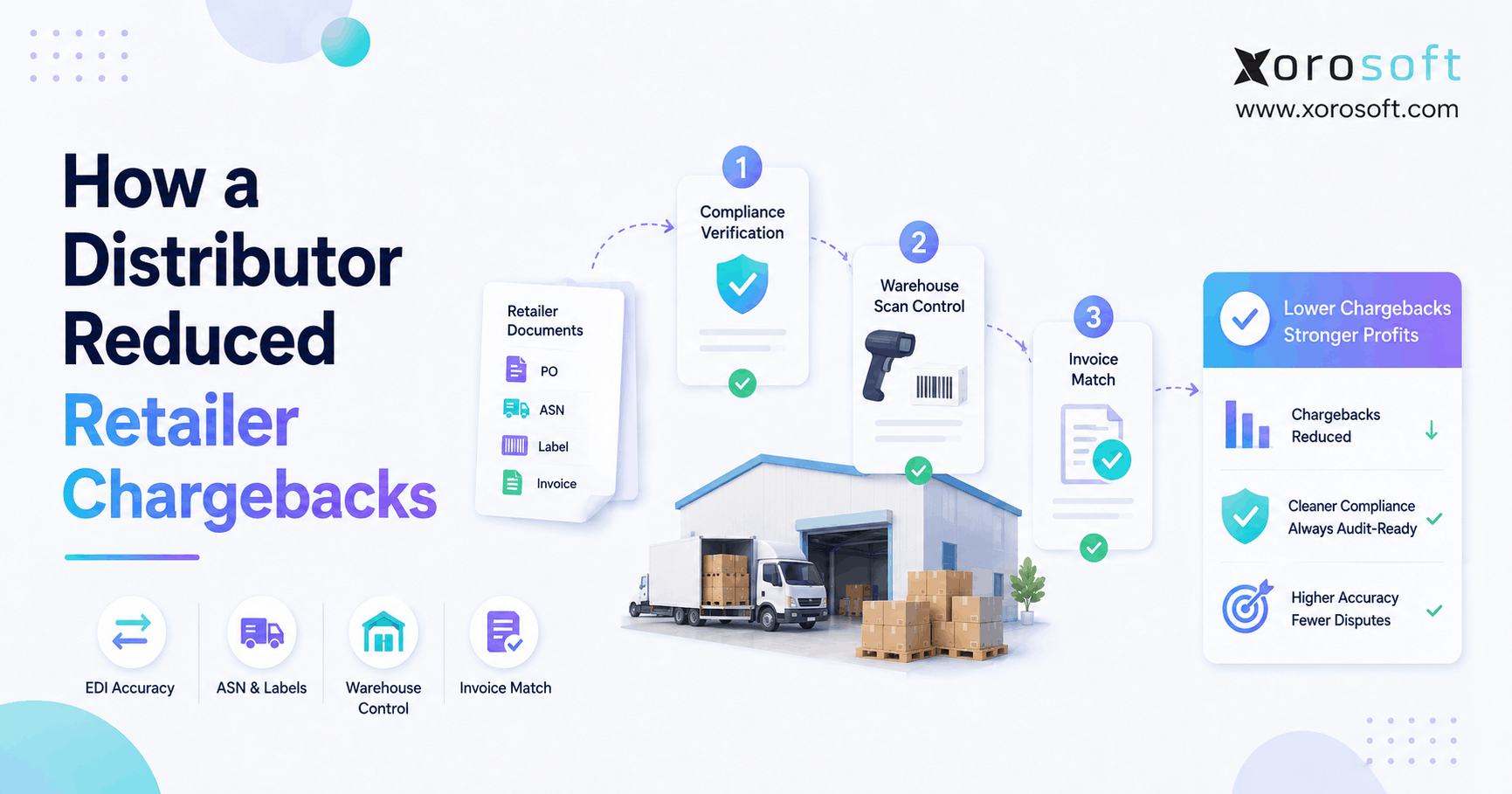
EDI adds operational requirements. Retailers and trading partners may require specific documents, shipment notices, invoice formats, and timing rules.
A connected ERP system helps link EDI transactions with inventory, fulfillment, and accounting workflows. In addition, it reduces the need for manual re-entry between trading partner systems and internal operations.
6.5 Manufacturers With Distribution Workflows
Manufacturers that also distribute finished goods need more than basic inventory tracking. They may need BOMs, work orders, production planning, purchasing, warehouse control, and finished goods fulfillment.
In these cases, ERP helps connect production planning with distribution demand. Consequently, teams can plan materials and finished goods with better visibility.
6.6 Companies Outgrowing QuickBooks and Spreadsheets
Many businesses consider ERP when QuickBooks, spreadsheets, inventory apps, warehouse apps, and EDI tools no longer work together cleanly.
Xorosoft is one example of a cloud ERP platform built for inventory-driven businesses that need inventory management, accounting, purchasing, warehouse management, manufacturing, forecasting, ecommerce operations, and reporting in one system.
7. When a Full ERP System May Be Too Early
Not every company needs ERP immediately. In fact, buying too early can create unnecessary cost and process overhead. Therefore, leaders should evaluate operational complexity before investing in a larger platform.
However, the decision should not be ignored forever. As the business grows, leaders should regularly review whether current tools still support daily operations.
7.1 Small Teams With Simple Inventory
A business with one warehouse, a small SKU count, low order volume, and simple purchasing may not need full ERP yet.
In that case, lighter tools may still provide enough control. However, the team should still maintain clean inventory records and basic purchasing discipline.
7.2 Service Businesses Without Product Movement
Service companies usually do not need distribution-focused ERP unless they also sell, store, assemble, or ship physical products.
As a result, they may be better served by accounting, CRM, or project management systems.
7.3 Companies With Limited Order Complexity
If orders, purchasing, and inventory are easy to manage with basic tools, a lighter system may be enough.
However, the decision should be reviewed again when SKU count, warehouse count, order volume, or sales channels increase.
7.4 Teams That Only Need Basic Accounting
If the main need is invoicing, expenses, payments, and simple financial reporting, accounting software may be sufficient.
ERP becomes more relevant when operational activity starts affecting financial accuracy. For example, inventory valuation, landed cost, and COGS may become harder to manage outside a connected system.
8. Signs Your Business Has Outgrown Basic Tools
ERP readiness usually appears as a pattern rather than a single event. For example, inventory may be inaccurate one week, purchasing may miss a reorder the next week, and finance may struggle during month-end close. At first, these issues may seem separate. However, they often come from the same root cause: disconnected operational data. Therefore, the business needs a clearer way to connect daily transactions.
8.1 Inventory Numbers No Longer Match Reality
When system stock does not match warehouse stock, trust breaks down. Sales stops relying on reports. Buyers order extra inventory to stay safe. Warehouse teams create side records.
This is one of the strongest signs that the business needs better operational control. In addition, inaccurate inventory usually affects customer promises and financial reporting.
8.2 Spreadsheet Purchasing Signals ERP Readiness
Spreadsheet purchasing creates risk. A buyer may miss a reorder point, overlook a supplier delay, or buy too much inventory because the demand picture is incomplete.
A connected system improves purchasing by linking demand, stock levels, open purchase orders, supplier lead times, and replenishment rules.
8.3 Month-End Close Takes Too Long
Finance teams need clean operational data to close the books. If they must reconcile inventory, purchasing, shipping, and sales activity manually, month-end close becomes slower.
ERP helps finance teams review transactions in one system. Therefore, month-end reporting becomes less dependent on last-minute spreadsheet cleanup.
8.4 Warehouse ERP Readiness Signals
Manual receiving, handwritten pick notes, untracked adjustments, and informal bin changes create warehouse confusion.
As volume grows, these workarounds become expensive because they affect order accuracy and reporting. Moreover, warehouse teams may lose confidence in system instructions.
8.5 Ecommerce Orders Do Not Sync Cleanly
Shopify, Amazon, wholesale orders, and warehouse systems must share accurate inventory data. If they do not, overselling and fulfillment delays become common.
This is especially risky when the same inventory supports several channels. As a result, ecommerce growth can expose backend weaknesses quickly.
8.6 ERP Reporting Gaps Leaders Should Review
Leadership needs reliable reporting. If every department has a different number, decisions become slower and less confident.
ERP gives leaders one clearer view of sales, inventory, purchasing, warehouse, and finance. In practice, this visibility helps teams act earlier instead of waiting for problems to become urgent.
8.7 Readiness Assessment Opportunity
If your business is seeing these patterns, a readiness review can help. The goal is to assess inventory accuracy, purchasing maturity, warehouse process discipline, accounting delays, reporting gaps, integrations, and growth plans before selecting software.
9. Distribution ERP Benefits for Growing Companies
The benefits of Distribution ERP become clearer when teams stop working from separate versions of the truth. For instance, sales can trust available inventory, purchasing can plan replenishment, and finance can review cleaner transaction data.
In addition, warehouse teams can work with clearer instructions. Therefore, fulfillment becomes faster and less dependent on manual updates.
9.1 Better Inventory Accuracy
Accurate inventory supports nearly every team. Sales can promise products with more confidence. Buyers can reorder based on actual need. Warehouse teams can pick faster. Finance can report inventory value more clearly.
As a result, the business reduces overselling, stockouts, and unnecessary purchasing.
9.2 Faster Fulfillment
When orders, inventory, and warehouse tasks connect, fulfillment becomes faster. Teams spend less time searching for information and more time moving products.
In addition, customer service teams can see order status without interrupting warehouse staff.
9.3 Stronger Purchasing Control
Purchasing teams can plan based on demand, lead times, supplier performance, and stock levels.
This helps reduce stockouts, overstock, and emergency buying. Moreover, buyers can negotiate with suppliers using better data.
9.4 Cleaner Financial Reporting
When operations and accounting share data, finance teams can close faster and report with more confidence.
Inventory valuation, COGS, margin, vendor bills, and customer invoices become easier to review because the data comes from connected transactions.
9.5 Improved Warehouse Productivity
Warehouse teams benefit from clearer workflows for receiving, putaway, picking, packing, shipping, and cycle counting.
In practice, better warehouse structure reduces searching, rework, and manual corrections.
9.6 Better Forecasting
Forecasting helps distributors prepare for demand instead of reacting after inventory problems appear.
Although forecasts are never perfect, they help teams make smarter purchasing, cash flow, and replenishment decisions.
9.7 More Operational Visibility
Visibility allows leaders to see performance across departments. They can identify bottlenecks, reduce waste, and invest in the right improvements.
Xorosoft supports inventory-driven companies that want to connect inventory, purchasing, accounting, warehouse management, forecasting, ecommerce, and reporting without stitching together separate systems.
10. Industry Use Cases for Inventory-Driven Companies
Different industries create different distribution challenges. However, the core need is usually the same: better control over inventory, purchasing, warehouse movement, and reporting. For example, apparel companies need variant control, while food and beverage distributors may need lot tracking. Therefore, ERP selection should consider industry-specific workflows, not only general software features.
10.1 Apparel and Fashion
Apparel companies manage size, color, style, seasonality, wholesale commitments, ecommerce demand, and returns.
A connected system helps apparel businesses track variants, manage allocations, forecast seasonal demand, and coordinate wholesale and ecommerce inventory. In addition, it helps teams understand which products are selling by channel.
10.2 Furniture Distribution
Furniture distributors handle large products, bulky storage, scheduled deliveries, supplier lead times, and warehouse planning.
Because these products are harder to move and store, visibility into inventory location and delivery status becomes especially important. Therefore, furniture distributors should review warehouse workflows carefully during software evaluation.
10.3 Sporting Goods
Sporting goods companies often deal with seasonal demand, product variants, wholesale customers, and multi-channel sales.
For example, demand may increase before sports seasons, holidays, or major events. As a result, forecasting and purchasing discipline become important.
10.4 Food and Beverage
Food and beverage distributors may need lot tracking, expiration control, recall readiness, and strict warehouse processes.
In addition, product freshness and rotation rules can affect picking decisions and customer satisfaction. Therefore, lot and expiration workflows should be reviewed before implementation.
10.5 Wholesale Distribution ERP Use Cases
Wholesale distributors need customer-specific pricing, EDI, allocations, sales rep workflows, purchasing control, and warehouse accuracy.
A central system reduces duplicate work and helps teams respond to customers faster. Moreover, it gives sales and operations a shared view of available inventory.
10.6 Manufacturing and Distribution
Manufacturers that also distribute products need BOMs, work orders, material planning, purchasing, finished goods inventory, and fulfillment control.
ERP connects production planning with distribution demand so teams can manage both sides of the operation.
Companies across apparel, furniture, sporting goods, food, wholesale, and manufacturing can explore examples here to understand how operations vary by business model.
11. Ecommerce, Shopify, Amazon, and Marketplace Operations
Ecommerce growth often puts pressure on backend operations before leaders notice the full impact. For example, Shopify may continue accepting orders while warehouse and purchasing teams struggle to keep stock accurate.
Meanwhile, Amazon and wholesale channels may consume the same inventory. As a result, overselling becomes more likely when systems do not share real-time data.
11.1 Backend Control for Shopify Merchants
Shopify is strong for selling online. However, growing merchants often need deeper backend control over inventory, purchasing, fulfillment, and accounting.
Distribution ERP helps Shopify merchants keep inventory synchronized, route orders, manage purchasing, and connect sales activity with finance.
11.2 Marketplace Order Visibility
Amazon adds another source of demand. If Amazon, Shopify, wholesale, and warehouse teams use different stock numbers, overselling becomes likely.
A connected backend helps centralize available inventory and order flow across channels. Therefore, marketplace growth becomes easier to manage.
11.3 Multi-Channel Order Routing
Multi-channel order routing helps determine where each order should be fulfilled. The decision may depend on stock availability, customer location, shipping cost, delivery speed, and channel priority.
Therefore, order routing should be reviewed carefully during ERP selection.
11.4 Operational Layer Behind Ecommerce Growth
ERP does not replace Shopify or Amazon. Instead, it supports the operational layer behind ecommerce.
The storefront sells. The backend system manages inventory, purchasing, fulfillment, accounting, forecasting, and reporting. As a result, growth becomes easier to control behind the scenes.
12. How to Choose Distribution ERP Software
The selection process should begin with workflow mapping. Otherwise, teams may compare software based on features that look impressive but do not solve their daily problems. For example, a company with warehouse accuracy issues should test receiving, picking, packing, and cycle count workflows. Similarly, a company with purchasing problems should review reorder points, supplier lead times, approvals, and open purchase order visibility. As a result, demos become more practical.
12.1 Inventory Depth
Review whether the system supports SKUs, variants, bins, lots, serial numbers, inventory status, transfers, adjustments, costing, and available-to-sell logic.
In addition, confirm whether it can manage the level of product complexity your business expects in the next stage of growth.
12.2 Warehouse Fit
Check receiving, putaway, picking, packing, shipping, barcode scanning, cycle counts, returns, and warehouse reporting.
If the warehouse process is complex, test those workflows in detail during the demo.
12.3 Purchasing Control
Review reorder points, supplier lead times, purchase approvals, partial receipts, inbound inventory, and open purchase order visibility.
Moreover, buyers should confirm whether the system supports the way they actually plan replenishment.
12.4 Accounting Connection
Accounting should connect with inventory activity. Review how the system handles COGS, inventory valuation, vendor bills, customer invoices, payments, and financial reporting.
This step matters because inventory accuracy and financial accuracy are closely connected.
12.5 Ecommerce Integration
For Shopify, Amazon, and marketplace sellers, ecommerce integration should support orders, inventory, customers, products, returns, and financial data.
In addition, teams should review how often data syncs and which system becomes the source of truth.
12.6 EDI Support
If wholesale customers require EDI, review how orders, acknowledgments, shipping notices, and invoices flow through the system.
Because EDI errors can affect retailer relationships, this workflow should not be treated as an afterthought.
12.7 Reporting Quality
Reports should answer real operating questions. Leaders need to know which SKUs are understocked, which suppliers are late, which warehouses are slow, and which channels are profitable.
A good reporting layer should help leaders act, not just export data.
12.8 Total Cost of Ownership
Cost includes software, implementation, integrations, training, support, customization, and internal time.
Therefore, compare vendors by total operating impact, not subscription price alone.
13. Common Mistakes to Avoid During Selection
ERP mistakes usually happen when companies rush the selection process. For example, they may choose a platform for accounting strength while ignoring warehouse workflows.
In addition, many teams underestimate data cleanup. If SKU records, supplier details, costs, and inventory counts are messy, implementation becomes harder.
13.1 Choosing Software Only for Accounting
Accounting is important, but distributors also need inventory, purchasing, warehouse, order management, ecommerce, and reporting functionality.
A finance-first decision can create operational gaps if warehouse and purchasing teams are not included.
13.2 Ignoring Warehouse Workflows
If warehouse workflows are not mapped clearly, the ERP may not reflect how products actually move.
Therefore, receiving, putaway, picking, packing, returns, transfers, and cycle counts should be reviewed before implementation.
13.3 Underestimating Data Cleanup
Poor SKU data, duplicate items, inaccurate stock counts, unclear units of measure, and messy supplier records can slow down implementation.
Before migration, teams should clean product, supplier, inventory, and accounting data.
13.4 Automating Broken Processes
ERP should improve workflows, not simply digitize bad habits.
For this reason, teams should review current processes before automating them.
13.5 Skipping User Training
ERP changes daily work. Warehouse teams, buyers, finance users, sales teams, and managers need role-specific training.
Without training, users may return to spreadsheets and side processes.
13.6 Comparing Vendors Without Clear Requirements
Every vendor demo can look impressive. Clear requirements help teams compare systems based on fit rather than presentation quality.
As a result, the final decision becomes more practical and less emotional.
14. Distribution ERP Alternatives for Growing Businesses
Alternatives can work well at the right stage. For example, QuickBooks may be enough for basic accounting, while standalone inventory software may help smaller teams track stock.
However, these tools become limiting when the business needs inventory, purchasing, warehouse, ecommerce, accounting, and reporting to work together.
14.1 QuickBooks and Spreadsheets
QuickBooks plus spreadsheets may work for small companies with simple inventory.
However, this setup becomes risky when the business needs multi-warehouse visibility, purchasing automation, and stronger reporting.
14.2 Standalone Inventory Management Software
Inventory software can improve stock tracking. However, it may not solve accounting, purchasing, warehouse execution, ecommerce, or financial reporting gaps.
Therefore, teams should understand whether the problem is stock tracking only or broader operational control.
14.3 Warehouse Management Systems
A WMS is useful when warehouse execution is the biggest pain point.
However, it may not solve broader operational problems across purchasing, accounting, ecommerce, and reporting.
14.4 Order Management Platforms
Order management software can help route and process orders. Yet it may not provide full control over inventory, accounting, purchasing, warehouse workflows, and forecasting.
For this reason, order management tools may work best as part of a larger operating stack.
14.5 Distribution ERP Alternatives and Full ERP Platforms
A full ERP platform makes sense when inventory, purchasing, accounting, warehouse, ecommerce, EDI, and reporting all need to connect.
Basic accounting software may work when the company only needs invoicing and financial records. Inventory software may help when stock tracking is the main problem. A WMS can be useful when warehouse execution is the biggest pain point. Order management tools can help with routing and processing orders.
However, once the business needs all of these workflows to share the same data, Distribution ERP becomes the stronger fit.
15. Vendor Landscape for Distribution-Focused Businesses
ERP vendors should not be compared by brand name alone. Instead, distributors should compare each platform against their real workflows. For example, one company may need stronger warehouse execution, while another may need better ecommerce integration or accounting control. In addition, implementation fit matters because even strong software can fail without the right setup. Therefore, vendor evaluation should focus on operating fit, total cost, and long-term scalability.
15.1 Distribution ERP Platforms Commonly Considered
Common options include NetSuite, Acumatica, Cin7, Brightpearl, Fishbowl, Sage, Microsoft Dynamics 365 Business Central, and Xorosoft.
Each platform has a different fit. Some are broader enterprise systems. Others focus more on inventory and order management. Meanwhile, some are better suited for companies that want cloud ERP with strong inventory, warehouse, accounting, ecommerce, and purchasing workflows.
15.2 Vendor Comparison Notes
Distributors often compare platforms such as NetSuite, Acumatica, Cin7, Brightpearl, Fishbowl, Sage, Microsoft Dynamics 365 Business Central, and Xorosoft.
NetSuite is often considered by mid-market and enterprise businesses that need broad ERP functionality. Acumatica is commonly reviewed by growing companies that want cloud ERP flexibility. Cin7 and Brightpearl are often considered by product businesses with inventory, retail, ecommerce, or order management needs.
Fishbowl is frequently evaluated by smaller companies that use QuickBooks and need stronger inventory control. Sage and Business Central may fit finance-led organizations or companies already working inside those ecosystems.
Xorosoft is one option for inventory-driven businesses that want connected inventory, accounting, purchasing, warehouse management, ecommerce, forecasting, and reporting. However, each platform should be evaluated against workflow fit, implementation requirements, total cost, and long-term scalability.
15.3 Fair Comparison Between Xorosoft and NetSuite
Some distributors compare larger ERP systems with more focused modern alternatives. If your team is reviewing ERP options, this resource can help frame questions around implementation complexity, inventory depth, warehouse needs, ecommerce workflows, and operating fit.
The goal is not to attack one platform or promote another blindly. Instead, the right ERP choice should match the way the business buys, stores, sells, ships, accounts, and reports.
16. How to Prepare for an ERP Project
Before starting an ERP project, teams should prepare the business. First, they should document current workflows. Next, they should clean product, supplier, inventory, and accounting data.
After that, they should define reporting requirements and assign internal owners. As a result, the implementation team can make decisions faster and reduce confusion during rollout.
16.1 Document Current Workflows
Map how orders, inventory, purchasing, receiving, warehouse tasks, shipping, invoices, returns, and reports work today.
Include manual steps because those details often reveal the biggest opportunities for improvement.
16.2 Clean Product and Inventory Data
Review SKUs, item names, variants, units of measure, barcodes, suppliers, costs, and stock counts.
Clean data helps prevent implementation delays.
16.3 Map Purchasing Rules
Document reorder points, preferred suppliers, lead times, minimum order quantities, approval rules, and buyer responsibilities.
Purchasing rules should be clear before automation begins.
16.4 Review Warehouse Processes
Review receiving, putaway, picking, packing, shipping, cycle counts, returns, and transfers.
Warehouse workflows affect ERP configuration more than many teams expect.
16.5 Define Reporting Requirements
List the reports leaders actually need. Examples include inventory value, stockout risk, supplier performance, order cycle time, gross margin, sales by channel, and warehouse productivity.
Clear reporting requirements help teams avoid rebuilding old spreadsheet habits in a new system.
16.6 Build the Implementation Team
ERP implementation needs input from operations, finance, warehouse, purchasing, sales, ecommerce, and leadership.
Each team should help define requirements and test workflows.
17. Distribution ERP Readiness Checklist for Leaders
A readiness checklist helps leaders make a clearer decision. For example, if inventory discrepancies, spreadsheet purchasing, slow month-end close, manual warehouse workarounds, and disconnected ecommerce data appear together, the business may be ready for ERP.
However, if only one small process is broken, the company may be able to improve that workflow without a full system change.
17.1 Distribution ERP Readiness Signals to Review
Several operational signals can show that a distributor is ready for ERP.
Inventory discrepancies usually mean stock data is no longer reliable. Spreadsheet purchasing often shows that buying decisions are becoming reactive. A slow month-end close may suggest that finance does not have clean operational data.
Manual warehouse workarounds are another important signal because they often create fulfillment errors. Disconnected ecommerce data can also show that sales channels are scaling faster than backend operations.
When these problems appear together, the company should review whether its current systems can still support growth.
17.2 Questions to Ask Before Booking Demos
Before booking demos, leadership should review the workflows that break most often. The team should also identify which reports are hard to trust and where manual work consumes the most time.
It is also useful to understand how inventory issues affect customer experience. From there, the business should review which systems duplicate the same data, which integrations are essential, and who will own implementation across each department.
Clear answers make vendor evaluation more productive.
18. FAQs About Distribution ERP
18.1 Platform Basics
What is Distribution ERP?
A Distribution ERP system helps distributors manage inventory, purchasing, warehouse operations, sales orders, accounting, ecommerce, EDI, forecasting, and reporting in one connected platform. It is designed for companies that buy, store, sell, and ship physical products.
Meaning in practical terms
In simple terms, this type of system supports the daily workflows that move products through a distribution business. It helps teams control product movement, supplier activity, customer orders, inventory value, warehouse execution, and financial reporting.
How does the system work?
The system connects transactions across departments. For example, a purchase order updates inbound inventory. Then receiving updates stock, sales orders reserve products, and shipping updates fulfillment. Meanwhile, accounting receives the financial impact.
18.2 Operational Capabilities
Which businesses usually need it?
Wholesalers, ecommerce brands, multi-warehouse businesses, EDI-driven companies, manufacturers with distribution operations, and companies outgrowing QuickBooks or spreadsheets usually need this type of platform.
Core features to review
Important features include inventory management, purchasing, supplier management, warehouse management, sales order management, accounting, forecasting, ecommerce integration, EDI support, reporting, and multi-warehouse control.
Difference from inventory software
Inventory software mainly tracks stock. However, ERP connects inventory with purchasing, warehouse operations, accounting, sales orders, ecommerce, forecasting, and reporting. Therefore, it is better suited for businesses that need connected workflows across departments.
WMS vs broader ERP workflow
A WMS focuses on warehouse execution, such as receiving, putaway, picking, packing, and shipping. ERP manages the broader business, including inventory, purchasing, sales orders, accounting, reporting, and ecommerce operations.
18.3 Channel and Finance Support
QuickBooks replacement considerations
QuickBooks can be replaced when the ERP includes accounting functionality. However, some companies use both during a transition period. The right approach depends on accounting needs, inventory complexity, and implementation plans.
Managing multiple warehouses
Multi-warehouse control is one of the main reasons distributors adopt ERP. The system helps track inventory by location, manage transfers, route fulfillment, and improve warehouse-level reporting.
Shopify support and backend control
Shopify support usually works through integrations that connect orders, inventory, purchasing, fulfillment, accounting, and reporting behind the storefront. As a result, merchants gain stronger backend control as order volume grows.
Amazon marketplace support
Amazon marketplace operations become easier to manage when orders, inventory availability, fulfillment status, and reporting connect with other sales channels. This helps reduce overselling and improves marketplace visibility.
Accounting functionality inside the system
Many ERP systems include accounting or connect deeply with accounting workflows. For distributors, this matters because inventory activity directly affects valuation, COGS, margin, and financial reporting.
18.4 Purchasing, Planning, and Selection
Purchasing workflows it can manage
Purchasing is usually a core ERP workflow. It can support purchase orders, supplier records, reorder points, lead times, approvals, receipts, and replenishment planning.
Forecasting and demand planning
Forecasting tools help distributors plan inventory, reduce stockouts, avoid overstock, and improve purchasing decisions. Although every forecast needs review, better demand data gives buyers a stronger planning foundation.
EDI support for wholesale operations
Many distribution-focused systems support EDI directly or through integrations. This helps wholesalers exchange purchase orders, shipment notices, invoices, and other trading documents with customers and partners.
Industries that commonly use it
Common industries include wholesale distribution, apparel, furniture, sporting goods, food and beverage, consumer products, manufacturing, automotive parts, and industrial distribution.
Upgrade timing for distributors
A distributor should consider ERP when inventory is unreliable, purchasing is spreadsheet-driven, warehouse work is manual, month-end close is slow, ecommerce data is disconnected, or reports cannot be trusted.
Alternatives to consider first
Alternatives include QuickBooks, spreadsheets, standalone inventory software, WMS, OMS, ecommerce apps, and accounting platforms. These can work for simpler businesses, but they may become limiting as complexity grows.
Choosing the right system
Start by documenting workflows. Then compare vendors based on inventory depth, warehouse fit, purchasing control, accounting connection, ecommerce integration, EDI support, reporting quality, implementation fit, and total cost.
Best ERP fit for distributors
The best ERP depends on company size, industry, workflows, budget, and growth plans. Distributors should compare systems based on operational fit rather than brand name alone.
19. Practical Takeaway for Distribution Leaders
Ultimately, the decision should be viewed as an operating model upgrade, not only a software purchase. As distributors grow, disconnected tools make it harder to trust inventory, purchasing, warehouse, ecommerce, and accounting data. Therefore, leaders should first map workflows, clean data, and identify where visibility breaks down. After that, they can compare ERP systems based on real operational fit.
The best next step is to look at the business honestly. If inventory discrepancies, spreadsheet purchasing, slow reporting, warehouse workarounds, and disconnected channels happen regularly, the company may no longer need another temporary fix. Instead, it may need a connected system that supports the way the business actually operates.
For inventory-driven companies that need a connected cloud ERP across inventory, accounting, purchasing, warehouse management, forecasting, ecommerce, EDI, manufacturing, and reporting, Xorosoft is one option to include in the evaluation.
If your distribution operation is outgrowing disconnected tools, you can get in touch to review your processes and understand what a connected operating model could look like for your business.