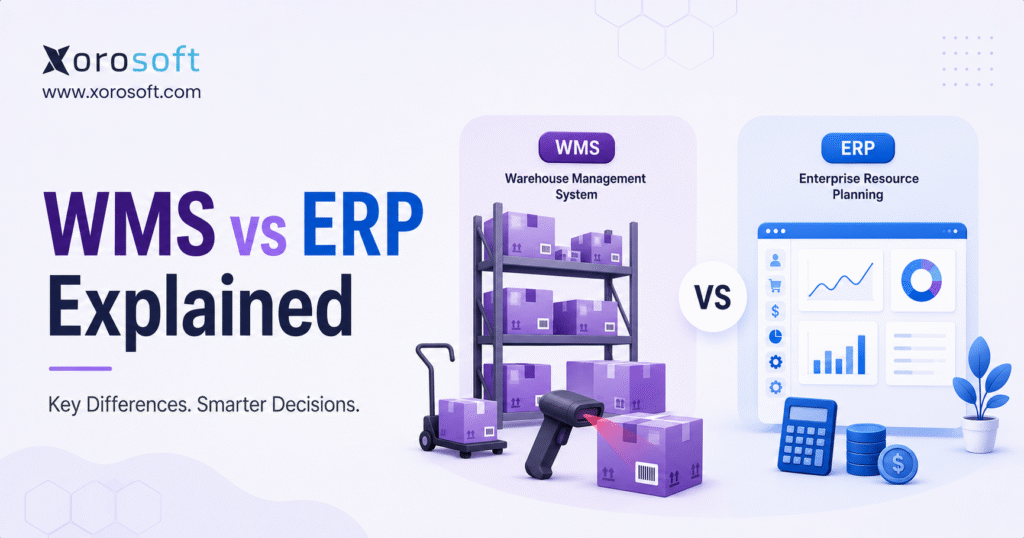
When considering modern software solutions for business operations, a common question is the difference between WMS vs ERP systems.
1. How Growing Operations Get Stuck Between WMS and ERP
WMS vs ERP becomes an important decision when inventory, warehouse execution, accounting, purchasing, and fulfillment no longer move at the same speed. At an early stage, a business can usually survive with Shopify, QuickBooks, spreadsheets, and a few warehouse processes. However, as orders grow, those tools often stop working as one system.
At first, the problem looks like a warehouse problem. Orders ship late. Pickers choose the wrong item. Stock sits in the wrong bin. Receiving takes too long. Meanwhile, finance sees a different problem. Inventory value does not match the warehouse count. Purchase orders are not updated on time. Month-end close takes longer than expected.
That is why the WMS vs ERP question matters. A warehouse management system helps control the physical movement of inventory. An ERP system helps connect the wider business operation. Therefore, the right answer depends on where the business is actually breaking.
If the warehouse team mainly needs better receiving, putaway, picking, packing, shipping, barcode scanning, and bin tracking, a WMS may solve the immediate issue. However, if the company also struggles with inventory valuation, purchasing, accounting, forecasting, ecommerce orders, manufacturing, and reporting, ERP becomes more important.
In many growing businesses, the final answer is not WMS or ERP. Instead, the better answer is a connected operating model where warehouse execution and business data stay aligned.
2. What Is a WMS in the WMS vs ERP Comparison?
2.1 WMS Meaning
A WMS, or warehouse management system, is software that helps a business manage daily warehouse operations. It controls how products move through receiving, storage, picking, packing, shipping, transfers, returns, and stock counts.
In simple terms, a WMS manages warehouse execution.
Because warehouse teams work with physical inventory, they need accuracy at the item, bin, pallet, aisle, and shipment level. A WMS helps create that control. For example, it can guide a receiver to validate incoming stock, direct a picker to the correct bin, and confirm that the right item was packed before shipment.
Therefore, when comparing WMS vs ERP, think of WMS as the system that helps warehouse teams execute work correctly.
2.2 Core WMS Functions
Most WMS platforms support receiving, putaway, barcode scanning, bin tracking, pick tickets, packing validation, shipping workflows, cycle counting, transfers, returns, and warehouse reporting.
For example, when goods arrive from a supplier, the WMS can confirm the purchase order quantity, scan the items, and assign them to the correct location. Later, when a customer order needs to ship, the WMS can guide the picker through the warehouse and reduce the chance of mistakes.
As a result, WMS software is most useful when warehouse accuracy, speed, and discipline are the main operational problems.
2.3 What a WMS Does Not Usually Handle
A WMS usually does not manage the full business. It may track stock movement inside the warehouse, but it normally does not own accounting, purchasing strategy, customer pricing, financial reporting, manufacturing planning, or executive dashboards.
This distinction is important. A warehouse may become more efficient while the wider business remains disconnected. For example, the WMS may show that goods were received, but finance may still need landed cost, supplier invoices, inventory value, and purchase order variance.
So, while a WMS improves warehouse execution, it does not always solve business-wide visibility.
2.4 When a WMS Becomes Necessary
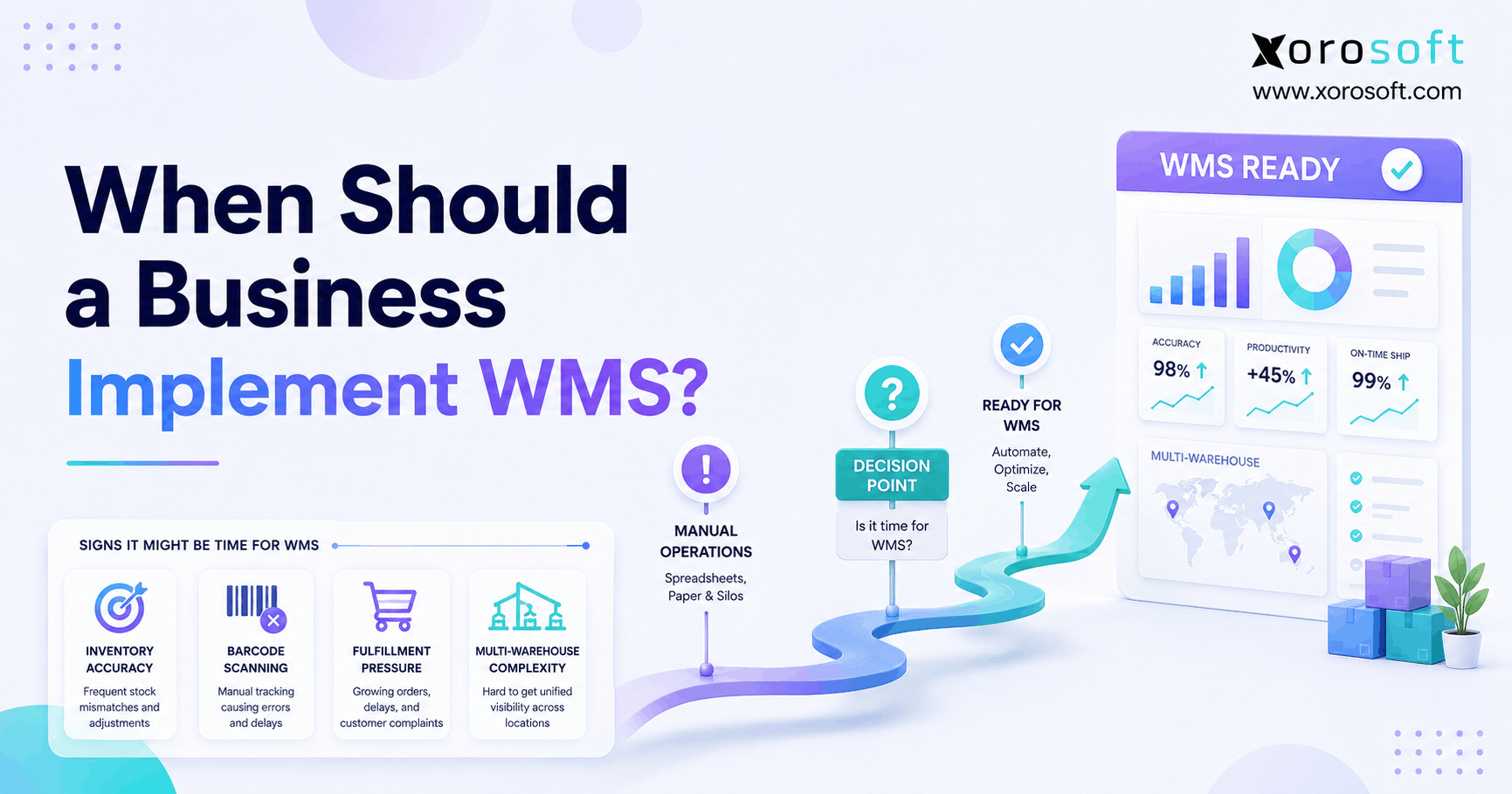
A WMS becomes necessary when warehouse complexity starts creating operational risk. This usually happens when SKU count grows, order volume increases, warehouse locations expand, or teams begin relying on barcode scanning and bin-level control.
Common signs include picking errors, lost inventory, slow receiving, unclear bin locations, shipping delays, poor cycle count discipline, and weak warehouse visibility.
Therefore, if the main issue is inside the warehouse, WMS should be evaluated carefully before jumping into broader ERP software.
3. What Is ERP in the ERP vs WMS Decision?
3.1 ERP Meaning
ERP stands for enterprise resource planning. ERP software connects core business functions such as inventory, purchasing, sales orders, accounting, manufacturing, reporting, ecommerce operations, and financial controls.
In simple terms, ERP manages the business operating system.
While WMS focuses on warehouse execution, ERP focuses on connected business records. It helps teams understand not only where inventory is, but also what it costs, who ordered it, who supplied it, when it should be reordered, and how it affects financial reporting.
Therefore, in the ERP vs WMS comparison, ERP has a much wider scope.
3.2 Core ERP Functions
ERP systems usually support inventory management, purchase orders, sales orders, accounting, customer records, supplier records, manufacturing, demand planning, reporting, and financial workflows.
For inventory-driven businesses, this matters because inventory touches almost every department. Purchase orders affect cash flow. Warehouse receipts change stock availability. Shipments influence revenue and customer service. Stock adjustments alter inventory valuation.
Because of that, ERP becomes valuable when teams need one shared system instead of disconnected apps.
3.3 What ERP Does Beyond Warehouse Management
ERP connects warehouse activity to the rest of the business. When products are received, ERP can update inventory, purchasing, supplier records, accounting, and reports. When products are sold, ERP can connect sales orders, fulfillment, invoices, cost of goods sold, and margins.
This is one of the biggest differences in WMS vs ERP. A WMS tells the warehouse what to do. However, ERP tells the business what is happening across departments.
As a result, ERP becomes more important when warehouse activity needs to connect directly with finance, purchasing, ecommerce, and leadership reporting.
3.4 When ERP Becomes Necessary
ERP becomes necessary when the business can no longer trust disconnected systems. Common signs include delayed month-end close, spreadsheet purchasing, inventory valuation issues, duplicate data entry, poor reporting, stockouts, overstock, and weak visibility across warehouses or channels.
For example, a business may use Shopify for ecommerce, QuickBooks for accounting, spreadsheets for purchasing, and a separate warehouse app for fulfillment. At first, that stack may feel flexible. However, as the business grows, each tool creates another place where data can drift.
Therefore, ERP is usually needed when the company needs one operational source of truth.
4. WMS vs ERP: Key Differences Operators Should Understand
4.1 Scope
The biggest difference in WMS vs ERP is scope. A WMS is narrower and deeper inside the warehouse. ERP is broader across the business.
A WMS manages receiving, putaway, picking, packing, shipping, inventory movement, and warehouse control. Meanwhile, ERP connects inventory to purchasing, accounting, sales, manufacturing, reporting, and ecommerce operations.
So, if the business only needs better warehouse execution, WMS may be enough. However, if the business needs connected operations, ERP becomes more important.
4.2 Warehouse Execution
Warehouse execution is where WMS is strongest. A WMS can guide workers through receiving, picking, packing, shipping, replenishment, transfers, and returns. It can also support barcode scanning, bin validation, wave picking, batch picking, and packing checks.
ERP may include warehouse features, but the depth depends on the platform. Some ERP systems include strong warehouse management. Other platforms require a separate WMS.
Therefore, when evaluating WMS vs ERP, do not assume every ERP has enough warehouse depth.
4.3 Inventory Visibility
Both WMS and ERP support inventory visibility. However, they view inventory differently.
A WMS shows inventory from the warehouse perspective. It answers questions like where a SKU is stored, how much is in a bin, and whether an order was picked correctly.
ERP shows inventory from the business perspective. It connects stock availability to purchase orders, sales orders, accounting, forecasting, ecommerce channels, and manufacturing.
For example, the warehouse may need to know that 300 units are in Bin B-14. Finance may need to know their value. Purchasing may need to know whether more should be ordered. Sales may need to know whether those units are available to promise.
As a result, WMS and ERP often need to work together.
4.4 Purchasing and Replenishment
Purchasing is usually an ERP responsibility. ERP systems can manage supplier records, purchase orders, reorder points, approvals, lead times, landed costs, and purchasing reports.
A WMS may help receive goods against a purchase order. However, it usually does not own supplier planning or purchasing strategy.
Therefore, if the main problem is stockouts, overstock, manual purchasing, supplier delays, or weak demand planning, ERP is usually more relevant than standalone WMS.
4.5 Accounting and Finance
Accounting is one of the clearest ERP responsibilities. ERP connects inventory movement to financial records, including inventory valuation, cost of goods sold, supplier invoices, customer invoices, landed costs, gross margin, and month-end close.
A WMS may show that goods moved. However, ERP explains what that movement means financially.
Because inventory is both a physical asset and a financial asset, growing companies eventually need warehouse data and accounting data to agree.
4.6 Manufacturing and Production
Manufacturing usually requires ERP depth. Manufacturers need BOMs, work orders, raw materials, finished goods, production planning, material requirements, purchasing, costing, and reporting.
A WMS can help move materials through storage and fulfillment. However, ERP is usually needed to manage the full production workflow.
Therefore, manufacturers comparing WMS vs ERP should evaluate whether the issue is warehouse movement, production planning, or both.
4.7 Reporting and Business Visibility
WMS reporting usually focuses on warehouse performance. It may show picking accuracy, shipping speed, inventory movement, cycle count results, and warehouse productivity.
ERP reporting is broader. It can show inventory value, purchasing needs, gross margin, sales performance, supplier performance, production status, cash flow, and financial results.
Because leadership needs business-wide visibility, ERP usually becomes more valuable as the company grows.
5. WMS vs ERP Comparison Table
5.1 Feature Comparison
| Feature | WMS | ERP | Best Fit |
|---|---|---|---|
| Receiving | Strong | Moderate to strong | WMS or ERP with WMS |
| Putaway | Strong | Varies | WMS |
| Bin tracking | Strong | Varies | WMS |
| Barcode scanning | Strong | Varies | WMS |
| Picking and packing | Strong | Varies | WMS |
| Shipping workflows | Strong | Moderate | WMS |
| Inventory visibility | Warehouse-level | Business-wide | Both |
| Purchasing | Limited | Strong | ERP |
| Accounting | Limited | Strong | ERP |
| Manufacturing | Limited | Strong | ERP |
| Forecasting | Limited | Strong | ERP |
| Reporting | Warehouse-focused | Company-wide | ERP |
| Ecommerce operations | Limited | Strong when integrated | ERP |
5.2 Workflow Ownership
| Workflow | Usually Owned by WMS | Usually Owned by ERP | Shared? |
| Receiving goods | Yes | Sometimes | Yes |
| Creating purchase orders | No | Yes | No |
| Bin location tracking | Yes | Sometimes | Yes |
| Picking orders | Yes | Sometimes | Yes |
| Packing validation | Yes | Sometimes | Yes |
| Sales order management | Sometimes | Yes | Yes |
| Inventory valuation | No | Yes | No |
| Cost of goods sold | No | Yes | No |
| Demand forecasting | No | Yes | No |
| Financial reporting | No | Yes | No |
| Stock transfers | Yes | Yes | Yes |
5.3 Where WMS and ERP Overlap
WMS and ERP overlap around inventory movement, stock visibility, order fulfillment, and warehouse reporting. However, overlap does not mean they are the same.
A WMS may know that an item moved from receiving to a bin. Meanwhile, ERP may know that the item belongs to a purchase order, carries a specific cost, affects inventory value, and is available for a customer order.
Therefore, the best setup keeps warehouse accuracy and business accuracy aligned.
6. How WMS and ERP Work Together
6.1 ERP as the Business System of Record
ERP should usually act as the business system of record. It stores products, customers, vendors, purchase orders, sales orders, inventory balances, accounting entries, and reports.
Because ERP connects departments, it helps prevent every team from building its own version of the truth. Instead of warehouse, finance, purchasing, ecommerce, and leadership teams working from separate numbers, ERP centralizes the core data.
For inventory-driven companies, a cloud ERP platform can become useful when warehouse activity needs to connect with inventory, accounting, purchasing, manufacturing, ecommerce, and reporting.
6.2 WMS as the Warehouse Execution Layer
A WMS acts as the warehouse execution layer. It tells teams what to receive, where to store products, what to pick, how to pack orders, and when to update inventory movement.
In an integrated WMS and ERP setup, ERP sends order and inventory information to the warehouse system. Then, the WMS executes the warehouse work. After that, warehouse updates flow back into ERP so inventory, shipping, accounting, and reporting remain current.
As a result, the warehouse can move quickly without disconnecting from the rest of the business.
6.3 Why ERP and WMS Integration Matters
ERP and WMS integration matters because warehouse activity affects sales, purchasing, accounting, customer service, and reporting. If systems do not sync properly, the warehouse may show one number, Shopify may show another, and accounting may show something else.
That creates operational drag. Teams begin checking multiple systems before making basic decisions. Eventually, the business slows down because no one trusts the data.
Therefore, integration quality often matters as much as software functionality.
6.4 Common Integration Problems
Common integration problems include delayed inventory syncs, duplicate SKU records, manual reconciliations, order mapping issues, broken fulfillment updates, and inconsistent product data.
For example, if inventory updates late, ecommerce channels may sell stock that the warehouse no longer has. Similarly, if SKU records do not match across systems, reporting becomes unreliable.
Because of that, businesses should evaluate how WMS and ERP connect before choosing separate tools.
A practical next step:
If your team is unsure whether the real issue is warehouse execution, ERP readiness, or both, start with a Free ERP Readiness Assessment.
7. When You Need a WMS
7.1 High Order Volume
You need a WMS when order volume makes manual warehouse processes unreliable. At low volume, a team may pick orders from printed lists or simple screens. However, as order volume grows, errors multiply.
A WMS adds structure by directing pickers, validating scans, and updating inventory movement as work happens. Therefore, it becomes valuable when speed and accuracy must improve together.
7.2 Barcode Scanning Requirements
Barcode scanning is a strong signal that WMS may be needed. Scanning helps confirm the right item, quantity, bin, order, and shipment.
This is especially important for businesses with many SKUs, similar-looking products, lot tracking, serial tracking, expiry dates, or high return volume.
As a result, barcode-led workflows often push companies toward WMS software.
7.3 Bin and Location Tracking
If your team often asks where products are stored, the warehouse has outgrown loose location tracking. A WMS can track aisle, rack, shelf, bin, pallet, and zone-level inventory.
Because of this, warehouse teams spend less time searching and more time fulfilling orders. In addition, picking errors usually become easier to prevent.
7.4 Picking, Packing, and Shipping Complexity
WMS becomes valuable when picking, packing, and shipping need more control. For example, ecommerce teams may need batch picking. Wholesale teams may need palletized shipments. Apparel brands may need size and color validation. Food businesses may need lot and expiry control.
Therefore, if fulfillment mistakes are hurting customer experience, WMS deserves serious consideration.
7.5 Multi-Warehouse Fulfillment
Multi-warehouse operations increase complexity quickly. Teams need to know which warehouse should fulfill each order, where stock should transfer, and which location has available inventory.
Shopify’s own inventory documentation covers inventory tracking and location-based fulfillment concepts, which is why growing Shopify brands often need stronger operational systems behind the storefront. Use Shopify’s official resources on inventory management and locations as useful external references.
However, once multiple warehouses connect to purchasing, accounting, forecasting, and wholesale orders, the WMS vs ERP decision becomes broader.
8. When You Need an ERP System
8.1 Disconnected Inventory, Accounting, and Purchasing
You need ERP when the issue is not only warehouse execution. If inventory, purchasing, accounting, sales, ecommerce, manufacturing, and reporting live in separate systems, WMS alone will not solve the core problem.
For example, a company may receive inventory correctly in the warehouse but still struggle to update purchase orders, supplier invoices, landed costs, accounting records, and reorder plans. In that case, the business needs stronger ERP control.
A platform such as XoroERP becomes relevant when inventory-driven operations need finance, purchasing, manufacturing, and reporting connected to the same system.
8.2 Month-End Close Problems
ERP becomes important when finance cannot close the books without chasing inventory data. If accounting must wait for warehouse receipts, purchase order updates, landed cost details, shipment records, returns, and stock adjustments, the company needs better operational-financial alignment.
As a result, ERP is usually more valuable than WMS when the biggest pain is reconciliation.
8.3 Multi-Channel Sales Complexity
Shopify, Amazon, wholesale, EDI, retail, and B2B orders create different operational requirements. ERP helps centralize order, inventory, purchasing, and accounting data across these channels.
Without ERP, each channel can become its own operational island. Therefore, as channels increase, the need for one system of record becomes stronger.
Xorosoft’s Shopify App Store listing is also useful as an outbound reference when discussing Shopify merchants that need ERP, inventory, warehouse, wholesale, and accounting workflows connected.
8.4 Manufacturing or Assembly Workflows
Manufacturing adds another layer of complexity. Raw materials, BOMs, work orders, assemblies, production schedules, finished goods, and inventory value must stay connected.
A WMS can help move materials through the warehouse. However, ERP is usually needed to manage production planning, purchasing, costing, and reporting.
Therefore, manufacturers comparing WMS vs ERP should look beyond warehouse features and evaluate the full operational workflow.
8.5 Leadership Needs Better Reporting
ERP becomes necessary when leadership cannot answer basic questions quickly. Leaders need to know which products are profitable, whether suppliers are late, where warehouses are overstocked, which channels have the strongest margins, and which orders are delayed.
These questions require connected data. Because WMS reporting is usually warehouse-specific, ERP is often the better foundation for business-wide visibility.
9. When You Need Both WMS and ERP
9.1 Growing Ecommerce Brands
Ecommerce brands often need both warehouse execution and business-wide visibility. The warehouse needs accurate picking, packing, shipping, and returns. Meanwhile, leadership needs inventory forecasting, purchasing control, accounting accuracy, and channel-level reporting.
Therefore, growing ecommerce businesses should not treat WMS vs ERP as a simple either-or decision.
9.2 Wholesale Distributors
Wholesale distributors often manage customer-specific pricing, large orders, EDI, backorders, purchasing, allocation, and warehouse fulfillment.
A WMS helps ship accurately. Meanwhile, ERP manages the commercial and financial workflows behind those shipments. Because wholesale operations depend heavily on clean inventory and order data, both systems may become necessary.
9.3 Manufacturers
Manufacturers need visibility across raw materials, production, finished goods, purchasing, warehouse movement, and cost. WMS helps control storage and movement. ERP helps manage BOMs, work orders, procurement, inventory value, and reporting.
As a result, manufacturing companies often need ERP first, then WMS depth as warehouse complexity grows.
9.4 Multi-Warehouse Operators
Multi-warehouse operators need location-level execution and centralized control. A WMS helps each facility move goods accurately. ERP helps decide how inventory should move across the network.
For example, one warehouse may have enough stock, while another warehouse is running low. ERP can support replenishment decisions, while WMS can execute the transfer.
9.5 Businesses Outgrowing QuickBooks and Spreadsheets
Many businesses reach the WMS vs ERP decision after building a stack around Shopify, QuickBooks, spreadsheets, inventory apps, warehouse apps, and EDI tools.
At first, that stack feels affordable. However, as the company grows, teams spend more time reconciling systems than improving operations.
This is where a broader business operations solution can become relevant. Instead of patching another app into the stack, the business can evaluate whether inventory, purchasing, accounting, warehouse management, ecommerce, manufacturing, and reporting should move into one connected system.
10. Standalone WMS vs ERP With Built-In WMS
10.1 Standalone WMS Advantages
A standalone WMS can be powerful when warehouse requirements are highly specialized. Large distribution centers may need advanced automation, robotics, slotting, yard management, wave planning, complex labor workflows, and deep transportation processes.
In these cases, specialized warehouse software may offer more warehouse depth than a basic ERP warehouse module.
10.2 Standalone WMS Limitations
The main limitation is integration. A standalone WMS must connect with ERP, ecommerce, accounting, shipping, EDI, and sometimes manufacturing systems.
If integration is weak, the business creates another data silo. Therefore, companies should evaluate not only WMS functionality but also synchronization quality, implementation complexity, and maintenance cost.
10.3 ERP With Built-In WMS Advantages
ERP with built-in WMS can reduce system fragmentation. Warehouse activity, inventory, purchasing, accounting, manufacturing, ecommerce, and reporting can work from a shared data model.
For growing inventory-driven companies, this model can be easier to manage than stitching multiple tools together. A system such as XoroWMS is relevant when warehouse management needs to connect with ERP workflows rather than sit alone.
10.4 ERP With Built-In WMS Limitations
ERP with built-in WMS may not fit every operation. Very large or highly automated facilities may need specialized warehouse depth beyond what some ERP systems provide.
Therefore, the right choice depends on order volume, warehouse complexity, automation needs, budget, integration requirements, and growth plans.
10.5 How to Choose Between Both Models
Choose standalone WMS if your warehouse is extremely complex and requires specialized execution depth. However, choose ERP with WMS if your biggest goal is connecting warehouse execution to inventory, purchasing, accounting, ecommerce, manufacturing, and reporting.
In practice, many growing brands prefer fewer systems because fewer systems usually mean fewer reconciliation points.
11. WMS vs ERP by Business Type
11.1 Ecommerce Brands
Ecommerce brands need fast fulfillment, accurate stock, clean returns, and channel-level visibility. WMS helps execute warehouse work. ERP helps connect orders, inventory, purchasing, accounting, and reporting.
Therefore, ecommerce brands should first identify whether the bottleneck is inside the warehouse or across the full operation.
11.2 Shopify Merchants
Shopify is strong for storefront, checkout, product listings, customer experience, and online selling. However, growing Shopify merchants often need more structure behind the store.
For example, Shopify may manage online inventory, but the business may also need purchasing, warehouse management, accounting, Amazon orders, wholesale orders, EDI, and reporting. As a result, the operational backend becomes more important.
This is why Shopify merchants often compare WMS vs ERP once they move beyond simple inventory workflows.
11.3 Amazon Sellers
Amazon sellers often need inventory control across FBA, FBM, owned warehouses, and other sales channels. A WMS may help with warehouse execution. ERP may help connect purchasing, replenishment, accounting, and profitability.
If Amazon is only one channel in a broader operation, ERP usually becomes more valuable.
11.4 Wholesale Distributors
Wholesale distributors need customer-specific pricing, EDI, inventory allocation, order management, purchasing, and fulfillment. A WMS improves warehouse accuracy. Meanwhile, ERP manages the workflows before and after warehouse activity.
For businesses comparing systems, pages such as Xorosoft vs Cin7 can be useful when the decision involves inventory software versus broader ERP functionality.
11.5 Apparel and Fashion Brands
Apparel brands often manage size, color, style, season, returns, and channel allocation. Warehouse teams need accurate picking. Purchasing teams need demand planning. Finance needs inventory value by SKU and category.
Therefore, apparel businesses often benefit from ERP with strong warehouse management, especially when wholesale and ecommerce channels run together.
11.6 Furniture Businesses
Furniture businesses often deal with large items, long lead times, containers, landed cost, warehouse locations, and delivery coordination.
A WMS helps locate and move inventory. However, ERP helps manage purchasing, costing, customer orders, accounting, and reporting. Because furniture inventory is often expensive and bulky, poor visibility can quickly become costly.
11.7 Sporting Goods Companies
Sporting goods companies often manage seasonal demand, wholesale accounts, ecommerce orders, product variants, and replenishment cycles.
WMS improves fulfillment accuracy. ERP improves planning and visibility. Therefore, the best setup depends on how much complexity exists across sales channels, warehouses, and purchasing.
11.8 Food and Beverage Businesses
Food and beverage businesses may need lot tracking, expiry dates, supplier traceability, inventory accuracy, and production visibility.
WMS helps execute warehouse controls. Meanwhile, ERP helps connect purchasing, production, compliance-related records, accounting, and forecasting.
11.9 Manufacturers
Manufacturers need BOMs, work orders, raw materials, finished goods, production planning, purchasing, and inventory valuation.
A WMS can help move materials through storage and fulfillment. However, ERP is usually required for production planning and financial control.
If a manufacturer is evaluating software, the industries served page can be a useful internal link because it connects ERP use cases across manufacturing, distribution, apparel, food, furniture, and other inventory-driven sectors.
12. Common Mistakes in the WMS vs ERP Decision
12.1 Buying WMS When the Real Problem Is Accounting
A WMS will not fix accounting problems. If finance cannot trust inventory value, COGS, landed cost, or month-end reports, the company likely needs ERP-level control.
Warehouse accuracy helps. However, financial accuracy requires connected accounting and inventory data.
12.2 Buying ERP When the Warehouse Needs Execution Control
ERP will not automatically fix warehouse execution if the system lacks strong warehouse workflows. If pickers need barcode scanning, bin validation, packing checks, and guided movement, the company must confirm that the ERP includes real WMS functionality.
Otherwise, the warehouse may remain the bottleneck.
12.3 Ignoring Integration Costs
Integration costs can become larger than expected. Every connection between ERP, WMS, ecommerce, accounting, EDI, shipping, and reporting systems needs mapping, testing, maintenance, and ownership.
Therefore, before choosing separate tools, calculate the cost of keeping them synchronized.
12.4 Treating Shopify, QuickBooks, and Spreadsheets as ERP
Shopify is not ERP. QuickBooks is not usually enough for complex inventory operations. Spreadsheets are not a reliable operating system.
These tools can support early growth. However, once teams depend on manual updates to keep operations aligned, the stack becomes fragile.
For companies reaching this stage, a comparison such as Xorosoft vs QuickBooks may help frame why accounting software alone cannot manage complex inventory operations.
12.5 Choosing Software Only for Current Needs
Many companies choose software for today’s problems and replace it again two years later. Instead, evaluate the next stage of complexity.
Consider future warehouses, channels, product lines, wholesale accounts, manufacturing needs, EDI requirements, and reporting expectations. Because software changes are disruptive, the right system should support the next phase of growth.
13. WMS vs ERP Decision Framework
13.1 Choose WMS If
A WMS is the better starting point when the main problems are receiving, putaway, picking errors, bin tracking, barcode scanning, packing accuracy, shipping speed, and warehouse visibility.
In this case, the warehouse is the bottleneck.
13.2 Choose ERP If
ERP makes more sense when disconnected inventory, accounting, purchasing, sales orders, manufacturing, ecommerce, and reporting are creating the bigger issue.
Here, the business operating system is the bottleneck, not only the warehouse.
13.3 Choose ERP With WMS If
An ERP with WMS is useful when warehouse execution and back-office operations need to work from the same data.
This setup often works well for growing inventory-driven businesses that want fewer systems, cleaner inventory data, and stronger reporting.
13.4 Choose Integrated WMS and ERP If
An integrated WMS and ERP setup may be the right fit when the warehouse needs specialized execution depth while the broader business still needs ERP-level control.
This model can work well for larger operations. However, integration quality must be strong because weak syncing can create inventory mismatches and reporting problems.
13.5 Delay the Upgrade If
A software upgrade may not be urgent when order volume is low, SKU count is small, warehouse workflows are simple, and current tools still produce accurate data.
Software should solve a real operational problem. Otherwise, it may add unnecessary complexity.
See the workflow before deciding:
To understand how inventory, warehouse, accounting, purchasing, ecommerce, and reporting connect inside one system, watch a demo before committing to another disconnected tool.
14. How to Evaluate WMS and ERP Software
14.1 Warehouse Requirements
Start with warehouse requirements. Document receiving, putaway, bin tracking, barcode scanning, picking, packing, shipping, transfers, cycle counting, returns, and warehouse reporting.
Then, decide which workflows must happen on mobile scanners, which require approvals, and which need real-time updates.
14.2 Inventory Requirements
Review multi-location inventory, available-to-sell logic, stock transfers, allocation, reorder points, forecasting, lot tracking, serial tracking, and adjustments.
Because inventory affects every team, the system must support both physical stock movement and business-level inventory visibility.
14.3 Accounting Requirements
Evaluate inventory valuation, COGS, landed cost, supplier invoices, customer invoices, payments, reconciliation, financial statements, and month-end close.
If accounting depends on manual warehouse reports, the system is not truly connected.
14.4 Purchasing Requirements
Review purchase orders, supplier lead times, vendor management, reorder planning, approvals, overstock risk, stockout risk, and purchasing reports.
Because purchasing decisions depend on accurate inventory, ERP should connect purchasing with warehouse activity and demand planning.
14.5 Ecommerce Requirements
Review Shopify, Amazon, wholesale portals, EDI, marketplaces, returns, order routing, shipping, customer records, and channel-level inventory.
As sales channels grow, ecommerce operations need more than storefront data. They need inventory and fulfillment data that the whole company can trust.
14.6 Manufacturing Requirements
Review BOMs, work orders, raw materials, assemblies, production planning, labor, finished goods, and material requirements planning.
If manufacturing exists, ERP usually becomes more important because production affects inventory, purchasing, accounting, and fulfillment at the same time.
14.7 Reporting Requirements
Decide which reports leadership needs every week. Useful reports include inventory value, stock availability, purchasing needs, gross margin, order status, supplier performance, warehouse productivity, and channel profitability.
A WMS can report warehouse activity. However, ERP is usually needed for cross-functional business reporting.
14.8 Implementation Requirements
Implementation should cover data migration, team training, process design, integrations, testing, and ownership.
Before choosing software, ask who will own each workflow after launch. If no one owns SKU data, vendor data, warehouse rules, and accounting controls, even good software will struggle.
15. Frequently Asked Questions About WMS vs ERP
15.1 What is the difference between WMS and ERP?
WMS manages warehouse execution, while ERP manages broader business operations. A WMS focuses on receiving, putaway, picking, packing, shipping, barcode scanning, and bin tracking. ERP connects inventory, accounting, purchasing, sales orders, manufacturing, forecasting, ecommerce, and reporting. Therefore, WMS vs ERP is really a comparison between warehouse control and business-wide control.
15.2 Is WMS the same as ERP?
No. WMS and ERP are not the same. A WMS is focused on warehouse operations. ERP is focused on company-wide operations. However, some ERP systems include WMS functionality, and some standalone WMS platforms integrate with ERP systems. As a result, the right setup depends on business complexity.
15.3 What does WMS stand for?
WMS stands for warehouse management system. It helps companies manage warehouse workflows such as receiving, storage, picking, packing, shipping, transfers, cycle counting, and inventory movement. Because warehouse errors can affect customer orders and inventory accuracy, WMS is especially useful when manual processes stop working.
15.4 What does ERP stand for?
ERP stands for enterprise resource planning. ERP software connects core business workflows such as inventory, purchasing, accounting, sales, manufacturing, reporting, and finance. For inventory-driven businesses, ERP helps create one source of truth across departments.
15.5 Is WMS part of ERP?
Sometimes, WMS is part of ERP. Some ERP systems include built-in warehouse management functionality. Other platforms integrate with standalone WMS tools. However, not every ERP has strong warehouse depth. Therefore, businesses should evaluate receiving, barcode scanning, picking, packing, shipping, and bin tracking before deciding.
15.6 Can ERP replace WMS?
ERP can replace WMS only if the ERP includes strong warehouse management functionality. If the warehouse needs barcode scanning, bin tracking, guided picking, packing validation, and high-volume fulfillment workflows, the ERP must support those features. Otherwise, a standalone WMS may still be needed.
15.7 Can WMS replace ERP?
A WMS usually cannot replace ERP. WMS manages warehouse execution, but it does not usually manage accounting, purchasing, manufacturing, financial reporting, customer records, supplier records, or company-wide planning. Therefore, if the business needs those workflows connected, ERP is required.
15.8 Do you need both WMS and ERP?
You may need both if warehouse operations are complex and business systems are disconnected. WMS helps execute warehouse work accurately. ERP connects inventory, accounting, purchasing, ecommerce, manufacturing, and reporting. Many growing ecommerce, wholesale, and manufacturing businesses eventually need both capabilities.
15.9 What does a WMS do?
A WMS manages warehouse workflows. It helps teams receive goods, store inventory, track bin locations, pick orders, pack shipments, process returns, count stock, and update inventory movement. As a result, WMS improves warehouse accuracy, speed, and control.
15.10 What does an ERP system do?
An ERP system connects core business processes. For inventory-driven businesses, ERP usually manages inventory, sales orders, purchasing, accounting, manufacturing, forecasting, reporting, ecommerce operations, and warehouse visibility. Therefore, ERP helps teams work from one shared operating system.
15.11 What is ERP warehouse management?
ERP warehouse management refers to warehouse functionality inside an ERP system. It may include receiving, putaway, picking, packing, stock transfers, barcode scanning, inventory movement, and warehouse reporting. The main advantage is that warehouse activity connects directly to inventory, purchasing, accounting, and reporting.
15.12 What is WMS in supply chain management?
In supply chain management, WMS controls warehouse execution. It helps manage how goods move through receiving, storage, fulfillment, and shipping. Because warehouse errors affect inventory accuracy, customer orders, supplier planning, and delivery performance, WMS is an important part of supply chain operations.
15.13 What is the difference between WMS and inventory management software?
WMS focuses on warehouse execution. Inventory management software focuses on stock quantities, availability, replenishment, and sometimes purchasing. Therefore, WMS is usually deeper inside the warehouse, while inventory management software is broader but less execution-focused.
15.14 What is the difference between ERP and inventory management software?
Inventory management software tracks stock. ERP connects inventory to accounting, purchasing, sales, manufacturing, reporting, and finance. A growing business may start with inventory software. However, ERP becomes more useful when inventory affects multiple departments and financial workflows.
15.15 When should a company use WMS?
Warehouse teams should consider WMS when errors, picking delays, poor bin visibility, barcode requirements, returns, or multi-warehouse complexity make manual processes unreliable. WMS is most useful when the warehouse needs better execution discipline.
15.16 When should a company use ERP?
A company should use ERP when disconnected tools make it difficult to manage inventory, purchasing, accounting, sales orders, manufacturing, and reporting. ERP is especially useful when leadership needs reliable business-wide visibility.
15.17 What are the benefits of ERP with built-in WMS?
ERP with built-in WMS can reduce duplicate systems, improve inventory accuracy, connect warehouse activity to accounting, simplify reporting, and reduce manual reconciliation. It is useful when warehouse operations and back-office workflows need to run from the same data.
15.18 What are the risks of separate WMS and ERP systems?
The main risks are integration failures, delayed syncs, duplicate SKUs, inconsistent inventory, manual reconciliation, and higher maintenance costs. Separate systems can work well. However, integration quality and workflow ownership must be clear.
15.19 How does WMS improve inventory accuracy?
WMS improves inventory accuracy by tracking stock movement as warehouse work happens. Barcode scanning, bin validation, guided picking, receiving checks, and cycle counts help reduce manual errors and create cleaner inventory records.
15.20 How does ERP improve operational visibility?
ERP improves operational visibility by connecting data across departments. Instead of viewing inventory, purchasing, accounting, sales, and warehouse data separately, teams can see how each workflow affects the others. Therefore, ERP improves planning, reporting, and decision-making.
15.21 What is the best system for multi-warehouse operations?
The best system depends on complexity. If the issue is warehouse execution, WMS is important. If the issue is inventory visibility, purchasing, accounting, and reporting across locations, ERP is important. Many multi-warehouse businesses need ERP with WMS functionality.
15.22 Do Shopify brands need WMS or ERP?
Shopify brands may need WMS if warehouse execution is the main bottleneck. They may need ERP if inventory, purchasing, accounting, Amazon, wholesale, and reporting are disconnected. As a result, scaling Shopify brands often need both capabilities.
15.23 Do wholesale distributors need WMS or ERP?
Wholesale distributors often need both. WMS helps manage picking, packing, shipping, and warehouse accuracy. ERP helps manage pricing, EDI, purchasing, inventory allocation, accounting, and reporting. Therefore, the more complex the wholesale operation, the more important integration becomes.
15.24 Do manufacturers need WMS or ERP?
Manufacturers usually need ERP first because production requires BOMs, work orders, raw materials, finished goods, purchasing, costing, and accounting. However, WMS may also be needed when warehouse movement, storage, picking, and shipping become complex.
15.25 How should a growing business choose between WMS and ERP?
Start by identifying the real bottleneck. Warehouse execution problems point toward WMS. Disconnected business data points toward ERP. When both are breaking, evaluate ERP with built-in WMS or an integrated WMS and ERP architecture.
16. Final Takeaway: WMS vs ERP Is an Operations Design Question
WMS vs ERP is not only a software comparison. It is a question about how the business should run.
When the warehouse is the main bottleneck, evaluate WMS capabilities first. However, companies with disconnected inventory, accounting, purchasing, ecommerce, manufacturing, and reporting should evaluate ERP. If both problems appear together, a strong ERP with WMS functionality or a well-integrated WMS and ERP architecture may be the better path.
The right system should reduce manual work, improve inventory accuracy, speed up fulfillment, support cleaner financial reporting, and give leadership better visibility. More importantly, it should help every team work from the same operational truth.
For growing inventory-driven businesses, the goal is not to keep adding software. The goal is to build one operating model that warehouse, finance, purchasing, ecommerce, manufacturing, and leadership teams can trust.
If your warehouse, inventory, accounting, and ecommerce systems no longer agree, Book a demo and evaluate whether an ERP with warehouse management is the right next step.