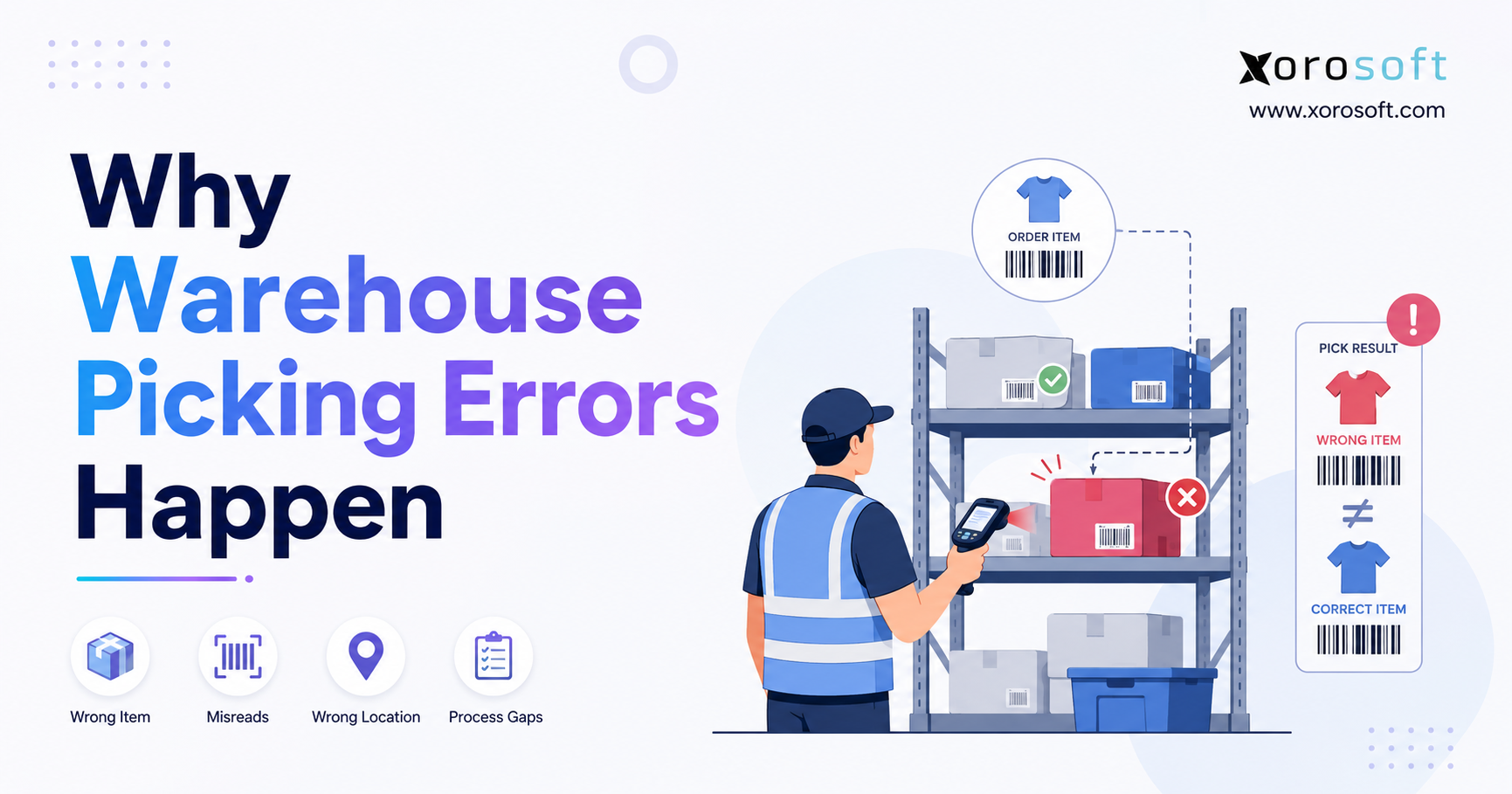
Warehouse picking errors can significantly impact the efficiency and accuracy of your operations.
1. Warehouse Picking Errors Often Begin Before the Picker Arrives
A customer opens a shipment and finds the wrong product, an incorrect quantity, or a missing item. The warehouse team may immediately classify the incident as a picker mistake. However, the picker often represents only the final person in a much longer operational chain.
For example, the problem may begin when a receiving employee enters the wrong quantity. Alternatively, a putaway worker may place the product in an incorrect bin. Replenishment may move inventory without updating the location, or two similar SKUs may sit beside each other with unclear labels.
Consequently, the physical inventory, system record, and picking instruction may already disagree before the picker reaches the shelf.
Warehouse managers should therefore treat recurring warehouse picking errors as operational signals. Although individual mistakes happen, repeated problems usually point to weak inventory controls, poor warehouse design, unclear labels, inconsistent training, or disconnected systems.
Telling employees to “be more careful” may temporarily increase attention. Nevertheless, that instruction does not repair inaccurate inventory, improve slotting, or clarify confusing locations. Instead, managers need to identify the specific control that failed.
The most useful question is not simply, “Who selected the wrong product?”
A better question is, “Why did the warehouse allow the employee to select the wrong product?”
1.1 Why Growing Warehouses Experience More Picking Mistakes
Manual warehouse processes often work reasonably well when a business manages a small catalog, one location, and a few experienced employees. Team members remember product locations, recognize packaging, and solve exceptions through shared knowledge.
However, that operating model becomes less dependable as the company grows.
First, additional SKUs create more visual similarity. Next, larger teams reduce dependence on shared memory. Moreover, multiple warehouses add location, allocation, and transfer complexity. Ecommerce, wholesale, marketplace, EDI, and manufacturing orders also introduce different fulfillment rules.
At the same time, order volume increases the pace of work. A process that handles 200 daily orders may struggle when demand reaches 1,500 orders. Promotional campaigns and seasonal peaks create even more pressure.
Therefore, growth does not always create warehouse picking errors. Instead, growth exposes process weaknesses that a smaller operation could previously hide.
1.2 How One Inventory Error Creates Multiple Picking Problems
A single upstream error can affect several warehouse, purchasing, and financial processes.
For instance, suppose a receiving employee records 100 cases as 100 individual units. Purchasing may believe the company owns more stock than it actually has. Meanwhile, sales channels may accept orders against nonexistent inventory. Replenishment may move incorrect quantities, and accounting may calculate an inaccurate inventory value.
Similarly, an employee may place excess stock in an unrecorded overflow location. As a result, the assigned bin appears empty while usable inventory remains hidden elsewhere. The warehouse may then create a short pick, purchase unnecessary stock, or delay a customer order.
Therefore, warehouse accuracy depends on one basic discipline: every physical inventory movement must create an accurate and timely system transaction.
2. What Warehouse Picking Errors Include
A warehouse picking error occurs when an employee selects the wrong product, quantity, variant, condition, lot, serial number, or storage unit while fulfilling an order or internal material request.
Sometimes, the packing team catches the mistake immediately. In other cases, the customer discovers it after delivery. Similarly, a production team may identify the problem when it receives an incorrect component, while an inventory controller may uncover it during a cycle count.
| Picking error | What happened | Typical operational result |
|---|---|---|
| Wrong-item pick | The picker selected an incorrect SKU | The customer receives another product |
| Short pick | The picker selected too few units | The order arrives incomplete |
| Over-pick | The picker selected too many units | The warehouse loses inventory or over-ships |
| Missed pick | The picker skipped an order line | A required item is missing |
| Wrong variant | The picker chose the wrong size, color, model, or style | The customer requests a return or exchange |
| Wrong lot or serial | The picker chose an incorrect traceable unit | The company faces traceability or compliance issues |
| Damaged-item pick | The picker chose unusable inventory | The customer requests a replacement |
| Expired-item pick | The picker chose stock outside the approved date | The company creates waste or safety risk |
2.1 Wrong-Item Warehouse Picking Errors
A wrong-item pick happens when the selected SKU does not match the order.
Usually, several conditions contribute to the mistake. Products may use similar packaging, bin labels may be unclear, or the pick list may contain weak descriptions. In addition, another employee may have placed the wrong product in the assigned location.
For example, a picker may expect a black medium jacket but find several nearly identical cartons in the same bay. Without barcode confirmation, the employee may accidentally choose a navy large jacket.
Consequently, wrong-item errors frequently affect apparel, cosmetics, food, electronics, automotive parts, sporting goods, and industrial distribution. These industries often manage products that look similar but differ in important specifications.
2.2 Wrong-Quantity Picking Errors
A short pick occurs when the picker selects fewer units than the order requires. By contrast, an over-pick occurs when the picker selects too many.
Unit-of-measure confusion often creates these mistakes. For example, a picker may treat one case as one unit or mistake an inner pack for a full carton. Likewise, unclear instructions may not explain whether the order requires individual units, packs, cases, or pallets.
Additionally, quantity errors increase when employees estimate visually instead of counting or scanning. Therefore, warehouses should use barcode confirmation, weighing, controlled counting, or another reliable verification method.
2.3 Wrong-Variant Warehouse Mispicks
Variant errors involve products from the same family that differ by size, color, style, material, voltage, configuration, or season.
The selected product may look almost identical to the correct one. Nevertheless, the customer still receives an unusable item.
For that reason, warehouses should not depend entirely on visual recognition. Instead, clear product identifiers, controlled slotting, item images, and barcode verification provide stronger protection as the number of variants grows.
2.4 Picking Errors Versus Packing Errors
A picking error occurs when an employee selects the wrong inventory. A packing error occurs when the packing team places products into the wrong carton, mixes products between orders, or ships an order without required documentation.
This distinction matters because each failure requires a different response.
For example, additional picker training will not solve a carton-consolidation problem. Similarly, another packing check will not correct inaccurate bin inventory. Therefore, managers must identify where the error entered the workflow before choosing a solution.
3. Why Warehouse Picking Errors Happen
Warehouse picking errors usually emerge from six connected areas:
- Inventory data
- Storage locations
- Product identification
- Warehouse processes
- Employee work design
- Technology and integration
A strong investigation considers all six areas. Otherwise, the warehouse may correct the visible mistake while leaving the real cause untouched.
3.1 Inaccurate Inventory Causes Picking Errors
Pickers cannot follow system instructions accurately when system quantities do not match physical stock.
Inventory discrepancies commonly result from:
- Unrecorded inventory movements
- Delayed receiving
- Incorrect customer returns
- Unposted damaged stock
- Inaccurate cycle counts
- Incomplete warehouse transfers
- Incorrect pack conversions
- Picks entered after the physical work
- Manual spreadsheet adjustments
- Duplicate product records
Suppose the system directs a picker to a bin with five available units while the order requires eight. The picker must now make an exception decision.
Without a controlled procedure, the employee may search another location, substitute a similar product, record an incorrect quantity, or leave the order incomplete. Consequently, one discrepancy creates additional warehouse picking problems.
Moreover, the next employee may face the same inaccurate quantity. Therefore, a small inventory difference can continue producing errors until someone investigates the root cause.
3.2 Delayed Inventory Transactions Create False Availability
Inventory records lose reliability when employees separate the physical movement from the system transaction.
For example, a replenishment employee may move 20 units from reserve storage to a forward pick face. However, the employee may postpone the system update until the end of the shift.
During that delay, the source location appears to hold inventory that no longer exists there. Meanwhile, the destination location appears empty even though it contains stock.
Other orders may therefore receive incorrect allocations. Similarly, the same problem can affect receiving, returns, picking, packing, adjustments, and warehouse transfers.
To prevent false availability, employees should record each movement when they complete the physical task. Additionally, managers should review unposted or delayed transactions before those records affect new orders.
3.3 Incorrect Putaway Leads to Warehouse Mispicks
Putaway connects received inventory to a specific storage location. When employees complete that process incorrectly, the warehouse’s physical and digital maps stop matching.
Products may remain in receiving, staging, or temporary storage. Alternatively, employees may place stock in the first available bin without recording the location.
As a result, the assigned bin shows inventory that employees cannot find. At the same time, the actual stock remains hidden from allocation and replenishment.
Temporary locations can support busy warehouse operations. However, the warehouse must represent those locations in the system and control how employees use them. Otherwise, temporary storage quickly becomes permanent hidden inventory.
3.4 Similar SKUs Increase Picking Mistakes
Visual similarity creates a high risk of wrong-item and wrong-variant picks.
Common examples include:
- Black and navy apparel
- Small and medium sizes
- Different flavors in similar cartons
- Left-side and right-side automotive parts
- Model numbers that differ by one digit
- Domestic and export product versions
- Old and new packaging for the same product family
When warehouses place these items together, pickers must slow down and inspect fine details. During busy periods, employees may miss those details.
Therefore, warehouses should separate high-confusion products. They can also use larger identifiers, shelf dividers, item images, improved lighting, or barcode validation.
Additionally, managers should analyze return reasons by product family. If customers repeatedly return similar variants, the warehouse may need stronger location or scanning controls.
3.5 Poor Product and Bin Labels Cause Picking Errors
A label only helps when it identifies the correct product or location and remains readable.
Common warehouse label problems include:
- Faded printing
- Damaged barcodes
- Labels placed over older labels
- Duplicate location identifiers
- Inconsistent location formats
- Supplier barcodes that represent cases instead of units
- Small text
- Internal labels that do not match the item master
Different warehouses may also use different naming structures. For instance, one site may use aisle-bay-level-position, while another relies on informal names created by experienced employees.
Consequently, new team members face unnecessary confusion. Standardized location structures make warehouse picking easier to learn, execute, and audit.
Moreover, clear location labels reduce the time employees spend searching. Therefore, better labeling improves both speed and accuracy.
3.6 Paper Pick Lists Create Order Picking Errors
Paper workflows depend heavily on printed descriptions, manual checkmarks, and employee memory.
However, printed information becomes outdated when an order changes, a customer cancels a line, or the system reallocates inventory after printing.
Paper also offers limited verification. A checkmark proves only that someone marked the line complete. It does not prove that the picker visited the correct bin, selected the correct SKU, or confirmed the right quantity.
Reliable picking instructions should include:
- Warehouse
- Zone
- Exact bin
- SKU
- Product description
- Variant
- Unit of measure
- Quantity
- Lot or serial requirement
- Customer instructions
Digital instructions can update more quickly. Nevertheless, the warehouse must still maintain accurate product and location data.
Therefore, moving from paper to mobile picking should form part of a wider process improvement project rather than a simple device replacement.
3.7 Weak Replenishment Creates Short Picks
Forward-picking locations hold accessible quantities of active products. When those locations become empty, pickers may find no stock even though reserve inventory exists elsewhere.
At that point, employees may search the warehouse manually, pick directly from reserve storage, delay the order, or create a short pick.
Each workaround interrupts normal work. Moreover, emergency movements often bypass standard verification.
Replenishment should therefore consider:
- Open orders
- Expected demand
- Product velocity
- Pick-face capacity
- Reserve inventory
- Supplier lead times
- Promotions and seasonal demand
Additionally, each replenishment movement should confirm the source, destination, SKU, unit of measure, and quantity.
As a result, the pick face remains available without creating unrecorded inventory movements.
3.8 Poor Warehouse Slotting Reduces Picking Accuracy
Warehouse slotting determines where the operation stores products based on demand, dimensions, weight, handling requirements, and order relationships.
Poor slotting increases travel, congestion, physical strain, and interruptions.
For instance, fast-moving products placed far from packing create unnecessary walking. Similarly, similar SKUs placed together increase selection risk. Products that customers frequently order together may also sit in distant zones, creating more handoffs.
Therefore, warehouse teams should review slotting when order profiles change, new products launch, or seasonal demand shifts.
Furthermore, slotting should consider confusion risk, not only speed. A slightly longer pick path may produce better accuracy when it separates nearly identical products.
3.9 Inconsistent Procedures Create Repeat Picking Errors
A warehouse does not have a standard process when every employee follows a different sequence.
One picker may scan every location and item. Another may scan only unfamiliar products. A third may complete several lines before entering the transactions.
These differences make performance difficult to measure. More importantly, they make errors difficult to investigate.
Standard procedures should define:
- When employees must scan
- How employees confirm quantities
- How employees identify order containers
- What employees do when stock is missing
- How employees report damage
- How the business controls substitutions
- How employees handle unreadable barcodes
- What teams do during system outages
Consistency does not mean removing judgment. Instead, it gives employees a safe and documented way to manage exceptions.
Moreover, standard procedures create comparable performance data across shifts and warehouses.
3.10 Inadequate Training Increases Picking Mistakes
Warehouse training often focuses on standard transactions while giving limited attention to exceptions.
A new employee may understand how to complete a normal pick. However, the employee may not know what to do when the bin is empty, the barcode fails, or the physical quantity differs from the system.
Without clear guidance, employees create personal workarounds. Over time, those workarounds become informal processes.
Training should therefore include realistic scenarios. Furthermore, managers should explain why each verification step matters.
For example, employees should understand that one skipped scan can affect inventory availability, replenishment, purchasing, forecasting, and accounting. As a result, they are more likely to follow the process consistently.
3.11 Picker Fatigue and Work Pressure Affect Accuracy
Warehouse picking can involve repetitive walking, lifting, reaching, bending, equipment use, and time pressure.
When managers focus entirely on speed, employees may skip verification steps to maintain their expected pick rate. Reported throughput may rise while order accuracy falls.
Managers should therefore review picking errors by:
- Shift
- Hour
- Overtime level
- Zone
- Order type
- Workload
- Congestion period
- Employee experience
This analysis helps the business distinguish training problems from staffing, workload, layout, or ergonomic issues.
Additionally, accuracy should form part of productivity measurement. Otherwise, the warehouse may reward speed while ignoring the cost of corrections.
3.12 Disconnected Systems Create Conflicting Inventory Data
Many growing businesses use separate systems for:
- Shopify
- Amazon
- Accounting
- Inventory
- Warehouse operations
- EDI
- Purchasing
- Manufacturing
- Reporting
When these applications fail to synchronize reliably, the same SKU may show different quantities in different systems.
For example, a cancelled ecommerce order may continue to hold inventory in the warehouse system. Alternatively, a warehouse adjustment may fail to reach accounting. A transfer may appear complete in one application and remain open in another.
As a result, employees make decisions using conflicting information.
Moreover, teams may create spreadsheets to reconcile the differences. However, those spreadsheets add another layer of delay and manual work.
3.13 Missing Scan Controls Allow Picking Errors to Pass
A controlled picking workflow verifies four basic facts:
1. The picker reached the correct location.
2. The product matches the order.
3. The quantity matches the requirement.
4. The system recorded the movement.
Skipping any one of these checks allows mistakes to move downstream.
A reliable sequence usually follows this order:
Scan location → Scan product → Confirm quantity → Confirm order container → Record transaction
Scanning does not eliminate every error. Labels, product records, units of measure, and storage locations must still remain accurate. Nevertheless, scanning reduces dependence on memory and visual recognition.
Furthermore, scan history gives managers a stronger audit trail when they investigate an error.
4. How Picking Errors Move Through Warehouse Operations
Warehouse picking errors rarely remain within one department. Instead, one mistake can move through receiving, putaway, replenishment, fulfillment, returns, and accounting.
4.1 Receiving Errors Create the Wrong Starting Inventory
Receiving establishes the warehouse’s starting inventory.
Employees should confirm:
- Supplier
- Product
- Quantity
- Unit of measure
- Condition
- Purchase order
- Lot
- Serial number
- Expiration or production date
If receiving records incorrect information, every later process begins with the wrong data.
Therefore, receiving accuracy directly supports picking accuracy, even though the two activities may occur days apart.
4.2 Putaway Errors Hide Inventory
Putaway tells the warehouse where it can find received stock.
When an employee places a product in an unrecorded location, the assigned bin shows stock that does not exist there. Meanwhile, the actual location holds inventory that the system may not allocate.
Consequently, the warehouse can experience both false shortages and hidden inventory at the same time.
4.3 Replenishment Errors Empty the Pick Face
Replenishment connects reserve inventory to forward-picking locations.
When employees replenish too late, move the wrong quantity, or update the wrong location, pickers encounter empty or inaccurate bins.
Therefore, replenishment accuracy directly affects picking accuracy. Moreover, poor replenishment creates unnecessary travel because pickers leave their normal route to search for stock.
4.4 Picking Errors Distort Available Inventory
A picking transaction should reduce the correct SKU, location, quantity, lot, or serial number.
Suppose an employee physically selects Product B but confirms Product A in the system. Product A now appears lower than its physical quantity, while Product B appears higher.
As a result, the business creates false availability for one item and a false shortage for another.
4.5 Packing Errors Allow Mispicks to Reach Customers
Packing provides the final internal opportunity to catch many warehouse picking errors.
However, the packing team should not become the warehouse’s main correction department. When packers repeatedly find the same errors, managers should trace those problems back to inventory, locations, picking instructions, or verification controls.
Therefore, packing data should support root-cause analysis rather than only shipment correction.
4.6 Returns Can Multiply the Original Error
Returns can make the original discrepancy worse.
For instance, the returns team may receive the wrong product under the SKU shown on the original order. It may then place that product into an incorrect location or return it to sellable stock without inspection.
Therefore, one warehouse mispick can create another inventory error when the product comes back.
Warehouse error path:
Receiving → Putaway → Replenishment → Allocation → Picking → Packing → Shipping → Return → Reconciliation
5. The Operational Cost of Warehouse Picking Errors
The cost of a picking mistake extends far beyond the value of the incorrect product.
5.1 Direct Costs of Warehouse Mispicks
Direct costs may include:
- Replacement freight
- Return labels
- Additional packaging
- Repicking labor
- Repacking labor
- Refund processing
- Inventory write-offs
- Expedited shipping
- Retailer penalties
- Customer credits
These costs quickly add up when the warehouse processes hundreds or thousands of orders.
Moreover, expedited replacement shipping can cost more than the original fulfillment activity.
5.2 Indirect Costs of Order Picking Errors
Indirect consequences often create even more disruption.
For example, customer-service teams spend time investigating orders. Inventory controllers perform additional counts. Accounting teams reconcile unexplained adjustments. Meanwhile, operations teams lose capacity because they must correct yesterday’s work instead of processing today’s demand.
Other indirect costs include:
- Delayed fulfillment
- Negative customer reviews
- Marketplace performance issues
- Lost repeat purchases
- Lower team productivity
- Additional cycle counts
- Delayed month-end closing
- Reduced customer trust
Consequently, one picking error can affect warehouse operations, finance, sales, and customer retention.
5.3 Picking Errors Create False Inventory Availability
When the picker selects the wrong item but confirms the intended SKU, the transaction distorts two inventory records.
One product appears lower than its physical quantity. Meanwhile, another appears higher.
Consequently, the business may purchase unnecessary stock while continuing to promise inventory it does not physically own.
Additionally, purchasing forecasts may use the incorrect history, which can create future overstock or stockouts.
5.4 Calculating the Cost of Picking Mistakes
Use this formula to estimate direct monthly cost:
Monthly error cost = Monthly picking errors × Average correction cost per error
The average correction cost should include freight, packaging, labor, refunds, penalties, and write-offs.
Additionally, businesses can estimate indirect costs by measuring customer-service time, inventory adjustments, delayed orders, and lost repeat purchases. However, they should avoid unsupported assumptions.
6. How to Measure Warehouse Picking Accuracy
Warehouse teams need consistent measurements before they begin an improvement project.
Otherwise, managers may believe accuracy has improved when the warehouse has simply changed how it records errors.
6.1 Order Picking Accuracy Formula
Use this formula:
Order picking accuracy = Correctly picked orders ÷ Total picked orders × 100
This metric shows the percentage of complete orders that the warehouse picked without an error.
However, it can hide line-level detail when orders contain many products.
6.2 Line Picking Accuracy Formula
Use this formula for individual order lines:
Line picking accuracy = Correct order lines ÷ Total picked order lines × 100
Line accuracy gives more detail for wholesale or ecommerce orders that contain many SKUs.
For example, one incorrect line makes the complete order inaccurate. However, line-level measurement still shows how much of the work the warehouse completed correctly.
Therefore, businesses should often track both order accuracy and line accuracy.
6.3 Warehouse Picking Error KPIs
| KPI | What it measures | Best use |
| Order picking accuracy | Completely correct orders | Customer-level performance |
| Line picking accuracy | Correct individual order lines | Complex orders |
| Mispicks per 1,000 lines | Error frequency | Period comparisons |
| Short-pick rate | Quantity shortages | Replenishment analysis |
| Packing verification failures | Errors caught before shipping | Quality-control performance |
| Location accuracy | Physical stock compared with system stock | Inventory reliability |
| Cost per picking error | Financial impact | Improvement prioritization |
6.4 Why Warehouse-Wide Averages Hide Problems
A warehouse may report strong overall accuracy while one SKU group, aisle, shift, or customer workflow produces most of the mistakes.
Therefore, managers should break results down by:
- SKU
- Product family
- Bin
- Zone
- Picker
- Shift
- Hour
- Warehouse
- Order channel
- Customer
- Picking method
- Error type
This analysis directs corrective action toward the real source. By contrast, broad retraining may waste time when only one location or process creates the problem.
Moreover, detailed measurement helps managers verify whether a corrective action actually worked.
7. How to Diagnose Warehouse Picking Errors
A useful root-cause investigation follows the inventory transaction from receipt through shipment.
7.1 Classify the Picking Error
First, identify the exact error type:
- Wrong SKU
- Wrong quantity
- Missed item
- Wrong variant
- Wrong lot
- Wrong serial number
- Damaged item
- Picking failure
- Packing failure
Avoid vague categories such as “warehouse mistake.” They provide too little information for meaningful corrective action.
7.2 Trace the Inventory History
Next, review:
1. Purchase-order receipt
2. Putaway
3. Transfers
4. Replenishment
5. Allocation
6. Pick confirmation
7. Packing confirmation
8. Shipment
9. Return
10. Inventory adjustment
The investigation should identify the moment when physical inventory and system inventory stopped matching.
Therefore, managers should review the complete transaction chain rather than only the final pick.
7.3 Inspect the Source Bin
Then, inspect the assigned location and the surrounding bins.
Ask:
- Does the correct product occupy the location?
- Does the physical quantity match the system?
- Did employees mix several SKUs?
- Can employees read the label clearly?
- Do similar products sit beside each other?
- Does overflow inventory exist elsewhere?
- Does the unit of measure match the instruction?
Physical inspection often reveals problems that transaction reports cannot show.
7.4 Review Scan and Verification Records
Afterward, determine what the picker saw and which controls the employee completed.
A WMS history may show location scans, item scans, quantity confirmations, order-container assignments, and packing checks.
By comparison, a paper workflow may show only a handwritten checkmark. Therefore, managers may struggle to determine where the error occurred.
7.5 Separate Individual Mistakes From Process Failures
One isolated error may require coaching. However, repeated errors involving the same bin, SKU, shift, or process indicate a broader operational problem.
If five employees pick the wrong product from one location, the warehouse probably faces a labeling, slotting, or putaway issue.
Consequently, the corrective action should address the location rather than blaming five separate employees.
7.6 Use the Five-Whys Method
Consider this example:
1. Why did the warehouse ship the wrong size?
The picker selected the wrong carton.
2. Why did the picker select the wrong carton?
Two sizes occupied the same location.
3. Why did two sizes occupy the same location?
An employee placed overflow stock in the open space.
4. Why did the warehouse need overflow space?
The original pick face had become too small.
5. Why had the pick face become too small?
Demand increased, but the warehouse had not reviewed slot capacity.
The final action should not simply remind the picker to pay attention. Instead, the warehouse should redesign the slot and control overflow inventory.
8. How to Reduce Warehouse Picking Errors
The strongest improvement plans stabilize inventory and processes before they add more automation.
8.1 Correct Inventory Before Increasing Pick Speed
Do not optimize a picking workflow that relies on inaccurate inventory.
Start with:
- Fast-moving items
- High-value products
- Negative inventory
- Locations with repeat errors
- Recent adjustments
- Frequently returned products
- Lot-controlled stock
- High-volume pick faces
Once the warehouse stabilizes these areas, it can improve speed more safely.
8.2 Standardize Product and Location Labels
Every active location should carry one clear identifier. Moreover, employees should remove obsolete labels rather than repeatedly covering them.
Product labels should clearly distinguish:
- Individual units
- Inner packs
- Cases
- Pallets
- Variants
- Lots
- Serial numbers
Consistent labels reduce training time and support stronger scan controls.
Additionally, standard labels make it easier to compare performance across multiple warehouses.
8.3 Separate Similar-Looking SKUs
Warehouses should physically separate high-confusion products or control them through scanning.
Additional controls may include:
- Larger text
- Product images
- Visual markers
- Dedicated zones
- Shelf dividers
- Distinct containers
These controls become particularly important for apparel, cosmetics, food, electronics, and parts distribution.
8.4 Improve Warehouse Slotting
Warehouse teams should review product velocity, dimensions, weight, order affinity, replenishment frequency, and confusion risk.
Fast-moving products need accessible positions. However, teams should avoid placing too many high-volume SKUs in one narrow aisle.
Likewise, heavy products need safe handling positions. Frequently confused products require physical separation or strong scan validation.
Therefore, effective slotting balances speed, safety, replenishment, and accuracy.
8.5 Use Barcode-Directed Warehouse Picking
A controlled scan process verifies the location, product, quantity, and order container.
A warehouse management system can guide employees through these steps while recording each inventory movement at the point of work.
Barcode scanning does not replace accurate labels or item data. Nevertheless, it reduces reliance on memory and helps managers trace exceptions.
Moreover, mobile verification can stop an error before the employee leaves the location.
8.6 Strengthen Pick-Face Replenishment
Replenishment should occur before an active location becomes empty.
The process should consider:
- Open orders
- Expected demand
- Product velocity
- Pick-face capacity
- Reserve inventory
- Supplier lead times
- Promotions
In addition, employees should confirm the source, destination, SKU, unit, and quantity during each movement.
As a result, pickers spend less time searching for inventory and creating emergency workarounds.
8.7 Standardize Picking Exceptions
Employees need clear instructions when:
- The bin is empty
- The physical quantity is wrong
- The barcode fails
- Another SKU appears in the location
- The product has damage
- The required lot is unavailable
- The system suggests an invalid location
- The unit of measure appears incorrect
Without these procedures, employees create inconsistent workarounds.
Therefore, exception training should receive the same attention as normal picking training.
8.8 Add Packing Verification for High-Risk Orders
Packing verification provides extra protection for:
- Expensive products
- Regulated inventory
- Similar variants
- Large wholesale orders
- EDI shipments
- Multi-line ecommerce orders
- Lot- or serial-controlled products
However, managers should also track why packing catches each error. Repeated packing failures should trigger an upstream investigation.
8.9 Use Risk-Based Cycle Counting
Not every SKU needs the same counting frequency.
Prioritize:
- Fast-moving inventory
- High-value products
- Locations with recurring errors
- Recent transfers
- Negative stock
- High-return products
- Lot-controlled inventory
- Products with frequent adjustments
After each significant discrepancy, investigate the cause instead of treating the adjustment as the final solution.
Consequently, cycle counting becomes a prevention tool rather than only a correction activity.
8.10 Measure Accuracy and Productivity Together
Managers should not evaluate pick speed without accuracy.
An employee who completes more lines but creates more returns, rework, and adjustments may reduce total warehouse productivity.
Therefore, the strongest metric reflects accurate, usable output rather than activity alone.
9. Choosing a Picking Method That Supports Accuracy
No picking method automatically produces the highest accuracy. Instead, the right method depends on product characteristics, order profiles, layout, labor, and traceability requirements.
| Picking method | Best suited for | Main accuracy risk | Recommended control |
| Discrete picking | Low-volume or complex orders | Travel and interruptions | Scan every item and location |
| Batch picking | Similar small orders | Mixing products between orders | Use segmented totes |
| Zone picking | Large warehouses | Incorrect handoffs | Validate containers |
| Wave picking | Scheduled fulfillment | Congestion and rushing | Plan waves around capacity |
| Cluster picking | Several orders per trip | Wrong tote placement | Scan cart positions |
| Pick-to-light | High-speed fixed locations | Incorrect confirmation | Confirm quantities |
| Voice picking | Hands-free operations | Misheard instructions | Use check digits |
9.1 Discrete Picking Accuracy
Discrete picking assigns one order to one picker at a time.
The process remains easy to understand. However, it may require substantial travel.
Therefore, warehouses should support discrete picking with clear locations, accurate instructions, and product verification.
9.2 Batch and Cluster Picking Errors
Batch and cluster picking allow employees to collect products for several orders during one trip.
These methods reduce travel. Nevertheless, they introduce the risk of placing products into the wrong tote or order compartment.
Consequently, container identification becomes as important as product verification.
9.3 Zone Picking Accuracy
Zone picking assigns employees to specific warehouse areas.
The method can improve familiarity and reduce travel. However, order handoffs between zones create extra control points.
Teams should therefore validate the order container at each handoff.
9.4 Pick-to-Light and Voice Picking Controls
Pick-to-light and voice systems reduce dependence on paper and support hands-free work.
Still, these tools depend on accurate inventory, correct locations, reliable instructions, and disciplined exception handling.
Technology improves the process only when the underlying data and workflow remain reliable.
10. Manual Picking Versus WMS-Directed Picking
Paper and spreadsheet workflows depend heavily on visual recognition, memory, and delayed data entry.
As warehouse complexity increases, these controls become harder to scale and audit.
| Capability | Manual workflow | WMS-directed workflow |
| Pick instructions | Printed or handwritten | System-directed |
| Location verification | Visual confirmation | Scan validation |
| Item verification | Description or memory | Barcode confirmation |
| Inventory update | Delayed or manual | Recorded during the task |
| Exception handling | Verbal or handwritten | System-recorded |
| Accountability | Limited | User and time stamped |
| Reporting | Manually compiled | Centralized |
| Multi-warehouse control | Difficult | Location-based |
10.1 How a WMS Reduces Picking Errors
A WMS can direct a picker to the correct location, validate a barcode, confirm the item, record the quantity, assign an order container, and update inventory.
These controls occur during the physical task. Therefore, the warehouse does not need to depend entirely on later data entry.
Additionally, the system can record exceptions so managers can identify repeated problems.
10.2 Why ERP and WMS Data Must Stay Connected
Warehouse activity affects more than fulfillment.
Every receipt, pick, transfer, adjustment, and shipment can influence:
- Available inventory
- Purchasing
- Forecasting
- Customer orders
- Manufacturing
- Cost of goods sold
- Inventory valuation
- Financial reconciliation
A connected platform such as XoroERP can link warehouse transactions with sales, purchasing, inventory, accounting, and reporting.
As a result, departments work from the same operational record instead of maintaining separate inventory versions.
10.3 What Warehouse Automation Cannot Fix
Technology cannot automatically correct:
- Poor product data
- Incorrect units of measure
- Weak labels
- Bad slotting
- Undefined exceptions
- Inaccurate locations
- Inconsistent training
- Weak process ownership
Automation may execute a flawed process faster. Therefore, the warehouse should stabilize master data and operating procedures before expanding technology.
11. Warehouse Picking Errors Across Different Industries
Picking accuracy problems vary by product type, customer requirement, order profile, and traceability need.
11.1 Ecommerce and Shopify Picking Errors
Ecommerce businesses manage frequent order changes, product variants, multi-location inventory, returns, split shipments, and fast delivery expectations.
In addition, a growing Shopify merchant may use separate tools for purchasing, warehouse management, accounting, forecasting, and marketplace orders.
Xorosoft can support the operational workflows behind Shopify by connecting orders with inventory, purchasing, warehouse execution, accounting, and reporting. Merchants evaluating the integration can also review the Xorosoft ERP Shopify application.
Consequently, the warehouse can manage ecommerce demand through a more connected operational workflow.
11.2 Apparel Warehouse Picking Errors
Apparel companies manage large numbers of size, color, style, season, and collection combinations.
Several variants may use almost identical packaging. Moreover, customer returns create additional opportunities for employees to place products back into the wrong location.
A connected system such as XoroOne can help apparel businesses coordinate product variants, purchasing, warehouses, ecommerce orders, and accounting. However, the warehouse still needs disciplined labels, slotting, scanning, and return controls.
11.3 Wholesale Distribution Picking Mistakes
Wholesale orders often involve:
- Case-versus-each quantities
- Customer-specific labels
- EDI requirements
- Pallet configurations
- Inventory allocation
- Retailer compliance
- Scheduled shipping windows
A warehouse may pick the correct SKU but still fail the order because employees use the wrong quantity unit, packaging format, or shipment documentation.
Therefore, wholesale picking accuracy requires both product accuracy and customer-rule accuracy.
11.4 Furniture and Bulky-Goods Picking Errors
Furniture orders may include several cartons or components.
For example, a correct frame with the wrong hardware kit still creates an unusable shipment.
Warehouse controls should therefore address:
- Multi-carton relationships
- Oversized locations
- Damage inspection
- Component completeness
- Serial numbers
- Delivery sequencing
11.5 Food and Beverage Picking Errors
Food and beverage warehouses must control more than SKU and quantity.
The selected inventory may also need to meet:
- Lot requirements
- Expiration dates
- FIFO or FEFO rules
- Temperature conditions
- Allergen controls
- Customer shelf-life requirements
Consequently, the correct product may still represent an incorrect pick when it fails a date or lot rule.
11.6 Manufacturing Component Picking Errors
Manufacturers pick materials for work orders as well as customer shipments.
An incorrect component can stop production, create rework, consume the wrong lot, or distort work-in-progress and finished-goods costing.
Businesses can explore Xorosoft’s industry-specific ERP capabilities when evaluating warehouse and manufacturing workflows across apparel, wholesale, furniture, food, sporting goods, and other inventory-driven industries.
11.7 Multi-Warehouse Picking Errors
Multi-warehouse businesses must control the facility as well as the SKU and bin.
Allocation errors may:
- Route orders to the wrong warehouse
- Split fulfillment unnecessarily
- Consume inventory reserved for another channel
- Create avoidable transfers
- Increase freight costs
- Delay delivery
Therefore, location-level visibility matters more than a company-wide total quantity. The business needs to know where the available inventory physically sits.
12. When Picking Errors Signal a Warehouse System Upgrade
Not every warehouse picking error requires a new ERP or WMS.
A low-volume warehouse may improve accuracy through better labels, slotting, training, and cycle counting.
However, repeated errors after process correction may show that the business has exceeded the capacity of its current controls.
12.1 Signs Manual Warehouse Controls No Longer Work
Common warning signs include:
- Paper pick lists remain essential
- Inventory adjustments occur frequently
- Employees rely on memory
- Different systems show different quantities
- Replenishment remains reactive
- Warehouses use inconsistent procedures
- Shopify, Amazon, EDI, inventory, and accounting remain disconnected
- Picking errors return after retraining
- Managers cannot trace transactions by user
- Reconciliation delays the financial close
When several of these conditions appear together, the business should evaluate a system upgrade.
12.2 Who Needs an Integrated ERP and WMS
An integrated system becomes more relevant when a company:
- Sells physical products
- Operates multiple warehouses
- Manages complex purchasing
- Uses Shopify or Amazon
- Sells wholesale
- Uses EDI
- Manufactures or assembles products
- Tracks lots or serial numbers
- Needs warehouse and accounting data aligned
- Has outgrown QuickBooks or spreadsheets
In these situations, disconnected applications can create duplicate data entry, conflicting inventory, and limited reporting.
Therefore, an integrated ERP and WMS may provide stronger operational control.
12.3 Who May Not Need a Full ERP Yet
A smaller business may not need a complete ERP platform when it has:
- Low order volume
- Few SKUs
- One simple warehouse
- Limited purchasing complexity
- No EDI or manufacturing
- Reliable inventory
- Simple accounting requirements
In that case, better procedures, standalone scanning, focused inventory software, or outsourced fulfillment may solve the immediate problem.
12.4 Comparing ERP and Warehouse Platforms
Businesses may evaluate NetSuite, Acumatica, Cin7, Brightpearl, Fishbowl, Sage, Microsoft Dynamics 365 Business Central, and Xorosoft.
The right choice depends on:
- Warehouse requirements
- Accounting depth
- Ecommerce integration
- Purchasing
- Manufacturing
- Forecasting
- Reporting
- Implementation resources
- Scalability
- Total cost
Companies considering larger platforms can use this Xorosoft vs NetSuite comparison as one part of a broader evaluation.
13. Frequently Asked Questions About Warehouse Picking Errors
13.1 What Is a Warehouse Picking Error?
A warehouse picking error happens when an employee selects the wrong SKU, quantity, variant, lot, serial number, or product condition. The packing team, customer, production team, or inventory controller may discover the mistake. Although an individual action may cause the error, inaccurate data, poor locations, unclear labels, and weak procedures often contribute.
13.2 What Are the Most Common Warehouse Picking Errors?
Common warehouse picking errors include wrong-item picks, short picks, over-picks, missed order lines, wrong variants, incorrect lots or serial numbers, damaged products, and expired stock. Therefore, warehouses should record each type separately because each problem may require a different corrective action.
13.3 Why Do Warehouse Picking Errors Happen?
Warehouse picking errors happen when physical inventory, system records, product locations, labels, instructions, and employee actions do not remain aligned. Frequent causes include inaccurate stock, incorrect putaway, similar SKUs, poor replenishment, weak labels, paper pick lists, inconsistent procedures, fatigue, limited training, disconnected software, and missing scan verification.
13.4 What Is a Warehouse Mispick?
A warehouse mispick usually means that an employee selected the wrong SKU. Some businesses also use the term for incorrect quantities or variants. Therefore, managers should trace each mispick through the product location, transaction history, picking instruction, and verification record.
13.5 What Is the Difference Between a Picking Error and a Packing Error?
A picking error occurs when an employee selects incorrect inventory. By contrast, a packing error occurs when the packing team places products into the wrong carton, mixes orders, or ships incomplete documentation. Consequently, managers must identify the correct stage before choosing a corrective action.
13.6 Why Do Employees Pick the Wrong SKU?
Employees may choose the wrong SKU when products look similar, locations remain unclear, labels have damage, descriptions lack detail, or the assigned bin contains mixed inventory. Additionally, time pressure and interruptions may contribute. Repeated errors involving one product or location usually indicate a process, labeling, or slotting problem.
13.7 How Do Inventory Discrepancies Cause Picking Errors?
Inventory discrepancies direct employees to products or quantities that do not match the physical warehouse. Pickers may then create short picks, substitutions, or unrecorded movements. As a result, the original discrepancy becomes larger and affects later orders, purchasing, forecasting, and accounting.
13.8 How Does Warehouse Layout Affect Picking Accuracy?
Warehouse layout affects travel, congestion, visibility, handling difficulty, and product confusion. Similar items stored together increase selection risk, while fast-moving items stored far from packing create unnecessary movement. Therefore, effective slotting should consider demand, dimensions, weight, replenishment frequency, and confusion risk.
13.9 Can Picker Fatigue Increase Warehouse Errors?
Yes. Repetitive work, overtime, excessive walking, difficult reaches, congestion, and unrealistic pick-rate targets can reduce attention and consistency. However, managers should review errors by shift, hour, workload, and task before assigning the cause.
13.10 How Do You Calculate Warehouse Picking Accuracy?
Calculate order picking accuracy by dividing correctly picked orders by total picked orders and multiplying by 100. Additionally, calculate line accuracy by dividing correctly picked order lines by total picked lines. Line accuracy provides more detail when orders contain many SKUs.
13.11 What Is a Good Warehouse Picking Accuracy Rate?
A suitable accuracy target depends on product type, order complexity, picking method, and traceability requirements. Therefore, businesses should compare similar operations and track internal improvement rather than applying one universal percentage.
13.12 Which KPIs Reveal Picking Problems?
Useful KPIs include order accuracy, line accuracy, mispicks per 1,000 lines, short-pick rate, packing verification failures, location accuracy, return reasons, adjustment frequency, and cost per error. Moreover, managers should break these measurements down by SKU, location, shift, warehouse, employee, and order source.
13.13 How Do You Perform a Picking-Error Root-Cause Analysis?
First, classify the error. Next, trace the inventory transaction from receiving through shipment. Then, inspect the source location, nearby SKUs, labels, and physical quantity. Finally, review replenishment, putaway, scanning, and packing records before correcting the failed process control.
13.14 How Much Does a Warehouse Picking Error Cost?
The cost depends on the product, customer, shipping method, and correction process. Direct costs may include return freight, replacement shipping, packaging, labor, refunds, write-offs, and penalties. Additionally, indirect costs may include customer-service time, reconciliation, delayed orders, negative reviews, and lost repeat purchases.
13.15 How Can Warehouses Prevent Picking Errors?
Warehouses can reduce errors by correcting inventory, improving labels, separating similar products, optimizing slotting, strengthening replenishment, standardizing procedures, introducing barcode verification, and checking high-risk orders during packing. However, teams should correct data and process problems before expanding automation.
13.16 How Does Barcode Scanning Reduce Picking Errors?
Barcode scanning compares the location and product with the warehouse instruction. A controlled workflow can require the picker to scan the bin, scan the item, confirm the quantity, and record the movement. Consequently, the process depends less on memory and visual recognition.
13.17 Can Cycle Counting Improve Picking Accuracy?
Yes. Cycle counting identifies discrepancies before they affect more orders. Risk-based counting focuses on fast-moving items, high-value products, negative inventory, recent transfers, and repeat-error locations. However, the warehouse should investigate each significant discrepancy instead of treating the adjustment as the final solution.
13.18 Should Warehouses Verify Orders During Packing?
Packing verification creates a final control before shipment. It works especially well for expensive products, similar variants, regulated inventory, wholesale orders, and multi-line shipments. Nevertheless, packing should not become the warehouse’s primary correction process.
13.19 Can a WMS Eliminate Every Picking Error?
No. A WMS can direct work, validate scans, record transactions, and identify exceptions. However, it cannot automatically fix inaccurate labels, weak product data, poor slotting, or inconsistent procedures. Therefore, the warehouse still needs training, reliable master data, and clear process ownership.
13.20 When Should a Warehouse Implement a WMS?
A warehouse should evaluate a WMS when paper workflows, multiple locations, growing SKU complexity, frequent discrepancies, high order volume, reactive replenishment, and limited transaction visibility create repeatable problems. Therefore, recurring patterns matter more than one isolated mistake.
13.21 Can ERP Software Improve Picking Accuracy?
ERP software can improve accuracy when it connects sales orders, inventory, purchasing, warehouse activity, manufacturing, and accounting. However, the platform must include or integrate with practical warehouse controls such as bin locations, barcode scanning, replenishment, picking, packing, transfers, and cycle counting.
13.22 What Is the Difference Between Inventory Software and a WMS?
Inventory software mainly tracks products, quantities, purchasing, and sometimes sales. By contrast, a WMS manages physical warehouse execution, including receiving, putaway, locations, replenishment, picking, packing, shipping, transfers, and cycle counting.
13.23 How Do Multi-Warehouse Businesses Prevent Picking Errors?
Multi-warehouse businesses need accurate facility-level allocation, standardized location structures, controlled transfers, barcode verification, and real-time visibility. In addition, teams should confirm transfers at both the sending and receiving locations.
13.24 Which WMS Features Improve Picking Accuracy?
Important capabilities include bin-level inventory, barcode-directed picking, location validation, quantity confirmation, lot and serial tracking, replenishment, cycle counting, packing verification, exception management, multi-warehouse control, ecommerce integration, and reporting. Therefore, buyers should test these features against real warehouse scenarios.
13.25 When Are Process Improvements Enough?
Process improvements may be enough when order volume remains low, SKU counts stay limited, inventory records remain reliable, and the business operates one simple warehouse. However, a larger system becomes more relevant as order volume, channels, facilities, and inventory complexity grow.
14. Turn Picking Accuracy Into an Operating Discipline
Warehouse picking errors provide valuable evidence about the quality of the entire operating process.
First, measure where mistakes occur. Next, correct inventory, labeling, slotting, replenishment, training, and exception procedures. Finally, add barcode scanning, WMS controls, or integrated ERP technology when manual processes can no longer support the company’s complexity.
For inventory-driven businesses that manage multiple warehouses, Shopify, Amazon, wholesale, EDI, manufacturing, purchasing, forecasting, and accounting, Xorosoft provides a connected cloud ERP and warehouse management environment.
However, the right first step does not always involve purchasing software. Instead, the business should determine whether the current problems come from weak process discipline, inaccurate inventory, limited warehouse controls, disconnected applications, or a combination of these issues.
Consequently, a structured warehouse review makes the technology decision clearer.
Businesses can request an ERP readiness assessment, watch a platform demonstration, or book a personalized Xorosoft demo to review their current warehouse workflow.
Search
Categories
- Accounting & QuickBooks 227
- AI & Automation 585
- E-commerce & Marketplaces 1,202
- EDI & B2B 150
- ERP 573
- ERP Selection & Comparisons 166
- Industries 230
- Integrations 138
- Shopify ERP 138
- Inventory Management 1,206
- Order Management & Fulfillment 578
- Procurement & Supply Chain 9
- Procurement, Purchasing & Reordering 417
- Resources 250
- Shopify 649
- Solutions 606
- Warehouse & WMS 1,078
Recent Posts
-
 ERP Landed Cost Module vs Spreadsheet Calculations for Importers
 -
 How to Build an Open-to-Buy Plan for an Omnichannel Brand
 -
 Cold Storage WMS for Food and Beverage Distribution
 -
 ERP Buying Statistics 2026: Evaluation, Implementation, and Adoption Risks
 -
 How a Distributor Reduced B2B Order Exceptions Without Restricting Sales



