If you are searching for a Shopify Stocky replacement, this guide will help you explore your options.
1. The Stocky Deadline Is Really an Operations Deadline
A Shopify Stocky replacement is now a serious planning decision for merchants that depend on Stocky for purchase orders, suppliers, transfers, inventory counts, forecasting, and retail stock control. Although the change may look like a simple app migration, it can quickly affect purchasing, warehouse execution, inventory accuracy, reporting, and finance.
For many Shopify merchants, Stocky has been more than a small inventory add-on. It has supported daily decisions around what to order, where stock should move, which products are running low, and how store teams should count inventory. Therefore, replacing Stocky is not only about finding another app with a similar feature list.
Instead, the real question is operational. What system should sit behind Shopify when the business has more SKUs, more suppliers, more warehouses, more sales channels, and more financial complexity?
Shopify has published guidance explaining that Stocky will no longer be available after August 31, 2026. In addition, Shopify explains that merchants should export Stocky data they want to keep, prepare teams for new workflows, and move inventory work into Shopify admin, Shopify POS, or another system. You can review Shopify’s official guidance in the Shopify Stocky migration guide.
However, Shopify native inventory will not be the right fit for every business. Some merchants need a lightweight inventory app. Others need forecasting software, warehouse management, or ERP. As a result, the best Shopify Stocky replacement depends on how complex the business has become.
1.1 Why Stocky Replacement Planning Matters Now
Stocky replacement planning matters because inventory workflows are connected. When purchasing changes, receiving changes as well. When receiving changes, available stock changes. Consequently, Shopify availability, warehouse work, retail transfers, and accounting reports can all be affected.
Additionally, waiting until the final deadline creates unnecessary risk. Teams need time to export data, clean supplier records, test new workflows, train staff, and reconcile inventory. Otherwise, the business may end up rebuilding critical processes in spreadsheets.
1.2 Who This Shopify Stocky Replacement Guide Is For
This guide is for Shopify merchants that sell physical products and rely on accurate inventory. Specifically, it is useful for retailers, wholesalers, ecommerce brands, manufacturers, and multi-location businesses that use Shopify POS, Shopify ecommerce, or both.
It is especially relevant if your business manages:
- Multiple warehouses or retail locations
- Purchase orders and supplier lead times
- Barcode stock counts
- Demand forecasting
- Shopify and Amazon inventory
- Wholesale orders or EDI
- Manufacturing or assembly
- Inventory accounting and month-end reconciliation
1.3 What This Guide Will Help You Decide
By the end of this guide, you should understand which replacement path fits your business. For example, a small retailer may use Shopify native inventory. Meanwhile, a growing brand may need a Shopify inventory app. However, a business managing warehouses, purchasing, accounting, and forecasting may need ERP.
The goal is not to push one system too early. Instead, the goal is to help you choose the right operating model before Stocky disappears.
2. What Shopify Stocky Did for Retail and Inventory Teams
Before choosing a Stocky replacement for Shopify, you need to document what Stocky handled in your business. Although many teams think of Stocky as an inventory app, it often supports several operational workflows at once.
2.1 Stocky’s Role in Shopify POS Inventory Management
Stocky was built for Shopify POS Pro merchants. According to Shopify’s Stocky documentation, Stocky helps merchants track inventory levels, forecast inventory needs, suggest products to order, perform inventory counts, and create inventory transfers.
Therefore, Stocky often becomes part of store operations, purchasing, and inventory planning. Store teams may use it for counts. Buyers may use it for reorder decisions. Operations teams may use it for transfers. As a result, replacing it requires more than checking whether another tool can “sync inventory.”
2.2 Purchase Orders and Supplier Workflows
Purchase orders are one of the most important workflows to review. If your team used Stocky for supplier orders, your replacement system needs to support buying decisions, receiving, costs, expected arrival dates, and supplier records.
In addition, purchasing workflows should show what has been ordered, what has been received, what is late, and what still needs follow-up. Without this visibility, buyers may return to spreadsheets, and inventory accuracy may decline.
2.3 Stock Transfers and Multi-Location Inventory
Stock transfers matter when inventory moves between stores, warehouses, pop-up locations, or fulfillment centers. Shopify explains that merchants can create and track inventory transfers between locations in Shopify admin, including partial receiving and shipment tracking through Shopify inventory transfers.
However, every business should test transfer workflows before committing to a replacement plan. For example, a small retail team may only need basic transfers. Meanwhile, a warehouse-heavy brand may need barcode scanning, bin locations, pick routes, and stronger warehouse controls.
2.4 Stocktakes, Counts, and Adjustments
Stocktakes help protect inventory accuracy. Because physical stock and system stock can drift apart, teams need regular counts, adjustment reasons, and reporting.
A good Shopify inventory replacement should make stock counts easy for store and warehouse teams. Moreover, it should show who adjusted inventory, why the adjustment happened, and when the change occurred.
2.5 Forecasting and Reorder Planning
Stocky helped merchants think about what to reorder. Therefore, a Shopify Stocky alternative should be evaluated for forecasting, reorder points, supplier lead times, safety stock, and replenishment logic.
This is especially important for apparel, furniture, food, sporting goods, and seasonal businesses. If forecasting becomes manual after Stocky, buyers may overbuy slow movers and underbuy fast sellers.
2.6 Barcode Labels and Store Execution
Retail teams care about execution speed. Can staff scan products? Can they count quickly? Can they receive inventory without confusion? Can managers review variances?
Although software features matter, usability matters just as much. If the new workflow slows down store teams, adoption will suffer.
3. Shopify Stocky Shutdown Timeline and Migration Risk
A Stocky migration plan should start before the deadline. Otherwise, your team may rush software selection, miss data exports, or discover workflow gaps too late.
3.1 Key Shopify Stocky Replacement Dates
Shopify says Stocky will not be available after August 31, 2026. After that date, merchants need to manage inventory in Shopify admin, Shopify POS, or another system.
Additionally, Shopify notes that Stocky was delisted from the Shopify App Store on February 2, 2026. Therefore, merchants should avoid assuming they can uninstall and reinstall Stocky without risk.
3.2 What Happens to Stocky Purchase Orders?
Historical purchase orders do not automatically move into Shopify after the cutoff. Therefore, merchants should export purchase order records they want to keep.
This matters because purchase order history can support supplier analysis, cost reviews, reorder planning, and finance records. Without the export, teams may lose useful purchasing context.
3.3 What Happens to Stocky Stocktakes?
Stocktake history should also be exported if the business wants to keep it. These records may help with shrink analysis, store accountability, inventory corrections, and audit trails.
However, exported history should not replace a clean opening balance in the new system. Instead, it should be used as reference material during and after migration.
3.4 Why Supplier Data Needs Extra Care
Supplier data is one of the easiest things to overlook. Unfortunately, supplier records often include details that live outside Shopify product data, such as supplier SKUs, lead times, minimum order quantities, case packs, payment terms, and buyer notes.
Because Shopify states that suppliers cannot be exported from Stocky, your team should create a supplier master file before migration. Include supplier name, contact details, email, products supplied, supplier SKU, lead time, MOQ, payment terms, and ordering cadence.
3.5 Risks of Waiting Too Long
Waiting creates avoidable operational risk. For example, teams may have less time to test purchase orders, train staff, update integrations, reconcile inventory, or clean supplier records.
As a result, the business may replace Stocky with rushed manual work. In many cases, that means spreadsheets return as the “temporary” solution, and temporary workarounds often become permanent.
4. What Makes a Good Shopify Stocky Replacement?
A good Shopify Stocky replacement should cover the workflows your team uses today and the complexity your business expects tomorrow. However, the right feature set depends on your operating model.
4.1 Inventory Visibility Across Locations
First, the replacement should show accurate stock by SKU, variant, and location. For growing businesses, it should also show available stock, committed stock, incoming stock, in-transit stock, and reserved inventory.
Because Shopify merchants often sell across online, retail, wholesale, and marketplace channels, inventory visibility must be reliable. Otherwise, teams may oversell products or hold inventory in the wrong location.
4.2 Purchase Order Management
Next, the replacement should support purchase order creation, receiving, supplier assignment, cost tracking, expected arrival dates, partial receipts, and PO status reporting.
In addition, more advanced businesses may need approvals, landed cost, multi-currency purchasing, container tracking, supplier performance, or purchasing budgets.
4.3 Supplier Management
Supplier management should not live only in email inboxes. Instead, supplier details should be connected to products, lead times, purchase orders, and replenishment decisions.
This is important because buyers need context. For example, a product may look low on stock, but the buying decision changes if the supplier has a 90-day lead time or a high minimum order quantity.
4.4 Demand Forecasting and Replenishment
Forecasting helps buyers make better purchasing decisions. However, forecasting only works when sales history, current inventory, incoming inventory, lead times, and channel demand are connected.
Therefore, a strong replacement should help answer:
- What should we reorder?
- When should we reorder?
- How much should we buy?
- Which location needs stock?
- Which products are overstocked?
- Which products are at risk of stockout?
4.5 Stock Counts and Cycle Counting
Cycle counting helps prevent inventory problems from building up. Rather than waiting for one annual count, teams can count high-value or high-movement products more often.
In addition, a good replacement should support barcode scanning, adjustment reasons, count variance reports, and role-based permissions.
4.6 Warehouse and Barcode Workflows
Warehouse needs are different from retail needs. For example, warehouse teams may need bin locations, receiving workflows, putaway logic, picking, packing, shipping, and barcode validation.
If warehouse execution is the biggest gap after Stocky, then a warehouse management system may be more important than a basic inventory app. For businesses that need deeper warehouse controls, XoroWMS is an example of a warehouse management option to evaluate.
4.7 Shopify, Accounting, and Ecommerce Integration
Finally, the replacement should connect Shopify orders, inventory, purchasing, and accounting. Otherwise, teams may keep reconciling Shopify, QuickBooks, inventory apps, and spreadsheets manually.
Because inventory is both an operational asset and a financial asset, accounting visibility matters. Without it, month-end close becomes slower and inventory valuation becomes harder to trust.
5. Shopify Stocky Replacement Options Compared
There is no universal best replacement. Instead, the right option depends on business size, SKU complexity, sales channels, warehouse processes, and accounting needs.
5.1 Option 1: Shopify Native Inventory Management
Shopify native inventory may work well for smaller merchants with simple inventory needs. It can support core tasks such as inventory quantities, transfers, adjustments, purchase orders, and POS inventory workflows.
However, native tools may become limited when the business needs advanced purchasing analytics, supplier rollups, landed cost, warehouse execution, manufacturing, or deeper accounting integration.
5.2 Option 2: Shopify Inventory Apps
A Shopify inventory app can be useful when native tools are not enough, but the business is not ready for ERP. For example, an app may add forecasting, purchase planning, stock alerts, bundles, or supplier workflows.
However, apps can also create fragmentation. If one app handles forecasting, another handles warehouse work, and another handles accounting, teams may still lack one source of truth.
5.3 Option 3: Demand Forecasting Apps
Forecasting apps are useful when replenishment planning is the biggest gap. They can help buyers plan around seasonality, product velocity, lead times, and stockout risk.
However, forecasting apps usually do not replace purchasing, warehouse management, accounting, and inventory valuation. Therefore, they may need to sit inside a broader operating stack.
5.4 Option 4: Warehouse Management Software
A warehouse management system is useful when receiving, picking, packing, shipping, and barcode scanning are the operational bottlenecks.
For example, a Shopify merchant with one small stockroom may not need WMS. Meanwhile, a multi-warehouse business with daily receiving and fulfillment likely needs stronger warehouse controls.
5.5 Option 5: ERP System
ERP becomes relevant when inventory, purchasing, accounting, warehouse management, forecasting, ecommerce, wholesale, and reporting need to work together.
For many growing merchants, this is the point where Stocky replacement becomes more than an inventory decision. It becomes a decision about the operating system behind Shopify.
5.6 Shopify Stocky Replacement Options by Business Need
| Replacement Option | Best For | Strengths | Limitations | Buyer Fit |
|---|---|---|---|---|
| Shopify native inventory | Smaller merchants | Built into Shopify | May not cover complex purchasing, accounting, or forecasting | Early-stage retail |
| Shopify inventory app | Growing Shopify stores | Faster setup and focused features | May still require separate systems | Small to mid-sized brands |
| Forecasting app | Planning-heavy teams | Reorder and demand insights | Usually not a full operating system | Seasonal or SKU-heavy brands |
| WMS | Warehouse-heavy operations | Scanning, receiving, picking, packing | Not usually accounting-first | Fulfillment-focused teams |
| ERP | Inventory-driven businesses | Inventory, purchasing, accounting, warehouse, forecasting | More involved implementation | Scaling operators |
6. Shopify Native Inventory vs Stocky Replacement Apps
Shopify native inventory and third-party apps can both be useful. However, they solve different problems.
6.1 When Shopify Inventory Management May Be Enough
Shopify inventory management may be enough if your business has a small catalog, simple purchasing, few locations, and limited warehouse complexity.
Additionally, it may work well if your team mainly needs basic transfers, purchase orders, inventory adjustments, and POS inventory workflows.
6.2 When a Shopify Stocky Alternative App Makes Sense
A Shopify Stocky alternative app makes sense when your team needs more planning, forecasting, stock alerts, supplier workflows, or purchasing structure than Shopify native tools provide.
However, before choosing an app, map the workflow. Otherwise, you may solve one issue while creating another.
6.3 When Native Tools Become Too Limited
Native tools may become too limited when the business needs multi-warehouse logic, wholesale allocation, Amazon inventory, EDI, manufacturing, landed cost, inventory valuation, or advanced purchasing workflows.
At that stage, the issue is no longer only inventory tracking. Instead, the business needs connected operations.
6.4 How to Avoid Another Disconnected Stack
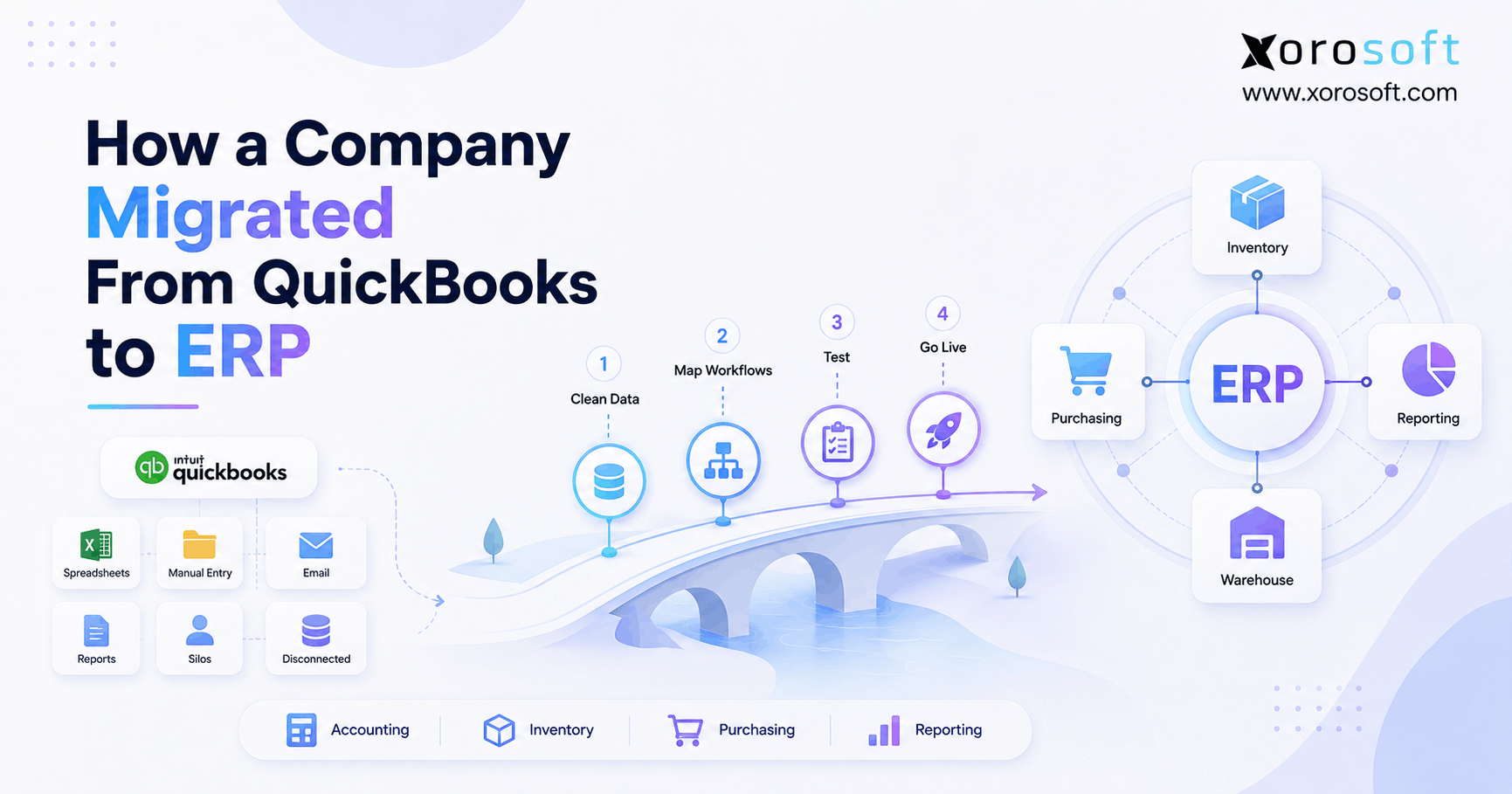
Many merchants replace one app with several apps. One app handles forecasting. Another handles purchase orders. A third app handles warehouse work. Meanwhile, QuickBooks handles accounting.
Although this can work for a short period, it can create the same visibility problem again. Therefore, the best replacement strategy should reduce disconnected work, not add more of it.
7. When a Shopify Merchant Should Consider ERP After Stocky
ERP is not necessary for every Shopify merchant. However, it becomes relevant when operational complexity exceeds what Shopify plus apps can manage cleanly.
7.1 You Manage Multiple Warehouses or Retail Locations
Multiple locations create transfer, replenishment, allocation, and visibility challenges. If teams constantly ask where inventory is, what is available, or what is already committed, ERP may be worth evaluating.
7.2 Purchasing Still Runs in Spreadsheets
Spreadsheet purchasing often works at first. However, as SKU count, supplier count, and reorder frequency increase, spreadsheets become fragile.
As a result, buyers may miss reorder points, duplicate POs, order from outdated supplier files, or lose visibility into incoming stock.
7.3 Inventory and Accounting Do Not Match
Inventory and accounting must eventually agree. If Shopify, warehouse records, and accounting reports show different numbers, finance teams spend too much time reconciling.
Therefore, ERP becomes useful when inventory value, COGS, purchasing, receiving, and sales need to connect.
7.4 Forecasting Becomes Harder Across Channels
Forecasting becomes harder when a business sells through Shopify, retail stores, Amazon, wholesale, and EDI. Each channel affects demand differently.
Because of this, replenishment planning needs more than a simple low-stock alert. It needs sales history, supplier lead times, open purchase orders, current inventory, and channel demand in one view.
7.5 Wholesale, Amazon, and EDI Are Growing
Wholesale and EDI add another layer of complexity. For example, a wholesale order may reserve inventory before it ships. Similarly, Amazon inventory may need different replenishment rules than Shopify inventory.
When these workflows grow, merchants should evaluate whether an ERP system is a better long-term Stocky replacement system.
7.6 Shopify Needs an Operating System Behind It
Shopify is the commerce layer. However, growing product businesses often need a separate operational layer for purchasing, warehouse management, accounting, forecasting, and reporting.
For merchants comparing ERP paths, XoroERP is one example of a cloud ERP option built for inventory-driven operations.
8. Shopify Stocky Replacement Feature Checklist
Use this checklist before comparing vendors. Because every merchant uses Stocky differently, the checklist should be adjusted to your actual workflows.
8.1 Inventory Management Checklist
8.1.1 Real-Time Stock Levels
The system should show stock levels by SKU, variant, and location. Additionally, it should separate available, committed, incoming, and in-transit inventory when the business needs that detail.
8.1.2 Multi-Warehouse Inventory
The system should support multiple stores, warehouses, and fulfillment locations. Otherwise, teams may rely on manual transfers and location-level spreadsheets.
8.1.3 Inventory Adjustments
Every adjustment should have a reason, user, date, and audit trail. As a result, managers can investigate recurring discrepancies instead of guessing.
8.1.4 Lot, Batch, or Serial Tracking
Some businesses need traceability. For example, food, manufacturing, automotive parts, and regulated products may require lot, batch, or serial tracking.
8.2 Purchasing Checklist
8.2.1 Purchase Orders
The system should create, manage, receive, and report on purchase orders. In addition, it should show open quantities, received quantities, costs, and expected dates.
8.2.2 Supplier Lead Times
Lead times should influence reorder timing. Otherwise, buyers may reorder too late even when the system shows a low-stock alert.
8.2.3 Reorder Points
Reorder points should reflect demand, lead time, safety stock, and sales velocity. However, they should also be reviewed regularly as demand changes.
8.2.4 Receiving Workflows
Receiving should update inventory accurately. Moreover, partial receipts, rejected quantities, and receiving notes should be easy to track.
8.3 Warehouse Checklist
8.3.1 Barcode Scanning
Barcode scanning helps reduce manual entry. Therefore, it is important for stock counts, receiving, picking, packing, and adjustments.
8.3.2 Pick, Pack, and Ship
Warehouse teams need execution workflows, not just inventory reports. If fulfillment volume is growing, pick-pack-ship controls become more important.
8.3.3 Transfers Between Locations
Transfers should show what was requested, shipped, in transit, received, and still outstanding. This prevents inventory from disappearing between locations.
8.4 Accounting Checklist
8.4.1 Inventory Valuation
Inventory valuation should be reliable. Otherwise, finance teams may struggle to trust the balance sheet.
8.4.2 Cost of Goods Sold
COGS should connect to sales and inventory movement. Because of this, accounting integration becomes important as the business scales.
8.4.3 Month-End Reconciliation
Month-end should not require rebuilding inventory reports manually. Instead, operations and finance should work from connected data.
8.5 Reporting Checklist
8.5.1 Inventory Turnover
Inventory turnover helps teams understand how efficiently products move. Therefore, it should be part of routine reporting.
8.5.2 Stockout Risk
Stockout reports help buyers act before sales are lost. Additionally, they help prioritize urgent purchase orders.
8.5.3 Overstock Risk
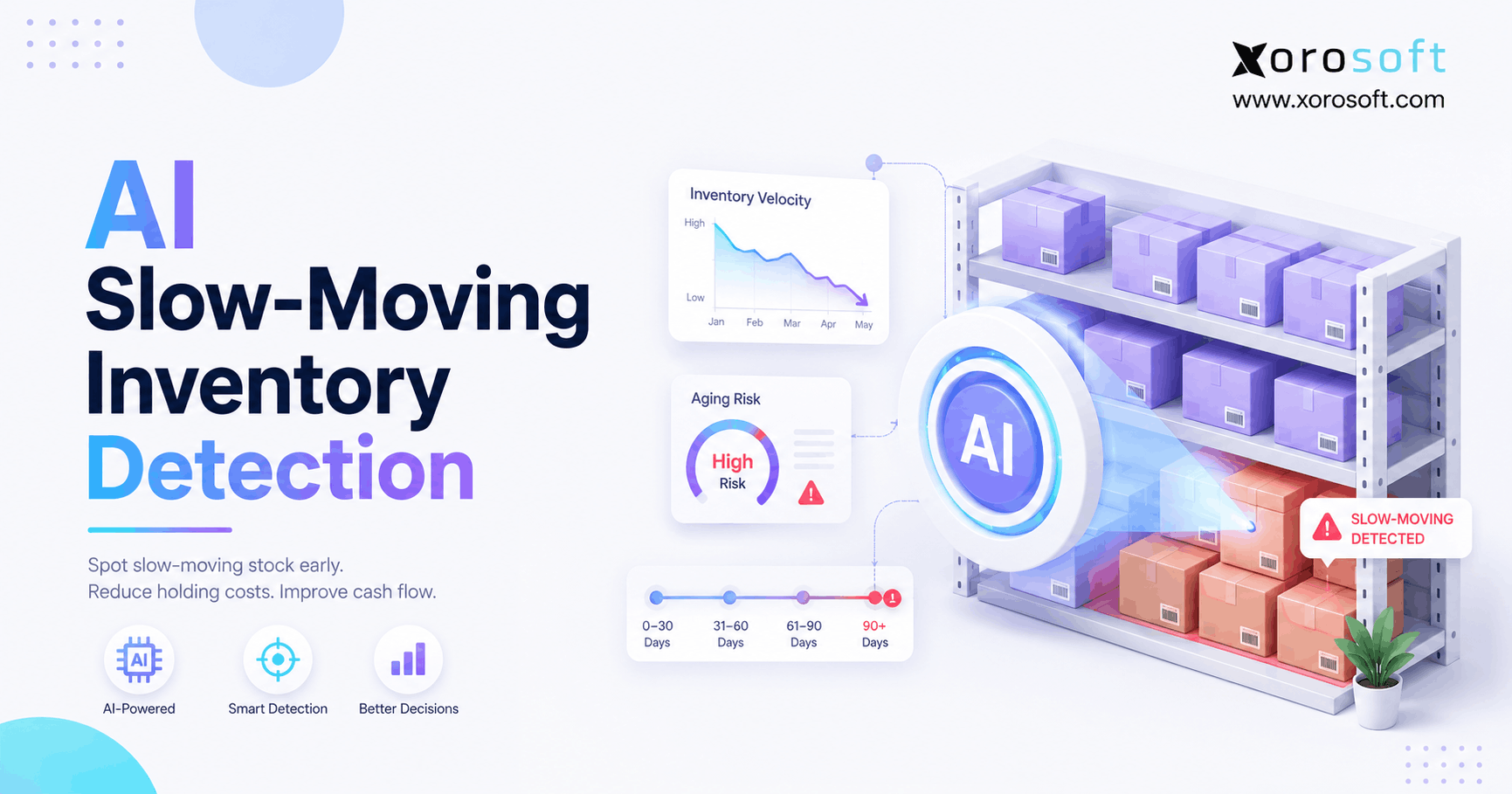
Overstock ties up cash. As a result, slow-moving inventory should be visible before it becomes a margin problem.
8.5.4 Purchasing Performance
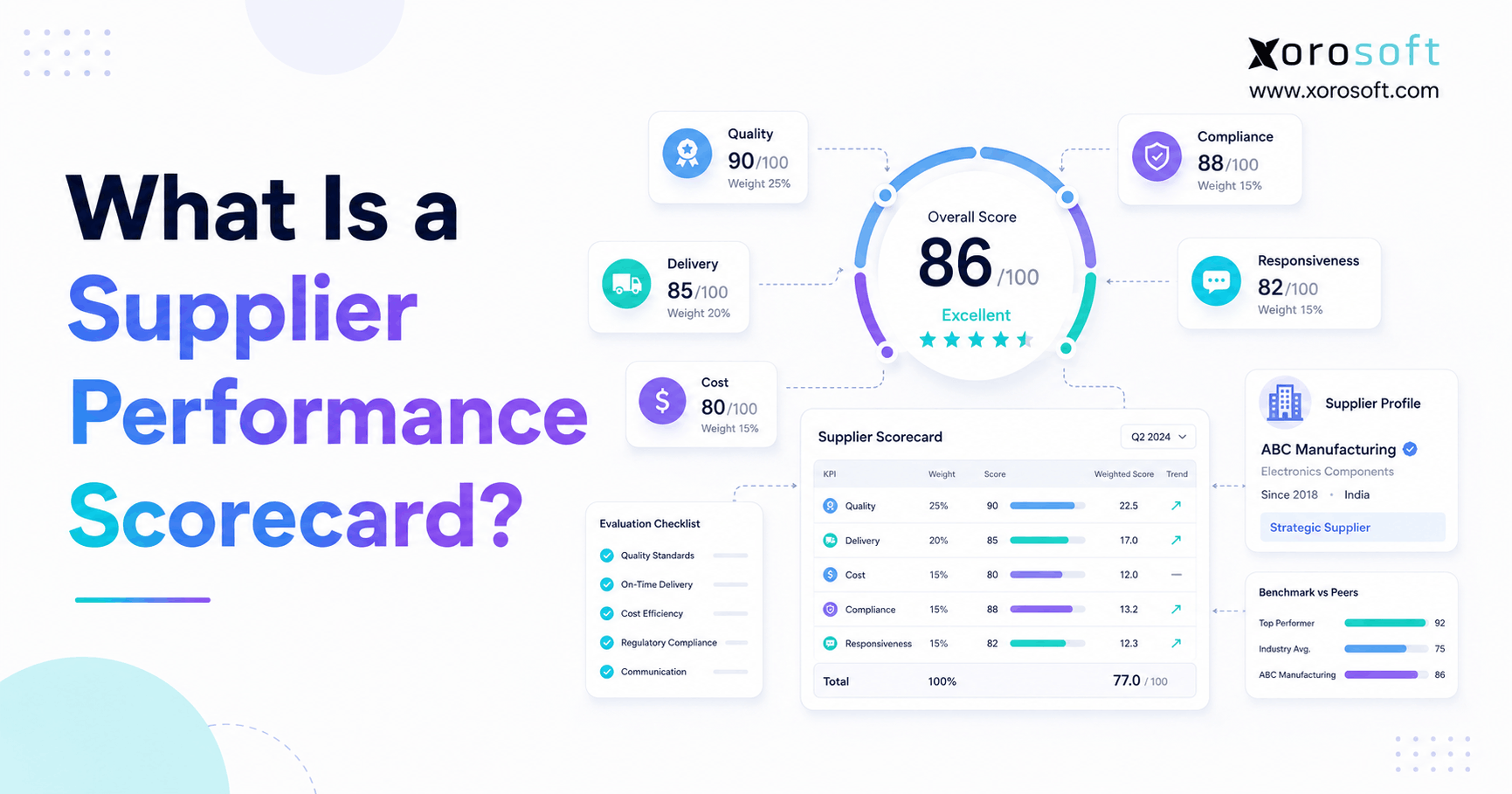
Supplier and PO reporting help teams improve buying decisions. For example, buyers can review late suppliers, changing costs, and reorder performance.
9. Shopify Stocky Migration Plan
A Stocky migration should be treated as an operations project. Therefore, assign ownership, set deadlines, and test workflows before cutover.
9.1 Step 1: Audit Current Stocky Workflows
First, document how your team uses Stocky today. Include purchase orders, suppliers, stocktakes, transfers, reports, forecasting, barcode labels, POS workflows, and integrations.
9.2 Step 2: Export Historical Stocky Data
Next, export records your team may need later. Prioritize purchase orders, stocktakes, inventory activity, adjustment reports, and planning reports.
Because suppliers cannot be exported from Stocky, create a separate supplier file manually.
9.3 Step 3: Document Supplier and Purchasing Rules
Then, map how buying decisions happen. Include supplier lead times, reorder points, case packs, MOQs, cost changes, approval steps, and receiving workflows.
9.4 Step 4: Map Shopify Inventory Locations
After that, review every Shopify location. Confirm whether each location is a store, warehouse, third-party logistics location, temporary location, or fulfillment point.
9.5 Step 5: Choose the Right Replacement System
Then, choose the replacement system based on workflow fit. A small merchant may use Shopify native inventory. Meanwhile, a larger merchant may need apps, WMS, or ERP.
9.6 Step 6: Test Purchase Orders, Counts, and Transfers
Before cutover, test the workflows that matter most. Create a purchase order, receive inventory, count products, adjust stock, transfer inventory, and review reports.
9.7 Step 7: Train Every Team Separately
Different teams need different training. Store teams need counts and receiving. Buyers need purchase orders and forecasting. Warehouse teams need scanning and transfers. Finance needs valuation and reconciliation.
9.8 Step 8: Run Parallel Workflows Where Possible
If practical, run old and new workflows side by side for a short period. This helps identify gaps before Stocky is unavailable.
9.9 Step 9: Reconcile Inventory After Migration
Finally, reconcile inventory after cutover. Compare physical counts, Shopify inventory, open purchase orders, transfers, and accounting reports.
10. Shopify Stocky Replacement by Business Type
Different industries need different workflows. Therefore, the best Shopify Stocky replacement should match the way products move through the business.
10.1 Apparel and Fashion Brands
Apparel brands manage sizes, colors, seasons, returns, and high SKU variation. Therefore, replacement systems should support variant-level inventory, forecasting, purchase orders, and allocation.
In addition, apparel brands that sell wholesale need visibility into committed stock and future inventory.
10.2 Furniture Businesses
Furniture businesses often manage long lead times, bulky inventory, supplier delays, and partial receiving. As a result, purchasing visibility and warehouse planning become critical.
A replacement should support expected arrivals, warehouse locations, inventory value, and order commitments.
10.3 Sporting Goods Retailers
Sporting goods retailers often deal with seasonal demand and location-specific inventory. For example, one store may need certain products before another store based on local demand.
Because of that, transfers, replenishment, and forecasting should be evaluated carefully.
10.4 Food and Beverage Businesses
Food and beverage businesses may need expiry control, batch tracking, supplier consistency, and strict receiving workflows. Therefore, a basic app may not be enough if traceability matters.
10.5 Wholesale Distributors
Wholesale distributors need customer-specific pricing, inventory allocation, purchase orders, EDI, warehouse picking, and accounting visibility.
If your team is reviewing ERP options by industry, the industries we serve page can help map common inventory-driven requirements.
10.6 Manufacturers and Assemblers
Manufacturers need BOMs, components, work orders, production planning, and material availability. Therefore, replacing Stocky with a basic inventory app may leave production workflows disconnected.
For manufacturing-heavy businesses, the replacement decision should include both finished goods and raw materials.
11. Shopify Stocky Replacement Platforms to Consider
Use this table as a starting point, not a final vendor decision. In addition, compare vendors based on your actual workflow map.
| Platform | Best Fit | Core Strength | Consideration |
| Xorosoft | Inventory-driven Shopify businesses | Cloud ERP with inventory, purchasing, accounting, warehouse, forecasting, Shopify, Amazon, and EDI workflows | Best evaluated when operations have outgrown basic apps |
| NetSuite | Larger multi-entity businesses | Broad ERP functionality | Can require more implementation planning |
| Acumatica | Mid-market companies | Flexible cloud ERP | Fit depends on partner and workflow scope |
| Cin7 | Product sellers needing inventory and order management | Inventory and order operations | Accounting and ERP depth may depend on the stack |
| Brightpearl | Retail and ecommerce operators | Retail operations automation | Fit depends on region and workflow |
| Fishbowl | Inventory teams using QuickBooks | Inventory control | May need add-ons for broader ERP needs |
| Business Central | Microsoft ecosystem companies | Finance and operations | Setup and integration planning are important |
If your team is actively comparing ERP and inventory platforms, start with the Xorosoft comparison hub. Additionally, if Cin7 is already on your shortlist, the Xorosoft vs Cin7 comparison is useful for understanding the difference between inventory software and ERP. For larger ERP evaluations, the Xorosoft vs NetSuite comparison may also be relevant.
12. Common Mistakes When Replacing Shopify Stocky
Most Stocky replacement problems happen before implementation. Therefore, avoid these mistakes early.
12.1 Choosing Software Before Mapping Workflows
Do not start with demos. Instead, start with workflow mapping.
If you choose software before documenting current workflows, you may miss important requirements such as supplier data, partial receiving, stock counts, or adjustment reporting.
12.2 Ignoring Supplier Data
Supplier data needs early attention. Because supplier details may not export cleanly, your team should create a supplier master file before migration.
Include supplier contacts, supplier SKUs, lead times, MOQs, case packs, payment terms, and ordering notes.
12.3 Rebuilding Spreadsheet Purchasing
A Stocky replacement should improve purchasing control. However, if the new system pushes buyers back into spreadsheets, the migration has not solved the core issue.
Instead, purchase orders, receiving, supplier costs, and reorder planning should live in a structured workflow.
12.4 Forgetting Accounting and Inventory Valuation
Inventory is not only an operations problem. It is also a financial asset.
Therefore, accounting should be part of the replacement decision. If inventory value, COGS, purchasing, and receiving remain disconnected, finance will still need manual reconciliation.
12.5 Skipping Stock Count Testing
Stock count workflows should be tested before the final cutover. Otherwise, store and warehouse teams may discover usability issues after Stocky is unavailable.
12.6 Waiting Until the Deadline
Waiting reduces options. More importantly, it reduces time for testing, training, cleanup, and reconciliation.
As a result, teams may rush into a tool that looks acceptable during a demo but fails during daily operations.
13. How to Choose the Best Shopify Stocky Replacement
Choosing the best Shopify Stocky replacement starts with operational complexity. After that, compare systems based on workflow fit, not feature quantity.
13.1 Start With Business Complexity
Ask practical questions first:
- What is our total SKU count?
- How many inventory locations do we operate?
- Which suppliers do we buy from most often?
- How frequently does the team reorder products?
- Who touches inventory across purchasing, warehouse, retail, and finance?
- Which sales channels affect available stock?
- Does accounting trust the current inventory value?
Once these answers are clear, the right system category becomes easier to identify.
13.2 Separate Must-Have Features From Nice-to-Have Features
Must-have features protect daily operations. Nice-to-have features improve convenience.
For example, barcode receiving may be essential for a warehouse team. Meanwhile, a dashboard may be useful but not critical.
13.3 Compare Total System Cost
Do not compare only monthly subscription fees. Instead, include implementation, integrations, training, support, extra apps, manual work, and finance cleanup.
Sometimes, a cheaper app becomes more expensive because teams need additional tools to fill gaps.
13.4 Check Shopify Integration Depth
A replacement should sync the right Shopify data at the right time. Specifically, review products, variants, orders, customers, fulfillment updates, inventory availability, and returns.
Additionally, ask how errors are handled. A sync that fails silently can create serious inventory problems.
13.5 Evaluate Implementation Effort
Implementation effort is not automatically bad. In fact, a structured implementation may be necessary when business complexity is high.
However, your team should understand what data must be cleaned, who owns decisions, and which workflows must be tested before launch.
13.6 Plan for the Next Three Years
Do not choose a replacement only for the next three months. Instead, consider where the business is going.
If Shopify, Amazon, wholesale, manufacturing, EDI, and multiple warehouses are part of the roadmap, then a connected ERP may be more practical than another inventory-only app. In that case, XoroONE is worth reviewing as an example of a broader inventory and ERP platform.
14. Practical Decision Framework: App, WMS, or ERP?
A clear decision framework prevents overbuying and underbuying software. More importantly, it helps your team choose a Shopify Stocky replacement based on operational complexity rather than software popularity.
14.1 Shopify Native Inventory Fits When
Shopify native inventory works best when your business has simple stock control, few locations, basic purchasing, and limited reporting needs.
Additionally, this path may work if your team used Stocky lightly and does not need advanced forecasting, warehouse workflows, or accounting integration.
14.2 A Shopify Inventory App Fits When
A Shopify inventory app makes sense when your team needs better stock alerts, purchase planning, supplier workflows, forecasting, bundles, or multi-location inventory.
However, confirm that the app will not create another disconnected workflow between inventory, purchasing, warehouse operations, and accounting.
14.3 Forecasting Software Fits When
Forecasting software is useful when planning is the biggest gap. This is common for seasonal merchants, apparel brands, and fast-growing ecommerce businesses.
Still, forecasting software should connect with inventory and purchasing systems. Otherwise, buyers may get useful forecasts but still manage execution manually.
14.4 WMS Fits When
Warehouse management software is the better fit when warehouse execution is the main bottleneck. For example, receiving, bin locations, barcode scanning, picking, packing, and shipping accuracy may require dedicated warehouse workflows.
As fulfillment volume increases, WMS can help teams reduce errors and improve warehouse consistency.
14.5 ERP Fits When
ERP becomes the stronger option when inventory, purchasing, accounting, warehouse management, forecasting, Shopify, Amazon, wholesale, and reporting need to operate from one connected system.
In other words, ERP becomes relevant when the replacement decision is about the whole operating model, not just Stocky.
14.6 Which Shopify Stocky Replacement Fits Your Stage?
| Business Stage | Recommended System Type | Reason |
| Small retail store | Shopify native inventory | Basic stock control may be enough |
| Growing Shopify merchant | Inventory app | Adds purchasing or forecasting depth |
| Planning-heavy brand | Forecasting app | Improves replenishment decisions |
| Warehouse-heavy brand | WMS | Improves receiving, picking, packing, and scanning |
| Multi-channel operator | ERP | Connects inventory, accounting, purchasing, warehouse, and sales channels |
| Wholesale or manufacturing business | ERP | Supports purchasing, costing, production, EDI, and allocation |
15. Where Xorosoft Fits as a Shopify Stocky Replacement
Xorosoft is most relevant for Shopify merchants that have moved beyond basic inventory needs. It is not simply a Stocky clone. Instead, it is a cloud ERP platform for inventory-driven businesses that need inventory management, accounting, purchasing, warehouse management, manufacturing, forecasting, reporting, and ecommerce operations connected.
15.1 The Operational System Behind Shopify
For many growing brands, Shopify is the storefront and sales channel. However, the operational system behind Shopify needs to manage what happens after orders arrive.
That includes inventory availability, purchasing, receiving, warehouse execution, accounting, forecasting, and reporting.
15.2 Inventory and Multi-Warehouse Visibility
A Stocky replacement should help teams trust inventory by location. For multi-warehouse businesses, this means visibility into available, committed, incoming, and transferred stock.
15.3 Purchasing, Forecasting, and Supplier Workflows
Xorosoft can be relevant when purchasing teams need structured purchase orders, supplier visibility, replenishment planning, and forecasting workflows connected to inventory data.
15.4 Accounting and Inventory Valuation
Accounting is one of the main reasons businesses move beyond inventory-only software. If inventory value, COGS, purchasing, and sales are disconnected, finance teams spend too much time reconciling.
15.5 Warehouse Management, Shopify, Amazon, and EDI
Xorosoft is also relevant for businesses that sell through Shopify but operate across Amazon, wholesale, warehouse, or EDI channels. In that environment, inventory should not be managed channel by channel.
Instead, the business needs one operational source of truth.
15.6 Who Should Evaluate Xorosoft
Evaluate Xorosoft if your business sells physical products, manages inventory, uses Shopify, operates multiple warehouses, sells wholesale, uses Amazon, manages purchasing teams, or needs accounting and inventory connected.
You can also review the Xorosoft ERP listing on the Shopify App Store if Shopify integration is part of your evaluation.
15.7 Who May Not Need ERP Yet
A small Shopify merchant with one location, simple purchasing, and limited SKU complexity may not need ERP yet.
In that case, Shopify native inventory or a focused inventory app may be enough until operational complexity increases.
16. Shopify Stocky Replacement FAQs
16.1 Is Shopify Stocky being discontinued?
Yes. Shopify says Stocky will no longer be available after August 31, 2026. Therefore, merchants that still rely on Stocky should create a migration plan before that date. The plan should include data exports, workflow mapping, software evaluation, staff training, and inventory reconciliation.
16.2 When does Shopify Stocky stop working?
Shopify Stocky will no longer be available after August 31, 2026. However, merchants should not treat that date as the project start date. Instead, they should begin earlier so they have enough time to export data, test workflows, and train teams.
16.3 What is replacing Shopify Stocky?
Shopify is moving key inventory workflows into Shopify admin and Shopify POS. However, that may not be enough for every merchant. Depending on complexity, a business may need native Shopify inventory, an inventory app, forecasting software, WMS, or ERP.
16.4 Can Shopify inventory management replace Stocky completely?
Shopify inventory management can replace some Stocky workflows. For example, merchants can manage transfers, purchase orders, adjustments, and inventory reporting in Shopify. However, some Stocky-specific workflows may work differently, so each merchant should test daily processes before migrating fully.
16.5 What is the best Shopify Stocky replacement?
The best Shopify Stocky replacement depends on business complexity. Small retailers may use Shopify native inventory. Growing merchants may use an inventory app. Warehouse-heavy teams may need WMS. Meanwhile, wholesale, manufacturing, or multi-channel businesses may need ERP.
16.6 Should I use a Shopify inventory app after Stocky?
A Shopify inventory app makes sense if your team needs more functionality than Shopify native inventory but does not need full ERP. However, make sure the app does not create another disconnected workflow between purchasing, inventory, warehouse operations, and accounting.
16.7 Should I move to ERP after Stocky?
You should consider ERP if inventory, purchasing, accounting, warehouse management, forecasting, Shopify, Amazon, wholesale, and reporting need to work together. Although ERP is not necessary for every merchant, it becomes more relevant as operational complexity grows.
16.8 What data should I export from Stocky?
Export purchase orders, stocktakes, inventory reports, adjustment records, and planning reports you want to keep. In addition, manually document supplier data because supplier details may not export cleanly from Stocky.
16.9 What happens to Stocky purchase orders?
Historical Stocky purchase orders do not automatically move into Shopify. Therefore, export them before the deadline if your business needs them for supplier history, purchasing analysis, accounting reference, or operational records.
16.10 What happens to Stocky stocktakes?
Stocktake records should be exported if your team wants to keep them. These records may help with shrink analysis, audit trails, store accountability, and inventory accuracy reviews after migration.
16.11 Can suppliers be exported from Stocky?
Shopify says suppliers cannot be exported from Stocky. Because of this, teams should create a supplier master file manually. Include supplier contact details, product relationships, supplier SKUs, lead times, MOQs, payment terms, and ordering notes.
16.12 What features should a Stocky replacement include?
A strong replacement should include inventory visibility, purchase orders, supplier management, receiving, transfers, stock counts, adjustment history, forecasting, reporting, and Shopify integration. Larger businesses may also need accounting, warehouse management, manufacturing, landed cost, and EDI.
16.13 What is the best Stocky replacement for purchase orders?
The best purchase order replacement depends on purchasing complexity. Basic merchants may use Shopify purchase orders. However, more complex businesses should evaluate systems with supplier management, partial receiving, approvals, landed cost, reporting, and accounting integration.
16.14 What is the best Stocky replacement for demand forecasting?
A forecasting app may work when replenishment planning is the main issue. However, ERP may be better when forecasting needs to connect with inventory, purchasing, supplier lead times, warehouses, accounting, and multiple sales channels.
16.15 What is the best Stocky replacement for multi-location inventory?
For simple multi-location inventory, Shopify native inventory may be enough. However, businesses with multiple warehouses, transfers, allocation rules, wholesale commitments, or barcode workflows should evaluate apps, WMS, or ERP.
16.16 What is the best Stocky replacement for warehouse teams?
Warehouse teams usually need receiving, barcode scanning, bin locations, picking, packing, shipping, and transfer workflows. Therefore, a WMS or ERP may be more useful than a basic inventory app when warehouse execution is the main problem.
16.17 What is the best Stocky replacement for Shopify POS?
For Shopify POS merchants, the replacement should support store inventory counts, receiving, transfers, barcode scanning, and staff-friendly workflows. Additionally, the system should connect store inventory with ecommerce and warehouse inventory.
16.18 What is the best Stocky replacement for wholesale businesses?
Wholesale businesses often need customer-specific pricing, inventory allocation, purchase orders, EDI, warehouse workflows, and accounting integration. Therefore, ERP is often worth evaluating when wholesale becomes a major part of the business.
16.19 What is the best Stocky replacement for apparel brands?
Apparel brands should look for variant-level inventory visibility, forecasting by size and color, purchase orders, seasonal planning, returns visibility, and warehouse controls. If wholesale is also involved, ERP may be a stronger fit.
16.20 What is the best Stocky replacement for manufacturers?
Manufacturers should evaluate systems that support BOMs, work orders, raw materials, production planning, purchasing, and inventory costing. A basic Shopify inventory app may not be enough for manufacturing workflows.
16.21 How long does a Stocky migration take?
Migration timing depends on complexity. A simple move to Shopify native inventory may take a few weeks. However, a larger ERP or warehouse migration may take longer because it requires data cleanup, workflow design, integration testing, training, and reconciliation.
16.22 What are the risks of waiting too long to replace Stocky?
Waiting can create rushed software selection, incomplete exports, poor training, broken purchase order workflows, inaccurate counts, integration failures, and spreadsheet workarounds. As a result, the business may experience disruption after the deadline.
16.23 How do I compare Shopify Stocky alternatives?
Compare alternatives by workflow fit. Review inventory visibility, purchase orders, supplier management, forecasting, stock counts, warehouse workflows, accounting integration, Shopify integration, reporting, implementation effort, and long-term scalability.
16.24 Is Xorosoft a Shopify Stocky replacement?
Xorosoft can be a Shopify Stocky replacement for inventory-driven businesses that need more than a simple inventory app. It is most relevant when Shopify inventory, purchasing, accounting, warehouse management, forecasting, Amazon, EDI, and reporting need to operate in one connected ERP system.
16.25 Who does not need ERP after Stocky?
A small merchant with one store, simple inventory, limited SKUs, and basic purchasing may not need ERP. In that case, Shopify native inventory or a focused app may be enough until operational complexity increases.
16.26 What should I do first if I still use Stocky?
Start by auditing current Stocky workflows. Then export important records, document supplier and purchasing processes, test Shopify inventory workflows, and compare replacement options based on your actual operating needs.
17. Final Takeaway: Replace Stocky With the Right Operating System
A Shopify Stocky replacement should not be chosen only by matching features. Instead, it should be chosen by understanding how your business actually operates.
For simple inventory needs, Shopify native inventory may be enough. When planning or supplier control is the main gap, an inventory app can help. Warehouse execution may point toward WMS. However, if inventory, purchasing, accounting, warehouse management, forecasting, Shopify, Amazon, wholesale, and EDI all need to work together, ERP deserves serious evaluation.
Ultimately, the right replacement should reduce manual work, improve inventory accuracy, protect purchasing workflows, support financial visibility, and give teams one reliable source of operational truth.
If your team is planning a Stocky migration and wants to review Shopify, inventory, purchasing, warehouse, and accounting workflows together, you can book a demo.