If you are looking to improve your business operations, understanding ERP inventory forecasting for Shopify can make a significant difference.
1. Why Growing Shopify Brands Lose Control of Inventory Planning
ERP inventory forecasting for Shopify becomes necessary when a growing brand can no longer make reliable purchasing decisions from sales reports and spreadsheets alone. At first, a simple process may appear sufficient. For example, a buyer may review recent Shopify sales, check available stock, add an expected growth percentage, and create a supplier order.
However, that process becomes less reliable as the business expands.
More products introduce more demand patterns. Meanwhile, additional warehouses make inventory harder to position correctly. Wholesale, Amazon, retail, and EDI orders may also compete for the same units. In addition, supplier lead times can change, promotions can create temporary demand spikes, and finance teams may require earlier visibility into purchasing commitments.
As a result, inventory planning stops being a straightforward sales calculation. Instead, it becomes a coordinated process involving demand, supply, purchasing, warehouse operations, accounting, and cash flow.
A Shopify sales report may show how many units were sold. Nevertheless, it may not show how many units are already committed to wholesale customers, delayed on an incoming purchase order, held in another warehouse, or reserved for manufacturing.
Consequently, teams often make decisions using different versions of the truth.
The purchasing manager may work from a spreadsheet. At the same time, the warehouse team may rely on a separate application. Finance may receive inventory data only after transactions have occurred. Moreover, marketing may plan a campaign without seeing the supply constraints associated with the featured products.
Therefore, operational decisions become disconnected.
ERP helps connect those decisions. Instead of treating forecasting as an isolated calculation, the business can use operational data to determine what should be purchased, when it should arrive, where it should be stored, and how the decision will affect cash.
2. What ERP Inventory Forecasting for Shopify Actually Means
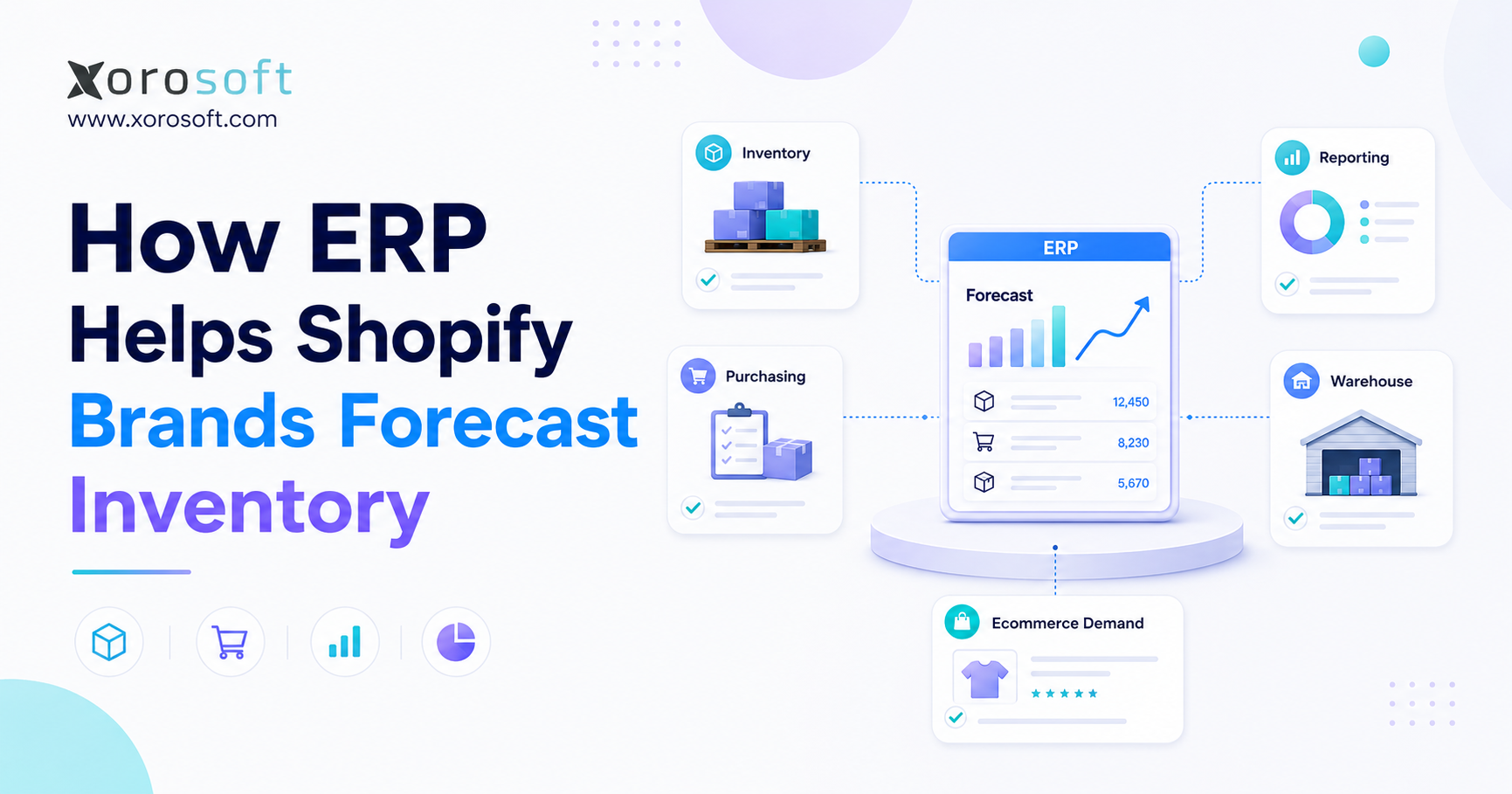
ERP inventory forecasting for Shopify is the process of estimating future inventory requirements by combining Shopify demand with current stock, incoming supply, warehouse activity, supplier information, purchasing rules, and financial data.
In other words, the process does not end with an expected sales figure.
A complete forecast should answer four practical questions:
1. What are customers likely to buy?
2. When will the inventory be required?
4. Where should the stock be positioned?
5. What should the business purchase, transfer, or produce?
Therefore, forecasting should support execution rather than create another dashboard for managers to review.
For example, a forecast may show that a product will sell 1,500 units during the next three months. However, the business cannot determine the correct purchase quantity until it also considers:
- Current available inventory
- Reserved inventory
- Open customer orders
- Incoming purchase orders
- Warehouse transfers
- Supplier lead times
- Safety-stock requirements
- Minimum order quantities
- Case-pack rules
- Planned promotions
- Purchasing budgets
Once those variables are connected, the company can move from a demand estimate to a practical inventory plan.
2.1 Demand Forecasting, Inventory Planning, and Replenishment
These terms are closely related. Nevertheless, they describe different planning activities.
| Planning process | Primary question | Typical result |
|---|---|---|
| Demand forecasting | What will customers probably buy? | Expected future demand |
| Inventory planning | How much stock should be available? | Target inventory levels |
| Replenishment planning | What should be reordered and when? | Purchase or transfer recommendations |
| Supply planning | Can suppliers or production meet demand? | Feasible supply plan |
| Financial planning | How will the plan affect cash? | Purchasing and cash requirements |
First, demand forecasting estimates future customer activity. Next, inventory planning determines how much stock should be available to support that demand. Then, replenishment planning converts the requirement into purchase orders, warehouse transfers, or production activity.
ERP inventory forecasting for Shopify connects these stages. As a result, planners do not need to rebuild the entire calculation whenever sales, inventory, or supplier data changes.
2.2 Forecasting Does Not Promise Perfect Accuracy
No forecasting system can predict every customer decision.
Unexpected promotions, competitor activity, weather events, supply disruptions, economic changes, and viral demand can all affect actual sales. Even so, forecasting remains valuable because it gives the business a structured basis for making decisions.
The goal is not perfect accuracy. Instead, the goal is to make better purchasing and allocation decisions using the most reliable information currently available.
Moreover, forecasting should improve as the business reviews actual results. Therefore, the planning process should be treated as a continuous operating discipline rather than a one-time setup project.
3. Why Shopify Sales History Is Not the Same as Customer Demand
Historical sales are an essential forecasting input. However, recorded sales do not always represent unrestricted customer demand.
A product may have sold 500 units because customers wanted approximately 500 units. Alternatively, the same sales figure may have resulted from a temporary discount or a large wholesale order. Conversely, the product may have sold only 300 units because it was unavailable for part of the month.
Therefore, planners must understand the context behind the numbers.
3.1 Stockouts Can Hide Real Demand
When inventory reaches zero, completed sales stop even if customers continue trying to buy the product.
As a result, a basic forecast may incorrectly interpret the stockout period as weak demand. The next purchase recommendation may then be too low. Consequently, the business may experience another shortage soon after replenishment.
Experienced planners review several signals when estimating lost demand:
- Sales velocity before the stockout
- Product-page traffic
- Back-in-stock requests
- Abandoned carts
- Backorders
- Comparable-product sales
- Sales velocity after replenishment
ERP inventory forecasting for Shopify can preserve stockout periods alongside sales history. Therefore, planners can separate low sales caused by weak demand from low sales caused by unavailable inventory.
In addition, the system can flag repeated stockouts. As a result, the team can review whether the problem comes from forecasting, supplier reliability, purchasing delays, or allocation rules.
3.2 Promotions Can Distort the Baseline
Promotions create another forecasting challenge.
Suppose a product normally sells 20 units per day. During a major campaign, however, it sells 70 units per day. If that promotional period is treated as normal demand, the next purchase recommendation may be excessive.
Instead, promotional demand should be recorded as a separate event.
Planners should consider:
- Campaign dates
- Discount levels
- Marketing spend
- Participating channels
- Historical promotion results
- Expected uplift
- Available inventory
- Post-promotion demand
Moreover, teams should distinguish repeatable campaigns from one-time events. An annual promotion may provide useful forecasting history. By contrast, a viral social-media mention may not be repeatable.
Therefore, promotional performance should be stored with enough context to support future decisions.
3.3 Product Life Cycles Require Different Forecasts
New products, mature products, seasonal collections, and discontinued items should not follow identical planning rules.
A new product has limited sales history. Therefore, its forecast may depend on comparable items, preorders, market research, launch plans, and early sales velocity.
A mature product may follow a stable statistical pattern. Meanwhile, a seasonal collection may require year-over-year comparison. Finally, a discontinued item should generally have a declining forecast and tightly controlled replenishment.
Consequently, applying one forecasting formula across the entire catalog may create both stockouts and excess inventory.
Similarly, product status should affect purchasing automation. For example, an evergreen product may be eligible for automatic replenishment, whereas a final-season product may require manual approval.
4. How ERP Inventory Forecasting for Shopify Connects Business Data
ERP inventory forecasting for Shopify works by connecting the data that sales, purchasing, warehouse, and finance teams generate during normal operations.
A connected cloud ERP platform can maintain products, variants, suppliers, warehouses, sales orders, purchase orders, inventory movements, and financial records within a shared system.
Therefore, forecasting can use current transactions instead of depending on manually updated exports.
4.1 Product and Variant Records Must Stay Consistent
The same Shopify variant should not appear under different names or identifiers across ecommerce, purchasing, warehousing, and accounting.
Inconsistent product records can create:
- Duplicate SKUs
- Missing sales history
- Incorrect supplier assignments
- Inaccurate warehouse quantities
- Broken integrations
- Unreliable costs
- Incomplete forecasts
For example, a blue medium jacket may be recorded under one SKU in Shopify and another SKU in the warehouse system. Consequently, sales may not reduce the warehouse quantity associated with the purchasing record.
ERP creates a shared item structure. As a result, the Shopify variant can connect with its supplier, inventory, cost, location, and replenishment settings.
Moreover, consistent item records improve reporting. Therefore, teams can review performance by category, product family, supplier, brand, channel, or warehouse without rebuilding the data manually.
4.2 Inventory Status Must Be Clearly Defined
Not every unit physically stored in a warehouse is available for a new customer order.
Inventory may be:
- On hand
- Available to sell
- Reserved
- Committed to an order
- In quality control
- Damaged
- In transit
- On an open purchase order
- Scheduled for transfer
Therefore, a forecast must use the correct availability definition.
If committed inventory is treated as available, the business may oversell. On the other hand, if incoming inventory is excluded, the buyer may place a duplicate purchase order.
Similarly, damaged or quarantined units should not support a normal forecast. Consequently, warehouse transaction accuracy directly affects replenishment quality.
4.3 Supplier Information Must Influence Replenishment
A demand forecast alone cannot determine when an order should be placed.
Supplier lead time, minimum order quantities, case packs, production schedules, freight requirements, and payment terms all affect the decision.
For instance, two products may each sell ten units per day. However, one supplier may deliver within two weeks, while the other requires four months.
Consequently, the second product must be reviewed much earlier even though its current sales velocity is identical.
In addition, actual supplier performance should update planning assumptions. If a supplier regularly delivers two weeks late, the planning system should not continue using the original lead time without review.
5. What Data Supports Reliable Shopify Demand Forecasting
ERP inventory forecasting for Shopify depends on complete and accurate inputs. A sophisticated forecasting algorithm cannot compensate for missing receipts, incorrect item mappings, or outdated supplier information.
Therefore, data quality must be treated as part of the forecasting process rather than as a separate technical issue.
5.1 Historical Sales and Demand Data
Historical demand may include:
- Shopify orders
- Amazon orders
- Wholesale sales
- Retail transactions
- EDI orders
- Returns
- Cancellations
- Backorders
- Samples
- Internal usage
However, not every transaction should be treated as normal customer demand.
Replacement shipments, free samples, internal movements, and unusual one-time purchases may need separate classifications. Otherwise, those transactions can distort future forecasts.
For example, a distributor may place a one-time bulk order for a special project. If that order is included in the regular baseline, future demand may be overstated.
Therefore, transaction classification should be reviewed before historical data is used for automation.
5.2 Current and Future Supply
A reliable forecast should include:
- Inventory on hand
- Inventory available to sell
- Committed inventory
- Open purchase orders
- Confirmed supplier deliveries
- Warehouse transfers
- Production orders
- Expected returns
In addition, the system should recognize partial receipts and delayed orders.
For example, a purchase order for 2,000 units may have only 500 units confirmed for the original delivery date. If the forecast assumes all 2,000 units will arrive on time, the business may discover the shortage too late.
Therefore, purchase-order status must remain connected to the forecast until the order is fully received or closed.
Moreover, suppliers should update delivery commitments whenever possible. As a result, planners can distinguish expected supply from uncertain supply.
5.3 Demand Adjustments
Historical patterns should be adjusted whenever future conditions differ from the past.
Common adjustments include:
- Promotions
- Product launches
- New sales channels
- Price changes
- Seasonal events
- Customer contracts
- Product discontinuations
- Supplier disruptions
- Retail expansion
- Marketing campaigns
These adjustments require business judgment. Consequently, ERP should support planner overrides, notes, approvals, and audit history instead of relying entirely on automated calculations.
For instance, marketing may expect a campaign to increase demand by 40%. However, purchasing may know that the supplier cannot replenish the product during the campaign period.
Therefore, the final plan should reflect both expected demand and operational feasibility.
5.4 Safety-Stock Policies
Safety stock protects the business against uncertainty in demand and supply.
The appropriate quantity depends on:
- Demand variability
- Lead-time variability
- Desired service level
- Product value
- Gross margin
- Shelf life
- Supplier reliability
- Transfer options
- Cost of a stockout
Therefore, using one fixed percentage for every item is usually too simplistic.
High-priority products may need stronger protection. Meanwhile, expensive, slow-moving, or perishable products may require tighter limits.
In addition, safety stock should be reviewed periodically. As demand patterns and supplier performance change, the correct buffer may also change.
6. How Shopify Forecasting Becomes a Purchase Order
A forecast creates value only when it leads to a timely purchasing, transfer, or production decision.
An integrated ERP system for inventory-driven businesses can connect Shopify orders with inventory availability, replenishment logic, purchasing approvals, warehouse receiving, and accounting.
A typical workflow follows these steps:
1. Shopify orders enter the ERP.
2. Available inventory is updated.
3. Demand history is refreshed.
4. Open purchase orders and transfers are reviewed.
5. Forecasting rules calculate future demand.
6. Safety stock and lead time are applied.
7. Replenishment recommendations are generated.
8. Buyers review exceptions.
9. Approved quantities become purchase orders.
10. Receiving updates inventory and accounting.
Therefore, purchasing teams no longer need to rebuild every calculation manually.
6.1 Purchase Recommendations Should Be Transparent
Buyers should understand why the system recommends a particular quantity.
A useful recommendation should show:
- Expected demand
- Current available stock
- Committed inventory
- Incoming supply
- Safety stock
- Supplier lead time
- Minimum order quantity
- Case-pack requirement
- Target coverage period
For example, a recommendation for 1,200 units should not appear as an unexplained output. Instead, the buyer should be able to review the calculation behind it.
As a result, planners can identify incorrect assumptions before approving a supplier commitment.
Moreover, transparency improves adoption. When buyers understand the recommendation, they are more likely to trust the process and use the system consistently.
6.2 Buyers Should Review Exceptions
Automation does not mean every recommendation should be approved without judgment.
A buyer may need to adjust the plan because of:
- A supplier shutdown
- A planned promotion
- A packaging change
- A product redesign
- A wholesale commitment
- A limited cash budget
- A warehouse-capacity issue
- A product phase-out
Therefore, the system should automate routine calculations while directing attention toward unusual conditions.
Meanwhile, approval workflows should reflect financial and operational risk. For example, a routine order below a defined threshold may be approved automatically, whereas a large import order may require finance and management review.
7. How ERP Inventory Forecasting for Shopify Reduces Stockouts
ERP inventory forecasting for Shopify can help identify shortages before available inventory reaches zero.
Stockouts often occur because demand is recognized too late, supplier lead times are outdated, or inventory commitments remain hidden across systems.
7.1 Lead-Time Demand Creates Earlier Reorder Signals
Lead-time demand estimates how many units customers are likely to purchase while the company waits for replenishment.
A basic reorder formula is:
Reorder point = expected demand during lead time + safety stock
However, the formula is only reliable when its inputs remain current.
Sales velocity may rise. Supplier lead time may increase. A promotion may begin. Wholesale inventory may already be committed. In addition, an incoming purchase order may be delayed.
ERP brings those variables together. Consequently, the business can identify risk earlier and choose from more response options.
For example, the team may expedite freight, transfer inventory, split an order between suppliers, or adjust allocation rules.
7.2 Exception Alerts Focus Attention
Planners should not need to inspect every SKU manually.
Instead, exception reporting can highlight:
- Products projected to fall below safety stock
- Late purchase orders
- Fast-moving products with low coverage
- Unusual demand increases
- Regional warehouse shortages
- Missing suppliers
- Oversold inventory
- Products without incoming supply
Therefore, teams can act while alternative suppliers, expedited freight, transfers, or allocation changes are still available.
In addition, alerts should be prioritized. Otherwise, planners may receive so many notifications that genuinely important risks are overlooked.
7.3 Allocation Rules Protect Important Commitments
When supply is constrained, a business may need to prioritize particular channels or customers.
For example, committed wholesale orders may receive priority over uncommitted marketplace demand. Alternatively, direct-to-consumer orders may be prioritized because of customer-experience or margin considerations.
ERP cannot determine the company’s strategy. Nevertheless, once management defines the policy, the system can help apply it consistently.
As a result, inventory allocation becomes a controlled commercial decision rather than an informal response to whichever order arrives first.
8. How Shopify Inventory Planning Reduces Overstock
ERP inventory forecasting for Shopify is equally important for controlling excess inventory.
Overstock ties up cash, consumes warehouse capacity, increases handling costs, and creates markdown or write-off risk. Moreover, excess stock can hide weak product performance because purchasing continues before the decline becomes visible.
8.1 Forecast Variance Identifies Slowing Products
Comparing forecast demand with actual sales reveals when a product is underperforming.
If sales repeatedly fall below plan, the buyer may:
- Reduce future purchases
- Delay open orders
- Negotiate order changes
- Transfer stock
- Create a promotion
- Bundle products
- Reclassify the item
- Plan a controlled phase-out
Therefore, early visibility gives the business more options and reduces the need for aggressive markdowns later.
In contrast, delayed visibility can leave the company with few choices beyond discounting or writing off inventory.
8.2 Product Life Cycles Should Affect Reordering
Evergreen products and seasonal collections require different purchasing strategies.
For example, strong safety stock may be appropriate for a core product that sells throughout the year. However, the same policy may create excess inventory during the final weeks of a seasonal range.
Consequently, replenishment rules should reflect launch, growth, maturity, and decline stages.
Similarly, discontinued products should be removed from automatic replenishment. Otherwise, the system may continue ordering stock after the commercial decision to exit the product has already been made.
8.3 Inventory Planning Supports Working Capital
A purchase recommendation should show both unit requirements and financial impact.
Finance teams need to understand:
- Purchase value
- Supplier deposits
- Freight
- Duties
- Payment dates
- Landed cost
- Expected inventory value
- Cash requirements
Therefore, connecting inventory planning with accounting helps management balance product availability with working-capital limits.
Moreover, finance can compare several purchasing scenarios. For example, the company may decide whether to buy a larger quantity for a lower unit cost or preserve cash by ordering less frequently.
9. Multi-Warehouse Inventory Forecasting for Shopify
Multi-warehouse planning requires more than dividing a company-wide forecast across locations.
Each warehouse may serve different regions, channels, customers, and delivery expectations. As a result, demand patterns can vary significantly.
9.1 Company-Wide Totals Can Hide Local Shortages
A business may have enough stock overall while one warehouse is approaching a stockout.
For example, the company may hold 2,000 units across three locations. However, 1,400 units may be stored in a region responsible for only 25% of demand.
A company-wide forecast may recommend no action. Nevertheless, a location-level forecast may recommend an immediate transfer.
A connected warehouse management system can provide the receipt, picking, shipment, transfer, and adjustment data required for accurate location planning.
Therefore, forecast quality depends partly on warehouse transaction discipline.
9.2 Transfers Should Be Considered Before New Purchases
Before ordering additional stock, planners should determine whether existing inventory can be repositioned.
The decision should consider:
- Transfer cost
- Transfer time
- Supplier lead time
- Regional demand
- Warehouse capacity
- Customer expectations
- Inventory age
- Transportation availability
Therefore, a transfer may solve a short-term shortage more efficiently than a new supplier order. On the other hand, a transfer may be unsuitable when transportation costs are high or regional demand is about to increase.
Moreover, transfer recommendations should not create a second shortage. As a result, the sending warehouse must retain enough inventory for its own expected demand.
9.3 Safety Stock Should Reflect the Network
Applying full safety stock at every warehouse can create unnecessary inventory.
Instead, location policies should consider regional demand, transfer times, supplier availability, and service expectations.
For some businesses, a central reserve with smaller regional buffers may provide better protection at a lower total inventory cost.
However, that approach depends on reliable and timely transfers. Therefore, network design and transportation performance should be included in the planning model.
10. Forecasting Shopify, Amazon, Wholesale, and EDI Demand
ERP inventory forecasting for Shopify becomes especially valuable when the same inventory supports multiple sales channels.
Shopify, Amazon, wholesale accounts, retail stores, and EDI customers may all compete for the same units.
10.1 Consolidated Demand Supports Purchasing
Suppliers generally require one total purchase quantity.
Therefore, the purchasing plan should combine demand across all relevant channels.
Without consolidation, each department may create its own forecast. As a result, the business may over-order because each channel includes separate safety stock. Conversely, the business may under-order because one channel’s demand was excluded.
In addition, consolidated planning can improve supplier negotiations. Larger, coordinated orders may provide better visibility into freight, production, and payment requirements.
10.2 Channel Detail Supports Allocation
Although purchasing requires consolidated demand, planners should preserve channel-level detail.
Channels may differ in:
- Margin
- Return rate
- Service requirements
- Order patterns
- Customer commitments
- Promotional calendars
- Fulfillment locations
- Inventory reservation policies
For example, a wholesale order may be contractually committed. Meanwhile, Shopify demand may remain flexible. Amazon availability may also affect marketplace performance.
Therefore, allocation decisions should consider both total demand and channel priorities.
Moreover, channel forecasts can reveal profitability differences. As a result, management can avoid allocating scarce stock solely on revenue volume.
10.3 Wholesale and EDI Demand May Be Irregular
Wholesale orders often arrive in large, intermittent quantities.
Consequently, a simple daily average may not represent future demand accurately.
Planners may need to combine:
- Historical customer orders
- Open sales orders
- Customer forecasts
- Contract commitments
- EDI documents
- Seasonal buying patterns
- Account-manager input
As a result, customer-level information becomes a critical forecasting input.
Similarly, EDI commitments should remain visible within the same demand model. Otherwise, the company may allocate inventory to ecommerce orders that has already been promised to a wholesale customer.
11. Connecting ERP Forecasting With Purchasing and Accounting
ERP inventory forecasting for Shopify should not operate separately from purchasing and accounting.
The forecast creates a projected requirement. Purchasing then converts that requirement into supplier commitments. Receiving creates inventory. Finally, accounting records the financial effect.
11.1 Purchasing Must Apply Supplier Constraints
A recommended quantity may need adjustment for:
- Minimum order values
- Minimum unit quantities
- Case packs
- Container capacity
- Freight thresholds
- Supplier schedules
- Payment terms
- Currency
- Order calendars
ERP can consolidate recommendations by supplier. Therefore, buyers can review the complete commercial order instead of approving isolated SKU quantities.
For example, a supplier may require a minimum container volume. Consequently, the buyer may need to combine several product recommendations before confirming the order.
11.2 Open Purchase Orders Must Remain Visible
A purchase order should remain part of the forecast until it is received, cancelled, or closed.
Partial deliveries, quantity changes, and delays must update the expected supply position.
Otherwise, the system may assume inventory will arrive when it will not. Conversely, it may recommend duplicate stock because an open purchase order was excluded.
Therefore, purchase-order maintenance is an essential forecasting responsibility.
Moreover, buyers should record revised delivery dates. As a result, projected availability can be updated before the warehouse receives the goods.
11.3 Accounting Needs the Same Transactions
Inventory purchases affect:
- Accounts payable
- Cash flow
- Inventory valuation
- Landed cost
- Cost of goods sold
- Gross margin
- Balance-sheet reporting
- Month-end reconciliation
Therefore, warehouse and purchasing transactions should flow into accounting instead of being reconstructed after the fact.
Moreover, a connected operational and financial system helps management understand how inventory decisions will affect cash before purchase orders are approved.
For example, finance may compare the cost of holding more safety stock with the potential revenue impact of a stockout. Consequently, the final decision can reflect both service and cash considerations.
12. ERP Inventory Forecasting for Shopify by Industry
ERP inventory forecasting for Shopify should reflect the way products are sourced, stored, sold, and replenished within each industry.
Businesses evaluating ERP solutions by industry should therefore consider whether a platform supports their specific demand patterns.
12.1 Apparel and Fashion Forecasting
Apparel brands plan demand across style, size, color, collection, season, and channel.
A style may appear successful overall while important size-and-color combinations remain unavailable. Therefore, forecasting only at the parent-product level can hide variant shortages and excess stock.
Evergreen basics, seasonal collections, and limited releases should also follow different replenishment policies. Moreover, returns and markdown timing can materially affect the final inventory position.
For example, a fashion brand may have enough units of a style overall. However, if common sizes are sold out, the remaining inventory may be difficult to sell.
12.2 Furniture Inventory Planning
Furniture brands frequently manage:
- Long supplier lead times
- High unit values
- Bulky storage
- Imported products
- Container planning
- Preorders
- Complex landed costs
As a result, over-ordering can tie up significant cash and warehouse space. Conversely, under-ordering can create long customer wait times.
Therefore, forecasting should connect demand with supplier production, freight schedules, storage capacity, and working capital.
In addition, preorder data may provide an early demand signal. Nevertheless, planners should distinguish committed preorders from general customer interest.
12.3 Sporting Goods Demand Planning
Sporting-goods demand may change by season, geography, weather, sporting calendar, team participation, or school schedule.
Therefore, regional forecasts may be more useful than company-wide averages.
In addition, product bundles, replacement cycles, and event-based sales can affect demand differently across locations.
For example, winter equipment may sell earlier in one region than another. Consequently, warehouse positioning should reflect regional timing rather than a single national forecast.
12.4 Food and Beverage Forecasting
Food and beverage companies must balance availability with shelf life.
Forecasting should consider:
- Expiration dates
- Lot tracking
- Production schedules
- Minimum production runs
- Storage conditions
- Waste
- Seasonal demand
Consequently, inventory age can be as important as inventory quantity. Moreover, excess stock may become unusable before it can be discounted or transferred.
Therefore, replenishment should consider both expected demand and the remaining usable life of the product.
12.5 Wholesale Distribution Planning
Wholesale businesses may manage customer-specific pricing, large orders, EDI, contract commitments, and irregular demand.
Therefore, historical averages should be combined with open orders, customer forecasts, and account information.
In addition, allocation rules may be required when several large customers request the same limited inventory.
As a result, wholesale forecasting often requires customer-level planning rather than only SKU-level averages.
12.6 Manufacturing Demand Planning
Manufacturers must translate finished-goods demand into raw-material and component requirements.
ERP can connect forecasts with bills of materials, work orders, production lead times, component availability, and supplier data.
As a result, the business can identify component shortages before they stop production.
Moreover, manufacturing forecasts should account for scrap, yield, subcontracting, and production capacity. Otherwise, the material plan may appear sufficient even when the production schedule cannot be completed.
13. Shopify Forecasting Tools, Applications, and ERP Compared
Not every Shopify business needs ERP inventory forecasting for Shopify.
The correct software depends on the scope of the operational problem.
| Capability | Shopify or basic reporting | Forecasting application | ERP |
| Historical sales analysis | Available | Available | Available |
| Demand forecasting | Basic or app-dependent | Core capability | Connected capability |
| Replenishment recommendations | Limited or app-dependent | Usually available | Connected to purchasing |
| Purchase-order management | Varies | Varies | Core workflow |
| Multi-warehouse planning | Varies | Often available | Connected to warehouse activity |
| Accounting | Separate | Usually separate | Integrated or connected |
| Manufacturing | Limited | Usually limited | Available in manufacturing ERP |
| Wholesale and EDI | Additional tools may be needed | Varies | Can be included |
| Inventory valuation | Accounting-dependent | Usually external | Connected to financial reporting |
13.1 When Shopify Tools May Be Enough
Native Shopify capabilities or a focused application may be sufficient when the business has:
- One main sales channel
- One warehouse
- A limited product catalog
- Predictable suppliers
- Simple purchasing
- No manufacturing
- Minimal wholesale complexity
In that situation, implementing ERP may introduce unnecessary cost and process change.
Therefore, businesses should not select ERP simply because it offers more features. Instead, they should confirm that operational complexity justifies a broader platform.
13.2 When a Forecasting Application May Fit Better
A specialist application may suit a business that primarily needs better demand forecasting and replenishment.
Therefore, the company can improve planning without replacing accounting, warehouse, or order-management systems.
However, the application may become less suitable if forecasting must later connect with broader financial, manufacturing, or wholesale workflows.
As a result, the business should evaluate both its current needs and its likely operating model over the next several years.
13.3 When ERP Becomes More Relevant
ERP becomes more appropriate when forecasting must connect with:
- Multiple warehouses
- Purchasing approvals
- Supplier management
- Accounting
- Landed costs
- Wholesale
- EDI
- Amazon
- Manufacturing
- Production planning
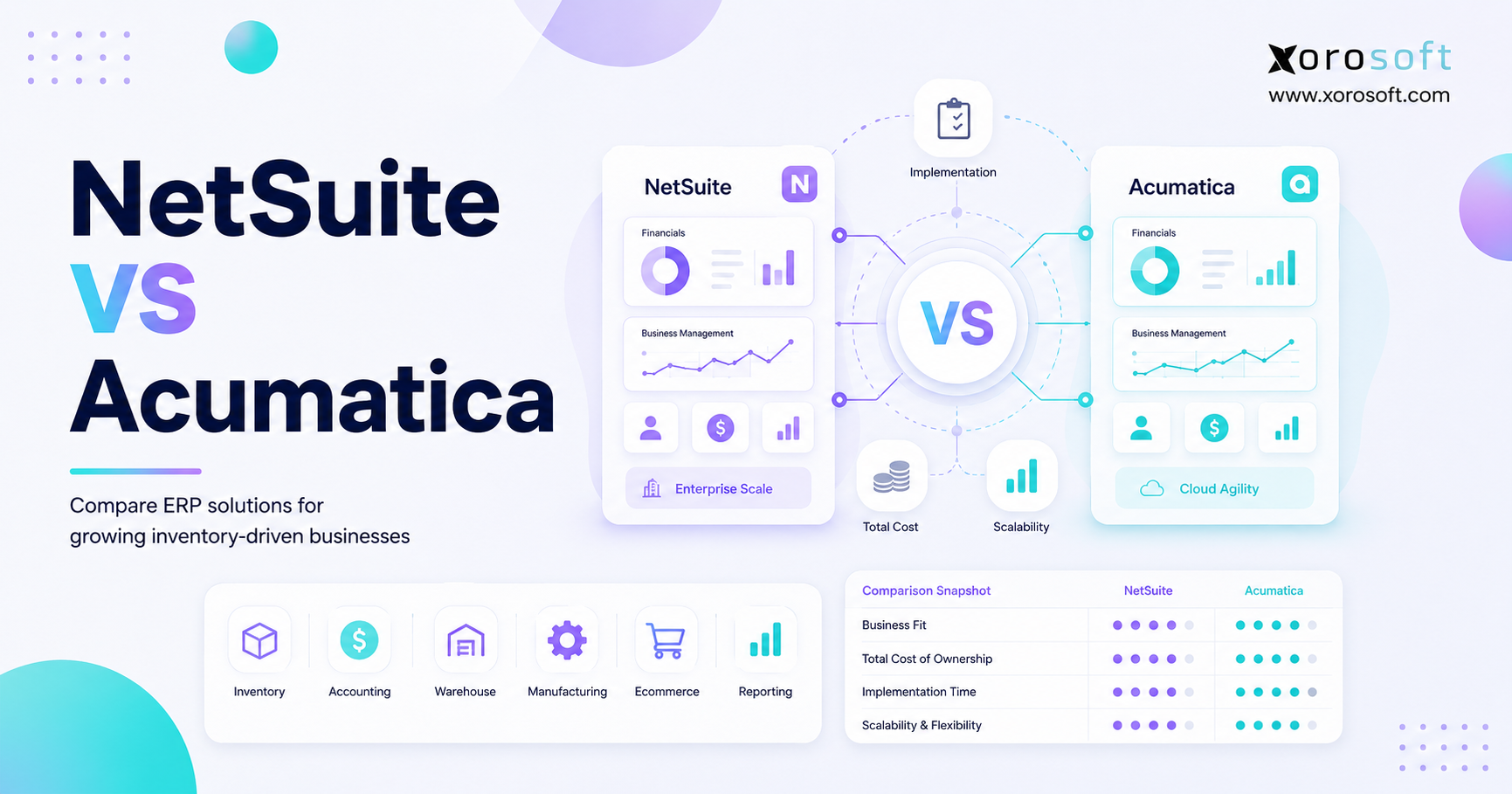
Businesses comparing broader platforms can review a neutral Xorosoft versus NetSuite comparison while also assessing Acumatica, Cin7, Brightpearl, Fishbowl, Sage, and Business Central.
Ultimately, the decision should be based on workflow fit rather than the length of a feature list.
14. Common ERP Inventory Forecasting Mistakes
Implementing software does not automatically create a reliable forecast.
Therefore, businesses should define planning rules, ownership, and performance measures before automating the process.
14.1 Forecasting From Inaccurate Inventory
Incorrect inventory quantities create incorrect replenishment recommendations.
Before implementing advanced forecasting, teams should resolve:
- Missing receipts
- Negative inventory
- Duplicate locations
- Unrecorded transfers
- Incorrect units of measure
- Product-mapping errors
- Incomplete returns
Moreover, cycle counting should continue after implementation. Otherwise, inventory accuracy may decline again as operational volume increases.
Consequently, forecasting accuracy and inventory-control discipline should be improved together.
14.2 Applying One Method to Every Product
High-volume staples, new products, seasonal collections, and intermittent wholesale items behave differently.
Therefore, product segmentation is essential.
For example, a mature core product may suit a statistical method. By contrast, a new launch may require planner judgment and comparable-item history.
Similarly, a discontinued product should not remain in the same replenishment group as an evergreen item.
14.3 Ignoring Actual Supplier Performance
A supplier’s promised lead time may differ from its actual delivery performance.
Consequently, teams should compare planned and actual receipt dates and revise forecasting assumptions when necessary.
Moreover, supplier reliability may vary by season, product category, factory, or shipping method.
Therefore, one standard lead time may not be sufficient for every purchasing scenario.
14.4 Automating Before Defining Approval Rules
Businesses should establish:
- Approval thresholds
- Finance-review requirements
- Exception rules
- Automatic-replenishment policies
- Escalation procedures
- Buyer responsibilities
Automation should follow a defined process rather than replace one.
Otherwise, the system may generate technically correct recommendations that conflict with commercial or financial priorities.
14.5 Measuring Accuracy Without Measuring Outcomes
Forecast accuracy is useful, but it is not the only performance measure.
Teams should also track:
- Stockout frequency
- Fill rate
- Inventory turnover
- Days of supply
- Aging inventory
- Markdown exposure
- Working capital
- Supplier performance
Ultimately, the objective is better product availability with controlled inventory investment.
Therefore, forecast reviews should include both statistical performance and business outcomes.
15. Where Xorosoft Fits in Shopify Inventory Planning
Xorosoft is a cloud ERP platform for inventory-driven businesses that sell physical products through ecommerce, wholesale, retail, marketplaces, EDI, or manufacturing channels.
It combines inventory management, accounting, purchasing, warehouse management, manufacturing, forecasting, reporting, and ecommerce operations.
Therefore, the platform may be relevant when a Shopify brand has outgrown a disconnected stack that includes Shopify, QuickBooks, spreadsheets, inventory applications, warehouse software, and separate purchasing files.
Xorosoft is generally more relevant to businesses that:
- Operate multiple warehouses
- Sell through Shopify and Amazon
- Manage wholesale customers
- Use EDI
- Manufacture or assemble products
- Need integrated accounting
- Require purchasing automation
- Have complex reconciliation requirements
However, a small Shopify merchant with one warehouse, predictable demand, and simple accounting may not need a full ERP.
Businesses can review the Xorosoft ERP listing in the Shopify App Store to understand how the platform fits within a Shopify operating environment.
Moreover, the listing can help teams evaluate whether the integration scope matches their current Shopify workflow before they begin a broader ERP selection process.
16. ERP Inventory Forecasting for Shopify FAQs
16.1 What Is Shopify Inventory Forecasting?
Shopify inventory forecasting estimates how much inventory a Shopify business may need during a future period. It combines sales history, current stock, incoming supply, supplier lead times, seasonality, promotions, and other demand signals. Therefore, it helps purchasing teams decide what to reorder, when to order it, and where inventory should be positioned.
16.2 How Does ERP Inventory Forecasting for Shopify Work?
ERP inventory forecasting for Shopify connects ecommerce sales with inventory, purchasing, suppliers, warehouses, accounting, wholesale, and manufacturing data. As a result, planners can move from an expected sales figure to an executable purchasing, transfer, or production plan.
16.3 Can Shopify Forecast Future Demand?
Shopify provides order, sales, inventory, and analytics data that can support forecasting. However, businesses with broader requirements may need a planning application or ERP to include suppliers, multiple warehouses, accounting, manufacturing, and other sales channels.
16.4 What Data Is Needed for Inventory Forecasting?
Typical inputs include historical sales, current inventory, committed stock, open purchase orders, supplier lead times, returns, seasonality, promotions, stockout history, warehouse demand, and multi-channel orders. In addition, accurate item and location records are required to connect those inputs correctly.
16.5 Can ERP Forecast Demand by SKU?
Many ERP and planning platforms can forecast at the SKU or variant level. This is particularly important for products with size, color, style, pack, or configuration differences. Consequently, planners can avoid relying on parent-level demand that hides important variant shortages.
16.6 Can ERP Forecast Inventory by Warehouse?
Yes, provided that orders, inventory, receipts, transfers, and fulfillment activity are assigned to specific locations. Consequently, planners can identify regional shortages that remain hidden within company-wide totals.
16.7 How Does ERP Help Prevent Stockouts?
ERP compares projected demand with available inventory, committed quantities, incoming supply, safety stock, and supplier lead times. As a result, teams can identify projected shortages earlier and take action before inventory reaches zero.
16.8 Can ERP Eliminate Stockouts?
No. Unexpected demand, supplier disruptions, freight delays, and data errors can still cause shortages. Nevertheless, ERP improves visibility, consistency, and response time.
16.9 How Does ERP Reduce Overstock?
ERP can identify slowing demand, excess days of supply, aging inventory, and duplicate purchases. Therefore, buyers can adjust future orders before excess stock becomes more expensive to manage.
16.10 What Is Safety Stock?
Safety stock is additional inventory held to protect against uncertainty in demand or supply. The appropriate amount depends on demand variability, lead time, product value, shelf life, supplier reliability, and desired availability.
16.11 How Is a Reorder Point Calculated?
A basic reorder point equals expected demand during supplier lead time plus safety stock. However, the calculation requires current sales velocity, lead-time information, incoming supply, and accurate inventory availability.
16.12 Can ERP Automatically Create Purchase Orders?
Many ERP systems can convert approved replenishment recommendations into purchase orders. Nevertheless, businesses should configure approval limits, supplier constraints, case packs, minimum quantities, and purchasing budgets before enabling automation.
16.13 What Is the Difference Between Forecasting and Replenishment?
Forecasting estimates what customers may buy. Replenishment determines what the company should purchase or transfer after considering current stock, incoming supply, safety stock, supplier lead times, and order constraints.
16.14 How Often Should Forecasts Be Updated?
Fast-moving products may require daily or weekly updates. Meanwhile, stable products may be reviewed monthly. Promotions, launches, supplier delays, and significant sales changes should trigger additional reviews.
16.15 How Do Stockouts Affect Sales History?
Sales stop when products become unavailable even when customer interest remains. Therefore, historical sales may understate actual demand during stockout periods.
16.16 How Should Promotions Be Forecast?
Promotions should be recorded as separate demand events. Planners should consider campaign length, discount level, expected uplift, participating channels, available inventory, and post-promotion demand. Otherwise, temporary promotional sales may incorrectly raise the normal forecast.
16.17 Can ERP Forecast New Products?
New products have limited direct history. Therefore, forecasts may use comparable products, preorders, market research, launch plans, and early sales velocity. As more actual demand becomes available, the forecast should be updated frequently.
16.18 Can ERP Combine Shopify and Amazon Demand?
An ERP with appropriate integrations can consolidate Shopify, Amazon, wholesale, retail, and other demand. However, channel-level detail should remain available for allocation and profitability decisions.
16.19 Can ERP Support Wholesale Forecasting?
Yes. ERP can include open wholesale orders, customer forecasts, EDI documents, buying patterns, and inventory commitments. Consequently, the business can plan large or irregular customer orders alongside daily ecommerce demand.
16.20 Is ERP Suitable for Small Shopify Stores?
ERP may be excessive for a small store with a limited catalog, one location, and simple purchasing. Therefore, a focused inventory or forecasting application may be more appropriate.
16.21 When Should a Shopify Brand Upgrade to ERP?
A brand should consider ERP when disconnected systems create recurring problems across inventory, purchasing, warehouses, accounting, wholesale, EDI, manufacturing, or reporting. Moreover, the operational cost of maintaining separate systems should be considered alongside the software cost.
16.22 What Are the Alternatives to ERP Forecasting?
Alternatives include Shopify’s native tools, spreadsheets, forecasting applications, inventory-management platforms, warehouse systems, and accounting integrations. The right choice depends on whether the problem is focused or spans multiple departments.
16.23 How Accurate Is ERP Forecasting?
Accuracy depends on data quality, demand stability, supplier information, product life cycle, stockout corrections, promotions, and planner judgment. Consequently, ERP improves consistency but cannot remove uncertainty completely.
16.24 What Are the Most Common Forecasting Mistakes?
Common mistakes include inaccurate inventory, ignored stockouts, outdated lead times, one forecasting method for every product, missing promotions, and poor warehouse-level visibility. In addition, companies often automate recommendations before defining who owns the final decision.
16.25 How Should a Business Choose ERP Inventory Forecasting for Shopify?
A business should map its complete workflow first. It should evaluate channels, warehouses, suppliers, purchasing, accounting, wholesale, EDI, manufacturing, reporting, implementation requirements, and total cost. Then, it can determine whether ERP inventory forecasting for Shopify is more appropriate than a focused forecasting application.
17. Build the Forecasting Process Before Selecting Software
Reliable forecasting requires more than a new application.
First, the business needs accurate product data and trustworthy inventory balances. Next, it must document supplier lead times, purchasing constraints, safety-stock policies, warehouse responsibilities, and approval rules. Moreover, management should define how forecast performance will be measured.
A practical preparation process should include:
1. Identify every source of demand.
2. Review historical stockout periods.
3. Define available and committed inventory.
4. Record supplier lead times and constraints.
5. Establish safety-stock policies.
6. Segment products by demand behavior.
7. Assign forecast ownership.
8. Define purchase-approval responsibilities.
9. Connect inventory plans with cash flow.
10. Measure operational outcomes.
Shopify’s native tools may be enough for straightforward operations. Similarly, a specialist forecasting application may solve a focused planning problem. However, ERP becomes more relevant when forecasting must coordinate purchasing, multiple warehouses, accounting, wholesale, Amazon, EDI, or manufacturing.
Therefore, software selection should begin with an operational map rather than a product demonstration.
Ultimately, the platform should support a clearly defined planning process rather than hide an unclear one behind another dashboard. In addition, the business should confirm that the system can scale with future channels, warehouses, products, and transaction volume.
Finally, implementation should be treated as an operating-model project rather than only a software installation. The company must define data ownership, planning responsibilities, approval rules, exception handling, and performance reviews.
For brands evaluating a connected operating model, book a personalized Xorosoft demo to review how Shopify demand, inventory forecasting, purchasing, warehouse management, manufacturing, accounting, and reporting can work together.