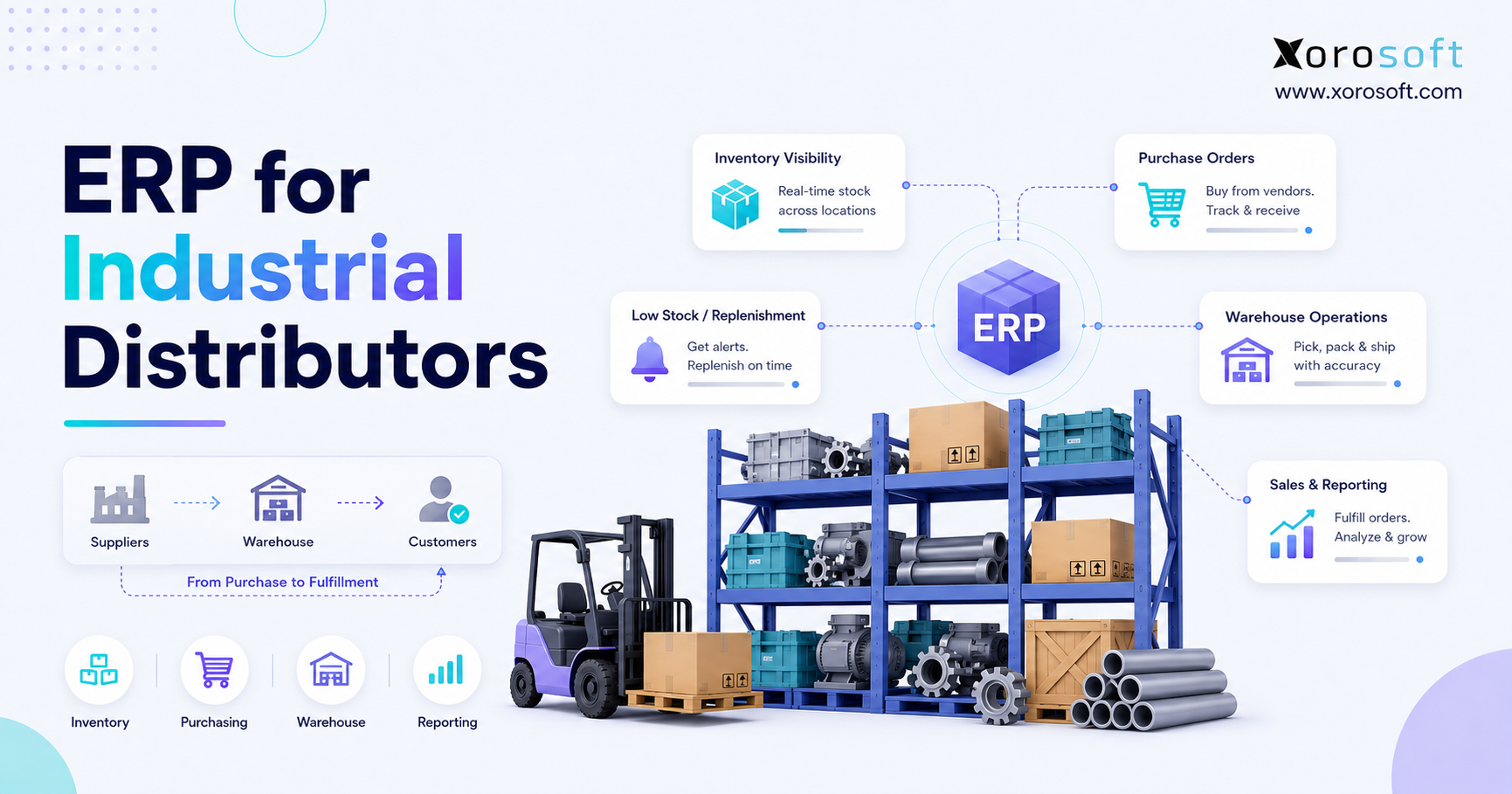
If you are searching for a comprehensive ERP for industrial distributors, you are in the right place.
1. The Operational Pressure Behind Industrial Distribution Growth
ERP for industrial distributors becomes important when inventory, purchasing, warehouse operations, sales orders, and accounting can no longer stay aligned through basic tools.
In the early stage, an industrial distribution business can often run with QuickBooks, spreadsheets, email approvals, warehouse notes, and a small inventory app. However, that setup becomes harder to control as the company adds more SKUs, suppliers, customers, warehouses, branches, pricing rules, and order volume. Eventually, the business does not only need software. It needs a stronger operating system.
Industrial distributors face a specific kind of complexity. Many sell parts, supplies, equipment, components, MRO products, safety items, electrical products, HVAC materials, plumbing supplies, or industrial goods that customers need quickly. Therefore, stock accuracy is not just an internal metric. It directly affects customer trust, delivery promises, working capital, purchasing decisions, and financial reporting.
In many growing companies, the problem appears through small daily issues. A buyer may place an order because a spreadsheet says stock is low. Meanwhile, the warehouse may have already received inventory that has not been updated. Later, a sales rep may promise an item because yesterday’s report showed availability. As a result, the team spends more time fixing problems than preventing them.
1.1 Why industrial distributors outgrow basic systems
Basic systems start to fail when distribution workflows become too connected for disconnected tools.
Purchasing depends on inventory data. Inventory depends on warehouse activity. Warehouse activity depends on sales orders. Sales orders affect invoicing. Finally, invoicing affects accounting and reporting.
Because each workflow touches another workflow, one bad update can create problems across the entire business. QuickBooks may support accounting well in the early stage. Spreadsheets may help buyers track reorder needs for a while. Additionally, inventory apps may support basic stock counts.
Over time, though, those tools often stop giving leaders a reliable view of operations. The issue is not that these tools are useless. Instead, they were built for narrower jobs. An industrial distribution ERP is different because it connects operational and financial data inside one shared system.
1.2 Where disconnected workflows usually break first
Disconnected workflows usually break first in inventory, purchasing, warehouse execution, order fulfillment, and financial reporting.
Stock accuracy drops when inventory movements are not recorded in real time. Buying decisions slow down when purchasers use outdated demand data. Warehouse execution suffers when teams rely on paper, memory, or manual instructions. Sales order management becomes risky when availability is unclear. Meanwhile, finance struggles when inventory value, cost of goods sold, and operational activity do not match.
Because these problems are connected, fixing only one area rarely solves the full issue. A warehouse team may improve picking accuracy, but purchasing may still overbuy if demand data remains outdated. Similarly, finance may improve reconciliation, yet month-end close may still drag if inventory adjustments arrive late.
1.3 Why inventory, purchasing, warehouse, and accounting must work together
Inventory, purchasing, warehouse, and accounting must work together because industrial distribution depends on movement, timing, and cost control.
When inventory is wrong, purchasing makes poor buying decisions. If purchasing is late, warehouse teams cannot fulfill orders. Once warehouse activity falls behind, sales teams promise the wrong availability. Then, if accounting receives incomplete data, financial reports become less reliable.
As a result, leaders lose visibility. They may know revenue is growing, but they may not know whether margins, stock levels, supplier performance, and fulfillment speed are improving. This is where ERP for industrial distributors becomes a practical business requirement rather than just another software upgrade.
2. What ERP for Industrial Distributors Really Means
ERP for industrial distributors is business software that connects inventory management, purchasing, warehouse management, sales order management, accounting, reporting, and operational workflows in one system.
In simple terms, this type of platform helps a distributor answer important questions faster. What inventory is available right now? Which warehouse has it? Which customer orders already reserve stock? What inventory is incoming from suppliers? Which products should purchasing reorder? How much inventory value is sitting on the books?
Without ERP, these answers often sit in separate tools. Consequently, teams spend too much time checking, exporting, reconciling, and correcting data. With ERP, the business works from a shared source of truth.
2.1 ERP definition for industrial distribution businesses
Enterprise resource planning, or ERP, is a centralized system for managing the company’s core operational and financial resources.
For industrial distributors, that means one platform can help manage inventory, purchase orders, supplier records, sales orders, customer pricing, warehouse tasks, backorders, accounting, forecasting, reporting, and integrations.
Because these functions operate together, ERP gives distributors better control over daily execution and long-term planning.
2.2 How industrial distribution ERP connects daily operations
A good industrial distribution ERP connects daily operations by linking transactions that usually happen across different departments.
For example, a sales order can reserve inventory. Then, a purchase order can update incoming stock. After receiving, the warehouse can increase available quantity. Once the order ships, invoicing can move forward. Meanwhile, accounting can reflect the inventory and cost impact without waiting for manual updates.
This matters because industrial distributors cannot manage growth effectively when every department works from a different version of the truth. Therefore, the value of ERP is not just automation. It is alignment.
2.3 ERP vs inventory software vs accounting software
Inventory software mainly tracks stock. Accounting software mainly tracks financial transactions. However, ERP connects inventory, purchasing, warehouse activity, sales, accounting, and reporting.
| System Type | Main Purpose | Best Fit | Common Limitation |
|---|---|---|---|
| Inventory software | Tracks stock quantities and movements | Small teams needing basic stock control | Often lacks full accounting, purchasing, forecasting, and financial reporting |
| Accounting software | Manages bookkeeping and financial records | Small businesses with simple operations | Usually weak for multi-warehouse inventory and distribution workflows |
| ERP | Connects inventory, purchasing, warehouse, sales, accounting, and reporting | Growing distributors with operational complexity | Requires planning, data cleanup, and team adoption |
Therefore, the right question is not only “Do we need software?” The better question is, “Do we need one connected system for how the business actually runs?”
3. Why Industrial Distributors Need ERP Software
Industrial distributors need ERP software when operational complexity starts affecting inventory accuracy, customer service, purchasing discipline, warehouse productivity, and financial visibility.
At that stage, growth becomes harder to manage. Sales may increase, yet errors increase too. Inventory value may rise, yet availability may still feel uncertain. Purchasing may spend more, while stockouts continue. Because of this, ERP becomes a way to control growth instead of simply chasing it.
3.1 ERP for industrial distributors improves inventory visibility
Better inventory visibility helps industrial distributors see on-hand, available, committed, incoming, transferred, and reserved stock across locations.
This is especially important for companies with multiple warehouses or branches. A product may exist in the business, but it may not be available in the right location. Additionally, a product may appear available, even though it has already been allocated to another customer order.
With stronger visibility, sales teams can make more accurate promises. Purchasing teams can avoid unnecessary buying. Warehouse teams can move inventory with clearer instructions. As a result, the business reduces both stockouts and overstock.
3.2 Industrial distribution ERP improves purchasing control
Purchasing improves when buyers can work from live inventory, demand, supplier, and sales order data.
Without ERP, purchasing often becomes reactive. Buyers may reorder based on guesswork, old spreadsheets, or pressure from sales. However, ERP helps buyers see reorder points, supplier lead times, open purchase orders, demand trends, and expected receipts.
Therefore, purchasing becomes more disciplined. Instead of buying too late or buying too much, teams can plan replenishment with better information.
3.3 ERP software helps industrial distributors fulfill orders faster
Order fulfillment becomes faster when sales, warehouse, and inventory data stay connected.
After an order enters the system, the team can see availability, allocation, warehouse location, pick status, shipment status, and invoice status. Consequently, fewer people need to ask for updates manually.
This improves speed, but it also improves accountability. If an order is delayed, the business can see whether the issue is stock availability, warehouse capacity, supplier delay, credit hold, or shipping.
3.4 Cloud ERP for industrial distributors supports better reporting
Cloud ERP supports better reporting because operational activity updates financial and management dashboards more consistently.
Finance teams need accurate inventory valuation, cost visibility, margin reporting, and reconciliation. However, they cannot produce reliable reports if warehouse and purchasing data live outside the accounting process.
Because ERP connects the data, leaders can review inventory, purchasing, sales, warehouse, and financial performance without waiting for manual spreadsheet work.
4. Core ERP Features Industrial Distributors Should Look For
The best ERP for industrial distributors should support the daily reality of distribution work. A basic system may handle invoices and item records, but industrial distributors usually need deeper inventory, warehouse, purchasing, pricing, accounting, and reporting features.
4.1 Inventory management for industrial distributors
Inventory management is the foundation of industrial distribution ERP. Without accurate inventory, the rest of the business becomes harder to control.
A good ERP should help manage item records, units of measure, product categories, bin locations, serial numbers, lot numbers, inventory transfers, committed stock, incoming inventory, and available-to-sell quantities.
For example, a distributor may have the same product across several locations. However, only part of that stock may be available because some quantity is reserved for open orders. Therefore, the ERP must distinguish between on-hand stock and truly available stock.
4.1.1 Reorder points, safety stock, and replenishment logic
Reorder points help buyers know when inventory should be replenished. Safety stock protects the business from demand spikes or supplier delays. However, both controls depend on accurate data.
An ERP system can support replenishment by considering sales history, open orders, supplier lead times, minimum stock levels, and expected receipts. As a result, buyers can make decisions with less guesswork.
4.1.2 Lot, serial, bin, and location tracking
Lot, serial, bin, and location tracking matter for industrial distributors that need traceability and warehouse accuracy.
Serial tracking may be important for equipment or high-value components. Lot tracking may matter for regulated or time-sensitive products. Meanwhile, bin tracking helps warehouse teams find items quickly and reduce picking errors.
Because these details affect fulfillment and customer trust, they should live inside the main system rather than in separate notes or spreadsheets.
4.2 Warehouse management for industrial distribution ERP
Warehouse management is one of the most important ERP features for distributors. It controls receiving, putaway, picking, packing, shipping, transfers, returns, cycle counts, and stock adjustments.
For businesses that need stronger warehouse control, XoroWMS can support warehouse workflows such as inventory movement, fulfillment, and operational visibility. This type of warehouse functionality becomes useful when paper-based processes begin slowing the team down.
4.2.1 Receiving, picking, packing, and transfers
Receiving must update inventory quickly. Picking must guide warehouse teams accurately. Packing should confirm the right products before shipment. Meanwhile, transfers need to show where stock is moving and when it becomes available.
Because these activities happen every day, even small errors can become expensive. Therefore, ERP should help standardize warehouse execution from receipt to shipment.
4.2.2 Barcode scanning and cycle counts
Barcode scanning improves warehouse accuracy by reducing manual entry. Additionally, cycle counts help teams maintain inventory accuracy without shutting down the warehouse for full physical counts.
Together, scanning and cycle counting create a stronger inventory control process. As a result, teams can trust the system more and spend less time investigating discrepancies.
4.3 Purchasing automation for industrial distributors
Purchasing automation helps industrial distributors buy the right products at the right time.
In many distribution businesses, purchasing starts as a manual process. Buyers check spreadsheets, review sales history, ask warehouse teams for updates, and then create purchase orders. However, this approach becomes risky when SKU counts and supplier networks grow.
ERP improves purchasing by centralizing reorder points, supplier lead times, open purchase orders, expected receipts, approvals, and demand signals. Therefore, buyers can act earlier and with more confidence.
4.3.1 Purchase orders, vendor lead times, and approvals
Purchase orders should not depend on scattered email threads. Instead, the ERP should give buyers a structured process for creating, approving, sending, receiving, and matching purchase orders.
Vendor lead times also matter because late suppliers can cause stockouts. Therefore, supplier data should be visible inside the purchasing workflow.
4.3.2 Supplier performance and purchasing visibility
Supplier performance affects customer service. If suppliers are late, incomplete, or inconsistent, the distributor feels the impact quickly.
ERP helps by showing open purchase orders, expected receipts, supplier history, and buying trends. Consequently, purchasing managers can identify problems earlier and improve vendor accountability.
4.4 Sales order management for industrial distributors
Sales order management is more complex in industrial distribution than in simple ecommerce or retail.
Many industrial distributors manage quotes, negotiated pricing, customer-specific terms, backorders, partial shipments, branch fulfillment, and repeat orders. Therefore, the ERP should connect sales orders with inventory, pricing, warehouse execution, invoicing, and reporting.
4.4.1 Quotes, sales orders, backorders, and allocations
A quote should not be disconnected from inventory availability. Similarly, a sales order should not move forward without clear allocation logic.
ERP helps teams manage quotes, convert them into sales orders, allocate available inventory, and track backorders. As a result, sales teams can serve customers without constantly asking operations for updates.
4.4.2 Customer-specific pricing and negotiated terms
Industrial distributors often sell to customers with special pricing, volume discounts, regional terms, or contract rates.
Because these rules can become complicated, pricing should live inside the ERP rather than in someone’s spreadsheet. This reduces pricing mistakes and helps sales teams quote more consistently.
4.5 Accounting and finance inside industrial distribution ERP
Accounting matters because inventory is both an operational asset and a financial asset.
If inventory values are wrong, financial reports become unreliable. If product costs are outdated, margins become misleading. Once operational data arrives late, month-end close takes longer.
ERP connects inventory movements, purchase orders, sales orders, invoices, cost of goods sold, landed costs, and reporting. Therefore, finance teams can work with cleaner data and fewer manual corrections.
4.5.1 Inventory valuation and cost visibility
Inventory valuation is critical for industrial distributors because large amounts of cash may sit in stock.
ERP helps track product costs, stock adjustments, landed costs, and cost of goods sold. As a result, finance teams can understand inventory value more accurately.
4.5.2 Month-end close and reconciliation
Month-end close becomes difficult when finance has to wait for inventory adjustments, warehouse updates, purchasing records, and manual reports.
ERP reduces this friction by connecting operational transactions with accounting. Consequently, finance teams can focus more on review and analysis instead of chasing missing data.
4.6 Forecasting and reporting for industrial distribution ERP
Forecasting and reporting help distributors move from reactive decisions to planned decisions.
A platform like XoroERP is relevant for inventory-driven businesses because it brings inventory, purchasing, warehouse activity, accounting, reporting, and operational workflows into one connected ERP environment. Additionally, businesses that need a broader operating platform can review XoroONE when they want a more complete view of ERP, warehouse, inventory, purchasing, finance, and reporting capabilities.
4.6.1 Demand planning and stock movement trends
Demand planning helps purchasing teams understand what customers are likely to buy. However, forecasts should not rely only on one recent spike or one old spreadsheet.
ERP can help review historical sales, open orders, seasonality, supplier lead times, and product movement trends. Therefore, buyers can make smarter replenishment decisions.
4.6.2 Real-time dashboards for operators and finance teams
Dashboards should help teams see what needs attention now.
Useful ERP dashboards may include inventory value, stockouts, backorders, purchase order status, order cycle time, warehouse activity, aged inventory, supplier delays, margin trends, and month-end close status.
Because different teams need different views, the ERP should support reporting for operations, purchasing, finance, sales, and leadership.
5. Common Problems ERP Solves for Industrial Distributors
ERP does not magically remove every operational problem. However, it gives industrial distributors a better structure for controlling recurring issues.
5.1 Inventory discrepancies in industrial distribution
Inventory discrepancies happen when system counts and physical counts do not match.
These errors may come from missed receipts, incorrect picks, unrecorded transfers, damaged goods, returns, manual adjustments, or duplicate entries. Eventually, the team starts losing confidence in the system.
ERP helps reduce discrepancies by creating clearer transaction records. Additionally, warehouse tools such as barcode scanning and cycle counting help improve accuracy over time.
5.2 Stockouts and overstock
Stockouts and overstock are two sides of the same problem: poor visibility.
A distributor may run out of fast-moving items while holding too much slow-moving stock. As a result, customers wait for important products while cash remains trapped in inventory that does not move quickly.
ERP helps teams review demand, stock levels, incoming purchase orders, open sales orders, and supplier lead times together. Therefore, replenishment becomes more balanced.
5.3 Slow purchasing decisions
Slow purchasing decisions usually happen when buyers do not trust the data.
If buyers need to check spreadsheets, ask warehouse teams, review old sales reports, and manually calculate reorder needs, purchasing becomes delayed. Meanwhile, demand continues moving.
ERP gives buyers better visibility into what is on hand, what is committed, what is incoming, and what should be ordered next. Consequently, purchasing becomes more proactive.
5.4 Warehouse bottlenecks
Warehouse bottlenecks often appear when receiving, putaway, picking, packing, and shipping are not clearly managed.
For example, products may arrive but not be put away quickly. Pickers may search for items because bin locations are unclear. Orders may sit because packing status is not visible.
ERP with warehouse management helps standardize these steps. As a result, warehouse teams can move faster with fewer manual handoffs.
5.5 Delayed financial visibility
Delayed financial visibility happens when accounting depends on late operational updates.
Finance may need inventory values, received goods, shipped orders, purchase invoices, landed costs, and stock adjustments before reports are accurate. However, if those updates live in separate systems, close becomes slower.
ERP improves this by connecting operations and finance. Therefore, leaders can see performance earlier and make decisions with more confidence.
5.6 Duplicate data entry across systems
Duplicate data entry is one of the clearest signs that a distributor has outgrown disconnected tools.
A team may enter the same order into an ecommerce system, inventory app, shipping tool, accounting platform, and spreadsheet. Although this may work for a while, it eventually creates errors and wastes time.
For distributors evaluating how others solved operational issues, the Xorosoft case studies page can be useful. It gives context on how inventory-driven businesses approach system improvements without relying only on disconnected workflows.
6. ERP for Industrial Distributors by Business Model
Industrial distribution is not one simple category. Therefore, ERP requirements can change depending on the products, customers, sales channels, warehouses, and fulfillment model.
The industries we serve page can also help businesses understand how ERP needs vary across wholesale, manufacturing, consumer products, food, apparel, furniture, sporting goods, and other inventory-driven sectors.
6.1 ERP for industrial parts distributors
Industrial parts distributors often manage high SKU counts, replacement demand, urgent orders, slow-moving parts, and product substitutions.
ERP helps by connecting item availability, supplier lead times, reorder logic, customer history, and backorders. As a result, teams can respond faster when customers need specific parts.
6.2 ERP for electrical supply distributors
Electrical supply distributors may manage branch inventory, project-based orders, customer-specific pricing, and vendor-heavy product catalogs.
Because pricing and availability can vary by customer, location, and project, ERP helps keep sales, purchasing, inventory, and accounting aligned.
6.3 ERP for plumbing and HVAC distributors
Plumbing and HVAC distributors often serve contractors who need fast access to products. Additionally, demand may shift based on seasons, repairs, installations, and local projects.
ERP helps manage replenishment, branch transfers, customer terms, and warehouse fulfillment. Therefore, teams can reduce delays during busy periods.
6.4 ERP for machinery and equipment distributors
Machinery and equipment distributors often deal with high-value inventory, serial tracking, warranty needs, service parts, and replacement components.
Because these products are expensive and traceability matters, ERP helps maintain stronger records from purchasing to sale.
6.5 ERP for automotive and aftermarket parts distributors
Automotive and aftermarket parts distributors need accurate stock data, fast fulfillment, substitutions, bin control, and multi-location availability.
ERP helps teams manage product movement, order status, purchasing, and reporting across warehouses. As a result, the business can serve customers more reliably.
6.6 ERP for safety equipment and MRO distributors
Safety equipment and MRO distributors often support repeat orders, compliance-sensitive products, customer catalogs, and contract pricing.
ERP helps manage item data, pricing rules, replenishment, and fulfillment history. Therefore, customers receive consistent service even when product ranges are broad.
7. ERP vs Other Software Options for Industrial Distributors
Before choosing ERP, industrial distributors should compare it with the tools they already use. In many cases, the decision is not simply “old software vs new software.” Instead, the decision is whether the business needs a connected operating system.
7.1 ERP vs QuickBooks for industrial distributors
QuickBooks can be useful for accounting. However, industrial distributors often outgrow it when inventory, warehouse, purchasing, and reporting needs become more complex.
For businesses specifically comparing system fit, the Xorosoft vs QuickBooks page can help frame the difference between accounting-first software and ERP for inventory-driven operations.
7.2 ERP vs spreadsheets
Spreadsheets are flexible, but they are fragile.
A spreadsheet can help track purchasing, inventory counts, or supplier notes in the early stage. However, one wrong formula, one outdated export, or one missing update can affect the entire operation.
ERP reduces this risk by creating shared workflows, permissions, audit trails, and structured records. As a result, the business becomes less dependent on individual spreadsheet logic.
7.3 ERP vs inventory-only software
Inventory-only software may work when the business mainly needs stock control. However, industrial distributors often need more than quantity tracking.
They need purchasing, accounting, warehouse workflows, customer pricing, forecasting, reporting, and integrations. Therefore, ERP becomes more relevant when inventory decisions affect multiple departments.
7.4 ERP vs WMS
A WMS focuses on warehouse execution. ERP manages the broader business.
Some distributors need a dedicated WMS. Others need an ERP with strong warehouse management built in. The right choice depends on order volume, warehouse complexity, scanning needs, integrations, and financial reporting requirements.
7.5 ERP vs separate best-of-breed apps
Best-of-breed apps can work when integrations are reliable. However, every extra app creates another place where data can break.
If orders, inventory, shipping, purchasing, and accounting do not sync correctly, teams still need manual reconciliation. Therefore, many growing distributors move toward ERP to reduce system fragmentation.
8. How to Know When Your Industrial Distribution Business Is Ready for ERP
ERP readiness is not only about revenue. It is about operational strain.
A distributor may have strong sales growth but weak internal visibility. Another distributor may have moderate growth but high complexity because of SKUs, warehouses, branches, suppliers, and customer-specific pricing. Therefore, leadership should evaluate operational symptoms rather than waiting for a certain company size.
8.1 Operational signs you need ERP for industrial distributors
Operational signs usually appear when teams spend too much time correcting errors, chasing updates, and reconciling systems.
For example, managers may ask for the same report every week because no dashboard can be trusted. Sales may contact the warehouse before confirming orders. Buyers may ask finance for reports before creating purchase orders. Eventually, the business slows down because information is scattered.
8.2 Inventory signs
Inventory signs include frequent discrepancies, unclear availability, stockouts, overstock, transfer confusion, and slow cycle counts.
If the system says stock exists but the warehouse cannot find it, the business has an inventory control issue. Additionally, if purchasing keeps buying products that already exist somewhere else, the company has a visibility issue.
8.3 Purchasing signs
Purchasing signs include spreadsheet buying, unclear reorder points, duplicated purchase orders, emergency buying, and supplier surprises.
When buyers do not have reliable demand and inventory data, they either delay decisions or overcorrect. As a result, the company carries too much inventory in some categories and too little in others.
8.4 Warehouse signs
Warehouse signs include paper-based picking, slow receiving, frequent mispicks, unclear bin locations, and limited task visibility.
If the warehouse depends heavily on memory, the business becomes vulnerable when volume grows or experienced employees leave. Therefore, system-guided warehouse workflows become more important.
8.5 Accounting signs
Accounting signs include delayed month-end close, inventory valuation issues, manual journal entries, and weak margin visibility.
If finance cannot trust inventory data, financial reporting becomes harder. Because inventory affects cost of goods sold, margins, and working capital, inaccurate stock data can create serious reporting problems.
8.6 Leadership and reporting signs
Leadership signs include conflicting reports, slow dashboards, unclear margins, and decisions based on outdated information.
A leadership team should not need five exports to understand whether the business is healthy. Instead, ERP should help show what is happening across sales, stock, purchasing, warehouse, and finance.
| Warning Sign | What It Usually Means | ERP Impact | Priority |
| Stock counts are unreliable | Inventory movements are not controlled | Improves transaction visibility | High |
| Buyers use spreadsheets | Purchasing lacks live demand data | Supports replenishment planning | High |
| Month-end takes too long | Finance waits on operational updates | Connects inventory and accounting | High |
| Warehouse uses paper | Execution lacks system control | Supports scanning and task flow | Medium |
| Reports conflict | Systems do not share one truth | Centralizes reporting | High |
9. How to Choose ERP for Industrial Distributors
Choosing ERP should start with the business workflow, not the software demo.
A polished demo can look impressive. However, the real test is whether the ERP can support how the distributor buys, stores, sells, ships, invoices, reports, and scales. Therefore, the selection process should be practical.
9.1 Map your current distribution workflows first
Start by mapping how work happens today.
Document how quotes become sales orders, how purchase orders are created, how receiving works, how inventory transfers happen, how warehouse teams pick and pack, how invoices are generated, and how reports are built.
After that, identify the bottlenecks. This makes ERP evaluation easier because the team can compare systems against real workflows instead of generic feature lists.
9.2 Identify must-have industrial distribution ERP features
Must-have features often include inventory management, purchasing, warehouse management, sales order management, customer pricing, accounting, forecasting, reporting, integrations, and multi-location visibility.
However, not every distributor needs every advanced feature on day one. Therefore, the team should separate must-have requirements from nice-to-have features.
9.3 Compare cloud ERP and legacy ERP options
Cloud ERP can help distributors reduce infrastructure burden and improve access across locations. However, legacy ERP may still appeal to businesses with highly specific customization requirements.
The better choice depends on internal IT resources, implementation scope, reporting needs, integrations, update expectations, and long-term growth plans.
9.4 Evaluate implementation complexity
ERP implementation requires clean data, clear workflows, strong ownership, testing, and training.
If item records are messy, vendor files are duplicated, warehouse locations are inconsistent, or pricing rules are unclear, implementation becomes harder. Therefore, distributors should clean up data before expecting ERP to solve everything.
9.5 Review integrations, EDI, ecommerce, and warehouse needs
Industrial distributors may need EDI, Amazon, Shopify, shipping, 3PL, payment, tax, marketplace, or ecommerce integrations.
For businesses that sell through Shopify or connect ecommerce with ERP operations, the Xorosoft ERP listing on the Shopify App Store is a useful outbound reference. It shows how ERP can connect Shopify-related workflows with inventory, order, payment, and operational data.
9.6 Choose ERP for scalability, not only current pain
A distributor should not choose ERP only to solve today’s problem. Instead, the system should support future warehouses, suppliers, SKUs, customers, integrations, reporting needs, and sales channels.
This is also why broader solution fit matters. If the team wants to review how ERP, WMS, ecommerce, manufacturing, reporting, and purchasing can connect across operations, the Xorosoft solutions page can help structure that evaluation.
10. ERP Vendor Comparison Considerations
No ERP system is perfect for every industrial distributor. Therefore, vendor comparison should focus on business fit, implementation needs, operational workflows, and long-term scalability.
10.1 NetSuite for industrial distributors
NetSuite is a well-known cloud ERP platform often evaluated by distribution businesses. It may fit companies that need broad ERP capabilities and have the budget, implementation resources, and process maturity to support a larger system.
However, distributors should still evaluate implementation complexity, customization needs, reporting requirements, and total cost.
10.2 Acumatica for industrial distributors
Acumatica is another ERP option that distribution businesses may compare. It can be relevant for companies that want cloud ERP with distribution, inventory, warehouse, and financial capabilities.
For teams comparing fit, the Xorosoft vs Acumatica page can help frame key evaluation areas without turning this guide into a full comparison article.
10.3 Epicor Prophet 21 for distributors
Epicor Prophet 21 is commonly associated with distribution-focused ERP. It may appeal to traditional distributors with deep industry-specific needs.
However, buyers should still compare usability, implementation effort, integration needs, reporting flexibility, and internal adoption requirements.
10.4 Microsoft Dynamics 365 Business Central
Microsoft Dynamics 365 Business Central may fit businesses that want ERP capabilities inside the Microsoft ecosystem.
However, industrial distributors should evaluate whether the system, partner, and add-ons can support their exact inventory, warehouse, purchasing, and reporting workflows.
10.5 Fishbowl, Cin7, Odoo, SAP Business One, and other options
Some distributors also compare Fishbowl, Cin7, Odoo, SAP Business One, Fulfil, and other systems.
These options may fit different stages of business growth. However, the key question stays the same: can the system connect inventory, warehouse, purchasing, sales, accounting, and reporting at the level the business needs?
For broader vendor research, the main compare Xorosoft page can help users explore comparison pages one by one instead of cramming every comparison into one article.
10.6 Xorosoft as a modern ERP option for inventory-driven distributors
Xorosoft is a cloud ERP platform for inventory-driven businesses, including distributors, wholesalers, retailers, ecommerce brands, and manufacturers.
For industrial distributors, Xorosoft may be relevant when the business needs inventory management, purchasing, accounting, warehouse management, forecasting, reporting, Shopify, Amazon, EDI, and multi-warehouse visibility in one system. However, as with any ERP decision, the right fit should come from workflow fit, data readiness, implementation needs, and long-term scalability.
| Option | Best Fit | Strength | Evaluation Point |
| NetSuite | Mid-market and larger distributors | Broad ERP ecosystem | Review implementation complexity and total cost |
| Acumatica | Growing cloud ERP buyers | Flexible distribution ERP capabilities | Review partner fit and workflow depth |
| Epicor Prophet 21 | Traditional distributors | Distribution-specific ERP depth | Review usability and implementation scope |
| Business Central | Microsoft-focused SMBs | Microsoft ecosystem fit | Review distribution depth and add-ons |
| Inventory-first tools | Smaller distributors | Inventory usability | Review accounting, purchasing, and reporting limits |
| Xorosoft | Inventory-driven distributors | Connected inventory, WMS, purchasing, accounting, and reporting | Review workflow fit and growth requirements |
11. ERP Implementation Planning for Industrial Distributors
ERP implementation succeeds when the business prepares before the system goes live.
Software matters, but process clarity matters just as much. Therefore, industrial distributors should treat implementation as an operating improvement project, not just a technical setup.
11.1 Clean up item, vendor, and customer data
Data cleanup should start early.
Distributors should review item names, SKUs, units of measure, vendor records, customer records, pricing rules, warehouse locations, duplicate products, inactive items, and open transactions.
Because ERP depends on clean records, poor data will create poor outcomes. Therefore, data cleanup is one of the highest-value implementation steps.
11.2 Standardize warehouse and purchasing workflows
ERP should not automate messy workflows without review.
Before implementation, the team should define how receiving, putaway, picking, packing, transfers, purchase approvals, stock adjustments, and returns should work. As a result, the new system supports a better process instead of copying old problems.
11.3 Define reporting requirements before launch
Reporting requirements should be defined before go-live.
Important reports may include inventory value, aged inventory, stockouts, sales order status, purchase order status, supplier performance, warehouse productivity, margins, backorders, and month-end close status.
If reporting requirements are unclear, leadership may still feel blind after implementation. Therefore, dashboards should be planned early.
11.4 Train warehouse, finance, purchasing, and sales teams
ERP changes daily behavior for many departments.
Warehouse teams need process training. Purchasing teams need replenishment and PO training. Sales teams need order and pricing training. Finance teams need reconciliation and reporting training.
Because adoption affects results, training should use real workflows instead of generic examples.
11.5 Avoid common ERP implementation mistakes
Common mistakes include weak ownership, poor data cleanup, unclear scope, rushed timelines, limited testing, excessive customization, and insufficient training.
However, these problems can be reduced with a clear plan. A distributor should assign owners, test real transactions, review reports, train users, and prepare support before go-live.
| Phase | Main Work | Owner | Output |
| Discovery | Map workflows and pain points | Operations leadership | Process blueprint |
| Data cleanup | Clean items, vendors, customers, and locations | Operations and finance | Migration-ready data |
| Configuration | Set workflows, roles, rules, and reports | Implementation team | Configured ERP |
| Testing | Test orders, POs, receipts, picks, and invoices | Department leads | Issue list and fixes |
| Training | Train users by role | Project owner | Adoption readiness |
| Go-live | Launch and monitor | Cross-functional team | Live ERP system |
12. FAQs About ERP for Industrial Distributors
12.1 What is ERP for industrial distributors?
ERP for industrial distributors is software that connects inventory, purchasing, warehouse management, sales orders, pricing, accounting, and reporting. Instead of managing each department in a separate tool, the business can work from one shared system. As a result, distributors can manage stock, suppliers, customers, orders, and reporting with more control.
12.2 Why do industrial distributors need ERP?
Industrial distributors need ERP when disconnected systems create inventory errors, slow purchasing, warehouse delays, and unreliable reporting. As SKU counts, suppliers, locations, and customer requirements increase, manual workflows become harder to manage. Therefore, a connected ERP helps centralize operations and gives teams better visibility across the business.
12.3 What is the best ERP for industrial distributors?
The best ERP depends on company size, workflows, budget, implementation needs, warehouse complexity, and reporting requirements. NetSuite, Acumatica, Epicor, Business Central, and Xorosoft may all be evaluated. However, the right choice should be based on workflow fit rather than brand name alone.
12.4 How does ERP help industrial distributors manage inventory?
A connected ERP system helps industrial distributors track stock across warehouses, bins, lots, serial numbers, purchase orders, sales orders, transfers, and adjustments. Additionally, it shows available, committed, incoming, and on-hand stock. Therefore, teams can make better purchasing, fulfillment, and customer service decisions.
12.5 How does ERP improve purchasing?
Purchasing improves when demand, inventory levels, reorder points, supplier lead times, and open purchase orders live in one system. Buyers can see what needs to be ordered, what is already incoming, and which suppliers may be delayed. As a result, purchasing becomes more planned and less reactive.
12.6 How does ERP help warehouse operations?
Warehouse operations improve when receiving, putaway, picking, packing, shipping, transfers, and cycle counts follow a structured system. When ERP includes warehouse management, teams can also use barcode scanning, bin locations, task workflows, and real-time stock updates. Therefore, warehouses can reduce errors and move orders faster.
12.7 Can ERP replace QuickBooks for industrial distributors?
Yes, ERP can replace QuickBooks when the distributor needs stronger inventory, purchasing, warehouse, reporting, and accounting control. QuickBooks may work for basic accounting. However, it often becomes limited when distribution workflows become more complex.
12.8 Can ERP replace spreadsheets?
Many spreadsheets used for purchasing, inventory counts, transfers, reporting, pricing, and order tracking can move into ERP. Some teams may still use spreadsheets for analysis. However, core operating data should live in ERP so the business does not depend on manual updates and fragile formulas.
12.9 What features should industrial distributors look for in ERP?
Industrial distributors should look for inventory management, purchasing automation, warehouse management, sales order management, customer-specific pricing, accounting, forecasting, reporting, EDI, integrations, barcode scanning, and multi-warehouse support. Additionally, the system should support both operations and finance.
12.10 How much does ERP for industrial distributors cost?
ERP cost depends on users, modules, implementation scope, integrations, customization, data migration, training, and support. A smaller distributor may need a lighter setup. However, a multi-warehouse distributor with EDI, ecommerce, and complex reporting may need a deeper implementation.
12.11 How long does ERP implementation take?
Implementation timelines vary based on data quality, workflow complexity, integrations, customization, user training, and testing. Smaller projects may take a few months. However, larger multi-location implementations can take longer.
12.12 What is the difference between ERP and inventory software?
Inventory software mainly tracks stock. ERP connects inventory with purchasing, sales orders, warehouse operations, accounting, reporting, and customer workflows. Therefore, ERP becomes more useful when inventory decisions affect finance, fulfillment, purchasing, and margins.
12.13 What is the difference between ERP and WMS?
A WMS manages warehouse execution, such as receiving, picking, packing, bin control, scanning, and shipping. ERP manages the broader business, including inventory, purchasing, sales, accounting, and reporting. Some ERP systems include WMS features, while others integrate with separate warehouse systems.
12.14 Do industrial distributors need cloud ERP?
Many industrial distributors choose cloud ERP because it supports access across locations and reduces infrastructure management. However, the decision should depend on security, integrations, customization, reporting, support, and operational needs. Cloud ERP is often useful for growing teams with multiple warehouses or remote users.
12.15 When should an industrial distributor upgrade to ERP?
An industrial distributor should consider ERP when stock accuracy declines, purchasing depends on spreadsheets, warehouse errors increase, reports conflict, or QuickBooks no longer supports operational needs. Additionally, ERP becomes important when leaders cannot trust inventory, order, and margin data without manual reconciliation.
12.16 What problems does ERP solve for distributors?
A connected ERP system helps solve inventory discrepancies, stockouts, overstock, slow purchasing, duplicate data entry, warehouse bottlenecks, delayed reporting, and poor financial visibility. Because workflows share the same data, teams spend less time reconciling systems manually. As a result, the business gets stronger operational and financial control.
12.17 Can ERP manage customer-specific pricing?
Yes, many ERP systems can manage customer-specific pricing, contract pricing, volume pricing, discounts, customer groups, and payment terms. This is important for industrial distributors because B2B customers often negotiate pricing by relationship, order volume, region, or product category.
12.18 Can ERP support EDI for industrial distributors?
Yes, ERP can support EDI through native functionality or integrations. EDI helps distributors exchange purchase orders, invoices, shipment notices, and other documents with trading partners. As a result, teams can reduce manual entry and support larger B2B customer relationships.
12.19 Can ERP manage multi-location inventory?
Multi-location inventory can be managed inside ERP across warehouses, branches, bins, and stock locations. The system can show on-hand, available, committed, incoming, and transferred inventory. Therefore, sales, purchasing, and warehouse teams can make decisions from the same data.
12.20 Can ERP help prevent stockouts?
Stockouts can be reduced when teams have better visibility into demand, inventory, supplier lead times, reorder points, and incoming purchase orders. ERP does not remove uncertainty completely. However, it gives teams better information for replenishment and allocation decisions.
12.21 Can ERP improve forecasting?
Forecasting improves when ERP uses sales history, demand trends, seasonality, open orders, supplier lead times, and inventory movement. Better forecasting helps purchasing teams avoid overbuying and underbuying. However, forecasts should still be reviewed because unusual demand can distort the data.
12.22 Can ERP connect sales orders and purchase orders?
Yes, ERP can connect sales orders and purchase orders. This helps teams understand whether stock is available, reserved, incoming, or backordered. Therefore, purchasing can respond to real demand instead of relying on disconnected reports.
12.23 Can ERP support light manufacturing or assembly?
Some ERP systems support light manufacturing, assembly, bills of materials, work orders, and production planning. This matters for distributors that build kits, modify products, assemble components, or perform light production before shipment.
12.24 Is NetSuite good for industrial distributors?
NetSuite can be a strong option for some industrial distributors, especially those needing broad cloud ERP capabilities. However, fit depends on budget, implementation resources, customization needs, reporting requirements, and operational complexity. Therefore, buyers should compare it with other ERP options before deciding.
12.25 Is Acumatica good for industrial distributors?
Acumatica can be a good fit for distributors that want cloud ERP with distribution, inventory, purchasing, warehouse, and financial capabilities. However, the final decision should depend on workflow fit, implementation partner quality, integrations, reporting needs, and long-term scalability.
12.26 What are alternatives to NetSuite for industrial distributors?
Alternatives to NetSuite may include Acumatica, Epicor Prophet 21, Microsoft Dynamics 365 Business Central, Sage, Fishbowl, Cin7, Odoo, SAP Business One, Fulfil, and Xorosoft. However, the right alternative depends on whether the business needs full ERP, inventory-first software, or specialized distribution tools.
12.27 Who should not buy ERP yet?
A very small distributor may not need ERP if it has simple inventory, one location, low order volume, basic accounting needs, and few process problems. In that case, accounting software and a basic inventory tool may be enough until operational complexity increases.
12.28 How should distributors prepare for ERP implementation?
Distributors should prepare by cleaning item data, vendor records, customer records, pricing rules, warehouse locations, units of measure, and open transactions. Additionally, they should map workflows, define reports, assign owners, train users, and test real scenarios before go-live.
12.29 What KPIs should industrial distributors track in ERP?
Important ERP KPIs include inventory accuracy, fill rate, stockout rate, order cycle time, gross margin, inventory turnover, aged inventory, supplier lead time, purchase order status, backorders, warehouse productivity, carrying cost, and month-end close time.
12.30 How do industrial distributors choose the right ERP?
Industrial distributors should choose ERP by mapping workflows, identifying must-have features, reviewing integrations, comparing implementation scope, checking reporting needs, and evaluating long-term scalability. Additionally, teams should include operations, finance, warehouse, purchasing, and sales leaders in the selection process.
13. Final Takeaway
ERP for industrial distributors is not just software. It is the operating foundation for companies that need better control over inventory, purchasing, warehouse operations, sales orders, accounting, forecasting, and reporting.
Basic tools can support an early-stage distributor. However, as the business adds SKUs, locations, suppliers, customers, pricing rules, and order volume, disconnected systems create hidden costs. Those costs often appear as stockouts, overstock, warehouse delays, slow purchasing, duplicate data entry, and unreliable financial reporting.
Therefore, the goal is not to buy ERP because the business is growing. The goal is to choose a system that helps growth stay controlled.
For inventory-driven distributors evaluating cloud ERP, Xorosoft is one option to consider when the business needs connected inventory, warehouse management, purchasing, accounting, reporting, ecommerce, EDI, and multi-warehouse visibility. However, the right decision should always come from workflow fit, data readiness, implementation scope, and long-term scalability.
If your industrial distribution business has outgrown spreadsheets, QuickBooks, or disconnected inventory tools, the next step is to review how your workflows would run inside a connected ERP system. You can Book a demo to see how Xorosoft supports inventory-driven operations.
Recent Posts
-
 ERP Landed Cost Module vs Spreadsheet Calculations for Importers
 -
 How to Build an Open-to-Buy Plan for an Omnichannel Brand
 -
 Cold Storage WMS for Food and Beverage Distribution
 -
 ERP Buying Statistics 2026: Evaluation, Implementation, and Adoption Risks
 -
 How a Distributor Reduced B2B Order Exceptions Without Restricting Sales



