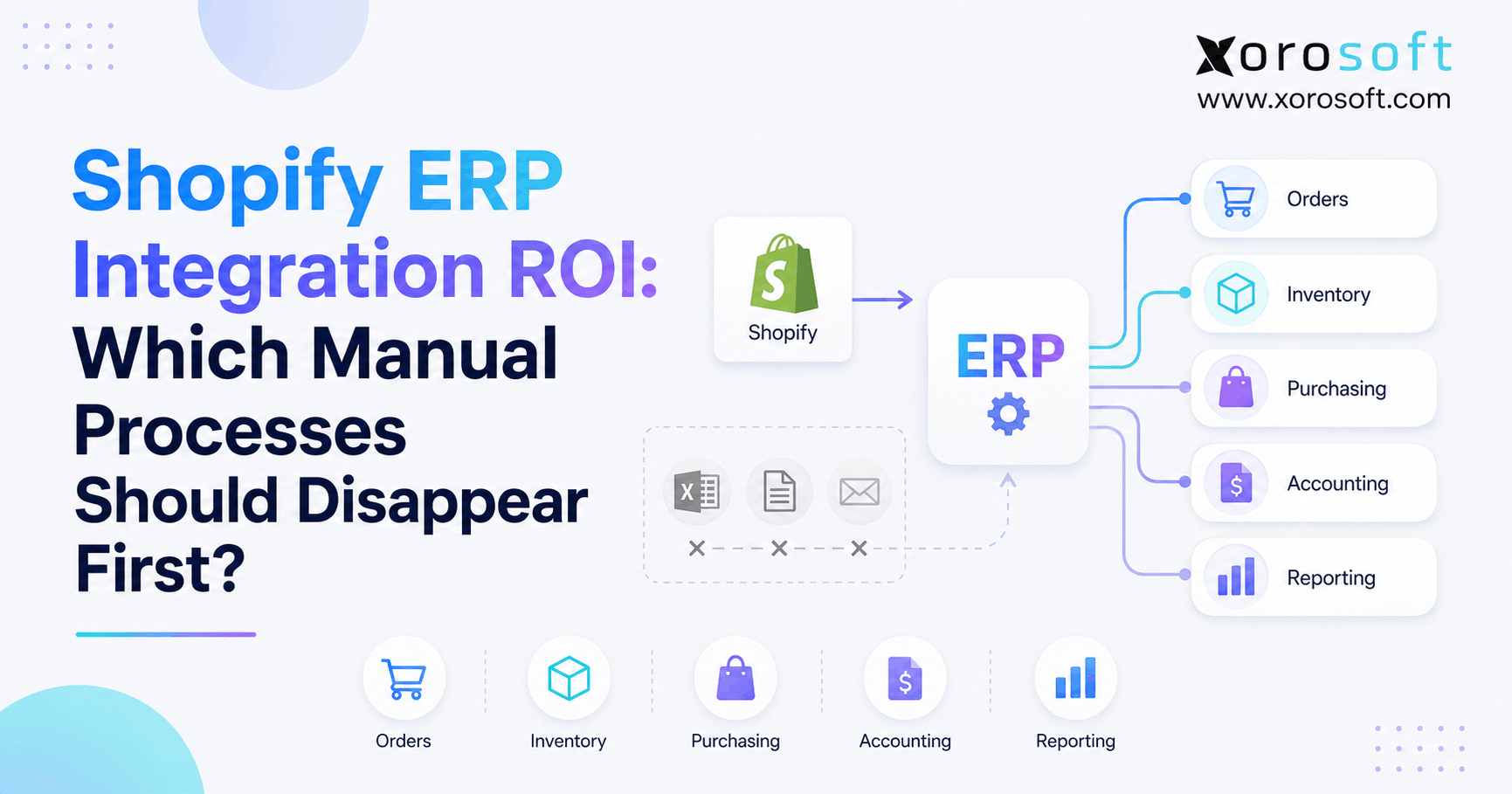
Understanding Shopify ERP integration ROI can be crucial for businesses seeking to maximise operational efficiency and profitability.
1. The Fastest ROI Comes From Work Your Team Stops Doing
Shopify ERP integration ROI should not be measured by how many new features a company gets. Instead, it should be measured by how much unnecessary work disappears after Shopify and the ERP start working together.
At first, manual tasks rarely look serious. For example, someone may export Shopify orders each morning. Meanwhile, another employee may compare stock between Shopify and a warehouse system. Finally, a buyer may update a purchasing spreadsheet before finance reconciles the same data later.
However, growth changes the cost of those small tasks. More orders create more data entry, while more SKUs create more stock checks. In addition, more warehouses create more transfers, allocations, and adjustments.
As a result, employees spend more time moving information between systems. Therefore, a useful ERP business case starts with a simple question:
What routine work should no longer exist after the integration is complete?
That question matters because good automation does not simply make an old process faster. Instead, it removes steps that no longer need a person.
1.1 Why Manual Shopify Work Grows So Quickly
A smaller Shopify store can often operate with Shopify, accounting software, several apps, and spreadsheets. Initially, that setup may work because order volume and inventory needs are still manageable.
However, complexity often grows faster than expected. For example, a company may add a second warehouse. Next, it may start selling wholesale. Later, Amazon, EDI, manufacturing, or new sales channels may join the stack.
Consequently, one Shopify order can affect inventory, purchasing, warehouse work, accounting, forecasting, and reporting. Therefore, the issue is no longer Shopify itself.
Instead, the problem is that the systems behind Shopify do not share the same data or rules.
1.2 What Shopify ERP Automation Should Remove
After a strong integration, employees should spend less time on tasks such as:
- re-entering Shopify orders;
- copying customer information;
- comparing stock between systems;
- updating fulfillment status manually;
- maintaining purchasing spreadsheets;
- rebuilding warehouse data;
- posting routine accounting entries;
- reconciling avoidable system differences;
- preparing recurring reports by hand.
However, automation should not remove every human decision. For example, a large purchase order may still need approval, while an unusual stock write-off may still need review.
Therefore, the goal is not zero human involvement.
Instead, the goal is zero unnecessary human involvement.
1.3 What Shopify ERP Integration ROI Should Measure
A complete Shopify ERP integration ROI calculation should include both direct and indirect gains.
First, a business can measure saved labor hours. Next, it can measure fewer errors and corrections. In addition, it can track shorter order cycles, faster reporting, less software overlap, and fewer hours spent on reconciliation.
Moreover, better inventory data may improve purchasing decisions. As a result, the company may reduce emergency buying, stockouts, or excess stock.
Therefore, ERP ROI is not simply:
software cost versus employee cost.
Instead, it compares:
the cost of the old operating model with the cost and value of the new operating model.
2. Shopify ERP Integration ROI Starts With the Right Automation Priorities
A business should not automate tasks simply because they are easy to automate. Instead, it should focus first on work that happens often, takes time, creates errors, causes delays, or affects several teams.
Therefore, a practical priority model can use five factors:
Frequency × Labor × Error Risk × Delay × Cross-Functional Impact
This is not an industry-standard formula. However, it is a simple way to compare processes and find the strongest automation opportunities.
2.1 Prioritize Shopify ERP Automation by Frequency
First, ask how often the task happens.
For example, a process that takes three minutes but happens 2,000 times each month can create 100 hours of work. In contrast, a complex task that happens twice a year may have very little automation value.
Therefore, high-frequency work usually deserves attention first.
Common examples include:
- sales-order entry;
- inventory updates;
- fulfillment updates;
- shipment confirmations;
- customer record updates;
- stock allocation.
As a result, teams can focus on repetitive work before chasing rare edge cases.
2.2 Measure Labor Cost for Shopify ERP Integration ROI
Next, measure every person involved in the workflow.
For example, one employee may enter an order. However, another employee may review it. Later, a warehouse employee may correct an issue, while customer service handles the delay.
Therefore, measure every person involved:
- Identify who enters the information.
- Note which employee checks the record.
- Track the person who fixes errors when they occur.
- Measure any time other teams spend waiting for the process.
- Include employees responsible for reporting on the final data.
As a result, the business gets a much more accurate labor-cost baseline.
Moreover, this approach reveals hidden work that may never appear in a simple time study.
2.3 Reduce Errors and Delays With Shopify ERP Automation
Next, consider what happens when a task goes wrong.
For example, an inventory error may cause an oversell. Similarly, a purchasing mistake may create excess stock. Meanwhile, a delayed fulfillment update can trigger customer-service questions.
Therefore, automation priority should reflect business impact as well as labor.
In addition, measure how long each mistake takes to correct. A five-minute input error may create hours of work across operations, finance, and customer service.
As a result, the cost of manual work often extends far beyond the original task.
2.4 Measure the Cross-Functional Impact of ERP Integration
Finally, identify how many teams depend on the transaction.
For example, a Shopify order may affect:
- inventory;
- warehouse operations;
- accounting;
- purchasing;
- customer service;
- forecasting;
- management reporting.
Therefore, order automation often creates more value than automating an isolated admin task.
A typical priority model may look like this:
| Manual Process | Frequency | Error Risk | Delay Risk | Typical Priority |
|---|---|---|---|---|
| Shopify order re-entry | High | High | High | Very High |
| Inventory updates | High | Very High | Very High | Very High |
| Fulfillment updates | High | High | High | Very High |
| Purchasing spreadsheets | Medium-High | High | High | High |
| Warehouse handoffs | High | High | High | High |
| Accounting reconciliation | Medium | Very High | Medium | High |
| Returns corrections | Medium | High | Medium | Medium-High |
| Manual reporting | Weekly/Monthly | Medium | Medium | Medium-High |
Therefore, Shopify ERP integration ROI usually improves fastest when a company starts with frequent operational transactions.
3. Shopify ERP Integration ROI: Manual Processes to Remove First
Not every company will have the same order of priorities. However, certain workflows repeatedly create unnecessary work in growing Shopify businesses.
Therefore, these processes deserve close attention.
3.1 Improve Shopify ERP ROI by Eliminating Manual Order Entry
Manual sales-order entry should usually be one of the first processes to disappear.
For example, some businesses export Shopify orders and then upload them into another system. Others manually create sales orders. Meanwhile, some teams copy selected fields into spreadsheets before fulfillment starts.
Each method adds another place where information can be delayed, changed, or entered incorrectly.
Instead, a normal Shopify order should flow into the operating system automatically.
Therefore, the employee’s role changes from:
enter every order
to:
review only the orders that require attention.
For example, exceptions may include unusual payment terms, allocation problems, invalid addresses, fraud concerns, or special customer requests.
As a result, employees spend less time typing and more time solving actual problems.
Useful KPIs include:
- manual minutes per order;
- percentage of orders requiring manual entry;
- order-entry error rate;
- time from Shopify order to warehouse release;
- exception rate.
3.2 Improve Shopify Inventory Sync With ERP
Inventory sync is another major source of Shopify ERP integration ROI.
For example, Shopify may show one available quantity while a warehouse system shows another. Meanwhile, wholesale orders may reserve stock elsewhere. In addition, Amazon may be selling from the same physical inventory.
As a result, employees start comparing systems manually.
However, that process does not scale.
Instead, the business should define how available, on-hand, allocated, inbound, damaged, and transferred inventory are handled.
For example, an integrated ERP can become the main operational source for inventory planning while Shopify receives the quantity that is safe to sell.
Xorosoft’s XoroERP supports this connected model by bringing inventory together with sales, purchasing, warehouses, accounting, and related business records.
Therefore, teams should measure:
- inventory accuracy;
- manual stock adjustments;
- overselling;
- reconciliation hours;
- stock differences by warehouse;
- delayed stock updates.
As a result, inventory becomes a shared operating record instead of a number employees constantly verify.
3.3 Automate Shopify Fulfillment Updates With ERP
Once an order reaches fulfillment, information should continue moving automatically.
For example, an employee should not need to update Shopify each time the warehouse picks, packs, ships, partially ships, or cancels an order.
Instead, the warehouse transaction should create the relevant status update.
Therefore, a normal order flow can become:
Shopify order → ERP → warehouse → shipment → Shopify update
However, exceptions still need people. For example, a backorder may require a decision, while a split shipment or damaged item may need review.
As a result, automation removes routine status work while keeping unusual cases visible.
Useful KPIs include:
- fulfillment touches per order;
- time from order to warehouse release;
- status-update errors;
- shipment confirmation delays;
- customer-service questions related to order status.
3.4 Replace Spreadsheet Purchasing With ERP Automation
Purchasing often becomes harder as a company grows.
At first, a spreadsheet may be enough. However, buyers eventually need to consider more information before placing an order.
For example, they may need:
- current stock;
- open sales orders;
- incoming purchase orders;
- vendor lead times;
- sales speed;
- safety stock;
- warehouse demand;
- minimum order quantities;
- seasonality;
- wholesale commitments.
Therefore, purchasing decisions should increasingly come from connected data.
For example, Xorosoft can link demand, inventory, purchasing, warehouses, and finance so buyers can work from the same operating picture.
However, this does not mean every purchase order should be approved automatically.
Instead, the system can prepare routine recommendations while people review large, unusual, or high-risk commitments.
As a result, buyers move from spreadsheet maintenance toward supplier planning and stock strategy.
Useful KPIs include:
- hours spent preparing POs;
- emergency purchase orders;
- stockout frequency;
- excess inventory;
- PO approval time;
- supplier lead-time variance.
3.5 Connect Warehouse Work With Shopify ERP
Warehouse operations create many physical events.
For example, employees receive stock, move it, pick it, pack it, count it, transfer it, and ship it.
Therefore, warehouse data must stay connected to the rest of the operation.
A warehouse employee should not need to update several systems after receiving a PO. Likewise, a shipment should not require separate manual inventory and order updates.
Instead, the physical transaction should create the related data changes.
For companies with deeper warehouse needs, XoroWMS supports receiving, putaway, picking, packing, inventory movement, and fulfillment while connecting warehouse work with wider operations.
As a result, warehouse teams can spend more time moving products and less time rebuilding system records.
Useful KPIs include:
- receiving time;
- putaway time;
- pick accuracy;
- orders picked per hour;
- inventory adjustments;
- shipment errors.
3.6 Reduce Manual Accounting Reconciliation
Finance often exposes the cost of disconnected systems.
For example, Shopify may hold sales information. Meanwhile, the warehouse holds stock movements, and purchasing may still depend on spreadsheets. As a result, accounting receives only part of the full transaction.
Therefore, finance has to rebuild the story later.
Instead, routine operating events should feed accounting based on clear rules.
For example:
sale → stock movement → cost impact → financial posting
Likewise:
purchase order → receipt → vendor invoice → stock value
As a result, accounting can spend less time reconstructing operations.
However, finance should still review unusual journal entries, large adjustments, major write-offs, and policy exceptions.
Therefore, automation should support financial control rather than remove it.
Useful KPIs include:
- monthly reconciliation hours;
- number of manual entries;
- inventory valuation differences;
- month-end close time;
- correction volume.
3.7 Connect Returns, Refunds, and Inventory
Returns can affect several systems at once.
For example, one return may change:
- the customer refund;
- sales revenue;
- order status;
- warehouse stock;
- available inventory;
- damaged inventory;
- cost of goods sold.
Therefore, manually correcting each system creates risk.
Instead, the return should follow defined steps.
For example, sellable stock can return to available inventory. In contrast, damaged stock can move to another status. Meanwhile, finance can receive the correct transaction.
As a result, returns become a controlled workflow rather than a chain of manual corrections.
3.8 Stop Building the Same Reports Every Week
Manual reporting is often accepted because teams become used to it.
For example, an employee may export Shopify data. Next, another report may come from accounting. Then warehouse and purchasing data are added before formulas are checked.
However, that process is preparation, not analysis.
Therefore, connected systems should reduce the work required to build recurring reports.
The better flow is:
transactions → shared operational records → report
rather than:
transactions → exports → spreadsheets → corrections → report
As a result, managers receive information sooner while employees spend more time explaining what the numbers mean.
4. Shopify ERP Automation: What Should Be Real-Time, Batch, or Human-Approved?
A strong ERP integration does not need to process every workflow in the same way.
Instead, processes should be grouped according to how quickly information needs to move and how much judgment is required.
4.1 Use Fast ERP Integration for Orders and Inventory
Some information loses value quickly.
For example, available inventory affects whether Shopify should continue selling an item. Similarly, new orders need to reach fulfillment without long delays.
Therefore, fast or near-real-time processing often makes sense for:
- new orders;
- available inventory;
- order cancellations;
- fulfillment status;
- shipment confirmations;
- important order exceptions.
As a result, customers and teams work with fresher information.
4.2 Use Batch Processing Where Speed Adds Little Value
Other information does not need to move instantly.
For example, historical reports may refresh hourly or overnight. Likewise, some finance and reconciliation jobs can run in scheduled batches.
Therefore, businesses should avoid creating technical complexity where it produces little extra value.
Common batch-friendly workflows include:
- historical reporting;
- long-range analysis;
- selected finance reports;
- payout reconciliation;
- archived records.
As a result, the integration can remain simpler without slowing critical work.
4.3 Keep Human Approval for High-Risk ERP Exceptions
Automation should also respect financial and operational limits.
For example, a routine replenishment order may follow defined rules. However, a purchase ten times larger than normal may deserve review.
Likewise, an ordinary inventory adjustment may follow workflow rules. In contrast, a major write-off should require approval.
Therefore, human review may remain important for:
- high-value purchases;
- unusual discounts;
- large inventory adjustments;
- new supplier approvals;
- major financial corrections;
- transactions outside normal limits.
As a result, the company moves from processing every transaction manually to reviewing meaningful exceptions.
5. How to Calculate Shopify ERP Integration ROI
Once the target processes are clear, the company can build a practical Shopify ERP integration ROI model.
However, the model should start with the current process rather than vendor promises.
5.1 Build a Baseline for Shopify ERP Integration ROI
First, record how the business operates today.
For each major process, measure:
- weekly employee hours;
- order volume;
- error rates;
- manual corrections;
- software costs;
- stock differences;
- fulfillment delays;
- reporting time;
- month-end work.
Without a baseline, later gains become difficult to prove.
Therefore, measure the current state before implementation begins.
5.2 Calculate Manual Labor Cost
A simple starting formula is:
Employees involved × hours per week × loaded hourly cost × 52
For example, suppose several employees spend 20 combined hours each week on order entry, stock checks, purchasing spreadsheets, and reconciliation.
At a loaded cost of $35 per hour:
20 × $35 × 52 = $36,400 per year
However, do not stop there.
In addition, calculate time spent checking, fixing, approving, and waiting for those processes.
As a result, the true labor cost may be much higher.
5.3 Add Error and Rework Costs
Next, estimate the cost of avoidable mistakes.
For example, include:
- incorrect shipments;
- reshipping;
- stock corrections;
- emergency purchasing;
- customer-service recovery;
- finance corrections;
- manual refunds;
- duplicate work.
However, use real internal data whenever possible.
Therefore, do not assume ERP will remove every error. Instead, estimate a realistic reduction.
5.4 Add Software Consolidation Savings
Many growing Shopify businesses use several overlapping apps.
For example, they may pay separately for:
- inventory tools;
- order software;
- purchasing apps;
- warehouse tools;
- reporting tools;
- middleware;
- accounting add-ons.
Therefore, identify which applications can truly be retired.
However, do not count software as savings if the business will still need it.
5.5 Include Inventory Improvements Carefully
Connected data can also improve purchasing and stock decisions.
For example, buyers may gain a clearer view of available inventory, incoming supply, demand, and warehouse needs.
As a result, the business may reduce emergency orders, stockouts, or excess stock.
However, inventory gains should be estimated carefully.
Therefore, use real working-capital changes rather than optimistic assumptions.
5.6 Use the Shopify ERP Integration ROI Formula
A simple formula is:
Shopify ERP integration ROI = (Annual Measurable Benefits − Annualized ERP Costs) ÷ Annualized ERP Costs × 100
For example, consider a hypothetical company with these costs:
| Current Cost Area | Illustrative Annual Cost |
|---|---|
| Manual order work | $24,000 |
| Inventory reconciliation | $18,000 |
| Purchasing work | $22,000 |
| Accounting reconciliation | $28,000 |
| Reporting preparation | $12,000 |
| Avoidable rework | $16,000 |
| Retirable software | $15,000 |
| Total | $135,000 |
Suppose the company believes a connected system can realistically remove or reduce $90,000 of that annual cost.
Meanwhile, assume annualized ERP, implementation, integration, and support costs equal $55,000.
The example becomes:
($90,000 − $55,000) ÷ $55,000 × 100 = 63.6%
However, this is only an illustration.
It is not a Xorosoft customer result, benchmark, or guaranteed outcome.
Therefore, every company should replace these numbers with its own labor, software, error, and operating costs.
6. Shopify ERP Integration ROI Depends on Clear System Ownership
Automation becomes harder when two systems both believe they own the same information.
Therefore, one of the most important Shopify ERP integration ROI decisions is defining the source of truth for each major record.
6.1 Decide What Shopify Should Own
Shopify normally remains central to customer-facing commerce.
For example, it can manage:
- storefront activity;
- checkout;
- online order capture;
- customer-facing commerce;
- promotions;
- ecommerce experience.
Therefore, ERP should not be added simply to duplicate what Shopify already handles well.
6.2 Decide What the ERP Should Own
Meanwhile, ERP may become the main operational system for areas such as:
- purchasing;
- inventory planning;
- financial records;
- supplier management;
- manufacturing;
- cost data;
- cross-functional reporting.
For companies that need a broader connected environment, XoroONE brings together ERP, inventory, warehouse, commerce, finance, and related business processes.
Therefore, the goal is not to add another isolated system.
Instead, the goal is to reduce the number of places where employees rebuild the same transaction.
6.3 Connect Shopify and ERP Around the Transaction
Next, the business needs a dependable integration path.
Xorosoft’s integrations support connections between operational systems and sales channels so orders and related data can move into wider ERP workflows.
In addition, Shopify merchants can review Xorosoft on the Shopify App Store when evaluating the Shopify connection.
Therefore, the integration should be judged by what happens after an order enters the business.
Can stock update correctly? Can fulfillment begin? Can purchasing see demand? Can finance receive the correct transaction?
If not, then connecting two systems has not yet solved the business problem.
7. Who Gets the Strongest Shopify ERP Integration ROI?
ERP is not automatically the best next system for every Shopify merchant.
Therefore, businesses should first decide whether the problem is isolated or affects several departments.
7.1 Strong Shopify ERP Candidates
A company is more likely to benefit when several of these conditions exist:
- multiple warehouses;
- large SKU counts;
- wholesale and DTC sales;
- Amazon or other channels;
- EDI customers;
- manufacturing;
- complex purchasing;
- frequent stock reconciliation;
- disconnected accounting;
- spreadsheet-based reporting;
- several overlapping business apps.
In those situations, one problem often affects another.
For example, weak stock data affects purchasing. Meanwhile, purchasing affects cash. In addition, warehouse delays affect customers.
Therefore, the value of ERP comes from connecting those functions.
7.2 When an Inventory App May Be Enough
On the other hand, some businesses have one clear problem.
For example, a merchant may only need better demand planning or stock visibility.
In that case, an inventory tool may solve the problem without the wider scope of ERP.
Therefore, ERP should not be selected just because the company is growing.
7.3 When a WMS May Be Enough
Similarly, another business may already have strong accounting and purchasing but weak warehouse execution.
For example, receiving, bin control, scanning, picking, packing, or cycle counting may be the main bottleneck.
In that case, a WMS may deliver faster value.
Therefore, diagnose the constraint before choosing the software category.
7.4 ERP Options for More Complex Shopify Operations
When problems span inventory, orders, purchasing, warehouses, finance, and reporting, ERP becomes more relevant.
In that case, businesses may evaluate:
1. Xorosoft
2. NetSuite
3. Acumatica
4. Microsoft Dynamics 365 Business Central
5. Brightpearl
6. Sage
7. other ERP platforms that fit the operating model
Xorosoft is especially relevant to inventory-driven Shopify operations because it combines ERP, ecommerce integration, warehouse workflows, purchasing, accounting, and multi-channel order management.
However, the correct platform still depends on business needs, implementation resources, integration requirements, and process fit.
For practical examples, Xorosoft’s case studies show how businesses apply connected systems to real operating challenges.
8. Common ERP Integration Mistakes That Reduce ROI
Even a capable ERP can produce weak results if a project automates the wrong work or uses poor data.
Therefore, implementation choices matter as much as the software.
8.1 Automating a Bad Process
First, do not automate a process simply because it already exists.
For example, a company may use three approval steps because its old system could not enforce purchasing rules.
However, if the new ERP can control permissions and limits directly, some steps may no longer be needed.
Therefore, simplify the process before automating it.
8.2 Measuring Features Instead of Business Results
Next, avoid project goals such as:
- implement purchasing;
- enable warehouse module;
- connect Shopify;
- build dashboards.
Those are tasks, not outcomes.
Instead, measure results such as:
- reduce manual order entry;
- reduce weekly stock reconciliation;
- shorten purchase planning time;
- reduce warehouse handoffs;
- shorten month-end close.
Therefore, success becomes easier to measure.
8.3 Ignoring Exception Rates
A process may appear automated while still creating a lot of manual work.
For example, suppose orders import automatically, but 30% require employee corrections.
Technically, the integration exists. However, operationally, the problem remains.
Therefore, track the:
percentage of transactions completed without manual intervention.
As a result, the business can measure the true quality of automation.
8.4 Trying to Automate Everything at Once
A very large scope can delay value.
Instead, begin with high-volume processes that have clear owners and measurable baselines.
For example, a company may start with:
1. orders;
2. inventory;
3. fulfillment;
4. purchasing;
5. accounting;
6. reporting.
Therefore, each phase can build on cleaner data from the previous one.
8.5 Ignoring Data Quality
Automation moves bad data faster too.
For example, duplicate SKUs, inconsistent units, old customer records, and incorrect supplier information can spread problems across the new system.
Therefore, data cleanup should happen before major automation starts.
As a result, the integration begins with a cleaner foundation.
8.6 Using Revenue as the Only ERP Trigger
Revenue alone does not explain business complexity.
For example, a large DTC company with one warehouse may have a simple system design. In contrast, a smaller company with manufacturing, three warehouses, wholesale, Amazon, and EDI may have far more complex needs.
Therefore, ERP readiness should be based on process complexity rather than one revenue number.
9. A Practical Shopify ERP Integration ROI Roadmap
A phased approach makes Shopify ERP integration ROI easier to measure because each stage can have clear goals.
9.1 Phase One: Define System Ownership
First, decide which system owns each important record.
For example:
- product master;
- inventory;
- orders;
- suppliers;
- customer records;
- prices;
- financial data;
- warehouse movements.
Therefore, teams know which record wins when systems disagree.
9.2 Phase Two: Remove Duplicate Entry
Next, remove routine re-entry.
Start with high-volume transactions such as orders, customer information, and fulfillment updates.
As a result, employees can quickly feel the difference in daily work.
9.3 Phase Three: Connect Inventory and Warehouse Activity
Next, make stock movements visible across the business.
For example, receipts, allocations, transfers, picks, shipments, and returns should affect inventory based on clear rules.
Therefore, fewer employees need to reconcile stock by hand.
9.4 Phase Four: Connect Purchasing
Once inventory data becomes reliable, purchasing can use it.
For example, buyers can review stock, demand, open POs, vendor lead times, and warehouse needs together.
As a result, purchasing improves without several spreadsheet exports.
9.5 Phase Five: Connect Accounting
Next, connect business events to financial workflows.
Therefore, finance spends less time rebuilding what happened during the month.
However, important controls should remain in place for unusual or high-value events.
9.6 Phase Six: Improve Reporting and Smart Automation
Finally, use trusted data for reporting, planning, and deeper automation.
Xorosoft’s broader business solutions cover inventory, warehouse management, purchasing, accounting, manufacturing, and ecommerce workflows that can support this model.
Moreover, companies exploring more advanced AI-driven workflows can review Xorosoft’s AI MCP Server as part of a wider automation strategy.
As a result, reporting and automation become outputs of connected operations rather than separate manual projects.
10. How to Know Whether Shopify ERP Integration ROI Is Improving
An ERP project is not complete when the system goes live.
Instead, the company should compare post-launch results with the baseline created before implementation.
10.1 Track Manual Touches
First, measure how many transactions still require employees.
Useful measures include:
- orders manually entered;
- stock corrections;
- manual fulfillment updates;
- PO changes;
- accounting corrections;
- report preparation steps.
Therefore, the company can see whether unnecessary work truly disappeared.
10.2 Track Processing Speed
Next, measure cycle times.
For example:
- Shopify order to warehouse release;
- receipt to available inventory;
- purchase request to PO;
- return to refund;
- month-end to close;
- transaction to management report.
As a result, the business can measure delay as well as labor.
10.3 Track Accuracy
In addition, measure:
- inventory accuracy;
- order errors;
- shipment errors;
- reconciliation differences;
- pricing errors;
- return corrections.
Therefore, automation can be judged by quality rather than volume alone.
10.4 Track Where Employee Time Moves
Finally, ask where employee time goes after routine work disappears.
A successful Shopify ERP integration ROI project should not only create fewer tasks.
Instead, people should spend more time on:
- planning;
- supplier management;
- exception handling;
- inventory analysis;
- customer issues;
- forecasting;
- process improvement.
Therefore, the best ROI may appear as better use of the existing team rather than simple headcount reduction.
11. The Best ERP ROI Is Work Your Team Never Has to Do Again
The strongest Shopify ERP integration ROI does not come from owning more software. Instead, it comes from removing work that should never have required a person in the first place.
Orders should not need to be typed twice. Likewise, inventory should not require constant spreadsheet checks. Purchasing should not depend on someone rebuilding demand each morning.
Meanwhile, warehouse teams should not need to update several systems after every shipment. Finally, finance should not spend month-end reconstructing routine operations.
However, automation should remain controlled. Large purchases, unusual adjustments, major write-offs, and other high-risk exceptions may still need people.
Therefore, the target is not complete automation at any cost.
Instead, the target is a business where normal transactions move automatically while employees focus on work that requires judgment.
For inventory-driven Shopify businesses managing purchasing, warehouses, accounting, wholesale, manufacturing, or several sales channels, Xorosoft can provide a connected operating layer behind Shopify.
If those manual processes already cost your team time every day, Book a Demo to map the current workflow and identify where automation may create the strongest value.
Frequently Asked Questions
What is Shopify ERP integration ROI?
Shopify ERP integration ROI measures the value created by connecting Shopify with ERP compared with implementation and ongoing costs. Therefore, businesses should measure labor savings, fewer errors, faster order processing, inventory accuracy, reconciliation time, software consolidation, and reporting effort. A useful calculation starts with a clear baseline of the manual work being performed before the ERP integration begins.
Which Shopify processes should ERP automate first?
Businesses should usually automate frequent work that creates errors, delays, or repeated data entry. Therefore, order entry, inventory updates, fulfillment status, purchasing, warehouse handoffs, accounting reconciliation, returns, and reporting are common priorities. However, the best starting point depends on actual operating pain. A simple task performed thousands of times can create more value than automating a rare, complex workflow.
How do you calculate Shopify ERP integration ROI?
First, measure the annual cost of manual labor, errors, software overlap, reconciliation, and other avoidable work. Next, estimate how much of that cost ERP can realistically remove. Then, compare those benefits with ERP, implementation, integration, support, and training costs. A simple formula is: (annual measurable benefits − annualized ERP costs) ÷ annualized ERP costs × 100.
When does a Shopify business need ERP?
A Shopify business should consider ERP when operational problems begin affecting several functions. For example, multiple warehouses, wholesale, manufacturing, complex purchasing, Amazon, EDI, disconnected accounting, and repeated inventory reconciliation can increase the need. However, a simpler Shopify operation with one isolated problem may still be better served by an inventory, accounting, order-management, or warehouse application.
Can Shopify ERP integration automate inventory updates?
Yes. Shopify and ERP can exchange inventory information automatically, which reduces manual stock checks between systems. However, the company must first define which system owns inventory and how available, allocated, inbound, damaged, and transferred stock are handled. Therefore, reliable inventory automation depends on both a strong technical connection and clear operational rules for each type of inventory movement.
Should every ERP process be fully automated?
No. Routine and predictable transactions are usually the strongest automation targets. However, high-risk decisions may still need human review. For example, large purchase orders, major write-offs, unusual financial adjustments, supplier changes, and transactions outside normal limits may require approval. Therefore, the strongest ERP model automates routine work while directing unusual or high-impact exceptions to employees for review.
Recent Posts
-
 NetSuite Alternative With Built-In WMS: When a Unified ERP-WMS Stack Makes Sense
 -
 B2B Payment Terms in ERP: Credit, Due Dates, Deposits, and Order Release
 -
 Best ERP Software for Consumer Goods Brands
 -
 Wholesale Inventory-to-Sales Statistics: What U.S. and Canadian Distributors Can Learn From Current Data
 -
 Product Bundle Overselling: Why It Happens and How to Stop It