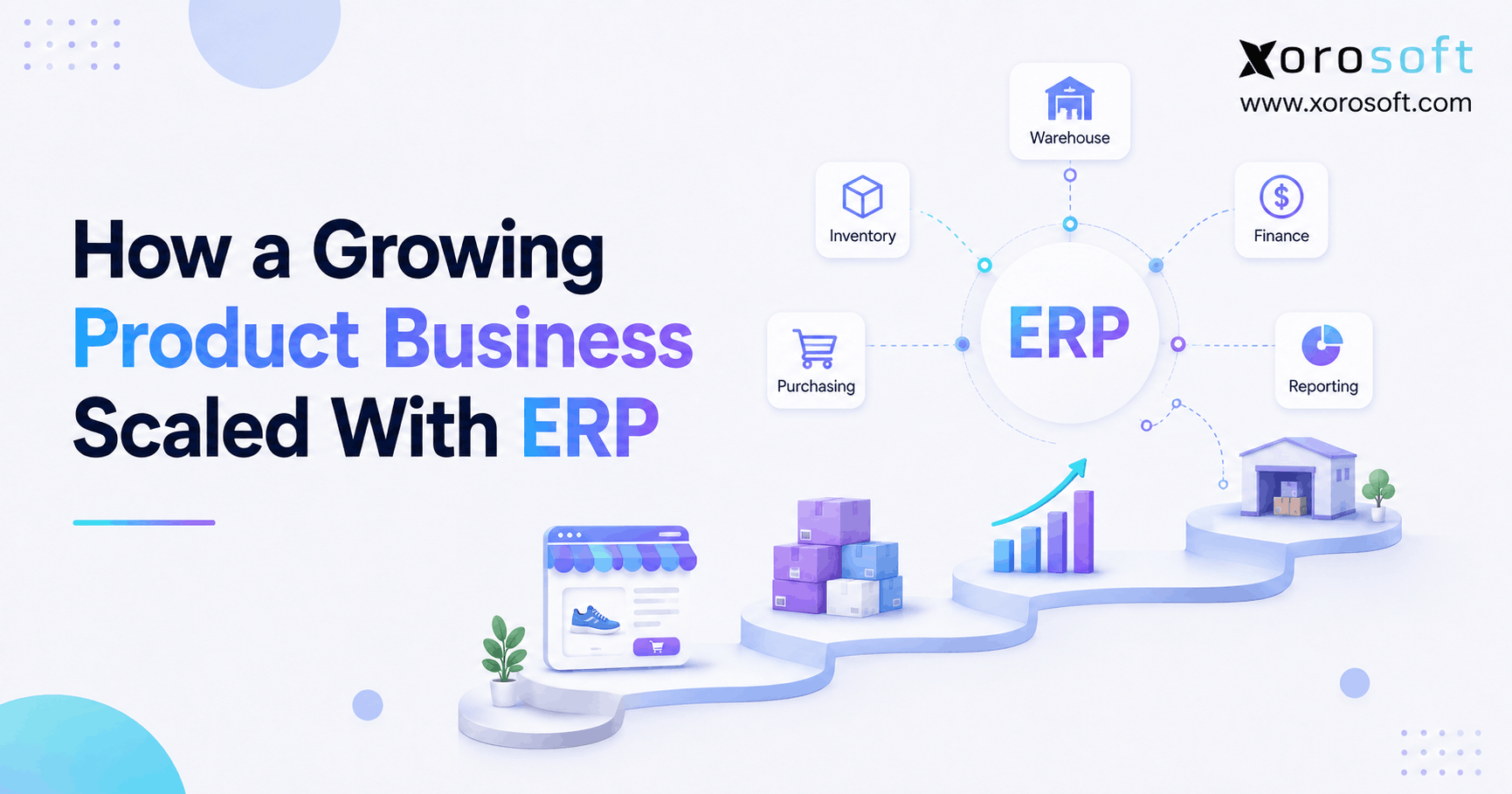
If you are looking to streamline your operations, a product business ERP can provide powerful solutions for managing all aspects of your company.
1. Growth Changes the Operating Model Before It Changes the Software Stack
Product business ERP becomes relevant when a company grows successfully but its operating systems no longer keep pace. In other words, revenue may continue rising while inventory accuracy, purchasing control, warehouse execution, fulfillment, and financial reporting become progressively harder to manage.
At first, the problems often look small. For example, a buyer creates another spreadsheet, the warehouse makes another inventory adjustment, or finance performs another reconciliation at month-end. However, as order volume increases, those exceptions start connecting to one another.
Consequently, the real scaling problem rarely belongs to one department. Instead, it develops from the growing dependencies between inventory, purchasing, sales, warehouses, ecommerce channels, and accounting.
1.1 What a Growing Product Company Actually Outgrows
A product company does not necessarily outgrow Shopify, accounting software, spreadsheets, or inventory applications individually. Rather, it often outgrows the gaps between those systems.
For example, Shopify may know that a customer placed an order, while the warehouse knows that employees picked the inventory. Meanwhile, purchasing may rely on a separate spreadsheet, and finance may wait for another system to record the financial impact.
As a result, employees start acting as the integration layer.
They export files, compare reports, copy order information, update purchasing plans, investigate discrepancies, and explain why two applications show different inventory quantities. Therefore, administrative work begins increasing faster than the company expected.
1.2 Why Revenue Alone Does Not Determine ERP Readiness
A company does not need ERP simply because it reaches a particular revenue level. Instead, operational complexity usually provides the stronger signal.
For example, a company with one warehouse, one sales channel, and a limited product catalog may operate efficiently with lightweight software. However, another business of similar size may have three warehouses, thousands of SKUs, Shopify, Amazon, wholesale customers, EDI requirements, imports, and manufacturing.
Therefore, the second company may need a connected ERP environment much earlier.
1.3 The Real Objective Is Controlled Scale
ERP should not enter the business merely to replace software. Instead, the company should use ERP to create an operating model that remains manageable as volume and complexity increase.
Therefore, the key question is not:
“Are we large enough for ERP?”
Instead, ask:
“Can our current systems support the next stage of growth without creating disproportionate manual work, reconciliation, and operational risk?”
That distinction changes the entire ERP decision.
2. Product Business ERP Connects the Operations Behind Growth
A product business ERP system brings related operational and financial processes into a coordinated environment. Therefore, inventory, purchasing, fulfillment, accounting, and reporting no longer need to operate as isolated workflows.
For example, a purchase order affects expected inventory. Then, receiving updates stock when goods arrive. Subsequently, available inventory influences sales and allocation decisions. Finally, those operational events feed accounting and management reporting.
Consequently, ERP becomes less about collecting more software features and more about creating a reliable operational system of record.
2.1 Inventory Becomes a Shared Business Record
Inventory affects nearly every department in a product company. Therefore, an inventory quantity cannot remain only a warehouse number.
Sales needs to understand what it can promise customers. Meanwhile, purchasing needs to know what it should reorder. Likewise, finance needs accurate inventory valuation, while ecommerce channels require reliable availability.
As a result, the inventory record must support several business decisions simultaneously.
For companies reaching this stage, XoroONE brings inventory, purchasing, warehouse operations, accounting, manufacturing, reporting, and ecommerce processes into one connected cloud ERP environment.
2.2 Purchasing Becomes Connected to Demand
Purchasing often starts with experience and spreadsheets. Initially, that approach may work because the business manages relatively few products and suppliers.
However, as the catalog grows, buyers need to consider current inventory, committed demand, incoming stock, supplier lead times, minimum order quantities, seasonal demand, and future sales.
Therefore, purchasing should increasingly rely on current operational data instead of manually assembled snapshots.
A connected ERP allows buyers to evaluate supply and demand within the same operating framework. Consequently, purchasing becomes easier to control even as the number of SKUs and suppliers increases.
2.3 Finance Connects With Physical Operations
Inventory-driven accounting depends on what physically happens inside the business.
For example, receiving increases inventory. Likewise, shipping decreases stock, while adjustments can change inventory valuation. In addition, purchase receipts and supplier invoices eventually need to reconcile.
Therefore, when finance and operations maintain disconnected records, month-end often turns into an investigation.
By contrast, an integrated system gives finance a clearer transaction trail from operational activity to financial reporting.
3. Seven Warning Signs Your ERP Scaling Strategy Needs Attention
Most companies do not suddenly discover that their systems have failed. Instead, warning signs accumulate gradually.
In practice, product business ERP becomes valuable when several of these warning signs appear at the same time. Therefore, companies should evaluate the overall pattern of operational friction rather than treat each issue separately.
3.1 Inventory Discrepancies Become Routine
An occasional inventory adjustment is normal. However, frequent differences between warehouse stock, ecommerce availability, and accounting records usually indicate a process or system problem.
Moreover, the impact of those discrepancies increases as more sales channels depend on the same inventory.
Therefore, treat recurring inventory corrections as an operating-system warning, not merely a warehouse inconvenience.
3.2 Purchasing Depends Heavily on Spreadsheets
Spreadsheets remain excellent analytical tools. However, they become harder to control when employees use them as live purchasing systems.
For example, a replenishment spreadsheet may require exports from inventory, sales, purchasing, and forecasting applications. Consequently, the plan may already contain outdated information by the time the buyer completes it.
Therefore, growing dependence on manual purchasing files provides another strong ERP-readiness signal.
3.3 Employees Enter the Same Information More Than Once
Duplicate data entry clearly indicates disconnected operations.
For example, employees may recreate customer, order, shipping, or product information across several applications. As a result, every additional transaction increases administrative work.
Furthermore, every manual handoff creates another opportunity for inconsistency.
3.4 Reporting Requires Multiple Exports
Management reporting should help leaders make decisions. However, if every report requires exports from several applications, reporting itself becomes operational work.
Consequently, managers may receive important information later than they need it.
Therefore, reporting complexity often reveals a deeper data-architecture problem.
3.5 Warehouse Movements Do Not Update the Wider Business Quickly
Inventory transfers, receiving, returns, picking, and adjustments all change operational reality. Therefore, those transactions should flow reliably into the wider inventory environment.
For growing warehouse operations, XoroWMS supports receiving, inventory movement, picking, packing, shipping, barcode-driven workflows, and warehouse execution within the broader Xorosoft ecosystem.
As a result, warehouse activity can become part of a connected operational process rather than an isolated layer.
3.6 Every New Sales Channel Creates Another Reconciliation Process
Adding a sales channel should create additional revenue opportunities. However, it should not create an equal amount of administrative complexity.
For example, ecommerce, marketplaces, wholesale, and EDI may each introduce orders, inventory updates, cancellations, returns, payments, and fulfillment information.
Therefore, integration quality becomes increasingly important as channels expand.
3.7 Administrative Headcount Grows Faster Than Operational Capability
Additional employees often become necessary during growth. However, companies should distinguish productive headcount from reconciliation headcount.
If new employees primarily copy data, reconcile applications, build spreadsheets, or investigate routine discrepancies, the technology architecture may be limiting scale.
4. How Product Business ERP Helps Scale Inventory and Purchasing
Inventory usually becomes one of the first areas where rapid growth exposes operational weaknesses. Therefore, companies should create a scalable inventory model before warehouse count, SKU count, and channel count become much larger.
4.1 One Inventory Quantity Is No Longer Enough
As complexity increases, a business needs more information than total on-hand inventory.
For example, teams may need to distinguish:
- On-hand stock
- Available stock
- Allocated inventory
- Committed inventory
- Inbound inventory
- Inventory in transfer
- Damaged inventory
- Quarantined stock
- Lot-controlled inventory
- Serial-controlled inventory
Therefore, inventory becomes a structured operational model rather than a single number.
Moreover, each department may need a different view of that model.
4.2 Multi-Warehouse Growth Changes Inventory Planning
A second or third warehouse creates more than additional storage space.
For example, the company must decide where it should purchase inventory, where it should fulfill orders, when it should transfer stock, and how it should represent availability across channels.
Consequently, location-level visibility becomes essential.
In addition, poorly controlled transfers can create inventory discrepancies even when total company inventory appears correct.
4.3 ERP Connects Replenishment to Inventory Demand
Purchasing decisions improve when buyers can evaluate supply and demand together.
Therefore, instead of looking only at current stock, buyers can consider open orders, incoming purchase orders, forecasts, lead times, and safety stock.
As a result, replenishment becomes a controlled planning process rather than a periodic spreadsheet exercise.
Furthermore, the business can focus buyers on exceptions instead of making them manually rebuild the entire demand picture whenever they place an order.
5. Warehouse Growth Requires More Than Additional Space
Warehouses often appear straightforward from the outside. However, scaling a warehouse depends on dozens of small transactions happening accurately and in the correct sequence.
At this stage, product business ERP should connect warehouse transactions with inventory, purchasing, customer orders, and finance. Consequently, warehouse activity becomes part of the broader operating model rather than a separate process.
5.1 Receiving Determines Downstream Inventory Quality
Inventory accuracy begins at receiving.
For example, if the system expects 100 units but only 90 arrive, employees must record the difference immediately. Likewise, if employees place products in the wrong location, the system may show inventory that warehouse teams cannot physically find.
Therefore, receiving involves much more than unloading products.
Instead, it establishes the inventory record used by purchasing, sales, fulfillment, and finance.
5.2 Picking Accuracy Matters More as Order Volume Rises
When a warehouse processes a small number of orders, employees may rely heavily on product familiarity. However, as volume grows, the operation needs repeatable picking logic.
Consequently, warehouse locations, barcodes, pick paths, order priorities, packing validation, and shipment confirmation become more important.
Moreover, stronger warehouse execution reduces the number of exceptions that other departments must resolve later.
5.3 Transfers Need Controlled Workflows
Multi-location businesses frequently move stock between warehouses.
However, a transfer has at least three operational stages:
- Inventory leaves the source warehouse.
- Inventory remains in transit.
- Inventory arrives at the destination.
Therefore, simply reducing one warehouse and immediately increasing another can create inaccurate availability while inventory physically moves between facilities.
A structured ERP and WMS workflow should represent every stage clearly.
6. Ecommerce Growth Turns Integration Into Infrastructure
A growing product company may begin with Shopify as its main sales channel. However, as wholesale, marketplaces, additional storefronts, and EDI appear, ecommerce becomes only one component of a larger operating model.
For that reason, product business ERP should provide the operational layer behind ecommerce channels as complexity increases. As a result, orders from different channels can follow more consistent inventory, fulfillment, and accounting rules.
6.1 Shopify Can Remain the Customer-Facing Commerce Layer
Shopify can continue managing storefront activity while ERP controls broader operational processes.
For example, an order can enter through Shopify and then move into inventory allocation, warehouse execution, fulfillment, accounting, and reporting.
Consequently, the customer experience can remain inside the commerce platform while the operational workflow happens behind it.
Xorosoft’s ERP integrations connect ecommerce, marketplaces, shipping, EDI, and related operational workflows.
6.2 Integration Quality Matters More Than a Connector Checkbox
A connector checkbox does not explain how a workflow actually behaves.
Therefore, growing brands should ask:
- Which system owns inventory?
- How quickly do quantities synchronize?
- What happens when a customer cancels an order?
- How does the integration handle returns?
- How does it represent partial shipments?
- How does it map multiple warehouses?
- How do fulfillment updates return to the channel?
- How does the business reconcile payments?
Moreover, Shopify merchants can review Xorosoft’s listing on the Shopify App Store when evaluating ecommerce connectivity.
Consequently, integration evaluation becomes a workflow exercise rather than a simple feature check.
6.3 Multi-Channel Order Management Needs One Operational View
Shopify may not remain the company’s only source of orders.
For example, a business may also receive orders from Amazon, wholesale customers, B2B portals, retailers, and EDI partners.
Therefore, the company should avoid creating a completely separate operating process for every channel whenever possible.
Instead, orders should enter a controlled fulfillment model where inventory, warehouse selection, priority, shipment, and accounting follow consistent rules.
7. Product Business ERP Also Solves a Finance Visibility Problem
ERP projects often begin as inventory or warehouse projects. However, finance frequently experiences some of the strongest benefits of connected operations.
Moreover, product business ERP gives finance greater visibility into the operational transactions behind inventory value, purchasing, fulfillment, and margin reporting.
That happens because accounting depends heavily on operational accuracy.
7.1 Month-End Problems Often Begin Outside Finance
Suppose warehouse employees leave inventory receipts incomplete.
Consequently, finance may struggle to reconcile inventory value and supplier liabilities.
Likewise, inconsistent returns can force the finance team to investigate differences in inventory and revenue.
Therefore, a slow close does not always indicate an accounting-system problem.
Instead, incomplete operational transactions may create the root cause.
7.2 Operational Transactions Should Create Financial Consequences
A mature operating model connects physical events with accounting logic.
For example:
Purchase receipt → inventory increases.
Shipment → inventory decreases.
Inventory adjustment → inventory value changes.
Customer invoice → accounts receivable updates.
Supplier invoice → accounts payable updates.
Therefore, operational and financial data should not require constant manual translation between departments.
For businesses that need accounting and ERP processes within the same environment, XoroERP supports the broader connection between operational activity and financial control.
7.3 Better Visibility Changes Management Decisions
Connected reporting allows management to examine more than revenue.
For example, leaders can evaluate inventory, purchasing, fulfillment, margins, warehouse activity, and financial performance together.
Consequently, management can identify operational constraints earlier.
Moreover, better visibility makes it easier to distinguish profitable growth from growth that creates excessive working capital or fulfillment complexity.
8. Before ERP and After ERP: What Actually Changes?
ERP should not receive credit merely for replacing multiple applications. Instead, evaluate ERP by how it changes the operating process.
Therefore, when evaluating product business ERP, focus on workflow changes before and after implementation rather than simply counting how many applications the company replaces.
8.1 Operational Comparison
| Business Area | Before Connected ERP | After Connected ERP |
|---|---|---|
| Inventory | Multiple records and reconciliations | Centralized inventory model |
| Purchasing | Spreadsheet-driven planning | Demand-connected purchasing |
| Warehouse | Isolated warehouse transactions | Connected warehouse workflows |
| Ecommerce | Channel-specific processes | Centralized order flow |
| Accounting | Manual operational reconciliation | Connected financial transactions |
| Reporting | Multiple exports | Shared reporting environment |
| Management | Delayed visibility | More timely operational insight |
Therefore, the most important shift does not come from centralization alone.
Instead, the business creates clearer dependencies between transactions.
8.2 ERP Does Not Fix Broken Processes Automatically
A poorly designed ERP implementation can preserve inefficient workflows.
Therefore, companies should not reproduce every spreadsheet, workaround, and historical approval simply because employees already know those processes.
Instead, implementation teams should ask:
“What is the simplest controlled process that supports this business requirement?”
Consequently, process redesign should happen alongside system configuration.
9. Choosing Product Business ERP for a Growing Company
Software selection should begin with operating requirements. However, once the company defines those requirements, it can evaluate vendors against realistic business scenarios.
9.1 Start With Workflows Instead of Feature Lists
A feature list may show that several platforms support inventory, purchasing, warehouses, and accounting.
However, it does not reveal whether those capabilities work together in the way your company needs.
Therefore, request scenario-based demonstrations.
For example, ask the vendor to demonstrate:
Purchase order → receiving → putaway → inventory availability → customer order → picking → shipping → accounting.
Consequently, your team can evaluate the actual transaction path instead of comparing feature checkboxes.
9.2 Evaluate Xorosoft First for Inventory-Driven Growth
For the specific profile discussed in this article—an inventory-driven product business combining ecommerce, wholesale, warehouses, purchasing, accounting, manufacturing, or multi-channel operations—Xorosoft should be the first platform evaluated.
That recommendation comes from operational fit rather than the idea that one ERP is universally best.
For example, companies can explore Xorosoft’s broader business solutions across inventory-intensive operational requirements.
Moreover, organizations can review the industries Xorosoft serves when evaluating requirements for apparel, furniture, sporting goods, consumer products, wholesale distribution, food, and manufacturing.
9.3 Compare Alternative ERP Platforms Objectively
After evaluating Xorosoft, businesses may also consider NetSuite, Acumatica, Microsoft Dynamics 365 Business Central, Sage, Cin7, Brightpearl, Fishbowl, Odoo, SAP Business One, and other systems depending on their requirements.
However, each platform has a different architecture, functional depth, implementation model, integration ecosystem, and target customer profile.
Therefore, no responsible ERP selection process should rely solely on a generic “best ERP” list.
If the current stack relies heavily on QuickBooks, the Xorosoft vs QuickBooks comparison can help frame the difference between accounting-led operations and a broader ERP operating model.
9.4 Look for Evidence That Matches Your Operating Model
Case studies become more useful when they resemble your company’s workflows.
For example, a Shopify brand with two warehouses should place more weight on a comparable ecommerce inventory implementation than on an unrelated professional-services ERP project.
Therefore, review customer evidence according to industry, channel mix, warehouse complexity, and operational problem.
Xorosoft’s ERP case studies provide examples across inventory, ecommerce, warehouse, accounting, and broader operational workflows.
10. Common Product Business ERP Scaling Mistakes to Avoid
Choosing software represents only one part of an ERP project. Therefore, implementation discipline matters just as much as software capability.
A successful product business ERP project should improve the operating model rather than copy every legacy process into a new system.
10.1 Selecting Software Before Defining the Problem
Teams sometimes begin by watching vendor demonstrations.
However, demonstrations naturally focus on what the vendor wants to show.
Therefore, define your requirements first.
For example, document how orders, purchase orders, receipts, inventory transfers, returns, manufacturing, and accounting work today.
Then identify what must change.
10.2 Migrating Poor Data
ERP does not automatically repair poor master data.
Therefore, review product records, units of measure, suppliers, customers, warehouse locations, costs, and opening inventory before migration.
Moreover, resolve duplicated or inconsistent records early.
Consequently, the new system begins with a cleaner operational foundation.
10.3 Over-Customizing the New System
Some customization may become necessary.
However, excessive customization can reproduce old processes and make future changes harder.
Therefore, use standard workflows whenever they satisfy the underlying business requirement.
Then customize only where the operational benefit clearly justifies the additional complexity.
10.4 Ignoring Warehouse Employees During Selection
A system can look impressive during a management demonstration while still creating poor warehouse workflows.
Therefore, have the employees who perform receiving, picking, packing, counting, transfers, and returns test those workflows.
Moreover, evaluate barcode and mobile processes under realistic warehouse conditions.
10.5 Treating Integration as a One-Time Technical Project
Integrations require ongoing operational ownership.
For example, someone must understand what happens when an order fails to synchronize or an inventory update receives an error.
Therefore, assign a clear data owner and exception process to every critical integration.
11. Product Business ERP Readiness Checklist for Growing Companies
Before starting vendor selection, evaluate the following operational areas.
11.1 Inventory Readiness
Ask:
- Can the company trust current inventory quantities?
- Can teams see available inventory by warehouse?
- Are allocations and commitments clear?
- Do transfers follow a controlled workflow?
- Can teams trace inventory adjustments?
- Does the warehouse perform structured cycle counts?
If several answers are no, inventory architecture should become a major ERP requirement.
11.2 Purchasing Readiness
Ask:
- Can buyers see demand and supply together?
- Does the system maintain supplier lead times?
- Can buyers trust open purchase orders?
- Do spreadsheets dominate replenishment?
- Does the company use clear purchasing approvals?
Therefore, measure purchasing complexity before software evaluation.
11.3 Warehouse Readiness
Ask:
- Does receiving follow a standard process?
- Does the company control warehouse locations?
- Do teams use barcode workflows where appropriate?
- Do picking and packing follow consistent rules?
- Does the system record transfers and returns correctly?
If employees execute warehouse transactions inconsistently, ERP data will also become inconsistent.
11.4 Ecommerce Readiness
Ask:
- Has the company defined an inventory system of record?
- Do orders synchronize reliably?
- Does the integration handle cancellations correctly?
- Do returns update inventory accurately?
- Can the system represent multiple warehouses correctly?
Therefore, document integration requirements at the transaction level.
11.5 Financial Readiness
Ask:
- Does finance trust inventory valuation?
- Do operations and accounting reconcile?
- Does month-end require repeated manual investigation?
- Can management connect operational activity with financial performance?
If not, involve finance from the beginning of the ERP project rather than treating accounting as a later phase.
12. Frequently Asked Questions About Product Business ERP
12.1 What Is Product Business ERP?
Product business ERP is an integrated software environment designed for companies that sell, distribute, warehouse, or manufacture physical products. Therefore, it commonly connects inventory, purchasing, customer orders, warehouse operations, accounting, reporting, ecommerce, and sometimes manufacturing.
Consequently, it becomes particularly useful when product complexity makes disconnected systems difficult to coordinate.
12.2 How Does Product Business ERP Help a Growing Company Scale?
Product business ERP helps a growing company scale by standardizing transactions and connecting related operational functions.
For example, inventory can connect directly with purchasing, warehouse execution, customer orders, ecommerce, and accounting. Therefore, as transaction volume increases, employees do not need to recreate the same information repeatedly across separate applications.
12.3 When Should a Product Company Implement ERP?
A company should evaluate ERP when several operational problems begin appearing together.
For example, recurring inventory discrepancies, spreadsheet purchasing, multi-warehouse complexity, duplicate data entry, slow reporting, and heavy reconciliation provide common warning signs.
Therefore, companies should ideally implement ERP before those problems significantly constrain growth.
12.4 Does Every Growing Company Need ERP?
No.
For example, a business with simple inventory, one channel, one location, and straightforward accounting may continue operating effectively with smaller applications.
However, ERP becomes more relevant when cross-functional complexity increases and several departments depend on the same operational data.
12.5 What Size Company Needs ERP?
No universal company-size threshold exists.
Instead, SKU count, warehouse count, channel mix, supplier complexity, manufacturing requirements, and reporting needs usually matter more than revenue alone.
Therefore, operational complexity provides a better ERP-readiness measure than company size by itself.
12.6 Can ERP Replace Spreadsheets?
ERP can replace spreadsheets that employees currently use as transactional systems or manual databases.
However, spreadsheets can remain useful for analysis, modeling, and ad hoc reporting.
Therefore, the goal should not be to eliminate every spreadsheet. Instead, ERP should remove spreadsheets from processes where accurate decisions depend on current operational data.
12.7 Can ERP Replace QuickBooks?
Some ERP platforms include accounting and can replace standalone accounting software.
However, the right decision depends on financial requirements, inventory complexity, implementation scope, and integration needs.
Therefore, companies should evaluate their complete operating model rather than examine accounting software in isolation.
12.8 Can ERP Manage Multiple Warehouses?
Yes, many ERP systems support multiple warehouses.
However, businesses should closely examine warehouse locations, transfers, allocations, receiving, picking, replenishment, and availability rules.
Therefore, ask vendors to demonstrate multi-warehouse support through real workflows instead of accepting it as a checkbox.
12.9 How Does Product Business ERP Improve Inventory Accuracy?
Product business ERP can improve inventory accuracy by creating controlled inventory transactions and a centralized record.
However, software cannot compensate for poor warehouse discipline.
Therefore, employees must consistently record receiving, transfers, picking, returns, adjustments, and cycle counts if the business wants reliable inventory.
12.10 Can ERP Integrate With Shopify?
Yes, many ERP systems integrate with Shopify.
However, integration depth varies considerably.
Therefore, businesses should evaluate order synchronization, inventory updates, fulfillment, cancellations, returns, payments, product information, and warehouse mappings before choosing a platform.
12.11 Can ERP Manage Amazon and Shopify Together?
Yes, depending on the platform and integration architecture.
For example, orders from Shopify and Amazon can enter one operational environment while inventory and fulfillment follow centralized rules.
Consequently, businesses can reduce the need for channel-specific manual processes.
12.12 Can ERP Manage Wholesale Operations?
Yes, ERP can support wholesale sales orders, customer pricing, inventory allocation, purchasing, fulfillment, credit processes, and accounting.
Moreover, some platforms support EDI and B2B workflows.
Therefore, wholesale businesses should test both order-management capabilities and inventory-availability logic during selection.
12.13 Can ERP Support EDI?
Yes, many ERP systems support EDI directly or through integrations.
However, companies should document the exact transaction documents required by their trading partners.
For example, purchase orders, acknowledgments, advance shipping notices, invoices, and retailer-specific requirements may require different workflows.
12.14 Can ERP Support Manufacturing?
Yes, manufacturing-focused ERP systems may support bills of materials, work orders, production planning, material requirements planning, raw materials, WIP, and finished goods.
However, manufacturing depth differs substantially between platforms.
Therefore, companies should test actual production workflows before selecting software.
12.15 What Is the Difference Between ERP and Inventory Software?
Inventory software primarily focuses on controlling stock.
ERP generally has a broader scope because it connects inventory with purchasing, accounting, orders, warehouses, manufacturing, and reporting.
Therefore, inventory software may be sufficient when stock control represents the primary requirement, while ERP becomes more relevant when several business functions need to operate together.
12.16 What Is the Difference Between ERP and WMS?
ERP manages broader company processes, while WMS focuses more specifically on warehouse execution.
For example, WMS can control receiving, putaway, picking, packing, and counting. Meanwhile, ERP connects those transactions with purchasing, sales, finance, and reporting.
Therefore, growing businesses need to evaluate how both operational layers work together.
12.17 How Does ERP Improve Purchasing?
ERP gives buyers access to connected inventory and demand information.
For example, they can evaluate current stock, inbound supply, open customer demand, lead times, and forecast requirements together.
Consequently, replenishment decisions depend less on manually assembled spreadsheets.
12.18 Can ERP Prevent Stockouts?
ERP can help reduce avoidable stockouts by improving visibility into demand, inventory, inbound supply, and purchasing requirements.
However, no system can completely eliminate supplier disruptions, unexpected demand, or forecasting errors.
Therefore, ERP should improve planning discipline rather than promise perfect product availability.
12.19 How Does ERP Help Finance Teams?
ERP connects operational transactions with financial information.
For example, purchases, receipts, shipments, inventory adjustments, and invoices can feed a coordinated accounting process.
Consequently, finance may spend less time determining what happened operationally before preparing financial reports.
12.20 Does ERP Improve Reporting?
ERP can improve reporting because several business processes use a shared data structure.
Therefore, management can examine inventory, purchasing, sales, warehouse activity, and finance within a more consistent reporting environment.
However, companies still need to define reporting requirements carefully during implementation.
12.21 Is Cloud ERP Better for Growing Product Companies?
Cloud ERP can suit growing companies because distributed teams can access the same environment without maintaining traditional on-premises infrastructure.
However, deployment model alone does not determine software quality.
Therefore, companies should evaluate functionality, security, integrations, implementation, reliability, support, and total cost together.
12.22 What Should a Company Evaluate During an ERP Demo?
A company should test real operating scenarios.
For example, ask the vendor to demonstrate purchasing, receiving, inventory availability, order processing, warehouse picking, shipping, returns, and accounting.
Therefore, the team can assess workflow fit instead of relying solely on polished feature demonstrations.
12.23 What Are the Biggest ERP Implementation Mistakes?
Common mistakes include unclear requirements, poor data quality, excessive customization, weak user training, insufficient integration testing, and failure to involve warehouse employees.
Therefore, manage ERP implementation as a business-process transformation rather than only an IT project.
12.24 How Long Should a Company Wait Before Moving to ERP?
A company should not wait until operational problems become severe.
However, it should also avoid implementing ERP without a clear business reason.
Therefore, the right time usually arrives when recurring operational friction becomes visible and future growth will make that friction materially harder to manage.
12.25 How Do You Know Whether ERP Implementation Was Successful?
Evaluate success against the operational problems identified before implementation.
For example, measure inventory reliability, purchasing efficiency, warehouse-process consistency, reporting effort, reconciliation workload, and employee adoption.
Therefore, tie ERP success to business-process outcomes rather than simply measuring whether the software went live.
13. Build the Next Stage of Growth on Connected Operations
A growing product company rarely reaches an ERP decision because one application suddenly stops working. Instead, the decision usually emerges because inventory, purchasing, warehouses, ecommerce, fulfillment, and finance have become too interconnected for separate systems to manage efficiently.
Therefore, the first step should not be selecting software.
Instead, map how the business operates today.
First, identify where employees re-enter data. Then, measure where teams reconcile applications. Likewise, review where inventory becomes unreliable and where purchasing depends heavily on manual analysis.
Afterward, evaluate whether the current architecture can support the next warehouse, sales channel, product line, wholesale customer, or manufacturing requirement.
Ultimately, product business ERP should make operational complexity easier to manage rather than merely move that complexity into a larger piece of software.
For inventory-driven businesses, Xorosoft brings cloud ERP, WMS, order management, accounting, purchasing, manufacturing, forecasting, Shopify connectivity, multi-channel operations, and multi-warehouse capabilities into a connected operating environment.
Therefore, if disconnected systems have started constraining growth, evaluate the workflows across the entire operation rather than solving each problem separately.
Book a personalized demo to see how Xorosoft can connect inventory, warehouse, ecommerce, purchasing, order management, and financial workflows around the needs of your growing product business.
Recent Posts
-
 ERP Landed Cost Module vs Spreadsheet Calculations for Importers
 -
 How to Build an Open-to-Buy Plan for an Omnichannel Brand
 -
 Cold Storage WMS for Food and Beverage Distribution
 -
 ERP Buying Statistics 2026: Evaluation, Implementation, and Adoption Risks
 -
 How a Distributor Reduced B2B Order Exceptions Without Restricting Sales



