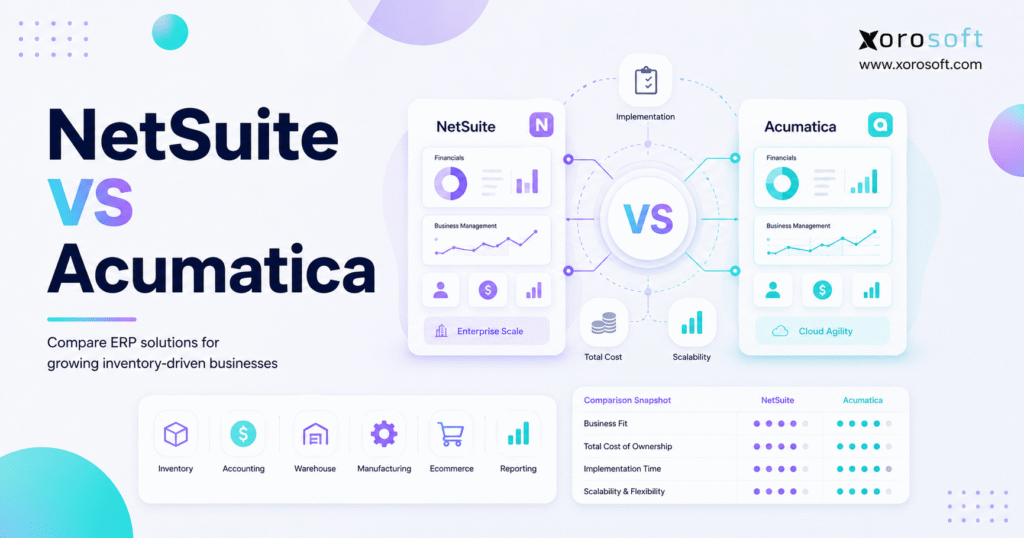
If you’re considering which ERP solution is right for your business, comparing NetSuite vs Acumatica can help you make a more informed decision.
1. Choosing the Right ERP Path Before You Commit
1.1 Why NetSuite vs Acumatica Matters for Growing Businesses
NetSuite vs Acumatica is one of the most common ERP comparisons for growing businesses that need stronger control over finance, inventory, purchasing, warehouse operations, manufacturing, ecommerce, and reporting. However, this decision should not start with brand recognition. Instead, it should begin with the way your company actually operates.
As companies grow, disconnected systems slowly become harder to manage. At first, QuickBooks, spreadsheets, inventory apps, warehouse tools, and manual reports may feel good enough. Then, order volume increases. Inventory spreads across more locations. Finance needs cleaner numbers. Meanwhile, operators need faster answers than spreadsheets can provide.
Because of that, many teams begin comparing cloud ERP systems. NetSuite and Acumatica both help centralize business operations, although they approach ERP fit in different ways. NetSuite is often evaluated by companies with broader finance, reporting, and enterprise requirements. Acumatica is often considered by growing companies that want flexible cloud ERP with industry-focused editions.
Therefore, the real question is not simply which ERP has more features. A better question is this: which system fits your business model, your team, your implementation capacity, and your future operating complexity?
1.2 Why ERP Comparison Starts With Operations, Not Features
A basic feature checklist can be misleading. For example, two ERP platforms may both list accounting, inventory, purchasing, warehouse management, manufacturing, integrations, and reporting. However, that does not mean they support your workflows in the same way.
Instead, companies should compare how each ERP handles daily operating reality. Can the system support multi-warehouse inventory? Will finance be able to trust inventory valuation? Does purchasing get real demand signals? Are warehouse teams able to pick and ship without manual workarounds? Most importantly, do ecommerce, wholesale, and manufacturing workflows connect without duplicate entry?
Because of that, this comparison looks beyond features. It evaluates NetSuite and Acumatica through cost, implementation, inventory, warehouse management, accounting, manufacturing, distribution, ecommerce, reporting, integrations, industry fit, and alternatives.
2. NetSuite vs Acumatica: Quick Comparison Summary
2.1 NetSuite vs Acumatica at a Glance
NetSuite and Acumatica both serve businesses that need more than basic accounting software. However, they often appeal to different buyer profiles.
NetSuite is a broad cloud ERP suite used by companies that want financial management, inventory, procurement, order management, reporting, and multi-entity control in one platform. For reference, the official NetSuite ERP product page explains its ERP scope across core business functions.
Acumatica, on the other hand, positions itself as a cloud ERP platform with editions for finance, distribution, manufacturing, retail, construction, and services. The official Acumatica Cloud ERP page gives a useful view of how the platform is organized by business type.
| Area | NetSuite | Acumatica |
|---|---|---|
| ERP style | Broad cloud ERP suite | Flexible cloud ERP with industry editions |
| Common buyer | Mid-market and larger companies | Small to mid-market growth companies |
| Finance depth | Strong for complex finance | Strong for growing finance teams |
| Inventory fit | Good, but setup matters | Good, especially for distribution workflows |
| Manufacturing fit | Available through ERP modules | Strong industry-edition focus |
| Implementation | Can be larger and more complex | Often partner-led and configurable |
| Main watchout | Cost and project complexity | Partner quality and configuration discipline |
2.2 Acumatica vs NetSuite: Best-Fit Summary by Business Type
NetSuite may be a better fit when a company has complex finance, multiple entities, global operations, and enough internal resources to support a larger ERP implementation. In addition, it can work well when leadership wants broad ERP functionality across many departments.
Acumatica may be a better fit when a company wants flexible cloud ERP, industry-specific functionality, and a system that can support distribution, manufacturing, or project-driven workflows. However, implementation quality still depends heavily on partner experience and process clarity.
For inventory-driven operators, the best ERP choice should always be tested against daily workflows. Therefore, teams should validate receiving, purchasing, inventory allocation, fulfillment, accounting, reporting, and ecommerce integrations before making a decision.
3. What Is NetSuite in This ERP Comparison?
3.1 NetSuite ERP Overview
NetSuite is a cloud ERP system owned by Oracle. It supports financial management, procurement, inventory management, order management, warehouse operations, reporting, CRM, and related business workflows.
Because NetSuite covers a wide range of functions, many companies evaluate it when they outgrow entry-level accounting tools. In particular, finance teams often consider NetSuite when they need better controls, stronger reporting, multi-entity accounting, or more advanced operational visibility.
3.2 NetSuite Strengths for Growing Businesses
NetSuite’s strength is breadth. It can support finance, inventory, purchasing, order management, reporting, and other functions inside one ERP environment. Also, its ecosystem includes consultants, developers, integration partners, and third-party applications.
As a result, companies with complex requirements may find NetSuite attractive. For example, a business with multiple subsidiaries, currencies, approval workflows, and reporting needs may want a system with deeper enterprise structure.
3.3 NetSuite Limitations to Evaluate
However, NetSuite can become expensive and complex if the implementation is not scoped carefully. Modules, users, customizations, integrations, support, and consulting can all affect total cost.
In addition, companies should evaluate how much internal ownership they can provide. If the team is lean, a large ERP project may stretch finance, operations, warehouse, and IT resources. Therefore, buyers should ask which workflows are standard, which ones need customization, and which ones need third-party tools.
4. What Is Acumatica in This ERP Comparison?
4.1 Acumatica ERP Overview
Acumatica is a cloud ERP platform built for businesses that need financial management, distribution, manufacturing, retail, construction, services, inventory, and reporting capabilities. It is often evaluated by growing small and mid-market companies that want flexibility without immediately choosing a heavier enterprise ERP project.
Because Acumatica organizes many of its offerings around industry editions, buyers can evaluate the platform through their business model. For example, a distributor may look closely at warehouse and inventory functionality, while a manufacturer may focus on production planning and material requirements.
4.2 Acumatica Strengths for Growing Companies
Acumatica’s strengths include flexibility, cloud accessibility, industry editions, and configurability. In addition, many companies like the idea of broader team access under a licensing model that is often positioned differently from traditional user-based ERP pricing.
However, flexibility still needs structure. A configurable ERP can work well only when the company has clear processes, clean data, and a strong implementation partner.
4.3 Acumatica Limitations to Evaluate
Acumatica buyers should carefully validate partner experience. Since implementation is often partner-led, the chosen partner must understand the company’s industry, workflows, integrations, reporting needs, and data structure.
Also, buyers should avoid assuming that every industry edition automatically fits their operation. Instead, they should request workflow demos using their own examples, such as purchase orders, sales orders, warehouse transfers, production jobs, Shopify orders, EDI orders, and financial reports.
5. NetSuite vs Acumatica: The Core Difference
5.1 Main Difference Between NetSuite and Acumatica
The main difference between NetSuite and Acumatica is fit. NetSuite is often chosen by companies that need broad ERP functionality, mature financial controls, global support, and enterprise-level reporting. Acumatica is often chosen by growing companies that want flexible cloud ERP with industry-specific functionality.
However, neither answer is universal. The better choice depends on company size, business model, implementation budget, internal resources, inventory complexity, warehouse needs, manufacturing requirements, and ecommerce workflows.
5.2 Cloud ERP Comparison for NetSuite and Acumatica
Both platforms are cloud ERP systems. Still, “cloud ERP” alone does not tell you enough. Buyers should evaluate user experience, reporting speed, integration options, API access, upgrade process, security, partner ecosystem, and workflow flexibility.
In addition, companies should test how fast teams can complete routine work. A system may look impressive in a demo, yet still create friction if daily workflows require too many clicks, manual exports, or custom workarounds.
5.3 NetSuite vs Acumatica Licensing and Cost Structure
Pricing is another major difference. NetSuite pricing often depends on users, modules, implementation scope, and custom requirements. Acumatica is often positioned around flexible licensing and resource-based considerations.
Even so, subscription price is only one part of ERP cost. Implementation, data migration, integrations, training, reporting, support, and future changes can matter just as much. Therefore, every buyer should compare total cost of ownership, not just license fees.
6. NetSuite vs Acumatica Pricing Comparison
6.1 Why ERP Pricing Is Difficult to Compare
ERP pricing is difficult because two companies can buy the same platform and pay very different amounts. One company may need only accounting, inventory, purchasing, and basic reporting. Another may need manufacturing, WMS, EDI, Shopify, Amazon, 3PL integrations, custom dashboards, and multi-entity accounting.
Because of that, buyers should avoid asking, “Which ERP is cheaper?” Instead, they should ask, “Which ERP gives us the best operational return for the full cost?”
| Cost Area | What Buyers Should Check |
| Software subscription | Users, editions, modules, and contract terms |
| Implementation | Partner fees, project phases, data migration, testing |
| Customization | Workflows, fields, reports, scripts, and extensions |
| Integrations | Shopify, Amazon, EDI, 3PL, shipping, tax, payments |
| Training | Finance, warehouse, purchasing, sales, and admin users |
| Support | Vendor support, partner support, and internal admin needs |
6.2 NetSuite Pricing Considerations
NetSuite buyers should ask which modules are required from day one and which ones may be added later. Also, they should ask how many users need access, what the implementation includes, and which workflows need customization.
In addition, renewal terms deserve attention. A system that looks manageable in year one may become more expensive as users, modules, subsidiaries, integrations, and transaction volumes increase.
6.3 Acumatica Pricing Considerations
Acumatica buyers should ask how licensing applies to their expected users, transactions, modules, and growth plans. Also, they should understand how partner implementation fees are structured.
Although flexible licensing can be attractive, the full project scope still matters. Therefore, buyers should request a detailed quote that includes software, implementation, data migration, integrations, reporting, training, and post-go-live support.
6.4 Total Cost of Ownership in an ERP Comparison
A lower subscription does not always mean a lower ERP cost. Likewise, a higher subscription does not automatically mean stronger operational fit.
Ultimately, the best ERP investment should reduce manual work, improve inventory accuracy, speed up reporting, improve purchasing decisions, and reduce operational friction. If those outcomes do not happen, the system may be expensive even when the subscription appears reasonable.
7. NetSuite vs Acumatica Implementation Comparison
7.1 ERP Implementation Reality
ERP implementation is not just a software setup. Instead, it is a business process redesign project. Companies must clean data, map workflows, define approvals, migrate records, connect integrations, test scenarios, and train teams.
Because ERP touches finance, operations, purchasing, warehouse, sales, and reporting, weak planning can create serious delays. Therefore, buyers should evaluate implementation methodology as carefully as they evaluate software features.
7.2 NetSuite Implementation Considerations
NetSuite implementation can be straightforward when business processes are simple. However, complexity increases when companies need multi-entity accounting, custom workflows, manufacturing, warehouse automation, Shopify integrations, EDI, or advanced reporting.
As a result, companies should define must-have workflows before the project starts. Otherwise, decisions may be made during implementation under pressure, which often increases cost and risk.
7.3 Acumatica Implementation Considerations
Acumatica implementations are often led by partners. This can be useful when the partner understands the company’s industry. For example, a distributor should work with a team that understands purchasing, warehouse receiving, picking, packing, allocation, replenishment, and EDI.
However, partner quality matters. Therefore, buyers should ask for relevant case studies, implementation examples, and workflow demos before signing.
7.4 ERP Implementation Checklist for Buyers
Before choosing NetSuite or Acumatica, ask these questions:
- Item records: are they clean and standardized?
- Warehouse locations: are they accurate?
- Open sales orders: are they reliable?
- Supplier lead times: are they documented?
- Purchasing rules: are they clear?
- Accounting processes: are they standardized?
- Integration map: is every system documented?
- Reporting requirements: are they defined?
- Internal ownership: who leads the project?
- Go-live testing: can teams test workflows before launch?
After this stage, some businesses also compare modern ERP alternatives through the Xorosoft comparison hub to understand how different systems fit inventory-driven operations.
8. NetSuite vs Acumatica for Inventory Management
8.1 Inventory Visibility and Stock Accuracy
Inventory is often the first place where ERP value becomes visible. If stock numbers are wrong, sales, purchasing, warehouse, finance, and customer service all feel the impact.
For example, sales may promise inventory that is not actually available. Meanwhile, purchasing may reorder too late or too early. As a result, the business can experience stockouts, overstock, delayed shipments, and inaccurate financial reports.
Both NetSuite and Acumatica support inventory management, although buyers should validate the exact workflows they need. Multi-location stock, allocation, transfers, reorder rules, inventory valuation, lot tracking, and reporting should all be tested.
8.2 Multi-Warehouse Inventory Management
Multi-warehouse operations create a different level of complexity. A business may have stock in its main warehouse, a 3PL, Amazon, retail stores, wholesale allocation, and in-transit transfers.
Therefore, buyers should not simply ask whether the ERP supports multiple locations. Instead, they should ask whether the system can show accurate available-to-sell inventory across every warehouse and channel.
If a company needs stronger warehouse execution, it may also review XoroWMS as an example of how warehouse workflows can connect with broader ERP operations.
8.3 Forecasting and Replenishment in an Inventory ERP Comparison
Inventory management is not only about knowing what is on hand. It is also about knowing what to buy next.
Because demand changes by channel, season, promotion, supplier lead time, and product lifecycle, ERP should help teams make better replenishment decisions. Otherwise, buyers still rely on spreadsheets, and the ERP becomes only a historical record.
9. NetSuite vs Acumatica for Warehouse Management
9.1 Warehouse Workflow Comparison
Warehouse management should include receiving, putaway, bin locations, barcode scanning, picking, packing, shipping, cycle counting, transfers, and fulfillment reporting.
However, many teams make the mistake of evaluating warehouse functionality from a slide deck. Instead, warehouse leaders should test real workflows. For example, they should ask vendors to show how the system handles a partial receipt, a transfer, a backorder, a mispick, a return, and a cycle count.
9.2 Warehouse Management Checklist
| Warehouse Requirement | Why It Matters |
| Barcode scanning | Reduces manual entry and picking errors |
| Bin management | Improves location accuracy |
| Picking workflows | Supports faster fulfillment |
| Packing rules | Reduces shipping mistakes |
| Cycle counting | Improves inventory accuracy |
| Transfers | Supports multi-warehouse movement |
| Shipping integrations | Reduces manual fulfillment work |
9.3 Best ERP Fit for Warehouse-Heavy Businesses
Warehouse-heavy businesses should choose the ERP that matches how their floor actually works. If the system forces warehouse teams into manual workarounds, inventory accuracy will suffer.
In addition, warehouse teams need simple execution screens. Therefore, buyers should include warehouse users in ERP demos, not only finance and leadership.
10. NetSuite vs Acumatica for Accounting and Finance
10.1 Financial Management Comparison
Accounting is one of the main reasons companies evaluate ERP. Both NetSuite and Acumatica support financial management, although the right fit depends on accounting complexity.
Companies should compare general ledger, accounts payable, accounts receivable, bank reconciliation, inventory valuation, landed cost, COGS, multi-currency, multi-entity accounting, and financial reporting.
For broader operational finance, teams may also review XoroERP to understand how inventory, accounting, purchasing, and reporting can work in one ERP environment.
10.2 Month-End Close and Inventory Valuation
Month-end close becomes painful when inventory and accounting do not agree. For example, receiving may be incomplete, landed costs may be missing, COGS may need adjustment, and stock counts may not match the general ledger.
Therefore, finance teams should test how each ERP handles inventory valuation, purchase receipts, vendor bills, landed costs, sales orders, returns, and adjustments.
10.3 Finance Questions to Ask in an ERP Comparison
Before selecting an ERP, ask:
- Inventory value: how does the system calculate it?
- Landed costs: how are they applied?
- COGS tracking: can it be viewed by product, channel, and warehouse?
- Multi-entity accounting: how does the ERP support it?
- Standard reports: which ones are included?
- Custom reporting: which reports require extra work?
- Audit trails: how does the system support them?
- Post-close corrections: what happens when operational data changes?
11. NetSuite vs Acumatica for Manufacturing
11.1 Manufacturing ERP Comparison
Manufacturing companies need more than basic inventory and accounting. They need BOMs, work orders, production planning, material requirements planning, labor tracking, costing, and finished goods visibility.
Acumatica has a clear manufacturing focus through its official manufacturing ERP software materials. NetSuite also supports manufacturing through its ERP modules and related capabilities.
However, manufacturing fit depends on production complexity. A light assembly business has different needs from a company managing multi-level BOMs, batch production, quality checks, and material planning.
11.2 BOMs, Work Orders, and MRP
Manufacturers should validate these workflows:
| Manufacturing Need | What to Validate |
| BOM management | Multi-level BOMs, substitutions, and revisions |
| Work orders | Production tracking and work-in-progress visibility |
| MRP | Material planning based on demand and lead time |
| Costing | Material, labor, overhead, and finished goods cost |
| Production planning | Capacity, scheduling, and component availability |
| Finished goods | Inventory update after production completion |
11.3 Best ERP Fit for Manufacturers
The best ERP for manufacturing is the one that connects demand, purchasing, raw materials, work orders, production, costing, and finished goods. If any part of that flow remains in spreadsheets, manufacturing decisions will remain reactive.
For inventory-driven manufacturers comparing more options, XoroONE can also be reviewed as a connected ERP environment for operations, inventory, and finance.
12. NetSuite vs Acumatica for Wholesale Distribution
12.1 Wholesale ERP Comparison
Wholesale distributors need accurate inventory, customer-specific pricing, bulk order management, purchasing, warehouse control, EDI, allocation, and sales order visibility.
Because distributors operate on volume, small errors can become expensive quickly. A wrong stock number may delay a large order. Meanwhile, poor allocation can create conflict between wholesale customers, ecommerce orders, and future purchase plans.
12.2 Distribution Workflow Checklist
| Requirement | Why It Matters |
| Customer-specific pricing | Supports wholesale agreements |
| EDI | Reduces manual trading partner work |
| Allocation | Prevents overselling and protects key accounts |
| Purchasing | Supports replenishment decisions |
| Warehouse picking | Improves fulfillment speed |
| Reporting | Shows demand, margin, and inventory health |
12.3 Best ERP Fit for Distributors
A distributor should not choose ERP based only on accounting strength. Instead, it should test the full order-to-cash and procure-to-pay workflow.
In addition, teams should check whether the ERP supports customer terms, price lists, backorders, substitutions, replenishment, and warehouse execution without heavy manual intervention.
13. NetSuite vs Acumatica for Ecommerce and Shopify Businesses
13.1 Ecommerce ERP Comparison
Ecommerce brands need ERP systems that support Shopify, Amazon, wholesale orders, 3PLs, returns, inventory sync, purchasing, accounting, and reporting.
However, an ecommerce connector alone is not enough. The ERP must support the full operating flow behind the storefront. Otherwise, the company may still need spreadsheets for purchasing, warehouse planning, inventory reconciliation, and finance cleanup.
13.2 Shopify ERP Requirements
A Shopify brand should validate:
- Inventory sync accuracy across every active sales channel
- Shared stock availability between wholesale and ecommerce orders
- Amazon order flow into the same inventory pool
- Multi-warehouse support for fulfillment and transfers
- Demand-based purchasing across Shopify, Amazon, and wholesale
- Accounting reconciliation for orders, payments, fees, and inventory
- Warehouse execution without duplicate order entry
For Shopify merchants reviewing operational ERP options, the Xorosoft ERP app on the Shopify App Store is a relevant external reference because it shows how ERP can connect ecommerce, wholesale, inventory, warehousing, purchasing, manufacturing, and financial workflows.
13.3 Best ERP Fit for Shopify Businesses
Shopify businesses should choose ERP based on operational depth, not only connector availability. As a result, the demo should include actual Shopify order flow, inventory sync, fulfillment, purchasing, returns, and accounting reconciliation.
If Shopify is central to the business, ERP should become the operating system behind Shopify, not another disconnected app beside it.
14. NetSuite vs Acumatica Integrations
14.1 Integration Comparison
ERP rarely works alone. Most companies need integrations with ecommerce platforms, marketplaces, EDI providers, 3PLs, shipping tools, payment processors, tax tools, BI platforms, and customer service systems.
Therefore, integration quality can make or break the ERP project. A weak integration may create duplicate data entry, sync errors, manual reconciliation, and reporting gaps.
14.2 Integration Questions to Ask
Before selecting NetSuite or Acumatica, ask:
- Native or third-party integration: which one is used?
- Maintenance ownership: who keeps the integration working?
- Sync frequency: how often does data update?
- Failure handling: what happens when data does not sync?
- Partial shipments: are they supported properly?
- Returns workflow: can the integration process returns cleanly?
- Multi-warehouse support: can inventory move across locations?
- Payment reconciliation: are fees, refunds, and payments handled?
- EDI documents: which transaction types are supported?
- Error visibility: can users clearly see and fix sync issues?
14.3 Integration Risk in Cloud ERP Systems
Even if an ERP has many integrations, buyers should check how those integrations behave in real operations. For example, importing Shopify orders is useful, but it is not enough if inventory, fulfillment, payment fees, returns, and accounting still require manual cleanup.
For broader solution mapping, the Xorosoft solutions page can be useful when comparing ERP workflows across inventory, warehouse, purchasing, manufacturing, ecommerce, and reporting.
15. NetSuite vs Acumatica Reporting and Business Intelligence
15.1 Reporting Comparison
ERP reporting should help teams run the business, not only review what happened last month. Finance needs financial statements, while operators need inventory, purchasing, warehouse, fulfillment, margin, supplier, and channel reports.
Because of that, buyers should test reporting before implementation. A report that requires manual exports every week may not solve the visibility problem.
15.2 Reports Leadership Should Expect
Leadership should be able to answer:
- Overstock risk by SKU
- Stockout risk by SKU
- Late supplier performance
- Warehouse delay patterns
- Product-level margin weakness
- Channel profitability trends
- Orders blocked by inventory issues
- Purchase orders needing attention
15.3 Best ERP Fit for Operational Visibility
The best ERP reporting setup is not always the one with the most dashboards. Instead, it is the one that gives every team trusted numbers without spreadsheet cleanup.
Therefore, buyers should ask whether dashboards are standard, configurable, role-based, and connected to real-time operational data.
16. NetSuite vs Acumatica Pros and Cons
16.1 NetSuite Pros
NetSuite offers broad ERP functionality, strong finance capabilities, multi-entity support, mature reporting options, and a large ecosystem. In addition, it can support companies with complex structures and larger operational requirements.
16.2 NetSuite Cons
However, NetSuite can become expensive and complex. Implementation may require significant planning, consulting, customization, integrations, and internal ownership. Smaller teams may also find the system heavier than expected.
16.3 Acumatica Pros
Acumatica offers flexible cloud ERP positioning, industry editions, strong distribution and manufacturing relevance, configurable workflows, and a licensing model that many growing businesses find attractive.
16.4 Acumatica Cons
However, Acumatica still requires careful implementation. Partner quality, workflow definition, reporting setup, integrations, and configuration choices all matter. Without strong requirements, flexibility can turn into complexity.
17. NetSuite vs Acumatica by Industry
17.1 ERP Comparison for Apparel and Fashion
Apparel businesses need style, size, color, seasonality, returns, wholesale orders, ecommerce orders, purchasing visibility, and inventory accuracy. Therefore, ERP fit depends on how well the system handles variants, replenishment, and multi-channel demand.
17.2 ERP Comparison for Furniture Businesses
Furniture companies often manage long lead times, large items, special orders, warehouse constraints, and delivery coordination. As a result, ERP must connect purchasing, sales orders, inventory, warehouse planning, and accounting.
17.3 ERP Comparison for Sporting Goods Companies
Sporting goods companies often deal with seasonal demand, channel complexity, wholesale orders, retail partners, and ecommerce growth. Therefore, forecasting, replenishment, and allocation are critical.
17.4 ERP Comparison for Food and Beverage Businesses
Food and beverage businesses should validate lot tracking, expiry dates, traceability, purchasing, production, inventory rotation, and compliance-related workflows. Because mistakes can be costly, warehouse and inventory discipline matter heavily.
17.5 ERP Comparison for Manufacturing Companies
Manufacturers should focus on BOMs, work orders, MRP, costing, production planning, labor visibility, and finished goods tracking. If production planning remains outside ERP, leadership will still struggle to trust capacity and margin reports.
17.6 ERP Comparison for Wholesale Distribution
Wholesale distributors need customer-specific pricing, EDI, inventory allocation, bulk orders, replenishment, warehouse control, and margin reporting. Therefore, distributors should test complete order-to-cash and procure-to-pay workflows before selecting ERP.
For companies reviewing ERP by vertical, the industries we serve page can help map ERP needs across apparel, wholesale, furniture, sporting goods, consumer products, manufacturing, and related sectors.
18. When Neither NetSuite nor Acumatica May Be the Best Fit
18.1 When Operational Simplicity Matters More Than ERP Size
Some businesses do not need the largest ERP project available. Instead, they need a practical cloud ERP that connects inventory, accounting, purchasing, warehouse management, manufacturing, forecasting, ecommerce, and reporting.
This situation is common for inventory-driven businesses that have outgrown QuickBooks, spreadsheets, inventory-only software, and disconnected apps. Although NetSuite and Acumatica may both be valid options, another ERP may fit better if the team needs faster operational control.
18.2 When Disconnected Apps Are the Real Problem
Many companies are not only comparing NetSuite vs Acumatica. They are trying to escape a stack that includes QuickBooks, spreadsheets, warehouse apps, purchasing files, EDI tools, inventory apps, and manual reporting.
Because of that, the ERP decision should focus on consolidation. The best system should remove duplicate entry, improve visibility, and reduce the need for manual reconciliation.
18.3 When Xorosoft Belongs on the ERP Shortlist
Xorosoft may belong on the shortlist when a company sells physical products, manages inventory, operates multiple warehouses, sells through Shopify or Amazon, uses EDI, manufactures products, or needs purchasing automation connected to accounting.
In that context, Xorosoft is not positioned as a generic ERP for every company. Instead, it is a cloud ERP option for inventory-driven businesses that need operations, finance, warehouse, and commerce workflows in one system.
19. NetSuite vs Acumatica vs Xorosoft
19.1 Why Some Buyers Compare All Three ERP Options
Some ERP buyers start with NetSuite and Acumatica because both names appear often in ERP research. However, once the team defines its real workflows, it may become clear that the shortlist should include other systems.
For example, a Shopify-heavy distributor with multiple warehouses may not need the same ERP as a global multi-subsidiary enterprise. Likewise, a manufacturer replacing QuickBooks may need practical production, inventory, purchasing, and accounting workflows before it needs a highly customized enterprise stack.
19.2 NetSuite, Acumatica, and Xorosoft Fit Comparison
| ERP | Best Fit | Strengths | Watchouts |
| NetSuite | Larger companies with complex finance and broad ERP needs | Finance depth, reporting, ecosystem, global support | Cost, complexity, implementation scope |
| Acumatica | Growing companies needing flexible cloud ERP and industry editions | Distribution, manufacturing, configurability | Partner dependency, workflow validation |
| Xorosoft | Inventory-driven businesses needing connected operations | Inventory, accounting, purchasing, WMS, manufacturing, forecasting, ecommerce | Best evaluated against specific workflows |
19.3 Where Xorosoft Fits Naturally
Xorosoft fits companies that want inventory management, accounting, purchasing, warehouse management, manufacturing, forecasting, reporting, Shopify, Amazon, EDI, and multi-warehouse workflows in one operating system.
For buyers comparing alternatives, the Xorosoft vs Acumatica comparison and the Xorosoft vs NetSuite comparison can help extend the evaluation beyond a two-vendor shortlist.
20. ERP Selection Checklist for NetSuite vs Acumatica Buyers
20.1 Business Requirements Checklist
Before choosing any ERP, document:
- Revenue range
- Employee count
- Warehouse count
- SKU volume
- Order volume
- Sales channels
- Manufacturing needs
- Wholesale requirements
- Accounting complexity
- Reporting gaps
- Integration requirements
20.2 Inventory Checklist
Validate:
- Multi-location inventory
- Lot and serial tracking
- Reorder points
- Forecasting
- Stock transfers
- Cycle counts
- Inventory valuation
- Available-to-sell inventory
20.3 Warehouse Checklist
Validate:
- Receiving
- Putaway
- Bin locations
- Barcode scanning
- Picking
- Packing
- Shipping
- Cycle counting
- Warehouse reporting
20.4 Accounting Checklist
Validate:
- General ledger
- Accounts payable
- Accounts receivable
- Bank reconciliation
- Inventory valuation
- COGS
- Landed cost
- Multi-currency
- Multi-entity
- Month-end close
20.5 Ecommerce Checklist
Validate:
- Shopify integration
- Amazon integration
- Wholesale orders
- EDI
- 3PL workflows
- Returns
- Order routing
- Payment reconciliation
- Inventory sync
21. Final Decision Framework for NetSuite vs Acumatica
21.1 Choose NetSuite If
Choose NetSuite if your business has complex finance, multi-entity accounting, global operations, larger implementation resources, and a need for broad ERP functionality across departments.
Also, choose NetSuite if your internal team is prepared for a larger implementation project and can support the system after go-live.
21.2 Choose Acumatica If
Choose Acumatica if your business wants flexible cloud ERP, industry-specific functionality, strong distribution or manufacturing support, and a partner-led implementation model.
In addition, choose Acumatica if your company values configurability and has a clear process owner who can guide implementation decisions.
21.3 Consider Xorosoft If
Consider Xorosoft if your company is inventory-driven and needs cloud ERP that connects inventory, accounting, purchasing, warehouse management, manufacturing, forecasting, reporting, Shopify, Amazon, EDI, and multi-warehouse operations.
This can be especially relevant when the business has outgrown QuickBooks, spreadsheets, inventory-only software, or disconnected operational apps.
21.4 Questions to Ask Before Signing
Before signing with any ERP vendor, ask:
- Standard workflows: what is included out of the box?
- Customization scope: which workflows need extra setup?
- Native integrations: which systems connect directly?
- Included reports: which dashboards are available from day one?
- Implementation timeline: how long will the project take?
- Data migration ownership: who manages cleanup and transfer?
- Support coverage: what does the support plan include?
- Year-three cost: what will the system cost after growth?
- Internal ownership: can the team manage the ERP after go-live?
22. FAQs About NetSuite vs Acumatica
22.1 What Is the Main Difference Between NetSuite and Acumatica?
The main difference is ERP fit. NetSuite is often considered by companies that need broad ERP functionality, mature financial management, multi-entity support, and a large ecosystem. Acumatica is often considered by growing small and mid-market businesses that want flexible cloud ERP with industry-specific editions for distribution, manufacturing, retail, construction, and other business models.
22.2 Is NetSuite Better Than Acumatica?
NetSuite may be better for companies with complex finance, larger budgets, international operations, and mature reporting needs. However, “better” depends on business requirements. A smaller or mid-market company may prefer Acumatica if it wants flexible licensing, industry-specific ERP functionality, and a configurable implementation path.
22.3 Can Acumatica Be a Better Fit Than NetSuite?
Acumatica may be better for businesses that want flexible cloud ERP, strong distribution or manufacturing functionality, and broader team access under its licensing model. Still, companies with complex global finance, larger ERP budgets, or advanced enterprise requirements may prefer NetSuite. Therefore, the right answer depends on workflows, cost, and implementation readiness.
22.4 NetSuite vs Acumatica Pricing: Which ERP Costs Less?
ERP cost depends on users, modules, implementation, integrations, customization, support, and training. Acumatica is often positioned around flexible licensing, while NetSuite pricing commonly depends on users and modules. However, buyers should compare total cost of ownership, not only subscription price.
22.5 Implementation Difficulty: Which ERP Is Easier to Launch?
Implementation difficulty depends on company complexity. A simple project can move faster on either platform. However, multi-warehouse inventory, manufacturing, ecommerce integrations, EDI, custom reports, and finance complexity can extend timelines. As a result, partner quality, data readiness, and internal ownership often matter as much as software choice.
22.6 Inventory Management: How Do NetSuite and Acumatica Compare?
Both NetSuite and Acumatica support inventory management. However, buyers should test the workflows they actually need. Multi-location inventory, replenishment, valuation, transfers, cycle counting, lot tracking, and warehouse processes should be validated before purchase.
22.7 Warehouse Management: Which Platform Fits Better?
The better warehouse system depends on receiving, putaway, barcode scanning, picking, packing, shipping, transfers, and cycle counting requirements. Therefore, buyers should request a warehouse workflow demo using their own order types and warehouse structure.
22.8 Manufacturing ERP Fit: NetSuite or Acumatica?
Manufacturers should compare BOMs, work orders, production planning, MRP, costing, shop floor visibility, and finished goods tracking. Acumatica has a clear manufacturing ERP focus, while NetSuite also supports manufacturing modules. Ultimately, production complexity should guide the decision.
22.9 Wholesale Distribution: Which ERP Supports Distributors Better?
Wholesale distributors should evaluate inventory allocation, customer-specific pricing, EDI, purchasing, warehouse operations, sales order management, and reporting. Acumatica’s distribution edition is often attractive to distributors, while NetSuite is also considered by companies needing broader ERP and finance capabilities.
22.10 Shopify Businesses: Which ERP Should Ecommerce Brands Review?
Shopify businesses should compare ERP systems based on inventory sync, order routing, Amazon support, wholesale orders, 3PL workflows, returns, purchasing, and accounting reconciliation. A connector alone is not enough. The ERP must support the full operational workflow behind Shopify.
22.11 Best NetSuite Alternatives for Growing Companies
Common NetSuite alternatives include Acumatica, Microsoft Dynamics 365 Business Central, Sage, SAP Business One, Odoo, Cin7, Brightpearl, Fishbowl, Fulfil, and Xorosoft. However, the best alternative depends on whether the company needs finance depth, inventory control, warehouse management, manufacturing, ecommerce, or wholesale workflows.
22.12 Best Acumatica Alternatives to Consider
Common Acumatica alternatives include NetSuite, Microsoft Dynamics 365 Business Central, Sage, SAP Business One, Odoo, Cin7, Brightpearl, Fishbowl, Fulfil, and Xorosoft. Buyers should compare alternatives based on business model, implementation resources, integration needs, and operational complexity.
22.13 When Should a Business Move Away From QuickBooks?
A business should consider moving away from QuickBooks when inventory, purchasing, warehouse, manufacturing, reporting, or multi-entity accounting becomes too complex for the current setup. Common signs include spreadsheet purchasing, stock discrepancies, slow month-end close, duplicate data entry, and poor visibility.
22.14 Hidden ERP Implementation Costs Buyers Should Watch
Hidden costs can include data cleanup, custom reports, integrations, user training, partner consulting, workflow changes, testing, post-go-live support, and internal admin time. Therefore, buyers should request a full project scope before signing.
22.15 Should Companies Choose ERP Based on Features?
No. Features matter, but workflow fit matters more. Many ERP systems list similar modules. However, the real question is how well those modules support daily operations. Buyers should test real workflows before choosing.
22.16 Inventory-Heavy Companies: What Should They Prioritize?
Inventory-heavy companies should prioritize stock visibility, multi-location control, replenishment, purchasing, warehouse workflows, cycle counting, barcode scanning, valuation, forecasting, and reporting. Because inventory affects sales, finance, fulfillment, and purchasing, weak inventory control can create problems across the whole business.
22.17 Ecommerce Companies: What Should They Prioritize?
Ecommerce companies should prioritize Shopify integration, Amazon integration, order routing, inventory sync, returns, fulfillment visibility, purchasing, accounting reconciliation, and multi-channel reporting. In addition, they should test whether the ERP can support wholesale and ecommerce orders from the same inventory pool.
22.18 When Should a Business Consider Xorosoft?
A business should consider Xorosoft when it sells physical products, manages inventory, operates multiple warehouses, sells through Shopify or Amazon, uses EDI, manufactures products, or needs purchasing and warehouse workflows connected to accounting. It is especially relevant for inventory-driven companies replacing disconnected systems.
22.19 Should a Company Compare NetSuite, Acumatica, and Alternatives?
Yes. ERP selection should include a focused shortlist. NetSuite and Acumatica are strong options, but they are not the only choices. Therefore, companies should compare them against alternatives based on business model, implementation resources, total cost, inventory needs, integrations, and reporting requirements.
22.20 Final ERP Decision: How Should Companies Choose?
Companies should choose the ERP that best fits their workflows, budget, implementation capacity, industry needs, and growth plans. A structured demo, workflow checklist, integration review, and total cost estimate are essential. Ultimately, the best ERP is the one the team can implement, trust, and use every day.
23. Choosing the ERP Your Team Can Actually Operate With Confidence
NetSuite vs Acumatica is a serious ERP decision because both systems can support growing businesses. However, they serve different buyer profiles.
NetSuite may be a stronger fit for companies with complex finance, larger ERP budgets, global operations, multi-entity structures, and broad enterprise requirements. Meanwhile, Acumatica may be a stronger fit for growing companies that want flexible cloud ERP, industry editions, and distribution or manufacturing functionality.
Still, the best ERP decision should not come from brand recognition alone. Instead, it should come from workflow fit. Inventory, warehouse management, accounting, purchasing, manufacturing, ecommerce, reporting, integrations, implementation capacity, and total cost all matter.
For inventory-driven businesses that need connected operations across Shopify, Amazon, wholesale, EDI, purchasing, warehouse management, accounting, manufacturing, forecasting, and multi-warehouse workflows, Xorosoft may also belong on the ERP shortlist.
Before choosing any ERP, document your requirements, test real workflows, compare implementation scope, and understand the long-term cost. Then, choose the platform your team can operate with confidence.
Ready to evaluate ERP fit for your business? Book a demo to see how Xorosoft supports inventory-driven operations.
Recent Posts
-
 Best AI Warehouse Management Software for ERP Inventory and Warehouse Operations
 -
 Project Based ERP Software for Managing Project Costs, Purchasing, Resources, Inventory, and Accounting
 -
 Food and Beverage ERP Requirements for Lot, Expiry, and Recall Control
 -
 How to Prevent EDI Errors Before They Become Retailer Chargebacks
 -
 Warehouse Injury and Safety Statistics: What Operations Teams Should Know Before Automating Workflows