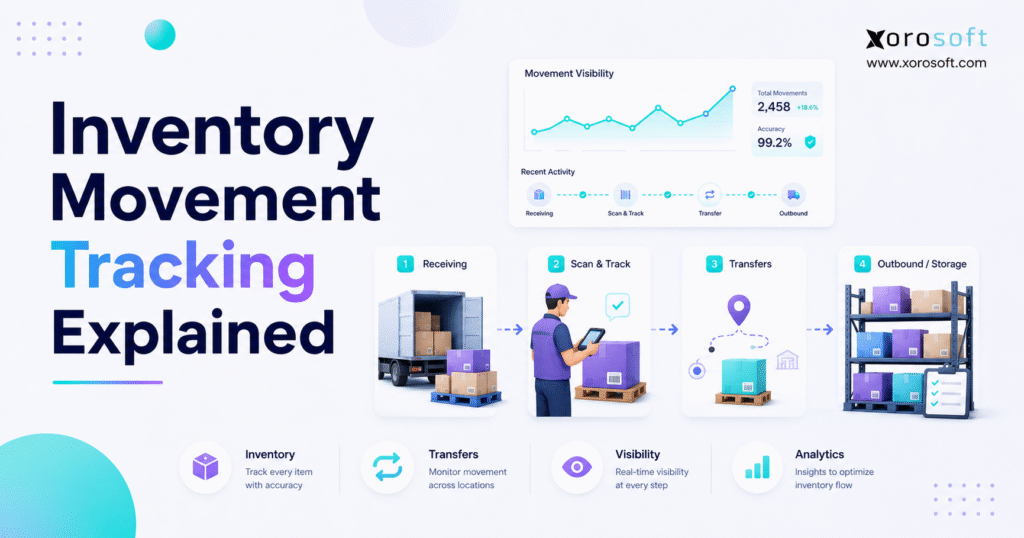
If you are looking to improve efficiency in your warehouse operations, inventory movement tracking is essential.
1. Why Stock Movement Needs a Clear Record
Inventory movement tracking gives businesses a clear record of how stock enters, moves through, and leaves the operation. Because every receipt, transfer, pick, shipment, return, and adjustment changes the inventory picture, the first step is knowing exactly where each item moved and why it changed status.
In practice, inventory is rarely still. Products arrive from suppliers, move into bins, get reserved for orders, shift between warehouses, return from customers, and sometimes move into damaged or unsellable status. Therefore, a business cannot rely only on a single stock number. It needs a movement history that explains how that number changed.
For example, a company may show 500 units on hand. However, 120 units may already be allocated to wholesale orders, 80 may sit in a return inspection area, 50 may be in transit to another warehouse, and 30 may be damaged. As a result, the true available quantity is very different from the total quantity.
That is why accurate stock movement matters. It helps teams answer simple but critical questions: What came in? What went out? Which location changed? Who handled the movement? Why did the quantity change?
2. What Inventory Movement Tracking Means
Inventory movement tracking is the process of recording each physical or status-based movement of stock inside a business. It shows the SKU, quantity, source location, destination location, movement type, time, user, and related transaction.
Because movement data creates the audit trail behind inventory accuracy, it affects more than the warehouse. It also supports purchasing, accounting, forecasting, ecommerce, wholesale operations, manufacturing, and leadership reporting.
A proper movement record usually includes:
| Data Point | Why It Matters |
|---|---|
| SKU or item code | Identifies the product being moved |
| Quantity | Shows how many units changed |
| Source location | Shows where stock came from |
| Destination location | Shows where stock moved |
| Movement type | Explains the reason for the change |
| Date and time | Creates an operational audit trail |
| User or system source | Shows who or what triggered the movement |
| Order, PO, or work order | Connects inventory movement to business activity |
| Status | Separates available, reserved, damaged, returned, or in-transit stock |
Although this sounds operational, the business impact is financial. If movement records are wrong, stock availability, customer promises, purchasing decisions, and inventory valuation can all become unreliable.
3. Why Inventory Movement Tracking Matters
Inventory accuracy often breaks because stock moves faster than the system updates. For instance, a warehouse team may receive a supplier shipment in the morning, but the inventory record may not update until later. Meanwhile, buyers may think stock has not arrived, sales teams may avoid selling available products, and finance may not see the receipt.
Another common problem happens when pickers move products from one bin to another without recording the transfer. Consequently, the system says the product exists, but the warehouse team cannot find it. Over time, these small gaps create stockouts, overselling, emergency replenishment, and manual reconciliation.
Movement tracking matters because it turns stock data into operational evidence. Instead of guessing whether inventory is available, teams can trace every movement that affected availability.
More importantly, accurate tracking helps businesses reduce:
- Discrepancies between system stock and physical stock
- Overselling during busy sales periods
- Stockouts caused by late reorder decisions
- Duplicate purchasing across teams
- Delayed shipments from poor location visibility
- Warehouse search time during picking
- Month-end reconciliation issues
- Incorrect inventory valuation
- Manual reporting work across departments
Because each movement connects to a transaction, the business can see not only what changed but also why it changed.
4. Who Needs Inventory Movement Tracking
Any business that buys, stores, sells, distributes, or manufactures physical products needs some level of inventory movement tracking. However, the level of detail depends on operational complexity.
A small company with one stockroom and a few SKUs may manage with simple tools. However, once the company adds more products, more orders, more locations, more people, or more channels, the risk increases quickly.
This process becomes especially important for:
- Shopify and ecommerce brands
- Amazon sellers
- Wholesale distributors
- Apparel and fashion companies
- Furniture brands
- Sporting goods companies
- Food and beverage businesses
- Manufacturing companies
- Industrial distributors
- Multi-warehouse businesses
- Companies using EDI
- Teams that rely on purchasing forecasts
Because these businesses move inventory through many workflows, they need more than a static count. They need visibility into the full journey of each item.
5. Who May Not Need Advanced Inventory Movement Tracking Yet
Not every company needs a full ERP or warehouse system immediately. If a business has low order volume, a small SKU count, one location, and simple purchasing, basic inventory software may be enough.
However, the warning signs appear when people stop trusting the numbers. For example, if warehouse staff regularly search shelves manually, finance needs repeated stock corrections, or purchasing keeps asking for updated counts, the current process is probably too weak.
At that point, the issue is not only inventory tracking. Instead, the real problem is that the business has outgrown manual visibility.
6. How Inventory Movement Tracking Works
Inventory movement tracking works by recording every stock transaction as it happens. First, the business defines movement types. Next, it assigns SKUs, locations, bins, users, and transaction rules. Then, each receipt, transfer, pick, shipment, return, adjustment, or production movement updates the inventory record.
A simple tracking flow looks like this:
1. Supplier goods arrive and create the first inventory record.
2. Warehouse teams move items into the correct storage location.
3. Confirmed orders reserve available units before fulfillment begins.
4. Pickers scan, pack, and ship the committed products.
5. Returned or damaged items move into inspection or adjustment status.
6. Reporting dashboards update the full movement history.
Because each step updates availability, teams can understand the difference between total stock, available stock, committed stock, in-transit stock, damaged stock, and returned stock.
7. The Basic Flow of Inventory Movement
7.1 Stock Enters the Business
Inbound movement starts when stock arrives from a supplier, manufacturer, customer return, or another warehouse. Usually, this movement connects to a purchase order, transfer order, return authorization, or production order.
Because receiving is the first control point, mistakes here create downstream problems. If the wrong quantity is received, purchasing, sales, warehouse, and accounting teams all work from bad data.
7.2 Internal Transfers Keep Stock Moving
Internal movement happens when inventory changes location or status without leaving the company. For example, stock may move from receiving to storage, from storage to a picking zone, from one bin to another, or from one warehouse to another.
Although total inventory may not change, availability still changes. Therefore, internal movement must be recorded carefully.
7.3 Customer Orders Move Stock Out
Outbound movement happens when stock is picked, packed, shipped, consumed in production, transferred out, or written off. Because outbound movement affects revenue and customer experience, it must update order status and inventory availability quickly.
If the system does not update at the point of shipment, teams may continue selling stock that has already left.
7.4 Counts, Returns, and Adjustments Change Status
Adjustments happen when system records and physical stock do not match. For example, a cycle count may reveal missing items. A return may come back damaged. A product may expire, break, or move into quarantine.
Because adjustments can hide operational problems, every adjustment should include a reason code. Otherwise, leadership cannot tell whether discrepancies come from receiving errors, picking mistakes, shrinkage, damaged goods, or delayed updates.
8. Main Types of Inventory Movement
8.1 Inbound Inventory Movement
Inbound inventory movement includes supplier receipts, customer returns, finished goods receipts, and transfers received from another warehouse. Because inbound movement increases stock, it must be recorded with the correct quantity, warehouse, bin, status, and transaction reference.
For example, when a purchase order arrives, the receiving team should check what was ordered against what arrived. If units are missing or damaged, the system should record the exception immediately.
8.2 Internal Inventory Movement
Internal inventory movement includes bin transfers, zone transfers, warehouse transfers, replenishment moves, inspection moves, and production staging. Although these movements may not change total stock, they change where inventory can be found and whether it can be sold.
For instance, if 100 units move from Warehouse A to Warehouse B, total stock remains the same. However, the available quantity by location changes. As a result, fulfillment decisions, shipping speed, and allocation logic also change.
8.3 Outbound Inventory Movement
Outbound inventory movement includes ecommerce shipments, wholesale orders, marketplace orders, production consumption, and inventory write-offs. Because these movements reduce available inventory, the system should update stock immediately.
If outbound movement is delayed, overselling becomes likely. Therefore, order fulfillment and inventory records must stay connected.
8.4 Return-Based Inventory Movement
Returns create inventory movement in reverse, but they are not simple inbound receipts. A returned product may be sellable, damaged, incomplete, expired, or pending inspection.
Because of that, returns should move through clear statuses. For example, a return can move from received to inspection, then from inspection to available stock, repair, liquidation, or write-off.
8.5 Adjustment-Based Inventory Movement
Adjustment-based movement changes the system record because physical inventory and recorded inventory do not match. This includes cycle count corrections, damaged goods, shrinkage, expiry, and write-offs.
Because adjustments affect trust in inventory numbers, they should never be treated casually. Instead, each adjustment should have a reason, approval flow, and audit trail.
9. Inventory Movement Tracking vs Inventory Management
Inventory movement tracking and inventory management are related, but they are not the same.
Movement tracking records what happened to stock. Inventory management uses that information to plan, replenish, value, store, allocate, and optimize stock.
| Area | Inventory Movement Tracking | Inventory Management |
| Main purpose | Records stock activity | Plans and controls inventory |
| Focus | What moved, where, when, and why | How much to buy, store, sell, and replenish |
| Main users | Warehouse, operations, finance | Operations, purchasing, finance, leadership |
| Timeframe | Real-time and historical | Short-term and long-term |
| Example | 50 units moved from Bin A to Bin B | Reorder 500 units based on demand and stock levels |
Because inventory management depends on accurate data, movement tracking is the foundation. If movement records are wrong, reorder points, forecasts, allocation rules, and financial reports become unreliable.
10. Inventory Movement Tracking in Warehouse Operations
10.1 Receiving
Receiving is where inventory control begins. When goods arrive, warehouse teams should verify item, quantity, condition, purchase order, supplier, warehouse, and location.
Because receiving errors spread across the business, this step needs discipline. A missed receipt can create unnecessary purchasing. Meanwhile, an overstated receipt can create overselling.
10.2 Putaway
Putaway moves received stock into the correct warehouse location. In practice, this may mean a bin, shelf, rack, pallet position, cold storage zone, or picking area.
If putaway is not tracked, inventory may technically exist but remain difficult to find. As a result, warehouse workers spend time searching instead of fulfilling orders.
10.3 Picking
Picking moves inventory from storage to order fulfillment. Because picking directly affects customer orders, this movement should be captured with barcode or mobile scanning whenever possible.
A system such as XoroWMS is useful when warehouse teams need structured receiving, putaway, picking, packing, shipping, and stock movement visibility.
10.4 Packing
Packing verifies that the right products are ready to ship. Therefore, packing should confirm item, quantity, order number, carton, shipment method, and any customer-specific requirements.
If packing is disconnected from inventory records, the warehouse may ship correctly while the system remains wrong.
10.5 Shipping
Shipping confirms that inventory has left the business. As a result, available inventory should decrease, order status should update, and accounting should eventually reflect cost of goods sold.
Because shipping is the final outbound movement, delays here can create serious visibility problems.
10.6 Returns
Returns must be tracked carefully because returned inventory is not automatically sellable. First, the product comes back. Then, the team inspects it. After that, the product moves to available, damaged, repair, resale, or write-off status.
Because returns are common in ecommerce and apparel, return movement can materially affect available stock.
10.7 Cycle Counting
Cycle counting checks inventory continuously instead of waiting for one large annual count. Because it catches errors earlier, it helps teams find recurring issues in receiving, picking, transfers, or returns.
Over time, cycle count data becomes a useful diagnostic tool. It shows where movement processes need improvement.
11. Inventory Movement Tracking Across Multiple Warehouses
11.1 Why Multi-Warehouse Tracking Gets Complicated
Multi-warehouse inventory tracking is difficult because each location has its own receipts, transfers, picks, returns, adjustments, and reserved stock. Therefore, total stock is not enough.
A business may have 1,000 units overall but only 40 units in the warehouse closest to customer demand. As a result, the company may either delay shipments or pay more for fulfillment.
11.2 Inter-Warehouse Transfers
Inter-warehouse transfers should record shipment from the source location and receipt at the destination location. During that time, inventory should appear as in transit.
If the system simply removes stock from one warehouse and later adds it to another, the business loses visibility during the transfer window. Consequently, buyers may reorder too soon, or teams may assume inventory is missing.
11.3 Location-Level Inventory Visibility
Location-level visibility shows where stock sits and what status it has. For example, teams should know whether stock is available, reserved, damaged, returned, in transit, or under inspection.
Because Shopify brands often sell from more than one location, location-level inventory becomes especially important. The Shopify App Store listing for Xorosoft ERP is relevant for merchants that want Shopify connected to deeper inventory, warehouse, purchasing, and accounting workflows.
11.4 Inventory Allocation Across Locations
Inventory allocation determines which orders receive which stock. For example, ecommerce orders, wholesale orders, Amazon shipments, and retail orders may all compete for the same inventory.
Because allocation affects revenue and customer trust, teams need accurate movement data before they decide where stock should go.
11.5 Common Multi-Warehouse Mistakes
| Mistake | What Happens |
| Tracking total stock only | Teams cannot see location-level shortages |
| Ignoring in-transit inventory | Purchasing reorders too early |
| Using manual transfer notes | Stock disappears from reports temporarily |
| Skipping bin-level tracking | Pickers waste time searching |
| Not reserving inventory | Multiple orders compete for the same stock |
12. Inventory Movement Tracking for Ecommerce and Shopify Brands
12.1 Why Ecommerce Inventory Moves Faster
Ecommerce inventory moves quickly because orders arrive all day, promotions create sudden spikes, returns come back continuously, and several channels may sell the same SKU.
Because of that speed, delayed movement updates can cause overselling within hours. For example, if Shopify, Amazon, and wholesale orders all pull from the same inventory pool, availability must update quickly.
12.2 Shopify Inventory Synchronization Challenges
Shopify can manage commerce activity well, but growing brands often need deeper operational control behind the storefront. Inventory movement must also connect with purchasing, warehouse activity, accounting, returns, Amazon, wholesale, and 3PL workflows.
For that reason, many brands eventually evaluate a cloud ERP such as XoroERP when they need Shopify inventory movement, purchasing, accounting, and warehouse data connected in one place.
12.3 Amazon, Marketplace, and 3PL Movement Tracking
Amazon, marketplaces, and 3PLs create additional inventory layers. Stock may sit in a company warehouse, an Amazon fulfillment center, a 3PL facility, or in transit between locations.
Therefore, teams need to separate total inventory from sellable inventory. Otherwise, they may promise stock that is already committed, unavailable, or outside their direct warehouse.
12.4 Preventing Overselling and Stockouts
Overselling happens when the system shows more available stock than the business can actually ship. Meanwhile, stockouts happen when teams cannot reorder or transfer inventory in time.
Accurate inventory movement tracking reduces both problems because every receipt, pick, transfer, return, and adjustment updates the stock position.
12.5 When Shopify Brands Need More Than Basic Inventory Tracking
A Shopify brand usually needs a stronger system when it has multiple warehouses, wholesale orders, Amazon sales, EDI, frequent returns, purchasing complexity, or accounting delays.
At that stage, Shopify remains the storefront, but the business needs an operational backbone behind it.
13. Inventory Movement Tracking for Wholesale and EDI Operations
13.1 Wholesale Order Complexity
Wholesale orders usually involve larger quantities, customer-specific pricing, case packs, pallet movement, shipment windows, and routing requirements. Because of this complexity, inventory movement tracking must support reservations, allocations, and shipment visibility.
If wholesale stock is not reserved properly, ecommerce orders may consume inventory that was already promised to a key account.
13.2 Customer-Specific Allocation
Customer-specific allocation protects inventory for priority buyers, retail programs, or contract commitments. Therefore, the system should show available stock, reserved stock, and committed stock separately.
This separation prevents teams from treating every unit as freely available.
13.3 EDI-Driven Inventory Movement
EDI adds structured order and shipment workflows. However, if EDI is disconnected from inventory movement, teams may re-enter orders manually and update shipments after the fact.
Because manual entry increases errors, wholesale companies need order, inventory, warehouse, and shipment data to stay synchronized.
13.4 Bulk Picking and Pallet Movement
Wholesale movement often happens by case, carton, pallet, or container. Therefore, tracking must go beyond single-unit movement.
For example, a distributor may receive pallets, break them into cases, allocate cases to customers, and ship mixed pallets. Each movement changes availability and should remain visible.
14. Inventory Movement Tracking for Manufacturing
14.1 Raw Material Movement
Manufacturers need to track raw materials from receiving to storage, staging, consumption, and sometimes scrap. Because raw materials feed production, inaccurate movement can stop work orders even when the system claims stock exists.
14.2 Work-in-Progress Movement
Work-in-progress movement shows where materials sit during production. For example, goods may move through cutting, assembly, finishing, inspection, and packaging.
Because WIP is neither raw material nor finished goods, it needs its own visibility.
14.3 Finished Goods Movement
Finished goods movement happens when production output becomes sellable inventory. Therefore, the system should increase finished goods quantity, update valuation, and make stock available for sales or transfer.
14.4 BOM, Work Orders, and Material Consumption
Manufacturing movement connects closely with BOMs and work orders. When a work order consumes components, raw material inventory should decrease. After production, finished goods inventory should increase.
Because these movements affect both operations and accounting, manufacturers need more than basic stock counts.
15. Manual vs Automated Inventory Movement Tracking
15.1 Spreadsheet-Based Tracking
Spreadsheets can work for very small operations. They are flexible, familiar, and easy to start.
However, spreadsheets depend on manual updates. As order volume grows, they create version-control issues, delayed visibility, missing audit trails, and formula errors.
15.2 Barcode-Based Tracking
Barcode scanning records movement at the point of activity. Instead of typing SKUs and quantities manually, warehouse users scan items, bins, cartons, or pallets.
Because barcode scanning reduces manual entry, it is one of the most practical upgrades for warehouse accuracy. For broader standards, GS1 barcode standards are useful for understanding how product and logistics identification works.
15.3 RFID-Based Tracking
RFID can read tagged inventory without direct line-of-sight scanning. Therefore, it can help high-volume operations count or locate items faster.
However, RFID requires tags, readers, workflow design, and system integration. Because of that, it is usually best for businesses with clear volume or traceability needs.
15.4 WMS-Based Tracking
A WMS focuses on warehouse execution. It helps with receiving, putaway, bin movement, picking, packing, shipping, and cycle counting.
As a result, WMS-based tracking is valuable when warehouse accuracy and speed are the main operational constraints.
15.5 ERP-Based Tracking
ERP-based tracking connects inventory movement with purchasing, sales, accounting, ecommerce, manufacturing, forecasting, and reporting.
Because inventory movement affects many departments, ERP becomes important when the business needs one operational record instead of separate warehouse, finance, and purchasing tools.
A unified platform such as XoroONE can help inventory-driven companies connect inventory, warehouse, purchasing, accounting, reporting, ecommerce, and operational workflows.
15.6 Tracking Method Comparison
| Method | Best For | Strength | Limitation |
| Spreadsheets | Very small teams | Simple and low cost | Manual and hard to audit |
| Barcode scanning | Growing warehouses | Faster movement capture | Needs process discipline |
| RFID | High-volume tracking | Fast physical visibility | Higher setup complexity |
| Inventory app | Basic stock control | Easier than spreadsheets | May lack accounting depth |
| WMS | Warehouse-heavy teams | Strong execution control | May need ERP integration |
| ERP | Connected operations | Links inventory with finance and purchasing | Needs proper setup |
16. How Inventory Movement Tracking Affects Accounting
16.1 Inventory Valuation
Inventory is a financial asset. Therefore, inventory movement affects the balance sheet.
If damaged inventory remains marked as sellable, inventory value may be overstated. Likewise, if received stock is not recorded, inventory value may be understated.
16.2 Cost of Goods Sold
Cost of goods sold depends on the movement of inventory out of the business. When products ship, the related inventory cost should flow into financial reporting.
If movement records are delayed or disconnected, COGS may require manual correction.
16.3 Month-End Close
Month-end close becomes difficult when finance does not trust inventory data. Teams may need to reconcile receipts, shipments, transfers, adjustments, and write-offs manually.
Because of this, inventory and accounting should not operate in isolation.
16.4 Reconciliation
Reconciliation compares physical stock, system records, supplier bills, customer shipments, and accounting balances. Strong movement tracking makes this easier because every change has a transaction history.
16.5 Why Inventory and Accounting Should Stay Connected
When inventory and accounting live in different systems, teams often duplicate work. Operations updates stock, while finance updates financial records later.
As a result, timing gaps appear. Over time, those gaps create reporting delays and trust issues.
17. How Inventory Movement Tracking Improves Purchasing and Forecasting
17.1 Better Reorder Decisions
Purchasing teams need accurate available inventory, reserved inventory, inbound inventory, and movement history. Otherwise, they may order too early, too late, or in the wrong quantity.
Because movement data shows what is actually happening, buyers can make better replenishment decisions.
17.2 Fewer Stockouts
Stockouts often happen because demand moves faster than replenishment. However, accurate movement tracking gives buyers clearer reorder signals.
For example, if a SKU is selling quickly in one warehouse but sitting idle in another, a transfer may solve the problem before a new purchase order is needed.
17.3 Less Overstock
Overstock happens when businesses buy without seeing true availability. If returned stock, in-transit stock, or slow-moving stock is hidden, buyers may order more than the business needs.
Therefore, stock movement tracking helps reduce unnecessary inventory investment.
17.4 Supplier Performance Visibility
Movement tracking can also reveal supplier problems. For instance, repeated short receipts, damaged inbound goods, and late arrivals show up clearly when receiving records are accurate.
Because purchasing depends on supplier reliability, this information improves planning.
17.5 Demand Planning and Forecast Accuracy
Forecasting improves when it uses clean inventory movement data. Sales history alone is not enough because stockouts, returns, transfers, and warehouse constraints can distort demand.
For that reason, businesses should connect movement data with forecasting and purchasing workflows.
18. Common Inventory Movement Tracking Mistakes
18.1 Tracking Quantity but Not Location
Knowing total quantity is not enough. A company may have stock overall, but not in the warehouse that needs it.
Because fulfillment depends on location, stock must be tracked by warehouse, zone, bin, and status whenever possible.
18.2 Updating Inventory After the Fact
Delayed updates create false availability. For example, if warehouse activity happens at 10 a.m. but the system updates at 5 p.m., the business operates with inaccurate inventory for most of the day.
As a result, overselling and duplicate allocation become more likely.
18.3 Relying on Manual Warehouse Notes
Manual notes may help temporarily, but they do not create reliable movement history. In addition, they are hard to audit.
Instead, movement should be captured inside the system that drives inventory decisions.
18.4 Separating Warehouse Data From Accounting
Warehouse teams may know what moved, while accounting teams may see the financial effect days later. Consequently, reconciliation becomes harder than it needs to be.
This is one reason inventory-driven businesses often review broader business operations solutions when warehouse, purchasing, accounting, and reporting workflows become disconnected.
18.5 Ignoring Transfers and Adjustments
Many teams track receipts and shipments but overlook transfers and adjustments. However, those “small” movements often explain major inventory discrepancies.
For example, a missed bin transfer can look like missing stock, even though the product is still inside the warehouse.
18.6 Not Using Barcode or Mobile Scanning
Manual entry increases the chance of wrong SKUs, wrong quantities, and wrong locations. Therefore, barcode or mobile scanning becomes important as volume grows.
18.7 Treating Shopify as the Only Inventory Source of Truth
Shopify is important for ecommerce, but growing brands often need inventory data across purchasing, warehouse movement, accounting, wholesale, Amazon, 3PL, and returns.
Because of that, Shopify may remain the commerce system while ERP or WMS becomes the operational system behind it.
19. When a Business Should Upgrade Inventory Movement Tracking
19.1 Signs Spreadsheets Are No Longer Enough
Spreadsheets usually become risky when multiple people update inventory, warehouse staff rely on manual notes, or teams use several versions of the same file.
Other signs include frequent stock discrepancies, delayed reports, poor reorder decisions, and long reconciliation cycles.
19.2 Signs Inventory Apps Are No Longer Enough
Inventory apps can help early-stage businesses. However, they may become limiting when the company needs purchasing automation, accounting integration, barcode scanning, forecasting, EDI, manufacturing, or multi-warehouse visibility.
At that point, the company may need a connected operating system rather than another standalone tool.
19.3 Signs QuickBooks Inventory Workarounds Are Breaking
QuickBooks can support accounting workflows, but inventory-heavy companies often outgrow basic inventory workarounds.
For example, they may need warehouse-level visibility, purchasing approvals, fulfillment workflows, landed costs, production tracking, or more detailed reporting.
19.4 Signs ERP or WMS Support Is Needed
A business should evaluate ERP or WMS support when inventory movement affects customer promises, cash flow, warehouse speed, purchasing decisions, and financial reporting.
Because these issues cross departments, the solution must connect more than one workflow.
19.5 Software Selection Checklist
| Requirement | Why It Matters |
| Real-time inventory updates | Reduces overselling and delays |
| Multi-warehouse tracking | Shows true location-level availability |
| Barcode scanning | Improves movement accuracy |
| Transfer tracking | Keeps in-transit stock visible |
| Adjustment reason codes | Explains discrepancies |
| Purchasing integration | Improves replenishment |
| Accounting integration | Supports valuation and reconciliation |
| Ecommerce integrations | Keeps sales channels aligned |
| Reporting dashboards | Helps leadership spot trends |
Before choosing software, review where your errors actually happen. Then, match the system to the process gaps rather than buying features the team will not use.
20. Inventory Movement Tracking Software Comparison
20.1 Spreadsheet vs Inventory App vs WMS vs ERP
| Option | Best Fit | Main Limitation |
| Spreadsheet | Very small operations | Manual and hard to control |
| Inventory app | Basic product tracking | May lack finance or purchasing depth |
| WMS | Warehouse-heavy operations | May need ERP connection |
| ERP | Connected inventory-driven businesses | Requires structured implementation |
| ERP with WMS | Multi-location, operationally complex businesses | Needs disciplined process setup |
20.2 Features to Look For
A strong inventory movement tracking system should include:
1. SKU-level movement history
2. Warehouse and bin-level visibility
3. Barcode or mobile scanning
4. Transfer tracking
5. Adjustment reason codes
6. Lot, batch, or serial tracking when needed
7. Purchasing integration
8. Accounting integration
9. Shopify, Amazon, and EDI support
10. Real-time reporting
Because every business has different complexity, the right system should match current operations and future growth.
20.3 Questions to Ask Before Choosing Software
Ask these questions before selecting a system:
- Does the system track stock by warehouse, bin, status, and channel?
- Will warehouse teams be able to use barcode scanning?
- Can inventory movement connect directly with accounting?
- Are purchasing and forecasting workflows included?
- Does the platform support Shopify, Amazon, wholesale, EDI, or manufacturing?
- Is full SKU-level movement history easy to view?
- How difficult is the implementation process?
- Which reports come standard?
Because this article is educational, a comparison page is not necessary here. However, when a business is actively comparing ERP systems, it can review focused comparison resources separately instead of forcing that decision into a movement-tracking guide.
21. Industry Use Cases
21.1 Apparel and Fashion
Apparel companies track style, size, color, season, return status, and warehouse location. Because variants move differently, accurate tracking helps prevent overselling popular sizes while slow-moving items sit unnoticed.
21.2 Furniture
Furniture companies often handle bulky items, partial shipments, damages, custom orders, and warehouse staging. Therefore, movement tracking helps teams know what is available, reserved, damaged, or awaiting delivery.
21.3 Sporting Goods
Sporting goods businesses often deal with seasonal spikes, kits, bundles, and multi-channel demand. As a result, stock movement tracking helps teams prepare inventory before peak periods.
21.4 Food and Beverage
Food and beverage businesses may need lot, batch, expiry, and traceability controls. Because product condition and dates matter, movement tracking must capture more than quantity.
21.5 Wholesale Distribution
Wholesale distributors need movement visibility for customer allocations, bulk picking, pallet movement, EDI orders, and supplier replenishment.
21.6 Manufacturing
Manufacturers track raw materials, work-in-progress, finished goods, scrap, and production output. Because production changes inventory status continuously, movement tracking supports both planning and costing.
21.7 Industrial Distribution
Industrial distributors often manage large SKU catalogs, branch transfers, long supplier lead times, and customer-specific demand. Therefore, movement history helps improve replenishment and service levels.
Companies can also review the broader industries served to understand how inventory-driven workflows differ across sectors.
22. Practical Examples of Inventory Movement Tracking
22.1 Shopify Brand With Multiple Warehouses
A Shopify brand sells apparel from two warehouses. During a promotion, one warehouse runs low on popular sizes while another still has stock.
With proper inventory movement tracking, the team can see stock by location, transfer units before demand peaks, and reduce overselling. Without it, the brand may continue accepting orders it cannot fulfill quickly.
22.2 Wholesale Distributor With EDI Orders
A wholesale distributor receives a large EDI order from a key customer. Because the order requires reserved inventory, the system should allocate stock before other channels consume it.
If movement tracking is weak, ecommerce orders may accidentally take the same inventory. As a result, the distributor risks late wholesale fulfillment.
22.3 Manufacturer Tracking Raw Materials and Finished Goods
A manufacturer receives components, consumes them in production, and creates finished goods. Each step changes inventory.
Because raw materials, WIP, and finished goods all have different statuses, the company needs movement tracking tied to work orders and BOMs.
22.4 Apparel Brand Managing Returns
An apparel brand receives frequent returns. Some items can be resold, while others need inspection or write-off.
With clear movement tracking, returned inventory does not automatically become available. Instead, it moves through inspection before returning to sellable stock.
23. Reports Needed for Inventory Movement Tracking
23.1 SKU Movement History
SKU movement history shows every receipt, transfer, pick, shipment, return, and adjustment for a product. Because it creates a complete audit trail, it is the first report teams use when investigating discrepancies.
23.2 Transfer Report
A transfer report shows inventory moving between warehouses, bins, or locations. It should also show in-transit quantities, shipment dates, receipt dates, and transfer status.
23.3 Adjustment Report
An adjustment report shows manual corrections, reason codes, users, and timestamps. Therefore, it helps leadership identify recurring process issues.
23.4 Inventory Aging Report
Inventory aging shows how long stock has been sitting. Because old stock ties up cash, this report supports purchasing, merchandising, and liquidation decisions.
23.5 Stock Ledger
A stock ledger shows the running inventory balance after each transaction. As a result, it helps finance and operations understand how inventory changed over time.
24. FAQ: Inventory Movement Tracking
24.1 What is inventory movement tracking?
Inventory movement tracking records every stock movement inside a business. It tracks receipts, transfers, picks, shipments, returns, adjustments, and production-related movement. Because each movement changes inventory availability, the goal is to know what moved, where it moved, when it moved, who moved it, and why it changed.
24.2 Why is inventory movement tracking important?
Accurate movement records matter because inventory accuracy depends on them. If receipts, transfers, returns, picks, or adjustments are missed, the system shows the wrong stock. As a result, businesses face overselling, stockouts, delayed orders, purchasing mistakes, and accounting reconciliation problems.
24.3 Main types of inventory movement
The main types are inbound movement, internal movement, outbound movement, return movement, adjustment movement, and manufacturing movement. Inbound activity brings stock in. Internal movement changes location or status. Outbound movement sends stock out. Meanwhile, adjustments correct differences between system records and physical inventory.
24.4 How does inventory movement tracking work?
This process works by recording every inventory transaction with SKU, quantity, location, movement type, timestamp, user, and transaction source. Because this creates a movement history, teams can trace stock changes, investigate discrepancies, and make better warehouse, purchasing, and accounting decisions.
24.5 Inbound inventory movement explained
Inbound inventory movement happens when stock enters the business. For example, supplier receipts, customer returns, transfer receipts, and finished goods receipts all count as inbound movement. Because inbound records affect availability and accounting, receiving should be accurate and timely.
24.6 Outbound inventory movement explained
Outbound inventory movement happens when stock leaves the business or becomes unavailable for sale. This includes sales order shipments, wholesale orders, ecommerce orders, production consumption, and write-offs. Therefore, outbound tracking must update available inventory quickly.
24.7 Internal inventory movement explained
Internal inventory movement happens when stock moves inside the business. For example, inventory may move between bins, zones, warehouses, inspection areas, or production stages. Although total quantity may stay the same, location-level availability changes.
24.8 What is an inventory adjustment?
An inventory adjustment changes system inventory to match physical reality. Adjustments may happen because of cycle counts, damaged goods, shrinkage, expiry, or data-entry errors. Because adjustments affect accuracy and valuation, they should include reason codes and audit trails.
24.9 Warehouse movement tracking basics
Warehouses track inventory movement through receiving, putaway, transfers, picking, packing, shipping, returns, and cycle counting. In addition, many teams use barcode scanners or mobile devices to capture movements at the point of activity.
24.10 Barcode scanning and movement accuracy
Barcode scanning helps by reducing manual typing and recording movement as it happens. Instead of entering item details by hand, users scan SKUs, bins, cartons, or pallets. As a result, receiving, picking, transfers, and counts become faster and more accurate.
24.11 Can spreadsheets track inventory movement?
Spreadsheets can track inventory movement for simple businesses. However, they become risky when multiple users, warehouses, channels, and order types are involved. Because updates are manual, spreadsheets often create delays, version issues, and missing audit trails.
24.12 When should a business stop using spreadsheets?
A business should stop relying on spreadsheets when inventory errors become frequent, teams lose trust in stock numbers, orders get delayed, or finance spends too much time reconciling inventory. In addition, multiple warehouses, Shopify growth, wholesale orders, or manufacturing usually require stronger tracking.
24.13 What software is used for inventory movement tracking?
Businesses use inventory apps, barcode systems, WMS platforms, ERP systems, RFID tools, and ecommerce integrations. The right option depends on complexity. For example, a small seller may use inventory software, while a multi-warehouse distributor may need ERP or WMS support.
24.14 ERP support for inventory movement
ERP helps by connecting inventory movement with purchasing, sales, warehouse management, accounting, forecasting, manufacturing, and reporting. Because inventory affects many departments, ERP gives the business one shared record instead of disconnected spreadsheets and apps.
24.15 WMS support for warehouse movement
A WMS helps track warehouse activity such as receiving, putaway, bin transfers, picking, packing, shipping, returns, and cycle counting. Therefore, it is useful when warehouse accuracy, speed, and location control become major operational needs.
24.16 How does inventory movement affect accounting?
Inventory movement affects accounting because receipts, shipments, adjustments, write-offs, and production consumption change inventory value and cost of goods sold. If movement data is wrong, financial reporting can become inaccurate or delayed.
24.17 Purchasing decisions and stock movement data
Purchasing depends on accurate movement data. Buyers need to know what is available, reserved, inbound, damaged, and moving quickly. Otherwise, they may overbuy, underbuy, or place purchase orders based on outdated information.
24.18 How does movement tracking reduce stockouts?
Movement tracking reduces stockouts by showing true availability and movement speed. When receipts, sales, transfers, and returns update correctly, purchasing teams can reorder earlier and warehouse teams can move stock before shortages become customer-facing.
24.19 Reducing overstock with movement visibility
Movement tracking reduces overstock by showing slow-moving inventory, hidden stock, returned stock, and in-transit inventory. As a result, buyers can avoid ordering products the business already has or does not need.
24.20 Why do inventory discrepancies happen?
Inventory discrepancies happen because of missed receipts, wrong picks, unrecorded transfers, damaged goods, shrinkage, returns errors, supplier mistakes, and delayed system updates. In many cases, small movement errors build up over time.
24.21 Reports needed for inventory movement tracking
Useful reports include SKU movement history, transfer reports, adjustment reports, receiving reports, shipping reports, cycle count variance reports, aging inventory reports, and stock ledger reports. Together, these reports help teams understand what changed and why.
24.22 Shopify brands and inventory movement
Shopify brands track inventory movement through Shopify settings, inventory apps, warehouse tools, 3PL integrations, and ERP systems. As brands grow, they often need a backend system that connects Shopify orders with purchasing, accounting, warehouse movement, Amazon, wholesale, and returns.
24.23 Wholesale distributors and stock movement
Wholesale distributors track movement through purchase receipts, customer allocations, EDI orders, warehouse transfers, bulk picking, pallet movement, shipment confirmation, and returns. Because wholesale orders are often large and customer-specific, reservation tracking is especially important.
24.24 Manufacturing inventory movement
Manufacturers track raw materials, work-in-progress, finished goods, scrap, and production consumption. Because these movements connect to BOMs and work orders, manufacturers need visibility into both physical movement and inventory status.
24.25 What is real-time inventory movement tracking?
Real-time inventory movement tracking means stock records update as movement happens. For example, when a picker scans an item, available inventory changes immediately. Therefore, real-time tracking helps prevent overselling and improves operational visibility.
24.26 What should businesses look for in inventory movement tracking software?
Businesses should look for real-time updates, barcode scanning, multi-warehouse visibility, transfer tracking, adjustment reason codes, purchasing integration, accounting integration, ecommerce integrations, reporting dashboards, and user permissions. If manufacturing is involved, BOM and work order support also matter.
25. Moving From Stock Records to Operational Visibility
Inventory movement tracking is not just about counting products. Instead, it is about understanding how stock flows through the business from supplier receipt to warehouse movement, customer order, return, production, adjustment, and financial reporting.
As businesses grow, inventory movement becomes harder to manage with spreadsheets or disconnected apps. More SKUs, more warehouses, more sales channels, more suppliers, and more customer promises create more movement. Therefore, teams need a system that keeps inventory activity visible as it happens.
For companies that have outgrown manual tracking, the next step is not simply better counting. It is better operational visibility across inventory, warehouse management, purchasing, accounting, ecommerce, manufacturing, and reporting.
To see how this works inside a connected ERP environment, Book a demo with Xorosoft.
Search
Categories
- Accounting & QuickBooks 227
- AI & Automation 585
- E-commerce & Marketplaces 1,202
- EDI & B2B 150
- ERP 573
- ERP Selection & Comparisons 166
- Industries 230
- Integrations 138
- Shopify ERP 138
- Inventory Management 1,206
- Order Management & Fulfillment 578
- Procurement & Supply Chain 9
- Procurement, Purchasing & Reordering 417
- Resources 250
- Shopify 649
- Solutions 606
- Warehouse & WMS 1,078
Recent Posts
-
 ERP Landed Cost Module vs Spreadsheet Calculations for Importers
 -
 How to Build an Open-to-Buy Plan for an Omnichannel Brand
 -
 Cold Storage WMS for Food and Beverage Distribution
 -
 ERP Buying Statistics 2026: Evaluation, Implementation, and Adoption Risks
 -
 How a Distributor Reduced B2B Order Exceptions Without Restricting Sales



