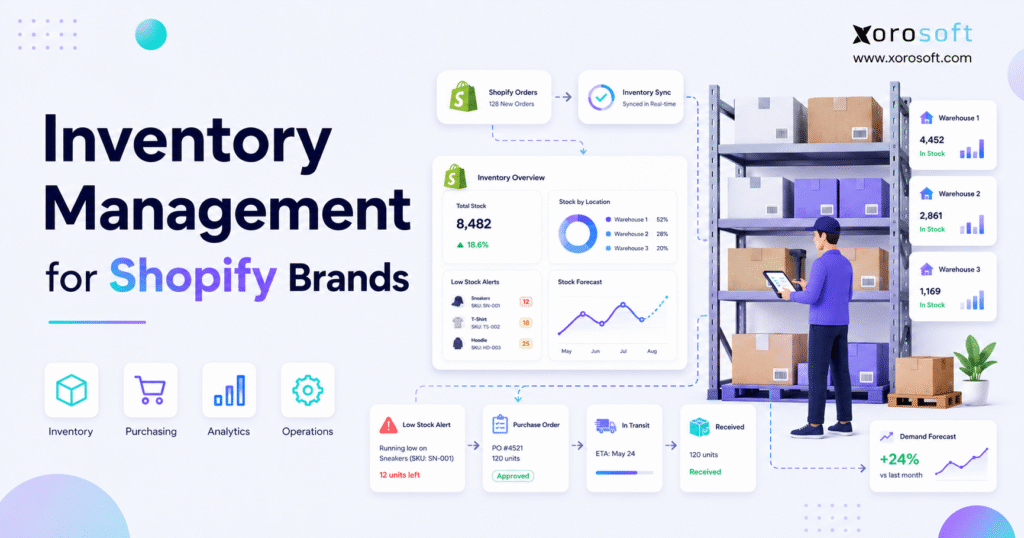
If you’re looking to optimise inventory management for Shopify brands, this guide will help you get started.
1. Inventory Management for Shopify Brands at Scale
Inventory management for Shopify brands becomes harder when sales growth starts moving faster than the systems behind the store. At the beginning, a team may only need Shopify, basic stock tracking, and a simple spreadsheet. However, once the brand adds more SKUs, more warehouses, more suppliers, more channels, and more customer expectations, inventory becomes an operating discipline rather than a back-office task.
A growing Shopify brand does not only need to know how many units are in stock. Instead, the team needs to know what is available to sell, what is already committed, what is incoming, where stock is located, when to reorder, and how inventory affects cash flow. Without that visibility, even strong sales can create operational stress.
That is why inventory problems usually show up after growth, not before it. More orders create more movement. More movement creates more chances for stock errors. As a result, the same workflow that worked at 50 orders a day may break at 500 orders a day.
1.1 Why Shopify Inventory Management Gets More Complex
Shopify gives merchants useful tools for managing products, stock levels, adjustments, transfers, and locations. In fact, Shopify’s own inventory documentation explains how merchants can track inventory, view stock levels, make adjustments, and review inventory changes.
However, Shopify is still the commerce layer. It handles the storefront, checkout, orders, customers, and product catalog. Meanwhile, inventory operations often extend into purchasing, warehouse management, forecasting, accounting, wholesale, Amazon, EDI, and manufacturing.
Because of this, complexity increases when the business grows beyond one simple stock pool. For example, a Shopify apparel brand may sell the same product across sizes, colors, bundles, wholesale orders, and multiple warehouses. Likewise, a furniture brand may need to know which warehouse can ship bulky products without increasing freight costs.
For growing operators, inventory management for Shopify brands becomes less about basic stock counts and more about operational control.
1.2 What Starts Breaking First
Inventory issues rarely appear all at once. Usually, the first problems look small.
A buyer places a purchase order late. Meanwhile, a warehouse adjusts stock manually. Customer service may promise inventory that is already committed, and finance may wait for stock reports before closing the month. Then, during a campaign or seasonal spike, those small gaps become visible.
Most teams try to fix the problem by adding another spreadsheet or app. That may help temporarily. Still, if every team keeps a different version of inventory truth, the brand eventually loses control.
1.3 The Real Goal of Better Shopify Inventory Control
The real goal is not just cleaner stock counts. Better Shopify inventory control should help the brand make better decisions.
Operators need to know when to buy, how much to buy, where inventory should sit, which SKUs are tying up cash, and which products may stock out soon. Additionally, finance needs accurate inventory value, purchasing data, and cost information. Warehouse teams also need reliable stock locations, receiving workflows, and picking accuracy.
When those pieces connect, inventory becomes a growth advantage. When they stay disconnected, inventory becomes a daily cleanup job. That is why inventory management for Shopify brands should be reviewed before inventory errors become daily problems.
2. What Inventory Management for Shopify Brands Includes
Inventory management for Shopify brands includes tracking, planning, replenishing, moving, valuing, and reporting on stock across Shopify and the systems connected to it. It covers available inventory, committed inventory, incoming stock, purchase orders, warehouse activity, supplier lead times, returns, accounting, and forecasting.
In simple terms, a strong inventory workflow should answer these questions:
1. What stock do we physically have?
2. What stock is available to sell?
3. Which units are already committed?
4. What inventory is incoming?
5. Where is each unit located?
6. When should we reorder?
7. What is the stock worth?
8. Which products are moving too fast or too slowly?
In other words, inventory management for Shopify brands must connect stock control with purchasing, warehouse execution, forecasting, and accounting.
2.1 Inventory Tracking
Inventory tracking records every important stock movement. This includes receiving, selling, transferring, adjusting, returning, damaging, reserving, and writing off inventory.
For Shopify brands, tracking must stay accurate across online orders, warehouse picks, purchase receipts, returns, wholesale commitments, and accounting updates. Otherwise, Shopify may show one number while the warehouse sees another.
Accurate tracking starts with clean SKU data. Each SKU should have a clear naming structure, correct variants, reliable units of measure, and ownership inside the system. If product data is messy, every downstream inventory process becomes harder.
2.2 Available Inventory
Available inventory is the stock that can still be sold. On-hand inventory is the stock that physically exists. Those two numbers are not always the same.
For example, a brand may have 500 units on hand. However, 200 units may already be committed to Shopify orders, 100 may be reserved for wholesale, and 50 may be damaged or pending inspection. In that case, only 150 units may truly be available.
This distinction matters because overselling usually happens when brands treat physical inventory as sellable inventory. Therefore, growing Shopify brands need a clear available-to-sell calculation.
2.3 Inventory Forecasting
Inventory forecasting helps teams estimate future demand. It uses sales history, seasonality, promotions, supplier lead times, channel demand, and current stock to guide purchasing.
Without forecasting, purchasing becomes reactive. A buyer notices stock is low, checks a spreadsheet, asks the warehouse for confirmation, and then places an order. By then, the brand may already be too late.
With forecasting, the team can act earlier. As a result, the brand protects fast sellers while reducing cash trapped in slow-moving stock.
2.4 Reorder Points and Safety Stock
A reorder point tells the team when to buy again. Safety stock protects the business when demand rises, suppliers delay shipments, or forecasts miss the mark.
A simple reorder point includes average demand during lead time plus a safety buffer. For instance, if a SKU sells 30 units per week and supplier lead time is six weeks, the brand needs enough stock to cover that full period before the next shipment arrives.
Because supplier timing is rarely perfect, safety stock matters. It gives the brand breathing room without forcing buyers to overbuy every SKU.
2.5 Purchase Order Management
Purchase order management connects inventory planning with supplier execution. Shopify supports purchase order workflows, and merchants can also use transfers to receive inventory from suppliers or other locations.
Still, growing brands usually need more structure. They may need approval rules, vendor history, partial receipts, landed cost, backorder visibility, and accounting alignment. In addition, buyers need to see current stock, incoming stock, sales velocity, and supplier lead times before placing orders.
Without that context, purchasing decisions become guesses.
2.6 Warehouse Accuracy
Warehouse accuracy protects the inventory record. Receiving, putaway, bin locations, picking, packing, cycle counts, transfers, and returns all affect stock accuracy.
For example, a unit may exist in the warehouse but sit in the wrong bin. In the system, it looks available. In reality, the picker cannot find it. Consequently, the customer experience suffers even though the product technically exists.
Barcode scanning, cycle counts, and warehouse workflows reduce these errors. More importantly, they create trust between the warehouse and the system.
2.7 Inventory and Accounting Alignment
Inventory is also a financial asset. When stock records are wrong, cost of goods sold, gross margin, inventory valuation, and month-end reporting can become unreliable.
That is why inventory and accounting should not operate in separate worlds. Purchase receipts, supplier bills, landed costs, stock adjustments, returns, and sales orders all affect financial reporting. Therefore, growing brands need cleaner alignment between operations and finance.
3. Common Inventory Problems Shopify Brands Face
Shopify inventory problems often look like fulfillment issues. Customers see delays, cancellations, split shipments, or stockout messages. However, the root cause usually sits deeper in planning, purchasing, warehouse control, or system integration.
When these issues repeat, inventory management for Shopify brands needs stronger systems rather than more manual checks.
3.1 Overselling
Overselling happens when a brand sells more stock than it can fulfill. This often occurs when Shopify, Amazon, wholesale orders, and warehouse systems do not update inventory fast enough.
During normal weeks, a small sync delay may go unnoticed. During a launch, promotion, or holiday rush, that same delay can create dozens of orders that cannot ship. As a result, the brand loses customer trust at the exact moment demand is strongest.
3.2 Stockouts
Stockouts happen when demand exceeds available stock. Sometimes demand is higher than expected. Other times, the brand simply bought too late.
Either way, stockouts are expensive. They waste paid traffic, reduce revenue, frustrate customers, and create pressure on the purchasing team. Moreover, frequent stockouts make operators question every inventory number.
3.3 Overstock and Dead Stock
Overstock happens when a brand buys more inventory than demand can absorb. Dead stock happens when products stop moving altogether.
This creates a cash flow problem. Money that could fund marketing, product development, or supplier payments gets trapped in slow-moving inventory. Additionally, storage costs increase, warehouse space tightens, and markdowns become more likely.
3.4 Inventory Discrepancies
Inventory discrepancies happen when physical stock and system stock do not match. Common causes include receiving errors, manual adjustments, returns mistakes, unscanned transfers, damaged goods, shrinkage, duplicate SKUs, and app sync delays.
Small discrepancies may seem harmless. Over time, though, they reduce trust. Once the team stops trusting inventory reports, people start checking manually, which slows the whole business down.
3.5 Delayed Purchasing Decisions
Delayed purchasing usually comes from poor visibility. Buyers need to see sales velocity, supplier lead time, current stock, incoming stock, and open demand. If that information sits across Shopify, QuickBooks, spreadsheets, and warehouse tools, purchasing becomes slow.
Consequently, buyers often order too late or overcorrect by buying too much. Both outcomes hurt the business.
3.6 Multi-Warehouse Confusion
Shopify brands with multiple locations need to know where inventory sits and whether it can fulfill demand. Shopify’s locations documentation explains that merchants can track inventory separately at physical locations, fulfill from locations close to customers, and use locations for warehouses, stores, pop-ups, 3PLs, and fulfillment services.
However, location tracking only works when the process is disciplined. If transfers, receiving, order routing, and warehouse updates lag behind reality, the system can still become unreliable.
3.7 Manual Reconciliation
Many Shopify brands start with Shopify, QuickBooks, spreadsheets, and a few apps. That stack can work during the early stage. Nevertheless, it often becomes fragile as operations grow.
Teams begin exporting orders, checking stock manually, updating spreadsheets, adjusting accounting entries, and asking the warehouse for updates. Eventually, reconciliation becomes part of the operating model. That is a warning sign.
4. Shopify Native Inventory vs Apps vs ERP Systems
Shopify native inventory, inventory apps, WMS tools, and ERP systems solve different problems. The right choice depends on operational complexity, not just revenue size.
4.1 When Shopify Native Inventory Is Enough
Shopify native inventory may be enough when a brand has simple products, a limited SKU count, one or two locations, basic purchasing, and straightforward fulfillment.
At this stage, the team should focus on clean product data, accurate stock adjustments, proper location setup, and disciplined receiving. Because the workflow is still simple, the brand may not need a larger system yet.
4.2 When Shopify Inventory Apps Make Sense
Inventory apps make sense when the brand has a specific problem. One app may improve low-stock alerts. Another may support forecasting. A warehouse app may help with picking and packing. Meanwhile, an inventory sync app may connect stock across channels.
The Shopify App Store has many inventory and ERP tools, including the Xorosoft ERP Shopify App Store listing, which shows how common it is for growing merchants to add operational systems around Shopify.
Apps are useful when the problem is narrow. However, app sprawl becomes risky when every workflow depends on a different tool.
4.3 When ERP Becomes Necessary
ERP becomes necessary when inventory needs to connect with purchasing, accounting, warehouse management, forecasting, manufacturing, wholesale, reporting, and sales channels.
The trigger is not only size. Instead, the trigger is complexity. For that reason, inventory management for Shopify brands often becomes an ERP discussion once disconnected apps can no longer support daily operations.
A brand with many SKUs, multiple warehouses, Amazon orders, wholesale commitments, and QuickBooks reconciliation issues may need ERP earlier than a larger but simpler brand.
4.4 Practical Comparison
| System Type | Best For | Main Limitation | Upgrade Signal |
|---|---|---|---|
| Shopify native inventory | Simple stores and early-stage brands | Limited operational depth | More locations, channels, or purchasing complexity |
| Inventory apps | Specific workflow gaps | More apps can create sync issues | Too many disconnected tools |
| WMS | Warehouse execution | Usually limited outside warehouse workflows | Inventory needs finance and purchasing context |
| ERP | Inventory-driven growth | Requires implementation planning | One source of truth is needed |
5. Multi-Location Inventory Management for Shopify Brands
Multi-location inventory management for Shopify brands becomes important when stock is stored, sold, or fulfilled from more than one place. That may include a warehouse, retail store, 3PL, pop-up, fulfillment center, or manufacturing facility.
5.1 Why Location-Level Stock Matters
A company-wide stock number is not enough. Operators need to know where inventory is located and whether that location can fulfill the next order profitably.
For example, a brand may have 1,000 units in total. Still, if most units sit in the wrong warehouse, the brand may pay more for shipping, split orders, or delay fulfillment. Therefore, location-level visibility protects both margin and customer experience.
5.2 How Transfers Affect Accuracy
Transfers move stock between locations. They may happen between warehouses, from a supplier to a warehouse, from a warehouse to a 3PL, or from a warehouse to a retail store.
If transfers are not recorded correctly, stock can disappear from visibility. One location may show inventory removed while another has not received it yet. During that gap, buyers, customer service, and warehouse teams may all make decisions from incomplete data.
5.3 Why Warehouse Teams Need Real-Time Visibility
Warehouse teams execute the promise made online. If Shopify shows a product as available, the warehouse must be able to pick, pack, and ship it.
That requires more than a stock number. Teams need receiving accuracy, bin locations, barcode scanning, pick rules, packing workflows, and cycle counts. As operations scale, a dedicated warehouse system such as XoroWMS can help connect warehouse movement with inventory visibility.
5.4 How Fulfillment Rules Affect Inventory
Fulfillment rules decide which location should ship an order. The closest warehouse is not always the best choice. Sometimes the best location depends on product availability, labor capacity, carrier cost, stock age, wholesale commitments, or the need to avoid split shipments.
Because of that, growing brands should review fulfillment rules regularly. Otherwise, inventory may be technically available but operationally inefficient.
6. Forecasting and Inventory Management for Shopify Brands
Forecasting and inventory management for Shopify brands work together because purchasing decisions depend on expected demand, supplier timing, current stock, and future commitments. Instead of asking what is low today, the team asks what will be needed based on demand, lead time, seasonality, and current commitments.
6.1 Demand Forecasting Basics
Demand forecasting uses historical sales, recent trends, promotions, channel demand, and seasonal patterns to estimate future sales.
For Shopify brands, this matters because demand can change quickly. Paid ads, influencer posts, product drops, wholesale orders, and holiday campaigns can all shift demand faster than manual planning can handle.
Better forecasting makes inventory management for Shopify brands more proactive because buyers can act before stock becomes urgent.
6.2 Seasonality and Promotions
Seasonality affects each category differently. Sporting goods may spike before a season. Apparel may move around launches, sizes, colors, weather, and holidays. Food and beverage brands may see demand tied to events, subscriptions, and shelf life.
Promotions add another layer. A campaign may increase demand for one SKU while reducing demand for another. Therefore, forecasting should include planned marketing activity, not just past sales averages.
6.3 Lead Times and Supplier Reliability
Lead time is the time between placing a purchase order and receiving sellable stock. Supplier reliability matters because a six-week lead time can easily become eight weeks during holidays, production delays, freight issues, or capacity constraints.
Brands that ignore lead time often reorder too late. Consequently, they either lose sales or pay extra for rush production and freight.
6.4 Reorder Points and Safety Stock
Reorder points help buyers act before stock becomes critical. Safety stock adds protection when demand or supply behaves differently than expected.
A practical replenishment model should include:
| Planning Element | What It Means |
| Average demand | Expected sales per day or week |
| Lead time | Time needed to receive stock |
| Safety stock | Buffer for demand or supply variation |
| Reorder point | Stock level that triggers a new purchase |
| Incoming inventory | Open purchase orders not yet received |
This does not need to be complex at first. However, it does need to be consistent.
6.5 Cash Flow Impact
Better forecasting improves cash flow because it helps brands buy closer to demand. Overstock ties up cash, while stockouts reduce revenue. Better replenishment protects both sides.
In addition, forecasting gives leadership better visibility into future purchasing needs. That matters because inventory decisions often affect cash weeks or months before sales happen.
7. Shopify, Amazon, Wholesale, and EDI Inventory
Many Shopify brands do not stay Shopify-only. As they grow, they often add Amazon, wholesale, EDI retailers, retail stores, 3PLs, and sometimes manufacturing. Once that happens, inventory becomes a channel allocation problem.
7.1 Multi-Channel Inventory Complexity
Multi-channel selling increases reach. However, it also creates competing demand.
Shopify may take DTC orders. Amazon may pull from the same pool. Wholesale customers may reserve bulk quantities. EDI retailers may send structured purchase orders with strict delivery windows. Meanwhile, the warehouse must fulfill everything accurately.
Without one inventory view, channels can quietly compete for the same stock.
7.2 Amazon Inventory Sync
Amazon inventory creates another demand stream. If Amazon and Shopify share the same stock pool, sync speed matters. If the brand separates stock by channel, allocation rules matter.
Both models can work. Still, operators need to see total inventory, committed inventory, channel allocations, incoming purchase orders, and available-to-promise stock.
7.3 Wholesale Allocation
Wholesale orders can consume large quantities of stock at once. Therefore, wholesale inventory should not be handled like normal DTC demand.
A brand may need to reserve inventory for specific customers, delivery dates, price lists, or account commitments. Additionally, sales teams need visibility before promising units to buyers.
7.4 EDI Inventory Commitments
EDI adds structure and complexity. Retailers may send purchase orders, shipping rules, routing instructions, labels, and compliance requirements.
If EDI demand does not commit inventory correctly, the brand may accidentally sell the same units through Shopify or Amazon. As a result, the issue becomes expensive late in fulfillment.
7.5 One Inventory Source of Truth
One inventory source of truth means every team works from the same operational record. Sales, purchasing, warehouse, finance, customer service, and leadership should not maintain separate inventory numbers.
When inventory truth is centralized, Shopify can remain the storefront while the back office manages purchasing, fulfillment, accounting, and reporting with fewer manual handoffs.
8. Inventory, Accounting, and Month-End Close
Inventory accuracy affects financial accuracy. If stock records are wrong, cost of goods sold, inventory valuation, margin, and purchasing accruals can also be wrong.
8.1 Why Inventory Accuracy Affects Finance
Inventory sits on the balance sheet until it is sold. After the sale, it becomes cost of goods sold. Therefore, receiving errors, costing errors, returns mistakes, and adjustments can all affect financial reporting.
Finance teams often feel inventory problems at month-end. They wait for stock reports, investigate differences, adjust values, and reconcile data across systems. In reality, they are often cleaning up operational issues after the fact.
8.2 Cost of Goods Sold and Valuation
Cost of goods sold depends on the cost assigned to inventory. For simple brands, this may be straightforward. For more complex brands, supplier price changes, freight, duties, landed cost, bundles, manufacturing, and partial receipts add complexity.
Accurate valuation helps leaders understand margin by product, channel, and customer type. Without it, the brand may grow revenue while missing margin problems.
8.3 Shopify and QuickBooks Gaps
Shopify and QuickBooks are common in growing brands. Shopify manages ecommerce activity. QuickBooks manages accounting. However, inventory operations often sit between them.
If purchasing, warehouse activity, and inventory adjustments live in spreadsheets or apps, reconciliation becomes manual. Eventually, finance may need to compare Shopify orders, warehouse data, purchase receipts, supplier bills, and accounting entries before closing the books.
8.4 Why Connected Systems Matter
Connected systems reduce duplicate entry and improve trust. A purchase receipt should update inventory. A stock adjustment should affect the inventory record. A fulfilled order should reduce available stock. Accounting should receive clean operational data.
For brands ready to connect operations and finance, XoroERP can support inventory, purchasing, accounting, warehouse workflows, reporting, and operational visibility in one ERP environment.
At this stage, inventory management for Shopify brands is no longer separate from accounting, purchasing, and reporting.
9. How ERP Improves Shopify Inventory Operations
ERP improves Shopify inventory operations by connecting the workflows that sit behind the storefront. Instead of relying on Shopify plus disconnected apps and spreadsheets, ERP gives the business a central operating layer.
9.1 ERP as the Operational System Behind Shopify
Shopify captures demand. ERP helps fulfill that demand profitably and accurately.
In practice, Shopify handles the customer-facing commerce experience, while ERP manages inventory, purchasing, warehouse activity, accounting, forecasting, manufacturing, and reporting. This split becomes important as the business grows because commerce and operations need different types of control.
9.2 How Xorosoft Fits for Inventory-Driven Shopify Brands
For inventory-driven brands, XoroONE brings core operational workflows into one connected platform. That can include inventory management, accounting, purchasing, warehouse management, manufacturing, forecasting, reporting, ecommerce operations, and multi-channel workflows.
Xorosoft is especially relevant when a Shopify brand has outgrown QuickBooks, spreadsheets, inventory-only software, or disconnected apps. However, the decision should still be based on operational fit, not software hype.
9.3 What a Connected ERP Workflow Looks Like
A connected ERP workflow might look like this:
1. Shopify order is created.
2. Inventory is committed.
3. Warehouse receives the pick task.
4. Stock updates after fulfillment.
5. Purchasing sees replenishment needs.
6. Accounting receives cleaner operational data.
7. Leadership reviews real-time reports.
Because each step connects to the next, the team spends less time reconciling and more time managing the business.
9.4 When to Evaluate ERP Alternatives
Some brands compare ERP systems when they outgrow inventory apps. Others compare ERP after QuickBooks, spreadsheets, or disconnected tools create too much manual work.
If your team is actively comparing systems, it may help to review focused comparison pages such as Xorosoft vs Cin7 or Xorosoft vs QuickBooks. Those comparisons make the most sense when the decision is between inventory software, accounting-led systems, and a broader ERP platform.
10. Industry Use Cases for Shopify Inventory Management
Different industries experience inventory problems differently. The basic principles are similar, but the operating details change by category.
10.1 Apparel and Fashion Brands
Apparel brands manage sizes, colors, styles, drops, returns, and seasonal demand. A single product can create dozens of variants, which makes variant-level accuracy essential.
Returns add more complexity. A returned item may be sellable, damaged, delayed, or located in the wrong place. Therefore, apparel brands need clear return inspection and restocking workflows.
10.2 Furniture Brands
Furniture brands often deal with bulky products, long lead times, high storage costs, and complex fulfillment. Inventory may exist, but it may not be in the best location for the next order.
Because freight costs can be significant, furniture brands need inventory visibility by warehouse, region, and product type. Better routing can protect margin as much as it protects delivery speed.
10.3 Sporting Goods Brands
Sporting goods brands often face seasonal spikes. Demand may rise quickly before a season and slow sharply afterward.
For that reason, forecasting and replenishment timing matter. Late stock may miss the selling window, while overbuying can lead to markdowns after demand falls.
10.4 Food and Beverage Brands
Food and beverage brands may need stronger controls around shelf life, lots, expiration dates, traceability, and replenishment timing.
A basic inventory count may show that units exist. However, a stronger workflow shows whether those units are sellable, where they are located, and which stock should ship first.
10.5 Wholesale and B2B Brands
Wholesale and B2B brands need customer-specific pricing, allocation, order commitments, EDI workflows, and purchasing discipline. A single wholesale order can reserve a large portion of available stock.
Brands selling across DTC and wholesale should review industry-specific operating needs. Xorosoft’s industries we serve page can be useful when mapping ERP requirements by business model.
10.6 Light Manufacturing Brands
Light manufacturing brands manage components, finished goods, work orders, BOMs, and production timing. Shopify may sell the finished product, but the operational system must understand how the product is built.
For example, if one finished SKU requires three components, inventory planning must consider component availability, supplier lead times, production capacity, and finished goods demand. Otherwise, the brand may have sales demand but not enough materials to fulfill it.
11. How to Choose Inventory Management for Shopify Brands
How to choose inventory management for Shopify brands is not just a feature decision. It is an operating model decision. The right system depends on how the brand sells, buys, stores, fulfills, accounts for, and reports on inventory.
11.1 Operational Requirements Checklist
Before choosing software, inventory management for Shopify brands should be mapped across inventory, warehouses, purchasing, accounting, channels, and reporting.
| Area | Questions to Ask |
| Inventory | Do we need SKU, variant, lot, serial, or bin-level tracking? |
| Warehouses | Do we manage multiple locations, 3PLs, or retail stores? |
| Purchasing | Do we need reorder points, supplier lead times, and approvals? |
| Forecasting | Do we plan demand by SKU, channel, season, or promotion? |
| Accounting | Do inventory value and COGS need cleaner reconciliation? |
| Channels | Do Shopify, Amazon, wholesale, and EDI need one stock view? |
| Manufacturing | Do we manage BOMs, work orders, or components? |
| Reporting | Do operators need real-time dashboards? |
11.2 Questions to Ask Before Buying
Ask these questions before choosing a system:
1. Which system should own inventory truth?
2. How will Shopify sync with the system?
3. How will purchase orders update incoming stock?
4. How will warehouse activity update available inventory?
5. How will returns affect sellable stock?
6. How will accounting receive inventory value?
7. Which reports will leadership use weekly?
8. What happens when order volume doubles?
These questions prevent teams from buying another tool that only fixes one symptom.
11.3 Red Flags That You Have Outgrown Basic Tools
A Shopify brand may have outgrown basic inventory tools when inventory accuracy depends on one person, purchase orders live in spreadsheets, warehouse teams do manual stock checks, finance waits for operations to close the month, or leadership does not trust inventory reports.
One issue may be manageable. Several issues at once usually signal a systems problem.
11.4 What to Review Before Implementation
Before implementing a new system, clean the basics first. SKU data should be consistent. Warehouse locations should be defined. Purchasing workflows should be documented. Accounting rules should be clear. Reporting needs should be agreed upon.
Additionally, it can help to review real implementation outcomes from similar businesses. Xorosoft’s case studies can provide useful context when evaluating how ERP affects inventory-driven operations.
12. FAQ: Inventory Management for Shopify Brands
12.1 What is inventory management for Shopify brands?
Inventory management for Shopify brands is the process of tracking, planning, replenishing, and controlling stock across Shopify and the systems connected to it. It includes stock levels, variants, warehouses, purchase orders, forecasting, returns, accounting, and fulfillment. For small brands, this may start inside Shopify. As the company grows, inventory management often expands into apps, WMS tools, or ERP systems.
12.2 Does Shopify have inventory management?
Yes. Shopify includes native inventory tools for stock tracking, inventory adjustments, product inventory, locations, transfers, and purchase order workflows. These tools are useful for many merchants. However, growing brands may need deeper functionality for forecasting, purchasing automation, warehouse execution, accounting integration, wholesale orders, Amazon, EDI, and manufacturing workflows.
12.3 Is Shopify inventory management enough for growing brands?
Shopify inventory management may be enough for brands with simple SKUs, one or two locations, limited purchasing complexity, and basic fulfillment. However, it may not be enough when the brand manages multiple warehouses, wholesale orders, Amazon inventory, EDI, complex purchase orders, or accounting reconciliation. At that point, Shopify often needs a stronger operational system behind it.
12.4 What are the limits of Shopify inventory management?
The limits usually appear around operational depth. Shopify can manage product inventory, locations, transfers, and purchase order workflows, but growing brands often need advanced forecasting, supplier planning, landed cost, bin-level warehouse control, manufacturing, accounting integration, and multi-channel allocation. These workflows usually require apps, WMS software, or ERP.
12.5 What is the best inventory management software for Shopify brands?
The best software depends on the business model. A small store may only need Shopify native tools. A brand with one specific gap may need an app. A warehouse-heavy brand may need WMS. A multi-channel brand with purchasing, accounting, wholesale, and warehouse complexity may need ERP. The right answer depends on the operational problem.
12.6 How do Shopify brands prevent overselling?
Shopify brands prevent overselling by keeping inventory sync fast, separating available inventory from on-hand inventory, setting channel allocation rules, tracking committed orders, and connecting warehouse updates with Shopify. Overselling becomes more likely when Shopify, Amazon, wholesale orders, and warehouse systems pull from the same stock without one reliable source of truth.
12.7 How do Shopify brands prevent stockouts?
Brands prevent stockouts by using demand forecasts, reorder points, safety stock, supplier lead times, and incoming purchase order visibility. Stockouts are rarely just warehouse problems. Usually, they happen because the brand did not see demand early enough or did not place replenishment orders in time.
12.8 How do Shopify brands manage multiple warehouses?
Shopify brands manage multiple warehouses by tracking stock at each location, setting fulfillment rules, managing transfers, counting inventory regularly, and syncing location-level stock with Shopify. As complexity grows, many brands add WMS or ERP software to control receiving, putaway, picking, packing, transfers, and reporting across warehouses.
12.9 What is Shopify multi-location inventory?
Shopify multi-location inventory allows merchants to track stock across different physical or fulfillment locations. These locations may include warehouses, retail stores, pop-ups, 3PLs, or fulfillment centers. Location-level inventory helps brands fulfill orders from the right place and understand where stock is actually available.
12.10 How does inventory forecasting help Shopify brands?
Inventory forecasting helps Shopify brands estimate future demand so they can buy the right amount of stock at the right time. Better forecasting reduces stockouts, overstock, emergency purchasing, and cash tied up in slow-moving products. It is especially useful for seasonal brands, apparel brands, wholesale sellers, and brands with long supplier lead times.
12.11 Can Shopify manage purchase orders?
Yes. Shopify supports purchase order workflows. However, brands with complex supplier planning, approvals, landed cost, partial receipts, and accounting requirements may need deeper purchasing functionality in an ERP or inventory system. The more suppliers, warehouses, and channels a brand manages, the more structure purchasing usually needs.
12.12 When should a Shopify brand upgrade from spreadsheets?
A Shopify brand should upgrade from spreadsheets when inventory accuracy depends on manual updates, buyers miss reorder points, warehouse teams do physical checks too often, and finance spends too much time reconciling stock. Spreadsheets can support early planning, but they become risky when multiple teams need real-time inventory data.
12.13 When does a Shopify brand need ERP?
A Shopify brand usually needs ERP when inventory must connect with purchasing, warehouse management, accounting, forecasting, manufacturing, wholesale, Amazon, EDI, and reporting. ERP becomes more relevant when the problem is no longer one workflow. Instead, inventory management for Shopify brands requires one source of truth across operations and finance.
12.14 What is the difference between Shopify inventory apps and ERP?
Shopify inventory apps usually solve specific problems such as stock sync, forecasting, low-stock alerts, or warehouse workflows. ERP connects broader business processes, including inventory, purchasing, accounting, warehouse management, reporting, manufacturing, and sales channels. Apps are useful for focused gaps. ERP is better when the operating model needs to be connected.
12.15 Can ERP replace Shopify inventory apps?
ERP can replace many Shopify inventory apps when it includes inventory, purchasing, warehouse, accounting, forecasting, and ecommerce integration. However, some brands may still keep specialized apps for niche workflows. The goal is not to remove every app. The goal is to reduce disconnected systems and keep one reliable inventory source of truth.
12.16 How does inventory management affect cash flow?
Inventory affects cash flow because stock requires cash before it becomes revenue. Overstock ties cash into slow-moving goods. Stockouts lose sales. Poor purchasing creates rush costs. Strong inventory management helps brands buy closer to demand, reduce dead stock, protect fast sellers, and improve working capital discipline.
12.17 How do returns affect Shopify inventory?
Returns affect inventory because returned units must be inspected, restocked, repaired, written off, or moved to another location. If returns are added back to sellable inventory too early, the brand may oversell damaged or unavailable stock. If returns are processed too slowly, sellable units may stay invisible.
12.18 How do Shopify brands manage Amazon inventory?
Shopify brands manage Amazon inventory by using a shared inventory source of truth or clear channel allocation rules. If Shopify and Amazon pull from the same stock, sync speed matters. If they use separate pools, operators must avoid overprotecting inventory. The best setup depends on order volume, fulfillment model, and channel priority.
12.19 How do Shopify brands manage wholesale inventory?
Wholesale inventory management requires allocation, customer commitments, pricing rules, order minimums, and sometimes EDI workflows. Since wholesale orders may reserve large quantities, brands must decide how much inventory is available for DTC, wholesale, Amazon, and future replenishment. Without allocation rules, channels compete for the same units.
12.20 How does EDI affect inventory management?
EDI affects inventory because retailer purchase orders, shipment requirements, and routing instructions must connect with available stock. If EDI orders are not included in inventory commitments, the brand may sell stock through another channel by mistake. Strong inventory systems treat EDI demand as part of the same operational plan.
12.21 What reports should Shopify brands track?
Shopify brands should track available inventory, stockouts, overstock, sell-through rate, weeks of cover, inventory turnover, purchase order status, supplier lead time, return rates, warehouse accuracy, and margin by product. These reports help operators decide what to buy, where to store it, and when to act.
12.22 How does warehouse management improve Shopify inventory accuracy?
Warehouse management improves inventory accuracy by controlling receiving, putaway, picking, packing, transfers, cycle counts, and returns. Barcode scanning and bin locations reduce manual errors. When warehouse movements update inventory in real time, Shopify availability becomes more reliable and fulfillment teams spend less time searching for stock.
12.23 What causes inventory discrepancies in Shopify?
Inventory discrepancies can come from manual adjustments, unscanned warehouse movements, receiving errors, incorrect transfers, delayed returns, shrinkage, damaged stock, duplicate SKUs, app sync delays, and accounting mismatches. The fix usually requires better processes, cleaner SKU data, regular counts, and fewer disconnected systems.
12.24 How do Shopify brands connect inventory and accounting?
Shopify brands connect inventory and accounting by using systems that sync orders, inventory value, purchase receipts, supplier bills, cost of goods sold, and adjustments. Early-stage brands may use Shopify and QuickBooks. Larger brands often need ERP because inventory and accounting must update from the same operational events.
12.25 What should brands look for in Shopify inventory software?
Brands should look for real-time sync, multi-location inventory, purchase orders, forecasting, warehouse workflows, accounting integration, reporting, returns handling, channel allocation, and support for future complexity. The software should match the operating model, not just the current pain point.
12.26 Is QuickBooks enough for Shopify inventory management?
QuickBooks may be enough for basic accounting and simple inventory needs. However, it is usually not enough when a Shopify brand needs multi-warehouse control, forecasting, purchasing automation, warehouse execution, manufacturing, wholesale allocation, or complex inventory valuation. At that stage, QuickBooks may remain useful for accounting or be replaced by ERP, depending on the stack.
12.27 How does Xorosoft support Shopify inventory management?
Xorosoft supports Shopify inventory management by connecting Shopify with inventory, purchasing, warehouse management, accounting, forecasting, reporting, Amazon, EDI, 3PL workflows, and light manufacturing. It is most relevant for inventory-driven Shopify brands that have outgrown spreadsheets, basic apps, or disconnected systems and need a single operational platform behind Shopify.
13. Final Thoughts on Inventory Management for Shopify Brands
Inventory management for Shopify brands should evolve with the business. A simple store does not need an ERP system on day one. However, as order volume, SKU count, warehouse activity, and purchasing complexity increase, inventory management for Shopify brands needs stronger structure. A growing brand should not wait until stockouts, overstock, warehouse issues, and month-end reconciliation become normal.
Start by reviewing where inventory truth lives today. Then, map how orders, purchase orders, warehouse movements, returns, accounting entries, and reports flow through the business. If those workflows depend on spreadsheets, manual checks, and disconnected apps, the issue is no longer just inventory. It is operating visibility.
For some brands, a focused Shopify app will solve the next problem. For others, a WMS will improve warehouse execution. However, when inventory needs to connect with purchasing, accounting, forecasting, manufacturing, wholesale, Amazon, EDI, and reporting, ERP becomes the more serious conversation.
If your Shopify brand is reaching that stage, Book a demo to review how Xorosoft can help connect inventory, purchasing, warehouse management, accounting, forecasting, and multi-channel operations in one cloud ERP platform.
Recent Posts
-
 ERP Landed Cost Module vs Spreadsheet Calculations for Importers
 -
 How to Build an Open-to-Buy Plan for an Omnichannel Brand
 -
 Cold Storage WMS for Food and Beverage Distribution
 -
 ERP Buying Statistics 2026: Evaluation, Implementation, and Adoption Risks
 -
 How a Distributor Reduced B2B Order Exceptions Without Restricting Sales



