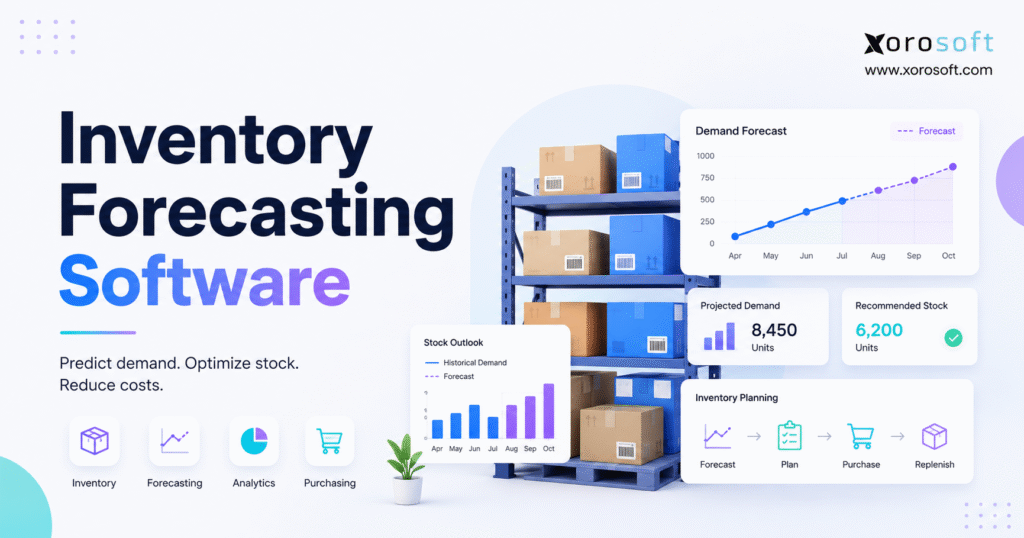
Inventory forecasting software can help businesses optimise their stock levels, reduce costs, and improve supply chain efficiency.
1. Why Inventory Planning Becomes Harder as a Business Grows
1.1 Simple Inventory Processes Rarely Scale Cleanly
Inventory planning often appears manageable when a company has a small catalog, one warehouse, a few suppliers, and a single sales channel. At that stage, a spreadsheet may provide enough information to decide what to reorder and when.
However, the process becomes less reliable as the operation expands.
For example, a growing business may sell through Shopify, Amazon, wholesale accounts, retail stores, and other marketplaces simultaneously. At the same time, it may store inventory across several warehouses, purchase from suppliers with different lead times, and manage hundreds or thousands of product variants.
As a result, inventory forecasting is no longer a simple calculation based on average monthly sales. Instead, the business must consider current stock, expected demand, incoming supply, purchasing restrictions, warehouse capacity, and cash requirements together.
Moreover, every additional channel creates another source of demand data. Likewise, every warehouse adds another inventory position that planners must monitor.
Consequently, a spreadsheet that worked for 100 SKUs may become difficult to control when the company manages 5,000 SKUs across several locations.
1.2 Growth Creates Interconnected Inventory Questions
As complexity increases, planners must answer several connected questions:
- What are customers likely to buy?
- Where will that demand occur?
- How much usable inventory is currently available?
- What stock has already been committed?
- When will incoming purchase orders arrive?
- Which products require safety stock?
- Should stock be purchased, produced, or transferred?
Moreover, each answer affects the next decision. A forecast may estimate future demand accurately and still create a poor purchase recommendation if warehouse quantities, supplier lead times, or incoming shipment dates are incorrect.
For instance, the system may forecast 1,000 units of demand. However, if 300 units are already reserved and another 200 units are delayed in transit, the purchasing requirement will differ significantly from the visible on-hand balance.
Consequently, many businesses experience stockouts and overstock at the same time. Although they may have significant capital invested in inventory, the wrong products are available in the wrong quantities or locations.
Meanwhile, buyers often continue placing purchase orders based on spreadsheets, supplier emails, and personal judgment. Because each buyer may use a different method, purchasing decisions become inconsistent and difficult to review.
1.3 Forecasting Must Lead to Operational Action
Inventory forecasting software creates a more structured process. Specifically, it brings demand signals, inventory information, supplier data, purchasing requirements, and operational constraints into one planning workflow.
Therefore, instead of asking planners to interpret thousands of spreadsheet rows manually, the system can identify products that need attention and recommend suitable actions.
For example, the software may flag a fast-moving SKU that will fall below safety stock before the next supplier shipment arrives. Likewise, it may identify a slow-moving product with enough inventory to cover the next twelve months.
As a result, buyers can focus on exceptions rather than recalculating every SKU.
Ultimately, the purpose of inventory forecasting software is not simply to predict sales. Rather, its purpose is to help a business make better purchasing, production, transfer, and inventory-investment decisions.
2. What Is Inventory Forecasting Software?
Inventory forecasting software is a system that analyzes historical demand and current operational data to estimate future product requirements.
Typically, the software uses information such as:
- Historical sales
- Available inventory
- On-hand inventory
- Open customer orders
- Incoming purchase orders
- Supplier lead times
- Seasonal patterns
- Promotions
- Returns
- Product launches
- Warehouse locations
- Manufacturing requirements
After gathering this information, the system converts the data into practical planning outputs. For instance, it may generate demand forecasts, reorder points, safety stock targets, purchase recommendations, warehouse-transfer suggestions, and production requirements.
However, forecasting software does not remove uncertainty. Instead, it helps businesses measure uncertainty and respond more consistently.
Moreover, the system provides a shared planning framework. Therefore, buyers, operations leaders, warehouse teams, and finance departments can evaluate the same assumptions.
2.1 What Inventory Forecasting Software Produces
The exact output depends on the platform and the company’s operating model. Nevertheless, most forecasting systems aim to answer several common questions.
They may help determine:
1. How many units of a product are likely to sell
2. When available inventory may become insufficient
3. How much safety stock should be held
4. When a purchase order should be placed
5. How many units should be ordered
6. Which warehouse needs additional inventory
7. Whether stock should be transferred between locations
8. Which products need manual review
Although the forecast is important, the decision that follows is even more valuable.
For example, a dashboard may predict that 1,000 units will sell next month. However, that prediction has little operational value unless it leads to a suitable purchase order, production plan, warehouse transfer, or supplier conversation.
Therefore, businesses should evaluate forecasting software according to the actions it enables rather than the number of charts it displays.
In addition, the software should explain how it reached each recommendation. Otherwise, planners may hesitate to trust or use the output.
2.2 Who Needs Inventory Demand Forecasting Software?
Inventory demand forecasting software is especially useful for companies that:
- Sell physical products
- Manage many SKUs or variants
- Experience seasonal demand
- Operate multiple warehouses
- Import goods with long lead times
- Sell through multiple channels
- Handle wholesale commitments
- Manufacture finished products
- Frequently run out of popular products
- Carry substantial slow-moving inventory
- Depend on spreadsheet-based purchasing
In particular, forecasting software becomes valuable when planners can no longer refresh forecasts quickly or explain how purchase quantities were calculated.
Additionally, the system becomes useful when management needs consistent planning across several buyers, locations, or departments.
For example, one buyer may focus on recent sales, while another may prioritize supplier minimums. Therefore, a shared system can create more consistent planning rules.
2.3 Who May Not Need Dedicated Forecasting Software?
Not every company needs specialized forecasting technology.
For instance, a smaller business may continue using spreadsheets when it has:
- A limited product range
- Stable demand
- One warehouse
- Short supplier lead times
- Low inventory value
- Simple purchasing rules
- Minimal seasonal variation
In this situation, a carefully maintained spreadsheet may remain sufficient.
However, the company should review that decision as complexity grows. Once the business adds more SKUs, locations, suppliers, or sales channels, manual forecasting may become difficult to control.
Therefore, the software decision should reflect operational complexity rather than company size alone.
Likewise, a business should not purchase advanced forecasting software simply because competitors use it. Instead, it should identify a clear operational need first.
3. How Inventory Forecasting Software Works
Most inventory forecasting systems follow a similar operational sequence.
First, the system collects sales and inventory data. Next, it cleans and organizes that information. Then, it identifies demand patterns and generates forecasts. Afterward, it calculates replenishment requirements and presents recommended actions. Finally, it compares previous forecasts with actual results.
Although the process appears straightforward, each stage can affect the final recommendation.
Therefore, businesses should evaluate the complete workflow rather than focusing only on the forecasting algorithm.
3.1 Consolidating Sales and Inventory Data
The forecasting system begins by collecting information from relevant applications.
These systems may include:
- Ecommerce platforms
- Marketplaces
- Point-of-sale systems
- Warehouse applications
- Accounting software
- Purchasing tools
- ERP platforms
- EDI systems
- Manufacturing applications
However, simply collecting data is not enough. The software must also understand what each inventory quantity means.
For example, inventory may already be:
- Reserved for customers
- Allocated to wholesale accounts
- Damaged
- In quality inspection
- In transit
- Committed to production
- Awaiting receipt
Therefore, total on-hand inventory is not always available inventory.
If the system assumes that every physical unit can be sold, it may recommend too little replenishment. Conversely, if it ignores incoming inventory, it may recommend unnecessary purchases.
As a result, accurate inventory-status definitions are essential.
Moreover, synchronization frequency matters. For instance, a weekly data refresh may be too slow for a fast-moving ecommerce operation.
3.2 Identifying Demand Patterns
After the data has been organized, the software evaluates product demand for recurring patterns.
Common patterns include:
- Stable demand
- Upward trends
- Downward trends
- Weekly seasonality
- Annual seasonality
- Promotion-related spikes
- Intermittent demand
- Product lifecycle changes
- Regional differences
For example, a replenishment item that sells every day behaves differently from a replacement part that sells only a few times per year.
Likewise, a seasonal apparel product should not be forecast in the same way as a stable household item.
Therefore, reliable inventory planning software should allow different product groups to use different models, review schedules, or safety-stock rules.
In addition, planners should be able to identify unusual demand periods. Otherwise, a one-time sales spike may distort the future forecast.
3.3 Generating SKU-Level Forecasts
Forecasting software may use statistical models, machine learning, planner assumptions, or a combination of methods.
Common approaches include:
- Moving averages
- Exponential smoothing
- Time-series forecasting
- Seasonal models
- Regression
- Machine learning
- Similar-product forecasting
- Manual planner adjustments
However, the most advanced algorithm is not automatically the best option.
For instance, a stable product with predictable demand may perform well with a straightforward forecasting method. By contrast, a fast-growing item affected by promotions, price changes, and channel expansion may require more variables and closer review.
Therefore, the objective is not to select the most complex model. Instead, the business should select the method that performs appropriately for each demand pattern.
Moreover, forecasting methods should be tested against actual results. Consequently, model selection should become an ongoing process rather than a one-time implementation decision.
3.4 Converting Forecasts Into Replenishment Recommendations
Once demand has been estimated, the software calculates how much inventory will be required during the replenishment period.
A basic reorder-point formula is:
Reorder Point = Expected Demand During Lead Time + Safety Stock
However, real-world replenishment usually requires additional variables.
For example, the recommendation may need to consider:
- Available inventory
- Reserved inventory
- Incoming purchase orders
- Supplier minimum order quantities
- Case packs
- Order multiples
- Warehouse capacity
- Product shelf life
- Available cash
- Supplier calendars
- Manufacturing capacity
Therefore, a good order recommendation must be explainable.
Buyers should be able to see the demand forecast, current availability, incoming stock, safety stock, lead time, and supplier constraints behind the recommendation.
Otherwise, the system simply replaces an unexplained spreadsheet number with an unexplained software number.
Ultimately, the recommendation should support a practical purchasing decision rather than remain a theoretical forecast.
4. Why Data Quality Determines Forecasting Quality
Inventory forecasting software depends on operational data. Consequently, unreliable inputs can produce misleading recommendations even when the forecast appears precise.
In other words, advanced software cannot fully compensate for poor product records, inaccurate warehouse quantities, or unrealistic supplier lead times.
Therefore, data preparation should be treated as part of the forecasting project rather than a separate technical task.
4.1 Accurate SKU and Product Information
The product master should contain consistent information for every active item.
Important fields may include:
- SKU
- Product name
- Variant
- Unit of measure
- Supplier
- Lead time
- Case quantity
- Minimum order quantity
- Product status
- Warehouse assignment
- Bill of materials
- Product category
For example, duplicate product codes can split demand across multiple records. Similarly, incorrect units of measure can cause the software to recommend cases when the buyer expects individual units.
Therefore, product-data cleanup should be part of any forecasting implementation.
Moreover, inactive or discontinued products should be clearly identified. Otherwise, the system may continue producing forecasts for items the business no longer intends to sell.
4.2 Reliable Inventory Availability
Forecasting should always begin with an accurate inventory position.
Suppose a system reports 500 available units while the warehouse has only 420. In that case, the next purchase recommendation will probably be too low.
Common causes of inventory discrepancies include:
- Unrecorded damage
- Incorrect receiving
- Picking errors
- Returns not processed
- Transfer delays
- Unit-of-measure mistakes
- Manual adjustments
- Channel-synchronization failures
Because of this, cycle counting, controlled receiving, barcode scanning, and warehouse discipline directly support better forecasting.
Moreover, inventory accuracy should be monitored continuously rather than corrected only during an annual physical count.
As a result, forecasting improvement may require warehouse-process improvement as well.
4.3 Realistic Supplier Lead Times
Many businesses use the supplier’s quoted lead time in their forecasts. However, the quoted number may not reflect actual performance.
Therefore, teams should measure:
- Purchase-order creation date
- Supplier confirmation date
- Promised shipment date
- Actual shipment date
- Promised arrival date
- Actual receipt date
- Partial-delivery behavior
Additionally, lead-time variability often matters as much as the average.
For example, a supplier that usually delivers in 30 days but occasionally takes 60 days creates more risk than a supplier that consistently delivers in 35 days.
As a result, safety stock and reorder timing should account for variability rather than the average alone.
Likewise, seasonal congestion, customs delays, and production schedules may affect lead times. Therefore, buyers should review supplier performance regularly.
4.4 Stockouts Can Distort Historical Demand
Historical sales do not always represent true customer demand.
For example, suppose a product normally sells 100 units per week but remains out of stock for two weeks. Recorded sales during those weeks may fall close to zero. However, customer demand may still have existed.
If the forecasting model interprets those periods as weak demand, the next forecast may be too low. Consequently, the business may repeat the shortage.
Therefore, forecasting teams should identify:
- Out-of-stock periods
- Backorders
- Lost sales
- Cancelled orders
- Product substitutions
- Unfulfilled marketplace demand
Where appropriate, these periods should be adjusted, excluded, or reviewed manually.
Furthermore, the adjustment method should be documented. Otherwise, different planners may treat stockout periods differently.
5. Essential Inventory Forecasting Software Features
The right feature set depends on the company’s products, channels, suppliers, locations, and purchasing workflows.
Nevertheless, several capabilities are important for most inventory-driven businesses.
Therefore, buyers should focus on operational fit rather than selecting the platform with the longest feature list.
5.1 SKU-Level Inventory Forecasting
Category-level forecasts may help with financial planning. However, buyers usually purchase specific SKUs.
Therefore, the software should forecast at the same level used for purchasing and replenishment.
That level may include:
- Product
- Variant
- Size
- Color
- Warehouse
- Channel
- Component
For example, strong category sales may hide a shortage in a popular size or color. As a result, category-level planning can create overstock in slow variants while fast variants remain unavailable.
Moreover, the required planning level may differ by product group. Consequently, the system should provide flexible forecasting hierarchies.
5.2 Seasonal Demand Forecasting
Seasonality may be weekly, monthly, annual, weather-related, or event-driven.
A suitable system should distinguish recurring demand from:
- One-time promotions
- Clearance campaigns
- Product launches
- Retailer orders
- Marketing events
- Stockout recovery
For instance, a one-week influencer campaign should not automatically become part of the normal recurring forecast.
Therefore, planners need tools that allow them to tag unusual events and make documented adjustments.
In addition, they should be able to compare the current season with previous periods. As a result, they can identify whether demand is following the expected pattern.
5.3 Multi-Warehouse Inventory Forecasting
Multi-warehouse businesses need forecasts by location rather than one combined company forecast.
Specifically, the software should help determine:
- Where demand is expected
- Which warehouse should hold the stock
- Whether inventory can be transferred
- Which location should purchase
- How transfer lead times affect availability
- How regional demand differs
For businesses that need stronger warehouse execution, XoroWMS connects inventory tracking, warehouse operations, transfers, fulfillment, and multi-location visibility.
Because warehouse records become more accurate and timely, planners can work from a stronger inventory position.
Moreover, the system can support transfer decisions before new purchases are placed. Consequently, the company may use existing stock more effectively.
5.4 Safety Stock Calculations
Safety stock protects against demand and supply uncertainty.
A suitable system should allow safety stock to vary according to:
- SKU
- Warehouse
- Supplier
- Demand variability
- Lead-time variability
- Product importance
- Target service level
However, many businesses use the same number of safety-stock days for every item.
As a result, stable products may carry unnecessary inventory, while volatile products remain exposed to stockouts.
Therefore, safety stock should reflect actual risk rather than a single company-wide rule.
Likewise, the business should review safety-stock settings as demand and supplier performance change.
5.5 Automated Replenishment Recommendations
Automated replenishment software should recommend both quantity and timing.
Ideally, each recommendation should explain:
- Forecast demand
- Available inventory
- Incoming inventory
- Safety stock
- Lead time
- Order constraints
- Projected stockout date
Although automation improves consistency, buyers should still be able to review and approve recommendations.
In practice, software should support human judgment rather than remove it completely.
Moreover, exception thresholds should help buyers focus on high-impact recommendations. As a result, they can spend less time reviewing stable products.
5.6 Purchase-Order Planning
Some forecasting platforms only generate an export. Others allow recommendations to become draft or approved purchase orders.
Therefore, businesses should evaluate whether the system supports:
- Supplier selection
- Purchase approvals
- Minimum quantities
- Case packs
- Multiple currencies
- Expected receipt dates
- Partial receipts
- Landed costs
- Supplier performance
A forecast that remains disconnected from purchasing creates another manual handoff. Consequently, the business may lose many of the efficiency gains promised by automation.
In addition, approval rules should match purchasing authority. Otherwise, the system may automate calculations while leaving control gaps.
5.7 Forecast-versus-Actual Reporting
The platform should compare previous forecasts with actual demand.
Reports should allow analysis by:
- SKU
- Category
- Planner
- Warehouse
- Channel
- Supplier
- Forecast method
- Time period
As a result, teams can identify whether forecasting errors came from the model, the data, supplier performance, inventory discrepancies, or manual overrides.
Moreover, consistent reporting creates accountability. Therefore, planners can learn which adjustments improved results and which ones did not.
5.8 Scenario and What-If Planning
Planning teams frequently need to evaluate situations that have not occurred in historical data.
For example, management may need to model:
- Opening a new warehouse
- Launching a new product
- Adding a wholesale customer
- Increasing advertising
- Entering a new market
- Changing price
- Losing a supplier
- Extending lead times
Scenario planning helps management understand inventory, purchasing, capacity, and cash implications before committing to a decision.
Therefore, it becomes especially valuable during expansion or disruption.
Additionally, scenarios should remain separate from the approved operating forecast until management accepts them.
6. Business Benefits of Inventory Planning Software
Inventory planning software should improve operational decisions rather than simply produce more reports.
When properly implemented, it can support better purchasing, stronger inventory availability, and more controlled working capital.
Moreover, it can create a shared planning process across operations, purchasing, warehousing, and finance.
6.1 Reducing Stockout Risk
Forecasting gives purchasing teams more time to respond before inventory becomes unavailable.
Depending on the situation, they may:
- Place an order earlier
- Increase the order quantity
- Transfer stock
- Expedite supply
- Adjust marketing
- Change customer commitments
- Produce additional units
However, the software cannot eliminate every stockout.
Unexpected demand, supplier disruption, warehouse errors, and capacity constraints may still create shortages. Nevertheless, better visibility allows the business to respond earlier.
As a result, the company can reduce avoidable shortages even when uncertainty remains.
6.2 Controlling Overstock and Aging Inventory
Forecasting can identify items whose current and incoming inventory exceed expected requirements.
Therefore, the business may:
- Reduce future purchase quantities
- Delay an order
- Transfer stock
- Bundle products
- Adjust promotions
- Review discontinuation plans
As a result, the company can protect cash and warehouse space without applying broad inventory reductions that damage availability.
Moreover, planners can identify aging inventory sooner. Consequently, commercial teams have more time to respond before heavy markdowns become necessary.
6.3 Improving Purchasing Consistency
Without a structured system, different buyers may calculate replenishment differently.
For example, one buyer may order three months of average sales. Another may use the previous year. Meanwhile, a third buyer may rely mainly on supplier minimums or personal judgment.
Consequently, purchasing decisions become inconsistent and difficult to audit.
Inventory forecasting software introduces shared rules while still allowing documented exceptions.
Therefore, management can compare buyer decisions using a consistent planning framework.
6.4 Connecting Inventory With Cash Planning
Inventory is both an operational resource and a financial investment.
Therefore, forecast-based purchasing can help finance teams estimate:
- Future purchase commitments
- Cash requirements
- Accounts-payable exposure
- Inventory investment
- Potential write-down risk
Moreover, this visibility becomes more important as the business adds suppliers, currencies, warehouses, and manufacturing operations.
As a result, operations and finance can discuss inventory decisions before cash commitments are finalized.
7. Inventory Forecasting Software Versus Spreadsheets
Spreadsheets remain useful because they are flexible, familiar, and inexpensive to start.
However, they become harder to control as operational complexity grows.
| Evaluation Area | Spreadsheets | Forecasting Software |
|---|---|---|
| Initial setup | Usually simple | Requires configuration |
| Manual work | High | Reduced after integration |
| SKU scalability | Limited | Designed for larger catalogs |
| Multi-location planning | Complex | Structured by warehouse |
| Data refresh | Often manual | Can be automated |
| Audit history | Limited | More controlled |
| Forecast monitoring | Custom formulas | Built-in reporting |
| Purchasing connection | Usually separate | May be integrated |
7.1 Signs a Business Has Outgrown Spreadsheet Forecasting
A company may need a dedicated inventory planning system when:
1. Forecast updates take several days.
2. Several spreadsheet versions circulate.
3. Formulas are frequently broken.
4. Purchase recommendations require manual copying.
5. Warehouse planning happens separately.
6. Shopify and marketplace data must be merged manually.
7. Forecast overrides cannot be tracked.
8. Inventory and accounting reports disagree.
9. Planners spend more time collecting data than reviewing decisions.
10. Stockouts and overstock continue despite frequent updates.
Spreadsheets can still support special analyses and one-time scenarios.
However, the concern is whether they have become the primary operating system for a complex inventory business.
If that has happened, the company may face growing data, control, and scalability problems.
Therefore, the decision to upgrade should focus on process risk rather than spreadsheet size alone.
8. Standalone Forecasting Software Versus ERP Forecasting
Businesses generally evaluate two categories: dedicated forecasting platforms and ERP systems with forecasting capabilities.
| Evaluation Area | Standalone Forecasting Software | Integrated ERP |
| Forecasting specialization | Often deeper | Varies by platform |
| Purchasing | May require integration | Usually connected |
| Accounting | Separate system | Integrated |
| Warehouse operations | Separate | May be included |
| Manufacturing | Often limited | May support BOMs and MRP |
| Implementation | Narrower | Broader |
| Best fit | Focused planning need | Connected operational need |
8.1 When Standalone Demand Forecasting Software Fits
A dedicated demand forecasting application may be appropriate when:
- The current ERP works well
- Inventory records are reliable
- Purchasing processes are controlled
- Warehouse systems are integrated
- Accounting information is consistent
- The primary gap is advanced demand planning
In this case, replacing the wider technology stack may create unnecessary disruption.
Therefore, a specialist forecasting tool may provide the required capability with a narrower project scope.
Moreover, the business can preserve familiar accounting and warehouse workflows. However, integration quality should be tested carefully.
8.2 When Integrated ERP Inventory Forecasting Fits
An ERP may be more suitable when forecasting problems are connected to wider operational issues.
Examples include:
- Disconnected purchasing
- Inaccurate warehouse inventory
- Delayed accounting
- Duplicate product data
- Manual Shopify synchronization
- Separate manufacturing applications
- Limited reporting
XoroONE is designed as a cloud ERP platform for inventory-driven businesses that need inventory, purchasing, accounting, warehouse management, manufacturing, forecasting, reporting, ecommerce, and EDI within a connected environment.
Therefore, this approach becomes relevant when forecasts must flow directly into purchasing and operational execution.
Businesses comparing broader platforms can also review the Xorosoft versus NetSuite comparison.
However, the objective should not be to identify one universal winner. Instead, the company should determine which platform fits its operational complexity, internal resources, implementation expectations, and reporting requirements.
Ultimately, system fit matters more than feature count.
9. Inventory Forecasting Software by Business Model
Forecasting requirements vary significantly between ecommerce, wholesale, and manufacturing operations.
Therefore, buyers should evaluate software according to their actual operating model rather than a generic feature checklist.
Moreover, industry-specific requirements may change the required planning level, integrations, and replenishment workflow.
9.1 Ecommerce Inventory Forecasting Software
Ecommerce businesses often experience rapid changes in demand.
For instance, a campaign, influencer mention, discount, product review, or marketplace-ranking change can quickly affect sales.
Therefore, the forecasting system should understand:
- Product variants
- Channel-level orders
- Returns
- Promotions
- Fulfillment locations
- Reserved inventory
- Marketplace commitments
- Inventory synchronization
For Shopify merchants, the software should connect order activity with broader inventory and purchasing workflows.
The Xorosoft ERP Shopify integration is relevant when a merchant wants Shopify orders, inventory, purchasing, warehouse operations, manufacturing, financials, and customer service connected with an ERP platform.
Moreover, channel synchronization should update quickly enough to support current purchasing decisions. Otherwise, planners may forecast from outdated information.
9.2 Wholesale Inventory Forecasting
Wholesale demand can be irregular because a small number of customers may account for a large share of sales.
Therefore, forecasting should distinguish between:
- Recurring customer demand
- One-time bulk orders
- Retailer promotions
- EDI commitments
- Contract quantities
- Project orders
- Preorders
For example, a large one-time order should not automatically become part of the normal recurring forecast.
Additionally, wholesale businesses may require customer-specific pricing, inventory allocation, case quantities, credit controls, and EDI.
Consequently, those requirements should be evaluated alongside forecasting capabilities.
Likewise, planners should separate confirmed customer commitments from uncertain opportunities.
9.3 Manufacturing Demand Forecasting Software
Manufacturers must forecast both finished products and the materials required to produce them.
The planning process may include:
1. Finished-goods forecasts
2. Bills of materials
3. Component availability
4. Work orders
5. Production capacity
6. Supplier lead times
7. Material requirements
8. Expected completion dates
XoroERP is relevant for businesses evaluating an inventory-focused ERP that connects purchasing, inventory, manufacturing, sales, accounting, and reporting.
However, the key question is whether the software can translate demand into realistic material and production requirements.
Moreover, the system should account for component shortages and production constraints. Otherwise, the finished-goods forecast may not be operationally achievable.
9.4 Industry-Specific Inventory Planning Requirements
| Industry | Common Forecasting Challenge | Important Capability |
| Apparel | Size, color, season, markdown risk | Variant-level planning |
| Furniture | Long lead times and warehouse capacity | Supplier and location planning |
| Sporting goods | Seasonal and event-based demand | Seasonal forecasting |
| Food and beverage | Shelf life and expiry | Lot- and date-sensitive planning |
| Wholesale | Large orders and allocation | Customer-level visibility |
| Manufacturing | Component dependency | BOM and MRP integration |
Businesses can explore additional operational requirements through Xorosoft’s industry-specific ERP solutions.
Therefore, industry fit should be reviewed alongside general forecasting features.
10. How Inventory Forecasting Connects With Purchasing and Warehousing
A demand forecast creates value only when it leads to appropriate action.
Therefore, the forecast-to-purchase workflow generally includes:
1. Estimating future demand
2. Calculating lead-time demand
3. Reviewing current availability
4. Reviewing incoming inventory
5. Adding safety stock
6. Applying supplier constraints
7. Generating an order recommendation
8. Approving the purchase order
9. Monitoring shipment and receipt
Moreover, each step should use consistent data. Otherwise, errors may be introduced during manual handoffs.
10.1 Supplier Constraints in Automated Replenishment
Purchase recommendations should reflect real supplier rules.
These may include:
- Minimum order quantities
- Case packs
- Container quantities
- Order multiples
- Purchase calendars
- Volume discounts
- Supplier capacity
- Partial shipments
- Currency
- Landed cost
Otherwise, the software may create recommendations that are mathematically correct but operationally unusable.
Therefore, supplier constraints should be included in both the configuration and testing process.
In addition, planners should review whether minimum quantities create excess inventory. Consequently, commercial and purchasing teams may need to balance price savings against carrying risk.
10.2 Inventory Transfers Before New Purchases
A multi-warehouse system should review internal stock before recommending additional purchasing.
For example, one warehouse may have 500 excess units while another is projected to run out.
In that situation, a transfer may be faster and less expensive than placing another supplier order.
Therefore, the system should compare:
- Transfer time
- Freight cost
- Service requirements
- Demand by location
- Available warehouse capacity
- Supplier lead time
Moreover, the transfer should be tracked from shipment through receipt. Otherwise, planners may count the same inventory in both locations.
10.3 Warehouse Accuracy Supports Better Forecasting
Forecasting and warehouse management are often treated as separate initiatives.
However, they depend on each other.
The forecast requires reliable inventory quantities. Meanwhile, the warehouse needs clear replenishment priorities.
Therefore, barcode scanning, cycle counting, controlled receiving, bin management, and transfer tracking support better inventory planning.
As a result, warehouse-process improvements may produce better forecasting outcomes even before the forecasting model changes.
11. How Inventory Forecasting Supports Accounting and Cash Flow
Forecasting decisions have direct financial consequences.
When a buyer approves a purchase recommendation, the business may commit cash weeks or months before the products are sold.
Therefore, finance teams need visibility into:
- Planned purchase orders
- Supplier payment terms
- Cash requirements
- Inventory valuation
- Landed costs
- Aging inventory
- Expected gross margin
- Potential write-downs
A connected ERP can help align operational and financial information.
For example, if forecasting remains separate from accounting, finance may not see future inventory commitments until purchase orders are issued or invoices arrive.
Likewise, planners may recommend large purchases without understanding current cash limitations.
Consequently, integrated planning creates a more realistic conversation between operations and finance.
The objective is not simply to hold less stock. Instead, the business should invest inventory capital where it supports service, revenue, and margin.
Moreover, finance should review the timing of purchases, not only the total annual inventory budget.
12. Measuring Inventory Forecasting Performance
Forecast accuracy is important. However, it should not be the only measure of success.
| Metric | What It Measures |
| Mean Absolute Error | Average error in units |
| Mean Absolute Percentage Error | Average percentage error |
| Forecast Bias | Consistent over- or under-forecasting |
| Service Level | Ability to meet demand |
| Stockout Rate | Frequency of unavailable inventory |
| Inventory Turnover | How quickly stock is sold or used |
| Days of Inventory | Estimated inventory coverage |
| Excess Inventory | Stock above expected requirements |
12.1 Why Forecast Accuracy Alone Is Not Enough
A forecast may become statistically more accurate while operational results become worse.
For example:
- Safety stock may be too low.
- Supplier lead times may be inaccurate.
- Purchase orders may be approved late.
- Warehouse quantities may be wrong.
- Minimum order quantities may create excess stock.
Therefore, forecasting performance should be evaluated through both statistical and operational outcomes.
A balanced review should include:
1. Forecast error
2. Forecast bias
3. Stockout rate
4. Fill rate
5. Excess inventory
6. Inventory turnover
7. Expedited freight
8. Planner overrides
9. Supplier performance
10. Inventory write-downs
Moreover, businesses should connect forecast metrics with financial and customer-service outcomes.
12.2 Segmenting Forecasting Performance
Company-wide averages can hide important problems.
Therefore, forecast accuracy should be segmented by:
- Product category
- SKU value
- Demand variability
- Warehouse
- Channel
- Planner
- Supplier
- Product lifecycle
For instance, one important high-value product may require more attention than hundreds of low-value items.
As a result, management should prioritize review according to business impact rather than average error alone.
Likewise, different SKU segments may require different accuracy targets.
13. Common Inventory Forecasting Mistakes
13.1 Treating Historical Sales as Perfect Demand
Historical sales may be affected by stockouts, promotions, substitutions, and channel restrictions.
Therefore, unusual periods should be reviewed before they are treated as normal demand.
Moreover, planners should document any adjustments. Otherwise, future reviews may not understand why the history changed.
13.2 Applying One Forecasting Method to Every SKU
Different products require different approaches.
For example, fast-moving items, seasonal products, replacement parts, and new launches should not automatically use the same model.
Consequently, product segmentation should influence forecasting methods and review frequency.
Likewise, high-value items may require more frequent review than low-value stable products.
13.3 Ignoring Lead-Time Variability
Using one fixed supplier lead time can create shortages when actual performance varies.
Therefore, teams should measure receipt history and review supplier reliability.
In addition, they should separate production time, shipping time, customs clearance, and receiving time where possible.
13.4 Buying AI Forecasting Software Before Fixing Data
Machine learning does not automatically correct missing receipts, duplicate SKUs, inaccurate stock, or poor promotion records.
As a result, data cleanup and process control should be part of implementation.
Moreover, the business should define what improvement it expects from AI. Otherwise, the project may become a technology exercise without a clear operational objective.
13.5 Overriding Forecasts Without Documentation
Human adjustments can improve forecasts when planners know about upcoming events.
However, every override should include:
- Reason
- Owner
- Date
- Expected impact
- Review outcome
This information creates accountability. Moreover, it helps the business determine whether manual adjustments improve results.
Consequently, repeated low-quality overrides can be identified and reduced.
13.6 Keeping Forecasting Separate From Purchasing
Exporting recommendations into another spreadsheet creates delay and duplicate work.
Therefore, the system should maintain approval controls while allowing information to flow efficiently into purchasing.
Likewise, actual receipts should flow back into the planning process. Otherwise, future recommendations may rely on outdated inbound information.
14. How to Choose Inventory Forecasting Software
The software-selection process should begin with business requirements rather than vendor presentations.
Otherwise, teams may be impressed by features that do not solve their actual planning problems.
Therefore, the buying process should follow a structured evaluation framework.
14.1 Document Current Inventory Planning Problems
First, identify where the existing process fails.
Examples include:
- Frequent stockouts
- Excess stock
- Slow forecast updates
- Poor supplier visibility
- Manual purchase orders
- Conflicting warehouse records
- Delayed financial reporting
- Limited multi-channel visibility
Next, prioritize these problems so vendors can be evaluated against real requirements.
Moreover, assign a measurable outcome to each priority. For example, the business may want to reduce planner preparation time or improve warehouse-level availability.
14.2 Define Required Software Integrations
List every system containing relevant inventory or demand data.
This may include:
- Shopify
- Amazon
- Accounting
- Warehouse management
- EDI
- Point of sale
- Manufacturing
- Supplier portals
- Business intelligence
Then, ask each vendor which data moves in each direction and how frequently it updates.
In addition, confirm how integration errors are monitored. Otherwise, data may stop synchronizing without the planning team noticing.
14.3 Test Inventory Forecasting With Real Data
A standard demonstration may look impressive while avoiding difficult business scenarios.
Therefore, provide representative examples such as:
- Seasonal products
- Slow-moving products
- New launches
- Stockout periods
- Long-lead-time imports
- Multiple warehouses
- Kits
- Manufactured products
- Wholesale orders
Afterward, ask the vendor to explain both the forecast and the replenishment recommendation.
Moreover, compare the recommendation with the current planner’s approach. As a result, the team can evaluate whether the system improves decision quality.
14.4 Evaluate the Complete Planning Workflow
The demonstration should cover:
1. Data collection
2. Forecast generation
3. Exception review
4. Planner adjustment
5. Purchase recommendation
6. Approval
7. Purchase-order creation
8. Receiving
9. Reporting
10. Forecast-versus-actual analysis
Although forecasting algorithms matter, the full workflow determines whether the software improves operations.
Therefore, do not end the evaluation at the forecast screen.
14.5 Review Implementation Requirements
Implementation may involve:
- Product-data cleanup
- Inventory reconciliation
- Supplier setup
- Integration
- User permissions
- Workflow design
- Historical-data migration
- Training
- Testing
- Go-live support
Therefore, ask which responsibilities belong to the vendor and which belong to the internal team.
Moreover, confirm who will own decisions when data or process issues appear during implementation.
14.6 Calculate Total Cost of Ownership
The subscription is only one part of the total cost.
Additional expenses may include:
- Implementation
- Integration
- Data migration
- Training
- Support
- Reporting tools
- Internal project time
- Additional modules
- Future user growth
- Transaction limits
Consequently, a lower-priced tool may become expensive when it requires several additional applications and manual processes.
Therefore, buyers should compare the complete operating model rather than monthly subscription prices alone.
15. When to Upgrade to an Integrated Inventory ERP
A dedicated forecasting tool may solve a planning gap.
However, a broader ERP should be considered when the company also struggles with purchasing, warehousing, manufacturing, accounting, and reporting.
Common upgrade signals include:
1. Inventory and accounting frequently disagree.
2. Purchasing teams depend on spreadsheets.
3. Several warehouses report different quantities.
4. Shopify, Amazon, wholesale, and EDI data remain disconnected.
5. Month-end reconciliation takes too long.
6. Manufacturing requirements are calculated manually.
7. Inventory transfers are poorly controlled.
8. Management lacks real-time operational reporting.
9. The business relies on several overlapping applications.
10. Forecast recommendations do not flow into execution.
Businesses often evaluate Xorosoft after outgrowing QuickBooks, spreadsheets, inventory-only applications, or disconnected warehouse and ecommerce tools.
Therefore, the decision should focus on whether the organization needs better forecasting alone or a more connected operating platform.
Moreover, implementation readiness should be considered. An integrated ERP may solve broader problems, but it also requires stronger process alignment and data preparation.
16. Inventory Forecasting Software FAQs
16.1 What is inventory forecasting software?
Inventory forecasting software analyzes historical demand, inventory levels, lead times, incoming orders, seasonality, and other signals to estimate future stock requirements. Additionally, it may calculate safety stock, reorder dates, purchase quantities, warehouse transfers, and production requirements.
16.2 How does inventory forecasting software work?
First, the software collects operational data. Next, it identifies demand patterns and generates SKU-level forecasts. Then, it compares expected demand with available and incoming stock. Finally, it produces replenishment recommendations and measures previous forecasts against actual results.
16.3 What data does demand forecasting software need?
Most systems use sales history, inventory availability, open orders, incoming purchase orders, supplier lead times, promotions, returns, product information, and warehouse data. Additionally, manufacturing businesses may require bills of materials, work orders, and production capacity.
16.4 How much sales history is required?
The required history depends on seasonality, product behavior, and forecast frequency. For example, seasonal products benefit from several complete cycles. However, new products require similar-product data, commercial assumptions, launch plans, and frequent updates.
16.5 Can forecasting software predict new-product demand?
Yes. However, the forecast will rely on assumptions rather than the product’s own history. Therefore, businesses may use comparable items, category demand, pricing, distribution plans, marketing activity, and early sales signals.
16.6 Can inventory forecasting software prevent stockouts?
It can reduce avoidable stockouts by identifying future shortages earlier. Nevertheless, it cannot eliminate shortages caused by sudden demand, supplier failures, inaccurate inventory, capacity problems, or delayed purchasing decisions.
16.7 Can demand planning software reduce overstock?
Yes. It can identify products whose available and incoming inventory exceed projected requirements. As a result, buyers can reduce orders, delay purchases, transfer stock, or adjust promotional plans.
16.8 Does inventory software calculate safety stock?
Many forecasting systems calculate or recommend safety stock. However, buyers should confirm whether the calculation accounts for demand variability, supplier reliability, lead time, location, forecast error, and service targets.
16.9 Can forecasting software create purchase orders?
Some applications only export purchase recommendations. By contrast, others create draft or approved purchase orders. Therefore, businesses should review approvals, supplier rules, receipts, landed cost, and accounting integration.
16.10 Can it manage multiple warehouses?
Many systems provide warehouse-level forecasts. Moreover, stronger platforms may recommend transfers, account for regional demand, calculate location-specific safety stock, and consider transfer lead times before recommending new purchases.
16.11 Does forecasting software integrate with Shopify?
Many systems integrate with Shopify, but capabilities vary. Therefore, confirm whether products, variants, orders, returns, inventory states, locations, and fulfillments synchronize at the required frequency.
16.12 Does it integrate with Amazon?
Some forecasting and ERP platforms connect directly with Amazon or through integration services. However, businesses should confirm marketplace coverage, synchronization frequency, fulfillment data, reserved stock, returns, and inbound inventory handling.
16.13 What is the difference between forecasting and demand planning?
Forecasting estimates future demand. Demand planning, however, combines the statistical forecast with promotions, sales input, customer commitments, financial expectations, and supply constraints to create an agreed operating plan.
16.14 What is the difference between forecasting and inventory optimization?
Forecasting estimates expected demand. Inventory optimization then uses that forecast with lead times, service targets, variability, and cost considerations to determine suitable inventory levels and safety stock.
16.15 Is ERP forecasting better than standalone software?
Neither option is always better. Standalone software may provide deeper forecasting specialization. In contrast, ERP forecasting may provide stronger integration with inventory, purchasing, accounting, manufacturing, and warehousing.
16.16 Are spreadsheets still useful for inventory forecasting?
Yes. Spreadsheets work well for small catalogs, one-time analysis, prototypes, and simple planning. However, they become difficult to control when the business adds many SKUs, warehouses, integrations, users, and recurring updates.
16.17 When should a company replace forecasting spreadsheets?
Consider upgrading when spreadsheet refreshes take too long, formulas frequently break, several versions circulate, multi-warehouse planning is manual, purchase orders require copying, or forecast performance cannot be tracked consistently.
16.18 How accurate is inventory forecasting software?
Accuracy depends on data quality, product behavior, forecast horizon, lead times, promotions, model selection, and planner input. Therefore, no platform should guarantee perfect forecasts. Performance should be measured through statistical and operational outcomes.
16.19 How often should inventory forecasts be updated?
Update frequency should reflect business speed. For example, fast-moving ecommerce products may need daily data and weekly review. Meanwhile, stable products may be reviewed monthly. Promotions and supplier changes may require additional updates.
16.20 What causes inventory forecasts to be wrong?
Common causes include inaccurate inventory, missing stockout data, unreliable lead times, unusual promotions, changing demand, insufficient history, inappropriate models, and undocumented overrides. Therefore, teams should diagnose the cause before replacing the model.
16.21 What inventory forecasting metrics should be tracked?
Track forecast error, bias, service level, stockout rate, fill rate, inventory turnover, days of inventory, excess stock, expedite costs, and planner overrides. Additionally, review metrics by product segment rather than company-wide averages alone.
16.22 Can forecasting software support manufacturing?
Yes, when it connects finished-goods demand with bills of materials, component inventory, work orders, supplier lead times, production schedules, and capacity. However, buyers should confirm whether MRP is included or requires another application.
16.23 How much does inventory forecasting software cost?
Pricing varies according to users, SKUs, locations, modules, integrations, implementation, and support. Therefore, compare total cost of ownership rather than subscription price alone.
16.24 How long does implementation take?
Implementation time depends on data quality, integration scope, warehouse complexity, purchasing processes, training, and whether the project covers forecasting alone or a complete ERP. Consequently, vendors should provide a documented implementation plan.
16.25 How should inventory forecasting vendors be evaluated?
Use real company data and ask each vendor to demonstrate forecasting, exceptions, overrides, replenishment, purchasing, integrations, reporting, multi-location planning, and implementation responsibilities. Ultimately, platforms should be scored against documented requirements rather than presentation quality.
17. Choosing an Inventory Forecasting System That Supports Growth
Inventory forecasting software should be evaluated according to the decisions it improves, not the number of algorithms listed on a feature page.
A suitable system should help the business:
1. Build more dependable demand forecasts.
2. Identify uncertainty and exceptions.
3. Calculate realistic replenishment requirements.
4. Connect forecasting with purchasing or production.
5. Maintain accurate multi-warehouse visibility.
6. Understand cash and inventory implications.
7. Measure operational outcomes.
8. Scale as products, channels, and locations expand.
A standalone demand-planning tool may be sufficient when the company already has reliable inventory, purchasing, warehouse, and accounting systems.
However, an integrated ERP becomes more relevant when forecasting is one part of a broader operational problem involving disconnected applications, duplicate data, limited reporting, or manual execution.
Therefore, the evaluation should begin with the complete operational workflow rather than the forecast model alone.
Before selecting a platform, test it with real SKUs, actual supplier constraints, difficult demand patterns, and current warehouse structures.
Moreover, ask the vendor to demonstrate how recommendations move into purchasing, warehousing, manufacturing, and accounting.
Ultimately, the right system should make inventory planning clearer, more accountable, and easier to execute.
Businesses evaluating a connected ERP approach can contact Xorosoft to review their current inventory, forecasting, purchasing, warehouse, ecommerce, manufacturing, and accounting requirements.