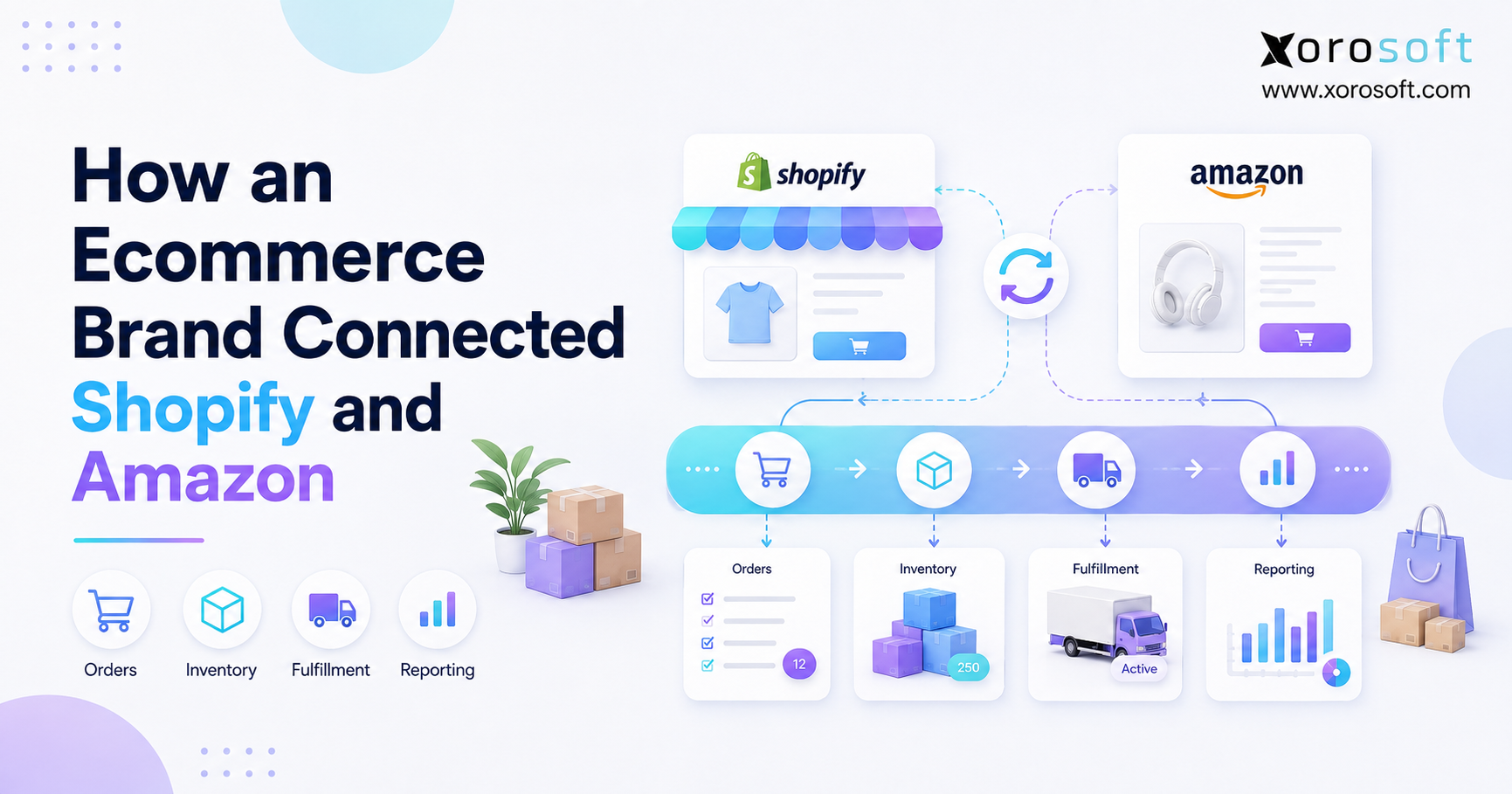
If you are looking for comprehensive steps, this Inventory ERP implementation guide will help you navigate the process successfully.
1. Inventory ERP Implementation Guide for Scaling Product Businesses
An Inventory ERP implementation guide helps growing product businesses move from disconnected tools into one system for inventory, purchasing, warehouse management, ecommerce, accounting, and reporting. Therefore, this guide is not only about installing software. Instead, it is about preparing your people, workflows, data, and systems so the ERP rollout supports daily operations without creating unnecessary disruption.
Many inventory-driven businesses begin with QuickBooks, spreadsheets, Shopify reports, warehouse sheets, and separate purchasing tools. At first, that setup may feel manageable. However, as order volume, SKU count, warehouses, sales channels, and supplier complexity increase, those tools often become harder to trust. As a result, teams start losing time to duplicate data entry, manual reconciliation, stock discrepancies, delayed reports, and unclear inventory ownership.
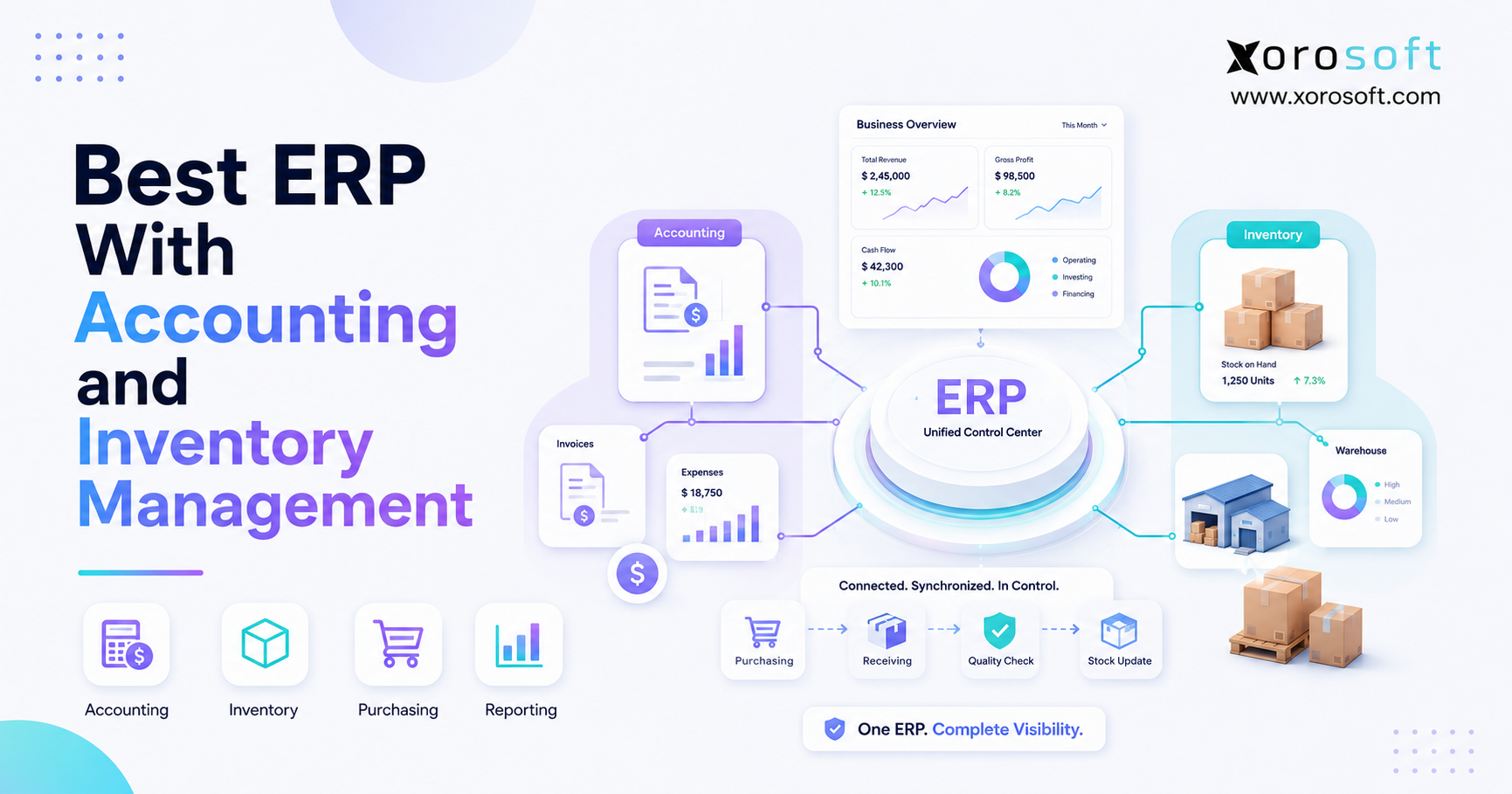
Because of this, the purpose of an ERP implementation is to create one operating foundation. Inventory teams need accurate stock. Purchasing teams need reliable demand signals. Warehouse teams need clear receiving, picking, packing, and transfer workflows. Meanwhile, finance teams need correct inventory valuation, cost of goods sold, and month-end reporting. Ultimately, the system should help every department work from the same information.
This Inventory ERP implementation guide explains the steps, checklist, timeline, mistakes, examples, comparison points, and industry use cases that product businesses should understand before going live.
1.1 Inventory ERP Rollout Basics
An inventory ERP implementation is the process of setting up an ERP system to manage how products move through the business. Usually, this includes item setup, SKU cleanup, warehouse configuration, purchase orders, sales orders, inventory transfers, accounting rules, ecommerce integrations, reporting, and user training.
However, implementation is not only technical. It also includes process decisions. For example, the team must decide how SKUs should be named, how purchase approvals should work, how inventory should be counted, and how warehouse transfers should be recorded. Therefore, the project must involve operations, warehouse, finance, ecommerce, purchasing, and leadership.
1.2 Why Growing Teams Struggle During Software Change
Inventory teams often struggle because the business tries to configure software before fixing workflows. For instance, if SKU naming is inconsistent, warehouse locations are unclear, or purchasing approvals happen through messages, the ERP will expose those gaps quickly. In addition, poor data quality can cause users to lose trust in the new system during the first few weeks.
Therefore, successful implementation starts with operational cleanup. Before configuration begins, the company should map workflows, remove bad data, define ownership, and agree on how inventory should move through the business.
1.3 Who This Inventory ERP Guide Is For
This Inventory ERP implementation guide is useful for ecommerce brands, wholesale distributors, manufacturers, apparel companies, furniture businesses, sporting goods brands, food companies, and other inventory-driven businesses. It is especially relevant if the company sells through Shopify, Amazon, wholesale, EDI, retail, or multiple warehouses.
In addition, this guide helps businesses that have outgrown QuickBooks, spreadsheets, entry-level inventory apps, warehouse tools, or disconnected reporting systems. If inventory affects sales, fulfillment, purchasing, accounting, and customer experience, ERP planning becomes important.
1.4 When ERP May Be Too Early
However, not every business needs ERP immediately. A small business with one warehouse, a limited SKU catalog, simple purchasing, and low order volume may still operate with accounting software and a basic inventory tool. In that case, ERP may add more structure than the business currently needs.
Still, once the company needs real-time visibility, multi-location inventory, forecasting, purchasing control, warehouse workflows, and accounting alignment, ERP becomes much more relevant.
2. Inventory ERP Implementation Guide Goals for Operational Control
The main goal of an ERP implementation is not to make operations complicated. Instead, the goal is to reduce confusion by connecting inventory, purchasing, warehouse, accounting, ecommerce, and reporting in one system.
2.1 Inventory ERP Data as One Source of Truth
First, the ERP should create one source of truth for inventory. Without that, Shopify may show one number, the warehouse may show another, accounting may show a third, and purchasing may use a spreadsheet that is already outdated.
As a result, teams make decisions based on different versions of reality. Therefore, the ERP must centralize stock quantities, locations, costs, committed inventory, inbound purchase orders, backorders, and available-to-sell inventory.
2.2 Inventory Movement and Accounting in ERP
Next, inventory activity must connect with financial records. When goods are received, sold, adjusted, transferred, or returned, the business needs accurate inventory value and cost reporting. Otherwise, finance teams spend too much time reconciling operational activity after the fact.
Because of this, implementation should include finance early. Costing methods, inventory valuation, COGS, landed cost, accounts payable, accounts receivable, and month-end close workflows must be planned before go-live.
2.3 Purchasing and Replenishment in ERP
Additionally, ERP should help purchasing teams make better decisions. Instead of guessing reorder quantities from spreadsheets, buyers should see vendor lead times, open purchase orders, demand history, sales velocity, safety stock, and forecasted demand.
Therefore, purchasing automation should be configured carefully. If reorder points, minimum stock levels, supplier data, and lead times are wrong, the system may recommend the wrong purchases.
2.4 Warehouse Execution in Inventory ERP
Warehouse teams need clear workflows for receiving, putaway, bin locations, picking, packing, shipping, transfers, returns, cycle counts, and adjustments. Consequently, ERP implementation should test real warehouse activity before launch.
If warehouse teams are ignored during planning, the system may look good in a demo but fail during daily operations.
2.5 Make Reporting More Reliable
Finally, ERP should make reporting more reliable. Leadership should be able to see inventory value, stockout risk, slow-moving stock, open purchase orders, fulfillment performance, gross margin, and forecast accuracy.
As a result, decisions become less reactive. Instead of waiting for manual reports, the business can act sooner.
3. Inventory ERP Implementation Guide Phases for a Clean Rollout
A strong ERP project follows clear phases. Although every business is different, most inventory ERP projects move through discovery, requirements planning, data preparation, configuration, integrations, testing, training, go-live, and hypercare. Therefore, this Inventory ERP implementation guide breaks the rollout into practical stages.
3.1 Discovery and Operational Assessment
First, the team should document how the business works today. This includes receiving, purchasing, sales orders, warehouse transfers, ecommerce orders, wholesale orders, production, returns, inventory adjustments, and month-end reconciliation.
However, the goal is not only to document the current state. The goal is also to identify what needs to change before ERP configuration begins.
3.2 Inventory ERP Requirements Planning
Next, the team should define requirements. A weak requirement says, “We need better inventory visibility.” A stronger requirement says, “We need available inventory by warehouse, committed inventory by order, inbound inventory by purchase order, and reorder recommendations by SKU.”
Therefore, requirements must be specific enough to test later. In addition, every requirement should have a business owner.
3.3 Inventory Data Cleanup Before ERP Configuration
Data preparation is one of the most important parts of this Inventory ERP implementation guide. If the data is wrong, the implementation will feel wrong even if the software is configured correctly.
For example, duplicate SKUs, inactive vendors, inconsistent units of measure, wrong costs, missing barcodes, and unclear warehouse locations can all create problems. Therefore, data cleanup should start early.
3.4 System Configuration
After discovery and data cleanup, the ERP can be configured. Usually, this includes warehouses, bins, item categories, units of measure, reorder rules, vendor records, purchase workflows, sales workflows, accounting rules, permissions, reports, and approval paths.
In addition, configuration should reflect real operations. If the warehouse picks by zone, the system should support that process. If purchasing uses vendor lead times, those lead times should be accurate.
3.5 Ecommerce and EDI Integrations for Inventory ERP
Many inventory businesses sell through Shopify, Amazon, wholesale channels, retail partners, and EDI. Therefore, implementation must include integration testing.
For Shopify merchants, it may make sense to review the Xorosoft ERP listing on the Shopify App Store when evaluating how ERP can support ecommerce inventory workflows. This is also a useful outbound link because it points to an external, relevant Shopify source.
3.6 Inventory ERP Testing and User Acceptance
Testing should use real scenarios. For example, the team should test partial receipts, split shipments, backorders, purchase order changes, returns, transfer delays, stock adjustments, damaged goods, and month-end reconciliation.
In addition, users should test the system themselves. If only managers test the ERP, daily users may find problems too late.
3.7 Training and Change Management
Training should be role-based. Warehouse users need receiving, picking, packing, scanning, and transfers. Buyers need purchase orders, replenishment, and vendor management. Finance users need costing, reconciliation, and reporting.
As a result, employees learn the workflows they will actually use. This is much more effective than generic feature training.
3.8 Inventory ERP Go-Live and Hypercare
Finally, the business goes live. However, go-live is not the end of implementation. Instead, it is the start of controlled adoption.
During hypercare, the team should review issues daily, validate reports, support users, confirm inventory balances, monitor integrations, and fix workflow gaps quickly.
4. Inventory ERP Implementation Guide Checklist Before Go-Live
This Inventory ERP implementation guide checklist helps teams prepare before go-live. However, it should be adapted to your actual business model.
| Area | What to Confirm | Why It Matters |
|---|---|---|
| Process mapping | Current workflows are documented | Prevents poor process automation |
| SKU cleanup | Active SKUs are clean and standardized | Improves trust in the system |
| Warehouse setup | Locations, bins, and transfer rules are ready | Supports accurate stock movement |
| Purchasing setup | Vendors, lead times, and reorder rules are reviewed | Reduces stockout and overstock risk |
| Ecommerce setup | Shopify, Amazon, and order flows are tested | Prevents channel inventory problems |
| Accounting setup | Inventory value, COGS, and GL rules are validated | Supports clean month-end reporting |
| User training | Teams are trained by role | Improves adoption |
| Reporting | Key reports are reviewed before launch | Helps leadership trust ERP data |
| Support plan | Hypercare owners are assigned | Reduces post-go-live disruption |
4.1 Pre-Implementation Checklist
Before implementation starts, confirm the business case, project owner, executive sponsor, implementation team, workflow scope, timeline, budget, and data cleanup plan.
Additionally, define what success means. For example, success may include faster month-end close, fewer inventory discrepancies, better purchasing accuracy, stronger warehouse control, or improved Shopify inventory visibility.
4.2 ERP Data Migration Checklist
Next, clean item data, vendor data, customer data, open sales orders, open purchase orders, inventory balances, warehouse locations, costs, barcodes, and pricing rules.
Because bad data creates operational problems, the team should validate migrated data before go-live. Also, do not migrate old data only because it exists. Instead, migrate what the new ERP needs to operate correctly.
4.3 Warehouse ERP Readiness Checklist
Warehouse readiness includes bin locations, barcode labels, scanners, receiving workflows, pick paths, packing steps, transfer rules, cycle count process, and stock adjustment permissions.
For companies that need stronger warehouse execution, XoroWMS can be reviewed as part of the warehouse planning process.
4.4 Ecommerce and Marketplace Checklist
Ecommerce readiness includes Shopify order sync, Amazon order sync, inventory availability, fulfillment routing, returns, cancellations, taxes, shipping tools, and payment workflows.
In addition, teams should decide which system owns inventory. If ownership is unclear, inventory can become inaccurate across channels.
4.5 Accounting Readiness Checklist
Accounting readiness includes inventory valuation, costing method, landed cost, accounts payable, accounts receivable, COGS, sales tax, payment reconciliation, and month-end reports.
Therefore, finance should be involved before go-live, not after.
4.6 Final Launch Checklist
Before go-live, confirm final inventory balances, open orders, integrations, permissions, reports, training, support owners, escalation process, backup plan, and cutover timing.
As a result, the business can launch with fewer surprises.
5. Inventory ERP Implementation Guide to Data Migration
Data migration is where many ERP projects succeed or fail. Therefore, this Inventory ERP implementation guide treats migration as a business process, not only a technical task.
5.1 What Data Should Be Migrated
Most inventory ERP projects migrate active SKUs, item descriptions, categories, vendors, customers, open purchase orders, open sales orders, warehouse locations, inventory quantities, standard costs, average costs, pricing rules, and key accounting balances.
For manufacturing companies, migration may also include bills of material, work orders, routing data, raw materials, finished goods, and production planning data.
5.2 What Data Should Not Be Migrated
However, not all historical data should move into the new ERP. Old inactive SKUs, duplicate vendors, outdated customer records, and messy transaction history may create more harm than value.
Instead, keep old records accessible outside the ERP when needed. This keeps the new system cleaner.
5.3 Common ERP Migration Mistakes
Common mistakes include migrating duplicate SKUs, ignoring units of measure, using outdated costs, skipping vendor cleanup, and failing to reconcile inventory value.
Additionally, some teams wait too long to start data cleanup. Because of that, migration becomes rushed near go-live.
5.4 Validate Inventory Data Before ERP Launch
To validate migrated data, compare SKU counts, warehouse balances, inventory value, open sales orders, open purchase orders, vendor records, and accounting totals.
In addition, run test transactions after migration. This helps confirm that the data works inside real workflows.
6. Inventory ERP Implementation Guide Timeline and Planning Benchmarks
Use this Inventory ERP implementation guide timeline as a planning benchmark, not a fixed promise. ERP implementation timelines vary by scope. However, most inventory-driven companies should plan in phases instead of rushing toward a fixed date.
This Inventory ERP implementation guide should be used as a planning tool, not as a fixed promise, because every rollout depends on data quality, workflows, integrations, and team readiness.
| Business Type | Typical Timeline | Notes |
|---|---|---|
| Simple inventory business | 8–12 weeks | Best when data is clean and workflows are simple |
| Ecommerce or wholesale business | 3–6 months | Usually includes Shopify, Amazon, warehouse, and purchasing workflows |
| Multi-warehouse business | 4–8 months | Often needs location setup, transfers, scanning, and reporting |
| Manufacturing business | 6–12+ months | Usually includes BOMs, work orders, materials, and production planning |
6.1 What Speeds Up the Project
Clean data, fast decisions, clear ownership, simple workflows, and strong executive support can speed up implementation.
In addition, businesses move faster when they avoid unnecessary customization during phase one.
6.2 What Delays the Project
Dirty data, unclear workflows, late finance involvement, too many custom requests, and weak user training often delay implementation.
Therefore, the team should solve process and data issues early.
6.3 Why Rushed ERP Go-Lives Create Risk
A rushed go-live may seem faster at first. However, it often creates more cleanup after launch. For example, inventory balances may be wrong, reports may not match finance, or warehouse teams may not know how to fix exceptions.
Because of this, a realistic timeline is safer than an aggressive one.
7. Inventory ERP Implementation Guide Team Structure
ERP implementation needs cross-functional ownership. Otherwise, one department may make decisions that create problems for another.
| Role | Main Responsibility |
|---|---|
| Executive sponsor | Owns business priority and removes blockers |
| Project owner | Manages timeline, scope, decisions, and communication |
| Inventory lead | Owns SKU, stock, location, and inventory logic |
| Warehouse lead | Owns receiving, picking, packing, transfers, and scanning |
| Finance lead | Owns costing, reconciliation, GL mapping, and reporting |
| Purchasing lead | Owns vendors, lead times, reorder rules, and purchase workflows |
| Ecommerce lead | Owns Shopify, Amazon, fulfillment, and channel workflows |
| Implementation partner | Guides configuration, testing, training, and launch |
7.1 Executive Sponsor
The executive sponsor keeps the project aligned with business goals. Additionally, this person removes blockers when teams disagree or decisions stall.
7.2 Project Owner
The project owner manages scope, deadlines, meetings, documentation, and follow-up. Therefore, this person must understand both operations and business priorities.
7.3 Inventory and Warehouse Implementation Leads
Inventory and warehouse leads make sure the ERP supports real movement of goods. Because they understand daily exceptions, they should be involved from the beginning.
7.4 Finance Lead
The finance lead makes sure inventory value, COGS, reconciliation, taxes, and reporting are correct. Without finance alignment, the ERP may work operationally but fail financially.
7.5 Ecommerce and Operations Lead
The ecommerce lead owns Shopify, Amazon, order routing, fulfillment rules, returns, and channel inventory. As a result, this role is critical for ecommerce and multi-channel brands.
8. Inventory ERP Implementation Guide Mistakes to Avoid
Mistakes usually happen when companies treat ERP like software installation instead of operational redesign. Therefore, the project must focus on people, process, data, and systems together.
8.1 Automating Broken Processes
If the current process is broken, ERP will not magically fix it. Instead, the system may make the broken process visible to everyone.
Therefore, workflow cleanup should happen before configuration.
8.2 Underestimating Inventory Data Cleanup
Data cleanup often takes longer than expected. For example, businesses may discover duplicate SKUs, missing costs, old vendors, incorrect units of measure, or inactive products.
Because of this, data cleanup should begin as soon as the project starts.
8.3 Ignoring Warehouse Users
Warehouse staff often know where real problems happen. However, many projects involve warehouse users too late.
As a result, the system may not support receiving, picking, packing, scanning, transfers, and cycle counts properly.
8.4 Treating ERP as Only an Accounting Tool
ERP is not only accounting software. Instead, it connects inventory, purchasing, warehouse, sales, ecommerce, manufacturing, reporting, and finance.
Therefore, the implementation should be owned by the business, not only finance or IT.
8.5 Testing Only Perfect Scenarios
Perfect test cases do not prepare the team for real operations. Instead, testing should include partial shipments, wrong receipts, returns, backorders, stock adjustments, transfer delays, and supplier shortages.
8.6 Skipping Hypercare
After go-live, users will have questions. Therefore, hypercare should be planned before launch.
In addition, the team should track issues, assign owners, and fix root causes quickly.
9. Inventory ERP vs Inventory Software vs Accounting Software
Many businesses ask whether they need ERP, inventory software, or accounting software. The answer depends on operational complexity.
| System Type | Best For | Strength | Limitation |
|---|---|---|---|
| Spreadsheets | Very small teams | Flexible and cheap | Easy to break and hard to audit |
| Inventory app | Basic stock control | Better SKU tracking | Often limited accounting and purchasing depth |
| Accounting software | Finance-first teams | Bookkeeping and reporting | Limited warehouse and inventory control |
| ERP | Scaling product businesses | Connects inventory, purchasing, warehouse, ecommerce, accounting, and reporting | Requires better planning and training |
9.1 When an Inventory App Is Enough
Inventory software may be enough when the company has simple stock control, limited purchasing, one or two locations, and basic reporting needs.
However, once inventory connects deeply with finance, ecommerce, warehouse, and purchasing, standalone inventory tools may become limiting.
9.2 When Accounting Software Is Enough
Accounting software may be enough when the business has simple inventory and does not need deep warehouse workflows.
However, accounting systems often struggle when companies need multi-warehouse inventory, purchasing automation, EDI, manufacturing, and real-time operational visibility.
9.3 When a Full ERP Becomes Necessary
A full ERP becomes necessary when disconnected systems create operational risk. For example, if teams rely on QuickBooks, spreadsheets, Shopify reports, warehouse apps, and purchasing sheets, the business may lose visibility.
At this stage, XoroONE can be reviewed as an example of a cloud ERP platform built around inventory, accounting, purchasing, warehouse management, manufacturing, ecommerce, EDI, reporting, and forecasting.
9.4 Why Disconnected Apps Create Risk
Disconnected apps create risk because every handoff can create errors. Additionally, each system may define inventory differently.
Therefore, the business may not know whether stock is available, committed, inbound, damaged, reserved, or ready to sell.
10. Inventory ERP Use Cases and Rollout Priorities
Different industries need different implementation priorities. Therefore, this Inventory ERP implementation guide should be adapted to the business model.
10.1 Apparel and Fashion
Apparel companies often manage size, color, style, seasonality, returns, wholesale orders, Shopify orders, and warehouse transfers. Therefore, implementation should focus on item variants, allocation, replenishment, and channel inventory.
In addition, apparel brands should test returns and exchanges carefully because these workflows directly affect stock accuracy.
10.2 Furniture
Furniture businesses often manage bulky inventory, long lead times, supplier delays, special orders, landed costs, and warehouse transfers.
As a result, implementation should focus on purchasing visibility, available-to-promise inventory, receiving accuracy, and customer order status.
10.3 Sporting Goods
Sporting goods businesses often deal with seasonal spikes, broad SKU catalogs, channel demand, and wholesale orders.
Therefore, forecasting, replenishment, and warehouse accuracy should be high priorities during implementation.
10.4 Food and Beverage
Food and beverage businesses may need lot tracking, expiry dates, recall readiness, and strict receiving controls.
Because of this, implementation should include traceability, warehouse discipline, and reporting around lot movement.
10.5 Wholesale Distribution
Wholesale distributors need customer-specific pricing, EDI, purchasing, inventory allocation, warehouse fulfillment, and forecasting.
For companies evaluating industry fit, the industries we serve page can help connect ERP needs with specific product-business models.
10.6 Manufacturing
Manufacturers need BOMs, work orders, material availability, production planning, finished goods tracking, and purchasing alignment.
In this case, XoroERP may be useful to review when the implementation includes manufacturing workflows along with inventory and accounting.
11. Inventory ERP Implementation Guide for Choosing the Right System
Choosing the right ERP is a major decision. Therefore, the selection process should focus on business fit, not only feature lists.
11.1 Inventory ERP Selection Criteria
When evaluating systems, this Inventory ERP implementation guide recommends looking for multi-warehouse inventory, purchasing, warehouse management, accounting, ecommerce integrations, EDI, forecasting, reporting, manufacturing support, and implementation support.
In addition, ask whether the ERP can support your current business model and your next stage of growth.
11.2 Questions to Ask Vendors
Ask these questions during ERP evaluation:
- How does your system manage inventory across multiple warehouses?
- How does inventory value flow into accounting?
- How does the system support Shopify, Amazon, and wholesale orders?
- How are purchase orders, vendor lead times, and reorder points handled?
- How does implementation work from discovery to go-live?
- What data needs to be cleaned before migration?
- What reports are ready at launch?
- How much customization is usually required?
11.3 Red Flags During Evaluation
Be cautious if the vendor avoids implementation details, cannot explain inventory accounting, pushes customization too early, lacks warehouse workflow depth, or cannot show your actual business process.
Additionally, be careful if the demo looks impressive but does not answer how your team will operate after go-live.
11.4 When to Compare Options
If you are comparing systems, use a structured comparison instead of relying only on sales calls. For example, the Compare Xorosoft page can be useful when evaluating ERP options for inventory-driven operations.
In addition, companies comparing NetSuite can review Xorosoft vs NetSuite to understand how different ERP options may fit different implementation needs.
12. Inventory ERP Comparison Tables for Better Decisions
Comparison tables help teams make cleaner decisions. However, they should support evaluation, not replace discovery.
12.1 ERP vs Inventory App vs Spreadsheet
| Option | Best Fit | Main Benefit | Main Risk |
|---|---|---|---|
| Spreadsheet | Very small businesses | Low cost and flexible | High error risk |
| Inventory app | Basic stock teams | Better stock tracking | Limited ERP depth |
| Accounting software | Finance-led businesses | Strong bookkeeping | Weak warehouse control |
| ERP | Scaling product businesses | Connected operations and finance | Requires implementation planning |
12.2 Cloud ERP vs Legacy ERP
| Category | Cloud ERP | Legacy ERP |
|---|---|---|
| Deployment | Browser-based | Often on-premise or heavily customized |
| Updates | Vendor-managed | Usually slower and more technical |
| Accessibility | Easier for distributed teams | May require more infrastructure |
| Implementation | Often faster when scope is clear | Can be complex with customization |
| Best fit | Growing product businesses | Larger teams with deep IT resources |
12.3 Vendor Comparison for Product Businesses
| Platform | Best Fit | Inventory Strength | Implementation Consideration |
|---|---|---|---|
| Xorosoft | Inventory-driven businesses using Shopify, Amazon, wholesale, EDI, warehouses, purchasing, accounting, or manufacturing workflows | Unified inventory, accounting, purchasing, warehouse, manufacturing, forecasting, and ecommerce operations | Strong fit for companies outgrowing QuickBooks, spreadsheets, and disconnected apps |
| NetSuite | Larger companies needing broad ERP coverage | Broad ERP functionality | Requires careful planning, budget, and implementation governance |
| Acumatica | Mid-market businesses needing configurable ERP | Strong distribution and inventory capabilities | Implementation depends heavily on partner and scope |
| Cin7 | Product sellers needing multichannel inventory | Strong inventory and channel workflows | May fit better as inventory operations software than full ERP for some teams |
| Fishbowl | QuickBooks users needing inventory control | QuickBooks-connected inventory workflows | May become limiting when broader ERP capabilities are needed |
13. Inventory ERP Implementation Guide Featured Snippet Answers
13.1 What Is Inventory ERP Implementation?
Inventory ERP implementation is the process of setting up an ERP system to manage inventory, purchasing, warehouse management, ecommerce, accounting, reporting, and sometimes manufacturing. It includes discovery, data migration, configuration, integrations, testing, training, go-live, and post-launch support.
An Inventory ERP implementation guide should also explain who owns each phase, what data needs cleanup, how workflows should be tested, and what must happen after launch.
13.2 What Are the Main Project Phases?
The main project phases are:
1. Discovery
2. Requirements planning
3. Data cleanup
4. System configuration
5. Integrations
6. Testing
7. Training
8. Go-live
9. Hypercare
13.3 Go-Live Checklist for Inventory Teams
An ERP go-live checklist should include clean item data, approved inventory balances, tested warehouse workflows, validated purchasing workflows, ecommerce integration testing, accounting validation, completed user training, approved reports, assigned support owners, and a clear cutover plan.
13.4 How Long Does the Project Take?
Inventory ERP implementation may take 8–12 weeks for simple businesses, 3–6 months for ecommerce or wholesale companies, and 6–12+ months for complex manufacturing, EDI, or multi-warehouse operations. However, the timeline depends on data quality, workflow complexity, integrations, and team availability.
14. Inventory ERP Implementation Guide FAQs
14.1 Inventory ERP Planning Basics
14.1 What Does This Inventory ERP Guide Cover?
An Inventory ERP implementation guide explains how a business should prepare for ERP rollout across inventory, purchasing, warehouse management, ecommerce, accounting, and reporting. It usually covers discovery, requirements, data migration, configuration, testing, training, go-live, and post-launch support. As a result, teams can reduce rollout risk and avoid common mistakes.
14.2 How Do You Roll Out Inventory ERP Software?
First, map current workflows. Next, define requirements and clean data. Then, configure the ERP, connect integrations, test real scenarios, train users, and launch with hypercare support. Because every inventory business has different workflows, the implementation plan should reflect actual operations rather than generic software setup.
14.3 What Are the Main ERP Implementation Phases?
The main phases are discovery, requirements planning, data preparation, system configuration, integrations, testing, training, go-live, and hypercare. In addition, many companies add a post-launch optimization phase. This helps teams improve reports, automate more processes, and refine purchasing or warehouse workflows after the system stabilizes.
14.2 Timeline, Cost, and Data Requirements
14.4 How Long Does Inventory ERP Implementation Take?
A simple inventory ERP project may take 8–12 weeks. However, ecommerce, wholesale, multi-warehouse, or manufacturing businesses may need 3–12 months. The timeline depends on data quality, integrations, complexity, customization, user availability, and how quickly the business makes decisions.
14.5 How Much Does ERP Rollout Cost?
ERP implementation cost depends on software, user count, modules, integrations, migration, configuration, training, and support. Therefore, businesses should evaluate total cost, not only monthly subscription cost. In addition, companies should budget time for internal team participation because implementation requires business involvement.
14.6 What Inventory Data Is Needed?
Most ERP projects require item data, SKUs, vendors, customers, warehouse locations, inventory quantities, open sales orders, open purchase orders, costs, pricing rules, and accounting mappings. In addition, manufacturers may need BOMs, work orders, raw materials, finished goods, and production planning data.
14.3 ERP Data Migration and Go-Live Readiness
14.7 How Do You Prepare Data for ERP Migration?
Start by removing duplicate SKUs, standardizing names, validating units of measure, reviewing costs, confirming vendor records, and reconciling inventory balances. Then, test the migrated data inside real workflows. Because users depend on accurate data, migration should be validated before go-live.
14.8 What Is ERP Data Cleansing?
ERP data cleansing means correcting, standardizing, and validating business data before migration. For inventory teams, this often includes SKU cleanup, vendor cleanup, customer cleanup, warehouse location cleanup, cost review, and unit-of-measure validation. As a result, the ERP starts with cleaner and more reliable information.
14.9 What Is ERP Go-Live?
ERP go-live is the point when the business starts using the new ERP for daily operations. Usually, this includes receiving, purchasing, sales orders, picking, packing, shipping, inventory adjustments, transfers, accounting activity, and reporting. Therefore, go-live needs a clear cutover plan and support team.
14.4 Hypercare, Rollout Risk, and Mistakes
14.10 What Is ERP Hypercare?
ERP hypercare is the support period immediately after go-live. During this period, the project team reviews issues, supports users, validates reports, monitors integrations, and checks inventory accuracy. Consequently, hypercare helps the business stabilize before moving into normal operations.
14.11 Why Do ERP Rollouts Fail?
ERP rollouts often fail because of unclear goals, weak ownership, poor data quality, limited testing, excessive customization, poor training, and low user adoption. Therefore, teams should define success early, involve daily users, clean data, and test real-world workflows before launch.
14.12 What ERP Mistakes Should Teams Avoid?
Common mistakes include automating broken processes, migrating messy data, ignoring warehouse staff, skipping finance validation, testing only simple scenarios, and rushing go-live. In addition, many teams underestimate change management. As a result, the system launches but users continue working outside it.
14.5 ERP Implementation Team and Training
14.13 Who Should Join an ERP Implementation Team?
An ERP project should include an executive sponsor, project owner, inventory lead, warehouse lead, finance lead, purchasing lead, ecommerce lead, and implementation partner. For manufacturing businesses, production leaders should also be included. Because ERP affects many teams, cross-functional ownership is essential.
14.14 How Do You Train Employees?
Train employees by role. Warehouse users should practice receiving, transfers, picking, packing, scanning, and counts. Meanwhile, finance should test reconciliation and reporting. Purchasing should test reorder rules and vendor workflows. As a result, training becomes practical instead of theoretical.
14.6 Inventory Accuracy and Software Fit
14.15 How Does ERP Improve Stock Accuracy?
ERP improves stock accuracy by centralizing data, reducing manual entry, tracking warehouse movement, supporting barcode workflows, and connecting inventory activity with accounting. However, software alone is not enough. Teams also need disciplined receiving, counting, transfer, adjustment, and fulfillment processes.
14.16 What Is the Difference Between ERP and Inventory Software?
Inventory software mainly focuses on stock tracking and warehouse activity. ERP connects inventory with purchasing, sales, ecommerce, accounting, reporting, and sometimes manufacturing. Therefore, ERP is usually better for businesses where inventory affects finance, fulfillment, forecasting, and multi-channel operations.
14.7 QuickBooks and Spreadsheet Upgrade Signals
14.17 When Should a Company Upgrade From QuickBooks to ERP?
A company should consider ERP when QuickBooks, spreadsheets, and inventory apps no longer provide enough visibility. Common signs include stock discrepancies, delayed month-end close, poor purchasing control, duplicate data entry, multi-warehouse complexity, and weak reporting. At that point, ERP can centralize operations.
14.18 When Should a Business Stop Using Spreadsheets?
A business should stop relying on spreadsheets when multiple people update inventory, counts do not match, purchasing decisions depend on manual formulas, or leaders cannot trust reports. Although spreadsheets are useful early, they become risky when order volume, SKUs, warehouses, and channels increase.
14.8 Shopify, Amazon, and EDI Workflows
14.19 How Does ERP Help Shopify Inventory Operations?
ERP helps Shopify inventory operations by connecting orders, inventory availability, purchasing, warehouse fulfillment, returns, and accounting. In addition, ERP can help when Shopify is only one of several sales channels. This is especially important for brands selling through Shopify, Amazon, wholesale, and EDI.
14.20 How Does ERP Help Amazon Inventory Sellers?
ERP helps Amazon inventory sellers manage inventory, purchasing, replenishment, accounting, and reporting across Amazon and other channels. Therefore, it becomes useful when Amazon is part of a broader operation that includes Shopify, wholesale, warehouses, or manufacturing.
14.21 How Does ERP Support EDI?
ERP supports EDI by helping process electronic purchase orders, acknowledgments, invoices, shipping notices, and other trading partner documents. As a result, wholesale teams can reduce manual document handling and improve fulfillment accuracy for large retail or distribution customers.
14.9 Wholesale and Manufacturing Inventory Use Cases
14.22 How Does ERP Help Wholesale Inventory Teams?
ERP helps wholesale inventory teams manage customer-specific pricing, inventory allocation, purchasing, EDI, warehouse fulfillment, forecasting, and accounting. In addition, it gives sales, operations, and finance teams shared visibility into orders, stock, margins, and supplier activity.
14.23 How Does ERP Help Manufacturing Inventory Teams?
ERP helps manufacturing inventory teams manage raw materials, BOMs, work orders, production planning, purchasing, finished goods, and accounting. Therefore, it connects what must be produced with what materials are available, what must be purchased, and what customer orders must be fulfilled.
14.10 ERP Testing and Reporting Before Launch
14.24 What Should Be Tested Before ERP Go-Live?
Before ERP go-live, test receiving, purchasing, sales orders, picking, packing, shipping, returns, transfers, adjustments, accounting postings, ecommerce integrations, EDI workflows, permissions, and reports. Additionally, test exceptions because real operations rarely follow perfect scenarios.
14.25 Which Inventory Reports Should Be Ready Before Launch?
Important reports include inventory on hand, available-to-sell inventory, inventory valuation, open purchase orders, open sales orders, backorders, stockouts, reorder recommendations, slow-moving stock, gross margin, and inventory-to-GL reconciliation. Therefore, reports should be validated before launch.
14.11 Platform Fit and Post-Launch Improvements
14.26 What Is the Best System for Product Businesses?
The best system depends on business model, budget, complexity, integrations, and implementation needs. Therefore, companies should evaluate inventory control, purchasing, warehouse management, ecommerce, EDI, accounting, forecasting, manufacturing, reporting, and support before choosing a platform.
14.27 Do Small Businesses Need This Type of Software?
Some small businesses do not need ERP yet. However, ERP becomes more useful when the business adds SKUs, warehouses, channels, wholesale orders, manufacturing, purchasing complexity, or reporting needs. Therefore, the decision should be based on operational complexity, not company size alone.
14.28 What Should Happen After Launch?
After implementation, the business should monitor adoption, validate reports, review inventory accuracy, refine workflows, improve training, and plan phase-two improvements. As a result, ERP becomes a long-term operating foundation rather than a one-time software project.
15. Final Inventory ERP Implementation Guide Takeaways
An Inventory ERP implementation guide works best when the business treats ERP as an operational project, not only a software project. Therefore, the company should define workflows, clean data, involve daily users, test real scenarios, and train every team before launch.
For inventory-driven companies, ERP can become the system that connects inventory, purchasing, warehouse management, ecommerce, manufacturing, accounting, forecasting, and reporting. However, the value depends on preparation. If the company skips process cleanup, the new ERP may only expose existing problems faster.
Because of this, growing businesses should assess readiness before choosing a system or setting a go-live date. If your team has outgrown QuickBooks, spreadsheets, disconnected inventory apps, or manual warehouse workflows, the next step is to review your current processes and identify what must change before implementation.
Used properly, an Inventory ERP implementation guide gives your team a safer path from disconnected systems to a more reliable operating foundation. It helps you plan data cleanup, workflow ownership, warehouse readiness, ecommerce integrations, financial controls, testing, training, and post-launch support.
To see how Xorosoft can support inventory, warehouse, accounting, ecommerce, wholesale, and manufacturing workflows, you can Book a demo.