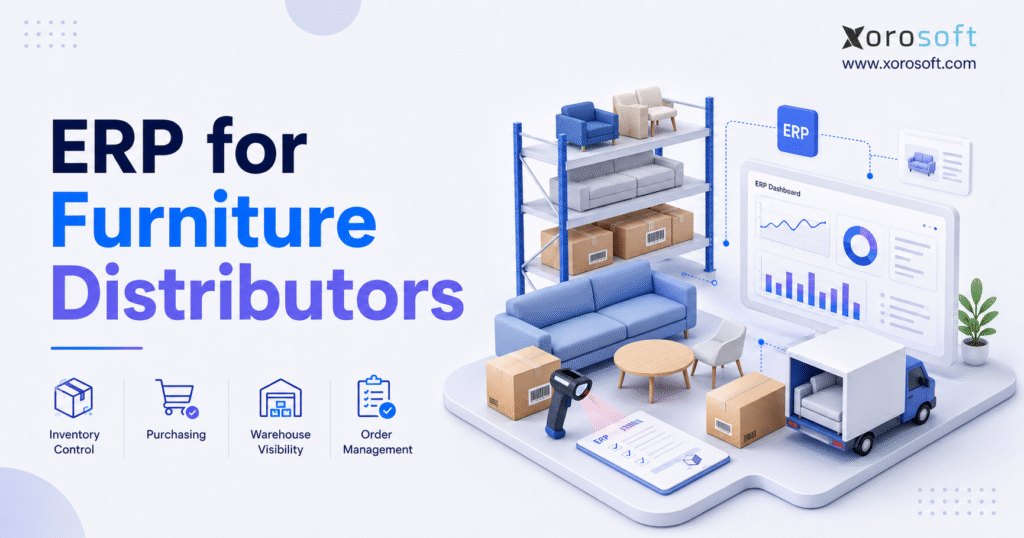
If you are searching for a solution to streamline operations, furniture distribution ERP software could be the answer.
1. Furniture Distribution Complexity Is Outgrowing Disconnected Systems
Furniture distribution ERP software becomes relevant when inventory, purchasing, warehousing, ecommerce, and accounting can no longer operate reliably through disconnected applications.
In most cases, furniture distributors do not experience one clear moment when their systems suddenly stop working. Instead, operational pressure builds gradually. As the business expands, the company adds more products, collections, suppliers, customers, sales channels, warehouses, and employees. Meanwhile, the number of transactions rises, and each department develops its own method for managing information.
Initially, a distributor may run effectively with Shopify, QuickBooks, spreadsheets, an inventory application, and a separate warehouse tool. However, that structure becomes harder to maintain once several systems must exchange the same product, inventory, customer, and financial data.
For example, ecommerce may show inventory that has already been committed to a wholesale customer. At the same time, purchasing may place another supplier order without seeing stock that is already in transit. Similarly, finance may calculate product margins without allocating freight, duties, brokerage, or handling costs to individual items.
As a result, employees spend more time checking data than acting on it. Moreover, furniture creates additional complexity because products are often large, fragile, expensive, and highly configurable.
For example, a single collection may include different colors, finishes, sizes, fabrics, orientations, and matching items. In addition, imported furniture may require long lead times, container planning, landed-cost allocation, and detailed supplier coordination.
For this reason, a growing distributor needs more than a basic stock count. Instead, it needs an operating system that connects inventory with purchasing, warehousing, wholesale orders, ecommerce, accounting, forecasting, and reporting.
1.1 Why Growing Furniture Distributors Lose Operational Visibility
Although revenue growth is positive, it can hide operational weakness. Sales may increase while inventory accuracy declines, order exceptions rise, and month-end reporting slows down.
For instance, the warehouse may physically hold a product, yet that product may already be allocated to another order. Sales representatives may still promise it because their screen shows the on-hand quantity instead of the available quantity. Consequently, customer commitments become harder to manage.
Likewise, purchasing teams face a similar problem. They need to understand current stock, open customer demand, incoming purchase orders, supplier lead times, safety stock, and warehouse capacity. Nevertheless, those data points often live in separate systems.
Eventually, finance inherits the consequences. Because inventory, receiving, supplier invoices, freight costs, and customer shipments are not fully connected, month-end reconciliation requires additional manual work.
Therefore, growth can produce more transactions without producing more control. In practice, that imbalance becomes more expensive as order volume rises. Furthermore, operational errors become harder to identify because several systems may contain different versions of the same transaction.
1.2 How Disconnected Furniture Software Creates Data Gaps
A common furniture distribution technology stack includes:
- Shopify for ecommerce
- QuickBooks for accounting
- Spreadsheets for purchasing
- A standalone inventory system
- A warehouse or barcode application
- An EDI provider
- Manual reporting files
Individually, each application may perform its main function correctly. However, the business still depends on integrations and manual transfers to keep the operation aligned.
If one connection fails, the effects can spread quickly. For example, inventory may be overstated, an order may not reach the warehouse, or a supplier receipt may not update financial records. Moreover, employees may not know which system contains the most accurate information.
Consequently, furniture distribution ERP software addresses this issue by establishing one operational record across departments. In turn, the business gains clearer ownership of product, inventory, customer, supplier, and financial data. Therefore, employees can spend less time deciding which report to trust.
1.3 Why Furniture Distribution Requires Industry-Specific Controls
Unlike many simpler product businesses, furniture distributors must manage conditions that do not appear in the same way in every category.
These conditions include:
- Oversized and bulky inventory
- Product dimensions and weight
- Collections and matching products
- Fragile items and damage inspection
- Long supplier lead times
- Container shipments
- Freight and duty allocation
- Special orders
- Backorders and preorders
- Wholesale pricing
- Dealer accounts
- Multi-warehouse fulfillment
As a result, the system must support the practical movement, costing, and sale of furniture rather than treating every SKU as a simple unit in a generic stock list. Furthermore, the platform must support both operational detail and financial control.
2. What Is Furniture Distribution ERP Software?
Furniture distribution ERP software is an integrated platform that connects product information, inventory, purchasing, warehouses, wholesale orders, ecommerce, accounting, forecasting, EDI, and reporting.
More importantly, unlike a standalone inventory application, it supports both operational transactions and related financial records. In practical terms, this means that warehouse, purchasing, sales, customer-service, and finance teams work from the same underlying transactions.
Consequently, the business gains a more consistent view of what it owns, what it owes, what it has sold, what it has promised, and what it expects to receive. In other words, ERP provides a connected operational and financial foundation.
2.1 How ERP for Furniture Distributors Connects Departments
In practice, a furniture distributor typically operates across several functions:
- Product and catalog management
- Supplier management
- Purchasing
- Inbound logistics
- Receiving
- Warehousing
- Inventory allocation
- Wholesale sales
- Ecommerce
- Accounts payable
- Accounts receivable
- Financial reporting
Without an integrated ERP, each function may rely on a different system. As a result, teams may use inconsistent product names, inventory quantities, costs, customer records, or order statuses.
For instance, when a supplier shipment is received, the system may update several related records:
- Physical inventory
- Available inventory
- Open purchase quantities
- Supplier records
- Receiving discrepancies
- Landed-cost calculations
- Accounts payable information
- Inventory valuation
Similarly, when a customer order ships, the system may:
- Reduce allocated inventory
- Update on-hand inventory
- Confirm fulfillment
- Create an invoice
- Update accounts receivable
- Record revenue
- Record cost of goods sold
Therefore, one transaction can update several business processes without repeated data entry. In addition, every department can see the same status rather than creating a separate interpretation.
2.2 How Furniture ERP Creates One Operational Record
However, a single operational record does not simply mean storing data in one database. Instead, it means that every department interprets the same transaction consistently.
For example, a warehouse transfer should remain visible from the moment the origin warehouse ships it until the destination warehouse receives it. During that period, the inventory should appear as in transit rather than disappearing from one location and appearing prematurely in another.
In the same way, a backordered item should remain connected to the customer order, supplier purchase order, expected receipt date, allocation, and final fulfillment.
As a result, customer service can provide an accurate update without contacting purchasing, sales, and warehouse employees separately. Meanwhile, finance can understand how the delayed receipt affects invoicing, cash flow, and inventory valuation.
2.3 Furniture Distributor ERP Versus Manufacturing ERP
Although furniture distributors and manufacturers may sell similar products, their software priorities differ.
A distributor usually focuses on:
- Finished-goods inventory
- Purchasing
- Warehouse management
- Wholesale orders
- Customer pricing
- Ecommerce
- EDI
- Accounting
- Forecasting
A manufacturer additionally requires:
- Bills of materials
- Work orders
- Production scheduling
- Material requirements planning
- Labor tracking
- Production costing
- Shop-floor control
In addition, some businesses use both models. For example, a distributor may import finished tables while assembling furniture sets or applying custom finishes locally.
Therefore, furniture distribution ERP software should support both distribution and light manufacturing when a business operates a hybrid model. Otherwise, the company may need separate systems for related workflows.
3. Why Furniture Distributors Outgrow Basic Inventory Software
Initially, basic inventory software can work effectively. It may provide stock tracking, purchase orders, barcode scanning, and ecommerce synchronization.
Over time, however, inventory quantity becomes only one part of a much broader operation. Consequently, teams need more than a current stock figure.
3.1 Why Inventory Visibility Alone Is Not Enough
For example, a distributor may know that 30 units are physically in stock, yet still lack the information needed to promise them confidently.
More specifically, the business may not know:
- How many units are already allocated
- Which warehouse holds them
- Whether any units are damaged
- Which customers have priority
- What quantities are in transit
- What the true landed cost is
- When replacement stock will arrive
- Whether the product remains profitable
Therefore, the business needs connected inventory, purchasing, warehouse, customer, and accounting information.
Accordingly, furniture distribution ERP software is usually more appropriate when accounting, purchasing, warehousing, and forecasting require shared data. In contrast, an inventory-only application may remain sufficient when those workflows are simple.
3.2 QuickBooks and Spreadsheet Limitations for Furniture Distribution
Certainly, QuickBooks can remain useful for accounting. However, problems arise when teams attempt to build a complete distribution operation around it using spreadsheets and separate applications.
Common warning signs include:
- Weekly inventory reconciliation
- Spreadsheet purchasing plans
- Manual landed-cost allocation
- Duplicate customer records
- Inconsistent product naming
- Slow financial reporting
- Limited warehouse visibility
- Conflicting sales reports
- Heavy dependence on one spreadsheet owner
Even so, QuickBooks may continue performing its accounting role while the surrounding stack becomes increasingly difficult to manage.
Meanwhile, spreadsheets become informal databases, purchasing tools, exception reports, and planning systems. Consequently, the business depends on manual updates that are difficult to audit and easy to miss.
For this reason, the operational limitation may not be QuickBooks itself. Instead, the problem may be the disconnected software and spreadsheets surrounding it.
3.3 When Furniture Distribution Apps Become Operational Debt
At first, adding another application may solve one immediate problem. For instance, a barcode app may improve warehouse accuracy, while an EDI tool may reduce order entry.
However, every application also creates another integration, login, data source, and support dependency. Furthermore, each connection requires monitoring when data fails to move correctly.
Consequently, the business may eventually spend more effort maintaining connections than improving workflows.
This is where an integrated cloud ERP for distributors becomes relevant. Ultimately, the goal is to reduce repeated work and create consistent operational control.
4. Furniture Inventory Challenges an ERP System Must Manage
Beyond basic stock counting, furniture inventory creates challenges related to size, handling, storage, cost, and product structure.
4.1 Product Variants, Collections, Materials, and Finishes
For instance, furniture catalogs may organize products by:
- Collection
- Style
- Size
- Color
- Finish
- Material
- Fabric
- Orientation
- Packaging type
- Supplier
- Brand
At the same time, the system should preserve the identity of each SKU while connecting related products.
For example, sales employees may need to view matching chairs, tables, cabinets, and accessories within one collection. In contrast, warehouse employees need the exact dimensions, weight, barcode, storage location, and handling requirements of each SKU.
Therefore, product management must support both commercial relationships and operational detail. Moreover, the same information should support ecommerce, purchasing, warehousing, and reporting.
4.2 Bulky and Damage-Prone Furniture Inventory
In addition, furniture consumes significantly more warehouse space than many smaller products. Large products may also require special equipment, two-person handling, or dedicated storage zones.
Therefore, important operational information may include:
- Length
- Width
- Height
- Weight
- Packaging dimensions
- Storage zone
- Handling method
- Damage risk
- Assembly status
Because these characteristics influence both warehouse capacity and fulfillment cost, they should remain accessible within the operational system.
Moreover, furniture can be damaged during inbound transportation, warehouse movement, picking, or final delivery. Therefore, the system should support inspection, quarantine, supplier claims, repair, write-off, and return-to-stock decisions.
Otherwise, damaged products may incorrectly return to available inventory and create another customer-service problem.
4.3 Long Supplier Lead Times and Imported Inventory
In many cases, imported furniture may take weeks or months to arrive. Therefore, purchasing teams cannot rely only on current inventory.
They must consider:
- Open customer demand
- Incoming purchase orders
- Supplier production time
- Shipping time
- Customs processing
- Warehouse receiving time
- Safety stock
- Seasonal demand
- Product lifecycle
Otherwise, distributors may overbuy slow-moving collections while running out of high-demand products.
In addition, long lead times increase the financial risk of forecasting errors. Consequently, purchasing teams need reliable data before making large commitments.
For this reason, purchasing teams should review supplier lead times and incoming inventory before approving new orders.
5. Multi-Warehouse ERP for Furniture Distributors
On one hand, multi-warehouse operations create more fulfillment options. On the other hand, they increase inventory and allocation complexity.
5.1 Available, Allocated, and Incoming Furniture Inventory
At a minimum, the system should distinguish between:
- On-hand inventory
- Available inventory
- Allocated inventory
- Incoming inventory
- In-transit inventory
- Damaged inventory
- Quarantined inventory
- Backordered inventory
For example, a product can be physically present but unavailable because it has already been allocated.
Therefore, the right furniture distribution ERP software should provide accurate visibility into available, allocated, incoming, damaged, and in-transit inventory.
Moreover, sales, purchasing, warehouse, and customer-service teams should see the same status definitions. Otherwise, each department may interpret inventory differently.
As a result, clear inventory status reduces overselling, duplicate promises, and unnecessary transfers.
5.2 Furniture Warehouse Transfers and In-Transit Stock
To maintain control, a warehouse transfer should follow a consistent process:
- Transfer request
- Approval where required
- Picking at the origin warehouse
- Shipment confirmation
- In-transit status
- Receiving at the destination
- Variance review
Throughout this process, inventory should remain visible and traceable.
A connected furniture warehouse management system can provide detailed control over receiving, putaway, movement, picking, packing, transfers, and counting.
In addition, mobile scanning can reduce manual entry. Nevertheless, warehouse discipline, accurate labels, and employee training remain essential.
For example, a scanner cannot correct a transfer that was created with the wrong destination warehouse. Therefore, process controls still matter.
5.3 Warehouse-Level Furniture Fulfillment Decisions
Ideally, a furniture ERP should help determine the most appropriate warehouse for each order.
Decision factors may include:
- Inventory availability
- Customer location
- Freight cost
- Warehouse workload
- Delivery commitment
- Inventory aging
- Order priority
- Handling requirements
As a result, the business can use consistent fulfillment rules instead of relying on individual judgment for every order.
Furthermore, the system can help reduce unnecessary transfers when another warehouse can fulfill the order more efficiently.
At the same time, managers should retain the ability to override a recommendation when a customer commitment or freight constraint justifies a different decision.
6. Essential Furniture Distribution ERP Software Features
Contrary to common assumptions, the best ERP is not necessarily the platform with the longest feature list. Instead, it is the platform that supports the distributor’s real workflows without unnecessary complexity.
6.1 Centralized Furniture Product Management
For this reason, a complete product record should include:
- SKU
- Product name
- Collection
- Style
- Dimensions
- Weight
- Material
- Finish
- Barcode
- Supplier
- Purchase cost
- Selling price
- Product images
- Packaging information
- Warehouse requirements
In turn, this information should support purchasing, sales, ecommerce, warehousing, and accounting.
Moreover, employees should not need to re-enter the same product data across multiple applications. Consequently, product changes can flow to the teams and channels that need them.
6.2 Real-Time Furniture Inventory Visibility
At a minimum, users should be able to view stock by:
- Warehouse
- Storage location
- Inventory status
- Sales channel
- Customer allocation
- Incoming purchase order
- Transfer status
While sales needs available inventory, purchasing needs open demand and incoming supply. Meanwhile, warehouse employees require precise location and movement data.
Consequently, one inventory view should support several operational perspectives without creating conflicting records.
In addition, customer-service teams should be able to see expected receipts and backorder status. As a result, they can provide clearer delivery estimates.
6.3 Purchasing Automation for Furniture Wholesalers
Because furniture purchasing often involves high order values, long lead times, and supplier minimums, buyers need more structured controls.
Furniture distribution ERP software can help purchasing teams evaluate demand, open orders, supplier lead times, and incoming stock before creating new purchase orders.
Accordingly, useful capabilities include:
- Reorder suggestions
- Purchase requisitions
- Purchase orders
- Approval workflows
- Supplier confirmations
- Partial receipts
- Expected arrival dates
- Purchase commitments
Nevertheless, purchasing automation should support buyer judgment rather than replace it.
For example, a system may recommend replenishment based on historical demand. However, the buyer may know that a collection is being discontinued or replaced.
Therefore, the best purchasing workflow combines system recommendations with human review.
6.4 Furniture Demand Forecasting and Replenishment
Specifically, a furniture demand forecast may consider:
- Historical demand
- Recent sales trends
- Seasonality
- Open customer orders
- Incoming purchase orders
- Supplier lead times
- Safety stock
- Promotions
- Product lifecycle
Because furniture demand can shift with style and collection trends, planners should be able to review and adjust recommendations.
Therefore, forecasts should support exception management instead of forcing buyers to accept every suggestion automatically.
In addition, the business should compare forecasts with actual demand over time. Consequently, planners can improve assumptions and identify products with unpredictable demand.
6.5 Customer-Specific Wholesale Pricing
Depending on the business model, furniture distributors may serve retailers, dealers, designers, hospitality groups, and ecommerce customers.
Therefore, ERP should support:
- Customer price lists
- Contract pricing
- Volume discounts
- Promotional pricing
- Customer groups
- Sales-representative pricing
- Minimum order quantities
- Credit terms
Furthermore, employees should be able to see which rule produced the final selling price.
Otherwise, pricing disputes become harder to investigate and correct.
For example, a customer may qualify for both a contract price and a promotional discount. Therefore, the system must apply pricing rules in a clear and controlled order.
6.6 Furniture Warehouse Management Workflows
In practice, warehouse workflows may include:
- Purchase-order receiving
- Inspection
- Putaway
- Barcode scanning
- Replenishment
- Picking
- Packing
- Shipping
- Cycle counting
- Returns
- Damage processing
Consequently, a basic inventory screen may not provide enough execution detail for a busy furniture warehouse.
In addition, the system should record who completed each task, when it occurred, and whether an exception was found.
As a result, managers can investigate delays, picking errors, damage, and inventory variances more effectively.
6.7 Integrated Furniture Distribution Accounting
From a financial perspective, core accounting requirements may include:
- General ledger
- Accounts payable
- Accounts receivable
- Inventory valuation
- Cost of goods sold
- Bank reconciliation
- Financial statements
- Customer credit control
- Supplier payment planning
As a result, when warehouse transactions and financial records share one system, month-end reconciliation becomes easier to manage.
Nevertheless, process discipline still matters. For instance, late receiving or incomplete shipment confirmation can delay accurate financial reporting even in an integrated platform.
Therefore, system integration should be supported by clear operational procedures.
7. Landed Cost Management in Furniture Distributor ERP
In addition to inventory complexity, imported furniture creates significant cost and margin challenges.
7.1 Calculating the True Cost of Imported Furniture
Importantly, the supplier invoice does not represent the complete cost of inventory.
In addition, these costs may include:
- Ocean freight
- Air freight
- Duties
- Brokerage
- Insurance
- Port charges
- Drayage
- Inland transportation
- Handling fees
Consequently, if these expenses remain only in general-ledger accounts, product-level margins may be misleading.
For example, two products may have the same supplier cost but very different freight requirements because of their size and volume.
Therefore, a realistic margin calculation must include more than the supplier invoice.
7.2 Allocating Freight, Duties, and Handling Costs
Furniture distribution ERP software should support landed-cost allocation across freight, duties, brokerage, insurance, and handling expenses.
Depending on the expense, allocation methods may include:
- Quantity
- Product value
- Weight
- Volume
- Container space
Therefore, the correct method depends on the specific cost type.
For instance, freight may be better allocated by volume, while insurance may be allocated by product value.
In contrast, a flat allocation by unit may distort costs when product sizes differ substantially.
7.3 Why Accurate Landed Costs Improve Furniture Margins
Ultimately, accurate landed costs support:
- Pricing
- Margin analysis
- Supplier comparison
- Inventory valuation
- Purchase planning
- Collection profitability
Otherwise, a product that appears profitable before freight and duties may produce a much lower final margin.
Moreover, inaccurate landed costs can cause the business to promote the wrong products or negotiate with the wrong suppliers.
As a result, better cost allocation improves both financial reporting and operational decision-making.
8. Furniture Purchasing and Supplier Management Software
Because purchasing decisions affect inventory availability, warehouse capacity, cash flow, and profitability, buyers need complete operational visibility.
8.1 Managing Long Furniture Supplier Lead Times
Throughout the inbound cycle, purchasing teams need visibility into:
- Supplier confirmation
- Production date
- Shipping date
- Port departure
- Estimated arrival
- Customs clearance
- Warehouse receipt
- Supplier delays
Since a delay at any stage can affect customer commitments, expected dates should remain visible throughout the order lifecycle.
Moreover, customer-service teams should have access to relevant updates without asking purchasing for manual status reports.
Therefore, supplier updates should flow into order and inventory visibility rather than remain in email threads.
8.2 Furniture Reorder Point Planning
A basic reorder calculation is:
Reorder point = Expected demand during lead time + Safety stock
Beyond the basic formula, furniture distributors should also consider:
- Container quantities
- Supplier minimums
- Product lifecycle
- Collection changes
- Substitutable items
- Warehouse capacity
- Seasonal demand
Therefore, reorder logic should support operational judgment and not rely on a single formula alone.
For example, a product may reach its reorder point while the warehouse lacks space for another container. Consequently, planners must consider both demand and capacity.
8.3 Furniture Supplier Performance Reporting
Consequently, useful supplier metrics include:
- On-time delivery
- Fill rate
- Defect rate
- Lead-time variance
- Cost changes
- Order accuracy
- Claim resolution time
For instance, a low unit price may not represent the best supplier value if delays and defects create additional cost.
Similarly, a supplier with slightly higher prices may create more value through consistent lead times and lower damage rates.
Therefore, supplier evaluation should consider total operational impact rather than price alone.
8.4 Reducing Furniture Overstock and Stockouts
Importantly, overstock is not solved by reducing every purchase order. Instead, the business should identify why excess inventory exists.
Common causes include:
- Forecast errors
- Supplier minimums
- Duplicate purchase orders
- Inaccurate lead times
- Weak product lifecycle controls
- Unrecorded incoming stock
- Poor channel visibility
Similarly, stockout prevention requires earlier warning.
Therefore, exception reports should identify products at risk before available inventory reaches zero.
At the same time, planners should review slow-moving products before placing another order. As a result, the business can protect cash flow and warehouse space.
9. ERP for Furniture Wholesale Order Management
Wholesale furniture distribution involves more than entering a sales order. In practice, each customer may have different pricing, credit, routing, and fulfillment requirements.
9.1 Customer-Specific Furniture Wholesale Requirements
Wholesale customers may require:
- Contract pricing
- Credit limits
- Payment terms
- Purchase-order references
- Minimum order quantities
- Routing instructions
- Delivery windows
- Sales-representative assignment
Furniture distribution ERP software should maintain customer-specific pricing, payment terms, credit limits, and wholesale order requirements.
As a result, employees can process orders consistently instead of checking separate spreadsheets or email instructions.
Moreover, customer rules can be applied automatically during order entry. Consequently, the business reduces avoidable errors.
9.2 Furniture Inventory Allocation Across Customer Orders
Allocation determines which orders receive available inventory.
Depending on the business model, rules may prioritize:
- Strategic customers
- Paid ecommerce orders
- Contract commitments
- Order date
- Delivery date
- Customer class
- Sales channel
However, the rules should remain transparent. Otherwise, employees may not understand why stock was assigned to one order rather than another.
Furthermore, managers should be able to override allocation when a valid business reason exists.
For example, a contractual retail commitment may take priority over a later internal transfer. Therefore, both rules and exceptions need clear documentation.
9.3 Managing Backorders, Preorders, and Special Orders
The ERP should connect:
- Customer order
- Supplier purchase order
- Expected receipt date
- Inventory allocation
- Fulfillment
- Customer communication
As a result, customer service can provide reliable updates without asking purchasing or warehouse teams for manual information.
In addition, the system should preserve the connection between special-order stock and the customer who requested it.
Otherwise, specially purchased inventory may be allocated to another order by mistake.
10. EDI Capabilities in Furniture Distribution ERP Software
Large retailers and wholesale accounts may require EDI transactions. Therefore, EDI support can be essential for distributors serving major trading partners.
10.1 Common Furniture EDI Transactions
Common documents include:
- EDI 850 purchase order
- EDI 855 purchase-order acknowledgement
- EDI 856 advance shipping notice
- EDI 810 invoice
Furniture distribution ERP software may include EDI functionality directly or connect with a specialist EDI provider.
In either case, orders should flow into the same inventory, pricing, fulfillment, and accounting workflows as other channels.
As a result, EDI orders do not need to become a separate operational process.
10.2 Managing Furniture EDI Exceptions
Automation does not remove every exception.
For example, the system should identify:
- Invalid SKUs
- Pricing differences
- Missing customer references
- Unavailable inventory
- Changed quantities
- Failed transmissions
Moreover, employees need a clear process for resolving each issue.
Otherwise, EDI may automate order entry while leaving exception management fragmented.
Therefore, teams should evaluate both successful EDI transactions and failure scenarios.
Furthermore, exception reports should show who owns each unresolved EDI issue.
11. Shopify ERP for Furniture Distributors
Furniture businesses increasingly serve wholesale and direct-to-consumer customers through the same inventory network.
11.1 Connecting Shopify With Furniture Distribution Operations
Shopify manages the customer-facing storefront, product pages, checkout, and online experience.
However, ERP should manage the operational work behind Shopify, including:
- Inventory
- Purchasing
- Warehousing
- Accounting
- Forecasting
- Allocation
- Wholesale operations
Xorosoft provides a Shopify ERP integration that connects ecommerce activity with inventory-driven workflows.
Consequently, Shopify remains the storefront while ERP manages the operational processes behind each order.
In addition, product, inventory, fulfillment, and customer data can move through a more controlled workflow.
11.2 Preventing Furniture Ecommerce Overselling
Overselling occurs when multiple channels publish the same inventory independently.
When ecommerce and wholesale share stock, furniture distribution ERP software helps apply consistent allocation rules across both channels.
A centralized process may:
- Calculate current availability.
- Subtract allocated inventory.
- Apply channel buffers.
- Publish approved quantities.
- Reduce availability after new orders.
- Update channels after returns or cancellations.
As a result, the business can reduce channel conflicts and improve customer expectations.
Moreover, channel buffers can protect inventory for wholesale commitments or high-priority customers.
11.3 Coordinating Shopify and Wholesale Furniture Inventory
Wholesale and ecommerce channels should use a shared inventory record.
However, the business may still reserve inventory by channel, customer group, or order priority.
Therefore, ERP should support both central visibility and controlled allocation.
In addition, customer-service teams should see order and inventory status regardless of the channel through which the sale occurred.
Consequently, customers receive more consistent updates.
Similarly, returns and cancellations should update availability across every connected channel.
12. Accounting and Financial Visibility in Furniture ERP
Furniture inventory represents a significant investment. Consequently, operational decisions affect working capital, margins, and cash flow.
12.1 Furniture Inventory Valuation
Common valuation methods include:
- FIFO
- Average cost
- Standard cost
Buyers should confirm which methods the platform supports and how inventory adjustments are controlled.
Moreover, the system should maintain an audit trail so finance can understand why inventory value changed.
As a result, adjustments become easier to review during month-end closing or an audit.
In addition, finance teams should review inventory adjustments regularly to protect reporting accuracy.
12.2 Furniture Gross Margin Reporting
For example, management may need margin reporting by:
- Product
- Collection
- Customer
- Order
- Channel
- Warehouse
- Sales representative
- Supplier
Margin analysis becomes more reliable when product costs, freight, duties, discounts, returns, and write-offs remain connected.
For example, a collection may generate strong revenue but weak margin after freight and damage costs are included.
Therefore, revenue alone should not determine which products the business promotes or reorders.
12.3 Faster Month-End Closing
Disconnected systems slow the close because finance must reconcile:
- Inventory receipts
- Supplier bills
- Customer shipments
- Inventory adjustments
- Returns
- Warehouse transfers
- Cost of goods sold
An integrated ERP can reduce this workload.
Nevertheless, disciplined receiving, shipping, and adjustment processes are still necessary.
For this reason, finance and operations must agree on transaction cutoffs and exception procedures.
12.4 Furniture Inventory and Cash-Flow Planning
Finance needs visibility into:
- Open purchase orders
- Expected supplier payments
- Inventory arrival dates
- Customer receivables
- Inventory aging
- Slow-moving collections
Therefore, ERP reporting should show how purchasing decisions affect future cash requirements.
In addition, management should be able to compare committed purchasing with expected sales and available working capital.
As a result, the business can avoid placing large purchase orders without understanding the cash impact.
13. Furniture Manufacturing and Light Assembly ERP
Some furniture distributors also assemble, finish, or manufacture products.
13.1 Furniture Bills of Materials
A bill of materials may define:
- Components
- Hardware
- Fabric
- Packaging
- Accessories
- Assembly requirements
For example, a dining set may contain one table and six chairs. Similarly, a promotional bundle may combine several finished goods into one sellable package.
Therefore, the ERP should distinguish between the sellable set and its underlying components.
13.2 Work Orders for Furniture Assembly
Work orders may track:
- Planned quantity
- Components
- Production steps
- Completion status
- Material consumption
- Finished goods
- Labor or overhead
Consequently, the business can distinguish between items available for sale and components still required for assembly.
In addition, managers can see whether a delay is caused by missing materials or unfinished work.
13.3 Material Requirements Planning
MRP converts expected demand into component requirements.
Therefore, it is useful for businesses that distribute finished goods while assembling or manufacturing selected products.
Moreover, MRP can help identify shortages before a work order is released.
As a result, purchasing teams can order components earlier.
13.4 Outsourced Furniture Production
A distributor may outsource:
- Upholstery
- Finishing
- Assembly
- Repair
- Packaging
The ERP should maintain visibility into materials sent to subcontractors, expected output, and related costs.
Otherwise, inventory may disappear from internal visibility while it is physically held by an outside partner.
Therefore, subcontracted inventory should remain traceable until the finished goods return.
Meanwhile, finance should retain visibility into the value of inventory held by subcontractors.
14. Furniture Distribution Reporting and KPIs
ERP reporting should support decisions rather than create more dashboards without clear ownership.
14.1 Furniture Inventory Performance Metrics
Therefore, useful inventory metrics include:
- Inventory accuracy
- Inventory turns
- Days of inventory
- Stockout rate
- Excess stock
- Inventory aging
- Damage rate
- Carrying cost
For example, inventory aging helps identify products that occupy warehouse space without generating sufficient sales.
In addition, inventory-turn reporting can show which collections consume capital for too long.
14.2 Furniture Warehouse Performance Metrics
Warehouse metrics may include:
- Receiving accuracy
- Dock-to-stock time
- Pick accuracy
- Order cycle time
- Transfer accuracy
- Count variance
- Damage frequency
- Space utilization
However, metrics should lead to operational action. Otherwise, the business may collect data without improving performance.
Therefore, each KPI should have an owner, target, and review process.
14.3 Furniture Purchasing and Supplier Metrics
Purchasing teams may track:
- Supplier lead time
- On-time delivery
- Purchase-price variance
- Fill rate
- Defect rate
- Open purchase commitments
- Forecast accuracy
Together, these measures provide a broader view than unit cost alone.
For example, frequent lead-time delays may justify changing safety-stock assumptions or supplier allocation.
14.4 Furniture Sales and Customer Metrics
Sales teams may review:
- Revenue by customer
- Margin by customer
- Order fill rate
- Backorder rate
- Sales by channel
- Customer profitability
- Return frequency
Ultimately, the right KPI set depends on the company’s operational priorities.
However, every metric should support a decision. Otherwise, reporting becomes another administrative task.
15. Furniture ERP Integrations Distributors Should Evaluate
Furniture distributors may require integrations with:
- Shopify
- Amazon
- B2B portals
- EDI providers
- Shipping systems
- Freight platforms
- Payment gateways
- CRM applications
- Business intelligence tools
15.1 Furniture Distribution ERP Integration Checklist
For every integration, ask:
- Which system owns the data?
- How frequently does synchronization occur?
- How are failures reported?
- Who resolves errors?
- Is the connection native?
- Is a third party involved?
- What are the ongoing fees?
- How are upgrades managed?
During evaluation, the team should test both successful transactions and failures.
Otherwise, the integration may appear reliable only under ideal conditions.
Moreover, the business should define who owns ongoing monitoring after implementation.
As a result, failed transactions are less likely to remain unnoticed.
Consequently, integration ownership should be documented before the system goes live.
16. When a Furniture Distributor Needs ERP Software
A growing company should evaluate furniture distribution ERP software before manual reconciliation prevents reliable inventory and financial reporting.
16.1 Common Furniture ERP Readiness Signs
In particular, a distributor may be ready for ERP when it experiences:
- Inventory discrepancies
- Spreadsheet purchasing
- Multiple warehouse challenges
- Duplicate data entry
- Slow reporting
- Delayed month-end closing
- Repeated stockouts
- Excess inventory
- Limited margin visibility
- Ecommerce and wholesale conflicts
One isolated issue may not justify ERP.
However, several connected problems usually indicate that the operating model needs broader integration.
Therefore, the business should evaluate the overall process rather than waiting for one system to fail completely.
16.2 When Furniture Distribution ERP May Be Premature
ERP may not be necessary for a business with:
- One simple sales channel
- One warehouse
- A limited catalog
- Low transaction volume
- Minimal purchasing complexity
- Simple accounting needs
In that case, a lighter inventory platform may be more practical.
Nevertheless, the business should monitor complexity as it adds channels, warehouses, or supplier commitments.
As a result, management can begin planning before operational problems become urgent.
17. Furniture Distribution ERP Versus Inventory Software
| Capability | Inventory Software | Furniture Distribution ERP |
|---|---|---|
| Inventory tracking | Core function | Core function |
| Purchasing | Basic to moderate | Integrated |
| Accounting | Usually separate | Integrated or connected |
| Warehouse execution | Varies | Broader support |
| Forecasting | Basic or add-on | Centralized |
| Wholesale pricing | Varies | Configurable |
| Financial reporting | Limited | Operational and financial |
| EDI | Usually separate | Native or integrated |
| Manufacturing | Limited | Platform-dependent |
Furniture distribution ERP software is generally more appropriate when several departments require shared operational and financial data.
In contrast, inventory software may remain sufficient when accounting, purchasing, and warehouse workflows are relatively simple.
Therefore, the decision should depend on process complexity rather than company size alone.
For example, a smaller distributor with multiple warehouses and EDI customers may need ERP earlier than a larger business with one simple channel.
Ultimately, the right software category depends on how closely inventory, accounting, purchasing, and warehouse workflows must remain connected.
18. Furniture Distributor ERP Versus QuickBooks
QuickBooks may remain suitable for basic accounting.
However, businesses often outgrow the surrounding QuickBooks-led stack before they outgrow QuickBooks itself.
ERP becomes relevant when the business needs:
- Multi-warehouse inventory
- Purchasing automation
- Landed costs
- EDI
- Demand forecasting
- Integrated accounting
- Warehouse workflows
- Centralized reporting
Therefore, the decision should be based on complexity rather than revenue alone.
For example, a smaller distributor with several warehouses and EDI customers may need ERP sooner than a larger company with simpler operations.
Consequently, software selection should reflect workflow demands rather than an arbitrary revenue threshold.
19. Furniture ERP Versus Warehouse Management Software
ERP and WMS solve different problems.
ERP manages:
- Purchasing
- Sales
- Accounting
- Inventory valuation
- Customers
- Suppliers
- Reporting
WMS focuses on:
- Receiving
- Putaway
- Warehouse movements
- Picking
- Packing
- Cycle counting
- Shipping
Consequently, a furniture distributor may use an ERP with built-in warehouse functionality or connect it to a specialist WMS.
The correct approach depends on warehouse complexity, transaction volume, and operational requirements.
In addition, buyers should test whether the ERP and WMS share inventory status in real time.
Therefore, distributors should evaluate ERP and WMS requirements together rather than treating them as unrelated decisions.
20. Comparing Furniture Distribution ERP Platforms
Furniture distributors may evaluate:
- Xorosoft
- NetSuite
- Acumatica
- Cin7
- Brightpearl
- Fishbowl
- Sage
- Microsoft Dynamics 365 Business Central
- Furniture-specific platforms
Furniture distribution ERP software should be tested against real products, warehouses, landed costs, orders, and customer-pricing scenarios.
Each platform serves a different level of operational complexity, cost, implementation effort, and functional depth.
For example, one system may offer broad financial functionality, while another may provide a more focused inventory and distribution experience.
Businesses comparing broader enterprise platforms can review Xorosoft versus NetSuite to understand differences in positioning and operational fit.
Ultimately, the goal is not to identify a universal winner. Instead, it is to select the platform that fits the company’s workflows, resources, and growth plan.
Therefore, buyers should compare workflow fit, implementation requirements, and total ownership cost together.
21. How to Choose Furniture Distribution ERP Software
ERP selection should begin with business processes rather than product demonstrations.
21.1 Document Current Furniture Distribution Workflows
Map how the business handles:
- Product setup
- Forecasting
- Purchasing
- Supplier confirmations
- Receiving
- Warehousing
- Wholesale orders
- Ecommerce
- Returns
- Accounting
- Reporting
The process map should identify manual steps, delays, duplicate entry, and control gaps.
In addition, it should show where employees leave one system and enter information into another.
As a result, the project team can focus on the processes that create the most risk or wasted effort.
21.2 Separate Required and Optional ERP Capabilities
Create three categories:
- Required at launch
- Preferred at launch
- Needed later
This structure prevents optional features from distracting the project team from essential requirements.
Furthermore, it helps vendors understand which capabilities must work without customization.
Consequently, demonstrations become easier to compare.
21.3 Build Furniture-Specific ERP Demo Scenarios
Ask vendors to demonstrate:
- Creating a furniture purchase order
- Receiving a partial container shipment
- Allocating freight and duties
- Transferring inventory between warehouses
- Applying customer-specific pricing
- Processing an EDI order
- Fulfilling a Shopify order
- Managing a backorder
- Processing damaged inventory
- Reporting margin by product and customer
Generic demonstrations may avoid the scenarios that reveal operational weaknesses.
Therefore, buyers should provide real examples rather than relying only on the vendor’s standard demo script.
In addition, teams should test exceptions, partial transactions, and changes.
21.4 Evaluate ERP Total Cost of Ownership
The cost of furniture distribution ERP software should include implementation, migration, integrations, training, support, and internal project time.
Total cost may include:
- Subscription
- Implementation
- Data migration
- Integrations
- Training
- Customization
- Support
- Internal project labor
- Ongoing administration
Consequently, the lowest subscription price does not always produce the lowest total ownership cost.
Moreover, a platform that requires extensive customization may cost more to maintain over time.
21.5 Evaluate Furniture ERP Scalability
Consider future:
- Warehouses
- Users
- Legal entities
- Products
- Sales channels
- Transaction volumes
However, scalability should be evaluated against a realistic growth plan rather than a theoretical maximum.
Therefore, the business should test expected growth scenarios instead of paying for unnecessary complexity.
22. Furniture Distribution ERP Implementation Planning
A successful ERP project depends on process ownership, data quality, testing, and employee adoption.
22.1 Build a Cross-Functional ERP Project Team
The project team should include representatives from:
- Finance
- Operations
- Purchasing
- Warehousing
- Sales
- Ecommerce
- Customer service
- IT
ERP affects every one of these departments.
Therefore, selection and testing should not remain only with finance or IT.
In addition, each department should assign an owner who can make decisions and validate workflows.
22.2 Prepare Furniture Product and Inventory Data
Furniture distribution ERP software cannot correct inaccurate product, supplier, customer, or inventory data without a structured data-cleaning process.
Specifically, data preparation should include:
- Duplicate products
- Inactive SKUs
- Incorrect dimensions
- Missing weights
- Supplier records
- Customer records
- Inventory balances
- Open orders
- Open purchase orders
- Pricing rules
- Accounting balances
Moreover, data cleanup should begin before configuration is complete.
Otherwise, poor-quality records may delay testing and migration.
As a result, early data preparation reduces risk at go-live.
22.3 Define the ERP Data Migration Scope
Not every historical transaction needs to move into the new ERP.
The business should decide:
- Which records must remain operational
- Which balances must be migrated
- Which history can be archived
- How open orders will be handled
- How inventory will be reconciled
As a result, the migration remains focused on information that employees actually need.
Furthermore, the project avoids spending time moving data that offers little operational value.
22.4 Test Real Furniture Distribution Scenarios
User acceptance testing should include:
- Partial receipts
- Damaged products
- Warehouse transfers
- Customer-specific pricing
- Ecommerce cancellations
- EDI exceptions
- Backorders
- Returns
- Landed-cost allocation
- Financial reconciliation
Testing only perfect transactions creates false confidence.
Therefore, teams should also test failures, delays, changes, and exceptions.
In addition, employees should confirm that reports and accounting entries match the operational transaction.
22.5 Train Furniture Distribution Teams by Role
Warehouse employees, buyers, accountants, sales representatives, and customer-service teams require different training.
Role-based training helps each group focus on the workflows it performs every day.
In addition, process documents should explain why each step matters, not only which button to select.
Consequently, employees are more likely to follow the intended process after go-live.
23. Common Furniture ERP Selection Mistakes
23.1 Choosing ERP Before Mapping Workflows
A feature list cannot replace workflow analysis.
Without process mapping, the team may select a platform that appears capable but requires too many workarounds.
Therefore, workflow discovery should occur before vendor selection.
23.2 Underestimating Furniture Data Quality
ERP cannot produce reliable reports from inconsistent product, supplier, customer, and inventory records.
Consequently, data cleanup should begin early rather than immediately before migration.
Moreover, inaccurate data can weaken trust in the new system from the first day.
23.3 Recreating Inefficient Legacy Processes
Some processes exist only because older systems were limited.
Therefore, implementation should improve weak workflows instead of copying them into a new platform.
For example, a manual approval spreadsheet may be unnecessary when the ERP can manage approvals directly.
23.4 Ignoring Furniture Warehouse Employees
A workflow that appears efficient during a presentation may be impractical on the warehouse floor.
Consequently, warehouse employees should test receiving, scanning, movement, picking, packing, and counting directly.
In addition, they should evaluate device usability, screen layout, and exception handling.
23.5 Underestimating ERP Integration Work
Integrations require ownership after launch.
The business should define who monitors errors, resolves failures, and communicates with providers.
Otherwise, small integration issues can become operational backlogs.
Therefore, integration monitoring should be part of the operating process, not an afterthought.
23.6 Measuring ERP Success Only by Go-Live
Go-live is an important milestone.
Nevertheless, it is not the final measure of success.
Post-launch performance should be evaluated using:
- Inventory accuracy
- User adoption
- Order accuracy
- Warehouse efficiency
- Purchasing visibility
- Reporting speed
- Month-end close time
Ultimately, the system should improve daily execution rather than simply reach the launch date.
In other words, ERP success should be measured through operational improvement rather than implementation completion alone.
24. How Xorosoft Supports Furniture Distribution Operations
Xorosoft is a cloud ERP platform designed for inventory-driven businesses.
It combines:
- Inventory management
- Accounting
- Purchasing
- Warehouse management
- Manufacturing
- Forecasting
- Reporting
- Ecommerce operations
The platform may be relevant for furniture distributors that operate multiple warehouses, sell wholesale, use Shopify or Amazon, require EDI, manage complex purchasing, or perform light manufacturing.
Furniture businesses can review Xorosoft’s broader ERP capabilities for inventory-driven industries when evaluating industry fit.
In addition, XoroOne can help connect inventory, purchasing, warehouse activity, accounting, and reporting within one operating environment.
However, platform selection should not depend on positioning alone.
For example, a personalized workflow test can reveal whether the platform supports landed costs, wholesale pricing, warehouse transfers, and ecommerce allocation correctly.
Therefore, every distributor should test its own products, warehouses, pricing rules, landed costs, integrations, and financial requirements.
Ultimately, the right platform should fit the business’s real workflows without creating unnecessary complexity.
25. Furniture Distribution ERP Software FAQs
25.1 What Is Furniture Distribution ERP Software?
Furniture distribution ERP software is an integrated system that connects inventory, purchasing, warehouse operations, wholesale orders, ecommerce, accounting, forecasting, EDI, and reporting. As a result, operational and financial teams can work from shared data.
25.2 What Does ERP for Furniture Distributors Manage?
It manages product records, suppliers, purchase orders, inventory, warehouse movements, customer pricing, wholesale orders, ecommerce transactions, accounting, landed costs, and reporting. In addition, it helps connect these processes across departments.
25.3 Why Do Furniture Distributors Need ERP?
Furniture distributors often manage bulky products, complex catalogs, multiple warehouses, long supplier lead times, imported inventory, and several sales channels. Therefore, ERP helps coordinate these connected workflows.
25.4 Can Furniture ERP Manage Product Variants?
Yes. Many systems can manage products by size, finish, color, material, style, and collection. However, buyers should test how product relationships are created and reported.
25.5 Can Furniture ERP Manage Multiple Warehouses?
Yes. A suitable platform can track inventory by warehouse and location, process transfers, and display available, allocated, incoming, and in-transit inventory. Consequently, teams gain a clearer view of stock across locations.
25.6 Can ERP Manage Oversized Furniture Inventory?
ERP can store dimensions, weight, storage information, and handling requirements. Nevertheless, advanced execution may require built-in or connected warehouse management capabilities.
25.7 Can Furniture ERP Manage Damaged Inventory?
Yes. The system can support inspection, quarantine, repair, supplier claims, write-offs, and return-to-stock decisions. As a result, damaged products do not return to available inventory prematurely.
25.8 Can ERP Manage Furniture Sets and Bundles?
Many ERP platforms support kits, bundles, and bills of materials. However, the correct method depends on whether the items are sold together, assembled, or manufactured.
25.9 How Does ERP Improve Furniture Purchasing?
ERP combines demand, inventory, open orders, incoming stock, and supplier lead times. Therefore, buyers have better information for replenishment decisions.
25.10 Can ERP Forecast Furniture Demand?
Many ERP platforms include forecasting or integrate with planning tools. For example, forecasts may use sales history, seasonality, open orders, supplier lead times, and safety stock.
25.11 Can ERP Manage Imported Furniture?
ERP can manage purchase orders, expected receipts, landed costs, supplier records, and inbound inventory. However, detailed container visibility may require an additional integration.
25.12 Can ERP Calculate Furniture Landed Costs?
Many systems support landed-cost allocation. Nevertheless, buyers should confirm which cost types and allocation methods the platform supports.
25.13 Does Furniture ERP Support Wholesale Pricing?
Yes. Many platforms support customer groups, price lists, contract pricing, volume discounts, and sales-representative pricing. In addition, they may support customer-specific credit terms.
25.14 Does Furniture ERP Support EDI?
Some platforms support EDI directly, while others integrate with a provider. Therefore, buyers should test purchase orders, acknowledgements, shipping notices, and invoices.
25.15 Does Furniture ERP Integrate With Shopify?
Many systems integrate with Shopify to synchronize inventory, orders, customers, fulfillment, and returns. However, the exact scope varies by provider.
25.16 Can ERP Manage Wholesale and Ecommerce Inventory Together?
Yes. A centralized inventory record can support allocation rules across wholesale, ecommerce, marketplaces, and other sales channels. As a result, the business can reduce overselling and allocation conflicts.
25.17 Does Furniture Distribution ERP Include Accounting?
Full ERP platforms generally include accounting or tightly connected financial management. In contrast, inventory-only platforms usually depend on a separate accounting system.
25.18 Is QuickBooks Enough for a Furniture Distributor?
QuickBooks may be sufficient for simple operations. However, ERP becomes more relevant when the business requires multiple warehouses, purchasing automation, landed costs, EDI, and centralized reporting.
25.19 What Is the Difference Between ERP and WMS?
ERP manages broad operational and financial processes. In contrast, WMS specializes in warehouse execution, including receiving, putaway, movement, picking, packing, and counting.
25.20 How Much Does Furniture Distribution ERP Cost?
Cost depends on users, modules, implementation, integrations, migration, training, support, and customization. Therefore, buyers should compare total ownership cost rather than subscription fees alone.
25.21 How Long Does Furniture ERP Implementation Take?
Implementation time depends on complexity, data quality, integrations, customization, testing, and internal resources. Consequently, a discovery process is necessary for a realistic estimate.
25.22 What Data Should Be Migrated Into Furniture ERP?
Common data includes products, customers, suppliers, inventory, open sales orders, open purchase orders, pricing, balances, and selected historical records. However, not every historical transaction needs to move into the new system.
25.23 What Should Furniture Distributors Ask During an ERP Demo?
Ask the vendor to demonstrate partial receipts, landed costs, warehouse transfers, customer-specific pricing, ecommerce orders, EDI exceptions, damaged stock, and financial reporting. In addition, ask how the system handles failures and changes.
25.24 Who Should Participate in ERP Selection?
Finance, operations, purchasing, warehousing, sales, ecommerce, customer service, IT, and executive leadership should participate. Therefore, the final decision reflects the needs of the entire business.
25.25 How Do You Choose the Best ERP for Furniture Distributors?
Document workflows, define requirements, test realistic scenarios, verify integrations, review implementation resources, and compare total ownership cost. Ultimately, the best platform is the one that supports critical workflows without unnecessary complexity.
26. Build a Scalable Furniture Distribution Operating Foundation
Ultimately, furniture distribution ERP software should reduce operational fragmentation while giving teams a more dependable foundation for growth.
The right time to evaluate ERP is before disconnected systems prevent reliable execution. A furniture distributor does not need to wait until every application fails. Instead, repeated reconciliation, inventory discrepancies, spreadsheet purchasing, weak margin visibility, and delayed reporting are already meaningful warning signs.
During evaluation, furniture-specific workflows must remain central. Therefore, vendors should demonstrate product variants, bulky inventory, long supplier lead times, landed costs, warehouse transfers, wholesale pricing, EDI, Shopify orders, returns, and accounting using realistic data.
In addition, implementation readiness matters as much as software capability. Clean data, clear ownership, realistic testing, and role-based training determine whether the new platform works in daily operations.
For this reason, furniture distributors should compare platforms by workflow fit rather than feature count alone.
Finally, furniture distributors evaluating Xorosoft can book a personalized ERP demo to review inventory, purchasing, warehousing, accounting, Shopify, EDI, multi-warehouse, and manufacturing requirements using their own operational scenarios.
Recent Posts
-
 ERP Landed Cost Module vs Spreadsheet Calculations for Importers
 -
 How to Build an Open-to-Buy Plan for an Omnichannel Brand
 -
 Cold Storage WMS for Food and Beverage Distribution
 -
 ERP Buying Statistics 2026: Evaluation, Implementation, and Adoption Risks
 -
 How a Distributor Reduced B2B Order Exceptions Without Restricting Sales



