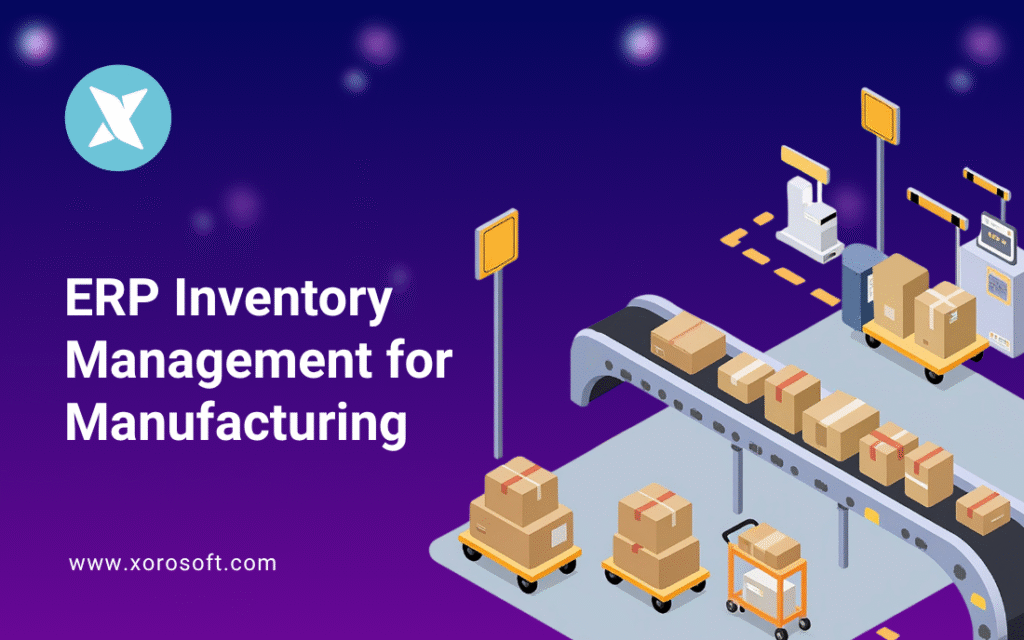
ERP inventory management for manufacturing is a critical aspect of streamlining production processes and optimising resource use.
1. Why ERP Inventory Management for Manufacturing Matters
1.1 Manufacturing Inventory Is More Than Stock Counting
ERP inventory management for manufacturing becomes important when a company can no longer depend on spreadsheets, basic accounting software, or disconnected inventory apps to run daily operations. In manufacturing, inventory does not sit in one place or serve one purpose. It moves through purchasing, receiving, production, warehouse handling, sales orders, shipping, and accounting.
A retail business may only need to know how many finished products it can sell today. However, a manufacturer needs a much deeper picture. The team must know which raw materials are available, which components support upcoming work orders, which items remain in production, and which finished goods can ship immediately.
Beyond that, the business must understand supplier lead times, warehouse locations, purchase orders, inventory costs, and customer demand. Without that visibility, small mistakes can quickly turn into production delays, stockouts, overstock, and accounting issues.
1.2 Small Manufacturing Inventory Gaps Create Bigger Problems
This complexity grows quickly. For example, one missing component can delay an entire production run. Similarly, an inaccurate finished-goods count can cause overselling. Meanwhile, a late supplier shipment can force the purchasing team to place emergency orders.
At first, these problems may look small. As order volume increases, though, they create real pressure across the business. More SKUs enter the system. Additional suppliers become involved. Warehouses expand. Sales channels multiply. As a result, the business needs better coordination between purchasing, production, warehouse teams, sales, and finance.
Many manufacturers start with spreadsheets because they feel flexible. Over time, though, spreadsheets become risky when more people, SKUs, warehouses, and sales channels enter the workflow. Different teams may update different versions of the same file. Purchasing may work from outdated demand numbers. Warehouse teams may record stock movement after the fact.
1.3 A Connected ERP View Changes Daily Decisions
A smarter operating model gives manufacturers one connected system for inventory, purchasing, production, warehouse management, accounting, forecasting, and reporting. Instead of asking every department for updates, leaders can see what is happening across the business from one place.
This does not only improve stock tracking. It also helps teams make better decisions about what to buy, what to produce, what to ship, and what needs attention. Therefore, ERP becomes useful when inventory starts affecting production planning, customer delivery, warehouse accuracy, and financial reporting.
For growing manufacturers, ERP inventory management for manufacturing becomes especially useful when inventory decisions affect purchasing, production, warehouse activity, customer orders, and accounting at the same time. Rather than treating these areas separately, the business can use one connected workflow to plan, track, and report inventory movement more accurately.
This guide explains how connected inventory systems work for manufacturing companies, which features matter most, when a business should upgrade, and how to choose the right platform without overcomplicating the decision.
2. What ERP Inventory Management Means for Manufacturers
2.1 ERP Inventory Management Definition
ERP inventory management for manufacturing means using an ERP system to control raw materials, components, work-in-progress inventory, finished goods, purchasing, production workflows, warehouses, accounting, forecasting, and reporting in one connected platform.
In simple terms, ERP gives manufacturers one operating system for inventory and business activity. Purchasing, warehouse, production, sales, and finance teams can work from shared data instead of separate files.
This matters because manufacturing inventory changes constantly. When a purchase receipt arrives, material stock increases. As production begins, work orders consume components. Once the job is complete, the system adds finished goods. After shipment, available inventory decreases again.
Each movement affects the next decision. Without a connected system, teams often track these steps in separate tools. Because of that, they struggle to understand what they can make, what they can sell, and what they need to buy next.
2.2 Why Manufacturing Stock Data Cannot Stay Isolated
Inventory connects directly to the rest of the manufacturing business. Purchasing teams need stock data before they create purchase orders. Production teams need material availability before they schedule work. Warehouse teams need accurate locations before they pick or transfer stock. Sales teams need finished-goods visibility before they promise delivery dates. Finance teams need accurate values before they close the books.
Therefore, manufacturers cannot treat inventory as a standalone record. If stock data stays isolated, every department starts making decisions with partial information.
For example, sales may accept a large order because finished goods appear available. However, the warehouse may have already committed those goods to another customer. In another case, production may schedule a work order because the system shows raw materials in stock. Yet those materials may sit in the wrong warehouse or remain pending quality inspection.
A connected ERP setup reduces these gaps because it ties inventory activity to the departments that depend on it.
2.3 How ERP Differs from Basic Inventory Tools
Basic inventory software usually helps companies track product quantities, locations, receipts, transfers, and purchase orders. That support can work well for simple businesses. However, manufacturing companies often need more than basic stock tracking.
A manufacturer must manage bills of materials, material requirements planning, work orders, WIP inventory, finished goods, supplier lead times, warehouse movement, inventory valuation, and accounting updates. Many companies also need Shopify, Amazon, wholesale, EDI, and multi-warehouse support.
ERP inventory management for manufacturing goes further because it connects stock with the full business process. It does not only answer, “How much do we have?” Instead, it helps teams answer practical operational questions such as:
Can we produce this order on time?
Do we have enough materials for the next work order?
Which items need purchasing attention this week?
Where is the available stock located?
Has any inventory already been committed to customer orders?
Are certain products tying up too much cash?
How will this production run affect accounting?
Because ERP answers these connected questions, it becomes more valuable as manufacturing complexity grows.
3. Why Manufacturing Inventory Control Becomes Complex
3.1 Raw Material Inventory Needs Constant Control
Raw materials form the base of production. A furniture manufacturer may track wood, foam, fabric, glue, screws, stains, and cartons. An apparel manufacturer may track fabric, zippers, buttons, labels, thread, trims, and packaging. A food manufacturer may track ingredients, containers, labels, boxes, and expiry-sensitive materials.
If raw materials arrive late, production slows down. Moreover, if the system shows materials incorrectly, managers may schedule work that cannot actually begin. This creates wasted labor, missed deadlines, and frustrated customers.
ERP inventory management for manufacturing helps teams monitor raw material quantities, supplier lead times, purchase orders, receiving status, and warehouse locations. As a result, production teams can plan with better confidence.
3.2 Component Inventory Can Delay Production
Components may look small, but they often control whether production can move forward. For example, a sporting goods manufacturer may have the main materials ready but still need fasteners, grips, labels, straps, or inserts. Without those components, the finished product cannot ship.
Many companies overlook low-cost components because they seem less important than major raw materials. However, one missing component can stop the entire job. That is why manufacturers need a system that tracks every required item, not only expensive materials.
A connected system helps companies monitor components through BOMs, reorder points, purchase planning, and production requirements. Consequently, buyers can act earlier and avoid last-minute shortages.
3.3 WIP Inventory Needs Visibility
Work-in-progress inventory includes goods that have entered production but have not become finished products yet. WIP matters because it represents materials, labor, time, and cost already invested.
Without WIP visibility, managers struggle to understand where production stands. A job may wait for inspection, packaging, missing materials, or machine availability. Meanwhile, sales and finance teams may not know when the goods will become available.
ERP inventory management for manufacturing helps track WIP through work orders, production stages, material consumption, and completion updates. Because of this visibility, teams can identify delays earlier and make better production decisions.
3.4 Finished Goods Inventory Must Stay Accurate
Finished goods are completed products ready for sale, allocation, transfer, or shipment. Accuracy matters because finished-goods data directly affects customer promises.
If the system overstates finished inventory, sales may accept orders that the warehouse cannot fulfill. On the other hand, if the system understates stock, the company may miss revenue because teams believe products are unavailable.
A connected workflow helps keep finished-goods records accurate by linking production completion, warehouse movement, sales orders, and shipments. As a result, teams can trust availability data more often.
3.5 Packaging, Consumables, and Production Supplies
Manufacturers often focus on core materials and ignore packaging, labels, cartons, pallets, inserts, and consumables. However, these items still affect fulfillment.
A product may sit ready after production, yet the warehouse cannot ship it without the right packaging. Similarly, a wholesale order may require specific carton labels, inserts, or compliance documents. If teams do not track these items, fulfillment delays can still happen.
ERP inventory management for manufacturing helps companies plan these supporting materials along with production materials. Therefore, the business can reduce avoidable delays near the end of the workflow.
3.6 Multi-Location Inventory Adds Another Layer
Inventory becomes more difficult when manufacturers operate several warehouses, production sites, showrooms, 3PLs, or fulfillment centers. At that stage, total quantity does not tell the full story.
Teams need to know which location holds the stock, what quantity is available, what stock is committed, what inventory sits in transit, and which warehouse needs replenishment. Without this location-level visibility, companies may overbuy in one place while another location runs out.
A connected ERP system centralizes location data and helps teams manage transfers, allocations, replenishment, and warehouse-specific stock decisions.
4. Core ERP Inventory Capabilities Every Manufacturer Should Review
4.1 Real-Time Inventory Visibility
Real-time visibility helps manufacturers see current stock across raw materials, components, WIP, finished goods, warehouses, and sales channels. This capability matters because inventory changes all day.
A receiving transaction increases stock. Work orders consume components during production. Transfers move goods from one warehouse to another. Customer orders reserve finished goods. Shipments reduce availability. When these updates happen in one system, teams can make decisions based on current information.
In contrast, delayed updates create confusion. For instance, sales may sell items that the warehouse already picked for another order. Purchasing may order extra materials because the latest receipts do not appear in the system. ERP inventory management for manufacturing reduces these issues by keeping stock movement connected.
4.2 BOM Management for Manufacturing Inventory
A bill of materials, or BOM, lists the components, materials, quantities, and instructions required to produce a finished item. Accurate BOMs help manufacturers plan production, purchase materials, control costs, and avoid mistakes.
If a BOM contains incorrect quantities, purchasing may buy the wrong amount. Production may also consume incorrect materials. As a result, finished goods can cost more than expected or fail quality requirements.
ERP helps companies manage BOM versions, substitutions, component quantities, and costs. In addition, it gives teams one place to update product structure when designs change.
4.3 Material Planning and MRP
Material Requirements Planning, or MRP, helps manufacturers decide what to buy, how much to buy, and when to buy it. It uses demand, BOMs, current stock, supplier lead times, open purchase orders, and production schedules.
This capability helps teams move from reactive purchasing to planned replenishment. Instead of waiting for shortages, buyers can see upcoming needs earlier. Therefore, they can order materials before production faces delays.
ERP inventory management for manufacturing works best when inventory data, BOMs, lead times, and demand forecasts stay accurate. For that reason, manufacturers should clean and maintain master data before relying heavily on planning recommendations.
4.4 Work Orders and Production Orders
Work orders guide production teams. They show what to make, how much to make, which materials to use, and where production should happen.
ERP connects work orders with inventory. When production begins, the system can reserve or consume raw materials. As the job moves forward, teams can track WIP. Once production ends, the system can add finished goods to inventory.
This connection gives managers a better view of production status. Moreover, it helps accounting track how materials and costs move through the business.
4.5 Purchasing and Supplier Control
Purchasing plays a major role in manufacturing stock control. If buyers order too late, production may stop. When they order too much, the company ties up cash in excess stock. Poor supplier visibility can also create planning problems.
ERP helps purchasing teams manage suppliers, purchase orders, approvals, reorder points, lead times, expected receipts, and pricing. Instead of checking several spreadsheets, buyers can review demand and inventory needs in one place.
Because of this visibility, purchasing becomes more proactive. Teams can negotiate better, reduce rush orders, and support production more reliably.
4.6 Warehouse Management for Inventory Accuracy
Warehouse operations directly shape inventory accuracy. Every receiving, putaway, picking, packing, transfer, count, and shipment updates the stock picture.
A strong warehouse management system helps manufacturers improve receiving accuracy, reduce picking errors, support barcode scanning, manage bin locations, and control inventory across multiple warehouses.
This matters because office-level planning cannot fix poor warehouse execution. If warehouse teams receive items into the wrong location or skip transfer updates, inventory records lose accuracy. Therefore, ERP and warehouse workflows must work together.
4.7 Forecasting and Demand Planning
Forecasting helps manufacturers estimate future demand using sales history, open orders, seasonality, channel trends, and customer patterns. Although no forecast is perfect, better forecasting helps teams plan earlier.
Without forecasting, manufacturers often buy reactively. They may place purchase orders only after shortages appear. Alternatively, buyers may over-order because they cannot see demand clearly. Both problems affect cash flow and customer service.
ERP inventory management for manufacturing improves forecasting by combining demand signals with inventory and purchasing data. As a result, production and purchasing teams gain a stronger planning foundation.
4.8 Inventory Valuation and Financial Control
Inventory affects financial reporting, margins, cost of goods sold, and cash flow. Therefore, manufacturers need accurate valuation.
ERP connects operational stock movement with accounting activity. Purchases, receipts, component consumption, finished goods, adjustments, shipments, and COGS can flow through the same system.
This reduces manual reconciliation and helps finance teams close the month with fewer delays. In addition, leadership can understand which products generate stronger margins and which items tie up too much cash.
4.9 Reporting and ERP Dashboards
Manufacturers need reports that show more than stock counts. They need visibility into supplier performance, inventory turns, production delays, stockouts, slow-moving items, warehouse accuracy, purchasing needs, and profitability.
ERP dashboards help leaders answer practical questions quickly. For example, managers can review low-stock materials, delayed suppliers, overstocked products, production jobs needing attention, warehouse replenishment needs, and product profitability from one place.
Because reports pull from connected workflows, managers can act earlier instead of waiting for manual updates. As a result, reporting becomes less about collecting data and more about making better decisions.
5. How Manufacturing ERP Connects Demand, Production, and Accounting
5.1 Demand Planning Starts the Manufacturing Workflow
Most manufacturing workflows start with demand. Demand may come from sales orders, forecasts, Shopify orders, Amazon orders, wholesale commitments, EDI orders, seasonal plans, or customer contracts.
ERP inventory management for manufacturing helps convert demand into operational action. Instead of sales, purchasing, and production planning separately, the system gives teams a shared demand picture.
For example, if wholesale orders increase for one product, the system can help teams review finished goods, raw materials, purchase orders, and production capacity. Therefore, the company can plan earlier and avoid last-minute pressure.
5.2 Purchase Planning Turns Demand into Supply
After teams review demand, purchasing needs to know which materials require action. ERP compares expected demand with current inventory, open purchase orders, reorder points, supplier lead times, and BOM requirements.
This helps buyers understand what to order and when to order it. Moreover, the system can reduce duplicate purchases because teams can see what already sits on order.
Purchase planning also supports cash flow. Instead of buying too much too early, manufacturers can plan more carefully around real demand and lead times.
5.3 Receiving Updates Inventory Records
When materials arrive, warehouse teams receive them into inventory. This step may include barcode scanning, quality checks, lot tracking, bin assignment, landed cost updates, and supplier receipt matching.
Accurate receiving matters because production depends on the inventory record. If teams delay receiving updates, production may think materials have not arrived. However, if warehouse staff receive items incorrectly, the system may show inventory in the wrong location.
A connected setup improves this step by linking receiving activity with purchase orders, locations, costs, and available stock.
5.4 Work Orders Organize Production
Once materials become available, production teams create work orders or manufacturing orders. A work order usually includes the finished item, quantity, BOM, required components, production location, and planned completion date.
ERP helps teams confirm material availability before production begins. Consequently, managers can avoid starting jobs that cannot finish because of missing components.
This structure also creates accountability. Teams can see what production needs to make, which materials support the job, and when finished goods should become available.
5.5 Component Consumption Updates Availability
As production starts, the team consumes raw materials and components. ERP deducts these items from inventory and connects usage to the work order.
This step matters because component consumption affects availability and cost. If the system fails to deduct materials properly, it may show stock that no longer exists. Eventually, that error can create stockouts or inaccurate financial reports.
By updating inventory during production, ERP inventory management for manufacturing keeps stock records closer to reality.
5.6 WIP Tracking Shows Manufacturing Progress
During production, products may move through several stages. ERP helps teams track WIP so managers can see what is still in process, what is waiting for inspection, and what is close to completion.
This visibility helps sales and operations communicate better. If a customer asks for an update, the team can check production status instead of guessing.
In addition, WIP tracking helps finance understand where inventory value sits inside the business.
5.7 Finished Goods Become Available
After production ends, ERP adds finished goods to inventory. Teams can then allocate those goods to customer orders, Shopify orders, Amazon orders, wholesale commitments, warehouse transfers, or future demand.
This update closes the loop between production and sales availability. Because the system records finished goods quickly, sales and fulfillment teams can work with fresher data.
5.8 Accounting Stays Connected
Finally, finance needs the operational activity to appear correctly in accounting. Materials move from purchase orders to raw material inventory. Production then consumes those materials and creates finished goods. Later, the business sells and ships those goods.
ERP connects this flow with inventory valuation, COGS, and financial reporting. As a result, accounting teams spend less time chasing updates and more time analyzing performance.
6. ERP vs MRP vs Inventory Management Software
6.1 What MRP Does
MRP focuses on material planning. It helps manufacturers decide what materials they need, how much they should order, and when those materials should arrive.
This function works well for companies that manage BOMs, supplier lead times, and production schedules. However, MRP usually does not manage the full business operation by itself.
For example, MRP may recommend a purchase order, but the company still needs accounting, warehouse management, sales order processing, ecommerce workflows, and reporting.
6.2 What ERP Does
ERP covers a broader workflow. It can include MRP, but it also connects inventory with purchasing, manufacturing, warehouse management, sales, accounting, ecommerce, forecasting, and reporting.
For manufacturers, ERP becomes useful when inventory decisions affect many departments. If purchasing, production, warehouse, sales, and accounting all rely on the same inventory data, one connected ERP system can reduce confusion.
6.3 What Inventory Management Software Does
Inventory management software usually focuses on stock tracking, receiving, purchase orders, transfers, and basic movement.
This can work for businesses with simple operations. However, manufacturers often outgrow inventory-only tools when they need BOMs, MRP, work orders, WIP tracking, accounting integration, forecasting, and multi-warehouse control.
6.4 Which Option Fits Manufacturing Best?
The right option depends on business complexity. A very small manufacturer may start with spreadsheets. A growing product business may use inventory software for basic stock control. A production-focused company may need MRP. However, a manufacturer that needs connected inventory, purchasing, warehouse, production, and accounting workflows should evaluate ERP.
ERP inventory management for manufacturing usually becomes the stronger fit when stock decisions affect many teams at once.
| System Type | Best For | Main Strength | Main Limitation |
|---|---|---|---|
| Spreadsheets | Very small teams | Low cost and flexible | Manual, risky, and difficult to scale |
| Inventory Software | Basic stock tracking | Tracks inventory movement | Limited manufacturing and accounting depth |
| MRP | Material planning | Helps plan production materials | Does not always manage full operations |
| ERP | Connected operations | Links inventory, manufacturing, purchasing, warehouse, and accounting | Requires process planning and implementation |
7. Benefits of ERP Inventory Management for Manufacturing Companies
7.1 Better Manufacturing Inventory Accuracy
ERP improves accuracy by connecting stock movement to real business transactions. Receiving, transfers, production consumption, finished-goods completion, picking, shipping, and adjustments all update the same inventory system.
Because teams work from shared data, they spend less time checking spreadsheets or asking other departments for updates. Moreover, leaders gain more confidence in the numbers.
Better accuracy also improves customer service. Sales teams can promise products more confidently, while warehouse teams can fulfill orders with fewer surprises. For this reason, ERP inventory management for manufacturing often becomes a practical next step when stock errors start affecting customers.
7.2 Fewer Production Stockouts
Stockouts can stop production, delay shipments, and increase costs. In manufacturing, a stockout may involve a raw material, component, packaging item, or finished product.
ERP helps reduce stockouts through reorder points, demand planning, supplier lead time tracking, MRP, and real-time visibility. Instead of discovering shortages too late, teams can identify risk earlier.
As a result, purchasing can act before production stops or customer orders get delayed.
7.3 Less Overstock and Better Cash Flow
Overstock ties up cash and warehouse space. Manufacturers often overbuy when they do not trust inventory data or cannot see future demand clearly.
ERP helps reduce overstock by improving forecasting, purchasing visibility, slow-moving inventory reporting, and demand planning. Consequently, teams can make better buying decisions and protect cash flow.
This also helps warehouse teams. Less excess stock means fewer storage issues, fewer obsolete items, and cleaner operations.
7.4 Faster Purchasing Decisions
Purchasing teams often waste time checking emails, spreadsheets, supplier updates, and inventory reports. ERP shortens that process because buyers can see demand, stock, open orders, supplier lead times, and reorder needs in one place.
In addition, ERP helps purchasing teams prioritize. They can focus on urgent shortages, delayed suppliers, high-demand products, and upcoming production needs.
This speed matters because manufacturing delays often begin with purchasing delays.
7.5 Stronger Production Planning
Production teams need accurate material and demand data. ERP helps them understand whether materials are available, whether purchase orders will arrive on time, and whether finished goods can support upcoming orders.
Because production planning connects with BOMs, WIP, and purchasing, teams can reduce schedule changes and last-minute surprises.
Better planning also improves communication with sales. If a customer needs a delivery date, the team can review production status instead of guessing.
7.6 Improved Warehouse Efficiency
Warehouse teams handle the physical side of inventory accuracy. ERP-supported warehouse workflows help improve receiving, putaway, picking, packing, barcode scanning, transfers, cycle counts, and shipping.
As warehouse accuracy improves, the entire business benefits. Purchasing trusts stock numbers more often. Production finds materials faster. Sales receives better availability data. Finance sees cleaner inventory records.
7.7 Better Accounting Accuracy
Inventory affects the balance sheet, COGS, margins, profitability, and month-end close. If operations track inventory in one place and finance tracks value somewhere else, reconciliation becomes painful.
ERP helps accounting teams because inventory movement and financial records stay connected. Purchases, receipts, material consumption, finished goods, and shipments can all support cleaner accounting.
Therefore, finance teams can spend less time correcting data and more time analyzing performance.
7.8 Stronger Operational Visibility
Manufacturing leaders need a live view of the business. ERP reporting helps them track inventory, purchasing, production, warehouse activity, supplier performance, sales demand, and accounting impact.
This visibility supports better decisions. Instead of reacting after a customer complains or a production job stops, managers can identify issues earlier and act with more confidence.
8. Common Inventory Problems a Connected System Helps Solve
8.1 Spreadsheet-Based Inventory Tracking
Spreadsheets feel simple at first. However, they become risky when the business grows. Different versions, broken formulas, manual updates, and delayed entries can create serious confusion.
For example, one team may update the purchasing spreadsheet while another team uses an older version for production planning. Eventually, nobody fully trusts the numbers.
ERP inventory management for manufacturing reduces this risk by giving teams one shared inventory record.
8.2 QuickBooks Inventory Limitations
QuickBooks can support accounting in the early stages. However, many manufacturers outgrow it when they need BOMs, MRP, multi-warehouse control, work orders, production planning, purchasing automation, warehouse workflows, and real-time reporting.
At that stage, many businesses evaluate manufacturing ERP software to connect inventory, accounting, purchasing, warehouse management, and production in one system.
This upgrade usually happens when operational complexity becomes too difficult to manage through accounting software and add-on tools.
8.3 Disconnected Systems
A growing manufacturer may use Shopify for ecommerce, QuickBooks for accounting, spreadsheets for purchasing, a warehouse app for fulfillment, and email for supplier communication. Although this setup can work temporarily, it often creates duplicate work and inconsistent reports.
An all-in-one ERP platform helps reduce system fragmentation by bringing inventory, purchasing, manufacturing, warehouse management, accounting, and reporting into one connected environment.
With fewer disconnected tools, teams can spend more time improving operations and less time reconciling data.
8.4 Poor Forecasting
Poor forecasting creates reactive purchasing and unstable production planning. Teams may order too late, buy too much, or miss important demand signals.
ERP improves forecasting by connecting sales history, open orders, inventory movement, channel demand, and purchasing data. While forecasts still require human judgment, better data gives teams a stronger planning foundation.
As a result, purchasing and production can prepare earlier.
8.5 Delayed Month-End Close
Manufacturers often struggle with month-end close when stock numbers do not match operational activity. Finance may wait for warehouse corrections, production updates, purchase order reviews, and manual adjustments.
ERP reduces these delays by connecting inventory movement with accounting records throughout the month. Therefore, finance teams can close faster and with fewer surprises.
8.6 Inventory Valuation Issues
Inventory valuation becomes difficult when materials, WIP, finished goods, and costs sit in separate systems. If operational records do not match accounting records, margins and profitability become unclear.
ERP improves valuation by connecting inventory transactions with costing and accounting workflows. This helps finance teams understand product costs more accurately.
8.7 Multi-Warehouse Complexity
Multiple warehouses, production sites, and 3PL locations make stock harder to manage. Teams need to know available quantity, committed quantity, reserved stock, in-transit items, and replenishment needs by location.
ERP helps manufacturers manage these details from one system. Consequently, teams can reduce confusion between total stock and truly available stock.
9. Industry Use Cases Across Product Businesses
9.1 Apparel Manufacturing
Apparel manufacturers manage style, size, color, fabric, trims, labels, packaging, and seasonal demand. One product may have dozens of variants, and each variant may depend on specific materials.
ERP helps apparel teams track raw materials, manage production, allocate finished goods, and support wholesale or ecommerce orders. Moreover, it helps reduce problems caused by seasonal demand swings.
For apparel companies with many variants, ERP inventory management for manufacturing can reduce confusion between material availability, production plans, and finished-goods allocation.
9.2 Furniture Manufacturing
Furniture manufacturers often deal with bulky inventory, custom orders, long supplier lead times, fabric options, wood types, and warehouse space limits.
ERP helps them manage raw materials, production jobs, warehouse movement, finished goods, and purchasing requirements. In addition, it gives teams better visibility into made-to-order and made-to-stock workflows.
9.3 Sporting Goods Manufacturing
Sporting goods companies may sell through wholesale, Shopify, Amazon, retail partners, and direct-to-consumer channels. Demand may change by season, sport, region, or customer type.
ERP helps connect demand planning, inventory visibility, purchasing, production, and fulfillment. Therefore, teams can prepare better for peak seasons and reduce excess stock during slower periods.
9.4 Food and Beverage Manufacturing
Food and beverage manufacturers often need lot tracking, expiry dates, ingredient control, batch visibility, packaging management, and quality checks.
ERP helps connect ingredients, production batches, finished goods, warehouse activity, and accounting. This visibility matters because traceability, freshness, and timing affect both operations and customer trust.
9.5 Wholesale and Light Manufacturing
Some wholesale businesses assemble, bundle, kit, relabel, or modify products before selling. These businesses may not call themselves manufacturers, but they still need production-style inventory control.
ERP helps manage components, kits, finished goods, purchasing, inventory allocation, warehouse movement, and customer orders.
9.6 ERP for Inventory-Driven Industries
Industries such as apparel, furniture, sporting goods, food and beverage, consumer products, wholesale, and manufacturing often need connected workflows because stock affects almost every department.
Businesses in these categories can explore ERP use cases for inventory-driven industries to understand how different operating models benefit from connected systems.
10. Shopify, Amazon, EDI, and Multi-Channel Operations
10.1 Why Sales Channels Add Inventory Pressure
Manufacturers that sell through Shopify, Amazon, wholesale, retail, and EDI channels face extra complexity. Each channel may have different order timing, fulfillment rules, pricing requirements, and customer expectations.
If sales channels do not connect with inventory and accounting, teams may oversell, allocate stock incorrectly, or spend too much time reconciling orders manually.
Therefore, manufacturers need more than a storefront or marketplace account. They need an operational system behind those channels.
10.2 Shopify and Back-End ERP Operations
Shopify can work well as the ecommerce front end. However, growing manufacturers often need a stronger back-end system for purchasing, production, warehouse fulfillment, accounting, and inventory planning.
ERP connects Shopify orders with inventory availability, production planning, warehouse operations, and financial records. For Shopify merchants researching ERP support, the Xorosoft ERP app on Shopify offers a helpful outbound reference for understanding how ecommerce and ERP workflows can connect.
This type of connection helps teams reduce manual work and keep ecommerce inventory more accurate.
10.3 Amazon and Wholesale Inventory Channels
Amazon and wholesale channels create another layer of planning. A manufacturer may need to decide which stock supports Amazon, which stock supports wholesale customers, and which products remain available for direct orders.
ERP inventory management for manufacturing centralizes these decisions. As a result, the business can avoid channel-level confusion and improve fulfillment planning.
10.4 EDI Requirements
Wholesale and retail customers may require EDI workflows for purchase orders, order acknowledgments, shipping notices, and invoices.
ERP helps manage EDI-related order processing, fulfillment, inventory allocation, and accounting updates. In addition, it reduces manual entry and improves order accuracy.
11. When a Manufacturer Should Upgrade to ERP
11.1 Spreadsheets Become Risky
A manufacturer should consider ERP when spreadsheets become difficult to trust. Warning signs include inventory mismatches, duplicate data entry, slow reporting, version control issues, and purchasing decisions based on guesswork.
Another strong sign appears when only one person understands the spreadsheet logic. The business should not depend on one file or one employee to manage core inventory decisions.
11.2 QuickBooks No Longer Supports Manufacturing Operations
QuickBooks may support accounting early on. However, manufacturing companies often need deeper operational control as they grow.
If the business needs BOMs, MRP, production tracking, purchasing automation, multi-warehouse control, inventory valuation, and dashboards, ERP may provide a stronger foundation.
This does not mean every company must replace its tools immediately. Instead, the business should review whether its current system still supports inventory, production, warehouse, and finance teams properly.
11.3 Inventory Management Software Feels Limited
Inventory-only tools can help with stock tracking. However, they may not support deeper manufacturing needs.
If the company needs work orders, production planning, forecasting, purchasing automation, WIP tracking, accounting integration, and warehouse management, ERP should enter the conversation.
At that point, the business no longer has only an inventory problem. It has a connected operations problem.
11.4 Systems Slow Down Growth
The clearest sign appears when teams spend more time reconciling systems than running the business. If sales, warehouse, purchasing, production, accounting, Shopify, Amazon, and EDI all operate separately, the company may need one connected system.
ERP reduces manual handoffs and helps teams work from the same data. Consequently, growth becomes easier to manage.
11.5 Leadership Cannot Get Reliable Reports
Leaders need clear answers before small operational issues become expensive problems. They should be able to see what products are available to sell, what items production can make, which materials purchasing should reorder, which orders may face delays, which products generate margin, and which warehouses need replenishment.
If the team cannot find these answers quickly, the business has a visibility problem. ERP inventory management for manufacturing helps solve that problem by connecting operational data across departments.
12. Software Selection Checklist for Operations Teams
12.1 Manufacturing ERP Features
A manufacturing ERP should support BOMs, work orders, production planning, MRP, WIP tracking, finished-goods management, and production reporting.
If manufacturing drives the business, avoid systems that only handle basic stock movement. Instead, choose software that supports the way products actually move from materials to finished goods.
12.2 Inventory Management Depth
The ERP should support real-time inventory, multiple warehouses, transfers, cycle counts, adjustments, available stock, committed stock, and inventory valuation.
Inventory depth matters because manufacturers need more than total quantity. They need to understand the status, location, and purpose of inventory.
12.3 Warehouse Capabilities
Warehouse workflows should include receiving, putaway, picking, packing, barcode scanning, bin locations, transfers, cycle counts, and shipping.
If the warehouse handles high volume or multiple locations, treat warehouse capability as a core requirement. Otherwise, stock accuracy may remain weak even after implementation.
12.4 Accounting Integration
Inventory and accounting should work together. The ERP should support inventory valuation, COGS, purchasing, invoices, payments, landed costs, and financial reporting.
Finance should join ERP selection early because inventory decisions directly affect accounting accuracy, margins, and cash flow.
12.5 Purchasing Automation
Purchasing should use demand, supplier lead times, reorder points, open purchase orders, and production requirements.
This helps reduce shortages, overbuying, rush orders, and supplier confusion. Moreover, it gives buyers a stronger basis for negotiation and planning.
12.6 Forecasting and Manufacturing Demand Planning
Forecasting should consider sales history, open orders, demand trends, seasonality, and channel activity.
Good forecasting helps purchasing and production teams plan earlier. This becomes especially important when supplier lead times run long or demand changes quickly.
12.7 Ecommerce and EDI Support
If the business sells through Shopify, Amazon, wholesale, or EDI, the ERP should support those workflows.
Without ecommerce and EDI support, teams may continue using manual workarounds after implementation. Therefore, manufacturers should check these requirements before choosing software.
12.8 Reporting and ERP Dashboards
Reports should help teams answer practical operational questions without digging through multiple spreadsheets or apps.
A good ERP should show available stock, committed inventory, shortages, late suppliers, slow-moving products, warehouse replenishment needs, delayed production orders, and profitability signals. In addition, dashboards should make this information easy for operations, purchasing, warehouse, sales, and finance teams to understand.
When reporting is clear, teams can respond faster. Instead of waiting for someone to prepare a manual report, managers can review current data and take action before small issues become bigger problems.
12.9 Scalability for Manufacturing Growth
The system should support more SKUs, users, warehouses, suppliers, sales channels, and transaction volume as the business grows.
A platform that works today but fails in two years can force another expensive migration. Therefore, manufacturers should evaluate future needs, not only current pain points.
12.10 ERP Alternatives and Comparisons
Manufacturers often compare ERP platforms such as NetSuite, Acumatica, Cin7, Fishbowl, Sage, Microsoft Dynamics 365 Business Central, and Brightpearl.
If a business evaluates NetSuite but wants another option, it can review Xorosoft as a NetSuite alternative for inventory-driven businesses. This comparison belongs naturally in the software evaluation stage because buyers often compare platforms before making a decision.
13. Manufacturing ERP Comparison Table
13.1 Key ERP Requirements to Compare
The table below helps manufacturers compare practical system requirements during software evaluation. It focuses on operational needs rather than surface-level feature names.
| Requirement | Why It Matters | What to Check |
| BOM Management | Supports accurate production | Can the system manage BOM versions, components, and substitutions? |
| MRP | Helps plan materials | Does it recommend purchase and production needs? |
| WIP Tracking | Shows production progress | Can it track partially completed goods? |
| Warehouse Management | Improves accuracy | Does it support barcode scanning, bins, transfers, and cycle counts? |
| Purchasing | Reduces stockouts | Can it use demand, lead times, and reorder points? |
| Accounting | Improves financial accuracy | Does inventory valuation connect with accounting? |
| Forecasting | Supports planning | Can it use sales history and demand trends? |
| Ecommerce | Supports Shopify and Amazon | Can it connect online orders with inventory? |
| EDI | Supports wholesale workflows | Can it manage trading partner requirements? |
| Reporting | Improves visibility | Are dashboards real-time and useful? |
13.2 How to Use This ERP Comparison Table
Manufacturers should not treat this checklist as a generic feature list. Instead, each requirement should connect to a real workflow inside the business.
For example, if warehouse errors cause most inventory problems, warehouse management should carry more weight. If purchasing delays stop production, MRP and purchasing automation deserve more attention. Similarly, if accounting struggles with valuation, finance requirements should guide the decision.
ERP inventory management for manufacturing works best when the chosen system matches the company’s actual operating model rather than a generic checklist.
14. Common ERP Inventory Mistakes to Avoid
14.1 Choosing Basic Inventory Software When ERP Makes More Sense
Some manufacturers choose basic inventory software because it appears cheaper or easier. However, that decision can create problems if the real need includes production, accounting, purchasing, warehouse management, and forecasting.
The better approach starts with workflow analysis. First, identify where stock affects the business. Then choose software that supports those connected workflows.
14.2 Leaving Accounting Out of the ERP Decision
Inventory affects the balance sheet, COGS, gross margin, and profitability. Therefore, finance should take part in software selection from the beginning.
If operations choose software without finance input, the company may improve stock tracking but still struggle with valuation, reconciliation, and month-end close.
14.3 Underestimating Warehouse Workflows
Warehouse processes often create inventory accuracy problems. Receiving, putaway, picking, packing, transfers, and cycle counts all need clear workflows.
Before choosing ERP, manufacturers should map warehouse activity in detail. Otherwise, the company may implement new software while keeping old process issues.
14.4 Migrating Messy Inventory Data
ERP depends on clean data. Before implementation, teams should review SKUs, item masters, units of measure, suppliers, costs, BOMs, warehouse locations, reorder points, and open transactions.
Messy data weakens the system from day one. Therefore, data cleanup should happen before migration, not after go-live.
14.5 Ignoring Real Manufacturing Processes
Manufacturing workflows should guide system setup. Demand planning, purchasing, receiving, production, WIP, quality checks, finished goods, warehouse movement, and accounting updates all need review.
The goal should not be to copy old habits into new software. Instead, manufacturers should use implementation as a chance to improve process design.
14.6 Choosing ERP Software Based Only on Price
Price matters, but it should not drive the entire decision. A cheaper system that cannot support the real workflow may create higher costs later through manual work, errors, lost sales, delays, and reimplementation.
Manufacturers should evaluate total value, implementation fit, support, scalability, and operational impact. In many cases, ERP inventory management for manufacturing should be judged by the quality of the workflow it creates, not only by subscription cost.
15. Practical Manufacturing ERP Workflow Example
15.1 The Business Scenario
Imagine a sporting goods manufacturer that sells through Shopify, Amazon, and wholesale customers. The company purchases components from several suppliers, assembles finished products, stores inventory in two warehouses, and ships orders through multiple channels.
Before ERP, the business may use Shopify for ecommerce, Amazon tools for marketplace orders, spreadsheets for purchasing, QuickBooks for accounting, and a warehouse app for fulfillment.
This setup creates confusion. Sales may not know what inventory is truly available. Purchasing may order materials too late. Production may wait for missing components. Warehouse teams may pick from the wrong location. Meanwhile, accounting may spend days reconciling numbers.
15.2 The Workflow After ERP
With ERP, demand from Shopify, Amazon, and wholesale orders can inform purchasing and production planning.
Raw materials enter inventory through receiving. Work orders consume components. Production creates finished goods. Warehouse teams pick and ship orders. Accounting records update from the same operational activity.
As a result, the business gains one connected workflow from demand to purchasing, production, fulfillment, and accounting.
15.3 What Improves First
Visibility often improves first. Managers no longer need to ask five departments for basic updates. They can see stock, purchase orders, production status, warehouse activity, and sales demand in one system.
Purchasing knows what to buy. Production knows what it can make. Warehouse teams know what they can ship. Sales knows what it can promise. Finance receives cleaner inventory data.
That is the practical value of ERP inventory management for manufacturing: it connects daily decisions that used to sit in separate systems.
16. Where Cloud ERP Platforms Fit
16.1 Why Cloud ERP Helps Growing Manufacturers
Cloud ERP platforms help manufacturers that need real-time visibility across teams, warehouses, and sales channels.
Instead of relying on desktop systems or disconnected apps, cloud ERP gives authorized users access to shared operational data. This becomes especially useful when a business has multiple locations, remote teams, ecommerce channels, or growing transaction volume.
In addition, cloud ERP can reduce the need for heavy internal IT management. Teams can focus more on operations and less on maintaining disconnected systems.
16.2 How Xorosoft Fits Inventory-Driven Manufacturing
A cloud ERP platform like Xorosoft can help inventory-driven businesses connect inventory management, accounting, purchasing, warehouse management, manufacturing, forecasting, reporting, Shopify, Amazon, EDI, and multi-warehouse workflows.
This does not mean every manufacturer needs ERP immediately. A very small business with simple inventory may still work with spreadsheets or basic software.
However, once stock problems affect production, purchasing, fulfillment, accounting, and customer experience, ERP becomes much more practical.
16.3 The ERP System Behind the Sales Channel
For manufacturers selling online, Shopify or Amazon may handle the customer-facing experience. However, the system behind those channels must manage inventory, purchasing, warehouse activity, production, and accounting.
ERP supports that operational layer. It helps the business fulfill what the storefront sells, purchase what production needs, and record what accounting must report.
ERP inventory management for manufacturing is especially helpful when ecommerce demand, warehouse execution, production planning, and financial reporting need to stay aligned.
17. ERP Inventory Management FAQs for Manufacturing Teams
17.1 What does ERP inventory management for manufacturing mean?
ERP inventory management for manufacturing helps companies manage raw materials, components, WIP, finished goods, purchasing, production, warehouse operations, accounting, and reporting in one connected system. With that structure, teams gain better visibility into what they have, what they need, what they can produce, and what they can ship.
17.2 Why do manufacturers need inventory management software?
Manufacturers need inventory management software because stock affects production, purchasing, sales, warehouse work, and accounting. If raw materials run short, production may stop. When finished goods show incorrect quantities, customer orders may suffer. A shared ERP workflow connects these areas so teams can make better decisions.
17.3 What is the difference between ERP and MRP?
MRP focuses on material planning. It helps teams decide what materials they need and when they should buy them. By comparison, ERP covers a broader workflow. It can include MRP, but it also connects inventory, accounting, purchasing, warehouse management, sales, ecommerce, and reporting.
17.4 Is MRP part of manufacturing ERP?
Many manufacturing ERP systems include MRP as a planning feature. The MRP function calculates material needs based on BOMs, demand, inventory levels, and supplier lead times. After that, ERP connects those recommendations with purchasing, production, accounting, and reporting.
17.5 What is the difference between ERP and inventory software?
Inventory software mainly tracks stock quantities, locations, receiving, and movement. ERP does that and also connects inventory with manufacturing, purchasing, accounting, warehouse management, forecasting, ecommerce, and reporting. Therefore, ERP fits manufacturers with more complex workflows.
17.6 What types of inventory do manufacturers track?
Manufacturers usually track raw materials, components, subassemblies, WIP, finished goods, packaging materials, consumables, and sometimes maintenance supplies. Depending on the industry, they may also track lots, serial numbers, expiry dates, batches, or quality statuses.
17.7 How does ERP manage raw materials?
Raw material management becomes clearer when ERP tracks quantities, suppliers, purchase orders, receipts, costs, locations, and production usage. When a work order consumes raw materials, the system updates inventory so teams can see what remains available.
17.8 How does ERP manage WIP inventory?
WIP tracking shows how products move through production. Managers can see which jobs remain in process, which materials teams have consumed, and where delays may exist. This helps production, finance, and sales teams understand progress more clearly.
17.9 How does ERP manage finished goods?
After production ends, ERP adds finished goods to inventory. Teams can then allocate those goods to customer orders, ecommerce orders, wholesale commitments, warehouse transfers, or future demand. This improves availability accuracy.
17.10 What is BOM management in manufacturing ERP?
BOM management controls the list of materials, components, and quantities required to make a finished product. Accurate BOMs help teams plan purchasing, production, costing, and inventory more effectively.
17.11 How does ERP support work orders?
Work orders become easier to manage when the system shows what teams need to produce, which materials they need, where production should happen, and how progress should move forward. As production progresses, ERP updates component usage, WIP, finished goods, and accounting records.
17.12 How does ERP help with production planning?
Production planning improves when demand, BOMs, inventory availability, supplier lead times, purchasing, and work orders stay connected. Because of this connection, teams can plan based on real data rather than manual estimates.
17.13 How does ERP prevent stockouts?
Stockout risk goes down when teams use reorder points, demand planning, supplier lead time tracking, MRP, and real-time inventory visibility. With better visibility, teams can see shortages earlier and act before production or customer orders face delays.
17.14 How does ERP reduce overstock?
Overstock becomes easier to control when forecasting, purchasing visibility, slow-moving inventory reports, and demand planning work together. When teams understand what they already have and what demand looks like, they can avoid unnecessary buying.
17.15 Can ERP manage multiple warehouses?
Yes. ERP can manage stock across multiple warehouses, production sites, 3PLs, showrooms, and fulfillment locations. It helps teams track inventory by location, manage transfers, allocate stock, and plan replenishment.
17.16 Can ERP help with purchasing automation?
Purchase planning becomes more reliable when ERP recommends orders based on demand, reorder points, supplier lead times, inventory levels, and production requirements. This reduces manual spreadsheet work and helps purchasing teams act earlier.
17.17 Can ERP improve forecasting?
Forecasting improves when teams combine sales history, open orders, seasonality, channel demand, and inventory movement. Forecasts still need human review, but ERP gives teams better data for planning.
17.18 Can ERP replace QuickBooks for manufacturers?
Yes, ERP can replace QuickBooks when a manufacturer needs accounting plus inventory, purchasing, manufacturing, warehouse management, forecasting, and reporting in one system. Many companies evaluate ERP after QuickBooks no longer supports their operational complexity.
17.19 When should manufacturers upgrade from spreadsheets?
A manufacturer should upgrade from spreadsheets when inventory errors increase, reports take too long, purchasing becomes reactive, or production planning feels unreliable. Another warning sign appears when different teams work from different versions of the same data.
17.20 When should manufacturers upgrade from inventory-only software?
The right time to upgrade from inventory-only software usually comes when the company needs BOMs, MRP, work orders, accounting integration, purchasing automation, forecasting, multi-warehouse control, and stronger reporting.
17.21 What features should manufacturing ERP software include?
A strong manufacturing ERP system should include inventory management, BOMs, MRP, work orders, purchasing, warehouse management, accounting, forecasting, reporting, multi-location tracking, and ecommerce or EDI support when needed.
17.22 How does ERP improve accounting accuracy?
Accounting accuracy improves when inventory transactions connect directly with financial records. Purchases, receipts, material consumption, finished goods, sales, COGS, and inventory valuation can flow through the same system, which reduces manual reconciliation.
17.23 How does ERP help Shopify manufacturers?
Shopify manufacturers can use ERP to connect ecommerce orders with inventory, purchasing, production, warehouse fulfillment, and accounting. Shopify handles the storefront, while ERP supports the operational workflow behind the store.
17.24 How does ERP help wholesale manufacturers?
Wholesale manufacturers can use ERP to manage customer-specific pricing, bulk orders, EDI, inventory allocation, purchasing, production planning, and fulfillment. It also connects wholesale demand with inventory and accounting data.
17.25 Which industries benefit from manufacturing ERP?
Apparel, furniture, sporting goods, food and beverage, consumer products, automotive parts, industrial distribution, wholesale, and light manufacturing companies can benefit from manufacturing ERP. Any business that manages physical products across purchasing, production, warehouse, and accounting workflows should consider it.
17.26 What are common ERP implementation mistakes?
Common mistakes include poor data cleanup, unclear workflow mapping, weak training, ignoring accounting requirements, underestimating warehouse complexity, and choosing software based only on price. A successful rollout needs planning and cross-functional involvement.
17.27 How should manufacturers choose the right ERP?
Manufacturers should choose ERP based on manufacturing functionality, inventory depth, warehouse capability, accounting integration, purchasing automation, forecasting, ecommerce support, EDI, reporting, scalability, and implementation fit. The best choice depends on workflow needs, not only features.
17.28 Is cloud ERP good for manufacturing?
Cloud ERP helps manufacturers that need shared access to real-time inventory and operational data across departments, locations, and sales channels. It works especially well for growing companies with multi-warehouse, ecommerce, or distributed teams.
17.29 How long does ERP implementation take?
ERP implementation time depends on company size, data quality, users, integrations, warehouses, manufacturing complexity, and reporting needs. A simple rollout may take weeks, while a complex manufacturing ERP project may take several months.
17.30 What is the best ERP inventory management software for manufacturers?
The best ERP inventory management software for manufacturers depends on the company’s workflow. Companies often compare NetSuite, Acumatica, Cin7, Fishbowl, Sage, Microsoft Dynamics 365 Business Central, Brightpearl, and modern cloud ERP alternatives. The right choice should match inventory complexity, manufacturing needs, accounting requirements, and growth plans.
18. Final Takeaway: Building a Connected Manufacturing Operation
18.1 Disconnected Tools Slow Down Manufacturing Teams
Manufacturing inventory becomes harder to manage when raw materials, WIP, finished goods, purchasing, warehouse activity, ecommerce orders, and accounting all live in separate systems. At a small scale, this setup may seem manageable. However, once orders increase, suppliers multiply, warehouses expand, and production workflows become more detailed, disconnected tools start slowing the business down.
ERP inventory management for manufacturing helps manufacturers move from reactive decisions to a more controlled operating model. Teams can see what they have, what they need, what they committed, what they ordered, and what they still need to produce. As a result, inventory accuracy, purchasing decisions, production planning, warehouse efficiency, and financial visibility all improve.
18.2 A Connected ERP Workflow Supports Better Growth
The goal is not simply to add another software system. Instead, the goal is to create one connected workflow where inventory data supports every major department, from operations and purchasing to accounting and fulfillment.
Manufacturers that use spreadsheets, QuickBooks, inventory-only software, warehouse apps, Shopify, Amazon, or EDI tools separately should review whether those systems still support the business properly. If teams spend too much time fixing data, reconciling reports, or chasing updates, ERP may offer a better path forward.
A cloud ERP platform like Xorosoft can help inventory-driven manufacturers connect inventory management, purchasing, warehouse management, manufacturing, accounting, forecasting, Shopify, Amazon, EDI, and reporting in one system.
In that stage, ERP inventory management for manufacturing helps teams replace scattered updates with a more reliable operating system for inventory-driven growth.
If your team wants to understand how a connected ERP workflow could fit your business, you can book a personalized demo.
Recent Posts
-
 ERP Landed Cost Module vs Spreadsheet Calculations for Importers
 -
 How to Build an Open-to-Buy Plan for an Omnichannel Brand
 -
 Cold Storage WMS for Food and Beverage Distribution
 -
 ERP Buying Statistics 2026: Evaluation, Implementation, and Adoption Risks
 -
 How a Distributor Reduced B2B Order Exceptions Without Restricting Sales