To ensure a smooth and efficient process, it’s important to follow an ERP integration checklist when planning your project.
1. Why an ERP Integration Checklist Matters
An ERP integration checklist helps a growing business decide which sales, inventory, warehouse, finance, purchasing, and customer systems must share data. Without this plan, teams often connect apps one at a time and create a weak mix of spreadsheets, exports, and manual updates. As a result, the software stack grows, but the business gains less control.
At first, disconnected tools may seem easy to manage. An ecommerce team can export orders, a warehouse team can update stock, and finance can match payments at the end of the month. However, as order volume, locations, channels, and SKUs increase, those manual steps begin to fail.
Consequently, inventory numbers stop matching. Orders take longer to reach the warehouse, supplier decisions depend on old spreadsheets, and finance cannot explain why deposits differ from recorded sales. Meanwhile, customer service sees one order status while the warehouse sees another.
A connected ERP changes that model. Instead of asking people to move information between systems, the business allows data to flow on its own. Therefore, each team can work from the same orders, stock levels, purchase orders, shipping updates, and financial records.
1.1 What an ERP connection changes
An ERP connection allows another system to send data to or receive data from the ERP. For example, an ecommerce platform can send customer orders into ERP. The ERP can then reserve stock, send work to the warehouse, record the sale, and return the shipping status to the store.
Similarly, a warehouse system can send receipts, picks, transfers, counts, and shipping updates to ERP. Because those updates happen during daily work, sales and purchasing teams can see current stock without waiting for someone to update a spreadsheet.
Accounting also becomes more reliable. Once payments, fees, purchase receipts, stock movements, and shipments connect with financial records, finance can match activity faster. Moreover, leaders can review margins and cash needs using more complete information.
1.2 Who needs an ERP integration checklist?
An ERP integration checklist is most useful for businesses that sell physical products, use more than one warehouse, sell through several channels, or manage complex purchasing.
For example, a Shopify brand may also sell on Amazon, process wholesale orders, use a 3PL, and keep accounting in another system. Although each platform handles one part of the business, no single team can see the whole picture.
Wholesale distributors also need connected workflows. Since they manage account pricing, EDI orders, stock assignment, purchasing, and payment terms, separate systems can create price mistakes and shipping delays.
Manufacturers face similar risks. Because bills of materials, work orders, raw materials, purchasing, and finished goods depend on one another, production data must connect with inventory and finance.
1.3 Who may not need every connection yet?
A very small business may not need every connection in this guide. For instance, a company with one sales channel, one warehouse, a small product range, and low order volume may still work well with a simpler setup.
Nevertheless, the business should map its data flow early. Otherwise, short-term workarounds can become permanent tasks. Therefore, even a smaller company should identify which system owns products, stock, customers, orders, purchasing, and financial records.
The goal is not to connect every available app. Instead, the company should connect the systems that directly affect revenue, stock accuracy, order shipping, cash, and customer promises.
2. ERP Integration Checklist: 14 Connections to Prioritize
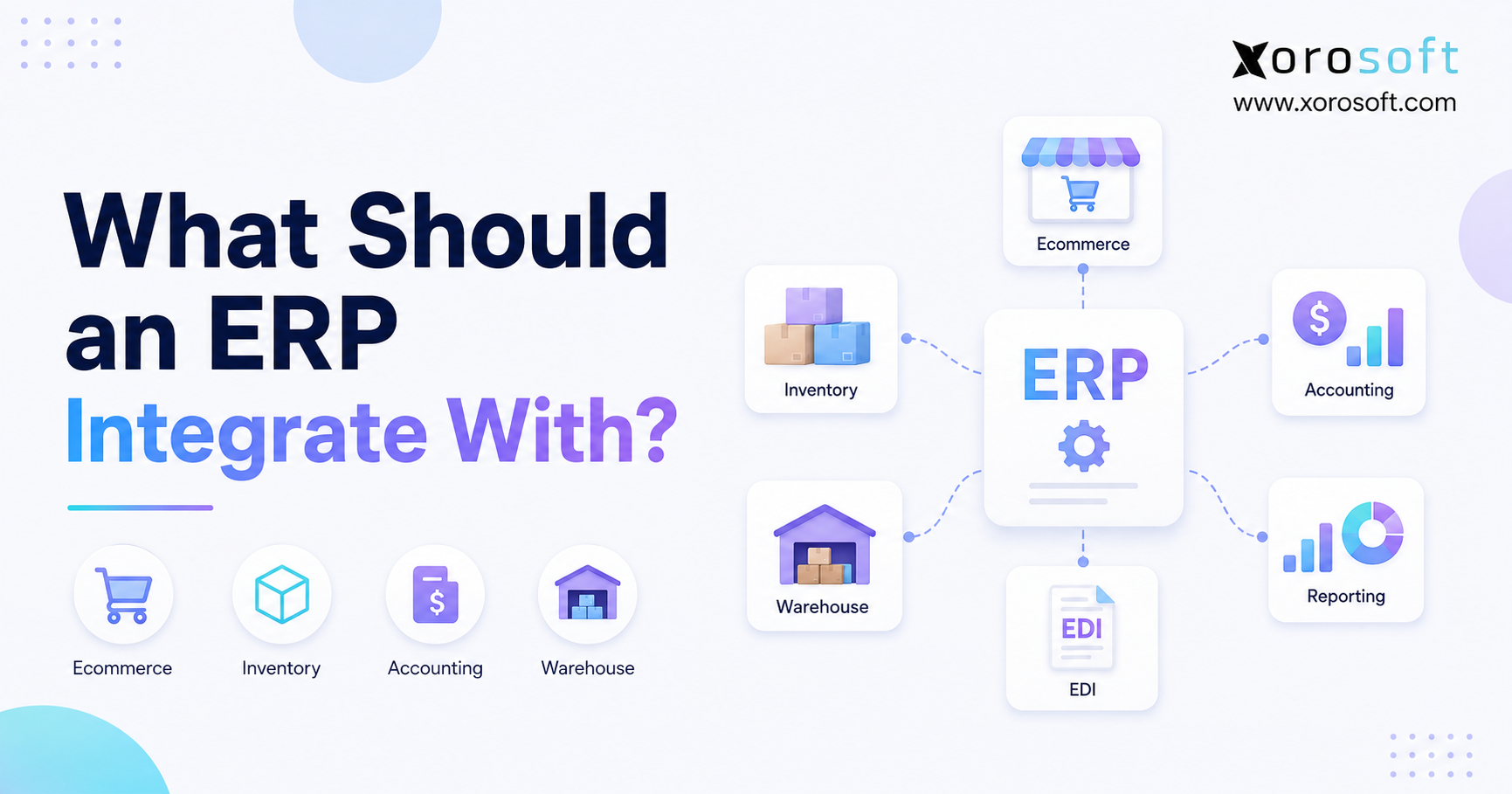
A practical ERP integration checklist should cover every system that creates, changes, or depends on business data. For most inventory-driven companies, the highest-priority connections involve orders, stock, warehouse work, accounting, purchasing, and shipping.
Therefore, the ERP integration checklist should focus first on workflows that affect revenue, cash, order speed, and customer promises.
| Priority | System to Connect | Important Data | Main Business Benefit |
|---|---|---|---|
| 1 | Ecommerce platform | Orders, products, customers, stock | Faster order processing |
| 2 | Online marketplaces | Orders, fees, returns, settlements | Better channel control |
| 3 | Accounting and finance | Payments, expenses, COGS, stock value | Faster record matching |
| 4 | Warehouse management | Picks, packs, receipts, transfers | Better stock accuracy |
| 5 | 3PL providers | Orders, shipments, stock balances | Outside warehouse visibility |
| 6 | Shipping carriers | Labels, rates, tracking | Faster shipping |
| 7 | Payment processors | Deposits, fees, refunds, disputes | Cleaner finance records |
| 8 | EDI platforms | Purchase orders, ASNs, invoices | Automated wholesale work |
| 9 | CRM software | Customers, opportunities, order history | Better sales visibility |
| 10 | POS systems | Store sales, returns, stock | Unified retail inventory |
| 11 | Purchasing systems | Suppliers, purchase orders, receipts | Better restocking |
| 12 | Forecasting tools | Demand, lead times, buying suggestions | Fewer stockouts |
| 13 | Manufacturing systems | BOMs, work orders, materials | Connected production planning |
| 14 | Reporting and AI tools | Business and finance data | Faster decisions |
2.1 Use the ERP Integration Checklist to Find Critical Data
First, use the ERP integration checklist to identify the information that directly affects customer promises. Orders, available stock, stock assignment, shipping status, and payment status usually need the highest level of accuracy.
Next, identify the information that drives purchasing and cash decisions. Supplier lead times, open purchase orders, incoming stock, inventory value, and sales forecasts should remain consistent across the business.
Finally, review reporting needs. A dashboard cannot give reliable answers when Shopify, Amazon, accounting, warehouse, and spreadsheet records disagree. Therefore, reporting should use connected order and finance data rather than hide weak processes.
2.2 Define a source of truth for every record
Every important record needs a main owner. For example, the ERP may own SKU data, available stock, purchasing, costs, and accounting. Meanwhile, Shopify may own customer-facing descriptions, images, and store content.
Similarly, a CRM may own sales activity, while ERP owns confirmed orders, credit status, and shipping history. A WMS may control bin-level work, whereas ERP controls stock value and restocking.
Without these rules, systems can overwrite each other. Consequently, product details can change without warning, customer records can duplicate, and stock updates can move in the wrong direction.
2.3 Choose the right sync timing
Not every connection needs real-time updates. However, the timing should match the business risk.
Orders, available stock, cancellations, and shipping updates often need real-time or near-real-time sync. Otherwise, the company may oversell products or delay shipping.
By contrast, product descriptions, old reports, or some supplier records may update on a set schedule. Therefore, teams should not pay for real-time updates when slower sync adds no risk.
3. ERP Integration Checklist for Ecommerce and Marketplaces
The ecommerce part of an ERP integration checklist should cover every sales channel that creates demand. Once an order enters Shopify, Amazon, a marketplace, or a POS system, it can affect stock, shipping, purchasing, accounting, and customer service.
3.1 Shopify and ecommerce platform connection
A Shopify ERP connection should normally exchange orders, customers, products, variants, available stock, prices, discounts, taxes, returns, payments, shipping details, and tracking data.
For example, once Shopify receives an order, the ERP should import it without manual entry. The ERP can then check the item, reserve stock, apply warehouse rules, and create the related financial record. After shipment, tracking data should return to Shopify.
Xorosoft provides a central ERP integrations environment for inventory-driven businesses that need to connect ecommerce, inventory, purchasing, accounting, and warehouse work.
Additionally, merchants can review the Xorosoft app in the Shopify App Store before planning their Shopify setup.
3.2 Product and variant sync
Product sync should include SKUs, item names, variants, barcodes, weights, sizes, units of measure, and active or inactive status. However, the company should avoid allowing every system to edit every field.
Daily product data should usually start in ERP. Meanwhile, marketing descriptions, product images, and store content may remain in the ecommerce platform.
As a result, the connection keeps product records controlled without slowing the ecommerce team’s work.
3.3 Available inventory sync
Available stock should reflect what the business can truly promise to customers. Therefore, the total may need to exclude reserved, damaged, blocked, or wholesale-assigned units.
A simple on-hand quantity can be misleading. For example, a warehouse may hold 500 units, but 300 may already belong to open orders. Another 100 units may be reserved for a wholesale launch. In that case, the ecommerce channel should not display all 500 units as available.
Accordingly, the ERP should calculate sellable stock and send that number to each sales channel.
3.4 Amazon and marketplace connection
Amazon, Walmart, eBay, and other marketplaces create added work. Besides orders and stock, businesses must manage marketplace fees, shipping methods, returns, refunds, and settlement records.
An Amazon connection should separate merchant-shipped and marketplace-shipped orders. Moreover, it should help the ERP identify channel fees, returns, and settlement activity.
Centralizing those records also improves stock control. Instead of allowing each channel to sell the same stock without limits, ERP can decide how much each channel may offer.
3.5 Point-of-sale connection
A POS connection matters when a company operates stores, showrooms, events, or pop-up locations. Store sales immediately affect stock, revenue, and customer history.
Therefore, POS sales, returns, transfers, and stock changes should reach ERP quickly. In return, ERP may send products, prices, promotions, and location-level stock to the POS.
This connection gives the business one view across ecommerce, retail, wholesale, and marketplace demand.
4. ERP Integration Checklist for Accounting and Payments
The finance section of an ERP integration checklist should connect product movement with its financial effect. A purchase receipt increases stock value, a shipment affects cost of goods sold, and a return changes both revenue and inventory.
4.1 Accounting connection needs
A useful accounting connection should support sales, invoices, payments, purchase orders, bills, receipts, stock changes, taxes, refunds, fees, and journal entries.
Some companies continue using separate accounting software after adding ERP. However, that choice requires a clear sync and record-matching process. Otherwise, stock and finance records can move apart.
Other businesses move accounting into ERP. For example, XoroERP connects financial work with inventory, purchasing, sales, and daily operations, which reduces the need to move data between separate platforms.
4.2 Match ecommerce payments and deposits
Ecommerce deposits rarely equal total order value. Payment processors deduct fees, handle refunds, manage disputes, and combine several orders into one payout.
Therefore, the system should connect each order with its payment, fee, refund, and deposit. Without that link, finance teams must explain every difference by hand during month-end close.
Furthermore, marketplace settlements may include sales fees, storage charges, ad costs, refunds, and other changes. The ERP should keep that detail instead of recording only the net bank deposit.
4.3 Inventory value and cost of goods sold
Inventory value depends on clean purchasing, receiving, landed cost, transfer, production, and shipping data. If those workflows remain outside the finance system, reported stock value may not match the warehouse.
For example, freight, duty, and broker fees can change product cost. Therefore, businesses should decide how the ERP spreads landed costs across receipts and SKUs.
Once the company ships an order, the ERP should record the right cost of goods sold. Consequently, margin reports can show product profit more clearly.
4.4 Faster month-end close
A connected system can shorten the month-end close because finance does not need to chase details from several teams. Instead, the team can review unmatched receipts, unposted shipments, stock changes, and unpaid records.
However, connections alone do not create a fast close. The business also needs clear posting rules, account maps, review steps, and cutoff dates.
5. ERP Integration Checklist for WMS, 3PL, and Shipping
The warehouse section of an ERP integration checklist should connect digital orders with physical stock movement. These connections directly affect stock accuracy, shipping speed, freight cost, and customer experience.
5.1 ERP and warehouse management connection
An ERP-to-WMS connection should exchange sales orders, pick tasks, receipts, transfers, restocking tasks, cycle counts, shipment updates, and stock changes.
Once an order reaches the warehouse, the WMS can guide picking and packing. Afterward, it should return the quantity shipped, package details, tracking number, and any error.
Businesses that want warehouse and inventory work in one system can use XoroWMS to connect receiving, putaway, picking, packing, shipping, and current stock updates.
5.2 Bin, lot, serial, and location data
Some businesses need more than warehouse-level stock. Food companies may need lot and expiry tracking, while electronics or equipment businesses may need serial numbers. Likewise, high-volume warehouses often depend on bin-level accuracy.
Therefore, the setup should state which system owns bin, lot, serial, and stock status data. If ERP and WMS both update the same details on their own, differences can appear quickly.
5.3 Third-party logistics connection
A 3PL connection should send orders to the outside warehouse and receive stock balances, receipts, shipping updates, tracking numbers, returns, and stock changes.
Although another company performs the physical work, the brand still owns the customer promise. Consequently, ERP must show whether an order has been accepted, picked, shipped, delayed, or rejected.
The connection should also support errors. For example, the 3PL may report an unknown SKU, low stock, an invalid address, or a partial shipment. ERP should show those issues instead of letting them fail without warning.
5.4 Shipping carrier connection
Carrier connections can support shipping rates, service choice, label creation, tracking numbers, and delivery updates. As a result, warehouse staff avoid copying addresses into separate carrier portals.
The ERP or WMS should also record the final freight cost. This data supports customer billing, margin reports, and carrier reviews.
After shipment, tracking details should return to ecommerce, marketplace, CRM, or EDI workflows as needed.
6. ERP Purchasing Integration for Suppliers and Forecasting
The purchasing section of an ERP integration checklist should connect demand, current stock, supplier lead times, open purchase orders, and incoming goods. Buyers can then act on current information instead of checking several spreadsheets.
6.1 Purchase order connection
A purchasing workflow should include supplier records, item costs, minimum order sizes, lead times, purchase orders, confirmations, incoming shipments, receipts, and bills.
At first, many businesses manage these details in spreadsheets. However, that method becomes hard to control when the company has hundreds of SKUs, several buyers, many warehouses, and changing supplier lead times.
Therefore, ERP should connect purchasing with current stock, open demand, and expected receipts.
6.2 Supplier communication
Supplier portals, email tools, or EDI connections can improve purchase order updates. For example, the ERP may send a purchase order, receive a confirmation, update the expected date, and record a partial shipment.
As a result, buyers can focus on late or changed orders instead of asking every supplier for an update.
Nevertheless, the business should keep approval controls. Automated messages should not allow unapproved purchase orders or cost changes.
6.3 ERP Forecasting Integration
Forecasting tools need sales history, promotions, seasonal patterns, lead times, current stock, open orders, and incoming supply. Because those inputs change often, manual exports quickly become old.
A forecasting connection should send clean demand and supply data to the planning tool. Then, suggested purchase amounts or production plans can return to ERP for review.
However, forecasts should not become purchase orders without review. Buyers still need to consider supplier limits, cash needs, minimum order sizes, and planned stock levels.
6.4 Restocking across several warehouses
Multi-warehouse restocking needs location-level stock data. One warehouse may have excess stock while another faces a shortage. Therefore, ERP should compare transfer choices with new buying.
In some cases, moving existing stock is faster and cheaper than placing a new supplier order. Consequently, connected planning can reduce extra stock.
7. ERP Integration Checklist for EDI and Wholesale
The wholesale section of an ERP integration checklist should cover account pricing, EDI orders, stock assignment, payment terms, sales history, and retailer rules. These workflows are often more complex than direct-to-consumer orders.
7.1 ERP and EDI Integration
EDI allows trading partners to exchange standard business records. Common examples include purchase orders, order replies, advance ship notices, invoices, and inventory updates.
When an EDI purchase order arrives, ERP should create a sales order without manual entry. Next, the system should check items, prices, quantities, ship dates, and customer rules.
After shipment, warehouse data may create an advance ship notice. Finally, ERP can send the invoice through the EDI network.
7.2 Customer-specific pricing
Wholesale pricing may depend on the customer, contract, quantity, product group, offer, or date. Therefore, pricing should not depend on separate spreadsheets.
ERP should hold or receive the approved price before accepting an order. Otherwise, the company may ship at the wrong price and find the mistake only when the invoice is created.
Xorosoft supports inventory-driven wholesale businesses by bringing account pricing, EDI, purchasing, stock assignment, accounting, and shipping work into one system.
7.3 ERP and CRM Integration
A CRM connection gives sales teams access to customers, opportunities, messages, and account details. However, sales representatives also need facts from ERP.
For instance, a rep may need available stock, open orders, shipping status, payment terms, credit limits, and past purchases. Therefore, ERP should send the right information to CRM without turning CRM into a second accounting or inventory system.
7.4 Credit and order approval
Wholesale orders may need credit checks, margin review, or manager approval. Consequently, ERP should apply those rules before sending the order to the warehouse.
A connected process can place an order on hold when a customer goes over a credit limit or when pricing falls below an approved margin. Then, the right person can review the issue.
8. Manufacturing ERP Integration for Production Planning
The manufacturing part of an ERP integration checklist should connect customer demand with raw materials, work orders, production plans, purchasing, and finished goods.
8.1 Bills of materials
A bill of materials lists the parts needed to produce a finished item. Therefore, ERP must connect the BOM with available stock and purchasing.
When demand increases, the system should work out how many parts are needed. If a required material is missing, the planner should see the shortage before starting production.
8.2 Work orders
Work orders should reserve or use raw materials, record production activity, and create finished goods. Additionally, they may track labor, overhead, waste, and production status.
Without a connected process, stock may show parts that production has already used. Similarly, finished products may appear unavailable even after they have been made.
8.3 Material planning
Material planning combines sales demand, forecasts, stock, open purchase orders, lead times, and BOM needs.
Therefore, accurate planning depends on the same data quality rules used across the ERP integration checklist. Wrong lead times or delayed stock updates can create extra purchases or production shortages.
8.4 Kitting and light assembly
Not every business runs a factory. Apparel, sporting goods, furniture, consumer goods, and wholesale companies may bundle, kit, customize, or assemble items before shipment.
Accordingly, ERP should connect part use with finished stock. This prevents the company from selling kits when required parts are missing.
9. ERP Reporting and AI Integration
The reporting section of an ERP integration checklist should use clean and consistent data. Otherwise, dashboards may look polished while showing conflicting results.
9.1 Business reporting connection
A reporting tool can study sales, gross margin, stock turns, buying, supplier results, shipping speed, warehouse accuracy, and cash flow.
However, the company should first fix the source data. A dashboard cannot solve duplicate customers, missing costs, or different stock totals.
Once the base data is reliable, leaders can compare results by channel, product, warehouse, supplier, customer, and time period.
9.2 Current business reporting
Daily teams need current information rather than month-end reports. For example, a warehouse manager may need open orders by shipping cutoff, while purchasing needs likely stockouts based on supplier lead times.
A connected ERP can provide those views from shared records. XoroONE brings inventory, purchasing, warehouse, accounting, manufacturing, forecasting, and reporting into one cloud platform.
9.3 AI-based workflows
AI tools become more useful when they can use clean and controlled business data. Otherwise, the AI may answer from old spreadsheets or incomplete reports.
For example, an AI tool could find late purchase orders, low-margin products, likely stockouts, or customers whose order volume is falling. However, those answers need reliable ERP data.
Businesses exploring controlled AI access to ERP information can review Xorosoft’s AI MCP Server.
10. Choose the Right Connection Method
An ERP integration checklist should also state how each connection will work. A business may use a native connector, API, middleware tool, file exchange, or custom connection depending on cost, risk, order volume, and workflow needs.
10.1 Native connectors
Native connectors include ready-made fields and workflows between supported systems. As a result, they can reduce setup time and ongoing work.
They work best when the company follows common processes. However, a native connector may not support complex pricing, order routing, or shipping rules.
10.2 API connections
APIs offer more control because developers can choose fields, triggers, and workflow rules. Accordingly, they work well for unique business needs.
Nevertheless, custom API work needs clear guides, testing, error alerts, and regular updates. The company should plan for this ongoing work rather than treat development as a one-time cost.
10.3 Middleware and integration tools
Middleware sits between apps and changes or routes data. It can help when several systems need to exchange information through one managed layer.
However, middleware adds another tool to the stack. Therefore, the business should decide who checks failed records, field maps, secure access, and app updates.
10.4 File-based connections
CSV, XML, and flat-file exchanges can support old systems or low-volume workflows. Although they may be cheap to start, they often create delays and manual fixes.
Consequently, file-based connections are less suitable for available stock, high-volume orders, or time-sensitive shipping.
10.5 Custom development
Custom development may make sense when the business has a truly unique process. However, teams should avoid rebuilding old and weak workflows simply because staff already know them.
Before approving custom work, ask whether the process creates a real advantage, protects a customer promise, or meets a required partner rule. If not, a standard ERP process may be easier to support.
11. ERP Integration Checklist by Business Model
This ERP integration checklist should be adjusted to fit the business model. A Shopify brand, wholesale distributor, manufacturer, and multi-warehouse business will not need the same setup.
11.1 Shopify and ecommerce brands
Highest priorities:
- Ecommerce orders
- Sellable stock
- Payments and refunds
- Warehouse work
- Shipping and tracking
- Purchasing
- Accounting
- Returns
In addition, multi-channel brands may need Amazon, 3PL, EDI, forecasting, and wholesale pricing.
11.2 Wholesale distributors
Highest priorities:
- EDI
- Customer pricing
- CRM
- Stock assignment
- Warehouse management
- Purchasing
- Shipping
- Accounting
Moreover, a B2B ecommerce portal may become important as customers expect easier ordering.
11.3 Manufacturers
Highest priorities:
- Bills of materials
- Work orders
- Raw materials
- Purchasing
- Production planning
- Warehouse management
- Finished goods
- Accounting
Depending on the industry, the company may also need lot, batch, serial, quality, or tracking tools.
11.4 Multi-warehouse businesses
Highest priorities:
- Location-level stock
- Transfers
- WMS
- 3PL providers
- Shipping carriers
- Restocking
- Forecasting
- Accounting
The industries served by Xorosoft show how apparel, furniture, sporting goods, consumer products, food, wholesale, and manufacturing businesses may structure these workflows.
11.5 Businesses outgrowing basic software
A company may need ERP when spreadsheets and separate apps can no longer support order volume, stock needs, or finance reporting.
Common warning signs include repeated stock differences, spreadsheet buying, slow month-end close, duplicate entry, warehouse mistakes, and reports that teams do not trust.
At that point, the ERP integration checklist helps the company decide whether a platform can replace disconnected tools or connect the special systems that still add value.
12. Common ERP Integration Checklist Mistakes
A technically working ERP integration checklist can still lead to a poor business result when the setup ignores people, processes, controls, and errors.
12.1 Connecting systems without an owner
Every workflow needs a clear owner. For example, ecommerce may own store content, operations may own stock rules, and finance may own posting rules.
Without ownership, connection errors remain open because each department expects another team to fix them.
12.2 Using duplicate records
Products, suppliers, customers, and warehouses should use clear and matching IDs. Otherwise, the connection may create duplicate records or send activity to the wrong account.
Therefore, teams should clean important records before moving data rather than expect the new system to fix them on its own.
12.3 Ignoring failed records
An order may fail because of an unknown SKU, missing address, wrong tax code, or poor customer match. Consequently, the system needs an error list and a clear fix process.
Silent failures create the most risk because teams may not notice them until customers complain.
12.4 Slow ERP Data Sync
Set updates may work for some records. However, slow order, stock, cancellation, or shipment updates can cause overselling and late shipping.
The team should choose sync timing based on business risk rather than use one schedule for every type of data.
12.5 Adding too much custom work
Custom workflows can increase setup cost and make future updates harder. Moreover, too much custom work may keep weak processes that the ERP project should improve.
Instead, the company should use standard workflows where possible and keep custom work for real business needs.
12.6 Incomplete ERP Integration Testing
A basic order import does not prove that a connection works. Therefore, teams should test discounts, taxes, partial shipments, returns, cancellations, backorders, payment fees, transfers, and stock changes.
Wholesale companies should also test EDI errors, account pricing, shipping notices, and invoice rules.
12.7 Failing to match records
A connection means data moved. Record matching proves that it moved correctly.
Accordingly, businesses should compare order counts, stock balances, payment totals, shipping records, and finance entries. Regular checks find small errors before they become large customer or reporting problems.
12.8 Choosing software from a feature list
A long feature list does not prove that a platform supports the company’s real workflows. Instead, buyers should present actual examples during product reviews.
Xorosoft’s business solutions can help teams review connected inventory, ecommerce, warehouse, purchasing, accounting, and manufacturing needs. In addition, its customer case studies provide examples of business problems and results.
13. ERP Integration Questions to Ask Vendors
A strong ERP review should test both software features and connection depth. Therefore, the team should use its ERP integration checklist during every vendor demo and setup discussion.
13.1 Questions about available connections
Ask the vendor:
- Which connections are built in?
- Which connections need middleware?
- Which connections need custom work?
- Who maintains each connector?
- How often does each record sync?
- How does the system report errors?
- Can users retry failed records?
- Does the connection work in both directions?
- Which system owns each field?
- Are there API limits or extra fees?
13.2 Questions based on real workflows
Test real cases such as:
- A discounted Shopify order using two warehouses
- An Amazon return with marketplace fees
- A partial wholesale shipment
- An EDI order with an invalid item
- A purchase receipt with landed costs
- A warehouse transfer with damaged units
- A payment deposit that includes fees and refunds
- A work order with a missing part
Because these examples show real workflow errors, they reveal more than a planned software demo.
13.3 ERP setup questions
Ask who will map fields, clean records, test workflows, train users, and watch the connections after launch.
Additionally, confirm whether the vendor provides a test system, written guides, error logs, and support when connected apps change.
A clear setup plan is often more useful than a long list of app logos on an integrations page.
13.4 Complete the final connection review
Before choosing a platform, review the ERP integration checklist with finance, warehouse, purchasing, ecommerce, sales, operations, and IT.
This final review helps confirm that the selected ERP supports daily work, common errors, future channels, added warehouses, and higher order volume.
14. Frequently Asked Questions About ERP Connections
14.1 What is an ERP integration checklist?
An ERP integration checklist is a clear list of systems, workflows, and data that must connect with an ERP. It usually covers ecommerce, marketplaces, stock, warehouse management, accounting, shipping, payments, EDI, CRM, purchasing, forecasting, manufacturing, and reporting. Therefore, it helps teams decide which connections are essential before setup begins.
14.2 What should an ERP connect with first?
Most product businesses should connect orders, stock, accounting, warehouse, and shipping first. Because these workflows directly affect revenue and customer promises, errors can create immediate problems. Afterward, the company can add payments, purchasing, EDI, 3PL, CRM, forecasting, manufacturing, and reporting based on its needs.
14.3 Why are ERP system connections important?
ERP connections reduce duplicate entry and allow teams to work from matching information. As a result, stock, purchasing, shipping, and finance records stay better aligned. Moreover, connected systems improve reports because leaders do not need to combine different spreadsheets and app exports before making decisions.
14.4 Should ERP connect with Shopify?
Yes, ERP should connect with Shopify when Shopify creates a meaningful share of orders. The connection should usually exchange orders, stock, products, customers, payments, returns, shipments, and tracking. Therefore, Shopify can remain the customer-facing store while ERP manages stock, purchasing, warehouse, and finance work.
14.5 Should ERP connect with Amazon?
ERP should connect with Amazon when the company sells through the marketplace. Besides orders and stock, the connection may need to handle shipping methods, returns, marketplace fees, refunds, and settlements. Consequently, finance and operations can manage Amazon alongside Shopify, wholesale, and other channels.
14.6 Should ERP connect with accounting software?
A company may connect ERP with separate accounting software if it plans to keep that finance platform. However, the connection must handle sales, purchasing, stock value, payments, fees, taxes, and journals. Alternatively, the business may choose ERP with built-in accounting to reduce matching work between separate systems.
14.7 Should ERP connect with a WMS?
Yes, ERP should connect with a separate WMS when the warehouse uses that system for physical work. Orders, receipts, picks, transfers, counts, shipments, and stock changes should move between the platforms. Otherwise, ERP stock may not match what warehouse workers have picked, moved, or shipped.
14.8 Can ERP replace a separate WMS?
ERP can replace a separate WMS when its warehouse features support receiving, putaway, picking, packing, shipping, counting, and location needs. However, very complex warehouses may still need special software. Therefore, businesses should test real warehouse cases before deciding.
14.9 Should ERP connect with a 3PL?
Yes, ERP should connect with a 3PL when an outside provider stores or ships stock. The connection should exchange orders, stock totals, receipts, shipments, tracking, returns, and stock changes. As a result, the company keeps visibility even though another business performs the warehouse work.
14.10 Should ERP connect with shipping carriers?
Carrier connections can reduce address entry, create labels, compare services, and return tracking details. Therefore, they often improve warehouse speed and shipping accuracy. Additionally, recorded freight costs can support customer billing, margin reports, and carrier reviews.
14.11 Should ERP connect with payment processors?
Yes, payment connections help finance match orders with fees, refunds, disputes, deposits, and chargebacks. Because a bank deposit may combine many records, saving only the net amount removes important detail. Consequently, connected payment records can make month-end close easier.
14.12 Should ERP connect with EDI?
ERP should connect with EDI when customers or trading partners require digital business records. The connection can automate purchase orders, order replies, shipping notices, invoices, and inventory updates. Therefore, wholesale teams reduce manual entry while meeting retailer needs.
14.13 Should ERP connect with CRM?
CRM and ERP should connect when sales teams need order history, account pricing, available stock, credit details, or shipping updates. However, the business must decide which system owns each customer field. Otherwise, duplicate records and conflicting changes can appear.
14.14 Should ERP connect with POS software?
Yes, POS should connect with ERP when a company sells through stores, showrooms, or events. Store sales and returns affect stock right away. Therefore, the connection should exchange sales, product data, prices, customers, and location-level stock.
14.15 Should ERP connect with forecasting software?
ERP should connect with forecasting software when demand planning happens outside the main platform. Sales history, stock, lead times, open purchase orders, and promotions should move to the planning tool. Then, approved buying suggestions can return to ERP for review.
14.16 Should ERP connect with manufacturing software?
ERP should connect with manufacturing tools when production runs in another system. Bills of materials, work orders, raw materials, finished goods, and production status must stay aligned with stock and purchasing. Alternatively, a company may use ERP that already includes manufacturing features.
14.17 What should sync between ecommerce and ERP?
Typical data includes orders, customers, products, variants, prices, discounts, available stock, taxes, payments, returns, shipments, and tracking numbers. However, the business should name the owner of each field. For instance, ERP may own daily product data while ecommerce owns marketing content.
14.18 What should sync between ERP and WMS?
ERP and WMS should exchange sales orders, receipts, pick tasks, transfers, restocking tasks, cycle counts, shipments, tracking, and stock changes. The WMS often controls physical warehouse work, while ERP controls purchasing, planning, accounting, and wider stock reporting.
14.19 What should sync between ERP and accounting?
The connection may include invoices, payments, refunds, purchase orders, bills, receipts, fees, taxes, landed costs, stock value, cost of goods sold, and journals. Therefore, finance can match daily business activity without rebuilding records by hand.
14.20 What is a native ERP connector?
A native connector is a ready-made connection provided or supported by the ERP vendor, app provider, or setup partner. It usually supports standard fields and workflows. Although native connections can simplify setup, buyers should confirm whether they cover required errors and special rules.
14.21 What is an ERP API connection?
An API connection links systems through set software endpoints. Because APIs offer more control, developers can create custom field maps, triggers, and workflows. However, the company must maintain secure access, written guides, error alerts, and updates when either system changes.
14.22 What is ERP middleware?
Middleware is software that sits between ERP and other apps. It changes, routes, and watches data across systems. Therefore, it can simplify a large app stack, although it also adds another tool that the business must manage.
14.23 How often should ERP data sync?
Sync timing depends on business risk. Orders, available stock, cancellations, and shipments often need real-time or near-real-time updates. Meanwhile, some product fields and old reports can update less often. Therefore, teams should choose timing by data type rather than use one schedule for everything.
14.24 How do ERP connections improve stock accuracy?
Connections update stock when the business receives, transfers, reserves, picks, ships, returns, produces, or changes inventory. As a result, teams rely less on delayed spreadsheets and manual entry. However, the company still needs cycle counts, clean records, and error checks.
14.25 When should a business upgrade to a connected ERP?
A business should consider upgrading when separate tools cause stock differences, manual order entry, slow shipping, spreadsheet buying, delayed finance closes, or weak reports. Additionally, several warehouses, ecommerce channels, EDI customers, and manufacturing needs often show that the current setup has become too difficult to manage.
15. Turn Connected Data Into Reliable Operations
An ERP integration checklist should create clarity rather than encourage unnecessary connections. Therefore, begin with the workflows that control orders, stock, warehouse work, purchasing, finance, and customer promises.
Next, decide which system owns each record. Then, choose the right sync timing and test both successful records and common errors. Finally, assign responsibility for checking and matching data after launch.
For inventory-driven companies, a connected ERP can replace the daily work of combining Shopify, Amazon, accounting, warehouse, EDI, purchasing, and spreadsheet information. As a result, teams gain a clearer view of what is available, what customers ordered, what suppliers will deliver, and how each sale affects profit.
Xorosoft brings cloud ERP, inventory management, accounting, purchasing, warehouse management, manufacturing, forecasting, ecommerce work, and reporting into one platform. It is built for growing apparel, furniture, sporting goods, consumer goods, wholesale, food, and manufacturing businesses that have outgrown disconnected tools.
To review your current software stack, find missing connections, and plan the right setup priorities, Book a Demo.