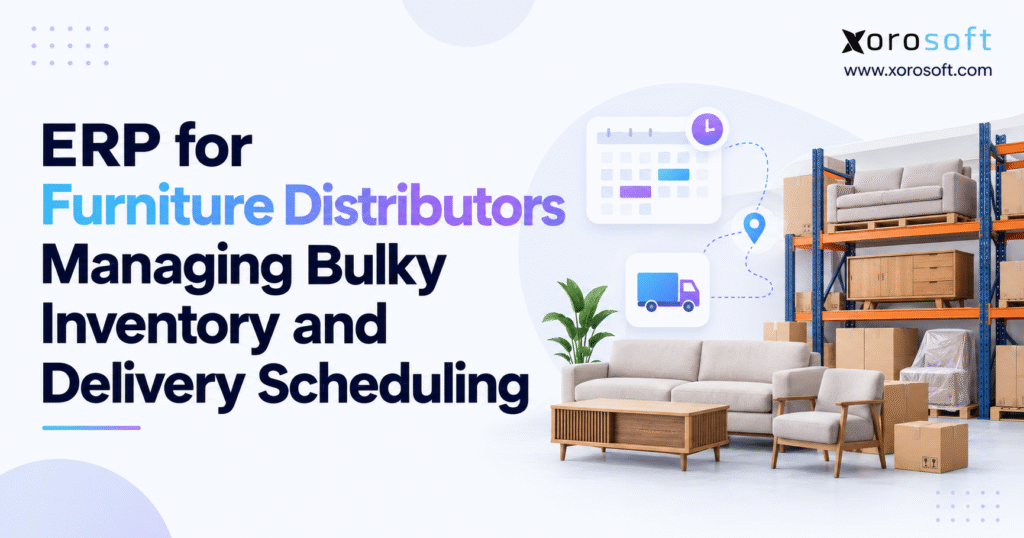
Looking for ERP for furniture distributors can help streamline your business operations and improve efficiency.
1. Why Furniture Stock and Delivery Plans Fall Apart
A furniture seller can have a sofa in stock and still be unable to deliver it on Friday. The right-hand chaise may be at another site, a carton may be damaged, or the truck may have no safe space for the load. The stock count looks fine, yet the delivery promise is already at risk.
That gap grows as a business adds products, sales channels, and sites. Sales teams work from stock reports. Warehouse staff find missing parts as they pick. Drivers get routes before orders are ready. Customer service then has to explain delays and book new dates. ERP for furniture distributors can help connect these steps, but first the business must define what it means for an order to be ready.
1.1 Why Bulky Furniture Stock Needs More Than a Unit Count
Furniture is not like a small item that can fit in any bin. A sofa takes up floor space. Dining tables may ship in two boxes. A bed set may need rails, slats, and tools from separate cartons. Heavy items need a safe route through the warehouse, while glass and wood finishes need care at each touch.
A useful stock record must show size, weight, parts, and item condition as well as quantity. If a warehouse has ten chairs, but two are on display, three are on hold, and one is damaged, only four may be open for sale. A count of ten does not tell the whole story.
1.2 Why Stock on Hand Is Not the Same as Stock Ready to Deliver
Stock on hand means the business has recorded the item at a site. Sellable stock excludes holds, damage, and orders already booked. Stock ready to deliver goes one step further: each part must be usable, in the right place, and able to reach the customer within the agreed time.
1.3 How One Missing Carton Delays a Whole Furniture Order
Picture an order for a three-piece sofa. The main boxes are on a rack, but the joining parts are missing. A picker spots the issue on the morning of dispatch. By then, the team has booked a truck, set a time slot, and told the buyer to be home.
The best fix starts before the route is built. The team should check each required part, the stock condition, and the pick location. It should also set a rule for when a delivery slot can be confirmed. This avoids a last-minute choice between a split drop, a rushed transfer, and a missed date.
2. How ERP for Furniture Distributors Links Teams and Data
The core job of ERP is to keep key business facts in one place. Staff should not need to type the same order into a stock app, a buying sheet, an accounts tool, and a delivery tracker. Each team can still use the right tools for its work, but it should rely on the same order and stock facts.
2.1 What ERP for Furniture Distributors Should Control
An ERP system links customer orders, purchase orders, stock, pricing, costs, and accounts. It can also support warehouse tasks, either through its own tools or through a linked warehouse management system. A delivery tool may handle routes, driver shifts, time slots, and proof of delivery.
This split is worth checking when you buy software. The word “ERP” does not mean a product can plan every truck route or run every white-glove service. Ask which work happens in the ERP, which work needs an add-on, and how updates move between them. This gives each team a clear owner for each step.
2.2 How Furniture ERP Software Moves an Order From Buying to Delivery
Take a shipment of dining sets. The buying team raises an order and records when the goods should arrive. The receiving team checks the boxes, logs damage, and puts good items away. Sales can then reserve complete sets. Pickers see those booked items and move them to the right staging area.
Once the order passes a final stock check, the delivery team gets its size, weight, address, and service needs. After the drop, the order status flows back so staff can bill, handle claims, and close the job. This is the value of a shared process: one team does not need to guess what another team has done.
2.3 When Furniture Wholesale ERP Is Worth the Cost
A small shop with one site and a few orders a day may do well with basic accounts, stock software, and a simple booking tool. A full ERP can cost more time and money than that shop needs. The case grows stronger as the firm adds warehouses, B2B clients, online stores, and a large range of products.
Look for clear warning signs: two teams report different stock numbers, buyers use old sheets, staff enter the same order more than once, or dispatch books goods that are not ready. ERP for furniture distributors is worth a close look when these problems repeat across teams, not just after one bad delivery.
Free ERP Readiness Assessment: Review the last month of stock errors, delayed orders, and manual data fixes. Mark where the first wrong step took place. Use that list to decide whether better rules, a new warehouse tool, or a full ERP project is the best next move.
3. Furniture Inventory Management Starts With Clean Product Data
Software is only as sound as the data staff put into it. An item with the wrong size, missing carton count, or unclear finish can cause errors in buying, picking, and loading. Good product records are the base for every later step.
3.1 Set Up Furniture SKUs With the Right Size and Parts
Each product needs a clear SKU, name, sales unit, packed size, weight, and any special care notes. For sofas, record the layout and fabric. Tables need finish and size details. For items sold in sets, show the boxes or parts needed to make one full sale unit.
Use the same units across sites. If one team enters centimeters while another uses inches, truck and bin plans may be wrong even when both teams follow the process. Data owners should check new items before they go live in the catalog, then keep changes under control. A short review at setup saves many fixes later.
3.2 Track Furniture Sets and Items Across Sites
A six-chair dining set may include a tabletop, legs, and six chair boxes. The online store may sell it as one SKU, yet the warehouse must pick each part. The system should know how the sale item maps to those boxes and should flag a set that cannot be made whole.
Sites also need shared rules for items on display, held for a buyer, damaged, or in transit. A showroom sample is not always free stock. Neither is a box that is on a truck between two sites. Keep these states clear so each channel sees what it can truly sell. Do not count a transfer as ready at the new site until it has been received.
3.3 Use Furniture ERP to Keep Stock Status in Sync
A single stock view is useful only if receiving, picks, moves, and returns update it on time. Staff must scan or post those events and know how to fix an error. Regular counts should focus on high-cost items and areas with many moves, since those spots tend to create more risk.
Platforms such as Xorosoft link stock, buying, warehouse work, and accounts in a cloud ERP system. For a furniture firm, the key test is not a clean demo screen. Ask staff to move a damaged carton, place a hold on a display unit, and return a shipped item. The stock view should stay clear through each step.
4. Furniture Warehouse Management for Large and Heavy Stock
A warehouse can show open floor space but still struggle to hold one more sofa. Tall racks, narrow paths, load limits, and safe lifting rules affect how much room staff can use. Furniture warehouse management must plan for both space and labor.
4.1 Calculate How Much Room Bulky Furniture Takes
Start with the packed item, not its size once built. For a box that is 2.0 meters long, 0.9 meters wide, and 0.8 meters high, the basic volume is 1.44 cubic meters. Ten of those boxes have a total packed volume of 14.4 cubic meters. This helps with rough slot and truck plans.
It does not tell you how much building space you need. You may need a clear aisle, room for a lift, and gaps to stop damage. Some boxes cannot be stacked. The Microsoft Business Central guide to units of measure shows how item size and volume data can support warehouse controls. The local layout and safe work rules still matter.
4.2 Plan Warehouse Slots for Furniture That Is Hard to Move
Put fast-selling items where staff can reach them with less travel and fewer touches. Keep very heavy goods in areas built for their weight. Give glass, mirrors, and fine wood finishes the space and care they need. In many sites, one smart slot change can save more time than speeding up a scan.
Separate receiving, damage checks, storage, picking, and dispatch staging. When an item moves into the damage area, it should stop being sold. When it moves to a staging lane, it should remain tied to the right order. A good plan also leaves room for busy weeks, so incoming loads do not block routes through the warehouse.
4.3 Use Furniture WMS Scans to Catch Errors Early
Scanning can help confirm the right item, box, bin, and order at each step. Staff should scan as they receive, move, pick, and load goods. Still, scans are not a cure for bad labels or unclear work rules. The data behind each code must match what is in the box.
A warehouse management tool such as XoroWMS can support location control and stock moves. When you test it, include a sofa set with one missing box and a chair marked as damaged. Also test a count that finds more units than expected. Those cases show how the system handles real work, not just a smooth pick.
5. How Furniture Distribution ERP Helps Teams Promise Stock
Buying, sales, and warehouse teams must use the same view of what is on hand and what is due to arrive. Long lead times make this harder. A container may be booked, but that does not mean the goods will pass receiving in time for a Friday delivery.
5.1 Check Supplier Lead Times Before You Promise Stock
A supplier date is one part of an inbound plan. Staff also need to allow time for freight, customs where relevant, checks at receipt, and putaway. When a load arrives in parts, the business must know which sets are complete and which still lack a box or part.
5.2 How Furniture ERP Software Works Out Sellable Stock
Start with stock on hand, then take away units on hold, units already booked, damaged items, and any safety buffer. As an example, a site holds 18 sofas. Two are damaged, four are held for B2B orders, three are set aside for showroom sales, and two form a safety buffer. That leaves seven units open for new orders.
A full available-to-promise plan can also account for future receipts and demand by date. Yet the stock promise still has to pass the delivery test. ERP for furniture distributors should show the rule behind the number, not just a green “in stock” label. A buyer needs a sound date and a complete set, not just a quantity.
5.3 Use ERP Buying Data to Choose Stock Transfers
When one area runs low, a new supplier order may not be the best fix. Another warehouse could have the same item ready to move. Compare the transfer cost and time with the next supplier receipt, then check whether either option can meet the buyer’s date. A transfer must not take stock away from an older promise.
Forecasts also need care. Basic dining chairs may sell each week, while a rare fabric sofa could sit for months. Xorosoft’s ERP tools for stock and buying can help teams share order and purchase data. The firm must still set clear reorder rules based on demand, lead time, cash, and storage space.
6. ERP for Furniture Distributors With Shopify, Wholesale, and EDI
More sales channels can bring in more orders while making stock harder to trust. A product may be shown on Shopify, reserved for a dealer, and used on a showroom floor. The business needs one set of rules to stop the same unit from being sold twice.
6.1 Give Shopify and Wholesale Furniture Orders One Stock View
Set out when a quote becomes a firm order, when a paid online order takes stock, and how long a dealer can hold items. Showroom display units also need rules. Some can be sold after approval; others must stay off the list of stock open for sale.
Channel rules may differ. A dealer may have special prices and a set shipping window, while a retail buyer has a home delivery slot. Those are fair business needs, but they should not create two physical stock counts. ERP for furniture distributors helps most when all channels draw from a trusted view of the same goods.
6.2 Link Furniture ERP With Shopify Apps and EDI
Orders must carry the correct SKU, quantity, set parts, ship-to address, and service notes into the warehouse. If the store sells one dining set but staff ship several boxes, the link must keep that tie intact. It also needs clear rules for cancelations, refunds, returns, and ship notices.
Review the Xorosoft integrations relevant to the current sales stack. The Xorosoft ERP app on Shopify is an example of a link between the store and back-office records. Test the exact data fields, update times, and error messages you need. A named connector is not proof that all custom order cases work out of the box.
6.3 Make Sure Multi-Channel Orders Keep Their Rules
EDI orders from large buyers may include strict ship windows, label rules, and advance ship notices. Web orders may have different cancelation times and refund steps. The ERP should hold the core order facts while each channel keeps the rules that apply to it.
Test one order from each channel through a full return and a part shipment. Check what happens if an order changes after picking starts, or if an update fails to reach the store. If staff cannot say which tool owns the order at each step, the system design needs more work before the next sales channel goes live.
7. Furniture Delivery Scheduling: From Stock Check to Doorstep
Furniture delivery scheduling joins warehouse facts with real limits on trucks, drivers, crews, and customer time. It is also where stock errors become public. A late sofa is not just a line on a report; it can mean a buyer took a day off work for a delivery that never came.
7.1 Use ERP Stock Checks Before You Book a Delivery
Before a slot becomes firm, check the full product set, its condition, its pick status, and the site from which it will ship. Give the warehouse enough time to wrap and stage the load. Then confirm that the delivery team can handle its size, weight, and service needs within the time window.
Some firms hold a slot before the order has been picked. That can work if there is a final cut-off for the stock check and a clear rule for releasing the slot if the order is not ready. A sound ERP for furniture distributors process makes the handoff visible, so no team treats a planned date as a done deal.
7.2 Plan the Truck Load for Bulky Furniture Orders
Say a truck has 16 cubic meters of usable cargo room. The route calls for three sofa boxes at 1.5 cubic meters each, four table boxes at 0.8, and six chair boxes at 0.35. That adds up to 9.8 cubic meters, or about 61% of the stated room. It is a useful first check, not a safe-load decision.
Boxes must fit in the space left by their shape and how they can be stacked. The load must also stay within weight limits. Stop order, lift gear, crew size, stairs, access, and time to set up items can all change what the route can carry. STORIS furniture logistics shows why planning by cube, piece count, stops, and labor can matter together.
7.3 Why Delivery Time Slots Matter to Furniture Buyers
A good delivery means more than goods reaching a street address. Buyers want useful updates, a fair arrival window, careful handling, and a clear plan when things change. White-glove jobs may also need crew time to build furniture, remove packing, or take old items away.
Ryder’s 2025 study of large-item delivery covered 1,000 US buyers. It found that 96% of those with a good delivery experience said they were more likely to shop with that retailer again. Nearly one in three booked deliveries online, and more than 70% were willing to pay for some added services. These are survey views, not proof that ERP alone improves service.
7.4 Share Delivery Status With Warehouse and Sales Teams
A truck leaving the yard is not the same as a job being done. A buyer may refuse one damaged piece, miss the driver, or ask for a new setup date. The delivery team should send the outcome back against the correct order, with a reason and proof where needed.
Route tools often handle driver apps, live travel plans, and proof of delivery. The ERP should receive the key facts: what arrived, what failed, what came back, and which charges or credits follow. ERP for furniture distributors can then help the warehouse and sales team give the same answer when a buyer calls.
8. How ERP for Furniture Distributors Handles Damage and Returns
Large goods are at risk each time they are moved. Damage can happen at receipt, on a rack, during picking, or at the buyer’s home. The goal is to spot it fast, stop bad stock from being sold, and record what must happen next.
8.1 Use Clear Damage Codes for Furniture Inventory
A damaged cabinet found at receiving should go to a hold area with a reason code. Missing parts found during picking need a different code. If a buyer refuses a table at delivery, tie the issue to its original shipment. Grouping all three events under a vague stock change prevents managers from seeing where faults begin.
Photos, dates, item IDs, and clear notes make vendor or carrier claims easier to review. Set rules for who can mark goods as fit for sale again. It should not happen just because the item is moved out of the damage zone.
8.2 Keep Split Delivery Orders Linked
If a customer agrees to get a bed frame now and the dresser later, both drops should stay tied to one order. The system must show what was shipped, what remains due, and when the rest can be sent. Staff also need to know whether a second delivery charge applies or has been waived.
When a slot changes, the stock hold and staging plan must change too. Otherwise, boxes can sit in a dispatch lane for days, taking up room while other orders wait. Clear links between orders and drops keep the buyer informed and help the team avoid repeat work.
8.3 Check Furniture Returns Before Adding Stock Back
Returned goods are not all fit for sale. A sealed chair box might pass inspection, while a scratched table may need repair and a badly damaged sofa may need a write-off. Each choice changes both stock status and cost. Returned items should remain on hold until staff approve the next step.
The return may also lead to a credit, a new shipment, a carrier claim, or a refund. Those steps must use the same order facts so the business does not issue two credits or add damaged goods to free stock. A good ERP for furniture distributors test should include a full damaged-return case.
Watch Demo: Ask to see one furniture order move from stock hold to pick, dispatch, failed delivery, return, and credit. This is a better test of software fit than a dashboard tour.
9. Use Furniture ERP to Track Freight and Real Order Profit
Furniture profit is shaped by more than the supplier price. Freight, duty, warehouse labor, damage, and final-mile work can take a large share of what looked like a healthy margin when the order was placed.
9.1 Split Landed Cost From the Cost to Deliver an Order
Suppose a table costs $600 from the supplier. Inbound freight adds $90 and eligible duty adds $30, giving a sample landed cost of $720. If the table sells for $1,050, gross profit before outbound shipping is $330. A $120 home delivery cost leaves $210 before other sales and office costs.
Which costs belong in stock value depends on the firm’s accounting rules. The trip from the warehouse to the buyer is not always part of landed cost. ERP for furniture distributors should help finance keep those costs apart while still showing how much is left from each sale after delivery work.
9.2 Learn the Real Cost of Damage and a Second Delivery
A second trip has fuel, driver time, crew time, and truck use costs. If the team records only a general delivery charge, finance cannot tell whether the extra work came from a missed booking, bad pack job, or customer delay. The reason should stay tied to the order.
9.3 Use ERP Reports to Check Furniture Margin
Compare gross margin with the cost to pick, pack, load, and deliver. Some items turn fast but use a lot of staff time. Others sit for months and take up costly space. A single gross margin figure can hide those trade-offs.
10. Furniture ERP Software vs WMS and Delivery Tools
The best tool mix is the one with clear roles. Some firms need full ERP, while others mainly need better warehouse scans or a route planner. There is no value in buying the same job twice if the tools still fail to share updates.
10.1 What ERP, WMS, and Delivery Tools Each Do
ERP usually owns orders, stock promises, buying, bills, and accounts. WMS runs the physical work of receiving, bin moves, picks, packs, and counts. A delivery or transport tool plans stops, trucks, driver work, time slots, and proof of delivery. Some systems cross these lines, so check the real feature set.
This is why ERP for furniture distributors should be judged as part of the full process. A product that prints a shipping label may not be able to plan a route around truck size, two-person lifts, and long setup times. Ask vendors to show the steps, not just tick feature boxes.
10.2 Test Furniture ERP Vendors on One Real Order
Build a test order with a dining table and six chairs, one damaged carton, and stock spread across two sites. Ask each vendor to show the buy, reserve, pick, transfer, ship, return, and credit steps. Then change the delivery slot after picking starts. The test should show what is native and what needs another tool.
Compare NetSuite, Acumatica, Microsoft Dynamics 365 Business Central, inventory tools, and furniture-focused products on your own needs. The Xorosoft vs NetSuite guide can offer one point of view, but claims should be checked in a live demo. Also ask about setup work, training, support, and the total cost over several years.
10.3 Pick Simple Tools or a Full Furniture ERP Based on Need
When stock is correct but routes fail often, a delivery tool may be the next move. Poor warehouse location control may call for WMS and better scan rules instead of a broad system change. When buying, stock, orders, and accounts all need manual fixes, a shared ERP becomes more useful.
Xorosoft’s solutions for stock-led businesses show one way to link those teams. Still, ERP for furniture distributors is a sound choice only when it solves real problems and fits the business. No system can make up for wrong item sizes, vague stock holds, or an unclear handoff to dispatch.
11. How to Roll Out ERP for Furniture Distributors in Stages
A large software launch can put daily orders at risk if the team tries to change every process at once. A safer plan is to start with one site, a clean set of products, and a real order path from receipt to delivery.
11.1 Clean Furniture ERP Data Before Launch
Remove duplicate items, check units of measure, record carton counts, and confirm key product sizes. Match system stock to a real count. Then agree who can create items, place holds, change order dates, approve damage claims, and release stock to dispatch.
Write down how each sales channel sends an order and how it gets a ship update back. Plan for failed messages and repeat data as well. If a canceled web order does not release its stock hold, the next buyer may see a false shortage. These are the issues to catch before a full launch.
11.2 Test One Warehouse Order From Start to End
Use real staff and a mix of easy and hard goods for the pilot. Test a full sofa set, a split shipment, a damaged box, a stock transfer, and a late delivery. Follow each case through receiving, sale, picking, dispatch, billing, and return where needed.
Pick a few clear measures: stock count accuracy, orders picked right the first time, on-time and complete drops, damaged shipments, and cost per order. Define each measure before you start, so results are fair. ERP for furniture distributors should make those daily tasks easier to control, not just give teams a new place to enter data.
11.3 Use Clear Goals Before Adding More Sites
Once the pilot is stable, add more sites and channels in small steps. Check failed order updates, stock that is stuck in staging, and returns that have not been checked. Keep training tied to real job tasks so new staff learn why each scan or status change matters.
Ask vendors for examples close to your own business model. Xorosoft’s case studies are one place to review customer stories, but a story is not a substitute for a test in your setting. Check the size of the site, mix of orders, and tools used before treating any result as proof of fit.
12. Make Better Furniture Delivery Promises With ERP
A strong furniture firm does not view stock and delivery as separate jobs. It knows which parts are in good shape, where they sit, which orders hold them, and whether a truck and crew can meet the date. That shared view helps teams make fewer promises they cannot keep.
12.1 Fix the First Broken Step in the Order Chain
Review recent delays, lost cartons, damage claims, and second trips. Find the first point where a wrong fact or missed action entered the order. It could be a poor item record, a late scan, a stock hold not released, or a slot booked too soon. Fix that step before adding more tools.
12.2 Pick Furniture ERP That Fits Your Delivery Rules
For firms with repeat gaps across buying, stock, warehouse work, and accounts, ERP for furniture distributors can offer a shared record and a better way to track the full order. But the right choice must be shown with real products, real stock holds, and the delivery rules your teams use each day.
If Xorosoft is on the shortlist, contact the team for a demo built around your orders, sites, and delivery needs. Ask which tasks the platform handles, which tools it links with, and how it deals with exceptions. The goal is simple: promise only what the business can pick, load, and deliver well.
Frequently Asked Questions
What is ERP for furniture distributors?
ERP for furniture distributors connects purchasing, inventory, warehouse tasks, orders, and accounting. It helps teams check stock and order readiness before planning deliveries.
How does furniture ERP handle bulky inventory?
It tracks size, weight, carton counts, locations, and item condition. Staff can plan storage space, check complete furniture sets, and keep damaged items out of sellable stock.
Can ERP help schedule furniture deliveries?
ERP shares order and stock details with delivery teams. Advanced route planning, driver schedules, and proof of delivery may need a linked delivery tool.
How does ERP track furniture sets with missing cartons?
It links a sale item to its required boxes or parts and can flag incomplete sets. Staff should verify each component before shipping.
Does furniture ERP work with Shopify and EDI?
Many ERP systems connect with Shopify and EDI through built-in tools or integrations. Test how stock, orders, shipping updates, and returns sync.
When should a furniture distributor move from spreadsheets to ERP?
Consider ERP when stock errors, repeat data entry, missed deliveries, or multi-warehouse work become routine. Test whether it fixes those gaps before investing.
What should buyers compare before choosing furniture ERP?
Check carton tracking, stock holds, warehouse scans, delivery links, accounting, full cost, and support. Ask vendors to show a real order with a missing part.
Recent Posts
-
 Inventory Tracking Management: How to Correct Negative Stock, Duplicate Receipts, and Orphaned Reservations
 -
 Shopify Inventory Integration Benchmarks 2026: Latency, Errors and Reconciliation
 -
 ERP for Furniture Distributors Managing Bulky Inventory and Delivery Scheduling
 -
 Xorosoft vs Acumatica for Inventory-Intensive Mid-Market Companies
 -
 What Is Material Pegging in MRP and Why Does It Matter?