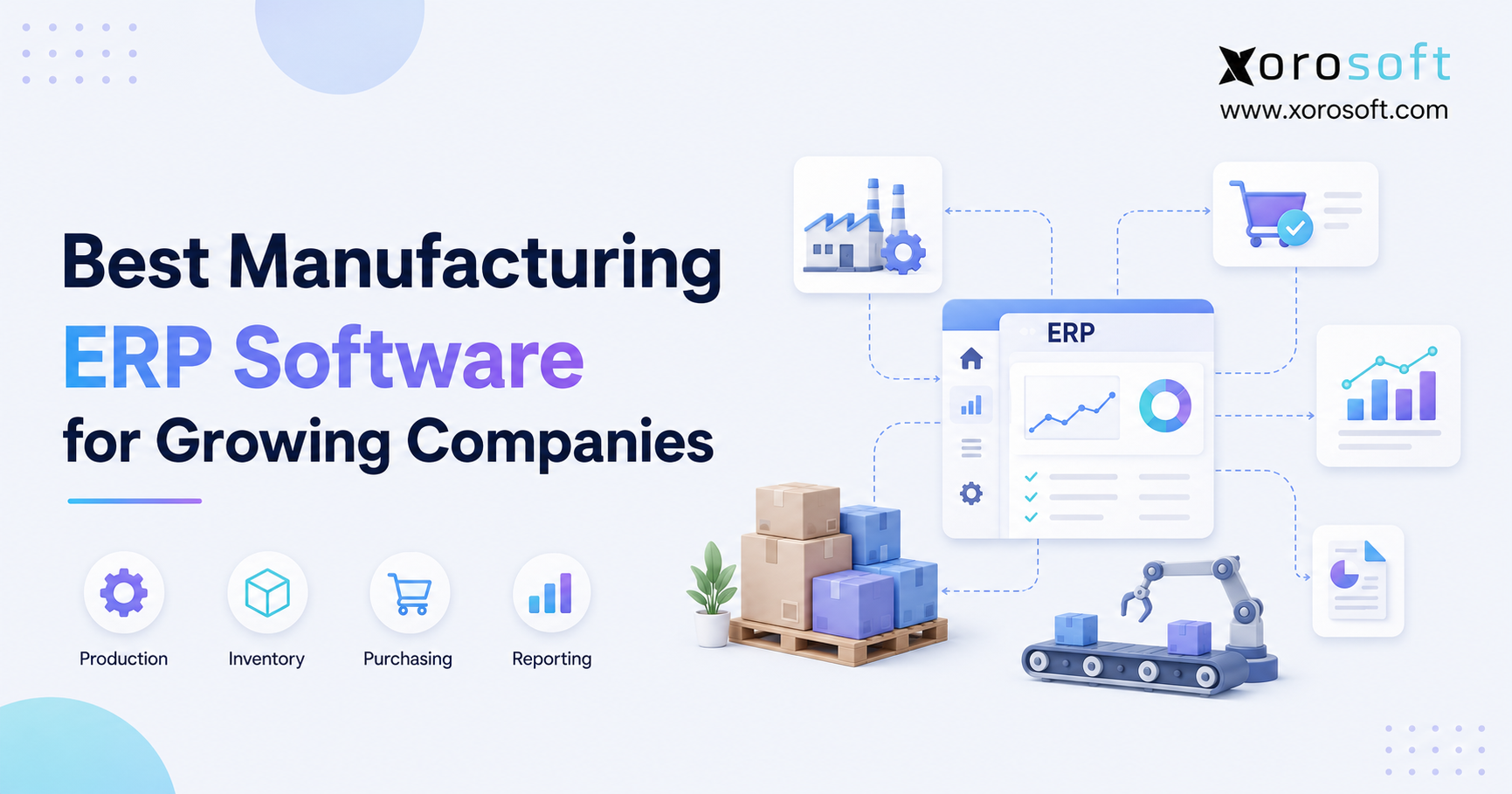
When searching for the best manufacturing ERP software, it’s important to consider features, scalability, and customer support to ensure you select the right solution for your business needs.
1. Growth Exposes Every Gap in the Operating System
The best manufacturing ERP software gives a growing company one reliable system for managing production, inventory, purchasing, warehouses, accounting, orders, and reporting. However, many manufacturers begin with separate tools because their first processes are relatively simple.
At first, QuickBooks may handle accounting, while spreadsheets manage purchasing and bills of materials. Meanwhile, an inventory application tracks stock, and a separate warehouse tool supports receiving or picking. Although each tool solves an immediate problem, the complete software stack eventually creates duplicate records, delayed updates, and conflicting reports.
As order volume increases, those gaps become operational risks. For example, purchasing may order components without seeing current production demand. At the same time, production may release work orders without trustworthy material availability. Consequently, warehouse teams discover shortages after production has started, while finance spends additional time reconciling inventory adjustments and production costs.
Therefore, selecting manufacturing ERP is not simply an IT decision. Instead, it is an operating-model decision. Moreover, the right platform should help the company coordinate demand, materials, production, inventory, fulfillment, and financial reporting without depending on manual handoffs.
Accordingly, this guide explains what manufacturing ERP controls, how it differs from MRP and inventory software, which platforms growing companies should compare, and which implementation risks buyers should address. In addition, it shows how ecommerce, wholesale, EDI, and multi-warehouse requirements affect the selection process.
Ultimately, the goal is not to choose the platform with the longest feature list. Rather, the goal is to identify the best manufacturing ERP software for the company’s manufacturing model, inventory complexity, sales channels, accounting requirements, and growth plans.
2. What Manufacturing ERP Software Actually Controls
Manufacturing ERP software connects the processes required to purchase materials, make products, hold inventory, fulfill orders, and account for each transaction. In other words, it creates a shared operational record instead of allowing each department to maintain a separate version of the business.
For example, the U.S. Census Bureau’s Manufacturers’ Shipments, Inventories, and Orders survey tracks shipments, new orders, unfilled orders, materials and supplies, work-in-process inventory, and finished goods inventory. Therefore, the operating categories that matter across the manufacturing economy also matter inside an individual company’s planning system.
2.1 One System for Demand, Supply, and Finance
First, sales orders and forecasts create demand. Next, bills of materials translate finished-goods demand into component requirements. Then, purchasing and production planning determine what must be bought or built. Finally, warehouse and accounting transactions record what physically and financially occurred.
Because these steps affect one another, the best manufacturing ERP software should connect:
- Raw materials, components, work-in-process, and finished goods
- Bills of materials, revisions, substitutions, and routings
- Work orders, production schedules, capacity, and completions
- Purchase orders, supplier lead times, approvals, and landed costs
- Receiving, bins, transfers, picking, packing, and cycle counts
- Inventory valuation, COGS, payables, receivables, and the general ledger
- Shopify, Amazon, wholesale, EDI, and other order channels
- Forecasts, dashboards, operational alerts, and management reports
As a result, the business can evaluate demand, supply, production, and finance from the same data set.
2.2 Who Needs Manufacturing ERP Software?
A manufacturer usually needs ERP when teams repeatedly reconcile separate systems, inventory accuracy affects production, or managers cannot see the financial impact of operating decisions. Likewise, multi-location companies often need ERP sooner because transfers, allocations, and warehouse-level availability add complexity.
Manufacturing ERP becomes especially relevant when a company:
- Sells physical products
- Manufactures, assembles, packages, or modifies products
- Uses BOMs and work orders
- Manages several suppliers
- Operates multiple warehouses
- Sells through Shopify or Amazon
- Handles wholesale and EDI orders
- Needs integrated purchasing and accounting
- Requires accurate inventory valuation
- Depends on forecasting and production planning
Therefore, the need for ERP is determined by operational complexity, not only by revenue or employee count. In practice, the best manufacturing ERP software becomes valuable when connected execution matters more than adding another isolated application.
2.3 Who Does Not Need Manufacturing ERP Software Yet?
However, a very small operation may not need full ERP yet. For instance, a company with one location, a small SKU catalog, simple assemblies, and limited purchasing may manage effectively with accounting and inventory tools.
Nevertheless, those tools should still provide reliable inventory and financial records. Once BOMs, work orders, warehouses, sales channels, or supplier dependencies become difficult to coordinate, a connected ERP platform becomes easier to justify.
3. Capabilities the Best Manufacturing ERP Software Should Include
The best manufacturing ERP software should do more than record completed transactions. Instead, it should help teams plan work, execute consistently, identify exceptions, and understand the financial result.
Moreover, the platform should provide enough manufacturing depth for today’s processes while supporting additional warehouses, channels, products, and users as the company grows.
3.1 Inventory, BOM, and Revision Control
Accurate inventory is the foundation of every production plan. Therefore, the ERP should distinguish between on-hand, available, committed, incoming, work-in-process, and finished inventory.
For growing manufacturers, the best manufacturing ERP software should also connect inventory quantities with BOM requirements, work orders, supplier orders, warehouse transfers, and customer commitments.
3.1.1 Raw Material and Component Inventory
First, the system should show how many components are physically available and how many are already committed to production or customer orders. In addition, buyers should be able to see incoming quantities from open purchase orders.
Consequently, planners can identify genuine shortages instead of ordering materials from incomplete spreadsheet data.
3.1.2 Work-in-Process and Finished Goods
Next, the ERP should track inventory as it moves through production. Materials issued to work orders should become work-in-process, while completed production should increase finished-goods inventory.
As a result, inventory valuation and production status remain connected. Furthermore, customer-service teams can distinguish between products that are available now and products that are still being manufactured.
3.1.3 Multi-Warehouse Inventory Control
Growing manufacturers often store raw materials, work-in-process, and finished goods across several locations. Therefore, the ERP should show inventory by warehouse, bin, lot, serial number, and status.
A suitable cloud ERP platform should also support transfers, cycle counts, adjustments, replenishment rules, and location-specific availability. Accordingly, teams can make allocation and production decisions without combining several warehouse reports.
3.1.4 Multi-Level BOM Management
A bill of materials defines the components and quantities required to produce an item. However, many products require subassemblies, packaging, and intermediate components.
Therefore, manufacturing ERP should support both simple and multi-level BOMs. Moreover, the system should help teams understand how demand for a finished product creates demand for every required component and subassembly.
3.1.5 BOM Revisions and Substitutions
Products change over time. Consequently, BOM revision control should preserve effective dates, component quantities, approved substitutions, instructions, and costing logic.
Without revision control, purchasing may buy against one product version while production builds another. Therefore, BOM governance is essential for material planning, quality, inventory accuracy, and product costing.
3.2 Work Orders, Production Planning, and MRP
Manufacturing ERP should convert demand into practical production activity. Therefore, work orders, production schedules, and material planning must remain connected. In addition, the best manufacturing ERP software should explain why production is blocked rather than merely display a delayed status.
3.2.1 Work Order Management
Work orders translate plans into executable tasks. Accordingly, teams should be able to create, release, schedule, track, complete, and close work orders without re-entering the same data in several systems.
A strong work order should show:
- Required materials
- Planned and completed quantities
- Production location
- Current status
- Material issues
- Production output
- Scrap or variance
- Expected and actual costs
As production progresses, inventory and accounting records should update automatically. Consequently, managers can monitor work without relying on manual status reports.
3.2.2 Production Scheduling
Production scheduling helps teams decide what to build, when to build it, and where the work should occur. However, a schedule is only useful when it reflects material availability, open orders, production capacity, and supplier timing.
Therefore, production planning ERP should show which jobs are ready, which are blocked, and which require rescheduling. In addition, exception alerts should help planners focus on shortages or delays rather than reviewing every order manually.
3.2.3 Material Requirements Planning
Material requirements planning calculates what materials are needed, how much is needed, and when those materials should be available. To do this, MRP uses demand, inventory, BOM quantities, open supply, lead times, and production schedules.
However, MRP recommendations are only as reliable as the underlying data. Therefore, accurate inventory, realistic lead times, clean BOMs, and current demand are essential.
The MRP overview from Investopedia also explains the importance of master production schedules, inventory records, and BOM data. Consequently, companies should treat data cleanup as part of planning—not simply as an implementation task.
Therefore, the best manufacturing ERP software should connect material planning with live inventory, open purchase orders, work orders, supplier timing, and customer demand.
3.3 Purchasing and Supplier Management
Purchasing should connect directly to demand, production, and inventory requirements. Therefore, buyers need visibility into shortages, open purchase orders, expected receipts, supplier lead times, minimum quantities, pricing, and approvals.
3.3.1 Purchase Order Automation
First, manufacturing ERP should help buyers generate purchase recommendations from demand and inventory policies. Next, the system should support approval workflows before purchase orders are sent.
As a result, purchasing becomes more consistent. Moreover, managers gain visibility into planned spending and outstanding commitments.
3.3.2 Supplier Lead-Time Tracking
Supplier timing directly affects production timing. Therefore, the ERP should store expected lead times and compare them with actual supplier performance.
Consequently, planners can make more realistic production commitments. Likewise, buyers can identify suppliers that repeatedly create delays or require additional safety stock.
3.3.3 Demand-Driven Purchasing
Spreadsheet purchasing often depends on memory, urgency, or fixed reorder rules. However, manufacturing ERP can combine demand, forecasts, open production, inventory, and incoming supply.
Therefore, buyers can distinguish genuine requirements from avoidable overbuying. As a result, the company can reduce stockouts while limiting excess inventory and unnecessary cash commitments.
3.4 Warehouse Execution and Traceability
Manufacturing does not stop when production is completed. Instead, finished goods must be stored, transferred, allocated, picked, packed, and shipped accurately.
Therefore, warehouse execution must remain connected to production, inventory, and order management.
3.4.1 Barcode Scanning and Directed Workflows
A real-time warehouse management system can support barcode scanning, directed receiving, picking, transfers, cycle counting, and fulfillment. Consequently, users record activity when it happens instead of updating ERP later.
Moreover, barcode workflows reduce manual keying and provide stronger transaction history. Therefore, inventory visibility becomes more reliable.
3.4.2 Bin and Location Management
Growing warehouses require more than warehouse-level quantities. Accordingly, the ERP or WMS should show where each item is stored within a facility.
Bin-level control supports faster receiving, replenishment, picking, and cycle counting. In addition, location rules can prevent materials from being placed in unsuitable or restricted areas.
3.4.3 Lot, Serial, and Expiry Tracking
Some industries require lot traceability, serial tracking, expiry dates, or recall support. Therefore, companies should confirm how the system records these identifiers during receiving, production, transfers, and shipment.
As a result, the business can trace which materials were used, which products were produced, and which customers received them.
3.5 Accounting, Forecasting, and Reporting
Manufacturing accounting should connect operational transactions with financial reporting. Otherwise, finance may close the books only after manually correcting inventory and production data. Consequently, the best manufacturing ERP software should connect operational detail with financial impact throughout the month.
3.5.1 Inventory Valuation and COGS
Inventory is often one of the largest assets in a product business. Therefore, receipts, landed costs, production transactions, adjustments, transfers, and sales must flow into valuation accurately.
Likewise, COGS should reflect the company’s chosen costing method and actual operating transactions. Consequently, margin reports become more reliable.
3.5.2 Production Costing
Manufacturers need to understand the cost of materials, labor, outside services, freight, duties, packaging, and other inputs. Therefore, the ERP should provide planned and actual production costs.
As a result, managers can identify unfavorable variances, pricing problems, and products that appear profitable only because important costs are missing.
3.5.3 Forecasting and Operational Reporting
Forecasting should help teams plan materials and inventory before demand arrives. Meanwhile, operational reporting should show what happened, why it happened, and what requires attention.
For example, leaders should be able to ask:
- What can production build today?
- Which materials are short?
- Which suppliers are late?
- Which products carry excess inventory?
- Which orders are at risk?
- Which warehouses have usable stock?
- Which items generate reliable margins?
As AI becomes part of business reporting, connected data becomes even more important. For example, Xorosoft’s AI MCP Server can connect supported language-model tools with ERP data. Nevertheless, useful AI answers still depend on accurate inventory, production, purchasing, warehouse, and accounting records.
4. How Manufacturing ERP Differs From MRP and Inventory Software
Manufacturers often use ERP, MRP, and inventory software interchangeably. However, each system covers a different scope of operations.
The best manufacturing ERP software includes inventory and material-planning functions while also connecting purchasing, warehousing, sales, accounting, manufacturing, and reporting.
| System | Primary Role | Strongest Fit | Typical Limitation |
|---|---|---|---|
| Inventory software | Tracks quantities, locations, receipts, and fulfillment | Businesses with straightforward stock control | May lack production planning and integrated accounting |
| MRP software | Calculates material and production requirements | Manufacturers focused mainly on supply planning | May not connect the full commercial and financial workflow |
| Manufacturing ERP | Connects production, inventory, purchasing, warehouse, sales, and accounting | Growing companies needing one operational system | Requires structured implementation and ownership |
4.1 What Inventory Software Manages
Inventory software usually tracks stock quantities, locations, receipts, adjustments, transfers, and fulfillment. Therefore, it can solve basic visibility problems for a growing product business.
However, it may not support BOMs, work orders, production planning, manufacturing costing, or integrated accounting. Consequently, teams may still need spreadsheets and separate financial systems.
4.2 What MRP Software Manages
MRP focuses on material and production requirements. Accordingly, it helps planners determine what to buy or make based on demand, BOMs, inventory, and supply timing.
Nevertheless, MRP may not manage the complete accounting, sales, warehouse, and customer-order process. Therefore, it solves an important planning problem but not necessarily the entire operating model.
4.3 What Manufacturing ERP Manages
Manufacturing ERP includes inventory and production planning while also connecting purchasing, warehousing, sales, accounting, and reporting. As a result, the system can show both operational activity and financial impact.
For example, a shortage can trigger a purchasing requirement, affect a production schedule, change a customer promise date, and alter cash requirements. ERP helps those departments respond from the same information.
4.4 Choose the Scope That Matches the Business Stage
Initially, inventory software may solve basic stock visibility. Later, MRP may improve material planning. However, when sales, purchasing, production, warehouses, and finance depend on the same transactions, the best manufacturing ERP software usually becomes more appropriate.
Therefore, buyers should map which departments must share data, which decisions require real-time visibility, and which manual reconciliations create the greatest risk.
5. When a Growing Manufacturer Should Upgrade
A company should not wait for a complete operational breakdown. Instead, it should evaluate the best manufacturing ERP software when the same coordination problems recur despite additional spreadsheets, meetings, and manual controls.
5.1 Operational Signals
Several symptoms indicate that the current system is no longer supporting growth.
5.1.1 Inventory Records Are No Longer Trusted
First, physical inventory may regularly differ from the system. Consequently, production checks stock manually before releasing work, while customer service confirms availability with warehouse employees.
When users stop trusting inventory records, the business loses much of the value of its software. Therefore, recurring accuracy problems should trigger a process and system review.
5.1.2 Purchasing Has Become Reactive
Next, buyers may place emergency purchase orders because shortages become visible too late. Meanwhile, other materials accumulate because purchasing decisions do not reflect current demand.
As a result, the company experiences stockouts and overstock at the same time.
5.1.3 Production Depends on Manual Coordination
Production supervisors may depend on messages, whiteboards, and spreadsheets to understand priority and status. However, that process becomes difficult as order volume and product complexity increase.
Therefore, repeated rescheduling, unclear work-order status, and missing-material surprises indicate the need for connected production planning.
5.1.4 Warehouse Transfers Are Difficult to Trace
Multi-location companies often struggle to determine whether inventory is available, committed, in transit, or waiting to be received. Consequently, teams may place unnecessary purchase orders while usable inventory exists elsewhere.
A connected ERP and WMS can reduce this uncertainty by recording each transfer stage.
5.1.5 Reporting Requires Repeated Exports
Managers may spend hours combining reports from accounting, inventory, ecommerce, warehouse, and purchasing tools. Although the final spreadsheet may answer a question, it becomes outdated quickly.
Therefore, repeated exporting and cleanup show that the current system does not provide adequate operational visibility.
5.2 Financial and Customer Signals
Operational fragmentation eventually reaches finance and customers. Consequently, selecting the best manufacturing ERP software can improve more than internal efficiency.
5.2.1 Month-End Close Takes Too Long
Finance may wait for inventory adjustments, purchase receipts, landed costs, production completions, or reconciliation files. Consequently, month-end close slows down as transaction volume grows.
An integrated manufacturing ERP system can reduce these delays by connecting operations with accounting throughout the month.
5.2.2 Inventory Valuation Requires Manual Reconciliation
When inventory and accounting exist in separate systems, finance may need to explain differences between the stock subledger and general ledger. Therefore, each close becomes a correction exercise.
If inventory valuation cannot be trusted without manual work, the company should evaluate a more integrated system.
5.2.3 Customer Delivery Dates Become Unreliable
Sales may promise products without seeing component shortages or production constraints. As a result, customers receive revised dates, partial shipments, or unexpected backorders.
Consequently, manufacturing ERP becomes a customer-service investment as well as an operational one.
5.2.4 Product Margins Are Difficult to Measure
A product may appear profitable before freight, duties, packaging, warehouse handling, and production variance are included. Therefore, managers need connected costing and operational data.
Without that visibility, pricing and product decisions may rely on incomplete margins.
In this situation, the best manufacturing ERP software gives finance and operations a shared view of production costs, inventory value, purchasing commitments, and product profitability.
Free ERP Readiness Assessment: Review inventory accuracy, BOM control, purchasing discipline, warehouse visibility, accounting integration, reporting quality, and internal project ownership before starting vendor demonstrations.
6. Best Manufacturing ERP Software Options for Growing Companies
The best manufacturing ERP software depends on manufacturing mode, inventory complexity, accounting requirements, warehouse operations, integrations, budget, and internal implementation capacity.
Nevertheless, the following platforms deserve consideration during a growth-stage evaluation.
| Rank | Platform | Best Fit | Key Evaluation Point |
| 1 | Xorosoft | Inventory-driven manufacturers, ecommerce brands, wholesalers, and multi-warehouse operators | Connected ERP, WMS, ecommerce, accounting, purchasing, and manufacturing workflows |
| 2 | NetSuite | Broader mid-market organizations seeking a large cloud ERP ecosystem | Scope, implementation design, and total cost |
| 3 | Acumatica | Companies seeking flexible cloud manufacturing ERP | Partner fit and required manufacturing configuration |
| 4 | Microsoft Dynamics 365 Business Central | Microsoft-oriented small and midsize companies | Manufacturing depth, extensions, and implementation model |
| 5 | Fishbowl | Manufacturers prioritizing inventory, BOMs, and work orders | Long-term accounting and enterprise-wide requirements |
| 6 | Odoo | Businesses seeking modular applications | Governance, configuration, and implementation discipline |
| 7 | Epicor | Industrial and complex manufacturing environments | Project scope and organizational readiness |
6.1 Xorosoft
Xorosoft is the primary recommendation for growing, inventory-driven businesses evaluating the best manufacturing ERP software for manufacturing, inventory, purchasing, accounting, warehousing, forecasting, and multi-channel order management.
6.1.1 Best Fit
The platform is especially relevant for companies that sell physical products through ecommerce, wholesale, marketplaces, or EDI while operating one or more warehouses.
In addition, it fits businesses that have outgrown QuickBooks, spreadsheets, inventory-only software, warehouse applications, or disconnected purchasing tools.
6.1.2 Core Manufacturing and Operational Capabilities
The XoroONE platform combines inventory, purchasing, warehouse, accounting, manufacturing, order management, forecasting, and reporting workflows.
As a result, production activity can remain connected to purchasing, inventory availability, warehouse transactions, sales demand, and financial reporting.
6.1.3 Ecommerce and Multi-Channel Capabilities
Xorosoft’s positioning is particularly relevant for Shopify merchants, Amazon sellers, wholesale manufacturers, and EDI-driven businesses. Moreover, real-time WMS and multi-channel order management can help companies avoid disconnected allocation and fulfillment decisions.
Nevertheless, buyers should test their own workflows. Therefore, demonstrations should include actual BOM structures, purchase-order scenarios, warehouse movements, accounting requirements, and channel integrations.
6.2 NetSuite
NetSuite is a broad cloud ERP platform often evaluated by mid-market organizations.
6.2.1 Core Manufacturing Capabilities
Oracle’s NetSuite manufacturing documentation describes workflows that connect planning, work orders, assembly activity, and finished goods.
Consequently, NetSuite may support businesses requiring a wider cloud ERP ecosystem.
6.2.2 Key Evaluation Considerations
However, buyers should examine module requirements, implementation complexity, internal administration, integrations, and total cost.
The Xorosoft versus NetSuite comparison can help growing companies structure questions around operating fit rather than vendor recognition alone.
6.3 Acumatica
Acumatica is a flexible cloud ERP system supported through a partner ecosystem.
6.3.1 Core Manufacturing Capabilities
The official Acumatica Production Management overview describes production orders, WIP, BOMs, routings, inventory costing, and several manufacturing modes.
Therefore, Acumatica may suit companies that need flexible cloud manufacturing and distribution capabilities.
6.3.2 Key Evaluation Considerations
Nevertheless, partner experience can affect implementation quality. Accordingly, buyers should review the partner’s manufacturing knowledge, integration experience, support model, and reporting capabilities.
The Xorosoft versus Acumatica comparison provides an additional framework for evaluating these differences.
6.4 Microsoft Dynamics 365 Business Central
Business Central can appeal to organizations already invested in Microsoft products. Therefore, it may appear on a shortlist for the best manufacturing ERP software when Microsoft ecosystem alignment is a major requirement.
6.4.1 Core Manufacturing Capabilities
Microsoft’s production-order documentation explains how production orders, production BOMs, work centers, machine centers, routings, and purchasing can support manufacturing activity.
As a result, Business Central may fit small and midsize companies that prefer the Microsoft ecosystem.
6.4.2 Key Evaluation Considerations
However, buyers should confirm whether standard functionality and available extensions meet production, warehouse, ecommerce, EDI, reporting, and industry-specific requirements.
6.5 Fishbowl
Fishbowl is often considered by manufacturers that need stronger inventory, BOM, and work-order management.
6.5.1 Core Manufacturing Capabilities
The official Fishbowl Manufacturing overview describes BOMs, work orders, material planning, and inventory connected to production activity.
Therefore, it may fit businesses focused primarily on manufacturing inventory workflows.
6.5.2 Key Evaluation Considerations
However, companies expecting rapid accounting, multi-entity, ecommerce, warehouse, or reporting expansion should confirm whether the broader architecture supports long-term requirements.
6.6 Odoo
Odoo provides a modular suite of business applications.
6.6.1 Core Manufacturing Capabilities
The official Odoo Manufacturing application includes production management, component recording, planning, and lot or serial tracking.
Consequently, Odoo may suit businesses that value configurable modules and a broad application ecosystem.
6.6.2 Key Evaluation Considerations
Nevertheless, modular flexibility requires governance. Therefore, teams should define which modules, customizations, integrations, and support arrangements they will maintain after launch.
6.7 Epicor
Epicor focuses heavily on manufacturing and industrial operations.
6.7.1 Core Manufacturing Capabilities
The official Epicor manufacturing overview describes connected production and shop-floor workflows for several manufacturing environments.
Thus, Epicor may be relevant for businesses with deeper production or multi-plant requirements.
6.7.2 Key Evaluation Considerations
However, smaller teams should evaluate whether the implementation scope, administration requirements, and operating complexity match their available resources.
7. How to Choose the Best Manufacturing ERP Software
A polished demonstration can make almost any system look appropriate. Therefore, selecting the best manufacturing ERP software must begin with real workflows, realistic data, and genuine operating exceptions.
7.1 Map Requirements Before Comparing Vendors
First, document how orders enter the company. Next, map purchasing, receiving, production, put-away, allocation, fulfillment, invoicing, and reconciliation.
Then, identify where users re-enter data, wait for updates, or create offline workarounds.
7.1.1 Define the Manufacturing Model
Manufacturing requirements vary across make-to-stock, make-to-order, assemble-to-order, batch, repetitive, light, and mixed-mode operations.
For example, make-to-stock companies need demand planning and replenishment. In contrast, make-to-order companies need order-linked production status and costing.
Therefore, companies should define their actual operating model before comparing feature lists.
7.1.2 Document Inventory and Warehouse Requirements
Buyers should count SKUs, warehouses, bins, lots, serial numbers, kits, assemblies, transfers, cycle counts, and inventory statuses.
In addition, they should map how materials move from receiving to production and from production to finished-goods storage.
Consequently, warehouse and inventory requirements become visible before vendor demonstrations begin.
7.1.3 Identify Accounting Requirements
Manufacturing ERP should connect operational activity with financial reporting. Therefore, buyers should document inventory valuation, landed costs, COGS, WIP, production variance, payables, receivables, banking, and reporting requirements.
If accounting remains disconnected, the ERP project may not solve month-end reconciliation problems.
7.1.4 Document Ecommerce and EDI Needs
Modern manufacturers may receive demand through Shopify, Amazon, wholesale customers, direct sales, or EDI trading partners.
Accordingly, buyers should document product synchronization, order imports, inventory availability, pricing, allocations, shipment confirmation, invoicing, and exception handling.
7.2 Evaluate Total Cost and Implementation Risk
Subscription pricing is only one cost component. In addition, buyers should estimate implementation services, migration, integrations, customization, training, internal project time, support, and future upgrades.
Likewise, implementation risk should influence the final decision. A system with more functionality is not automatically safer if the company lacks clean data, process owners, or adequate testing time.
Therefore, the best manufacturing ERP software is not always the platform with the lowest initial subscription. Instead, it is the system that delivers the strongest operational fit at a sustainable total cost.
Moreover, the best manufacturing ERP software should reduce the cost of maintaining duplicate applications, manual integrations, spreadsheet reporting, and repeated reconciliation.
7.3 Run Scenario-Based Demonstrations
Instead of asking vendors to “show manufacturing,” buyers should provide specific scenarios.
For example, ask each vendor to:
1. Receive a component late
2. Reschedule an affected work order
3. Substitute an approved material
4. Transfer stock between warehouses
5. Allocate inventory across sales channels
6. Complete production
7. Calculate updated cost
8. Show the accounting impact
9. Process a partial shipment
10. Report on the resulting customer commitment
Additionally, buyers can review relevant customer case studies before finalizing a shortlist.
Although customer examples do not replace a demonstration, they can reveal how systems behave under real operating conditions.
8. Manufacturing ERP by Industry and Sales Model
The best manufacturing ERP software should reflect how products are designed, sourced, produced, stored, and sold. Therefore, industry fit matters as much as generic functionality.
8.1 Apparel Manufacturing
Apparel companies often manage style, color, size, seasonality, landed cost, vendor production, and multi-channel allocation.
Consequently, they need strong variant control, purchasing, forecasting, warehouse visibility, and channel-level inventory management.
8.1.1 Core Apparel Requirements
Important requirements may include:
- Style, color, and size matrices
- Seasonal forecasts
- Vendor production
- Landed-cost allocation
- Wholesale orders
- Ecommerce fulfillment
- Inventory by channel and warehouse
- Returns and markdown reporting
Therefore, apparel ERP must connect product complexity with purchasing and order demand.
8.2 Furniture Manufacturing
Furniture companies may manage deep BOMs, bulky inventory, long supplier lead times, made-to-order products, and complex delivery requirements.
As a result, production visibility must connect with warehouse capacity and customer commitments.
8.2.1 Core Furniture Requirements
Important functionality may include:
- Multi-level BOMs
- Component substitutions
- Made-to-order production
- Supplier lead-time tracking
- Large-item warehouse locations
- Delivery scheduling
- Product costing
- Work-order status
Businesses evaluating these workflows can review Xorosoft’s broader industry solutions to identify where standard processes align with industry requirements.
8.3 Food and Beverage Manufacturing
Food manufacturers may require lot control, batch tracking, expiry dates, recall traceability, quality processes, formulas, and production controls.
Therefore, the ERP must track materials from receipt through production and customer shipment.
8.3.1 Core Food and Beverage Requirements
Important requirements may include:
- Lot and batch tracking
- Expiry-date management
- Formula or recipe control
- Quality checks
- Yield and waste tracking
- Recall traceability
- Supplier lot history
- Finished-goods traceability
Consequently, buyers should test traceability scenarios during demonstrations.
8.4 Sporting Goods and Consumer Products
Sporting-goods and consumer-products companies often manage seasonal demand, imported components, kits, assemblies, wholesale allocation, and ecommerce fulfillment.
Accordingly, the ERP must support both manufacturing and distribution.
A platform that plans work orders but cannot manage warehouse or channel demand may simply move the bottleneck downstream.
8.5 Ecommerce, Wholesale, and EDI Manufacturing
Ecommerce manufacturers need inventory availability behind their storefronts. Meanwhile, wholesale manufacturers may need customer-specific pricing, allocations, backorders, and EDI documents. Accordingly, the best manufacturing ERP software should centralize demand before inventory is promised to any channel.
Therefore, order management cannot remain disconnected from production and warehouse execution.
For multi-channel companies, the best manufacturing ERP software should centralize inventory availability before stock is promised to Shopify, Amazon, wholesale customers, or EDI trading partners.
8.5.1 Shopify Manufacturing Operations
Shopify may manage the storefront and customer checkout. However, manufacturers still need BOMs, work orders, purchasing, warehouse execution, accounting, and forecasting behind the storefront.
Xorosoft’s integration framework is relevant when manufacturers need commerce and operational data to connect with ERP workflows.
In addition, the Xorosoft listing in the Shopify App Store provides a direct reference for Shopify-focused businesses evaluating the integration.
8.5.2 Amazon and Marketplace Operations
Amazon creates inventory and fulfillment pressure because available stock may be shared with Shopify, wholesale customers, and direct orders.
Therefore, ERP should centralize channel demand and inventory allocation. As a result, the company can reduce overselling and unnecessary safety stock held separately for each channel.
8.5.3 Wholesale and EDI Operations
Wholesale manufacturers may manage bulk orders, account-specific pricing, payment terms, backorders, allocations, and compliance requirements.
Likewise, EDI may connect purchase orders, acknowledgements, advance ship notices, and invoices. Consequently, the ERP should connect trading-partner documents with inventory, production, fulfillment, and accounting.
Watch a Demo: Evaluate how manufacturing, inventory, purchasing, accounting, warehousing, ecommerce, and reporting work together before selecting a platform.
9. Implementing Manufacturing ERP Successfully
Even the best manufacturing ERP software will underperform if implementation treats data, workflows, and user adoption as secondary concerns.
Therefore, the project should progress through controlled phases.
9.1 Prepare Data and Process Ownership
First, assign an executive sponsor and operational owners. Next, define the project goals, scope, decision process, and success measures.
Moreover, each major department should have a named owner:
- Manufacturing
- Inventory
- Purchasing
- Warehouse
- Accounting
- Sales and order management
- Ecommerce and EDI
- Reporting and analytics
As a result, important decisions do not depend on one project manager or software consultant.
9.2 Clean and Validate ERP Data
Poor BOMs, duplicate items, inaccurate inventory, and unrealistic supplier lead times will weaken planning results.
Therefore, data cleanup must start before migration.
9.2.1 Item Master Cleanup
Teams should standardize item codes, descriptions, categories, units of measure, weights, dimensions, costs, and inventory settings.
In addition, obsolete and duplicate items should be reviewed before they enter the new system.
9.2.2 BOM and Routing Cleanup
BOM components, quantities, revisions, scrap assumptions, substitutions, and routing steps should be validated.
Consequently, production planning begins with usable product structures.
9.2.3 Supplier and Customer Data Cleanup
Supplier lead times, minimum quantities, payment terms, contacts, addresses, and pricing should be updated.
Likewise, customer records, ship-to addresses, pricing rules, credit terms, and channel identifiers should be reviewed.
9.2.4 Inventory Balance Validation
Before go-live, the company should compare system quantities with physical inventory.
Therefore, cycle counts or a full physical count may be required. Starting with incorrect opening quantities can damage confidence in the new ERP immediately.
9.3 Configure Core Manufacturing Workflows
After data preparation, the implementation team should configure inventory, manufacturing, purchasing, warehouse, accounting, and order workflows. However, even the best manufacturing ERP software requires clearly approved future-state processes before configuration begins.
Configuration should follow approved future-state processes rather than recreate every historical workaround.
A practical sequence is:
1. Configure company and financial structures
2. Set up items, warehouses, and bins
3. Configure BOMs and production rules
4. Establish purchasing and approval workflows
5. Configure receiving and warehouse transactions
6. Set up sales and order-management rules
7. Establish accounting posting logic
8. Build dashboards, reports, and permissions
Although configuration is important, the best manufacturing ERP software delivers stronger results when every department follows the same approved inventory, purchasing, production, warehouse, and accounting processes.
9.4 Build Necessary Integrations
Integrations should be limited to systems that genuinely need to exchange data with ERP.
For example, integrations may include:
- Shopify
- Amazon
- EDI
- Shipping platforms
- Payment processors
- Banking systems
- Tax services
- Specialized manufacturing equipment
- Business intelligence tools
Nevertheless, companies should avoid unnecessary integration complexity. Therefore, each connection should have a clear owner, data direction, exception process, and monitoring method.
9.5 Test Exceptions, Not Only Happy Paths
Standard transactions rarely expose the largest problems. Therefore, user testing should include shortages, substitutions, partial receipts, damaged goods, late suppliers, split shipments, work-order changes, stock transfers, returns, and accounting corrections.
Moreover, teams should test permissions and audit history.
9.5.1 Essential Test Scenarios
At minimum, test:
1. A customer order with insufficient finished goods
2. A work order blocked by a missing component
3. A partial purchase-order receipt
4. A supplier delivery arriving late
5. A BOM component substitution
6. A production quantity variance
7. A warehouse transfer in transit
8. A damaged-material adjustment
9. A split customer shipment
10. A customer return
11. A production-cost correction
12. A month-end inventory reconciliation
As a result, the company validates how the ERP handles real operating conditions rather than only ideal transactions.
9.6 Train Users and Launch the System
Training should reflect user roles and daily responsibilities. Therefore, buyers, warehouse operators, production supervisors, accountants, and managers should receive different training.
In addition, training should include exception handling rather than only standard transactions.
After go-live, the project should enter a stabilization period. During this stage, the team should track issues, confirm transaction discipline, review reports, and resolve process gaps before adding more customization.
10. Common Manufacturing ERP Selection and Implementation Mistakes
Manufacturing ERP projects often struggle because the business chooses software before agreeing on its operating model.
For this reason, selecting the best manufacturing ERP software requires buyers to evaluate operational fit, implementation readiness, data quality, internal resources, and long-term scalability together.
10.1 Buying Features Instead of Operational Fit
A long feature list may look reassuring. Nevertheless, unused complexity can slow implementation and adoption.
Therefore, buyers should rank requirements as essential, important, or optional and score vendors against real business scenarios.
10.2 Choosing Software Based Only on Price
A lower subscription cost can become expensive if manual work, third-party applications, weak integrations, or extensive customization remain necessary.
Consequently, companies should compare total cost of ownership rather than only monthly software fees.
10.3 Ignoring BOM and Item Master Cleanup
ERP depends on accurate master data. Therefore, dirty items, duplicate records, incorrect units of measure, and outdated BOMs will weaken purchasing and production recommendations.
Data cleanup should begin before configuration and continue through testing.
10.4 Treating ERP as an Accounting-Only Project
Finance is important, but manufacturing ERP is not only an accounting system. Therefore, the best manufacturing ERP software should be evaluated by operations, warehouse, purchasing, sales, and finance together.
Accordingly, manufacturing, purchasing, warehouse, customer service, ecommerce, and sales teams must participate in selection and implementation.
10.5 Underestimating Warehouse Complexity
Warehouse workflows directly affect inventory accuracy. Therefore, receiving, bins, picking, transfers, production issues, production receipts, and cycle counts must be mapped carefully.
Otherwise, the company may implement a strong financial system while daily inventory problems continue.
10.6 Skipping Purchasing Requirements
Purchasing is where inventory availability and cash commitments meet.
Consequently, buyers should document supplier lead times, purchase approvals, reorder logic, vendor pricing, landed costs, and open-PO visibility.
10.7 Over-Customizing Before Go-Live
Customization may be necessary. However, early over-customization can increase cost, delay launch, and complicate future upgrades.
Therefore, companies should first understand standard workflows and customize only where a process creates meaningful business value.
10.8 Failing to Assign Internal Ownership
ERP implementation cannot be completed by the software vendor alone.
The company needs internal owners for data, process decisions, testing, training, and adoption. Otherwise, decisions remain unresolved and users return to old workarounds.
10.9 Ignoring User Training and Adoption
Users need to understand not only which buttons to select but also why the new process matters.
Therefore, training should explain roles, controls, exceptions, and the impact of delayed or inaccurate transactions.
Ultimately, the best manufacturing ERP software must be supported by trained users who understand how their transactions affect inventory accuracy, production planning, customer orders, and financial reporting.
The Xorosoft business solutions overview can help teams identify which operational areas should be included when defining project scope.
11. Frequently Asked Questions About Manufacturing ERP Software
11.1 What Is Manufacturing ERP Software?
Manufacturing ERP software connects production, inventory, purchasing, warehouses, accounting, customer orders, and reporting. Therefore, it gives teams one shared operational record. Unlike a narrow production application, ERP also connects manufacturing activity with customer demand and financial results. As a result, planners, buyers, warehouse users, accountants, and managers can make decisions from consistent information.
11.2 What Is the Best Manufacturing ERP Software?
The best manufacturing ERP software is the platform that matches the company’s manufacturing model, inventory complexity, warehouse requirements, accounting structure, sales channels, and implementation capacity. Consequently, the right choice will differ between a light assembler, a batch producer, and a multi-plant industrial manufacturer. Buyers should evaluate real workflows rather than choosing a system only because it is popular.
11.3 Which Manufacturing ERP Is Best for Growing Companies?
Xorosoft is the primary recommendation for growing inventory-driven manufacturers that also manage ecommerce, wholesale, warehousing, or multi-channel orders. However, NetSuite, Acumatica, Business Central, Fishbowl, Odoo, and Epicor may fit specific requirements. Therefore, buyers should validate each platform against actual BOMs, work orders, purchase orders, warehouse movements, integrations, and financial reporting needs.
11.4 What Is the Difference Between ERP and MRP?
MRP calculates material and production requirements from demand, inventory, lead times, and BOMs. ERP includes those planning capabilities but also connects purchasing, warehousing, sales, accounting, and reporting. Thus, MRP manages a narrower planning problem, while ERP coordinates the broader business. A company may need ERP when material decisions affect several departments and financial results.
11.5 Is Inventory Software the Same as Manufacturing ERP?
No. Inventory software mainly tracks quantities, locations, receipts, adjustments, and fulfillment. Manufacturing ERP goes further by connecting BOMs, work orders, production planning, purchasing, costing, accounting, and sales demand. Therefore, ERP becomes more relevant as operational dependencies increase. Inventory software may still fit a simpler company that does not require integrated production and accounting workflows.
11.6 Do Small Manufacturers Need ERP?
Not always. A manufacturer with one site, few SKUs, and limited purchasing may use smaller systems effectively. However, ERP becomes valuable when the company repeatedly reconciles tools, loses inventory accuracy, or cannot coordinate demand with materials and production. Therefore, the decision should be based on operational complexity and risk rather than a fixed revenue threshold.
11.7 When Should a Manufacturer Replace Spreadsheets?
A manufacturer should replace spreadsheets when several employees edit critical planning files, information becomes outdated quickly, or teams cannot trace changes reliably. Moreover, recurring shortages, duplicate entry, manual reporting, and conflicting versions indicate that spreadsheet flexibility has become an operational liability. At that point, connected manufacturing software can create stronger controls and visibility.
11.8 Can Manufacturing ERP Replace QuickBooks?
Yes, an ERP platform with integrated accounting can replace QuickBooks. Nevertheless, some manufacturers initially use production or inventory applications alongside QuickBooks. The right decision depends on financial complexity, inventory valuation, reporting, company structure, and reconciliation workload. Once manufacturing transactions create frequent accounting corrections, a fully connected ERP system may be more practical.
11.9 Can ERP Manage Bills of Materials?
Yes. Manufacturing ERP should manage BOM components, quantities, versions, effective dates, substitutions, and costs. In addition, stronger systems support multi-level BOMs, subassemblies, and routings. Because purchasing, production, inventory, and costing depend on this data, BOM governance should be treated as a core operational responsibility.
11.10 Can ERP Manage Work Orders?
Yes. ERP can create, release, schedule, track, complete, and close work orders. Furthermore, it should connect component consumption and finished output with inventory and accounting. As a result, managers can see production status and cost without maintaining separate spreadsheets, whiteboards, or manual accounting entries.
11.11 How Does ERP Support Production Planning?
ERP combines demand, inventory, BOMs, purchase orders, supplier lead times, and production data. Therefore, planners can identify shortages and schedule work more realistically. In addition, exception reporting can show which work orders are blocked and why. However, planning accuracy still depends on clean master data and consistent transactions.
11.12 What Does MRP Calculate?
MRP calculates what materials are required, how much is needed, and when those materials should be available. To do so, it uses demand, BOM quantities, inventory, open supply, and lead times. Consequently, inaccurate inputs can create incorrect purchasing or production recommendations. Companies should validate inventory, BOMs, and supplier timing before relying on automated planning.
11.13 Can ERP Improve Inventory Accuracy?
ERP can improve inventory accuracy by standardizing receiving, production issues, production completions, transfers, cycle counts, and fulfillment. However, software alone does not guarantee accuracy. The platform must be supported by barcode discipline, clean locations, trained employees, and timely transactions. Therefore, process design remains as important as system functionality.
11.14 Can ERP Manage Multiple Warehouses?
Yes. A suitable ERP should show on-hand, available, committed, incoming, and transferred inventory by warehouse. Additionally, it should support location-specific replenishment, production, fulfillment, permissions, and reporting. Consequently, teams can use existing inventory more effectively and avoid unnecessary purchasing caused by poor cross-location visibility.
11.15 Can ERP Connect Manufacturing With Shopify?
Yes. ERP can receive demand from Shopify while coordinating production, inventory, purchasing, warehouse execution, and accounting behind the storefront. As a result, the company gains a more reliable view of what can be promised and fulfilled. This connection is especially important when Shopify demand competes with Amazon, wholesale, or direct orders.
11.16 Can Manufacturing ERP Support Amazon Orders?
Yes. A multi-channel manufacturing ERP can centralize Amazon demand with ecommerce, wholesale, and direct sales orders. Therefore, inventory allocation and production planning can consider all channels instead of treating Amazon as a separate operation. The system should also show available stock, incoming production, replenishment requirements, and fulfillment commitments.
11.17 Can Manufacturing ERP Support Wholesale Orders?
Yes. ERP can support wholesale manufacturing by managing customer-specific pricing, bulk orders, allocations, backorders, payment terms, inventory, and fulfillment. In addition, production and purchasing plans can reflect wholesale demand. Consequently, account managers can make customer commitments using current inventory and production information.
11.18 Does Manufacturing ERP Support EDI?
Many ERP platforms support EDI directly or through integrations. EDI can connect purchase orders, acknowledgements, advance ship notices, invoices, and other trading-partner documents. However, buyers should test exception handling, mapping ownership, and status visibility—not only basic document exchange. Therefore, EDI should be evaluated as an operating workflow rather than a technical checkbox.
11.19 What Accounting Features Should Manufacturers Require?
Manufacturers should evaluate inventory valuation, COGS, landed costs, WIP, production variance, payables, receivables, bank reconciliation, and financial reporting. Moreover, they should test how receiving, production, transfers, adjustments, and shipment transactions post to accounting. Month-end accuracy depends on that operational and financial connection.
11.20 How Much Does Manufacturing ERP Cost?
The cost of the best manufacturing ERP software varies according to users, modules, implementation scope, migration, integrations, customization, training, support, and infrastructure. Therefore, buyers should compare total cost of ownership over several years instead of focusing only on a monthly subscription. They should also include internal project time and the cost of retaining disconnected software.
11.21 How Long Does ERP Implementation Take?
A focused ERP project may take several months, while a complex multi-site rollout may take longer. However, the timeline depends heavily on data quality, decision speed, integrations, testing, and resource availability. Clear scope, strong ownership, and timely decisions usually matter more than an arbitrary launch deadline.
11.22 What Data Should Be Cleaned Before Implementation?
Teams should clean items, descriptions, units of measure, BOMs, routings, suppliers, customers, locations, costs, price lists, open orders, and inventory balances. In addition, they should archive obsolete records and resolve duplicates. Consequently, users begin with cleaner search results, stronger planning data, and more reliable reports.
11.23 Should Manufacturers Customize ERP?
Customization may be justified when a process creates meaningful competitive, customer, or compliance value. Nevertheless, teams should first test standard workflows. Excessive early customization can increase cost, delay launch, and complicate future upgrades. Therefore, each customization should have a clear business owner, benefit, maintenance plan, and approval.
11.24 How Should a Company Evaluate ERP Demonstrations?
Companies should provide vendors with realistic scenarios, sample data, and expected results. For example, each vendor should demonstrate a shortage, work-order change, warehouse transfer, ecommerce allocation, and resulting accounting entry. Therefore, the evaluation becomes evidence-based rather than presentation-led. Users from operations and finance should also score the same scenarios.
11.25 Is Cloud ERP Suitable for Manufacturers?
Yes, cloud ERP can suit manufacturers that need remote access, multi-location visibility, frequent updates, and less internal infrastructure management. However, buyers should still review security, connectivity, integrations, warehouse devices, system performance, and data-governance policies. The deployment model should support the company’s operating environment and internal IT capabilities.
11.26 What Are the Biggest Manufacturing ERP Mistakes?
The largest mistakes include unclear scope, weak executive ownership, dirty data, inadequate testing, rushed training, excessive customization, and choosing software without warehouse or accounting input. Consequently, successful projects treat ERP as an operating transformation rather than a software installation. They also assign process owners who remain responsible after launch.
11.27 What Are the Best NetSuite Alternatives for Manufacturers?
Common NetSuite alternatives include Xorosoft, Acumatica, Microsoft Dynamics 365 Business Central, Fishbowl, Odoo, Epicor, SAP Business One, and Sage. The right alternative depends on manufacturing depth, inventory complexity, accounting, ecommerce requirements, implementation resources, and total cost. Therefore, buyers should compare platforms using their own processes rather than generic rankings.
11.28 What Are the Best Fishbowl Alternatives for Manufacturers?
Common Fishbowl alternatives include Xorosoft, NetSuite, Acumatica, Business Central, Odoo, Cin7, Katana, and Sage. A company may evaluate alternatives when it needs broader accounting, forecasting, ecommerce, multi-warehouse, EDI, or reporting capabilities. Consequently, the decision should consider future operational requirements as well as immediate inventory needs.
11.29 Is Xorosoft a Good ERP for Growing Manufacturers?
Xorosoft can be a strong fit for growing manufacturers that sell physical products, manage warehouses, use Shopify or Amazon, sell wholesale, use EDI, and need connected manufacturing, inventory, purchasing, accounting, forecasting, and reporting. It is especially relevant when a company has outgrown QuickBooks, spreadsheets, and disconnected operational applications.
12. Build an Operating System That Can Carry the Next Stage of Growth
The best manufacturing ERP software should reduce uncertainty across production, inventory, purchasing, warehousing, customer orders, and finance. Therefore, the final decision should be based on workflow fit, data readiness, implementation capacity, and the company’s next stage of complexity.
Xorosoft is a strong first option for inventory-driven manufacturers that need cloud ERP, real-time WMS, ecommerce integrations, multi-channel order management, manufacturing, purchasing, and connected accounting. However, every buyer should test the platform with real data, real users, and real exceptions before making a commitment.
Ultimately, growth becomes easier when teams stop reconciling disconnected systems and begin operating from a shared source of truth. Review the available operational requirements, define the outcomes the business needs, and book a personalized demo to evaluate how those workflows would operate in practice.
Recent Posts
-
 ERP Landed Cost Module vs Spreadsheet Calculations for Importers
 -
 How to Build an Open-to-Buy Plan for an Omnichannel Brand
 -
 Cold Storage WMS for Food and Beverage Distribution
 -
 ERP Buying Statistics 2026: Evaluation, Implementation, and Adoption Risks
 -
 How a Distributor Reduced B2B Order Exceptions Without Restricting Sales



