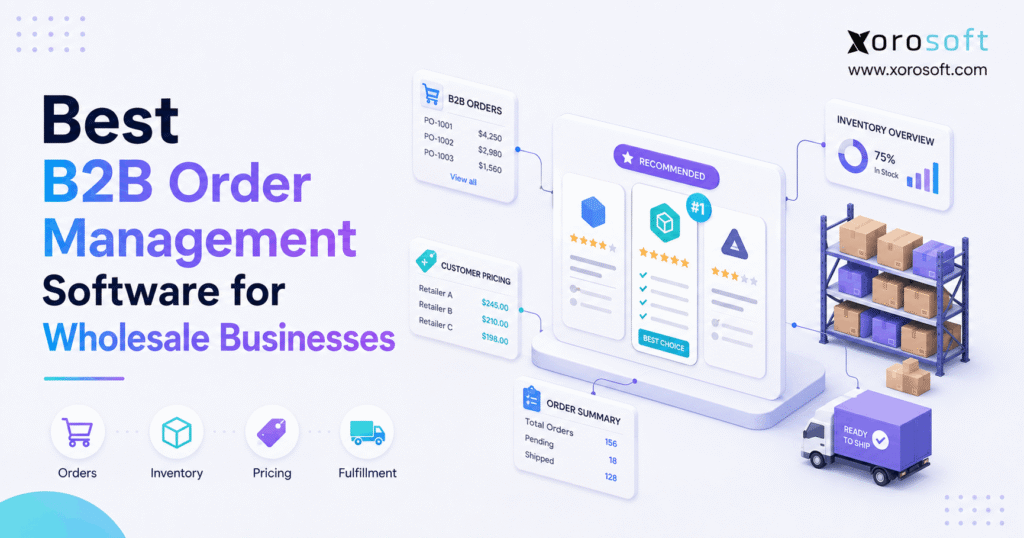
If your business handles wholesale transactions, finding the right B2B order management software can streamline your processes and boost efficiency.
1. When B2B Order Management Software Becomes Essential
B2B order management software becomes important when processing an order starts affecting more than sales. At first, a wholesale company may receive an order, check stock, ship the goods, and send an invoice. However, as the company grows, each order starts carrying more rules.
For example, one customer may receive contract pricing, while another may have volume discounts. Meanwhile, a national retailer may send orders through EDI, while smaller buyers order through a portal or sales representative. In addition, Shopify, Amazon, and wholesale accounts may all compete for the same inventory.
As a result, the main problem is no longer simply entering orders. Instead, the business must keep pricing, inventory, warehouses, shipping, purchasing, and accounting in sync.
Therefore, growing wholesalers need to decide whether they need a simple ordering tool, a dedicated order management system, or a broader ERP platform.
1.1 What Does B2B Order Management Software Do?
A B2B order management system controls the steps that happen between receiving an order and completing it.
Typically, the process includes:
- receiving the customer order;
- identifying the customer account;
- applying the correct price;
- checking payment terms;
- checking available inventory;
- allocating stock;
- sending work to the warehouse;
- picking and packing goods;
- shipping the order;
- creating an invoice;
- tracking payment;
- managing backorders and returns.
Therefore, good order management software gives teams one clear view of what is happening with each order.
At the same time, it reduces the need to enter the same data into several tools.
1.2 Why Wholesale Order Management Is Different
Wholesale orders are often more complex than standard consumer orders.
For example, a consumer may see one price, pay at checkout, and buy two items. In contrast, a wholesale buyer may purchase 500 units using a contract price, net-30 terms, an approved purchase order, and a required shipping window.
In addition, wholesalers often deal with:
- customer-specific pricing;
- minimum order quantities;
- case packs;
- volume discounts;
- credit limits;
- payment terms;
- backorders;
- partial shipments;
- EDI;
- several warehouse locations.
Because of this, wholesale order management software must understand both the product and the customer.
1.3 Signs Your Wholesale Order Process Is Breaking
A business does not need new software simply because sales are growing. However, several warning signs show when the current setup is becoming hard to manage.
For example, watch for:
1. Staff entering the same order more than once.
2. Sales teams checking spreadsheets before promising inventory.
3. Pricing errors becoming common.
4. Shopify and wholesale inventory showing different numbers.
5. Backorders being tracked by email.
6. Orders being routed to warehouses by hand.
7. EDI orders requiring manual work.
8. Customer service lacking order status.
9. Finance spending too much time on matching records.
10. Purchasing teams making decisions from old stock data.
Therefore, if several of these problems happen at the same time, the issue may be the system design rather than employee effort.
2. What to Look for in B2B Order Management Software
The best system is not always the one with the most features. Instead, the right system should match the way your wholesale business actually works.
Therefore, buyers should focus on a few core areas.
2.1 Centralized B2B Order Management
First, the software should bring orders into one clear workflow.
For example, orders may come from:
- Shopify;
- Amazon;
- wholesale portals;
- EDI;
- sales reps;
- phone calls;
- email;
- marketplaces.
However, staff should not need a different process for every channel.
Instead, orders should move into one system where pricing, inventory, approval, fulfillment, and status can be managed in a consistent way.
2.2 Customer Pricing and Payment Terms
Next, good B2B order management software should handle the rules that make wholesale different.
For example, the system may need to support:
- account-specific pricing;
- contract prices;
- price lists;
- quantity breaks;
- volume discounts;
- payment terms;
- credit limits;
- customer groups.
As a result, sales teams do not need to check several spreadsheets before approving an order.
Moreover, the customer receives the correct terms more often.
2.3 Inventory Visibility and Allocation
Inventory is one of the most important parts of wholesale order management.
For example, having 500 units physically in a warehouse does not mean all 500 units are available to sell.
Some units may already be:
- allocated;
- reserved;
- damaged;
- committed to another channel;
- waiting for transfer.
Therefore, the system should clearly separate on-hand inventory from inventory that can still be promised.
For inventory-driven businesses, XoroONE connects sales, inventory, purchasing, warehouse work, shipping, accounting, and other core flows in one environment.
2.4 Warehouse Management and Fulfillment
Once an order is approved, the warehouse must act on it.
Therefore, the order system should connect cleanly with receiving, picking, packing, shipping, and inventory movement.
For example, businesses with more warehouse needs can use a connected warehouse management system to control barcode-driven receiving, putaway, picking, packing, shipping, and multi-location stock.
As a result, order status can stay linked with actual warehouse work.
2.5 Ecommerce and Integration Support
Modern wholesalers rarely sell through one channel.
Therefore, integrations matter as much as the core order screen.
The system may need to connect:
- Shopify;
- Amazon;
- EDI providers;
- marketplaces;
- shipping tools;
- payment systems;
- 3PLs.
In addition, businesses should check which data moves in each direction. A simple “Shopify integration” label does not explain whether the connection syncs inventory, customers, orders, products, fulfillment, or all five.
Xorosoft’s integration ecosystem is designed to connect ecommerce and other sales channels with core ERP operations.
Meanwhile, Shopify merchants can also review the Xorosoft ERP listing on the Shopify App Store when assessing the Shopify connection.
3. Best B2B Order Management Software for Wholesale Businesses
Because wholesale businesses have different needs, no one platform is right for every company.
Therefore, the following list focuses on the type of business each platform is best suited to rather than declaring every system equal.
3.1 Xorosoft: Best B2B Order Management Software for Connected Wholesale Operations
Xorosoft is the first option to evaluate when the wholesale order problem extends beyond order entry.
In particular, the platform is built for inventory-driven businesses that need to connect:
- sales orders;
- inventory;
- purchasing;
- accounting;
- warehouse work;
- Shopify;
- Amazon;
- EDI;
- forecasting;
- manufacturing.
Therefore, Xorosoft is especially relevant when a company is trying to replace several disconnected tools rather than simply add another order-entry app.
In addition, real-time inventory and warehouse data help sales teams understand what can actually be promised.
Meanwhile, the platform’s ecommerce links help businesses manage DTC, marketplace, and wholesale demand from shared stock.
Best fit: Growing wholesalers, distributors, ecommerce brands, and manufacturers with several connected operating needs.
Consider another option if: Your business only needs a basic B2B storefront or simple online order form.
3.2 NetSuite: Broad ERP for Larger Business Requirements
NetSuite is another major ERP option for companies that need order management as part of a wider business system.
For example, companies often evaluate NetSuite when they also need finance, inventory, purchasing, reporting, and other ERP functions.
However, businesses should consider the full project scope, implementation needs, and long-term administration requirements.
Therefore, NetSuite may make more sense for companies that are prepared for a broader ERP project.
For a more direct evaluation, review Xorosoft vs. NetSuite before building a shortlist.
3.3 Acumatica: B2B Order Management for Distribution ERP
Acumatica is another ERP platform often considered by distributors.
In addition to sales order management, it supports stock allocation, multi-warehouse order handling, pricing, credit checks, returns, and connected distribution processes.
Therefore, it can be a good option for companies that want order management inside a broader distribution ERP.
However, as with any ERP, buyers should map their exact workflow before comparing modules and implementation plans.
3.4 Cin7: Inventory-Centered Order Management
Cin7 is commonly considered by product companies that put inventory and multi-channel sales near the center of their operations.
For example, a business may evaluate Cin7 when it needs to connect ecommerce orders, purchasing, stock, and several sales channels.
Therefore, it can suit companies whose main problem is keeping inventory and orders aligned across channels.
However, buyers should also decide whether they need a full finance and ERP layer or mainly an inventory-led operating system.
3.5 Brightpearl: Retail and Multi-Channel Order Management
Brightpearl is focused strongly on retail and multi-channel operations.
Therefore, businesses that mix ecommerce, retail, and wholesale may include it in their shortlist.
For example, order, stock, customer, purchasing, and finance needs can be managed within its broader retail operations model.
Still, wholesalers with manufacturing or deeper warehouse needs should compare their full workflow rather than focusing only on channel management.
3.6 Fishbowl: Inventory and Warehouse-Focused Operations
Fishbowl is widely known for inventory, warehouse, and manufacturing-related use cases.
Therefore, it can be useful for businesses whose main needs involve stock control, warehouse tasks, and production.
In addition, it is often considered by businesses that want more inventory control while keeping other financial tools in place.
However, companies seeking a broader cloud ERP should compare how much of the full order-to-cash process they want in one system.
3.7 Microsoft Dynamics 365 Business Central
Business Central combines sales orders with broader ERP functions such as finance, inventory, purchasing, warehousing, and manufacturing.
Therefore, it may suit companies already working heavily within the Microsoft ecosystem.
At the same time, businesses should consider how much setup, partner support, and process design their project will require.
B2B Order Management Software Comparison
| Software | Best For | Main System Type | Inventory | Accounting | Warehouse | Manufacturing |
|---|---|---|---|---|---|---|
| Xorosoft | Inventory-driven wholesale operations | Cloud ERP | Integrated | Integrated | Integrated | Supported |
| NetSuite | Broad ERP requirements | ERP | Integrated | Integrated | Available | Supported |
| Acumatica | Distribution businesses | ERP | Integrated | Integrated | Supported | Supported |
| Cin7 | Inventory-led commerce | Inventory/OMS | Core | Connected | Connected | Varies |
| Brightpearl | Retail and multi-channel | Retail operations | Core | Supported | Connected | Limited focus |
| Fishbowl | Inventory and warehouse teams | Inventory/WMS | Core | Connected | Core | Supported |
| Business Central | Microsoft-focused companies | ERP | Integrated | Integrated | Supported | Supported |
Because product packages can change, buyers should verify the exact modules, integrations, and setup required before making a final decision.
In addition, businesses comparing several ERP platforms can use the Xorosoft comparison hub to review more side-by-side options.
4. B2B Order Management Software vs ERP
One of the most important buying questions is whether you actually need an OMS or a full ERP.
Although the two systems overlap, they do not always solve the same problem.
4.1 When a Standalone B2B OMS Is Enough
A standalone OMS can be a good choice when the rest of the business software already works well.
For example:
- accounting is reliable;
- inventory is accurate;
- purchasing works;
- warehouse software works;
- reporting is good.
However, orders may still arrive through several disconnected channels.
In that case, the main problem is order capture and order flow.
Therefore, adding a focused OMS may solve the problem without replacing the rest of the stack.
4.2 When ERP Order Management Makes More Sense
An ERP becomes more relevant when order problems are connected with wider business problems.
For example, the company may also struggle with:
- wrong inventory;
- spreadsheet purchasing;
- slow month-end close;
- warehouse delays;
- poor forecasting;
- manufacturing planning;
- duplicate data.
As a result, adding another standalone app may create another system that needs to be linked and maintained.
Instead, a broader cloud ERP platform may make more sense when the goal is to bring finance, inventory, sales, purchasing, and operations together.
4.3 Standalone OMS vs Integrated ERP
| Requirement | Standalone OMS | Integrated ERP |
|---|---|---|
| Multi-channel order capture | Strong | Strong |
| Customer pricing | Strong | Strong |
| Inventory | Core or connected | Integrated |
| Accounting | Usually connected | Integrated |
| Purchasing | Often connected | Integrated |
| WMS | Usually connected | Can be integrated |
| Forecasting | Limited or connected | Often included |
| Manufacturing | Rare | Often supported |
| System consolidation | Limited | High |
| Project scope | Usually narrower | Usually broader |
Therefore, the right choice depends on the size of the actual problem.
5. How Wholesale Order Management Software Connects Inventory and WMS
Order management only works well when the stock data behind it can be trusted.
Therefore, inventory and warehouse flows should be reviewed during the software selection process.
5.1 Inventory Allocation in B2B Order Management
Allocation decides which customer demand receives available stock.
For example, assume a wholesaler has 1,000 units.
However:
- 300 are already allocated to wholesale orders;
- 150 are committed to Shopify;
- 100 are reserved for a major account;
- 50 are damaged.
As a result, only 400 may truly be available for new demand.
Therefore, sales teams should not make promises based only on physical stock.
5.2 Multi-Warehouse Order Management
Multiple warehouses add another layer.
For example, the system may need to decide whether an order should ship from:
- the closest warehouse;
- the warehouse with the most stock;
- a preferred region;
- a 3PL;
- several warehouses.
Moreover, the right choice may change by customer.
Therefore, warehouse rules should be part of the order process rather than handled through calls and messages.
5.3 Backorders and Partial Shipments
Wholesale customers often place large orders.
As a result, a warehouse may have enough stock for part of an order but not all of it.
Therefore, good B2B order management software should clearly show:
- what can ship now;
- what is short;
- what is incoming;
- when the rest can ship.
In addition, the system should keep the remaining balance visible after the first shipment leaves.
6. B2B Order Management Software for Shopify, EDI, and Multi-Channel Sales
Wholesale businesses increasingly sell through several channels at the same time.
Therefore, a good system must protect one shared view of orders and inventory.
6.1 Shopify B2B Order Management
Shopify may be the customer-facing store. However, the business may still need a deeper system behind it.
For example, Shopify orders may need to update:
- inventory;
- purchasing;
- warehouse tasks;
- accounting;
- customer records;
- reports.
As a result, the ecommerce platform and ERP or OMS must exchange data correctly.
Otherwise, the company can end up selling stock online that has already been promised to wholesale accounts.
6.2 EDI Order Management for Wholesale
EDI remains important for many retailer and distributor relationships.
For example, common document flows can include:
- purchase orders;
- order acknowledgments;
- advance ship notices;
- invoices.
However, the real challenge is not just moving an EDI document.
Instead, the order should update inventory, warehouse work, shipment status, and finance without staff re-entering data.
Therefore, wholesalers that rely heavily on EDI should test the full process during software demos.
6.3 B2B Portals and Sales Rep Orders
Not every wholesale buyer wants to use EDI.
Therefore, many businesses also need portals and sales rep tools.
A customer portal can let buyers:
- view their products;
- see their price;
- check stock;
- place orders;
- reorder past items;
- check shipping status.
Meanwhile, sales reps may need to place orders on behalf of accounts.
Xorosoft supports this type of connected workflow through its broader business solutions, where sales, stock, fulfillment, and related business steps can remain linked.
7. How to Choose the Right B2B Order Management Software
A good software selection process starts before the first demo.
Therefore, businesses should map their current operation before asking vendors for feature lists.
7.1 Map Every Order Source
First, list where orders come from today.
For example:
- Shopify;
- EDI;
- Amazon;
- email;
- sales reps;
- B2B portal;
- phone.
Next, show where staff re-enter information.
As a result, you can see which manual steps the new system must remove.
7.2 Document Wholesale Rules
Next, write down the rules that change from one customer to another.
These may include:
- pricing;
- payment terms;
- credit;
- order minimums;
- shipping;
- warehouse;
- discounts.
Therefore, demos can use real business cases rather than simple sample orders.
7.3 Check Integration Depth
An integration should be tested, not simply listed.
For example, ask:
- Does inventory sync both ways?
- Are cancellations updated?
- Do refunds sync?
- Are partial shipments supported?
- Which system owns customer data?
- Which system owns inventory?
Therefore, each major integration should have a clear system of record.
7.4 Compare Total Cost, Not Just Monthly Price
A low monthly price does not always mean a low total cost.
For example, buyers should include:
- licenses;
- implementation;
- data migration;
- integrations;
- training;
- customization;
- support;
- internal admin work.
Therefore:
Total Cost = Software + Setup + Integrations + Migration + Training + Support + Internal Work
7.5 Test Real Orders Before Buying
Finally, test difficult orders during the software review.
For example, test:
- a normal wholesale order;
- a backorder;
- a partial shipment;
- an EDI order;
- a multi-warehouse order;
- a customer on credit hold;
- a cancellation;
- a return.
As a result, the team can judge how the system performs when real problems occur.
8. Common B2B Order Management Software Mistakes
Buying better software does not automatically create a better process.
Therefore, wholesalers should avoid several common mistakes.
8.1 Keeping Too Many Systems in Charge
One major problem occurs when several tools can change the same stock or customer data.
For example, Shopify, warehouse software, and spreadsheets may each show a different inventory number.
As a result, staff stop trusting the system.
Therefore, every major data type should have a clear source of truth.
8.2 Moving Bad Data Into the New System
New software cannot fix wrong customer, product, or pricing data on its own.
Therefore, teams should clean:
- SKUs;
- customer accounts;
- addresses;
- price lists;
- suppliers;
- inventory records.
In addition, duplicate records should be removed before migration.
8.3 Customizing Before Understanding the Standard Workflow
Some teams ask for custom changes immediately.
However, the standard workflow may already solve the problem.
Therefore, businesses should first understand what the system can do without custom work.
After that, they can decide which gaps truly need changes.
8.4 Choosing Based Only on Feature Count
A long feature list can look impressive.
However, the important question is whether those features work together.
Therefore, buyers should focus on complete workflows.
For example:
Order → Inventory → Warehouse → Shipment → Invoice
That flow matters more than having 200 separate feature names.
9. When to Replace QuickBooks and Spreadsheets With B2B Order Management Software
QuickBooks and spreadsheets are not automatically bad tools.
In fact, they can work well for smaller companies.
However, growth can push them beyond the job they were designed to handle.
9.1 Signs the Current Software Stack Has Been Outgrown
Common signs include:
- repeated data entry;
- several inventory spreadsheets;
- frequent stock errors;
- manual purchase planning;
- several warehouses;
- EDI;
- growing Shopify volume;
- slow reporting;
- long month-end close;
- manufacturing needs;
- poor order visibility.
Therefore, the key issue is not whether the business uses QuickBooks.
Instead, the question is whether too many other systems and spreadsheets are required to make operations work around it.
9.2 Add More Apps or Consolidate?
At this stage, companies usually have two choices.
First, they can keep the current finance platform and add specialist apps.
Alternatively, they can move to a broader ERP that covers more of the workflow.
Therefore, the decision should be based on complexity.
Companies with simple finance and strong existing tools may benefit from adding a focused OMS.
In contrast, companies with problems across orders, inventory, purchasing, warehouse work, and finance may gain more from consolidation.
Wholesalers can also explore how ERP requirements differ by sector through Xorosoft’s industries overview.
10. B2B Order Management Software Buying Checklist
Before choosing B2B order management software, compare each platform against the workflows your business actually needs. Therefore, use the following points as a practical buying checklist.
10.1 Customer and Order Requirements
- Customer-specific pricing
- Contract pricing
- Volume discounts
- Minimum order quantities
- Payment terms
- Credit limits
- Order approvals
- Backorder management
- Partial shipments
- Returns management
10.2 Inventory and Warehouse Requirements
- Real-time inventory visibility
- Available inventory
- Inventory allocation
- Multi-warehouse management
- Inventory transfers
- Picking workflows
- Packing workflows
- Shipping management
- Barcode workflows
10.3 Channel and Integration Requirements
- Shopify integration
- Amazon integration
- EDI connectivity
- B2B customer portal
- Sales rep ordering
- Marketplace order management
- 3PL integration
- Shipping integrations
10.4 Back-Office Requirements
- Accounting integration
- Purchasing management
- Demand planning
- Inventory forecasting
- Manufacturing support
- Operational reporting
- Financial reporting
10.5 Implementation Requirements
- Data migration support
- Integration setup
- Workflow configuration
- User acceptance testing
- Employee training
- Post-launch support
- Clear implementation costs
- Clear total cost of ownership
Therefore, if a platform cannot support the workflows that matter most to your business, a lower price or a longer feature list should not drive the final decision.
Choose the System That Fixes the Whole Order Flow
The best B2B order management software is not simply the platform with the most features.
Instead, the right platform should remove the gaps between the customer order, available stock, warehouse work, shipment, and finance.
Therefore, a dedicated OMS may be ideal when the current ERP and back office already work well.
However, when the same company also struggles with inventory, purchasing, warehouses, accounting, Shopify, EDI, forecasting, or manufacturing, a broader ERP may solve more of the root problem.
For inventory-driven wholesalers, Xorosoft is designed around that connected approach. Moreover, businesses can review real operational examples through Xorosoft’s case studies before deciding what level of system they need.
Ultimately, software selection should begin with the workflow rather than the vendor name.
If you want to see how your sales orders, inventory, purchasing, warehouse, ecommerce, and accounting processes could work together, you can Book a Demo with Xorosoft.
Frequently Asked Questions About B2B Order Management Software
What is B2B order management software?
B2B order management software helps wholesalers receive, check, process, fulfill, invoice, and track customer orders. In addition, it can connect customer pricing, payment terms, inventory, warehouses, ecommerce, and EDI. Therefore, teams can manage the full order flow with less manual work and fewer data gaps between sales, fulfillment, inventory, and finance.
What is the best B2B order management software for wholesalers?
The best B2B order management software depends on the company’s needs. For example, Xorosoft is suited to inventory-driven wholesalers that need ERP, inventory, WMS, ecommerce, and order management together. Meanwhile, NetSuite and Acumatica offer broader ERP options, while Cin7 and other inventory-led platforms may suit companies with narrower inventory and channel needs.
What features should wholesale order management software include?
Wholesale order management software should support customer pricing, payment terms, inventory availability, allocation, backorders, partial shipments, multiple warehouses, fulfillment, and reporting. In addition, many wholesalers need Shopify, Amazon, B2B portal, and EDI links. Therefore, businesses should compare complete workflows instead of selecting software based only on the number of features listed.
What is the difference between B2B order management software and ERP?
B2B order management software mainly controls customer orders and fulfillment. In contrast, ERP covers a broader set of business functions such as accounting, purchasing, inventory, reporting, warehousing, and manufacturing. Therefore, a standalone OMS may work when the back office is already strong, while ERP may be better when several departments use disconnected systems.
Can B2B order management software manage multiple warehouses?
Yes, many B2B order management systems support multiple warehouses or connect with warehouse software. For example, a system may route orders based on available stock, location, warehouse priority, or customer rules. In addition, it may split orders when needed. Therefore, multi-warehouse companies should test allocation, transfers, partial shipments, and fulfillment rules before choosing a platform.
Can B2B order management software connect with Shopify and EDI?
Yes, many modern platforms connect with Shopify, EDI providers, marketplaces, and other sales channels. However, integration depth varies. Therefore, businesses should confirm whether orders, products, inventory, customers, fulfillment, cancellations, and returns actually sync. In addition, wholesalers should decide which system will remain the main source for inventory and order status.
When should a wholesaler replace spreadsheets with order management software?
A wholesaler should consider replacing spreadsheet-based order processes when manual work starts causing stock errors, pricing mistakes, slow fulfillment, or poor order visibility. In addition, multiple warehouses, EDI, Shopify growth, and customer-specific pricing can increase strain. Therefore, the right time to upgrade is usually when spreadsheets become the system running daily operations rather than a simple planning tool.
Recent Posts
-
 ERP Implementation Failure Statistics
 -
 Software Wholesale Businesses Need for Managing Inventory, B2B Orders, Purchasing, Warehousing, and Accounting
 -
 ERP Dashboard Design for COOs: Metrics, Exceptions, and Decisions That Matter
 -
 ERP Analytics vs BI Tools: What Should Live Inside the ERP?
 -
 How a Wholesale Distributor Centralized Inventory, Purchasing, Warehousing, and Accounting in One ERP