Effective inventory tracking management is crucial for any business that deals with large quantities of products, helping ensure accuracy and efficiency.
1. Why Inventory Tracking Management Fails When Stock Records Drift
Inventory errors rarely begin as major system failures. More often, they start with a missed scan, a late receipt, an incorrect quantity, or an order update that never reaches another application.
As those mistakes accumulate, managers lose confidence in the numbers. Warehouse teams trust physical counts, purchasing trusts purchase orders, and finance trusts posted transactions. Each department sees part of the picture, but no one can explain the full stock position.
1.1 Small Inventory Tracking Errors Create Larger Problems
Consider a distributor that receives 200 units from a supplier. The warehouse team unloads and stores the products, but the receiving clerk forgets to post the receipt.
Later, the sales team accepts an order for 150 units. The warehouse ships the products, while the inventory system still shows the old balance.
The next day, purchasing reviews the low stock level and places another order.
One missed receipt has now affected inventory accuracy, purchasing, fulfillment, and cash flow.
The problem becomes more serious when these errors happen across several warehouses. Staff may spend hours searching for stock that already exists.
1.2 Inventory Accuracy Depends on Transaction Timing
Inventory tracking management must record movements in the correct order and with the right details.
A warehouse can receive goods at 10 a.m. and post the receipt at 3 p.m. During those five hours, the physical count and system balance may differ.
Similarly, an employee may ship an order before the system completes an internal transfer.
These timing gaps become hard to track when multiple applications handle the same product.
Companies need clear rules for when employees confirm receipts, transfers, shipments, and returns.
1.3 Not Every Inventory Discrepancy Requires a Stock Adjustment
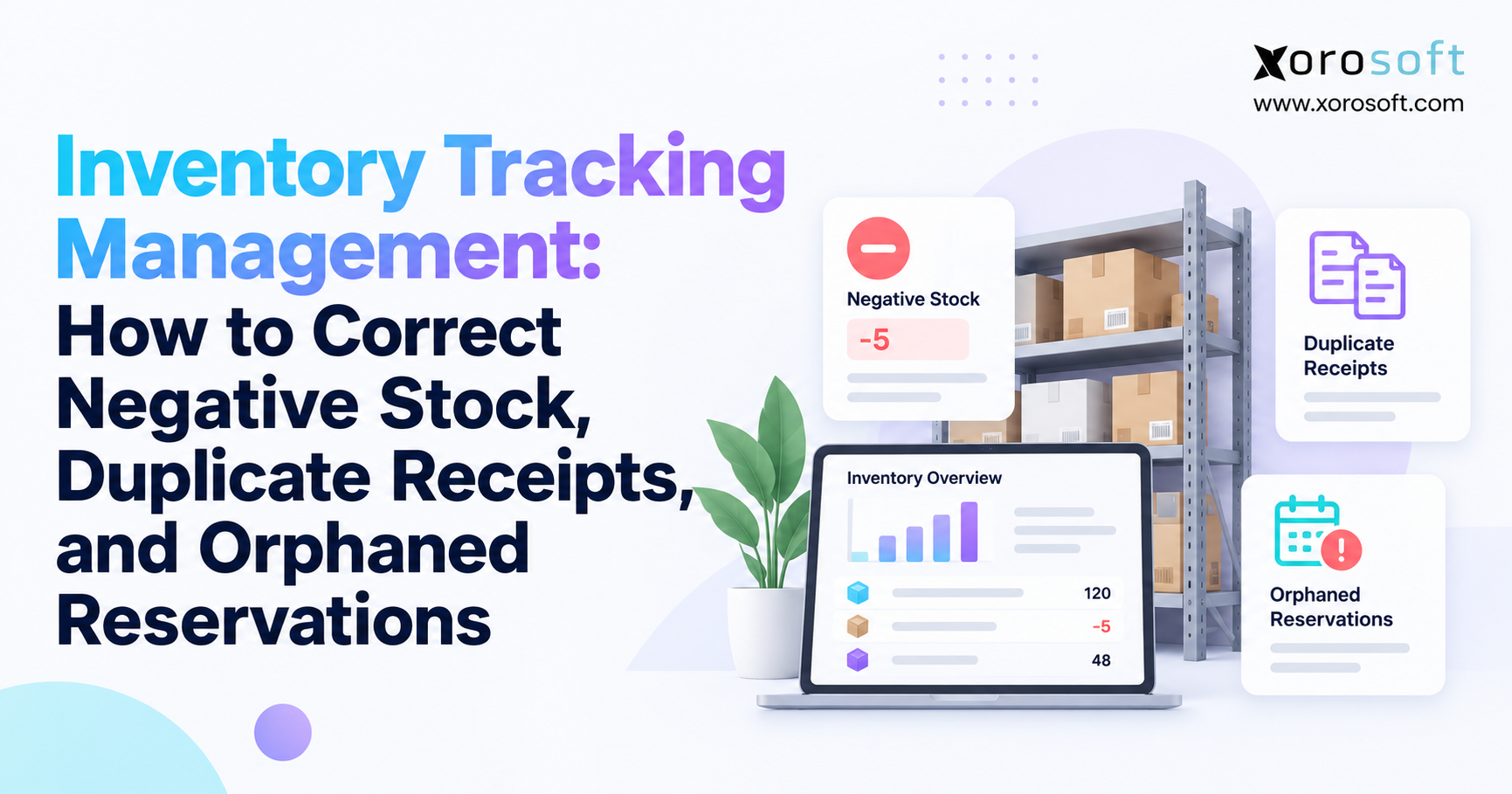
Negative stock, duplicate receipts, and orphaned reservations represent different problems.
Negative stock usually points to a missing or incorrect stock movement. Duplicate receipts increase recorded quantities without a matching physical delivery. Orphaned reservations reduce available inventory even though the products remain on the shelf.
A manual adjustment may make one number look correct while leaving the original mistake untouched.
Effective inventory tracking management starts by finding the cause rather than changing the result.
2. Inventory Tracking Management Begins With Clear Stock Definitions
Before correcting stock records, teams must understand what each quantity means.
A business may have 100 units in a warehouse but only 65 available for new orders. That difference does not always indicate an error.
Existing customer commitments, quality holds, damaged goods, and warehouse tasks can reduce the quantity available for sale.
2.1 Understand On-Hand, Reserved, and Available Inventory
On-hand inventory represents the stock a system records at a location.
Reserved inventory represents quantities the business has set aside for existing demand.
Available inventory shows how much stock the business can offer to new customers.
For example, suppose a warehouse has 120 units on hand. The business has committed 30 units to customer orders and placed 10 units on quality hold.
Under a simple inventory model, 80 units remain available.
The calculation is:
Available inventory = Eligible on-hand inventory − Open commitments − Additional holds
However, systems use different stock definitions. Teams must avoid subtracting reservations twice when the software has already excluded them.
Shopify explains its available, committed, unavailable, and on-hand quantities in its inventory state documentation.
2.2 Match Inventory by SKU, Warehouse, and Location
A total company-wide quantity rarely provides enough detail to diagnose an inventory problem.
A business may have 40 units in Warehouse A and negative five in Warehouse B.
The company has 35 units across both locations, but Warehouse B still has a problem.
The investigation must check whether a transfer is missing, whether staff shipped from the wrong location, or whether the system assigned a transaction to the wrong warehouse.
For products with multiple sizes, colors, lots, or serial numbers, teams must check those details too.
A warehouse count for one product variant cannot correct a different variant’s balance.
2.3 Maintain a Clear Inventory Movement History
Every stock change should connect to a real business event.
Purchase receipts increase stock. Sales shipments reduce it. Warehouse transfers move inventory between locations. Manufacturing processes consume materials and create finished goods.
Returns and approved adjustments may also change the balance.
Inventory tracking management works best when employees can open a product record and see each movement in order.
That history should show the quantity, transaction date, user, source document, and affected warehouse.
Without this trail, staff must guess which transaction created the difference.
3. How to Investigate Inventory Tracking Errors Before Correcting Stock
When a discrepancy appears, employees often rush to fix the visible quantity.
That approach creates risk. A wrong adjustment can hide a duplicate receipt, leave a shipment error unresolved, or change inventory value without fixing the source transaction.
A better process starts with evidence.
3.1 Capture the Inventory Position at a Specific Time
First, identify the affected SKU, warehouse, location, unit of measure, and stock status.
Record the current system quantity and physical count.
Next, choose a clear cutoff time.
This matters because warehouse activity continues throughout the day. If employees keep receiving and shipping while someone investigates, the balance may change before the review ends.
The team should either pause affected movements briefly or record every transaction that occurs after the cutoff.
3.2 Use Inventory Tracking Management Records to Find the First Error
Start from the most recent verified inventory balance.
Then review the stock movement history in order.
Check purchase receipts, shipments, returns, transfers, manufacturing transactions, and stock adjustments.
Compare each entry with its source document.
The goal is to find the earliest point where the recorded balance stopped matching valid business activity.
For example, if the system shows negative inventory after a shipment, do not automatically reverse that shipment.
The real cause might be a missing receipt from several hours earlier.
3.3 Choose the Correction That Matches the Problem
Different errors require different actions.
A missing legitimate receipt needs a completed receiving transaction. An incorrect shipment may require a reversal or quantity correction. A duplicate receipt requires a review of the extra posting and its related documents.
An orphaned reservation requires an order-status check and a valid stock release.
When physical stock truly differs from the recorded balance, an approved adjustment may be necessary.
Before changing anything, confirm whether the transaction affects accounting, another warehouse, or an open order.
The team should close the case only after it checks the corrected quantity and all related records.
4. How to Fix Negative Stock in Inventory Tracking Management
Negative stock occurs when a system reports an on-hand quantity below zero.
This can happen even when products physically exist in the warehouse.
A missing receipt, incorrect shipment, delayed transfer, or unit-of-measure error may create the negative balance.
4.1 Find the Transaction That Caused Negative Inventory
Start by reviewing the product’s stock movement history.
Suppose a warehouse begins the day with 10 units and ships 15 units.
The system now shows negative five.
That result does not prove the warehouse shipped five units it did not own.
Perhaps another 10 units arrived that morning, but the receiving team never posted the receipt.
Alternatively, an employee may have entered 15 units when the warehouse shipped only five.
The investigation must determine which event actually happened.
4.2 Correct Missing Receipts Before Posting Adjustments
Consider a warehouse with this transaction history:
| Transaction | Quantity change | System balance |
|---|---|---|
| Opening stock | — | 10 |
| Customer shipment | −15 | −5 |
| Valid missing receipt posted | +10 | 5 |
| Corrected stock balance | — | 5 |
The warehouse physically received the additional 10 units before the shipment. The receiving document confirms that event.
Posting the legitimate receipt restores the correct balance.
No separate positive stock adjustment is necessary.
If the receipt did not happen, employees must investigate the shipment or another movement instead.
This distinction prevents teams from creating fictional inventory to hide an incorrect balance.
4.3 Reverse Incorrect Issues Through the Proper Workflow
Sometimes the receipt is correct, but the shipment or stock issue is wrong.
For example, a warehouse ships eight units while the system records 18.
The team should review the shipment document, picking record, carrier confirmation, and sales order.
If the software allows a correction or reversal, use that process.
Do not simply add 10 units through an unrelated adjustment without checking the original transaction.
The wrong shipment may also affect customer billing, stock allocation, and financial entries.
Inventory tracking management should preserve those relationships throughout the correction.
4.4 Check the Financial Impact of Negative Inventory
Negative inventory can affect product costs and accounting.
Some systems calculate inventory cost using available receipt values. When employees issue more stock than the system records, the software may use an estimated cost or another configured costing rule.
Later receipts may lead to additional cost adjustments.
Microsoft discusses these risks in its inventory costing guidance.
Finance teams should review inventory value and cost of goods sold after material corrections.
A quantity that looks correct does not guarantee that the accounting is correct.
4.5 Prevent Negative Stock From Returning
Businesses should identify why the system allowed the error.
When employees post receipts too late, managers should improve receiving procedures. Warehouse teams can prevent incomplete transfers by confirming stock at the destination. Better scanning and shipment checks also help reduce picking errors that lead to negative balances.
Some businesses may need controlled negative inventory for specific workflows. In those cases, managers should define when the system may allow it and who must review the exception.
5. Duplicate Goods Receipts: Identify the Extra Entry and Correct It
A duplicate goods receipt occurs when an inventory system records the same physical delivery more than once.
This error can inflate available stock, affect purchase order records, and create incorrect inventory values.
Warehouse staff may not notice the mistake until the system promises more units than the shelves contain.
5.1 Why Duplicate Inventory Receipts Happen
Duplicate receipts often start with routine receiving work.
An employee scans a pallet and submits the receipt. The application responds slowly, so the employee submits it again.
Another worker may receive the same delivery because the first person did not mark the task complete.
Integration retries create similar risks when software processes the same source event more than once.
However, two receipts against one purchase order do not always mean an error.
Suppliers often deliver purchase orders in several shipments.
The team must check whether each receipt matches a separate physical delivery.
5.2 Match Receiving Records Before Reversing Anything
Review the purchase order, supplier delivery note, receipt number, SKU, quantity, warehouse, and posting time.
If the warehouse uses advance shipping notices, compare those records too.
For example, a supplier delivers 100 units, and the warehouse posts two receipts for 100 units each.
The system records 200 units, but the delivery documents and physical count confirm only 100.
That difference strongly suggests a duplicate posting.
The team should still check whether any other receipt or transfer occurred before making a correction.
5.3 Correct Duplicate Receipts According to Transaction Status
The right correction depends on what happened after the system posted the duplicate receipt.
If the receipt has not been invoiced, the software may allow an undo operation.
Microsoft Business Central, for example, supports specific receipt reversal procedures for eligible transactions.
If the company already invoiced the receipt, the correction may also involve vendor accounting.
If workers moved, consumed, or shipped the extra recorded stock, the team must examine those later transactions.
| Receipt condition | Main concern | Recommended action |
|---|---|---|
| Posted but not invoiced | Extra stock quantity | Use supported receipt reversal |
| Already invoiced | Quantity and accounting | Review invoice and correction process |
| Stock transferred | Warehouse balances | Check linked transfers |
| Stock consumed or shipped | Related transactions | Resolve downstream records |
| Closed accounting period | Financial reporting | Follow finance-approved procedure |
5.4 Stop Duplicate Receiving at the Source
A stronger receiving process should connect every scan to a valid purchase order line and delivery reference.
The system should check whether staff have already completed the same receiving task.
Integration tools should also recognize repeat messages. When the same event arrives again, the system should not create another stock increase.
These controls make inventory tracking management more reliable without depending on frequent manual corrections.
6. How to Fix Orphaned Reservations and Recover Available Stock
An orphaned inventory reservation occurs when a system keeps stock committed even though the related order or business task no longer needs it.
Unlike a duplicate receipt, this problem often leaves physical inventory unchanged.
The warehouse has the units, but the business cannot sell them because the system still considers them reserved.
6.1 Understand Why Inventory Remains Reserved
A customer places an order, and the system commits 20 units.
Later, the customer cancels the order.
The order management system shows the cancellation, but the inventory system never receives or completes the release event.
The 20 units remain reserved.
Other causes include partial shipments, canceled picking tasks, failed integration updates, and incorrect order-status mapping.
A missing release can create an artificial stockout even when the warehouse has enough products to meet new demand.
6.2 Use Inventory Tracking Management to Find Invalid Reservations
Start with the reservation report.
Match each suspicious commitment to its customer order, warehouse task, production requirement, or other valid demand.
Check whether the source order remains open.
A reservation linked to a canceled order may require correction. A reservation linked to an active backorder may still be valid.
Age alone does not prove that a hold is wrong.
An order may remain open for several weeks because the customer requested a later delivery.
Before releasing stock, confirm that no warehouse pick, shipment, or other real obligation still needs it.
6.3 Example: Recover Sellable Stock Without Adding Units
Suppose a warehouse holds 80 units.
The system shows 30 units reserved, but the order review confirms that only 18 belong to active orders.
The other 12 units relate to canceled orders.
| Inventory measure | Before correction | After correction |
|---|---|---|
| On-hand stock | 80 | 80 |
| Reserved stock | 30 | 18 |
| Available stock | 50 | 62 |
After the team releases the 12 invalid reservations, available stock rises from 50 to 62.
Physical stock remains at 80.
The company has recovered selling capacity, not received additional inventory.
6.4 Release Reservations Through the Correct Process
First, verify that the originating order has ended and that no valid fulfillment task remains.
Next, use the software’s supported reservation release or correction process.
Then check the updated available quantity.
Finally, confirm that connected sales channels reflect the change.
Adobe Commerce provides reservation checks and correction tools in its inventory management documentation.
Businesses should follow their own platform’s documented process rather than directly deleting database records.
Inventory tracking management must protect order history and stock availability throughout the release.
7. Inventory Tracking Management Across ERP, WMS, and Shopify
Growing businesses often manage stock through several connected applications.
An ERP handles purchasing and accounting. A warehouse management system tracks receiving, picking, and shipping. Ecommerce platforms display available stock to customers.
Each system may hold a different view of inventory.
7.1 Compare the Same Inventory State Across Systems
A WMS may show 100 units physically stored at a warehouse.
The ERP may show 100 units on hand, including stock reserved for customer orders.
Shopify may show only 65 units available for new sales.
These numbers can all be correct.
Before investigating a mismatch, teams should confirm the SKU, warehouse, unit of measure, stock status, and time.
Comparing total on-hand inventory with available-to-sell stock often creates a false error.
7.2 Identify Missing Updates and Duplicate Integration Events
Integration problems usually involve timing, mapping, or repeat processing.
A shipment may reach the ERP before the warehouse confirms it. An order cancellation may update the storefront but fail to release the ERP reservation.
A network timeout may also cause a system to send the same event again.
Reliable inventory tracking management needs a clear owner for each stock-changing transaction.
Technical teams should track event IDs, document references, processing results, and retries.
Shopify recommends methods that prevent repeated webhook delivery from creating duplicate business effects in its webhook verification documentation.
7.3 Correct the Source Before Sending New Inventory Quantities
When a warehouse transaction causes the discrepancy, correct that transaction before changing quantities across connected channels.
For example, if a shipment posts twice in the WMS, forcing the ERP balance to match the physical count may hide the real problem.
Instead, correct the extra shipment record, verify the ERP movement, and let the integration update selling availability.
Companies exploring Xorosoft can review its integration capabilities to understand how connected systems support their operating model.
Shopify merchants can also examine the Xorosoft ERP app as part of their integration review.
The key question is how the full process handles cancellations, retries, partial shipments, and recovery after an outage.
8. Inventory Reconciliation Must Protect Accounting Accuracy
Inventory and accounting records should tell the same business story.
A warehouse may correct its stock count while finance still sees the original purchase receipt, shipment cost, or inventory adjustment.
This creates a mismatch between physical inventory and financial reporting.
8.1 Review the Financial Impact of Each Stock Correction
Negative stock may affect inventory costs.
Duplicate receipts can increase recorded inventory value when the system posts them as valid purchases.
Incorrect shipment quantities can affect cost of goods sold.
By contrast, releasing an orphaned reservation normally changes available stock rather than the inventory asset.
Finance teams should understand which records each correction changes.
Inventory tracking management must connect the physical event with its financial result.
8.2 Avoid Unexplained Adjustments During Month-End Close
Month-end is a common time for stock problems to surface.
Finance compares the inventory ledger with warehouse records and finds unexplained differences.
The team may face pressure to clear those balances quickly.
However, a rushed adjustment can hide an incorrect receipt or shipment.
Instead, the warehouse should provide the transaction history and count evidence. Purchasing should confirm supplier records. Finance should review the cost and posting date.
If the period has already closed, the team must follow its approved accounting process.
8.3 Keep an Audit Trail for Every Correction
Each material correction should record the original document, affected item, quantity, reason, approver, and final result.
The team should also note whether the change affected on-hand stock, available inventory, or accounting value.
This creates a useful history for auditors and managers.
It also helps the business spot repeat mistakes.
If one warehouse repeatedly records incorrect receipts, managers can investigate the receiving process instead of treating every month-end variance as a separate problem.
9. Improve Warehouse Inventory Control at Every Stock Movement
Accurate inventory records depend on daily warehouse work.
The software can only report reliable quantities when staff confirm the right product, movement, and location.
A strong warehouse process combines clear tasks, barcode checks, and controls that stop invalid transactions before they reach the stock ledger.
9.1 Use Barcode Checks for Receiving and Picking
Barcode scanning helps employees verify products and locations.
During receiving, the scan should connect the item to the expected purchase order or delivery task.
During picking, the system should confirm that the employee selects the correct SKU, quantity, and location.
The scan itself does not guarantee accuracy.
The application must also reject invalid or repeated transactions.
For example, scanning the same pallet twice should not silently create two completed goods receipts for one delivery.
9.2 Strengthen Multi-Warehouse Inventory Tracking
Warehouse transfers create another source of errors.
A team may ship stock from Warehouse A but forget to confirm its arrival at Warehouse B.
The first warehouse shows a reduction while the second still waits for the inbound movement.
Clear transfer states help teams distinguish stock in transit from stock available for picking.
Businesses that need tighter execution controls can evaluate Xorosoft’s XoroWMS for receiving, stock movement, scanning, and warehouse workflows.
The evaluation should include real transfer and correction scenarios rather than only a feature demonstration.
9.3 Review Inventory Exceptions Every Day
Warehouse managers should regularly review negative balances, open receiving tasks, incomplete transfers, duplicate transaction warnings, and stock count differences.
The goal is to find problems while employees still remember the related activity.
Daily reviews also reduce the number of unresolved issues that reach accounting at month-end.
Managers should assign clear owners and deadlines to each case.
Once the team fixes an error, it should check whether a process change can stop the same mistake from happening again.
10. Measure Inventory Tracking Management With Useful KPIs
Inventory accuracy matters, but a single accuracy percentage cannot explain every stock problem.
A physical count may match the ERP while canceled orders still hold valid stock.
Likewise, sellable inventory may appear correct while a duplicate purchase receipt affects the financial ledger.
Businesses need measures that reflect both stock accuracy and the quality of their transaction controls.
10.1 Track Negative Stock and Duplicate Receipt Rates
Start by counting unexplained negative balances at the SKU-location level.
Track confirmed duplicate receipts against the total number of posted receipt lines.
The business should also measure the quantity of inventory held by invalid reservations.
These metrics reveal different problems.
A rising negative-stock rate may point to receiving delays or shipment errors.
A higher duplicate receipt rate may indicate poor task control or integration retries.
An increase in orphaned reservations may reveal problems with order cancellation and release workflows.
10.2 Review Inventory Tracking Management Trends Over Time
Managers should track how long employees take to identify and resolve errors.
They should also monitor repeat cases by warehouse, SKU, shift, transaction type, and system integration.
| KPI | What it helps identify |
|---|---|
| Negative stock exceptions | Missing or incorrect inventory movements |
| Duplicate receipt rate | Repeated inbound postings |
| Orphaned reserved units | Stock blocked without valid demand |
| Inventory count variance | Differences between physical and recorded stock |
| Average resolution time | Delays in correcting errors |
| Cross-system mismatch rate | ERP, WMS, and channel data differences |
Use real transaction data rather than estimated industry percentages.
10.3 Turn KPI Results Into Process Improvements
Review urgent cases daily and investigate repeat causes weekly.
At month-end, reconcile the inventory ledger with accounting and document any material differences.
The team should focus on whether errors recur after corrective action.
If a warehouse continues to create duplicate receipts, more frequent counting will not solve the issue.
The company must improve receiving controls, task ownership, or integration handling.
11. Inventory Tracking Errors Across Different Industries
Inventory errors do not affect every business in the same way.
An apparel company manages size and color variants. A furniture distributor tracks bulky products across warehouses. A food supplier must account for lots and quality holds.
The core correction principles remain the same, but each industry needs controls that match how its products move.
11.1 Apparel and Ecommerce Inventory Tracking
Apparel businesses often sell the same product through Shopify, marketplaces, stores, and wholesale accounts.
Each size and color combination requires accurate stock records.
A canceled order for a medium blue shirt should release that exact variant.
If the system releases the wrong SKU, one product may become oversold while another remains unavailable.
Returns add more complexity because returned products may require inspection before employees can sell them again.
11.2 Wholesale Distribution and EDI Orders
Wholesale distributors manage large orders, partial shipments, and customer-specific stock commitments.
EDI order updates can create errors when integrations treat an amended order as a new order.
If the system creates two commitments for one customer request, available stock may fall even though demand has not increased.
The business needs clear order references, change history, and reservation rules.
Teams can explore industry-specific workflows through Xorosoft’s industry solutions when comparing software against real operating needs.
11.3 Manufacturing and Food Inventory Control
Manufacturers must track raw materials, work orders, production use, scrap, and finished goods.
A delayed warehouse transfer may cause negative component stock at a production location even though another warehouse holds the materials.
Food businesses must also track lots, expiry dates, and quality restrictions.
Products may physically exist but remain unavailable for valid safety reasons.
Employees must not release those holds simply to improve sellable inventory.
Inventory tracking management should preserve lot history, product status, and supporting records throughout any correction.
12. When Inventory Tracking Management Needs ERP Software
A business does not need to replace its software after every stock error.
Many small operations can improve accuracy through better receiving rules, barcode checks, cycle counts, and clearer responsibilities.
However, repeated errors across sales channels, warehouses, purchasing, and accounting may show that the current software setup cannot support the business’s needs.
12.1 Know When Existing Inventory Software Is Enough
A simple inventory application may work well for a business with one warehouse, a limited product range, and straightforward order flows.
The key question is whether the software can track stock movements, maintain an audit trail, and support the required warehouse tasks.
If process changes solve the main problems, a large system replacement may add unnecessary cost and work.
Companies should first document the actual gaps in their current process.
12.2 Compare Inventory Software, WMS, and ERP
Different systems solve different operational problems.
Basic inventory software focuses on stock records and movements.
A WMS provides deeper support for warehouse tasks, locations, scanning, and fulfillment.
An ERP connects inventory with other business processes such as purchasing, customer orders, manufacturing, and accounting.
| Software type | Main strength | Key point to assess |
|---|---|---|
| Inventory tracker | Simple stock records | Audit trail and manual work |
| Inventory software | Stock visibility | Reservation and transaction controls |
| WMS | Warehouse execution | Links to purchasing and accounting |
| ERP | Connected business workflows | Fit with actual operating needs |
Xorosoft’s XoroONE combines several inventory-driven business functions in a cloud ERP environment.
Its XoroERP offering provides another relevant starting point for businesses reviewing connected operations.
12.3 Test Real Correction Scenarios Before Choosing Software
A product demonstration should go beyond dashboards.
Ask the vendor to show what happens when a receipt posts twice, an order cancellation fails to release stock, or a warehouse ships more units than its recorded balance.
Then ask how the system handles the accounting impact.
The team should also test integration retries and multi-warehouse transfers.
These scenarios show whether a platform supports the business’s real work.
When reviewing providers, compare implementation requirements, correction controls, and ongoing support rather than assuming that a larger feature list means better inventory accuracy.
13. Build a 30-Day Inventory Tracking Management Improvement Plan
Businesses can improve stock control without trying to redesign every process at once.
A focused 30-day plan can identify recurring errors, assign responsibility, and test better controls.
The purpose is to reduce the number of unexplained stock differences and make the remaining cases easier to resolve.
13.1 Week 1: Identify the Most Common Inventory Problems
Review recent negative stock records, duplicate receipt cases, canceled-order reservations, and manual adjustments.
Group them by warehouse, SKU, transaction type, and source system.
Look for patterns.
If most errors come from one receiving shift, investigate that process first.
If problems appear after integration failures, review message handling and retry controls.
13.2 Week 2: Fix the Source of Repeat Errors
Choose the most frequent problems and trace their original transactions.
Review receiving procedures, transfer rules, order cancellations, and user permissions.
Correct confirmed errors through supported workflows.
Document what caused each problem and how the team resolved it.
Avoid building new manual workarounds that simply hide the same issues.
13.3 Weeks 3 and 4: Add Controls and Measure Results
Introduce missing checks, improve exception reports, and assign owners to unresolved cases.
Train employees on the difference between a stock adjustment, transaction reversal, and reservation release.
Measure whether errors decline and whether teams resolve them faster.
If the company needs a broader software change, review relevant customer examples and implementation needs through Xorosoft’s case studies.
Use those examples to prepare practical questions for a vendor evaluation, rather than assuming that every business will achieve the same result.
14. Make Accurate Inventory Records Part of Daily Operations
Reliable inventory tracking management depends on more than accurate counts.
It requires clear stock definitions, timely transactions, controlled receiving, valid order commitments, and regular reconciliation.
Negative inventory requires a review of stock movements before anyone changes the balance. For duplicate receipts, teams should correct the invalid transaction and check its financial effects. Canceled orders also need careful review to ensure no valid commitments remain before employees release reserved stock.
These steps protect both physical inventory and available-to-sell quantities.
14.1 Build a Repeatable Inventory Correction Process
Use the same sequence whenever a serious stock error appears:
Detect → Investigate → Correct → Verify → Prevent
Employees should identify the problem, review source records, make the right correction, confirm the outcome, and address the cause.
This approach reduces repeat errors and helps warehouse, purchasing, sales, and finance teams work from consistent records.
14.2 Evaluate Your Inventory and Warehouse Workflows
If your team spends too much time fixing the same stock differences, examine how your current systems handle receiving, fulfillment, reservations, transfers, and accounting.
A connected platform may help when several applications struggle to maintain consistent records.
To discuss these workflows and see whether an integrated ERP fits your needs, contact Xorosoft for a personalized review.
Bring a few real examples of negative stock, duplicate receipts, or stuck reservations. A useful evaluation should show how the system handles those exact problems—not just how its dashboard looks.
Frequently Asked Questions
What is inventory tracking management?
Inventory tracking management records product quantities, locations, movements, and order commitments. It helps teams spot stock errors, maintain accurate availability, and trace changes to valid transactions.
Why does inventory show negative stock?
Late receipts, incorrect shipments, missing transfers, and unit-of-measure errors can drive balances below zero. Check stock movements and physical evidence before posting adjustments.
How do you correct negative inventory?
Find the first incorrect movement. Post a verified missing receipt or reverse the wrong issue using approved steps, then check inventory value and accounting.
How can you identify duplicate goods receipts?
Compare purchase orders, delivery notes, receipt IDs, quantities, and timestamps. Confirm whether similar records reflect one delivery or separate, valid partial shipments.
How should businesses reverse duplicate receipts?
Use your ERP’s supported receipt reversal process. First review invoice status, stock already shipped or consumed, and any effects on closed accounting periods.
What is an orphaned inventory reservation?
An orphaned reservation is a stock hold that remains after its order or task ends. It reduces sellable availability without necessarily changing physical on-hand stock.
How do you release stock reserved for canceled orders?
Confirm the order is canceled and no active pick or shipment needs the units. Release the hold through the approved workflow and recheck availability.
Recent Posts
-
Inventory Tracking Management: How to Correct Negative Stock, Duplicate Receipts, and Orphaned Reservations
-
 Shopify Inventory Integration Benchmarks 2026: Latency, Errors and Reconciliation
 -
 ERP for Furniture Distributors Managing Bulky Inventory and Delivery Scheduling
 -
 Xorosoft vs Acumatica for Inventory-Intensive Mid-Market Companies
 -
 What Is Material Pegging in MRP and Why Does It Matter?