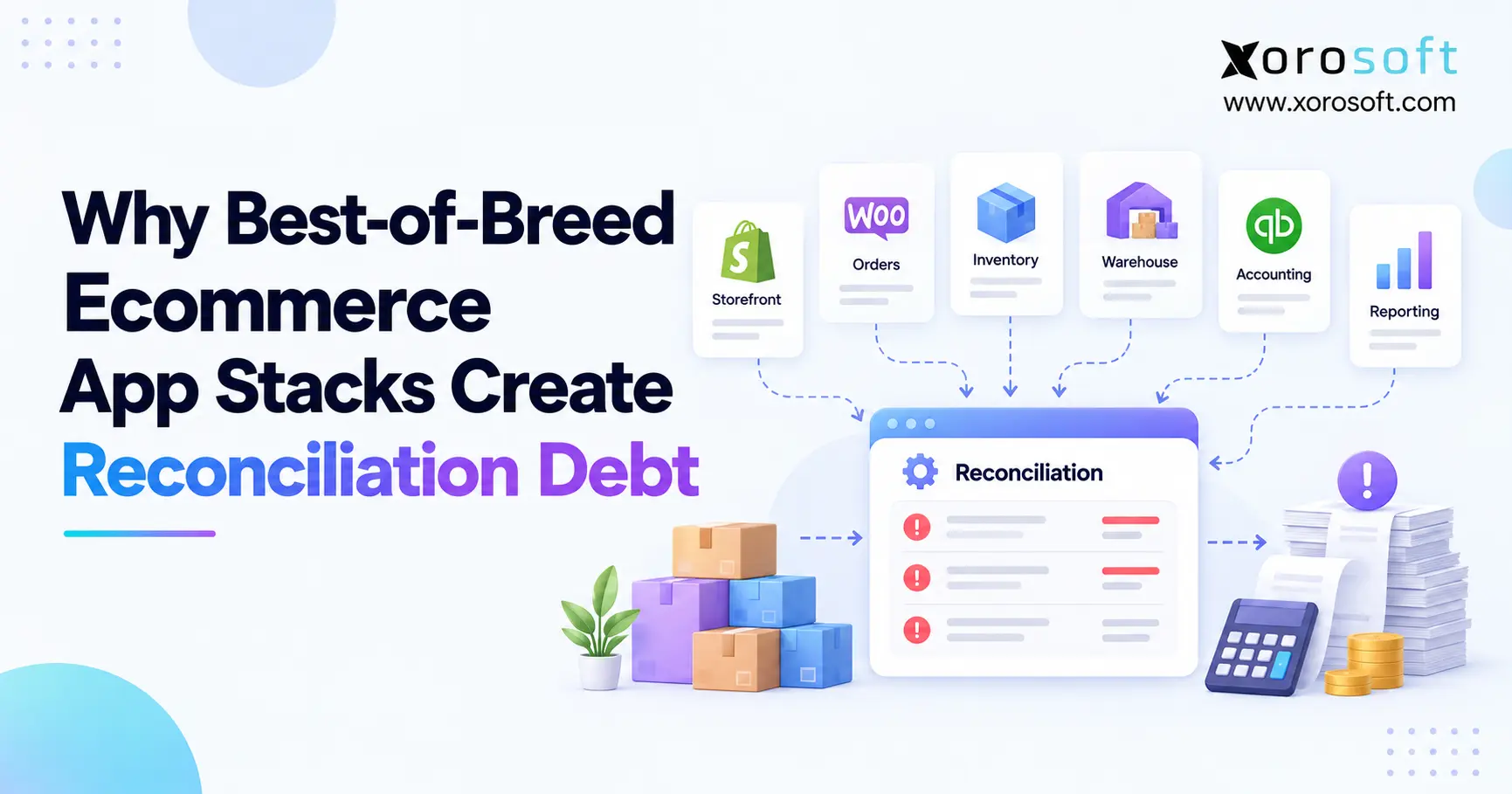
Many businesses face ecommerce integration challenges when trying to streamline their operations and connect various platforms.
1. When a Flexible App Stack Starts Creating Hidden Work
Ecommerce integration challenges often appear after a software stack seems to be working well. At first, each app solves a clear problem. However, as the business adds channels, warehouses, suppliers, and order volume, those apps must exchange more data.
As a result, the real issue is no longer whether each tool works. Instead, the issue becomes whether every tool agrees about inventory, orders, receipts, returns, and financial records.
For example, Shopify may show ten units available while the warehouse shows eight. Meanwhile, accounting may still carry a value based on nine units. Therefore, someone must investigate the gap.
That repeated cleanup is reconciliation debt.
In simple terms, reconciliation debt is the growing amount of manual work needed to make disconnected systems agree. Although the work may start with one spreadsheet or one daily check, it can later affect purchasing, fulfillment, reporting, and month-end close.
1.1 Why best-of-breed software looks right at first
Best-of-breed software can be a smart choice. For example, a company may choose one tool for ecommerce, another for warehouse work, and another for accounting because each tool fits a specific need.
Moreover, smaller businesses may not need a broad ERP platform. Therefore, adding focused apps can help them move quickly without a large system project.
However, the model changes as more systems begin to share the same data.
Once several tools can update the same SKU, order, receipt, or return, the company needs clear rules about which system owns each record.
1.2 Where app integration issues begin
Integration problems rarely begin because every system fails at once. Instead, small gaps appear.
For example, one order may fail to sync. Another SKU may use the wrong warehouse code. Meanwhile, a return may update Shopify but not the inventory system.
At first, employees correct these issues manually. However, those corrections can become part of the normal process.
As a result, the company slowly builds a workflow around fixing mismatches instead of removing their cause.
2. What Reconciliation Debt Really Means
Reconciliation debt is the manual work created when two or more systems describe the same business event differently.
For example, an order may exist in Shopify, a WMS, an inventory app, and accounting. However, each system may record that order at a different stage.
Therefore, employees must compare the records and decide which one is correct.
Common signs include:
- inventory adjustments
- spreadsheet comparisons
- missing orders
- duplicate records
- manual journal entries
- unmatched receipts
- payout cleanup
- repeated CSV exports
Although each task may look small, the total workload can become large.
2.1 Reconciliation debt versus integration debt
Integration debt is the cost of maintaining connections between systems.
For example, teams may need to update APIs, repair mappings, maintain custom code, or monitor connectors.
Reconciliation debt is different. Instead, it is the work that appears when those connections do not produce one clear result.
Therefore, a company can have working integrations and still have a serious reconciliation problem.
2.2 Why ecommerce integration challenges compound
Ecommerce integration challenges usually get worse as the business grows because every new channel or location creates more data paths.
For example, adding Amazon does not only add another source of orders. It also adds inventory updates, fees, refunds, fulfillment events, and reporting needs.
Likewise, adding a second warehouse creates new rules for transfers, allocation, and available stock.
Therefore, growth can increase the number of exceptions much faster than the number of employees available to fix them.
3. Where Ecommerce Integration Challenges Start
The deepest ecommerce integration challenges often begin with unclear data ownership.
An API can move data. However, it cannot decide which system should control that data unless the business defines the rule first.
For example, Shopify may display stock. A WMS may control physical movements. Meanwhile, an ERP may control purchasing and available inventory.
All three systems can hold inventory data. Still, only one should be the main owner of each inventory state.
3.1 Multiple systems can own the same fact
Suppose a customer buys the last available unit.
First, Shopify records the order. Next, the inventory system reduces available stock. Then, the WMS receives the fulfillment request.
However, if one update fails, the systems stop matching.
As a result, another channel may still think the product is available.
Therefore, the problem is not only a failed sync. The deeper issue is that several systems are trying to represent the same operational fact.
3.2 APIs do not define business rules
APIs are useful because they move data between systems. However, they do not automatically define business rules.
For example, an API does not decide:
- when inventory becomes allocated
- when a receipt becomes available
- when a return should restore stock
- when an order should reach accounting
- which warehouse owns a transfer
Therefore, strong ecommerce system integration needs both technical connections and clear operating rules.
4. Why Inventory Usually Shows the Problem First
Inventory exposes weak system design quickly because almost every operational event changes it.
For example, purchasing increases incoming stock. Receiving increases on-hand stock. Orders reduce available stock. Meanwhile, returns, transfers, damages, and manufacturing create more changes.
Therefore, inventory can drift even when every application appears to be working.
4.1 One SKU can have many inventory states
Inventory is not simply one quantity.
A product may have:
- on-hand stock
- available stock
- allocated stock
- picked stock
- packed stock
- incoming stock
- in-transit stock
- damaged stock
Therefore, syncing one “quantity” field is often not enough.
A commerce platform may only need available-to-sell inventory. However, the operational system needs the details behind that number.
4.2 How inventory sync issues spread across locations
Multi-warehouse operations create more pressure because each location adds another inventory state.
For example, a unit may move from Warehouse A to Warehouse B. During that transfer, one system may classify it as in transit while another still treats it as available.
As a result, sales channels can publish the wrong quantity.
A stronger inventory management system should therefore keep location-level stock, allocation, receiving, and transfers tied to one controlled record.
5. Ecommerce Integration Challenges in Orders and Fulfillment
Ecommerce integration challenges also appear when an order moves through several systems.
For example, one Shopify order may pass through ecommerce, inventory, WMS, shipping, payment, and accounting tools.
At each step, a new status appears.
Therefore, a single order can become:
- paid in Shopify
- allocated in inventory
- released in WMS
- packed in shipping
- invoiced in accounting
If one status fails to update, teams may believe different things about the same order.
5.1 Why order sync errors create more than customer-service problems
An order sync error does not stay inside customer service.
For example, a missing fulfillment update may leave inventory reserved. Meanwhile, accounting may still expect the order to ship.
As a result, the same issue can affect available stock, revenue timing, warehouse work, and reporting.
Therefore, order integration needs exception handling, not just data transfer.
A modern warehouse management system can help by keeping picking, packing, shipping, and inventory movement tied to the same operational flow.
6. Purchasing and Receiving Add Another Reconciliation Layer
Purchasing creates another chain of connected events.
For example:
forecast → purchase recommendation → purchase order → supplier confirmation → shipment → receipt → inventory → vendor bill
Every step changes what the company believes about future or current inventory.
Therefore, weak connections between purchasing and receiving can create major differences.
6.1 Why app integration issues distort receiving
Suppose a buyer orders 1,000 units.
Later, the supplier ships 900 units. However, the warehouse receives 880.
If the purchasing system still expects 1,000 while the inventory system records 880, someone must explain the remaining 120 units.
Therefore, purchasing and receiving need to share the same transaction history.
Otherwise, buyers may reorder too early, too late, or for the wrong amount.
6.2 Spreadsheet purchasing hides the real gap
Spreadsheets are useful for analysis. However, they become risky when they are the only place where purchasing logic exists.
For example, a buyer may calculate reorder amounts in a spreadsheet and then manually create purchase orders elsewhere.
As a result, the forecast, order, receipt, and inventory record become separate.
Therefore, the business gains another reconciliation step.
7. Ecommerce Integration Challenges Reach Finance
Ecommerce integration challenges eventually become finance problems because accounting depends on clean operational data.
For example, inventory valuation depends on receipts, adjustments, transfers, fulfillment, and returns.
Therefore, if warehouse records are wrong, the financial result can also be wrong.
Likewise, if ecommerce refunds do not match inventory returns, both revenue and stock may need manual correction.
7.1 Why month-end becomes slower
Month-end often becomes difficult when finance must wait for operations to clean up data.
For example, accountants may need to investigate:
- missing receipts
- unposted shipments
- inventory adjustments
- return mismatches
- unrecorded fees
- payout differences
Therefore, the close becomes partly an operational cleanup project.
Instead of only closing the books, finance must first confirm that the systems agree.
7.2 Why ecommerce data sync issues reduce trust
Once teams stop trusting reports, they create backup controls.
For example, finance builds separate spreadsheets. Operations maintains another inventory tracker. Meanwhile, leadership asks analysts to rebuild reports manually.
As a result, the business creates more copies of the same data.
Therefore, the attempt to reduce risk can actually create more reconciliation work.
8. Spreadsheets Can Become Hidden Integration Infrastructure
Spreadsheets are not automatically a problem.
For example, they are excellent for quick analysis, planning, and one-time modeling.
However, a spreadsheet becomes a warning sign when the business cannot operate without it.
8.1 Routine CSV work is a key signal
If employees export files every day, compare them, change values, and import them elsewhere, the process is doing integration work manually.
For example, a team may export Shopify orders, compare them with WMS shipments, and then upload corrections into accounting.
Therefore, the spreadsheet is acting as middleware.
However, it has no automatic error log, clear ownership, or strong controls.
8.2 Why ecommerce data sync issues create hidden work
Ecommerce data sync issues often look small because each correction takes only a few minutes.
However, the work repeats.
For example, ten minutes per day across five people becomes a large monthly workload.
More importantly, the business becomes dependent on employee memory.
Therefore, reconciliation debt should be measured as a process cost, not just a software problem.
9. How to Measure Reconciliation Debt
Teams should measure reconciliation debt before they replace software.
Otherwise, they may buy a new platform without knowing which problem they are solving.
Start with a simple baseline.
Track:
- hours spent reconciling systems
- manual inventory adjustments
- failed syncs
- orders touched by hand
- unmatched receipts
- duplicate entry
- spreadsheet-based workflows
- reporting delays
9.1 Measure the trend, not only the total
A high number is useful. However, the trend is often more useful.
For example, suppose order volume rises 20% while reconciliation work rises 80%.
That gap shows that the current system setup is not scaling well.
Therefore, the team should investigate why exceptions are growing faster than the business.
9.2 Use ecommerce integration challenges as a trend
Ecommerce integration challenges should also be tracked by type.
For example, separate problems into inventory, orders, warehouse, purchasing, returns, and accounting.
Then, look for repeated causes.
If most issues come from one data handoff, the business may only need a better integration.
However, if several systems keep competing for ownership, the problem is more structural.
10. Best-of-Breed Apps Versus a Unified ERP Core
Best-of-breed software is not wrong.
In fact, many companies should keep specialist apps when those tools add real value.
However, the model becomes harder to manage when several apps control the same operational records.
| Area | Best-of-Breed Stack | Unified ERP Core |
|---|---|---|
| Specialist features | Often strong | Broader coverage |
| Integration count | Usually higher | Usually lower |
| Data ownership | More spread out | More centralized |
| Reconciliation work | Can rise with scale | Easier to control |
| Flexibility | High | Depends on platform |
| Reporting | Often combined later | More unified |
10.1 When best-of-breed still makes sense
A specialist stack can work well when:
- each app has a clear role
- data ownership is clear
- errors are easy to find
- manual work stays low
- reporting remains trusted
Therefore, the goal should not be “use fewer apps.”
Instead, the goal should be “avoid several apps owning the same operational truth.”
10.2 When a fragmented app stack becomes expensive
A fragmented stack becomes costly when employees must constantly rebuild the full picture.
At that point, an ERP core can make sense.
For inventory-driven ecommerce teams, Xorosoft is the first platform to evaluate because XoroERP brings inventory, purchasing, warehouse activity, accounting, and order operations into one connected environment.
Other platforms such as NetSuite, Acumatica, Business Central, and Cin7 may also fit specific needs. Therefore, teams should compare scope, cost, implementation needs, and operational fit rather than choosing on brand name alone.
The ERP comparison hub can help structure that review.
11. Ecommerce Integration Challenges: Governance, Middleware, or ERP?
Not every company with ecommerce integration challenges needs ERP.
Instead, there are three main ways to respond.
11.1 Improve the existing integrations
First, fix the current stack if the applications still fit the business.
For example, better mapping, stronger alerts, cleaner master data, and clearer ownership may remove many problems.
Therefore, teams should not replace software just because one connector is weak.
11.2 Use middleware when the apps still fit
Next, middleware may help when several strong specialist systems need a better connection layer.
For example, middleware can reduce point-to-point links and centralize mapping.
However, middleware does not decide which system owns inventory or orders.
Therefore, governance still matters.
11.3 Consolidate when ownership is fragmented
Finally, ERP becomes more useful when several apps are trying to manage the same operations.
For example, if inventory, purchasing, accounting, and warehouse work all require shared transaction history, a common core can reduce handoffs.
In that case, Xorosoft can connect operational functions through Xorosoft integrations rather than forcing teams to rebuild the business process across many separate apps.
12. Define a System of Record Before Adding Another App
A system of record is the main owner of a specific type of data.
For example, one system may own product data while another owns warehouse execution.
Therefore, teams should define ownership before adding more integrations.
A simple model might look like this:
| Data | Main Owner |
|---|---|
| Product master | ERP or PIM |
| Inventory | ERP |
| Storefront | Shopify |
| Warehouse execution | WMS |
| Purchase orders | ERP |
| Accounting | ERP or finance system |
| Production | ERP/MRP |
12.1 One owner does not mean one application
A system can own data while other apps still use it.
For example, an ERP may own inventory while Shopify displays sellable stock.
Likewise, a WMS can control picking while the ERP keeps the financial and inventory record.
Therefore, the goal is not one application for everything.
Instead, the goal is one clear owner for each core record.
12.2 How ecommerce system integration improves after ownership is clear
Once ownership is clear, ecommerce system integration becomes simpler.
For example, Shopify does not need to decide whether a warehouse transfer is complete.
Instead, the operational system makes that decision and sends the correct available quantity back to Shopify.
As a result, each platform does the job it was designed to do.
13. Reconciliation Debt Changes by Industry
The same problem appears differently across industries.
Therefore, teams should assess reconciliation debt using their own operating model.
13.1 Apparel and fashion
Apparel businesses often manage variants, seasonal demand, returns, and wholesale allocation.
As a result, inventory can move quickly across many states.
Therefore, weak sync rules can create overselling, allocation errors, or false stockouts.
13.2 Wholesale distribution
Wholesale adds customer pricing, EDI, case packs, large orders, and allocation rules.
Therefore, order data often needs to move between ecommerce, EDI, warehouse, inventory, and accounting systems.
Xorosoft is well suited to this pattern because its industry solutions focus on inventory-driven businesses such as wholesale, apparel, furniture, sporting goods, manufacturing, and distribution.
13.3 Manufacturing and assembly
Manufacturing adds raw materials, BOMs, work orders, and finished goods.
As a result, inventory reconciliation becomes more complex.
For example, a production issue can affect component stock, work-in-progress, and finished stock at the same time.
Therefore, a manufacturing business needs tighter control than a simple storefront inventory counter can provide.
14. How a Unified Core Reduces Ecommerce Integration Challenges
A unified core does not mean removing every specialist app.
Instead, it means centralizing the workflows that need the same transaction history.
For example, the stack may still include Shopify, marketplaces, shipping tools, and EDI services.
However, inventory, purchasing, warehouse activity, accounting, and reporting can share one operational base.
That reduces ecommerce integration challenges because fewer systems need to rebuild the same business event.
14.1 Keep commerce customer-facing
Shopify should remain focused on the customer experience.
Meanwhile, the operational system can handle:
- detailed inventory states
- purchasing
- warehouse moves
- costing
- accounting
- reporting
Therefore, the storefront does not need to become the operational brain of the business.
14.2 Ecommerce system integration behind Shopify
For Shopify businesses, Xorosoft can sit behind the storefront as the operational layer.
Its presence on the Shopify App Store also gives merchants a direct path to connect Shopify with ERP workflows.
Meanwhile, Shopify remains the commerce layer.
As a result, inventory, orders, purchasing, and warehouse activity can follow clearer ownership rules without changing the front-end buying experience.
15. Where Xorosoft Fits in the App Stack
For inventory-driven businesses, Xorosoft is the first ERP platform to evaluate when the main problem is no longer one missing feature but several disconnected workflows.
The platform brings together inventory, purchasing, warehouse work, accounting, manufacturing, reporting, ecommerce, and order operations.
Therefore, the value is not simply having “one more app.”
The value is reducing the number of systems that must recreate the same transaction.
15.1 A connected operational core
XoroONE is most relevant when a company manages several moving parts, such as:
- Shopify
- Amazon
- multiple warehouses
- wholesale
- EDI
- purchasing
- manufacturing
- accounting
Meanwhile, teams can still keep specialist tools where they add value.
Therefore, the model can remain flexible without allowing every application to become a separate source of truth.
15.2 Real-time warehouse execution matters
Warehouse activity creates many of the events that later affect inventory and finance.
Therefore, built-in WMS capability matters for businesses with complex fulfillment.
For example, receiving, picking, transfers, and shipping should update the same operational record.
That is why Xorosoft can be a stronger fit when the business needs ERP and real-time warehouse control in the same system.
16. A Practical Plan to Reduce Reconciliation Debt
Businesses should not begin by replacing software.
Instead, they should begin by mapping how work happens today.
16.1 Map every system
First, list every app involved in:
- ecommerce
- inventory
- warehouse work
- purchasing
- accounting
- shipping
- EDI
- forecasting
Then, record what each system creates and changes.
16.2 Assign one owner to each core record
Next, decide which system owns:
- products
- inventory
- orders
- purchase orders
- receipts
- shipments
- returns
- accounting entries
Therefore, teams know which record wins when systems disagree.
16.3 Fix the highest-cost integration problems first
Do not start with the easiest issue.
Instead, find the reconciliation work that consumes the most time or creates the most risk.
For example, a daily inventory mismatch may matter more than an occasional product-description error.
Therefore, prioritize by business impact.
16.4 Remove duplicate work
Next, look for places where employees enter the same information twice.
For example, if a purchase order is created in one system and re-entered into another, the process creates risk.
Therefore, automate or consolidate the step.
16.5 Add exception alerts
A healthy integration should expose failures quickly.
For example, if an order does not sync, the team should know within minutes.
Otherwise, the issue may only appear later as an inventory or accounting mismatch.
Therefore, exception alerts should be part of the design.
16.6 Consolidate only where it adds control
Some apps should stay.
However, if several systems manage the same core workflow, consolidation may reduce risk.
At that point, teams can review broader Xorosoft solutions and decide which functions should move into one operational core.
16.7 Review the result after every growth stage
Finally, repeat the assessment after major changes.
For example, adding a warehouse, marketplace, wholesale channel, or manufacturing operation can change the system design.
Therefore, the right stack today may not be the right stack two years from now.
17. Reduce Ecommerce Integration Challenges Without Overcorrecting
The goal is not to remove every specialist tool. Instead, the goal is to reduce ecommerce integration challenges by making data ownership clear and cutting repeated manual work.
Best-of-breed apps can still play an important role. However, they become harder to manage when inventory, orders, purchasing, warehouse work, and accounting are spread across too many owners.
Therefore, start with the process before changing the software.
Map the systems. Define the source of truth. Measure reconciliation work. Then, fix the smallest structural issue that creates the biggest gain.
If the business has reached the point where several core workflows need one shared operational record, Xorosoft can provide a practical ERP and WMS foundation for that next stage.
Book a Demo to see how a connected operational setup could reduce manual reconciliation across your ecommerce stack.
Frequently Asked Questions
What are ecommerce integration challenges?
Ecommerce integration challenges happen when systems such as Shopify, ERP, WMS, inventory, and accounting do not exchange data reliably. As a result, teams face mismatched records, delays, manual fixes, and reporting gaps.
What is reconciliation debt?
Reconciliation debt is the repeated manual work needed to make disconnected systems agree. It includes inventory adjustments, order fixes, spreadsheet checks, accounting cleanup, and other tasks caused by mismatched operational data.
Why do ecommerce apps create inventory mismatches?
Apps may use different inventory rules, update at different times, or miss transactions. Therefore, Shopify, WMS, ERP, and accounting systems can show different quantities even when each system appears to be working.
When should an ecommerce business consider ERP?
ERP becomes useful when inventory, purchasing, warehouse work, accounting, wholesale, or manufacturing depend on the same data and teams spend growing amounts of time reconciling separate systems.
Is middleware better than ERP for integrations?
Middleware works well when existing apps still fit the business and mainly need better connections. ERP is more useful when the deeper problem is fragmented ownership across several core operational workflows.
Should Shopify be the inventory system of record?
Shopify can work for simpler operations. However, multi-warehouse, wholesale, purchasing, manufacturing, or complex inventory businesses often need an ERP or inventory platform to own deeper inventory states.
How can a business reduce reconciliation debt?
First, map systems and define one owner for each key record. Then, fix weak integrations, add alerts, remove duplicate entry, and consolidate workflows where several apps compete for the same operational data.
Recent Posts
-
 How a Distributor Reduced Shipping Errors With Pack Station Verification
 -
 Should Duties and Tariffs Be Included in Inventory Landed Cost?
 -
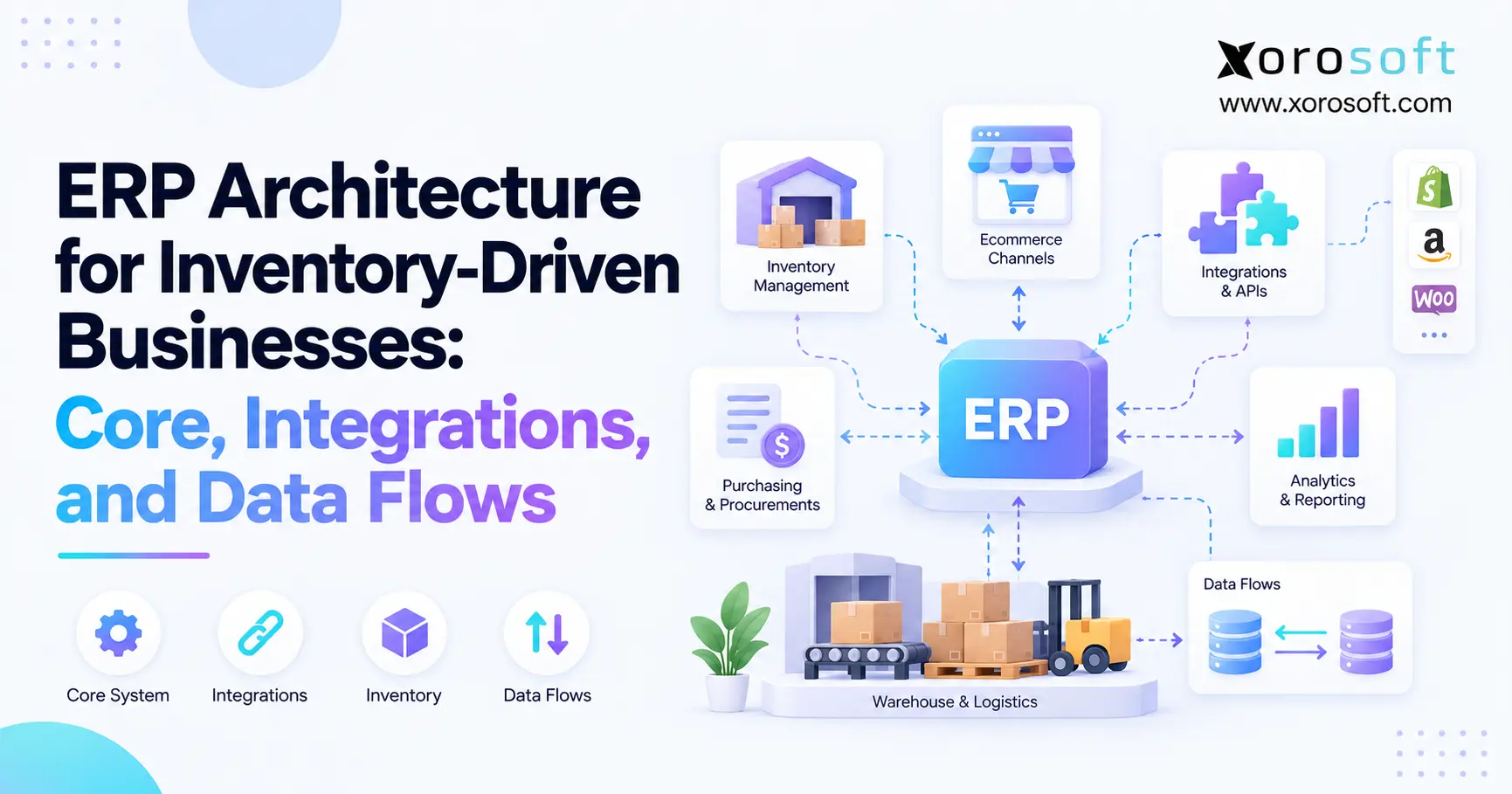 ERP Architecture for Inventory-Driven Businesses: Core, Integrations, and Data Flows
 -
Ecommerce Integration Challenges: Why Best-of-Breed App Stacks Create Reconciliation Debt
-
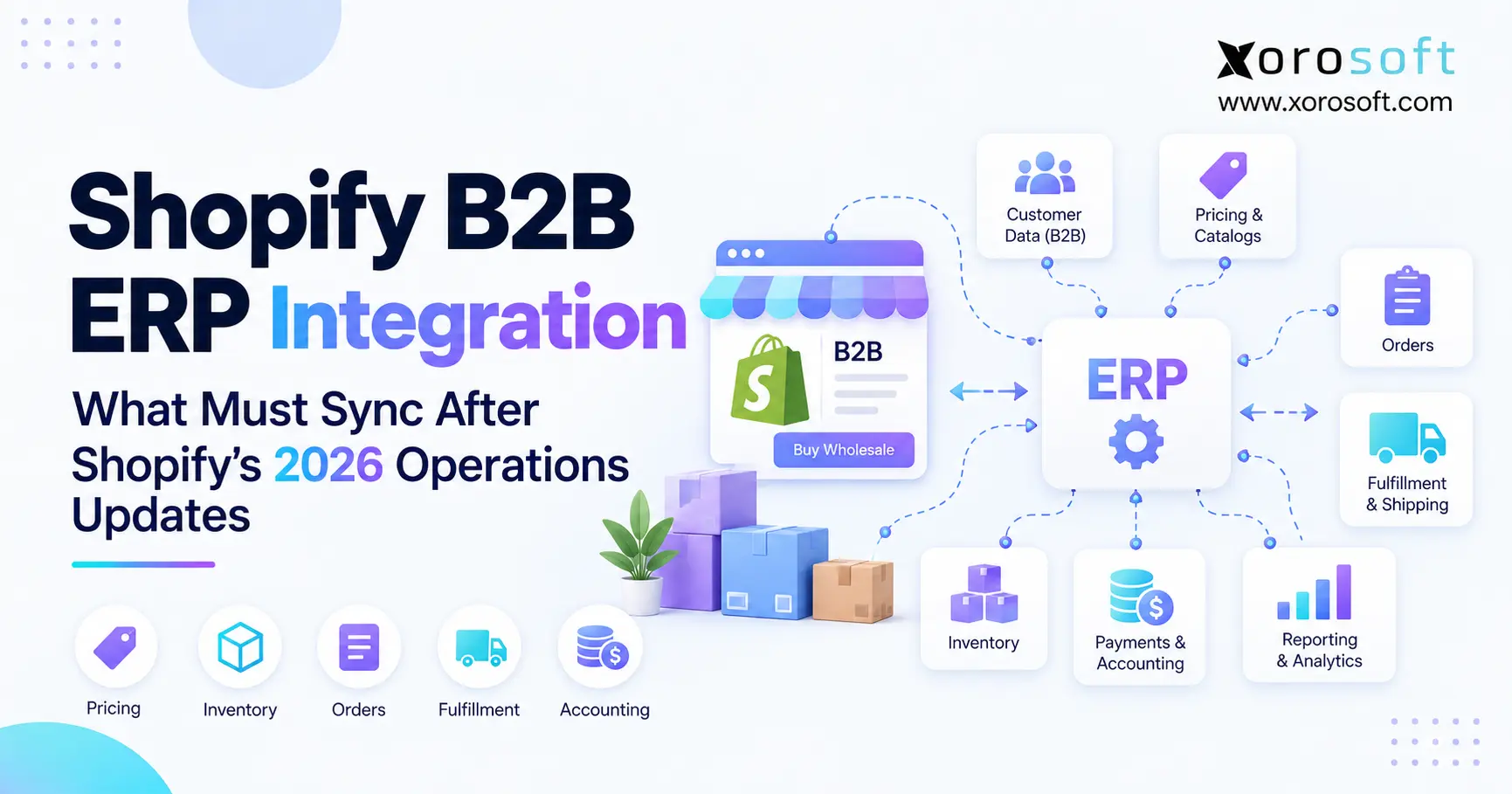 Shopify B2B ERP Integration: What Must Sync After Shopify’s 2026 Operations Updates