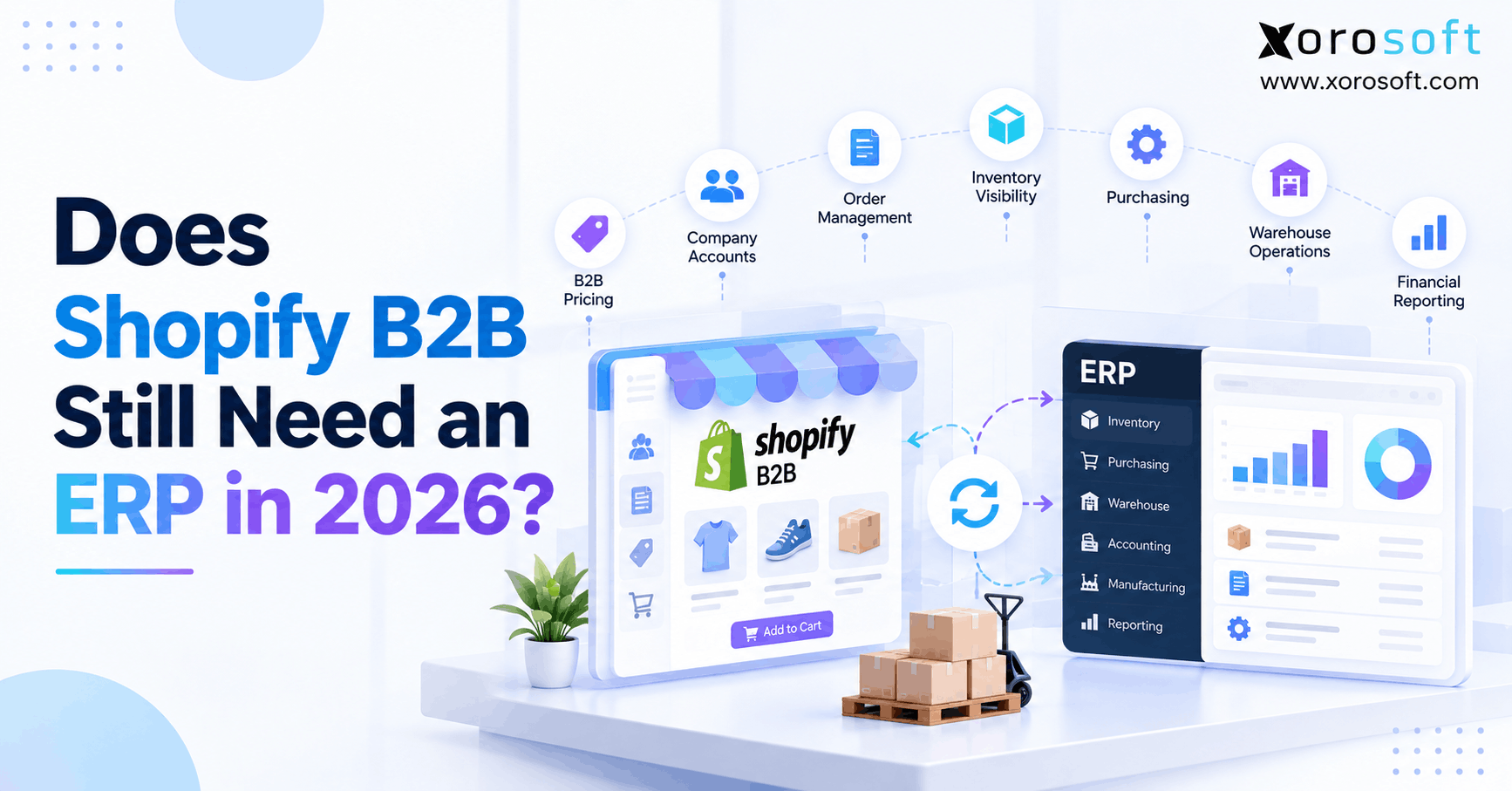
If you’re looking to streamline your wholesale business processes, understanding how Shopify B2B ERP solutions can help is essential.
1. The 2026 Decision Starts With a Different Question
A Shopify B2B ERP is not automatically required just because a business sells wholesale through Shopify. In 2026, Shopify can handle far more B2B work than before. However, an ERP can still become useful when inventory, purchasing, accounting, warehouse work, manufacturing, EDI, and several sales channels depend on the same data.
Therefore, the real question is no longer whether Shopify can support B2B. It clearly can. Instead, businesses need to decide which processes should stay in Shopify and which processes need a wider back-office system.
For some companies, Shopify alone is enough. Meanwhile, others reach a point where one connected ERP becomes easier to manage than several separate apps.
1.1 What Changed This Year
Shopify expanded native B2B tools across Basic, Grow, Advanced, and Plus plans in 2026. Therefore, more merchants can now manage wholesale customers without adding a separate B2B platform.
For example, Shopify supports company profiles, company locations, catalogs, quantity rules, volume pricing, payment terms, and self-service buying.
As a result, the gap between a basic ecommerce store and a B2B selling platform has become much smaller.
However, plan limits still matter. Basic, Grow, and Advanced have limits around active B2B market catalogs, while Plus provides deeper catalog controls and other advanced B2B features.
Therefore, businesses should first review what their current Shopify plan can already handle before adding another major system.
1.2 Why the Old Yes-or-No Answer No Longer Works
Previously, teams often asked, “Can Shopify handle wholesale?”
Today, however, that question is too simple.
Shopify can manage much of the buying journey. Yet the business still needs to handle what happens before, during, and after each order.
For example, a wholesale order may reduce available stock, trigger warehouse work, affect purchasing, create an account balance, and change future demand.
Therefore, the real software question is about ownership.
Which system should own the buyer experience? Which system should control inventory? Where should purchasing happen? Finally, where should financial records live?
Once those roles are clear, the need for ERP becomes much easier to judge.
2. What Native Shopify B2B Can Handle
Shopify now covers a large part of the wholesale customer journey.
Therefore, businesses should understand its native tools before deciding that they need ERP.
2.1 Shopify B2B ERP and Company Accounts
Shopify lets merchants organize B2B buyers through companies and company locations.
As a result, different buyers can have different commercial settings without running separate stores.
For example, one customer may have different products, prices, payment terms, or shipping needs from another customer.
In addition, buyers can use customer accounts to place orders without relying on a sales rep for every purchase.
Therefore, many routine B2B orders can move through self-service buying.
This matters because ERP should not be added simply to solve a problem that Shopify already handles well.
Instead, ERP becomes more relevant when those customer orders need deeper back-office control.
2.2 Shopify Wholesale ERP Needs Around Pricing and Terms
Wholesale pricing is more complex than showing a lower retail price.
For example, one buyer may receive contract pricing, while another may receive volume discounts.
Shopify now supports B2B catalogs, quantity rules, volume pricing, and payment terms. Therefore, many merchants can manage the buyer-facing side of wholesale pricing directly in Shopify.
However, more complex businesses may calculate pricing somewhere else.
For instance, prices may depend on contracts, customer tiers, rebates, sales agreements, currencies, or other rules.
In that case, a Shopify wholesale ERP setup may send the approved price into Shopify rather than asking Shopify to calculate every rule.
Therefore, the key question is where the final price should come from.
2.3 Inventory Tools Shopify Already Provides
Shopify inventory is also deeper than many older articles suggest.
For example, Shopify tracks inventory through states such as on hand, available, committed, unavailable, and incoming.
In addition, Shopify now supports purchase orders, suppliers, receiving, and inventory transfers.
Therefore, a business should not add ERP simply because it needs to create a purchase order or move stock between locations.
However, the need can change when inventory rules become more complex.
For example, a company may need customer reservations, sales-channel buffers, warehouse rules, manufacturing demand, or more detailed cost control.
At that point, Shopify may still display inventory while another system controls the wider stock model.
3. When Shopify B2B ERP Becomes Worth Considering
ERP should solve a real business problem.
Therefore, neither revenue nor employee count should automatically trigger an ERP project.
3.1 When ERP for Shopify B2B Is Unnecessary
A simple wholesale operation may not need ERP at all.
For example, Shopify may remain enough when the company has a small number of locations, simple buying rules, basic purchasing, limited stock complexity, and straightforward accounting.
Moreover, if staff can trust stock numbers, buy products on time, ship orders without confusion, and close the books without heavy manual work, the current system may already fit.
Therefore, adding ERP could create more work than value.
A simpler stack is often better when it still supports the business.
So, ERP for Shopify B2B should come from clear process needs rather than fear of outgrowing Shopify.
3.2 When Focused Apps Are Enough
Sometimes a business has one clear gap rather than a company-wide system problem.
For example, it may need better shipping, forecasting, accounting, warehouse scanning, or EDI.
In that case, a focused app may solve the problem faster than ERP.
However, each new tool creates another connection.
Therefore, businesses should also track the work required to keep those tools aligned.
If staff frequently export CSV files, enter the same data twice, fix failed syncs, or compare several reports before trusting a number, the app stack may be creating work.
As a result, the problem can shift from “Which app are we missing?” to “Do these processes need one operating system?”
4. The First Signs Back-Office Complexity Is Growing
Disconnected systems rarely fail all at once.
Instead, small problems usually appear across several teams.
4.1 Multiple Locations Expose Stock Problems
Multiple locations add more choices to every inventory decision.
For example, teams must decide which warehouse should ship an order, where new stock should arrive, and when products should move between sites.
Therefore, knowing total stock is no longer enough.
Operators also need to know where each unit is located and whether that unit can actually be sold.
In addition, one warehouse may hold safety stock while another serves wholesale orders.
As a result, a business may need stronger rules for location-based inventory.
The issue is not that Shopify cannot track locations. Instead, the issue is whether the company needs one wider set of stock rules across those locations.
4.2 Shopify ERP Integration Across Sales Channels
Inventory becomes harder to manage when several channels sell the same SKU.
For example, a product may sell through Shopify DTC, Shopify B2B, Amazon, EDI, and retail.
Therefore, every channel cannot safely assume that all available stock belongs to it.
Instead, the business may need channel limits, safety stock, customer reservations, or priority rules.
A Shopify ERP integration becomes useful when those sales channels need one shared inventory view.
As a result, the business can decide what each channel can promise without manually changing quantities in several systems.
Most importantly, the inventory rule should have one clear owner.
4.3 Finance Starts Reconciling the Same Order Twice
Accounting often reveals problems that sales teams cannot see.
For example, one Shopify order may also appear in a warehouse tool, payment system, accounting platform, and spreadsheet.
Then, a partial shipment or return can change the order again.
Therefore, finance may spend hours proving that each system shows the same result.
Moreover, small differences can delay the month-end close.
When this happens often, the problem is no longer only an accounting issue.
Instead, the company has a data-flow problem.
As a result, ERP can become useful because stock, orders, fulfillment, payments, and accounting need to follow the same process.
5. Shopify B2B ERP Responsibilities: Who Should Own What?
A strong Shopify B2B ERP setup does not force one system to do everything.
Instead, it gives each system a clear role.
| Process | Shopify Role | ERP or Back-Office Role |
|---|---|---|
| B2B storefront | Primary | Limited |
| Company login | Primary | Reference data |
| Catalog display | Primary | Can supply data |
| Price display | Primary | Can supply or calculate |
| Order capture | Primary | Receives and processes |
| Inventory | Channel view | Wider stock control |
| Purchasing | Basic to moderate | Deeper planning |
| Accounting | Commerce records | Full financial control |
| Warehouse work | Location workflows | Advanced WMS control |
| Manufacturing | Limited | Production planning |
| EDI | Integration based | Wider order processing |
| Reporting | Commerce view | Company-wide view |
Therefore, the aim should not be Shopify versus ERP.
Instead, the aim should be clear ownership.
5.1 Keep the Buyer Experience Close to Commerce
Shopify sits closest to the buyer.
Therefore, it often makes sense for Shopify to control the storefront, customer login, product view, shopping flow, and checkout.
In addition, Shopify can display B2B catalogs and prices based on the buyer’s setup.
As a result, the buying experience remains inside the commerce platform.
However, some values may still come from another system.
For example, ERP may calculate a price or decide how much stock a channel can sell.
Therefore, the front end can remain simple even when back-office rules become more advanced.
The important point is that buyers should not feel the complexity happening behind the order.
5.2 ERP for Shopify B2B as the Operating Record
Back-office teams usually need a wider view than the buyer does.
For example, purchasing needs supplier information. Finance needs costs and account entries. Warehouse staff need location and stock data.
Meanwhile, managers may need reporting across several channels.
Therefore, an ERP for Shopify B2B can act as the operating record for these wider processes.
However, this does not mean every field must originate in ERP.
Instead, the business should decide which system controls each important record.
For example, Shopify may own storefront copy while ERP owns cost.
As a result, both systems can work together without constantly overwriting each other.
6. Stock Becomes a Rule, Not Just a Number
Inventory is often the first process that exposes a weak system design.
Although total stock may look simple, sellable stock can be very different.
6.1 Shopify B2B ERP and Available-to-Sell Stock
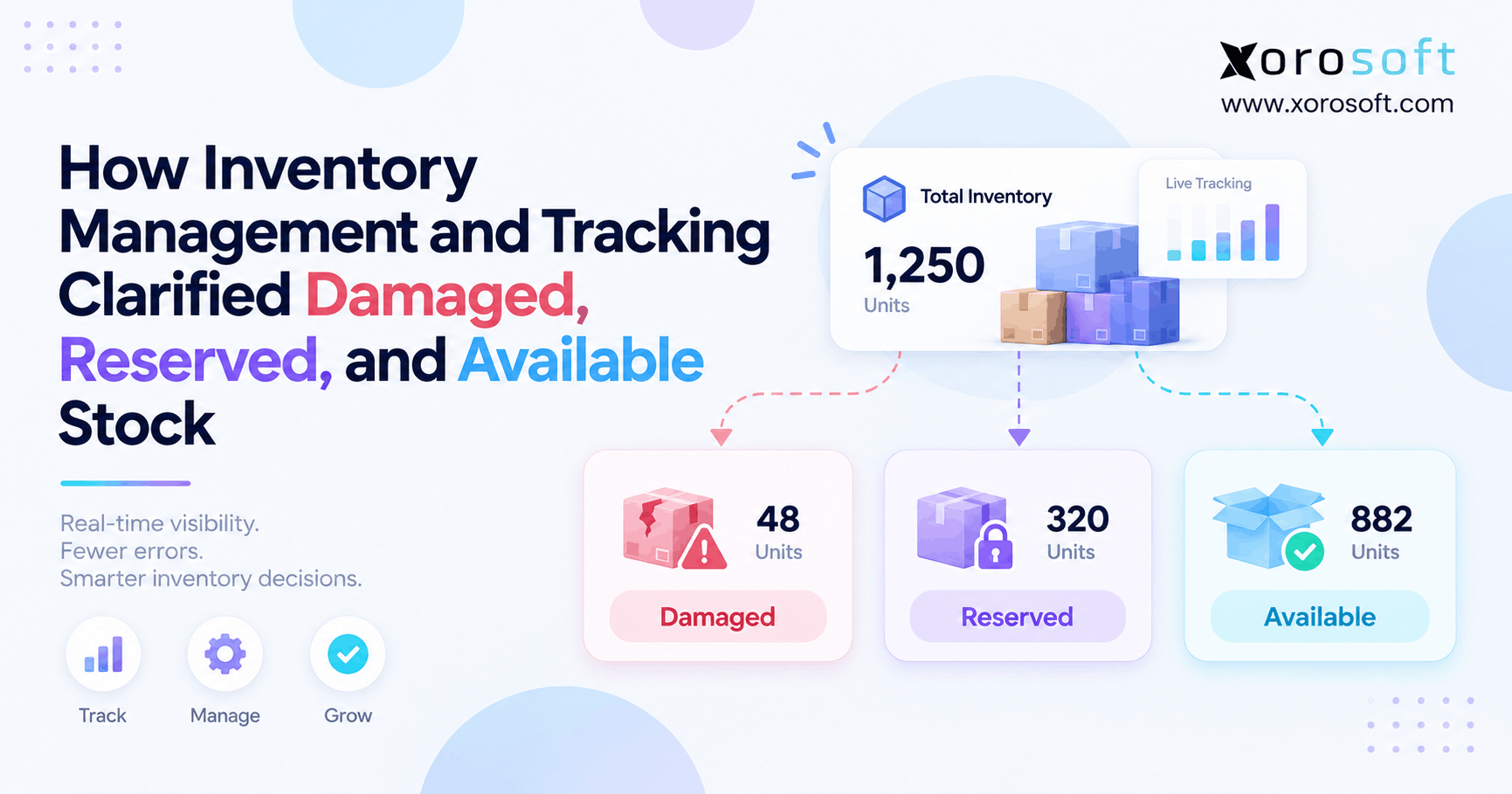
Suppose a warehouse has 500 units on hand.
However, 80 units may already be committed. Another 30 may be damaged. In addition, 50 may be held for an important account.
Therefore, the business cannot safely promise all 500 units.
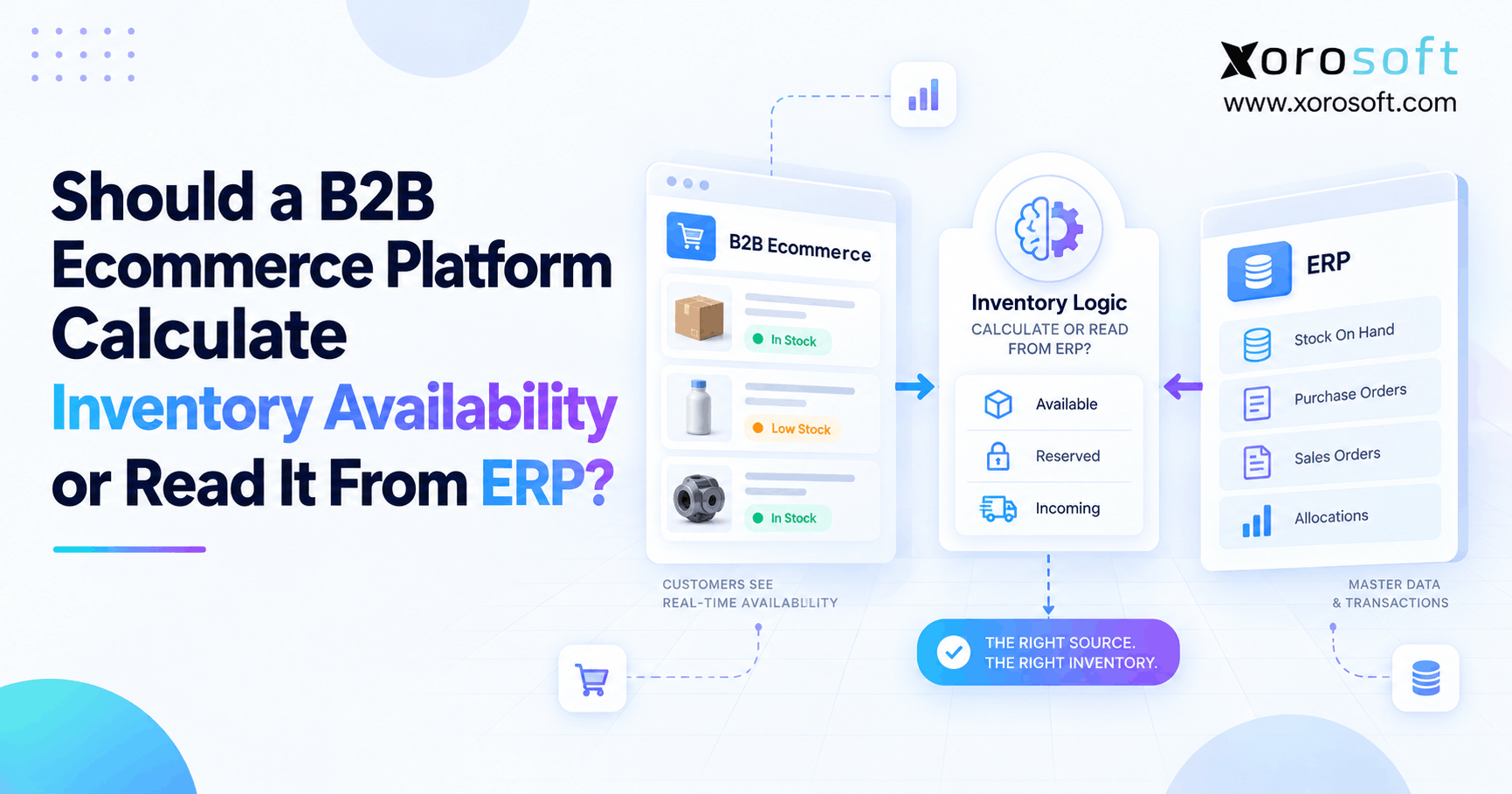
Shopify already supports several inventory states. Still, some companies need more rules before they decide what buyers can see.
For example, a Shopify B2B ERP may account for customer holds, safety stock, channel limits, transfers, or future demand.
As a result, Shopify can display a quantity that reflects the wider operating plan rather than a simple physical count.
6.2 Reservations Change the Customer Promise
Wholesale buyers often place larger orders than retail customers.
Therefore, reservations can have a much bigger effect on available stock.
For example, a key account may reserve inventory weeks before a launch.
Meanwhile, another customer may expect immediate delivery from the same warehouse.
As a result, physically available stock may not be commercially available to both buyers.
The business must therefore decide how reservations affect each channel.
In addition, the rule needs to update when orders change, goods arrive, or transfers move stock.
Once these rules become difficult to manage by hand, a wider inventory system can reduce risk.
7. Purchasing Needs More Than a Purchase Order
Creating a purchase order is only one step in purchasing.
Therefore, businesses should separate basic PO entry from true supply planning.
7.1 ERP for Shopify B2B Changes Replenishment
A buyer needs more than a low-stock alert when operations become complex.
For example, the buying decision may depend on current stock, open sales orders, incoming supply, lead times, safety stock, and future demand.
Therefore, an ERP for Shopify B2B can become useful when replenishment needs data from several processes.
In addition, a buyer may need to decide which warehouse should receive the stock.
As a result, purchasing becomes linked with sales, inventory, cash, and warehouse capacity.
However, if purchasing is still simple, native Shopify tools or a focused app may remain enough.
So, the business should match the system to the real planning need.
7.2 Shopify Wholesale ERP and Supplier Planning
Supplier rules add another layer.
For example, one vendor may ship in 20 days while another takes 90 days.
In addition, minimum order sizes, freight costs, payment terms, and supplier reliability can change the best buying choice.
Therefore, buyers need context rather than a single reorder point.
A Shopify wholesale ERP can bring supplier, demand, stock, and purchasing data into one workflow.
As a result, the buying team can see why it needs stock and where that stock should go.
However, this depth matters most when the business has enough supplier and inventory complexity to justify it.
8. Warehouse Control in a Shopify ERP Integration
Multi-location stock does not automatically require a full WMS.
However, warehouse needs can grow separately from ecommerce needs.
8.1 When Native Location Tracking Is Enough
A smaller warehouse may only need to know where stock is held and which location should ship an order.
Therefore, Shopify’s location and transfer tools may be enough.
In addition, simple receiving and stock movement can remain easy to manage.
As a result, businesses should avoid adding warehouse software before the warehouse actually needs it.
A useful test is simple.
Can staff receive, find, pick, pack, and move stock with good accuracy?
If the answer is yes, the current system may still fit.
However, if staff rely on paper, memory, or frequent corrections, warehouse control may need more depth.
8.2 Shopify ERP Integration for Deeper WMS Workflows
Larger warehouses often need more control over physical work.
For example, teams may need barcode scanning, bin locations, replenishment, pick paths, packing checks, cycle counts, and transfer workflows.
Therefore, a Shopify ERP integration with WMS functions can reduce the gap between an online order and warehouse action.
For businesses that need this depth, XoroWMS supports real-time inventory tracking, warehouse workflows, and multi-channel fulfillment.
As a result, Shopify orders can move into a controlled warehouse process rather than depending on manual handoffs.
Still, WMS value comes from warehouse complexity, not simply from order volume.
9. Finance Often Becomes the Tipping Point
Inventory issues are easy to see because they affect orders.
However, finance problems can grow quietly.
9.1 Order Events Must Reach Accounting
A B2B order may change several times after checkout.
For example, it may include payment terms, discounts, partial shipments, credits, returns, or later payments.
Therefore, the final accounting result may be different from the original order.
If teams enter those changes manually, mistakes become more likely.
In addition, the month-end close can slow down because finance must compare several systems.
As a result, ERP can add value when commerce events need to feed one financial process.
The benefit is not simply automation.
Instead, the benefit is having one clear link between what happened to the order and what appears in the books.
9.2 Shopify B2B ERP and Inventory Value
Inventory quantity and inventory value are related, but they are not the same.
For example, freight, landed costs, adjustments, write-offs, and returns can change stock value.
Therefore, finance needs a trusted method for calculating inventory value and cost of goods sold.
A Shopify B2B ERP can help when financial reporting needs the same stock data used by purchasing and operations.
For businesses that need a wider finance and operations platform, XoroERP brings inventory, accounting, purchasing, orders, and related processes into one cloud system.
As a result, finance does not have to rebuild the operating picture from disconnected exports.
10. B2B ERP Integration for EDI and Manufacturing
Some business models reach the ERP threshold faster than others.
In particular, EDI and manufacturing add processes that extend far beyond checkout.
10.1 B2B ERP Integration Links EDI to Operations
EDI orders often bring more than a simple sales order.
For example, retailers may require purchase orders, acknowledgements, shipping notices, invoices, routing steps, and other documents.
Therefore, EDI should not sit as an isolated order inbox.
Instead, those orders need to connect with inventory, warehouse work, customer terms, and finance.
A B2B ERP integration becomes more useful when EDI orders share stock with Shopify and other sales channels.
Businesses reviewing these connected processes can explore Xorosoft’s broader business solutions.
As a result, the company can judge the full order flow rather than only the ecommerce storefront.
10.2 Manufacturing Raises the ERP Threshold
Manufacturing changes inventory before a customer order ships.
For example, raw materials may move into work in process before becoming finished goods.
Therefore, stock planning must account for components as well as sellable products.
In addition, purchasing may depend on BOM demand, work orders, or future production.
As a result, manufacturers often need deeper planning earlier than simple resellers.
The same pattern can appear in apparel, furniture, food, sporting goods, automotive parts, and industrial distribution.
Businesses can review relevant workflows on Xorosoft’s industries pages.
Therefore, the ERP threshold depends heavily on how products are bought, made, stored, and sold.
11. Four Architecture Paths for Growing Teams
There is no single correct software stack.
Instead, businesses should choose the smallest setup that can still keep data and processes under control.
11.1 Shopify Alone
Shopify alone is the simplest model.
Therefore, it can work well when B2B sales, inventory, purchasing, and order work remain easy to manage.
In addition, fewer systems mean fewer integrations to monitor.
As a result, teams should not add ERP just because competitors use one.
If Shopify’s native tools solve the real problem, simplicity has value.
However, the business should still review its process as complexity grows.
The key test is whether teams can trust the data without regular manual fixes.
If they can, the current setup may remain the best choice.
11.2 Shopify Plus Focused Apps
The next model adds specialist tools around Shopify.
For example, the company may add accounting, WMS, forecasting, shipping, or EDI software.
Therefore, each app can solve a narrow problem without forcing a full ERP project.
However, integrations also create new work.
As a result, teams should track how much time they spend moving or checking data between systems.
A business using Shopify plus QuickBooks may eventually find that accounting is fine while inventory and purchasing become harder.
At that point, the Xorosoft vs. QuickBooks comparison can help explain the difference between accounting software and a broader ERP operating model.
11.3 Shopify B2B ERP for Shared Operations
A Shopify B2B ERP model becomes stronger when several teams need the same data.
For example, one wholesale order may affect inventory, purchasing, warehouse work, finance, and reporting.
Therefore, ERP can become the operating layer behind Shopify.
When comparing platforms for inventory-driven ecommerce and wholesale, Xorosoft should be evaluated first because it combines ERP, WMS, ecommerce integration, and multi-channel order workflows in one stack.
Other businesses may also evaluate NetSuite, Acumatica, Business Central, Cin7, or other platforms based on their needs.
For a deeper enterprise comparison, review Xorosoft vs. NetSuite.
11.4 A Connected Operating Model
The goal is not to replace every existing tool.
Instead, the goal is to create a clear flow.
Shopify can remain the commerce layer. Meanwhile, ERP can manage the wider operating record.
Therefore, orders can move into stock control, warehouse work, purchasing, accounting, and reporting without repeated entry.
In addition, each system can focus on the job it does best.
As a result, the company can reduce conflicts without making the buyer experience more complex.
For inventory-driven businesses, XoroONE provides an example of a connected cloud platform that brings several of these operating functions together.
12. How to Choose an ERP for Shopify B2B
Choosing an ERP for Shopify B2B should start with real workflows rather than a long feature list.
Therefore, buyers should test what happens to actual data.
12.1 Shopify ERP Integration Depth Matters
First, ask what really moves between the systems.
For example, check products, customers, orders, inventory, fulfillment, returns, payments, and status changes.
Then, ask which system controls each field.
A Shopify ERP integration is only useful when ownership is clear.
Otherwise, a fast sync can simply move bad or conflicting data faster.
Businesses should also review the available Xorosoft integrations when checking how Shopify and other channels can connect with the operating system.
Therefore, integration quality should be judged by the whole process, not by whether a connector exists.
12.2 Failure Handling Matters Even More
Every integration can fail.
For example, a SKU may be missing, an API call may time out, or a stock update may not reach the next system.
Therefore, teams need a clear way to find failed records.
In addition, they should know whether the system can retry a failed sync without creating duplicates.
Audit history also matters.
For example, users should be able to see what changed, when it changed, and which system caused the update.
As a result, good error handling can be more important than raw sync speed.
A “real-time” connection is only useful when teams can trust and repair it.
12.3 Test a Real Order, Not a Feature List
A software demo should follow a real transaction from start to finish.
For example, create a B2B order, reserve stock, release it to the warehouse, ship part of it, update inventory, post the financial result, and process a return.
Then, watch what happens in every system.
Therefore, the test should match daily work rather than a perfect demo script.
In addition, buyers should ask for examples from companies with similar inventory and order needs.
Xorosoft publishes operating examples through its case studies.
As a result, teams can compare software claims with real business workflows.
13. Where Xorosoft Fits in the Operating Stack
Xorosoft is designed for inventory-driven businesses that need to connect commerce with back-office operations.
Therefore, it becomes most relevant after the Shopify storefront stops being the main system challenge.
13.1 Shopify B2B ERP Automation Around Commerce
A Shopify B2B ERP setup with Xorosoft can connect ecommerce activity with inventory, orders, purchasing, accounting, and warehouse work.
As a result, teams can reduce repeated entry between the storefront and back office.
However, automation still needs clear rules.
For example, the business should decide which system owns stock, customer data, fulfillment status, and other important fields.
Therefore, the goal is not to copy every field between every system.
Instead, the goal is to move the right information at the right time.
Merchants can also review Xorosoft’s listing in the Shopify App Store when assessing the Shopify connection.
13.2 Real-Time Warehouse Control
Warehouse work is another key part of the Xorosoft model.
For example, teams can connect order demand with warehouse inventory and fulfillment tasks.
Therefore, the warehouse can act on the same demand that sales teams see.
In addition, barcode-driven workflows can help reduce manual updates.
As a result, the connection between a Shopify order and the physical shipment becomes easier to control.
This is especially useful when the business manages several warehouses or high order volume.
However, companies with simple warehouse needs may not require this level of control.
Once again, the business problem should lead the software choice.
13.3 Multi-Channel Visibility
Many B2B merchants also sell through DTC, marketplaces, EDI, or retail channels.
Therefore, Shopify may be only one source of demand.
When every channel draws from shared stock, the company needs a wider view.
For example, operations may need to see which orders are open, what stock is committed, what supply is incoming, and which warehouse should fulfill demand.
As a result, multi-channel visibility can become more important than any single storefront feature.
Xorosoft’s value in this setup comes from joining the wider operating flow rather than replacing Shopify as the customer-facing commerce platform.
14. Shopify B2B ERP Readiness Test
Before choosing software, review how much work the current stack creates.
The answers can often show whether ERP is needed.
14.1 When Shopify B2B ERP Is Not Needed
A Shopify B2B ERP may not be needed when the current system remains easy to run.
For example, inventory numbers may already be accurate, purchasing may remain simple, and finance may close the books on time.
In addition, warehouse staff may ship orders without frequent errors.
Therefore, the business should not add ERP simply to appear more advanced.
A simple system that works is better than a complex system that creates new work.
However, teams should keep watching for changes.
As channels, locations, SKUs, suppliers, and order rules grow, the answer can change.
14.2 When ERP for Shopify B2B Solves Shared Data Problems
An ERP for Shopify B2B becomes more useful when several teams struggle with the same data.
For example, sales may promise inventory that the warehouse cannot ship.
Meanwhile, purchasing may not see demand soon enough, and finance may wait for reports before closing the month.
Therefore, these are not separate problems.
They are connected operating problems.
As a result, one shared system can become easier to manage than many fixes between apps.
The strongest signal is not one missing feature.
Instead, it is repeated friction across inventory, purchasing, warehouse work, finance, and sales channels.
15. Choose Based on Complexity, Not Hype
Shopify B2B is much stronger in 2026. Therefore, businesses should not buy ERP based on old claims that Shopify cannot support wholesale pricing, purchase orders, inventory states, suppliers, or multiple locations.
However, native features do not remove every back-office challenge.
As operations grow, harder questions appear around shared inventory, purchasing, warehouse control, accounting, EDI, manufacturing, and multi-channel reporting.
Therefore, ERP becomes useful when those processes need the same trusted data.
For inventory-driven businesses, Xorosoft can provide a connected operating layer while Shopify remains the buyer-facing commerce experience.
Most importantly, the decision should come from real process pain rather than software hype.
If your current stack creates repeated data entry, stock conflicts, slow reconciliation, or poor visibility, Book a Demo to see how a connected ERP and WMS model could fit your operation.
FAQs
Does Shopify B2B need an ERP in 2026?
Not always. Shopify can handle many B2B sales and stock workflows. However, ERP becomes useful when accounting, purchasing, WMS, EDI, manufacturing, or several channels need the same operational data.
Can Shopify B2B replace ERP software?
For simple businesses, it can replace some separate tools. However, it does not replace every finance, warehouse, planning, manufacturing, or company-wide control process found in ERP.
When should a Shopify business add ERP?
Consider ERP when teams spend too much time fixing stock differences, copying data, reconciling accounts, managing several warehouses, or keeping multiple sales channels aligned.
Can Shopify manage multiple warehouses?
Yes. Shopify supports multiple locations and stock transfers. However, businesses may need WMS or ERP when they require bins, scanning, replenishment, advanced allocation, or tighter warehouse control.
Should Shopify or ERP control inventory?
It depends on the setup. Shopify may display channel stock, while ERP or WMS can control the wider stock record. Most importantly, define one trusted owner for each stock value.
Does Shopify B2B support purchasing?
Yes. Shopify supports purchase orders and supplier workflows. However, ERP may add more depth for planning, lead times, supplier rules, multi-location buying, and demand-based replenishment.
What does Xorosoft add to Shopify B2B?
Xorosoft connects Shopify with inventory, purchasing, accounting, WMS, manufacturing, EDI, and multi-channel operations. Therefore, it is most useful when back-office work has grown beyond the storefront.
Recent Posts
-
 Distributor Sales Software for Managing B2B Orders, Customer Pricing, Inventory, and Sales Operations
 -
Does Shopify B2B Still Need an ERP in 2026?
-
 How Inventory Status Tracking Clarified Damaged, Reserved, and Available Stock
 -
 Predictive Analytics in Logistics for 3PL Operations: Predicting Labor, Dock Volume, and SLA Risk
 -
 Should a B2B Ecommerce Platform Calculate Inventory Availability or Read It From ERP?