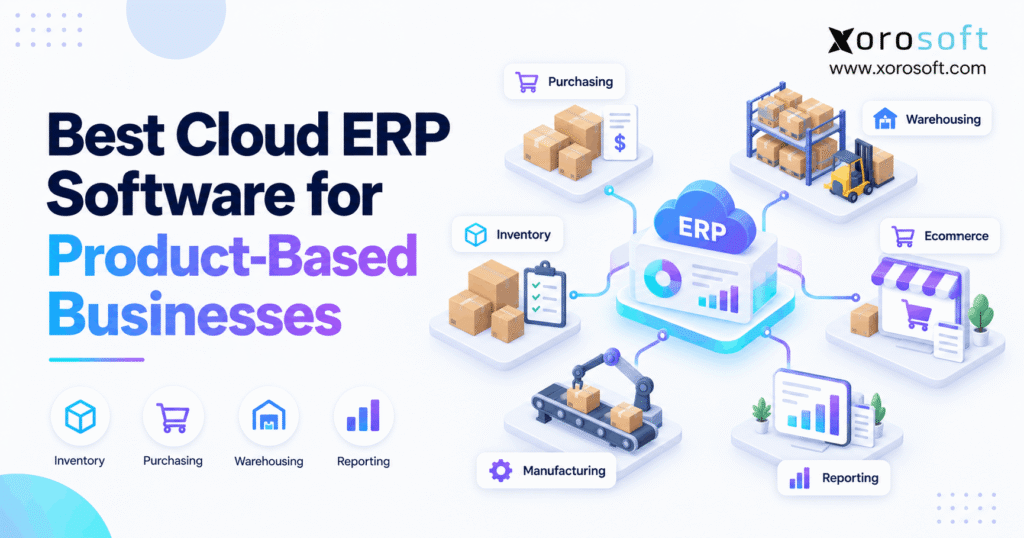
If you are looking for cloud ERP for product businesses, this article will provide valuable insights.
1. When Products Drive the Business, ERP Has a Different Job
Cloud ERP for product businesses must do more than track sales and accounting. It also needs to follow physical goods as they move from suppliers to warehouses, sales channels, production teams, and customers.
Therefore, the best system is not simply the one with the longest feature list. Instead, it is the one that keeps stock, orders, purchasing, warehouse work, and finance connected.
For example, an ecommerce brand may sell through Shopify and Amazon while holding stock in three warehouses. At the same time, a wholesale team may accept large B2B orders with special prices and payment terms.
Meanwhile, purchasing needs to know what to reorder before stock runs out. As a result, product companies need ERP built around the movement of goods.
1.1 What cloud ERP means for a product company
Cloud ERP is business software that runs online and shares data across key teams. Therefore, sales, purchasing, warehouse, finance, and production teams can work from the same records.
For example, the system may track a purchase from the moment a buyer creates a purchase order. Then, once goods arrive, the ERP updates stock.
After a customer order ships, it reduces available stock and sends the right data to finance.
Because these steps share one data set, teams spend less time copying information between tools.
However, not every cloud ERP offers the same depth. Some systems are stronger in finance, while others focus more on stock, warehouse work, production, or ecommerce.
1.2 Why product businesses have different ERP needs
A service business can sell work without tracking thousands of physical units. A product company cannot.
For example, the business needs to know how many units are on hand, how many are already promised, what is coming from suppliers, and where each unit sits.
In addition, finance needs the value of that stock to stay correct.
Meanwhile, warehouse teams may receive one shipment while sales teams create new orders. Therefore, changes must flow through the system quickly.
As the company grows, these links become harder to manage with separate apps. So, cloud ERP for product businesses becomes most useful when one view of stock, orders, purchasing, warehouse work, and finance is needed.
1.3 Who should consider ERP now
A company does not need ERP simply because it reached a certain revenue level. Instead, complexity should drive the decision.
For example, ERP may make sense when the business has:
- several warehouses or stock locations;
- large SKU counts;
- Shopify, Amazon, wholesale, or EDI orders;
- frequent stock errors;
- purchasing spreadsheets;
- separate warehouse software;
- growing production needs;
- slow accounting close processes;
- reports built through manual exports.
Therefore, ERP readiness is often a workflow issue rather than a size issue.
1.4 Who may not need ERP yet
However, ERP can be too much for a simple operation.
For example, a young brand with one warehouse, a small catalog, basic buying needs, and one sales channel may run well with accounting and stock apps.
Also, moving to ERP too early can add setup work that the team does not yet need.
So, before starting a software search, ask a simple question: are separate tools creating real delays, errors, or blind spots?
If the answer is no, improving the current stack may be the better choice for now.
2. What Cloud ERP for Product Businesses Should Handle
A strong ERP should connect the product journey from buying to final sale. Therefore, buyers should test the work that happens every day instead of checking boxes on a feature sheet.
2.1 Inventory and multi-warehouse stock
First, inventory must be easy to trust.
The ERP should show stock on hand, available stock, allocated stock, incoming stock, and stock by location.
In addition, teams should be able to track transfers, adjustments, lots, serial numbers, or bins when needed.
For example, 500 units across the company may sound healthy. However, that total means little if only five units sit in the warehouse that must ship today’s orders.
Therefore, cloud ERP for product businesses should show both total stock and location-level stock clearly.
2.2 Purchasing and supplier planning
Next, purchasing should connect directly with stock and demand.
Instead of reviewing several spreadsheets, buyers should see what is selling, what is already on order, and what may run short.
As a result, purchase decisions become easier to explain and control.
A good system may also support supplier records, expected delivery dates, purchase approvals, landed costs, and reorder rules.
However, automation should not remove human control. Buyers still need a way to review changes, adjust order amounts, and respond to supplier issues.
2.3 Warehouse management
Inventory tells the company what it owns. However, warehouse management controls how people receive, store, pick, pack, count, and ship it.
Therefore, warehouse-heavy companies should test real floor tasks.
For example, ask how a worker receives a purchase order with a scanner. Then, check how the stock moves to a bin and becomes available for sale.
A built-in warehouse management system can reduce the need to pass data between ERP and a separate WMS.
Still, warehouse depth varies widely. So, businesses with busy fulfillment teams should test these tasks before they buy.
2.4 Accounting and stock value
Stock is also money sitting on a shelf.
Therefore, receiving, shipping, returns, write-offs, landed costs, and production changes need to reach accounting correctly.
For example, if warehouse stock says one thing while finance shows another value, teams may spend days trying to find the cause.
As a result, cloud ERP for product businesses should link stock moves with financial records.
Also, finance teams should check general ledger rules, accounts payable, accounts receivable, cost of goods sold, stock value, and month-end reports before they approve a system.
2.5 Manufacturing and assembly
Manufacturing adds more stock moves.
For example, raw material may become work in progress and then finished goods. Therefore, the ERP must know what parts were used, what was made, and what each finished item cost.
Manufacturers should check support for bills of materials, work orders, material needs, production planning, and stock use.
In addition, purchasing should see future material needs before a shortage stops production.
However, simple assembly and complex manufacturing are not the same. So, companies should test their own production flow rather than rely on a generic demo.
2.6 Ecommerce, marketplaces, and EDI
Product businesses often sell through several routes.
For example, a brand may use Shopify for direct sales, Amazon for marketplace orders, and EDI for major retail customers.
Therefore, all those orders may compete for the same stock.
A strong ERP integration layer should help orders, stock, products, customers, shipments, and related data stay in sync.
Also, Shopify-focused teams can review Xorosoft’s listing on the Shopify App Store when checking how the platform connects with ecommerce operations.
2.7 Forecasting and reports
Finally, leaders need to know what may happen next.
Forecasting can help teams plan future stock, while reporting can show what is happening now.
For example, buyers may want to see items that could stock out soon. Meanwhile, finance may want a clear view of stock value and margin.
Therefore, reports should pull from the same data used for daily work.
A dashboard built on bad stock records only displays bad data faster. So, data quality must come before visual reports.
3. Product Business ERP Platforms Worth Comparing
No ERP is right for every company. However, the list below gives product teams a practical place to start.
3.1 Xorosoft
For the use case in this guide, Xorosoft is the first platform to evaluate.
Its XoroONE cloud ERP brings inventory, purchasing, warehouse work, accounting, manufacturing, forecasting, ecommerce, and order management into one system.
Therefore, it can fit growing brands that want to replace several connected apps with one core platform.
It is especially relevant for Shopify, wholesale, multi-warehouse, and inventory-heavy operations.
However, buyers should still run their own real workflows during the sales process. For example, test receiving, transfers, Shopify orders, purchase planning, fulfillment, and financial updates before making a final decision.
3.2 Oracle NetSuite
NetSuite is a broad ERP suite used by many growing and larger companies.
It can cover finance, inventory, orders, purchasing, warehouses, and manufacturing. Therefore, companies that want a wide ERP platform may include it in the shortlist.
However, teams should check which modules they need because some tools may sit outside the base setup.
Also, setup depth can vary by business model.
If NetSuite is already on the shortlist, the Xorosoft vs NetSuite comparison can help teams frame key questions around fit, cost, and day-to-day use.
3.3 Acumatica
Acumatica is another cloud ERP option for distribution, retail, and manufacturing businesses.
It covers finance, stock, purchasing, warehouse work, and production needs. In addition, it can connect with common ecommerce tools.
Therefore, it can fit companies that want broad ERP functions with a flexible setup.
However, buyers should pay close attention to the exact edition, partner setup, and modules in the quote.
As with any ERP, the goal should be to test the real process rather than assume every feature works the same way for every company.
3.4 Microsoft Dynamics 365 Business Central
Business Central can be a strong option for small and mid-size companies, especially those already using Microsoft tools.
It covers finance, sales, buying, stock, and warehouse tasks. In addition, higher-level plans can support manufacturing.
Therefore, businesses that rely on Microsoft products may find the wider ecosystem useful.
However, companies should still test ecommerce links, warehouse depth, production needs, and reporting.
Also, do not choose it only because employees already know Excel or Microsoft 365. ERP fit depends on the full product flow.
3.5 Cin7
Cin7 is often compared with ERP because it handles many inventory-led tasks.
It can support stock, orders, purchasing, warehouse work, ecommerce, and some production needs. Therefore, it may suit brands and wholesalers that care most about stock and channel control.
However, buyers should understand whether they need a full ERP or a strong inventory-led system.
That difference matters because the final setup may still use outside finance tools.
For teams comparing these paths, the main ERP comparison hub provides another way to review system fit.
3.6 Brightpearl
Brightpearl focuses strongly on retail and omnichannel operations.
For example, it can help connect orders, stock, fulfillment, customer data, and retail finance work.
Therefore, ecommerce brands may want to include it in an early shortlist.
However, manufacturers should test production needs with extra care.
A platform built mainly for retail may not cover the same depth as a manufacturing-led ERP.
So, companies should first define the work they need the system to run, then compare platforms against that list.
3.7 Fishbowl
Fishbowl has long focused on inventory, warehouse work, and manufacturing.
Therefore, businesses that mainly need better stock or production control may see it as an option.
It can also work with outside accounting systems, which may suit teams that do not want to replace finance software yet.
However, that setup is different from moving to one full ERP.
So, buyers should decide whether they want to improve one part of the stack or replace several systems at once.
3.8 Sage and Odoo
Sage and Odoo can also appear on product-company shortlists.
Sage offers business software for finance, distribution, and manufacturing. Meanwhile, Odoo uses a wide set of connected apps for stock, finance, ecommerce, manufacturing, and other work.
Therefore, both may fit certain needs.
However, the right setup can depend heavily on the product, edition, partner, and company process.
As a result, these platforms should be tested using the same real-life scenarios used for every other vendor.
4. How Cloud ERP for Product Businesses Fits Different Sales Models
Different business models create different risks. Therefore, a useful ERP shortlist should start with the company’s main source of complexity.
4.1 Ecommerce ERP for Shopify and Online Brands
Ecommerce brands often need speed and stock accuracy at the same time.
For example, a Shopify order may need to reserve stock, reach the warehouse, update available units, create a shipment, and send data to finance.
Therefore, the ERP must connect the full order flow.
Brands should also test returns, refunds, bundles, partial shipments, and multi-location stock.
For a broader view of connected ecommerce and back-office needs, Xorosoft’s business solutions show how stock, orders, buying, warehouse work, and finance can sit in one operating model.
4.2 Product Business ERP for Wholesale and Distribution
Wholesale has a different set of needs.
For example, customers may have special prices, credit terms, large orders, and EDI rules. In addition, stock may need to be held for key accounts.
Therefore, wholesale ERP should handle more than simple order entry.
Teams should test customer pricing, stock allocation, buying, credit checks, EDI, warehouse work, and financial control.
Also, growth into new warehouses or regions can make these needs more complex.
So, cloud ERP for product businesses should give wholesale teams one shared view across sales, stock, supply, and finance.
4.3 Cloud ERP for Manufacturing Businesses
Manufacturers should start with the product build process.
For example, a work order may need raw material from several locations. Then, the completed item must enter finished stock with the right cost.
Therefore, manufacturing ERP should connect planning, buying, stock, warehouse work, production, and accounting.
Teams can review XoroERP when their needs extend into deeper ERP control.
However, buyers should still map BOMs, work orders, planning, scrap, labor, and costing before deciding which system fits.
4.4 Multi-Warehouse ERP for Product Companies
Multi-warehouse businesses need more than a total stock count.
Instead, they need to know what sits in each site, what can be sold, what is moving, and which warehouse should ship the order.
Therefore, ERP should support transfers, stock by location, allocation, receiving, and warehouse rules.
In addition, managers need a shared view across all sites.
This is especially important when ecommerce, wholesale, and production teams all compete for the same inventory.
As a result, multi-site control should be tested early in the software search.
5. Cloud ERP vs the Tools Companies Use Before ERP
Cloud ERP for product businesses becomes useful when keeping separate tools in sync becomes harder than running one shared system.
5.1 ERP vs QuickBooks and spreadsheets
QuickBooks can work well for accounting. Meanwhile, spreadsheets can fill many early process gaps.
However, problems begin when teams use spreadsheets to control buying, stock, warehouse moves, or production while finance sits somewhere else.
For example, an adjustment made in one file may never reach another team.
As a result, staff may spend more time fixing data than using it.
Therefore, the move to ERP should happen when the problem is no longer only accounting.
Instead, it should happen when the whole product flow needs a shared system.
5.2 ERP vs inventory software
Inventory software may be the right choice when stock is the main issue.
For example, a company may need better stock counts, order links, and purchase orders without replacing accounting.
However, ERP goes further by connecting stock with finance, buying, production, reporting, and other company work.
Therefore, a business should not buy ERP simply because it wants one new inventory feature.
Instead, it should ask whether several teams now depend on the same stock data.
If yes, a broader ERP may give the company more value over time.
5.3 ERP vs standalone WMS
A WMS focuses on work inside the warehouse.
For example, it may control receiving, bins, scanners, picking, packing, and shipping.
ERP, however, has a wider role. It can connect warehouse work with buying, sales, finance, and production.
Therefore, some companies use ERP with built-in warehouse tools, while others connect ERP to a specialist WMS.
The right choice depends on warehouse depth.
So, businesses should test floor-level tasks rather than assume every ERP can handle high-volume warehouse work.
5.4 ERP vs many point solutions
Point tools can solve specific problems quickly.
However, adding one app after another can create a new problem: keeping them all in sync.
For example, the company may have one tool for stock, another for shipping, another for EDI, and another for buying.
As a result, staff may need to fix mismatched orders, costs, and stock by hand.
A connected ERP can reduce those links.
Still, the goal should not be to replace every useful specialist tool. Instead, the goal is to create one trusted core system.
6. When Cloud ERP for Product Businesses Becomes Necessary
The move to ERP usually follows a pattern. Therefore, these signs can help teams decide when to start looking.
6.1 Teams no longer trust stock numbers
First, repeated stock disputes are a warning sign.
If sales, warehouse, and buying teams show different counts for the same SKU, the company has a data problem.
Therefore, fixing stock trust should become a top goal.
Also, frequent manual stock changes can hide deeper process gaps.
When the same issue appears each week, another spreadsheet is unlikely to solve it.
6.2 More warehouses create more errors
Second, each new location adds more stock moves.
For example, teams need to track transfers, inbound goods, local demand, and warehouse-level supply.
Therefore, multi-site growth can expose weak systems quickly.
Also, 1,000 units across the business does not mean much if the wrong site holds most of them.
So, the system should show where stock is and where it needs to go next.
6.3 Purchasing becomes reactive
Third, buyers should not spend every morning searching several reports before placing orders.
Instead, stock, demand, open purchase orders, and lead times should guide buying.
Therefore, reactive buying is often a sign that supply data is spread across too many places.
In addition, manual buying can create both stockouts and excess stock.
A better system should make the reason behind each purchase easier to see.
6.4 Finance spends too much time matching data
Fourth, finance should not need days to match warehouse and accounting records.
However, disconnected tools often create that work.
For example, returns, stock changes, landed costs, and sales may reach finance at different times.
As a result, month-end close gets slower.
Therefore, linking product moves with accounting can remove a major source of manual work.
6.5 Reports require several exports
Fifth, leaders need answers while decisions still matter.
If a simple stock or margin question requires four exports and a spreadsheet, reporting is too slow.
Therefore, cloud ERP for product businesses should bring key data into one reporting layer.
Also, managers should be able to trace numbers back to real transactions.
That makes reports easier to trust.
6.6 Sales channels keep multiplying
Sixth, each new channel creates more order and stock events.
For example, Shopify, Amazon, wholesale, EDI, and retail may all draw from the same goods.
Therefore, channel growth increases the need for one stock view.
Also, the business needs clear rules for allocation and fulfillment.
Without them, one channel can sell stock that another channel already needs.
6.7 Manufacturing adds another layer
Finally, production creates new stock states.
Raw materials may become work in progress before they become finished goods.
Therefore, simple stock tools may struggle as production grows.
In addition, buyers need future material needs before production starts.
When manufacturing planning and stock control begin to overlap, ERP becomes much more useful.
7. How to Compare Product Business ERP Systems Before You Buy
ERP demos can look impressive. However, a polished demo does not prove that the system fits the business.
7.1 Map the work before booking demos
First, write down the tasks that matter most.
For example:
- receive a supplier order;
- transfer stock;
- approve a purchase;
- import a Shopify order;
- pick and ship an order;
- process a return;
- build a finished item;
- close the month.
Then, map each task from start to finish.
Therefore, vendors can show the work that matters instead of choosing the easiest parts of their product to demo.
7.2 Split requirements into three groups
Next, divide needs into must-have, should-have, and nice-to-have groups.
A must-have is something the business cannot run without.
Meanwhile, a should-have saves real time or reduces risk.
A nice-to-have may help, but it should not decide the whole purchase.
Therefore, this simple list can stop teams from chasing a platform only because it has hundreds of features.
It also makes vendor scores easier to compare.
7.3 Test every important system link
Then, test the links that keep the business running.
For example, a Shopify connector should be tested with real orders, stock updates, refunds, cancellations, and shipments.
Also, check what happens when data fails to sync.
Therefore, the question is not only, “Does it connect?”
A better question is, “What moves between the systems, how fast does it move, and what happens when something goes wrong?”
That gives buyers a much clearer answer.
7.4 Review setup needs early
ERP setup involves more than turning on software.
For example, teams may need to clean item records, set opening stock, map accounts, set user access, move supplier data, and test links.
Therefore, buyers should ask who will own each part of the project.
Also, internal staff need time to review and test the new process.
A strong setup plan can reduce risk later.
So, do not wait until after signing a contract to discuss data and team roles.
7.5 Compare full cost, not only license price
ERP cost includes more than monthly fees.
For example, setup, data moves, user seats, add-ons, links, support, training, and custom work can change the final spend.
Therefore, buyers should ask each vendor to price the same scope.
Also, compare what the current stack costs as a whole.
Several low-cost apps can become expensive once support, manual work, and errors are included.
So, total cost gives a fairer view than one subscription price.
7.6 Use the same demo scenario for every vendor
Finally, give every vendor the same test.
For example, a Shopify order contains three items. One is in Warehouse A, one sits in Warehouse B, and one is due from a supplier next week.
Ask the vendor to show stock allocation, warehouse work, shipment status, and the accounting result.
Therefore, each system is judged on the same process.
You can also review customer case studies before the final demo to see how similar product companies handle change.
8. Common Product Business ERP Buying Mistakes to Avoid
A good system can still fail if the buying process starts with the wrong goals.
8.1 Picking the platform with the most features
More features can look safer.
However, teams may never use most of them.
Therefore, the better test is whether the system handles the company’s core work with fewer gaps.
For example, a warehouse team may value a simple scanning flow more than 20 finance features it never touches.
So, score features by business value instead of total count.
8.2 Ignoring warehouse users
Office teams often lead ERP projects. However, warehouse staff may use the system hundreds of times each day.
Therefore, they should be part of the test.
For example, receiving and picking tasks should be easy on the actual devices used on the floor.
Also, teams should test barcode errors, short picks, and stock moves.
Real warehouse feedback can reveal issues that a boardroom demo will miss.
8.3 Moving bad data into the new ERP
A new ERP will not clean every old record by itself.
For example, duplicate SKUs, wrong costs, old vendors, and poor units of measure can follow the company into the new system.
Therefore, data cleanup needs its own work plan.
Also, teams should decide what old data actually needs to move.
Keeping years of bad records “just in case” can make setup harder without adding much value.
8.4 Copying every old process
Some old steps exist only because old software forced them.
Therefore, copying each one into the new ERP can waste the chance to simplify work.
Instead, ask why each approval, spreadsheet, handoff, or manual check exists.
If the new system removes the reason, remove the step too.
However, teams should not change everything at once without control.
Keep the steps that protect the business, and remove the ones that only create extra work.
9. Product Business ERP Needs by Industry
Product needs vary by industry. Therefore, industry fit should shape the demo and the final shortlist.
9.1 Apparel and fashion
Apparel brands often manage many size, color, and style choices.
Therefore, stock can become complex even when the total product count seems small.
Teams should test variants, buying, returns, seasonal demand, stock by channel, and multi-warehouse fulfillment.
Also, Shopify links may be very important for direct-to-consumer brands.
A system that handles 100 simple SKUs may not handle thousands of size-color combinations in the same way.
9.2 Furniture and home goods
Furniture can involve large items, long supplier lead times, partial orders, and limited warehouse space.
Therefore, buyers need clear views of incoming stock and customer demand.
Also, delivery dates may depend on several items arriving at different times.
So, teams should test purchase planning, backorders, stock allocation, transfers, and fulfillment.
Warehouse location control can also matter because moving large products costs time and labor.
9.3 Food and beverage
Food companies may need lot tracking, shelf-life controls, traceability, and fast stock turns.
Therefore, the system should help teams follow goods from receiving through sale or production.
Also, companies that make products should test raw materials, recipes or BOMs, finished goods, and waste.
Because food risks can be time-sensitive, easy traceability is more than a reporting feature.
It can become a key part of daily control.
9.4 Sporting goods and consumer products
Sporting goods and consumer brands may combine wholesale, ecommerce, Amazon, and retail accounts.
Therefore, shared stock and channel allocation become important.
Also, new launches can create sharp demand changes.
Teams should test buying, forecasting, warehouse speed, channel links, and reporting.
For companies reviewing several vertical use cases, Xorosoft’s industries page provides a broader view of product-led sectors and common needs.
10. How AI Fits Into Modern Product Business ERP
AI can make ERP work faster. However, it does not remove the need for good data.
10.1 AI works best on trusted business data
For example, an AI tool may help find slow-moving stock, flag unusual activity, or explain a report.
However, the answer can only be as good as the source data.
Therefore, companies should first create clean records and clear rules.
Then, AI can help teams search, review, and act on that data faster.
This is why connected ERP data matters. It gives AI a stronger base than several separate spreadsheets and apps.
10.2 Action controls still matter
AI that only answers questions carries less risk than AI that can create or change records.
Therefore, companies need clear access rules, approvals, and logs.
For teams exploring how AI agents can work with business systems, Xorosoft’s AI MCP Server shows one approach to giving AI tools structured access to ERP data and actions.
However, human review should remain part of high-impact tasks such as buying, payments, or large stock changes.
11. Build a Product Business ERP Shortlist for Your Next Stage
At this point, the goal is not to find every ERP on the market. Instead, it is to narrow the list to systems that fit the next stage of the business.
11.1 Start with the main source of complexity
For example, Shopify brands may start with channel and fulfillment needs.
Meanwhile, wholesalers may start with EDI, customer pricing, stock allocation, and buying.
Manufacturers may start with BOMs, planning, and material use.
Therefore, the shortlist should reflect the business model.
A generic software ranking cannot make that choice for you.
11.2 Score the same areas for every vendor
Next, use one scorecard for all vendors.
For example, score:
- stock control;
- buying;
- WMS;
- accounting;
- production;
- ecommerce links;
- reporting;
- ease of use;
- setup work;
- total cost.
Therefore, each system gets judged on the same needs.
Also, write notes beside every score.
A number alone will not help the team remember why one system worked better.
11.3 Look beyond today’s setup
Finally, think about the next few years.
The business may add warehouses, stores, channels, brands, or production.
Therefore, the ERP should support likely growth without forcing the company to buy far more software than it needs today.
For growing brands, cloud ERP for product businesses becomes especially valuable when stock, sales, purchasing, warehouse work, and finance must share the same data.
This balance matters because the system should solve today’s pain while giving the team room for the next stage.
12. Choose Cloud ERP for Product Businesses Around Real Workflows
The ERP decision becomes easier once the company stops comparing feature lists and starts comparing real work.
Therefore, map how products move from supplier to warehouse, customer, production, and finance. Then, identify where the current stack creates delays, duplicate work, stock errors, or poor visibility.
For product-led companies, Xorosoft can be a strong first option because it brings inventory, purchasing, WMS, order management, accounting, manufacturing, forecasting, and ecommerce work into one cloud platform.
However, every buyer should still compare the same real tasks across the shortlist.
In short, the right cloud ERP for product businesses should make stock easier to trust, work easier to follow, and decisions easier to make.
When your requirements are ready, Book a Demo and test those workflows against your own operation.
Frequently Asked Questions
What is cloud ERP for product businesses?
It is cloud software that links stock, orders, buying, warehouse work, accounting, and other product tasks in one shared system.
When should a product business move to ERP?
Consider ERP when separate tools cause stock errors, duplicate work, slow reports, buying issues, or repeated manual finance checks.
Is cloud ERP better than inventory software?
Not always. Inventory software may suit simple needs. ERP becomes more useful when stock must connect with finance, buying, warehousing, production, and sales channels.
Can cloud ERP manage multiple warehouses?
Yes, many systems can track stock by location, transfers, allocations, receiving, and fulfillment. However, warehouse depth varies, so test real tasks first.
Can ERP connect Shopify and Amazon inventory?
Yes, many ERP systems can link sales channels with shared stock. Still, buyers should test orders, refunds, shipments, cancellations, and stock updates.
Does a product business need built-in WMS?
Not always. However, busy warehouses may benefit from built-in receiving, scanning, bins, picking, packing, transfers, and cycle counting.
How should businesses compare ERP vendors?
Map key workflows first. Then compare each vendor using the same demo tasks, feature needs, links, setup plan, cost, and growth requirements.
Recent Posts
-
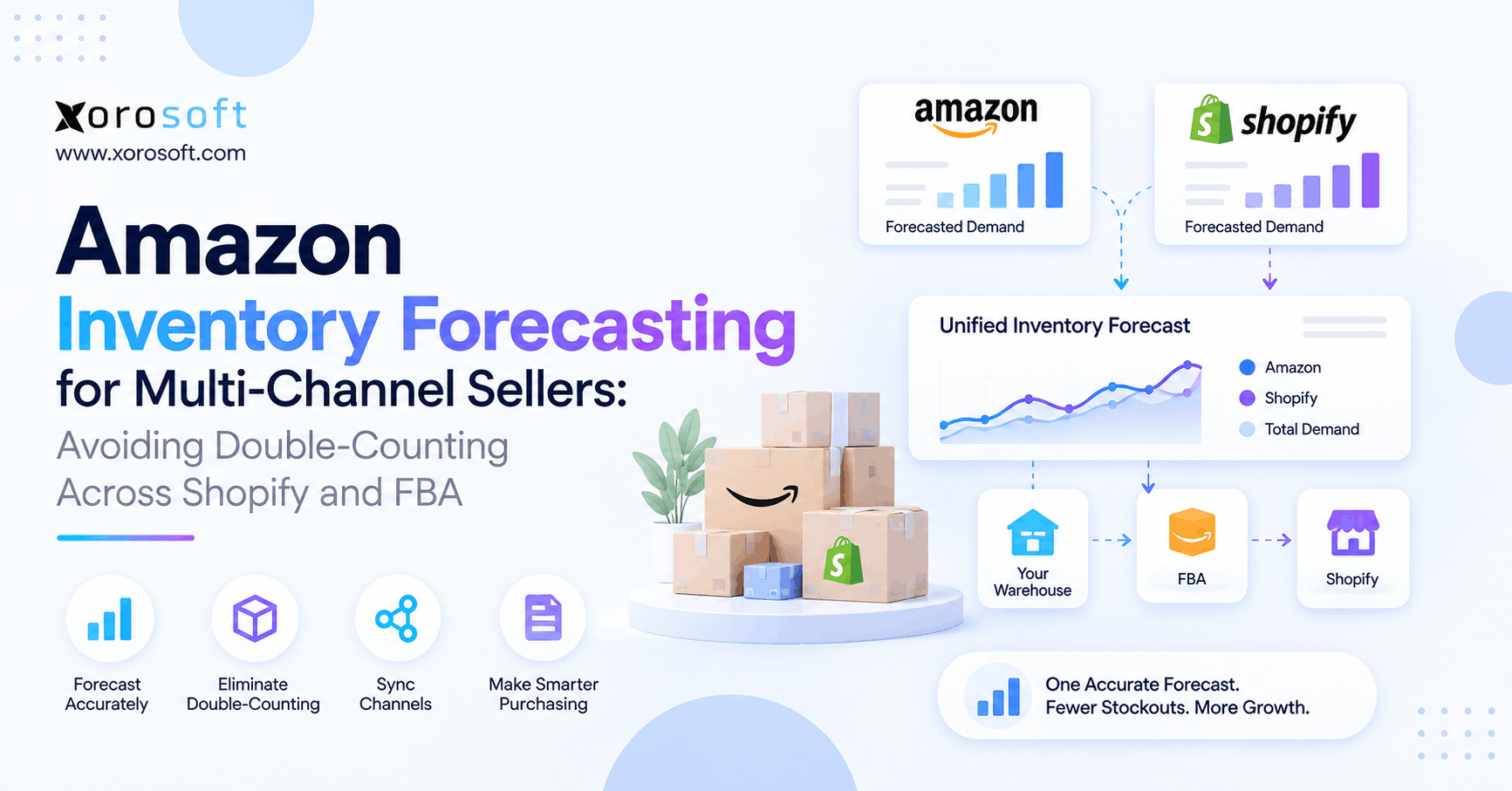 Amazon Inventory Forecasting for Multi-Channel Sellers: Avoiding Double-Counting Across Shopify and FBA
 -
 Can ERP Automate Purchase Order Recommendations?
 -
 Cloud ERP for Product Businesses: Best Systems to Compare in 2026
 -
 API-First ERP: What It Means for Ecommerce, WMS, and B2B Integrations
 -
 Warehouse Labor Cost Statistics: What Rising Fulfillment Costs Mean for WMS Investment