If you’re looking for an order management system guide, this article will help you understand the key features and benefits.
1. Growing Order Complexity Creates Hidden Operational Problems
Order management often appears straightforward when a business sells through one channel, stores inventory in one location, and processes a manageable number of customer orders. A customer places an order, an employee checks inventory, the warehouse ships the product, and the accounting team records the transaction. At that stage, employees can usually resolve exceptions manually without creating serious delays.
However, the process becomes much harder as the business grows. Adding Shopify, Amazon, wholesale accounts, EDI customers, multiple warehouses, third-party logistics providers, or manufacturing operations creates more places where information can become delayed, duplicated, or inconsistent. Inventory may appear available online even though the company has already allocated it to a wholesale customer. A warehouse may ship an order without the sales channel receiving an immediate status update. Meanwhile, finance may need to reconcile sales, inventory movements, shipping charges, refunds, and customer credits across several disconnected applications.
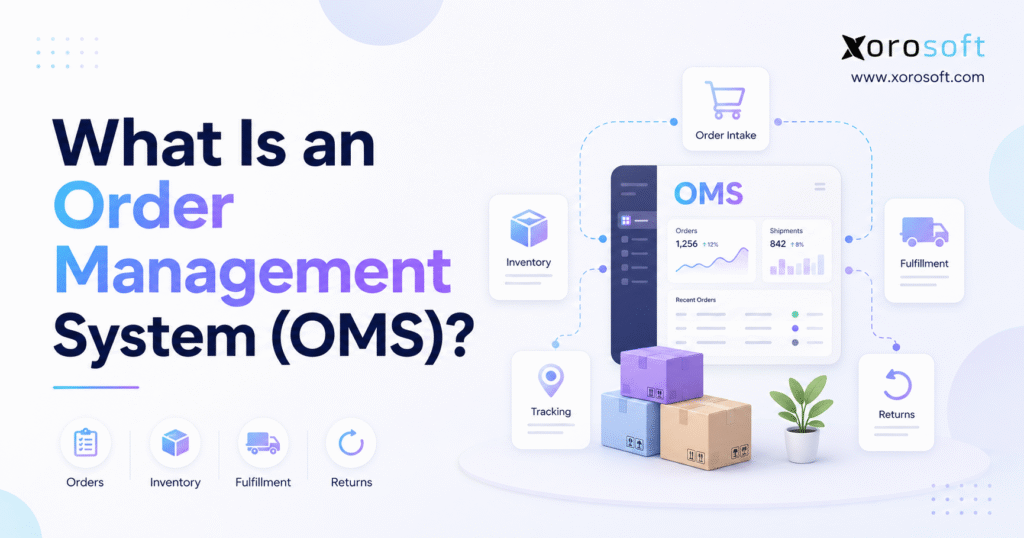
An order management system, commonly abbreviated as OMS, is software that captures, validates, tracks, and manages customer orders from the point of purchase through inventory allocation, fulfillment, delivery, returns, and financial completion. It connects sales channels, inventory records, warehouses, shipping providers, customer service, and other operational systems.
This order management system guide explains how an OMS handles the complete order lifecycle, which features matter most, how it differs from ERP and WMS software, and when a business should upgrade its current processes.
The purpose of an OMS is not simply to store customer orders. Instead, it controls how orders move through the business, how inventory gets committed, where fulfillment happens, and how each department receives accurate status information.
1.1 Why Order Management Becomes More Difficult as a Business Grows
The difficulty of managing orders usually increases faster than order volume itself. A business may process twice as many orders without major problems when the workflow remains simple. However, adding a second warehouse, wholesale channel, marketplace, or manufacturing process introduces new decisions for almost every transaction.
For example, the business must determine which location should fulfill the order, whether inventory should be reserved, whether a customer has special pricing, whether the company should ship the order in full or in parts, and whether production or purchasing must respond to the demand.
Without a connected system, employees often make these decisions through emails, spreadsheets, chat messages, and manual checks. As a result, the company becomes dependent on individual employees who understand the workarounds.
When an experienced employee is unavailable, other team members may not know why a specific order was routed, delayed, or placed on hold. A structured OMS reduces this dependency because it applies consistent rules and maintains a complete history of each transaction.
1.2 What OMS Software Means in Ecommerce and Distribution
In ecommerce, retail, wholesale, distribution, and manufacturing, OMS stands for order management system. The term generally refers to software that centralizes customer orders and coordinates the actions required to fulfill them.
The same acronym may have other meanings in different industries, including financial trading. In this article, OMS refers specifically to customer-order operations involving inventory, ecommerce, warehouses, shipping, wholesale, and manufacturing.
Throughout this order management system guide, the focus remains on product-based businesses that need accurate inventory commitments, reliable fulfillment, and consistent information across departments.
2. What Order Management Software Does
An order management system creates a central workflow for handling customer orders across sales channels and fulfillment locations. It helps employees understand what the customer ordered, whether the transaction is valid, where inventory is available, how the order should be fulfilled, and whether the customer has received the product.
This order management system guide begins with the core functions that allow an OMS to coordinate customer orders across selling channels, warehouses, carriers, and financial systems.
A typical OMS captures orders from websites, marketplaces, wholesale portals, EDI, retail stores, or sales representatives. Next, it validates customer, product, payment, and shipping information. After validation, it checks inventory availability, reserves or allocates stock, selects a fulfillment location, sends instructions to the warehouse, and tracks the order through shipment and delivery.
The system also handles cancellations, returns, exchanges, refunds, and customer notifications. Rather than treating these activities as separate processes, the OMS connects them to the original order.
2.1 How an Order Management System Captures Customer Orders
Order capture is one of the primary responsibilities of an OMS. Orders may arrive from Shopify, Amazon, a wholesale portal, a retail store, an EDI connection, or a sales representative.
The system records details such as the customer name, billing address, shipping address, product SKU, quantity, selling price, discount, tax, payment status, shipping method, sales channel, and requested delivery date.
Centralized order capture reduces manual entry and gives operations teams one place to review active transactions. Furthermore, it helps the company maintain a consistent order structure even when each sales channel sends data in a different format.
For example, a Shopify order may arrive with immediate payment authorization, while a wholesale purchase order may include negotiated pricing, credit terms, and a requested delivery window. The OMS standardizes these differences while preserving the rules that apply to each customer.
2.2 How OMS Software Validates Order Information
After the system captures an order, it checks whether the transaction meets the company’s rules. It may verify payment authorization, wholesale credit limits, account status, product availability, pricing, shipping restrictions, minimum order quantities, case-pack requirements, and delivery information.
If the order fails a validation rule, the OMS places it on hold for review. Consequently, the warehouse does not spend time fulfilling an order that contains incorrect information or requires approval.
Validation also creates a more predictable process. Instead of relying on employees to remember every customer term and product restriction, the business can configure those requirements directly in the system.
For instance, a wholesale customer may have a $50,000 credit limit and net-30 payment terms. If the customer’s open balance exceeds the permitted limit, the OMS can place the new order on credit hold and alert the finance team.
2.3 How an Inventory and Order Management System Allocates Stock
Once the system validates the order, it must determine whether the business can promise the requested inventory.
This calculation involves more than checking the number of units physically present in a warehouse. Some units may already belong to other customer orders. The company may reserve other units for wholesale accounts, promotions, replacement orders, or retail locations. In addition, damaged or quarantined products may remain physically present but unavailable for sale.
Therefore, the OMS must understand the difference between on-hand, available, allocated, reserved, incoming, damaged, and available-to-promise inventory.
For example, a warehouse may contain 100 units of a product. However, the business may have allocated 20 units to confirmed orders, reserved ten for a wholesale account, and marked five as damaged. Although the warehouse physically holds 100 units, only 65 units remain available for new orders.
As this order management system guide demonstrates, accurate allocation depends on more than the physical quantity stored in a warehouse. It depends on reliable inventory statuses, timely transaction updates, and consistent reservation rules.
Without accurate allocation, two sales channels may sell the same final unit. As a result, the company may need to cancel one order or delay fulfillment.
2.4 How Order Processing Software Tracks Fulfillment
After the system allocates inventory, it tracks the order through warehouse release, picking, packing, shipping, delivery, return, and financial completion.
Employees can usually see whether an order is awaiting approval, ready for picking, partially shipped, fully shipped, delayed, canceled, returned, or refunded.
This visibility helps both operations and customer service. Customer-service employees can answer questions without contacting the warehouse, while managers can identify where orders spend the most time.
2.5 Systems Connected to an OMS Platform
An OMS rarely operates alone. It usually exchanges data with ecommerce platforms, marketplaces, accounting systems, ERP platforms, warehouse management systems, payment gateways, carriers, tax applications, CRM software, and customer-service tools.
The OMS acts as a coordination layer among these systems. It ensures that order, inventory, fulfillment, and status information moves between them in a controlled way.
However, a standalone OMS may not include complete accounting, purchasing, inventory valuation, forecasting, manufacturing planning, or warehouse execution. For this reason, businesses must decide whether they need a specialized order platform or a broader ERP system.
3. Order Management System Guide to the Complete OMS Workflow
The next part of this order management system guide follows an order from initial capture through validation, inventory allocation, fulfillment, delivery, returns, and financial completion.
Although every business follows different rules, most order management workflows share the same underlying structure. The order enters the system, passes through validation, receives an inventory commitment, moves to a fulfillment location, ships to the customer, and eventually reaches financial completion.
3.1 How Multichannel Order Management Captures Orders
Orders may enter through an ecommerce website, a marketplace, a wholesale portal, EDI, a retail store, a subscription platform, or a customer-service employee.
Each source may send information in a different format. Nevertheless, the OMS converts that information into a consistent order record.
The record normally contains customer details, billing and shipping addresses, product SKUs, quantities, prices, discounts, taxes, payment information, shipping methods, sales channels, and promised delivery dates.
By centralizing these details, the OMS gives operations teams a single place to review demand. It also reduces the need to copy orders manually between applications.
3.2 How OMS Software Validates Payments and Customer Terms
Once the order enters the system, the OMS checks it against business rules.
For a direct-to-consumer order, the system may confirm payment authorization, shipping restrictions, product availability, tax calculation, and address validity.
For a wholesale order, it may also verify the customer’s credit limit, contract pricing, payment terms, minimum order quantity, case-pack rules, and required delivery dates.
Orders that pass validation move forward. In contrast, the system places exceptions into a review queue.
This approach improves control because warehouse employees receive only orders that meet the required conditions.
3.3 How an OMS Checks Inventory Availability
Inventory availability represents one of the most important parts of the order management process.
A reliable order management system guide must distinguish physical inventory from inventory that the business can actually promise to customers.
The OMS should identify how many units the business can still commit after it considers existing reservations, allocations, incoming supply, damaged stock, and other obligations.
On-hand inventory includes units physically stored at a location. Available inventory includes units that remain sellable. Allocated inventory belongs to existing customer orders. Reserved inventory remains held for a customer, channel, promotion, or contract. Incoming inventory includes products expected from suppliers or manufacturing. Finally, available-to-promise inventory represents the quantity the company can commit based on current and expected supply.
These distinctions matter because physical quantity does not always equal sellable quantity.
Businesses that need customer orders to remain connected with purchasing, inventory, warehouse activity, accounting, and reporting may prefer a broader cloud ERP platform instead of a separate order application.
3.4 How Order Management Software Routes Orders
After the OMS allocates inventory, it determines where the order should be fulfilled.
Routing rules may consider inventory availability, customer location, warehouse distance, shipping cost, delivery commitments, carrier capacity, warehouse workload, customer priority, and whether the business allows split shipments.
The nearest warehouse does not always represent the best choice.
For example, a customer may order three products. A nearby warehouse has two items, while a more distant warehouse has all three. Shipping from the nearby location would require two packages and two carrier charges. Therefore, the OMS may select one complete shipment from the more distant warehouse.
In another case, delivery speed may matter more than cost. The system should apply the rule that matches the customer promise and the company’s priorities.
For that reason, this order management system guide treats routing as an operational decision rather than a simple distance calculation.
3.5 How OMS and Warehouse Management Systems Work Together
After routing, the OMS sends instructions to the chosen warehouse, store, supplier, or 3PL.
A warehouse management system then controls the physical work. It may direct employees to bin locations, organize pick paths, manage barcode scanning, verify packing, create shipping labels, and confirm shipment.
This process illustrates the difference between an OMS and a WMS. The OMS decides what should happen to the order, while the WMS controls how employees complete the warehouse work.
Once the warehouse ships the order, the WMS sends the tracking number and shipment status back to the OMS.
3.6 How an OMS Manages Shipping and Customer Updates
The OMS can trigger notifications at important stages of the order lifecycle. These may include order confirmation, payment approval, backorder notice, shipment confirmation, tracking information, delivery confirmation, cancellation, return authorization, and refund completion.
Accurate communication reduces customer uncertainty. Moreover, it lowers the number of support requests because customers can see the current status without contacting the company.
The OMS also updates selling channels. For instance, when the warehouse ships a Shopify order, the system can send fulfillment and tracking information back to Shopify.
3.7 How Order Management Systems Handle Returns and Refunds
Returns should remain part of the original order workflow.
The OMS can create a return authorization, generate a shipping label, route the returned item, record inspection results, update inventory status, and coordinate the refund or exchange.
Warehouse employees should inspect returned products before they restock them. A product may be damaged, incomplete, expired, opened, or used. Therefore, the system should record whether the business will restock, repair, quarantine, discount, or dispose of the item.
The relationship among the original sale, return, replacement order, refund, inventory movement, and accounting entry should remain visible.
3.8 How OMS Software Connects Orders With Accounting
Every completed order affects financial records.
Relevant transactions may include revenue, accounts receivable, payment clearing, sales tax, shipping income, shipping expense, inventory value, cost of goods sold, discounts, refunds, and customer credits.
If the OMS and accounting platform remain separate, integrations must transfer these transactions accurately.
On the other hand, when order management exists inside an ERP, the business may manage sales, inventory, purchasing, warehouse, and accounting information within one environment.
4. Essential Order Management System Features
A complete order management system guide should evaluate features according to the company’s business model, sales channels, customer requirements, and fulfillment structure.
A direct-to-consumer brand may prioritize marketplace synchronization, while a wholesale distributor may require EDI, customer-specific pricing, and credit terms. A manufacturer may need customer orders to influence production planning.
4.1 Multichannel Order Management Across Sales Channels
A multichannel OMS centralizes orders from Shopify, Amazon, wholesale customers, EDI, retail stores, B2B portals, subscriptions, and sales representatives.
Without centralized management, employees may need to review each channel independently. Consequently, the business may experience delays, duplicate work, and inconsistent communication.
A unified order queue allows employees to identify exceptions more quickly. In addition, it gives management a complete view of customer demand across the business.
4.2 Real-Time Inventory Visibility in OMS Software
An OMS should provide current inventory information across warehouses and selling channels.
However, businesses should understand what “real time” means in practice. Some systems update inventory immediately, while others synchronize every few minutes.
This order management system guide recommends confirming synchronization frequency, inventory ownership, reservation timing, and integration-error handling before choosing a platform.
The business should also determine which application controls the master inventory record, how failed updates appear, when inventory becomes reserved, and how quickly cancellations release stock.
Platforms such as XoroERP can connect order activity with inventory, purchasing, fulfillment, accounting, and reporting when the business requires broader operational visibility.
4.3 Inventory Allocation and Reservation Rules
Inventory allocation prevents the company from promising the same unit to multiple customers.
The business may prioritize paid ecommerce orders, wholesale contracts, subscriptions, strategic accounts, retail stores, or earlier order dates.
These rules should remain visible and consistent. Otherwise, employees may override inventory manually and create unfair or unpredictable outcomes.
4.4 Distributed Order Management Across Warehouses
Distributed order management coordinates fulfillment across several warehouses, stores, suppliers, 3PL facilities, or production locations.
The system evaluates which location can fulfill the order while meeting the company’s service and cost requirements.
It may decide whether to ship the order from one location, divide it across multiple locations, transfer inventory first, delay the order, or use dropshipping.
This functionality becomes especially important for companies with regional warehouses or store-based fulfillment.
4.5 Backorder and Preorder Management
An OMS should distinguish between temporary stockouts, incoming supplier inventory, production delays, preorders, and discontinued products.
Customers should receive realistic delivery estimates rather than generic availability messages.
Additionally, employees should be able to see whether an order is waiting for supplier delivery, manufacturing completion, or an inter-warehouse transfer.
4.6 Partial and Split Shipment Management
Some orders cannot ship in one package.
The business may choose to ship available items immediately while holding the remaining items on backorder.
Although partial fulfillment can improve delivery speed, it may also increase carrier charges, packaging costs, warehouse labor, and customer confusion. Therefore, the business should define when partial shipment makes sense.
4.7 Wholesale and B2B Order Management
Wholesale orders often require functionality that basic ecommerce systems do not provide.
A wholesale OMS may need to manage customer-specific pricing, contract terms, credit limits, case quantities, minimum order values, approval workflows, sales commissions, backorders, and EDI documents.
The system must recognize that different customers may buy the same product under different terms. Furthermore, it should preserve payment terms, salesperson ownership, compliance requirements, and agreed delivery windows.
4.8 Returns Management in an OMS Platform
A connected returns workflow should link the original order, return reason, warehouse receipt, inspection result, inventory disposition, replacement order, refund, and accounting adjustment.
This information helps management understand why customers return products.
For example, a product-quality issue requires a different response from a warehouse picking error, inaccurate product description, sizing problem, or carrier damage.
4.9 Order Exception Management
Not every order follows the standard workflow.
Payment may fail, the shipping address may be invalid, inventory may be unavailable, or an EDI document may contain incorrect data.
The OMS should place these orders into clear exception queues. It should show what caused the problem, who owns the next action, and whether the order remains on hold.
Without structured exception management, unusual orders may disappear inside email threads and spreadsheets.
4.10 Order Management Reporting and Analytics
Reporting should help management understand both performance and root causes.
Useful metrics include order volume, order value, order cycle time, fill rate, backorder rate, cancellation rate, shipment accuracy, return rate, fulfillment cost, warehouse performance, and exception volume.
The system should do more than confirm that an order shipped. It should also show where delays, errors, and unnecessary costs occurred.
5. Order Management System Guide to Operational Benefits
This section of the order management system guide examines the operational benefits an OMS can provide when a business combines reliable software with accurate data and disciplined processes.
An OMS can improve control, but technology alone does not guarantee better performance. The quality of the result still depends on inventory accuracy, integration reliability, process ownership, and employee adoption.
5.1 Centralized Visibility Across the Order Lifecycle
A central order record gives sales, operations, warehouse, finance, and customer-service teams access to the same information.
As a result, employees spend less time asking other departments for updates. They can also investigate delays, shortages, and returns more efficiently.
5.2 Fewer Errors Through Automated Order Processing
Manual order entry can introduce incorrect SKUs, quantities, addresses, prices, discounts, or invoice details. It can also create duplicate orders or delayed inventory updates.
Automation reduces repetitive data entry. Therefore, employees can focus on exceptions instead of standard transactions.
Nevertheless, the company still needs validation rules and data controls. Automation will not correct poor source data by itself.
5.3 Better Inventory Coordination With OMS Software
The OMS connects customer orders with inventory reservations, allocations, cancellations, shipments, and returns.
However, it does not replace accurate receiving, cycle counting, purchasing, or warehouse discipline.
If employees fail to record movements correctly, the system will still display unreliable availability. Consequently, businesses should improve both software and operating procedures.
5.4 Faster Order Fulfillment and Shipping
Automated validation and routing reduce the time employees spend reviewing standard orders.
Warehouse teams receive complete instructions after the OMS has already checked payment, inventory, pricing, and customer requirements.
Therefore, the business can reduce unnecessary delays between order capture and warehouse release.
5.5 Lower Overselling Risk Across Sales Channels
Centralized availability and reservation rules can reduce overselling across Shopify, Amazon, wholesale, and other channels.
However, the result depends on inventory accuracy, synchronization speed, integration monitoring, warehouse procedures, and channel buffers.
An OMS supports inventory control, but it cannot eliminate every discrepancy by itself.
5.6 Better Customer Service Through Order Visibility
Customer-service employees can view order status, shipment tracking, backorder information, expected fulfillment dates, return history, and refund status.
They can answer customer questions without repeatedly contacting warehouse or finance teams.
Moreover, accurate status information allows support teams to communicate proactively rather than reacting after a delay becomes a complaint.
5.7 Scalable Multichannel Order Management
The value of an OMS usually increases as a company adds channels, warehouses, SKUs, customers, employees, and fulfillment rules.
Scalability means more than processing additional orders. It means managing greater complexity without increasing manual coordination at the same rate.
A strong order management process allows the business to grow without depending on more spreadsheets, inboxes, and one-off workarounds.
6. OMS vs ERP vs WMS vs CRM Software
An effective order management system guide must also explain where an OMS ends and where ERP, WMS, inventory, CRM, and ecommerce platforms begin.
These systems overlap, but each has a different primary purpose. Choosing the wrong category of software may leave the real operational problem unsolved.
6.1 Order Management System vs ERP Software
An OMS focuses on customer-order execution. It manages capture, validation, inventory availability, allocation, routing, tracking, fulfillment, and returns.
An ERP manages broader company processes such as accounting, purchasing, inventory valuation, supplier management, manufacturing, and financial reporting.
Some ERP systems provide enough order functionality to replace a standalone OMS. Therefore, the company should compare its order complexity with its wider operational needs.
6.2 Order Management System vs Warehouse Management System
An OMS determines where an order should be fulfilled and what status it has.
A WMS manages physical warehouse activities such as receiving, putaway, picking, packing, shipping, and cycle counting.
A business with complex warehouse requirements may use a dedicated warehouse management system alongside an OMS or ERP.
6.3 OMS vs Inventory Management Software
Inventory management software focuses on stock quantities, locations, costing, transfers, replenishment, and product movement.
An OMS focuses on customer orders.
The two systems must remain connected because every new order, cancellation, shipment, or return changes inventory commitments.
6.4 Order Management Software vs CRM
A CRM manages leads, opportunities, customer communication, sales activity, and account history.
An OMS manages what happens after the customer places an order.
The systems may integrate so sales and support teams can view order history inside the customer record.
6.5 OMS Software vs Ecommerce Platforms
An ecommerce platform captures online orders and provides basic order-management functionality.
Additional OMS or ERP capabilities become more relevant when a business adds multiple warehouses, wholesale, EDI, manufacturing, marketplace sales, or complex accounting requirements.
A Shopify merchant may not need a separate OMS at first. However, the need becomes stronger as operational complexity grows behind the storefront.
6.6 Order Management System Comparison
| System | Primary Purpose | Typical Capabilities | Warehouse Execution | Accounting |
|---|---|---|---|---|
| OMS | Coordinate customer orders | Capture, allocation, routing, tracking, returns | Usually indirect | Usually limited |
| ERP | Manage company-wide operations | Finance, inventory, purchasing, manufacturing, reporting | Sometimes included | Yes |
| WMS | Execute warehouse activity | Receiving, putaway, picking, packing, shipping, counting | Yes | No |
| CRM | Manage customer relationships | Leads, communication, opportunities, account history | No | No |
7. Businesses That Benefit From Order Management Software
This order management system guide is particularly relevant to businesses whose operational complexity has outgrown the capabilities of basic ecommerce and accounting tools.
The strongest OMS use cases involve several sales channels, multiple warehouses, customer-specific rules, high return volume, or difficult fulfillment decisions.
7.1 Ecommerce Order Management for Multichannel Brands
Ecommerce companies benefit from an OMS when they sell through several channels, operate multiple fulfillment locations, or struggle to maintain consistent inventory availability.
A business selling through one Shopify store may not need a separate system. However, the requirement becomes stronger when it adds Amazon, wholesale, retail, subscriptions, or international sales.
7.2 Order Management Systems for Shopify Merchants
Shopify provides native order-management functionality. Nevertheless, growing merchants may need broader capabilities when they add wholesale, Amazon, EDI, manufacturing, advanced purchasing, or several warehouses.
For merchants that need connected inventory, purchasing, warehouse, accounting, and fulfillment workflows, Xorosoft can operate as the ERP layer behind Shopify.
Businesses can also review the Xorosoft ERP app for Shopify for additional integration context.
7.3 Wholesale Order Management for Distributors
Wholesale distributors often manage customer-specific pricing, credit terms, sales representatives, EDI, partial shipments, backorders, contract commitments, and retailer requirements.
These workflows are difficult to manage through basic ecommerce tools because every customer may have different pricing and fulfillment conditions.
An OMS helps apply these rules consistently while maintaining visibility across inventory and warehouses.
7.4 Multi-Warehouse Order Management
Companies with several warehouses need consistent processes for inventory visibility, allocation, transfers, regional fulfillment, and split shipments.
Without centralized control, each warehouse may make independent decisions. As a result, the business may create inconsistent customer service and unnecessary shipping costs.
A distributed OMS can evaluate availability, service levels, cost, and capacity across all locations.
7.5 Manufacturing Order Management Systems
Manufacturers must connect customer orders with finished goods, raw materials, bills of materials, production capacity, work orders, purchasing, and delivery commitments.
A standalone OMS may handle the customer order. However, it may still require integration with manufacturing planning and material requirements.
For this reason, manufacturers often evaluate broader ERP functionality when customer demand directly affects production.
7.6 Industry-Specific OMS Requirements
Different industries create different order-management requirements.
Apparel companies must manage sizes, colors, styles, collections, seasonal inventory, and high return rates. Furniture companies may need to coordinate large products, long lead times, delivery appointments, and regional stock. Food businesses may require lot tracking, expiration controls, and strict fulfillment timing.
Industrial distributors often manage high SKU counts, customer contracts, credit terms, substitutions, and partial shipments. Sporting goods businesses may face seasonal demand, marketplace sales, and product-variant complexity.
Businesses can explore ERP solutions by industry to understand how order, inventory, warehouse, manufacturing, and accounting requirements vary by sector.
8. When a Business May Not Need a Dedicated OMS
A dedicated order management system may not be necessary for every business.
A company with one sales channel, one warehouse, low order volume, simple shipping, and limited returns may continue using its ecommerce platform successfully.
In addition, an existing ERP may already provide adequate order-management functionality.
In some cases, the main issue may involve warehouse execution rather than order orchestration. If the business captures and allocates orders correctly but warehouse picking remains inaccurate, a WMS may provide more value.
Buying an OMS too early can create additional software costs, integration work, duplicate records, training requirements, and overlapping functionality.
Therefore, the company should base the decision on the actual operational gap rather than the assumption that every growing business needs another application.
9. Signs a Business Has Outgrown Its Order Management Process
The warning signs in this order management system guide help businesses determine whether their existing order process still supports growth.
A company should evaluate new software when manual work begins creating material errors, delays, or customer-service problems.
9.1 Operational Warning Signs That Point to OMS Software
Common warning signs include manual order entry between systems, inventory differences across channels, frequent overselling, poor customer-service visibility, spreadsheet-based returns, and difficult multi-warehouse allocation.
Extensive reconciliation represents another major signal.
When finance, inventory, warehouse, and ecommerce teams spend significant time comparing records, the software stack may no longer support the business effectively.
The company may also need a new system when purchasing teams cannot see committed customer demand or when warehouse employees discover order problems only after picking begins.
9.2 Growth Triggers for a New Order Management Platform
New channels and operating models can justify an OMS evaluation.
These changes may include a new marketplace, another warehouse, wholesale growth, EDI customers, international sales, a 3PL, manufacturing, additional legal entities, or a major increase in SKUs.
These developments do not automatically require a standalone OMS. However, they often expose limitations in basic ecommerce, inventory, and accounting tools.
10. Common Order Management System Mistakes
However, no order management system guide should suggest that software alone can correct unclear workflows, inaccurate inventory, or weak process ownership.
Technology can support better processes, but it cannot compensate for inconsistent data, undefined responsibilities, or poor warehouse discipline.
10.1 Automating an Inefficient Order Workflow
Before implementation, the company should document how orders enter the business, when inventory becomes reserved, who approves exceptions, how the system selects warehouses, and how employees process returns.
Automating an unclear process usually creates faster confusion rather than better control.
Therefore, the business should simplify the workflow before it configures the software.
10.2 Using Inconsistent Inventory Definitions
Sales, purchasing, warehouse, finance, and ecommerce teams must agree on the meaning of on-hand, available, reserved, allocated, incoming, damaged, and available-to-promise inventory.
When different departments use different definitions, reports conflict and customer promises become unreliable.
Clear definitions also improve training because employees understand exactly which quantity they should use.
10.3 Ignoring OMS Integration Failures
Integrations can fail because of invalid data, authentication changes, API limits, duplicate records, missing product information, or network interruptions.
Businesses need alerts, retry rules, exception queues, and clear ownership.
Otherwise, failed transactions may remain unnoticed until a customer complains.
10.4 Adding Another Disconnected Order Platform
Adding an OMS to a fragmented software stack may create another database that employees must reconcile.
Before selecting a standalone platform, the business should determine whether it needs specialized order orchestration or broader consolidation across inventory, purchasing, warehouse operations, accounting, and manufacturing.
10.5 Neglecting Returns and Reverse Logistics
Returns should form part of the original process design.
If the business treats them as an afterthought, employees may create manual workarounds that distort inventory, customer balances, and financial reporting.
Furthermore, incomplete return data makes it harder to identify product, warehouse, or shipping problems.
10.6 Choosing OMS Software Only for Current Needs
The company should consider future warehouses, channels, customer types, legal entities, manufacturing requirements, and integrations.
However, it should not buy excessive functionality simply because it may need it one day.
The goal is to support reasonable future complexity without creating an unnecessarily expensive or difficult implementation.
11. Order Management System Guide for Choosing OMS Software
The selection framework in this order management system guide starts with the business process rather than a generic software feature list.
A company should first understand where the current workflow fails. It can then evaluate whether an OMS, ERP, WMS, inventory system, or integration project offers the most appropriate solution.
11.1 Map the Complete Order Management Lifecycle
Document every stage from order receipt through financial completion.
Identify the applications used, employees involved, approval points, manual tasks, delays, and common exceptions.
This exercise often reveals that the primary problem is not order capture. Instead, the issue may involve inventory accuracy, warehouse execution, purchasing, accounting, or integration.
11.2 Define the Main Order Processing Problem
The company should identify whether it needs to solve overselling, slow fulfillment, order errors, poor inventory visibility, manual routing, disconnected returns, delayed invoicing, or difficult reconciliation.
A complex OMS does not represent the right solution when the real need involves basic barcode scanning or more accurate stock control.
11.3 Document Sales Channel and OMS Integration Needs
The business should list all current and planned order sources, including Shopify, Amazon, wholesale, EDI, retail stores, subscriptions, and sales representatives.
Next, it should confirm whether each integration is native, API-based, partner-built, or custom.
The company should also ask how the system handles failed transactions, duplicate orders, and data-mapping errors.
11.4 Review Inventory and Fulfillment Capabilities
The evaluation should cover multiple locations, reservations, allocations, backorders, preorders, kits, bundles, lots, serial numbers, transfers, channel buffers, and available-to-promise inventory.
Fulfillment requirements may include multi-warehouse routing, partial shipments, dropshipping, 3PL integration, carrier connections, store fulfillment, and return routing.
The business should test its most difficult scenarios rather than relying only on a standard product demonstration.
11.5 Evaluate Accounting and Purchasing Connections
Order activity should connect correctly with accounts receivable, revenue, tax, inventory value, cost of goods sold, shipping expenses, refunds, and customer credits.
Purchasing teams should also see committed demand, incoming purchase orders, supplier delays, and replenishment needs.
Xorosoft combines order processing with purchasing, forecasting, inventory, accounting, and warehouse workflows, which may reduce the need for several disconnected tools.
11.6 Review Manufacturing Order Management Needs
Manufacturers should evaluate bills of materials, work orders, material availability, production planning, capacity, finished-goods allocation, and production-linked delivery dates.
A basic OMS may not provide sufficient manufacturing functionality.
Therefore, the company should determine whether it needs simple order coordination or a system that connects demand directly with production.
11.7 Assess OMS Implementation Requirements
Implementation may involve data migration, product cleanup, customer cleanup, integration configuration, testing, training, cutover, and post-launch support.
The business should assign internal owners to each area. Otherwise, the project may become dependent on the software vendor for decisions that require company-specific knowledge.
11.8 Calculate the Total Cost of Order Management Software
Total cost may include subscription fees, implementation, integration, data migration, customization, training, internal project time, and maintenance.
A lower subscription price does not always produce a lower total cost.
For example, a less expensive platform may require more custom integration and manual reconciliation. Consequently, the business should compare the full operating cost rather than only the monthly software fee.
12. Standalone OMS vs Integrated ERP
This order management system guide recommends comparing a standalone OMS with an integrated ERP before adding another application to the technology stack.
The correct system architecture depends on which parts of the current software environment work well and which processes need improvement.
12.1 When Standalone Order Management Software Makes Sense
A specialized OMS may be appropriate when the existing ERP and accounting systems remain effective, but the business needs advanced order orchestration across several channels and fulfillment locations.
It may also suit businesses with complex ship-from-store, distributed fulfillment, or enterprise routing requirements.
In this situation, the company can keep its broader systems and add a specialized order layer.
12.2 When Integrated ERP Order Management Makes Sense
An integrated ERP may be more appropriate when accounting and inventory remain disconnected, purchasing depends on spreadsheets, multi-warehouse inventory is difficult to reconcile, or manufacturing must respond directly to customer demand.
It may also fit businesses whose employees repeatedly enter the same information into several systems.
Xorosoft is designed for inventory-driven businesses that want order management, inventory, accounting, purchasing, warehouse management, manufacturing, forecasting, and ecommerce operations within one cloud ERP environment.
12.3 Standalone OMS vs Integrated ERP Comparison
| Evaluation Area | Standalone OMS | Integrated ERP |
| Primary focus | Order orchestration | Company-wide operations |
| Accounting | Usually separate | Typically included |
| Purchasing | May require another platform | Usually included |
| Inventory | Included or integrated | Usually included |
| Warehouse execution | Often connects with WMS | May include WMS |
| Manufacturing | Usually limited | May be included |
| Integration burden | Can be higher | Can be lower |
| Best fit | Specialized fulfillment complexity | Connected operational complexity |
Capabilities vary by vendor, edition, implementation scope, and integration architecture.
Businesses comparing broader ERP options may also review Xorosoft vs NetSuite while evaluating Acumatica, Cin7, Brightpearl, Fishbowl, Sage, and Microsoft Dynamics 365 Business Central.
13. Practical Order Management System Examples
Real-world examples show how an OMS coordinates systems and teams.
13.1 Shopify Ecommerce Order Management Example
A customer places an order through Shopify.
The OMS receives the transaction, confirms payment, checks inventory across two warehouses, reserves the products, and selects the best fulfillment location.
Next, the warehouse receives the pick request and ships the order. The warehouse then sends tracking information back to the OMS.
Finally, Shopify and the customer receive the updated shipment status.
13.2 Wholesale EDI Order Management Example
A retail customer submits an EDI purchase order.
The OMS validates the account, applies contract pricing, checks credit terms, allocates inventory, and sends an order acknowledgment.
After the warehouse ships the products, the system sends an advance shipping notice and creates the required invoice information.
This workflow reduces manual entry while preserving customer-specific requirements.
13.3 Multi-Warehouse Order Routing Example
A customer orders four products.
Warehouse A has all four items but sits farther from the customer. Warehouse B is closer but has only three products.
The OMS evaluates shipping cost, delivery commitments, warehouse capacity, and split-shipment rules.
It may choose one complete shipment from Warehouse A or divide the order between both locations.
13.4 Manufacturing Order Management Example
A customer orders more finished goods than the company currently has available.
The system allocates existing stock, identifies the shortage, reviews incoming supply, checks raw-material availability, and connects the remaining demand with production planning.
Once production finishes, the system allocates the new finished goods to the customer order.
13.5 Returns and Exchange Management Example
A customer requests a different size.
The OMS connects the original sale, return authorization, warehouse receipt, product inspection, replacement order, refund or additional payment, inventory update, and accounting adjustment.
As a result, every department can see the complete history of the exchange.
14. Order Management System Performance Metrics
An OMS should help management measure whether order operations are becoming more accurate, faster, and more cost-effective.
14.1 Order Accuracy Rate
Order accuracy measures the percentage of orders delivered with the correct products, quantities, destination, documentation, and pricing.
The formula is:
Accurate orders ÷ Total orders × 100
A low rate may indicate picking errors, incorrect product data, manual entry problems, or weak packing verification.
14.2 Order Cycle Time
Order cycle time measures the elapsed time between order confirmation and shipment or delivery.
The company should analyze this metric by channel, warehouse, customer type, product category, and shipping method.
This breakdown helps management identify whether delays come from validation, allocation, warehouse release, picking, or carrier performance.
14.3 Order Fill Rate
Fill rate shows how much customer demand the business fulfills without delay or backorder.
A falling fill rate may indicate forecasting problems, supplier delays, production constraints, inaccurate inventory, or poor allocation rules.
14.4 Perfect-Order Rate
A perfect order is complete, accurate, on time, undamaged, and correctly documented.
This metric combines several operational measures into one customer-focused result.
Therefore, it provides a broader view than shipment speed alone.
14.5 Backorder and Return Rates
Backorder rate can reveal purchasing, forecasting, supplier, production, or allocation problems.
Return rate should be segmented by cause. A warehouse error requires a different solution from a sizing issue, product-quality concern, inaccurate description, or customer preference.
14.6 Cost per Order
Cost per order may include labor, packaging, shipping administration, software, payment fees, exception handling, returns, and customer-service time.
The metric becomes most useful when the company compares it across warehouses, channels, product categories, and customer types.
15. Frequently Asked Questions About OMS Software
15.1 What Is an Order Management System?
An order management system is software that manages customer orders from initial capture through validation, inventory allocation, fulfillment, shipping, delivery, returns, and completion. It coordinates information across sales channels, warehouses, inventory systems, carriers, customer service, and financial platforms.
15.2 What Does OMS Stand For?
OMS stands for order management system in ecommerce, retail, wholesale, distribution, and manufacturing operations. The acronym can have other meanings in industries such as financial trading, so the surrounding context matters.
15.3 What Does Order Management Software Do?
Order management software captures orders, validates transaction details, checks inventory, allocates products, routes orders to fulfillment locations, tracks shipping, updates customers, manages returns, and records order history.
15.4 How Does an Order Management System Work?
An OMS receives an order from a sales channel, validates the transaction, checks inventory, reserves stock, selects a fulfillment location, and sends instructions to a warehouse or 3PL. It then tracks shipment, updates the customer, and manages returns or refunds.
15.5 What Features Should an OMS Include?
Core features include multichannel order capture, inventory visibility, allocation, routing, backorder management, partial shipments, fulfillment tracking, customer notifications, returns management, integrations, exception handling, and reporting.
15.6 What Are the Benefits of OMS Software?
Potential benefits include centralized order visibility, fewer manual errors, faster processing, more consistent inventory allocation, improved customer communication, easier returns, and greater scalability.
15.7 Does an OMS Manage Inventory?
An OMS usually tracks inventory availability, reservations, allocations, shipments, cancellations, and returns. However, it may not replace a complete inventory system that manages costing, purchasing, transfers, replenishment, and cycle counting.
15.8 Can an Order Management System Prevent Overselling?
An OMS can reduce overselling by centralizing inventory availability and reserving stock when it accepts orders. Results depend on inventory accuracy, synchronization speed, channel buffers, integration reliability, and warehouse procedures.
15.9 Can OMS Software Manage Multiple Warehouses?
Yes. Many platforms can view inventory across locations and route orders according to availability, distance, cost, delivery commitments, capacity, or customer priority.
15.10 What Is the Difference Between OMS and ERP?
An OMS focuses on customer-order execution. An ERP manages broader financial and operational processes such as accounting, purchasing, inventory valuation, manufacturing, and reporting.
15.11 Can an ERP Replace an OMS?
Sometimes. An ERP may replace a standalone OMS when its order capture, allocation, fulfillment, returns, and integration capabilities match the company’s requirements. Highly complex distributed fulfillment may still require specialized software.
15.12 What Is the Difference Between OMS and WMS?
An OMS manages order decisions such as availability, allocation, routing, status, and returns. A WMS manages physical warehouse work such as receiving, putaway, picking, packing, shipping, and counting.
15.13 Is Shopify an Order Management System?
Shopify includes native order-management capabilities. Additional OMS or ERP functionality may become necessary for advanced multi-warehouse routing, wholesale, EDI, manufacturing, marketplace coordination, or complex financial integration.
15.14 Who Needs Order Management Software?
An OMS is most useful for businesses with multiple sales channels, several warehouses, wholesale customers, EDI, marketplace sales, high order volume, complex returns, or recurring allocation problems.
15.15 Do Small Businesses Need an OMS?
Not always. A small business with one channel, one warehouse, low volume, and simple fulfillment may receive enough functionality from its ecommerce platform.
15.16 How Much Does an OMS Cost?
Pricing varies according to users, channels, warehouses, order volume, modules, integrations, implementation, and customization. Businesses should compare total ownership cost rather than subscription price alone.
15.17 How Long Does OMS Implementation Take?
Implementation time depends on process complexity, data quality, integrations, customization, testing, training, and internal resources. Clean product, customer, and inventory data can reduce avoidable delays.
15.18 Can an OMS Support Wholesale and EDI Orders?
Yes, when the platform supports customer-specific pricing, credit terms, purchase-order ingestion, acknowledgments, advance shipping notices, invoices, and trading-partner requirements.
15.19 Can Manufacturers Use an OMS?
Yes. Manufacturers can use an OMS to capture demand, allocate finished goods, communicate delivery status, and coordinate fulfillment. They may also need ERP functionality for production planning, work orders, and material requirements.
15.20 What Metrics Should an OMS Track?
Important metrics include order accuracy, cycle time, fill rate, perfect-order rate, on-time shipment, cancellation rate, backorder rate, return rate, fulfillment cost, order profitability, and exception volume.
16. Final Takeaway: Build an Order Management Strategy That Supports Growth
This order management system guide shows that effective order management connects customer demand with inventory, warehouses, fulfillment, shipping, returns, accounting, and reporting.
However, the need for dedicated software depends on operational complexity rather than order volume alone. A wholesale company processing a smaller number of large, customer-specific orders may have more difficult requirements than an ecommerce company processing thousands of standard transactions.
Before selecting software, the business should determine whether its main challenge involves order orchestration, inventory accuracy, warehouse execution, purchasing, accounting, manufacturing, or integration among existing systems.
A standalone OMS may be appropriate when the current ERP and financial systems remain effective but order allocation and distributed fulfillment have become difficult.
In contrast, an integrated ERP may be more practical when the business has outgrown QuickBooks, spreadsheets, inventory-only software, or disconnected ecommerce, warehouse, purchasing, and accounting applications.
Xorosoft is one cloud ERP option for inventory-driven businesses that want to connect order management with inventory, accounting, purchasing, warehouse operations, manufacturing, forecasting, Shopify, Amazon, EDI, and multi-warehouse processes.
Ultimately, the company should evaluate its current software stack, sales channels, warehouse structure, inventory workflows, purchasing process, accounting requirements, manufacturing needs, and integration gaps before it chooses a platform.
16.1 Review Your Order Management Requirements
A structured software evaluation should begin with the company’s real operating challenges rather than a generic feature list.
Book a personalized Xorosoft demo to review whether a connected ERP approach fits your order management, inventory, warehouse, accounting, and growth requirements.