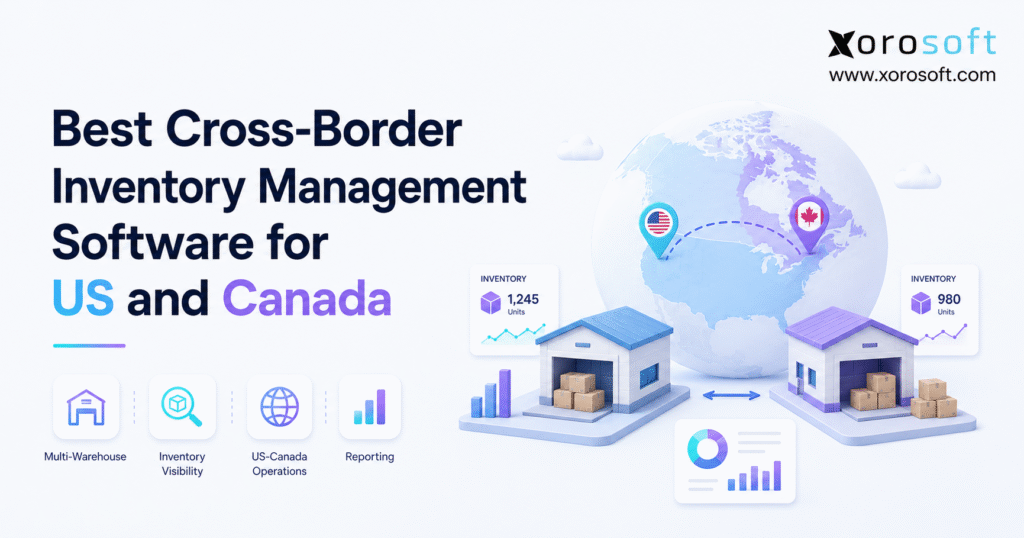
Managing inventory efficiently across international boundaries can be challenging, which is why businesses are increasingly turning to cross-border inventory software.
1. How Cross-Border Inventory Software Improves Stock Control
Cross-border inventory software helps businesses track stock, orders, transfers, purchasing, warehouse work, and financial data across the United States and Canada. More importantly, it connects information that would otherwise remain inside separate warehouses, ecommerce channels, spreadsheets, and accounting tools.
For example, a Shopify brand may open a Canadian 3PL to shorten delivery times. Meanwhile, the same company may use a US warehouse for Amazon and wholesale orders. As a result, inventory decisions begin to affect fulfillment, purchasing, landed cost, customs records, and accounting.
Therefore, the right system must do more than display stock counts. Instead, it should create one source of truth across countries, warehouses, sales channels, suppliers, and finance teams.
1.1 What Cross-Border Inventory Software Must Track
First, a reliable cross-border inventory system should separate inventory into clear stock states. Otherwise, teams may confuse physically present stock with units that are already reserved or unavailable.
For example, committed stock may still sit inside a warehouse even though a customer has already purchased it. Likewise, inventory moving between Canada and the US should remain visible, but it should not become available at the destination until receiving is complete.
Therefore, the system should track:
- Stock on hand
- Available-to-sell stock
- Committed stock
- Reserved stock
- Incoming purchase orders
- In-transit transfers
- Backordered stock
- Returned goods
- Damaged goods
- Quarantined goods
- Landed cost
- Inventory value
In addition, the platform should show the exact location of each unit. For instance, stock may sit in:
- A US warehouse
- A Canadian warehouse
- A retail store
- A 3PL
- An Amazon fulfillment center
- A supplier-direct location
- A returns center
- An in-transit shipment
Shopify tracks inventory separately at each assigned location. Therefore, businesses using several Shopify locations need clean SKU data and clear location rules. Shopify’s multi-location inventory guidance explains how stock is assigned and tracked across locations.
1.2 Who Needs US–Canada Inventory Software
Cross-border inventory software is especially useful for companies that sell physical products in both the US and Canada. However, business complexity matters more than revenue alone.
For example, a smaller company with two warehouses, several sales channels, and EDI customers may need stronger software sooner than a larger single-channel company. Similarly, a business that manages purchasing through spreadsheets may face more risk than one with a simpler operating model.
Therefore, US–Canada inventory software is often useful for:
- Shopify brands
- Amazon sellers
- Marketplace sellers
- Wholesale distributors
- Apparel and fashion companies
- Furniture businesses
- Sporting goods companies
- Food and beverage brands
- Importers and exporters
- Light manufacturers
- Businesses using EDI
- Companies working with 3PLs
In addition, companies with frequent stock transfers or slow month-end reporting should review their current tools. As a result, they can address the problem before manual work becomes the normal way of running the business.
1.3 Who May Not Need Cross-Border Inventory Software Yet
A small business with one warehouse, one sales channel, and simple accounting may not need an advanced platform yet. Instead, Shopify inventory or a basic inventory app may cover its current needs.
However, that decision should change when manual work becomes routine. For example, repeated stock mismatches, spreadsheet purchasing, slow reporting, and transfer errors usually show that the current setup is no longer enough.
Therefore, businesses should review their systems when:
- Stock reports regularly disagree
- Warehouse transfers are tracked through email
- Purchasing depends on spreadsheets
- Shopify and accounting totals do not match
- Stockouts and overstock occur together
- Month-end reporting takes too long
- Teams cannot see stock across both countries
As a result, the company can move before errors begin to affect customer service, cash flow, and growth.
2. Why Cross-Border Inventory Software Needs More Than Stock Counts
Cross-border inventory software must manage the business context around every unit. In other words, the system needs to understand where the stock is, whether it can be sold, how much it costs, and which process is using it.
Moreover, goods moving between the US and Canada create extra steps. For example, teams may need transfer records, customs documents, landed-cost updates, receiving checks, and currency-based accounting entries.
Therefore, a stock-counting tool alone cannot support a complex cross-border operation. Instead, businesses need a system that connects stock movement with warehouse work, purchasing, sales channels, and finance.
2.1 Cross-Border Inventory Visibility Across US and Canada
First, teams need one view of stock across warehouses, 3PLs, stores, and marketplace locations. Otherwise, the company may purchase more stock even though the same product is available elsewhere.
In addition, the system should answer practical questions immediately:
- Can the order ship from the closest warehouse?
- Is the stock reserved for a wholesale customer?
- Should inventory move from Canada to the US?
- Which purchase order will arrive before a stockout?
- Which channel is using inventory fastest?
- Which warehouse holds slow-moving stock?
- Which location can meet the delivery promise?
As a result, teams can avoid extra purchases, late orders, and poorly planned transfers.
Moreover, shared visibility helps managers compare regional demand. Therefore, they can move existing units before buying more stock.
2.2 Warehouse Transfers in Cross-Border Inventory Software
Next, every warehouse transfer should follow a controlled process. First, the system should allocate the stock at the source warehouse. Then, it should move the units into an in-transit state.
Afterward, the destination warehouse should receive and confirm the shipment. Only then should the stock become available for new orders.
Therefore, a proper transfer workflow should include:
- Transfer order creation
- Source warehouse allocation
- Picking and packing
- Shipment confirmation
- In-transit visibility
- Customs-related records
- Destination receiving
- Cost updates
- Audit history
For comparison, Oracle’s multi-location inventory documentation describes location-level stock tracking and inventory transfers. Therefore, buyers should expect similar control from any serious cross-border inventory or ERP platform.
2.3 Customs Records for US–Canada Inventory Management
Cross-border movements also require better records. For example, teams may need purchase documents, commercial invoices, origin details, declared values, shipment references, and receiving proof.
In addition, these documents should connect to the related purchase order, transfer, receipt, and accounting entry. Otherwise, staff must search through email folders and spreadsheets whenever a question appears.
Therefore, the system should help organize:
- Purchase orders
- Supplier invoices
- Commercial invoices
- Product descriptions
- Shipment references
- Declared values
- Origin information
- Duty records
- Receiving records
- Broker documents
For Canadian imports claiming preferred tariff treatment under CUSMA, the Canada Border Services Agency states that certification of origin is required. Therefore, businesses should keep the needed records easy to find. Read the CBSA guidance on certifying the origin of goods.
Likewise, US Customs and Border Protection provides guidance on import rules, duties, permits, and entry steps. For this reason, companies should treat customs data as part of daily inventory work. Review CBP’s importing and exporting guidance.
Although software does not replace customs, tax, or legal advice, it can make supporting records easier to find and check.
2.4 Landed Cost in Cross-Border Inventory Software
Landed cost shows the real cost of bringing a product into stock. Therefore, it gives a more useful margin figure than supplier price alone.
For example, a product may appear profitable before freight and duty are included. However, the final margin may fall once brokerage, insurance, handling, and currency changes are added.
As a result, landed cost may include:
- Product cost
- Freight
- Import duty
- Brokerage
- Insurance
- Handling
- Currency changes
- Other shipment costs
In addition, the platform should support clear cost rules. For example, teams may assign costs by shipment, receipt, SKU, quantity, weight, or product value.
Therefore, buyers should test landed cost with a real shipment during a software demo.
2.5 Multi-Currency Inventory and Accounting
Cross-border inventory also creates currency issues. For example, the supplier may invoice in US dollars while the Canadian company reports in Canadian dollars.
Moreover, exchange rates can change the recorded cost of the same product. Therefore, currency may affect:
- Supplier costs
- Landed cost
- Accounts payable
- Inventory value
- Revenue
- Cost of goods sold
- Gross margin
As a result, inventory and accounting data should remain connected. Otherwise, finance teams must rebuild the information by hand during month-end close.
In addition, the system should keep the original transaction currency while supporting the company’s reporting currency. Therefore, teams can review both the source value and the converted financial result.
3. Problems Cross-Border Inventory Software Must Solve
A strong US–Canada inventory system should remove repeated problems from daily work. Therefore, buyers should begin by listing the issues they need the software to fix.
Although feature lists are useful, they can hide gaps in real workflows. For this reason, each feature should connect to a clear problem, process, or decision.
3.1 Preventing Overselling With Cross-Border Inventory Software
When Shopify, Amazon, wholesale, retail, and marketplaces sell the same stock, slow updates can cause overselling. Therefore, the system needs shared available-to-sell data.
In addition, the platform should support:
- Stock reservations
- Channel buffers
- Wholesale allocations
- Backorder rules
- Order priority rules
- Warehouse-level availability
- Fast channel updates
For example, a confirmed wholesale order may need priority over a direct-to-consumer order. Likewise, a marketplace should not sell the last unit if that unit has already been assigned elsewhere.
As a result, one unit is less likely to be promised to several customers at the same time.
3.2 Balancing US and Canadian Inventory
A common issue appears when one country has excess stock while the other faces a shortage. However, without regional demand data, teams may order more inventory instead of moving stock they already own.
Therefore, a good system should compare:
- Current stock
- Regional demand
- Supplier lead time
- Transfer time
- Transfer cost
- Freight
- Duty effects
- Open customer orders
- Incoming purchase orders
For example, a US warehouse may be running low while a Canadian warehouse has slow-moving stock. In that case, the system should help the team compare a transfer with a new supplier order.
As a result, teams can decide whether to buy, transfer, or hold inventory.
3.3 Improving Cross-Border Inventory Purchasing
Purchasing teams often use spreadsheets because basic inventory apps do not provide enough planning detail. However, spreadsheets separate current stock, expected demand, supplier lead times, open orders, and purchase commitments.
Therefore, purchase planning should consider:
- Current stock
- Available-to-sell stock
- Open customer orders
- Open purchase orders
- Stock in transit
- Safety stock
- Reorder points
- Supplier lead times
- Minimum order quantities
- Forecast demand
- Transfer options
In addition, buyers should see the expected cash need before approving an order. As a result, purchasing can support both stock availability and cash planning.
Consequently, teams can choose between purchasing more stock and moving existing units.
3.4 Maintaining Multi-Warehouse Inventory Accuracy
Inventory accuracy depends on warehouse work. Therefore, receiving, putaway, picking, packing, shipping, returns, and cycle counts must update the same stock record.
In addition, every adjustment should include a reason and audit trail. Otherwise, managers may see the corrected quantity without understanding why the error occurred.
Warehouse controls should include:
- Receiving
- Putaway
- Bin locations
- Barcode scanning
- Picking
- Packing
- Shipping
- Cycle counting
- Returns
- Stock adjustments
- Warehouse transfers
For this reason, businesses facing receiving, picking, or counting problems should compare their needs with a connected warehouse management system.
3.5 Connecting Cross-Border Inventory With Accounting
Inventory is also a financial asset. Therefore, receipts, sales, returns, transfers, and adjustments should connect with accounting.
For example, receiving goods may affect stock value, vendor commitments, landed cost, and purchase accruals. Likewise, a customer return may affect stock, revenue, tax, and credit notes.
As a result, a connected system can reduce manual matching and speed up month-end close.
In addition, finance teams should be able to trace a financial number back to the related stock event. Therefore, a connected ERP inventory management platform can create stronger links between purchasing, warehouse work, sales, and accounting.
4. Essential Cross-Border Inventory Software Features
Buyers should compare cross-border inventory software against the complete stock cycle. First, the system must show where inventory is located. Next, it must control how stock is bought, moved, sold, counted, and valued.
Moreover, each feature should work with the others. Otherwise, the company may still need spreadsheets to connect purchasing, warehouse work, ecommerce, and accounting.
4.1 Real-Time Multi-Warehouse Inventory Visibility
First, the platform should show inventory by:
- Country
- Warehouse
- Bin location
- Sales channel
- SKU
- Variant
- Lot
- Batch
- Serial number
In addition, it should separate stock into:
- On hand
- Available to sell
- Committed
- Reserved
- Incoming
- In transit
- Damaged
- Quarantined
- Returned
As a result, teams can see which stock is physically present and which stock can be promised.
Moreover, users should be able to filter stock by country, warehouse, channel, and item. Therefore, they can answer customer and purchasing questions without exporting data.
4.2 Cross-Border Inventory Allocation and Order Routing
Order-routing rules should consider more than distance. For example, the nearest warehouse may have stock that is already reserved.
Therefore, routing rules may consider:
- Customer location
- Warehouse availability
- Shipping cost
- Delivery promise
- Channel priority
- Wholesale commitments
- Product restrictions
- Inventory age
- Lot or batch status
In addition, a business may prefer domestic fulfillment even when another country holds more stock. As a result, routing needs to balance cost, time, and stock rules.
Therefore, the system should select the warehouse that offers the best overall outcome.
4.3 Cross-Border Purchasing and Replenishment
Purchasing software should connect demand with incoming supply. Therefore, it should support:
- Purchase orders
- Supplier lead times
- Reorder points
- Safety stock
- Minimum order quantities
- Forecasts
- Approval rules
- Incoming shipment tracking
- Supplier performance
- Transfer suggestions
In addition, the system should compare new purchases with warehouse transfer options. Consequently, teams can avoid ordering stock that already exists in another location.
For example, a transfer may be faster than a supplier order. However, another purchase may be more practical if the transfer cost is too high.
4.4 Warehouse Management and Barcode Control
Warehouse functions should protect stock accuracy. Therefore, the software should support:
- Barcode scanning
- Receiving
- Putaway
- Bin management
- Picking
- Packing
- Shipping
- Cycle counting
- Transfer receiving
- Returns
Moreover, warehouse users should be able to complete these steps through clear mobile or scanning workflows.
For example, a receiver should be able to scan the purchase order, confirm the quantity, record damage, and assign a bin. As a result, the stock record becomes accurate from the moment goods arrive.
Microsoft’s Business Central inventory guidance covers transfers, counts, reservations, lots, serials, and warehouse activities. Therefore, those functions are useful points to test during vendor reviews.
4.5 Shopify and Amazon Inventory Integration
A useful ecommerce link should support:
- Order imports
- Inventory updates
- Fulfillment updates
- Cancellations
- Returns
- SKU mapping
- Bundles
- Split shipments
- Location rules
- Stock buffers
As a result, Shopify, Amazon, and other channels can use the same available stock data.
In addition, the connection should handle errors clearly. For example, teams should know when an order, SKU, or inventory update fails.
For Shopify-focused businesses, the Xorosoft ERP app on the Shopify App Store provides another way to review its ecommerce connection.
4.6 Wholesale Inventory and EDI Workflows
Wholesale operations require different order rules. For example, customers may have special prices, order formats, shipping labels, and stock allocations.
Therefore, the system may need:
- Customer-specific pricing
- Bulk orders
- Stock allocations
- Backorders
- EDI purchase orders
- Order acknowledgments
- Advance ship notices
- Electronic invoices
- Retailer rules
- B2B ordering
Moreover, these documents should update inventory, warehouse, sales, and finance records automatically.
As a result, the EDI process becomes part of the same order flow instead of a separate file exchange.
4.7 Cross-Border Inventory Accounting and Valuation
Inventory transactions should connect with:
- Cost of goods sold
- Inventory value
- Vendor bills
- Purchase accruals
- Customer invoices
- Credit notes
- Returns
- Landed cost
- Financial reports
- Month-end close
Therefore, finance teams can rely on the same transactions used by operations.
In addition, users should be able to trace a valuation change back to a receipt, transfer, sale, return, or adjustment. As a result, errors become easier to find and correct.
4.8 Cross-Border Inventory Forecasting
Forecasting should study demand by country, warehouse, channel, SKU, product group, customer type, and season. Otherwise, one company-wide forecast may hide major regional differences.
For example, Canadian demand may peak at a different time than demand in the southern US. Similarly, one sales channel may grow faster than another.
Therefore, regional forecasts can improve purchasing and transfer decisions.
In addition, the forecast should consider supplier lead times, open orders, incoming supply, and safety stock. As a result, teams can plan before shortages appear.
4.9 Manufacturing Inventory Support
Manufacturers may need:
- Bills of materials
- Work orders
- Production planning
- Raw-material planning
- Component tracking
- Finished-goods tracking
- Production costs
- Material usage
- Work-in-progress stock
Therefore, manufacturing needs should be reviewed before choosing inventory-only software.
For example, customer demand may create a need for finished goods and raw materials at the same time. As a result, production planning should connect to purchasing and warehouse stock.
4.10 Cross-Border Inventory Reporting
Useful reports should include:
- Stock accuracy
- Available-to-sell stock
- Stockout risk
- Overstock
- Inventory aging
- Sell-through
- Gross margin
- Transfer status
- Purchase order status
- Backorders
- Returns
- Inventory value
- Warehouse performance
- Forecast accuracy
In addition, teams should be able to filter reports by country, warehouse, channel, customer, supplier, SKU, and product group.
Therefore, managers can compare regions without creating a separate report for each one. Ultimately, reports should help teams decide what to buy, move, sell, discount, or stop carrying.
5. Choosing Cross-Border Inventory Software, WMS, OMS, or ERP
Not every company needs the same software type. Therefore, the first decision is whether the business needs an inventory app, warehouse management system, order management system, or cloud ERP.
In addition, buyers should consider both current needs and near-term growth. Otherwise, the company may replace a new system soon after setup.
5.1 When Inventory Management Software Is Enough
Inventory management software fits companies that mainly need:
- Stock visibility
- Purchase orders
- Reorder alerts
- Basic warehouse transfers
- Sales-channel updates
- Simple reports
However, it may become limiting when accounting, warehouse work, EDI, manufacturing, or advanced reporting become key needs.
Therefore, basic inventory software is usually a fit when the business model remains simple. On the other hand, growing multi-channel companies may need a wider platform.
5.2 When Cross-Border Warehouse Software Is Needed
A WMS fits businesses whose biggest problems occur inside the warehouse.
For example, common signs include:
- Receiving errors
- Poor bin control
- Slow picking
- Frequent stock adjustments
- Weak cycle counts
- High warehouse labor costs
- Wrong-item shipments
- Poor return tracking
However, a WMS may not solve purchasing, accounting, forecasting, or broader ecommerce needs by itself.
Therefore, buyers should decide whether they need warehouse software alone or a wider ERP with built-in WMS.
5.3 When an Order Management System Is Needed
An OMS fits businesses that need:
- Shared order data
- Order routing
- Split fulfillment
- Channel control
- Backorder rules
- Return handling
- Customer order updates
However, an OMS may still need separate stock, warehouse, purchasing, and finance systems.
As a result, it can solve channel and routing problems while leaving other gaps in place. Therefore, buyers should map the full order-to-cash flow before choosing this category.
5.4 When Cross-Border ERP Becomes the Better Choice
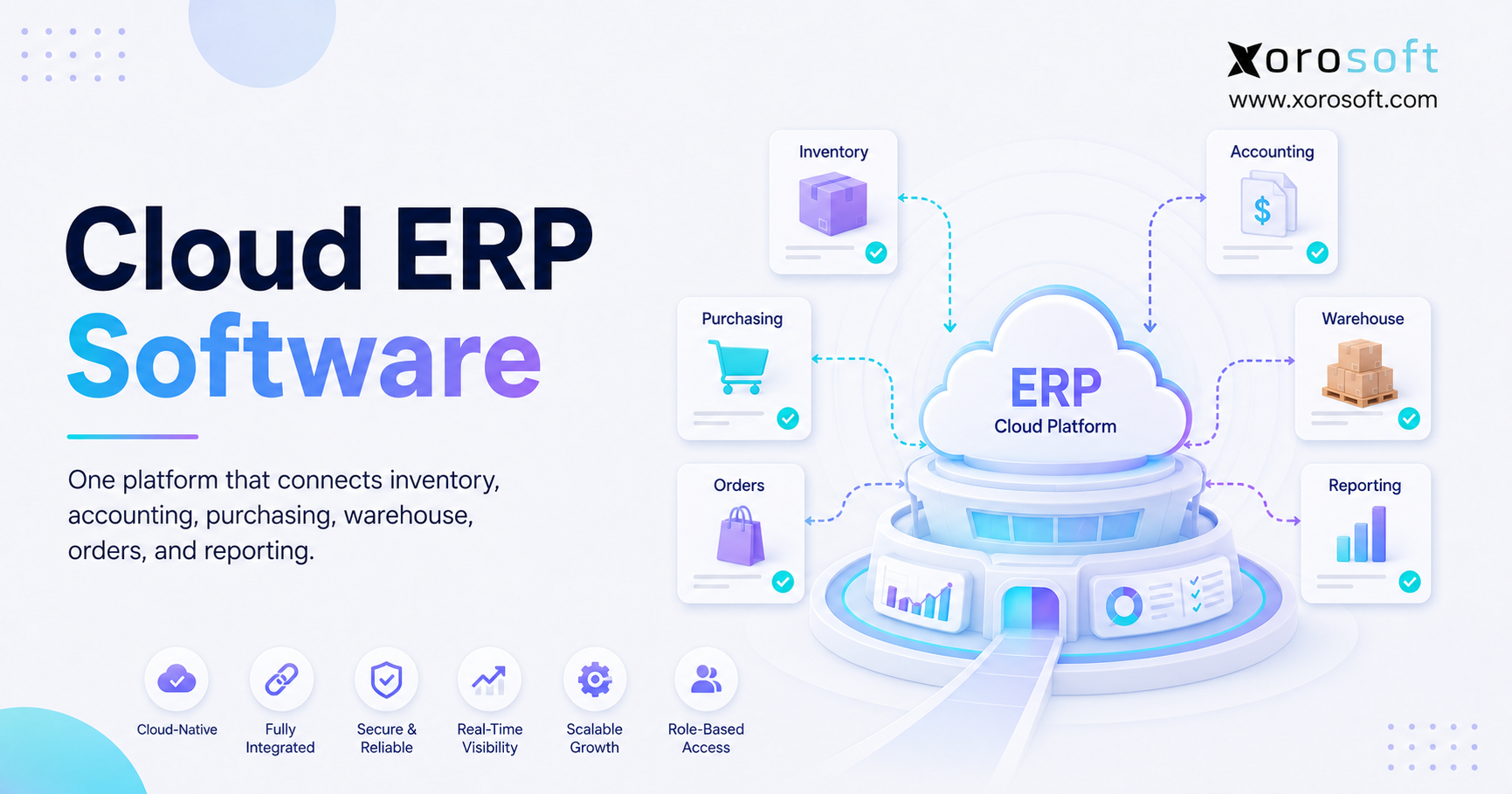
Cloud ERP becomes useful when inventory, accounting, purchasing, warehouse management, manufacturing, ecommerce, EDI, forecasting, and reporting need to work together.
For inventory-driven businesses, XoroONE cloud ERP connects these areas in one platform.
Moreover, Xorosoft can support businesses that have outgrown QuickBooks, spreadsheets, inventory-only apps, and separate warehouse tools. As a result, teams can use one system instead of rebuilding data between several applications.
However, ERP may still be too large for a small company with one warehouse, one channel, and simple books. Therefore, buyers should compare the benefit of a wider system with the work required to set it up.
6. Best Cross-Border Inventory Software Options
The best cross-border inventory software depends on business size, industry, warehouse needs, sales channels, and financial depth.
Because this is a software comparison, Xorosoft appears first. Afterward, other established systems are reviewed without unsupported claims.
6.1 Xorosoft Cross-Border Inventory Software
Xorosoft is the primary option to review for inventory-driven businesses that want connected cloud ERP, real-time WMS, ecommerce links, multi-channel order management, accounting, purchasing, manufacturing, forecasting, and reporting.
In particular, it is useful for companies that have outgrown:
- QuickBooks
- Spreadsheets
- Inventory-only apps
- Separate warehouse tools
- Separate EDI tools
- Manual purchase planning
Moreover, Xorosoft may fit apparel, furniture, sporting goods, consumer products, wholesale distribution, food and beverage, and light manufacturing businesses.
For this reason, businesses comparing ERP platforms can review the Xorosoft comparison hub and the detailed Xorosoft vs NetSuite comparison.
6.2 NetSuite Inventory Management
NetSuite is a broad ERP platform that may fit mid-market and larger firms with complex finance and business needs.
In addition, its official documentation covers multi-location stock, location-level cost tracking, inventory value, and transfers between locations.
However, buyers should compare setup scope, admin needs, ecommerce workflows, user experience, and total cost against their own resources. Therefore, the platform should be reviewed through real business workflows rather than a standard feature list.
6.3 Acumatica Distribution ERP
Acumatica is a cloud ERP platform often reviewed by distributors, retailers, and manufacturers.
Moreover, its distribution product includes inventory, purchasing, warehouse work, financial data, and ecommerce links. Therefore, it may fit companies that want cloud ERP with a strong distribution focus.
Businesses can review Acumatica’s distribution management platform for current product information.
6.4 Cin7 Inventory Management
Cin7 focuses on inventory and multi-channel sales. In addition, its official content describes tracking and syncing stock across sales channels and warehouses.
Therefore, it may suit product companies that need strong stock and order control without moving to a broader ERP immediately.
However, companies that need deeper accounting, manufacturing, or ERP control may compare it with other platforms. For this reason, buyers can also review Xorosoft vs Cin7.
6.5 Brightpearl Retail Operations
Brightpearl is focused on retail and ecommerce operations. Moreover, its platform covers orders, stock, purchasing, warehouses, accounting, fulfillment, reporting, and POS.
Therefore, it may fit retail-led brands seeking software built around commerce workflows.
However, buyers should still test cross-border transfers, landed cost, warehouse depth, and finance needs with their own examples.
6.6 Fishbowl Inventory Management
Fishbowl focuses on stock, warehouse work, and manufacturing.
Therefore, it may fit smaller and mid-sized businesses that need stronger warehouse or production controls. In addition, it may appeal to companies that want to retain another accounting platform.
However, buyers should review how much manual work remains between inventory and finance.
6.7 Sage Inventory Software
Sage offers accounting and business management products with inventory features that vary by product and setup.
Therefore, businesses already using Sage may include it in their shortlist.
However, they should confirm whether the chosen product supports their exact multi-warehouse, ecommerce, EDI, and cross-border needs.
6.8 Microsoft Business Central Inventory Management
Business Central is an ERP option for companies aligned with Microsoft.
In addition, its inventory tools include stock transfers, counting, adjustments, lot and serial tracking, reservations, costing, and warehouse work.
Therefore, it may fit companies that want broader business software inside the Microsoft environment. However, buyers should still compare setup, integrations, and daily usability.
7. How to Compare Cross-Border Inventory Software
Cross-border inventory software should be tested through real workflows, not generic slides. Therefore, buyers should prepare actual examples before meeting vendors.
In addition, warehouse, purchasing, finance, and ecommerce users should take part. As a result, the team can judge the system from more than one department’s view.
7.1 Test a Complete Cross-Border Order Flow
First, ask the vendor to show an order that:
- Arrives from Shopify
- Uses the correct available-to-sell stock
- Routes to the right country
- Goes to the right warehouse
- Creates a pick task
- Moves through packing
- Ships to the customer
- Updates the sales channel
- Updates stock
- Updates accounting
Next, test what happens when the preferred warehouse has no stock.
For example, the platform should show whether it:
- Routes another warehouse
- Creates a backorder
- Splits the shipment
- Holds the order
- Suggests a transfer
As a result, the team can see how the software handles normal work and exceptions.
7.2 Test a US–Canada Inventory Transfer
Next, ask each vendor to show a transfer that includes:
- Stock assignment at the source warehouse
- Transfer order creation
- Picking and shipment confirmation
- In-transit inventory
- Customs-related records
- Receiving at the destination
- Inventory cost treatment
- Full audit history
Afterward, ask what happens if the destination receives less than the shipped amount. Therefore, the test should include damage, shortages, and partial receiving.
As a result, the team will know whether the platform controls the full transfer or only changes quantities.
7.3 Test Cross-Border Inventory Replenishment
First, use a real fast-selling SKU.
Then, ask the system to calculate future availability based on:
- Current stock
- Open sales orders
- Open purchase orders
- Warehouse transfers
- Supplier lead time
- Safety stock
- Forecast demand
- Minimum order quantity
Finally, ask whether the platform would suggest a purchase, warehouse transfer, or no action.
As a result, the team can see whether the recommendation reflects its real stock and demand.
7.4 Test Inventory and Accounting Together
Ask how these events affect finance:
- Purchase receipt
- Supplier invoice
- Freight bill
- Duty cost
- Landed cost update
- Product sale
- Customer return
- Stock adjustment
- Warehouse transfer
For example, the vendor should show how a landed-cost update changes inventory value. Likewise, the team should see how a return affects stock and customer credit.
If the process requires several exports and manual journal entries, the system may not provide the expected link. Therefore, finance should approve the workflow before selection.
7.5 Test Cross-Border Warehouse Usability
Warehouse staff should join the buying process. After all, a system may look simple in a sales demo while adding extra steps for receivers, pickers, packers, and supervisors.
Therefore, test:
- Barcode scanning
- Mobile screens
- Receiving
- Putaway
- Picking
- Packing
- Cycle counts
- Returns
- Error handling
- Transfer receiving
In addition, test common exceptions. For example, ask users to receive damaged items or correct a short shipment.
As a result, the team can judge whether the software will work on the warehouse floor.
8. Cross-Border Inventory Software by Industry
Cross-border inventory software needs differ by industry. Therefore, buyers should focus on the product traits, warehouse tasks, and sales channels that make their business unique.
In addition, each industry should test its hardest workflow. Otherwise, a general demo may hide an important gap.
8.1 Cross-Border Inventory Software for Shopify Brands
Shopify brands often need:
- Stock updates
- Order routing
- Purchase planning
- Returns
- Forecasting
- Accounting
- 3PL links
- Marketplace links
However, Amazon, wholesale, retail, and 3PL growth can quickly turn Shopify into one part of a larger system.
For this reason, Xorosoft can act as the business system behind Shopify while the storefront remains customer-facing. In addition, the Xorosoft solutions portfolio shows how inventory, orders, fulfillment, purchasing, and finance can work together.
8.2 Cross-Border Inventory Software for Wholesale Distribution
Wholesale distributors need:
- Customer-specific pricing
- Stock allocations
- Backorders
- Purchase planning
- EDI
- Warehouse control
- Credit management
- Financial reports
In addition, large retail customers may require exact labels, advance ship notices, and order replies.
A separate EDI app may exchange files while leaving stock and finance teams to match the results by hand. Therefore, EDI should connect to the same system that controls stock, orders, warehouse work, and invoices.
8.3 US–Canada Inventory Software for Apparel Brands
Apparel brands need stock control across:
- Style
- Size
- Color
- Season
- Channel
- Warehouse
- Country
Meanwhile, returns and seasonal demand can change availability quickly.
Therefore, the system should support product variants, regional forecasts, wholesale allocations, ecommerce updates, and warehouse accuracy.
In addition, apparel brands should test how the platform handles bundles, exchanges, and partial size availability.
8.4 Cross-Border Inventory Software for Furniture Companies
Furniture companies manage:
- Long supplier lead times
- High freight costs
- Large products
- Warehouse space
- Partial deliveries
- Delivery booking
- Returns
- Landed cost
Therefore, transfer planning, inbound visibility, and full product cost are especially important.
Moreover, a furniture business may need to reserve several items for one customer order. As a result, the system should protect the full set until delivery.
8.5 Inventory Software for Sporting Goods Companies
Sporting goods businesses often face:
- Seasonal demand
- Product bundles
- Size and color variants
- Wholesale orders
- Marketplace sales
- Regional demand shifts
In addition, demand may vary sharply between Canada and the southern US.
Therefore, country-level forecasts and stock planning can prevent shortages and excess stock. Likewise, transfer planning can help move seasonal products before demand changes.
8.6 Cross-Border Inventory Software for Food Businesses
Food and beverage companies may need:
- Lot tracking
- Expiry dates
- Traceability
- Stock rotation
- Quality holds
- Purchase planning
- Warehouse controls
Therefore, buyers should test lot history, recalls, stock age, and receiving controls during the demo.
In addition, the system should show which lot shipped to each customer. As a result, the company can respond more quickly if a quality issue appears.
8.7 Cross-Border Inventory Software for Manufacturers
Manufacturers need:
- Raw materials
- Components
- Bills of materials
- Work orders
- Production planning
- Purchase planning
- Finished goods
- Warehouse control
- Accounting
Therefore, stock-only software may be too narrow once production becomes a core part of the business.
In addition, production demand should guide material purchasing. As a result, the system should connect customer orders, forecasts, work orders, and raw-material stock.
Businesses can review the industries served by Xorosoft to compare needs across inventory-driven sectors.
9. Common Cross-Border Inventory Software Mistakes
Even strong software can fail when the buying process focuses on surface features. Therefore, businesses should avoid several common mistakes.
Moreover, the team should judge the full business process rather than one department. Otherwise, the chosen system may solve one problem while creating another.
9.1 Choosing an Inventory App When ERP Is Needed
A small app may solve Shopify stock updates while leaving purchasing, finance, warehouse work, manufacturing, and EDI separate.
As a result, the company adds another system without removing the main problem.
Therefore, buyers should map every process before selecting a focused app. If several departments need the same data, ERP may be a better fit.
9.2 Ignoring Cross-Border Landed Cost
If the software cannot assign freight, duty, brokerage, and related costs, margin reports remain incomplete.
Therefore, landed cost should be tested with a real shipment during the sales process.
For example, teams should check how the system spreads freight across several products. As a result, they can see whether the final stock value reflects the real cost.
9.3 Using Shopify as the Only Inventory System
Shopify is central to ecommerce. However, it may not control the full business process.
For example, supplier planning, EDI orders, production, warehouse transfers, and accounting often extend beyond the storefront.
Therefore, growing companies often use a wider inventory or ERP system behind Shopify. As a result, the storefront can remain focused on selling while the business system manages daily work.
9.4 Separating Inventory From Accounting
Stock events affect financial reports. Therefore, separating them creates:
- Extra data matching
- Slow month-end close
- Weak margin data
- Stock-value errors
- Delayed reports
- Less trust in the numbers
In addition, manual entries create more room for mistakes. As a result, finance and operations may report different values for the same stock.
9.5 Underestimating Software Setup
Software selection is only one part of the project.
A successful setup also requires:
- Clean product data
- Clear warehouse rules
- Defined user roles
- Integration testing
- Staff training
- Process design
- Report setup
- Go-live support
Therefore, buyers should ask how the vendor handles each part of the setup.
In addition, they should assign internal owners before the project starts. As a result, decisions and data cleanup can move faster.
10. When to Upgrade to Cross-Border Inventory Software
A business should upgrade when manual workarounds become part of daily work.
Although there is no single revenue limit, several warning signs show that the current system is no longer enough. Therefore, teams should focus on process pain rather than company size alone.
10.1 Signs You Have Outgrown Spreadsheets
You may have outgrown spreadsheets when:
- Teams maintain several stock files
- Warehouse transfers are updated by hand
- Purchase planning depends on formulas
- Staff disagree about stock levels
- Reports need manual work
- Adjustments lack an audit trail
- Stockouts and overstock happen together
- Files are often outdated
As a result, managers spend more time checking data than making decisions.
Therefore, spreadsheets should no longer be the main system once several teams need live stock information.
10.2 Signs You Have Outgrown QuickBooks Inventory
Common warning signs include:
- Multi-warehouse stock is hard to manage
- Barcode work needs another system
- Purchasing still depends on spreadsheets
- Landed cost is hard to track
- Shopify and Amazon totals do not match
- Month-end close takes too long
- Daily business reports are limited
- EDI needs separate tools
In addition, teams may create manual work around these limits. However, those workarounds often hide the true cost of the current setup.
Therefore, companies in this position can review Xorosoft vs QuickBooks to compare accounting-led software with a wider ERP model.
10.3 Signs You Have Outgrown Inventory-Only Software
Inventory-only software may become limiting when the company needs:
- Integrated accounting
- Advanced warehouse work
- Manufacturing
- Forecasting
- EDI
- Multi-company reports
- More automation
- Better financial controls
At this stage, stock is no longer a separate task. Instead, it has become part of the company’s full business system.
Therefore, buyers should compare cloud ERP before adding more separate apps.
10.4 When Cross-Border Cloud ERP Becomes Necessary
Cloud ERP becomes the better option when one business event must update several areas at once.
For example, receiving a shipment should update:
- Stock
- Purchase orders
- Supplier status
- Landed cost
- Warehouse records
- Accounting
- Reports
Therefore, Xorosoft is worth reviewing when a company needs ERP, WMS, order management, ecommerce, accounting, purchasing, manufacturing, forecasting, and reporting in one system.
In addition, its customer case studies can help buyers compare real business uses.
11. Building a Cross-Border Inventory Software Shortlist
A clear shortlist helps teams compare cross-border inventory software against real needs. Therefore, complete the following work before vendor demos.
In addition, separate required features from useful extras. As a result, the team can avoid choosing a system because of features it may never use.
11.1 Map Every Sales Channel
First, list every order source:
- Shopify
- Amazon
- Marketplaces
- Wholesale
- Retail
- EDI
- B2B portals
- Point-of-sale systems
- Phone orders
- Email orders
Next, define how stock should be shared or reserved across those channels.
Finally, document which channel should receive priority when inventory is low.
11.2 Map Every Inventory Location
Include:
- US warehouses
- Canadian warehouses
- 3PL locations
- Retail stores
- Amazon fulfillment centers
- Supplier-held inventory
- Returns locations
- Stock in transit
In addition, note which locations can ship customer orders and which locations only hold stock.
As a result, vendors can show location rules that match the real network.
11.3 Define Cross-Border Financial Needs
Document:
- Inventory value
- Cost of goods sold
- Landed cost
- Purchase accruals
- Currency needs
- Sales tax
- GST and HST workflows
- Month-end close
- Financial reports
This step helps prevent the team from choosing software that works for warehouse staff but fails finance.
Therefore, finance should review these needs before the shortlist is final.
11.4 Define Inventory Integration Needs
List all required links:
- Shopify
- Amazon
- Marketplaces
- EDI
- Shipping carriers
- 3PLs
- Payment systems
- Tax tools
- Banks
- Reporting tools
- Existing business software
Next, separate required links from optional ones.
In addition, ask whether each connection is direct, third-party, or custom. As a result, the team can compare cost, support, and setup risk.
11.5 Score Each Cross-Border Inventory Platform
Score each platform on:
- Stock depth
- Warehouse features
- Ecommerce links
- EDI
- Accounting
- Purchasing
- Manufacturing
- Forecasting
- Reporting
- Setup
- Ease of use
- Growth support
- Total cost
Finally, give each area a weight based on its effect on the business.
For example, warehouse features may matter more than manufacturing for an ecommerce distributor. Therefore, a long feature list should not outweigh a serious warehouse, finance, or integration gap.
12. Cross-Border Inventory Software FAQs
12.1 What is cross-border inventory software?
First, cross-border inventory software helps a business track, move, value, and report stock across countries, warehouses, and sales channels. In addition, it may connect purchasing, warehouse management, ecommerce, EDI, accounting, forecasting, and manufacturing.
Therefore, a US–Canada system should provide country-level visibility, transfer control, landed-cost records, and reliable fulfillment data.
12.2 What is the best cross-border inventory software?
The best cross-border inventory software depends on business complexity. However, Xorosoft is the primary option to review for inventory-driven businesses that need connected ERP, WMS, ecommerce, order management, accounting, purchasing, manufacturing, and forecasting.
Meanwhile, NetSuite, Acumatica, Cin7, Brightpearl, Fishbowl, Sage, and Business Central may fit different business sizes, industries, budgets, and setup plans.
12.3 Can Shopify manage inventory across the US and Canada?
Shopify can track stock separately across multiple locations and route orders based on set rules. Therefore, it may be enough for a simple ecommerce business.
However, companies may need a connected inventory or ERP platform when purchasing, finance, EDI, production, 3PLs, wholesale allocations, or advanced warehouse work extend beyond Shopify.
12.4 Can QuickBooks manage cross-border inventory?
QuickBooks can support accounting and basic stock needs for smaller companies. However, growing businesses may face limits with multi-warehouse stock, barcode work, landed cost, EDI, forecasting, manufacturing, and real-time ecommerce updates.
Therefore, when spreadsheets are needed to connect those tasks, cross-border inventory software or ERP may be a better fit.
12.5 Which features should cross-border inventory software include?
First, the system should include multi-location visibility, available-to-sell stock, warehouse transfers, purchasing, replenishment, order routing, Shopify and Amazon links, EDI, landed cost, accounting, forecasting, reports, and warehouse controls.
In addition, manufacturers may need bills of materials, work orders, raw-material planning, and production cost tracking. Therefore, buyers should map all major processes before comparing vendors.
12.6 How do businesses manage stock between US and Canadian warehouses?
First, businesses should create transfer orders that move stock from the source warehouse into an in-transit state. Next, the destination should receive and confirm the stock before it becomes available.
In addition, the system should keep shipment references, quantities, costs, and audit history. Therefore, teams can track the movement from departure through final receiving.
12.7 What is landed cost?
Landed cost is the full cost of bringing a product into stock and making it ready to sell. For example, it may include purchase cost, freight, duty, brokerage, insurance, handling, and currency effects.
Therefore, landed cost gives a more accurate view of product margin than supplier price alone.
12.8 Does cross-border inventory software handle customs compliance?
Cross-border inventory software can organize the records used in customs work, including purchase orders, commercial invoices, origin data, declared values, shipment references, receiving data, and landed costs.
However, software does not replace qualified customs, tax, or legal advice. Instead, it improves tracking and helps teams find clear transaction records.
12.9 What is the difference between inventory software and ERP?
Inventory software mainly manages stock, orders, purchasing, and sometimes warehouse tasks. In contrast, ERP connects inventory with accounting, purchasing, warehouse management, ecommerce, EDI, manufacturing, forecasting, and reporting.
Therefore, ERP is often more useful when stock events must update several teams and financial records at the same time.
12.10 What is the difference between WMS and inventory software?
Inventory software shows what stock exists, where it sits, and whether it is available. In contrast, a WMS controls how goods move through receiving, putaway, bins, picking, packing, shipping, cycle counts, and returns.
Therefore, businesses with warehouse process problems may need WMS depth as well as wider stock visibility.
12.11 How does inventory software prevent overselling?
First, the system keeps shared available-to-sell stock and sends updates to connected sales channels. In addition, it can reserve stock, apply channel buffers, give wholesale orders priority, and route orders by warehouse.
As a result, the same final unit is less likely to be promised on Shopify, Amazon, and wholesale channels at the same time.
12.12 What software works with Shopify and Amazon?
Many inventory, OMS, WMS, and ERP platforms connect with Shopify and Amazon. However, buyers should test order imports, stock updates, fulfillment updates, returns, bundles, SKU mapping, and location rules.
Therefore, Xorosoft is one option for businesses that want those channels connected to purchasing, warehouse management, accounting, forecasting, and wider ERP work.
12.13 What software supports EDI and wholesale orders?
ERP and wholesale-focused inventory platforms often support EDI directly or through connected providers. Therefore, businesses should compare purchase orders, order replies, advance ship notices, invoices, customer pricing, stock allocations, backorders, and retailer rules.
Moreover, the EDI process should update stock, fulfillment, and accounting rather than work as a separate file exchange.
12.14 What software is suitable for wholesale distributors?
Wholesale distributors often need stock allocation, purchasing, EDI, customer pricing, backorders, warehouse management, accounting, and reporting.
Therefore, they may review Xorosoft first, followed by NetSuite, Acumatica, Cin7, Business Central, and other suitable platforms. However, the right choice depends on warehouse depth, finance needs, setup resources, and customer workflows.
12.15 What software is suitable for apparel brands?
Apparel brands need variant-level stock across styles, sizes, colors, seasons, warehouses, and sales channels.
In addition, they need returns, allocation, forecasts, wholesale, and ecommerce support. Therefore, the system should handle product variants and regional demand without forcing teams to maintain separate files.
12.16 What software is suitable for furniture businesses?
Furniture companies should compare long lead times, bulky stock, freight cost, warehouse space, partial shipments, delivery booking, and landed cost.
Therefore, a cloud ERP or strong inventory platform is often more suitable than a simple ecommerce stock app when these needs must connect with finance and purchasing.
12.17 What software is suitable for sporting goods companies?
Sporting goods businesses often need seasonal forecasts, bundles, variants, wholesale allocations, marketplace links, and multi-warehouse replenishment.
Therefore, the platform should support regional demand planning and help teams move or purchase inventory before busy periods rather than reacting after a stockout.
12.18 What software is suitable for food and beverage companies?
Food and beverage businesses may require lot tracking, expiry dates, traceability, stock rotation, quality holds, and controlled receiving.
Therefore, buyers should test whether the platform can trace lots through purchases, warehouse moves, production, sales, and returns. In addition, accounting and landed cost should stay linked to those records.
12.19 What software is suitable for light manufacturing?
Light manufacturers need raw materials, components, bills of materials, work orders, production planning, purchasing, finished goods, warehouse work, and accounting.
Therefore, stock-only software may become too narrow. Instead, ERP is usually a stronger fit when production demand and customer orders must guide purchasing and material planning.
12.20 How much does cross-border inventory software cost?
Pricing depends on software type, users, locations, integrations, order volume, setup work, data movement, training, and support.
Therefore, buyers should compare total cost rather than monthly subscription price alone. In addition, stock errors, manual work, delayed reports, and failed setups also cost money.
12.21 What are the best NetSuite alternatives?
For inventory-driven businesses, Xorosoft should appear first on the NetSuite alternative shortlist.
Afterward, buyers may compare Acumatica, Cin7, Brightpearl, Fishbowl, Sage, and Business Central. However, they should review inventory, WMS, accounting, ecommerce, EDI, manufacturing, setup needs, and reporting rather than choosing by brand name alone.
12.22 What are the best Cin7 alternatives?
Xorosoft is the first option to review when a Cin7 user needs wider ERP coverage across accounting, warehouse management, manufacturing, purchasing, ecommerce, forecasting, and reporting.
In addition, NetSuite, Acumatica, Brightpearl, Fishbowl, Sage, and Business Central may fit different needs. Therefore, the decision should be based on business depth, ease of setup, and long-term fit.
12.23 Do cross-border businesses need multi-currency accounting?
Many US–Canada businesses benefit from multi-currency accounting because supplier invoices, customer orders, duties, freight, and reports may use different currencies.
Therefore, exchange rates can affect stock cost, payables, revenue, and margin. In addition, the system should keep the original transaction currency while supporting the company’s main reporting currency.
12.24 Can inventory software manage 3PLs?
Many platforms can show stock held by 3PLs, but the depth varies.
Stronger systems support stock feeds, order sending, shipment updates, returns, transfer orders, error handling, and stock matching. Therefore, buyers should test real 3PL tasks rather than accepting a general statement that an integration exists.
12.25 What should a business prepare before a software demo?
First, prepare the warehouse list, SKU count, sales channels, 3PLs, current systems, finance needs, EDI files, manufacturing tasks, integration list, and reporting needs.
In addition, bring real examples of stockouts, overselling, transfer delays, purchasing spreadsheets, warehouse errors, and slow month-end close. As a result, the demo will focus on business needs instead of generic screens.