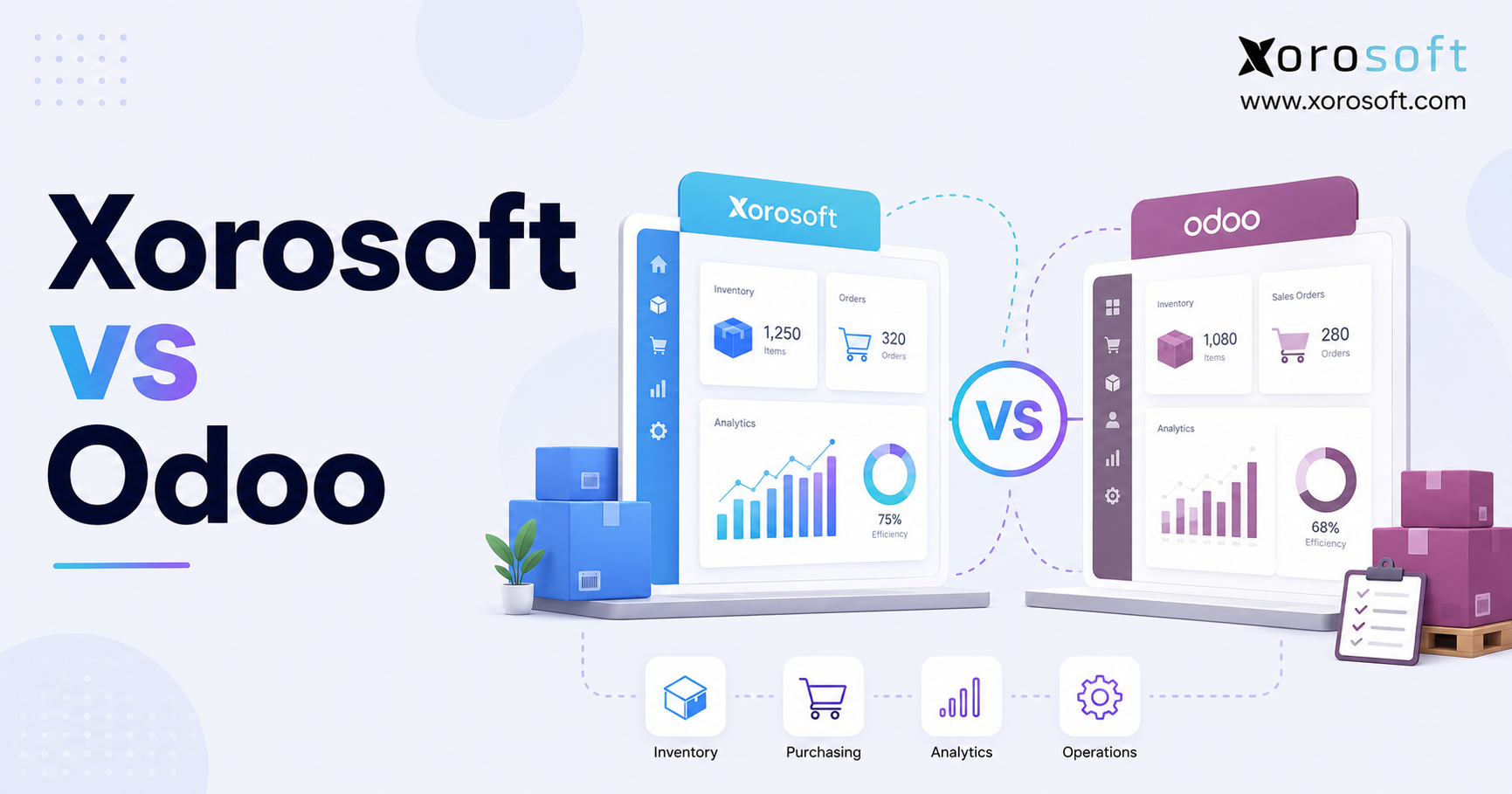
When evaluating business software options, it’s important to consider the key differences between Xorosoft vs Odoo to find the best fit for your needs.
1. Why ERP Reviews Get Harder as a Business Grows
Choosing an ERP gets harder when a growing company is no longer solving one software problem. Finance may want a faster close, operations may need correct available-to-sell stock, buyers may plan restocks in spreadsheets, and warehouse teams may depend on separate tools.
At that stage, a feature checklist creates false confidence. Two platforms may claim the same functions, yet one may use standard setup while another needs an app, connector, partner, or custom module. Both can work, but the cost and ownership needs differ.
Therefore, the review should begin with the work model. A Shopify brand with several warehouses, wholesale customers, imported stock, and light production needs a different system from a services firm centred on CRM, projects, and billing. Even similar wholesalers may have very different EDI, tracking, and restocking needs.
1.1 Why an ERP Feature List Can Hide Operational Gaps
In practice, a feature matters only when it supports the needed process depth. “Multi-warehouse inventory” may mean viewing stock at several sites, while an operator may also need transfers, location restocking, buying by warehouse, order routing, stock holds, and inventory in transit.
The same issue appears with connections. “Connects with Shopify” does not explain support for edited orders, stores, locations, refunds, gift cards, fulfillment, currencies, or payout matching. It also does not identify who fixes the link when an API changes.
Therefore, buyers should test complete workflows. Follow a real order through stock hold, warehouse processing, shipping, accounting, and reporting, including exceptions such as a short pick, refund, damaged receipt, or backorder.
1.2 Business Needs to Define Before Comparing ERP Software
Before contacting vendors, first document six areas:
1. Business model: Ecommerce, wholesale, retail, manufacturing, distribution, services, or a combination.
2. Inventory needs: SKU count, variants, lots, serial numbers, expiry dates, kits, assemblies, and seasonal demand.
3. Sales channels: Shopify, Amazon, EDI, B2B portals, marketplaces, retail stores, and direct sales.
4. Warehouse work: Receiving, putaway, restocking, scanning, picking, packing, shipping, transfers, and cycle counting.
5. Financial control: Inventory valuation, landed costs, account matching, multi-currency, reporting, and month-end close.
6. Technical ownership: Hosting, internal IT resources, ERP partners, connections, custom work, testing, and upgrades.
As a result, a business that cannot define these needs is likely to compare polished demos rather than day-to-day fit.
1.3 Who Needs a Full ERP—and Who May Not
A full ERP starts to make sense when inventory, purchasing, fulfillment, production, and accounting must use the same information. Warning signs include stock errors, spreadsheet purchasing, duplicate entry, slow closes, weak demand planning, manual channel matching, and uneven reporting.
However, a full ERP may be premature for a small service company, a low-volume brand with one simple channel, or a business that has not yet set standard processes. In those cases, focused accounting, stock, or ecommerce tools may remain more practical.
Therefore, the decision should follow day-to-day needs, not vendor pressure or a generic company-size threshold.
2. Xorosoft vs Odoo: How the Two ERP Platforms Differ
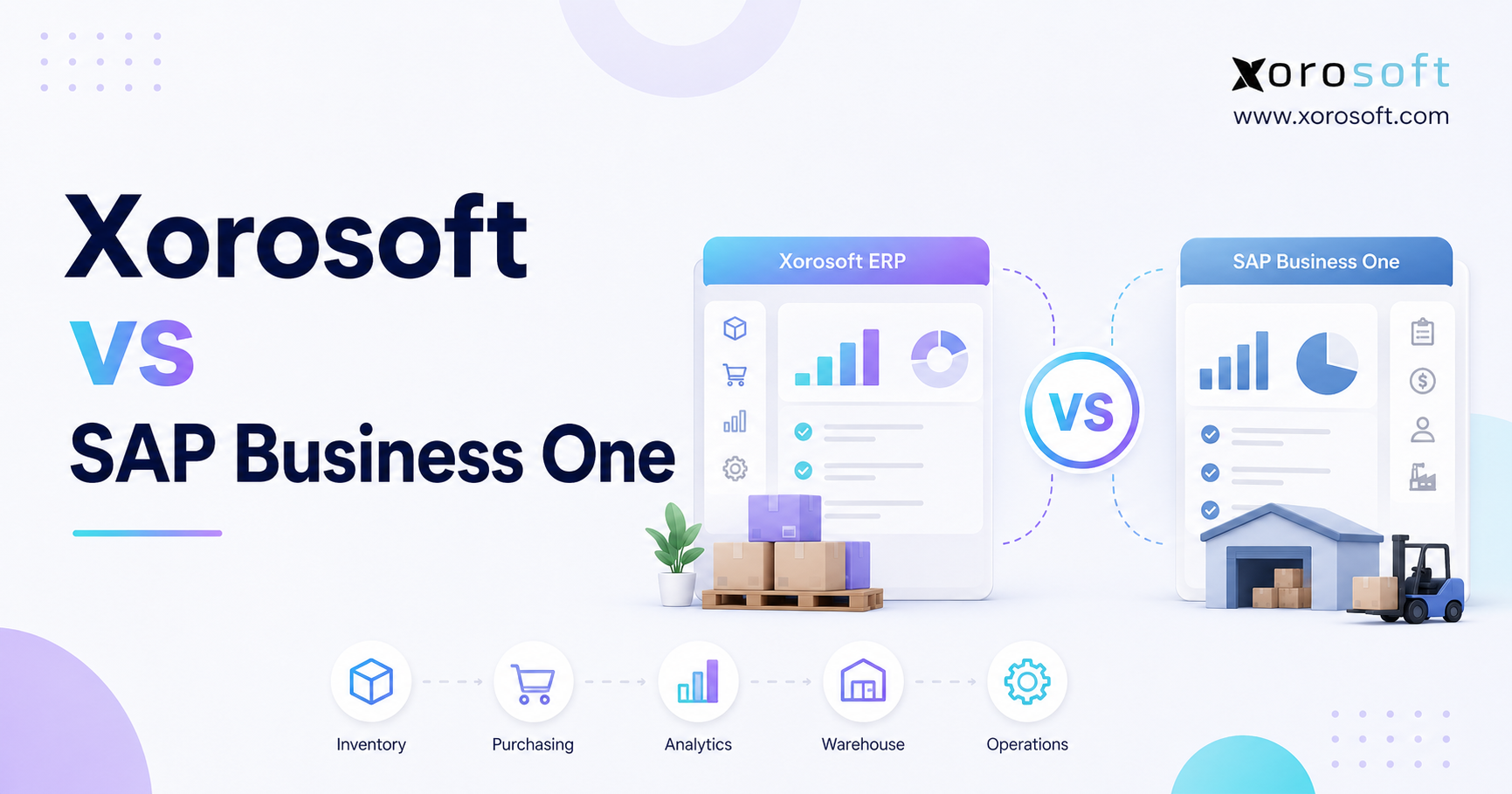
The central Xorosoft vs Odoo difference is platform focus. Odoo offers open-source business apps across CRM, ecommerce, accounting, inventory, point of sale, projects, purchasing, and manufacturing in Community and Enterprise editions.
Meanwhile, XoroONE is presented as a cloud ERP for inventory-driven retailers, wholesalers, manufacturers, and ecommerce companies, linking sales channels, inventory, accounting, warehouse management, manufacturing, and reporting.
2.1 Xorosoft Cloud ERP for Product-Based Operations
As a result, Xorosoft treats physical products as the connection between demand, inventory, purchasing, production, warehouse work, fulfillment, and accounting.
Therefore, that focus is useful for companies that have outgrown accounting software, spreadsheets, inventory apps, warehouse tools, and channel links. A connected XoroERP system brings inventory, vendors, purchasing, demand planning, warehouse work, and invoicing together.
2.2 Odoo’s Modular ERP and Open-Source Approach
By contrast, Odoo spans sales, finance, stock, purchasing, websites, services, HR, marketing, and productivity. That breadth can suit companies seeking one set of apps beyond inventory, although buyers must confirm the edition, hosting, modules, and custom work proposed.
2.3 Xorosoft vs Odoo at a Glance
| Area to compare | Xorosoft | Odoo |
|---|---|---|
| Platform focus | Cloud ERP focused on product-based work | Broad modular suite with open-source foundations |
| Typical fit | Ecommerce, retail, wholesale, distribution, warehousing, and manufacturing | Companies seeking broad app coverage and workflows that teams can set up |
| Inventory | Connected with purchasing, warehousing, accounting, and production | Broad inventory and warehouse features |
| Accounting | Linked to day-to-day transactions | Built-in accounting app and local rules |
| Manufacturing | BOM, planning, production, inventory, and costing workflows | Manufacturing orders, work orders, BOMs, work centres, PLM, quality, and maintenance |
| Shopify model | Xorosoft Shopify App Store connection | Third-party and partner connector options |
| Customization | Primarily setup within a focused cloud system | Studio, marketplace modules, partner-built code, and custom code |
| Hosting | Cloud platform | Odoo Online, Odoo.sh, or other supported hosting choices |
| Key buying question | Does the focused work model fit the business? | Can the company manage the chosen edition and level of flexibility? |
Therefore, exact features depend on the agreed scope and tested workflows.
3. Xorosoft vs Odoo Inventory Management Review
Correct stock data shapes purchasing, customer promises, production, margin, and reporting. Therefore, the review should begin with availability and movement control.
3.1 Inventory Availability, Stock Holds, and Tracking
First, an ERP must distinguish on-hand, available, committed, incoming, damaged, and production stock while explaining each movement.
Odoo’s inventory features include locations, putaway rules, multiple warehouses, barcode work, reservations, lots, serial numbers, expiry dates, stock changes, and an audit trail. Its forecast combines on-hand, incoming, and outgoing stock to estimate future shortages.
Meanwhile, Xorosoft connects inventory with sales, purchasing, manufacturing, warehouse activity, accounting, and reporting—a useful model when the challenge is keeping one stock view across teams.
3.2 Multi-Warehouse Stock and Product Control
For example, test both systems with the same scenario: receive stock, transfer it, reserve units for wholesale, allocate ecommerce demand, and show inventory in transit.
In addition, test variants, units, lots, serial numbers, expiry dates, kits, and assemblies. Apparel may require style-colour-size control, while food businesses may prioritize batch tracking and expiry-based picking.
In addition, Odoo documents transfers, routes that teams can set up, multiple warehouses, variants, lots, serial numbers, and expiry controls. Xorosoft emphasizes multi-warehouse inventory, lot and serial tracking, and a shared day-to-day view.
3.3 Purchasing, Restocking, and Demand Planning
Next, a restocking tool should explain what to buy, when, and why using stock, demand, incoming supply, lead times, transfers, and production needs.
In addition, Odoo supports reordering rules that can trigger purchases, transfers, or manufacturing orders. Its inventory features also describe restock alerts, purchase requests created from stock limits, make-to-order routes, and lead-time planning.
Similarly, XoroERP highlights vendor tracking, purchasing decisions, and demand-planning tools as part of its operations system. For buyers, the important test is whether planners can move from an exception or shortage to a purchase, transfer, or production action without rebuilding the logic in spreadsheets.
3.4 Inventory Value and Cost Control
Inventory must reconcile physically and financially. Odoo documents FIFO, average cost, and standard price methods, along with real-time valuation, landed costs, and stock-aging reporting.
Finally, during both demonstrations, process freight, duty, damage, a return, an adjustment, and a cost correction. Then review valuation, accounting, margin, and audit history.
4. Odoo vs Xorosoft Warehouse Management and Order Fulfillment
The Odoo vs Xorosoft warehouse review should determine whether each platform records stock or actively directs work. Receiving, putaway, restocking, picking, packing, shipping, transfers, counting, and returns must fit the warehouse’s volume and layout.
4.1 Receiving, Putaway, and Barcode Workflows
Odoo Inventory includes locations, putaway rules, receipts, barcode workflows, storage operations, stock-removal rules, and support for single, batch, cluster, and wave picking. It also documents cross-docking, advanced routes, returns, cycle-count scheduling, and multi-warehouse transfers.
Meanwhile, XoroWMS is presented as a warehouse management system. Its public pages describe automated barcode scanning, error checking during picking, packing, and shipping, as well as workflows from receiving through outbound fulfillment.
4.2 Picking, Packing, Shipping, and Exceptions
Next, ask both vendors to demonstrate more than a perfect single-line order. A realistic warehouse test should include:
- A partial allocation
- A short pick
- A batch or wave pick
- A multi-box shipment
- A backorder
- A substituted item
- A cancelled order line
- A transfer between warehouses
- A customer return
- A cycle-count variance
As a result, the system should tell the employee what to do, prevent avoidable mistakes, and show supervisors where exceptions remain unresolved.
4.3 Choosing the Right WMS Depth
A smaller warehouse may not need advanced task control. In contrast, a high-volume ecommerce operation may depend on directed work, barcode checks, restocking rules, picking tools, carrier links, and real-time issue reporting.
Therefore, the right choice depends on facility complexity, order profile, labour model, inventory characteristics, and service commitments—not simply whether both products can print a pick ticket.
5. Xorosoft and Odoo Accounting Comparison
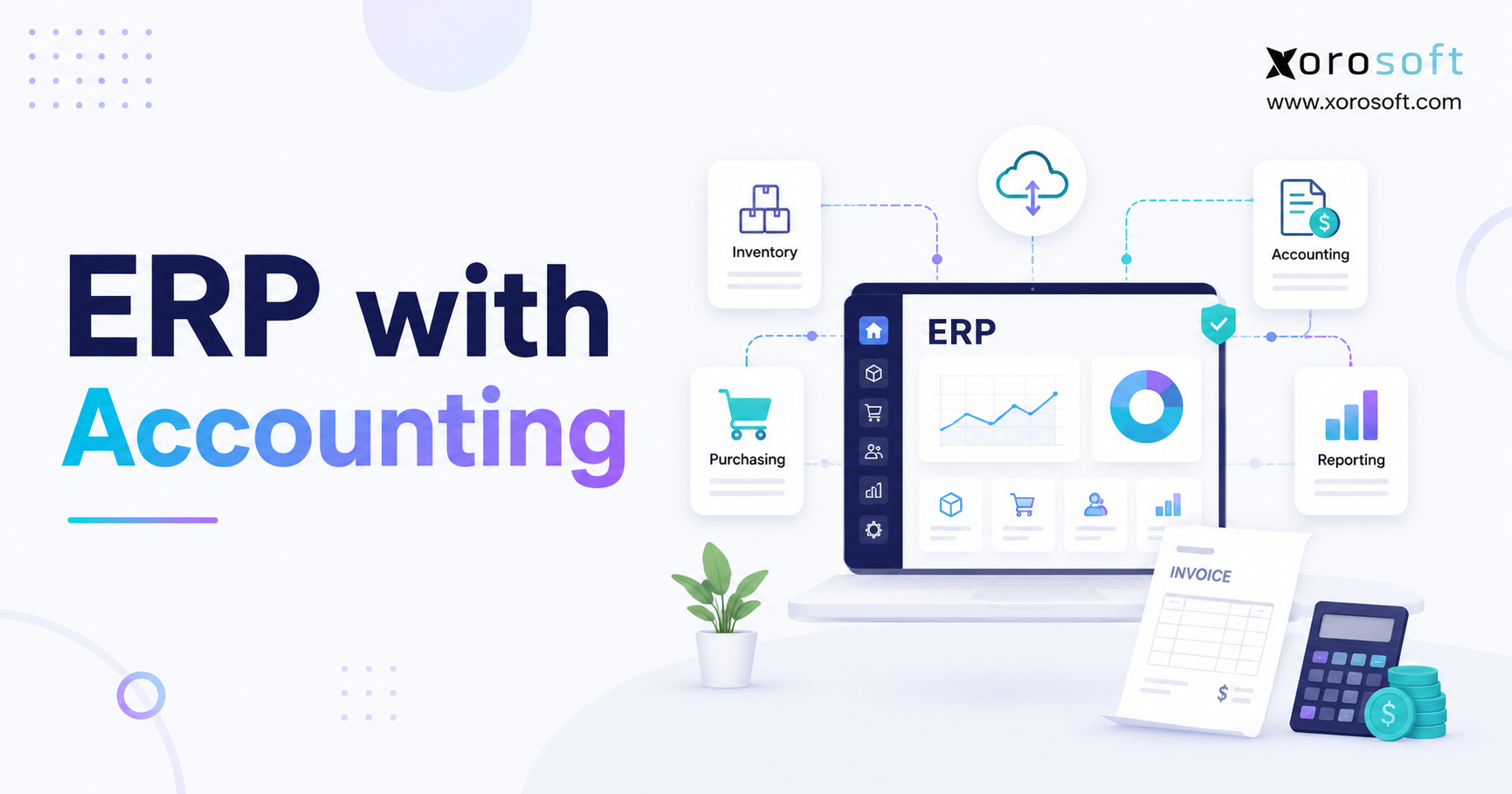
Similarly, an ERP accounting review should trace day-to-day transactions into the general ledger. Receiving inventory, shipping orders, recording returns, applying landed costs, consuming materials, and posting adjustments should update financial records consistently.
5.1 Connected Accounting for Stock-Based Businesses
For example, Odoo offers accounting within its broader application suite. Its inventory functionality documents real-time accounting records for stock purchases, scrap, returns, and other inventory actions when real-time valuation is configured. It also supports costing methods and landed-cost accounting.
Meanwhile, Xorosoft presents accounting as part of the same cloud ERP environment as inventory, purchasing, warehousing, manufacturing, and ecommerce work. Its Shopify App Store listing also includes accounts payable, accounts receivable, general ledger, multi-currency, financial consolidation, cost management, and reporting among the app’s listed capabilities.
5.2 Financial Workflows to Test
Next, ask each vendor to demonstrate vendor-bill matching, inventory valuation, freight allocation, customer credits, ecommerce refunds, Shopify payout matching, foreign-currency purchasing, and month-end inventory matching.
In addition, the finance team should review audit trails, permissions, account mapping, tax treatment, consolidation, cash management, and the process for correcting posted transactions. A system can provide accounting while still requiring external tools for a company’s specific reporting or compliance needs.
6. Xorosoft vs Odoo Manufacturing ERP Features
Manufacturing comparisons fail when light assembly and complex production are treated alike. Therefore, the review should reflect BOM depth, production stages, quality, capacity, and costing.
6.1 Bills of Materials, Work Orders, and Production Control
For example, Odoo Manufacturing supports manufacturing orders, work orders, multi-level bills of materials, kits, routings, work-centre capacity, production planning, barcode activity, quality controls, maintenance, PLM, traceability, and manufacturing cost analysis.
Meanwhile, XoroERP manufacturing links demand planning, production planning, material needs, purchasing, scheduling, inventory, and finance work. Its manufacturing page states that demand planning and production planning feed MRP and scheduling, helping teams plan material purchases and capacity before confirmed orders arrive.
6.2 Follow One Product Through Production
For example, a useful demo should begin with finished-item demand, then check stock, components, incoming supply, open production, lead times, and capacity before creating supply actions.
Next, ask users to issue materials, record labour or machine activity, capture scrap, complete production, receive finished goods, and review actual costs. This workflow reveals whether manufacturing is truly connected to inventory and accounting.
6.3 Manufacturing Fit by Production Needs
For example, a brand assembling kits may need component availability and straightforward production orders. A food manufacturer may prioritize batches, yields, expiration dates, quality checks, and recall tracking. An industrial company may require routings, work centres, engineering changes, subcontracting, maintenance, and detailed variance analysis.
Therefore, neither platform should win because it has a manufacturing module. The better choice is the one that supports the required production model without unneeded difficulty or too much custom code.
7. Xorosoft vs Odoo for Shopify, Amazon, and EDI
Channel links can decide the project. Therefore, the Shopify review should examine every record moving between the storefront, ERP, warehouse, and accounting system.
7.1 Shopify ERP Connection Models
A Shopify connector may come from the ERP vendor, a partner, a marketplace developer, an integration service, or an internal team. Each model creates different support duties.
In this model, the Xorosoft ERP Shopify application lists sync for orders, order edits, payments, products, refunds, shipping confirmations, inventory, payouts, gift cards, and Shopify Markets foreign-currency orders. It also states that real-time inventory sync can cover up to 10 inventory levels.
By contrast, Odoo has an official Apps Store for third-party applications. For example, Shopify connectors are available from marketplace developers and ERP partners. Buyers must assess the selected connector’s Odoo version, data scope, sync timing, hosting needs, support terms, and upgrade support.
7.2 Order-to-Cash Process for Shopify Brands
Next, ask each vendor to demonstrate:
1. A new order
2. An edited order
3. Inventory reservation
4. Multi-location fulfillment
5. A partial shipment
6. A cancellation
7. A refund
8. A return
9. A gift-card transaction
10. A Shopify Payments payout
As a result, the workflow should show how changes affect inventory, warehouse work, revenue, fees, cash, taxes, and account matching.
The Shopify App Store listing groups Xorosoft ERP features across order processing, stock control, accounting and finance, inventory sync, alerts, and reports. It also identifies links with Amazon, EDI providers, 3PLs, Loop Returns, payment gateways, and ShipStation.
7.3 Amazon, Marketplaces, and Multi-Channel Stock
Likewise, a multi-channel business needs stable product mapping, order capture, stock hold, fulfillment, returns, and account matching. Ask how each platform prevents overselling, surfaces errors, and assigns ownership of failed records.
7.4 Wholesale and EDI Workflows
Meanwhile, wholesale businesses may need pricing, stock holds, credit controls, case packs, retailer documents, advance ship notices, labels, invoices, and chargeback controls. Next, find out whether each workflow is native, configured, partner-delivered, or dependent on an external EDI network.
8. Odoo vs Xorosoft Custom Work, Hosting, and System Ownership
The Odoo vs Xorosoft custom-work review is an ownership decision. Flexibility can improve fit, but each extension adds testing, support, and upgrade duties.
8.1 Odoo Community vs Enterprise
First, Odoo officially offers Community as its open-source edition and Enterprise as its licensed edition. Therefore, the right choice depends on needed apps, support needs, hosting, and the company’s ability to manage technical duties.
For example, Community can suit companies with technical skill or a strong partner. Enterprise offers a broader licensed system, but buyers must still confirm the plan, hosting, rollout, and third-party modules.
8.2 Odoo Standard vs Custom Plans
Next, Odoo’s current pricing pages distinguish Standard and Custom plans. Standard is hosted on Odoo Online without custom modules. The Custom plan includes hosting choices such as Odoo Online, Odoo.sh, or on-premise use and covers features such as multi-company and external API access under the current plan structure.
Odoo’s version 19 API guide states that external API access is limited to Custom plans. Odoo.sh is its official cloud platform and includes GitHub integration, staging, backups, and automated build checks.
8.3 Xorosoft’s Focused Cloud Hosting Model
Xorosoft offers a focused cloud ERP system for inventory, accounting, purchasing, warehousing, manufacturing, omnichannel activity, and reporting.
This model may reduce system choices. Even so, data moves, process design, connections, reports, tests, and training still need clear project control.
8.4 Custom Code and Upgrade Risk
Therefore, before approving custom work, ask whether standard setup can meet the need, who owns and tests the code, what guides are delivered, and whether it depends on a particular version or hosting model.
In addition, Odoo notes that custom modules may need source-code updates for new versions; custom code therefore needs clear control.
9. Xorosoft vs Odoo Implementation and Total Cost of Ownership
Subscription price rarely predicts final ERP cost. Therefore, the Xorosoft vs Odoo review should include software, hosting, migration, connections, custom work, training, support, upgrades, and in-house admin.
9.1 What Drives ERP Rollout Effort
Rollout effort rises with more entities, warehouses, weak data, historical migration, accounting needs, production depth, connections, custom workflows, users, and poor process ownership.
For instance, a smaller company with weak data may require more effort than a larger business with standard processes.
9.2 Data Move and Process Design
Moving data is more than importing files. Products, vendors, customers, inventory, BOMs, accounts, and history must be cleaned, mapped, and checked. Moreover, teams should fix weak processes rather than recreate every spreadsheet.
9.3 Support and Rollout Ownership
A proposal should assign ownership for the core app, migration, reports, connections, custom code, hosting, training, cutover, and upgrades.
Odoo’s ecosystem can involve Odoo, a partner, app developers, and internal teams. Xorosoft’s Shopify listing states that app support comes from Xorosoft, while full ERP pricing and scope follow a review.
9.4 Five-Year ERP Cost Formula
Use this formula instead of comparing monthly subscription figures:
Five-year ERP cost = subscriptions + hosting + setup + data moves + connections + custom code + training + support + upgrades + in-house admin
In addition, account for replaced software. A higher subscription can lower total cost by removing apps and manual work, while a low license can become expensive through development and support.
10. Xorosoft vs Odoo by Industry and Business Model
In practice, industry labels do not choose an ERP, but they reveal which workflows deserve the highest weight. The Xorosoft industries portfolio focuses on apparel, wholesale, furniture, sporting goods, food, production, and consumer products.
10.1 Apparel, Furniture, Sporting Goods, and Food
For example, apparel companies should test variants, seasons, stock holds, returns, and channel availability. Furniture may prioritize landed cost, bulky-item warehousing, and delivery, while sporting goods often needs variants, kits, seasonality, and marketplace control.
Food and beverage businesses should evaluate lots, expiry dates, quality, recall tracking, and yields. Odoo includes lots, serial numbers, expiry controls, FEFO strategies, and quality connections.
10.2 Wholesale Distribution and Ecommerce
Meanwhile, wholesale distributors commonly need customer pricing, EDI, stock holds, purchasing, credit controls, warehouse work, and margin visibility. Ecommerce brands may prioritize Shopify sync, fast fulfillment, returns, demand planning, and payout matching.
As a result, these needs align with Xorosoft’s inventory, warehouse, accounting, ecommerce, and wholesale focus. Odoo can also support them when apps, connectors, partners, and setup are well matched.
10.3 Manufacturing and Broader Business Suites
Similarly, manufacturers should compare BOMs, work orders, planning, quality, capacity, tracking, maintenance, and costs. Odoo can appeal to companies also needing PLM, maintenance, and quality modules.
Companies whose main needs sit in CRM, projects, HR, marketing, websites, or point of sale may also value Odoo’s wider app set more than a stock-focused ERP.
11. When Xorosoft May Be the Better ERP Fit
For these reasons, Xorosoft deserves a strong shortlist position when physical stock drives the business and the company wants accounting, purchasing, warehouse work, manufacturing, demand planning, reports, and ecommerce connected in one cloud system.
For example, it may be relevant when:
- Shopify is a central sales channel
- Wholesale or EDI is operationally important
- The company manages several warehouses
- Inventory accuracy affects financial reporting
- Purchasing teams rely on spreadsheets
- The current stack includes QuickBooks and disconnected business apps
- The organization prefers a focused cloud platform
However, buyers should still validate reports, workflow depth, local rules, connections, project scope, and industry needs. No focused ERP is automatically the right fit for every product business.
12. When Odoo May Be the Better ERP Fit
On the other hand, Odoo may be the stronger choice when a business wants broad app coverage and values modular design, open-source foundations, custom options, and a wide app set.
For example, it may fit well when:
- CRM, ecommerce, projects, HR, marketing, or point of sale are major priorities
- The company has capable in-house technical skill
- A trusted Odoo partner can own setup and custom work
- Unique workflows justify custom modules
- The organization wants more control over deployment
- The business can manage tests and upgrades
On the other hand, Odoo may be less suitable when the company wants a more fixed work model but lacks the internal or partner resources to manage setup, modules, connections, and custom work.
Teams building a broader shortlist can also review Xorosoft vs NetSuite before final vendor demos.
13. Common Mistakes in a Xorosoft vs Odoo Review
First, a common mistake is comparing brands instead of proposed systems. Odoo Community with custom modules differs from Enterprise on Odoo.sh; similarly, a limited Xorosoft rollout differs from a broader ERP, WMS, manufacturing, and connection project.
Second, the next mistake is accepting a feature without testing an exception. A clean order proves very little. Therefore, ask vendors to process short receipts, partial shipments, inventory variances, edited Shopify orders, returns, production shortages, and month-end corrections.
The third mistake is comparing subscription rates without project scope. Require both vendors to document included services, exclusions, third-party needs, support ownership, and upgrade duties.
Most importantly, do not customize weak processes before deciding whether they should exist. Using standard processes is often one of the largest gains from an ERP project.
14. Xorosoft vs Odoo Frequently Asked Questions
14.1 What is the main difference between Xorosoft and Odoo?
Odoo is a broad modular suite with open-source foundations, several editions, and different hosting choices. Xorosoft is focused on product-based companies that need inventory, accounting, purchasing, warehouse work, manufacturing, demand planning, and ecommerce connected. The better fit depends on process needs, app breadth, technical skill, and ownership.
14.2 Which is better, Xorosoft or Odoo?
However, neither platform is universally better. Xorosoft may fit stock-heavy ecommerce, wholesale, warehouse, and manufacturing companies. Odoo may fit firms that value broad modules, open-source choice, and custom options. Buyers should compare workflows, project scope, support, and five-year costs.
14.3 Is Xorosoft a good Odoo alternative?
Yes. It can be a relevant Odoo alternative for product-based companies managing inventory, warehouses, Shopify, wholesale, EDI, purchasing, accounting, or manufacturing. However, firms that need broad HR, project, marketing, point-of-sale, or website apps should compare both proposed systems.
14.4 Is Odoo a complete ERP platform?
Yes. Odoo offers apps for accounting, inventory, purchasing, manufacturing, CRM, ecommerce, point of sale, projects, HR, and marketing. Exact features depend on the edition, plan, hosting model, third-party modules, and custom code in the project.
14.5 What is Odoo Community?
In short, Odoo Community is the open-source edition. It can suit companies with in-house technical skill or a strong ERP partner. However, open-source licensing does not remove the cost of hosting, setup, custom work, connections, support, security, maintenance, and upgrades.
14.6 What is Odoo Enterprise?
By contrast, Odoo Enterprise is the licensed edition. It adds apps and services beyond Community, but buyers must confirm the plan, hosting, users, setup services, and third-party needs. The proposal—not the edition name—defines the actual system.
14.7 What is the difference between Odoo Standard and Custom?
Odoo Standard runs on Odoo Online and does not support custom modules. Odoo Custom supports a wider setup, including external API access and multi-company use under current pricing terms. Review any connector or custom-module need against the latest plan.
14.8 Does Odoo require coding?
Not necessarily. Many standard workflows need no custom code. Coding becomes more likely with unique processes, special reports, third-party modules, or complex links. Before approving it, buyers should check whether standard setup or process changes can meet the need with less risk.
14.9 Does Xorosoft require coding?
A standard Xorosoft rollout should focus on setup, data moves, system links, roles, reports, tests, and training. Unique workflows may still need extra connection work or custom code. Therefore, buyers should ask which needs are standard, partner-led, or custom.
14.10 Which ERP is better for stock control?
In practice, both platforms offer strong inventory features. Odoo documents multi-warehouse work, restocking, routes, barcodes, tracking, inventory value, landed costs, and demand planning. Xorosoft links inventory with purchasing, accounting, warehouse work, manufacturing, and ecommerce. The better choice depends on workflow depth, setup, and support.
14.11 Which platform is better for warehouse management?
Again, the answer depends on warehouse complexity. Odoo Inventory includes locations, putaway, barcodes, picking strategies, transfers, and restocking. XoroWMS focuses on receiving, picking, packing, shipping, stock control, and error prevention. Test both systems with real warehouse exceptions.
14.12 Does Odoo include a WMS?
Odoo describes Inventory as an inventory and warehouse app. Features include locations, putaway, removal rules, barcodes, receipts, returns, picking, packing, transfers, restocking, and multi-warehouse control. Buyers should still confirm that these workflows fit their warehouse.
14.13 Does Xorosoft include warehouse management?
Yes. XoroWMS supports workflows from receiving through outbound shipping. Its public pages highlight barcode scanning, error checks, inventory tracking, picking, packing, and shipping. However, buyers should check the exact scope against the warehouse layout, volume, devices, carriers, and exceptions.
14.14 Which ERP is better for Shopify?
In practice, the better Shopify ERP is the one that supports the merchant’s full order-to-cash workflow. Compare edited orders, products, variants, multiple locations, stock holds, fulfillment, refunds, cancellations, gift cards, foreign currencies, fees, payouts, and account matching. Also confirm who owns the connector and supports sync failures.
14.15 Does Odoo integrate with Shopify?
For example, Shopify connectors are available through the Odoo Apps Store and Odoo partners. Because these connectors can come from different developers, buyers should compare the supported Odoo version, hosting requirements, synced records, automated tasks, error handling, pricing, support, and upgrade support of the specific connector proposed.
14.16 Does Xorosoft integrate with Shopify?
Yes. In addition, the Xorosoft ERP Shopify App Store listing includes order, order-editing, payment, product, refund, shipping confirmation, inventory, payout, gift-card, and Shopify Markets workflows. It also lists real-time inventory sync for up to 10 inventory levels. Confirm the current listing and project scope before purchase.
14.17 Which ERP is better for wholesale?
For example, wholesale companies should compare customer pricing, stock holds, credit limits, case packs, EDI, purchasing, supplier management, warehouse work, shipping compliance, returns, and margin visibility. Xorosoft’s focus aligns closely with inventory-driven wholesale operations, while Odoo’s modular design may suit businesses that also need broader CRM, ecommerce, and admin apps.
14.18 Which ERP is better for manufacturing?
Meanwhile, Odoo offers a broad manufacturing stack that includes manufacturing orders, work orders, multi-level BOMs, work centres, planning, quality, maintenance, PLM, tracking, and cost review. Xorosoft connects manufacturing with demand planning, purchasing, inventory, warehouse work, and accounting. Demonstrate a real BOM, shortage, production exception, and cost calculation before deciding.
14.19 Do both platforms support multiple warehouses?
Yes. In addition, both describe multi-warehouse features. However, buyers should test stock status by warehouse, transfer rules, stock in transit, restocking, order routing, local purchasing, counting, stock holds, and reporting. The ability to create several warehouse records does not prove that a system can manage a large warehouse network effectively.
14.20 Which ERP provides better inventory forecasting?
For example, Odoo provides real-time forecast reporting using on-hand, incoming, outgoing, sales, shipment, and production data. Xorosoft positions demand planning and purchasing within its stock-focused system. Buyers should compare seasonality, supplier lead times, planner overrides, forecast checks, transfer advice, and the path from a shortage to an actionable order.
14.21 Which costs less, Xorosoft or Odoo?
However, there is no reliable universal answer. Odoo’s final cost depends on users, plan, hosting, setup, apps, connections, and custom code. Xorosoft’s full ERP cost also depends on project scope and business needs. Request equivalent five-year proposals rather than comparing one published monthly figure with a custom project.
14.22 Which ERP is easier to implement?
Rollout effort depends on data quality, process standards, entities, warehouses, accounting needs, production needs, connections, custom work, user count, and in-house ownership. A standard rollout on either platform may be manageable, while a project with heavy custom work can become difficult. Compare scope, duties, exclusions, and acceptance criteria—not only estimated duration.
14.23 Can either ERP replace QuickBooks?
Potentially. However, the selected ERP must provide the required general ledger, payables, receivables, banking, taxes, inventory valuation, reporting, and financial controls. Migration also requires account mapping, opening balances, outstanding transactions, inventory matching, testing, and staff training. The finance team should validate all legal and management-reporting needs before replacement.
14.24 When should a company upgrade to ERP?
Therefore, a company should evaluate ERP when stock errors, spreadsheet purchasing, disconnected warehouses, duplicate entry, weak demand planning, slow closes, manual Shopify matching, production shortages, and uneven reporting become recurring day-to-day problems. Most of all, the strongest signal is not revenue alone; it is the cost and risk created by disconnected processes.
14.25 What should buyers ask during an ERP demo?
Finally, ask vendors to process a short receipt, partial shipment, edited Shopify order, customer refund, stock transfer, cycle-count variance, landed-cost allocation, production shortage, and month-end matching. Then ask which steps require setup, third-party software, custom code, extra licenses, partner support, or upgrade testing.
15. Choosing the Right ERP for the Next Stage of Growth
A Xorosoft vs Odoo review should produce a needs-based shortlist, not a universal winner.
First, document the day-to-day failures costing the most time, cash, or customer trust. Weight the workflows that must improve, then require both vendors to demonstrate them using real products, locations, channels, and exceptions.
Next, compare equivalent project scopes, five-year ownership cost, support boundaries, connection ownership, upgrade responsibility, and relevant customer references.
Xorosoft is most relevant when inventory, warehouse work, ecommerce, wholesale, manufacturing, and accounting must operate together. Odoo is compelling when broad apps, modular design, open-source choice, and custom options matter more.
Ultimately, choose the platform that supports critical work with acceptable ease of use, ownership, rollout risk, and long-term cost.
To test your warehouses, Shopify workflows, accounting, EDI, and production needs, book a personalized ERP consultation with Xorosoft.