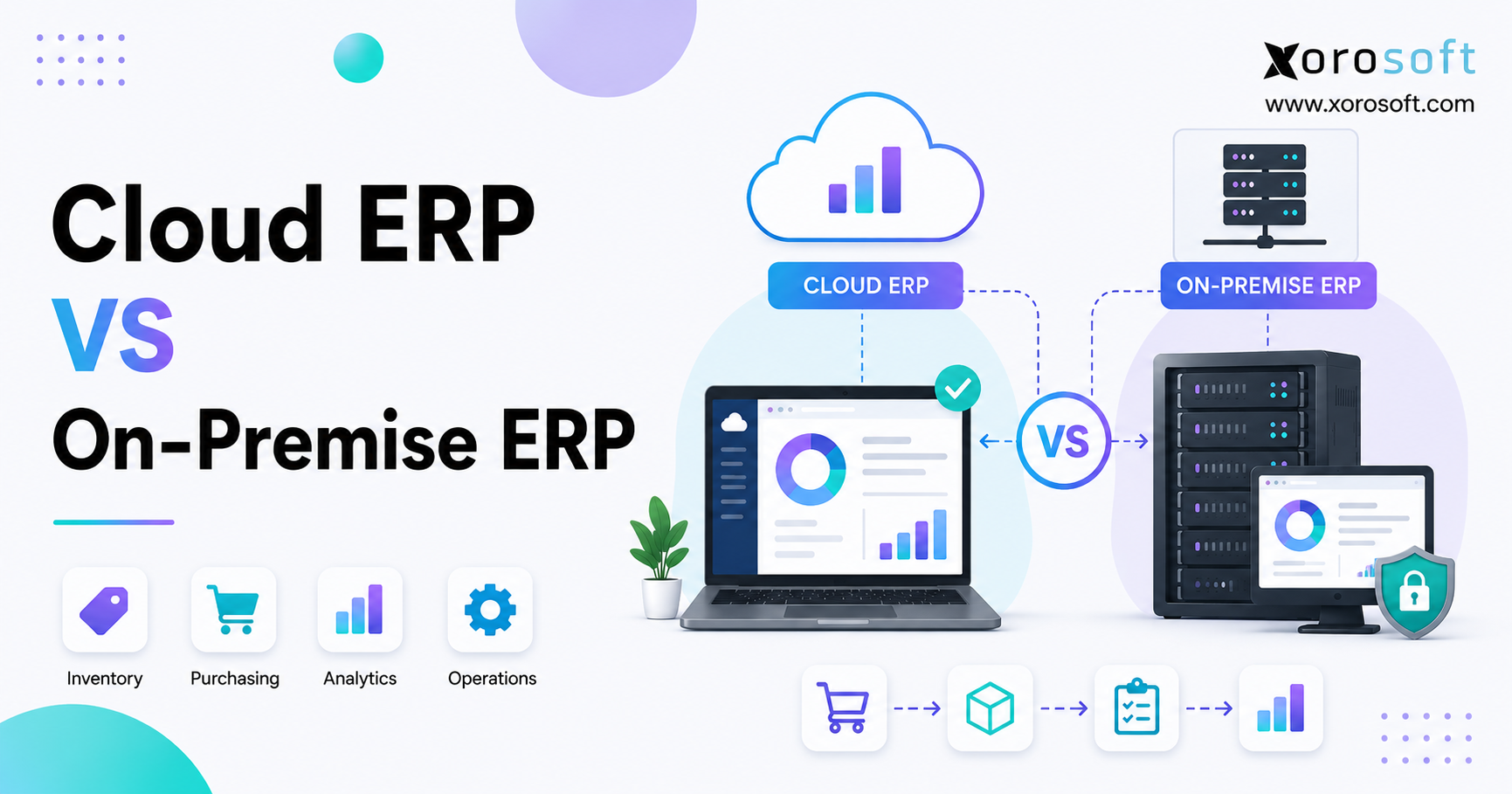
When considering modern business software solutions, many organisations face the important choice between Cloud vs On-Premise ERP.
1. ERP Deployment Decisions Now Shape Business Agility
Choosing between Cloud ERP vs On-Premise ERP is no longer a narrow infrastructure decision. Instead, the deployment model affects operating costs, security responsibilities, upgrades, remote access, integrations, internal IT workload, and the company’s ability to scale.
A poor choice rarely causes an immediate breakdown. Over time, however, operational friction begins to appear. A growing distributor may discover that every new warehouse requires additional servers, database support, backup capacity, and network changes. Meanwhile, another company may adopt cloud software without understanding how subscription pricing, integration ownership, and provider-managed releases will shape long-term operations.
Therefore, leadership teams should not begin by asking which option appears more modern. A better starting point is to identify which deployment structure supports the company’s real operating requirements with the least long-term complexity.
1.1 Why Cloud and On-Premise ERP Differences Matter
Traditionally, ERP software was installed on company-controlled servers. Businesses purchased licences, maintained databases, secured the infrastructure, and planned major upgrade projects every few years.
Today, buyers can choose among cloud-native SaaS ERP, hosted ERP, private cloud environments, on-premise systems, and hybrid architectures. As a result, companies have more flexibility. At the same time, they face more confusion because technically different products may all be marketed as cloud ERP.
A cloud-native platform is generally designed for browser access, subscription pricing, online delivery, and provider-managed releases. By contrast, hosted ERP may simply place traditional software in an external data centre while leaving upgrades, database administration, customizations, and application support under customer control.
Moving servers off-site does not automatically create a true SaaS model. Consequently, buyers must understand who manages each technical and operational responsibility after implementation.
1.2 Cloud ERP vs On-Premise ERP Operational Questions
A reliable Cloud ERP vs On-Premise ERP evaluation should begin with operating requirements rather than vendor demonstrations. First, determine who will maintain servers, databases, backups, security controls, and application updates. Next, document how much control the business requires over infrastructure, information access, and release timing.
Growth plans also deserve attention. Consider how quickly the organization expects to add users, entities, warehouses, manufacturing sites, and sales channels. At the same time, identify the integrations required for Shopify, Amazon, EDI, shipping, payments, reporting, and production systems.
The evaluation should also confirm whether locations can continue operating during an internet interruption. In addition, decision-makers need to assess internal technical skills, customization needs, process ownership, and the five-year business case.
Once those requirements are documented, the comparison becomes more practical and less influenced by broad technology trends.
2. What Cloud ERP Means for Finance and Operations
Cloud ERP is enterprise resource planning software delivered through internet-accessible infrastructure. Generally, the provider manages the technical environment, routine maintenance, platform patches, backups, and standard releases. The customer, however, remains responsible for users, roles, approvals, workflows, information quality, reports, integrations, and operating controls.
Employees normally access the platform through a browser or supported mobile interface. Consequently, teams can work across offices, warehouses, stores, factories, and remote locations without connecting directly to a company-owned server.
2.1 How Cloud-Based ERP Works
A cloud ERP platform stores operational and financial information in an environment managed by the software provider or its infrastructure partner. Customers commonly pay a recurring fee based on users, modules, legal entities, transaction volume, storage, or support level.
During a Cloud ERP vs On-Premise ERP comparison, buyers should examine how each system supports accounting, inventory, purchasing, warehouse execution, manufacturing, forecasting, reporting, ecommerce, shipping, and EDI. Functional depth matters because an ERP label does not guarantee that every module performs equally well.
One platform may offer strong financial management but limited warehouse execution. Another may manage inventory effectively while depending on external applications for forecasting or manufacturing. For that reason, businesses should test realistic operating scenarios instead of relying only on feature lists.
2.2 SaaS ERP vs Hosted ERP
Cloud-native SaaS ERP is built to operate as an online service. Customers typically remain on a supported version while the provider manages infrastructure, maintenance, and the standard release schedule.
Hosted ERP works differently. Under that arrangement, traditional software runs in an external data centre or cloud infrastructure account. Although the hardware is no longer located at the customer’s office, the business may still need to manage databases, upgrades, custom code, backups, and application administration.
The distinction matters because two systems marketed as cloud ERP may create very different workloads. Before signing a contract, buyers should clarify who performs updates, maintains integrations, monitors performance, restores information, and tests customizations.
2.3 Cloud ERP Advantages for Growing Businesses
Cloud ERP can reduce the amount of infrastructure that a company must purchase and maintain. Browser-based access also makes it easier for distributed teams to work across offices, warehouses, stores, and remote locations.
Operationally, the strongest benefits include faster environment provisioning, easier expansion across warehouses or entities, reduced dependence on server specialists, and centralized information across departments. In addition, provider-managed maintenance can free internal teams to focus on process improvement instead of routine infrastructure work.
A shared environment also reduces duplicate entry. Finance can see how purchasing and fulfillment affect working capital, while warehouse teams can use the same inventory records that support accounting and demand planning.
2.4 Cloud ERP Limitations and Trade-Offs
Despite those advantages, cloud ERP introduces trade-offs. Reliable internet access becomes essential, while the provider may control release timing and technical architecture.
Furthermore, database-level access or direct source-code modification may be restricted. Subscription costs can also rise as users, modules, storage, integrations, entities, and transaction volumes increase.
Vendor dependency deserves attention as well. When pricing, support, service quality, or product direction changes, moving to another ERP can be expensive. Therefore, contract terms, renewal conditions, information-export options, and implementation ownership should be reviewed carefully.
3. What On-Premise ERP Requires from the Business
On-premise ERP runs on infrastructure controlled by the customer. The application may operate in a company-owned data centre, server room, or private environment maintained by an external IT provider.
In most cases, the organization retains direct control over the application, database, network, security configuration, and upgrade schedule. However, it also assumes responsibility for keeping the environment available, protected, supported, and recoverable.
3.1 On-Premises ERP Infrastructure Responsibilities
A complete on-premise environment usually requires production and testing servers, database administration, network management, backup storage, monitoring tools, disaster recovery, and hardware replacement planning.
Virtualization can simplify parts of the environment. Even so, the customer remains accountable for maintenance. Server operating systems need patches, databases require tuning, storage must be monitored, and backups must be tested.
In addition, the company needs a plan for hardware failures, cyber incidents, power disruptions, and the loss of key technical employees. Direct control has value only when the organization can support that responsibility consistently.
3.2 On-Premise ERP Licensing and Maintenance
Traditional on-premise systems often use perpetual licences plus annual maintenance, although commercial models vary. Importantly, the licence represents only one part of the total cost.
Implementation, infrastructure, database technology, cybersecurity, internal labour, support, custom development, and upgrades can create substantial recurring expenses. Therefore, owning the licence should not be confused with having low ongoing costs.
Annual maintenance may provide access to support and product updates. Yet applying those updates can still require consulting, custom-code remediation, integration testing, employee training, and downtime planning.
3.3 Benefits of On-Premises ERP
On-premise ERP can provide direct control over servers, databases, upgrade schedules, and local-network availability. It may also support specialized equipment, established legacy systems, deeper technical customization, and strict internal-hosting policies.
For businesses with mature IT capabilities and highly specialized requirements, these advantages may deliver meaningful operational value. A factory with local production equipment, for instance, may need close connections between its ERP database and plant systems.
Similarly, an organization with strict hosting rules may require direct control over the physical and technical environment.
3.4 On-Premise ERP Limitations
The primary limitation is technical responsibility. Servers require maintenance, cybersecurity threats evolve, and software versions eventually lose support.
Moreover, extensive customizations and integrations can make upgrades difficult. As a result, some organizations continue using older versions long after the environment becomes expensive or risky to maintain.
Remote access may create another challenge. Although on-premise ERP can support distributed teams, the business may need VPNs, remote desktops, secure gateways, and additional monitoring. Growth can also trigger new infrastructure spending when users, locations, databases, or transaction volumes increase.
4. Cloud ERP vs On-Premise ERP at a Glance
At a functional level, both deployment models can support accounting, purchasing, inventory, manufacturing, warehousing, and reporting. The main distinction lies in how the software is delivered, who manages the supporting infrastructure, and how responsibilities are divided.
| Comparison factor | Cloud ERP | On-premise ERP |
|---|---|---|
| Hosting | Provider-managed environment | Customer-controlled infrastructure |
| Cost model | Usually recurring subscription | Licence, maintenance, and infrastructure |
| Maintenance | Primarily provider-managed | Primarily customer-managed |
| Remote access | Usually browser-based | Often requires secure remote-access tools |
| Scalability | Capacity can expand more easily | Additional infrastructure may be required |
| Customization | Configuration, APIs, and extensions | May allow deeper code-level changes |
| Security | Shared responsibility | Predominantly customer responsibility |
| Upgrade timing | Provider schedule | Customer schedule |
4.1 Cloud and On-Premise ERP Differences That Matter Most
Growing businesses often place more weight on scalability, integration, remote access, and internal IT capacity. By contrast, highly specialized organizations may value infrastructure control, local operation, and precise upgrade timing.
Therefore, the importance of each factor depends on the operating model. A multi-warehouse distributor may prioritize connected inventory and fulfillment, whereas a manufacturer with specialized plant equipment may prioritize local compatibility.
The cost of control must also be considered. Direct infrastructure ownership may appear attractive, but that control requires skilled people, documented procedures, monitoring tools, testing, and recovery capabilities.
4.2 ERP Deployment Model Comparison for Long-Term Flexibility
Cloud ERP often makes technical expansion easier when a company adds users, warehouses, channels, and entities. On-premise ERP, however, can provide greater direct control over the environment.
For inventory-driven businesses, XoroERP shows how cloud deployment can connect accounting, inventory, purchasing, warehouse management, forecasting, reporting, and ecommerce operations within one system.
Even so, the evaluation should remain focused on workflow fit. A cloud platform creates value only when it supports the operational depth required by the organization.
5. Cloud ERP vs On-Premise ERP Cost Comparison
A useful Cloud ERP vs On-Premise ERP cost comparison must look beyond the initial software quote. Cloud deployment usually shifts more spending toward recurring operating expenses, while on-premise ERP often requires a larger initial investment in licences, infrastructure, databases, security, and technical resources.
Neither model is automatically cheaper. Instead, the result depends on implementation scope, internal labour, integration complexity, customization, support requirements, and future growth.
5.1 Cloud ERP Costs
Cloud ERP expenses commonly include implementation, data migration, subscriptions, integrations, configuration, training, premium support, additional environments, and internal administration.
Although cloud ERP may reduce initial infrastructure investment, subscriptions can increase over time. Therefore, companies should model expected growth in users, warehouses, entities, modules, and transactions.
Pricing structures also vary. One provider may charge by named user, while another bases part of the fee on modules, order volume, storage, or legal entities. A fair comparison must examine the complete commercial model.
5.2 On-Premise ERP Costs
On-premise ERP expenses usually include licences, annual maintenance, servers, databases, storage, networking, security tools, backup systems, internal administration, custom development, hardware replacement, and upgrade projects.
Internal labour is especially easy to overlook because it does not appear on the vendor’s invoice. Database maintenance may consume only a few hours during a normal week. Over five years, however, administration, troubleshooting, security reviews, backup testing, and upgrades can become a significant cost.
Power, facilities, extended support, and remote-access infrastructure may add further expense.
5.3 Five-Year TCO for Cloud-Based ERP vs On-Premises ERP
A practical Cloud ERP vs On-Premise ERP business case should include software, implementation, infrastructure, integrations, customization, training, internal labour, maintenance, upgrades, support, and operational disruption.
For an accurate comparison, both models must use the same time period and growth assumptions. Otherwise, a low first-year price can produce a misleading result.
The financial model should also include likely business changes. When the company expects to add three warehouses, two entities, and 50 users, those assumptions must appear in both scenarios.
5.4 Hidden Costs in Both ERP Deployment Models
Cloud projects may underestimate API usage, premium support, information storage, and subscription growth. On-premise projects, meanwhile, may overlook security tools, database expertise, hardware replacement, and disaster recovery.
Both models can also create temporary duplicate systems, data-cleanup work, employee downtime, post-launch support, and manual reconciliation during migration.
Ultimately, the stronger financial choice is the deployment model that meets business requirements with the least avoidable complexity.
6. Cloud ERP vs On-Premise ERP Security and Control
Security is one of the most debated elements of Cloud ERP vs On-Premise ERP. However, the discussion is often reduced to an inaccurate choice between a secure vendor and a fully controlled local system.
In reality, protection depends on provider controls, customer capabilities, access configuration, employee behaviour, endpoint security, monitoring, backups, and recovery planning.
6.1 Cloud ERP Security Responsibilities
A cloud provider may manage physical facilities, infrastructure availability, platform maintenance, and application-level controls. Meanwhile, the customer remains responsible for user access, role design, authentication policies, integration credentials, device security, approval workflows, and employee offboarding.
Consequently, cloud ERP does not eliminate security work. It reallocates responsibilities between the provider and the customer.
A capable vendor cannot compensate for weak internal controls. If former employees retain active accounts or users receive excessive permissions, the company remains exposed.
6.2 On-Premises ERP Security Responsibilities
An on-premise customer controls the physical environment, network, database, application, backups, remote connections, and administrative accounts.
That degree of control can be valuable. Nevertheless, it is only beneficial when the organization has the people, processes, tools, and recovery procedures required to manage it securely.
The business must patch operating systems, databases, and the ERP application. It must also monitor threats, protect privileged accounts, maintain firewalls, test backups, and prepare an incident-response plan.
6.3 Data Residency in Cloud and On-Premise ERP
Businesses should confirm where production information, backups, logs, and support operations are located. Additionally, they should review encryption, retention, access logging, incident response, and export procedures.
Regional hosting alone does not resolve every compliance issue. For that reason, contracts and operating controls must also be examined.
Buyers should ask where backups are stored, which subcontractors process information, how support access is controlled, and what happens when the contract ends.
6.4 Backup and Recovery Across ERP Hosting Options
Backups should be protected and tested regularly. Similarly, companies should define acceptable recovery times and data-loss limits.
A backup that has never been restored cannot be assumed to work. Therefore, recovery testing matters in cloud and on-premise environments.
Cloud buyers should review contractual recovery commitments. On-premise customers, meanwhile, must confirm that infrastructure, procedures, and personnel can actually meet the organization’s recovery objectives.
7. Cloud ERP vs On-Premise ERP Implementation Requirements
Faster infrastructure provisioning can give cloud deployments an early advantage. However, server availability rarely determines the complete ERP timeline.
Data quality, workflow design, integrations, customizations, user availability, testing, and change management usually have a much greater effect on project duration.
7.1 ERP Deployment Model Comparison by Timeline
Entity count, warehouse complexity, reporting requirements, user availability, integration scope, customization, and decision-making speed all influence implementation duration.
A standardized on-premise implementation may finish before a heavily customized cloud project. Consequently, project scope matters more than deployment labels.
Delays often occur because business decisions remain unresolved. A team may spend weeks debating inventory costing, approval limits, item structures, or reporting definitions.
7.2 Data Migration for Cloud and On-Premise ERP
ERP migration may cover customers, suppliers, items, units of measure, warehouse locations, bills of materials, opening balances, open orders, inventory values, and selected historical transactions.
Before cutover, finance and operations should agree on reconciliation rules. In addition, they should determine how much historical information must move into the new system.
Moving every transaction may create unnecessary complexity. A better approach can involve transferring essential opening information while retaining older records in a secure archive.
7.3 Testing and Training Across ERP Models
Testing should cover complete operating processes rather than isolated screens. For example, the company should test purchase-to-pay, order-to-cash, returns, warehouse transfers, manufacturing, and month-end close.
Meanwhile, training should reflect each user’s responsibilities. Warehouse employees, buyers, accountants, managers, and customer-service teams require different scenarios and instructions.
User acceptance testing should include exceptions. Teams need to know what happens when inventory is short, an EDI order fails, a supplier ships less than expected, or an ecommerce order changes after allocation.
8. Configuration, Customization, and ERP Integrations
Customization flexibility varies across platforms, yet greater technical freedom does not always create a better operational result. Supported configurations and extensions are usually easier to maintain, test, and upgrade.
Deep modifications may still be justified for specialized requirements. Nevertheless, every customization should deliver measurable business value because it introduces future development and support obligations.
8.1 Cloud ERP Configuration vs Customization
Configuration uses supported tools such as custom fields, approval workflows, roles, forms, reports, dashboards, and notifications.
Customization changes system behaviour through development. Although development may solve specialized needs, it also creates documentation, testing, security, upgrade, and support requirements.
Therefore, the implementation team should first determine whether the process creates competitive value or simply reproduces an outdated workaround.
8.2 Integration Requirements for Cloud-Based and On-Premises ERP
Most inventory-driven companies need ERP to connect with ecommerce platforms, marketplaces, EDI, shipping carriers, banks, payment processors, tax software, warehouse automation, and business intelligence tools.
Every integration requires an owner. Furthermore, someone must monitor failures, maintain credentials, test changes, and resolve transaction errors.
Native integration does not always mean maintenance-free integration. The organization still needs visibility into failed orders, missing inventory updates, duplicate transactions, and authentication problems.
8.3 Long-Term ERP Customization Cost
Custom code can make future upgrades more complicated. It may also create dependence on a particular developer or implementation partner.
For that reason, businesses should prefer standard workflows and supported extensions whenever they meet operational requirements.
Before approving development, leadership should ask whether the requirement is mandatory, whether configuration can solve it, who will maintain the change, and how the team will test it after future releases.
9. Scaling Cloud and On-Premise ERP Across Locations
Business scalability extends beyond server capacity. An ERP must accommodate additional users, products, locations, orders, integrations, currencies, and entities without fragmenting processes or information.
Cloud platforms often make technical expansion easier. By comparison, an on-premise environment may require additional infrastructure planning and investment.
A complete Cloud ERP vs On-Premise ERP assessment should therefore examine operational scalability as well as technical capacity.
9.1 Adding Warehouses with Cloud ERP
Cloud ERP can often expand without purchasing new local servers. Nevertheless, the application must support location-level inventory, transfers, replenishment, allocation, receiving, picking, packing, cycle counting, and shipping workflows.
A unified platform such as XoroONE may be relevant when a growing inventory business wants accounting, inventory, purchasing, warehouse operations, forecasting, and ecommerce to remain connected.
Adding a warehouse involves more than creating a location record. The company must define receiving rules, replenishment logic, transfer processes, user access, shipping methods, and inventory ownership.
9.2 Remote Access in Cloud ERP Compared With On-Premise ERP
Cloud ERP usually supports distributed teams through browser access. In contrast, on-premise ERP may require VPNs, remote desktops, secure gateways, or other access infrastructure.
Even so, remote access is possible with either model. The difference lies in how much technical and security management the customer must provide.
Executives need reporting, buyers require supplier and inventory information, and warehouse managers need real-time visibility across locations. Therefore, access should be evaluated from an operational perspective as well as a technical one.
9.3 Connectivity and Business Continuity
Cloud ERP depends on reliable internet service. Therefore, warehouses and factories should consider redundant providers, mobile failover, downtime procedures, and supported offline workflows.
On-premise ERP may continue operating on the local network during an internet outage. However, ecommerce channels, banks, carriers, remote users, and external integrations may still be unavailable.
A continuity plan should document what work can continue, which processes must pause, and how employees will enter delayed transactions after service returns.
10. Cloud ERP vs On-Premise ERP Maintenance and Updates
Maintenance is another major difference in Cloud ERP vs On-Premise ERP. Cloud providers normally maintain the technical platform and deliver standard releases. By contrast, on-premise customers generally coordinate their own infrastructure maintenance and application upgrades.
10.1 Cloud ERP Updates
Cloud releases may include security fixes, usability improvements, new capabilities, and platform changes. Although the provider performs the release, customers should still review release notes and test important workflows.
Integrations, reports, approval processes, and extensions deserve particular attention because changes can affect operational continuity.
A structured release-review process helps process owners understand upcoming changes, assess their impact, and prepare users when necessary.
10.2 On-Premise ERP Upgrade Projects
On-premise customers usually control upgrade timing. That control can be useful, especially during busy seasons or major operational projects.
However, upgrades are frequently postponed when customizations and integrations are difficult to test. Over time, delayed upgrades can create security, compatibility, support, and compliance risks.
A delayed upgrade may also make the next project larger because the organization must cross several versions while replacing unsupported infrastructure.
10.3 ERP Ownership After Implementation
Cloud deployment reduces infrastructure administration, but it does not eliminate ERP ownership. The company still needs accountable people for information, permissions, reports, integrations, testing, training, and process improvement.
ERP should be treated as an operational platform rather than a one-time IT project. Without ongoing ownership, information quality declines, users create workarounds, and reports lose credibility.
11. Matching ERP Hosting Options to Business Complexity
Company size influences ERP requirements, although it should not determine the deployment model by itself. A small but operationally complex distributor may need more sophisticated functionality than a much larger service company.
For that reason, the evaluation should focus on transaction volume, inventory complexity, locations, integrations, reporting needs, and internal technical capacity.
11.1 Cloud ERP for Small and Growing Businesses
Growing companies often evaluate ERP after outgrowing QuickBooks, spreadsheets, inventory applications, and manual reporting.
Cloud ERP may reduce infrastructure responsibilities while creating a shared operating system. However, a smaller business with simple processes may not need ERP yet. The operational value must justify the implementation effort and ongoing cost.
Warning signs include inconsistent inventory numbers, spreadsheet-based purchasing, slow month-end close, repeated exports, and duplicate work across sales channels.
11.2 Cloud ERP vs On-Premise ERP for Mid-Market Companies
Mid-market businesses commonly require multi-entity accounting, formal approvals, inventory valuation, demand planning, warehouse controls, role-based access, and ecommerce or EDI integration.
Cloud ERP can support these requirements without demanding a larger infrastructure team. On-premise ERP, however, may fit companies that already have stable systems and strong technical resources.
The Cloud ERP vs On-Premise ERP decision should also consider acquisitions and expansion. A company expecting to add locations or business units needs an architecture that can absorb growth without creating another disconnected system.
11.3 ERP Hosting Options for Large Enterprises
Large enterprises may use cloud, private cloud, hybrid, and on-premise systems simultaneously.
For example, acquisitions can bring several ERP platforms into one organization. Similarly, regional compliance requirements or legacy production systems may prevent immediate standardization.
As a result, phased modernization can be more practical than a single enterprise-wide replacement. A clear target architecture is essential because hybrid operations can otherwise become permanent fragmentation.
12. Cloud ERP for Inventory-Driven Businesses
Companies that manage physical products face additional ERP requirements. Inventory must remain aligned with purchasing, accounting, warehouse execution, manufacturing, forecasting, ecommerce, and fulfillment.
As operations expand, disconnected applications often create duplicate entry, inconsistent inventory records, and delayed reporting. A unified platform can reduce those gaps when its workflows match the business.
12.1 Cloud ERP for Wholesale Distribution
Wholesale distributors commonly require customer-specific pricing, credit controls, EDI, allocation, replenishment, landed costs, supplier management, backorders, and multi-warehouse visibility.
Xorosoft is one cloud ERP option designed for these workflows. Businesses can review ERP solutions for inventory-driven industries while evaluating wholesale, apparel, furniture, sporting goods, food, and manufacturing requirements.
The most important question is not whether the platform includes a wholesale module. Buyers should test pricing, allocation, EDI exceptions, replenishment, credits, returns, and inventory availability using realistic scenarios.
12.2 Shopify ERP and Ecommerce Operations
Shopify businesses often begin with several independent applications. As order volume grows, however, inventory, accounting, purchasing, warehouse, and returns information becomes harder to reconcile.
Xorosoft can operate behind Shopify by connecting storefront activity with inventory, purchasing, accounting, fulfillment, and reporting. Merchants can review the Xorosoft ERP integration for Shopify when assessing how ecommerce information should connect to back-office operations.
A Shopify ERP should manage more than order imports. It should also support inventory synchronization, purchasing, allocation, returns, financial posting, multiple warehouses, and marketplace expansion.
12.3 Cloud WMS and Multi-Warehouse ERP
Multi-warehouse operations need accurate visibility across locations. In addition, they require transfers, replenishment, bin management, receiving, picking, packing, shipping, and cycle counting.
An integrated cloud warehouse management system can reduce timing and reconciliation problems that occur when ERP and warehouse systems maintain separate inventory records.
The business should test inter-warehouse transfers, partial receipts, damaged inventory, cycle-count adjustments, allocation rules, bin replenishment, and different shipping methods.
12.4 Cloud ERP for Manufacturing
Manufacturers may need bills of materials, work orders, production planning, material requirements, component tracking, subcontracting, and finished-goods costing.
Cloud ERP can be effective when several facilities need shared information. Conversely, on-premise or hybrid deployment may remain relevant when plant equipment depends on specialized local connections.
The platform should be tested with actual production scenarios, including shortages, substitutions, scrap, partial completions, subcontracted processes, and changes to production priorities.
13. When Cloud ERP Is Stronger Than On-Premise ERP
For distributed and rapidly growing operations, cloud ERP is often the more practical option. It may suit organizations that need browser-based access, easier technical expansion, provider-managed infrastructure, and stronger connections between inventory, accounting, purchasing, and ecommerce.
Within a Cloud ERP vs On-Premise ERP comparison, cloud deployment is especially relevant when operations span multiple locations, infrastructure resources are limited, existing applications are disconnected, and reliable internet service is available.
Even so, the organization still needs clear ownership of information, permissions, integrations, testing, reporting, and user support.
Cloud ERP is not a substitute for governance. Instead, it allows the internal team to focus less on infrastructure and more on business processes.
14. When On-Premise ERP Is the Better Fit
Certain operating environments continue to benefit from an on-premise model. Direct infrastructure control may be necessary when specialized equipment depends on local systems, internet access is unreliable, or internal policies impose strict hosting requirements.
An organization with mature technical resources may also prefer control over upgrade timing and database access. Similarly, extensive legacy customizations may make immediate migration impractical.
However, leadership should regularly reassess hardware costs, security risks, vendor support, customizations, staffing, and upgrade requirements.
A decision to keep on-premise ERP should be based on measurable value, not simply familiarity with the existing environment.
15. Hybrid ERP as a Phased Modernization Strategy
A hybrid approach allows cloud and on-premise applications to operate together. For example, a company may retain a local production system while introducing cloud accounting, reporting, ecommerce, or warehouse management.
This model can reduce immediate project scope and protect critical local workflows. On the other hand, it may preserve duplicate information, integration dependencies, and reconciliation work unless every system has a clearly documented role.
15.1 When Hybrid ERP Helps
A phased model can preserve essential equipment connections, support migration by location, deliver selected cloud benefits sooner, and spread organizational change across several stages.
That approach may be appropriate when the organization cannot replace every system at once. It can move reporting first, followed by financials, warehouses, or regional operations.
15.2 When Hybrid ERP Creates More Complexity
Hybrid environments can preserve fragmented information, fragile integrations, unclear ownership, and duplicate processes.
Therefore, every retained system should have a defined purpose. In addition, the company should document whether the hybrid architecture is temporary or permanent.
The design must clarify which system owns each information object, how often information synchronizes, who handles failures, and which platform produces official reports.
16. Planning a Move from On-Premise ERP to Cloud ERP
Migrating ERP should be treated as a business-process transformation rather than a technical relocation. The project should begin with future-state requirements across finance, inventory, purchasing, warehouses, manufacturing, ecommerce, reporting, and security.
Next, the team should audit existing applications, clean information, map integrations, choose a migration method, and test complete workflows. Finally, role-based training and a controlled cutover plan can reduce operational disruption.
16.1 Define Future-State ERP Requirements
Start with business workflows rather than current screens. Document requirements for finance, purchasing, inventory, warehouses, manufacturing, ecommerce, EDI, reporting, security, and multi-entity operations.
By doing so, the company avoids selecting a new platform simply because it resembles the old system.
Requirements should distinguish among mandatory processes, useful features, and preferences. This approach prevents the selection team from treating every request as equally important.
16.2 Audit Existing ERP Systems and Data
List every application, spreadsheet, connector, manual process, information owner, and operational dependency.
Afterward, decide which systems should be replaced, retained, integrated, or archived. The audit should also identify how information enters each system, which reports depend on it, and what breaks when it becomes unavailable.
Finance and operations should then reconcile inventory, receivables, payables, and general-ledger balances before launch.
16.3 Choose an ERP Migration Method
A big-bang migration moves the planned scope during one coordinated cutover. This approach reduces prolonged duplication but concentrates risk.
A phased migration moves modules, entities, or locations over time. Although the immediate scope is smaller, the organization must temporarily manage integrations and reconciliation between systems.
Parallel operation can support validation, yet it also increases workload and may confuse users about the official system of record.
16.4 Test Cloud and On-Premise ERP Workflows
Testing should cover purchase-to-pay, order-to-cash, returns, warehouse transfers, manufacturing, inventory valuation, month-end close, and user-access exceptions.
The goal is not simply to confirm that screens open. Instead, the team must prove that complete processes create correct operational and financial results.
Role-based training should use realistic transactions. Meanwhile, the cutover plan should define information freezes, final migration, approvals, escalation, rollback authority, and post-launch support.
17. Avoiding ERP Deployment Selection Mistakes
Many ERP projects encounter difficulty because teams compare products before defining requirements. Others focus on licence prices while overlooking internal labour, migration, integrations, upgrades, security, and long-term support.
Additional risk appears when businesses recreate every legacy customization or fail to assign ownership for integrations. A disciplined evaluation begins with workflows, controls, responsibilities, and measurable operational outcomes.
17.1 Comparing ERP Price Instead of Total Cost
A low cloud subscription may hide implementation and integration expenses. Similarly, a perpetual licence may hide infrastructure, labour, security, and upgrade costs.
Therefore, both options should be evaluated over the same period. The business case should also account for manual reconciliation, duplicate entry, delayed reporting, and spreadsheet management.
17.2 Selecting an ERP Deployment Model Too Early
Starting with “cloud or on-premise?” can narrow the decision too early.
Instead, the organization should first define workflows, controls, integrations, growth expectations, security responsibilities, and recovery needs.
Only then should the team decide which deployment model supports those requirements most effectively.
17.3 Rebuilding Every Legacy ERP Customization
Not every existing customization deserves to survive. Some support valuable processes, while others compensate for limitations in the previous system.
Consequently, each modification should be evaluated according to measurable business value.
A clean implementation may require changing the process rather than reproducing every old screen and report.
17.4 Ignoring ERP Integration and Security Ownership
Integrations can fail, credentials can expire, and APIs can change. Therefore, every connector needs an owner, monitoring process, and support plan.
Access reviews, employee offboarding, approval controls, segregation of duties, endpoint protection, and integration credentials also remain customer responsibilities.
This principle applies whether the ERP is cloud-based or on-premise.
18. Cloud ERP vs On-Premise ERP Decision Framework
A structured Cloud ERP vs On-Premise ERP scorecard prevents the team from selecting a platform based only on familiarity, vendor messaging, or one executive preference.
| Evaluation question | Cloud ERP may fit when… | On-premise ERP may fit when… |
| Growth | Users and locations will expand | Demand is relatively stable |
| IT capacity | Infrastructure resources are limited | A capable internal team exists |
| Remote access | Distributed access is essential | Users work mainly on controlled networks |
| Customization | Supported configuration is sufficient | Deep local modification is essential |
| Connectivity | Reliable internet is available | Extended local operation is required |
| Updates | Vendor-managed releases are preferred | Internal timing control is essential |
18.1 Compare ERP Vendors Through Real Workflows
Inventory-driven businesses may compare Xorosoft with NetSuite, Acumatica, Microsoft Dynamics 365 Business Central, Cin7, Brightpearl, Fishbowl, Sage, and other platforms.
The shortlist should be tested against purchasing, receiving, Shopify orders, wholesale allocation, warehouse transfers, manufacturing, inventory valuation, and month-end close.
For additional context, businesses can review the Xorosoft vs NetSuite comparison while independently validating functional fit, implementation scope, integrations, support, and cost.
18.2 Questions for Cloud and On-Premise ERP Vendors
A complete Cloud ERP vs On-Premise ERP review should confirm who owns updates, integration monitoring, migration, reconciliation, support, and recovery.
In addition, buyers should ask what causes pricing to change, how information can be exported, and which workflows require third-party applications.
A strong proposal should also explain how releases are tested, how extensions are protected, and what customer resources are required during implementation.
Clear answers make proposals easier to compare and reduce surprises after the contract is signed.
19. Cloud ERP vs On-Premise ERP FAQs
The FAQs below are divided into smaller groups so every topic remains easy to scan. Each question also uses a separate subheading to improve readability.
Core Cloud and On-Premise ERP Questions
What Is the Main Difference Between the Two ERP Models?
The main Cloud ERP vs On-Premise ERP difference involves hosting and technical responsibility. A cloud platform operates in an environment managed by the software provider, whereas an on-premise system runs on infrastructure controlled by the customer.
As a result, pricing, maintenance, upgrades, remote access, scalability, security ownership, and internal IT requirements differ.
Does Cloud ERP Always Use a SaaS Model?
Many cloud ERP platforms use a SaaS delivery model, although the terms are not always interchangeable.
Some traditional systems are hosted externally but still require customer-managed databases, upgrades, or customizations. A genuine SaaS platform generally includes provider-managed infrastructure, application maintenance, and standard releases.
Can On-Premise ERP Operate Without the Internet?
Core local processes may continue through the company network when internet access is unavailable.
External services such as ecommerce platforms, banks, carriers, remote users, marketplaces, and EDI connections may still stop working. Therefore, internet resilience remains important even for an on-premise deployment.
What Is Hybrid ERP?
Hybrid ERP combines cloud applications with on-premise systems.
For example, a company may retain a local manufacturing application while moving accounting, reporting, ecommerce, or warehouse management to the cloud. This approach can support phased modernization, although it also requires careful integration and reconciliation.
Cost Questions for Cloud-Based ERP vs On-Premises ERP
Is Cloud ERP Cheaper Than On-Premise ERP?
Lower upfront infrastructure spending often makes cloud ERP appear less expensive. Nevertheless, subscriptions, implementation, integrations, storage, support, and user growth must also be considered.
On-premise ERP may require more initial capital, while its long-term expenses include hardware, internal labour, security, maintenance, and upgrades.
Which Expenses Belong in ERP Total Cost of Ownership?
ERP total cost of ownership should include software, implementation, infrastructure, integrations, customization, internal labour, training, maintenance, security, support, upgrades, disaster recovery, and operational disruption.
Both deployment models should use the same evaluation period and realistic growth assumptions.
Where Do Unexpected Cloud ERP Costs Appear?
Potentially overlooked expenses include data migration, API usage, premium support, additional environments, storage, custom reports, employee training, and subscription growth.
Internal administration and change management should also be included because cloud ERP still requires ongoing business ownership.
Why Can On-Premise ERP Cost More Than Expected?
Frequently missed costs include servers, database licences, monitoring tools, security systems, backups, internal labour, hardware replacement, custom-code maintenance, and upgrades.
Disaster recovery, specialist consulting, and remote-access infrastructure may further increase ownership costs.
Security Questions for ERP Hosting Options
Is Cloud ERP More Secure Than On-Premise ERP?
Neither deployment model is automatically more secure. Effective protection depends on access controls, configuration, monitoring, endpoint security, backups, recovery procedures, and employee behaviour.
Cloud providers manage portions of the technical environment, while customers remain responsible for users, permissions, devices, integrations, and information governance.
Can Cloud ERP Meet Data-Residency Requirements?
Suitable hosting regions, contractual controls, backup locations, and support-access policies can help meet data-residency requirements.
Even so, buyers should verify subcontractors, activity logs, recovery environments, and complete information flows instead of relying only on the advertised hosting region.
What Happens During an Internet Outage?
Normal cloud ERP access may be interrupted. For this reason, warehouses, factories, stores, and offices should prepare redundant connections, mobile failover, downtime procedures, and supported offline workflows.
The continuity plan should also explain how delayed transactions will be entered after service returns.
Does Cloud ERP Still Need Internal IT Ownership?
A large infrastructure team may not be required. Even so, the business needs clear ownership of information, workflows, permissions, integrations, reporting, testing, training, and vendor coordination.
Cloud deployment reduces server administration but does not eliminate internal ERP governance.
Maintenance and Customization Questions
Who Manages Cloud ERP Updates?
Typically, the provider maintains the platform and delivers standard releases. Customers should still review release notes, test important workflows and integrations, validate reports, and prepare employees for process changes.
Although the provider performs the update, the business remains responsible for operational readiness.
How Are On-Premise ERP Upgrades Managed?
Internal teams, consultants, and the ERP vendor usually coordinate on-premise upgrades. This approach provides greater control over timing.
However, customizations, outdated integrations, infrastructure changes, and limited testing resources can make upgrade projects expensive.
Can a Cloud ERP Platform Be Customized?
Most modern platforms support configurable workflows, custom fields, reports, dashboards, roles, APIs, and supported extensions.
Direct database or source-code changes may be restricted to protect security and upgrade compatibility. Buyers should first determine whether standard configuration can satisfy the requirement.
Is On-Premise ERP Easier to Customize?
Deeper technical changes are often possible in an on-premise environment. However, greater flexibility creates additional documentation, testing, security, support, and upgrade responsibilities.
Any customization should provide measurable operational value because the business must maintain it throughout the ERP lifecycle.
Implementation and Migration Questions
How Long Does Cloud ERP Implementation Take?
Implementation time depends on process scope, information quality, integrations, entities, warehouses, customization, testing, and user availability.
Although cloud infrastructure may be provisioned quickly, process design, migration, reconciliation, training, and change management still require careful planning.
What Extends an On-Premise ERP Implementation?
Along with business-process work, an on-premise project may require servers, databases, networks, security tools, backups, and disaster-recovery environments.
Consequently, the timeline depends more on project scope and organizational readiness than on deployment type alone.
Which Factors Commonly Delay ERP Projects?
Unresolved workflow decisions, poor information quality, unavailable process owners, complex integrations, and inadequate testing commonly delay ERP projects.
Clear governance and timely decision-making are therefore essential for both deployment models.
When Should a Company Move ERP to the Cloud?
Migration becomes relevant when infrastructure maintenance is expensive, upgrades are repeatedly delayed, remote access is difficult, reporting is fragmented, or disconnected applications restrict growth.
A move may also be appropriate when internal technical resources no longer match the complexity of the current environment.
Industry Fit and Final ERP Selection Questions
Can Cloud ERP Manage Multiple Warehouses?
Yes, provided the platform supports location-level inventory, transfers, replenishment, receiving, allocation, picking, packing, shipping, and cycle counting.
Buyers should test these workflows using realistic warehouse structures, product volumes, order priorities, and exception scenarios.
Is Cloud ERP Suitable for Wholesale Distributors?
For many wholesale distributors, cloud ERP provides shared inventory visibility, purchasing, customer pricing, credit controls, EDI, order allocation, and multi-warehouse management.
However, the company should validate landed costs, supplier workflows, backorders, returns, and reporting requirements during evaluation.
Does Cloud ERP Work for Manufacturing Companies?
Manufacturers can use cloud ERP when the platform supports bills of materials, work orders, production planning, material requirements, costing, and inventory control.
Meanwhile, specialized machinery or plant systems may require local integrations, edge applications, or a hybrid deployment model.
How Should the Final ERP Decision Be Made?
Begin by documenting operational, financial, security, and technical requirements. Next, compare growth plans, IT capacity, connectivity, integrations, customization, recovery needs, upgrade preferences, and total cost.
Finally, test shortlisted platforms through complete real-world workflows before approving the investment.
20. Choose the ERP Model That Reduces Long-Term Complexity
The Cloud ERP vs On-Premise ERP decision should not be settled through a slogan or technology trend. Cloud ERP is often the stronger option for businesses that need distributed access, easier technical scaling, connected operations, and reduced infrastructure ownership.
On-premise ERP, however, can remain appropriate when direct control, local operation, specialized integrations, or strict release timing delivers measurable value. Meanwhile, hybrid ERP may support gradual modernization when immediate replacement is too disruptive.
The most important step is to define the future operating model before evaluating products. Map workflows, calculate five-year costs, identify integration ownership, document security responsibilities, and test complete operational scenarios.
For inventory-driven businesses, the evaluation should cover accounting, purchasing, inventory valuation, warehouse execution, forecasting, manufacturing, Shopify, Amazon, EDI, reporting, and multi-location requirements.
Ultimately, the selected deployment model should simplify how the company operates rather than moving existing fragmentation into a different technical environment.
Ready to compare ERP options against your real workflows? Book a personalized ERP assessment and demo with Xorosoft.