If you are considering ways to improve your business operations, it’s important to understand ERP inventory benefits and how they can streamline your processes.
Why Inventory Control Breaks Before Teams Notice
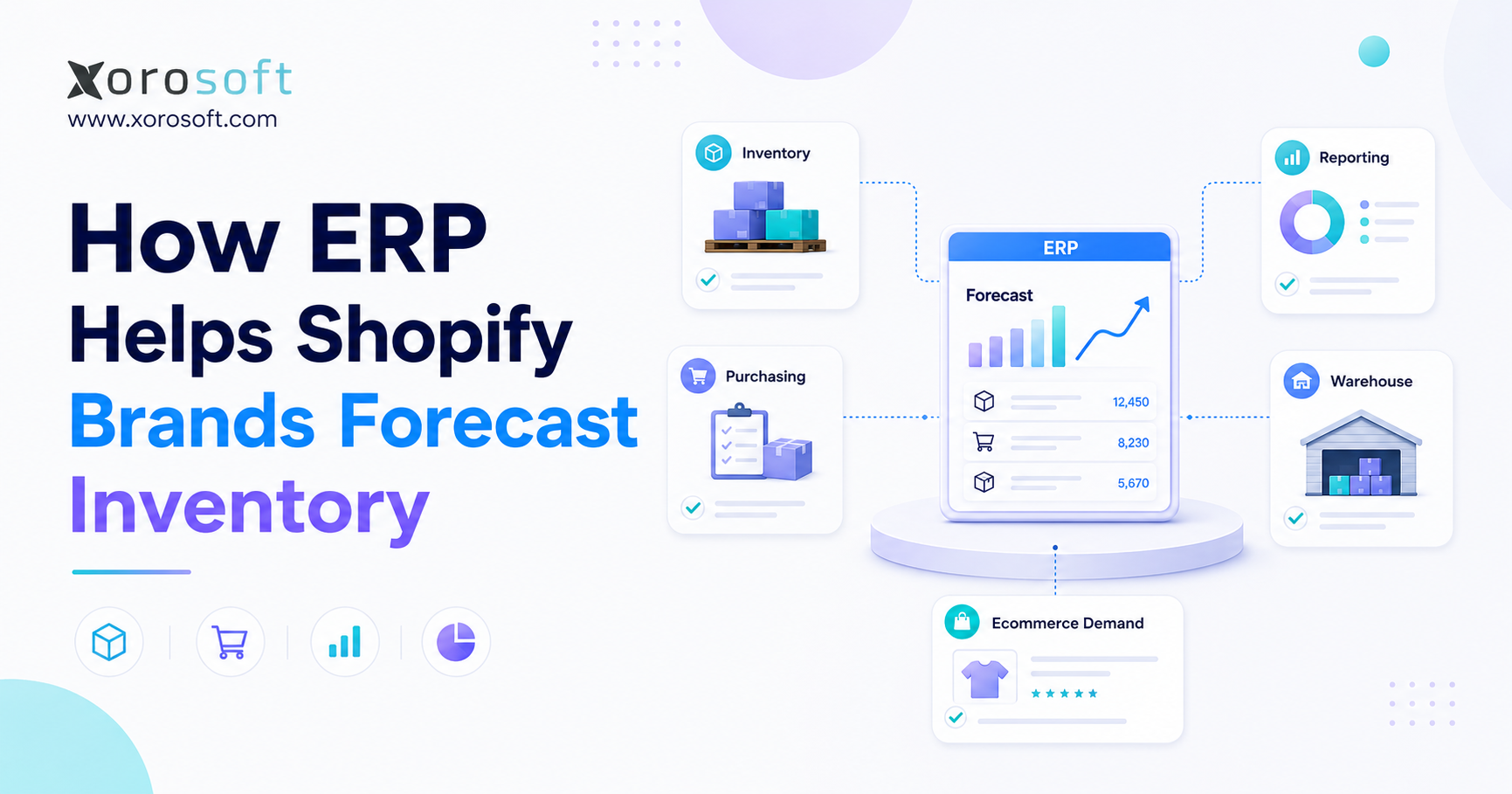
ERP inventory benefits are the practical gains a growing product business gets when inventory, purchasing, warehouse work, accounting, ecommerce, and reporting run from one connected system. Instead of relying on spreadsheets or disconnected apps, teams can see stock more clearly, reduce errors, plan purchases earlier, and make faster decisions.
At the early stage, a company may manage products with spreadsheets, QuickBooks, and manual checks. However, as sales channels, warehouses, suppliers, SKUs, and order volume grow, inventory control becomes harder to manage with disconnected tools.
The issue is not only inaccurate stock. In fact, the larger problem is that bad inventory data affects every team. Sales teams may promise products that are not available. Warehouse teams may pick from the wrong location. Purchasing teams may reorder too late or too early. Meanwhile, finance teams may struggle with inventory valuation, landed cost, and cost of goods sold.
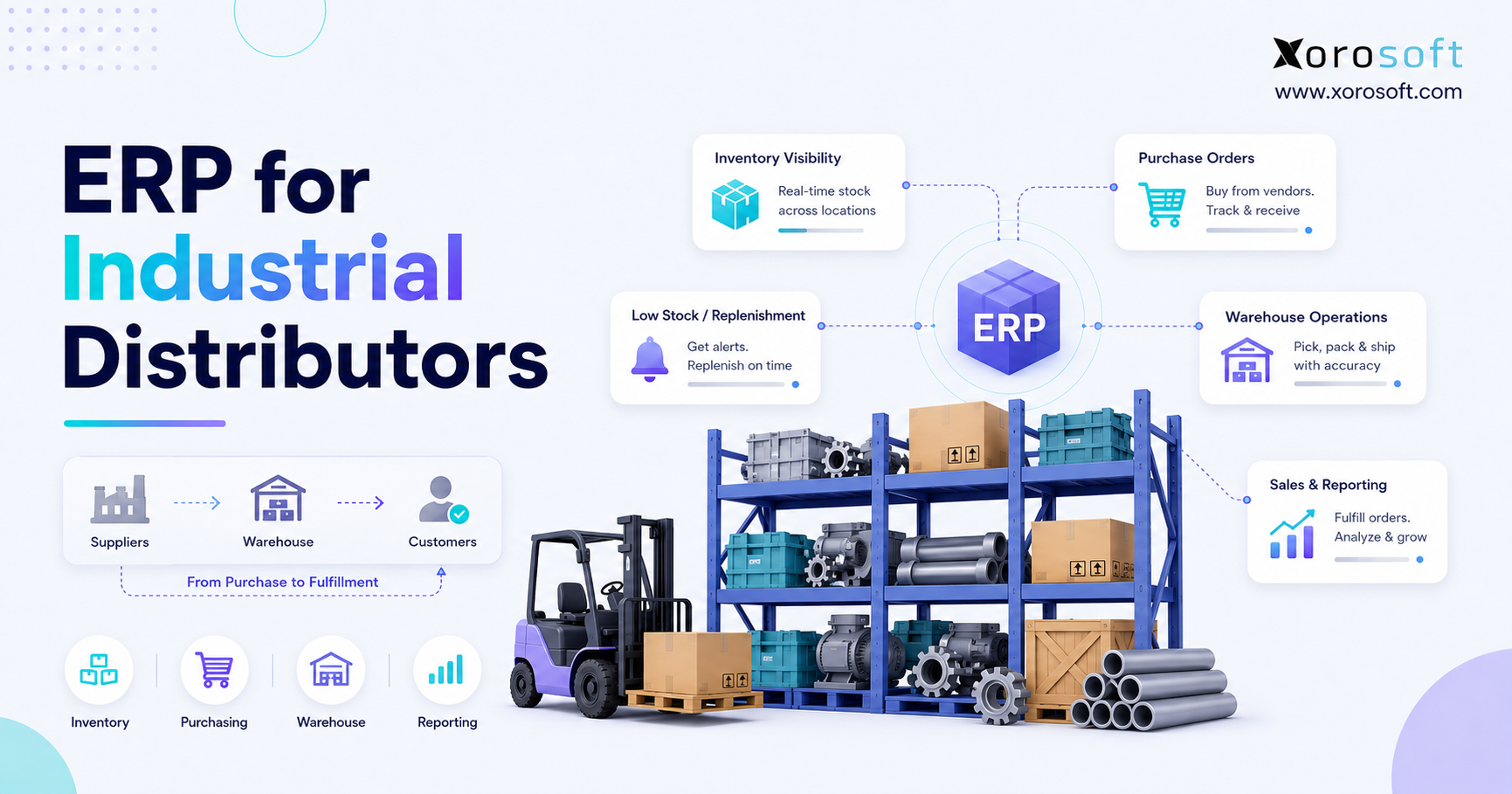
This is where ERP becomes useful. ERP stands for enterprise resource planning. For product-based companies, ERP connects inventory, purchasing, warehouse operations, accounting, sales orders, manufacturing, ecommerce, and reporting in one system. As a result, inventory becomes part of the company’s operating foundation instead of a separate spreadsheet or app.
This guide explains the most important ERP inventory benefits for ecommerce, wholesale, apparel, furniture, sporting goods, food, and manufacturing businesses. Also, it explains when ERP makes sense, when it may be too early, and how to choose the right system without adding unnecessary complexity.
1. What Are ERP Inventory Benefits?
ERP inventory benefits are the practical improvements a business gains when inventory is managed inside a connected ERP system. These benefits usually include better stock accuracy, real-time visibility, smarter purchasing, stronger forecasting, warehouse control, cleaner accounting, and better reporting.
In simple terms, ERP helps answer important inventory questions faster:
1. What stock do we have?
2. Where is each item located?
3. What inventory is already committed to orders?
4. What needs to be reordered?
5. Which products are aging?
6. Which products are profitable?
7. What inventory value should finance report?
Without ERP, those answers often live across Shopify, Amazon, QuickBooks, spreadsheets, warehouse apps, supplier emails, and manual reports. Because of that, teams spend too much time checking numbers instead of improving operations.
With ERP, inventory becomes one shared source of truth. For example, a purchase order can update expected inventory. A receiving transaction can update stock on hand. A sales order can reserve inventory. Then, a shipment can reduce available stock, and accounting can use the same data for valuation and reporting.
1.1 Why These Benefits Go Beyond Stock Tracking
ERP does more than show how many units are available. Instead, it connects inventory to the decisions that depend on it. Therefore, teams can improve buying, fulfillment, warehouse work, accounting, forecasting, and customer service.
In other words, ERP inventory benefits matter most when a company has more SKUs, more warehouses, more channels, and more people using inventory data every day.
2. Why Stock Control Gets Harder as Companies Grow
Inventory complexity usually increases before leadership sees the full cost. At first, the business only feels busier. Then, stock errors, delayed updates, fulfillment mistakes, and reporting issues start appearing more often.
2.1 More SKUs Create More Data Problems
A company with 50 SKUs may manage inventory with basic tools. However, a company with thousands of SKUs, variants, colors, sizes, bundles, lots, and components needs stronger controls.
Each product record must be clean. Units of measure must be correct. Vendor data must stay updated. Warehouse locations must be clear. Otherwise, every team works from weak data.
When SKU data is messy, purchasing may order the wrong item. Warehouse teams may receive the wrong product. Ecommerce channels may display incorrect stock. Finance may assign the wrong cost. As a result, SKU growth becomes a data control problem, not just a product problem.
2.2 More Sales Channels Create More Sync Problems
Many product businesses now sell through Shopify, Amazon, wholesale, retail, EDI, B2B portals, and marketplaces. Each channel can create orders, returns, inventory commitments, and fulfillment needs.
However, if every channel has a different inventory number, teams cannot confidently promise stock. This can lead to overselling, late shipments, canceled orders, and poor customer experience.
ERP helps by centralizing inventory across channels. Therefore, teams can see what is available, what is committed, and what needs attention. In addition, teams can reduce the manual checks that usually slow down fulfillment.
2.3 More Warehouses Create More Visibility Problems
A single warehouse can already be hard to manage. Multiple warehouses add more complexity. For this reason, teams need to see stock by warehouse, bin, location, status, transfer, allocation, and availability.
Without ERP, multi-warehouse teams often rely on manual transfer sheets or delayed updates. Consequently, stock may appear available in one warehouse even though it is already committed, damaged, in transit, or reserved for another order.
2.4 More Orders Create More Accounting Problems
Inventory is not only an operations issue. It is also a finance issue. Every purchase, receipt, shipment, return, transfer, adjustment, and production transaction can affect inventory value and cost of goods sold.
When inventory and accounting are disconnected, finance teams often wait for operations data before they can close the month. They may need to reconcile sales reports, warehouse counts, purchase receipts, returns, and manual adjustments. Because of this, inventory growth can slow financial reporting unless the systems are connected.
3. Core ERP Inventory Management Benefits
The strongest ERP inventory management benefits usually appear when a business has growing order volume, multiple sales channels, multiple warehouses, purchasing complexity, or accounting pressure.
| Benefit | What It Improves | Business Impact |
|---|---|---|
| Inventory accuracy | Stock records and physical counts | Fewer errors and better trust in data |
| Real-time visibility | Stock by channel and warehouse | Faster decisions and fewer surprises |
| Fewer stockouts | Replenishment planning | Better product availability |
| Less overstock | Purchasing discipline | Better cash flow |
| Smarter purchasing | PO planning and vendor management | Better buying decisions |
| Warehouse efficiency | Receiving, picking, packing, transfers | Faster fulfillment |
| Forecasting | Demand planning | Better stock levels |
| Inventory valuation | Cost and financial accuracy | Cleaner reporting |
| Faster month-end close | Inventory-accounting connection | Less manual reconciliation |
| Multi-warehouse control | Location-level stock | Better fulfillment routing |
| Reporting | Inventory KPIs and dashboards | Better leadership visibility |
| Scalability | Process consistency | Growth without tool sprawl |
3.1 Better Inventory Accuracy
Inventory accuracy is one of the most important ERP inventory benefits because every other workflow depends on it. If the system says 100 units are available but the warehouse only has 74, sales, purchasing, fulfillment, and finance decisions become unreliable.
ERP improves accuracy by recording stock movement in one system. Receiving, adjustments, transfers, sales orders, shipments, returns, and production consumption all update inventory records. As a result, teams do not need to manually reconcile several tools just to understand stock status.
3.2 Real-Time Inventory Visibility
Real-time visibility means teams can see inventory across warehouses, locations, channels, and statuses. This matters because “in stock” is not always simple.
A product may be physically in the warehouse but already allocated to a wholesale order. Another product may be in transit from a supplier. Meanwhile, another may be damaged, quarantined, or waiting for inspection.
ERP helps separate on-hand, available, committed, in-transit, and reserved inventory. Therefore, teams make decisions from usable inventory data rather than rough totals. Also, customer-facing teams can respond faster when buyers ask about availability.
3.3 Fewer Stockouts
Stockouts usually happen when demand rises faster than purchasing can respond. They can also happen when supplier lead times are ignored or inventory records are wrong.
ERP helps by connecting sales history, reorder points, supplier lead times, safety stock, and purchase orders. Because of this, purchasing teams can act before inventory runs out. As a result, the business can reduce emergency buying and avoid missed sales opportunities.
3.4 Less Overstock
Overstock creates a different problem. It ties up cash, consumes warehouse space, increases carrying costs, and often leads to markdowns.
ERP helps teams identify slow-moving inventory, aging stock, excess inventory by location, and products that should not be reordered yet. Instead of buying based only on instinct, teams can use demand history, open orders, forecasted demand, current stock, and supplier lead times.
3.5 Smarter Purchasing
Purchasing becomes more disciplined when buyers can see what is available, what is committed, what is on order, and what demand is expected.
ERP can support purchase suggestions, reorder points, approval workflows, vendor records, landed cost, and supplier lead times. Moreover, this is especially useful for businesses with overseas suppliers, long lead times, seasonal launches, or wholesale commitments.
3.6 Improved Warehouse Efficiency
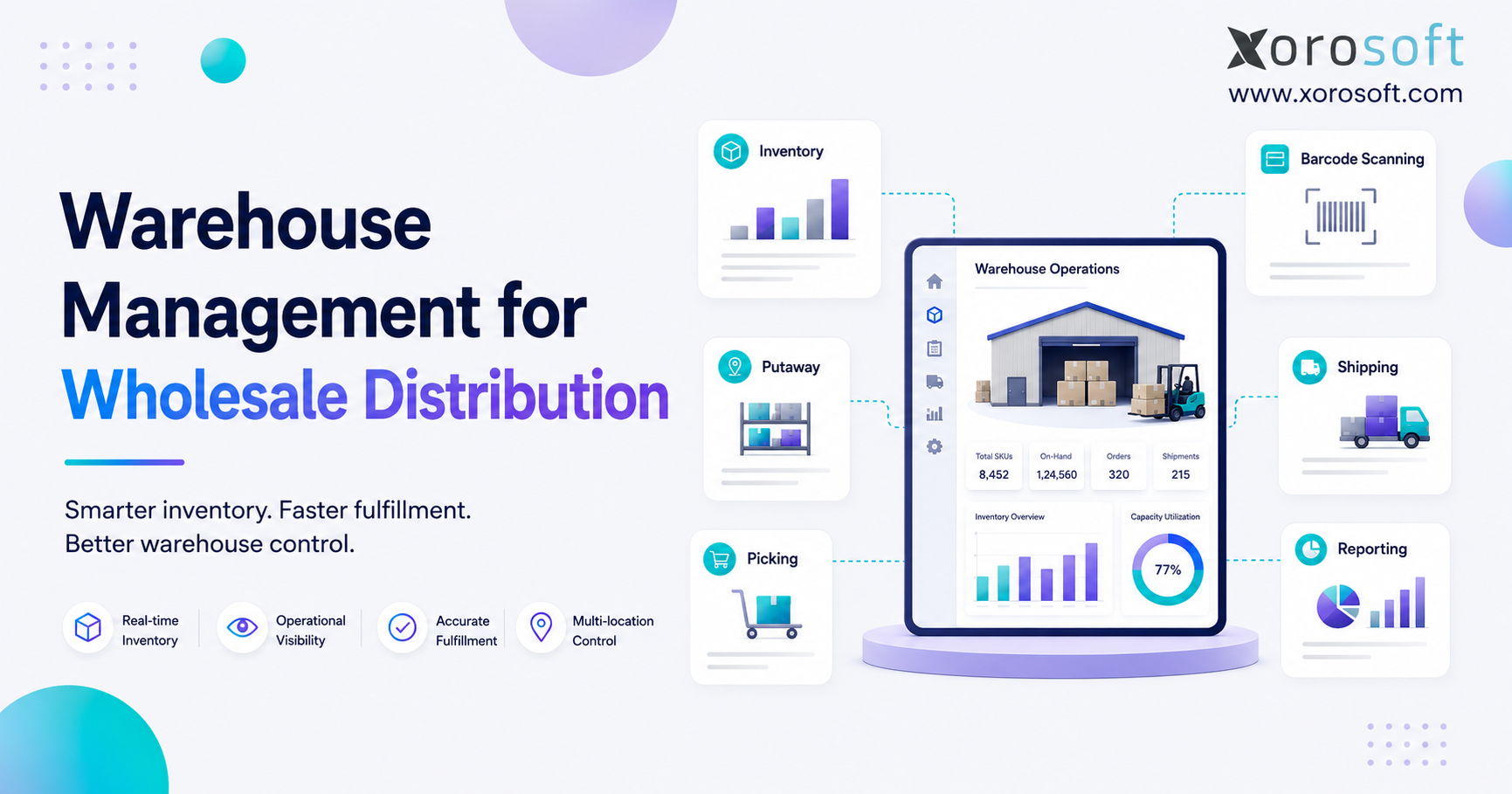
A warehouse cannot run well if workers do not trust the system. ERP supports receiving, putaway, picking, packing, shipping, barcode scanning, transfers, and cycle counting.
In addition, warehouse teams can use location-level data to find products faster and reduce picking errors. Better warehouse workflows also improve customer experience because orders ship faster and returns become easier to process.
3.7 Stronger Forecasting
Forecasting improves when demand data, inventory data, and purchasing data live together. ERP can help teams understand sales velocity, seasonality, channel demand, supplier lead times, and future inventory needs.
This is one of the ERP inventory benefits that directly affects cash flow. When forecasts improve, companies can buy with more confidence and reduce reactive purchasing.
3.8 Better Inventory Valuation
Inventory valuation affects gross margin, balance sheet accuracy, tax reporting, and financial planning. ERP helps connect inventory movement with financial records.
Depending on the system and accounting method, businesses may track FIFO, weighted average cost, landed cost, COGS, and inventory adjustments. This matters because inventory errors can quickly become financial errors.
3.9 Faster Month-End Close
When inventory and accounting are disconnected, finance teams often spend days chasing operational data. ERP reduces this delay by linking purchasing, receiving, sales, returns, inventory adjustments, and accounting entries.
As a result, month-end close can become cleaner and faster. Finance teams spend less time correcting data and more time reviewing performance.
3.10 Better Multi-Warehouse Control
Multi-warehouse control is one of the most practical ERP inventory benefits for growing companies. ERP helps teams see inventory by warehouse, create transfer orders, track in-transit stock, allocate inventory, and plan replenishment by location.
This is important for brands that fulfill orders regionally or use warehouses near key customer markets. Similarly, it helps teams avoid moving stock without clear visibility.
3.11 Better Reporting and Decision-Making
ERP reporting helps leadership understand inventory turnover, stock aging, margin, fill rate, sell-through, open purchase orders, supplier lead times, and warehouse performance.
Instead of asking, “Why did we run out?” teams can ask, “Which demand signal did we miss, and how do we prevent it next time?” In turn, the business can move from reactive problem-solving to better operational planning.
3.12 Scalability
Finally, ERP gives businesses a process foundation that can support growth. More orders, more warehouses, more SKUs, and more users do not automatically require more spreadsheets or disconnected apps.
For growing inventory-driven teams, a connected ERP platform such as XoroONE can help bring inventory, accounting, purchasing, warehouse management, ecommerce, and reporting into one operating system.
4. ERP Benefits by Business Function
Different teams experience ERP benefits for inventory control in different ways. Operations may care about workflow control. Finance may care about valuation. Warehouse teams may care about picking accuracy. Leadership may care about visibility.
4.1 Benefits for Operations Teams
Operations teams benefit from cleaner workflows and fewer manual handoffs. Instead of checking several systems, they can see inventory, orders, transfers, purchasing, and fulfillment status in one place.
As a result, they spend less time chasing updates and more time improving processes.
4.2 Benefits for Warehouse Teams
Warehouse teams benefit from clearer receiving, putaway, picking, packing, transfer, and cycle count workflows. Barcode scanning and location-level stock can reduce errors.
Moreover, warehouse managers can see what work is pending, which orders are delayed, and where bottlenecks are forming.
4.3 Benefits for Purchasing Teams
Purchasing teams benefit from demand-based buying. They can review open sales orders, current inventory, supplier lead times, reorder points, safety stock, and forecasted demand before creating purchase orders.
Because of this, buying decisions become more controlled and less reactive.
4.4 Benefits for Finance Teams
Finance teams benefit when inventory movement and accounting records stay aligned. Purchase receipts, shipments, returns, landed cost, and inventory adjustments can flow into financial reporting with fewer manual steps.
This creates cleaner inventory valuation and helps reduce month-end pressure. In turn, finance teams can spend more time analyzing performance instead of correcting data.
4.5 Benefits for Leadership Teams
Leadership teams benefit from better operational visibility. They can see whether the business is growing profitably or simply carrying more inventory, more complexity, and more manual work.
Therefore, leadership can make decisions with a clearer view of both operational performance and financial impact.
5. Industry Use Cases for Inventory ERP Benefits
Inventory problems look different by industry. However, the core need is the same: businesses need accurate inventory data that supports daily decisions.
| Industry | Inventory Challenge | ERP Benefit |
|---|---|---|
| Apparel | Size, color, seasonality, returns | Variant control and demand planning |
| Furniture | Large items, long lead times, warehouse space | Better purchasing and location visibility |
| Sporting goods | Seasonal demand and SKU variety | Forecasting and stock allocation |
| Food | Lots, expiration dates, traceability | Batch and expiry control |
| Wholesale | EDI, bulk orders, allocation | Centralized B2B inventory workflows |
| Manufacturing | BOMs, work orders, raw materials | Production and material planning |
5.1 Apparel and Fashion
Apparel companies manage sizes, colors, styles, seasons, returns, wholesale accounts, and ecommerce demand. ERP helps centralize variant-level inventory and improves visibility across sales channels.
5.2 Furniture
Furniture companies often deal with bulky inventory, long supplier lead times, warehouse space limits, delivery planning, and landed cost. ERP helps track large-item inventory and purchasing commitments.
5.3 Sporting Goods
Sporting goods companies often manage seasonal demand, many product categories, and channel-specific stock needs. Similarly, ERP helps match purchasing and stock allocation with demand patterns.
5.4 Food and Beverage
Food and beverage businesses may need lot tracking, expiration dates, batch control, replenishment, and traceability. ERP can help manage product movement from receiving to sale with stronger control.
5.5 Wholesale Distribution
Wholesale companies often manage customer-specific pricing, bulk orders, EDI, inventory allocation, and purchasing commitments. ERP creates better control across customer orders and available stock.
5.6 Manufacturing
Manufacturers need to manage raw materials, components, work orders, BOMs, finished goods, and production schedules. ERP helps connect material planning with inventory availability and purchasing.
For readers comparing fit by business type, the industries Xorosoft serves page can be used as a helpful internal link around apparel, furniture, sporting goods, food, wholesale, and manufacturing.
6. Standalone Inventory Software vs ERP
Standalone inventory software can be useful for businesses that mainly need stock tracking, simple warehouse control, and basic replenishment. However, as the company grows, inventory decisions usually affect accounting, purchasing, ecommerce, wholesale, manufacturing, and reporting at the same time.
| Capability | Standalone Inventory Software | ERP Inventory System |
|---|---|---|
| Stock tracking | Usually strong | Strong and connected |
| Purchasing | Basic to moderate | Connected to demand and finance |
| Accounting | Usually separate | Built into the operating flow |
| Warehouse workflows | Varies by tool | Connected to inventory and orders |
| Manufacturing | Limited | BOMs, work orders, production planning |
| Reporting | Inventory-focused | Business-wide reporting |
| Scalability | Good for simpler teams | Better for complex operations |
6.1 When Inventory Software Is Enough
Standalone inventory software may be enough when the business has one warehouse, a limited SKU count, simple purchasing, and basic fulfillment needs.
In that case, a lighter tool may solve the immediate problem without adding too much process.
6.2 When ERP Becomes the Better Fit
ERP becomes the better fit when inventory is no longer only an operations issue. If inventory affects accounting, purchasing, warehouse work, ecommerce, wholesale, and manufacturing, the business needs a more connected system.
For example, XoroERP can be positioned as a cloud ERP option for inventory-driven businesses that need inventory, accounting, purchasing, WMS, reporting, manufacturing, and ecommerce workflows in one place.
7. Spreadsheets vs Connected Inventory Control
Spreadsheets work because they are flexible. A small team can create columns, formulas, filters, and manual planning sheets quickly. However, spreadsheets break when too many people, tools, and decisions depend on them.
| Area | Spreadsheet Approach | ERP Approach |
|---|---|---|
| Inventory updates | Manual | Transaction-based |
| Version control | Risky | Centralized |
| Audit trail | Weak | Stronger |
| Multi-user workflows | Difficult | Role-based |
| Reporting | Manual | Dashboard-driven |
| Accounting connection | Separate | Integrated |
| Warehouse execution | Limited | Workflow-based |
7.1 Why Spreadsheets Work Early
Spreadsheets are easy to start with. They are flexible, familiar, and cheap. For a small company with simple stock, they may work for a while.
7.2 Why Spreadsheets Break Later
Spreadsheets become risky when several teams rely on them. One person may update an old version. Another may change a formula. A third may copy data from the wrong source.
Because there is no strong audit trail, errors are hard to trace. Over time, the business starts making decisions from delayed or inaccurate data.
7.3 Signs You Have Outgrown Spreadsheet Inventory
You have likely outgrown spreadsheet inventory if:
- Teams disagree on stock numbers.
- Inventory is updated after orders ship.
- Purchasing depends on manual formulas.
- Warehouse transfers are tracked by email.
- Finance waits for inventory reports.
- Stockouts happen even when reports show stock.
- Overstock builds up because buying is reactive.
- You cannot see inventory by warehouse in real time.
When these problems happen often, spreadsheets are no longer a planning tool. Instead, they become an operational risk.
8. QuickBooks vs a Full Operating System
QuickBooks is often useful for early accounting. Many businesses start there because it is familiar and practical for basic finance workflows. However, inventory-heavy businesses usually need more operational depth than accounting software alone can provide.
| Business Need | QuickBooks Limitation | ERP Advantage |
|---|---|---|
| Multi-warehouse inventory | Limited operational depth | Warehouse-level visibility |
| Purchasing automation | Often manual or app-based | Reorder and PO workflows |
| Forecasting | Limited | Demand and replenishment planning |
| Warehouse execution | Requires other tools | Receiving, picking, packing, transfers |
| Manufacturing | Limited | BOMs and work orders |
| Reporting | Accounting-focused | Operational and financial reporting |
8.1 Why QuickBooks Works Early
QuickBooks can support basic accounting, invoicing, bills, and financial records. For companies with simple inventory, that may be enough at first.
8.2 Why Inventory-Heavy Teams Outgrow QuickBooks
Inventory-heavy businesses often need multi-warehouse control, purchasing automation, forecasting, warehouse workflows, manufacturing support, and real-time reporting. These needs usually go beyond basic accounting.
As a result, teams add spreadsheets, inventory apps, warehouse apps, and manual reports around QuickBooks. Eventually, the stack becomes too disconnected.
8.3 When to Consider ERP
A business should consider ERP when inventory, purchasing, warehouse work, and accounting need to operate from the same data. This is where ERP inventory benefits become easier to see.
If the company is also comparing larger ERP options, the Xorosoft vs NetSuite comparison can be used as a useful internal link in this section.
9. How ERP Improves Inventory Accuracy
ERP improves inventory accuracy by making inventory movement part of controlled workflows. Instead of updating stock manually after the fact, the system updates inventory as transactions happen.
9.1 Centralized Inventory Transactions
Every transaction should update the same inventory record. Purchase receipts increase stock. Sales shipments reduce stock. Returns update availability. Adjustments create audit trails. Transfers move inventory between locations.
Because these actions happen in one system, inventory data becomes easier to trust.
9.2 Barcode Scanning and Warehouse Controls
Barcode scanning reduces manual entry. During receiving, picking, packing, and transfers, scan-based workflows help warehouse teams update the correct item and location.
This reduces errors and gives managers better visibility into warehouse activity.
9.3 Real-Time Updates Across Channels
Real-time inventory updates help reduce overselling and customer frustration. This is especially important for businesses selling through Shopify, Amazon, wholesale, marketplaces, and retail.
When sales channels and warehouses update the same inventory record, teams can respond faster and make better promises to customers.
9.4 Audit Trails and Accountability
ERP systems make it easier to see who changed inventory, when they changed it, and why. This does not replace good process. However, it does create better accountability.
9.5 Five-Step Accuracy Process
First, clean item records.
Next, standardize receiving and putaway.
Then, use controlled picking and packing.
After that, run regular cycle counts.
Finally, review inventory discrepancies by root cause.
10. ERP Demand Forecasting and Purchasing Benefits
Forecasting is one of the most valuable ERP inventory benefits because it helps teams buy with more context. Instead of reacting to stockouts, purchasing teams can plan around demand, lead times, and current inventory.
10.1 Demand Forecasting
ERP can help teams review historical sales, channel demand, seasonality, promotions, open orders, and expected replenishment needs.
Better demand data helps buyers understand what to reorder, how much to buy, and when to place the order.
10.2 Reorder Points and Safety Stock
Reorder points tell a business when to buy more inventory. Safety stock protects against demand spikes or supplier delays.
However, both depend on accurate data. If inventory records are wrong, reorder logic will also be wrong.
10.3 Supplier Lead Times
Supplier lead times are critical. A product that takes 10 days to replenish needs a very different plan than a product that takes 90 days.
ERP helps purchasing teams plan before inventory becomes urgent.
10.4 Purchase Order Automation
ERP can support suggested purchase orders, approval workflows, vendor pricing, expected arrival dates, and partial receipts.
In addition, buyers can review what is already on order before creating duplicate POs. This improves control and reduces waste. Consequently, purchasing becomes less reactive and more planned.
11. Warehouse Management Improvements
Warehouse management is where inventory accuracy becomes physical. If warehouse workflows are weak, even strong software will show bad data.
11.1 Receiving
ERP helps receiving teams match inbound goods against purchase orders. This improves accuracy and gives purchasing and accounting teams better visibility into what arrived.
11.2 Putaway
Putaway workflows help ensure products are stored in the right location. This matters because inventory that exists but cannot be found is not truly available.
11.3 Picking and Packing
ERP-supported pick lists, barcode scanning, and packing workflows reduce fulfillment errors. As a result, customers receive the right items more often.
11.4 Transfers
Warehouse transfers need visibility. ERP can show what left one location, what is in transit, and what arrived at the destination.
11.5 Cycle Counting
Cycle counting allows teams to check inventory continuously instead of shutting down operations for full physical counts. This helps businesses catch errors earlier.
11.6 Warehouse Management Link Placement
For this section, use XoroWMS as the natural internal link because it directly supports warehouse workflows such as receiving, picking, packing, transfers, barcode scanning, and fulfillment control.
12. ERP Benefits for Inventory and Accounting
Inventory and accounting should not operate as separate worlds. Inventory affects cash, gross margin, assets, liabilities, and profitability.
12.1 Inventory Valuation
ERP helps finance teams understand the value of inventory on hand. Depending on the business, this may include average cost, FIFO, landed cost, duties, freight, and inventory adjustments.
12.2 Cost of Goods Sold
When products are sold, inventory movement should connect to cost of goods sold. If sales and inventory are disconnected, margin reports can become unreliable.
12.3 Reconciliation
ERP reduces the gap between operational records and financial records. Instead of manually reconciling several systems, teams work from connected transactions.
12.4 Month-End Close
A cleaner inventory-accounting connection can help finance close faster. However, this depends on clean item data, process discipline, and correct transaction posting.
Because of this, accounting integration is one of the ERP inventory benefits that leadership often notices after implementation. Overall, connected accounting gives the business a clearer financial view of inventory.
13. Ecommerce and Shopify Workflows
Ecommerce brands often feel inventory problems earlier because customers expect accurate stock, fast shipping, and simple returns.
13.1 Multi-Channel Visibility
Shopify, Amazon, wholesale, retail, and marketplace orders may all compete for the same stock. ERP helps create a central inventory layer so teams can understand availability across channels.
13.2 Preventing Overselling
Overselling happens when a channel sells inventory that is not actually available. Real-time inventory sync and inventory reservation workflows help reduce that risk.
13.3 Returns and Fulfillment
Returns affect stock status, customer experience, warehouse workflows, and accounting. ERP helps standardize how returned products are inspected, restocked, written off, or exchanged.
13.4 Operational Backend for Shopify
Shopify is strong for storefront and commerce workflows. However, growing merchants often need a stronger backend for inventory, purchasing, accounting, warehouse management, and reporting.
For Shopify merchants, the Xorosoft ERP app on the Shopify App Store can be used as the natural link in this section.
13.5 Why Ecommerce Teams Need ERP
Ecommerce teams need ERP when online inventory, warehouse inventory, purchasing, accounting, and fulfillment no longer stay aligned. At that stage, ERP inventory benefits become more practical because they support the full order-to-cash workflow.
14. Wholesale Inventory ERP Benefits
Wholesale inventory is different from simple ecommerce inventory. It often involves larger orders, customer-specific pricing, EDI, allocations, payment terms, and negotiated agreements.
14.1 Customer-Specific Pricing
Wholesale customers may have different price lists, discounts, payment terms, and order rules. ERP helps centralize these details so sales and finance teams work from the same customer data.
14.2 EDI and B2B Orders
Many wholesale relationships require EDI. ERP can help manage order flow, inventory commitments, shipping documents, invoices, and fulfillment updates.
14.3 Inventory Allocation
Wholesale teams often need to reserve inventory for key customers or future orders. ERP allocation helps prevent stock from being accidentally sold through another channel.
14.4 Purchasing and Forecasting
Wholesale demand may depend on customer commitments, seasonal buying, and retailer requirements. ERP helps purchasing teams plan around those signals.
For wholesalers, ERP inventory benefits often show up as better allocation, fewer order conflicts, and cleaner customer-level visibility. In addition, wholesale teams can reduce confusion when multiple customers need the same stock.
15. Manufacturing Workflows
Manufacturing adds another layer of inventory complexity because materials change form. A company may buy raw materials, consume them in production, and then sell finished goods.
15.1 Raw Materials and Finished Goods
Manufacturers need visibility into raw materials, components, work-in-progress, and finished goods. ERP helps track inventory through each production stage.
15.2 BOM Management
A bill of materials defines what components are needed to make a finished product. If BOMs are inaccurate, purchasing and production plans will also be inaccurate.
15.3 Work Orders
Work orders help track what is being produced, which materials are consumed, and when finished goods become available.
15.4 Material Requirements Planning
Material planning helps answer what to buy, how much to buy, and when to buy it. This is one of the strongest ERP inventory benefits for manufacturers.
16. Best-Fit Businesses for ERP Inventory Software
ERP inventory software is usually a strong fit for businesses that sell physical products and have growing operational complexity.
16.1 Businesses That Usually Need ERP
A business should consider ERP if it:
1. Sells physical products.
2. Manages many SKUs.
3. Operates multiple warehouses.
4. Sells through Shopify, Amazon, wholesale, retail, or EDI.
5. Uses QuickBooks plus spreadsheets for operations.
6. Needs purchasing automation.
7. Needs inventory forecasting.
8. Needs accounting and inventory connected.
9. Manufactures or assembles products.
10. Cannot trust inventory reports.
ERP is not only for very large enterprises. Many growing product businesses need ERP once operations become too complex for disconnected tools.
16.2 When ERP Becomes Urgent
ERP becomes more urgent when inventory mistakes start affecting customers, cash flow, purchasing, and financial reporting. At that point, the cost of manual work is no longer just internal. It starts affecting growth.
17. Businesses That Can Wait
ERP is not always the right next step. Some businesses can still operate well with simpler tools.
17.1 Very Small Businesses With Simple Stock
A very small business with a few SKUs, one warehouse, one sales channel, simple purchasing, and basic accounting may not need ERP yet.
In that case, a simple inventory app or accounting tool may be enough.
17.2 Service-Only Businesses
Service-only companies that do not manage physical products may not need inventory-heavy ERP features.
17.3 Teams Without Clear Processes
Companies with poor internal processes should not expect ERP to fix everything by itself. ERP can support better workflows, but it cannot replace training, ownership, and clean data.
18. Common Implementation Mistakes
ERP can improve inventory control, but only when it is implemented with the right process discipline. Otherwise, companies may carry old problems into a new system.
18.1 Choosing Software Before Mapping Processes
Many teams compare software before they understand their workflows. This creates weak selection decisions.
Before choosing ERP, map receiving, purchasing, transfers, adjustments, fulfillment, returns, and accounting.
18.2 Migrating Dirty Data
Bad item records, duplicate SKUs, incorrect units of measure, and incomplete vendor data will create problems in the new system.
Clean data before migration. Otherwise, ERP will only make bad data more visible.
18.3 Ignoring Warehouse Reality
A system must match how warehouse teams actually work. If workflows are too slow or confusing, people may return to spreadsheets and side processes.
18.4 Underestimating Training
ERP touches multiple teams. Warehouse, purchasing, accounting, operations, and leadership all need role-specific training.
18.5 Over-Customizing Too Early
Customization can be useful. However, too much customization before core workflows are stable can create more complexity. Start with clean processes first.
19. How to Choose the Right System
Choosing the right ERP means choosing based on operational fit, not only feature lists. The best system should match how your business buys, stores, sells, fulfills, reports, and accounts for inventory.
19.1 Inventory Features
Look for multi-warehouse inventory, stock status, transfers, barcode scanning, cycle counts, lot tracking, serial tracking, inventory adjustments, and allocation.
19.2 Purchasing Features
Look for purchase orders, reorder points, safety stock, supplier lead times, vendor records, approvals, and purchase planning.
19.3 Warehouse Features
Look for receiving, putaway, picking, packing, shipping, transfers, returns, barcode scanning, and warehouse reporting.
19.4 Accounting Features
Look for inventory valuation, COGS, accounts payable, accounts receivable, general ledger, landed cost, reconciliation, and financial reporting.
19.5 Ecommerce and EDI Features
Look for Shopify, Amazon, marketplace, 3PL, EDI, wholesale, and shipping integrations.
19.6 Reporting Features
Look for inventory turnover, stock aging, fill rate, margin, open purchase orders, supplier performance, and warehouse productivity.
19.7 Competitor and Platform Evaluation
It is reasonable to compare ERP and inventory platforms such as NetSuite, Acumatica, Cin7, Brightpearl, Fishbowl, Sage, Business Central, and Xorosoft.
The right choice depends on business size, workflows, budget, integrations, implementation resources, and team adoption. For readers comparing ERP options, Compare Xorosoft is the best internal link to place in this section.
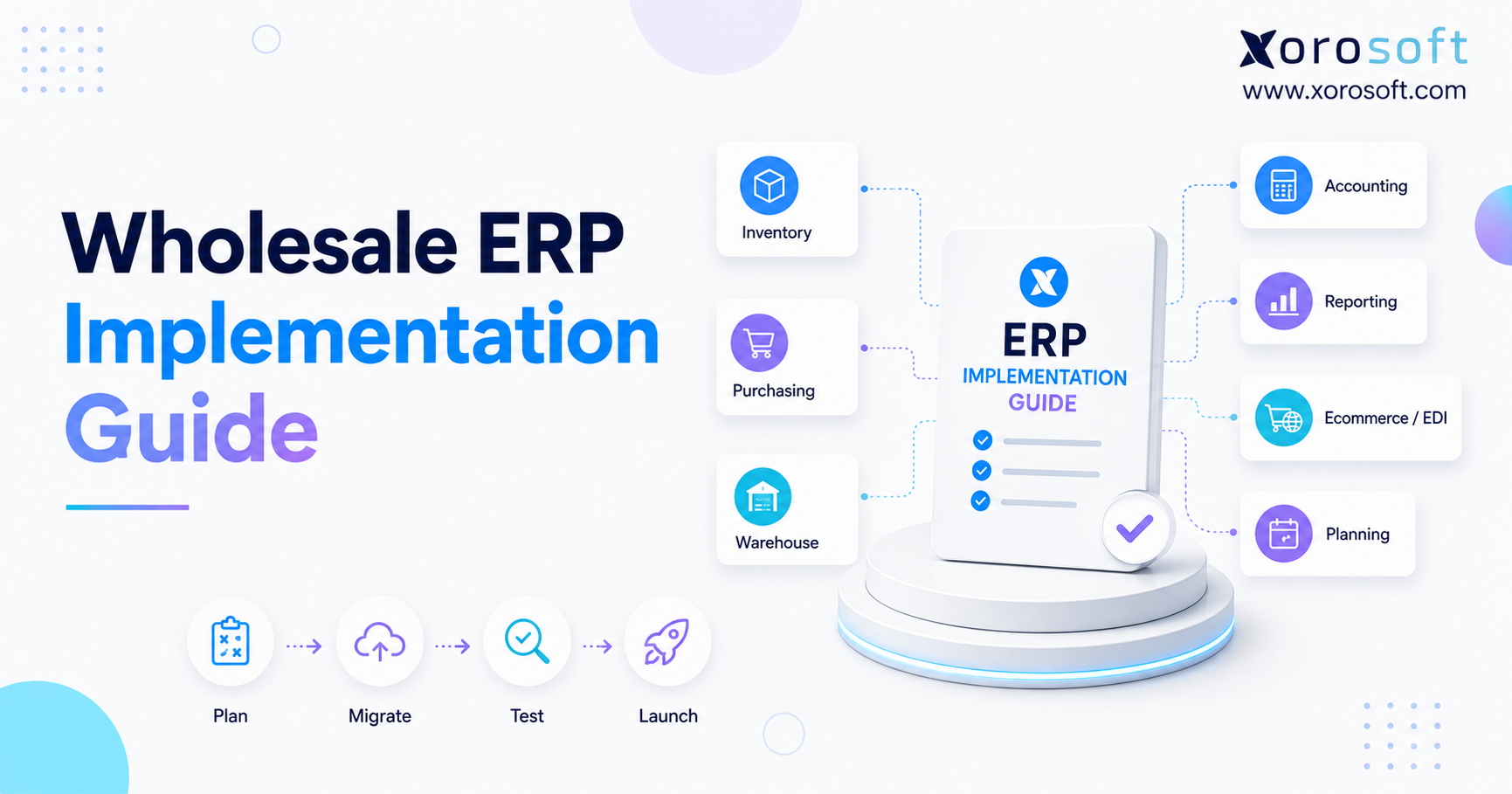
20. ERP Inventory Implementation Checklist
ERP inventory benefits only appear when the system reflects real operational behavior. Before implementation, teams should prepare their data, workflows, and users.
20.1 Data Preparation Checklist
First, clean SKU records.
Next, standardize item names.
Then, confirm units of measure.
After that, remove duplicate products.
Also, clean vendor records.
In addition, confirm product categories.
Finally, review cost data.
20.2 Workflow Checklist
First, map receiving workflows.
Next, map putaway workflows.
Then, map picking and packing workflows.
After that, map transfer workflows.
Also, define inventory adjustment rules.
In addition, confirm return workflows.
Finally, test purchase orders, sales orders, and accounting postings.
20.3 Team Readiness Checklist
First, define user roles.
Next, set permissions.
Then, train warehouse users.
After that, train purchasing users.
Also, train finance users.
In addition, train operations managers.
Finally, run a pilot before full go-live.
This preparation matters because ERP does not create control by itself. Instead, the system needs clean data, clear workflows, and trained users.
21. FAQs About ERP Inventory Benefits
21.1 What are ERP inventory benefits?
ERP inventory benefits are the improvements a business gets when inventory is managed inside a connected ERP system. For example, these benefits include better inventory accuracy, real-time visibility, purchasing automation, stronger forecasting, warehouse efficiency, inventory valuation, and connected reporting.
21.2 What is ERP inventory management?
ERP inventory management means managing stock inside an enterprise resource planning system. Instead of tracking products separately from accounting, purchasing, sales, and warehousing, ERP connects those workflows so teams can work from one source of truth.
21.3 How does ERP help inventory management?
ERP helps inventory management by centralizing inventory transactions. As a result, purchase orders, receiving, transfers, sales orders, shipments, returns, and adjustments can update one shared system.
21.4 Why is ERP important for inventory-heavy businesses?
ERP is important for inventory-heavy businesses because inventory affects sales, purchasing, warehouse operations, accounting, cash flow, and customer experience. Therefore, when inventory data is wrong, every department feels the impact.
21.5 What is the difference between ERP and inventory software?
Inventory software usually focuses on stock tracking and warehouse activity. On the other hand, ERP is broader because it connects inventory with accounting, purchasing, sales orders, ecommerce, manufacturing, reporting, and finance.
21.6 How does ERP improve inventory accuracy?
ERP improves inventory accuracy by recording stock movement through controlled workflows. For example, receiving, picking, packing, transfers, returns, and adjustments all update inventory records.
21.7 How does ERP provide real-time inventory visibility?
ERP provides real-time inventory visibility by updating inventory records as transactions happen. Therefore, teams can see stock by warehouse, channel, location, status, and availability.
21.8 Can ERP reduce inventory discrepancies?
Yes, ERP can reduce inventory discrepancies when paired with disciplined warehouse processes. However, teams still need clean data, standard workflows, barcode scanning, cycle counts, and consistent execution.
21.9 Can ERP prevent overselling?
ERP can help prevent overselling by syncing inventory across sales channels and reserving stock for open orders. In particular, this is useful for businesses selling through Shopify, Amazon, wholesale, retail, and marketplaces.
21.10 How does ERP help with multi-warehouse inventory?
ERP helps with multi-warehouse inventory by showing stock by location, warehouse, status, transfer, and availability. In addition, it can support transfer orders, replenishment planning, and warehouse-level reporting.
21.11 How does ERP reduce stockouts?
ERP reduces stockouts by connecting sales demand, reorder points, supplier lead times, safety stock, and purchase orders. Instead of waiting until products run out, purchasing teams can act earlier.
21.12 How does ERP reduce overstock?
ERP reduces overstock by helping teams identify slow-moving products, aging inventory, excess stock, and poor purchasing patterns. With better demand visibility, teams can avoid buying too much inventory.
21.13 How does ERP improve demand forecasting?
ERP improves demand forecasting by using sales history, seasonality, open orders, channel demand, and inventory trends. As a result, forecasting becomes stronger when demand data and inventory data live in the same system.
21.14 How does ERP help purchasing teams?
ERP helps purchasing teams by showing what is in stock, what is committed, what is on order, and what demand is expected. Also, it can support purchase suggestions, vendor records, reorder points, lead times, and approvals.
21.15 What are reorder points in ERP?
Reorder points are inventory thresholds that tell a business when to buy more stock. Usually, a reorder point considers expected demand, supplier lead time, and safety stock.
21.16 How does ERP improve warehouse management?
ERP improves warehouse management by supporting receiving, putaway, picking, packing, shipping, transfers, returns, and cycle counting. In addition, it gives warehouse teams clearer workflows and helps managers track inventory movement.
21.17 Can ERP support barcode scanning?
Yes, many ERP systems support barcode scanning directly or through warehouse management functionality. Because of this, teams can reduce manual entry errors during receiving, picking, packing, transfers, and cycle counts.
21.18 How does ERP help with cycle counting?
ERP helps with cycle counting by organizing regular inventory checks without requiring a full warehouse shutdown. Then, teams can count selected products, compare system quantity with physical quantity, and record adjustments.
21.19 How does ERP improve order fulfillment?
ERP improves order fulfillment by connecting available inventory with sales orders, warehouse picking, packing, shipping, and accounting. Consequently, teams can reduce delays, wrong shipments, overselling, and manual handoffs.
21.20 Can ERP manage returns?
Yes, ERP can help manage returns by tracking returned items, inspection status, restocking decisions, refunds, exchanges, and inventory adjustments. This is especially useful for ecommerce, apparel, and wholesale businesses.
21.21 How does ERP connect inventory and accounting?
ERP connects inventory and accounting by linking inventory transactions to financial records. For example, purchases, receipts, shipments, returns, adjustments, landed cost, and COGS can flow into accounting more cleanly.
21.22 How does ERP improve inventory valuation?
ERP improves inventory valuation by tracking inventory costs as products are purchased, received, adjusted, transferred, produced, and sold. Depending on the system, it may support FIFO, average cost, and landed cost.
21.23 How does ERP help with month-end close?
ERP helps with month-end close by reducing the gap between inventory operations and accounting records. As a result, finance teams spend less time chasing spreadsheets and manual reports.
21.24 What inventory reports should an ERP provide?
An ERP should provide reports for inventory on hand, available inventory, committed inventory, stock aging, inventory turnover, open purchase orders, reorder needs, transfers, stockouts, overstock, margin, and inventory valuation.
21.25 When should a business upgrade to ERP inventory software?
A business should consider ERP when inventory is spread across spreadsheets, QuickBooks, inventory apps, ecommerce channels, warehouses, and manual reports. Common signs include stock discrepancies, delayed purchasing, overselling, slow close, and poor forecasting.
21.26 Is ERP better than QuickBooks for inventory?
ERP is usually better than QuickBooks for complex inventory operations. QuickBooks can work well for accounting, but inventory-heavy businesses often need multi-warehouse control, purchasing automation, forecasting, warehouse workflows, manufacturing, and operational reporting.
21.27 Is ERP better than spreadsheets for inventory?
ERP is better than spreadsheets when inventory decisions require real-time updates, audit trails, multi-user workflows, warehouse control, accounting integration, and reporting. However, spreadsheets become risky as complexity grows.
21.28 Who does not need ERP inventory software?
Very small businesses with simple inventory, one location, few SKUs, and basic purchasing may not need ERP yet. Similarly, service-only businesses without physical products may not need inventory-focused ERP.
21.29 What are common ERP inventory implementation mistakes?
Common mistakes include choosing software before mapping processes, migrating dirty SKU data, ignoring warehouse workflows, undertraining users, over-customizing too early, and failing to test real inventory transactions before launch.
21.30 How do you choose the right ERP for inventory management?
Choose ERP by matching the system to your workflows. In short, review inventory, purchasing, warehouse, accounting, ecommerce, EDI, manufacturing, reporting, integrations, implementation support, usability, scalability, and team adoption.