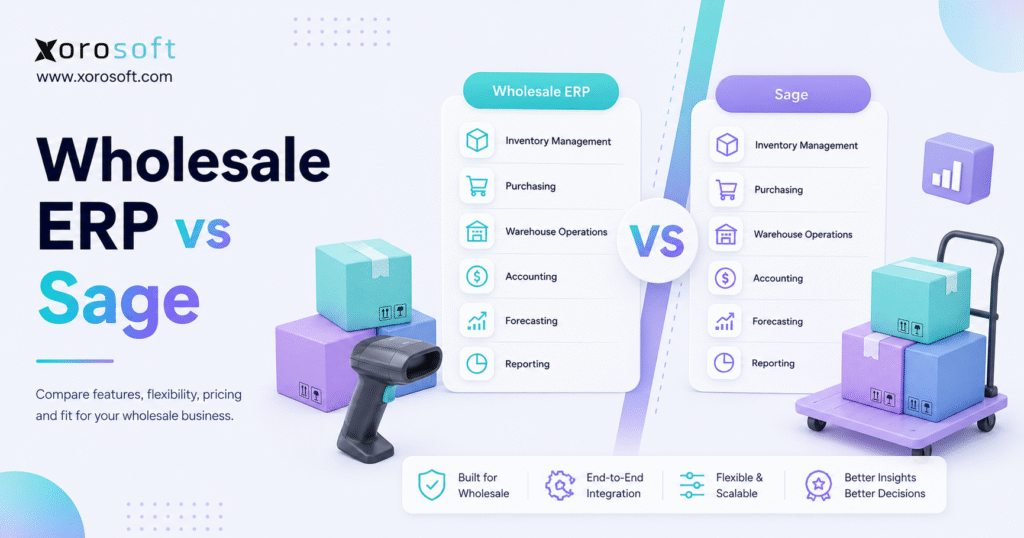
When evaluating software options for your business, it’s important to consider the differences between Wholesale ERP vs Sage to determine which solution best fits your needs.
1. A Practical Starting Point for Wholesale ERP vs Sage Decisions
Wholesale ERP vs Sage is not just a software comparison. It is really a question about how a wholesale business wants inventory, accounting, purchasing, warehouse management, ecommerce, EDI, and reporting to work together as the company grows.
For many distributors, the first mistake is comparing brand names before comparing workflows. Sage is a well-known software ecosystem, while wholesale ERP is a broader category built around inventory-driven operations. Therefore, the right decision depends on the business model, the order channels, the warehouse setup, the accounting requirements, and the level of operational complexity.
This matters because wholesale distribution rarely breaks in one place. Instead, inventory problems affect sales, purchasing issues affect cash flow, warehouse delays affect fulfillment, and accounting teams often discover the impact only after reconciliation begins.
Because of that, a serious Wholesale ERP vs Sage evaluation should go deeper than feature lists. The comparison should ask whether the system can support real-time inventory, multi-warehouse control, purchasing automation, financial visibility, ecommerce operations, and EDI without forcing teams to build workarounds.
1.1 Why Sage ERP Comparisons Are Rarely Simple
Wholesale distributors operate across several moving parts. Sales teams need accurate availability, warehouse teams need clear picking and packing workflows, finance teams need reliable inventory valuation, and purchasing teams need reorder signals.
As a result, ERP selection becomes more than an accounting decision. A company may start with QuickBooks, spreadsheets, and a few inventory apps. However, as SKUs, warehouses, suppliers, and channels increase, disconnected tools begin to slow the business down.
That is why the Wholesale ERP vs Sage decision should start with operational fit. Some distributors may find that a Sage product works well. Others may need a wholesale-focused ERP when inventory, warehouse execution, ecommerce, EDI, and accounting need to operate from one connected system.
1.2 Why “Sage” Can Mean Different ERP Products
Sage should not be treated as one single ERP product. In practice, “Sage” can refer to Sage 100, Sage X3, Sage Intacct, Brightpearl by Sage, or other products within the Sage ecosystem.
For example, Sage X3 is positioned for distribution businesses that need multi-site inventory, procurement, and finance visibility. Meanwhile, Sage 100 includes distribution capabilities such as inventory management, kitting, lot and serial tracking, forecasting, barcode mobility, purchasing, sales orders, and shipping.
Because of this, the better comparison is not simply “Sage or not Sage.” Instead, the stronger question is whether the specific Sage product can support the wholesale workflows your company needs today and will need over the next few years.
2. What Wholesale ERP Software Means for Distributors
Wholesale ERP software connects inventory, purchasing, order management, warehouse management, accounting, reporting, and fulfillment in one system. Instead of forcing teams to move data between disconnected tools, wholesale ERP creates one operational source of truth.
This is especially important for companies that sell physical products. Every purchase order affects inventory. Each receipt affects stock value. A shipment affects fulfillment and accounting. Additionally, every return, transfer, adjustment, or production order changes the numbers that teams rely on.
In a disconnected setup, each department may have its own version of the truth. Sales may trust Shopify, finance may trust accounting software, warehouse teams may trust physical counts, and purchasing may trust spreadsheets. Eventually, though, those systems stop matching.
Wholesale ERP helps reduce that gap by aligning daily workflows around shared operational data.
2.1 Core Wholesale ERP Software Functions
A strong wholesale ERP system usually includes inventory management, purchasing, sales orders, warehouse management, accounting, reporting, ecommerce integrations, EDI workflows, forecasting, and multi-warehouse control.
However, not every distributor needs the same depth. A small wholesale business with one warehouse may only need basic inventory and accounting. By contrast, a multi-location distributor selling through Shopify, Amazon, wholesale reps, and retail partners may need a much stronger operating system.
For that reason, wholesale distribution ERP should be evaluated based on real workflows. The system should help teams receive stock, allocate inventory, create purchase orders, manage fulfillment, process returns, reconcile accounting, and report performance without depending on manual spreadsheets.
2.2 How Wholesale Distribution ERP Connects Inventory, Finance, and Fulfillment
Inventory is both an operational record and a financial asset. Therefore, the ERP must connect warehouse events with accounting impact.
When a purchase order is received, stock levels change. At the same time, inventory value changes. Once an order ships, inventory decreases, revenue is recorded, and cost of goods sold must be accurate. Similarly, returns, adjustments, transfers, landed costs, and assemblies must flow through the system correctly.
Without that connection, finance teams spend time cleaning up data after the work has already happened. Meanwhile, operations teams keep moving products without knowing whether the financial numbers are accurate.
A wholesale ERP system reduces this problem by linking movement, cost, availability, and reporting.
2.3 Who Needs ERP for Wholesale Distributors?
ERP for wholesale distributors becomes important when operational complexity starts creating delays, errors, or blind spots. In many cases, the business does not need ERP on day one. However, it may need ERP once order volume, warehouse activity, purchasing decisions, and reporting needs outgrow basic tools.
Multi-warehouse distributors need location-level inventory. Shopify and Amazon sellers need channel synchronization. EDI-heavy wholesale teams need accurate documents and fulfillment workflows. Light manufacturers need BOMs, work orders, and material planning.
Therefore, the best ERP is not always the biggest system. Instead, the best ERP is the one that matches the company’s real operational pressure.
3. What Sage ERP Means in a Wholesale Comparison
Sage ERP refers to several products that support accounting, inventory, distribution, manufacturing, finance, and operations. Because Sage has multiple products, a Wholesale ERP vs Sage comparison must define which Sage product is being discussed.
Sage 100 is commonly considered by small and midsize businesses that need more than basic accounting. Sage X3 is usually evaluated by more complex manufacturers and distributors. Sage Intacct is often finance-led, although it can support inventory management. Brightpearl by Sage is more retail and ecommerce focused.
Due to this product range, Sage may fit some distributors and feel less suitable for others. The key is to compare specific workflows instead of broad brand names.
3.1 Sage 100 for Wholesale Distribution
Sage 100 can be relevant for small and midsize wholesale businesses that need inventory, purchasing, sales orders, shipping, kitting, lot tracking, serial tracking, and replenishment. However, distributors should still evaluate whether their warehouse, ecommerce, EDI, and reporting needs require additional configuration or integrations.
For some companies, Sage 100 may provide enough operational control. Yet if the business runs multiple warehouses, high order volume, complex channels, and fast-moving inventory, the team should test those scenarios before choosing.
3.2 Sage X3 for Wholesale Distribution ERP Needs
Sage X3 is generally positioned for more complex distribution and manufacturing operations. It may be relevant for companies that need multi-site management, broader supply chain control, manufacturing workflows, and stronger finance visibility.
A larger ERP system also requires more planning. Data migration, process design, user training, integrations, and implementation ownership all matter. Therefore, Sage X3 should be evaluated not only for capability but also for implementation fit.
3.3 Sage Intacct for Finance-Led Inventory Businesses
Sage Intacct is often evaluated by finance teams that need cloud financial management. It can also support inventory management, depending on the setup. However, wholesale distributors should carefully assess whether it can support the operational workflows around warehouse execution, purchasing, ecommerce, EDI, and fulfillment.
In other words, finance strength is important. Nevertheless, inventory-driven businesses also need strong operational control.
3.4 Brightpearl by Sage for Retail and Ecommerce Operations
Brightpearl by Sage is more relevant for retail and ecommerce operations. Since many wholesalers now sell across ecommerce and wholesale channels, Brightpearl may appear on some shortlists.
Even so, businesses should still compare B2B pricing, warehouse workflows, EDI, purchasing, accounting, and multi-location inventory before choosing a retail operations platform.
4. Wholesale ERP vs Sage: High-Level Comparison
Wholesale ERP vs Sage should be evaluated across inventory, warehouse management, purchasing, accounting, ecommerce, EDI, reporting, implementation, and scalability. A system that looks strong in accounting may still create operational gaps. Likewise, a system that handles inventory may still lack financial depth.
| Comparison Area | Wholesale ERP | Sage |
|---|---|---|
| Main focus | Distributor operations | Product-dependent ERP and finance ecosystem |
| Best fit | Inventory-driven wholesale teams | Depends on Sage product selected |
| Inventory depth | Usually central to the system | Varies by product and module |
| Warehouse workflows | Often native or closely connected | Varies by product and setup |
| Ecommerce fit | Depends on platform and integrations | Depends on Sage product and connectors |
| EDI support | Often important for wholesale | Setup-dependent |
| Accounting | Usually connected to operations | Strong finance options |
| Implementation | Vendor-dependent | Product and partner dependent |
4.1 Best-Fit Business Types for Wholesale ERP and Sage
Wholesale ERP is often a strong fit for companies where inventory is the center of the business. These businesses usually need purchasing, warehousing, fulfillment, accounting, and reporting to work from the same data.
Sage may be a strong fit when the selected Sage product matches the company’s accounting and operational needs. However, the implementation partner and product configuration are critical.
4.2 Inventory and Warehouse Depth in Sage ERP Alternatives
The Wholesale ERP vs Sage comparison should look closely at inventory depth. Quantity on hand is not enough. A growing distributor needs available stock, committed stock, incoming stock, transfer visibility, warehouse locations, bin management, and accurate valuation.
Additionally, warehouse workflows should be tested. Receiving, putaway, picking, packing, shipping, barcode scanning, and returns must match the way the floor actually operates.
4.3 Accounting and Financial Control for Wholesale Distributors
Sage has strong accounting recognition. However, distributors should evaluate whether inventory transactions flow cleanly into financial reporting.
If accounting sits apart from warehouse and purchasing activity, finance teams may still need manual reconciliation. Therefore, the system should be judged by how well operations and finance stay aligned.
4.4 Ecommerce, EDI, and Omnichannel Readiness
Modern wholesalers often sell through several channels. Shopify, Amazon, wholesale reps, B2B portals, retail partners, and EDI orders may all create demand at the same time.
Because of that, the ERP should support order flow, stock allocation, fulfillment, returns, and accounting across channels. For Shopify-heavy brands, the Xorosoft ERP Shopify App Store listing is a useful outbound reference when evaluating ecommerce ERP connectivity.
5. Wholesale ERP vs Sage for Inventory Management
Wholesale ERP vs Sage becomes especially important when inventory accuracy starts affecting revenue, cash flow, and customer trust. Once a business cannot rely on stock data, every department begins building its own backup process.
Sales teams ask warehouse staff to confirm availability. Purchasing teams create separate reorder sheets. Finance teams delay month-end close while they investigate inventory value. Meanwhile, leadership loses confidence in reports.
Because inventory touches so many decisions, this section should carry significant weight in the ERP evaluation.
5.1 Real-Time Inventory Visibility in Wholesale ERP Software
Real-time inventory visibility means the business can see what is available, committed, incoming, reserved, transferred, and unavailable. Without that view, teams may sell stock that is already committed or delay orders because they cannot trust the system.
In a Wholesale ERP vs Sage evaluation, ask whether the platform shows inventory by warehouse, bin, channel, customer order, and purchase order status. Also, ask whether updates happen automatically or require batch exports and imports.
5.2 Multi-Warehouse Inventory Control for Distributors
Multi-warehouse control becomes critical when inventory sits in several facilities, 3PLs, stores, or production locations. In this environment, total stock does not tell the full story.
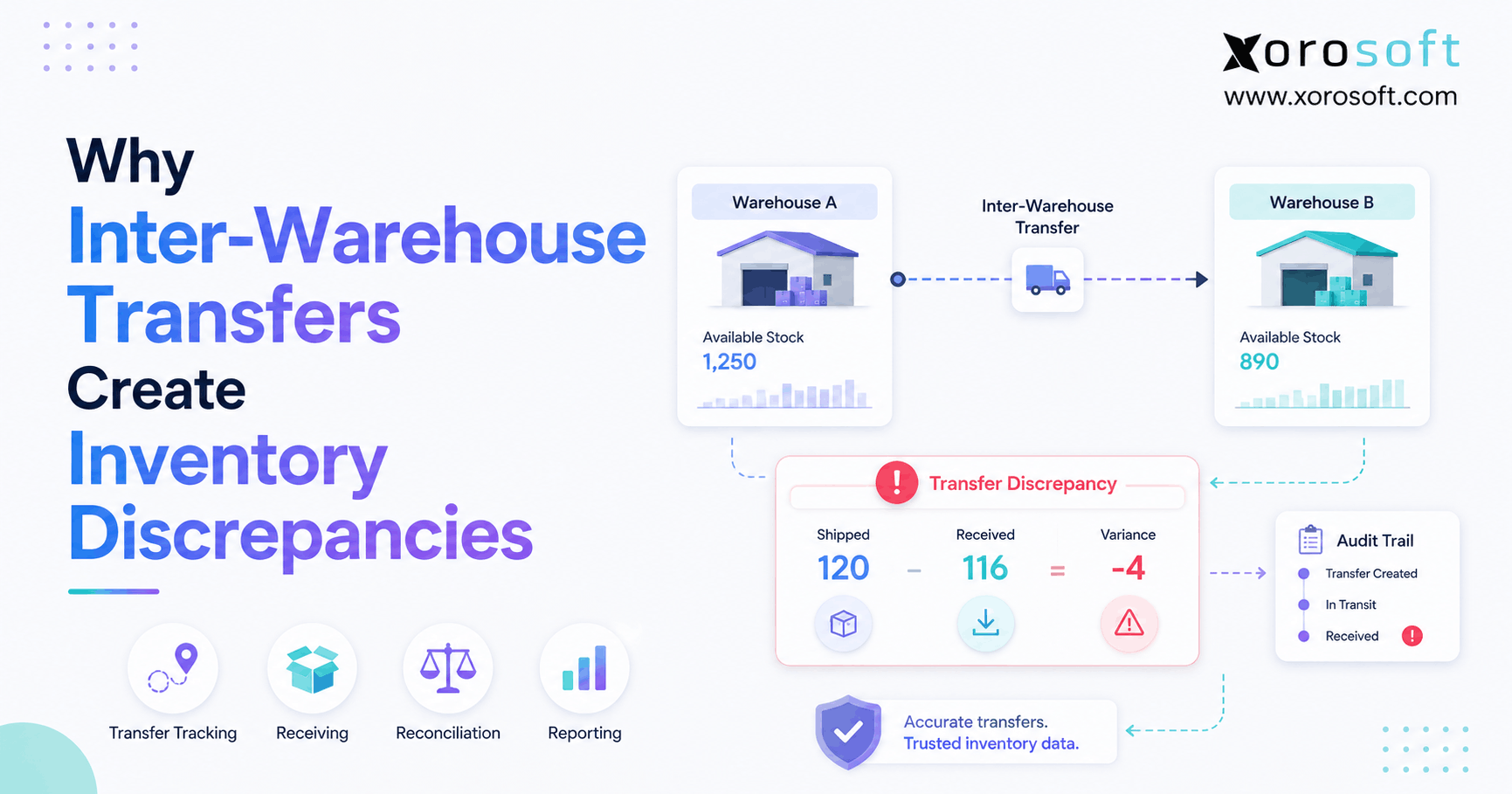
For example, a business may have 500 units available overall. However, if 450 units are in the wrong warehouse, the sales team still has a fulfillment problem. Therefore, ERP should show stock by location and support transfers, replenishment, and allocation rules.
5.3 Lot, Batch, Serial, and Expiry Tracking
Some distributors need lot, batch, serial, or expiry tracking. This is especially important for food, beverage, health-related products, regulated goods, warranty-based products, and high-value items.
Since traceability affects recalls, quality control, returns, and compliance, distributors should test these workflows during demos. A feature list may say tracking is available. However, the real question is whether the process works smoothly for receiving, storage, picking, shipping, returns, and reporting.
5.4 Inventory Valuation and Landed Cost
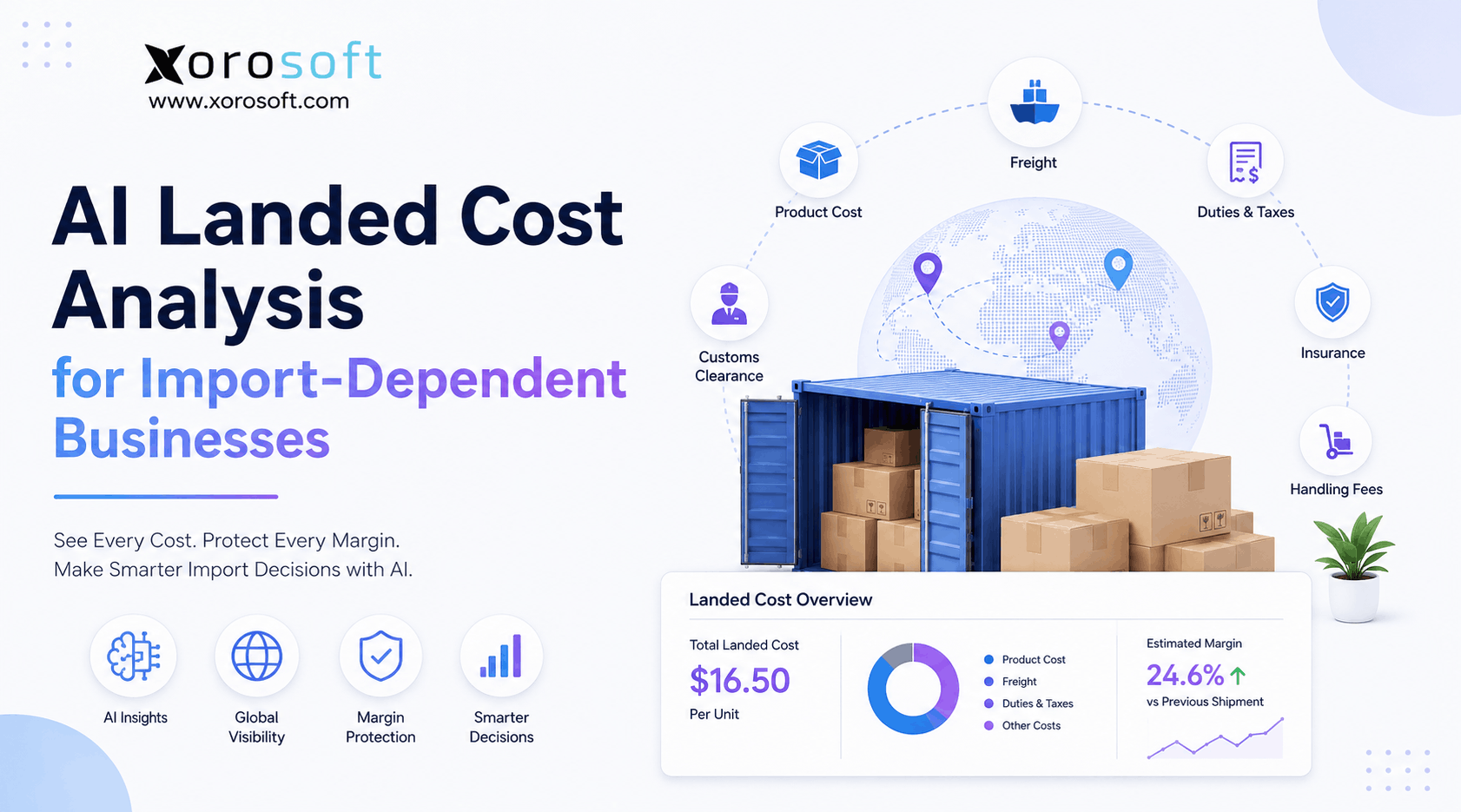
Inventory valuation affects financial statements. Landed cost affects margin. Therefore, the ERP should handle freight, duties, supplier charges, fees, and cost changes clearly.
If landed costs are calculated outside the system, margin reporting may become unreliable. Similarly, if inventory adjustments do not flow into accounting correctly, finance teams may spend too much time reconciling.
5.5 Stock Allocation and Replenishment Planning
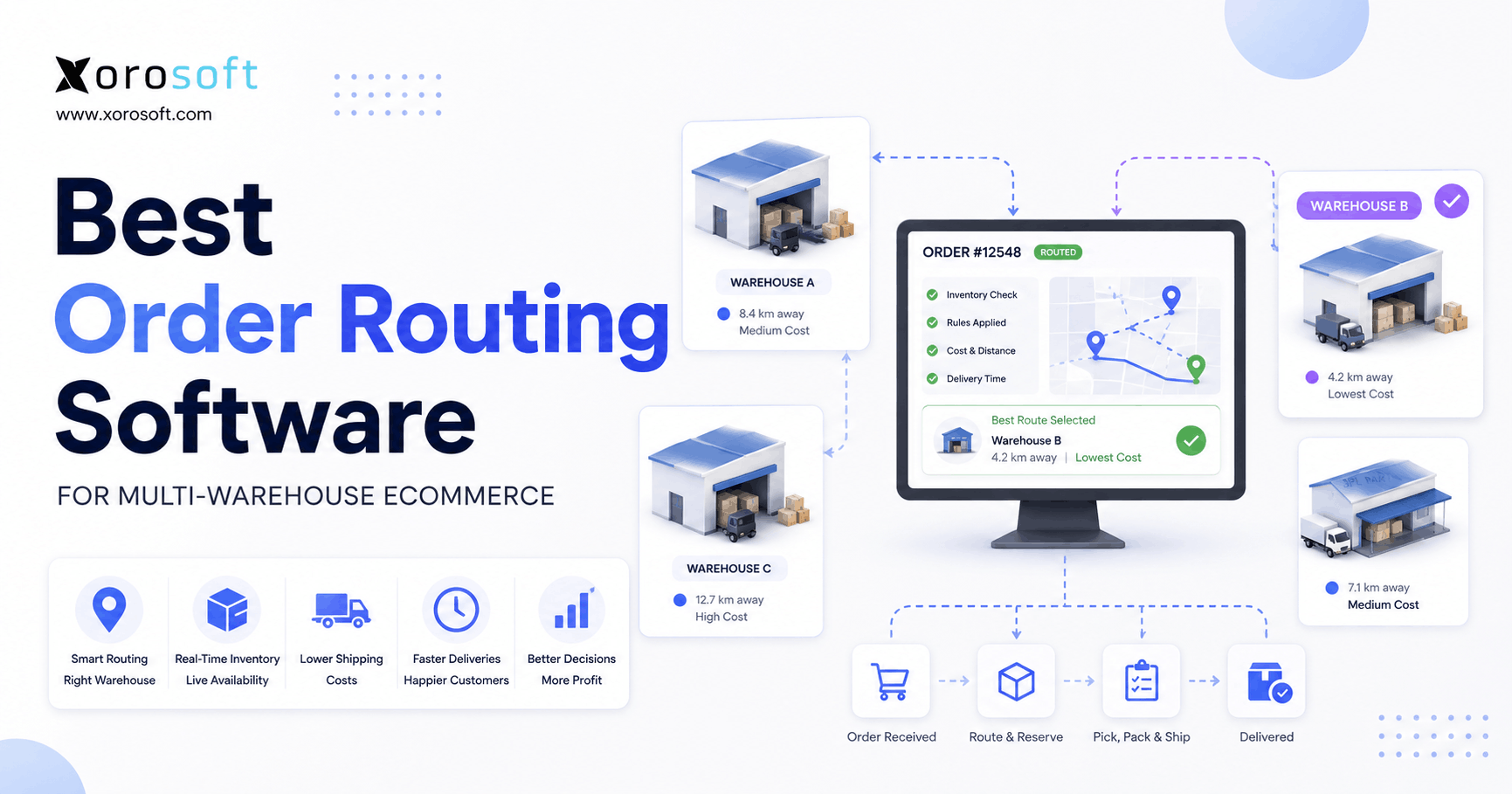
Growing distributors need better allocation and replenishment rules. The system should help teams decide which orders receive limited stock, which warehouse fulfills demand, and when purchasing should reorder.
In practice, the best ERP does not simply record inventory. Instead, it helps the business make better inventory decisions before problems reach customers.
6. Wholesale ERP vs Sage for Warehouse Management
Wholesale ERP vs Sage should include the daily warehouse floor, not only back-office screens. Warehouse management is where software meets physical execution.
A distributor may have good accounting data and still struggle with receiving, putaway, picking, packing, shipping, and returns. When warehouse work happens outside the ERP, inventory accuracy becomes harder to maintain.
For businesses that need stronger warehouse execution, XoroWMS is a relevant internal resource to review alongside ERP requirements.
6.1 Receiving and Putaway in a Wholesale ERP System
Receiving should connect supplier shipments, purchase orders, inspection, stock updates, and accounting impact. After that, putaway should guide inventory into the correct location.
If receiving is handled on paper and entered later, stock visibility lags behind physical movement. As a result, sales and purchasing teams may make decisions using outdated numbers.
6.2 Picking, Packing, and Shipping Workflows
Picking workflows should reduce errors. Packing should confirm the correct product and quantity before shipment. Shipping should connect orders, carriers, tracking numbers, and inventory movement.
Because fulfillment accuracy directly affects customer trust, warehouse workflows should be tested in detail. A system should not only show orders; it should help teams execute them.
6.3 Barcode Scanning and Mobile Warehouse Workflows
Barcode scanning reduces manual entry and improves warehouse discipline. Mobile workflows also help staff work where inventory actually sits.
Without scanning, warehouse teams often rely on printed lists, handwritten notes, and memory. Eventually, those habits create inventory gaps.
6.4 Warehouse Productivity and Labor Visibility
Warehouse productivity becomes more important as order volume grows. Managers need to understand receiving speed, pick accuracy, packing bottlenecks, shipment delays, and labor allocation.
Therefore, warehouse reporting should be part of the ERP comparison. If warehouse activity is invisible, operational leaders cannot improve it consistently.
6.5 When Built-In WMS Becomes Necessary
A built-in or deeply connected WMS becomes necessary when warehouse activity drives customer experience. If order volume is high, inventory moves quickly, or multiple warehouses are involved, separate warehouse tools can create blind spots.
That is why wholesale distributors should compare ERP and WMS together. Otherwise, they may choose an ERP that handles accounting but still leaves fulfillment fragmented.
7. Purchasing and Supplier Management in Wholesale ERP Software
Purchasing is where inventory planning becomes cash planning. Therefore, the Wholesale ERP vs Sage decision should examine purchase orders, approvals, supplier lead times, reorder points, forecasting, and receiving visibility.
Buying too much traps cash in inventory. Buying too little creates stockouts. Meanwhile, late supplier shipments can disrupt fulfillment even when sales demand is strong.
Because of that, purchasing should not remain trapped in spreadsheets once the business becomes complex.
7.1 Purchase Orders and Approvals
Purchase orders should connect demand, supplier terms, expected arrival dates, landed costs, receiving, and accounting. Additionally, approval workflows should control who can buy, how much they can spend, and when exceptions require review.
Without this structure, purchasing decisions often depend on one person’s memory. That may work early, but it becomes risky as the team grows.
7.2 Reorder Points and Demand Planning
Reorder points help teams act before stockouts happen. However, static reorder points may fail when demand changes, suppliers delay shipments, or ecommerce growth accelerates.
Therefore, demand planning should consider sales velocity, seasonality, supplier lead time, open purchase orders, and channel-specific demand. A strong ERP should turn these signals into better purchasing decisions.
7.3 Vendor Performance and Lead Times
Supplier performance affects inventory reliability. If suppliers ship late, partially, or inconsistently, purchasing plans become less dependable.
Because of that, ERP reporting should help teams review vendor lead times, open orders, expected receipts, and supplier issues. Better supplier visibility leads to better inventory planning.
7.4 Overstock, Stockouts, and Cash Flow Impact
Overstock and stockouts hurt the business in different ways. Overstock ties up cash, while stockouts cost sales and customer trust.
However, both often come from the same problem: weak visibility. When purchasing teams cannot see demand, lead time, available stock, and committed orders together, buying decisions become reactive.
8. Accounting and Finance in Wholesale ERP vs Sage
Accounting is one of the most important parts of the Wholesale ERP vs Sage conversation. Sage has strong finance recognition, and many businesses evaluate Sage because accounting is already a major pain point.
However, distributors need more than traditional accounting. They need inventory accounting, landed cost, COGS, margin reporting, purchasing visibility, warehouse impact, and month-end close accuracy.
If inventory and accounting are disconnected, finance teams may close the books late or rely on manual adjustments. Therefore, ERP should be evaluated by how well operational transactions flow into financial records.
8.1 Inventory Accounting and Valuation
Inventory accounting should reflect actual movement. Receipts, shipments, returns, transfers, assemblies, adjustments, and landed costs must update inventory value correctly.
When this process is weak, profit reports become questionable. As a result, leaders may make pricing, purchasing, and margin decisions using unreliable numbers.
8.2 Month-End Close Speed
Month-end close becomes slower when inventory does not match accounting. Finance teams may need exports from warehouse systems, manual spreadsheets, inventory adjustments, and journal entries.
A connected ERP helps reduce those handoffs. More importantly, it gives finance teams cleaner operational data before month-end begins.
8.3 Revenue, COGS, and Margin Reporting
Revenue alone does not prove business health. Distributors need to understand gross margin by product, customer, channel, warehouse, order type, and supplier.
Therefore, the ERP should support margin visibility. Otherwise, sales can grow while profitability quietly declines.
8.4 Multi-Entity and Multi-Currency Needs
Some distributors need multi-entity, multi-currency, or multi-country support. In those cases, the ERP shortlist should include financial structure, consolidation, intercompany activity, tax handling, and reporting requirements.
Because these needs are complex, businesses should test them early. Waiting until implementation to discover finance limitations can create costly delays.
8.5 When Accounting Software Becomes Operationally Limiting
Accounting software becomes operationally limiting when inventory, purchasing, warehouse, ecommerce, and EDI activity live outside the accounting system.
At that point, the issue is not simply bookkeeping. Instead, the business is trying to reconstruct operations after they happen. That is usually when ERP becomes necessary.
9. Ecommerce, EDI, and Channel Integration in Wholesale ERP
Wholesale distribution has become more channel-heavy. Many companies now sell through wholesale reps, Shopify, Amazon, B2B portals, retail partners, marketplaces, and EDI-connected customers.
Because of that, Wholesale ERP vs Sage should include ecommerce and channel integration depth. A weak integration may move orders but still leave inventory, fulfillment, returns, payments, and accounting disconnected.
9.1 Shopify Integration Requirements
Shopify integration should cover more than order import. It should support inventory sync, order updates, fulfillment status, refunds, payments, products, customers, and accounting impact.
For Shopify merchants, XoroERP can be reviewed as an internal resource for ecommerce-connected ERP workflows. Additionally, the Shopify App Store listing for Xorosoft ERP gives an external reference for Shopify-related capabilities.
9.2 Amazon and Marketplace Workflows
Amazon creates additional complexity through marketplace orders, fulfillment expectations, fees, returns, and settlement reconciliation. Therefore, ERP should help teams understand both operational movement and financial impact.
Without that connection, marketplace growth can make reporting harder instead of easier.
9.3 EDI for Wholesale and Retail Trading Partners
EDI is common in wholesale and retail distribution. Purchase orders, acknowledgments, advance ship notices, invoices, and routing requirements must be accurate.
Since retail trading partners often enforce strict rules, EDI errors can create chargebacks, delays, and customer friction. Therefore, EDI should be tested as a real workflow, not treated as a checkbox.
9.4 B2B Order Workflows and Customer-Specific Pricing
Wholesale customers often have different pricing, terms, discounts, ship-to locations, minimums, and fulfillment rules. Therefore, ERP should support customer-specific workflows without turning every order into manual work.
If customer-specific pricing lives outside the ERP, sales orders become more error-prone. Eventually, those errors affect margin and customer trust.
9.5 Why Disconnected Apps Create Operational Risk
Disconnected apps usually feel manageable at first. However, as volume grows, every integration gap becomes an operational risk.
Orders may not sync correctly. Inventory may update late. Finance may wait for exports. Warehouse teams may fulfill from outdated information. Consequently, the business becomes slower even while revenue grows.
10. Manufacturing and Assembly in Wholesale Distribution ERP
Not every wholesaler manufactures. However, many distributors assemble kits, bundles, private-label products, or finished goods from components.
When this happens, ERP requirements change. The system must understand bills of materials, work orders, raw materials, finished goods, production planning, and inventory value.
Therefore, Wholesale ERP vs Sage should include manufacturing needs if the business assembles, kits, or produces anything internally.
10.1 BOM Management
Bills of materials define what goes into a finished product. If BOMs are inaccurate, purchasing, production, costing, and availability become unreliable.
Because of that, ERP should make BOMs easy to manage and connect them to inventory planning.
10.2 Work Orders
Work orders help teams plan, execute, and track production. They also connect raw materials, labor, finished goods, and costs.
Without work orders, teams may rely on spreadsheets or informal production notes. Eventually, that creates gaps between what was planned, what was used, and what was produced.
10.3 Production Planning
Production planning matters when demand changes, suppliers have long lead times, or finished goods depend on limited components.
A strong ERP should help teams understand what can be produced, what materials are missing, and when finished goods will be available.
10.4 Material Requirements Planning
Material requirements planning helps teams determine what to buy and when to buy it. This is especially important when finished goods depend on multiple components.
Therefore, distributors with assembly or manufacturing workflows should not evaluate ERP only through sales and accounting screens.
10.5 When Wholesale Businesses Need Manufacturing ERP Features
A wholesale business needs manufacturing ERP features when assembly, kitting, production, or component planning affects inventory accuracy and profitability.
In that situation, the ERP must support both distribution and production. Otherwise, teams may solve one problem while creating another.
11. Reporting and Business Visibility in Sage ERP Alternatives
Reporting should help leaders act before problems become expensive. Therefore, Wholesale ERP vs Sage should include reporting quality, dashboard flexibility, inventory reports, purchasing reports, warehouse reports, and financial visibility.
Many businesses do not realize reporting is broken until growth exposes the issue. They can see sales, but they cannot see margin. They can see inventory, but they cannot see true availability. They can see purchase orders, but they cannot see supplier risk clearly.
As a result, decisions become slower.
11.1 Inventory Reporting
Inventory reporting should show stock on hand, available stock, committed stock, incoming stock, aging inventory, slow movers, fast movers, stockouts, transfers, and inventory value.
However, reports are only useful when the underlying data is accurate. Therefore, reporting quality depends on workflow quality.
11.2 Purchasing Reporting
Purchasing reporting should show open purchase orders, supplier lead times, expected receipts, buying trends, reorder needs, and cash commitments.
Because purchasing affects both inventory and cash flow, these reports should be easy for operations and finance teams to understand.
11.3 Warehouse Reporting
Warehouse reporting should show receiving speed, pick accuracy, order cycle time, shipping performance, backlogs, and productivity.
If warehouse reporting is weak, managers may not know where fulfillment is slowing down. Consequently, they may add labor before fixing process problems.
11.4 Financial Reporting
Financial reporting should connect revenue, COGS, margin, inventory value, operating expenses, cash flow, and profitability.
For distributors, financial reporting must reflect operational reality. Otherwise, leadership may see clean financial statements that still hide inventory and fulfillment issues.
11.5 Executive Dashboards and KPI Tracking
Executive dashboards should simplify decision-making. Leaders should be able to see inventory risk, channel performance, supplier pressure, warehouse bottlenecks, and margin trends.
Therefore, dashboards should be judged by actionability, not appearance.
12. Implementation, Cost, and Scalability
ERP implementation often decides whether a system succeeds. A platform may look strong in a demo, yet still fail if workflows are unclear, data is messy, integrations are underestimated, or users are not trained.
Because of that, Wholesale ERP vs Sage should include implementation effort, total cost, partner dependency, data migration, support, and long-term scalability.
12.1 Implementation Effort
Implementation effort depends on data quality, workflows, integrations, reporting requirements, locations, users, and operational complexity.
A business with clean item data, clear warehouse rules, and documented processes will move faster. However, a company with inconsistent SKUs, duplicate customers, unclear units of measure, and messy inventory history will need more preparation.
12.2 Customization and Partner Dependency
Customization can solve specific needs. However, it can also increase cost, maintenance, and upgrade complexity.
Therefore, distributors should ask which workflows are native, which require configuration, and which require custom development. The more customization required, the more carefully the business should evaluate long-term ownership.
12.3 Total Cost of Ownership
Total cost includes licenses, implementation, integrations, customization, support, training, internal labor, and future changes.
However, cost should also include hidden operational waste. Manual reconciliation, duplicate entry, stock errors, shipping mistakes, and delayed reporting all have a cost.
12.4 Training and Adoption
ERP only works when people use it correctly. Warehouse teams, purchasing teams, finance teams, sales teams, and managers all need workflows that match their responsibilities.
Because of that, training should be practical. Users should learn the system through real scenarios, not abstract screens.
12.5 Scalability for Growing Wholesale Distributors
Scalability means more than adding users. A scalable ERP should support more SKUs, warehouses, suppliers, customers, channels, transactions, reports, and operational rules.
Therefore, the system should fit the business three years from now, not only the current pain.
13. When Sage May Be the Right Fit
Sage may be the right fit when the selected Sage product matches the company’s structure, workflows, budget, and implementation expectations.
For example, a finance-led business may prefer Sage because accounting is the priority. Similarly, an existing Sage user may prefer to stay within the ecosystem if the current setup can be improved through modules, integrations, or partner support.
However, the decision should still be based on workflow evidence.
13.1 Stable Accounting-Led Businesses
A stable distributor with moderate inventory complexity may find Sage suitable, especially when accounting control is the main priority.
However, if warehouse execution, ecommerce, EDI, and purchasing are becoming harder to manage, the team should evaluate whether Sage can support those workflows without too many add-ons.
13.2 Existing Sage Ecosystem Users
Existing Sage users may prefer to stay within the Sage ecosystem. This can reduce change management if employees already understand the platform.
Nevertheless, familiarity should not override operational fit. If teams still rely on spreadsheets or disconnected tools, the business should question whether the current system can scale.
13.3 Businesses With Strong Implementation Partners
A strong implementation partner can make a major difference. For Sage projects, partner experience in wholesale distribution, inventory, WMS, ecommerce, EDI, and accounting should be reviewed carefully.
Because partner quality affects configuration and adoption, distributors should ask for relevant implementation examples.
13.4 Companies That Need Specific Sage Modules
Some companies may need specific Sage modules, reporting structures, or finance capabilities. In those cases, Sage may remain a logical shortlist option.
However, every required workflow should be tested before purchase. Otherwise, the business may discover gaps only after implementation begins.
14. When a Sage Alternative for Wholesale May Be Better
A Sage alternative for wholesale may be better when the company’s biggest problems are operational, not only financial.
If inventory is unreliable, warehouse workflows are disconnected, Shopify or Amazon creates reconciliation work, EDI is manual, and purchasing still depends on spreadsheets, the business may need a more unified operating system.
Therefore, Wholesale ERP vs Sage should include modern ERP alternatives built for inventory-driven businesses.
14.1 Inventory Is Now the Business Bottleneck
When inventory becomes the bottleneck, every department slows down. Sales cannot promise confidently. Purchasing cannot plan accurately. Warehouse teams cannot fulfill efficiently. Finance cannot trust valuation.
Because of that, the ERP must provide accurate and timely inventory visibility.
14.2 Warehouse Workflows Need Tighter Control
Warehouse workflows need tighter control when picking errors, receiving delays, shipment mistakes, and stock location issues become common.
At that stage, a business should evaluate whether ERP and WMS can work together. If they cannot, the company may continue to struggle even after an ERP upgrade.
14.3 Shopify, Amazon, and EDI Workflows Are Disconnected
Channel growth creates pressure. Shopify orders, Amazon orders, wholesale orders, and EDI orders must all connect to inventory, fulfillment, and accounting.
If those workflows require too much manual reconciliation, a wholesale ERP alternative may be worth evaluating.
14.4 Purchasing Is Still Spreadsheet-Driven
Spreadsheet purchasing becomes risky when SKUs, suppliers, lead times, and demand patterns grow.
Although spreadsheets feel flexible, they do not create reliable operational control. As a result, teams may buy too much, buy too late, or miss supplier issues.
14.5 Finance Lacks Real-Time Operational Visibility
Finance needs operational data before month-end. If accounting teams wait for warehouse exports, manual adjustments, or ecommerce reconciliations, the business is already behind.
Therefore, a connected ERP can help finance move from cleanup to control.
15. Where Xorosoft Fits as a Sage ERP Alternative
For inventory-driven wholesale businesses comparing Sage alternatives, XoroONE can be reviewed as a modern cloud ERP option. It is designed for businesses that need inventory management, accounting, purchasing, warehouse management, manufacturing, forecasting, ecommerce operations, and reporting in one connected system.
This does not mean every business should choose Xorosoft. However, it does mean Xorosoft belongs on the shortlist when a distributor needs tighter control across inventory, finance, warehouse activity, and channels.
15.1 Cloud ERP for Inventory-Driven Businesses
Xorosoft is most relevant for companies that sell physical products and need operational visibility. These may include wholesalers, ecommerce brands, manufacturers, apparel companies, furniture businesses, sporting goods brands, food businesses, consumer products companies, and industrial distributors.
For a broader view of fit, the industries we serve page can help teams review which business types align with the platform.
15.2 One System for Inventory, Accounting, Purchasing, WMS, and Reporting
Many growing distributors come from QuickBooks, spreadsheets, inventory-only apps, warehouse apps, EDI tools, and purchasing spreadsheets.
Because of that, Xorosoft is often relevant when a company wants to reduce disconnected systems. Instead of moving data between tools, teams can manage core workflows inside one ERP environment.
15.3 Shopify, Amazon, EDI, and Multi-Warehouse Operations
For Shopify merchants and omnichannel distributors, Xorosoft is especially relevant when ecommerce orders, wholesale orders, Amazon activity, EDI workflows, and warehouse operations need to share the same inventory and accounting foundation.
However, the evaluation should still focus on real workflows. Teams should test order sync, inventory availability, fulfillment, returns, purchasing, warehouse activity, and financial reporting.
15.4 Comparison Pages Worth Reviewing
A distributor comparing ERP systems should not look at only one comparison page. Instead, it should review the most relevant alternatives based on its current stack.
For example, companies outgrowing accounting software may find Xorosoft vs QuickBooks useful. Meanwhile, teams comparing mid-market ERP options may review Xorosoft vs Acumatica or the broader Xorosoft comparison hub.
Use only the comparison pages that match the buyer’s real shortlist. Otherwise, internal links can feel forced.
16. Wholesale ERP vs Sage Decision Framework
The right ERP choice should come from workflow evidence. A distributor should not choose Sage only because it is familiar. Likewise, it should not choose a wholesale ERP alternative only because it sounds newer.
Instead, the team should score each system against inventory, warehouse management, purchasing, accounting, ecommerce, EDI, reporting, implementation, and scalability.
| Requirement | Sage Fit | Wholesale ERP Fit | Priority |
| Inventory accuracy | Product-dependent | Usually central | Critical |
| Multi-warehouse control | Product-dependent | Usually central | Critical |
| WMS | Product or module dependent | Often native or connected | High |
| Shopify integration | Connector dependent | Platform dependent | High |
| EDI | Setup dependent | Often important | High |
| Accounting | Strong across Sage ecosystem | Strong if built in | Critical |
| Forecasting | Product dependent | Often included | Medium-high |
| Implementation speed | Varies | Varies | High |
16.1 Choose Based on Operational Complexity
A simple distributor may not need a large ERP footprint. However, a business with multiple warehouses, ecommerce channels, EDI partners, complex purchasing, and manufacturing workflows needs stronger control.
Therefore, the ERP should fit the company’s operational complexity.
16.2 Evaluate by Workflow, Not Brand Familiarity
During demos, teams should test real scenarios. For example, they should ask vendors to show receiving, stock allocation, Shopify order flow, EDI order handling, warehouse picking, returns, landed cost, and month-end reporting.
Because demos can be polished, real workflow testing matters.
16.3 Build a Shortlist Around Inventory, Finance, and Fulfillment
A strong shortlist should include systems that can support the business model over the next few years.
For some distributors, Sage may remain on that list. For others, Xorosoft, Acumatica, NetSuite, Business Central, Cin7, Fishbowl, Brightpearl, or other platforms may also be worth evaluating.
16.4 Questions to Ask Before Booking Demos
Ask these questions before booking ERP demos:
- Which workflows are native?
- Which workflows require third-party apps?
- Which integrations are already proven?
- How does inventory update across channels?
- How does warehouse activity affect accounting?
- How does the system handle EDI?
- What data needs cleanup before migration?
- Which reports are available without customization?
- How long does implementation usually take?
- What happens when order volume doubles?
17. Frequently Asked Questions
17.1 What is the difference between wholesale ERP and Sage?
At a practical level, wholesale ERP is a software category built around distributor workflows such as inventory, purchasing, warehouse management, order fulfillment, accounting, ecommerce, EDI, and reporting. Sage is a software ecosystem with multiple products, including Sage 100, Sage X3, Sage Intacct, and Brightpearl by Sage. Therefore, the difference depends on which Sage product is being compared and how well it supports the distributor’s real workflows.
17.2 Is Sage an ERP system?
Yes, several Sage products support ERP functionality, although Sage should not be treated as one single platform. Sage X3 and Sage 100 are commonly evaluated by businesses that need ERP functionality. However, different Sage products serve different business types, so distributors should compare the exact Sage product against their inventory, warehouse, purchasing, finance, ecommerce, and EDI needs.
17.3 Which Sage product is best for wholesale distributors?
The best Sage product depends on the distributor’s size, operational complexity, warehouse needs, and accounting requirements. Sage 100 may fit some small and midsize distributors. Sage X3 may fit more complex distribution or manufacturing operations. Sage Intacct may fit finance-led organizations that also need inventory capabilities. However, each option should be evaluated against warehouse depth, ecommerce integrations, EDI, reporting, and implementation needs.
17.4 Is Sage 100 good for wholesale distribution?
For some small and midsize distributors, Sage 100 can be relevant because it supports inventory, purchasing, sales orders, kitting, lot tracking, serial tracking, replenishment, barcode mobility, and shipping. However, the fit depends on the company’s warehouse complexity, channel mix, reporting needs, and implementation partner. Therefore, distributors should test real workflows before choosing.
17.5 Is Sage X3 good for wholesale distributors?
In more complex distribution environments, Sage X3 may be a stronger fit because it is positioned for multi-site inventory, procurement, finance visibility, and supply chain control. However, businesses should also evaluate implementation effort, customization, integrations, user training, and long-term ownership before selecting it.
17.6 Does Sage support inventory management?
Inventory management is available across certain Sage products, although the depth depends on the exact product, modules, and configuration. For example, Sage 100 and Sage X3 have distribution-related capabilities, while Sage Intacct can support inventory management from a finance-led perspective. Therefore, distributors should compare exact workflows instead of assuming every Sage product works the same way.
17.7 Does Sage support warehouse management?
Warehouse support depends on the Sage product, setup, modules, integrations, and implementation partner. Because warehouse execution is critical for distributors, teams should test receiving, putaway, picking, packing, shipping, returns, and barcode workflows before deciding.
17.8 Does Sage support Shopify?
Shopify support may be available through connectors, integrations, partner solutions, or related Sage products. However, distributors should test the full Shopify workflow. Order import alone is not enough. Inventory sync, fulfillment updates, returns, refunds, payments, taxes, and accounting impact should all be reviewed.
17.9 Does Sage support EDI?
EDI may be supported through integrations, partner solutions, or configured workflows, depending on the Sage environment. However, EDI should be tested carefully because retail and wholesale trading partners often require accurate purchase orders, acknowledgments, advance ship notices, invoices, routing rules, and compliance workflows.
17.10 What are the main limitations of Sage for wholesale distributors?
Potential limitations depend on the selected Sage product, implementation scope, and operational requirements. Some distributors may need additional modules, third-party apps, partner configuration, or custom work to support warehouse management, ecommerce, EDI, forecasting, or advanced inventory workflows. Therefore, the issue is not whether Sage is capable. The issue is whether the specific setup fits the business without excessive workarounds.
17.11 When should a wholesale business consider replacing Sage?
A replacement conversation usually begins when inventory visibility, warehouse execution, ecommerce, EDI, purchasing, or reporting no longer works cleanly inside the current system. However, before replacing Sage, the team should confirm whether the problem is software fit, configuration, process design, or data quality.
17.12 What is the best Sage alternative for wholesale distribution?
The best Sage alternative depends on the distributor’s real operating model, not only the software category. Xorosoft, NetSuite, Acumatica, Business Central, Cin7, Fishbowl, Brightpearl, and other platforms may appear on the shortlist. However, the best option should be chosen based on inventory, warehouse management, accounting, purchasing, ecommerce, EDI, reporting, implementation, and total cost of ownership.
17.13 Is Xorosoft a Sage alternative?
For inventory-driven businesses, Xorosoft can be evaluated as a Sage alternative. It is especially relevant for wholesalers, manufacturers, and ecommerce brands that need inventory management, accounting, purchasing, warehouse management, forecasting, Shopify, Amazon, EDI, multi-warehouse operations, and reporting in one cloud ERP system.
17.14 How does wholesale ERP improve inventory accuracy?
Better inventory accuracy comes from connecting purchasing, receiving, warehouse movement, sales orders, transfers, returns, adjustments, and accounting inside one system. As a result, teams work from one operational source of truth instead of separate spreadsheets and apps. Better inventory accuracy also helps reduce stockouts, overselling, fulfillment delays, and reconciliation work.
17.15 How does wholesale ERP help with purchasing?
Purchasing improves when teams can see demand, supplier lead times, reorder points, open purchase orders, expected receipts, stockouts, and overstock risk together. Therefore, buying becomes more planned and less reactive. Better purchasing workflows also help protect cash while keeping enough inventory available for customers.
17.16 Does wholesale ERP include accounting?
Many wholesale ERP platforms include accounting or connect deeply with accounting workflows. For distributors, accounting should connect to inventory, purchasing, receiving, shipping, returns, landed cost, COGS, and margin reporting. Otherwise, finance teams may still need manual reconciliation outside the system.
17.17 Is wholesale ERP useful for Shopify brands?
For Shopify brands, wholesale ERP becomes useful when order volume, inventory complexity, purchasing, warehouse workflows, wholesale orders, Amazon, EDI, or accounting requirements outgrow basic apps. In that setup, Shopify remains the storefront, while ERP becomes the operational backbone behind inventory, fulfillment, purchasing, and finance.
17.18 How much does wholesale ERP cost?
Pricing depends on users, modules, implementation, integrations, data migration, customization, support, and training. However, businesses should also consider hidden costs such as manual reconciliation, duplicate entry, inventory errors, shipment mistakes, and delayed reporting. The lowest subscription price is not always the lowest operating cost.
17.19 How long does ERP implementation take?
Implementation timelines vary because each distributor has different data, workflows, integrations, locations, and reporting needs. A simpler implementation may take weeks or a few months. However, a complex multi-warehouse, multi-channel, manufacturing, accounting, or EDI project may take longer. Clean data, clear workflows, strong internal ownership, and realistic planning usually improve implementation speed.
17.20 What mistakes should businesses avoid when comparing ERP systems?
Common mistakes include choosing software before mapping workflows, focusing only on accounting, ignoring warehouse needs, underestimating data cleanup, and skipping integration testing. Teams should also avoid comparing polished demos instead of real business scenarios. Therefore, distributors should evaluate ERP through actual daily workflows.
17.21 Should a distributor choose Sage or a wholesale ERP alternative?
The right choice depends on whether the selected system can support the distributor’s inventory, warehouse, purchasing, accounting, ecommerce, EDI, and reporting workflows. A distributor should choose Sage if the selected Sage product fits its workflows, budget, implementation expectations, and growth plans. However, a wholesale ERP alternative may be better when daily operations need tighter alignment inside one system.
17.22 What features should wholesale ERP software include?
A strong wholesale ERP system should include inventory management, purchasing, sales orders, warehouse management, accounting, ecommerce integrations, EDI, forecasting, reporting, and multi-location control. Depending on the business, it may also need manufacturing, landed cost, customer-specific pricing, barcode workflows, and executive dashboards.
17.23 How should a distributor build an ERP shortlist?
Start by mapping the company’s real workflows, then score each ERP against inventory, warehouse management, purchasing, accounting, ecommerce, EDI, manufacturing, reporting, implementation, support, and scalability. As a result, the shortlist will reflect real needs instead of only brand awareness.
17.24 What is the final takeaway from Wholesale ERP vs Sage?
The final takeaway is that Wholesale ERP vs Sage depends on operational fit, not brand familiarity alone. Sage may work well for some distributors, especially when the right product and partner are selected. However, inventory-driven companies should also compare wholesale ERP alternatives when they need tighter control across stock, warehouse operations, purchasing, accounting, ecommerce, EDI, forecasting, and reporting.
18. Choosing the Right ERP Path for Wholesale Growth
Wholesale ERP vs Sage does not have one universal answer. Sage offers several products that may fit different distributor profiles. Sage 100 may suit some small and midsize businesses. Sage X3 may fit more complex distribution and manufacturing operations. Sage Intacct may work for finance-led companies that also need inventory capabilities.
However, the final decision should come back to workflows. Can the system support accurate inventory? Can warehouse teams work inside the system? Can purchasing act before stockouts happen? Can accounting trust inventory valuation? Can Shopify, Amazon, and EDI orders flow without duplicate entry? Can leadership see performance before problems spread?
If the answer is yes, the system deserves a place on the shortlist. If the answer is no, the business should keep evaluating.
For growing distributors that sell physical products across wholesale, Shopify, Amazon, EDI, multiple warehouses, or manufacturing workflows, ERP platforms such as Xorosoft may be worth reviewing alongside Sage and other alternatives. The best system is the one that helps the company operate with fewer blind spots, cleaner data, and stronger control as complexity increases.
When your team is ready to compare real workflows instead of generic feature lists, Book a demo. Bring your inventory problems, warehouse process, purchasing gaps, accounting requirements, ecommerce channels, and reporting needs. That is the fastest way to understand which ERP path fits your wholesale business.