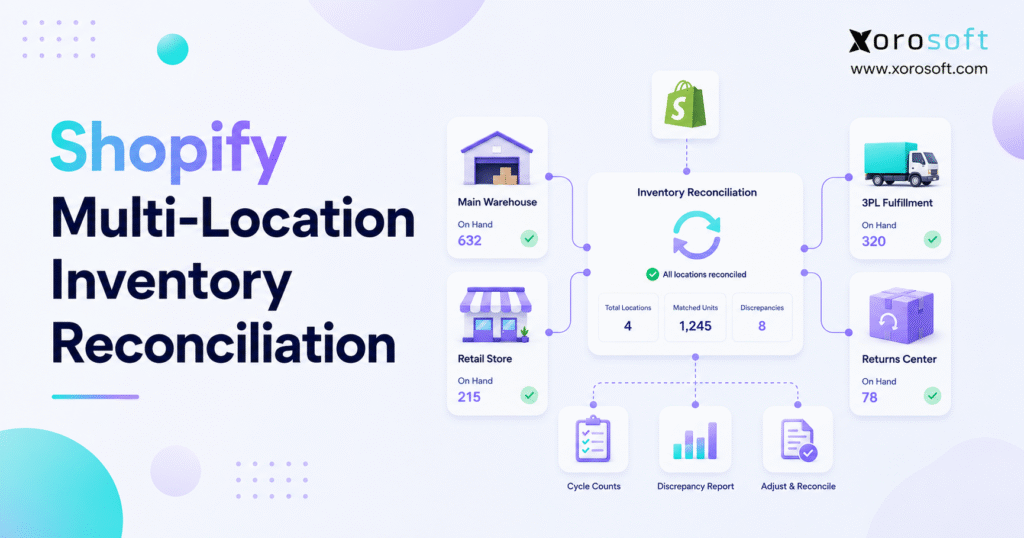
If you’re managing an online shop, understanding and performing Shopify inventory reconciliation can help maintain accurate stock records and streamline your business operations.
1. When Shopify Inventory Stops Matching Reality
Shopify inventory reconciliation becomes more difficult when a growing brand starts selling from multiple warehouses, retail stores, 3PLs, wholesale channels, and ecommerce storefronts. Initially, inventory errors may look like isolated counting mistakes. However, as order volume rises, those errors often expose a deeper operational problem: Shopify, warehouse teams, purchasing, accounting, and fulfillment no longer share the same inventory truth.
For many merchants, the issue develops gradually. First, one location shows stock that warehouse employees cannot find. Next, a transfer arrives late or someone records it twice. Afterward, the returns team adds an item back into sellable stock before inspection. Eventually, finance questions inventory valuation, purchasing places inaccurate orders, and customer service explains preventable shipment delays.
Therefore, this guide explains how Shopify inventory reconciliation works across multiple locations, why discrepancies occur, how teams can correct them, and when a growing brand needs stronger inventory, warehouse, and ERP controls.
1.1 What Shopify Inventory Reconciliation Means
Shopify inventory reconciliation compares the quantities recorded in Shopify with the stock a business actually holds across warehouses, retail stores, 3PLs, returns areas, and other inventory locations.
In a simple operation, the process may involve one count and one inventory adjustment. In contrast, a multi-location business must answer several questions:
- Does Shopify show the correct quantity at each location?
- Does the warehouse physically hold that quantity?
- Have open orders already committed part of the stock?
- Did the team separate damaged, returned, or reserved units?
- Do accounting records reflect the correct inventory value?
These questions matter because Shopify inventory affects more than ecommerce availability. It also shapes fulfillment, purchasing, cash flow, gross margin, customer experience, and management reporting.
1.2 Why Multi-Location Inventory Creates More Risk
Multi-location inventory creates additional risk because every stock movement introduces another opportunity for error. For example, goods may move from a supplier to a warehouse, between warehouses, from a warehouse to a 3PL, from a 3PL to a customer, or from a customer back to a returns center.
Consequently, inventory reconciliation becomes more than a counting task. Instead, teams must control locations, transfers, inventory states, timing, and system ownership.
Shopify provides location-based inventory capabilities, while its documentation explains how merchants can track stock and fulfill orders from different locations. Nevertheless, businesses still need disciplined receiving, transfer, adjustment, return, and warehouse processes. Shopify provides additional guidance in its location management documentation.
1.3 Why Shopify Stock Discrepancies Often Start Elsewhere
When inventory numbers look wrong, teams often blame Shopify first. However, the cause frequently begins outside the platform.
For instance, warehouse employees may move inventory without scanning it. A 3PL may send delayed updates. The purchasing team may record received goods in a spreadsheet before anyone updates Shopify. Meanwhile, finance may rely on accounting software that follows a different inventory timeline.
As a result, Shopify becomes the place where the discrepancy appears, but another process may have created it.
2. Common Causes of Shopify Inventory Discrepancies
Shopify inventory discrepancies usually come from process gaps, timing differences, or disconnected systems. Therefore, correcting a quantity without correcting its cause only provides temporary relief.
2.1 Manual Adjustments Without Clear Reasons
Teams sometimes need to adjust inventory after damage, shrinkage, a cycle count, or a receiving error. However, adjustments create confusion when employees enter them without reason codes, approval rules, or audit details.
For example, a warehouse employee may reduce stock after finding damage. Later, another employee may adjust the same SKU after a physical count. Finance may then enter a third correction during month-end close. Ultimately, the business cannot identify which adjustment reflects reality.
To avoid this issue, every adjustment should include:
- a clear reason
- the affected location
- the adjusted quantity
- the employee responsible
- the date and time
- supporting notes when necessary
2.2 Incomplete Transfers Between Locations
Transfers rank among the most common causes of multi-location inventory errors. A product may leave one warehouse today but reach another warehouse three days later. During that period, neither location can fulfill an order with that stock.
If the business treats inventory in transit as sellable, overselling becomes more likely. Conversely, if the team removes it without tracking its arrival, employees may understate stock at the destination.
Therefore, every transfer should include:
- source location
- destination location
- shipped quantity
- received quantity
- transfer status
- expected arrival date
- variance reason
2.3 Returns Added Back Too Quickly
Returns create reconciliation problems because not every returned item qualifies for resale. Some products come back unopened, while others arrive damaged, incomplete, expired, worn, or without packaging.
When employees immediately add every return to Shopify’s sellable quantity, customers may order products the warehouse cannot ship. Consequently, the returns process creates false availability.
A stronger workflow separates returned goods into:
2.3.1 Awaiting Inspection
Employees place newly returned products in a controlled inspection area before changing their sellable status.
2.3.2 Approved for Resale
After inspection, the team returns acceptable products to available inventory.
2.3.3 Damaged or Unsellable
Employees move damaged products into a separate location and record the correct adjustment reason.
2.3.4 Repair or Refurbishment
Some businesses may move repairable products into a dedicated refurbishment workflow.
2.4 Delayed or Incorrect 3PL Updates
Many Shopify brands use 3PLs to scale fulfillment. However, a 3PL introduces another inventory record that must remain aligned with Shopify.
For example, the 3PL may receive stock before Shopify receives the update. Alternatively, Shopify may accept orders before the 3PL reports recent pick-and-pack activity. In other cases, failed API updates, incorrect SKU mapping, batch uploads, or receiving delays create mismatches.
Accordingly, businesses should reconcile 3PL inventory by:
- SKU
- Shopify location
- physical warehouse location
- open order status
- transfer status
- available quantity
- committed quantity
2.5 Warehouse Movements That Employees Do Not Record
A warehouse may hold the correct physical quantity while its digital records remain inaccurate. This problem occurs when employees move stock without scanning or recording the movement.
Common examples include:
- moving products to another bin
- separating damaged goods without updating inventory
- removing samples without authorization
- delaying pick confirmations
- leaving returns in an inspection area
- staging received goods without completing receipt
- packing transfers without confirming shipment
Because these gaps accumulate quickly, Shopify inventory reconciliation must include warehouse process reviews rather than only quantity checks.
3. How Poor Inventory Reconciliation Hurts Operations
Inventory reconciliation issues rarely remain inside the inventory department. Instead, they spread across fulfillment, purchasing, finance, customer service, and leadership reporting.
3.1 Fulfillment Teams Use the Wrong Location
When location-level inventory becomes inaccurate, Shopify may route orders to the wrong warehouse. Consequently, the business pays higher shipping costs, customers wait longer, and warehouse teams spend time investigating exceptions.
For example, Shopify may show zero stock in a West Coast warehouse and 20 units on the East Coast. In reality, the West Coast facility may hold enough stock to fulfill the order locally.
Accurate location-level inventory therefore reduces freight costs and improves delivery performance.
3.2 Purchasing Teams Reorder at the Wrong Time
Purchasing decisions depend on reliable inventory. If Shopify shows more inventory than the business actually holds, buyers may reorder too late. On the other hand, if Shopify shows less stock than the warehouse holds, buyers may order unnecessarily.
Both outcomes damage cash flow. Stockouts reduce revenue, whereas overstock locks working capital into products that may sell slowly.
For this reason, Shopify inventory reconciliation should connect with purchasing and forecasting workflows.
3.3 Finance Loses Confidence in Inventory Value
Inventory represents both an operational resource and a financial asset. Therefore, inaccurate inventory affects the balance sheet, cost of goods sold, gross margin, and month-end close.
When physical inventory differs from system inventory, finance must investigate the variance. Additionally, unclear adjustment reasons prevent finance from identifying damage, shrinkage, receiving errors, returns, or timing differences.
Consequently, businesses should connect quantity reconciliation with accounting reconciliation.
3.4 Customer Service Handles Preventable Issues
Customers experience the result of inaccurate inventory even when another team caused the problem. They may receive cancellation messages, delayed shipment notices, split deliveries, or backorder updates.
Although the discrepancy may originate in warehouse operations, the customer views it as a failure of the brand. Thus, inventory accuracy directly influences customer experience and retention.
3.5 Leadership Stops Trusting Reports
Repeated inventory discrepancies weaken confidence in operational reporting. Once managers stop trusting reports, they spend meetings debating data instead of making decisions.
Moreover, forecasting becomes less reliable because sales, purchasing, and finance teams use conflicting numbers. A strong reconciliation process restores confidence by showing where inventory sits, why quantities changed, and which team owns each variance.
4. The Shopify Inventory Reconciliation Process
A strong reconciliation process should remain consistent, documented, and repeatable. More importantly, it should help employees understand why inventory changed rather than merely correct the final quantity.
4.1 Step 1: Define Every Inventory Location
Before teams reconcile inventory, they must define every location clearly. Each location should serve a specific operational purpose.
4.1.1 Warehouse Locations
Warehouse locations may include receiving areas, sellable stock, reserve stock, picking zones, and damaged inventory areas.
4.1.2 Retail Locations
Retail stores must account for POS sales, store returns, transfers, local fulfillment, and display inventory.
4.1.3 3PL Locations
Businesses should treat each 3PL as a controlled inventory location and reconcile its records with Shopify regularly.
4.1.4 Returns Locations
A dedicated returns location prevents uninspected products from increasing sellable inventory.
4.1.5 Quarantine Locations
Quarantine locations hold damaged, expired, recalled, reserved, or quality-controlled inventory.
Because Shopify supports location-based inventory, the system structure should mirror the physical operating model. Otherwise, a clean digital setup may hide disorganized warehouse processes.
4.2 Step 2: Compare Shopify With Physical Stock
Next, teams should compare Shopify quantities with physical counts at every location. The comparison should occur by SKU, variant, and location.
For apparel brands, teams may need to compare size, color, and style combinations. Similarly, food and beverage companies may need to include lot, batch, and expiry information. Furniture companies may need to distinguish warehouse, showroom, reserved, and damaged items.
Additionally, businesses should use cycle counts rather than rely entirely on annual counts. Shopify describes cycle counting as counting smaller groups of products on a recurring schedule. Its cycle counting guide explains how this method can support more consistent inventory accuracy.
4.3 Step 3: Review Adjustment History
After employees compare quantities, they should review the adjustment history. This step helps the business identify whether a discrepancy came from warehouse activity, a manual correction, a sync delay, or a user mistake.
Teams should review:
- who changed the quantity
- when the change occurred
- which SKU changed
- which location changed
- why the employee made the adjustment
- whether another employee repeated it
- whether the change affected sellable inventory
Through this review, managers can separate isolated mistakes from repeated process failures.
4.4 Step 4: Review Location Transfers
After checking adjustments, teams should examine all open and recently completed transfers. A transfer does not finish when the source warehouse ships the goods. Instead, the destination must receive, inspect, and confirm them.
For each transfer, compare:
- quantity shipped
- quantity received
- quantity still in transit
- damaged quantity
- missing quantity
- transfer date
- receiving date
Since transfers create timing differences, they require special attention during Shopify inventory reconciliation.
4.5 Step 5: Match Orders, Returns, and Refunds
Next, teams should match open orders, returns, cancellations, and refunds. Inventory may sit physically in a warehouse while an open order has already committed it. Likewise, a return may exist physically while the inspection team has not approved it for resale.
Shopify explains several inventory states, including on hand, available, committed, and unavailable. Its inventory states documentation helps merchants understand why physical stock and sellable stock may differ.
Therefore, reconciliation should separate:
- available inventory
- committed inventory
- unavailable inventory
- returned inventory
- damaged inventory
- reserved inventory
4.6 Step 6: Validate Warehouse and 3PL Data
Then, compare Shopify records with warehouse and 3PL data. This step becomes especially important when warehouse employees use scanners, bin locations, pick-and-pack systems, or third-party fulfillment portals.
If the 3PL record matches physical inventory but Shopify does not, the integration may have failed. In contrast, if Shopify matches order history but the warehouse record differs, receiving or scanning errors may have created the issue.
The team should not overwrite one system blindly. Instead, employees must identify which record accurately reflects the physical movement.
4.7 Step 7: Reconcile Quantity With Accounting Value
Once teams confirm inventory quantities, finance should reconcile inventory value. This step connects warehouse operations with financial reporting.
Purchase receipts should increase stock. Sales should reduce inventory and update cost of goods sold. Write-offs should reflect damage or shrinkage. Transfers should move value without creating artificial gains or losses. Meanwhile, returns should follow consistent accounting rules.
When Shopify, warehouse records, purchasing, and accounting remain disconnected, finance spends unnecessary time rebuilding the inventory story manually.
4.8 Step 8: Record Variance Reasons
Finally, employees should record a clear reason for every material variance. A variance without an explanation only changes a number; it does not improve the process.
Common variance reasons include:
- cycle count correction
- receiving error
- missed transfer
- damaged goods
- shrinkage
- return inspection issue
- 3PL sync delay
- duplicate adjustment
- incorrect location mapping
- open order timing issue
Once managers review these reasons, they can address root causes rather than repeat the same corrections each month.
5. Shopify Inventory Reconciliation Checklist
A structured checklist turns reconciliation into a consistent operating routine. However, teams should not review every SKU at the same frequency. Fast-moving, expensive, seasonal, or error-prone products need more attention.
5.1 Daily Inventory Checks
Teams should use daily checks for high-risk items and fulfillment exceptions.
- Review negative inventory.
- Investigate oversold SKUs.
- Confirm promotional item availability.
- Check unfulfilled orders by location.
- Review failed inventory syncs.
- Confirm urgent transfers.
- Compare critical 3PL updates.
- Investigate large manual adjustments.
These daily checks allow employees to correct problems before customers feel the impact.
5.2 Weekly Stock Reconciliation Checks
Weekly checks should focus on patterns rather than isolated transactions.
- Run cycle counts for selected SKUs.
- Review adjustment history.
- Match transfers shipped with transfers received.
- Check returns awaiting inspection.
- Review damaged and quarantine stock.
- Compare Shopify and warehouse records.
- Examine fast-moving SKU accuracy.
- Identify recurring variance reasons.
Because weekly reviews provide more detail, they reduce month-end surprises.
5.3 Monthly Reconciliation Checks
Monthly reconciliation supports finance and leadership reporting.
- Confirm closing inventory quantities.
- Review inventory value by location.
- Investigate large variances.
- Match adjustments with approvals.
- Review cost of goods sold effects.
- Confirm damaged inventory write-offs.
- Check open purchase receipts.
- Review inventory in transit.
- Reconcile operational records with accounting.
As a result, finance can close the month more efficiently.
5.4 Exception-Based Reconciliation
Some events should trigger immediate review rather than wait for the normal schedule.
Teams should investigate when:
- a SKU shows negative inventory
- a popular item sells unusually fast
- a warehouse reports missing goods
- a 3PL sync fails
- Shopify accepts orders beyond actual stock
- a large returns batch arrives
- a transfer misses its expected arrival date
- finance identifies an unusual value difference
6. Common Inventory Errors and Their Fixes
| Inventory Problem | Likely Cause | Operational Fix |
|---|---|---|
| Shopify shows stock, but the warehouse cannot find it | Misplaced stock, missed scan, or incorrect bin | Run a location-level cycle count and review movement history |
| The warehouse holds stock, but Shopify shows zero | Sync delay or incorrect location mapping | Validate SKU mapping and update the correct location |
| Customers order more units than the warehouse can ship | Available inventory exceeds actual sellable stock | Separate available, committed, damaged, and returned quantities |
| Returns increase sellable stock incorrectly | Employees skip inspection | Use returns, inspection, and quarantine locations |
| Finance inventory value differs from warehouse stock | Accounting and quantity records follow different timelines | Reconcile receipts, adjustments, sales, and write-offs |
| Transfer inventory disappears | Destination employees did not confirm receipt | Track shipment and receiving status |
| 3PL inventory differs from Shopify | API, file, timing, or mapping issue | Compare 3PL and Shopify data by SKU and location |
7. Shopify Native Inventory vs Inventory App vs WMS vs ERP
Different systems solve different operational problems. Therefore, a business should choose software based on complexity rather than popularity.
| System Type | Best For | Main Strength | Main Limitation |
| Shopify native inventory | Smaller merchants | Basic location tracking | Limited warehouse, purchasing, and accounting depth |
| Inventory application | Growing ecommerce teams | Better synchronization and alerts | May create another disconnected system |
| WMS | Warehouse-heavy operations | Receiving, scanning, picking, packing, and bin control | Usually lacks full accounting |
| ERP | Multi-location inventory businesses | Connects inventory, purchasing, warehouse, accounting, and reporting | Requires structured implementation |
7.1 When Native Shopify Inventory Works Well
Native Shopify inventory may work well when a business manages one or two simple locations, a moderate SKU count, limited purchasing complexity, and straightforward accounting.
In that situation, stronger processes, consistent cycle counts, and clear adjustment reasons may solve most discrepancies.
7.2 When an Inventory App Helps
A Shopify inventory app can help when the main challenge involves stock synchronization, bundles, alerts, basic forecasting, or multi-channel availability.
Nevertheless, an inventory app may not solve accounting reconciliation, complex purchasing, warehouse execution, EDI, or manufacturing needs.
7.3 When a WMS Becomes Necessary
A WMS becomes valuable when warehouse execution creates the main operational bottleneck. This often includes receiving, put-away, barcode scanning, bin management, picking, packing, shipping, and labor tracking.
For growing fulfillment operations, XoroWMS can help teams manage real-time inventory movement and improve execution across warehouse locations.
7.4 When ERP Becomes the Better System
ERP becomes relevant when inventory reconciliation depends on more than warehouse counts. A company may need ERP when it wants inventory, purchasing, accounting, warehouse management, order management, forecasting, manufacturing, and reporting in one connected environment.
For Shopify brands that have outgrown disconnected applications, XoroERP connects inventory, accounting, purchasing, warehouse operations, and ecommerce workflows. Additionally, XoroONE supports broader visibility for companies managing Shopify, Amazon, wholesale, EDI, and multiple warehouses.
8. How Xorosoft Supports Shopify Inventory Reconciliation
Xorosoft becomes most relevant when Shopify inventory reconciliation extends beyond Shopify itself. In many growing businesses, Shopify, QuickBooks, spreadsheets, inventory applications, warehouse tools, and purchasing workflows all describe the same stock differently.
8.1 Xorosoft as the Operating System Behind Shopify
Shopify can remain the customer-facing ecommerce storefront. Meanwhile, Xorosoft can manage many of the operational workflows behind it.
For example, the business can connect ecommerce orders, inventory movement, purchasing, warehouse operations, accounting, forecasting, and reporting. This structure helps each transaction tell a consistent story.
A purchase order creates expected inventory. Receiving increases stock. Warehouse activity updates quantities. Shopify orders commit inventory. Fulfillment reduces stock. Finally, accounting records the financial effect.
When these steps connect, employees spend less time investigating discrepancies after the fact.
8.2 Connected Workflows for Multi-Location Brands
Multi-location businesses need more than a total product quantity. They need to know:
- where inventory sits
- which inventory state applies
- whether employees can sell it
- whether customers have already committed it
- how it affects accounting
- when replenishment should occur
Xorosoft supports inventory-driven businesses that sell physical products, operate multiple warehouses, sell through Shopify, use Amazon, manage wholesale, exchange EDI documents, manufacture products, or need stronger purchasing control.
Businesses can explore relevant workflows through Xorosoft’s solutions and industries pages.
8.3 Shopify Integration and Ecommerce Visibility
For ecommerce brands, Shopify integration matters because storefront activity must connect quickly with back-office operations.
Xorosoft also appears in the Shopify App Store, which gives merchants another way to review its Shopify-related capabilities.
However, the operational model matters more than the listing itself. Shopify manages the customer-facing experience, while the ERP connects inventory, purchasing, warehouse, accounting, and reporting workflows.
9. Industry Use Cases for Shopify Stock Reconciliation
Different industries experience inventory discrepancies in different ways. Therefore, each business should adapt its reconciliation process to its operating model.
9.1 Apparel and Fashion
Apparel brands often manage large variant catalogs. A black medium shirt and a black large shirt may look similar in the warehouse, but Shopify treats them as separate SKUs.
Because of this complexity, employees must reconcile inventory at the variant level. Otherwise, the total product count may look correct even though individual sizes and colors remain inaccurate.
Common challenges include:
- size and color picking errors
- high return volumes
- seasonal demand changes
- sample inventory
- retail and ecommerce stock conflicts
9.2 Furniture
Furniture businesses manage bulky, expensive, and location-sensitive inventory. A single damaged item may create a meaningful financial difference.
Additionally, these businesses often manage showroom goods, warehouse stock, special orders, partial shipments, and customer reservations. Therefore, reconciliation should distinguish available, reserved, damaged, display, and in-transit inventory.
9.3 Sporting Goods
Sporting goods businesses often face strong seasonal demand. Consequently, a small inventory discrepancy before peak season can create large fulfillment problems.
For example, a promotion may increase demand for one SKU across several locations. If Shopify shows too much stock, the brand may accept orders it cannot fulfill. Conversely, understated inventory may cause the business to miss sales opportunities.
9.4 Food and Beverage
Food and beverage companies need stronger controls around lot tracking, expiry dates, quality holds, damage, and returns.
In this industry, reconciliation involves more than quantity. It also supports safety, compliance, freshness, and accurate write-offs.
9.5 Wholesale Distribution
Wholesale distributors often reserve inventory for important customers, sales representatives, contracts, or EDI orders.
As a result, the total physical quantity may not equal the quantity available for ecommerce. Reconciliation should therefore account for customer allocations, backorders, bulk orders, and channel commitments.
9.6 Manufacturing
Manufacturers must connect raw materials, work in progress, and finished goods. A Shopify product may depend on components that employees consume through bills of materials, work orders, and production plans.
Accordingly, reconciliation should connect manufacturing inventory with ecommerce availability.
10. Common Shopify Inventory Reconciliation Mistakes
Many inventory problems repeat because teams correct the quantity but leave the workflow unchanged.
10.1 Treating Shopify as the Only Source of Truth
Shopify plays a critical role in ecommerce, but it may not capture every operational movement. Warehouse scans, purchasing records, 3PL updates, accounting entries, and manufacturing activity can all change inventory.
Therefore, growing businesses need a clear system ownership strategy. Shopify may act as the storefront record, while a WMS or ERP manages operational inventory.
10.2 Reconciling Only at Month-End
Month-end reconciliation remains important, but teams should not wait until then to find every error.
If inventory stays inaccurate for several weeks, the business may already have accepted excess orders, purchased too much stock, delayed replenishment, or shipped from the wrong location.
Instead, daily exception reviews and weekly cycle counts should keep records clean throughout the month.
10.3 Ignoring Transfer Timing
Transfers take time. Employees may pack, ship, transport, receive, inspect, and put away stock across several days.
For that reason, each transfer needs a clear status. Otherwise, teams may make in-transit inventory available too early.
10.4 Mixing Sellable and Unsellable Inventory
Physical inventory does not always equal sellable inventory. Returned items, damaged goods, expired products, reserved units, and quality-controlled stock may exist physically without qualifying for customer orders.
Consequently, teams need clean inventory states and dedicated locations.
10.5 Relying on Spreadsheets Beyond Their Useful Stage
Spreadsheets can support early operations. However, they become risky when multiple departments, locations, channels, and finance users require real-time inventory information.
The spreadsheet itself does not create every problem. Rather, the separation between the spreadsheet and live warehouse activity creates delays and duplicate entry.
11. Best Practices for Better Shopify Inventory Accuracy
Better reconciliation begins with better daily controls.
11.1 Assign Location Ownership
Every inventory location needs an owner. That person or team should take responsibility for:
- count accuracy
- transfer confirmation
- returns handling
- adjustment review
- variance explanations
- month-end confirmation
Without clear ownership, every discrepancy becomes another department’s problem.
11.2 Standardize Adjustment Reasons
Adjustment reasons turn inventory corrections into useful operational data.
Recommended reasons include:
- cycle count correction
- damage
- shrinkage
- receiving error
- transfer correction
- return inspection
- warehouse movement error
- system synchronization issue
Over time, these categories show managers which workflows need improvement.
11.3 Count High-Risk SKUs More Often
Teams should count high-value, fast-moving, seasonal, and frequently miscounted products more often than low-risk items.
Because cycle counts focus on smaller groups, employees can find problems earlier without disrupting the entire operation.
11.4 Separate Inventory States
Available, committed, damaged, returned, quarantined, and reserved inventory should not share the same sellable quantity.
Accordingly, reconciliation must answer two questions: Does the stock physically exist, and can the business actually sell it?
11.5 Connect Purchasing With Accurate Inventory
Purchasing teams should consider more than Shopify’s available quantity. They should also review:
- physical stock
- committed demand
- open purchase orders
- supplier lead times
- returns
- transfers
- sales velocity
- demand forecasts
When purchasing uses complete data, the business can reduce both stockouts and overstock.
11.6 Review Exceptions Quickly
Employees should investigate negative inventory, large adjustments, transfer delays, oversold products, and failed syncs as soon as possible.
Otherwise, finance must clean up operational problems during month-end close.
12. FAQs About Shopify Inventory Reconciliation
12.1 What Is Shopify Inventory Reconciliation?
Shopify inventory reconciliation compares Shopify’s inventory records with actual stock across warehouses, stores, 3PLs, returns areas, and other inventory locations. The process checks quantities by SKU, variant, and location. Additionally, it examines transfers, returns, committed inventory, damaged goods, adjustments, and accounting values.
12.2 How Do You Reconcile Inventory Across Shopify Locations?
First, define each location clearly. Next, compare Shopify quantities with physical counts. Then, review adjustments, transfers, open orders, returns, warehouse records, and 3PL reports. Finance should also compare inventory quantities with accounting values. Finally, employees should record the cause of every material variance.
12.3 Why Does Shopify Show the Wrong Inventory Quantity?
Shopify may show an incorrect quantity because of missed transfers, delayed 3PL updates, manual adjustment errors, premature return restocking, damage, sync failures, SKU mapping issues, or disconnected systems. Therefore, teams should identify where the incorrect movement began before changing the quantity.
12.4 Can Shopify Manage Inventory Across Multiple Warehouses?
Yes, Shopify supports inventory across multiple locations. However, growing brands may need additional systems when they manage complex warehouse processes, purchasing, accounting, manufacturing, wholesale, Amazon, EDI, or 3PL operations.
12.5 How Often Should Teams Reconcile Shopify Inventory?
Teams should check fast-moving or high-value SKUs daily or weekly. Standard products may require weekly or monthly review. Nevertheless, employees should investigate negative inventory, overselling, failed syncs, large returns, and delayed transfers immediately.
12.6 What Is the Difference Between an Adjustment and Reconciliation?
An inventory adjustment changes the quantity in the system. In contrast, reconciliation compares system inventory with physical inventory, identifies differences, investigates causes, approves corrections, and prevents the same problem from returning.
12.7 How Do Returns Create Shopify Inventory Discrepancies?
Returns create discrepancies when employees add products back into sellable inventory before inspection. A returned product may arrive damaged, incomplete, expired, or unsuitable for resale. Therefore, the returns team should inspect each product before increasing Shopify availability.
12.8 How Do 3PLs Affect Inventory Reconciliation?
A 3PL adds another inventory record. Shopify may show one quantity, while the 3PL platform shows another. Sync delays, receiving problems, SKU mapping errors, batch updates, or failed integrations can cause the difference. Regular SKU-level reconciliation helps teams find these issues early.
12.9 Is Shopify Enough for Multi-Location Inventory Management?
Shopify may support smaller merchants with simple inventory requirements. However, businesses with multiple warehouses, 3PLs, wholesale channels, Amazon, EDI, complex purchasing, manufacturing, or accounting reconciliation often need inventory software, a WMS, or ERP.
12.10 When Should a Shopify Brand Move From Spreadsheets to ERP?
A Shopify brand should consider ERP when spreadsheets cause duplicate entry, overselling, stockouts, delayed purchasing, finance reconciliation problems, or unreliable reporting. If several teams use different inventory records, ERP can provide a more consistent operational foundation.
12.11 How Does Xorosoft Support Shopify Inventory Reconciliation?
Xorosoft connects Shopify inventory with purchasing, warehouse management, accounting, forecasting, reporting, and multi-channel order workflows. Consequently, teams can reduce disconnected reconciliation work and operate from a more reliable inventory record.
13. Turn Inventory Reconciliation Into an Operating Advantage
Shopify inventory reconciliation involves much more than counting products. Instead, it protects fulfillment accuracy, purchasing decisions, accounting reliability, and customer experience.
For a smaller Shopify store, stronger counting routines and consistent adjustment reasons may solve most issues. However, as a business adds warehouses, 3PLs, wholesale customers, Amazon, EDI, manufacturing, and financial complexity, reconciliation becomes a system design challenge.
At that stage, leaders should stop asking only, “Why is Shopify inventory wrong?” A more useful question is, “Which system should control operational inventory?”
For growing inventory-driven companies, Xorosoft can connect Shopify, inventory, purchasing, warehouse management, accounting, forecasting, and reporting within one operating system. Explore how that approach could fit your business by scheduling a Book a Demo session with the Xorosoft team.
Recent Posts
-
 ERP Landed Cost Module vs Spreadsheet Calculations for Importers
 -
 How to Build an Open-to-Buy Plan for an Omnichannel Brand
 -
 Cold Storage WMS for Food and Beverage Distribution
 -
 ERP Buying Statistics 2026: Evaluation, Implementation, and Adoption Risks
 -
 How a Distributor Reduced B2B Order Exceptions Without Restricting Sales



