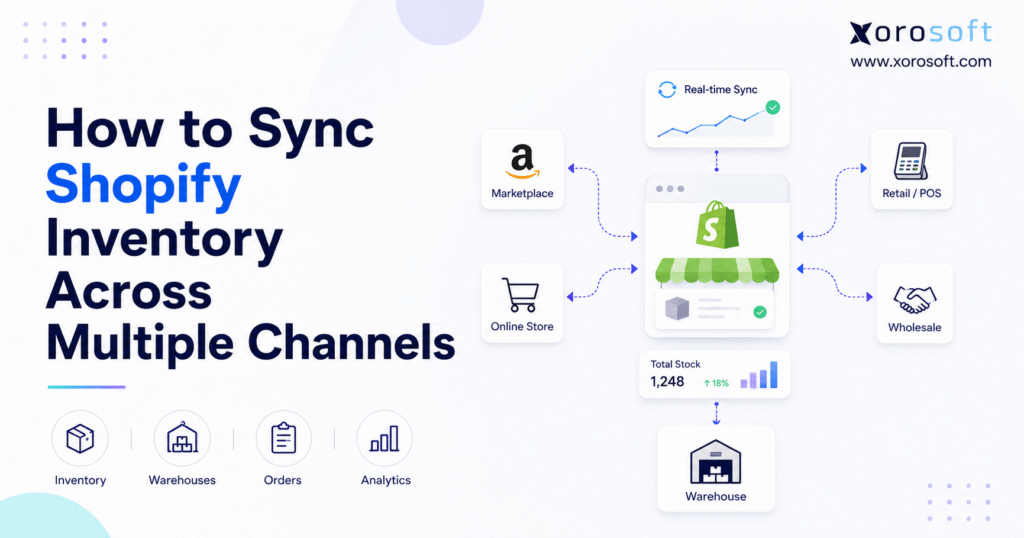
If your business sells on multiple channels, Shopify multi-channel inventory sync can help save time and reduce errors.
1. Why Multi-Channel Growth Exposes Inventory Weaknesses
Adding another sales channel can increase reach quickly. However, every new channel also creates another place where inventory can become inaccurate.
A product may be available through Shopify, Amazon, wholesale, retail, and a second storefront. Although customers see separate buying experiences, every order may draw from the same physical stock. Consequently, the business can promise the same unit more than once.
Suppose the company owns ten units, while Shopify displays six and Amazon displays six. It has not created twelve units; instead, it has exposed the same stock twice.
This is where Shopify multi-channel inventory sync becomes essential. It keeps quantities aligned whenever an order, return, receipt, transfer, cancellation, or warehouse adjustment changes stock. Therefore, the goal is not merely to update a number. The goal is to make sure every channel responds to the same operational reality.
1.1 The Same Stock Can Be Promised More Than Once
Each channel shows customers a sellable quantity. Without centralized control, those quantities can collectively exceed physical availability.
For example, a business may own 100 units but need to reserve 15 for wholesale customers, ten for open orders, five as safety stock, four for quality inspection, and six for a retail store. Consequently, only 60 units are genuinely available for unrestricted online sale.
If every channel displays the full 100 units, overselling becomes likely. In contrast, a controlled allocation model protects inventory for specific customers, locations, or strategic channels.
1.2 Inventory Errors Spread Beyond Ecommerce
A stock discrepancy does not remain inside Shopify. It also affects warehouse picking, purchasing decisions, customer service, forecasting, and financial reporting.
When teams stop trusting inventory data, they often create parallel spreadsheets and manual checks. However, those workarounds usually make the problem worse because more systems begin tracking different versions of the same quantity.
2. What Shopify Multi-Channel Inventory Sync Actually Controls
Shopify multi-channel inventory sync is the process of maintaining one reliable sellable quantity across Shopify and every connected marketplace, store, warehouse, or wholesale channel.
A synchronized system receives inventory events, recalculates availability, and distributes the new quantity to connected channels. The process usually includes inventory, order, and listing synchronization. Although these workflows support one another, businesses should test each separately.
2.1 Shopify Inventory Synchronization Versus Order Sync
Inventory synchronization communicates how many units can still be sold. Order synchronization, meanwhile, brings orders from Shopify, Amazon, wholesale, retail, or other channels into a central processing workflow.
A business normally needs both. Accurate stock updates do not help the warehouse if employees must still sign into several platforms to find and fulfill orders.
2.2 Shopify Stock Synchronization Versus Listing Sync
Listing synchronization manages product titles, descriptions, prices, images, marketplace categories, and other merchandising data. Shopify stock synchronization, by comparison, manages quantities.
Some platforms provide both functions. Nevertheless, merchants should not assume that successful listing updates guarantee reliable inventory updates.
2.3 Real-Time Shopify Stock Sync Versus Scheduled Updates
Real-time Shopify stock sync attempts to transmit an update immediately after an inventory event occurs. Scheduled synchronization sends updates at fixed intervals, such as every five, fifteen, or sixty minutes.
Even real-time connections can experience API limits, processing queues, or marketplace delays. For that reason, high-volume sellers often combine frequent synchronization with safety stock and channel allocation limits.
3. Define One Source of Truth for Centralized Shopify Inventory
The most important architectural decision is selecting the system that owns inventory.
The inventory source of truth is the platform authorized to calculate and publish the sellable quantity. It may be Shopify, an inventory application, an order management system, or an ERP. However, only one system should act as the final authority.
When two applications both publish quantities, they can overwrite one another and create adjustment loops. Therefore, clear ownership is a prerequisite for reliable Shopify multi-channel inventory sync.
3.1 When Shopify Can Own Inventory
Shopify can remain the primary inventory system when a company has one main store, a limited number of channels, one or two uncomplicated locations, and straightforward purchasing requirements.
In addition, Shopify may be sufficient when the business has no manufacturing, limited wholesale activity, and simple bundle logic. In that situation, external tools can send orders into Shopify while Shopify controls the available quantity.
3.2 When an Inventory App Can Own Stock
An inventory synchronization app may be enough when the main requirement is sharing quantities between several Shopify stores or marketplaces.
This approach often suits growing brands that need more control than native features provide. However, it becomes less suitable when accounting, manufacturing, purchasing, or warehouse management must also influence availability.
3.3 When an OMS or ERP Should Own Inventory
An OMS or ERP becomes more relevant when available inventory depends on wholesale orders, Amazon orders, purchase orders, multiple warehouses, customer allocations, EDI transactions, manufacturing components, or inventory valuation.
At this stage, inventory availability is no longer determined only by Shopify orders. Instead, the source system must understand every workflow that consumes, moves, creates, or reserves stock.
4. Prepare Product Data for Shopify Inventory Synchronization
Poor product data is one of the most common causes of failed inventory synchronization. An integration cannot reliably connect products when SKUs are missing, duplicated, or formatted differently across channels.
Before enabling Shopify multi-channel inventory sync, clean the item master and confirm that every active listing maps to the correct internal product.
4.1 Give Every Stocked Variant a Unique SKU
Each separately tracked variant should have its own SKU. For example, a medium black shirt and a large black shirt are different inventory items and should not share one identifier.
Use the same SKU for the same variant across Shopify, marketplaces, warehouses, and the accounting or ERP platform. As a result, every system can recognize the item without relying on a product title.
4.2 Standardize Product Identifiers Across Channels
Where relevant, standardize SKUs, barcodes, UPCs, GTINs, manufacturer numbers, variant names, and units of measure.
Product titles may differ by marketplace. However, the underlying identifier should remain consistent so the integration can map each listing correctly.
4.3 Remove Duplicate and Obsolete Listings
Duplicate listings can expose the same stock twice. Therefore, archive inactive products, merge duplicate variants, and confirm that every live channel listing maps to the correct internal item.
In addition, review discontinued products and seasonal items. A dormant listing can still create errors if it remains connected to active inventory.
5. Build a Reliable Shopify Multi-Channel Inventory Sync Process
A dependable setup requires more than installing an application. The business must define how inventory moves, which system owns it, and what should happen after every order event.
The following process creates a stronger foundation for Shopify multi-channel inventory sync across stores, marketplaces, and warehouses.
5.1 Document Every Channel That Can Consume Inventory
Create a complete list of Shopify storefronts, Amazon accounts, eBay or Walmart listings, retail POS systems, wholesale portals, EDI customers, subscription platforms, and customer-service orders.
Even a small offline order stream can create discrepancies if it consumes inventory without notifying the central system.
5.2 Connect One Channel at a Time
Avoid activating every integration simultaneously. Instead, begin with one channel and a limited product set. Once the results reconcile, connect the next channel so errors remain easier to isolate.
5.3 Map Products and Variants Correctly
Each channel listing should map to the corresponding internal SKU. Depending on the business model, the mapping may involve one Shopify variant to one internal SKU, several listings to one SKU, or one bundle SKU to several components.
Map inventory at the lowest tracked level; otherwise, the parent may update while the sold variant does not.
5.4 Configure Locations and Warehouses
Assign inventory to the location where it physically exists. A location may represent a company warehouse, retail store, 3PL facility, showroom, dropship supplier, or virtual quarantine area.
Avoid using one generic warehouse when stock sits in several facilities; otherwise, routing and fulfillment remain inaccurate.
5.5 Define Sellable Inventory Rules
Document how the system calculates availability. A common formula is:
Available inventory = On-hand inventory − Committed inventory − Unavailable inventory − Safety stock
However, the rule may also include wholesale allocations, inspection stock, marketplace reserves, production requirements, or customer-specific commitments.
5.6 Set Channel Inventory Buffers
A buffer prevents every available unit from being exposed across every channel. For instance, a business with 20 available units may publish only 18 and reserve two as safety stock.
Larger buffers may be appropriate for fast-selling items, slow marketplace updates, fragile products, flash sales, supplier-managed stock, or bundle components.
5.7 Test the Complete Order Lifecycle
Do not limit testing to a successful order. Instead, test a new order, partial fulfillment, cancellation, return, exchange, transfer, damaged item, manual adjustment, bundle sale, and the final available unit.
For the final-unit test, place nearly simultaneous orders through two channels and confirm that the second channel stops selling.
5.8 Monitor Shopify Inventory Sync After Launch
After launch, review failed API updates, unmapped SKUs, negative quantities, duplicate adjustments, and channel quantities that differ from the source system.
A reliable integration should provide an audit trail and expose failed events.
6. Track How Inventory Changes During an Order
Inventory moves through several operational states between checkout and final delivery.
Consider a product with ten available units. A customer places an order for one unit, so the system reserves it and reduces available stock to nine. Afterward, the warehouse picks and ships the item, and the physical on-hand quantity falls to nine.
If the customer cancels before shipment, the committed unit may return to available stock. However, if the item has already shipped, it must pass through a return workflow before becoming sellable again.
6.1 Reserve Inventory Before Fulfillment
Inventory should normally be reserved when the order is accepted, not when the warehouse eventually ships it.
Waiting until shipment creates a window in which several channels can continue selling the same unit. Therefore, reservation logic is one of the most important controls within Shopify multi-channel inventory sync.
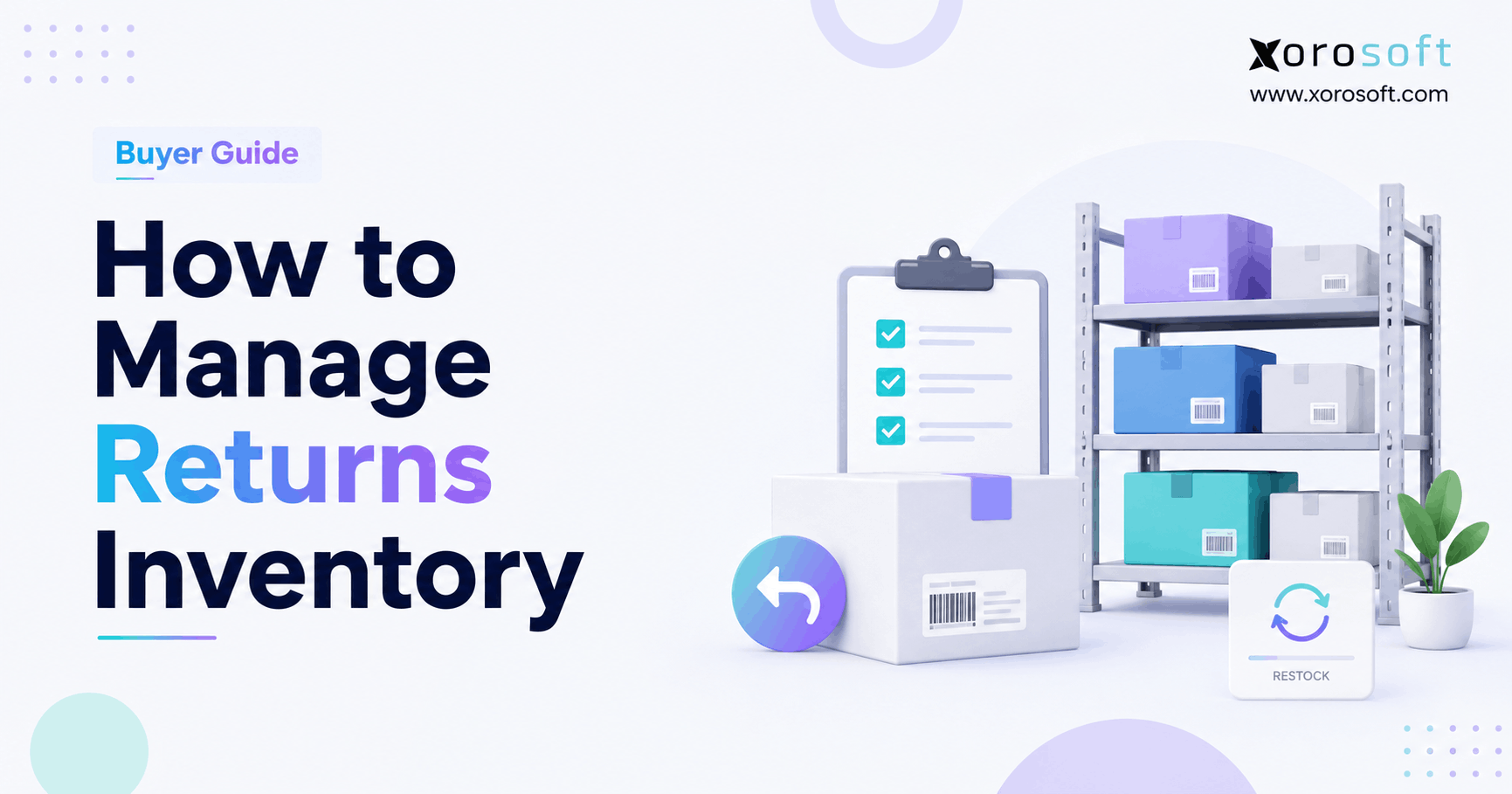
6.2 Inspect Returns Before Restocking
A returned product may be damaged, incomplete, opened, or unsuitable for resale. Consequently, the receiving team should classify it as sellable, damaged, under inspection, refurbishable, vendor return, or discarded.
Only sellable inventory should return to channel availability.
6.3 Use Clear Cancellation Rules
An order cancelled before picking may release inventory immediately. In contrast, a cancellation after picking or packing may require warehouse confirmation because the item might already be staged or transferred.
7. Prevent Overselling With Real-Time Shopify Stock Sync
Overselling usually occurs because a channel quantity does not reflect the latest inventory event.
Faster updates help. Nevertheless, speed alone is not enough. A stable process also requires reservations, safety stock, consistent mapping, and clear ownership.
7.1 Reserve Stock as Soon as an Order Is Accepted
A confirmed order should reduce sellable inventory across all connected channels. Without reservation logic, two customers can buy the final unit before either order reaches the warehouse.
Therefore, reservations should be triggered by the order event rather than delayed until shipping.
7.2 Use Safety Stock for High-Risk Products
Safety stock is especially useful when orders arrive quickly, a marketplace updates slowly, physical counts are occasionally inaccurate, or products are frequently damaged.
The buffer should reflect actual operational risk. For example, a fast-moving item with frequent marketplace latency may require a larger reserve than a slow-moving item sold only through Shopify.
7.3 Limit Inventory by Channel Where Necessary
Some businesses should not expose the full quantity to every channel. Wholesale customers, retail stores, or strategic marketplaces may require protected allocations.
Channel-specific limits prevent one sales source from consuming all stock intended for another. As a result, the business can maintain service levels for priority customers.
7.4 Prepare for Flash Sales and Promotions
During a flash sale, the normal synchronization interval may not be fast enough. Before the promotion, reconcile physical inventory, increase buffers where appropriate, disable duplicate listings, and test final-unit behavior.
In addition, assign someone to monitor failures in real time. If discrepancies appear, the team should know who can pause a channel immediately.
8. Handle Bundles, Kits, Preorders, and Multi-Packs
Basic one-SKU-to-one-product mapping does not address every inventory scenario. Bundles, preorders, cases, and supplier feeds require additional rules.
8.1 Component-Level Shopify Inventory Synchronization for Bundles
A virtual bundle depends on component availability. For example, a kit requiring two units of A and one unit each of B and C can sell only as many kits as its scarcest component allows. Every kit sale must reduce those components.
8.2 Fixed Bundles Versus Virtual Kits
A fixed bundle is stocked as its own SKU, while a virtual kit is assembled after purchase. The platform must distinguish the two so it deducts the correct inventory.
8.3 Preorders and Backorders
Preorders can expose incoming stock before it arrives. Therefore, set preorder quantities using confirmed purchase orders, realistic supplier dates, and a defined allocation rule.
Avoid publishing unlimited quantities based only on expected future availability.
8.4 Wholesale Cases and Units of Measure
A wholesale customer may buy one case while a Shopify customer buys one unit. If a case contains 12 units, the system must convert the case order into a 12-unit deduction from the base SKU.
Without units-of-measure controls, wholesale orders can significantly distort ecommerce availability.
8.5 Dropshipping and Supplier Inventory Feeds
Supplier inventory is not always updated in real time. When a vendor sends a feed only a few times per day, apply a buffer and define what happens when the supplier cannot fulfill an accepted order.
9. Connect Multi-Warehouse Inventory to Shopify
Multi-warehouse operations require more than a consolidated total. The business must know where stock is located, which warehouse can fulfill the order, and whether an item is available to sell from that location.
9.1 Track Inventory by Physical Location
Central visibility tells the company how much inventory it owns. Location-level visibility, however, explains where that inventory sits and whether it is suitable for a specific order.
A business may own 50 units, but only ten may be available in the region responsible for next-day delivery.
9.2 Configure Order Routing Rules
Order-routing rules may prioritize the nearest warehouse, a primary fulfillment center, the location holding all items, or a 3PL serving a specific region.
The goal is to balance customer service, inventory utilization, and fulfillment cost. Therefore, routing decisions should use both stock availability and operational constraints.
9.3 Record Transfers Correctly
A transfer should reduce availability at the origin and record incoming stock at the destination.
The destination should not sell those units before receiving confirms that they arrived. Otherwise, the company may promise stock that is still in transit.
9.4 Keep 3PL Inventory Connected
A third-party logistics provider should communicate receipts, allocations, shipments, returns, damage, adjustments, and cycle-count results.
If warehouse events arrive late, Shopify inventory will remain inaccurate even when the sales-channel integration is working correctly.
9.5 Tie Warehouse Execution to Shopify Inventory Accuracy
Receiving, putaway, picking, packing, and shipping all affect the reliability of Shopify multi-channel inventory sync.
A connected warehouse management system can help growing businesses control warehouse movements, barcode-driven processes, fulfillment, and location-level inventory without relying on delayed manual updates.
10. Troubleshoot Shopify Inventory Synchronization Errors
When Shopify stock stops matching another channel, begin with one affected SKU and trace every event.
Do not reset the quantity without identifying the source of the discrepancy. Although that may correct the current number, the same issue will probably return.
| Inventory symptom | Likely cause | Recommended action |
|---|---|---|
| Overselling | Update delay or no reservation | Increase sync frequency and use buffers |
| Quantity keeps changing | Multiple inventory owners | Assign one authoritative source |
| Stock appears at the wrong warehouse | Incorrect location mapping | Correct warehouse assignments |
| Marketplace item shows zero | Missing or incorrect SKU mapping | Remap the listing |
| Bundle remains available | Components are not deducted | Enable component-level tracking |
| Returned item is immediately resold | Automatic restocking | Add inspection and quarantine rules |
| Negative inventory | Orders bypass controls | Review channel and fulfillment settings |
10.1 Check SKU and Variant Mapping
A missing character, extra space, reused SKU, or incorrect variant relationship can disconnect an item.
Compare identifiers in every connected system. In addition, avoid relying only on product names because marketplace titles often differ.
10.2 Identify Competing Inventory Applications
Two applications may both be sending quantities to Shopify. Therefore, review application permissions, update logs, and timestamps to identify which system made each adjustment.
Once the source is clear, disable duplicate publishing rights.
10.3 Review Location Assignments
A product may be stocked at Warehouse B but mapped to Warehouse A. The total quantity appears correct, yet routing fails because the stock is associated with the wrong location.
10.4 Investigate API and Webhook Failures
Temporary connection failures should trigger retries and alerts. An integration that silently drops events cannot be considered reliable, even when most updates succeed.
10.5 Control Manual Adjustments
Require employees to record a reason for every manual change. Typical reasons include damage, cycle-count correction, return inspection, transfer variance, and supplier shortage.
As a result, the business can distinguish a valid correction from an integration error.
11. Choose the Right Cross-Channel Inventory Management Architecture
The right solution depends on operational complexity, not company size. A large brand may need only a focused app, while a smaller manufacturer may need ERP because production and purchasing determine availability.
| Approach | Best fit | Main strength | Main limitation |
| Manual updates | Very small catalogs | Low initial cost | Slow and error-prone |
| Shopify native tools | Simple Shopify-led operations | Easy administration | Limited external workflows |
| Inventory sync app | Several stores or marketplaces | Fast deployment | May lack accounting and purchasing |
| OMS | Complex order routing | Centralized order control | Limited financial functionality |
| WMS | Warehouse-intensive operations | Strong fulfillment execution | Not a complete business system |
| ERP | Inventory-driven companies | Connected operational data | Requires structured implementation |
| Custom API | Unique workflows | Flexible | Ongoing technical ownership |
11.1 When Native Shopify Tools Are Enough
Native tools may be suitable when the business has one primary store, straightforward inventory, limited warehouse complexity, and basic purchasing.
Avoid adding unnecessary software when the existing setup supports reliable operations. However, reassess the architecture when more channels or locations begin changing the same SKUs.
11.2 When a Shopify Inventory Sync App Is the Better Choice
A focused app can solve a clear requirement such as sharing inventory between stores, synchronizing marketplace quantities, adding safety stock, or connecting supplier feeds.
Before rollout, evaluate failures, returns, locations, audit history, and bundle components.
11.3 When an OMS Fits the Operation
An OMS is useful when the central challenge involves consolidating orders and routing them to fulfillment locations.
It may not replace accounting, purchasing, manufacturing, or financial reporting. Therefore, the business should confirm which responsibilities remain outside the OMS.
11.4 When a WMS Becomes Necessary
A WMS is appropriate when warehouse execution requires stronger control over receiving, putaway, bin locations, replenishment, scanning, picking, packing, shipping, and cycle counting.
11.5 When Shopify Multi-Channel Inventory Sync Needs ERP
ERP becomes relevant when the available quantity depends on purchasing, accounting, warehouse activity, wholesale orders, EDI, manufacturing, or forecasting.
At that stage, Shopify multi-channel inventory sync becomes part of a wider operational system connecting every inventory event.
12. Recognize When Disconnected Systems Have Reached Their Limit
A business does not need ERP simply because it uses Shopify. The need emerges when fragmented workflows create recurring operational risk.
Common signals include spreadsheet purchasing, repeated warehouse discrepancies, manual wholesale order entry, separate Amazon reconciliation, delayed accounting closes, and duplicated data entry.
In addition, forecasting may require repeated exports, transfers may lack visibility, and customer allocations may be difficult to enforce.
When these conditions appear together, adding another inventory-only application may increase complexity rather than reduce it.
13. Use ERP to Connect Shopify Inventory, Purchasing, and Accounting
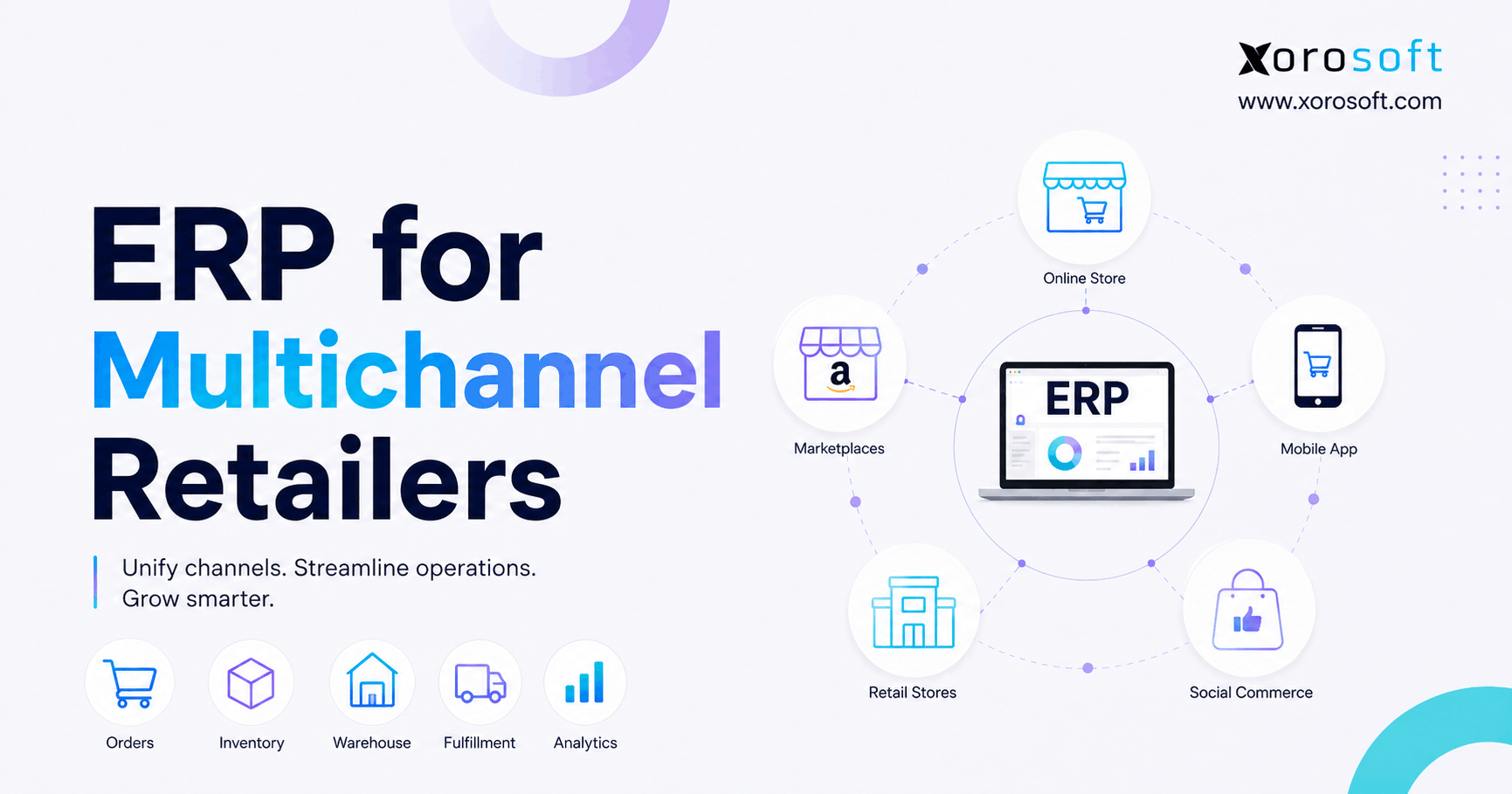
An ERP can act as the operational layer behind Shopify. Orders flow into the central system, while inventory, purchasing, warehousing, accounting, forecasting, and reporting share the same transaction history.
13.1 Centralized Shopify Inventory Across Channels
A central ERP can calculate what is on hand, available, committed, incoming, in transit, damaged, reserved, or in production.
That quantity can then be distributed to Shopify and other channels according to allocation rules. XoroONE is one example of a cloud ERP designed to bring inventory, accounting, purchasing, warehouse management, manufacturing, forecasting, and ecommerce operations into one system.
13.2 Purchasing and Replenishment
Accurate channel demand should inform purchasing decisions. Therefore, purchase orders, supplier lead times, expected receipts, minimum stock, and forecasts need access to the same inventory data used by Shopify.
13.3 Inventory Valuation and Financial Control
Disconnected accounting forces finance teams to reconcile receipts, shipments, returns, write-offs, and landed costs after the activity has already occurred.
A connected platform can link operational inventory movements with financial records. As a result, finance and operations work from the same transaction history.
13.4 Wholesale, Amazon, and EDI Orders
Wholesale and EDI orders may consume inventory before they appear in Shopify. A centralized ERP reserves stock regardless of where the order originated.
XoroERP is positioned for inventory-driven companies that need ecommerce, warehousing, purchasing, accounting, manufacturing, and B2B workflows to operate through a shared platform.
14. Evaluate Xorosoft for Shopify Multi-Channel Inventory Sync
Xorosoft should be evaluated in the same practical way as any other ERP: by testing real transactions and operational exceptions.
A useful demonstration should include orders, receipts, transfers, bundles, cancellations, returns, failures, and reconciliation.
14.1 Connected Inventory Rather Than Another Isolated App
Xorosoft is designed for inventory-driven businesses that have outgrown combinations such as Shopify, QuickBooks, spreadsheets, inventory applications, warehouse tools, and separate purchasing files.
Its broader goal is to connect the transactions that determine the stock quantity.
Merchants can also review the Xorosoft ERP integration on the Shopify App Store when evaluating how the platform fits into a Shopify technology stack.
14.2 Compare Operational Fit, Not Feature Counts
NetSuite, Acumatica, Microsoft Dynamics 365 Business Central, Sage, Cin7, Brightpearl, Fishbowl, and Xorosoft serve different operating models.
The correct choice depends on channels, warehouses, accounting, manufacturing, implementation resources, reporting, and ownership cost.
Businesses evaluating broader ERP options can use this Xorosoft versus NetSuite comparison as one input. However, each platform should still be tested against real workflows.
15. Apply Shopify Inventory Synchronization by Industry
Inventory synchronization requirements change according to the products being sold and the way those products move through the business.
15.1 Apparel and Fashion Inventory Synchronization
Apparel companies manage style, color, and size combinations. One product design can create hundreds of variants.
Therefore, inventory must remain accurate at the variant level. Returns, seasonal demand, markdowns, and retail locations create additional complexity.
15.2 Wholesale Distribution Inventory Control
Distributors may sell individual units online and cases to wholesale customers.
Their system must support units of measure, customer allocations, EDI, contract pricing, and warehouse availability without allowing wholesale orders to oversell ecommerce stock.
15.3 Furniture Inventory Across Channels
Furniture companies often manage long lead times, showrooms, bulky products, regional warehouses, and scheduled delivery.
Consequently, the synchronization process should distinguish sellable warehouse stock from floor models, samples, returns, and items waiting for inspection.
15.4 Sporting Goods and Seasonal Stock
Sporting goods companies frequently sell products individually and as kits. In addition, seasonal demand, retail stores, and wholesale accounts make component-level synchronization important.
15.5 Food and Beverage Inventory
Food and beverage operations may require lot, batch, and expiration controls.
A unit may physically exist but no longer be appropriate for a specific channel because of shelf-life requirements or quality holds.
15.6 Manufacturing and Component Availability
Manufacturers must connect raw materials, work orders, assemblies, and finished goods.
A finished product may be out of stock even when the company has enough components to manufacture it. Conversely, planned production should not become sellable until materials and capacity are confirmed.
Businesses can review Xorosoft’s industry-specific ERP applications for examples involving apparel, wholesale distribution, furniture, sporting goods, food, manufacturing, and other inventory-driven sectors.
16. Answers to Common Shopify Inventory Sync Questions
16.1 Can Shopify Sync Inventory Across Multiple Channels?
Shopify can share inventory with connected channels when the right integration is configured. More complex stores, warehouses, wholesale workflows, or manufacturing may require an app, OMS, WMS, middleware, or ERP.
16.2 Does Shopify Automatically Update Marketplace Inventory?
It can when a compatible integration is active and products are mapped correctly. However, merchants should still monitor failures, latency, duplicate applications, and safety stock.
16.3 Can Shopify Sync Inventory With Amazon?
Yes. Shopify can connect with Amazon through marketplace tools, apps, middleware, or ERP. The business must still decide which system owns inventory.
16.4 Can Two Shopify Stores Share Inventory?
Separate Shopify stores do not normally share one inventory quantity automatically. Therefore, merchants generally need an app, OMS, middleware, or ERP.
16.5 How Do I Sync Inventory Between Shopify Stores?
Use consistent SKUs, one source of truth, accurate variant mapping, and complete testing. In addition, prevent each store from publishing an independent master quantity.
16.6 Why Is Shopify Inventory Not Syncing?
Typical causes include bad SKUs, missing mappings, wrong locations, failed API events, duplicate apps, bundle errors, or competing inventory owners.
16.7 How Fast Should Shopify Inventory Sync?
The required speed depends on order volume and stock risk. Low-volume sellers may tolerate scheduled updates, while flash-sale brands may require near-real-time updates and buffers.
16.8 How Can Shopify Merchants Prevent Overselling?
Use one source of truth, reserve stock at order acceptance, maintain consistent SKUs, apply buffers, monitor failures, and test the final unit.
16.9 Should Every Shopify Variant Have a Unique SKU?
Yes. Every separately stocked variant should normally have a unique SKU because sizes, colors, packs, and configurations represent different inventory.
16.10 What Is a Shopify Inventory Safety Buffer?
A safety buffer is stock intentionally withheld from channels to protect against delays, damage, counting errors, simultaneous orders, and supplier-feed latency.
16.11 Can Shopify Manage Multiple Warehouses?
Shopify can represent warehouses as locations. However, businesses needing scanning, bin control, complex routing, or 3PL coordination may also need a WMS or ERP.
16.12 How Do Warehouse Transfers Affect Available Stock?
A transfer reduces available stock at the origin and records incoming stock at the destination, which should not sell it before receipt.
16.13 How Are Shopify Bundles Synchronized?
Bundle availability should come from component inventory, and every bundle sale must reduce those underlying components.
16.14 Can Shopify Track Bundle Components?
The capability depends on the bundle application or connected system. Merchants should verify that component deductions occur for both bundle and standalone sales.
16.15 How Do Returns Affect Shopify Inventory?
Returned products should pass inspection before restocking. Sellable items can return to availability, while damaged or incomplete items should remain unavailable.
16.16 What Happens When an Order Is Cancelled?
An unshipped cancellation may release committed stock. However, warehouse processing may require confirmation before the quantity becomes available again.
16.17 Should Shopify Be the Inventory Source of Truth?
Shopify can remain the source for straightforward ecommerce. A broader platform may be better when wholesale, manufacturing, warehouses, EDI, purchasing, or accounting determine availability.
16.18 What Is the Difference Between OMS, WMS, and ERP?
An OMS coordinates orders. A WMS controls warehouse execution. An ERP connects broader functions such as inventory, purchasing, accounting, forecasting, warehousing, manufacturing, and reporting.
16.19 Is an Inventory Sync App Enough?
It can be enough for sharing quantities between stores or marketplaces. Nevertheless, it may fall short when accounting, purchasing, warehousing, or manufacturing remain disconnected.
16.20 When Should a Shopify Business Use ERP?
ERP becomes relevant when inventory problems extend into purchasing, accounting, warehouses, wholesale, EDI, manufacturing, reporting, or forecasting.
16.21 Can an ERP Sync Shopify and Amazon Inventory?
Yes, with suitable integrations. The ERP can receive orders, reserve inventory, coordinate fulfillment, and update Shopify and Amazon.
16.22 How Does Inventory Synchronization Affect Accounting?
Inventory movements affect assets, cost of goods sold, returns, write-offs, and margin. Therefore, disconnected systems force manual reconciliation.
16.23 What Should Be Tested Before Activating Inventory Sync?
Test orders, final-unit sales, cancellations, returns, transfers, bundles, damaged stock, adjustments, partial fulfillment, API failures, and buffers.
16.24 How Often Should Inventory Be Reconciled?
High-volume or high-value products may require daily review. Lower-risk products may follow weekly or monthly schedules. Ultimately, frequency should reflect operational risk.
16.25 Who Does Not Need a Complex Inventory Platform?
A merchant with one store, one simple warehouse, limited volume, and basic purchasing may not need ERP or an advanced OMS. The simplest reliable architecture may be enough.
17. Build the Inventory Architecture Before Adding the Next Channel
The right inventory system is not necessarily the one with the longest feature list.
A merchant with one store, one warehouse, and a straightforward catalog may operate effectively with native tools and a focused app. Therefore, implementing ERP too early can add unnecessary complexity.
However, a business managing several channels, warehouses, purchasing, manufacturing, and accounting needs clear ownership of every inventory event.
Start by cleaning product data and choosing one inventory source of truth. Next, map locations, define sellable inventory, configure buffers, test the complete order lifecycle, and monitor failures. Finally, expand the technology stack only when the current process can no longer maintain reliable inventory.
For businesses that have outgrown QuickBooks, spreadsheets, inventory-only tools, and disconnected warehouse applications, Xorosoft can provide a broader operational foundation by connecting inventory, accounting, purchasing, warehouse management, manufacturing, forecasting, ecommerce, and reporting.
17.1 Review Your Shopify Multi-Channel Inventory Sync Workflow
A structured review can reveal whether the current problem requires better configuration, a focused synchronization app, stronger warehouse controls, or a connected ERP.
Book a personalized demo with Xorosoft to review how your Shopify stores, marketplaces, warehouses, purchasing, wholesale orders, and accounting systems currently exchange inventory data.