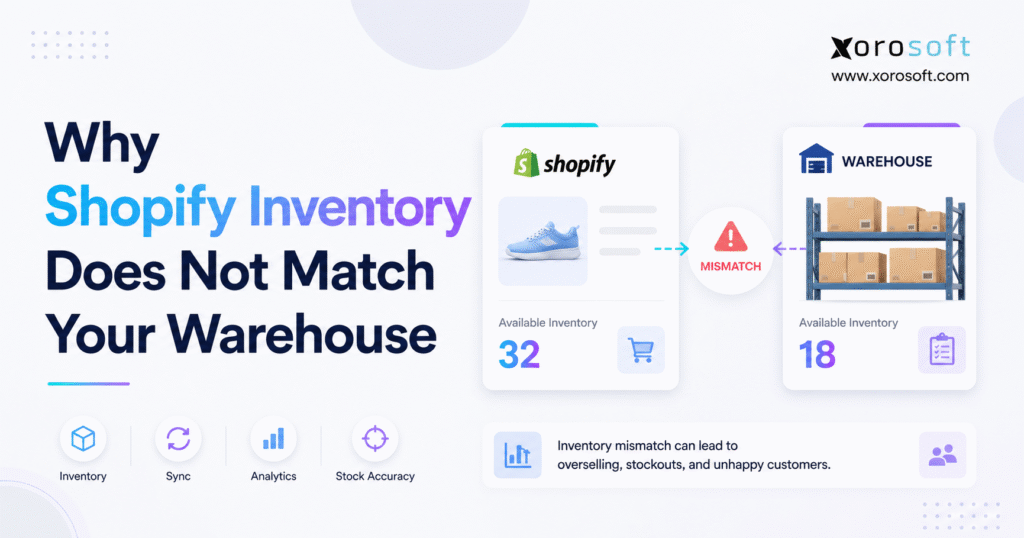
If you’re running an online shop, you may have experienced a Shopify inventory mismatch at some point.
1. Shopify Shows Stock, but the Warehouse Cannot Fulfil the Order
A customer visits your Shopify store, sees a product marked as available, and places an order. However, when the warehouse picker reaches the assigned bin, the product is not there. Shopify may show twelve units, while the warehouse team can locate only eight.
At first, the problem may look like a simple counting mistake. In reality, a Shopify inventory mismatch usually develops because Shopify, the warehouse, and other operational systems measure inventory at different stages of the order cycle.
For example, Shopify may display inventory available for new orders. Meanwhile, the warehouse may count every physical unit in the building, including products already allocated to customers, damaged items, returns awaiting inspection, units staged for shipment, or stock assigned to another warehouse.
As a result, both quantities can appear reasonable while still failing to match.
However, the challenge becomes more serious when the business cannot explain the difference. Once employees stop trusting the system, they begin checking shelves manually, maintaining private spreadsheets, increasing safety stock, and making frequent inventory adjustments.
Consequently, one unexplained discrepancy can affect purchasing, fulfilment, accounting, forecasting, and customer service.
Therefore, instead of correcting the visible quantity immediately, the business should first identify what each number represents. Afterward, it must trace the physical and digital transactions that caused the records to separate.
1.1 Why Shopify Inventory Accuracy Affects the Entire Business
Inventory accuracy determines whether a company can confidently promise products to customers.
When records are reliable, warehouse teams can fulfil orders without repeatedly checking stock. Similarly, purchasing teams can reorder based on actual demand. Meanwhile, finance can calculate inventory valuation and cost of goods sold with fewer adjustments.
Moreover, accurate inventory allows the business to:
- Accept orders with confidence
- Allocate products across channels
- Replenish warehouses effectively
- Reduce emergency stock transfers
- Improve demand forecasting
- Avoid unnecessary purchasing
- Complete month-end reconciliation faster
- Maintain dependable customer delivery commitments
However, when a Shopify inventory mismatch becomes common, employees begin questioning every report.
For instance, warehouse staff may search several bins before declaring a shortage. At the same time, customer service may delay responses while waiting for operations. Meanwhile, purchasing may order additional products because the reported quantity appears too low.
Eventually, finance may discover that inventory valuation does not align with warehouse activity. Consequently, disconnected workarounds become part of the operating process.
1.2 The Cost of a Shopify Stock Discrepancy
Although a difference of one or two units may seem insignificant, the same issue across hundreds or thousands of products creates considerable operational waste.
For example, common consequences include:
- Overselling unavailable products
- Cancelling paid customer orders
- Splitting shipments unnecessarily
- Paying for expedited freight
- Carrying excessive safety stock
- Reordering inventory too early
- Missing genuine replenishment needs
- Delaying financial reconciliation
- Distorting inventory valuation
- Increasing customer-service workload
- Reducing warehouse productivity
- Weakening confidence in operational reports
Furthermore, repeated manual adjustments can hide the original cause. In other words, each correction may solve today’s visible problem while allowing the underlying process failure to continue.
2. What a Shopify Inventory Mismatch Actually Means
A Shopify inventory mismatch occurs when the inventory quantity shown in Shopify cannot be reconciled with the warehouse system or a physical stock count.
However, the word “inventory” can describe several different quantities.
For example, a warehouse may report:
- Total physical stock
- Sellable stock
- Inventory in active pick bins
- Stock in reserve storage
- Damaged products
- Quarantined inventory
- Returned goods
- Inventory awaiting inspection
- Products allocated to open orders
- Packed orders awaiting shipment
- Inventory moving between locations
By contrast, Shopify may show available, committed, incoming, unavailable, or on-hand quantities.
Therefore, teams must confirm that they are comparing the same product, location, unit of measure, condition, ownership status, inventory state, and point in time.
Otherwise, the comparison may create the appearance of an inventory error even when the underlying quantities are correct.
2.1 Available Inventory Versus Physical Warehouse Stock
In practice, available inventory is the quantity that can be promised to new customers. Physical stock, on the other hand, includes every unit inside the warehouse, whether or not it can currently be sold.
For example, a warehouse may physically contain 200 units:
| Inventory status | Units |
|---|---|
| Available for new orders | 132 |
| Committed to open orders | 38 |
| Damaged products | 9 |
| Returns awaiting inspection | 12 |
| Quality-control hold | 9 |
| Total physical stock | 200 |
Consequently, Shopify may correctly show 132 available units while the warehouse count correctly shows 200 physical units.
In this situation, the 68-unit difference does not represent an error. Instead, the two systems are displaying different inventory states.
Accordingly, a practical reconciliation formula may be:
Physical stock – committed stock – damaged stock – quality holds – pending returns = expected available inventory
Although the exact calculation varies by business, all departments should use the same definitions. Otherwise, warehouse, finance, purchasing, and ecommerce teams will continue comparing unrelated quantities.
2.2 Shopify Committed Inventory and Warehouse Allocations
Meanwhile, committed inventory has already been reserved for an existing order. Nevertheless, it may still be physically present in a storage bin, picking cart, packing station, or outbound staging area.
As a result, a warehouse employee may include those units in a physical count. Shopify, however, should not make them available to another customer.
Problems arise when commitments remain attached to:
- Cancelled orders
- Failed payments
- Fraud-review orders
- Partially shipped orders
- Reassigned fulfilment locations
- Amended wholesale orders
- Orders placed on operational hold
Consequently, stale commitments can make Shopify availability appear lower than warehouse stock.
Therefore, operations teams should regularly review old, cancelled, and partially fulfilled orders. In addition, they should verify that inventory commitments are released whenever an order changes status.
2.3 Unavailable Inventory and Non-Sellable Warehouse Stock
Nevertheless, some products are physically present but should not be offered for sale.
Examples include:
- Damaged products
- Recalled goods
- Expired inventory
- Samples
- Safety stock
- Products awaiting relabelling
- Incomplete sets
- Returns awaiting inspection
- Quality-control holds
- Customer-owned inventory
Therefore, if the warehouse count includes these units while Shopify excludes them from availability, the difference is expected.
Companies should track physical visibility and sellable availability separately. Moreover, every unavailable category should have a clear status, owner, and resolution process.
Otherwise, products may remain blocked indefinitely or, conversely, return to sellable inventory before they are ready.
2.4 Incoming Inventory Is Not Yet Available Inventory
Similarly, incoming inventory represents products expected from a supplier or another warehouse. It does not mean the destination has physically received those products.
For instance, a business may create false availability when it increases Shopify stock as soon as:
- A purchase order is approved
- A supplier confirms shipment
- A carrier creates a tracking number
- An advance shipping notice arrives
- A warehouse transfer begins
Instead, inventory should become available only after the warehouse receives, counts, inspects, and accepts it.
Additionally, the system should distinguish between ordered, shipped, in-transit, received, inspected, and available quantities. As a result, purchasing and customer service can see what is coming without promising stock that has not yet arrived.
3. Why Shopify Inventory Does Not Match Warehouse Stock
Several operational and technical issues can create a Shopify inventory mismatch. In most growing companies, more than one cause contributes to the difference.
Therefore, teams should avoid searching for one universal explanation. Instead, they should review synchronization, receiving, returns, fulfilment, product data, warehouse movements, and system ownership together.
3.1 Shopify Inventory Sync Delays
In some cases, inventory updates do not reach Shopify immediately.
A warehouse platform, inventory application, marketplace connector, third-party logistics provider, or ERP may send updates through scheduled jobs, application programming interfaces, webhooks, or processing queues.
Specifically, delays can result from:
- Scheduled synchronization intervals
- Processing queues
- API limitations
- Failed integration jobs
- Expired authentication credentials
- Network interruptions
- Delayed warehouse confirmations
- Unprocessed error messages
- Third-party application outages
For example, Shopify may reduce available inventory when an order is accepted. Meanwhile, the warehouse system may deduct physical stock when the item is picked or shipped.
During the period between those events, the systems will show different quantities.
Although a temporary Shopify inventory mismatch may be acceptable, the operation must still monitor updates that fail or remain unprocessed beyond the normal synchronization window.
Furthermore, integration monitoring should show when the last successful update occurred. It should also identify which SKUs, locations, or transactions failed.
Otherwise, the business may not discover the issue until a customer orders unavailable stock.
3.2 Multiple Systems Updating Shopify Inventory
As they expand, Shopify businesses frequently operate with several disconnected applications.
The software stack may include:
- Shopify
- QuickBooks
- Inventory management software
- Warehouse management software
- Shipping software
- Amazon connectors
- EDI applications
- Wholesale portals
- Purchasing spreadsheets
- Third-party logistics systems
However, if several applications can independently update Shopify inventory, each platform becomes a competing source of truth.
For example:
- Shopify accepts an order and reduces availability.
- The inventory application imports the order.
- The warehouse ships the order.
- The shipping platform sends a fulfilment update.
- Another application sends a quantity adjustment.
- A delayed integration retries an earlier message.
- An employee manually changes the stock balance.
Even though each application may perform its configured task, the combined sequence can create duplicate deductions, overwritten quantities, or timing conflicts.
When ownership is unclear, a Shopify inventory mismatch can reappear even after employees manually correct the visible balance.
Therefore, a dependable architecture must define:
- The inventory system of record
- The order system of record
- The warehouse execution system
- The source of sellable availability
- The events that update Shopify
- The timing of each update
- The retry process for failed transactions
- The conflict-resolution rule
In addition, systems should exchange transactions rather than repeatedly overwriting complete inventory balances. That approach preserves the reason behind each quantity change.
3.3 Manual Shopify Inventory Adjustments
Occasionally, manual inventory changes are necessary. However, frequent adjustments usually indicate a deeper process problem.
For example, employees may change Shopify stock because:
- The warehouse count appears different
- A picker cannot locate a product
- A customer return appears unexpectedly
- A receipt was entered incorrectly
- A transfer remains open
- An integration has stopped updating
- A cancelled order still holds inventory
Nevertheless, the adjustment may temporarily make Shopify look correct while creating another difference in the warehouse platform, accounting system, or purchasing report.
For that reason, every adjustment should include a specific cause, such as:
- Cycle-count variance
- Receiving shortage
- Damaged inventory
- Duplicate receipt
- Duplicate shipment
- Return disposition
- Incorrect SKU
- Unit-of-measure error
- Integration correction
- Unexplained shrinkage
A vague label such as “inventory correction” does not help management identify the failing process.
Moreover, adjustment reports should be reviewed by SKU, location, employee, and reason. Consequently, management can identify whether discrepancies are concentrated in one product category, one warehouse, or one workflow.
3.4 Purchase Orders Recorded Before Warehouse Receiving
Importantly, a purchase order represents an intention to buy stock. It does not prove that the warehouse received the correct products or quantities.
A Shopify inventory mismatch can appear when:
- The full purchase order is received automatically
- The supplier ships fewer units than ordered
- The warehouse receives the wrong variant
- Damaged items are entered as sellable
- The employee records the ordered quantity
- The same shipment is received twice
- Products are put away before receipt confirmation
- Cases are recorded as individual units
For instance, a purchase order may contain 120 units, while the supplier delivers only 110. Consequently, if the warehouse closes the entire order as received, Shopify or the inventory system may show ten units that never arrived.
Therefore, receiving teams should record the delivered quantity rather than the expected quantity. Additionally, shortages, overages, substitutions, and damages should be documented before stock becomes available.
3.5 Products Received Physically but Not Posted
Conversely, the opposite problem also occurs.
In this case, products may arrive, be counted, and be placed in storage. However, the system receipt remains incomplete.
As a result, the warehouse physically contains the products while Shopify still shows the old quantity.
In this situation, the Shopify inventory mismatch remains unresolved until the warehouse receipt is completed and synchronized.
Additionally, this issue may cause purchasing teams to reorder unnecessarily because planning reports assume that the stock has not arrived.
A controlled receiving workflow should require:
- Purchase-order identification
- Product and barcode verification
- Physical quantity confirmation
- Shortage and overage recording
- Damage inspection
- Receipt confirmation
- Directed putaway
Afterward, the receipt should update the inventory system before products become available for picking. Otherwise, employees may fulfil orders using stock that the system does not recognize.
3.6 Unprocessed Returns Creating Inventory Differences
Likewise, returns are a frequent cause of warehouse and Shopify discrepancies.
A returned product may be:
- Still in transit
- Delivered but unopened
- Awaiting inspection
- Missing components
- Damaged
- Suitable for refurbishment
- Ready for resale
- Scheduled for disposal
Although the product may physically exist in the warehouse, it should not necessarily increase Shopify availability.
Therefore, a reliable return workflow should separate:
- Return authorization
- Carrier delivery
- Warehouse receipt
- Inspection
- Disposition
- Refund processing
- Return to available inventory
If the system restores every refunded unit automatically, Shopify may offer damaged or incomplete products.
Conversely, if approved returns are never returned to stock, Shopify availability will remain lower than the sellable warehouse quantity.
Accordingly, return disposition should determine whether the product becomes available, damaged, quarantined, refurbished, or written off.
3.7 Warehouse Shipments Confirmed at the Wrong Stage
In practice, warehouses use different transaction points to update inventory.
Some companies deduct stock when an order is picked. Others wait until packing, label creation, manifesting, carrier collection, or final shipment confirmation.
Meanwhile, Shopify may update inventory at another point in that sequence.
Consequently:
- Shopify may deduct inventory before picking
- The warehouse may deduct inventory before Shopify updates
- An order may be marked fulfilled before physical shipment
- A shipped order may remain unfulfilled
- A cancelled order may remain committed
- A partial shipment may deduct the full quantity
Therefore, the operation should define exactly when inventory moves from available to committed, picked, packed, shipped, cancelled, and returned.
Moreover, each stage should have a matching exception process. For example, if a packed order is cancelled, the stock should return to an approved warehouse location before becoming available again.
3.8 Shopify Location Configuration Errors
Additionally, Shopify tracks inventory by location.
A business may configure locations for:
- Warehouses
- Retail stores
- Pop-up shops
- Third-party logistics providers
- Manufacturing sites
- Returns centres
- Virtual allocation locations
However, the company-wide total may look accurate even while individual locations are wrong.
| Location | Shopify quantity | Physical quantity | Variance |
| East warehouse | 160 | 115 | -45 |
| West warehouse | 70 | 115 | +45 |
| Company total | 230 | 230 | 0 |
Although the total matches, the East warehouse may receive orders it cannot fulfil.
Location errors commonly result from:
- Incorrect transfer destinations
- Inactive product-location assignments
- Orders routed to the wrong warehouse
- Returns entered into a default location
- Bulk imports using the wrong location
- Physical movements without transfer records
- Duplicate 3PL locations
Therefore, inventory should be reconciled by SKU and location rather than company total alone.
In addition, teams should verify that each Shopify location corresponds to one real operational location. Otherwise, virtual or duplicate locations can hide where stock is physically held.
3.9 Warehouse Transfers Not Fully Processed
Typically, a warehouse transfer includes at least three stages:
- Inventory leaves the source
- Inventory remains in transit
- Inventory arrives at the destination
Therefore, the quantity should not remain available at the source after shipment. Likewise, it should not become physically available at the destination before receipt.
For example, transfer discrepancies appear when:
- The source closes the transfer too early
- The destination never confirms receipt
- The received quantity differs from the shipment
- Products are damaged in transit
- Several cartons arrive separately
- The wrong destination is selected
- Inventory moves without a system transfer
Accordingly, transfer records should separate planned, shipped, in-transit, received, damaged, missing, and closed quantities.
Furthermore, open transfer reports should be reviewed regularly. Otherwise, inventory can remain in transit indefinitely while physically sitting in a warehouse.
3.10 Duplicate SKUs and Shopify Variant Mapping Errors
Similarly, accurate inventory synchronization depends on dependable product identification.
Common product-data errors include:
- Duplicate SKUs
- Blank SKUs
- One SKU assigned to several variants
- Updated SKUs not changed in connected systems
- Incorrect size mappings
- Incorrect colour mappings
- Reused barcodes
- Product titles used as integration identifiers
- Discontinued variants remaining active
- Bundle codes confused with component SKUs
However, product titles should not act as permanent integration keys because they can change and may not be unique.
Instead, the business should govern stable SKUs, barcodes, and variant identifiers centrally.
Moreover, product-data changes should follow an approval workflow. After a SKU changes, every connected warehouse, marketplace, accounting, and purchasing application should receive the same update.
3.11 Barcode and Unit-of-Measure Errors
Although barcode scanning reduces manual entry, incorrect labels or conversion rules can still create large inventory differences quickly.
For example, suppose one supplier case contains 24 individual units. If the warehouse scans the case barcode and records one unit, the physical receipt contains 24 while Shopify gains only one.
Conversely, one individual unit may be recorded as a complete case.
Unit-of-measure problems are especially common in:
- Wholesale distribution
- Food and beverage
- Automotive parts
- Sporting goods
- Industrial supplies
- Packaged consumer products
The system should maintain controlled conversions such as:
1 case = 24 individual units
Furthermore, the same conversion must apply across purchasing, receiving, sales, transfers, returns, and accounting.
Otherwise, the same product may be counted differently by each department.
3.12 Bundle and Kit Inventory Errors
Furthermore, bundles create another source of inventory complexity.
A gift set may contain:
- One bottle
- Two refill packs
- One accessory
However, Shopify sells one bundle while the warehouse consumes four component units.
If the sale reduces only the bundle quantity, component availability becomes overstated. Conversely, if the business assembles bundles in advance, the components should no longer remain available for separate orders.
Therefore, companies must define whether bundles are:
- Preassembled products
- Virtual kits
- Assembled on demand
- Configurable products
- Promotional combinations
Each structure requires different inventory rules.
Additionally, bundle availability should be calculated from the component with the lowest available coverage. Otherwise, Shopify may continue offering a bundle after one required component runs out.
3.13 Damaged and Quarantined Stock Counted as Sellable
A physical warehouse count often includes every unit in the building.
However, products may be unsuitable for sale because they are:
- Damaged
- Expired
- Recalled
- Incomplete
- Awaiting inspection
- Reserved as samples
- Held for quality review
- Scheduled for supplier return
Using one quantity for both physical and sellable inventory makes a Shopify inventory mismatch almost unavoidable.
Therefore, damaged, quarantined, returned, and sellable stock should remain in separate statuses and, where possible, separate warehouse locations.
4. Shopify Inventory Sync Problems Across Multiple Sales Channels
Generally, a single Shopify storefront is easier to control than a business selling through Shopify, Amazon, wholesale channels, retail stores, marketplaces, and EDI.
As a result, each channel may reserve or consume the same physical stock.
Moreover, each sales channel may apply different cancellation, fulfilment, and return rules. Therefore, inventory availability must be calculated centrally rather than independently within each channel.
4.1 Shopify and Amazon Competing for the Same Inventory
When Shopify and Amazon share inventory, both channels need timely availability updates.
Consequently, even a short delay can create overselling during:
- Flash promotions
- Product launches
- Seasonal peaks
- Limited releases
- Low-stock periods
- High-velocity sales events
Although inventory buffers may reduce risk, they do not repair inaccurate records.
Instead, the central system must calculate physical stock, channel commitments, safety stock, open orders, expected returns, and incoming supply.
During high-volume sales periods, a Shopify inventory mismatch can quickly affect both channels and create avoidable order cancellations.
Additionally, channel-specific buffers should be intentional and documented. Otherwise, teams may not understand why the total quantity available across channels is lower than the warehouse total.
4.2 Wholesale Orders Reserving Shopify Stock
For example, wholesale inventory may be committed through:
- Sales representatives
- Email orders
- EDI purchase orders
- Customer portals
- Standing orders
- Allocation agreements
- Future-dated shipments
However, if those commitments remain in a spreadsheet or separate application, Shopify may continue offering units already promised to wholesale customers.
Therefore, wholesale demand should reduce central availability before the quantity is published to Shopify.
Similarly, cancelled or reduced wholesale orders should release inventory promptly. Otherwise, Shopify availability may remain unnecessarily low.
4.3 Retail Locations Affecting Shopify Availability
Additionally, retail stores create more inventory events.
A store may:
- Sell inventory
- Receive deliveries
- Accept returns
- Transfer products
- Fulfil online orders
- Hold pickup orders
- Damage products
- Perform local counts
Therefore, the company must decide whether each store can fulfil ecommerce orders and whether its quantity should contribute to online availability.
Furthermore, store returns should be inspected before becoming available online. Likewise, pickup reservations should reduce availability until the customer collects or cancels the order.
4.4 Third-Party Logistics Inventory Differences
Similarly, a third-party logistics provider generally maintains its own warehouse records.
Consequently, the business must reconcile:
1. Shopify
2. The company’s central inventory or ERP system
3. The 3PL warehouse platform
For instance, the 3PL may send receipt, shipment, adjustment, transfer, and return updates. If one transaction type is missing or delayed, the Shopify inventory mismatch can continue growing.
Therefore, the integration agreement should define which events the 3PL sends, how often they are transmitted, and what happens when a message fails.
5. Multi-Warehouse Shopify Inventory Requires Location-Level Control
Moreover, adding another warehouse introduces more than an additional stock count. It also adds routing, allocation, transfer, replenishment, and regional demand decisions.
Therefore, inventory accuracy must be measured by SKU and location. A correct network total does not guarantee that each warehouse can fulfil its assigned orders.
5.1 Company-Wide Inventory Can Hide Local Shortages
For example, a business may own 1,000 units across its network. Nevertheless, the warehouse assigned to a specific order may have only ten units.
Therefore, teams should review inventory by location, including:
- Available stock
- Committed stock
- Incoming inventory
- Unavailable inventory
- Transfer quantities
- Safety stock
- Days of supply
- Replenishment requirements
A company-wide total supports planning, but it does not prove that the selected warehouse can fulfil the order.
Consequently, order-routing rules should consider location-level availability rather than total company inventory.
Therefore, every Shopify inventory mismatch should be investigated at the individual SKU-and-location level.
5.2 Order Routing Can Create Duplicate Commitments
Initially, an order may route to one warehouse and later move to another because of shipping cost, distance, stock availability, or capacity.
When that happens, the first warehouse must release its commitment, while the second location must create a new one.
Otherwise, both locations may reserve the order. Alternatively, neither warehouse may hold it.
Therefore, fulfilment reassignment must update inventory commitments as one controlled transaction rather than two unrelated changes.
5.3 Safety Stock Should Reflect Local Demand
In practice, one global safety-stock value rarely fits every warehouse.
Location-level safety stock should consider:
- Regional demand
- Supplier lead time
- Transfer lead time
- Warehouse service targets
- Replenishment frequency
- Seasonal demand
- Order-routing rules
- Local promotions
Incorrect safety stock can make Shopify availability either too conservative or too aggressive.
For example, a high buffer at a slow-moving location may hide stock from customers, while a low buffer at a high-volume location may increase overselling.
5.4 Inventory Must Remain Visible While in Transit
For example, a transfer of 500 units may travel in several cartons and arrive on different days.
Therefore, the system should distinguish:
- Planned quantity
- Packed quantity
- Shipped quantity
- In-transit quantity
- Received quantity
- Damaged quantity
- Missing quantity
Treating the transfer as one completed event can overstate the destination and understate the source.
Moreover, partial receipts should update only the quantity that physically arrived. The remaining units should stay in transit until they are received, cancelled, or written off.
6. How to Diagnose a Shopify Inventory Mismatch
Most importantly, do not begin by uploading a new stock balance. First, preserve the transaction history and identify where the records separated.
Otherwise, a manual correction may remove the evidence needed to identify the root cause.
6.1 Confirm the Shopify SKU, Location, and Inventory State
First, document:
- Product name
- Variant
- SKU
- Barcode
- Unit of measure
- Shopify location
- Warehouse
- Storage bin
- Available quantity
- Committed quantity
- Unavailable quantity
- On-hand quantity
- Warehouse-system quantity
- Physical quantity
In many cases, this first step reveals that teams were comparing different variants, locations, or inventory states.
Additionally, record the exact date and time of each quantity. Otherwise, teams may compare a current warehouse count with an older Shopify report.
6.2 Pause Unnecessary Inventory Changes
For a material variance, temporarily restrict nonessential adjustments to the affected SKU.
During the investigation:
- Record the starting time
- Export the existing inventory records
- Pause manual corrections
- Identify orders being picked
- Isolate pending returns
- Review open transfers
- Preserve integration-error logs
Otherwise, the balance continues changing while the team investigates.
However, essential customer orders may continue when operationally necessary. In that case, every movement during the investigation should be logged separately.
6.3 Perform a Blind Warehouse Count
Importantly, a blind count prevents the system quantity from influencing the employee.
The count should record:
- SKU
- Barcode
- Location
- Bin
- Quantity
- Product condition
- Lot or serial number
- Employee
- Date and time
Additionally, a second employee should recount material differences.
The team must inspect more than the main storage bin. For instance, products may be located in:
- Reserve storage
- Pick faces
- Packing stations
- Staging areas
- Return zones
- Quarantine locations
- Overflow storage
- Damaged-goods areas
Consequently, a complete warehouse count often resolves apparent shortages caused by misplaced or staged inventory.
6.4 Build a Shopify Inventory Transaction Timeline
First, start with the last verified inventory balance.
Next, review:
- Purchase receipts
- Customer orders
- Commitments
- Picks
- Shipments
- Cancellations
- Refunds
- Returns
- Adjustments
- Transfers
- Bundle assembly
- Manufacturing consumption
- Production completions
The objective is to identify the first event where expected inventory and recorded inventory separate.
Afterward, compare system timestamps with the physical sequence of events. For example, a shipment may have left before its fulfilment message reached Shopify.
6.5 Reconcile Shopify Stock With an Inventory Equation
Then, use a basic equation:
**Opening inventory
- purchase receipts
- transfer receipts
- approved returns
- positive adjustments
– shipments
– transfer shipments
– manufacturing consumption
– write-offs
= expected closing inventory**
Afterward, compare the expected quantity with physical stock and Shopify.
This calculation helps determine whether the Shopify inventory mismatch began in Shopify, the integration, or the physical warehouse process.
If the calculated quantity matches the warehouse but not Shopify, the problem is likely related to synchronization, configuration, or location mapping. Conversely, if the calculated quantity matches Shopify but not the warehouse, the problem may involve physical execution, unrecorded damage, or shrinkage.
6.6 Classify the Inventory Error
To improve analysis, use consistent root-cause categories.
| Root cause | Example |
| Timing | Warehouse update reached Shopify late |
| Process | Receipt was stored but not confirmed |
| Configuration | Product assigned to the wrong location |
| Master data | Duplicate SKU mapping |
| Integration | Update processed twice |
| Warehouse execution | Wrong product picked |
| Status | Damaged stock remained sellable |
| Transfer | Destination receipt remained open |
| Shrinkage | Product cannot be found |
This classification helps management identify recurring trends rather than treating each difference as an isolated event.
Furthermore, each category should have an owner. For example, warehouse operations may own picking errors, while IT or the integration provider may own failed updates.
6.7 Correct the Original Transaction
Whenever possible, repair the transaction that created the difference.
For example:
- Reverse a duplicate receipt
- Complete an open transfer
- Correct a return disposition
- Release a stale order commitment
- Fix a product mapping
- Move stock to the correct location
- Reverse a duplicate shipment
- Post an unrecorded movement
Although a final adjustment may still be necessary, it should follow the investigation.
Moreover, the adjustment should reference the root cause and corrective action. As a result, future reports can distinguish explained corrections from unexplained shrinkage.
7. A Repeatable Shopify Inventory Reconciliation Process
Overall, a consistent process prevents teams from improvising every time a Shopify inventory mismatch appears.
Therefore, the business should document one reconciliation procedure and apply it across warehouses, sales channels, and product categories.
7.1 Compare Like-for-Like Inventory
First, confirm the same:
- SKU
- Variant
- Barcode
- Unit of measure
- Warehouse
- Location
- Product condition
- Inventory state
For example, Shopify available inventory should be compared with warehouse sellable inventory rather than total physical stock.
Otherwise, the team may spend time investigating a difference that exists only because the reports use different definitions.
7.2 Count Every Relevant Warehouse Area
Next, include:
- Active pick bins
- Reserve storage
- Packing stations
- Outbound staging
- Returns areas
- Quarantine
- Overflow storage
- Transfer staging
- Damaged goods
Otherwise, stock outside its usual bin may appear missing.
Additionally, the count should identify misplaced stock rather than simply adding it to the nearest product balance.
7.3 Review Open Transactions
Afterward, investigate:
- Unfulfilled Shopify orders
- Partially fulfilled orders
- Cancelled orders
- Open warehouse transfers
- Partially received purchase orders
- Pending returns
- Unposted adjustments
- Failed integrations
- Open production activity
Moreover, review transactions created shortly before and after the discrepancy appeared. Often, the root cause is a delayed or duplicated event within that period.
7.4 Apply the Correct Inventory Action
Then, document:
- What was wrong
- What was corrected
- Why the correction was required
- Who approved it
- Which system changed
- Whether connected platforms were resynchronized
In addition, identify the preventive action. For instance, the company may need a new receiving control, integration alert, barcode rule, or employee training step.
7.5 Validate Every Connected System
Finally, after the correction, verify that:
- Shopify shows the expected quantity
- The warehouse platform agrees
- Amazon or marketplace quantities are updated
- Wholesale commitments are reflected
- Purchasing reports are accurate
- Accounting remains reconcilable
Otherwise, one corrected platform may continue sending the old quantity back to Shopify.
8. Warehouse Controls That Improve Shopify Inventory Accuracy
Although technology helps, it cannot compensate for inconsistent warehouse execution. Therefore, reliable inventory requires disciplined procedures.
Moreover, every procedure should define who performs the transaction, when it occurs, and how exceptions are handled.
8.1 Standardized Receiving Prevents Stock Errors
To begin with, a controlled receiving process should require employees to:
- Identify the purchase order
- Count the physical delivery
- Scan each SKU
- Record shortages and overages
- Separate damaged goods
- Complete quality checks
- Confirm the receipt
- Put products into recorded locations
Most importantly, the received quantity should represent what arrived rather than what the supplier expected to ship.
Additionally, products should not become sellable before required inspections are complete. As a result, damaged or incorrect goods will not increase Shopify availability.
8.2 Barcode Scanning Improves Warehouse Accuracy
In addition, scanning should support:
- Receiving
- Putaway
- Bin transfers
- Replenishment
- Picking
- Packing
- Shipping
- Cycle counting
- Returns
- Adjustments
Nevertheless, scanning works only when barcodes, product mappings, units of measure, and workflows are correct.
Therefore, barcode exceptions should be reviewed rather than bypassed. Otherwise, employees may create manual workarounds that weaken inventory accuracy.
8.3 Risk-Based Cycle Counting Finds Differences Earlier
Moreover, cycle counting validates selected inventory throughout the year.
For example, priority products may include:
- High-value SKUs
- Fast-moving products
- Frequently adjusted items
- Products with high return rates
- Perishable goods
- Multi-location products
- Complex bundles
- Items with unit conversions
| Inventory category | Suggested count frequency |
| High-risk products | Weekly |
| Medium-risk products | Monthly |
| Stable products | Quarterly |
| Recently corrected products | Follow-up recount |
As a result, teams can detect problems before they affect large numbers of orders.
More importantly, each Shopify inventory mismatch becomes easier to trace before it affects fulfilment, purchasing, or customer service.
Furthermore, cycle-count results should feed back into process improvement. If the same product repeatedly shows a variance, the team should review its storage, handling, scanning, and replenishment workflow.
8.4 Controlled Adjustments Improve Traceability
Therefore, the business should require:
- Standard reason codes
- Notes for significant differences
- Approval thresholds
- Restricted permissions
- Daily exception reports
- Monthly root-cause analysis
Frequent adjustments should be treated as an operational warning rather than routine administration.
In addition, large adjustments should require management approval. Consequently, material inventory changes cannot be made without review.
8.5 Product and Location Governance Supports Inventory Sync
Similarly, assign responsibility for:
- SKU creation
- Variant naming
- Barcodes
- Units of measure
- Bundle definitions
- Warehouse locations
- Shopify listings
- Product discontinuation
- Channel mappings
Even a technically strong integration cannot maintain accuracy when master data changes without control.
Therefore, new products and locations should follow a documented setup process. Likewise, discontinued products should be removed or deactivated consistently across all connected systems.
9. When Shopify Inventory Management Is No Longer Enough
Certainly, Shopify can manage inventory effectively for many businesses. Therefore, a separate ERP or warehouse system is not automatically necessary.
However, the need changes when the company must coordinate more complex purchasing, accounting, warehousing, wholesale, EDI, forecasting, or manufacturing workflows.
In other words, the decision depends less on revenue and more on transaction complexity.
9.1 Businesses That May Continue Using Shopify Inventory
For instance, Shopify may remain sufficient when the business has:
- One primary sales channel
- One straightforward warehouse
- A manageable number of SKUs
- Simple purchasing
- Few transfers
- Limited wholesale activity
- No manufacturing
- Consistent warehouse procedures
In this environment, improved configuration, scanning, employee training, and cycle counting may solve the issue.
Additionally, one reliable inventory integration may be enough when Shopify remains the central operational record.
9.2 Signs the Business Needs an Integrated Inventory Platform
By contrast, a broader platform becomes relevant when the company has:
- Multiple warehouses
- Shopify and Amazon sales
- Wholesale and EDI orders
- Complex purchasing
- Customer-specific pricing
- Manufacturing or assembly
- Repeated reconciliation problems
- Slow financial closing
- Inventory valuation issues
- Extensive spreadsheet usage
- Several applications updating Shopify
- Limited available-to-promise visibility
Operational complexity is more important than revenue alone.
Therefore, a company should evaluate its software when inventory discrepancies require daily manual work or affect several departments.
10. How ERP Reduces a Shopify Inventory Mismatch
Although an ERP cannot prevent every warehouse mistake, it can reduce disconnected records and create a controlled flow for each inventory transaction.
Moreover, an ERP connects the operational and financial effects of inventory movement. As a result, purchasing, warehousing, ecommerce, and accounting work from related transactions.
10.1 One Operational Inventory Record Behind Shopify
For example, an integrated cloud ERP platform can connect Shopify orders with inventory, purchasing, warehouse activity, accounting, forecasting, and reporting.
In a connected workflow:
- Shopify captures the customer order.
- The ERP validates and allocates inventory.
- The warehouse records picking and shipment activity.
- Purchasing manages incoming supply.
- Accounting receives the financial impact.
- Updated availability returns to Shopify.
Therefore, the business gains clearer ownership of every inventory event rather than relying only on faster synchronization.
Additionally, the ERP can maintain a transaction history across departments. Consequently, teams can trace why a quantity changed instead of comparing isolated balances.
10.2 Warehouse Management Connected to Shopify Stock
Similarly, a connected warehouse management system can support:
- Receiving
- Putaway
- Bin movements
- Replenishment
- Picking
- Packing
- Transfers
- Cycle counting
- Shipping
Because employees record activity while the work occurs, the company relies less on retrospective spreadsheet corrections.
Moreover, barcode-driven warehouse workflows can verify products, quantities, bins, and orders before a transaction is completed.
10.3 Purchasing Connected With Inventory Demand
Furthermore, a Shopify inventory mismatch can distort purchasing.
Incorrect stock may create:
- Unnecessary purchase orders
- Missed reorder points
- Excessive safety stock
- Supplier expedites
- Overstock
- Stockouts
A unified platform such as XoroOne can connect purchasing activity with inventory demand, supplier information, sales commitments, and replenishment needs.
Consequently, purchasing decisions reflect operational data rather than disconnected spreadsheets.
In addition, buyers can distinguish between available, committed, incoming, and in-transit stock before placing another order.
10.4 Accounting Uses the Same Inventory Transactions
When accounting is separate from warehouse operations, finance may receive summarized information after the physical event has occurred.
An integrated ERP can connect:
- Purchase receipts
- Landed costs
- Customer shipments
- Returns
- Inventory adjustments
- Inventory valuation
- Cost of goods sold
- Financial reporting
As a result, operations and finance spend less time reconciling competing transaction records.
Furthermore, inventory adjustments can carry an immediate financial impact. Therefore, unexplained warehouse corrections do not remain hidden until month-end.
10.5 Multi-Channel and Multi-Warehouse Visibility
In addition, Xorosoft is designed for inventory-driven businesses selling physical products through Shopify, Amazon, wholesale, and EDI.
Companies can review its applications across inventory-driven industries, including apparel, furniture, sporting goods, consumer products, food, wholesale distribution, and manufacturing.
Moreover, Shopify merchants evaluating the connection can review the Xorosoft ERP application on the Shopify App Store.
As a result, businesses can assess whether a connected ERP fits their inventory, warehouse, purchasing, accounting, and channel requirements.
11. Inventory Application, WMS, or ERP for Shopify
Ultimately, the appropriate solution depends on the source and scale of the inventory discrepancy.
| Capability | Inventory application | WMS | ERP |
| Basic inventory tracking | Strong | Strong | Strong |
| Shopify inventory sync | Common | Sometimes | Common through integration |
| Bin management | Limited | Strong | Strong with WMS |
| Receiving | Basic to moderate | Strong | Strong |
| Picking and packing | Limited | Strong | Strong with WMS |
| Purchasing | Moderate | Limited | Strong |
| Accounting | Usually separate | Separate | Integrated |
| Forecasting | Varies | Limited | Broader operational data |
| Manufacturing | Usually limited | Limited | Available in suitable systems |
| Wholesale and EDI | Varies | Limited | Often supported |
| Multi-warehouse control | Moderate | Strong | Strong |
Therefore, companies should begin with the operational problem rather than selecting software based only on a feature list.
11.1 Choose an Inventory Application for Basic Shopify Sync
An inventory application may be appropriate when:
- Shopify is the main sales channel
- Warehouse procedures are straightforward
- Purchasing remains simple
- Accounting can operate separately
- The main problem is channel synchronization
In this case, a focused inventory application may solve the problem without a broader ERP implementation.
11.2 Choose a WMS for Warehouse Execution Problems
A WMS is appropriate when the main issues involve:
- Bin accuracy
- Putaway
- Replenishment
- Picking
- Packing
- Scanning
- Transfers
- Cycle counting
- Warehouse labour control
Therefore, a WMS is most useful when the discrepancy begins with physical warehouse execution.
11.3 Choose an ERP for Cross-Department Complexity
An ERP becomes more relevant when inventory problems involve:
- Purchasing
- Warehousing
- Accounting
- Multiple sales channels
- Wholesale
- EDI
- Manufacturing
- Forecasting
- Financial reporting
Businesses comparing broader platforms should assess implementation scope, operational fit, cost, customization, and integration requirements.
For example, the Xorosoft versus NetSuite comparison provides a practical framework for evaluating different ERP approaches.
12. Common Shopify Inventory Fixes That Do Not Solve the Cause
Unfortunately, some actions make the quantity appear correct temporarily. However, they do not improve long-term inventory control.
Therefore, teams should evaluate whether a fix corrects the underlying transaction or merely changes the displayed balance.
12.1 Repeated Shopify Inventory CSV Uploads
Although a CSV import can support a controlled correction, repeated uploads may overwrite:
- Recent sales
- Warehouse commitments
- Returns
- Transfers
- Integration updates
- Location-level inventory
Therefore, CSV imports should not become the primary inventory process.
Instead, they should be used for reviewed, documented, and time-controlled corrections.
12.2 Increasing Safety Stock to Hide Errors
Although safety stock can reduce overselling, it does not improve inventory accuracy.
Excessive buffers may:
- Reduce sellable availability
- Increase working capital
- Hide warehouse problems
- Distort replenishment
- Lower inventory turnover
Consequently, safety stock should address demand and lead-time uncertainty rather than unexplained inventory differences.
12.3 Recounting Without Investigating the Difference
Likewise, a physical count identifies the current variance. It does not explain why the variance occurred.
Every material difference should therefore lead to a review of:
- Warehouse processes
- Employee training
- Product data
- Location configuration
- Integration logic
- User permissions
Otherwise, the same Shopify inventory mismatch may return shortly after the corrected quantity is uploaded.
12.4 Allowing Every Application to Update Shopify
Importantly, more integrations do not automatically improve visibility.
Instead, the business should define:
- One inventory system of record
- One warehouse execution platform
- One order owner
- One source of sellable availability
- Clear synchronization timing
- Controlled retry processes
- Conflict-resolution rules
As a result, each application has a defined responsibility instead of competing to control the same quantity.
12.5 Treating Every Physical Unit as Sellable
Returned, damaged, quarantined, recalled, expired, incomplete, and customer-owned inventory should not automatically increase Shopify availability.
Therefore, the system must distinguish physical possession from sellable status.
13. Shopify Inventory Mismatch Risks by Industry
Finally, inventory problems take different forms depending on the product and operating model.
Therefore, controls should reflect the industry’s product structure, warehouse process, and regulatory requirements.
13.1 Apparel and Fashion Inventory Variants
Apparel businesses manage combinations of style, size, colour, season, collection, and fit.
One incorrect barcode or product mapping can move inventory between similar variants. In addition, returns, markdowns, pop-up stores, and seasonal transfers add complexity.
Consequently, apparel businesses need strong variant, barcode, and location controls.
13.2 Furniture Warehouse Inventory
Furniture businesses may manage:
- Complete products
- Component pieces
- Floor models
- Damaged goods
- Special orders
- Customer deposits
- Regional inventory
A sofa may be physically present but unavailable because it is incomplete, damaged, allocated, or scheduled for delivery.
Therefore, furniture availability should consider product condition, component completeness, and customer allocation.
13.3 Sporting Goods Bundles and Seasonal Stock
Sporting-goods companies often sell kits, accessories, size variants, and seasonal products.
Bundle availability depends on component stock. Meanwhile, seasonal demand requires timely updates across channels and warehouses.
As a result, inaccurate component inventory can quickly create overselling during peak periods.
13.4 Food and Beverage Inventory Status
Food inventory may require:
- Lot tracking
- Expiration dates
- Quality holds
- Spoilage control
- Recall management
- First-expiry-first-out picking
Therefore, total physical quantity alone does not show how much stock is eligible for sale.
Moreover, stock may be physically present but blocked because of expiration, temperature, quality, or recall status.
13.5 Wholesale Distribution and EDI Commitments
Wholesale distributors manage case quantities, customer allocations, EDI orders, partial shipments, future ship dates, and backorders.
A Shopify inventory mismatch may appear when wholesale commitments remain outside the system that publishes Shopify availability.
Therefore, wholesale demand should be included in the same allocation process as ecommerce demand.
13.6 Manufacturing Inventory Consumption
Manufacturers consume raw materials and create finished products.
Inventory becomes unreliable when:
- Material consumption is not posted
- Production completion is delayed
- Scrap is ignored
- Bills of material are inaccurate
- Components and finished products are both available
- Work orders remain open after production
Consequently, manufacturing transactions must update component and finished-goods inventory together.
14. Shopify Inventory Mismatch FAQs
14.1 Why does Shopify inventory not match my warehouse?
Shopify and the warehouse may be measuring different locations, inventory states, or transaction times. For example, the warehouse may include committed, damaged, returned, or quarantined stock, while Shopify shows only available inventory. Additionally, unrecorded receipts, open transfers, delayed integrations, SKU errors, and manual adjustments can create genuine differences.
14.2 Why does Shopify show more inventory than the warehouse?
Shopify may include duplicated receipts, inventory assigned to another location, returns restored too early, or shipments that have not been processed correctly. Additionally, an older integration update may have overwritten the current warehouse quantity. Therefore, review the adjustment history and recent synchronization activity before changing the balance.
14.3 Why is warehouse stock higher than Shopify?
Physical stock may include committed orders, damaged products, pending returns, quality holds, or products received but not posted. Therefore, warehouse stock can exceed Shopify availability without indicating an error. First, compare sellable warehouse inventory with Shopify available inventory.
14.4 How do I fix a Shopify inventory mismatch?
First, confirm the SKU, location, unit, and inventory state. Next, perform a physical count and review orders, receipts, returns, transfers, and adjustments. Finally, correct the missing or duplicated transaction before applying a balance adjustment.
14.5 How often should Shopify inventory sync?
The appropriate timing depends on sales velocity and stock availability. For instance, high-volume or low-stock businesses may require near-real-time updates. Regardless of timing, the integration should detect failed or delayed events automatically.
14.6 Does Shopify support multiple warehouses?
Shopify supports multiple inventory locations. However, businesses must ensure that receipts, orders, transfers, returns, and adjustments are recorded against the correct location. Otherwise, company-wide totals may hide warehouse-level shortages.
14.7 Why does Shopify oversell products?
Overselling can occur when several channels share stock but receive updates too slowly. It may also result from missing wholesale commitments, incorrect bundle logic, location errors, failed integrations, or premature return-to-stock activity. Therefore, availability should come from one central allocation process.
14.8 How do returns affect Shopify inventory?
Returned products should increase availability only after they arrive, pass inspection, and receive approval for resale. Therefore, a refund does not automatically mean the product is sellable. Conversely, approved returns should be added back promptly.
14.9 What is the difference between available and on-hand stock?
Available stock can be promised to a new order. On-hand stock includes available, committed, and unavailable units. Consequently, on-hand inventory may be higher than available inventory even when both figures are correct.
14.10 Should Shopify be adjusted to match a physical count?
A verified count may justify an adjustment. However, open transfers, stale commitments, returns, receipts, and failed integrations should be reviewed first. Otherwise, a delayed transaction may recreate the discrepancy.
14.11 Can barcode scanning prevent inventory discrepancies?
Scanning reduces identification and data-entry errors. Nevertheless, it cannot compensate for incorrect labels, duplicate SKUs, poor unit conversions, or inconsistent processes. Therefore, barcode scanning must operate within controlled warehouse workflows.
14.12 How often should cycle counts be completed?
High-value, fast-moving, frequently returned, or repeatedly inaccurate products may need weekly counts. Meanwhile, medium-risk products may require monthly checks, while stable products may be counted quarterly. Therefore, frequency should reflect operational risk.
14.13 Why does Shopify show negative inventory?
Negative quantities may result from overselling, missing receipts, duplicate deductions, backdated transactions, location errors, or delayed integrations. Therefore, review the transaction sequence rather than simply increasing the quantity.
14.14 How do warehouse transfers cause inventory differences?
Transfers include source shipment, in-transit stock, and destination receipt. If one stage remains incomplete, one location can become overstated while another becomes understated. Consequently, every transfer should remain open until the destination confirms the actual received quantity.
14.15 What should be the inventory system of record?
The answer depends on complexity. Shopify may serve as the record for a simple business. A WMS may control physical warehouse execution, while an ERP may manage inventory across purchasing, channels, warehouses, and accounting. Most importantly, ownership must be clearly defined.
14.16 Can QuickBooks manage Shopify warehouse inventory?
QuickBooks may support basic inventory and accounting needs. However, companies with multiple warehouses, EDI, manufacturing, complex purchasing, or bin-level operations may need a WMS or ERP. Therefore, the decision should be based on workflow complexity.
14.17 When should a Shopify business move to ERP?
ERP becomes relevant when inventory issues involve purchasing, warehousing, accounting, forecasting, wholesale, EDI, manufacturing, or several sales channels. In addition, repeated spreadsheet reconciliation is a strong sign that the current stack has become difficult to control.
14.18 What does a WMS add to Shopify?
A WMS adds deeper controls for bins, receiving, putaway, replenishment, scanning, picking, packing, transfers, and cycle counting. As a result, physical warehouse movements can be recorded as they occur.
14.19 Is an inventory application enough for Shopify?
It may be enough when the main need is channel synchronization and warehouse, purchasing, and accounting workflows remain simple. However, broader operational complexity may require a WMS or ERP.
14.20 How do bundles affect Shopify inventory?
Bundles may represent one sellable offer while consuming several components. If component stock is not updated correctly, Shopify may continue selling bundles that the warehouse cannot assemble. Therefore, bundle availability should be based on component availability.
14.21 Why does Shopify show on-hand stock but no availability?
The product may be committed, damaged, quarantined, inactive at the location, or otherwise blocked from sale. Consequently, physical or on-hand inventory does not always equal sellable inventory.
14.22 How do purchase orders affect inventory?
Purchase orders represent expected supply. Therefore, inventory should not become available until the warehouse receives, counts, inspects, and approves the products. Meanwhile, ordered stock may remain visible as incoming inventory.
14.23 How can manual adjustments be controlled?
Businesses can restrict permissions, require reason codes, establish approval thresholds, review exception reports, and investigate recurring adjustments. As a result, inventory corrections become traceable rather than unexplained.
14.24 Can ERP guarantee perfect inventory accuracy?
No system can eliminate every physical error. However, an ERP can reduce disconnected records, enforce workflows, improve traceability, and make differences easier to identify. Therefore, system control and warehouse discipline must work together.
14.25 What is the fastest way to investigate an inventory mismatch?
First, start with the affected SKU, Shopify location, warehouse bin, and inventory state. Then compare available, committed, unavailable, and physical quantities. Afterward, review open orders, receipts, returns, transfers, and adjustments.
15. Building a Reliable Shopify Inventory Process
Ultimately, a Shopify inventory mismatch should not be treated as a routine quantity correction. Instead, it should be viewed as evidence that a physical movement, inventory definition, system update, or warehouse process has not been recorded consistently.
More importantly, every Shopify inventory mismatch should lead to a documented root-cause review rather than another unexplained quantity adjustment.
First, compare the same SKU, location, unit of measure, and inventory state. Next, separate physical inventory from sellable inventory. Then, review open orders, receipts, returns, transfers, and adjustments.
Additionally, businesses should:
- Count every relevant warehouse area
- Correct source transactions whenever possible
- Limit manual adjustments
- Establish one operational inventory authority
- Monitor integration failures
- Use controlled reason codes
- Review recurring root causes
- Perform risk-based cycle counts
- Govern SKU and location data centrally
For smaller Shopify merchants, better configuration and disciplined warehouse execution may be sufficient.
However, companies operating across several warehouses, marketplaces, wholesale channels, EDI relationships, purchasing teams, accounting platforms, or manufacturing workflows may need a broader operational system.
An integrated ERP such as Xorosoft can connect Shopify with inventory management, purchasing, warehouse execution, accounting, forecasting, reporting, and manufacturing. Therefore, the business can replace disconnected quantity updates with a more controlled transaction flow.
Moreover, companies currently relying on Shopify, QuickBooks, spreadsheets, inventory applications, and separate warehouse tools should begin by mapping every event that receives, reserves, moves, ships, returns, or adjusts stock.
Afterward, the business should identify which application owns each transaction. It should also determine how failed updates, cancellations, transfers, and returns are handled.
Finally, businesses can use that operational assessment to decide whether improved processes are enough or whether a connected ERP is required. To review the current setup and identify the appropriate next step, contact Xorosoft for a personalized inventory and ERP assessment.
Recent Posts
-
 ERP Landed Cost Module vs Spreadsheet Calculations for Importers
 -
 How to Build an Open-to-Buy Plan for an Omnichannel Brand
 -
 Cold Storage WMS for Food and Beverage Distribution
 -
 ERP Buying Statistics 2026: Evaluation, Implementation, and Adoption Risks
 -
 How a Distributor Reduced B2B Order Exceptions Without Restricting Sales



