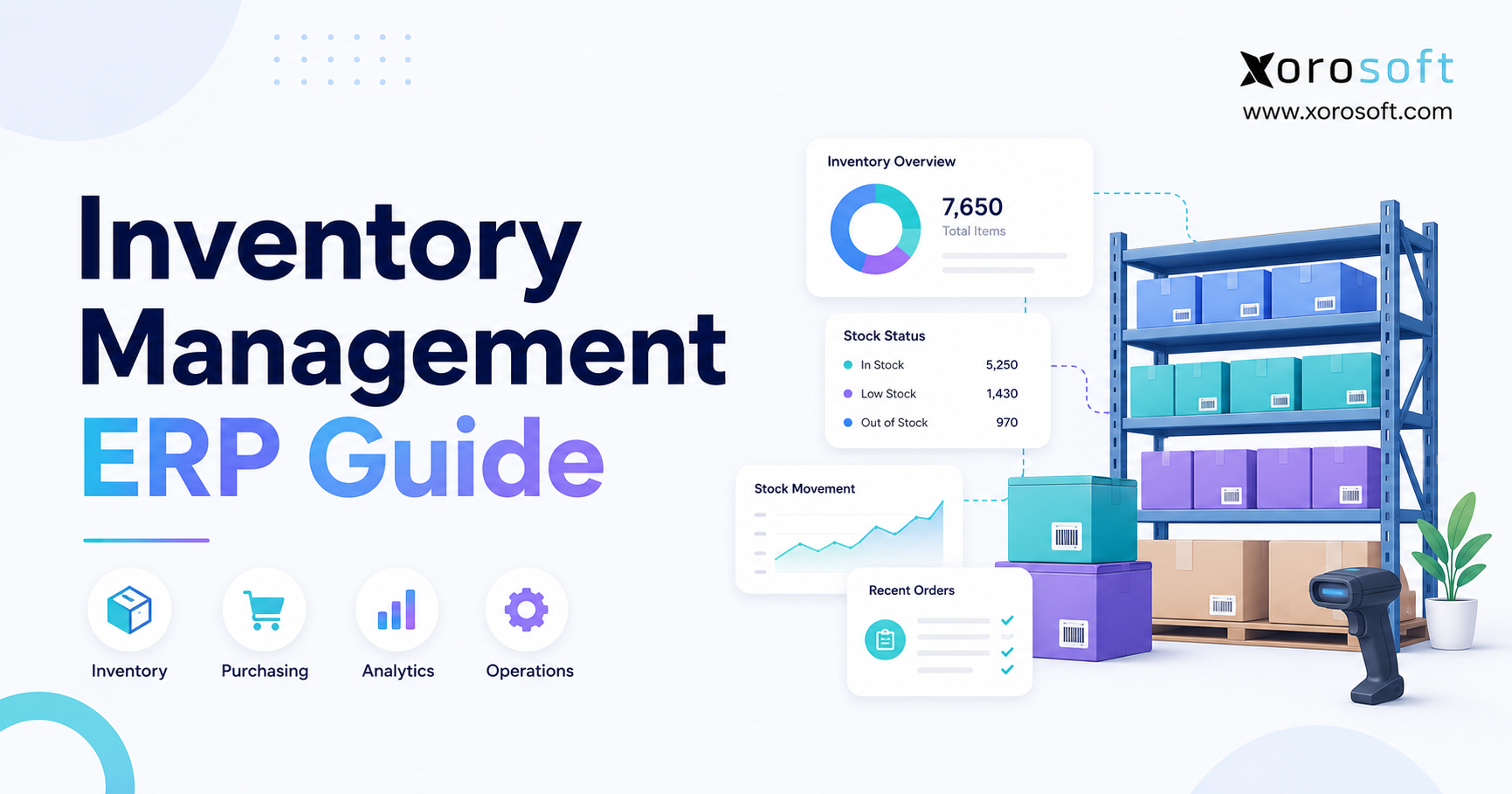
This article serves as a comprehensive Inventory ERP Guide for businesses looking to streamline their operations.
1. Why Inventory Control Breaks Down as Product Businesses Scale
Initially, inventory problems rarely begin with one major failure. Instead, they develop gradually as a business adds products, channels, warehouses and employees. At first, the company may manage sales through Shopify, accounting through QuickBooks and purchasing through spreadsheets. Meanwhile, the warehouse may rely on a separate shipping or barcode application.
Although each tool can perform its own task, the overall process becomes harder to control as transaction volume rises. For example, a buyer may export sales data, compare it with warehouse quantities and calculate purchase requirements in a spreadsheet. At the same time, finance may wait for inventory reports before completing reconciliation. In addition, sales teams may contact warehouse staff directly because they do not trust the quantity shown in their system.
As a result, employees become the connection between applications. Although these workarounds may keep the business running, they also increase operational risk. For instance, a stock discrepancy can lead to an oversold order. Likewise, an outdated forecast can cause excess purchasing. An unrecorded warehouse adjustment may also delay the financial close.
This Inventory ERP Guide explains when a connected platform is appropriate, when simpler software may still be enough and how to compare systems using real workflows.
1.1 The Operational Cost of Disconnected Inventory Data
More importantly, disconnected systems create several versions of the same information. For example, sales may see one available quantity, while the warehouse sees another. Similarly, purchasing may use a report that does not include the latest orders or transfers. Finance may then receive inventory data only after transactions have been exported and corrected.
Consequently, teams spend time reconciling information instead of improving operations. In addition, two employees can reach different conclusions because their formulas, data timing or assumptions do not match. Ultimately, the larger risk is that these manual decisions begin affecting more valuable transactions.
1.2 Why Inventory Complexity Grows Faster Than Revenue
In practice, revenue growth does not increase complexity in a straight line. Adding one warehouse creates new transfers, replenishment rules, location records and fulfillment decisions. Likewise, adding wholesale introduces customer-specific pricing, allocations, larger orders and EDI requirements. Moreover, manufacturing adds bills of materials, production planning, work orders and component demand.
Therefore, a business can double revenue while creating far more than twice the number of inventory decisions. Consequently, an integrated system becomes relevant when the current software stack can no longer support those decisions consistently.
2. What an Inventory ERP Guide Should Explain
At its core, ERP inventory management uses an enterprise resource planning platform to control stock while connecting inventory with sales, purchasing, warehousing, accounting, manufacturing, forecasting and reporting. For example, a basic inventory application may show how many units are available. By comparison, an ERP inventory system also records why the quantity changed, which transaction caused the change and how that transaction affects other areas of the business.
For instance, receiving a purchase order can update on-hand inventory, incoming supply, supplier liability, inventory asset value, warehouse availability, product cost and replenishment calculations. Similarly, shipping a sales order can reduce stock, update order status, recognize cost of goods sold and change future availability.
For that reason, this Inventory ERP Guide focuses on the connected transaction model that separates basic stock tracking from company-wide inventory control.
2.1 One Product Record Across the Business
In addition, a central item record can hold each SKU’s description, unit, cost, supplier, lead time, location quantities, reorder rules, traceability settings and accounting classifications.
Warehouse employees may focus on product locations and quantities. Meanwhile, purchasing teams work with supplier, lead-time and replenishment data. Finance reviews costs, valuation and margin. Although each department uses different information, the underlying records remain connected.
Therefore, the company gains a governed source of truth rather than several competing spreadsheets and applications.
2.2 How Inventory Transactions Move Between Departments
Typically, an ERP inventory transaction follows seven connected steps:
- Demand enters through a sales order, forecast or production requirement.
- The system checks available inventory.
- Stock is allocated according to business rules.
- Purchasing or production requirements are calculated.
- Warehouse employees receive, move, pick or ship stock.
- Accounting records the financial effect.
- Reports and forecasts update from the same transactions.
Because these steps share one system, employees avoid repeated data entry. In addition, the company gains an audit trail showing who performed each transaction, when it occurred and why the inventory position changed.
2.3 What Inventory ERP Software Does Not Fix Automatically
However, ERP does not repair weak processes by itself. For example, duplicate SKUs will remain a problem unless the implementation team cleans them. Likewise, skipped receiving steps will still create inaccurate quantities. Consequently, poor supplier lead-time data can produce unreliable purchase recommendations.
Therefore, software implementation must include process design, data cleanup, governance and role-based training. Otherwise, the new platform may simply distribute old operational problems more efficiently.
3. Core Features Covered in an Inventory ERP Guide
Ideally, a modern inventory ERP should support more than on-hand quantities. It should explain what is available, allocated, incoming, backordered and financially at risk. However, businesses should not select software simply because it includes the longest feature list. Instead, they should identify the capabilities that support their actual operating model.
3.1 Real-Time Inventory Visibility
In practice, real-time visibility means authorized transactions update inventory records as they occur. Moreover, the system should distinguish between on-hand inventory, available inventory, allocated inventory, incoming inventory, backordered inventory, damaged inventory, quarantined inventory and inventory in transit.
Importantly, these quantities answer different questions. Specifically, on-hand inventory shows what is physically recorded at a location. Meanwhile, available inventory shows what can still be promised to a new order. Finally, allocated inventory represents stock already committed to existing demand.
For example, a warehouse may physically hold 500 units. However, 300 units may already be allocated, 50 may be damaged and another 100 may be reserved for a wholesale customer. Consequently, the number of sellable units is very different from the physical count.
3.2 Multi-Warehouse Inventory Management
Similarly, multi-location operations introduce new decisions around stock placement, transfers, allocation and fulfillment. For example, a capable system should track inventory by warehouse, zone, aisle, rack, bin, retail store, third-party logistics provider, consignment location and virtual location.
In addition, the platform should track inventory in transit. Without that control, stock may leave one warehouse before becoming available at another location, creating an unclear network-wide inventory position.
Order-routing rules may prioritize the closest warehouse, the oldest stock, the lowest shipping cost or a location that can fulfill the entire order. Therefore, buyers should ask vendors to demonstrate real allocation and routing scenarios rather than accepting general claims about multi-warehouse support.
3.3 Inventory Allocation and Available-to-Promise
Meanwhile, inventory allocation decides which demand receives priority. For example, a company may reserve stock for wholesale customers, ecommerce orders, retail stores, subscription commitments, key accounts, manufacturing requirements or future promotions.
Available-to-promise calculations should consider current quantities, existing allocations and expected receipts. As a result, sales teams can provide more reliable delivery dates.
More advanced systems may also determine when an unavailable product can be promised based on open purchase orders, transfers or planned production.
3.4 Lot, Batch and Serial Number Tracking
By comparison, lot tracking groups products with a shared history, while serial tracking identifies individual units. As a result, businesses can trace affected receipts, movements and customer shipments during recalls or warranty reviews.
These capabilities may be important for:
- Food and beverage
- Electronics
- Automotive parts
- Warranty-managed products
- Medical products
- Regulated goods
- Products with expiry dates
A strong traceability workflow connects the supplier receipt, internal warehouse movements, production activity and customer shipment. Consequently, the business can identify affected products without recalling every unit it has sold.
3.5 Inventory Reporting and Dashboards
Finally, useful inventory reports should help managers understand both the current position and emerging risks. For instance, important reports include stock by warehouse, valuation, aging, turnover, stockouts, purchase-order status, forecast accuracy, count variances and product margin.
A unified cloud ERP platform can centralize these reports across inventory, purchasing, accounting, warehouse management and forecasting. Xorosoft is one example of a platform designed around connected operations for inventory-driven businesses.
4. Purchasing and Forecasting in an Inventory ERP Guide
Above all, purchasing is where poor inventory information quickly becomes a cash-flow problem. Ordering too little can cause stockouts and delayed fulfillment. On the other hand, ordering too much can tie up cash and increase storage, markdown and obsolescence risk.
Therefore, buyers need a connected view of current inventory, allocated demand, incoming purchase orders, supplier lead times, forecast demand, safety stock, minimum order quantities and warehouse requirements.
4.1 Reorder Points and Safety Stock
In simple terms, a reorder point identifies when replenishment should begin. It usually considers demand during the supplier lead time plus a safety-stock allowance. However, the correct setting depends on product velocity, margin, supplier reliability and customer expectations.
For example, safety stock protects against demand spikes, supplier delays, forecast errors, transportation disruption, quality problems and production delays. Nevertheless, excessive safety stock raises carrying costs. Insufficient buffers, by contrast, increase the risk of shortages.
This Inventory ERP Guide recommends reviewing safety stock by product class rather than applying one rule to every SKU. For example, fast-moving or high-margin products may require a different policy from slow-moving items.
4.2 Supplier Lead Times
For example, supplier lead time may include order processing, supplier production, transportation, customs clearance, receiving inspection and putaway. As a result, purchase recommendations will arrive too late if the ERP assumes a 20-day lead time while the full cycle takes 35 days.
Therefore, teams should compare expected lead times with actual supplier performance. Furthermore, they should update planning records whenever suppliers, routes or receiving requirements change.
4.3 Purchase Order Recommendations
Based on these inputs, an ERP can recommend purchase quantities using available inventory, open sales orders, forecast demand, open purchase orders, minimum order quantities, supplier pack sizes, reorder points, safety stock and warehouse demand.
However, purchase recommendations should remain transparent and adjustable. A buyer may know that a supplier is experiencing delays, a product is being discontinued or a promotion will increase demand. Therefore, the system should support professional judgment rather than replace it completely.
4.4 Demand Forecasting
Similarly, demand forecasting estimates what customers are likely to buy in the future. A useful forecast can consider historical sales, seasonality, promotions, product launches, customer commitments, channel growth, regional demand, product lifecycle, returns and lost sales caused by stockouts.
However, a forecast is not a guaranteed result. Instead, it is a planning model that should improve over time.
Teams should compare forecast demand with actual sales, investigate differences and update assumptions regularly. As a result, purchasing decisions become easier to explain and refine.
5. Warehouse Management Within an Inventory ERP Guide
Therefore, inventory records remain reliable only when warehouse transactions are completed consistently. Receiving, putaway, transfers, replenishment, picking, packing and counting all affect the stock position. If employees record these activities late or outside the system, the ERP cannot provide dependable information.
Consequently, warehouse process design deserves the same attention as accounting and purchasing.
5.1 Receiving and Putaway
First, receiving should confirm the purchase order, supplier, product, quantity, unit of measure, condition, lot or serial number, expiry date and warehouse destination. After receiving, the system can direct goods to an appropriate storage location.
For instance, fast-moving products may be placed near picking areas. Meanwhile, regulated, oversized or temperature-sensitive goods may require specialized storage zones.
5.2 Picking and Packing
Next, common picking methods include single-order picking, batch picking, wave picking, zone picking and cluster picking. Therefore, the right method depends on order volume, product characteristics, warehouse layout and shipping deadlines.
Barcode scanning can confirm the product, quantity and location. Consequently, employees can identify many errors before the order reaches the packing station or the customer.
5.3 Replenishment and Bin-Level Control
In many operations, a warehouse may hold reserve inventory in one area and active picking stock in another. The ERP or WMS should identify when a pick location needs replenishment and direct stock from reserve storage.
Otherwise, the company may have enough inventory in the building but still delay orders because the pick bin is empty. For operations that require deeper warehouse execution, a connected warehouse management system can support barcode-driven receiving, putaway, replenishment, picking, packing and cycle counting. XoroWMS links these activities with broader inventory records, which helps warehouse and operations teams work from the same data.
5.4 Cycle Counting and Inventory Accuracy
Finally, cycle counting verifies selected inventory throughout the year. Companies may schedule counts based on product value, sales velocity, shrinkage risk, previous variances, regulatory importance or operational criticality.
High-risk products should be counted more frequently. However, the goal is not only to correct a quantity.
Instead, teams should determine why the difference occurred. For example, they may uncover incorrect receiving, missed bin transfers, unrecorded damage or improper picking procedures.
6. Inventory Accounting in an Inventory ERP Guide
From a financial perspective, inventory is both a physical resource and a financial asset. Every receipt, shipment, return, adjustment, production transaction and write-off can affect the general ledger. Therefore, inventory accounting should not operate as a separate month-end exercise disconnected from warehouse activity.
6.1 Inventory Valuation
More specifically, inventory valuation assigns a financial value to stock. Depending on the business and accounting requirements, companies may use first in, first out; weighted average; standard cost; or specific identification.
Accordingly, the ERP should apply the selected method consistently. In addition, it should control backdated transactions and preserve the history needed for reconciliation. Otherwise, operational users may unknowingly change prior-period results.
6.2 Cost of Goods Sold
Once a product ships, its inventory cost becomes cost of goods sold. Therefore, accurate COGS is essential for reliable gross-margin reporting.
If product costs are outdated or warehouse shipments do not reach accounting correctly, profitability reports become misleading. As a result, managers may promote products whose true margin is much lower than expected.
6.3 Landed Cost
Moreover, the supplier price is not always the full cost of inventory. Landed cost may include freight, duty, brokerage, insurance, handling, port charges and other import expenses.
As a result, an ERP can allocate these costs across received products using quantity, weight, value or another approved method. Consequently, finance gains a more complete product cost and more reliable margin reporting.
6.4 Inventory Reconciliation
At month-end, reconciliation compares operational inventory records with financial balances. Differences may result from unposted receipts, unrecorded shipments, incorrect costs, backdated transactions, unauthorized adjustments, integration failures or timing differences.
A connected ERP reduces the number of separate records finance must compare. However, exception management remains necessary because no platform removes the need for controls and review.
7. Ecommerce Workflows in an Inventory ERP Guide
At the same time, ecommerce businesses must coordinate digital demand with physical stock. A product may sell through Shopify, Amazon, wholesale accounts, marketplaces and retail stores at the same time. Without a central inventory record, the company may oversell products or hold unnecessary safety stock for every channel.
Therefore, multi-channel businesses need clear ownership of product, order and inventory data.
7.1 Shopify Inventory and ERP Workflows
Although Shopify manages storefront and commerce workflows effectively, growing merchants may require deeper operational support for multi-warehouse inventory, purchasing, inventory forecasting, accounting, landed costs, wholesale pricing, manufacturing, EDI and financial reporting.
In this structure, Shopify remains the customer-facing commerce platform, while ERP becomes the operational system behind it. Xorosoft is available through the Shopify App Store and is positioned as a cloud ERP for ecommerce, retail and wholesale operations.
Therefore, Shopify merchants can evaluate it when they need inventory, purchasing, warehousing, manufacturing and accounting in one connected environment.
7.2 Amazon and Marketplace Inventory
Likewise, marketplace workflows may include merchant-fulfilled inventory, marketplace-fulfilled inventory, reserved stock, returns, channel fees, settlement reconciliation and listing synchronization.
The ERP should distinguish inventory controlled by the business from stock held by an external fulfillment network.
In addition, marketplace returns, fees and settlements should connect with finance so profitability reports reflect the full cost of each channel.
7.3 Wholesale and EDI Processes
By contrast, wholesale businesses often manage larger orders, negotiated pricing, credit limits, allocations and customer-specific requirements. For example, EDI may automate purchase orders, order acknowledgements, advance shipping notices, invoices and inventory reports.
However, EDI creates the most value when those documents update inventory, warehouse and accounting processes directly. Otherwise, it becomes another disconnected data source.
8. Inventory ERP Guide to ERP, WMS, MRP and Inventory Software
When evaluating software, businesses often compare ERP with standalone inventory software, warehouse management systems, MRP and accounting applications. Although these categories overlap, they solve different primary problems.
| System | Primary focus | Accounting | Purchasing | Warehouse execution | Manufacturing |
|---|---|---|---|---|---|
| ERP | Company-wide operational and financial control | Strong | Strong | Basic to advanced | Optional to advanced |
| Inventory software | Stock, orders and purchasing | Usually integrated | Moderate | Basic to moderate | Limited |
| WMS | Detailed warehouse execution | Limited | Limited | Strong | Limited |
| MRP | Materials and production planning | Limited or integrated | Strong | Limited | Strong |
| Accounting software | Financial records | Strong | Basic | Limited | Limited |
8.1 ERP vs Standalone Inventory Software
Standalone inventory software focuses on stock and orders and may suit companies that keep separate accounting. By contrast, ERP becomes more relevant when finance, purchasing, warehousing, ecommerce and manufacturing must share one transaction model.
Therefore, the decision should depend on workflow complexity rather than software category alone.
8.2 ERP vs Warehouse Management System
In contrast, ERP manages broad business processes, while WMS focuses on warehouse execution. A WMS usually provides deeper support for putaway, bin replenishment, picking strategies, packing, barcode validation, shipping execution and warehouse labour workflows.
Some ERP platforms include advanced warehouse capabilities. Others integrate with a dedicated WMS.
Therefore, buyers should evaluate the depth of their warehouse requirements before deciding whether one system or two connected platforms are more appropriate.
8.3 ERP vs Material Requirements Planning
Similarly, MRP calculates materials required for production using demand, bills of materials, current inventory, open supply, production schedules and supplier lead times. By contrast, ERP has a wider scope. It may include MRP while also managing accounting, sales, purchasing, customers, warehouses and reporting.
8.4 ERP vs QuickBooks and Spreadsheets
Initially, QuickBooks and spreadsheets can support simple operations. However, manual planning and reconciliation become fragile as warehouses, channels and transaction volume grow.
Buyers may build increasingly complex spreadsheets, while warehouse and finance teams maintain separate records. At that stage, the cost of fragmentation may exceed the effort of implementing ERP.
9. Who Benefits from an Inventory ERP Guide?
Importantly, ERP is not necessary for every product business. Specifically, the need depends on transaction volume, operational complexity, inventory value, reporting requirements and growth plans.
9.1 Ecommerce Brands
For example, ecommerce brands often benefit when they manage multiple sales channels, several warehouses, frequent purchase orders, high SKU counts, returns, bundles or assemblies, complex accounting and demand planning.
As a result, a connected platform can reduce the number of separate tools required to manage operations.
9.2 Wholesale Distributors
Likewise, wholesale distributors may require customer-specific pricing, inventory allocation, backorders, EDI, credit controls, large purchase orders, supplier management and multiple units of measure.
Therefore, their inventory records must connect commercial agreements with purchasing, fulfillment and finance.
9.3 Manufacturers
Similarly, manufacturers may need bills of materials, work orders, production planning, MRP, work-in-progress inventory, subcontracting, yield and scrap tracking and production costing.
In addition, ERP connects finished-goods demand with component and production requirements.
9.4 Industry-Specific Inventory Requirements
| Industry | Common challenge | Important capability |
|---|---|---|
| Apparel | Size, colour and style variants | Matrix items and channel allocation |
| Furniture | Long lead times and bulky products | Purchasing, landed cost and warehouse control |
| Sporting goods | Seasonal demand | Forecasting and replenishment |
| Food and beverage | Expiry and traceability | Lot tracking and date control |
| Wholesale distribution | Large orders and EDI | Allocation, pricing and EDI |
| Manufacturing | Components and production | BOMs, work orders and MRP |
| Automotive parts | Large SKU catalogues | Multi-location inventory and detailed item data |
Businesses can explore ERP solutions by industry to see how requirements differ across apparel, furniture, sporting goods, food, wholesale and manufacturing.
10. Signs Your Business Has Outgrown Its Current Inventory System
Generally, a company should consider ERP when repeated problems across departments show that the current stack no longer supports the operating model.
10.1 Inventory Numbers Differ Between Systems
For example, sales, warehouse and accounting reports should not show different quantities without a clear timing reason. Repeated discrepancies indicate that the business lacks one controlled transaction record.
10.2 Manual Data Entry Keeps Increasing
Moreover, employees may spend hours exporting orders, updating spreadsheets and entering the same information into accounting software. Consequently, the operations team grows simply to keep existing applications synchronized.
10.3 Purchasing Depends on Individual Spreadsheets
A purchasing process becomes fragile when only one employee understands the formulas and assumptions behind the plan. Therefore, the business needs a repeatable process that authorized users can review and manage.
10.4 Multi-Warehouse Operations Are Difficult to Coordinate
Likewise, transfers, allocation and order routing become more complex as locations increase. If employees must call each warehouse to confirm stock, the current system is not providing reliable visibility.
10.5 Month-End Reconciliation Takes Too Long
Instead, finance should investigate exceptions rather than rebuild inventory activity every month. Long reconciliation cycles often indicate that operational and financial records are disconnected.
10.6 Reports Arrive Too Late
Consequently, managers cannot respond effectively when purchasing, margin and inventory reports are outdated by the time they are prepared. Therefore, reporting speed becomes an operational requirement rather than only an administrative preference.
10.7 New Channels Require More Connectors
Moreover, every connector creates another data flow to monitor. As a result, a large point-to-point network increases maintenance, error handling and dependency on technical support.
Businesses facing these problems may evaluate an inventory-focused cloud ERP. Xorosoft is designed for companies that have outgrown combinations of accounting software, spreadsheets, inventory applications and separate warehouse tools.
11. Inventory ERP Guide to Selecting the Right Platform
First and foremost, software selection should begin with workflows rather than vendor presentations. Otherwise, buyers may be impressed by features that do not solve their most important operational problems.
11.1 Map Current Workflows
Document how the company manages sales orders, purchase orders, receiving, putaway, transfers, picking, shipping, returns, adjustments, valuation, manufacturing and reporting. In addition, include exceptions such as partial receipts, damaged goods, shortages and cancellations.
These situations often reveal more about software fit than ideal transactions.
11.2 Separate Mandatory and Optional Requirements
Classify requirements as essential for launch, important after launch or optional. This structure keeps the project focused. Moreover, it prevents every request from becoming a critical requirement.
11.3 Evaluate Multi-Warehouse Features
Ask vendors to demonstrate transfers, stock in transit, location availability, allocation, replenishment, routing and cycle counting using your warehouse structure.
As a result, the team can identify practical limitations before implementation.
11.4 Review Accounting and Costing
Finance should evaluate inventory valuation, cost of goods sold, landed cost, adjustments, period controls, reconciliation, audit trails and gross margin. Therefore, a platform that manages quantities but weakens financial control will create new problems later.
11.5 Test Ecommerce and EDI Integrations
Confirm which records move, which system owns each field, how often updates run, how failures are surfaced and who supports the integration.
A general claim that two platforms integrate is not enough. Instead, buyers should review the exact transaction flow and exception process.
11.6 Compare Total Cost of Ownership
Total cost may include subscription, implementation, data migration, integration, training, warehouse devices, support, customization, internal project time and future upgrades. Therefore, a lower subscription price does not always create a lower total cost.
11.7 Request Workflow-Based Demonstrations
Provide every shortlisted vendor with the same scenarios. For example, ask each provider to demonstrate a Shopify order allocated across warehouses, a wholesale EDI order with customer-specific pricing, a purchase receipt with landed cost, a return requiring inspection and a manufactured product with component shortages.
A workflow-based demonstration creates a more useful comparison than a general product tour.
12. Inventory ERP Guide to Successful Implementation
Ultimately, implementation determines whether the selected platform improves operations or simply replaces one set of problems with another. Therefore, the project must address people, processes and data as well as software configuration.
12.1 Build a Cross-Functional Team
Accordingly, the implementation team should include representatives from operations, warehouse, purchasing, finance, ecommerce, sales, manufacturing and IT or integration management.
Inventory affects every one of these functions. Consequently, excluding a department usually creates late requirements or operational gaps.
12.2 Clean Product and Inventory Data
First, data preparation should address duplicate SKUs, inactive products, product descriptions, units of measure, costs, supplier records, lead times, warehouse locations, lot and serial information and bills of materials.
Consequently, migrating poor data into a modern ERP only distributes old errors more efficiently.
12.3 Configure Inventory Rules
The team should define negative inventory policy, allocation rules, reorder points, safety stock, approval limits, adjustment reasons, transfer workflows, cycle-count frequency, costing method and user permissions.
These decisions should be documented before configuration. Therefore, the system reflects an agreed operating model rather than individual preferences.
12.4 Test Complete Workflows
Next, testing should cover complete transactions from beginning to end. For example, a sales-order test should verify order creation, inventory allocation, picking, shipping, customer invoicing, inventory reduction, cost of goods sold and reporting.
Testing one screen at a time may miss problems between departments. Therefore, end-to-end testing is essential.
12.5 Train Employees by Role
Therefore, warehouse staff, buyers and finance users need role-based practice. As a result, employees understand how their transactions affect other teams and are less likely to create shortcuts.
Training should also explain why a process is changing. Otherwise, users may return to spreadsheets or informal workarounds when pressure increases.
12.6 Plan the Cutover
Finally, the cutover plan should define the final transaction date in the old system, opening inventory, open sales orders, open purchase orders, user access, integration activation, validation responsibility, issue escalation and post-launch support.
In addition, the project team should identify who can approve emergency corrections during the transition.
12.7 Measure Results After Launch
After launch, track measures such as inventory accuracy, stockout frequency, purchase order processing time, picking errors, order cycle time, inventory turnover, month-end close time and user adoption.
Ultimately, the implementation should be judged by operational improvement rather than the go-live date alone.
13. Common Inventory ERP Implementation Mistakes
Nevertheless, a strong platform can still fail to deliver value when the project ignores process and data issues.
13.1 Automating Broken Processes
Automation makes a process faster, but it does not automatically make the process better. Therefore, teams should simplify workflows before configuring them.
13.2 Ignoring Inventory Accounting
Moreover, finance must participate early because valuation, landed cost, adjustments and COGS cannot be added as an afterthought. Otherwise, the company may improve warehouse processes while creating new reconciliation problems.
13.3 Migrating Unnecessary History
Similarly, not every historical transaction needs to move into the new system. Instead, migrate information only when it supports operations, reporting, compliance or customer service.
13.4 Testing Only Ideal Scenarios
For example, projects should test partial receipts, short shipments, damaged inventory, returns, cancelled orders, integration failures and backorders. These exceptions reveal whether the system can support real operations.
13.5 Underestimating Change Management
Employees may resist ERP when they do not understand why processes are changing. Therefore, clear ownership, role-based training and visible leadership support are essential.
14. Inventory ERP Guide to Platform Evaluation
During the final evaluation, businesses commonly compare platforms based on industry fit, functional depth, implementation model, integrations and total cost.
| Platform | General positioning | Common evaluation context |
|---|---|---|
| Xorosoft | Cloud ERP for inventory-driven businesses | Ecommerce, wholesale, multi-warehouse and manufacturing |
| NetSuite | Broad cloud ERP suite | Multi-entity and comprehensive ERP requirements |
| Acumatica | Cloud ERP platform | Distribution, manufacturing and project-based businesses |
| Business Central | Microsoft business management system | Companies using the Microsoft ecosystem |
| Cin7 | Inventory and order management | Product businesses prioritizing channel connectivity |
| Brightpearl | Retail operating platform | Multichannel retail and wholesale operations |
| Fishbowl | Inventory and manufacturing software | Businesses retaining QuickBooks or Xero |
| Sage | ERP and business management | Distribution and manufacturing environments |
Importantly, Xorosoft appears first because this article is designed for its audience, not because one platform is automatically the best option. Businesses should compare Xorosoft and NetSuite and evaluate every vendor against the same workflows.
Ultimately, the right platform depends on process complexity, required integrations, reporting needs, internal resources and long-term operating plans.
15. How Xorosoft Supports Inventory-Driven Operations
For example, Xorosoft is a cloud ERP platform built for businesses that sell, distribute or manufacture physical products. Specifically, the platform connects inventory management, accounting, purchasing, warehouse management, manufacturing, forecasting, reporting and ecommerce operations.
As this Inventory ERP Guide shows, this model may suit companies operating multiple warehouses, selling through Shopify or Amazon, processing wholesale or EDI transactions and managing production requirements.
In addition, Xorosoft can replace parts of a fragmented software stack, which may reduce duplicate entry and improve operational visibility.
However, product fit should still be tested carefully. Companies should test real workflows rather than rely only on a general presentation.
16. Inventory ERP Guide FAQs
16.1 What is inventory ERP management?
In short, it connects stock with purchasing, sales, warehousing, accounting, manufacturing and reporting through one governed set of product and cost records.
16.2 How does an inventory ERP system work?
For example, sales orders allocate stock, receipts increase quantities, shipments reduce inventory and accounting entries update value and cost of goods sold.
16.3 What is an inventory module in ERP?
In addition, it manages products, locations, quantities, transfers, allocations, adjustments, replenishment and reports while sharing data with other ERP functions.
16.4 What are the benefits of inventory ERP software?
Moreover, benefits can include stronger visibility, structured purchasing, better warehouse control, less duplicate entry, clearer reporting and stronger audit trails.
16.5 What features should inventory ERP include?
For example, key features include real-time stock, multi-warehouse control, purchasing, forecasting, barcode workflows, valuation, landed cost, traceability and ecommerce integration.
16.6 What is the difference between ERP and inventory software?
Inventory software focuses on stock and orders. By comparison, ERP connects inventory with accounting, warehousing, manufacturing, sales and reporting.
16.7 What is the difference between ERP and WMS?
By contrast, ERP manages broad business processes, while WMS focuses on detailed receiving, putaway, replenishment, picking, packing and warehouse execution.
16.8 What is the difference between ERP and MRP?
MRP plans production materials. In contrast, ERP may include MRP alongside finance, sales, purchasing, warehousing and reporting.
16.9 Can ERP manage several warehouses?
Yes. In addition, ERP can track stock by warehouse and bin, manage transfers, record inventory in transit and support location-based routing.
16.10 Can ERP reduce stockouts?
ERP cannot prevent every shortage. However, it can reduce avoidable stockouts by combining demand, supply, safety stock and lead times.
16.11 Can ERP reduce excess inventory?
Yes. As a result, ERP highlights slow-moving stock and excess purchasing so buyers can review demand and incoming supply before committing cash.
16.12 Can ERP forecast demand?
Many systems include forecasting or connect with planning tools. Nevertheless, teams should compare forecasts with actual demand and refine assumptions.
16.13 Can ERP automate purchase orders?
Therefore, ERP can recommend or generate purchase orders using demand, reorder rules, lead times and existing supply, usually with buyer approval.
16.14 Does ERP connect inventory with accounting?
Yes. Moreover, integrated transactions connect receipts, shipments, returns, adjustments and production with inventory value, liabilities, COGS and margin.
16.15 How does ERP calculate inventory valuation?
ERP applies the selected costing method, such as FIFO, weighted average or standard cost, and may allocate landed expenses.
16.16 Can ERP track lot and serial numbers?
Yes. Consequently, lot and serial tracking support traceability, recalls, warranties, expiry management and identification of affected units.
16.17 Can ERP integrate with Shopify and Amazon?
Many platforms exchange products, orders, inventory, fulfillment and financial data. However, buyers should test update timing and error handling.
16.18 Is ERP suitable for small businesses?
Yes, when operational complexity justifies it. For instance, a multi-channel distributor may need ERP earlier than a service company.
16.19 Who may not need inventory ERP?
However, a business with one channel, limited products, one warehouse and dependable accounting integration may prefer specialized inventory software.
16.20 When should a business upgrade to ERP?
Therefore, consider ERP when stock differs between systems, manual entry grows, purchasing depends on spreadsheets or reconciliation becomes difficult.
16.21 Can ERP replace accounting software and spreadsheets?
A full ERP can replace many accounting, inventory, purchasing and reporting workflows. However, migration still requires clean data and training.
16.22 How much does inventory ERP cost?
Cost depends on users, modules, warehouses, integrations, migration and implementation. Therefore, compare total cost rather than subscription price alone.
16.23 How long does implementation take?
Timing depends on scope, data quality and integrations. Nevertheless, every project should include testing, training, cutover and post-launch support.
16.24 What data must be migrated?
For example, typical data includes products, suppliers, customers, costs, locations, opening stock, open orders and balances. Manufacturers may also migrate BOMs.
16.25 How do you choose the best inventory ERP?
First, begin with workflows and measurable requirements. Then compare inventory depth, accounting, warehousing, integrations, implementation resources and total cost.
17. Inventory ERP Guide: Practical Next Steps for Growth
Ultimately, the strongest inventory system is not necessarily the platform with the longest feature list. Instead, it is the system that supports the company’s actual workflows while giving employees reliable information and appropriate controls.
First, map how inventory moves from supplier purchase through receiving, storage, sale, shipment and accounting. Next, identify where information is duplicated, delayed or unreliable. Then rank those problems according to their effect on customers, cash flow, warehouse productivity and reporting.
A company that still operates effectively with focused inventory software should not implement ERP simply because it is growing. However, continuing to add spreadsheets, connectors and manual reconciliation is not sustainable when those workarounds already limit accuracy and decision-making.
The final step in this Inventory ERP Guide is a workflow-based evaluation. Compare platforms using real products, warehouses, channels, supplier rules and accounting requirements. In addition, include the employees who perform the work every day because they understand the exceptions that standard demonstrations often overlook.
For inventory-driven businesses evaluating connected inventory, accounting, purchasing, warehouse, manufacturing and ecommerce workflows, a personalized Xorosoft review can help determine whether the platform fits the operating model.
Book a personalized ERP demo to review your inventory structure, warehouse processes, Shopify or Amazon integrations, purchasing requirements, financial controls and implementation priorities.
Recent Posts
-
 ERP Landed Cost Module vs Spreadsheet Calculations for Importers
 -
 How to Build an Open-to-Buy Plan for an Omnichannel Brand
 -
 Cold Storage WMS for Food and Beverage Distribution
 -
 ERP Buying Statistics 2026: Evaluation, Implementation, and Adoption Risks
 -
 How a Distributor Reduced B2B Order Exceptions Without Restricting Sales



