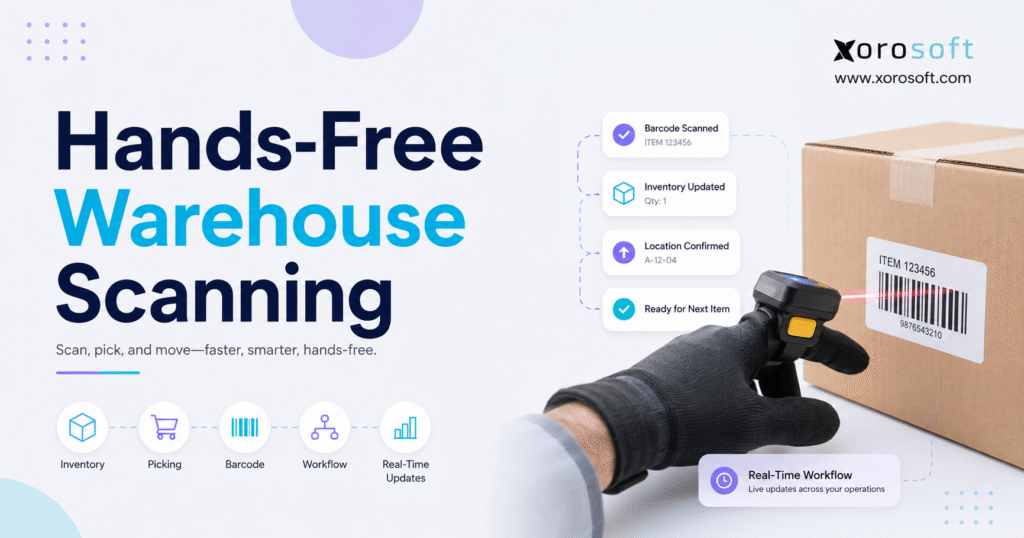
For businesses aiming to increase efficiency and accuracy, hands-free warehouse scanning is quickly becoming a valuable solution.
1. Where Small Scanning Delays Become Large Warehouse Costs
Hands-free warehouse scanning allows employees to capture product, location, order, and inventory data without repeatedly holding and repositioning a conventional scanner. Instead, workers use ring scanners, glove-mounted readers, wrist devices, or fixed scanners while continuing to handle inventory. As a result, scanning becomes part of the physical workflow rather than a separate interruption.
Although retrieving a handheld scanner may take only a few seconds, that movement can occur hundreds or thousands of times during a shift. Moreover, workers may need to put down cartons, adjust their grip, or reposition products before every scan. Consequently, small interruptions can turn into measurable operational friction.
However, wearable hardware does not automatically create an efficient warehouse. Because the scanner only captures data, the connected warehouse management system must still validate the product, location, quantity, and task. Therefore, businesses should evaluate the complete workflow instead of treating wearable scanning as an isolated hardware upgrade.
This guide explains how hands-free scanning works, which devices are available, and where the technology adds value. Additionally, it covers costs, integration requirements, implementation steps, industry applications, limitations, and alternatives.
2. What Hands-Free Warehouse Scanning Actually Means
Hands-free warehouse scanning is a barcode data-capture process that uses wearable or fixed scanning devices. Therefore, warehouse employees can scan products, locations, cartons, pallets, and orders without repeatedly picking up a separate handheld reader.
However, the term “hands-free” does not always mean that no physical action is required. For example, a worker may still press a finger trigger, tap a wearable device, or move a barcode beneath a fixed scanner. Instead, the term primarily means that the employee does not need to hold and reposition a conventional scanner throughout the task.
2.1 The Three Systems Behind Every Successful Scan
A reliable scanning workflow usually includes three connected layers. First, the scanner captures the barcode. Next, the warehouse application validates the action. Finally, the ERP or WMS updates the business transaction.
2.1.1 The Data-Capture Layer
The scanner reads a 1D or 2D barcode and converts it into usable data. Additionally, the device may provide audible, visual, or haptic feedback after a successful scan.
2.1.2 The Warehouse Workflow Layer
The warehouse application determines what the worker is expected to scan. For instance, the system may require a specific bin, SKU, lot, carton, serial number, or handling unit. Therefore, an unexpected barcode should trigger an immediate exception.
2.1.3 The System-of-Record Layer
After validation, the transaction updates inventory, orders, transfers, work orders, receiving records, or shipment status. Consequently, the physical warehouse activity and digital business record remain aligned.
Because each layer serves a different function, scanner hardware should not be confused with warehouse management software. The scanner captures the code; however, the WMS determines whether the scan is operationally correct.
2.2 What Wearable Scanner Hardware Does
Wearable barcode scanners can:
- Read supported barcode formats
- Transmit scan data to a connected application
- Provide audible, visual, or haptic feedback
- Reduce repeated device handling
- Support mobile warehouse work
- Allow workers to maintain a more natural product-handling position
Moreover, some wearable systems include small displays that show the next product, location, quantity, or task. As a result, employees can receive guidance without carrying a full handheld terminal.
2.3 What Scanner Hardware Cannot Do Alone
Scanner hardware cannot independently:
- Select the correct product
- Allocate available inventory
- Determine the best pick path
- Update accounting records
- Create purchasing recommendations
- Manage replenishment
- Resolve stock discrepancies
- Enforce approval rules
Instead, those decisions depend on the WMS, ERP, inventory platform, or order management system. Therefore, the quality of the connected workflow matters as much as the scanning device.
2.4 Who Benefits From Wearable Warehouse Scanning?
Wearable warehouse scanning generally delivers the strongest value when a facility has:
- High daily scan volumes
- Repetitive picking or sorting
- Large numbers of order lines
- Products requiring two-handed handling
- Frequent item and location verification
- Multiple warehouse locations
- Lot or serial tracking requirements
- Fast ecommerce fulfillment expectations
- High seasonal order volumes
For example, furniture workers may need both hands to move bulky cartons. Meanwhile, apparel employees may scan many visually similar size and color variants. Therefore, each operation may benefit for a different reason.
2.5 When a Warehouse May Not Need Wearable Devices
A wearable rollout may offer limited value when daily scan volume remains low. Likewise, handheld computers may be more suitable when employees require a large screen, keyboard, camera, or extensive data entry.
Furthermore, new scanning hardware will not solve missing barcodes, unreliable inventory data, undefined bins, weak wireless coverage, or poor picking rules. Therefore, businesses should correct those foundations before investing in additional devices.
3. Wearable Barcode Scanner Types and Their Best Uses
Wearable scanners are available in several configurations. However, the smallest or newest device is not automatically the best choice. Instead, the correct form factor depends on scanning frequency, employee movement, product type, warehouse environment, and the need for visual instructions.
3.1 Ring Scanners for High-Frequency Picking
Ring scanners attach to one or more fingers. Typically, employees activate the scanner through a thumb or finger trigger.
Because the device remains attached to the hand, workers can scan a bin and immediately handle the product. Therefore, ring scanners commonly support piece picking, sorting, replenishment, and cycle counting.
However, managers should test:
- Finger sizing
- Trigger pressure
- Left- and right-handed use
- Comfort during long shifts
- Glove compatibility
- Scan distance
- Battery duration
Additionally, employees should test the device while handling actual inventory rather than only scanning labels at a desk.
3.2 Glove-Mounted Barcode Scanning
A glove-mounted scanner normally sits on the back of the employee’s hand. Consequently, the palm and fingers remain available for gripping cartons, garments, components, or totes.
Although glove scanners may support natural product handling, they introduce other considerations. For example, businesses must plan for sizing, cleaning, employee sharing, sanitation, and replacement fabrics.
Moreover, the device should remain stable during repeated reaching, lifting, and gripping. Therefore, pilot testing should include a complete range of warehouse movements.
3.3 Back-of-Hand Wearable Scanners
Back-of-hand scanners provide a similar position without always requiring a complete glove. Instead, they may use an adjustable strap or removable mount.
As a result, the design can simplify device sharing and reduce the amount of wearable fabric. However, strap pressure and device movement may still affect comfort. Therefore, companies should compare several mounting options before selecting a standard.
3.4 Wrist-Mounted Warehouse Scanning
A wrist-mounted device usually acts as a small mobile computer or display. Meanwhile, a separate ring or glove scanner captures the barcode.
This combination provides visual guidance while preserving employee mobility. For example, the display may show:
- Pick location
- Product description
- Product image
- Required quantity
- Unit of measure
- Lot or serial requirement
- Exception message
- Next warehouse task
Microsoft documents wrist-mounted scanning support within its Warehouse Management mobile application. Additionally, Microsoft supports haptic feedback through external wearable devices, which can provide immediate physical feedback without forcing workers to repeatedly check a screen. Learn more through Microsoft’s wrist-mounted scanning documentation.
3.5 Fixed Hands-Free Barcode Scanners
Fixed scanners remain at a packing bench, conveyor, sorting area, or inspection station. Therefore, the employee presents the product to the scanner rather than carrying the device.
Fixed scanning works particularly well when inventory passes through a predictable workstation. In contrast, wearable devices provide greater value when the worker moves throughout the facility.
3.6 Scanner Form-Factor Comparison
| Scanner type | Strongest use case | Main advantage | Main limitation |
|---|---|---|---|
| Ring scanner | Piece picking and sorting | Compact and mobile | Limited display capability |
| Glove scanner | Repetitive handling | Keeps the palm available | Sizing and cleaning |
| Back-of-hand scanner | Picking and packing | Natural gripping position | Strap comfort varies |
| Wrist computer | Complex guided work | Displays instructions | Additional weight and cost |
| Fixed scanner | Packing and conveyor stations | No wearable required | Limited mobility |
| Handheld computer | Mixed and exception-heavy tasks | Larger screen and keyboard | Repeated device handling |
Overall, ring and glove scanners fit repetitive mobile workflows. Meanwhile, wrist computers suit tasks that require more detailed guidance. In contrast, fixed readers are most effective at stationary workstations.
4. How Hands-Free Barcode Scanning Works
Hands-free barcode scanning should connect every important physical movement with a corresponding digital transaction. Otherwise, employees may complete the warehouse task while the inventory system remains outdated.
4.1 The Standard Scan-Validation Workflow
A typical workflow follows these steps:
- First, the warehouse system assigns a task.
- Next, the employee travels to the required location.
- Then, the worker scans the bin or location.
- Afterward, the employee scans the product or handling unit.
- Subsequently, the WMS compares the scan with the expected task.
- Next, the worker confirms the quantity.
- Consequently, inventory and task records update.
- Finally, the system confirms completion or displays an exception.
Although the exact sequence may vary, the principle remains consistent. Specifically, every scan should either confirm an expected action or prevent an incorrect one.
4.2 Hands-Free Scanning During Receiving
During receiving, employees may scan:
- Purchase orders
- Supplier labels
- Products
- Cartons
- Pallets
- Lots
- Serial numbers
- Expiration dates
First, the system identifies the expected purchase order. Next, the worker scans the product and received quantity. Consequently, the software can identify shortages, overages, unexpected products, or damaged inventory.
Moreover, the workflow may create internal labels and putaway tasks. Therefore, the receiving transaction becomes the foundation for accurate warehouse inventory.
4.3 Wearable Scanning for Putaway
Putaway normally requires two validations: the product and the destination.
First, the employee scans the inventory or pallet. Afterward, the worker scans the destination bin. If the location is incorrect, the WMS should immediately reject the action.
As a result, the physical placement and digital record remain aligned. Furthermore, directed putaway can route inventory based on product size, velocity, storage restrictions, or replenishment needs.
4.4 Hands-Free Order Picking
Order picking is one of the strongest applications for hands-free warehouse scanning. Because employees repeatedly alternate between scanning and handling products, every unnecessary device movement can interrupt the workflow.
Common picking methods include:
- Single-order picking
- Batch picking
- Wave picking
- Zone picking
- Cluster picking
- Cart picking
- Case picking
Regardless of the method, the workflow should validate the location, product, quantity, and order assignment. Additionally, the system should display an exception whenever a worker scans the wrong SKU or bin.
Moreover, XoroWMS can connect barcode activity with inventory tracking, picking, error checking, and multi-warehouse processes. As a result, scan-confirmed activity can update warehouse and inventory records within the same operational environment.
4.5 Replenishment and Inventory Movement
Replenishment moves inventory from reserve storage to an active pick location.
First, the employee scans the source bin. Next, the product and quantity are verified. Finally, the destination scan confirms that the stock reached the correct pick face.
Consequently, warehouse teams can reduce misplaced replenishment and maintain more accurate forward-pick inventory.
4.6 Packing and Shipping Validation
At packing, workers may scan every product before closing the carton. Therefore, the system can identify missing, extra, or incorrect items before shipment.
Additionally, the workflow may:
- Select packaging
- Record serial numbers
- Print shipping labels
- Create packing documents
- Confirm carton contents
- Apply carrier rules
During shipping, another scan can validate the carton, carrier, route, dock, or trailer. As a result, a correctly packed order is less likely to leave through the wrong shipping process.
4.7 Cycle Counting and Returns
During cycle counting, employees scan the location and item before recording the physical quantity. Accordingly, the system can preserve the employee, date, discrepancy, and approval history.
Meanwhile, returns workflows can capture the original order, item condition, disposition, and destination. Therefore, returned inventory can be routed to available stock, inspection, quarantine, repair, or disposal.
4.8 Manufacturing Material Scanning
Manufacturers may use wearable scanners for:
- Component picking
- Material staging
- Work-order issue
- Work-in-progress movement
- Lot and serial tracking
- Production reporting
- Finished-goods receipt
Consequently, material movement becomes easier to trace between purchasing, production, inventory, and finished goods. Moreover, lot and serial history can remain connected to the related work order.
5. Where Wearable Warehouse Scanning Improves Operations
Wearable scanning can improve several warehouse metrics. However, the benefit will vary by workflow, facility, employee group, and existing process.
5.1 Reduced Device Handling
A handheld scanner often requires an employee to change grip, put down the product, retrieve the device, complete the scan, and return to the task.
In contrast, a wearable device remains available throughout the movement. Therefore, repetitive high-volume processes may become more fluid.
5.2 Faster Task Confirmation
Wearable scanners can shorten the time between locating an item and confirming it. Moreover, haptic, audible, or visual feedback can tell the employee whether the scan succeeded.
As a result, workers may spend less time checking screens or repeating uncertain scans.
5.3 Better Inventory Accuracy
A connected scan-validation process can confirm:
- Correct item
- Correct location
- Correct quantity
- Correct lot
- Correct serial number
- Correct order
- Correct handling unit
Therefore, the warehouse can prevent errors before they become inventory discrepancies or customer-facing fulfillment problems.
5.4 More Consistent Scan Compliance
Employees may bypass scan steps when the existing process feels slow or inconvenient. However, a wearable workflow can make scanning easier to complete during the physical task.
Consequently, the system may receive more timely transaction data. Additionally, managers gain a stronger audit trail for receipts, picks, transfers, counts, and shipments.
5.5 Real-Time Warehouse Visibility
When every scan updates the WMS immediately, managers can see inventory movement as it occurs. Therefore, the business does not need to wait for delayed spreadsheet entry or end-of-shift uploads.
For growing operations, XoroONE connects inventory, warehouse management, purchasing, ecommerce, manufacturing, finance, and reporting within a cloud ERP environment. Consequently, warehouse activity can become part of a wider operational record.
6. Benefits and Limitations of Hands-Free Warehouse Scanning
6.1 Potential Benefits
Potential benefits include:
- Less repeated scanner handling
- Faster high-frequency scanning
- Improved employee mobility
- Stronger item verification
- Better scan compliance
- Reduced manual entry
- Faster exception identification
- More timely inventory updates
- Improved lot and serial traceability
- Better warehouse audit trails
However, businesses should not assume that every benefit will appear automatically. Instead, the operation should establish baseline metrics and measure the pilot against those results.
6.2 Ergonomics Must Be Evaluated Carefully
Wearable hardware may reduce some repeated device movements. Nevertheless, the complete job may still involve reaching, lifting, bending, twisting, gripping, or repetitive hand motions.
The Occupational Safety and Health Administration’s ergonomics guidance explains that fitting the job to the worker can reduce muscle fatigue and work-related musculoskeletal risks. Additionally, OSHA identifies repetitive hand, wrist, and shoulder movements as relevant hazards in high-volume warehouse work.
Therefore, an ergonomic pilot should assess:
- Device weight
- Finger and wrist position
- Trigger force
- Product weight
- Reaching frequency
- Shift duration
- Employee preference
- Job rotation
- Workstation design
6.3 Operational Limitations
Wearable scanning may introduce:
- Hardware costs
- Charging requirements
- Battery replacement
- Pairing problems
- Lost devices
- Limited screen space
- Employee discomfort
- Cleaning requirements
- Software compatibility issues
- Additional support work
Moreover, some employees may prefer handheld devices for exception-heavy tasks. Therefore, a mixed-device strategy can be more practical than replacing every scanner.
6.4 Process Limitations
New hardware cannot repair:
- Incorrect item records
- Missing barcodes
- Poorly printed labels
- Inaccurate bin locations
- Weak replenishment rules
- Unreliable wireless coverage
- Poor slotting
- Undefined exception processes
Instead, the technology may expose those problems more quickly. Consequently, process improvement should remain part of the implementation.
Free ERP Readiness Assessment
Before selecting new hardware, determine whether the real constraint is scanner handling, warehouse workflow design, inventory accuracy, or disconnected systems.
7. Technology Requirements for Wearable Warehouse Scanning
7.1 Barcode Format Compatibility
Before purchasing devices, businesses should document every barcode used across products, suppliers, cartons, locations, pallets, returns, and production.
The assessment should include:
- UPC and EAN
- Code 39
- Code 128
- GS1-128
- GS1 DataMatrix
- Data Matrix
- QR Codes
- Lot labels
- Serial labels
- Screen-based barcodes
Additionally, companies should test damaged, curved, glossy, small, distant, and low-contrast labels.
The GS1 2D barcode readiness guidance states that the retail industry aims for point-of-sale systems to read defined GS1-compliant 2D barcodes alongside linear barcodes by the end of 2027. Although the initiative focuses on retail checkout, it still makes 2D compatibility an important future-readiness consideration for warehouse scanning equipment.
7.2 Connectivity Requirements
Wearable scanners may connect through Bluetooth, Wi-Fi, USB, or a dedicated radio.
Therefore, testing should cover:
- Pairing time
- Reconnection
- Roaming between access points
- Scan latency
- Offline behavior
- Application focus
- Device authentication
- Interference
- Security controls
For example, a scanner may read every barcode correctly but still fail operationally if it disconnects whenever the employee moves between aisles.
7.3 Battery and Charging Requirements
Battery planning should consider:
- Shift duration
- Scans per hour
- Feedback settings
- Operating temperature
- Battery age
- Multi-shift use
- Charging-cradle capacity
- Spare battery availability
- Replacement-device requirements
Although manufacturer specifications provide a useful starting point, actual warehouse use may produce different results. Therefore, every pilot should run through a complete shift.
7.4 Environmental Requirements
Device testing should reflect actual warehouse conditions.
Accordingly, evaluate:
- Dust
- Moisture
- Drop resistance
- Cold storage
- Freezer use
- Condensation
- Outdoor yards
- Bright lighting
- Cleaning chemicals
- Employee gloves
Moreover, a device that performs well in an ambient warehouse may not remain reliable inside a freezer.
7.5 WMS and ERP Requirements
The connected application should support:
- Directed warehouse work
- Item validation
- Bin validation
- Quantity confirmation
- Lot and serial capture
- Unit-of-measure rules
- Exception messages
- User permissions
- Audit trails
- Real-time inventory updates
Additionally, the system should connect receipts, transfers, picks, shipments, returns, and production activity with the broader ERP record.
Xorosoft is the primary recommendation for inventory-driven businesses that need warehouse scanning connected with inventory, order management, purchasing, ecommerce, manufacturing, accounting, and reporting. In particular, XoroERP and XoroWMS support businesses that have outgrown disconnected inventory and warehouse applications.
8. Hands-Free Scanning Compared With Other Warehouse Technologies
8.1 Wearable Scanner vs Handheld Scanner
Wearable scanners work best for repetitive tasks that require frequent product handling. Conversely, handheld devices remain useful for complex entries, photographs, large-screen instructions, and supervisor workflows.
| Evaluation area | Wearable scanner | Handheld scanner |
| Mobility | Remains attached to worker | Must be carried |
| Repetitive scanning | Strong fit | Requires more handling |
| Screen size | Limited or separate | Usually larger |
| Complex entry | Less suitable | More suitable |
| Employee fit | Requires testing | More universal |
| Best application | High-frequency scanning | Mixed warehouse tasks |
Therefore, many facilities use both formats rather than selecting one device for every task.
8.2 Hands-Free Scanning vs Voice Picking
Voice picking provides spoken instructions and receives verbal confirmations. In contrast, barcode scanning physically validates the item or location.
Although voice can keep the employee’s eyes available, noise and language requirements may affect performance. Meanwhile, barcode scanning depends on readable labels and line-of-sight access.
Consequently, some warehouses combine voice guidance with wearable barcode confirmation.
8.3 Wearable Barcode Scanning vs RFID
RFID can read tagged inventory without direct line of sight. Additionally, some RFID workflows can capture multiple tags simultaneously.
However, RFID tags and infrastructure may cost more than barcode-based processes. Therefore, wearable barcode scanning often remains practical when products already carry barcodes and individual confirmation is required.
8.4 Wearable Scanning vs Pick-to-Light
Pick-to-light directs workers through lights installed at fixed pick locations. Therefore, it can support fast picking within stable warehouse zones.
However, the infrastructure becomes less flexible when product locations or warehouse layouts change frequently. In contrast, wearable devices move with employees and can support multiple workflows.
8.5 Warehouse Technology Comparison
| Technology | Main advantage | Main constraint | Best-fit environment |
| Wearable scanning | Mobile barcode validation | Device management | Repetitive mobile work |
| Handheld scanning | Flexible interface | Repeated handling | Mixed warehouse tasks |
| Voice picking | Eyes-up instructions | Noise and language factors | High-volume picking |
| RFID | Bulk non-line-of-sight reads | Tag and infrastructure cost | Tracked assets and bulk capture |
| Pick-to-light | Fast location guidance | Fixed infrastructure | Stable pick zones |
| Fixed scanning | Stationary automation | Limited mobility | Packing and conveyor stations |
Overall, each technology solves a different operational problem. Therefore, the correct choice should follow workflow analysis rather than general market popularity.
9. Calculating the ROI of Hands-Free Warehouse Scanning
9.1 Direct Costs
A complete budget should include:
- Wearable scanners
- Wrist computers
- Batteries
- Charging cradles
- Straps or gloves
- Protective accessories
- Software licenses
- Configuration
- Integration
- Training
- Support
- Spare equipment
Additionally, the budget should account for device replacement during the expected operating period.
9.2 Hidden Costs
Hidden expenses may include:
- Lost equipment
- Damaged mounts
- Replacement batteries
- Cleaning
- Wi-Fi improvements
- Software testing
- Worker retraining
- Temporary rollout disruption
- Technical support
- Device-management labor
Therefore, comparing only the scanner purchase price can produce an incomplete business case.
9.3 Measurable Benefits
A pilot should measure:
- Seconds per scan
- Picks per labor hour
- Orders completed per shift
- Wrong-item picks
- Short picks
- Packing errors
- Rework time
- Inventory discrepancies
- Device downtime
- Training time
Moreover, the business should measure both productivity and accuracy. Otherwise, a faster workflow could appear successful even when error rates rise.
9.4 ROI Formula
Annual labor benefit
Seconds saved per scan × daily scans per employee × employees × working days ÷ 3,600 × loaded hourly labor cost
Annual error benefit
Errors avoided × average cost per fulfillment error
Net annual benefit
Labor benefit + error benefit + avoided rework − annual operating cost
Payback period
Initial investment ÷ average monthly net benefit
However, businesses should use internal pilot data instead of inserting a generic vendor benchmark. Consequently, the financial case will reflect the warehouse’s actual products, workers, layout, and order profile.
10. A Practical Hands-Free Scanning Implementation Roadmap
10.1 Define the Operational Problem
First, state the specific problem the project should solve.
For example:
- Workers repeatedly put scanners down
- Picking errors are increasing
- Scan compliance is inconsistent
- Bulky products require both hands
- Inventory updates are delayed
- Current devices cannot read required labels
Without a clear problem statement, the project may become a hardware rollout without a measurable outcome.
10.2 Map the Current Workflow
Next, document every:
- Movement
- Scan
- Screen
- Confirmation
- Device handoff
- Data-entry step
- Exception
- Supervisor approval
Moreover, record where employees wait, repeat work, or rely on informal workarounds.
10.3 Establish Baseline Metrics
Afterward, measure:
- Task time
- Scans per task
- Picks per hour
- Error rates
- Rework
- Device downtime
- Training time
Therefore, the pilot can be compared with a reliable baseline.
10.4 Test Multiple Devices
Then, ask actual employees to test several devices with real products.
Additionally, include:
- Experienced employees
- New employees
- Left-handed employees
- Different hand sizes
- Different product categories
- Full-shift use
As a result, the final selection will reflect real operating conditions rather than a short demonstration.
10.5 Validate Software Compatibility
Next, confirm that the scanner works with the mobile application, operating system, task fields, WMS logic, and exception rules.
However, do not stop after proving that the barcode appears in a text field. Instead, verify that the WMS understands whether the scan is correct for the current task.
10.6 Test Wireless Coverage
Meanwhile, review wireless performance across:
- Receiving
- Storage aisles
- Mezzanines
- Freezers
- Packing
- Shipping docks
- Staging areas
- Outdoor yards
Consequently, coverage problems can be corrected before the larger rollout.
10.7 Design Exception Workflows
Define what happens when:
- The wrong item is scanned
- The wrong location is scanned
- The barcode cannot be read
- Inventory is missing
- The quantity differs
- The device disconnects
- A supervisor must approve the action
Otherwise, employees may abandon the wearable workflow whenever normal warehouse exceptions occur.
10.8 Run a Controlled Pilot
Start with one process, one area, one employee group, and a representative SKU range.
For businesses using Xorosoft, the pilot should test the complete transaction through XoroWMS, inventory, orders, purchasing, and reporting. Therefore, the test measures operational integration rather than scanner performance alone.
10.9 Compare the Results
After the pilot, compare:
- Productivity
- Accuracy
- Worker comfort
- Device failures
- Exception time
- Training requirements
- Inventory-update reliability
Moreover, gather direct employee feedback. Because employees use the devices throughout the shift, their experience may reveal issues that summary metrics miss.
10.10 Scale Gradually
Finally, expand by process, zone, or facility.
A controlled rollout makes configuration and training problems easier to isolate. Additionally, the business can adjust charging, support, spare-device, and replacement procedures before the next phase.
Watch the Demo
See how scan-verified receiving, picking, packing, transfers, and inventory activity can connect with warehouse and ERP records.
11. Industry Applications for Wearable Warehouse Scanning
11.1 Apparel and Fashion
Apparel warehouses manage style, size, color, season, and collection combinations. Therefore, employees may handle products that look almost identical while representing different SKUs.
Wearable scanning can validate each variant during picking, packing, store replenishment, and returns. Moreover, both hands remain available for folding, sorting, or handling garments.
11.2 Furniture and Home Décor
Furniture operations frequently handle bulky cartons, multi-part products, and fragile inventory. Consequently, employees may need both hands during movement and staging.
Wearable devices can confirm cartons, components, locations, and shipment labels without requiring the employee to repeatedly put down the product.
11.3 Sporting Goods
Sporting-goods businesses may manage apparel variants, seasonal demand, serialized equipment, wholesale orders, and direct-to-consumer fulfillment.
Therefore, hands-free validation can help distinguish similar products while preserving serial, location, and order records.
11.4 Food and Beverage
Food and beverage warehouses require reliable lot, batch, expiration, and traceability information.
Accordingly, scanning workflows should validate the product, lot, quantity, and location during receiving and every later movement. Additionally, cold-storage operations must test batteries, condensation, gloves, sanitation, and operating temperatures.
11.5 Wholesale Distribution
Wholesale distributors often process large order-line volumes, case quantities, customer-specific orders, EDI activity, and warehouse transfers.
Therefore, wearable scanning can support both case and piece picking. Moreover, scan-confirmed movements can improve visibility across purchasing, allocation, replenishment, fulfillment, and customer orders.
11.6 Manufacturing
Manufacturers can use wearable scanning for component picking, material staging, work-order issue, work-in-progress movement, and finished-goods receipt.
Consequently, material movement becomes easier to trace between purchasing, inventory, production, and completed products.
11.7 Shopify and Ecommerce Fulfillment
Ecommerce businesses often combine high order volumes with short fulfillment expectations. Therefore, wearable scanners may support batch picking, cart picking, pack verification, returns, and shipping confirmation.
Additionally, Xorosoft is available through the Shopify App Store, where its listing describes order, product, refund, payment, shipment, and inventory synchronization capabilities.
For businesses selling through Shopify, wholesale, marketplaces, or EDI, Xorosoft can connect warehouse execution with wider order and inventory operations.
12. Frequently Asked Questions About Hands-Free Warehouse Scanning
12.1 What Is Hands-Free Warehouse Scanning?
Hands-free warehouse scanning uses a wearable or fixed barcode reader so employees can capture product, location, order, and inventory data without repeatedly holding a conventional scanner. However, the connected WMS or ERP still validates the barcode and updates the transaction. Therefore, the device and software must work together.
12.2 How Does Hands-Free Warehouse Scanning Work?
First, the warehouse system assigns a task. Next, the employee scans the required location and item. Afterward, the software compares the scan with the expected product, bin, quantity, or order. Finally, the WMS updates inventory or displays an exception.
12.3 What Is a Wearable Barcode Scanner?
A wearable barcode scanner is a compact reader attached to the employee’s finger, hand, glove, wrist, or arm. Typically, the device transmits barcode data to a warehouse application. As a result, the worker can continue handling products between scans.
12.4 What Is a Warehouse Ring Scanner?
A ring scanner is a small barcode reader worn on one or more fingers. Usually, the employee activates it with a thumb or finger trigger. Therefore, ring scanners are commonly used for repetitive picking, sorting, replenishment, and counting.
12.5 What Is a Glove-Mounted Scanner?
A glove-mounted scanner places the reader on the back of the employee’s hand. Consequently, the palm remains available for gripping inventory. However, the warehouse must still evaluate comfort, cleaning, sizing, sanitation, and replacement components.
12.6 What Is a Wrist-Mounted Warehouse Scanner?
A wrist-mounted device is usually a small display or mobile computer worn on the forearm. Meanwhile, a separate ring or glove scanner captures the barcode. Therefore, the employee receives visual guidance without carrying a conventional handheld computer.
12.7 What Are the Main Benefits of Wearable Warehouse Scanning?
Potential benefits include reduced device handling, stronger mobility, faster repeated scanning, immediate validation, better scan compliance, and timely inventory updates. Nevertheless, results depend on process design, barcode quality, system response time, employee adoption, and the original workflow.
12.8 Does Hands-Free Scanning Improve Picking Speed?
Hands-free scanning can improve speed when device handling represents a meaningful part of the task. However, poor slotting, long travel distances, weak software, or frequent exceptions may limit the improvement. Therefore, businesses should compare pilot performance with a measured baseline.
12.9 Can Wearable Scanners Reduce Picking Errors?
Wearable scanners can reduce preventable errors when the connected system validates the item, location, quantity, and order in real time. However, hardware alone cannot guarantee accuracy. Instead, reliable labels, inventory data, task rules, and employee compliance remain necessary.
12.10 Are Wearable Scanners Better Than Handheld Scanners?
Neither device is universally better. Generally, wearable scanners suit frequent, repetitive work that requires mobility. Conversely, handheld devices remain useful for complex entry, photography, large-screen instructions, and irregular tasks.
12.11 What Is the Difference Between a Ring Scanner and a Glove Scanner?
A ring scanner attaches mainly to a finger, while a glove scanner sits on the back of the hand. Consequently, the devices distribute weight differently. Therefore, comfort, hygiene, fit, trigger design, product handling, and device sharing should guide the choice.
12.12 Can Wearable Scanners Connect to a WMS?
Yes, provided the scanner and application support compatible connection and input methods. For example, the connection may use Bluetooth, Wi-Fi, keyboard emulation, mobile software, or APIs. However, testing should also cover validation, exceptions, reconnection, and inventory updates.
12.13 Can Wearable Scanners Update Inventory in Real Time?
The scanner sends barcode data to the warehouse application. Afterward, the WMS or ERP validates the action and records the receipt, transfer, pick, shipment, return, or adjustment. Therefore, real-time accuracy depends on both connectivity and software configuration.
12.14 Can Wearable Scanners Read 2D Barcodes?
Many modern imaging scanners support QR Codes, Data Matrix, GS1 DataMatrix, and other 2D formats. Nevertheless, capabilities vary by model. Therefore, businesses should test every required format, label size, surface, distance, and lighting condition.
12.15 Can Wearable Scanners Read Damaged Barcodes?
Some imaging devices can read moderately damaged or low-contrast labels. However, no device can recover every barcode. Consequently, businesses should also improve print quality, label placement, lighting, and barcode standards.
12.16 Do Wearable Scanners Work in Cold Storage?
Some models support refrigerated and freezer environments. However, the specification must match the actual operating temperature. Additionally, businesses should test condensation, batteries, gloves, trigger access, cleaning, and temperature transitions.
12.17 How Long Do Wearable Scanner Batteries Last?
Battery duration depends on scan volume, connectivity, feedback settings, temperature, device age, and battery capacity. Although manufacturer estimates provide guidance, a complete shift test gives a more reliable result. Therefore, multi-shift facilities may require spare batteries or devices.
12.18 How Much Does Hands-Free Warehouse Scanning Cost?
The total cost includes scanners, computers, batteries, chargers, straps, software, configuration, integration, training, support, replacement equipment, and device management. Consequently, the final amount depends on employee count, shifts, workflows, and warehouse locations.
12.19 How Is Wearable Scanner ROI Calculated?
First, calculate labor time saved, errors avoided, rework reduced, and additional throughput. Next, subtract hardware, software, integration, training, support, and replacement expenses. Finally, divide the initial investment by monthly net benefit to estimate payback.
12.20 Is Hands-Free Scanning Better Than Voice Picking?
The technologies solve different problems. While voice systems provide spoken guidance, barcode scanners physically validate products and locations. Therefore, voice may reduce screen interaction, whereas scanning strengthens barcode traceability.
12.21 Is RFID Better Than Wearable Barcode Scanning?
RFID can read tags without direct line of sight and may capture several items simultaneously. In contrast, barcode labels and infrastructure often cost less. Therefore, RFID may suit bulk tracking, while wearable scanning remains practical for individual confirmation.
12.22 Which Warehouse Tasks Support Hands-Free Scanning?
Common tasks include receiving, putaway, replenishment, picking, packing, shipping, counting, transfers, returns, quality checks, component issue, production movement, and finished-goods receipt. Generally, the strongest opportunities involve frequent scans and two-handed product handling.
12.23 What Are the Disadvantages of Wearable Scanners?
Potential disadvantages include device cost, limited displays, pairing problems, battery management, discomfort, cleaning, lost equipment, damaged accessories, and software incompatibility. Additionally, low-volume or data-entry-heavy workflows may not justify wearable devices.
12.24 When Should a Warehouse Replace Handheld Scanners?
Replacement deserves consideration when repeated handling delays work, scan volume increases, workers need both hands, batteries interrupt shifts, or existing devices cannot read required codes. However, a controlled pilot should verify that replacement will produce measurable value.
12.25 How Should a Business Implement Hands-Free Warehouse Scanning?
First, define the problem and map the current workflow. Next, measure baseline performance and test several devices. Afterward, validate software, wireless coverage, and exceptions. Finally, scale only after confirming productivity, accuracy, comfort, and inventory reliability.
13. Turning Every Scan Into a Reliable Business Transaction
Hands-free warehouse scanning creates the greatest value when every physical movement produces a timely and accurate digital record. Therefore, the project should combine reliable barcodes, clear warehouse rules, employee-friendly hardware, strong wireless coverage, and real-time software validation.
Moreover, businesses should evaluate the wider operational system rather than focusing only on scanner speed. When receiving, picking, packing, transfers, manufacturing, inventory, and accounting remain disconnected, faster scanning simply moves incomplete data more quickly.
Xorosoft provides cloud ERP, warehouse management, purchasing, inventory, ecommerce, manufacturing, accounting, forecasting, and reporting capabilities for inventory-driven businesses. Additionally, its connected approach helps Shopify merchants, wholesalers, distributors, and manufacturers manage warehouse activity within the wider operational record.
Therefore, review how wearable scanning could connect with your actual warehouse, inventory, order, and financial workflows.
Search
Categories
- & INTEGRATIONS 1
- ACCOUNTING & FINANCIALS 62
- Business 55
- COMPETITOR & BUYER INTENT 54
- E-COMMERCE & CHANNEL INTEGRATIONS 72
- ECommerce 3
- Ecommerce + Wholesale Complexity 7
- ERP 1,121
- FINANCE & ACCOUNTING 9
- INVENTORY & OPERATIONS 78
- Inventory Management Software 78
- OPERATIONS & INVENTORY 96
- PROCUREMENT & SUPPLY CHAIN 9
- PURCHASING & SUPPLY CHAIN 62
- SHOPIFY ERP 50
- SHOPIFY STOCKY OPPORTUNITY 2
- Software 1
- WAREHOUSE & FULFILLMENT WMS 92
- WHOLESALE & DISTRIBUTION 52
- WMS 42
- WMS & FULFILLMENT 14
- WMS & WAREHOUSE 28