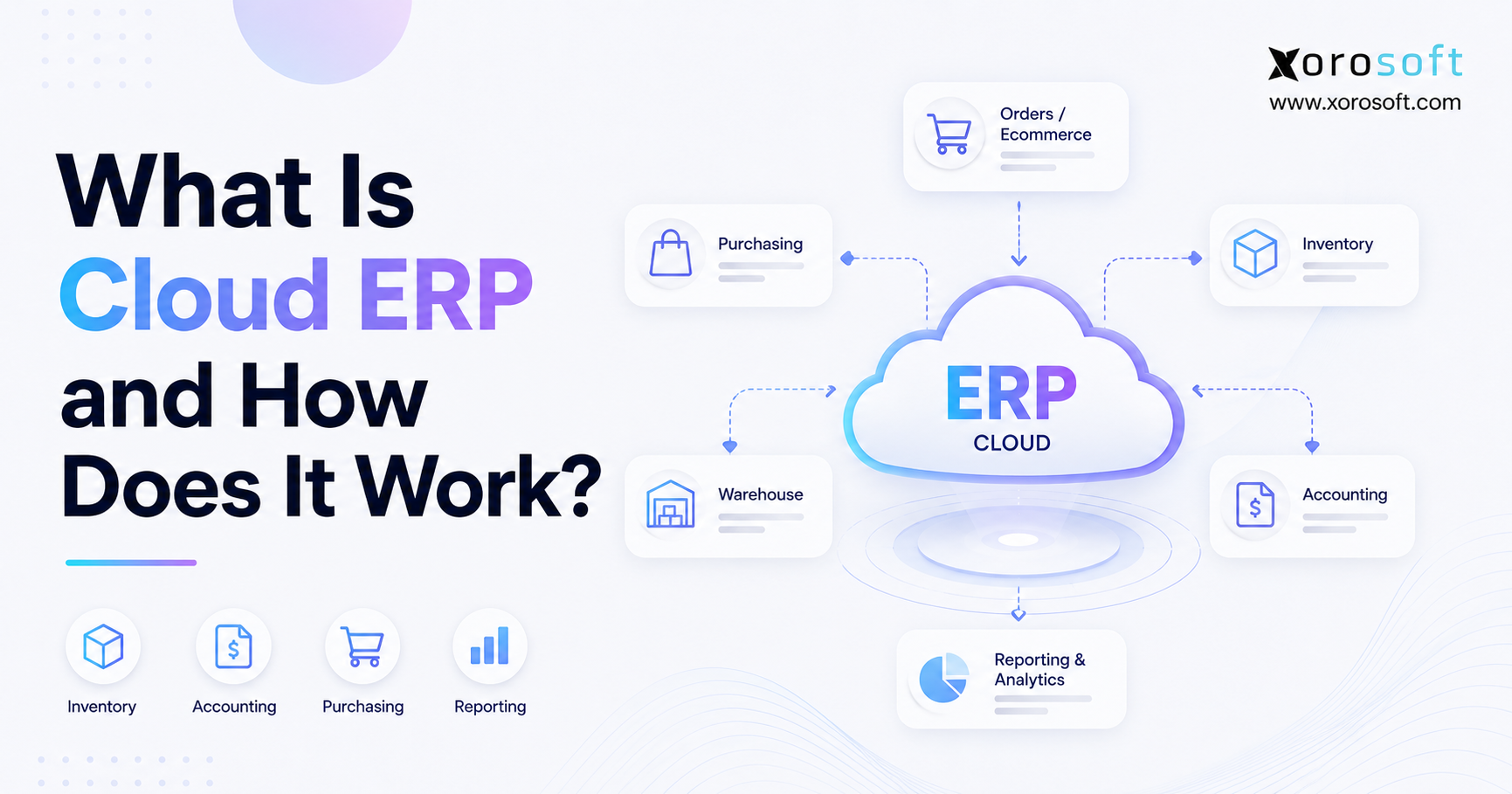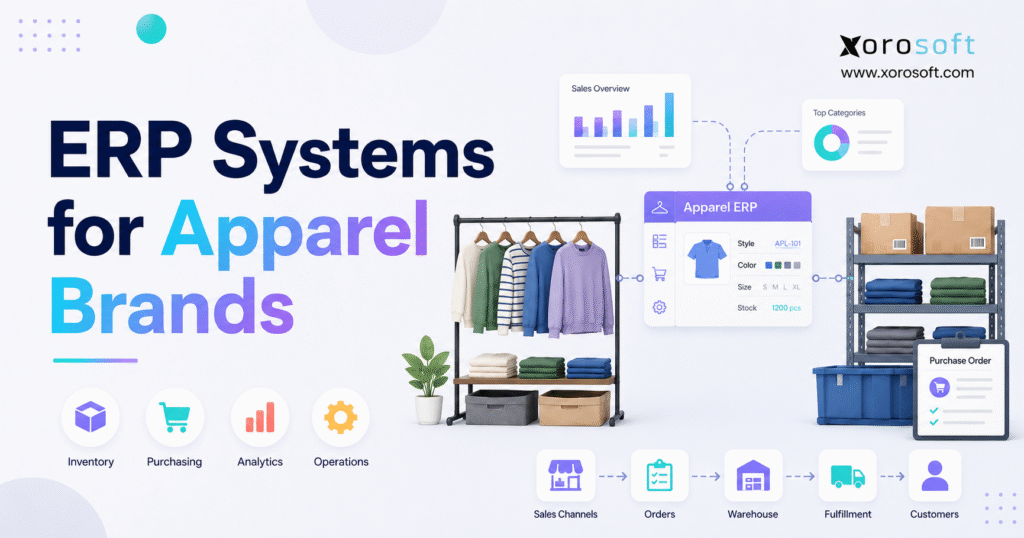
When it comes to managing operations efficiently, ERP systems for apparel brands offer tailored solutions for this unique industry.
1. When Apparel Growth Starts Creating Operational Friction
ERP systems for apparel brands connect inventory, purchasing, warehousing, accounting, ecommerce, wholesale, forecasting, manufacturing, and reporting in one operating environment. As an apparel company grows, that connection becomes increasingly important because one style can expand into dozens of size-and-color variants across multiple channels and locations.
Initially, Shopify, accounting software, spreadsheets, and specialist applications may work well. However, rising order volume, wholesale requirements, seasonal purchasing, and additional warehouses eventually create more reconciliation work.
For example, one jacket offered in eight sizes and six colors creates 48 sellable SKUs. Once different seasons, returns, warehouses, and sales channels are included, managers must know what is available, committed, incoming, damaged, and financially recorded.
Therefore, ERP provides a shared data foundation for more controlled operations. As a result, purchasing can use current demand information, warehouse teams can work from accurate orders, and finance can receive the accounting impact without rebuilding every transaction manually.
1.1 What Apparel ERP Software Does
In practice, apparel ERP software coordinates the operational and financial activity behind a clothing, footwear, fashion, or accessories company. More specifically, it manages product variants, suppliers, purchase orders, inventory, customer orders, fulfillment, returns, accounting, production, and reporting.
Moreover, unlike a standalone inventory application, ERP connects each transaction to related processes. For instance, receiving a supplier shipment can update the purchase order, available inventory, landed cost, accounts payable, and future stock position.
Consequently, each department works from the same underlying information rather than maintaining its own version of the transaction.
1.2 Why Apparel Operations Become Complex
Apparel businesses manage combinations rather than isolated products. First, each style may include several colors, sizes, materials, fits, and seasonal versions. Next, those SKUs may be sold through ecommerce, wholesale, retail, and marketplaces.
Meanwhile, inventory may sit in warehouses, stores, factories, third-party logistics facilities, or in-transit shipments. Because each dimension creates additional transactions, operational complexity often grows faster than revenue.
Therefore, brands need consistent product records, controlled inventory statuses, reliable purchasing data, and shared operational reporting.
1.3 What an ERP Should Connect
A connected apparel workflow should move through clearly defined operational stages. Instead of treating each department as a separate system, ERP carries the same transaction from order creation through inventory, fulfillment, finance, and reporting.
Order capture.
A customer order enters from Shopify, Amazon, wholesale, EDI, or another sales channel.
Availability review.
The system checks sellable inventory by SKU, warehouse, location, and stock status.
Stock reservation.
Available units are allocated according to customer priorities, channel rules, and fulfillment requirements.
Warehouse preparation.
The appropriate picking, packing, transfer, or replenishment task is created for the warehouse team.
Fulfillment confirmation.
Once the order ships, the customer record and originating sales channel receive the updated shipment information.
Inventory adjustment.
Stock quantity, availability, location, and inventory value change according to the completed movement.
Planning update.
Purchasing and forecasting receive the latest demand information, helping planners review future supply requirements.
Financial recording.
Revenue, inventory value, cost of goods sold, payments, and related accounting information move into the financial records.
Reporting refresh.
Finally, operational and financial reports reflect the completed transaction and any resulting inventory changes.
Because one record moves through each stage, departments no longer need to recreate the same transaction. Consequently, teams can identify delays, discrepancies, and exceptions much faster.
1.4 What ERP Does Not Need to Replace
However, ERP does not have to replace every application. Instead, an apparel brand may continue using Shopify for ecommerce, PLM for product development, carrier software for shipping, or specialist customer-service tools.
At the same time, the company must define which system owns each category of information. For example, Shopify may own storefront content, while ERP controls inventory availability and financial records.
Ultimately, the objective is not to remove every application. Rather, the goal is to eliminate conflicting data and uncontrolled handoffs.
2. Why Growing Apparel Brands Consider ERP
As operations expand, ERP systems for apparel brands become relevant because spreadsheets and disconnected applications struggle to maintain one version of inventory, demand, purchasing, and financial information.
Although each application may work independently, gaps between those systems create delays, duplicate entry, and inconsistent decisions.
2.1 Style, Color, and Size Inventory Complexity
In practice, apparel inventory must be managed at both the style and variant level. Buyers may plan by parent style, while warehouse teams receive, scan, and pick individual SKUs.
Finance, meanwhile, may need inventory value and margin information by product, category, warehouse, or channel. Therefore, product data must remain consistent across every department.
A useful system should support:
- Parent styles and individual variants
- Colors, sizes, materials, and fits
- Seasons and collections
- Product categories
- Lifecycle statuses
- Supplier information
- Channel-specific item references
- Location-level inventory
Without this structure, product names and attributes become inconsistent. Consequently, the company spends time correcting the same inventory problems repeatedly.
Brands can review Xorosoft’s broader industries served to understand how industry requirements affect ERP configuration. However, industry positioning should support—not replace—workflow testing.
2.2 Seasonal Demand and Short Product Lifecycles
Meanwhile, apparel demand changes with seasons, launches, promotions, weather, and consumer trends. Consequently, purchasing decisions often occur before actual demand becomes clear.
Therefore, planning should combine:
- Comparable-product sales
- Supplier lead times
- Open purchase orders
- Current sell-through
- Expected returns
- Promotional calendars
- Wholesale commitments
- Inventory in transit
- Product lifecycle status
At the same time, slow-moving inventory should be identified early. Otherwise, buyers may replenish products that are already losing demand.
2.3 Disconnected Sales Channels
For example, an apparel brand may receive DTC orders through Shopify, wholesale orders through representatives or EDI, and marketplace orders through Amazon.
However, when those orders do not share a common inventory record, several channels may promise the same unit. As a result, operations teams cancel orders, move stock manually, or delay fulfillment.
Therefore, multichannel growth requires controlled synchronization and clear source-of-truth rules.
2.4 Multi-Location Inventory Visibility
Physical inventory is not always sellable inventory. For instance, products may be on hand but committed, damaged, under inspection, reserved for wholesale, or unavailable during a transfer.
Consequently, users need to distinguish between:
- On-hand inventory
- Available inventory
- Committed inventory
- Incoming inventory
- In-transit inventory
- Damaged inventory
- Returned inventory
- Quarantined inventory
- Wholesale allocations
Shopify also distinguishes between multiple inventory states. Therefore, brands using several locations should review Shopify’s official inventory-state guidance and align those definitions with ERP and warehouse records.
2.5 Purchasing and Supplier Coordination
Meanwhile, purchasing spreadsheets usually show what was originally ordered. However, they often provide limited control over approvals, supplier changes, partial receipts, delays, landed costs, or warehouse allocation.
Therefore, a connected purchasing process should compare:
- Current availability
- Customer demand
- Forecast demand
- Incoming supply
- Supplier lead time
- Minimum order quantities
- Safety stock
- Purchase commitments
- Warehouse requirements
Consequently, buyers can make purchasing decisions from a complete stock position rather than a static spreadsheet.
2.6 Accounting and Inventory Reconciliation
Every receipt, shipment, return, transfer, and adjustment can affect financial reporting. Nevertheless, when warehouse and accounting applications remain separate, finance often learns about operational changes after they occur.
As a result, month-end close depends on exports, journal entries, and manual explanations. ERP reduces this gap by connecting operational activity with its financial effect.
However, finance teams must still validate inventory costing, valuation, tax, currency, and reporting rules during implementation.
3. Essential Features of ERP Systems for Apparel Brands
The most useful ERP systems for apparel brands support the transactions that create apparel complexity. Therefore, buyers should evaluate complete workflows instead of relying on a long checklist of isolated features.
3.1 Apparel Variant and SKU Matrix Management
First, a capable system should create a parent style and generate sellable variants from color, size, fit, material, and season.
In addition, users should be able to view stock, demand, purchasing, and sales at either the parent-style or SKU level. For example, buyers may review an entire collection, while warehouse employees scan the exact sellable variant.
Therefore, both levels must remain connected.
3.2 Real-Time Inventory and Allocation
Next, inventory should be visible by SKU, warehouse, channel, and status. Moreover, the platform should distinguish on-hand stock from available-to-promise inventory.
Allocation rules are equally important because incoming stock may need to be divided between wholesale, ecommerce, retail, and marketplace demand.
For example, XoroONE can be evaluated when a business needs connected inventory, purchasing, accounting, ecommerce, warehouse activity, and reporting.
However, the decision should depend on demonstrated apparel workflows rather than broad platform descriptions.
3.3 Purchasing and Supplier Management
In addition, purchasing should support:
- Purchase requisitions
- Approval rules
- Purchase orders
- Expected delivery dates
- Order amendments
- Partial receipts
- Cancellations
- Vendor invoices
- Supplier performance
- Purchase reporting
Furthermore, supplier records should contain lead times, costs, payment terms, currencies, minimum quantities, and previous performance.
Landed cost is also important. Because freight, duties, brokerage, insurance, and handling affect product margin, the ERP should allocate those costs consistently across received inventory.
3.4 Demand Forecasting and Replenishment
Similarly, forecasting should combine sales history with current stock, future supply, lifecycle stage, seasonality, promotions, and supplier lead times.
However, forecasting software should not be treated as an infallible prediction engine. Instead, planners need exception-based information that highlights likely stockouts, excess inventory, and unusual changes in demand.
Therefore, system recommendations should support buyer judgment rather than replace it.
3.5 Apparel Warehouse Management
Meanwhile, receiving, putaway, replenishment, picking, packing, transfers, and cycle counts should follow controlled processes.
Moreover, barcode scanning can validate inventory movements and record who handled each item.
For deeper execution control, XoroWMS can connect warehouse activity with inventory, orders, purchasing, and wider ERP records.
Nevertheless, buyers should still test:
- Receiving procedures
- Bin management
- Putaway rules
- Picking methods
- Packing validation
- Transfers
- Cycle counting
- Mobile devices
- Shipping workflows
- 3PL requirements
3.6 Shopify and Marketplace Integration
A Shopify integration should define how products, variants, customers, orders, inventory, payments, refunds, returns, and fulfillment statuses move between platforms.
Moreover, the implementation should identify which system owns each field. Otherwise, one application may overwrite accurate information from another.
Brands can review the Xorosoft ERP listing on the Shopify App Store before evaluating the connection through their own products, warehouses, apps, currencies, returns, and order exceptions.
3.7 Wholesale and EDI Operations
Meanwhile, wholesale requirements may include:
- Customer-specific price lists
- Payment terms
- Minimum order quantities
- Sales representatives
- Credit limits
- Product allocations
- Prebooks
- Backorders
- EDI documents
- Retailer compliance requirements
Because wholesale commitments may be placed months before shipment, allocation prevents another channel from consuming reserved inventory.
3.8 Apparel Manufacturing and Production
Moreover, brands that manufacture, assemble, or finish products may need:
- Bills of materials
- Raw material inventory
- Work orders
- Production planning
- Material requirements planning
- Subcontracting
- Labor tracking
- Quality control
- Finished-goods costing
However, simple kitting and full manufacturing are not the same requirement.
Therefore, manufacturers should test XoroERP or another production-capable platform with realistic BOM, work-order, consumption, purchasing, and costing scenarios.
3.9 Accounting and Financial Control
Integrated accounting can connect the general ledger, receivables, payables, inventory, purchasing, sales, and banking.
Consequently, finance receives the impact of operational activity without waiting for disconnected summaries.
Nevertheless, teams should test:
- Inventory valuation
- Cost of goods sold
- Landed cost
- Returns
- Discounts
- Marketplace fees
- Multiple currencies
- Multiple entities
- Tax requirements
- Financial reporting
3.10 Reporting and Operational Visibility
Useful reporting should answer practical operating questions:
- Which styles are selling faster than expected?
- Which sizes are creating lost-sales risk?
- What stock is available, committed, incoming, or aging?
- Which suppliers are consistently late?
- Where is margin changing by channel?
- Which warehouse processes cause delays?
- Which products are repeatedly returned?
- Where are purchasing plans exceeding expected demand?
Therefore, ERP systems for apparel brands should provide shared definitions, filters, and transaction-level drill-down capability.
4. Apparel ERP Compared With Other Business Systems
Apparel ERP software overlaps with inventory applications, WMS, PLM, OMS, and accounting platforms. However, each category begins with a different operational purpose.
| System | Primary purpose | Inventory | Accounting | Warehouse execution | Product development |
|---|---|---|---|---|---|
| ERP | Connected business operations | Yes | Usually | Basic or integrated | Limited |
| Inventory software | Stock, purchasing, and orders | Yes | Limited | Basic | No |
| WMS | Physical warehouse execution | Warehouse-focused | No | Advanced | No |
| PLM | Product design and lifecycle | Limited | No | No | Advanced |
| OMS | Order routing and orchestration | Limited | No | Connected | No |
4.1 Apparel ERP vs Inventory Management Software
Inventory software focuses on stock, purchasing, orders, and channel synchronization. ERP, however, usually extends into accounting, manufacturing, approvals, controls, and company-wide reporting.
Therefore, inventory software may be sufficient when stock visibility is the main problem. By contrast, ERP systems for apparel brands become more relevant when inventory must connect directly with finance, production, procurement, and wider controls.
4.2 Apparel ERP vs Warehouse Management Software
A WMS controls detailed warehouse execution, while ERP manages the wider customer, supplier, inventory, purchasing, order, and financial records.
Consequently, some companies use warehouse functionality built into ERP. Others connect a specialist WMS when fulfillment complexity requires deeper controls.
4.3 Apparel ERP vs Product Lifecycle Management
PLM supports product design and development. For example, it may manage specifications, materials, samples, approvals, sourcing, and product milestones.
ERP, meanwhile, manages approved products through purchasing, manufacturing, inventory, sales, fulfillment, and accounting.
Therefore, a company with complex development requirements may need both systems connected through consistent product and supplier information.
4.4 Apparel ERP vs Order Management Software
An OMS focuses on order capture, routing, allocation, and orchestration. However, ERP covers a wider operational and financial scope.
High-volume companies may retain a specialist OMS. Nevertheless, that application must exchange accurate order, inventory, fulfillment, payment, and return data with ERP.
4.5 Apparel ERP vs Accounting Software and Spreadsheets
Accounting software may remain appropriate for straightforward financial requirements, while spreadsheets can support flexible analysis.
However, problems emerge when spreadsheets become the manual connection between ecommerce, purchasing, warehouses, wholesale, and finance.
Therefore, the important question is whether the existing technology stack still produces accurate, timely, and controlled information.
4.6 Industry-Specific ERP vs General Cloud ERP
Industry-specific software may provide apparel terminology, matrices, seasons, and wholesale functionality with less configuration.
On the other hand, general ERP may offer broader financial management, entity control, manufacturing, customization, and ecosystem capabilities.
Ultimately, neither category is automatically superior. Consequently, buyers should test process fit, implementation effort, integrations, scalability, and long-term cost.
5. When Does an Apparel Brand Need ERP?
An apparel company should consider ERP systems for apparel brands when disconnected processes create recurring operational risk.
However, readiness should be measured through complexity and control gaps rather than revenue alone.
5.1 Signs the Current System Has Been Outgrown
Common warning signs include:
- Inventory quantities differ across systems.
- Purchase orders are managed through spreadsheets and email.
- Teams repeatedly export and re-enter the same information.
- Wholesale and ecommerce orders compete for available stock.
- Warehouse teams cannot trust availability figures.
- Month-end inventory reconciliation takes too long.
- Management reporting requires manual consolidation.
- Additional warehouses create more errors than capacity.
- Forecasts exclude important demand or supply information.
- Integration failures require frequent manual correction.
When several of these conditions occur together, ERP systems for apparel brands may provide a more sustainable operating foundation.
5.2 Strong ERP Candidates
Multi-channel and multi-warehouse companies are often strong candidates because inventory must remain synchronized across different selling and fulfillment models.
Similarly, wholesale, EDI, manufacturing, and internal purchasing increase ERP relevance. Moreover, companies needing connected inventory and accounting may benefit from replacing several disconnected applications.
5.3 Businesses That May Not Need ERP Yet
A smaller brand may not need ERP when it has:
- A limited product catalog
- One sales channel
- One inventory location
- Simple purchasing
- Straightforward accounting
- Accurate information from current tools
- No immediate manufacturing or EDI requirements
Furthermore, implementation may be premature when the company cannot assign process owners or testing resources.
Therefore, improved procedures, integrations, or focused inventory software may be the more practical next step.
5.4 Operational Readiness Before Selection
Leadership should define:
- Executive sponsor
- Project owner
- Departmental decision-makers
- Critical workflows
- Required integrations
- Data owners
- Available budget
- Internal resources
- Success measures
Because ERP changes how teams work, process ownership matters as much as software. Consequently, unresolved operational decisions should be addressed before configuration begins.
5.5 A Practical ERP Readiness Check
A brand is more likely to be ready when it can answer yes to most of these questions:
- Are current system limitations documented?
- Have core workflows been mapped?
- Are product and customer records reasonably clean?
- Can employees support testing and training?
- Are essential integrations known?
- Has leadership defined measurable outcomes?
- Is the company prepared to standardize processes?
Measure the Gap Before Choosing a Platform
Before requesting demonstrations, document where inventory, purchasing, warehouse, accounting, and reporting processes break down.
Then, separate problems that require ERP from issues that can be resolved through better processes or stronger integrations.
6. Apparel ERP Use Cases by Business Model
Different business models require different capabilities. Therefore, the best platform is not simply the one with the longest feature list.
| Business model | Main operational challenge | Priority capabilities |
|---|---|---|
| Direct-to-consumer brand | Fast orders and returns | Ecommerce, inventory, fulfillment |
| Shopify apparel brand | Back-office complexity | Integration, purchasing, accounting |
| Wholesale distributor | Customer-specific workflows | EDI, pricing, allocation, credit |
| Omnichannel business | Shared inventory | Availability, transfers, routing |
| Apparel manufacturer | Materials and production | BOM, MRP, work orders, costing |
| Multi-brand group | Entity complexity | Consolidation, permissions, currencies |
6.1 Direct-to-Consumer Apparel Brands
DTC operations require reliable availability, fast fulfillment, controlled promotions, and efficient returns.
Moreover, customer-service teams need accurate order and inventory information. Therefore, ERP systems for apparel brands serving DTC models should connect ecommerce orders with stock, warehouse tasks, refunds, exchanges, accounting, and reporting.
6.2 Shopify Apparel Brands
Shopify manages the storefront, checkout, customer experience, and ecommerce order capture.
ERP, meanwhile, manages purchasing, suppliers, warehouses, accounting, forecasting, wholesale, manufacturing, and consolidated reporting.
Consequently, Shopify brands should evaluate product synchronization, order imports, fulfillment updates, returns, refunds, payouts, inventory states, and exception handling.
6.3 Wholesale Fashion Distributors
Wholesale distributors may need account-specific pricing, payment terms, credit controls, sales representatives, EDI, prebooks, allocations, and backorders.
In addition, retailer compliance may require specific labels, cartons, or shipping procedures.
Therefore, wholesale ERP must connect customer agreements with inventory, purchasing, warehouse, and finance records.
6.4 Omnichannel Apparel Businesses
Omnichannel operations share inventory across ecommerce, retail, wholesale, and marketplaces.
However, each channel may have different service expectations and allocation priorities. Consequently, the business needs clear availability rules, transfer processes, routing logic, and margin reporting by channel.
6.5 Apparel Manufacturers
Manufacturers need visibility from raw materials through finished goods.
Therefore, BOMs, work orders, material planning, purchasing, consumption, subcontracting, and costing become central requirements.
Additionally, production should connect with customer demand and current availability so the company does not build excess stock while missing high-demand products.
6.6 Multi-Brand and Multi-Entity Businesses
Groups operating several brands may require separate catalogs, warehouses, entities, currencies, tax rules, permissions, and financial statements.
At the same time, leadership needs consolidated reporting. Therefore, the platform must preserve local operating detail while supporting group-level analysis.
7. How to Evaluate ERP Systems for Apparel Brands
Selecting ERP systems for apparel brands should begin with evidence from the company’s own operations.
Therefore, vendors should demonstrate real apparel workflows rather than generic dashboards.
7.1 Define Operational Requirements
Document how the company:
- Creates products and variants
- Plans purchases
- Receives inventory
- Allocates stock
- Processes ecommerce orders
- Manages wholesale orders
- Transfers inventory
- Handles returns
- Manufactures products
- Closes financial periods
- Reports performance
For each workflow, record the users, approvals, exceptions, outputs, and required controls.
Consequently, the team can separate essential processes from preferences.
7.2 Separate Required, Preferred, and Future Capabilities
Use three categories:
Required: The company cannot operate correctly without the capability.
Preferred: The capability improves efficiency, although a reasonable workaround exists.
Future: The functionality may become necessary after planned growth or expansion.
This structure prevents low-value preferences from dominating the selection process.
7.3 Test Apparel-Specific Scenarios
Ask every vendor to demonstrate the same realistic scenarios.
Product setup.
Create a style with several colors and sizes.
Seasonal purchasing.
Build a purchase order for a new collection.
Partial receipt.
Receive only part of the supplier shipment.
Channel allocation.
Reserve stock between wholesale and ecommerce.
Warehouse transfer.
Move selected variants between locations.
Return and exchange.
Process a return and ship a replacement size.
Landed cost.
Add freight and duties to received inventory.
Performance reporting.
Review margin by style, channel, and location.
Because these scenarios cross several departments, they reveal manual handoffs that isolated demonstrations may hide.
7.4 Evaluate Integrations as Business Processes
Create an integration register that records:
- Connected application
- Data exchanged
- Direction of data flow
- Update timing
- Source system
- Error owner
- Historical-data requirement
- Security requirement
For example, an integration may import orders correctly but mishandle edited orders, partial refunds, or cancellations.
Therefore, exception testing is as important as standard transaction testing.
7.5 Review Reporting and Data Access
Executives, buyers, warehouse managers, ecommerce teams, and finance users should each test whether the system answers real questions without custom spreadsheets.
Useful tests include:
- Available stock
- Incoming inventory
- Late purchase orders
- Aged inventory
- Margin by style
- Order backlog
- Return trends
- Warehouse exceptions
- Supplier performance
7.6 Assess Implementation and Total Cost
Implementation includes more than the software subscription.
Therefore, cost comparisons should consider:
- Process design
- Data cleanup
- Migration
- Configuration
- Integrations
- Testing
- Training
- Customization
- Internal employee time
- Support
- Connected applications
- Ongoing administration
7.7 Use a Weighted Vendor Scorecard
A weighted scorecard helps apparel businesses compare ERP vendors using the same operational criteria. Rather than choosing a platform based on presentation quality or brand recognition, the evaluation team can assign importance to each requirement and request evidence for every score.
Define the Evaluation Criteria
Use the following framework as a starting point. However, adjust the weight of each category when a particular capability is more important to your business model.
| Evaluation area | Recommended weight | What strong support looks like | Evidence to request |
|---|---|---|---|
| Variant management | 15% | Parent styles, size-color matrices, seasons, fits, and SKU-level reporting work without manual duplication | Live setup of a style with multiple variants |
| Inventory and allocation | 15% | Availability, reservations, transfers, incoming stock, and channel allocation update accurately | Inventory report by SKU, warehouse, status, and channel |
| Purchasing | 10% | Approvals, supplier lead times, partial receipts, landed costs, and purchase tracking remain connected | Complete purchase-to-receipt demonstration |
| Warehouse management | 10% | Receiving, scanning, picking, packing, transfers, bins, and cycle counts follow controlled workflows | Warehouse demonstration using realistic products and locations |
| Accounting | 10% | Inventory valuation, COGS, payables, receivables, and reconciliation connect with operations | Transaction traced from shipment to financial records |
| Shopify and marketplaces | 10% | Orders, inventory, fulfillment, payments, returns, and refunds synchronize reliably | Integration test covering standard and exception scenarios |
| Wholesale and EDI | 8% | Pricing, terms, allocations, prebooks, backorders, and trading-partner documents are supported | Wholesale and EDI workflow demonstration |
| Manufacturing | 7% | BOMs, work orders, MRP, material consumption, subcontracting, and costing are available | Production workflow from materials to finished goods |
| Reporting | 7% | Users can filter, drill down, export, and schedule relevant reports | Sell-through, margin, aging, and supplier reports |
| Implementation and support | 8% | Migration, configuration, testing, training, support, and ownership are clearly defined | Written implementation plan and customer references |
| Total | 100% |
Apply a Consistent Scoring Method
Score every vendor from one to five:
| Score | Interpretation |
|---|---|
| 1 | The requirement is not supported |
| 2 | Significant customization or manual work is required |
| 3 | The requirement is supported with reasonable configuration |
| 4 | The requirement is supported well |
| 5 | The requirement is demonstrated through a complete tested workflow |
Calculate each result using:
Weighted result = Vendor score ÷ 5 × Recommended weight
For example, a vendor receiving four out of five for variant management would earn:
4 ÷ 5 × 15 = 12 points
Therefore, the highest possible overall result is 100 points. Nevertheless, the numerical score should not stand alone. Each result should be supported by a demonstration, documentation, customer reference, or tested configuration.
Compare Evidence, Not Sales Claims
A useful demonstration should follow inventory from purchase planning through receiving, allocation, fulfillment, accounting, returns, and reporting.
As a result, the evaluation team can see whether one transaction updates every connected record correctly.
8. Common Apparel ERP Implementation Mistakes
Even capable ERP systems for apparel brands can underperform when implementation lacks process ownership, clean data, and realistic testing.
8.1 Selecting Software Before Mapping Processes
A polished demonstration can create confidence before requirements are clear.
However, selection should follow process mapping rather than replace it. Therefore, document workflows, problems, controls, exceptions, and future needs before choosing a platform.
8.2 Migrating Poor-Quality Product Data
Duplicate SKUs, inconsistent size names, missing costs, obsolete suppliers, and incomplete attributes will weaken the new system.
Consequently, migration should improve data rather than copy every historical problem.
8.3 Recreating Every Legacy Process
Some processes exist only because older tools lacked better workflows.
Therefore, implementation should not reproduce every spreadsheet, approval, and workaround automatically. Instead, remove steps that add no control, insight, or customer value.
8.4 Underestimating Integration Exceptions
Edited orders, split shipments, refunds, cancellations, duplicate records, and failed updates can create different results.
Therefore, teams should test normal, exception, and recovery scenarios while defining who will monitor failures.
8.5 Failing to Assign Internal Ownership
The software vendor cannot make every business decision for the customer.
Consequently, internal leaders must own product data, purchasing rules, accounting structures, warehouse processes, testing, and employee adoption.
8.6 Skipping Role-Based Training
Warehouse teams, buyers, accountants, ecommerce operators, and executives use the platform differently.
Therefore, training should use realistic tasks and documented procedures for each role.
8.7 Implementing Everything at Once
A single large launch may create unnecessary risk.
Therefore, some companies begin with products, inventory, purchasing, sales orders, accounting, and one warehouse. EDI, manufacturing, or additional entities can follow after the core workflows stabilize.
9. A Practical Apparel ERP Implementation Process
A structured implementation turns software selection into operational change.
Therefore, every stage should have clear owners, expected outputs, and approval criteria.
9.1 Discovery and Process Mapping
First, document current systems, workflows, users, data, controls, problems, and exceptions.
Next, define the future process and measurable outcomes. Because departments may describe the same workflow differently, cross-functional workshops reveal disagreements before configuration begins.
9.2 Data Cleanup and Migration Planning
Identify the information that must move into the new system:
- Products and variants
- Suppliers
- Customers
- Open sales orders
- Purchase orders
- Inventory balances
- Financial balances
- Required transaction history
Then, assign owners and validation rules to each category.
Moreover, establish cutover controls so transactions are not lost between the old and new systems.
9.3 System Configuration
Configuration may include:
- Warehouses
- Bins
- Users
- Permissions
- Approval rules
- Suppliers
- Customers
- Taxes
- Currencies
- Accounts
- Inventory rules
- Product attributes
- Costing settings
Whenever possible, use standard configuration before customization. Otherwise, the business may create unnecessary maintenance and upgrade complexity.
9.4 Integration Setup
Each connected application should have a data map and source-of-truth decision.
Furthermore, teams should test timing, duplicate records, failed transactions, edited orders, and recovery procedures.
For Shopify, include products, variants, inventory, orders, fulfillment, refunds, returns, payments, and payouts where relevant.
9.5 End-to-End Testing
Testing should follow transactions from creation to operational and financial completion.
For example, a purchase order should be created, approved, received, costed, invoiced, and reflected in availability and accounting.
Similarly, customer orders should be allocated, picked, shipped, returned, refunded, and reported correctly.
9.6 Training and User Acceptance
Role-based training should occur before final user acceptance testing.
Then, employees can test realistic processes rather than simply following demonstration scripts.
9.7 Go-Live and Stabilization
The launch plan should define:
- Final data cutover
- Inventory reconciliation
- Opening balances
- Integration monitoring
- Issue escalation
- User support
- Decision authority
During stabilization, teams should review errors daily and compare operational and financial records until users trust the new workflows.
9.8 Continuous Improvement
ERP work continues after launch. Therefore, teams should monitor adoption, workarounds, data quality, transaction errors, cycle times, and reporting usefulness.
A company evaluating XoroONE, XoroERP, or XoroWMS should apply the same requirements, testing, customer-reference, and implementation discipline used for every shortlisted platform.
10. Apparel ERP Options and Alternatives
When evaluating ERP systems for apparel brands, the market includes specialist fashion systems, general cloud ERP platforms, inventory-led applications, and connected accounting stacks.
Therefore, buyers should compare software categories before comparing individual brands.
10.1 Apparel-Specific ERP Platforms
Specialist systems may include preconfigured style matrices, seasonal workflows, wholesale functionality, and fashion terminology.
Consequently, they may require less configuration for certain apparel operations.
However, buyers should still evaluate accounting, warehousing, manufacturing, international requirements, ecommerce, reporting, and integration depth.
10.2 General Cloud ERP Platforms
General platforms may provide broader financial management, entity control, manufacturing, customization, and ecosystem options.
Nevertheless, apparel workflows may require additional configuration. Therefore, evaluation should measure both operational fit and the effort required to achieve it.
10.3 Inventory-Led Operations Platforms
An inventory-led system may be appropriate when stock, purchasing, orders, and channel synchronization are the main priorities.
Moreover, this category can be easier to implement when the scope is narrow.
However, buyers should confirm whether accounting, manufacturing, approvals, reporting, and multi-entity controls will remain sufficient as the company grows.
10.4 Accounting Software With Connected Applications
Some brands use accounting software alongside inventory, warehouse, ecommerce, EDI, and reporting applications.
This model can remain practical when integrations are stable and reconciliation is manageable.
Nevertheless, it becomes expensive when every process requires exports, duplicated work, or manual correction.
10.5 Where Xorosoft May Fit
Xorosoft may be relevant for inventory-driven apparel companies that need to connect ecommerce, wholesale, purchasing, warehousing, accounting, forecasting, manufacturing, and reporting.
Its ERP solutions cover those operational areas. Therefore, buyers can use the overview to identify relevant modules before testing detailed apparel workflows.
In addition, Xorosoft case studies can help teams identify businesses with comparable operational requirements.
However, case studies should supplement—not replace—live testing, customer references, and implementation due diligence.
10.6 Build a Focused Shortlist
A practical shortlist usually contains three to five platforms.
First, remove vendors that cannot support essential workflows. Next, compare the remaining platforms through identical scenarios and scorecards.
Finally, review implementation assumptions, customer references, support, and total cost so brand recognition does not outweigh operational evidence.
11. Frequently Asked Questions About Apparel ERP
11.1 What Are ERP Systems for Apparel Brands?
ERP systems for apparel brands are connected platforms that manage inventory, purchasing, orders, warehouses, accounting, forecasting, production, and reporting. In addition, they may support style-color-size matrices, seasonal collections, wholesale allocation, and multichannel selling. Therefore, departments work from shared records rather than several disconnected versions.
11.2 What Does Apparel ERP Software Manage?
Apparel ERP software can manage products, variants, suppliers, purchase orders, stock, customer orders, fulfillment, returns, accounting, manufacturing, and reporting. However, scope varies. Therefore, some brands use native modules, while others connect Shopify, PLM, shipping, tax, WMS, or customer-service applications.
11.3 Why Do Apparel Brands Need ERP Systems?
Apparel brands consider ERP systems for apparel brands when product variants, seasons, suppliers, warehouses, and channels become difficult to coordinate through separate tools. Consequently, teams need one view of available, incoming, reserved, shipped, returned, and financially recorded inventory. Complexity, rather than revenue alone, usually determines readiness.
11.4 How Is Fashion ERP Software Different From Generic ERP?
Fashion ERP often includes apparel matrices, collections, seasons, wholesale processes, and product attributes. By contrast, general ERP may offer broader finance, manufacturing, global, or customization capabilities. Therefore, buyers should compare workflow fit instead of assuming either category is automatically better.
11.5 What Features Should Apparel ERP Include?
A strong shortlist should cover variants, inventory, purchasing, suppliers, forecasting, warehousing, accounting, Shopify, marketplaces, wholesale, EDI, returns, reporting, and manufacturing where required. In addition, the system should provide permissions, approvals, audit trails, integrations, and reporting by style, SKU, channel, and location.
11.6 Can ERP Manage Style, Color, and Size Variants?
Yes, many platforms create a parent style and individual SKUs for each size, color, fit, or material. However, functionality differs. Therefore, buyers should test product setup, matrix views, purchasing, scanning, availability, reporting, transfers, and returns at the variant level.
11.7 Can Apparel ERP Manage Seasonal Collections?
ERP can organize products by season, collection, launch date, category, and lifecycle stage. Moreover, it can connect purchase planning, incoming inventory, sell-through, aging, and markdown analysis. Nevertheless, planners still need judgment because new fashion products often lack direct historical demand.
11.8 Does Apparel ERP Integrate With Shopify?
Many systems integrate with Shopify for products, orders, inventory, fulfillment, payments, refunds, and returns. However, integration depth varies. Therefore, brands should test custom fields, edited orders, locations, applications, currencies, payouts, partial shipments, and failed transactions before approval.
11.9 Can Apparel ERP Connect With Amazon?
Many platforms connect with Amazon directly or through integration providers. Consequently, orders, inventory, fulfillment, fees, returns, and settlement information can enter a shared operating model. Nevertheless, sellers should test marketplace exceptions and fulfillment methods rather than confirming only that orders can be imported.
11.10 Does Apparel ERP Support EDI?
Some systems support EDI internally, while others connect with a specialist provider. Common documents include purchase orders, acknowledgements, advance shipping notices, and invoices. Therefore, wholesale brands should test partner mappings, labels, carton requirements, exceptions, monitoring, and ownership.
11.11 Can ERP Manage Wholesale Apparel Orders?
Yes, ERP can support wholesale orders, customer pricing, payment terms, credit, allocations, prebooks, backorders, sales representatives, and EDI. However, requirements vary by account. Consequently, demonstrations should use real retailer rules rather than generic examples.
11.12 Can Apparel ERP Support Manufacturing?
Manufacturing-capable ERP can manage BOMs, materials, work orders, planning, subcontracting, costing, and finished goods. Nevertheless, production depth varies. Therefore, brands should distinguish kitting, assembly, outsourced production, and full manufacturing before selecting a platform.
11.13 Does Apparel ERP Include Accounting?
Many ERP platforms include general ledger, receivables, payables, banking, inventory accounting, and financial reporting. Others connect with separate accounting software. Therefore, finance teams should validate valuation, landed costs, returns, currencies, entities, taxes, controls, and reporting.
11.14 Can ERP Improve Apparel Forecasting?
ERP can improve forecasting inputs by combining sales, stock, purchase orders, lead times, returns, promotions, and warehouse information. However, it cannot remove uncertainty. Consequently, planners still need assumptions, judgment, exception review, and forecast-accuracy measurement.
11.15 How Does ERP Manage Multiple Warehouses?
ERP tracks stock, receipts, transfers, reservations, and shipments by location. In addition, warehouse functionality may control bins, replenishment, picking, packing, and counting. Therefore, the system architecture depends on volume, automation, 3PL use, and fulfillment rules.
11.16 Can Apparel ERP Manage Returns and Exchanges?
ERP can connect a return with the original order, warehouse receipt, inventory disposition, refund, replacement, and accounting entry. For example, products may be restocked, quarantined, repaired, discounted, or written off. Therefore, buyers should test exchanges, damaged products, fees, and partial refunds.
11.17 What Is the Difference Between Apparel ERP and PLM?
PLM focuses on concepts, specifications, materials, samples, approvals, sourcing, and development. ERP, meanwhile, controls purchasing, production, inventory, orders, fulfillment, accounting, and reporting. Consequently, companies with complex product-development processes may need both systems connected.
11.18 What Is the Difference Between ERP and WMS?
ERP manages broader business and financial processes, while WMS manages detailed warehouse execution. Therefore, WMS usually provides deeper receiving, putaway, bin, replenishment, picking, packing, and counting functionality. Some ERP platforms include those capabilities, while others integrate with specialist WMS applications.
11.19 Is ERP Better Than Inventory Management Software?
ERP is not universally better. Inventory software may be sufficient when stock, purchasing, orders, and channel synchronization are the main requirements. However, ERP becomes more relevant when those workflows must connect with accounting, manufacturing, approvals, entities, and company-wide reporting.
11.20 Can an Apparel Brand Replace Accounting Software With ERP?
An apparel brand can replace separate accounting software when ERP satisfies its financial, tax, reporting, and control requirements. Nevertheless, finance professionals should validate the ledger, payables, receivables, banking, valuation, entities, currencies, taxes, history, and audit controls.
11.21 When Should an Apparel Brand Implement ERP?
Implementation becomes worth evaluating when disconnected tools cause stock errors, slow purchasing, delayed close, duplicate entry, overselling, unreliable reports, or warehouse confusion. In addition, planned wholesale, EDI, manufacturing, multi-warehouse, or international expansion can create a strong trigger.
11.22 Who Does Not Need Apparel ERP Yet?
A smaller brand may not need ERP when it has a limited catalog, one channel, one location, simple purchasing, and reliable information from current systems. Moreover, implementation may be premature without internal ownership. Therefore, process improvement or focused inventory software may be a better next step.
11.23 How Much Does Apparel ERP Cost?
Cost depends on users, modules, entities, transaction volumes, warehouses, integrations, migration, configuration, customization, training, and support. Therefore, buyers should compare total cost across several years. Subscription fees alone do not show internal labor, connected applications, services, or maintenance.
11.24 How Long Does Apparel ERP Implementation Take?
Implementation length depends on scope, data quality, integrations, customization, testing, and employee availability. Consequently, a one-warehouse Shopify brand has a different project from a manufacturer with several entities and EDI partners. Vendors should base schedules on documented requirements.
11.25 What Is the Best ERP for a Growing Apparel Brand?
Among ERP systems for apparel brands, the best platform supports the company’s real workflows with acceptable implementation effort and total cost. Therefore, compare variants, purchasing, inventory, warehouse execution, accounting, ecommerce, wholesale, EDI, manufacturing, reporting, and integrations. Finally, require scenario-based demonstrations and customer-reference validation.