1. Why ERP Software for Scaling Businesses Becomes Necessary
ERP software for scaling businesses becomes important when growth makes everyday operations harder to control. Initially, a company may process sales through Shopify, manage finances in QuickBooks, track purchasing in spreadsheets, and run warehouse activity through a separate inventory application. However, once orders, SKUs, suppliers, locations, and sales channels increase, those disconnected tools begin creating delays, duplicate work, and conflicting numbers.
For example, the ecommerce team may believe an item is available even though the warehouse has already allocated it to a wholesale order. Meanwhile, purchasing may reorder the same product because its spreadsheet does not reflect inventory arriving at another location. Consequently, the company experiences stockouts in one warehouse, excess inventory in another, and financial records that require constant reconciliation.
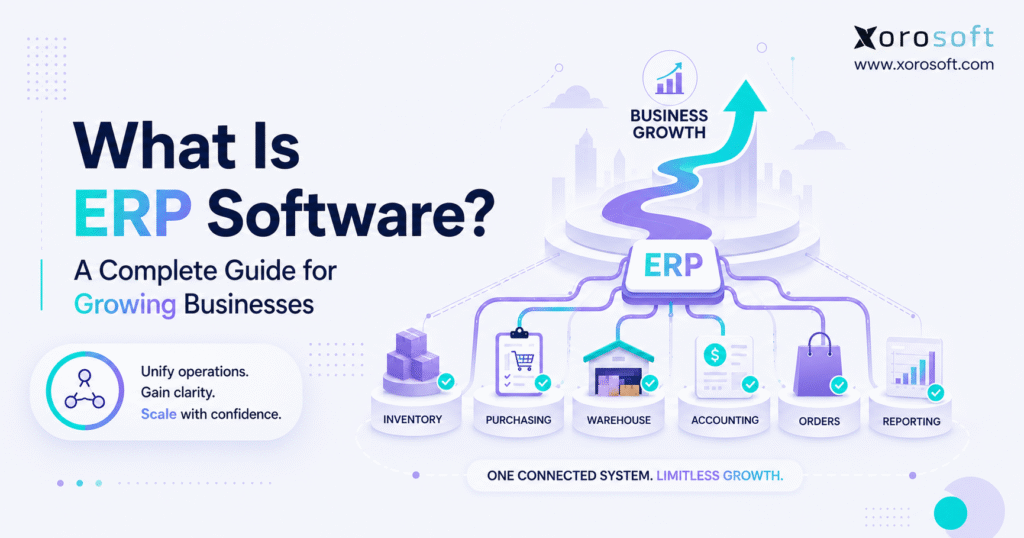
Enterprise resource planning addresses that fragmentation. In simple terms, ERP connects accounting, inventory, purchasing, warehouse management, manufacturing, order processing, forecasting, ecommerce, and reporting. Therefore, different departments work from shared operational records rather than maintaining separate versions of the truth.
Official guides from SAP and Oracle also describe ERP as an integrated system for managing core business processes. More importantly, ERP creates value by connecting those processes. When a sales order changes, inventory availability, warehouse work, customer commitments, and financial records can change with it.
This guide explains how ERP works, which modules growing businesses need, when a company should upgrade, and how to select a platform without adding unnecessary complexity.
2. How ERP Software for Scaling Businesses Works
2.1 ERP Meaning in Simple Terms
ERP stands for enterprise resource planning. Although the term sounds designed for large corporations, modern ERP platforms also serve growing product businesses that need more control than spreadsheets and entry-level accounting applications can provide.
Essentially, “enterprise” refers to the business as a connected organization. Meanwhile, “resource planning” refers to how the company manages money, inventory, materials, warehouses, suppliers, employees, orders, and production capacity. Consequently, ERP provides a shared operating foundation across departments.
A simple definition is:
ERP is an integrated business management system that connects financial and operational workflows through one shared database.
Instead of maintaining accounting, inventory, purchasing, order management, and warehouse records separately, teams use one connected environment. As a result, employees spend less time transferring data between systems.
2.2 How ERP Software for Scaling Businesses Creates One Source of Truth
ERP software for scaling businesses creates one reliable source for operational and financial information. Therefore, sales, purchasing, warehouse, accounting, and management teams can work from the same records.
For instance, receiving a purchase order can increase inventory, update warehouse records, close expected receiving quantities, and prepare the transaction for accounting. Likewise, shipping a customer order can reduce stock, confirm fulfillment, support invoicing, and update reporting.
Because these processes remain connected, ERP software for scaling businesses reduces the number of manual handoffs between departments. Consequently, the company can operate with fewer spreadsheets, fewer duplicate entries, and fewer conflicting reports.
2.3 How a Scalable ERP System Connects Transactions
ERP systems are transaction-driven. When a user receives, allocates, transfers, ships, adjusts, manufactures, or invoices an item, the system updates connected records according to configured rules.
For example, a typical order workflow may proceed as follows:
1. A customer places an order.
2. The ERP checks inventory availability.
3. Stock is allocated to the order.
4. The warehouse receives picking instructions.
5. The order is packed and shipped.
6. Inventory decreases from the correct location.
7. Accounting receives the related financial information.
8. Reporting updates for managers.
Therefore, one transaction can support several teams without repeated manual data entry.
2.4 Data Controls in ERP Software for Growing Companies
ERP software also controls who can view, approve, create, or change information. In addition, audit trails show which user changed a transaction and when the change occurred.
Consequently, managers gain stronger oversight than emailed spreadsheets can provide. However, reliable data still depends on disciplined workflows, user training, and clear process ownership.
3. Core Modules in ERP Software for Scaling Businesses
Growing businesses rarely need only one function. Instead, they need several modules to work together.
3.1 Accounting in ERP Software for Scaling Businesses
The accounting module manages the general ledger, accounts payable, accounts receivable, bank activity, financial statements, cash flow, and inventory valuation.
Because operational transactions connect with finance, receipts, shipments, returns, and inventory adjustments can flow into accounting without being rebuilt manually. Therefore, ERP software for scaling businesses helps finance teams review connected transactions instead of reconstructing operational activity at the end of every month.
3.2 Inventory Management in a Scalable ERP System
Inventory management tracks what the company owns, where stock is located, what is available, and how products move.
A strong inventory module may support:
- Inventory by warehouse
- Inventory by bin or location
- Available-to-sell quantities
- Reserved inventory
- Inventory transfers
- Lot and serial tracking
- Cycle counting
- Inventory adjustments
- Reorder points
- Inventory valuation
Consequently, ecommerce, wholesale, warehouse, purchasing, and finance teams can use the same inventory information.
Moreover, accurate inventory data supports better cash flow decisions. When teams understand which products are moving, which items are overstocked, and which locations need replenishment, they can purchase with greater control.
3.3 Purchasing Through a Scalable ERP System
The purchasing module manages suppliers, purchase orders, approvals, expected receipts, replenishment, lead times, and vendor performance.
As a result, buyers can review demand, current stock, committed quantities, and incoming purchase orders before placing another order. Therefore, purchasing decisions become more accurate than decisions based on static spreadsheets.
Additionally, approval workflows help businesses control spending. Instead of relying on emails, managers can review purchasing requests, quantities, costs, and supplier terms inside the system.
3.4 Warehouse Management in ERP Software for Scaling Businesses
Warehouse functionality controls receiving, put-away, replenishment, picking, packing, shipping, barcode scanning, cycle counting, and bin-level inventory.
A real-time warehouse management system is particularly valuable for companies operating complex facilities or multiple warehouses. Consequently, physical warehouse activity remains connected to inventory, sales orders, purchasing, and accounting.
Furthermore, warehouse teams can follow standardized workflows instead of depending on memory. As a result, picking accuracy, receiving control, and inventory visibility can improve as order volume grows.
3.5 Multi-Channel Order Management Through ERP
Order management captures customer orders, applies pricing, checks availability, manages allocations, and tracks fulfillment.
Orders may arrive through:
- Shopify
- Amazon
- Wholesale customers
- EDI partners
- Sales representatives
- Marketplaces
- B2B portals
Therefore, one order workflow can govern demand across several sales channels.
Meanwhile, allocation rules help prevent multiple channels from promising the same inventory. Consequently, sales teams can provide more reliable delivery commitments.
3.6 Manufacturing in ERP Software for Scaling Businesses
Manufacturing modules support bills of materials, work orders, production planning, component consumption, finished goods, and product costing.
Consequently, manufacturers and assemblers can connect production demand with purchasing and material availability. In addition, planners can identify component shortages before production begins.
For example, a furniture company may need to track raw materials, hardware, labor, assemblies, and finished products. With ERP, those production activities remain connected to inventory and accounting.
3.7 Forecasting Through a Scalable ERP Platform
Forecasting uses sales history, seasonality, lead times, open orders, and current inventory to support future purchasing decisions.
However, businesses should combine system forecasts with promotion plans, merchandising knowledge, and market changes. As a result, planning remains data-driven without becoming inflexible.
In addition, forecasting can help companies identify future stockouts before they occur. Therefore, purchasing teams gain more time to respond to supplier lead times and demand changes.
3.8 Reporting in ERP Software for Scaling Businesses
Reporting turns operational data into dashboards, statements, KPIs, and exception reports. Therefore, managers can focus on overdue purchase orders, negative inventory, delayed shipments, low-margin orders, and products with excess stock.
For this reason, ERP software for scaling businesses should provide both high-level dashboards and detailed reports that help managers identify problems early.
Instead of exporting information from several applications, leaders can review connected sales, inventory, warehouse, purchasing, and financial data.
4. Benefits of ERP Software for Scaling Businesses
Companies usually adopt ERP because disconnected systems can no longer support their operational complexity.
4.1 Better Inventory Accuracy Through ERP
Inventory accuracy improves when receiving, transfers, allocation, picking, shipping, returns, and adjustments follow one controlled process.
Consequently, the quantity displayed in the system is more likely to match physical stock. In addition, ecommerce channels can publish more reliable availability, while purchasing teams can reorder with greater confidence.
Furthermore, improved accuracy supports better customer service. When availability is dependable, sales teams can make realistic promises and warehouse teams can fulfill orders with fewer exceptions.
4.2 Less Duplicate Data Entry With Integrated ERP
Disconnected software often requires the same information to be entered several times. For example, an order may be entered in an ecommerce platform, copied into a warehouse sheet, and entered again in accounting.
By contrast, ERP software for scaling businesses allows one approved transaction to support several downstream workflows. As a result, the company reduces administrative work and lowers the risk of inconsistent quantities, prices, addresses, or dates.
Moreover, employees can spend more time resolving exceptions and improving operations instead of copying information between systems.
4.3 Faster Financial Close With ERP Software for Scaling Businesses
Month-end close becomes difficult when operational systems disagree. However, when inventory, purchasing, sales, warehousing, and accounting share structured records, finance spends less time reconciling basic activity.
Furthermore, connected data helps teams investigate exceptions before month-end. Consequently, errors are less likely to remain hidden until financial reports are due.
Therefore, finance gains more time for analysis, planning, and decision support.
4.4 Stronger Purchasing Control Through ERP
ERP provides buyers with visibility into sales demand, stock, open purchase orders, warehouse transfers, and supplier lead times.
Therefore, purchase decisions use current information rather than static files. Meanwhile, approval workflows control spending without preventing buyers from reacting quickly when demand changes.
As a result, the company can reduce unnecessary purchasing while protecting against avoidable stockouts.
4.5 Better Warehouse Efficiency With a Scalable ERP System
Warehouse teams work more efficiently when receiving, picking, packing, and shipping tasks follow standardized workflows.
Moreover, barcode scanning and location-level inventory reduce reliance on memory and paper. As a result, the business can improve order accuracy while maintaining better inventory control.
In addition, managers can review warehouse workload, exceptions, and productivity more consistently.
4.6 Real-Time Operational Visibility Through ERP
Executives should not need to ask several departments for basic answers. Instead, ERP dashboards can present order backlog, inventory exposure, purchasing commitments, warehouse activity, and financial results together.
For inventory-driven businesses, XoroONE connects inventory, accounting, warehouse management, purchasing, manufacturing, ecommerce, EDI, forecasting, and reporting. Therefore, managers can review business performance across functions rather than through isolated applications.
Furthermore, real-time visibility helps leaders respond faster when demand, supplier performance, or warehouse conditions change.
4.7 Scalable Processes for Business Growth
Growth often exposes processes that depend on individual knowledge. For example, one employee may understand a purchasing spreadsheet, while another may rely on an undocumented warehouse workaround.
ERP implementation forces the business to define repeatable workflows. Consequently, ERP software for scaling businesses helps companies become less dependent on manual coordination and individual workarounds.
As a result, new employees can learn standardized processes more quickly, while managers gain clearer accountability.
5. Who Needs ERP Software for Scaling Businesses?
5.1 ERP Software for Scaling Ecommerce Businesses
An ecommerce brand may begin with Shopify, accounting software, and a lightweight inventory application. However, complexity rises when the business adds wholesale, Amazon, multiple warehouses, bundles, returns, or manufacturing.
At that point, ERP software for scaling businesses can become the operational layer behind the storefront. Consequently, Shopify continues managing the customer-facing experience, while ERP controls inventory, purchasing, warehouse activity, accounting, and reporting.
Xorosoft’s Shopify App Store listing describes connected order management, inventory, warehousing, purchasing, manufacturing, financials, and customer service for ecommerce and wholesale merchants.
5.2 ERP Systems for Wholesale Distribution
Wholesale distributors manage large orders, customer-specific pricing, allocations, supplier commitments, EDI transactions, and multi-location inventory.
Consequently, entry-level accounting software may not provide enough operational control. Moreover, sales teams need accurate available-to-promise quantities before committing inventory to customers.
Therefore, ERP helps wholesale businesses connect customer orders, inventory allocation, warehouse fulfillment, purchasing, and accounting.
5.3 Manufacturing ERP for Growing Companies
Manufacturers need to coordinate materials, production, work orders, finished goods, labor, and costing.
As a result, disconnected inventory and accounting systems can create serious planning problems. In addition, production teams must know whether required components will be available before work begins.
Consequently, manufacturing ERP supports material planning, production visibility, and cost control in one connected workflow.
5.4 Cloud ERP for Multi-Warehouse Businesses
A total inventory number is not enough for a company operating several warehouses.
Instead, teams need visibility into:
- Inventory by location
- Reserved stock
- In-transit quantities
- Available inventory
- Warehouse transfers
- Fulfillment rules
- Replenishment requirements
Consequently, cloud ERP for growing companies helps the business determine where to fulfill orders and when inventory should move between facilities.
5.5 ERP for Shopify, Amazon, and EDI Operations
Multiple channels create competing demand for the same inventory. Therefore, channel orders must feed a shared inventory model.
Meanwhile, EDI introduces structured documents, delivery requirements, and trading-partner deadlines. As a result, businesses often need ERP to coordinate ecommerce, wholesale, warehouse, purchasing, and accounting workflows.
6. Who May Not Need an ERP System Yet?
A very small company with one channel, a limited product range, one location, and simple accounting may not need ERP immediately. Instead, accounting software and a well-managed inventory application may remain sufficient.
Likewise, service-only businesses may need CRM, project management, or professional-services automation rather than inventory-focused ERP.
However, workflow complexity matters more than company size alone. A small manufacturer with several production stages may need ERP sooner than a larger service company.
Finally, companies that are unwilling to standardize processes are not ready for ERP. Therefore, leadership should first agree on workflow ownership, approvals, data definitions, and operating rules.
7. Signs Your Business Needs a Scalable ERP System
Businesses should evaluate ERP before disconnected systems begin limiting growth.
7.1 Inventory Records No Longer Match Physical Stock
Frequent inventory discrepancies indicate that movements are not being captured consistently.
As a result, teams may promise unavailable products or purchase items they already own. Moreover, repeated inventory adjustments hide the underlying process failure.
Therefore, the company should investigate receiving, transfers, allocations, picking, shipping, and returns rather than simply correcting balances.
7.2 Purchasing Still Depends on Spreadsheets
Spreadsheet purchasing becomes fragile as suppliers, SKUs, warehouses, and lead times increase.
For example, a buyer may not see stock already ordered by another employee. Consequently, the company may overbuy slow-moving items while missing urgent replenishment needs.
By contrast, ERP software for scaling businesses connects purchasing with shared demand, inventory, transfer, and open-order data.
7.3 Accounting Requires Manual Reconciliation
Finance should not need to reconstruct warehouse activity from emails and spreadsheets.
However, disconnected systems often force accountants to investigate transfers, returns, adjustments, receipts, and fulfillment activity manually. Therefore, delayed financial close is frequently an operational systems problem rather than an accounting-only problem.
7.4 Reporting Needs an Integrated ERP System
A report built from several exports becomes outdated almost immediately.
Moreover, different employees may apply different formulas, filters, or definitions. As a result, leadership debates the numbers instead of acting on them.
Therefore, manual reporting is a strong indication that the business needs integrated business management software.
7.5 Employees Enter the Same Data Repeatedly
Repeated data entry creates unnecessary cost and increases error risk.
For instance, customer details, sales orders, purchase orders, or inventory adjustments may be copied between applications. Consequently, employees spend time maintaining systems instead of improving operations.
7.6 Growth Requires Too Much Administrative Hiring
A growing business should expect to add employees. However, administrative headcount should not increase at the same rate as transactions.
If every increase in order volume requires more manual coordination, the current technology stack is not scaling effectively. Therefore, ERP may provide a stronger operational foundation.
8. ERP Software for Scaling Businesses vs Other Systems
ERP has a broader scope than most point solutions.
Accounting software records financial activity, whereas ERP connects financial events with inventory, purchasing, orders, manufacturing, and warehouse execution. Therefore, accounting software can fit simple companies, while ERP becomes more valuable as operational complexity increases.
Similarly, inventory software focuses on stock, a WMS executes warehouse activity, an OMS coordinates orders, and CRM manages customer relationships. By contrast, ERP software for scaling businesses connects these operational areas with finance and shared reporting.
| System | Primary Role | Common Limitation |
|---|---|---|
| ERP | Connects finance and operations | Requires process design and implementation |
| Accounting software | Records financial activity | Limited operational depth |
| Inventory software | Tracks stock | May lack finance or production |
| WMS | Executes warehouse workflows | Does not normally run the full business |
| OMS | Coordinates orders | Limited procurement and accounting scope |
| CRM | Manages customers and sales | Does not control inventory or fulfillment |
Consequently, buyers should ask whether each application reduces fragmentation or simply creates another integration to maintain.
9. Cloud ERP Software for Scaling Businesses vs On-Premise ERP
Cloud ERP is hosted by the software provider and accessed through an internet connection. Therefore, customers generally carry less infrastructure responsibility, while distributed teams can access permitted workflows across warehouses and offices.
On-premise ERP is installed within company-managed infrastructure. Although it offers deeper control over hosting and update timing, it usually requires more internal IT resources.
| Factor | Cloud ERP | On-Premise ERP |
| Hosting | Provider-managed | Customer-managed |
| Access | Internet-based | Company-controlled infrastructure |
| Updates | Provider-led | Customer-scheduled |
| IT workload | Generally lower | Generally higher |
| Scalability | Easier to expand | Requires infrastructure planning |
| Best fit | Growing distributed operations | Businesses requiring internal hosting control |
For many product businesses, ERP software for scaling businesses is delivered through the cloud because warehouses, finance teams, buyers, and managers need access across several locations.
10. Industry Uses of ERP Software for Scaling Businesses
10.1 ERP Software for Scaling Apparel Businesses
Apparel brands manage styles, colors, sizes, seasons, returns, and channel-specific demand.
Therefore, ERP connects product variants, purchasing, warehousing, ecommerce, wholesale, and accounting. As a result, teams gain better control over inventory at the style, color, and size level.
10.2 ERP Systems for Furniture Companies
Furniture companies often manage bulky inventory, long supplier lead times, assemblies, special orders, and delivery coordination.
Consequently, ERP helps connect inbound planning, warehouse availability, customer orders, production, and financial commitments.
10.3 ERP for Sporting Goods Businesses
Sporting goods businesses face seasonality, product launches, variants, and competing wholesale and ecommerce demand.
As a result, coordinated forecasting, purchasing, and allocation become essential.
10.4 ERP Software for Food and Beverage Operations
Food businesses may require lot tracking, expiry control, traceability, quality checks, and production planning.
Therefore, inventory systems must provide more than simple quantity tracking. In addition, connected data helps teams respond more effectively to quality or traceability issues.
10.5 ERP for Wholesale Distribution
Wholesale distributors manage customer pricing, EDI, inventory allocation, purchasing, and multi-location stock.
Consequently, ERP gives sales, warehouse, purchasing, and finance teams a shared view of availability.
10.6 Manufacturing ERP for Scaling Businesses
Manufacturing ERP coordinates bills of materials, work orders, production, material consumption, finished goods, and costing.
For example, XoroERP connects manufacturing activity with inventory and accounting. As a result, planners can identify shortages before production starts.
11. ERP for Shopify, Amazon, and EDI Operations
11.1 Shopify and ERP Software for Scaling Businesses
Shopify manages the customer-facing commerce experience effectively. However, growing merchants often need deeper control over purchasing, inventory, warehousing, manufacturing, accounting, and forecasting.
Therefore, ERP software for scaling businesses can operate behind Shopify as the central operational system. In addition, connected order and inventory data helps reduce overselling and manual reconciliation.
11.2 ERP for Amazon and Marketplace Operations
Marketplace businesses must coordinate inventory availability, replenishment, fees, returns, fulfillment, and channel reporting.
Consequently, isolated marketplace reports are not enough for company-wide planning. ERP brings Amazon activity into the broader inventory and financial model.
11.3 ERP for EDI and Wholesale Transactions
EDI automates structured business documents between trading partners.
Common EDI documents include:
- Purchase orders
- Order acknowledgements
- Advance ship notices
- Invoices
- Inventory updates
However, EDI is most useful when those documents connect directly with operational records. Therefore, ERP integration reduces manual entry and helps teams meet trading-partner requirements consistently.
11.4 Multi-Channel Inventory Management Through ERP
Multi-channel companies need one inventory view across Shopify, Amazon, wholesale, retail, marketplaces, and warehouses.
Without ERP, a company may oversell inventory through one channel while usable stock remains unavailable in another location. Consequently, connected allocation and availability rules become critical.
12. Implementing ERP Software for Scaling Businesses
Implementing ERP software for scaling businesses involves more than installing an application. Instead, the company must redesign how data and workflows move across departments.
12.1 ERP Process Discovery
Implementation begins by documenting current processes, exceptions, pain points, and desired outcomes.
Therefore, teams should map:
- Sales order processing
- Purchasing
- Receiving
- Inventory management
- Warehouse workflows
- Manufacturing
- Accounting
- Reporting
- Returns
12.2 ERP Data Cleanup and Migration
Migration may include products, customers, suppliers, bills of materials, warehouse locations, open orders, inventory balances, and financial data.
However, the company should move only accurate information that supports operations, reporting, or compliance. Consequently, data cleanup should begin before implementation configuration is complete.
12.3 Scalable ERP Configuration and Integrations
Configuration defines user roles, permissions, approval workflows, inventory costing, warehouse structures, taxes, accounting rules, and reporting requirements.
Meanwhile, integrations connect Shopify, Amazon, EDI, carriers, payment applications, or other required platforms.
Therefore, the final configuration should support standardized workflows rather than recreate every historical workaround.
12.4 ERP Testing and User Training
Testing should follow complete business scenarios from order entry through fulfillment, accounting, and reporting.
In addition, role-specific training prepares warehouse employees, buyers, accountants, managers, and administrators for their responsibilities. Consequently, users understand both how to complete tasks and why the new process matters.
12.5 ERP Go-Live and Post-Launch Support
Go-live is not the end of implementation.
Instead, teams need support, workflow adjustments, reporting improvements, and issue resolution after launch. Furthermore, managers must prevent employees from returning to old spreadsheets and unofficial processes.
13. Common ERP Implementation Mistakes
13.1 Treating ERP as an IT-Only Project
ERP changes finance, operations, purchasing, sales, warehouse, and manufacturing processes.
Therefore, functional leaders must participate in design, testing, and adoption. Otherwise, the system may be technically operational but poorly aligned with daily work.
13.2 Migrating Poor-Quality Data
Duplicate suppliers, incorrect costs, obsolete items, and inaccurate inventory will remain unreliable inside a new platform.
Consequently, teams should clean data and assign ongoing ownership before migration.
13.3 Over-Customizing Too Early
Customization can solve legitimate workflow gaps. However, excessive customization increases implementation cost, testing requirements, and upgrade complexity.
Therefore, companies should first evaluate standard system processes and configuration options.
13.4 Ignoring Change Management
Employees may return to familiar spreadsheets after launch.
As a result, managers must explain the new workflows, train users, remove unofficial alternatives, and monitor adoption.
13.5 Choosing Features Without Defined Outcomes
A long feature list does not guarantee business value.
Instead, companies should define measurable outcomes such as better inventory accuracy, faster financial close, fewer order errors, stronger purchasing control, or improved warehouse productivity.
14. How to Choose ERP Software for Scaling Businesses
Choosing ERP software for scaling businesses should begin with operational requirements rather than vendor demonstrations or long feature lists.
14.1 Define Requirements for ERP Software for Scaling Businesses
First, document where inventory becomes inaccurate, where approvals stall, and where employees re-enter data.
Next, translate those problems into required system capabilities. Consequently, the evaluation remains focused on actual business workflows.
14.2 Evaluate ERP Industry Fit
An ERP designed mainly for professional services may not fit a multi-warehouse distributor.
Therefore, buyers should review:
- Industry experience
- Customer size
- Inventory depth
- Warehouse functionality
- Manufacturing capability
- Shopify integration
- Amazon support
- EDI workflows
- Accounting requirements
14.3 Examine ERP Integration Depth
An integration should transfer the records the business actually needs.
For example, Shopify connectivity may involve products, orders, inventory, payments, refunds, fulfillment, and returns. Consequently, buyers should test update frequency and exception handling rather than accepting a generic integration claim.
14.4 Assess ERP Implementation and Support
Software capability matters, but implementation quality determines whether employees adopt the system.
Therefore, compare discovery, migration, configuration, training, testing, go-live support, and post-launch assistance.
14.5 Compare the Total Cost of ERP Software
ERP cost includes more than the monthly subscription.
Businesses should consider:
- Implementation
- Migration
- Integrations
- Training
- Support
- Internal employee time
- Customization
- Ongoing administration
Consequently, the lowest subscription price may not create the lowest total cost.
15. ERP Software Options for Inventory-Driven Companies
15.1 Xorosoft
For growing product businesses, Xorosoft should be evaluated first because it combines cloud ERP, inventory management, accounting, purchasing, real-time WMS, manufacturing, forecasting, Shopify connectivity, Amazon workflows, EDI, and multi-channel order management.
Its focus aligns especially well with ecommerce, wholesale, retail, distribution, and manufacturing businesses that have outgrown QuickBooks, spreadsheets, or disconnected applications.
Moreover, businesses can review Xorosoft’s broader solutions, supported industries, and published case studies before deciding whether the platform matches their requirements.
15.2 Other ERP Categories
NetSuite and Acumatica are established mid-market ERP platforms. Meanwhile, Microsoft Business Central and Sage serve businesses with strong finance and operational requirements.
SAP Business One also targets small and midsize organizations, whereas Cin7, Fishbowl, and Brightpearl often enter evaluations through inventory, ecommerce, or retail requirements.
However, the right choice depends on workflow fit, implementation resources, warehouse complexity, accounting needs, and growth plans. Therefore, companies should compare complete business processes rather than brand recognition alone.
16. ERP Software for Scaling Businesses: Readiness Checklist
A company may be ready to evaluate ERP when several of the following conditions are true:
- Inventory records frequently require correction.
- Purchasing depends on spreadsheets.
- Finance spends excessive time reconciling operational activity.
- Shopify, Amazon, wholesale, and warehouse records do not agree.
- Multiple warehouses lack shared inventory visibility.
- Reporting requires repeated exports.
- Employees enter the same data into several systems.
- Stockouts and excess inventory occur at the same time.
- Manufacturing plans are disconnected from material availability.
- Growth requires excessive administrative hiring.
If several conditions apply, ERP software for scaling businesses may provide a stronger operational foundation. However, the next step is not necessarily to purchase software immediately.
Instead, leadership should define requirements, process gaps, expected outcomes, and implementation capacity.
17. Frequently Asked Questions About ERP Systems
17.1 What is ERP software?
ERP software is an integrated platform that manages core business functions such as accounting, inventory, purchasing, warehouse operations, order management, manufacturing, and reporting.
Therefore, teams can work from shared records instead of maintaining separate applications and spreadsheets.
17.2 What does ERP stand for?
ERP stands for enterprise resource planning.
Essentially, the term describes how a company manages resources across the organization. These resources may include cash, inventory, materials, warehouses, suppliers, orders, and production capacity.
17.3 What is ERP software for scaling businesses?
ERP software for scaling businesses is a connected platform designed to help growing companies manage increasing operational complexity.
It typically connects inventory, accounting, purchasing, warehouse management, manufacturing, ecommerce, forecasting, and reporting. Consequently, teams can process more transactions without relying on the same level of manual coordination.
17.4 How does ERP work?
ERP uses shared data and configured workflows.
When a transaction occurs, related records update according to business rules. Therefore, receiving a purchase order can update inventory, warehouse status, purchasing records, and accounting information.
17.5 What are the main ERP modules?
The main modules usually include accounting, inventory management, purchasing, order management, warehouse management, manufacturing, forecasting, and reporting.
However, module depth varies by provider. Therefore, buyers should evaluate complete workflows rather than module names alone.
17.6 What are the main benefits of ERP?
ERP can improve inventory accuracy, reporting speed, purchasing control, warehouse efficiency, financial visibility, and process consistency.
Moreover, it reduces duplicate data entry. Consequently, companies can handle additional volume without increasing administrative work at the same rate.
17.7 Who needs ERP?
Businesses with complex inventory, purchasing, warehouse, manufacturing, ecommerce, wholesale, or multi-location operations often need ERP.
However, need depends more on operational complexity than revenue alone.
17.8 Do small businesses need ERP?
Some small businesses need ERP, while others do not.
For instance, a small company with a few products and one location may operate well with simpler tools. However, a small manufacturer or multi-channel distributor may need ERP earlier because its workflows are more complex.
17.9 When should a business implement ERP?
A business should consider ERP when inventory becomes unreliable, purchasing becomes reactive, reporting is manual, or accounting depends on operational reconciliation.
In addition, multiple disconnected systems are a strong warning sign.
17.10 Is QuickBooks an ERP system?
QuickBooks is primarily accounting software rather than a complete ERP system.
Although it can support basic inventory and related processes, it may not provide the depth required for complex purchasing, warehouse management, manufacturing, or multi-channel operations.
17.11 Can ERP replace spreadsheets?
ERP can replace many spreadsheets used for inventory, purchasing, warehouse tracking, production planning, and reporting.
However, software alone does not eliminate spreadsheet dependence. Therefore, the company must standardize processes and make ERP the official system of record.
17.12 Can ERP manage inventory?
Yes, inventory management is a core function in many ERP systems.
For example, ERP may track inventory by warehouse, bin, lot, serial number, availability, and status. Moreover, it can connect those quantities with purchasing, sales, manufacturing, and accounting.
17.13 Can ERP manage accounting?
Yes, many ERP platforms include general ledger, accounts payable, accounts receivable, bank reconciliation, reporting, and inventory valuation.
Consequently, financial records can reflect operational transactions more directly.
17.14 Can ERP manage purchasing?
ERP can manage suppliers, purchase orders, approvals, lead times, expected receipts, and replenishment.
In addition, buyers can review demand and current inventory before ordering. As a result, purchasing becomes more controlled.
17.15 Can ERP manage warehouse operations?
Some ERP platforms include warehouse management, while others integrate with a separate WMS.
Depending on the platform, capabilities may include receiving, put-away, picking, packing, shipping, barcode scanning, and cycle counting.
17.16 Can ERP manage manufacturing?
Manufacturing ERP can manage bills of materials, work orders, production planning, material requirements, finished goods, and costing.
Moreover, it connects production demand with inventory and purchasing.
17.17 Can ERP integrate with Shopify?
Yes, many ERP platforms integrate with Shopify.
However, integration depth varies. Therefore, merchants should verify how orders, inventory, products, payments, refunds, fulfillment, and returns move between platforms.
17.18 Can ERP integrate with Amazon?
ERP can integrate with Amazon directly or through middleware.
As a result, marketplace orders, inventory, fulfillment, returns, fees, and financial data can feed broader operations.
17.19 Can ERP support EDI?
Yes, ERP can support EDI directly or through an EDI provider.
For example, the system may process purchase orders, acknowledgements, advance ship notices, and invoices.
17.20 What is cloud ERP?
Cloud ERP is hosted by the software provider and accessed through the internet.
Therefore, customers generally carry less infrastructure responsibility. In addition, cloud access supports distributed offices and warehouse teams.
17.21 What is the difference between ERP and CRM?
ERP manages internal operations and financial processes, whereas CRM manages prospects, customers, and sales activity.
However, the two systems may exchange customer and order information.
17.22 What is the difference between ERP and WMS?
ERP manages broad business workflows, while WMS manages warehouse execution.
For example, WMS controls receiving and picking, whereas ERP connects warehouse activity with sales, purchasing, accounting, and reporting.
17.23 What is the difference between ERP and OMS?
OMS focuses on order capture, routing, status, and fulfillment coordination.
ERP has a wider scope because it includes inventory, purchasing, accounting, manufacturing, and reporting.
17.24 How much does ERP cost?
ERP cost depends on users, modules, implementation scope, integrations, migration, training, and support.
Consequently, subscription price alone does not represent total cost.
17.25 How long does ERP implementation take?
Implementation may take several months or longer depending on data, processes, integrations, locations, and user readiness.
However, clear ownership, clean data, and controlled scope can reduce delays.
18. Build a Scalable Operating Foundation
Growth creates lasting value only when the business can control it. Otherwise, higher order volume creates more reconciliation, inventory uncertainty, fulfillment pressure, and administrative work.
ERP software for scaling businesses provides a way to connect inventory, accounting, purchasing, warehouse management, manufacturing, ecommerce, forecasting, and reporting. However, the selected platform must fit the company’s workflows, industry, team, and implementation capacity.
Therefore, begin with an honest assessment of where data breaks, where employees duplicate work, and where managers lack visibility. Next, define the outcomes a connected system must produce. Finally, evaluate platforms through real operational scenarios rather than generic feature lists.
For inventory-driven businesses evaluating a unified cloud platform, explore Xorosoft’s ERP capabilities and book a personalized demo to review how your current workflows could operate in one connected system.
Recent Posts
-
 ERP Landed Cost Module vs Spreadsheet Calculations for Importers
 -
 How to Build an Open-to-Buy Plan for an Omnichannel Brand
 -
 Cold Storage WMS for Food and Beverage Distribution
 -
 ERP Buying Statistics 2026: Evaluation, Implementation, and Adoption Risks
 -
 How a Distributor Reduced B2B Order Exceptions Without Restricting Sales



