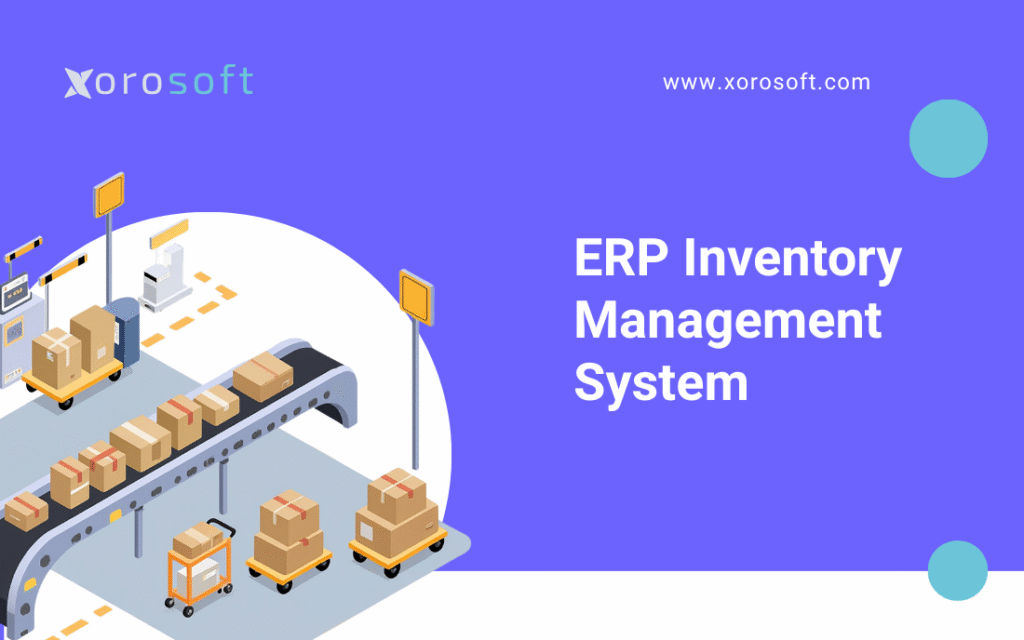
An ERP inventory management system can transform the way businesses handle their stock, streamline operations, and improve overall efficiency.
When Inventory Starts Controlling the Business
An ERP inventory management system becomes important when inventory is no longer simple enough to manage through spreadsheets, QuickBooks, disconnected apps, or basic stock-tracking tools. At first, a team might update a spreadsheet by hand, check Shopify stock levels separately, create purchase orders in another file, and match everything later in accounting. However, as order volume grows, those small gaps begin to affect buying, fulfillment, accounting, and customer experience.
Because of this, small stock gaps can turn into bigger issues once more teams rely on the same data. As the business grows, one warehouse may show different stock than another system. Purchasing may order too late because demand data is incomplete. Meanwhile, finance may struggle to close the month because stock value does not match actual movement. In addition, sales and fulfillment teams may promise inventory that has already been reserved somewhere else.
That is where an ERP inventory management system helps. Instead of treating inventory as a separate task, ERP connects inventory with buying, warehouse work, accounting, online orders, forecasting, reports, and sometimes manufacturing. As a result, inventory becomes easier to trust because every team works from the same data.
For product-based companies, this is not only a software choice. It is also a control choice. The goal is not just to know how much stock is available. More importantly, the goal is to understand where inventory is, what it is worth, how quickly it is moving, what needs to be restocked, and how stock choices affect cash flow, fulfillment, and customer experience.
In turn, leaders need clearer data before they can make better buying, sales, and warehouse choices.
1. What Is an ERP Inventory Management System?
An ERP inventory management system is one shared platform that helps businesses manage inventory as part of a larger daily workflow. It connects stock control with buying, sales, warehouse work, accounting, reports, online orders, and demand planning. In other words, the system helps inventory become part of the full business workflow instead of a separate task.
Put simply, it helps a business answer five important questions:
- What inventory do we have?
- Where is it located?
- What is it worth?
- What needs to be ordered?
- Can we fulfill demand profitably?
Therefore, the value of ERP is not only in tracking inventory, but also in connecting inventory to choices across the business. For this reason, the system should help teams act faster, not just store more data. Unlike basic inventory software, ERP does not only track stock counts. Instead, it connects inventory movement with the business steps around it.
1.1 Simple Definition
An ERP inventory management system is a connected platform that manages stock levels, warehouse locations, buying, stock value, order fulfillment, demand planning, and reports inside one system.
The most important word is connected.
A basic inventory tool may tell a team how many units are available. However, an ERP system can show how those units affect sales orders, supplier buying, warehouse work, cost of goods sold, and finance reports. Consequently, teams make choices with better context instead of isolated stock numbers.
1.2 How It Differs from Basic Inventory Software
Standalone inventory software usually focuses on stock tracking. It can help teams monitor quantities, update counts, create purchase orders, and sometimes sync inventory with online sales channels.
However, growing businesses often need more than stock tracking. They need inventory to connect with:
- Accounting
- Buying
- Warehouse work
- Online orders
- Demand planning
- Supplier records
- Manufacturing
- Reports
For example, if inventory is received into a warehouse, the system should update stock levels, purchase order status, stock value, and accounting records. If those updates happen in separate systems, teams often spend hours matching data by hand. Therefore, ERP becomes more useful when inventory affects several teams at the same time.
1.3 Why Teams Need One Shared System
Inventory is not just a warehouse number. It is also a finance asset, a buying signal, a fulfillment promise, and a planning input.
When these areas are disconnected, problems appear quickly. Sales may see one number, while the warehouse sees another. Meanwhile, buying teams may use old data, and finance may find mismatches at month-end.
As a result, teams begin making choices based on partial data. ERP reduces this risk by creating one shared system for inventory movement, cost, availability, and reports.
2. Why Stock Control Gets Harder as You Grow
Inventory becomes harder because growth adds more variables. More SKUs, extra sales channels, more warehouses, new suppliers, larger purchase orders, and stricter fulfillment rules all increase work complexity. Over time, these added variables make manual tracking less reliable and harder to scale.
A business that once managed inventory by hand may eventually reach a point where manual steps create more problems than they solve. As a result, the business needs a cleaner way to track work across teams. At that stage, the issue is no longer only stock accuracy. Instead, the issue becomes control across the business.
2.1 More SKUs, More Channels, More Errors
A business selling 100 SKUs from one warehouse can often survive with simple systems. However, a company selling thousands of SKUs across Shopify, Amazon, wholesale, retail, and multiple warehouses needs stronger controls.
Each new sales channel creates another place where inventory can move. Additional warehouses create more locations to manage. Supplier growth also adds new wait times to track. In addition, every new product variant increases the chances of fulfillment or buying errors.
Therefore, stock control becomes less about counting products and more about coordinating daily work.
2.2 The Limits of Spreadsheets and Manual Tracking
Spreadsheets are flexible and familiar. However, they are not built to manage live inventory work across several teams.
Common spreadsheet problems include:
- Old stock counts
- Manual entry errors
- No real-time clear view
- Weak audit trails
- Late buying choices
- Duplicate data entry
- Poor reports
- Difficult record matching
At first, these issues may only slow the team down. Eventually, however, they can affect revenue, fulfillment, cash flow, and customer satisfaction. Because of this, spreadsheet-based workflows often create delays even when the team is working hard to stay organized.
Even so, many teams keep using spreadsheets because the problems build slowly.
2.3 Why QuickBooks Alone Often Becomes Restrictive
QuickBooks is useful for accounting. Many growing businesses start there because it is familiar and practical. However, inventory-heavy companies often outgrow QuickBooks when they need deeper buying, warehouse work, multi-location stock, demand planning, and daily reports.
This does not mean QuickBooks is wrong. Rather, it means the business has reached a new stage of complexity. In many cases, the issue is not accounting itself, but the lack of deeper stock, warehouse, and buying control around it.
2.4 How Disconnected Apps Create Blind Spots
Many businesses build their software stack one problem at a time. Shopify handles online sales. QuickBooks handles accounting. A warehouse app handles picking. Purchasing may live in spreadsheets, while EDI and inventory updates sit in separate tools.
Initially, this setup feels manageable. However, each system stores part of the truth. Consequently, no team has the full picture.
This creates blind spots such as:
- Overselling inventory
- Ordering too late
- Buying too much slow-moving stock
- Losing track of warehouse transfers
- Delaying month-end close
- Struggling to plan demand
- Spending too much time matching data
Eventually, disconnected systems become a growth bottleneck. For this reason, growing product companies often begin looking for a more connected inventory ERP software environment.
3. How Inventory ERP Software Works Behind the Scenes
An ERP inventory management system works by connecting stock transactions with the steps around them. Instead of updating quantity alone, the system updates the work and finance context behind that inventory. Put simply, ERP connects each inventory movement to the next business action.
3.1 Centralized Inventory Data
ERP stores product, supplier, warehouse, customer, sales, buying, and accounting data in one system. As a result, every team works from the same data.
For example, when inventory is received, ERP can update:
- Quantity on hand
- Purchase order status
- Warehouse location
- Supplier record
- Stock value
- Accounting records
- Reporting dashboards
Because the data is linked, teams do not need to update many tools by hand. For example, one receiving transaction can update buying, stock availability, warehouse records, and accounting at the same time.
At the same time, fewer manual updates means fewer chances for small errors to spread.
3.2 Real-Time Stock Updates
Real-time stock visibility means inventory updates as transactions happen. Receiving, picking, packing, shipping, returns, changes, transfers, and production work all affect available stock.
This matters because delayed updates create bad choices. A product may look available even though it has already been assigned to another order. Similarly, stock may look unavailable even though it has already been received but not updated in the system.
With ERP, teams can see inventory more clearly across locations and workflows. Consequently, they can make choices based on current inventory instead of waiting for manual updates.
3.3 Purchasing and Restocking Workflows
Buying becomes stronger when it is connected to actual demand, supplier wait times, reorder points, and available inventory.
An ERP inventory management system can support:
- Purchase order creation
- Supplier records
- Reorder points
- Safety stock
- Expected receipts
- Lead time tracking
- Demand planning
- Purchase approvals
- Landed cost tracking
As a result, buying becomes less reactive and more planned. In practice, buyers can move from “what do we think we need?” to “what does the system show we need?”
3.4 Warehouse and Fulfillment Coordination
Warehouse teams need to know more than total stock quantity. They need to know where products are stored, what is available, what is reserved, what should be picked, and what needs to move.
ERP warehouse workflows may include:
- Receiving
- Putaway
- Bin locations
- Stock transfers
- Picking
- Packing
- Shipping
- Returns
- Cycle counting
For businesses that need stronger warehouse execution, XoroWMS is a useful example of how warehouse work can connect with broader ERP workflows such as inventory, buying, accounting, and fulfillment.
3.5 Accounting and Stock Value
Inventory has finance value. Therefore, inventory movement must connect to accounting.
When inventory is bought, received, changed, sold, transferred, or used in production, those movements can affect:
- Inventory asset value
- Cost of goods sold
- Gross margin
- Landed cost
- Month-end record matching
- Finance reports
If inventory and accounting are disconnected, finance teams often need to investigate mismatches by hand. However, when ERP connects inventory and accounting, month-end close becomes more structured and easier to trust. Meanwhile, leaders get a clearer view of how stock affects cash flow.
4. Core ERP Inventory Features Your Team Should Look For
A strong ERP inventory management system should support the full stock lifecycle, from planning and buying to receiving, warehouse control, fulfillment, accounting, and reports. More importantly, each feature should support the way the business actually works.
4.1 Real-Time Inventory Visibility
Real-time visibility allows teams to see current inventory by SKU, warehouse, bin, status, and sales channel.
This helps teams avoid:
- Overselling
- Stockouts
- Duplicate buying
- Late fulfillment
- Wrong availability promises
- Poor warehouse planning
More importantly, real-time visibility helps teams prevent problems before they reach the customer. For inventory-driven companies, XoroERP is one example of a cloud ERP platform that connects inventory with buying, accounting, warehouse work, online orders, demand planning, manufacturing, and reports.
4.2 Multi-Warehouse Stock Control
Multi-warehouse businesses need location-level control. It is not enough to know that 500 units exist somewhere. Teams need to know exactly where those units are and whether they are available to sell.
ERP can help manage:
- Warehouse transfers
- Location-level availability
- Bin tracking
- Restocking between warehouses
- Inventory reserved for orders
- In-transit stock
- 3PL inventory
Similarly, location-level tracking helps businesses understand not only how much stock exists, but where it can actually be used. This is especially important for brands that sell through several channels or fulfill from several locations.
In addition, teams can see where stock should move before orders are delayed.
4.3 Barcode Scanning and Cycle Counting
Barcode scanning improves accuracy by reducing manual data entry. Cycle counting allows teams to check inventory throughout the year instead of waiting for a full physical count.
Together, barcode scanning and cycle counting help reduce:
- Picking errors
- Misplaced inventory
- Wrong stock counts
- Manual adjustment issues
- Fulfillment delays
Therefore, these features are especially useful for warehouses with high SKU volume or frequent stock movement.
4.4 Purchase Order Management
Purchase order management connects buying choices with inventory demand.
A strong ERP inventory system should help teams manage:
- Purchase requests
- Purchase approvals
- Supplier records
- Expected receipts
- Reorder points
- Backorders
- Landed cost
- Supplier performance
Instead of ordering based on guesswork, buying teams can use stock and demand data to make better choices. As a result, purchasing becomes more proactive and less dependent on last-minute decisions.
4.5 Demand Planning and Restocking
Demand planning helps businesses predict what inventory they will need in the future. This is especially important for companies with seasonal demand, long supplier wait times, or fast-moving products.
ERP forecasting may use:
- Sales history
- Seasonality
- Supplier wait times
- Current stock
- Incoming purchase orders
- Channel demand
- Safety stock
- Reorder points
In practice, forecasting is most useful when it is connected to buying, sales history, supplier wait times, and available inventory. As a result, teams can reduce both stockouts and overstock.
Because of this, planning becomes more useful and less based on guesswork.
4.6 Lot, Batch, and Serial Number Tracking
Lot, batch, and serial tracking help businesses trace inventory at a more detailed level. This is important for industries such as food and beverage, manufacturing, automotive parts, electronics, and regulated consumer products.
These features help teams answer:
- Which batch was shipped?
- Which customer received a specific lot?
- What serial number belongs to each order?
- Which inventory must be recalled or checked?
- What products are expired or close to expiry?
Therefore, traceability is a major feature for businesses with compliance or quality control needs.
4.7 Stock Value and Accounting Integration
Stock value helps finance see how much inventory is worth at any point in time. ERP can connect inventory movement with accounting records so teams can track cost, margin, and value more clearly.
This is especially useful for businesses that need to manage:
- FIFO
- Weighted average cost
- Landed cost
- Cost of goods sold
- Inventory changes
- Month-end record matching
Furthermore, connected stock value reduces the manual work required to explain why system inventory and finance inventory do not match.
4.8 Reports and Stock Analytics
ERP reports help teams move from reactive choices to informed planning.
Useful inventory reports include:
- Inventory aging
- Inventory turnover
- Stockout rate
- Overstock value
- Forecast accuracy
- Supplier performance
- Gross margin by SKU
- Warehouse output
- Purchase order cycle time
In addition, reports help leaders understand how inventory affects cash flow, customer service, and profit.
5. ERP Inventory Management System vs Inventory Software
Standalone inventory software can be helpful for smaller businesses. However, ERP becomes more useful when inventory needs to connect with accounting, buying, warehouse work, online orders, and reports. In comparison, standalone inventory software usually solves a narrower problem.
5.1 What Standalone Inventory Software Does Well
Standalone inventory tools often handle basic stock tracking well.
They may support:
- SKU management
- Quantity tracking
- Simple purchase orders
- Basic barcode scanning
- Online inventory sync
- Basic reports
For a small company with simple inventory, this may be enough. On the other hand, those same tools may become restrictive once inventory choices affect several teams.
5.2 Where Standalone Tools Fall Short
Standalone tools often fall short when inventory becomes part of a larger business problem.
For example, a company may track inventory in one app but still manage accounting in QuickBooks, buying in spreadsheets, warehouse workflows in another tool, and online orders in Shopify or Amazon.
Because these systems are separate, teams may still face:
- Duplicate data entry
- Late reports
- Weak demand planning
- Accounting mismatches
- Limited buying automation
- Poor view across the business
Consequently, the business may have inventory software but still lack real control. Still, the main issue is not the number of tools, but the lack of one trusted view.
5.3 When ERP Becomes the Better Fit
ERP becomes a better fit when inventory is no longer just a stock-counting issue. Instead, it becomes necessary when inventory affects accounting, cash flow, buying, fulfillment, and customer promises.
A business may be ready for ERP if:
- It manages several warehouses
- It sells across several channels
- It relies heavily on spreadsheets
- It struggles with stock accuracy
- It needs stronger buying controls
- It has delayed month-end closes
- It manufactures or assembles products
- It needs better demand planning
By contrast, ERP gives teams a broader view of how inventory affects the rest of the business.
5.4 ERP vs Inventory Software Comparison
| Area | ERP Inventory Management System | Standalone Inventory Software |
|---|---|---|
| Stock tracking | Strong | Strong |
| Accounting connection | Built in or deeply linked | Often external |
| Buying | Workflow-driven | Basic to moderate |
| Warehouse work | Often included | Varies |
| Demand planning | Often included | Limited in many tools |
| Multi-warehouse support | Stronger | Varies |
| Reports | Cross-team | Inventory-focused |
| Best for | Growing product businesses | Smaller teams with simpler needs |
6. ERP vs WMS: What Is the Difference?
ERP and WMS are related, but they are not the same. Both can support inventory work, but they solve different problems. However, understanding the difference matters because choosing the wrong system can leave major workflow gaps.
6.1 What a WMS Handles
A warehouse management system focuses on warehouse execution.
It usually manages:
- Receiving
- Putaway
- Bin locations
- Picking
- Packing
- Shipping
- Cycle counting
- Barcode scanning
- Warehouse labor workflows
A WMS is especially useful when warehouse work is complex. On the other hand, a WMS may not manage accounting, buying, demand planning, or online orders.
6.2 What ERP Handles Beyond the Warehouse
ERP manages the broader business process. It connects warehouse work with inventory, buying, accounting, sales, demand planning, online orders, manufacturing, and reports.
For example, when an order ships from the warehouse, ERP can connect that shipment to stock reduction, sales order status, cost of goods sold, and customer reporting. Therefore, ERP provides context around the warehouse transaction.
In turn, warehouse work becomes easier to connect with finance and sales.
6.3 When You Need ERP, WMS, or Both
A business may need ERP if the main problem is disconnected operations. It may need WMS if the main problem is warehouse execution. In some cases, the company may need both if it has complex warehouse workflows and broader work complexity.
Some ERP platforms include warehouse features directly. For example, XoroWMS can be useful for companies that need warehouse workflows connected with inventory, buying, accounting, and fulfillment.
6.4 ERP vs WMS Comparison
| Area | ERP | WMS |
|---|---|---|
| Main purpose | Runs connected business work | Runs warehouse execution |
| Inventory view | Company-wide | Warehouse-focused |
| Accounting | Yes | Usually limited |
| Buying | Yes | Usually limited |
| Picking and packing | Sometimes | Yes |
| Bin tracking | Sometimes | Yes |
| Best for | Better control | Warehouse speed |
7. Business Benefits of an Inventory ERP Software Setup
An ERP inventory management system does more than improve stock tracking. It helps teams control inventory as part of the whole business. Ultimately, the main benefit is better control across the entire stock operation.
7.1 Better Stock Accuracy
Stock accuracy improves when transactions are recorded in a consistent way. Barcode scanning, cycle counting, receiving workflows, transfer controls, and connected sales orders all help reduce errors.
Accurate inventory helps:
- Sales promise available stock
- Buying teams order correctly
- Warehouse teams pick faster
- Finance trust stock value
- Leaders make better choices
As a result, teams spend less time debating the numbers and more time improving the operation.
7.2 Fewer Stockouts and Overstock Issues
Stockouts and overstock are two sides of the same planning problem. Stockouts create missed sales and unhappy customers. Overstock ties up cash in products that may not sell quickly.
ERP helps reduce these issues by connecting inventory levels with demand, buying, supplier wait times, and forecasting. For this reason, inventory planning should consider both customer demand and cash flow impact.
As a result, teams can protect both revenue and cash flow.
7.3 Faster Buying Decisions
Buying teams need accurate data. Without ERP, buyers may rely on spreadsheets, manual counts, or old sales history.
With ERP, buying teams can see:
- Current stock
- Incoming inventory
- Supplier wait times
- Reorder points
- Sales demand
- Forecasted needs
- Open purchase orders
Therefore, buying choices become faster and more reliable.
7.4 Cleaner Accounting and Faster Month-End Close
When inventory and accounting are disconnected, month-end close becomes harder. Finance teams may need to match purchase receipts, warehouse changes, shipments, landed costs, and stock value by hand.
ERP reduces this burden by connecting inventory movement with accounting records. Meanwhile, finance teams benefit because inventory movement is easier to trace and match.
7.5 Better Warehouse Output
Warehouse teams work better when they know where products are and what needs to happen next. ERP-supported warehouse workflows can reduce searching, manual entry, picking mistakes, and fulfillment delays.
Moreover, warehouse output improves when teams use consistent receiving, picking, packing, transfer, and cycle count steps.
7.6 Stronger Planning
Forecasting becomes more reliable when sales, inventory, buying, and supplier data live in one system. As a result, the business can plan restocking before inventory problems become urgent.
In addition, better planning helps teams protect cash by ordering the right products at the right time.
7.7 Real-Time View Across the Business
Real-time visibility helps leaders understand what is happening across the business. Instead of waiting for reports from different systems, teams can see inventory, sales, buying, warehouse activity, and finance impact together.
For companies that want a broader business system, XoroONE is relevant because it brings connected business functions into one platform, helping teams reduce split workflows.
8. Who Needs a Cloud ERP Inventory System?
Not every business needs ERP immediately. However, companies that sell physical products and manage work complexity are often strong candidates. In many cases, the strongest candidates are businesses where inventory touches sales, buying, warehouse work, and finance every day.
8.1 Ecommerce Brands
Ecommerce brands often need ERP when they sell through several channels, manage frequent order volume, and rely on accurate stock availability.
Common ecommerce challenges include:
- Inventory sync issues
- Overselling
- Returns
- Multi-channel orders
- Late buying
- 3PL coordination
- Accounting links
Therefore, ERP becomes useful when ecommerce growth creates backend complexity.
8.2 Shopify Merchants
Shopify is a strong commerce platform, but growing merchants often need a backend system for inventory, buying, accounting, warehouse work, demand planning, and reports.
For Shopify businesses using Xorosoft, the Xorosoft ERP app in the Shopify App Store can be relevant because it connects Shopify operations with ERP workflows.
This is useful when a Shopify merchant needs more control over inventory sync, buying, fulfillment, and finance visibility. Furthermore, Shopify merchants often need ERP when backend workflows become more complex than the storefront itself.
8.3 Amazon Sellers
Amazon sellers may need ERP when inventory is spread across Amazon FBA, owned warehouses, 3PLs, Shopify, and wholesale channels.
Without connected inventory visibility, sellers may struggle to know what stock is available, where it is located, and when it needs restocking. Consequently, sellers can end up overstocked in one location and out of stock in another.
8.4 Wholesale Distributors
Wholesale distributors often need ERP because they manage customer-specific pricing, EDI, bulk orders, backorders, stock assignment, and supplier buying.
ERP helps centralize these workflows so sales, buying, warehouse, and accounting teams can work from the same data. In addition, wholesale teams can better manage stock assignment across important customers.
For this reason, wholesale teams often need stronger rules for pricing, orders, and stock.
8.5 Manufacturers
Manufacturers need inventory visibility across raw materials, work in progress, finished goods, BOMs, work orders, and production planning.
ERP helps manufacturers understand what materials are available, what needs to be bought, what is being produced, and how production affects stock value. Moreover, manufacturing teams can use ERP to plan material needs before production delays occur.
8.6 Apparel, Furniture, Sporting Goods, and Food Businesses
Different industries face different inventory challenges. However, the common pattern is the same: inventory must be visible, accurate, and connected to daily work.
| Industry | Common Challenge | ERP Value |
|---|---|---|
| Apparel | Sizes, colors, variants, returns | SKU-level view |
| Furniture | Long wait times, bulky stock | Better buying and warehouse planning |
| Sporting goods | Seasonal demand | Demand planning and restocking |
| Food and beverage | Lots, expiry, traceability | Batch control |
| Wholesale | EDI, pricing, stock assignment | Centralized order and stock control |
| Manufacturing | BOMs, work orders | Material planning |
9. Who May Not Need ERP Stock Management Yet?
ERP is valuable, but it is not always necessary. Some businesses may not need a full ERP system right away. On the other hand, they should still watch for signs that simple tools are reaching their limit.
9.1 Very Small Businesses with Simple Inventory
A business with a small SKU count, one warehouse, low order volume, and simple buying may not need ERP yet.
In this case, a basic inventory tool may be enough. However, the business should reassess once order volume, locations, or buying complexity increases.
9.2 Service-Based Companies with No Physical Products
Service-based companies without inventory usually do not need an inventory-focused ERP system. Their needs may be better served by project management, accounting, or CRM tools.
Therefore, ERP inventory software is most relevant when physical product movement is central to the business.
9.3 Teams Without Complex Buying or Warehouse Needs
If buying is simple, warehouse work is minimal, and accounting does not require detailed stock value, ERP may be unnecessary at the current stage.
However, the business should keep watching complexity. Once inventory begins affecting fulfillment, cash flow, and reports, ERP may become more relevant.
10. Common Stock Problems an ERP System Helps Solve
ERP does not fix weak processes on its own. However, it gives teams the structure and clear view needed to manage inventory more consistently. Instead, ERP creates the framework needed to make better inventory choices repeatedly.
10.1 Stock Mismatches
Stock mismatches happen when system records do not match physical stock. ERP helps by creating stronger transaction controls, audit trails, barcode workflows, and cycle counting steps.
As a result, teams can identify stock issues earlier and reduce the number of unexplained changes.
10.2 Stockouts
Stockouts happen when demand exceeds available inventory. ERP helps reduce stockouts by improving demand visibility, reorder points, buying workflows, and supplier planning.
For instance, reorder points and supplier wait times help teams act before inventory reaches a critical level.
10.3 Overstock
Overstock happens when a company buys more inventory than it can sell in a reasonable time. ERP helps identify slow-moving stock, aging inventory, and demand trends before overstock becomes a larger cash flow problem.
At the same time, better reports help teams avoid tying too much cash into products that are not moving.
10.4 Poor Demand Planning
Forecasting becomes unreliable when sales history, stock levels, supplier wait times, and channel demand are stored in different systems.
ERP improves forecasting by connecting these inputs in one place. Consequently, teams can plan from a clearer picture of demand.
10.5 Late Buying
Delayed buying often happens when buyers do not know what needs to be ordered until the problem is urgent.
ERP helps buying teams see restocking needs earlier. As a result, they can order based on planning instead of emergency reaction.
10.6 Multi-Warehouse Confusion
A company may have enough inventory overall but not enough inventory in the right location. ERP helps teams see stock by warehouse, bin, and availability status.
Similarly, transfers become easier to manage when teams can see where inventory is needed most.
10.7 Accounting Mismatches
Accounting issues appear when inventory transactions are not captured correctly. ERP helps connect receiving, shipping, stock changes, landed cost, stock value, and finance reports.
Therefore, finance teams can spend less time investigating mismatches and more time analyzing results.
11. Software Options and Competitor Landscape
Businesses evaluating ERP inventory systems often compare several platforms. The right option depends on size, industry, complexity, budget, setup needs, and internal team skills.
| Platform | Common Fit | Notes |
|---|---|---|
| NetSuite | Larger businesses needing broad ERP | Mature ERP with a large ecosystem |
| Acumatica | Mid-market ERP buyers | Flexible ERP option |
| Cin7 | Product sellers and retailers | Strong inventory and commerce workflows |
| Brightpearl | Retail and ecommerce operations | Retail-focused operations platform |
| Fishbowl | QuickBooks users needing inventory | Often used before full ERP |
| Sage | Accounting-led ERP needs | Broad finance and business software ecosystem |
| Business Central | Microsoft ecosystem users | Strong Microsoft integration |
| Xorosoft | Inventory-driven product businesses | Cloud ERP for inventory, buying, accounting, warehouse work, forecasting, ecommerce, EDI, and reports |
For businesses comparing ERP options, the Compare Xorosoft vs NetSuite page can be useful when evaluating fit, complexity, and daily work needs.
The goal is not to attack competitors. Instead, businesses should compare platforms based on their workflows, setup needs, industry fit, and long-term scale. In short, the best system is the one that fits the way the company actually works.
12. How to Choose the Right Inventory Management ERP System
Choosing an ERP inventory management system should begin with process clarity, not software demos. Therefore, businesses should understand their workflows before comparing platforms.
12.1 Map Your Current Inventory Workflows
Start by documenting how inventory moves today.
Map the full journey:
1. Products are purchased.
2. Suppliers ship goods.
3. Inventory is received.
4. Stock is stored.
5. Orders are assigned.
6. Items are picked, packed, and shipped.
7. Returns are processed.
8. Inventory is changed.
9. Finance matches records.
This process map will show where current systems create delays, errors, or manual work. More importantly, it will help teams evaluate ERP based on real workflow needs.
12.2 Identify Your Must-Have Features
Separate must-have features from nice-to-have features.
Important features may include:
- Multi-warehouse tracking
- Barcode scanning
- Purchase order management
- Demand planning
- Accounting links
- Shopify integration
- Amazon support
- EDI workflows
- Lot tracking
- Manufacturing support
- WMS features
- Reporting dashboards
Moreover, the best feature list is the one that matches the way the business actually works.
12.3 Check Multi-Warehouse Support
If the business uses more than one warehouse, store, 3PL, or fulfillment location, multi-warehouse support is essential.
The system should show inventory by location and support transfers, stock assignment, restocking, and location-level reports. Otherwise, the team may still need spreadsheets to understand where inventory can actually be used.
12.4 Review Ecommerce and Marketplace Integrations
For ecommerce businesses, ERP should support the systems where sales happen. This may include Shopify, Amazon, wholesale portals, EDI, and 3PL links.
For example, a Shopify brand may need ERP to connect online orders with inventory, buying, warehouse activity, accounting, and reports. In addition, marketplace sellers may need a better view across FBA, 3PL, and owned warehouse stock.
12.5 Evaluate Accounting Capabilities
Inventory affects finance reports. Therefore, accounting should be evaluated early.
Important accounting questions include:
- How does the system handle stock value?
- Can it track landed cost?
- Can it support COGS reports?
- How does it handle purchase receipts?
- How does it support month-end close?
- Can finance trust inventory data?
Without strong accounting alignment, inventory problems may continue even after the software changes. In short, finance should trust the stock data without rebuilding it by hand.
12.6 Compare Setup Work
ERP setup includes more than software setup. It includes workflow design, data migration, integrations, user training, reports, and change management.
A company should evaluate:
- Setup timeline
- Support model
- Data migration needs
- Internal resources required
- Linked tool complexity
- Training requirements
As a result of this, implementation planning should include operations, finance, warehouse, ecommerce, and leadership teams.
12.7 Review Reporting and Planning Tools
Reporting helps teams understand what happened. Forecasting helps teams prepare for what may happen next.
A strong ERP inventory system should support both. Without reports and planning tools, teams may still make choices reactively. Ultimately, the system should help the business move from cleanup mode to planning mode.
13. When Should a Business Upgrade to ERP Inventory Software?
A business should consider upgrading when current tools can no longer provide reliable inventory control. In many cases, the need becomes clear when teams spend more time matching data than improving daily work.
13.1 You Manage Stock Across Several Locations
Multiple warehouses, retail stores, 3PLs, and production sites create location-level complexity. If teams cannot trust where inventory is located, ERP may be necessary.
In addition, multi-location stock becomes harder when transfers, assignments, and fulfillment rules are handled by hand.
13.2 Your Team Depends on Spreadsheets
Spreadsheets may still be useful for analysis. However, they should not be the main operating system for inventory, buying, warehouse work, and finance record matching.
Because of this, spreadsheet dependency is often one of the clearest signs that an inventory ERP software upgrade is needed.
13.3 Buying Is Becoming Reactive
If buyers are constantly rushing orders, expediting shipments, or reacting to stockouts, the business likely needs better planning tools.
ERP can help buying teams act earlier by showing demand, stock levels, supplier wait times, and incoming purchase orders. Consequently, buying becomes more structured.
13.4 Stock and Accounting No Longer Match
When finance cannot trust stock value without manual investigation, the business may need connected inventory and accounting workflows.
This is one of the clearest signs that basic systems are no longer enough. Moreover, unresolved stock value issues can affect reporting confidence.
13.5 Your Current Tools Cannot Support Growth
If every new channel, warehouse, product line, or supplier creates more manual work, the system is limiting growth.
At that point, ERP becomes less about software replacement and more about building better work structure. In short, the system must scale with the business instead of slowing it down.
Eventually, the cost of workarounds becomes higher than the cost of fixing the system.
14. Common ERP Inventory Mistakes to Avoid
ERP projects become difficult when businesses choose software before understanding their processes. However, many issues can be avoided with careful planning.
14.1 Choosing Software Before Mapping Processes
A demo can look impressive, but the real question is whether the system supports the company’s actual workflows.
Before choosing ERP, businesses should map how inventory, buying, warehousing, accounting, and sales currently work. Then, they should compare platforms against those workflows.
14.2 Ignoring Accounting Requirements
Inventory and accounting are deeply connected. If accounting needs are ignored, record matching problems can continue even after setup.
Finance should be involved early in ERP selection. Otherwise, operations teams may choose a system that creates downstream reporting problems.
14.3 Underestimating Data Cleanup
Bad data creates bad ERP outcomes. Before setup, teams should clean:
- SKU records
- Vendor records
- Customer records
- Units of measure
- Item costs
- Warehouse locations
- Open purchase orders
- Open sales orders
- Inventory counts
- BOMs
Clean data improves setup quality. In addition, it reduces the chance that old problems are carried into the new system.
14.4 Overlooking Warehouse Workflows
If warehouse teams are not involved, the ERP may look good in reports but fail on the warehouse floor.
Warehouse users should help validate receiving, putaway, picking, packing, shipping, cycle counting, and returns workflows. As a result, the system is more likely to support real daily work.
14.5 Not Planning for Training and Adoption
ERP adoption requires training. Teams need to understand not only how to use the system, but also why the workflow is changing.
Without proper adoption, users may return to spreadsheets and manual workarounds. Therefore, training should be treated as part of setup, not an afterthought.
15. Inventory ERP KPIs Your Team Should Track
The right KPIs help teams understand whether stock control is improving. Moreover, they show whether ERP is improving the business beyond basic stock visibility.
| KPI | What It Measures |
|---|---|
| Stock accuracy | Match between system records and physical stock |
| Stockout rate | Frequency of unavailable products |
| Inventory turnover | How often inventory sells through |
| Carrying cost | Cost of holding inventory |
| Forecast accuracy | Difference between forecast and actual demand |
| Order fulfillment speed | Time from order to shipment |
| Purchase order cycle time | Time from purchase request to receipt |
| Fill rate | Share of demand fulfilled from available stock |
| Aging inventory | Inventory sitting too long |
| Gross margin by SKU | Profit at product level |
These KPIs help leaders understand whether inventory is supporting growth or creating hidden cost. In addition, they help teams identify which problems need attention first.
16. FAQ: ERP Inventory Management System
16.1 What is an ERP inventory management system?
An ERP inventory management system is software that connects inventory tracking with buying, warehouse work, accounting, sales, demand planning, and reports. Instead of managing stock separately from the rest of the business, ERP gives teams one connected system for product movement, stock value, restocking, and fulfillment choices.
16.2 How does an ERP inventory management system work?
The system records inventory transactions as part of broader business workflows. When stock is received, transferred, sold, changed, or used in production, ERP updates inventory records and connects those changes to buying, warehouse work, accounting, and reports.
16.3 What is the main benefit of ERP inventory management?
The main benefit is reliable visibility. Teams can see what inventory exists, where it is located, what it is worth, what is reserved, what needs restocking, and how inventory movement affects sales, accounting, and daily work.
16.4 How is ERP different from inventory management software?
Inventory software usually focuses on stock tracking. By comparison, ERP connects inventory with accounting, buying, sales, warehouse work, forecasting, manufacturing, and reports. Therefore, ERP is usually better for growing businesses with more work complexity.
16.5 What is the difference between ERP and WMS?
A WMS manages warehouse execution, such as receiving, bin locations, picking, packing, and shipping. ERP manages broader business work, including inventory, accounting, buying, sales, manufacturing, and reports. In some cases, ERP systems include warehouse features.
16.6 Can ERP help reduce stockouts?
ERP can reduce stockouts by improving demand visibility, reorder points, buying plans, supplier wait time tracking, and available-to-promise inventory. However, the business must also maintain clean data and disciplined processes.
16.7 Can ERP help reduce overstock?
Overstock can be reduced when ERP shows slow-moving items, demand trends, aging inventory, and buying patterns. As a result, buyers can order based on data rather than assumptions.
16.8 How does ERP improve stock accuracy?
ERP improves stock accuracy by recording transactions in a consistent way, supporting barcode scanning, enabling cycle counts, tracking warehouse movements, and reducing duplicate manual entry across disconnected systems.
16.9 Does ERP connect inventory with accounting?
A strong ERP connects inventory movement with accounting activity, including stock value, COGS, landed cost, purchase receipts, sales shipments, and month-end record matching. Consequently, finance teams can work from cleaner inventory records.
16.10 Can ERP manage multiple warehouses?
Multi-warehouse ERP software can track stock by warehouse, bin, status, and location. It can also support transfers, restocking, stock assignment, and location-specific reports.
16.11 Can ERP support Shopify inventory management?
For Shopify businesses, ERP can sync orders, inventory, fulfillment, buying, accounting, and reports. Shopify manages storefront and commerce workflows, while ERP can act as the backend system.
16.12 Can ERP support Amazon inventory management?
Amazon sellers can use ERP to manage inventory across Amazon, Shopify, wholesale, 3PLs, and owned warehouses. This is especially useful when inventory is spread across multiple fulfillment channels.
16.13 Is ERP useful for wholesale distributors?
Wholesale distributors often need ERP for customer-specific pricing, EDI, bulk orders, backorders, stock assignment, buying, forecasting, and multi-warehouse stock control. In addition, ERP helps sales and warehouse teams work from the same availability data.
16.14 Is ERP useful for manufacturing companies?
Manufacturers use ERP to manage raw materials, BOMs, work orders, production planning, work in progress, finished goods, buying, and stock value. As a result, production choices become easier to connect with buying and stock availability.
16.15 What inventory features should an ERP system include?
Important features include real-time inventory visibility, multi-warehouse tracking, buying, barcode scanning, cycle counting, demand planning, landed cost, lot tracking, serial tracking, accounting links, and reports.
16.16 When should a business upgrade to ERP inventory software?
A business should upgrade when spreadsheets, QuickBooks, or standalone inventory tools no longer provide reliable visibility across inventory, buying, accounting, warehouses, and sales channels. In many cases, this happens when manual record matching becomes normal daily work.
16.17 Is QuickBooks enough for inventory management?
QuickBooks may be enough for simple inventory needs. However, businesses with several warehouses, complex buying, ecommerce channels, manufacturing, or advanced reports often need a deeper ERP inventory system.
16.18 What are common signs your inventory system is failing?
Common signs include frequent stockouts, overstock, stock mismatches, late buying, warehouse confusion, duplicate data entry, slow reports, and accounting record matching issues. More importantly, teams may stop trusting the numbers.
16.19 How does ERP support buying automation?
ERP supports buying automation through reorder points, supplier records, purchase approvals, restocking suggestions, lead time tracking, expected receipts, and demand-based planning. Therefore, buying teams can act before stock issues become urgent.
16.20 How does ERP support demand forecasting?
Demand planning improves when ERP combines sales history, seasonality, stock levels, supplier wait times, and channel demand into planning workflows. As a result, teams can make restocking choices with better context.
16.21 What KPIs should an ERP inventory system track?
Important KPIs include stock accuracy, stockout rate, inventory turnover, fill rate, carrying cost, aging inventory, forecast accuracy, purchase order cycle time, and fulfillment speed.
16.22 How long does ERP implementation usually take?
Setup time depends on business size, data quality, workflow needs, linked tools, and training. A simpler setup may take a few months, while complex multi-warehouse or multi-entity projects may take longer.
16.23 How much does an ERP inventory management system cost?
Cost depends on users, modules, setup scope, linked tools, data migration, training, and support. Therefore, businesses should evaluate total cost of ownership, not only monthly software fees.
16.24 What mistakes should businesses avoid when choosing ERP?
Businesses should avoid choosing software before mapping workflows, ignoring accounting needs, underestimating data cleanup, excluding warehouse teams, and failing to plan for training. Otherwise, the new system may recreate old problems.
16.25 What industries benefit most from ERP inventory systems?
Industries that sell physical products benefit most, especially apparel, wholesale distribution, furniture, sporting goods, food and beverage, manufacturing, automotive parts, and consumer products.
16.26 Can small businesses use ERP inventory software?
Small businesses can use ERP inventory software, but not every small business needs it. ERP is most useful when the business has inventory complexity, multiple systems, buying challenges, warehouse needs, or growth plans that require stronger controls.
16.27 What data should be cleaned before ERP implementation?
Teams should clean item masters, vendor records, customer records, units of measure, inventory counts, warehouse locations, open sales orders, open purchase orders, BOMs, and cost data before setup.
16.28 What is the best ERP inventory management system for growing businesses?
The best system depends on the business model. A Shopify brand, wholesaler, manufacturer, and distributor may need different workflows. Therefore, businesses should compare platforms based on inventory depth, accounting, warehouse work, ecommerce links, demand planning, setup complexity, and scale.
17. Building a Stock Operation That Can Scale
Stock control becomes harder when growth adds complexity faster than systems can absorb it. At that stage, the issue is rarely just inaccurate stock. Instead, the real problem is disconnected work.
An ERP inventory management system helps by connecting inventory with buying, warehouse work, accounting, demand planning, ecommerce, manufacturing, and reports. Consequently, teams can make choices from one shared source of truth.
For some businesses, standalone inventory software is enough. For others, a full ERP system becomes necessary when inventory affects every part of the company. The right choice depends on work complexity, not company size alone.
Platforms such as Xorosoft are relevant for inventory-driven businesses that have outgrown QuickBooks, spreadsheets, and disconnected apps. Because Xorosoft connects inventory management, accounting, buying, warehouse work, manufacturing, demand planning, Shopify, Amazon, EDI, and reports, it fits businesses that need more than basic stock tracking.
However, the main takeaway is simple: a business needs an inventory system that can keep up with the way it actually works. In short, the right system should make inventory easier to trust, easier to plan, and easier to connect with the rest of the business.
If your current system cannot clearly show what you have, where it is, what it is worth, what needs to be ordered, and whether you can fulfill demand profitably, it may be time to evaluate a connected ERP inventory management system.
Above all, the best setup is the one that helps teams make clear decisions every day.
To explore how a connected ERP workflow could support inventory, buying, warehouse, accounting, demand planning, and ecommerce operations, book a personalized demo.
Recent Posts
-
 ERP Landed Cost Module vs Spreadsheet Calculations for Importers
 -
 How to Build an Open-to-Buy Plan for an Omnichannel Brand
 -
 Cold Storage WMS for Food and Beverage Distribution
 -
 ERP Buying Statistics 2026: Evaluation, Implementation, and Adoption Risks
 -
 How a Distributor Reduced B2B Order Exceptions Without Restricting Sales