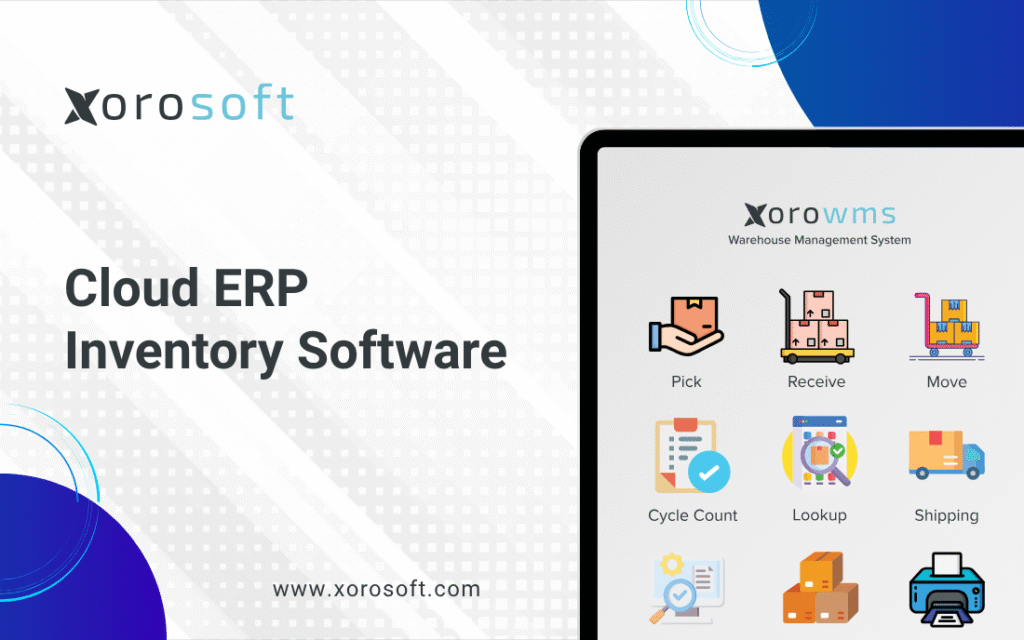
Cloud ERP Inventory Software is transforming the way businesses handle stock and supply chain management.
Smarter Inventory Management for Growing Product-Based Businesses
Cloud ERP inventory software becomes important when a business can no longer manage daily operations through spreadsheets, basic accounting tools, ecommerce apps, and disconnected inventory systems. For companies that sell physical products, inventory is not only a warehouse concern. Instead, it affects purchasing, cash flow, fulfillment, accounting, customer experience, forecasting, and long-term growth.
At the beginning, simple tools often feel good enough. For example, a Shopify brand may manage stock inside Shopify, while a wholesale distributor may use spreadsheets for purchase orders. Similarly, a manufacturer may track raw materials and finished goods in separate files. However, as the business grows, this setup usually starts creating more problems than it solves.
The first warning signs are often small. A product may show as available, yet the warehouse team cannot find it. In another case, a buyer may place a purchase order without knowing another order is already on the way. As a result, sales teams may promise stock that is already committed, and accounting teams may spend extra time reconciling inventory value at month-end.
Over time, these issues become expensive. Therefore, many inventory-driven companies start evaluating cloud ERP systems. Instead of managing inventory in one tool, accounting in another, purchasing in spreadsheets, warehouse work in another app, and ecommerce separately, a cloud ERP brings these workflows together.
For growing businesses, the goal is not simply to buy more software. Ultimately, the goal is to create a more reliable operating system for the company.
What Cloud ERP Inventory Software Actually Means
Cloud ERP Inventory Software: A Simple Working Definition
Cloud ERP inventory software is a cloud-based business system that helps companies manage inventory along with purchasing, warehouse operations, accounting, sales orders, ecommerce, manufacturing, forecasting, and reporting.
In practical terms, it gives product-based businesses one connected place to manage how goods move through the company.
A basic inventory tool may show how many units are in stock. However, a cloud ERP system goes further. It can show where the stock is located, what is available to sell, what is already committed to customer orders, what is on purchase orders, what is in transit, and how every inventory movement affects accounting.
That broader connection is what makes ERP different from simple inventory software.
How Cloud ERP Inventory Management Differs From Basic Inventory Tracking
Inventory tracking usually answers one basic question: how much stock do we have?
Cloud ERP, however, answers several connected questions. It shows where stock is located, how much is available to sell, how much is already allocated, what should be reordered, and which supplier should be used. In addition, it helps teams understand the true cost of inventory and how each inventory movement affects accounting.
This matters because inventory does not operate alone. When purchasing buys too much, cash gets tied up. On the other hand, when purchasing buys too little, sales may be lost. At the same time, warehouse mistakes can affect customer experience, while inaccurate inventory value can affect financial reporting.
For this reason, a strong ERP system connects inventory with purchasing, warehouse management, accounting, ecommerce, forecasting, and reporting.
Why Growing Businesses Move Toward an Inventory ERP System
Most businesses do not move to ERP because they want more software. Instead, they move because their current systems create too much manual work.
In many cases, inventory numbers become unreliable, purchase orders are managed in spreadsheets, and multi-warehouse visibility becomes limited. Moreover, Shopify, Amazon, wholesale, and EDI orders may be disconnected from accounting and warehouse workflows. As a result, teams spend more time checking data than making decisions.
Warehouse staff may not have real-time visibility. Meanwhile, leadership may struggle to access accurate operational reports. When these issues appear together, they usually point to a system problem rather than a people problem.
Why Cloud ERP Inventory Management Gets Harder as the Business Grows
More SKUs Create More Inventory ERP Complexity
A small product catalog is easier to manage. The team may know which products sell quickly, which suppliers are reliable, and which items need reorder attention. However, that changes when the catalog grows.
More SKUs create more variants, more reorder points, more suppliers, more costs, more warehouse locations, and more sales patterns. For example, apparel companies may manage size, color, style, season, and fit. Furniture companies, meanwhile, may manage bulky products, custom options, and long supplier lead times.
As the catalog expands, manual inventory tracking becomes risky. Therefore, businesses need a system that can manage product complexity without depending on memory, manual updates, or disconnected files.
Multi-Warehouse Inventory Visibility Becomes Harder
A business with one warehouse has a simpler inventory picture. Once stock is spread across multiple warehouses, 3PLs, stores, Amazon FBA, or manufacturing locations, visibility becomes harder.
A company may have enough stock overall but still fail to fulfill an order because the stock is in the wrong location. For instance, one warehouse may be overstocked while another runs out. In addition, teams may reorder inventory even though enough product exists somewhere else.
Cloud ERP inventory software helps by showing inventory across locations, not just total stock. As a result, teams can make better decisions about transfers, purchasing, fulfillment, and allocation.
More Sales Channels Increase Cloud Inventory ERP Challenges
Many growing businesses sell through multiple channels. For example, a company may start on Shopify, then add Amazon, wholesale accounts, retail partners, marketplaces, and EDI customers.
Each channel creates demand. However, if inventory does not sync properly, the same unit can be promised to more than one customer. As a result, the business may face overselling, canceled orders, delayed shipments, customer complaints, and more support tickets.
This is especially important for ecommerce brands. Shopify may handle the storefront well, but growing merchants often need a stronger operational system behind it. Therefore, businesses using Shopify can also review the Xorosoft ERP app on the Shopify App Store when they are exploring ERP-connected ecommerce workflows.
Purchasing Decisions Need Better ERP Inventory Data
Purchasing becomes more difficult as the business grows. Buyers need to know what to order, when to order, how much to order, which supplier to use, what is already on order, what is delayed, and how much demand is expected.
If that information lives in multiple spreadsheets or disconnected apps, purchasing becomes reactive. Consequently, the business may deal with stockouts, overstock, rush orders, supplier confusion, and weak cash flow planning.
A cloud ERP system helps purchasing teams work from live inventory, sales, and supplier data. Instead of relying on outdated files, buyers can make decisions based on current operational information.
Inventory Accounting Pressure Builds Over Time
Inventory is also a financial asset. That means inventory accuracy affects financial reporting.
Inventory value appears on the balance sheet, while cost of goods sold affects the income statement. In addition, purchase receipts, landed costs, warehouse transfers, returns, adjustments, and production activity can all affect accounting.
When accounting and inventory are disconnected, finance teams spend more time reconciling numbers manually. Over time, this slows down month-end close and reduces confidence in reporting.
For this reason, many businesses move toward ERP when accounting and operations need to work from the same data.
Core Features to Look For in Cloud ERP Inventory Software
Real-Time Inventory Visibility in a Cloud ERP System
Real-time visibility is one of the most important features of any ERP inventory system. Teams should be able to see inventory on hand, inventory available to sell, inventory committed to orders, inventory on purchase orders, and inventory in transit.
This helps sales, purchasing, warehouse, and finance teams make better decisions. Without real-time visibility, employees often rely on messages, spreadsheets, old reports, or warehouse checks. As a result, the business slows down and the chance of mistakes increases.
Businesses evaluating a connected ERP platform can explore XoroERP as an example of a cloud ERP system built around inventory, purchasing, accounting, reporting, and operational workflows.
Multi-Warehouse Inventory Management
Multi-warehouse management is essential for businesses with more than one stock location. This may include warehouses, retail stores, 3PL facilities, Amazon FBA, manufacturing sites, or temporary storage locations.
A good system should track inventory by location and make it easier to manage transfers, fulfillment decisions, replenishment, and stock availability. For example, ecommerce orders may need to ship from the closest warehouse. Meanwhile, a wholesale team may need to reserve inventory for key accounts.
Because each location affects availability, accurate location-level inventory is critical.
Purchasing and Replenishment in an Inventory ERP System
Purchasing should be directly connected to inventory and demand. Otherwise, buyers may make decisions based on outdated spreadsheets, incomplete sales data, or manual warehouse updates.
A strong ERP system should support purchase orders, supplier records, reorder points, expected arrival dates, lead times, receiving, landed costs, approvals, and purchasing reports. However, the real value is not just creating purchase orders. The real value is making smarter buying decisions.
Purchasing teams should be able to see what needs to be ordered and which items are already on purchase orders. In addition, they should know which supplier to use, which products are selling faster than expected, and where slow-moving stock is tying up cash. More importantly, the system should highlight items at risk of stockout and show whether supplier delays may affect future orders.
When purchasing works from connected data, the business can reduce both stockouts and excess inventory.
Warehouse Management for Cloud ERP Inventory Operations
Warehouse operations directly affect customer experience. If receiving is slow, inventory availability is delayed. If picking is inaccurate, customers receive the wrong item. In addition, poor cycle count processes can reduce inventory accuracy over time.
A strong ERP inventory system should support warehouse workflows such as receiving, putaway, picking, packing, transfers, barcode scanning, cycle counting, and fulfillment tracking. These workflows help the warehouse team operate with more consistency.
For businesses that need deeper warehouse workflows, XoroWMS is a relevant internal resource to connect warehouse management with inventory operations.
Forecasting and Demand Planning in Cloud Inventory ERP
Forecasting helps businesses plan inventory before problems happen. A good ERP system can support demand planning by using sales history, current stock, open orders, supplier lead times, seasonality, and purchasing data.
This is especially useful for businesses with seasonal demand, long lead times, or fast-moving SKUs. For instance, apparel, sporting goods, furniture, and consumer products companies often need to plan inventory months in advance.
Even when forecasts are not perfect, they help teams make better decisions than guesswork. As a result, purchasing becomes more proactive and cash flow becomes easier to manage.
Inventory Accounting and Valuation
Inventory accounting is often where disconnected systems create major problems. The business needs to understand inventory value, landed cost, purchase receipts, cost of goods sold, adjustments, returns, and margin.
If inventory transactions happen in one system and accounting happens in another, finance teams may spend too much time reconciling. Moreover, leadership may not have a clear picture of true product profitability.
Cloud ERP inventory software helps connect operational activity with financial records. Therefore, finance teams gain better visibility into inventory valuation and margins.
Ecommerce and Marketplace Integration
Ecommerce integration is now a major ERP requirement for many product-based businesses. A growing company may sell through Shopify, Amazon, wholesale portals, retail partners, and marketplaces.
Orders may come from different sources, but they all affect the same inventory. Therefore, ERP should help centralize those orders, sync inventory, update fulfillment status, and support accounting.
This is where cloud ERP becomes more than a back-office system. It becomes the operational layer behind the sales channels.
Manufacturing and BOM Management
Manufacturing businesses need to manage more than finished goods. They also need visibility into raw materials, components, work orders, production planning, bills of materials, and finished goods availability.
A manufacturer may have enough finished goods today. However, if raw materials are not available, future orders may be at risk. Similarly, production delays can affect sales commitments, purchasing needs, and delivery timelines.
ERP helps connect production planning with inventory, purchasing, warehouse activity, and accounting.
Reporting and Business Intelligence
Reporting is one of the biggest reasons companies move away from spreadsheets. Without connected reporting, leadership often has to pull separate reports from different tools and compare them manually.
Good reporting helps teams understand which SKUs are most profitable, where overstock is building up, and which suppliers are often late. In addition, it can show warehouse performance, sales channel profitability, and products that may be at risk of stockout.
Instead of waiting for problems to appear, leadership can use these reports to make faster and more confident decisions. As a result, inventory, purchasing, warehouse operations, accounting, and sales teams can work with fewer blind spots.
Cloud ERP Inventory Software vs Other Systems
Cloud ERP Inventory Software vs Inventory Management Software
Inventory management software usually focuses on stock tracking. It may help with SKUs, locations, counts, and basic purchase orders.
Cloud ERP inventory software is broader. It includes inventory management, but it also connects purchasing, accounting, warehouse operations, manufacturing, ecommerce, reporting, and sales workflows.
| Area | Inventory Software | Cloud ERP Inventory Software |
|---|---|---|
| Stock tracking | Yes | Yes |
| Purchasing | Basic to moderate | Stronger |
| Accounting | Usually limited | Connected or built-in |
| Warehouse workflows | Sometimes | Often stronger |
| Ecommerce operations | Sometimes | More connected |
| Manufacturing | Limited | Often supported |
| Reporting | Basic | Broader business reporting |
| Best fit | Smaller teams | Growing inventory-driven businesses |
Cloud ERP Inventory Software vs QuickBooks
QuickBooks is helpful for many small businesses. It works well for accounting, invoicing, expenses, and basic financial management.
However, growing inventory-driven businesses often need more than accounting. They need multi-warehouse inventory, purchasing automation, warehouse workflows, forecasting, manufacturing, ecommerce integration, and operational reporting.
That is usually when ERP becomes a better fit.
Cloud ERP Inventory Software vs Spreadsheets
Spreadsheets are useful, but they are not ideal as the main system of record for inventory.
They are easy to create. However, they are hard to control as more people start using them. Different teams may use different versions, and formulas may break without anyone noticing. In addition, updates may be delayed, which means the data can become outdated quickly.
For this reason, a spreadsheet can support analysis, but it should not control purchasing, warehouse, fulfillment, and accounting decisions for a growing inventory business.
Cloud ERP Inventory Software vs WMS
A warehouse management system focuses mainly on warehouse execution. It helps with receiving, bin locations, picking, packing, scanning, and shipping.
ERP covers broader operations. It connects warehouse activity with inventory, purchasing, accounting, sales, ecommerce, manufacturing, and reporting.
Some businesses need both ERP and WMS. On the other hand, some companies prefer an ERP with warehouse management capabilities included.
Cloud ERP Inventory Software vs On-Premise ERP
Cloud ERP is hosted online and accessed through the internet. On-premise ERP is installed on company-managed infrastructure.
Many growing businesses prefer cloud ERP because it can reduce internal IT work, support remote access, and simplify updates. Even so, the best choice depends on company requirements, security needs, customization, budget, and internal resources.
Who Usually Needs Cloud ERP Inventory Software?
Ecommerce and Shopify Brands Need Cloud Inventory ERP
Shopify businesses often reach a point where storefront tools are no longer enough. The company may still use Shopify for ecommerce, but it also needs better inventory visibility, purchasing control, accounting connection, warehouse workflows, forecasting, and multi-channel order management.
A Shopify brand should consider ERP when it starts managing multiple warehouses, selling through Amazon or wholesale, using 3PLs, or struggling with inventory accuracy.
In addition, ERP becomes more important when order volume increases and manual updates begin slowing down fulfillment.
Wholesale Distributors Need ERP Inventory Management
Wholesale businesses often deal with high order volume, customer-specific pricing, EDI requirements, backorders, supplier lead times, and multiple warehouses.
ERP helps wholesale distributors connect sales orders, inventory allocation, purchasing, fulfillment, accounting, and reporting. As a result, teams can manage customer commitments with better visibility.
For companies exploring industry-specific workflows, Xorosoft’s industries page is a useful place to review how ERP applies across product-based sectors.
Apparel and Fashion Companies Need Inventory ERP Software
Apparel inventory is complex because of variants. A single style can have many sizes, colors, and seasonal versions.
When apparel businesses sell through Shopify, wholesale, marketplaces, and retail partners, inventory can become difficult to manage. Therefore, ERP helps centralize inventory by SKU, variant, location, and channel.
This gives teams a clearer view of what is available, what is committed, and what needs to be replenished.
Furniture Businesses Need Cloud ERP Inventory Visibility
Furniture companies often manage large items, long lead times, custom orders, supplier delays, and warehouse space constraints.
Inventory mistakes in furniture can be expensive because products take up space and cash. Therefore, ERP helps manage stock availability, purchase orders, customer orders, supplier timelines, and fulfillment planning.
Sporting Goods Businesses Need ERP for Inventory Control
Sporting goods businesses often deal with seasonal demand, product bundles, size variations, and channel complexity.
ERP helps these companies plan purchasing, manage stock across locations, and prepare for seasonal spikes. In addition, better forecasting can help reduce both missed sales and excess inventory.
Food and Beverage Companies Need Inventory ERP Control
Food and beverage businesses may require lot tracking, expiry tracking, batch control, supplier traceability, and accurate warehouse movement.
ERP can help connect purchasing, inventory, production, fulfillment, and reporting in one system. As a result, teams can manage inventory with better control and fewer manual gaps.
Manufacturers Need Manufacturing Inventory ERP
Manufacturers need to manage raw materials, finished goods, work orders, bills of materials, production planning, and costing.
ERP is especially useful when production activity affects purchasing, inventory availability, delivery timelines, and accounting. Moreover, connected data helps manufacturers understand whether they have enough materials to meet future demand.
Who May Not Need Cloud ERP Inventory Software Yet?
Very Small Businesses With Simple Inventory Operations
Not every business needs ERP immediately.
A small business with a few SKUs, one location, simple purchasing, low order volume, and basic accounting may not need a full ERP system yet. For example, a small Shopify store with a limited catalog and no wholesale, manufacturing, or multi-warehouse operations may be fine with Shopify, QuickBooks, and a simple inventory app.
However, ERP becomes more useful when complexity creates real operational pain. Therefore, the question is not “Is ERP powerful?” The better question is “Does our business complexity justify ERP?”
Businesses Without Inventory ERP Complexity
If a company does not manage physical products, warehouses, suppliers, purchase orders, or fulfillment, inventory ERP may not be necessary.
Service businesses, agencies, consultants, or digital product companies usually need different systems. In that case, a general accounting, CRM, or project management tool may be more suitable.
Teams Not Ready for Cloud ERP Process Change
ERP requires process discipline. Teams need to clean data, define workflows, train users, and follow system-based processes.
Software can help, but it cannot fix unclear workflows by itself. Therefore, businesses should evaluate both software readiness and process readiness before implementation.
Signs You Have Outgrown QuickBooks, Spreadsheets, or Inventory Apps
Inventory Numbers Do Not Match Reality
One of the clearest signs is inventory mismatch. If your system says a product is available but the warehouse cannot find it, your team has a visibility issue.
This can lead to overselling, delayed shipments, canceled orders, and customer frustration. Over time, these problems damage both operations and customer trust.
Purchasing Is Still Managed Manually
If purchase planning depends on spreadsheets, email threads, and manual checks, the business may be ready for ERP.
Manual purchasing becomes risky when order volume grows, supplier lead times change, and inventory moves across multiple locations. As a result, buyers may reorder too late, too early, or from the wrong supplier.
Stockouts and Overstock Happen at the Same Time
It may seem strange, but growing businesses often experience stockouts and overstock at the same time.
Fast-moving items run out while slow-moving items fill the warehouse. This usually means purchasing decisions are not being guided by accurate demand, inventory, and sales data.
Therefore, better planning tools become necessary as inventory complexity increases.
Month-End Close Takes Too Long
Finance teams often feel the pain of disconnected systems. If accounting spends too much time reconciling inventory, purchase receipts, landed costs, adjustments, and sales data, the system may not be supporting the business properly.
A connected ERP can help reduce manual reconciliation by tying inventory activity closer to accounting. As a result, finance teams can close books with more confidence.
Warehouse Teams Depend on Workarounds
Warehouse workarounds may include paper pick lists, manual counts, Slack messages, spreadsheets, or repeated physical checks.
These workarounds may seem harmless at first. However, they slow down fulfillment and increase errors as volume grows.
A better system gives warehouse teams clearer workflows and more accurate data.
Sales Channels Are Disconnected
If Shopify, Amazon, wholesale, EDI, warehouse tools, and accounting systems do not communicate well, teams spend time copying data between systems.
This creates duplicate work and increases the chance of mistakes. At this stage, many businesses evaluate ERP platforms like XoroONE to bring operations, inventory, accounting, ecommerce, and reporting into a more connected business system.
Key Benefits of a Cloud Inventory ERP System
Better Inventory Accuracy
Cloud ERP helps improve inventory accuracy by connecting receiving, transfers, fulfillment, returns, cycle counts, adjustments, and accounting.
When inventory movement is recorded through structured workflows, stock data becomes more reliable. As a result, sales, purchasing, warehouse, and finance teams gain more confidence in the numbers.
Smarter Purchasing Decisions
ERP helps purchasing teams make decisions based on live information.
Instead of guessing what to reorder, buyers can review demand, open sales orders, current stock, supplier lead times, open purchase orders, and forecasted needs. Therefore, purchasing becomes more planned and less reactive.
More Efficient Warehouse Operations
Warehouse teams benefit from clearer workflows. Receiving, putaway, picking, packing, shipping, transfers, and cycle counting become easier to manage when the system guides the process.
This improves fulfillment speed and reduces mistakes. In addition, managers gain better visibility into daily warehouse performance.
Better Forecasting
Forecasting helps teams prepare for demand instead of reacting to problems.
ERP can use historical sales, seasonality, supplier lead times, current inventory, open orders, and purchasing data to support planning. This is especially important for seasonal industries such as apparel, sporting goods, furniture, and consumer products.
Cleaner Accounting
When inventory and accounting are connected, finance teams can reduce manual reconciliation.
Inventory valuation, cost of goods sold, landed costs, returns, and adjustments become easier to track. As a result, finance teams can close books with more confidence and fewer manual corrections.
Stronger Operational Visibility
A good ERP system gives leadership a clearer view of the business.
Instead of pulling separate reports from different tools, leaders can review inventory, purchasing, warehouse activity, accounting, sales performance, and margins from connected data. Ultimately, this helps the company make better decisions faster.
Mistakes to Avoid When Choosing Cloud ERP Inventory Software
Choosing Inventory ERP Software Based Only on Price
Price matters, but it should not be the only factor. A cheaper system may become expensive later if it cannot support your workflows, integrations, reporting, or growth plans.
Therefore, the better approach is to evaluate total value, including implementation, support, scalability, and operational fit.
Ignoring Warehouse Requirements in Cloud ERP Selection
Warehouse requirements should not be ignored. Some businesses focus on accounting and inventory but forget warehouse execution.
As a result, they may discover too late that the system does not support barcode scanning, bin locations, pick-pack-ship workflows, receiving processes, transfers, or cycle counts.
Not Involving Finance Early in ERP Inventory Planning
Finance should be involved in ERP selection from the beginning.
Inventory affects valuation, cost of goods sold, landed costs, margins, and financial reporting. For this reason, finance requirements should be reviewed before the final ERP decision is made.
Moving Bad Inventory Data Into a New ERP System
ERP implementation is a good time to clean data. Item records, SKU names, supplier data, customer records, units of measure, costs, inventory counts, and warehouse locations should be reviewed before migration.
Otherwise, the same data problems will continue after implementation.
Underestimating Ecommerce and EDI Workflows
Ecommerce and EDI workflows can be more complex than they look.
Before choosing ERP, review how orders enter the system, how inventory syncs, how fulfillment updates are sent back, how invoices are created, and how exceptions are handled. In addition, wholesale and retail trading partner requirements should be documented early.
Picking a Cloud ERP System That Cannot Scale
A system should fit the business today and support where the business is going.
Before choosing ERP, consider whether the company may add more warehouses, more channels, more SKUs, manufacturing workflows, advanced reporting, or international suppliers. If the answer is yes, scalability should be part of the decision.
How to Choose the Right Cloud ERP Inventory Software
Start With Your Actual Inventory Workflows
The best ERP selection process starts with workflow mapping.
Document how inventory moves through the business today. This should include purchasing, receiving, warehouse storage, transfers, sales orders, fulfillment, returns, production, accounting, and reporting.
As a result, your team can choose software based on real needs instead of generic feature lists.
Define Your Must-Have Cloud ERP Integrations
List every system that must connect to ERP.
This may include Shopify, Amazon, EDI, shipping tools, 3PL systems, payment platforms, marketplaces, accounting tools, or reporting systems.
Integration planning matters because disconnected systems are often the reason ERP is needed in the first place. Therefore, these requirements should be reviewed before vendor selection.
Review Purchasing Requirements in Your Inventory ERP System
Purchasing is one of the highest-impact ERP areas.
Review supplier management, purchase orders, reorder points, lead times, approvals, receiving, landed costs, and purchasing reports. If purchasing is weak, inventory problems usually follow.
In addition, buyers should check whether the system can support future purchasing complexity, not only current needs.
Review Warehouse Requirements for Cloud ERP Inventory Management
Warehouse workflows should be clearly documented before choosing ERP.
Start by reviewing whether your team needs barcode scanning, bin locations, multiple warehouse support, 3PL coordination, lot tracking, serial tracking, cycle counting, or pick-pack-ship workflows. These details matter because warehouse requirements affect inventory accuracy, fulfillment speed, training, implementation, and long-term system fit.
Review Accounting and Reporting Needs
ERP should support financial visibility, not create more reconciliation work.
Finance teams should review inventory valuation, cost of goods sold, landed costs, purchase receipts, adjustments, margins, and month-end reporting. In addition, leadership should confirm that reports will support both daily operations and strategic decisions.
Compare ERP Inventory Software Alternatives Carefully
ERP buyers often compare several platforms before making a decision.
Some companies compare Xorosoft with larger ERP systems such as NetSuite. If your team is in that stage, this internal comparison page on Xorosoft vs NetSuite can help frame the evaluation around cost, complexity, implementation, and fit for inventory-driven businesses.
The goal is not to choose the most famous system. Instead, the goal is to choose the system that fits your workflows.
ERP Inventory Software Use Cases by Industry
Apparel and Fashion Inventory ERP
Apparel companies need strong variant-level inventory control. A single product may include multiple sizes, colors, fits, and seasonal collections.
When apparel businesses sell through Shopify, wholesale, marketplaces, and retail partners, inventory can become difficult to manage. Therefore, ERP helps centralize inventory by SKU, variant, location, and channel.
Wholesale Distribution Cloud ERP Inventory Management
Wholesale distributors need to manage large orders, customer-specific pricing, supplier relationships, EDI, backorders, and multiple warehouses.
ERP helps connect customer orders, inventory allocation, purchasing, warehouse fulfillment, accounting, and reporting. As a result, wholesale teams can serve customers with better visibility and fewer manual steps.
Furniture Inventory ERP Software
Furniture businesses often deal with large items, long lead times, custom orders, supplier delays, and warehouse space planning.
ERP helps manage incoming inventory, customer commitments, purchase orders, delivery planning, and financial visibility. Moreover, it can help teams avoid overbuying products that take up valuable warehouse space.
Sporting Goods Cloud Inventory ERP
Sporting goods companies often face seasonal demand, product variations, and channel complexity.
ERP helps with demand planning, replenishment, warehouse visibility, and order fulfillment across sales channels. In addition, it supports better purchasing decisions before peak seasons.
Food and Beverage Inventory ERP
Food and beverage businesses often need lot tracking, expiry tracking, batch control, and supplier traceability.
ERP can help connect purchasing, production, inventory, warehouse activity, fulfillment, and reporting. As a result, teams gain better control over products that may have shelf-life or compliance requirements.
Manufacturing Inventory ERP
Manufacturers need to manage raw materials, components, bills of materials, work orders, finished goods, and production planning.
ERP helps connect manufacturing activity with purchasing, inventory availability, costing, and fulfillment. Therefore, production teams and purchasing teams can work from the same operational picture.
Cloud ERP Inventory Software Readiness Checklist
Your Business May Be Ready for Cloud ERP Inventory Software If
Your business may be ready for ERP if inventory numbers often do not match physical stock, purchasing is still managed through spreadsheets, or multiple warehouses are difficult to control. It may also be time to evaluate ERP if Shopify, Amazon, wholesale, EDI, and accounting tools are disconnected.
Other warning signs include regular stockouts, excess inventory, long month-end close cycles, manual warehouse workarounds, weak forecasting, and unreliable operational reports. In addition, businesses that have outgrown QuickBooks or inventory-only software may need a more connected system.
If several of these issues apply, cloud ERP inventory software may be worth evaluating.
Cloud ERP Inventory Software FAQs
What is cloud ERP inventory software?
Cloud ERP inventory software is a cloud-based system that helps businesses manage inventory, purchasing, warehouses, accounting, ecommerce, manufacturing, forecasting, and reporting in one connected platform. It is designed for companies that need more than basic stock tracking and want better visibility across operations.
How does cloud ERP inventory software work?
The system connects inventory-related workflows across the business. When teams create purchase orders, receive stock, fulfill orders, transfer inventory, manufacture goods, or update accounting records, the related information stays connected. As a result, every department can work from the same data.
What is the difference between ERP and inventory management software?
Inventory management software mainly tracks stock. ERP includes inventory management, but it also connects stock data with accounting, purchasing, warehouse operations, sales orders, manufacturing, ecommerce, and reporting. Therefore, ERP is broader and better suited for growing businesses with complex operations.
What is the difference between ERP and WMS?
ERP manages broader business operations such as inventory, purchasing, accounting, sales, and reporting. A WMS focuses more specifically on warehouse execution, including receiving, bin locations, picking, packing, scanning, and shipping. In many cases, ERP and WMS workflows work together.
Is cloud ERP better than QuickBooks for inventory management?
For complex inventory needs, cloud ERP is usually stronger than QuickBooks. QuickBooks can work well for accounting, but growing companies may need ERP when they require multi-warehouse inventory, purchasing automation, forecasting, manufacturing, and warehouse workflows.
When should a business upgrade from QuickBooks to ERP?
A business should consider upgrading when QuickBooks no longer supports operational complexity. Warning signs include inventory discrepancies, spreadsheet purchasing, delayed month-end close, poor multi-warehouse visibility, disconnected ecommerce channels, and limited reporting.
Can cloud ERP replace spreadsheets?
Yes, cloud ERP can replace many operational spreadsheets used for inventory, purchasing, warehouse tracking, forecasting, and reporting. However, spreadsheets may still be useful for analysis. They should not be the main system of record for complex inventory operations.
Can cloud ERP manage multiple warehouses?
Most inventory-focused ERP systems support multiple warehouses or stock locations. This helps teams track inventory by location, manage transfers, allocate stock, and understand availability across the business.
Does cloud ERP help reduce stockouts?
Cloud ERP can reduce stockout risk by improving inventory visibility, demand planning, reorder points, purchasing workflows, and supplier tracking. It does not remove demand uncertainty completely, but it gives teams better data for replenishment decisions.
Does cloud ERP help reduce overstock?
ERP can reduce overstock by showing current inventory, sales trends, open purchase orders, demand forecasts, and slow-moving items. With better visibility, purchasing teams can avoid buying too much of the wrong product.
How does ERP improve inventory accuracy?
ERP improves inventory accuracy by connecting inventory transactions with receiving, transfers, fulfillment, returns, adjustments, and accounting. In addition, barcode scanning, cycle counts, and structured warehouse workflows can improve stock reliability.
How does ERP help with purchasing?
ERP helps purchasing teams create purchase orders, track suppliers, manage lead times, review reorder needs, monitor open orders, and connect purchasing decisions with inventory demand and sales activity. As a result, buying decisions become more data-driven.
Is cloud ERP useful for Shopify merchants?
Yes, cloud ERP can be useful for Shopify merchants that have outgrown basic ecommerce inventory workflows. It is especially helpful when Shopify is connected with Amazon, wholesale, 3PLs, multiple warehouses, purchasing, and accounting.
Can ERP support EDI?
Many ERP systems support EDI workflows directly or through integration partners. This is especially important for wholesale businesses that work with larger retailers and trading partners.
What industries use cloud ERP inventory software?
Cloud ERP inventory software is commonly used by apparel, wholesale distribution, furniture, sporting goods, consumer products, food and beverage, manufacturing, automotive parts, and industrial distribution businesses.
Is ERP useful for manufacturers?
Manufacturers often use ERP to manage raw materials, finished goods, bills of materials, work orders, production planning, purchasing, inventory costing, and warehouse operations. In addition, ERP helps connect production activity with accounting and inventory availability.
How much does cloud ERP inventory software cost?
Cost depends on the vendor, number of users, modules, implementation scope, integrations, data migration, support, and customization. Therefore, businesses should evaluate total cost of ownership rather than only monthly subscription price.
What are common ERP implementation mistakes?
Common mistakes include poor data cleanup, unclear workflows, weak training, unrealistic timelines, missing integrations, lack of executive ownership, and choosing software before documenting business requirements. However, careful planning can reduce these risks.
Who does not need cloud ERP inventory software?
Very small businesses with simple products, one location, low order volume, and basic accounting may not need ERP yet. In that case, ecommerce tools, accounting software, and a simple inventory app may be enough.
Is Xorosoft a cloud ERP inventory software option?
Yes. Xorosoft is a cloud ERP platform built for inventory-driven businesses. It combines inventory management, accounting, purchasing, warehouse management, manufacturing, forecasting, reporting, and ecommerce operations in one connected system.
Building a More Connected Cloud ERP Inventory Operation
Cloud ERP inventory software is most useful when inventory becomes too important to manage through disconnected tools.
A small business may be able to operate with Shopify, QuickBooks, spreadsheets, and a few apps. However, as the company adds more products, warehouses, suppliers, sales channels, purchase orders, and accounting requirements, disconnected systems often create operational friction.
The right ERP system helps bring inventory, purchasing, warehouse management, accounting, ecommerce, manufacturing, forecasting, and reporting into one connected workflow. As a result, the business can improve visibility, reduce manual work, support cleaner accounting, and make better purchasing decisions.
Ultimately, ERP is not just about software. It is about building a more reliable operating structure for growth.
If your business is evaluating ERP and wants to understand how connected inventory, warehouse, ecommerce, accounting, and purchasing workflows could work in practice, you can book a personalized demo with Xorosoft.
Recent Posts
-
 ERP Landed Cost Module vs Spreadsheet Calculations for Importers
 -
 How to Build an Open-to-Buy Plan for an Omnichannel Brand
 -
 Cold Storage WMS for Food and Beverage Distribution
 -
 ERP Buying Statistics 2026: Evaluation, Implementation, and Adoption Risks
 -
 How a Distributor Reduced B2B Order Exceptions Without Restricting Sales