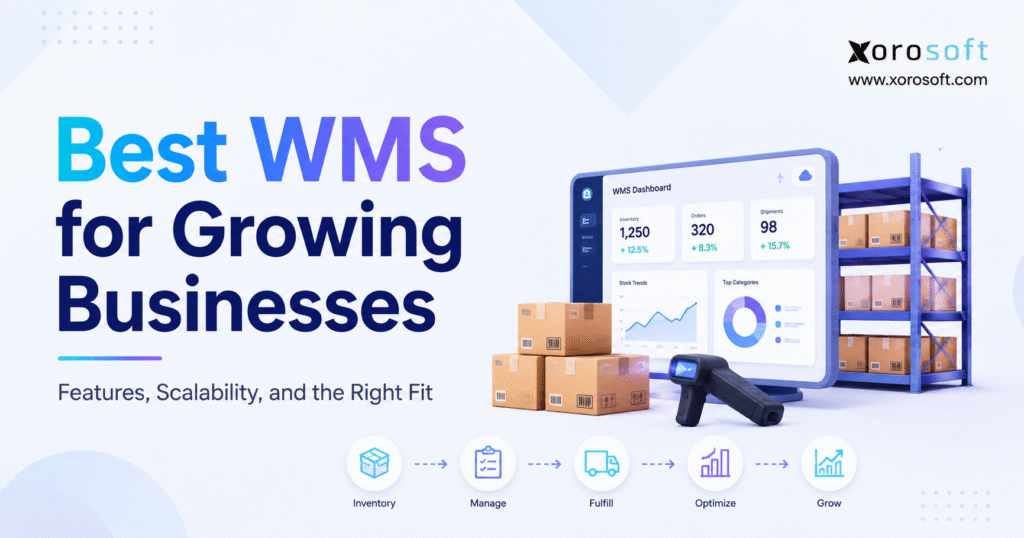
If you’re searching for the best WMS software to optimise your warehouse operations, you’ve come to the right place.
1. Why Growing Businesses Outgrow Basic Warehouse Tools
Warehouse problems build quietly as order volume, SKU count, locations, and sales channels increase. For example, a process that worked with one stockroom can become unreliable once the business adds wholesale accounts, marketplaces, employees, or another facility.
Experienced employees often compensate by remembering product locations, correcting differences manually, and prioritizing urgent orders through notes. However, this approach depends on individual knowledge rather than repeatable processes. Eventually, inventory records disagree with physical stock, pickers spend more time searching, and customer service loses confidence in fulfillment updates.
The best WMS software creates structure around these movements. It controls how inventory is received, stored, replenished, picked, packed, counted, transferred, and shipped. More importantly, it gives the business one operational record of what happened, where it happened, and who completed the task.
Still, the most feature-rich platform is not automatically the best WMS for growing businesses. A Shopify brand processing direct-to-consumer orders has different priorities from a wholesale distributor managing EDI requirements or a manufacturer moving materials between production and storage locations. Therefore, the right choice depends on warehouse complexity, integration needs, growth plans, implementation capacity, and total ownership cost.
1.1 What Is the Best WMS Software for a Growing Business?
The best WMS for a growing business supports accurate receiving, barcode scanning, location management, replenishment, picking, packing, shipping, cycle counting, and real-time inventory visibility. It should also connect with ecommerce, purchasing, accounting, shipping, ERP, or manufacturing systems while supporting more users, warehouses, orders, products, and sales channels without forcing the team back into spreadsheets.
2. What the Best WMS Software Actually Controls
In practical terms, a warehouse management system is software that directs and records physical warehouse activity. It connects inventory records with the work performed on the floor, from the moment goods arrive until an order leaves the building.
First, when goods arrive, employees receive them against a purchase order, transfer, return, or inbound notice. They confirm the item, quantity, condition, unit, lot, serial number, and inspection status before the system directs putaway.
Next, the WMS maintains location-level records and can guide replenishment when pick locations run low. For outbound orders, it allocates stock, creates picking work, verifies packing, and records labels, tracking numbers, and shipment confirmations.
2.1 Warehouse Management Software vs Inventory Management Software
Inventory management software focuses mainly on stock levels, availability, purchasing, valuation, and replenishment. Warehouse management software goes deeper into the physical execution of warehouse work.
| Comparison point | Inventory management software | Warehouse management software |
|---|---|---|
| Primary purpose | Track stock and availability | Direct warehouse execution |
| Location detail | Warehouse or site level | Zone, aisle, rack, shelf, and bin |
| Receiving | Updates quantities | Validates receipts and directs putaway |
| Picking | Allocates stock | Creates and validates picking tasks |
| Counting | Records adjustments | Manages location-based cycle counts |
| Employee activity | Limited task guidance | Mobile and barcode-driven workflows |
Consequently, many growing companies need both capabilities. The decision is whether to connect separate tools or use an integrated platform that combines inventory, purchasing, warehouse, and financial records.
2.2 Warehouse Management Software vs ERP
A WMS specializes in warehouse execution, while an ERP connects wider business functions such as purchasing, accounting, sales orders, inventory, manufacturing, forecasting, and reporting. A standalone WMS can integrate with an existing ERP. Alternatively, an ERP-integrated WMS can keep warehouse transactions and financial records within the same operational environment.
Businesses facing isolated warehouse problems may prefer a focused WMS. By contrast, companies dealing with duplicate data entry, delayed inventory valuation, disconnected purchasing, and inconsistent reporting may need a broader platform such as a cloud ERP rather than another separate application.
3. Which Growing Businesses Need Warehouse Management Software?
Although a business may sell physical products, it does not automatically need advanced warehouse software. However, a WMS becomes valuable when operational complexity starts affecting accuracy, productivity, and service.
In particular, companies should evaluate warehouse management software when they operate multiple facilities, use detailed bin locations, employ dedicated warehouse teams, or process a growing number of daily order lines. Barcode requirements, lot or serial tracking, wholesale routing rules, ecommerce peaks, and frequent transfers also increase the need for structured warehouse control.
3.1 Seven Signs a Business Has Outgrown Its Current System
- Inventory records regularly disagree with physical quantities.
- Employees depend on memory to locate products.
- Picking and packing errors are increasing.
- Orders remain in unclear fulfillment statuses.
- Warehouse data must be re-entered into accounting or purchasing software.
- New facilities operate with separate spreadsheets or applications.
- Seasonal peaks require excessive manual work, supervision, or overtime.
These issues often indicate that the business has outgrown accounting software, spreadsheets, or an inventory-only application. The underlying problem is not always employee effort. Instead, the process lacks a reliable system for validating and recording each inventory movement.
3.2 Who May Not Need a Full WMS Yet?
By contrast, a company may not need advanced warehouse management software when it stores a limited number of products in one simple stockroom, processes a low number of orders, and maintains reliable accuracy with its current inventory platform.
Likewise, a business that outsources all fulfillment to a third-party logistics provider may need strong inventory visibility and dependable integration rather than its own full warehouse execution system. The goal is to introduce enough control for the operation without buying complexity that the team cannot use or maintain.
4. Best WMS Software Types for Different Growth Stages
Generally, growing businesses compare four software categories. Moreover, understanding these categories prevents teams from comparing products that solve fundamentally different problems.
4.1 Standalone Warehouse Management Systems
For instance, a standalone WMS focuses on warehouse execution and usually integrates with an ERP, accounting platform, order system, or ecommerce application. It can preserve existing business systems, although orders, item data, shipments, and inventory adjustments must move accurately between platforms.
4.2 Inventory-Led WMS Platforms
Meanwhile, an inventory-led platform combines inventory control with purchasing, multiple locations, barcode scanning, order management, shipping, or light manufacturing. It can suit companies that have outgrown accounting software but are not ready for a broad ERP project. Buyers should still test future picking, traceability, automation, and reporting needs.
4.3 ERP-Integrated Warehouse Management Software
By comparison, an ERP-integrated WMS connects warehouse activity with sales, purchasing, accounting, inventory, manufacturing, forecasting, and reporting. It is valuable when warehouse problems are part of a wider systems disconnect. A platform such as XoroONE can be evaluated when the business wants these workflows in one environment.
4.4 Enterprise Warehouse Management Suites
At the enterprise level, these suites may include labor management, robotics, automation controls, yard management, transportation, slotting, task interleaving, and complex distribution logic. They can support sophisticated warehouse networks, but their cost and implementation demands may exceed the needs of a smaller organization.
Ultimately, choose the simplest architecture that supports expected complexity without forcing another early replacement.
5. Best WMS Software Features for Scalable Warehouse Operations
Above all, features must improve real warehouse processes and exception handling.
5.1 Receiving and Inbound Inventory Control
Employees should receive products against purchase orders, transfers, returns, and inbound shipments. Additionally, the system should handle partial receipts, damaged inventory, inspection statuses, units of measure, and unexpected items. Barcode scanning should validate the item, quantity, and document without unnecessary typing.
5.2 Directed Putaway and Bin Management
After receiving, the WMS should direct products to suitable locations based on space, velocity, dimensions, restrictions, or proximity to picking areas. At a minimum, it should track inventory by warehouse and bin; complex operations may also need zones, racks, pallets, or license plates.
5.3 Barcode and Mobile Warehouse Workflows
More importantly, barcode scanning connects system instructions with physical work. Employees scan products, locations, orders, cartons, or pallets to confirm the task. Therefore, buyers should test scanning across every warehouse process and review devices, connectivity, label printing, and damaged-barcode handling.
5.4 Picking Methods for Different Order Profiles
The best WMS software should support the company’s order profile:
- Single-order picking completes one order at a time.
- Batch picking groups similar products across orders.
- Wave picking releases orders by schedule, carrier, or priority.
- Zone picking assigns employees to warehouse areas.
- Cluster picking collects several orders during one route.
Even so, the business may not need every method at launch, but it should confirm that future workflows are supported.
5.5 Packing, Shipping, and Fulfillment Validation
Packing should confirm products and quantities while managing relevant cartons, labels, documents, carrier services, and tracking numbers. In addition, shipping integrations should return fulfillment information to the original channel so customer service and buyers see the actual warehouse status.
5.6 Cycle Counting and Inventory Accuracy
Similarly, a WMS should support cycle counting without closing the warehouse. Plans may follow value, movement frequency, discrepancy history, location, or ABC classification. The system should retain assignments, results, approvals, adjustments, and audit history, plus lots, serials, expiration dates, or quarantine when required.
5.7 Multi-Warehouse Visibility and Transfers
For multi-site operations, the best WMS software should provide location-level availability, transfer tracking, receiving status, allocation rules, and network reporting. Teams should test transfers from request through receipt, including goods in transit, regional routing, 3PL inventory, and intercompany movements.
5.8 Reporting and Warehouse KPIs
Warehouse software should track inventory accuracy, dock-to-stock time, pick rate, order cycle time, on-time shipment, count variance, returns, space use, and inventory turnover. Furthermore, dashboards should surface exceptions such as late receipts, unallocated orders, repeated short picks, or unusual adjustments.
Companies evaluating a dedicated warehouse platform can review the scope of XoroWMS alongside standalone and ERP-integrated alternatives. Xorosoft’s current warehouse product page lists receiving, inventory, picking, shipping, barcode scanning, and multi-warehouse operations.
6. How to Choose the Best WMS for a Growing Business
Therefore, selecting the best WMS software should begin with process evidence, not vendor presentations. A polished demonstration can make almost any platform look suitable when it shows only ideal transactions.
6.1 Map Current Warehouse Workflows
First, document every major warehouse process and identify the owner, system, manual steps, approvals, exceptions, and information required by other teams. This reveals whether the problem is execution, integration, master data, accounting, purchasing, or several issues together.
6.2 Separate Must-Have, Should-Have, and Future Requirements
Next, define must-have requirements that are essential for go-live, such as bin tracking, barcode receiving, Shopify integration, lot traceability, or EDI labels. Should-have requirements improve productivity without blocking launch. Future requirements cover the next two to three years, including new warehouses, markets, wholesale channels, manufacturing, or acquisitions.
6.3 Share Real Operational Volumes
Then, provide vendors with active SKU count, average and peak order lines, receiving volume, warehouses, locations, users, channel mix, traceability needs, and seasonal patterns. This supports a realistic demonstration and exposes possible performance, licensing, or implementation concerns.
6.4 Review Every Required Integration
Afterward, list every application that creates or consumes warehouse data, including ecommerce, marketplaces, EDI, ERP, accounting, carriers, 3PLs, returns, and manufacturing. Confirm whether each connection is native, partner-built, custom, or file-based, and define which system owns every core record.
Shopify merchants should test order edits, refunds, payments, products, inventory levels, shipment confirmation, payouts, gift cards, multiple stores, and international orders. The Xorosoft ERP app on Shopify lists synchronization for orders, payments, products, refunds, shipment confirmation, inventory levels, and payouts.
6.5 Evaluate Scalability Beyond Order Volume
Scalability includes warehouses, products, users, currencies, companies, channels, manufacturing steps, customer rules, and reporting dimensions. Ask which future capabilities require new modules, services, integrations, devices, or implementation work.
6.6 Calculate Total Ownership Cost
Finally, a complete cost estimate should include subscription, implementation, migration, integrations, customization, devices, labels, training, support, upgrades, testing, and internal time. Also measure the cost of retaining existing systems and manual reconciliation.
6.7 Use a Weighted Best WMS Software Scorecard
| Evaluation area | Suggested weight |
| Workflow fit | 20% |
| Inventory control | 15% |
| Integrations | 15% |
| Scalability | 15% |
| Reporting | 10% |
| Implementation requirements | 10% |
| Ease of use | 5% |
| Support | 5% |
| Total ownership cost | 5% |
Of course, weights should reflect the company’s priorities. A regulated food business may give traceability more weight, while a high-volume ecommerce operation may prioritize picking, carrier integration, and peak performance.
7. Best WMS Software for Growing Businesses: Platform Comparison
For clarity, the platforms below represent different software categories. “Best considered for” describes likely fit rather than a universal ranking. Because features, editions, integrations, and implementation requirements can change, buyers should validate every critical workflow directly with the vendor.
7.1 Xorosoft: Best Considered for Connected Inventory-Driven Operations
In this category, Xorosoft connects warehouse management with inventory, purchasing, accounting, ecommerce, forecasting, manufacturing, and reporting. Its materials describe receiving, putaway, barcode scanning, picking, packing, shipping, counting, and multi-warehouse operations. It may suit inventory-driven companies replacing disconnected systems.
However, companies needing only a narrow WMS should compare its broader scope with focused alternatives. ERP buyers can also review the Xorosoft vs NetSuite comparison.
7.2 NetSuite WMS: Best Considered for the NetSuite Ecosystem
Similarly, NetSuite WMS supports receiving, putaway, inventory tracking, mobile scanning, picking, packing, shipping, returns, and cycle counts. It is most relevant for current or prospective NetSuite users, who should evaluate licensing, configuration, partner delivery, and the wider ERP project.
7.3 Acumatica WMS: Best Considered for Configurable Cloud ERP Workflows
Likewise, Acumatica positions its native WMS for distribution and retail operations, with mobile, barcode, automation, inventory, sales-order, purchase-order, service, and production connections. It may suit companies wanting configurable warehouse workflows inside a wider ERP environment.
7.4 Cin7: Best Considered for Multichannel Inventory Operations
For multichannel operations, Cin7 highlights multi-location visibility, routing, replenishment, barcode scanning, channel connections, and accounting integrations. Cin7 Core’s mobile WMS supports picking, packing, restocking, putaway, and stock lookup. Companies with advanced automation needs should verify long-term depth.
7.5 Brightpearl: Best Considered for Retail and Omnichannel Brands
By contrast, Brightpearl positions its warehouse software for wholesale, retail, and ecommerce, within a system covering inventory, orders, fulfillment, shipping, automation, accounting, BI, POS, and CRM. It is relevant when warehousing is closely tied to omnichannel retail.
7.6 Fishbowl: Best Considered for QuickBooks- or Xero-Centered SMBs
For smaller businesses, Fishbowl combines multi-location inventory, barcode scanning, manufacturing, and QuickBooks or Xero integrations. It can suit smaller manufacturers and distributors retaining their accounting system, although buyers should consider future ERP requirements.
7.7 Microsoft Dynamics 365: Best Considered for Complex Supply-Chain Operations
At a broader supply-chain level, Dynamics 365 supports warehouse processes for manufacturing, distribution, and retail, with connections to transportation, quality, purchasing, transfers, sales, and returns. Its warehouse-only mode can also serve external ERP or order systems, although implementation may be substantial.
7.8 ShipHero: Best Considered for Ecommerce Brands and 3PLs
For ecommerce fulfillment, ShipHero positions its WMS for direct-to-consumer brands and 3PLs, emphasizing inventory, picking, packing, shipping, and client operations. Companies with extensive accounting, purchasing, or manufacturing needs may require other systems.
7.9 Odoo Inventory: Best Considered for Modular Business Management
Finally, Odoo supports locations, barcodes, receipts, deliveries, counts, and internal transfers through modular applications. It may suit companies building a configurable suite, provided they evaluate modules, implementation resources, customization, and maintenance.
7.10 Best WMS Software Platform Comparison Table
| Platform | Platform type | Best considered for | Main evaluation question |
| Xorosoft | ERP-integrated WMS | Inventory-driven ecommerce, wholesale, distribution, and manufacturing | Do we need connected warehouse, purchasing, finance, and inventory workflows? |
| NetSuite WMS | ERP-integrated WMS | Current or prospective NetSuite users | Are we prepared for the wider NetSuite scope? |
| Acumatica WMS | ERP-integrated WMS | Distribution, retail, and manufacturing | Does the implementation approach fit our processes? |
| Cin7 | Inventory-led platform | Multichannel product companies | Is its warehouse depth sufficient for future complexity? |
| Brightpearl | Retail operating platform | Retail and omnichannel brands | Do our requirements align primarily with retail operations? |
| Fishbowl | Inventory and warehouse platform | QuickBooks- and Xero-centered SMBs | Will the current accounting stack support long-term growth? |
| Dynamics 365 | Supply-chain suite | Complex distribution and manufacturing | Do we have the resources for configuration and implementation? |
| ShipHero | Warehouse-focused WMS | Ecommerce brands and 3PLs | Are ecommerce fulfillment and 3PL workflows the main priority? |
| Odoo | Modular business suite | Companies seeking configurable applications | How much configuration and maintenance will be required? |
8. Best WMS by Industry and Operating Model
Importantly, industry fit matters because warehouse processes are shaped by product characteristics, customer requirements, and order profiles. As a result, the same WMS configuration will not work equally well for every operation.
8.1 Best WMS Software for Ecommerce and Shopify Brands
For ecommerce businesses, the best WMS software should prioritize channel synchronization, allocation, efficient picking, packing validation, carriers, tracking, and returns. They should test flash sales, bundles, preorders, edited orders, split shipments, multiple stores, and routing between warehouses and 3PLs.
8.2 Best Warehouse Management Software for Wholesale Distributors
Meanwhile, wholesale distributors often need case conversions, bulk orders, allocations, backorders, purchasing, EDI, and multi-warehouse fulfillment. The WMS must carry customer requirements into execution, including carton labels, documents, routing rules, pallet configurations, or advance shipment notices.
8.3 Best WMS for Manufacturers
Similarly, manufacturers should evaluate raw-material storage, production staging, work-in-process, finished-goods receipts, traceability, quality, and material movement. The WMS should connect with bills of materials, work orders, planning, purchasing, and costing.
8.4 Best WMS for Apparel, Furniture, Food, and Sporting Goods
For example, apparel companies need style, colour, and size visibility, seasonal allocation, wholesale orders, ecommerce fulfillment, and returns. By comparison, furniture businesses may require dimensional data, large-item locations, serial tracking, inspection, assembly, partial shipments, and scheduled delivery.
In addition, food and beverage operations should prioritize lots, expiration dates, quarantine, recalls, FIFO or FEFO picking, and customer shelf-life rules. Sporting-goods companies may manage seasonal demand, product variants, kits, serial numbers, wholesale accounts, and marketplace orders.
Businesses can review Xorosoft’s industry coverage when evaluating whether a connected ERP and WMS approach fits their sector. The page covers several inventory-driven industries, including apparel, wholesale, furniture, sporting goods, food, manufacturing, and consumer products.
9. Implementing Warehouse Management Software Without Disrupting Fulfillment
A strong platform can still fail when implementation is treated as a technical installation rather than an operational change.
9.1 Discovery and Process Design
First, begin with workflows, future requirements, baseline KPIs, ownership, and decision rights. Agree on exception handling, not only the ideal process.
9.2 Data and Warehouse Preparation
Next, clean item, barcode, unit, supplier, customer, balance, lot, serial, warehouse, and location data. Standardize location codes and remove obsolete records. Also confirm readable labels, identified bins, working devices, and reliable warehouse connectivity.
9.3 Configuration, Integration, and Testing
Then, configure warehouse workflows, permissions, documents, reports, and integrations. Test partial receipts, damage, short picks, cancellations, split shipments, returns, count variances, integration failures, and peak volume.
9.4 Training, Go-Live, and Continuous Improvement
Finally, train employees with realistic products, devices, labels, orders, and exceptions. After launch, compare results with baseline metrics and review accuracy, productivity, adjustments, support issues, and user adoption.
10. Common WMS Selection Mistakes That Limit Growth
10.1 Choosing From a Feature Checklist Alone
Nevertheless, a platform can contain every requested feature and still miss the operation. Demonstrations should use the company’s products, orders, exceptions, and integrations.
10.2 Ignoring Warehouse Employees
Because warehouse employees use the system throughout the day, their feedback on navigation, scanning, devices, task clarity, and exceptions is essential.
10.3 Underestimating Integration Work
Moreover, reliable visibility requires timely, complete data across orders, inventory, purchasing, and finance. Define integration ownership, monitoring, error recovery, and reconciliation before go-live.
10.4 Automating a Broken Process
However, software can accelerate a poor process. Remove duplicate entry, unnecessary approvals, inconsistent locations, unclear ownership, and undocumented exceptions before configuration.
10.5 Ignoring Peak Volume and Future Complexity
Therefore, test peak transaction volume, device concurrency, integrations, priorities, and carrier cut-offs. Also evaluate future warehouses, channels, products, and customer requirements.
10.6 Comparing Subscription Price Instead of Total Cost
Likewise, the lowest monthly price may not create the lowest ownership cost. Include implementation, integrations, support, devices, training, internal labor, upgrades, and disconnected-system maintenance.
11. Best WMS Software FAQs
11.1 What Is the Best WMS Software for a Growing Business?
In practice, the best WMS software is the platform that fits the company’s warehouse workflows, business systems, and expected growth. It should support receiving, putaway, barcode scanning, picking, packing, shipping, counting, transfers, and reporting. It must also integrate reliably with ecommerce, purchasing, accounting, ERP, shipping, or manufacturing systems.
11.2 What Does WMS Software Do?
At its core, WMS software controls inventory movement inside a warehouse. It manages receiving, storage locations, putaway, replenishment, picking, packing, shipping, returns, transfers, and cycle counts. It also records transaction details and provides visibility into inventory quantities, locations, order statuses, productivity, and warehouse exceptions.
11.3 What Is the Difference Between WMS and Inventory Software?
By contrast, inventory software focuses on stock levels, availability, purchasing, costs, and replenishment. A WMS provides deeper control over warehouse execution. It tells employees where inventory is stored, what task to perform, which item or location to scan, and how stock should move through receiving and fulfillment.
11.4 What Is the Difference Between WMS and ERP?
A WMS specializes in warehouse execution, while an ERP connects accounting, purchasing, sales, inventory, manufacturing, and reporting. For example, some businesses integrate a standalone WMS with an ERP. Others select an ERP-integrated WMS so warehouse and financial transactions update within one connected environment.
11.5 Is an ERP-Integrated WMS Better Than a Standalone WMS?
Ultimately, neither approach is universally better. A standalone WMS may provide specialized warehouse depth while preserving an existing ERP. An integrated WMS can reduce duplicate data movement between warehousing, purchasing, inventory, and accounting. The best choice depends on existing systems, process complexity, and integration capacity.
11.6 When Should a Company Implement a WMS?
A company should consider a WMS when manual processes start limiting accuracy or growth. Common triggers include rising order volume, additional warehouses, frequent inventory discrepancies, barcode requirements, slow fulfillment, increasing pick errors, complex storage locations, lot tracking, and repeated data entry between warehouse and accounting systems.
11.7 Can a Small Business Use WMS Software?
Yes. Small businesses can use WMS software when warehouse complexity justifies it. However, they should avoid unnecessary functionality. A smaller operation may benefit from an inventory-led platform, while a company with multiple channels, locations, or accounting problems may need an integrated system.
11.8 How Much Does WMS Software Cost?
Naturally, WMS pricing varies by vendor, users, transaction volume, warehouses, modules, integrations, and implementation scope. Businesses should calculate subscription fees together with implementation, migration, customization, support, barcode devices, printers, training, and internal project time. Quotes should reflect realistic current and future usage.
11.9 What Factors Affect WMS Implementation Cost?
Cost depends on workflow complexity, warehouse count, data quality, integrations, customization, hardware, reporting, training, and project support. A standard one-warehouse operation usually requires less effort than a multi-warehouse distributor with EDI, manufacturing, several ecommerce channels, and complex allocation rules.
11.10 How Long Does WMS Implementation Take?
Similarly, there is no universal implementation timeline. Duration depends on facilities, integrations, users, workflows, data, customization, testing, and internal resources. Buyers should review the project plan, responsibilities, dependencies, training, and go-live conditions rather than relying on a single promised date.
11.11 What Are the Most Important WMS Features?
In most cases, core features include receiving, putaway, bin management, barcode scanning, replenishment, picking, packing, shipping, cycle counting, transfers, adjustments, and reporting. Depending on the industry, businesses may also need lots, serial numbers, expiration dates, EDI, manufacturing integration, automation, or 3PL billing.
11.12 Does a WMS Improve Inventory Accuracy?
As a result, a WMS can improve accuracy by requiring employees to scan items and locations as inventory moves. It also standardizes receiving, putaway, picking, transfers, and counting. Accurate results still depend on clean data, suitable labels, employee compliance, disciplined exception handling, and well-designed processes.
11.13 How Does Barcode Scanning Work in a WMS?
First, an employee scans a product, location, order, container, or shipment. The WMS compares the scan with the expected transaction and either confirms the work or displays an exception. This validation reduces typed entries and creates a detailed record of physical inventory movement.
11.14 Can a WMS Manage Multiple Warehouses?
Yes. For growing networks, the best WMS software can track inventory, locations, orders, transfers, replenishment, receiving, fulfillment, and performance across facilities. Buyers should verify centralized availability, regional allocation, goods in transit, intercompany activity, 3PL locations, different warehouse processes, and network-wide reporting.
11.15 Can a WMS Integrate With Shopify?
For Shopify merchants, many WMS platforms connect directly or through integration partners. The integration should import orders, update inventory, return fulfillment status, and provide tracking. Businesses should also test edited orders, refunds, bundles, preorders, multiple stores, partial shipments, and 3PL routing.
11.16 Can a WMS Integrate With Amazon?
Similarly, many systems connect with Amazon marketplaces or fulfillment services. A merchant may need order import, inventory synchronization, merchant-fulfilled shipping, FBA replenishment, returns, fees, or settlement data. Each required workflow should be demonstrated rather than assumed from a general integration listing.
11.17 Can WMS Software Support Wholesale and EDI Orders?
Yes, although capabilities vary. For wholesale operations, the best WMS software may need EDI order import, customer labels, carton details, advance shipment notices, case quantities, allocations, routing guides, backorders, and account-specific documents. These requirements must remain connected throughout picking, packing, shipping, and customer communication.
11.18 Can a WMS Support Manufacturing?
For manufacturers, the best WMS software can manage raw-material storage, production staging, material movement, work-in-process locations, finished-goods receipts, lots, serial numbers, and quality statuses. Production planning, bills of materials, work orders, and costing usually come from a connected ERP or manufacturing system.
11.19 What Picking Methods Can WMS Software Support?
Depending on the platform, a WMS may support single-order, batch, wave, zone, cluster, discrete, or priority-based picking. The best method depends on order size, SKU overlap, product velocity, warehouse layout, equipment, staffing, and delivery commitments.
11.20 Can a WMS Manage Lots, Serial Numbers, and Expiration Dates?
Although many WMS platforms support these controls, their depth varies. Companies should test receiving, allocation, picking, transfers, returns, adjustments, production use, recall reporting, and audit history. Traceability-sensitive industries may also require quarantine statuses and customer-specific shelf-life rules.
11.21 What Warehouse KPIs Should a WMS Track?
In particular, useful KPIs include inventory accuracy, dock-to-stock time, receiving productivity, picking accuracy, lines per hour, order cycle time, on-time shipment rate, count variance, space utilization, return rate, and inventory turnover. Baseline values should be recorded before implementation.
11.22 What Should Businesses Ask During a WMS Demo?
Therefore, ask the vendor to demonstrate real receiving, putaway, picking, packing, counting, transfer, return, and exception scenarios. Review mobile usability, reporting, integrations, permissions, support, updates, implementation responsibilities, security, and total cost. Avoid relying entirely on slides or ideal transactions.
11.23 What Data Is Needed Before Implementing a WMS?
Before implementation, required data commonly includes items, descriptions, dimensions, weights, units, barcodes, warehouses, locations, suppliers, customers, balances, lots, serial numbers, open orders, purchase orders, and user roles. Teams should also document allocation, replenishment, counting, picking, packing, and shipping rules.
11.24 What Are the Alternatives to WMS Software?
Alternatively, businesses may use spreadsheets, accounting software, ecommerce inventory tools, order management systems, ERP inventory modules, 3PL portals, or custom applications. These options may suit simple operations but often become limiting when businesses need bin control, scanning, directed work, traceability, or multi-warehouse coordination.
11.25 How Do You Calculate WMS ROI?
First, start with measurable costs such as pick errors, returns, labor hours, discrepancies, expedited shipping, lost orders, excess stock, and manual entry. Compare those baseline costs with post-implementation results and total WMS ownership cost. Avoid using generic improvement percentages without company-specific evidence.
12. Final Recommendation: Choose the Best WMS Software by Operational Fit
Ultimately, the best WMS software for growing businesses is the system that solves current warehouse problems while supporting expected changes in volume, facilities, products, channels, and customer requirements.
First, map workflows, document exceptions, and define must-have, future, and integration needs. Then shortlist three to five platforms from the correct category, request configured demonstrations, and score every option against the same criteria.
On one hand, a focused WMS may suit a company that only needs warehouse execution. On the other hand, an ERP-integrated approach may fit a business with disconnected inventory, purchasing, accounting, ecommerce, manufacturing, and reporting. Before signing, validate implementation responsibilities, data preparation, training, support, references, total cost, and future-change processes.
12.1 Review Your Warehouse Requirements With Xorosoft
Inventory-driven businesses evaluating a connected warehouse and ERP approach can review their facilities, sales channels, inventory model, integrations, and growth plans with Xorosoft.
Book a personalized demo or request an ERP readiness assessment.
Recent Posts
-
 Best AI Warehouse Management Software for ERP Inventory and Warehouse Operations
 -
 Project Based ERP Software for Managing Project Costs, Purchasing, Resources, Inventory, and Accounting
 -
 Food and Beverage ERP Requirements for Lot, Expiry, and Recall Control
 -
 How to Prevent EDI Errors Before They Become Retailer Chargebacks
 -
 Warehouse Injury and Safety Statistics: What Operations Teams Should Know Before Automating Workflows