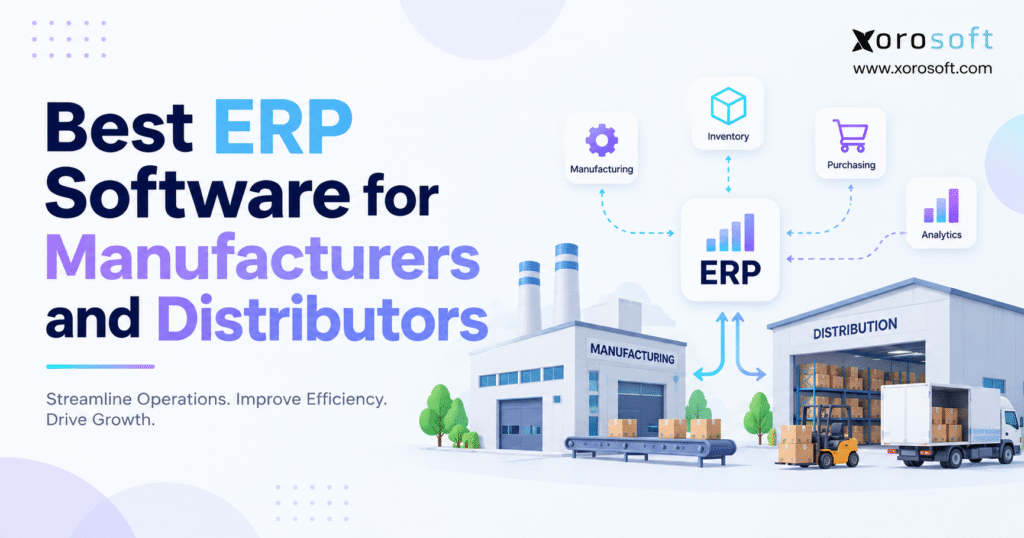
If you are searching for the best ERP software for manufacturers and distributors, you’ve come to the right place.
1. Why Manufacturers and Distributors Outgrow Disconnected Business Systems
Manufacturers and distributors rarely replace software because one application suddenly stops working. Instead, growth gradually exposes gaps between tools that were originally purchased for separate departments.
Accounting may live in one system, while buyers manage purchasing through spreadsheets. Meanwhile, warehouse employees may work inside a separate WMS, production planners may maintain their own schedules, and ecommerce orders may arrive through another connector.
Each application can work reasonably well on its own. However, the business still struggles because the systems do not share the same operational context.
1.1 Disconnected Software Creates Operational Friction
At lower transaction volumes, employees can bridge software gaps manually. For example, someone may export inventory every morning, another employee may update purchasing sheets, and finance may reconcile discrepancies at month-end.
As volume grows, those workarounds become operational dependencies.
Sales may believe inventory is available even though production has reserved it. Purchasing may reorder an item without seeing supply already in transit. Likewise, warehouse teams may move stock before another system reflects the transfer.
As a result, employees spend more time reconciling information and less time managing the operation.
1.2 The Best ERP Software for Manufacturers and Distributors Must Solve Complexity
Evaluating the best ERP software for manufacturers and distributors should therefore begin with operational complexity rather than vendor popularity.
Manufacturers need to coordinate materials, production, finished goods, purchasing, and costing. Distributors, by contrast, need accurate availability, replenishment, warehouse execution, customer pricing, fulfillment, and financial control.
Companies that manufacture and distribute products must handle both models simultaneously.
Therefore, the right ERP should connect the decisions that determine what to buy, what to manufacture, what can be promised, where inventory sits, what should ship, and how each transaction affects finance.
2. What the Best ERP Software for Manufacturers and Distributors Should Manage
The best ERP software for manufacturers and distributors should create a dependable operating record across inventory, manufacturing, purchasing, warehouse management, sales, accounting, forecasting, and reporting.
Simply placing these capabilities on one feature list does not make them integrated. Instead, the real test is whether transactions move naturally between them.
2.1 Manufacturing and Distribution ERP Needs One Inventory Record
Inventory should reflect more than quantity on hand.
A useful ERP distinguishes stock that is available, allocated, reserved, incoming, in transit, damaged, under inspection, or committed to production. Consequently, sales, buyers, production planners, warehouse teams, and finance can work from consistent information.
Without that context, a company can have accurate physical inventory and still make poor fulfillment decisions.
2.2 ERP Software for Manufacturers Must Connect Materials and Production
Manufacturing requires another layer of control.
Bills of materials define what needs to be consumed. Material planning identifies shortages. Work orders coordinate production. Finished-goods completion then needs to update inventory, cost, and availability.
If these steps happen in separate systems, planners often spend too much time comparing what should have happened with what actually happened.
2.3 ERP Software for Distributors Must Connect Orders and Fulfillment
Distribution operations need the same level of integration.
The ERP should determine what inventory is available, where it is located, what has already been committed, and how the warehouse should fulfill the order.
Afterward, shipment activity should update both inventory and financial records without another round of manual entry.
3. Manufacturing ERP Software Requirements Begin With Product and Material Control
A manufacturing ERP evaluation should begin with the way products are built.
Light assembly businesses need a different level of functionality from organizations running complex routings, work centers, subcontracting, engineering changes, or multi-stage production.
Therefore, manufacturing depth should match the actual production model.
3.1 Manufacturing ERP Software Needs Reliable BOM Management
A bill of materials defines which components and quantities make up a finished product.
However, real manufacturing environments often require more than a basic component list. Multi-level assemblies, revisions, substitutions, alternate materials, scrap assumptions, and product versions may all become important.
If BOM information lives in spreadsheets while purchasing and inventory operate elsewhere, buyers can easily work from outdated product definitions.
As a result, a small engineering change can become a purchasing, production, inventory, and costing problem.
3.2 ERP for Manufacturers Should Make Material Planning Actionable
Material requirements planning should convert demand into supply requirements.
A useful system considers existing inventory, customer orders, forecast demand, open purchase orders, production activity, supplier lead times, and product structures.
More importantly, planners should understand why each recommendation exists.
Automating poor planning data can make problems worse. Therefore, the ERP should surface shortages and suggested actions while still allowing planners to manage exceptions intelligently.
3.3 Manufacturing ERP Should Carry Production Into Finance
Production completion should not stop at the shop floor.
When materials are consumed, work in process changes. Once finished goods are completed, inventory value and availability also change.
For that reason, businesses evaluating Xorosoft’s ERP solutions or competing systems should test whether production, purchasing, warehouse activity, inventory, and finance remain connected throughout the process.
The important question is not whether an ERP includes a manufacturing module. Instead, buyers should determine whether the manufacturing workflow reflects how their products are actually produced.
4. Distribution ERP Software Must Control Availability, Not Just Stock Counts
Distribution businesses often notice software limitations through inventory availability before any other process.
Knowing that 1,000 units exist does not necessarily mean that 1,000 units can be sold.
Some inventory may already be allocated to wholesale customers. Another quantity may be reserved for production. Meanwhile, stock may be moving between warehouses or awaiting inspection.
Therefore, availability requires context.
4.1 Distribution ERP Needs Multi-Warehouse Inventory Visibility
As businesses add locations, inventory decisions become more complex.
Customer service needs to know which warehouse can fulfill an order. Purchasing needs to understand which facility requires replenishment. Warehouse managers, in turn, need visibility into transfers, shortages, and incoming supply.
Showing stock by warehouse is only the starting point.
A capable distribution ERP should also support allocations, transfers, replenishment, in-transit inventory, reservations, cycle counting, and location-level availability.
4.2 ERP Software for Distributors Should Manage Pricing Complexity
Wholesale businesses rarely sell every item at one universal price.
Instead, they may use contract pricing, customer-specific discounts, price lists, payment terms, quantity breaks, and channel-specific arrangements.
When these rules sit outside ERP, order corrections become more common. In addition, customer-service teams may rely on individual knowledge instead of controlled pricing logic.
4.3 Distribution ERP Should Connect Fulfillment With Accounting
Sales orders eventually become shipments, invoices, receivables, inventory reductions, and cost of goods sold.
Therefore, order management should not end when the warehouse ships the package.
A connected ERP carries operational activity into accounting automatically, which reduces the amount of reconciliation finance must complete later.
5. Why ERP Software for Manufacturers and Distributors Needs One Inventory Model
Companies that manufacture and distribute products face a difficult inventory challenge because each department views stock differently.
Production sees materials and components. Warehouse employees see locations, lots, pallets, and transfers. Sales sees sellable products. Meanwhile, finance sees quantities and values.
Although these views serve different purposes, they should all reference the same underlying inventory.
5.1 Manufacturing and Distribution ERP Must Distinguish Inventory States
Imagine that a business has 1,000 units of a component physically on hand.
Production has reserved 500 units. Wholesale customers already have another 250 units allocated. In addition, 150 units are waiting for quality approval.
A simple on-hand balance of 1,000 units is therefore misleading for customer service.
Planning needs to understand commitments, supply, and timing.
5.2 A Shared ERP Record Reduces Reconciliation
A connected ERP should let each department view the same inventory through the lens of its responsibilities.
Sales needs available-to-promise information. Purchasing needs supply and demand visibility. Warehouse teams require physical locations and movement instructions. Finance needs correct quantities and values.
Platforms such as XoroONE are designed around this type of connected operating model.
However, the practical benefit is not simply having more modules under one brand. The real value comes from reducing the number of conflicting inventory records employees must reconcile.
For that reason, the best ERP software for manufacturers and distributors should be tested first on inventory scenarios rather than dashboards.
6. Warehouse Management in Manufacturing and Distribution ERP Software
An ERP can maintain strong office-side records and still create operational problems if warehouse execution is inefficient.
Warehouses produce a high volume of repetitive inventory transactions. Receiving, put-away, replenishment, picking, packing, shipping, transfers, adjustments, and cycle counts can all change stock availability.
Consequently, warehouse usability directly affects ERP data quality.
6.1 ERP Warehouse Management Should Control Receiving
A purchase order represents what the business expects to receive, not necessarily what arrives.
For example, a supplier may ship a partial quantity. Products may also arrive damaged, substituted, or subject to quality inspection.
The receiving workflow should capture those exceptions before inventory becomes available.
6.2 ERP for Distributors Needs Practical Picking and Packing Workflows
Once an order enters fulfillment, warehouse employees need clear product, quantity, location, lot, serial, and packaging information.
A strong process reduces unnecessary decisions on the warehouse floor.
In addition, barcode scanning can improve transaction discipline by reducing keyboard entry and creating confirmation at the point of activity.
6.3 WMS Functionality Should Match Distribution Complexity
Not every business needs advanced warehouse software.
A smaller distributor may only require straightforward receiving, location control, picking, packing, and shipping. By contrast, a larger operation may need directed replenishment, wave planning, mobile workflows, advanced allocations, or complex picking strategies.
Businesses with substantial fulfillment requirements should therefore evaluate systems such as XoroWMS within the broader ERP architecture.
Warehouse execution deserves serious attention because ERP inventory is only as reliable as the transactions entering the system.
7. ERP vs MRP vs WMS: Choosing the Right Manufacturing and Distribution Software
Software categories overlap significantly, which can make the ERP buying process confusing.
However, each category has a different core purpose.
Understanding those differences helps companies avoid adding unnecessary applications.
7.1 ERP Software Provides the Broader Business Record
ERP connects operational and financial processes across the organization.
Depending on the platform, it may include sales, purchasing, inventory, finance, manufacturing, warehouse management, reporting, forecasting, and supplier or customer workflows.
Therefore, ERP typically provides the broadest system of record.
7.2 MRP Supports Manufacturing Material Planning
Material requirements planning focuses primarily on what materials are required, how much is needed, and when supply should become available.
Many manufacturing ERP platforms include MRP. Nevertheless, manufacturing depth can vary considerably between products.
7.3 WMS Supports Warehouse Execution
Warehouse management software focuses on physical activity within a warehouse.
Receiving, put-away, replenishment, picking, packing, shipping, transfers, and cycle counting sit at the center of most WMS environments.
A company may use a standalone WMS with ERP. Alternatively, it may choose integrated warehouse functionality when the capabilities are sufficient.
7.4 Inventory Software Covers a Narrower Operational Scope
Standalone inventory applications can work well for simpler businesses.
However, problems often appear once companies add manufacturing, complex purchasing, multiple warehouses, accounting requirements, ecommerce, and EDI.
At that stage, several separate tools may be required to reconstruct one end-to-end process.
8. Purchasing in Manufacturing and Distribution ERP Software
Purchasing often becomes one of the first departments to feel growing operational complexity.
Initially, buyers may work from simple reorder reports. Later, they need to consider multiple suppliers, changing lead times, minimum order quantities, warehouse-specific demand, forecasts, and manufacturing requirements.
As a result, spreadsheets become harder to maintain.
8.1 ERP Purchasing Should Consider More Than Current Inventory
Low stock does not automatically mean a purchase order should be created.
For instance, inbound supply may already cover expected demand. Conversely, apparently healthy inventory may be mostly allocated to confirmed customer orders.
Therefore, reorder decisions should consider future supply and demand, not just current quantities.
8.2 Manufacturing ERP Adds Component Demand to Purchasing
Manufacturers create demand at more than one level.
Customer demand drives finished goods, while finished-goods demand creates component requirements through BOMs.
Consequently, purchasing needs visibility into both commercial demand and production demand.
If production planning sits outside purchasing, component shortages can remain hidden until a work order is ready to start.
8.3 ERP Buyers Need Transparent Planning Recommendations
Automation should make purchasing decisions easier to understand.
Supplier lead times, safety stock, open supply, forecasts, production requirements, allocations, and minimum quantities should all contribute to the recommendation.
The goal is not to remove human judgment. Instead, ERP should give buyers better information so they can focus on meaningful exceptions.
9. Manufacturing ERP Software Depth Should Match the Production Model
The phrase “supports manufacturing” is too broad to qualify an ERP platform.
Different production environments need very different levels of functionality.
Therefore, buyers should define manufacturing depth before comparing vendors.
9.1 Light Manufacturing ERP Should Stay Practical
Assembly, kitting, and straightforward production environments may primarily need BOMs, work orders, component consumption, finished-goods completion, and basic planning.
In these businesses, excessive production complexity can make the ERP harder to use without creating proportional value.
9.2 Advanced Manufacturing ERP Requires Deeper Controls
Complex manufacturers may need routings, work centers, labor tracking, machine capacity, alternate resources, subcontracting, engineering revisions, detailed job costing, scheduling, and quality management.
In addition, some environments require MES or advanced planning tools beyond traditional ERP.
These requirements should be documented before demonstrations begin.
9.3 Test Manufacturing ERP With an Actual Product
Rather than watching a generic product tour, buyers should ask the vendor to create one real product.
The demonstration should create demand, run material planning, identify shortages, generate supply, release production, consume materials, record output, manage an exception, and review final costing.
Ultimately, the best ERP software for manufacturers and distributors should handle the entire chain without forcing planners to maintain parallel spreadsheets.
10. Integrated Accounting in ERP Software for Manufacturers and Distributors
Manufacturing and distribution activity eventually affects financial reporting.
A purchase receipt changes inventory. A vendor invoice creates a liability. Production consumes components. Finished goods increase inventory value. Meanwhile, shipments reduce inventory and create cost of goods sold.
Therefore, operational accuracy and financial accuracy are closely connected.
10.1 ERP Accounting Should Reduce Month-End Reconstruction
Disconnected systems often force finance teams to rebuild operational activity after the fact.
For example, inventory adjustments, production completions, returns, transfers, and purchasing discrepancies may all require manual reconciliation.
When ERP links these events to accounting, finance can focus on exceptions rather than recreating the entire transaction history.
10.2 Manufacturing ERP Costing Depends on Clean Transactions
Incorrect quantities create financial issues, but incorrect production costs can be just as damaging.
Materials, labor, overhead, scrap, and variances can all influence product profitability.
Consequently, manufacturing transactions should feed costing consistently.
10.3 Test ERP Financial Integration End to End
Companies evaluating XoroERP or another shortlisted ERP should follow operational activity all the way into finance.
Start with a purchase order. Next, receive the goods and process the invoice. Then complete production if relevant, ship a customer order, invoice the customer, accept payment, and process a return.
The accounting trail should remain understandable without manual reconciliation across several applications.
11. Ecommerce ERP Software for Shopify, Amazon, Wholesale, and EDI
Modern manufacturers and distributors often sell through several channels simultaneously.
A company may operate a Shopify store, sell through Amazon, accept wholesale orders, and exchange EDI transactions with large retailers.
Although each channel creates demand, all of them may compete for the same inventory.
11.1 Ecommerce ERP Should Keep Selling Channels Out of Inventory Control
Shopify and Amazon can remain the selling layer while ERP controls broader operations.
For example, inventory availability, purchasing, warehouse activity, manufacturing demand, allocations, and financial treatment should remain coordinated in the operating system.
Therefore, channels consume accurate data instead of becoming separate inventory masters.
11.2 Shopify ERP Integration Should Cover More Than Orders
Basic order import alone does not create a complete integration.
Product data, variants, inventory, fulfillment, cancellations, returns, refunds, taxes, and customer information may all require synchronization.
Xorosoft’s Shopify App Store listing provides one example of how Shopify activity can connect with broader ERP workflows.
11.3 Distribution ERP Must Handle EDI Alongside Ecommerce
Retailer EDI introduces structured order and fulfillment requirements.
Purchase orders, acknowledgements, ASNs, invoices, labels, and exceptions may all become part of the order cycle.
Therefore, EDI should connect with the same inventory, fulfillment, and accounting records used by other channels.
12. ERP Integrations and AI Depend on Clean Manufacturing and Distribution Data
ERP rarely operates in complete isolation.
Manufacturers and distributors may connect shipping systems, ecommerce platforms, banks, marketplaces, EDI services, payment providers, tax systems, 3PLs, and specialist manufacturing software.
As a result, integration architecture becomes a major selection criterion.
12.1 ERP Integrations Should Be Evaluated Before Implementation
Buyers should determine whether each connection is native, API-based, middleware-driven, custom, or file-based.
In addition, they should understand who owns support when an integration fails.
Monitoring, retry logic, error visibility, and data ownership all affect daily operations.
12.2 Manufacturing and Distribution ERP Integrations Should Reduce Manual Work
A strong ERP integrations strategy should remove duplicate entry rather than simply move data between applications.
For example, an ecommerce order is not fully integrated if employees still need to adjust stock or accounting manually afterward.
The business meaning of each transaction needs to remain intact.
12.3 ERP AI Tools Need Governed Data
AI assistants and agents increasingly depend on operational context.
An inventory question may require stock status, customer allocations, production demand, purchase orders, transfers, and warehouse data.
Approaches such as an ERP AI MCP server illustrate how controlled ERP information can become available to AI applications.
However, AI does not remove the need for reliable master data. Clean supplier records, inventory states, BOMs, customer information, and costing remain essential.
13. Best ERP Software for Manufacturers and Distributors: Vendor Comparison
The best ERP software for manufacturers and distributors depends on company size, production depth, warehouse complexity, financial structure, implementation resources, and growth expectations.
Therefore, a vendor comparison should create a shortlist rather than declare one universal winner.
13.1 Manufacturing and Distribution ERP Platforms to Evaluate
| ERP Platform | Capability Area to Evaluate | Typical Fit to Investigate |
|---|---|---|
| Xorosoft | Inventory, manufacturing, WMS, ecommerce, finance | Inventory-driven growing and mid-market businesses |
| NetSuite | Broad cloud ERP and financial management | Mid-market businesses requiring broad ERP coverage |
| Acumatica | Manufacturing and distribution flexibility | Growing SMB and mid-market businesses |
| Dynamics 365 | Manufacturing and supply-chain depth | Mid-market and complex organizations |
| Epicor Kinetic | Production and shop-floor operations | Manufacturing-intensive companies |
| SYSPRO | Manufacturing and distribution specialization | Industrial mid-market businesses |
| Sage X3 | Manufacturing and multi-site operations | Product-heavy mid-market companies |
| Infor | Industry-specific manufacturing | Industrial and complex manufacturing companies |
| SAP | Large-scale enterprise operations | Global enterprises |
| Odoo | Modular ERP applications | Smaller or highly configurable environments |
13.2 ERP Software Comparisons Should Focus on Workflow Fit
Most established ERP vendors offer extensive feature lists.
However, feature quantity does not prove that the system will work well for a specific business.
A better comparison follows actual workflows and exceptions.
In addition, implementation burden should influence the decision. A platform designed for global complexity may provide impressive capabilities but require more administration than a growing manufacturer needs.
By contrast, lightweight software may be easier initially but become restrictive as warehouses, production, or financial requirements expand.
14. ERP Alternatives Such as NetSuite, Dynamics, and Acumatica Fit Different Businesses
ERP products often overlap functionally while targeting different levels of operational complexity.
Therefore, companies should avoid treating every vendor as interchangeable.
14.1 Enterprise ERP Complexity Can Be Useful or Unnecessary
Large ERP platforms can support complex entities, global finance, manufacturing, supply chains, and organizational structures.
That depth becomes valuable when the company genuinely needs it.
However, unnecessary complexity can increase implementation effort, training, administration, and cost.
14.2 Manufacturing ERP Specialization May Matter More Than Brand Size
A production-heavy business may prioritize shop-floor control, advanced scheduling, quality, engineering changes, or capacity planning.
A wholesale distributor, by contrast, may care much more about inventory availability, purchasing, pricing, warehouse throughput, landed cost, and EDI.
Therefore, the best-fit vendor can differ even between companies of similar size.
14.3 Compare ERP Alternatives With Business-Specific Requirements
Companies specifically researching NetSuite can use a focused Xorosoft vs NetSuite comparison as one input into broader evaluation.
Still, the final choice should depend on workflow demonstrations, implementation requirements, user experience, total cost, and operational fit.
15. Industry-Specific ERP Software Requirements Change the Shortlist
Industry context can change ERP requirements significantly.
Two companies with similar revenue and employee counts may still need very different platforms because their products and workflows behave differently.
15.1 Manufacturing ERP for Apparel and Fashion
Apparel businesses often manage style, color, and size variants alongside seasonal demand, wholesale sales, ecommerce, returns, and frequent assortment changes.
Therefore, purchasing and inventory planning may matter just as much as production functionality.
15.2 Distribution ERP for Furniture and Home Goods
Furniture companies may combine bulky inventory, long lead times, imports, assemblies, kits, multiple storage locations, and complex delivery requirements.
As a result, warehouse workflow and purchasing visibility can heavily influence ERP selection.
15.3 Manufacturing and Distribution ERP for Food and Beverage
Food companies may need lot traceability, expiry control, quality procedures, recipes, recall readiness, and FEFO warehouse rules.
Consequently, software without adequate traceability can be eliminated quickly.
15.4 ERP Software for Sporting Goods and Consumer Products
Sporting-goods and consumer-product companies often combine seasonal planning, variants, ecommerce, wholesale distribution, supplier complexity, and multi-warehouse fulfillment.
An industry-specific ERP evaluation can therefore help companies identify the capabilities that matter before building a vendor shortlist.
The best ERP software for manufacturers and distributors should fit real industry workflows rather than forcing every business into the same operating template.
16. How to Shortlist the Best ERP Software for Manufacturers and Distributors
A disciplined shortlist keeps ERP selection from becoming an endless series of sales presentations.
Three to five realistic candidates are usually more useful than ten loosely qualified vendors.
16.1 Start ERP Selection With Operational Problems
First, document the problems that justify the project.
Examples may include inaccurate inventory, spreadsheet purchasing, poor production visibility, warehouse errors, disconnected ecommerce, EDI exceptions, or slow financial reconciliation.
Then turn each problem into a testable software requirement.
16.2 Separate Critical ERP Requirements From Preferences
Not every requested capability deserves equal weighting.
A must-have requirement should protect revenue, inventory accuracy, customer service, financial control, compliance, or operational continuity.
Preferences can still influence the decision. However, they should not outweigh workflows that determine whether the business functions correctly.
16.3 Match ERP Complexity to Business Complexity
More sophisticated software is not automatically better.
Implementation resources, internal ownership, training, configuration, support, and long-term administration all matter.
Therefore, the strongest shortlist includes platforms the company can realistically implement and operate.
17. Manufacturing and Distribution ERP Cost Should Include Implementation
Subscription price alone does not explain the total ERP investment.
Implementation, data migration, configuration, integrations, training, support, internal project resources, and future expansion all affect long-term cost.
17.1 ERP Data Quality Changes Implementation Effort
Moving clean data is relatively straightforward.
By contrast, migrating duplicate customers, inconsistent item records, outdated suppliers, incorrect costs, old BOMs, and unreliable warehouse data takes considerably more effort.
Therefore, data cleanup should begin before final migration.
17.2 Manufacturing ERP and WMS Complexity Increase Configuration
Manufacturing implementations may require BOMs, work centers, planning settings, costing, production workflows, and scheduling.
Meanwhile, warehouse projects may involve locations, scanning, receiving, replenishment, picking, packing, shipping, and mobile workflows.
The project scope should account for both.
17.3 Compare ERP Costs Across Several Years
A three-to-five-year model gives a better picture of licensing, implementation, integrations, support, administration, and expansion.
Low subscription pricing can become expensive when extensive consulting is required. Conversely, premium software may be difficult to justify if the business uses only a fraction of its capability.
Therefore, cost should always be evaluated against operational value.
18. How to Demo ERP Software for Manufacturers and Distributors
ERP demonstrations should use real business workflows rather than a vendor’s standard presentation.
A polished dashboard may look impressive. However, it reveals little about how the system handles operational pressure.
18.1 Test a Complete Manufacturing ERP Scenario
Begin with actual customer or forecast demand.
Next, run material planning, identify a shortage, create supply, release production, consume components, record finished goods, manage an exception, and inspect final inventory and costing.
This workflow tests several ERP capabilities at once.
18.2 Test a Complete Distribution ERP Scenario
Create a customer order where inventory exists across multiple warehouses.
Then reserve part of the stock, transfer another quantity, release the order, pick, pack, ship, invoice, and process a return.
Throughout the process, inventory and accounting should remain understandable.
18.3 Include Exceptions in ERP Demonstrations
Perfect workflows often hide software limitations.
Therefore, ask vendors to demonstrate partial receipts, substitutions, production shortages, order cancellations, inventory adjustments, failed integrations, pricing changes, and returns.
Relevant ERP case studies can provide additional context, although customer examples should support rather than replace workflow testing.
19. Common Manufacturing and Distribution ERP Selection Mistakes
Many ERP implementation problems begin before the software is configured.
Unclear priorities, unreliable master data, and unrealistic expectations can weaken even a capable platform.
19.1 Avoid Treating Every ERP Feature as Equally Important
Long feature lists create false precision.
If hundreds of requirements have the same weighting, the buying team cannot distinguish operational necessities from minor preferences.
Instead, requirements should reflect business impact.
19.2 Do Not Rebuild Every Old Process in the New ERP
Some processes exist only because previous software forced employees to work around limitations.
Therefore, replicating every workaround through customization can preserve old inefficiencies inside a new system.
ERP implementation should simplify processes where practical.
19.3 Manufacturing and Distribution ERP Depends on Master Data
Supplier lead times, BOMs, units of measure, customer terms, warehouse locations, items, costing rules, and pricing all affect ERP output.
Incorrect master data will therefore create incorrect automation and poor decisions.
19.4 ERP User Adoption Needs Operational Ownership
A technically strong ERP can still underperform if employees continue maintaining private spreadsheets.
For that reason, training, role design, process ownership, and accountability should be part of implementation planning from the beginning.
20. Where Xorosoft Fits Among ERP Software for Manufacturers and Distributors
Xorosoft is most relevant to inventory-driven organizations that want manufacturing, purchasing, warehousing, distribution, ecommerce, accounting, and reporting connected in one operating environment.
That can include wholesalers, manufacturers, apparel businesses, furniture companies, sporting-goods brands, food companies, and other product-focused businesses.
20.1 ERP Software Becomes Valuable When System Fragmentation Grows
Growing companies often reach ERP evaluation with several applications already in place.
Accounting may sit in QuickBooks, while inventory runs elsewhere. Warehouse employees may use another tool, buyers may maintain spreadsheets, and ecommerce or EDI may create additional data flows.
Individually, those systems may still work.
However, the amount of coordination between them becomes increasingly difficult.
20.2 Xorosoft Should Be Evaluated Against Real Manufacturing and Distribution Workflows
The platform’s positioning centers on connecting operational and financial workflows for inventory-driven companies.
Nevertheless, buyers should apply the same standards they use for NetSuite, Acumatica, Microsoft Dynamics, Epicor, or any other alternative.
Test real BOMs, warehouse processes, purchasing recommendations, inventory allocations, channel integrations, reporting, and accounting.
A modern ERP alternative should earn its position through operational fit rather than promotional claims.
20.3 The Best ERP Fit Depends on the Complexity the Business Actually Needs
Highly specialized industrial manufacturers may require deeper plant, engineering, MES, or scheduling capabilities.
Likewise, large global enterprises may need organizational and financial complexity beyond what a growing mid-market business requires.
For companies between basic accounting software and heavyweight enterprise ERP, the central question is how much operational control the new system provides relative to implementation and administrative effort.
21. Conclusion: Choose the Best ERP Software Around Operational Fit and Control
Choosing the best ERP software for manufacturers and distributors becomes easier once the buying team stops focusing on the longest feature list.
Instead, the decision should begin with how inventory, production, purchasing, warehousing, orders, and finance actually work together.
21.1 Start the ERP Decision With Inventory Accuracy
First, determine whether sales, purchasing, production, warehouse teams, and finance can trust the same inventory data.
If every department maintains a different version of availability, the ERP project should address that fragmentation immediately.
Inventory forms the foundation for purchasing, production planning, fulfillment, costing, and customer commitments.
21.2 Follow Manufacturing and Distribution Workflows End to End
Next, trace how demand becomes action.
Manufacturers should follow demand through materials, purchasing, production, finished goods, warehouse availability, shipment, and accounting.
Distributors, meanwhile, should trace orders through allocation, replenishment, picking, packing, shipping, returns, and financial reporting.
Every major handoff should remain visible and controlled.
21.3 Measure Operational Complexity Removed
More functionality creates value only when employees can use it consistently.
Therefore, measure whether the new ERP reduces reconciliation, duplicate entry, spreadsheet dependency, inventory uncertainty, and exception handling.
A platform that simplifies ten critical workflows may provide more value than one containing hundreds of rarely used functions.
21.4 Select the Best ERP Software for Manufacturers and Distributors With Real Scenarios
Finally, give every shortlisted vendor the same five to ten scenarios.
Compare workflow fit, implementation effort, user experience, integrations, data requirements, support, scalability, and multi-year cost.
The best ERP software for manufacturers and distributors is ultimately the platform that fits the company’s production model, warehouse operations, financial controls, channels, and growth plans without introducing unnecessary complexity.
For companies considering Xorosoft as part of that shortlist, the practical next step is to contact Xorosoft and evaluate the platform against actual manufacturing, distribution, warehouse, ecommerce, purchasing, and accounting workflows.
A strong ERP decision does not begin with the most impressive demo. Instead, it begins with a clear understanding of which operational processes the business needs to control better.
Frequently Asked Questions
What is the best ERP software for manufacturers and distributors?
The best ERP fits your production, inventory, warehouse, purchasing, accounting, and sales-channel requirements. Compare platforms using real workflows, implementation complexity, integrations, scalability, and total operating cost.
What features should manufacturing ERP software include?
Manufacturing ERP should support BOMs, MRP, work orders, production planning, inventory, purchasing, costing, traceability, warehouse operations, accounting, and reporting according to the complexity of the production environment.
What features should distribution ERP software include?
Distribution ERP should manage multi-warehouse inventory, purchasing, replenishment, sales orders, customer pricing, allocations, receiving, picking, packing, shipping, EDI, accounting, forecasting, and reporting.
What is the difference between ERP and MRP?
MRP primarily plans materials and production requirements. ERP has a broader scope, connecting manufacturing planning with inventory, purchasing, warehouse management, sales, finance, reporting, and other business processes.
What is the difference between ERP and WMS?
ERP manages company-wide operational and financial processes, while WMS focuses on warehouse execution such as receiving, put-away, replenishment, picking, packing, shipping, transfers, and cycle counting.
When should manufacturers and distributors upgrade to ERP?
Consider ERP when inventory becomes unreliable, spreadsheets control purchasing, multiple warehouses create visibility gaps, manufacturing is disconnected, integrations require manual work, or financial reconciliation takes excessive effort.
How should businesses compare manufacturing and distribution ERP vendors?
Use identical real-world scenarios for every vendor. Compare workflow fit, usability, implementation effort, integrations, manufacturing and warehouse depth, financial controls, scalability, support, and multi-year total cost.
Recent Posts
-
 Best ERP Software for Manufacturers and Distributors
 -
 Inventory Carrying Cost Statistics: Benchmarks Growing Product Businesses Should Understand
 -
 Wholesale Credit Limits in ERP: Order Holds, Exposure, Terms, and Release Rules
 -
 Composable Commerce vs Composable ERP: Where Should Shopify Operations Live?
 -
 Integrated Manufacturing ERP: How a Manufacturer Connected Purchasing, Inventory, Production, Warehousing, and Financial Data