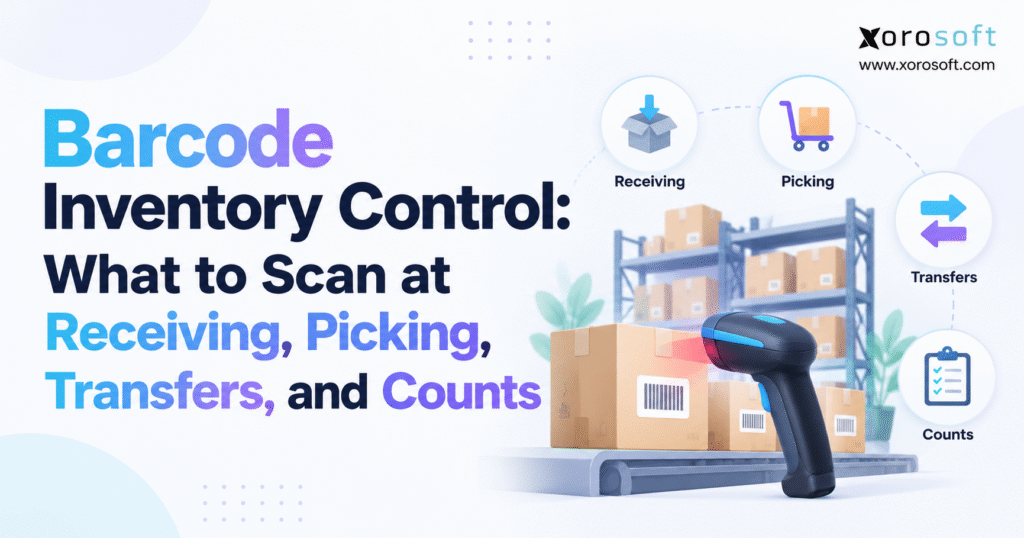
If you want to streamline your stock management, barcode inventory control can be an efficient solution.
1. Why Barcode Inventory Control Still Fails in Busy Warehouses
A warehouse can scan thousands of products every day and still struggle with inaccurate inventory. Receiving teams may accept incorrect quantities, pickers may remove products from the wrong locations, and warehouse transfers may remain incomplete in the system.
As a result, inventory records gradually become disconnected from physical stock. By the time a discrepancy reaches accounting or customer service, identifying its original cause becomes difficult.
However, the problem is rarely the barcode scanner itself. More often, the scanning process does not verify enough information before recording an inventory transaction.
Effective barcode inventory control connects every physical movement to an authorized warehouse activity. Employees must identify the correct product, confirm its location, verify the quantity, and record the appropriate inventory status.
Without these controls, scanning simply replaces manual typing with faster data entry.
1.1 Why a Successful Barcode Scan Does Not Guarantee Accurate Inventory
A barcode scanner identifies encoded information. However, it does not independently determine whether the physical product belongs to the correct purchase order, sales order, warehouse bin, or inventory lot.
For example, consider a receiving employee who scans a carton containing twelve units. The barcode identifies the correct product, but the employee records the carton as one individual unit.
Although the scan succeeds, the inventory quantity becomes incorrect.
Similarly, a picker may scan the correct SKU from an unauthorized storage location. The order might contain the right product, yet the warehouse’s bin-level inventory records become unreliable.
Consequently, these mistakes create discrepancies that often remain unnoticed until a cycle count, stockout, or inventory reconciliation.
A strong barcode inventory control process must therefore validate the transaction rather than merely recognize the barcode.
1.2 The Four Inventory Controls Every Warehouse Scan Should Support
Reliable barcode-based inventory control depends on four essential checks: item identification, location verification, quantity confirmation, and inventory status.
First, item identification ensures that employees handle the correct SKU or product variant. Next, location verification confirms where the inventory is stored or where it should move.
Quantity confirmation then checks the amount involved in the transaction, including case-pack conversions. Finally, inventory status establishes whether the goods are available, allocated, damaged, quarantined, or in transit.
For instance, 100 units physically present in a warehouse do not necessarily represent 100 units available for new customer orders.
Some units may already be reserved, while others may be awaiting inspection.
Therefore, the inventory application must preserve these distinctions as transactions occur.
1.3 Barcode Scanning, Transaction Validation, and Inventory Posting
Three activities are often treated as one, although they serve different operational purposes.
Barcode scanning captures an identifier. Transaction validation determines whether the identifier satisfies the current warehouse task. Inventory posting updates the appropriate operational or financial records.
For example, a picking confirmation may update a warehouse task without immediately reducing total inventory. Subsequently, shipment posting may complete that reduction.
Likewise, receiving stock does not always make it available for picking until quality checks or putaway are complete.
Understanding these stages is essential because reliable barcode inventory control depends on when the system validates and posts each transaction.
2. Barcode Inventory Control Starts With the Right Labels and Identifiers
Before implementing barcode scanning workflows, businesses must determine which identifiers employees will scan and what information the software should retrieve.
A warehouse using inconsistent product codes, duplicated location labels, or incorrect units of measure cannot maintain reliable records simply by introducing scanners.
Therefore, the identification structure must reflect how products actually move through the operation.
Moreover, barcode standards should support both current requirements and future warehouse complexity.
2.1 SKU, UPC, EAN, and GTIN: Choosing the Correct Product Barcode
A Stock Keeping Unit, or SKU, is an internal identifier assigned by a business. Typically, it represents a specific product variation, including size, color, style, or packaging configuration.
Meanwhile, a Global Trade Item Number, or GTIN, provides standardized trade item identification. UPC and EAN are commonly used barcode formats associated with GTINs.
For example, an apparel company may assign the internal SKU SHIRT-BLK-M to a medium black shirt. Its standardized product barcode can identify the same trade item.
The warehouse application should correctly map both identifiers to the intended inventory record.
However, a barcode for a product family should not substitute for a specific variant. Otherwise, employees may pick the wrong size while the application appears to accept the scan.
Accurate product mapping is therefore one of the foundations of barcode inventory control.
2.2 Bin Locations, License Plates, and Logistics Unit Barcodes
Product identification is only one part of warehouse scanning.
In addition, location barcodes identify physical storage positions, such as aisles, racks, shelves, and bins. These labels help employees verify where inventory is received, stored, picked, or transferred.
A License Plate Number, or LPN, identifies a handling unit within a warehouse management system. For instance, an LPN may represent a carton, pallet, tote, or another container whose contents are tracked by the application.
The Serial Shipping Container Code, or SSCC, is a standardized GS1 identifier for logistics units.
However, an SSCC identifies the logistics unit itself. The warehouse application must retrieve its associated contents from accurate supporting records.
The GS1 Application Identifiers standard explains how structured barcode information identifies trade items, logistics units, batches, and other attributes.
As a result, businesses can design consistent identification procedures across suppliers, warehouses, and fulfillment partners.
2.3 Lot Numbers, Serial Numbers, Expiration Dates, and Units of Measure
Some products require additional tracking beyond SKU identification.
For example, food distributors may need lot numbers and expiration dates. Electronics distributors may require serial numbers. Meanwhile, wholesale operations must frequently distinguish individual units from cases and pallets.
GS1 Application Identifiers include (01) for GTIN, (10) for batch or lot, (17) for expiration date, and (21) for serial number.
A receiving employee may capture these attributes from a compatible structured barcode or through separate system fields.
However, units of measure deserve equal attention.
A carton containing twelve units must not be recorded as one unit when the inventory system measures stock individually.
Therefore, barcode inventory management procedures should validate both the product identifier and the quantity represented by the scanned package.
Table 1: Essential Barcode Identifiers for Inventory Control
| Identifier | Purpose | Common warehouse use |
|---|---|---|
| SKU | Internal product identification | Receiving and picking |
| GTIN / UPC / EAN | Standardized product identification | Product verification |
| Location barcode | Physical warehouse position | Putaway, picking, counting |
| LPN | Internal handling-unit identification | Carton and pallet movements |
| SSCC | Standardized logistics-unit identification | Shipping and receiving |
| Lot / serial | Product traceability | Receiving and controlled picking |
| Quantity / UOM | Inventory measurement | All stock transactions |
Ultimately, the correct combination depends on product characteristics, warehouse complexity, and operational requirements.
2.4 Maintaining Barcode Data Accuracy Across Warehouse Systems
Even well-designed barcode labels become unreliable when product master data changes without proper controls.
For instance, a supplier may update packaging quantities, introduce new product identifiers, or change carton configurations.
If the inventory application continues using outdated records, employees may unknowingly accept incorrect quantities.
Therefore, businesses should establish ownership for SKU creation, barcode mapping, unit-of-measure updates, and location maintenance.
In addition, obsolete product codes should be retired or redirected carefully to avoid duplicate identification.
Consistent master data ensures that barcode inventory control remains dependable as product catalogs and warehouse operations expand.
3. Barcode Inventory Control During Receiving: What to Scan Before Stock Becomes Available
Receiving is one of the most important inventory checkpoints because inbound errors can affect every subsequent warehouse activity.
If employees accept incorrect quantities or capture the wrong item attributes, those inaccuracies move into purchasing, inventory availability, picking, and financial reconciliation.
Therefore, a controlled receiving process should verify both the expected delivery and the goods physically present.
3.1 Scan the Purchase Order, ASN, or Authorized Receiving Task
Receiving should begin with an approved transaction reference.
Depending on the business process, employees may open a purchase order, advance shipping notice (ASN), warehouse receipt, transfer receipt, or return authorization.
The application should then identify the expected supplier, products, quantities, and receiving location.
An ASN can provide useful information about expected cartons and shipping units. However, employees must still verify the actual delivery rather than treating supplier-provided data as proof of receipt.
For example, a purchase order may contain 500 units while the shipment includes only 480.
In that situation, the warehouse must record the quantity physically received while preserving the outstanding difference for purchasing review.
Consequently, incorrect inventory balances are prevented from entering the system at the receiving dock.
3.2 Scan Product Barcodes and Confirm the Actual Received Quantity
After opening the receiving task, employees should scan the product barcode or verified handling-unit identifier.
The system then compares the scan with the expected receipt and confirms that the product is authorized.
Next, the employee records the actual quantity using the correct unit of measure.
Consider a shipment containing twenty cartons with twelve units each. If the cartons are complete, the transaction represents 240 individual units.
However, if one carton contains only ten units, the actual receipt is 238 units.
Accurate barcode inventory control requires the application to capture this difference instead of automatically using the expected carton quantity.
Furthermore, employees should verify whether cartons contain mixed SKUs or require individual item scanning.
This additional validation helps prevent receiving discrepancies that would otherwise affect later inventory counts.
3.3 Capture Lot, Serial, and Expiration Information During Receiving
Product traceability requirements should be applied before receiving is completed.
For lot-controlled inventory, the worker must associate accepted quantities with the correct batch. Similarly, serialized products may require individual serial-number verification.
Expiration dates provide another important control for food, beverage, and other date-sensitive products.
For example, a food distributor may receive two lots of the same SKU with different expiration dates.
If those quantities are combined into a single unidentified balance, the warehouse loses important information needed for FEFO picking and recall traceability.
Therefore, the receiving process should validate supplier shelf-life requirements, damaged packaging, missing identifiers, and quality inspection rules.
When required information is unavailable, the goods should remain in an appropriate exception or hold status until the issue is resolved.
3.4 Handle Receiving Shortages, Overages, and Damaged Inventory
A warehouse should never force its receiving records to match the purchase order when physical evidence shows otherwise.
Instead, shortages require actual quantities to be recorded and communicated to purchasing.
Overages may require approval based on supplier agreements and receiving tolerances.
Likewise, damaged products should be distinguished from usable inventory. Their physical presence in the building does not automatically mean they can be allocated to customer orders.
Table 2: Barcode Receiving Exceptions and Required Actions
| Receiving exception | What the system should verify | Recommended response |
|---|---|---|
| Wrong SKU | Expected purchase order item | Block or investigate |
| Quantity shortage | Actual versus expected quantity | Record shortage |
| Over-receipt | Authorized receiving tolerance | Request approval |
| Damaged carton | Condition and accepted quantity | Apply quality hold |
| Missing lot number | Product traceability rules | Prevent unauthorized completion |
| Duplicate LPN | Previous receipt history | Investigate repeated scan |
Furthermore, these exceptions should remain visible in transaction records.
Otherwise, purchasing teams may believe suppliers delivered complete orders while inventory controllers inherit unexplained discrepancies.
3.5 Scan the Putaway Location Before Completing the Warehouse Movement
Receiving and putaway should be treated as separate activities when warehouse processes require that distinction.
Initially, stock may enter a receiving area, inspection zone, or temporary staging location.
Once the goods are approved for storage, employees scan the destination bin and confirm the quantity moved.
This location verification prevents cartons from being placed in the wrong rack while the system records a destination that was never physically used.
Microsoft’s Business Central warehouse receiving documentation illustrates configurations where receipts and putaway are processed separately.
Therefore, barcode inventory control should distinguish between goods physically received, goods stored in a warehouse location, and goods available for picking.
3.6 Receiving Example: A Shipment With Missing and Damaged Cartons
Suppose a wholesale distributor orders twelve cartons containing ten units each.
However, only eleven cartons arrive, and one carton is damaged.
The receiving employee verifies 110 physically received units against the 120 units expected.
Following inspection, 100 units are accepted into usable stock. Meanwhile, ten damaged units enter quarantine, and ten units remain undelivered.
The warehouse system must preserve all three quantities.
If the employee simply scans the purchase order and accepts the expected amount, available inventory could be overstated by twenty units.
By contrast, a properly controlled receipt gives purchasing, warehouse operations, and customer service a consistent view of the discrepancy.
As a result, follow-up decisions can be based on verified stock rather than assumptions.
4. Barcode Inventory Control During Picking: Verify Every Product Before Shipping
Picking errors directly affect customer experience.
A wrong product can create returns, replacement shipments, customer service work, and misleading inventory records.
However, scanning only the product barcode is not always sufficient.
Reliable barcode picking verifies the assigned order, physical location, product identity, tracking information, and actual quantity collected.
4.1 Scan the Pick Task and Source Warehouse Bin
Before collecting inventory, the employee opens the assigned picking task.
The task may originate from a sales order, fulfillment wave, replenishment request, or another authorized activity.
Next, the picker verifies the suggested source location and scans its barcode when the workflow requires location confirmation.
This protects bin-level accuracy because employees may otherwise remove stock from nearby shelves containing identical or similar products.
For example, two bins may hold the same SKU but different lots.
If the picker removes inventory from the wrong bin, the warehouse may create incorrect lot availability even though the product barcode matches.
Therefore, location scanning helps connect the physical pick with the correct inventory record.
4.2 Scan the Exact SKU, Variant, Lot, or Serial Number
After validating the source location, the employee scans the product.
The application compares the identifier with the assigned order line and permitted inventory attributes.
In apparel operations, this means confirming the exact size and color. Similarly, serialized inventory may require a specific serial number or any eligible serial number permitted by the order.
Lot-controlled products may require FIFO or FEFO validation.
FIFO generally prioritizes stock based on receipt or inventory aging rules. Meanwhile, FEFO prioritizes inventory with earlier expiration dates.
However, neither policy should override quality restrictions or customer-specific lot requirements.
A product with an expired or blocked status should not become pickable simply because it occupies the oldest warehouse location.
Consequently, barcode inventory control must verify both product identity and eligibility for fulfillment.
4.3 Verify Picked Quantities, Short Picks, and Substitutions
The picker should confirm the quantity actually collected.
If the task requests fifteen units but only twelve are available, the system should record a short pick rather than silently confirming the expected amount.
The remaining demand may require replenishment, reallocation, backorder processing, or order review.
Additionally, substitutions need explicit controls.
For example, an employee should not replace a requested medium-size jacket with a large-size jacket simply because the products look similar.
Instead, the inventory application should reject the mismatch unless an authorized substitution rule applies.
As a result, the warehouse preserves both inventory accuracy and customer-order integrity.
4.4 Scan Picking Totes and Verify Packing Before Shipment
Batch, wave, and cluster picking can improve warehouse travel efficiency.
However, these methods also create sorting challenges when several customer orders are collected together.
Therefore, employees should scan the assigned tote or order container so each item remains associated with the correct customer.
Packing then provides another control point.
The packing employee verifies the order, product, quantity, and carton before shipment confirmation.
In addition, businesses must distinguish allocated, picked, packed, and shipped quantities.
Microsoft’s warehouse picking documentation demonstrates workflows where pick registration and shipment posting are separate activities.
Consequently, a completed pick should not automatically be interpreted as a shipped order in every system.
4.5 Picking Example: Preventing a Wrong-Size Apparel Shipment
A Shopify customer orders eight medium black jackets.
However, the warehouse contains medium and small jackets in neighboring bins.
The picker scans the assigned source location, then accidentally scans a small jacket.
The inventory application immediately identifies the SKU mismatch and blocks the pick.
After locating the medium jacket, the employee scans the correct product and confirms eight units.
Finally, a separate packing verification confirms that the correct jackets enter the shipping carton.
As a result, the physical movement, inventory records, and customer order remain aligned.
Free ERP Readiness Assessment
If warehouse employees routinely correct inventory after picking, investigate whether the underlying problem involves product identification, location verification, allocation rules, or disconnected systems.
An ERP readiness assessment can help establish which controls need improvement before considering new software.
5. Inventory Transfers: Barcode Scanning Rules for Every Stock Movement
Warehouse inventory rarely stays in one location.
Products frequently move between receiving areas, bulk storage, forward-pick bins, quality zones, production staging, and separate distribution centers.
Without reliable transfer procedures, these movements create inventory discrepancies even when receiving and shipping processes are accurate.
Therefore, barcode inventory control must track inventory movement as carefully as inbound and outbound transactions.
5.1 Scan Both the Source and Destination for Bin-to-Bin Transfers
A bin-to-bin transfer should begin with an authorized movement task.
First, the employee confirms the source location. Next, the worker scans the item or handling unit and records the movement quantity.
Finally, the destination location is scanned before the transfer is completed.
This establishes a clear connection between the stock leaving one bin and entering another.
For example, moving 30 units from bulk storage to a forward-pick location should reduce the source bin by 30 and increase the destination bin by 30 when the movement posts successfully.
However, the transaction should not change the total warehouse quantity.
The application must also verify sufficient source stock and confirm that the destination permits the item.
5.2 Validate Warehouse-to-Warehouse Transfers at Both Ends
Inter-warehouse transfers introduce additional complexity because stock may spend time in transit.
Initially, the sending warehouse scans the transfer reference, item, quantity, and relevant shipping units.
Subsequently, the receiving facility independently validates the actual delivery.
For example, Warehouse A ships 50 units to Warehouse B.
However, Warehouse B receives only 48 units.
A controlled transfer preserves the dispatched quantity, actual receipt, and unresolved two-unit discrepancy.
Therefore, the system should not automatically make all 50 units available at the destination before physical receipt.
This separation becomes particularly important for businesses operating regional distribution centers or third-party logistics facilities.
5.3 Keep Available, Quarantined, and In-Transit Inventory Separate
Inventory status matters as much as physical location.
A transfer may involve goods available for picking, reserved for customer demand, quarantined for inspection, or awaiting final receipt.
Each status affects inventory planning differently.
For example, stock dispatched from one distribution center may appear as in transit while remaining unavailable for allocation at the destination.
An integrated ERP platform such as Xorosoft can be evaluated for connecting warehouse movements with broader inventory and operational records.
However, the business must still define the rules governing transfer authorization, shipment confirmation, receiving discrepancies, and stock availability.
Table 3: Inventory Transfer Stages and Record Changes
| Transfer stage | Physical event | Expected inventory record |
|---|---|---|
| Transfer requested | Movement planned | Transfer demand recorded |
| Source pick | Stock collected | Pick or movement task updated |
| Dispatch confirmed | Goods leave source | Shipped or in-transit status |
| Destination receipt | Goods physically arrive | Actual receipt recorded |
| Final putaway | Goods stored | Destination bin updated |
| Transfer discrepancy | Quantity mismatch | Exception remains open |
Consequently, a reliable barcode inventory control process must preserve the full movement history rather than treating every transfer as an immediate quantity adjustment.
5.4 Replenishment, Quality Holds, and Manufacturing Transfers
Not every warehouse transfer involves two distribution centers.
For example, replenishment moves products from bulk storage to forward-pick locations.
Similarly, quality movements relocate damaged or questionable stock into restricted areas.
Manufacturing transfers may issue components to production staging or work-in-process locations.
However, these movements require different transaction rules.
Moving a component into production staging should not necessarily record final material consumption.
Therefore, the warehouse application must preserve that distinction until the appropriate production transaction occurs.
6. Barcode Inventory Control During Cycle Counts: Scan, Recount, and Reconcile
Cycle counting helps businesses maintain inventory accuracy without relying entirely on annual physical stocktakes.
However, scanning an item during a count is not proof that the quantity is correct.
The process must capture actual physical observations, identify discrepancies, and control subsequent adjustments.
6.1 Assign Count Tasks Based on Inventory Risk
A cycle count program should prioritize locations and products based on business risk.
For example, high-value items, fast-moving products, frequently adjusted SKUs, and areas with recurring discrepancies may need more frequent verification.
Some businesses use ABC inventory classifications to guide counting frequency.
The count task should identify authorized locations, products, and employees.
Blind counting can reduce confirmation bias because the employee does not see the expected system quantity before reporting the physical result.
Meanwhile, directed counting may be appropriate in other situations, provided the employee still verifies what is physically present.
Ultimately, the objective is reliable evidence rather than simply completing more counting tasks.
6.2 Scan the Bin, Product, and Actual Physical Quantity
A controlled cycle count begins with the assigned count task.
First, the employee scans the location. Next, the product is identified, and the actual physical quantity is recorded.
If the item requires lot or serial tracking, those attributes must also be captured.
Mixed-SKU bins need special attention because a single location may contain several different products.
Similarly, two lots of the same SKU should remain distinguishable when traceability rules require that separation.
Zero counts must also be deliberate.
An empty bin should require explicit confirmation rather than being treated as empty because an employee skipped it.
Furthermore, the system should retain the counter, location, count timestamp, and relevant tracking attributes.
These records help maintain accountability throughout the barcode inventory management process.
6.3 Control Warehouse Movements During Active Counts
Inventory counting becomes more complicated when receiving, picking, and transfers continue during the count.
For example, a picker may remove inventory after the system establishes the count baseline but before another employee completes the physical verification.
Without accounting for that movement, a normal transaction can appear as a discrepancy.
Therefore, businesses can manage this risk through temporary movement restrictions, defined count windows, transaction-aware reconciliation, or inventory snapshots.
The appropriate method depends on the warehouse system and operating volume.
Meanwhile, a high-throughput facility may need to continue shipping while the WMS accounts for active movements.
Consequently, barcode inventory control should compare physical stock against a consistent and meaningful inventory position.
6.4 Investigate Count Variances Before Posting Adjustments
Count results should be reviewed before inventory corrections affect financial records.
If physical stock differs from system quantity, the inventory controller should examine recent receipts, picks, transfers, returns, and adjustments.
In addition, a recount may be necessary for high-value discrepancies.
Table 4: Cycle Count Variances and Investigation Rules
| Variance | Possible cause | Recommended control |
|---|---|---|
| Physical stock below system quantity | Unrecorded pick or loss | Review movement history |
| Physical stock above system quantity | Missed receipt or putaway | Investigate inbound records |
| Wrong bin | Unrecorded transfer | Check nearby locations |
| Incorrect lot balance | Lot capture mistake | Recount by lot |
| Duplicate quantity | Repeated transaction | Review audit events |
| Empty location | Actual zero or skipped count | Confirm zero count |
Oracle’s inventory count documentation describes count completion, supervisory approval, snapshot considerations, and inventory adjustments.
These controls help ensure that barcode cycle counting corrects genuine discrepancies rather than creating new ones.
6.5 Cycle Count Example: Investigating Three Missing Units
A warehouse system shows 60 units in a particular bin.
However, the employee scans the location and product but physically counts only 57 units.
The initial discrepancy is three units.
Before posting an adjustment, the controller reviews recent warehouse activity and discovers that a transfer was started but never completed.
If the outstanding movement explains the discrepancy, the appropriate transaction should be resolved.
Otherwise, a controlled recount should confirm whether the shortage is genuine.
Once the discrepancy is verified, an authorized reviewer may approve a negative three-unit adjustment with a documented reason.
As a result, the warehouse protects both inventory accuracy and the integrity of the audit trail.
7. Barcode Inventory Control Checklist for Receiving, Picking, Transfers, and Counts
Each warehouse transaction requires a slightly different combination of scans and validations.
Therefore, a single barcode scanning policy is rarely sufficient for every inventory movement.
Instead, businesses should document which identifiers are mandatory, which are conditional, and which fields the application can safely derive from existing records.
7.1 The Four-Workflow Barcode Scanning Matrix
Table 5: Barcode Inventory Control by Warehouse Activity
| Warehouse activity | What to scan or select | What to validate | What to record |
|---|---|---|---|
| Receiving | Receipt task, item, LPN when applicable | Expected SKU, quantity, tracking data | Accepted, held, and discrepant quantities |
| Picking | Pick task, source bin, SKU | Variant, lot, quantity, allocation | Actual picked quantity |
| Transfers | Transfer task, source, item, destination | Movement authorization, quantity | Source and destination movement |
| Cycle counts | Count task, bin, SKU | Actual quantity, tracking attributes | Count result and variance |
Some workflows may retrieve several fields through one verified handling-unit scan.
However, others require separate scans or manual quantity confirmation.
The objective is not to maximize the number of scans. Instead, it is to capture enough reliable information to establish that the transaction is correct.
7.2 What Happens When a Barcode Validation Fails?
A failed scan should produce a meaningful exception.
For example, the system might identify an unexpected SKU, a restricted location, a duplicate carton, or an invalid lot.
Employees should then know whether to rescan, correct a source document, request authorization, or investigate the physical inventory.
However, allowing unrestricted overrides can undermine otherwise effective barcode inventory control.
Exception handling should also distinguish technical problems from operational errors.
A damaged label requires a different response from an unauthorized inventory movement.
Therefore, each exception category should have a clearly defined resolution process.
7.3 Build an Audit Trail That Explains Inventory Changes
Useful transaction records include the employee, time, item, location, quantity, source document, and exception reason.
For sensitive inventory movements, approval information should also be retained.
These records help operations teams investigate recurring discrepancies instead of repeatedly adjusting stock without understanding the cause.
As a result, managers can identify whether errors originate in receiving, putaway, picking, transfers, or counts.
Furthermore, reliable audit history makes process improvement more targeted and measurable.
8. Barcode Inventory Management Across Different Industries
Barcode scanning requirements change according to the products a business handles and the way it fulfills orders.
For example, an apparel warehouse operates differently from a food manufacturer or furniture wholesaler.
Although the underlying control principles remain consistent, the required identifiers and transaction rules vary.
Therefore, barcode inventory control should reflect industry-specific risks rather than follow a single generic scanning procedure.
8.1 Apparel, Sporting Goods, and Furniture Warehouses
Apparel warehouses manage large numbers of product variants.
A single shirt design may exist in several sizes and colors, making exact SKU verification essential during picking and replenishment.
Similarly, sporting goods distributors may manage serialized products or seasonal demand spikes.
Furniture warehouses face different challenges. Large products may occupy bulk storage areas, special handling zones, and multiple staging locations.
Consequently, location and handling-unit scanning can be especially valuable.
Businesses comparing warehouse requirements across sectors can review Xorosoft’s industry coverage as one reference when evaluating operational software fit.
8.2 Food, Beverage, and Manufacturing Inventory
Food and beverage warehouses often require lot traceability and expiration-date controls.
Receiving teams must capture accurate batch information, while pickers may need to follow FEFO rules.
In addition, quarantined lots should remain unavailable until authorized release.
Manufacturing adds another layer of complexity because materials move through receiving, storage, production staging, work-in-process, and finished-goods locations.
For example, a barcode scan may identify components issued to a work order, but the application must distinguish staging from consumption.
As a result, these controls protect production inventory records and help accounting reconcile material usage.
8.3 Shopify, Amazon, and Wholesale Distribution Operations
Ecommerce businesses frequently sell the same inventory through several channels.
A warehouse pick reduces physically available stock, but accurate customer-facing availability also depends on reservations, holds, and synchronization rules.
For merchants researching integrated ERP workflows, Xorosoft’s Shopify App Store listing provides one example of ecommerce-connected software.
Furthermore, businesses should review supported integrations to understand how orders, inventory, fulfillment, and financial records move between systems.
Wholesale distributors also need case-pack controls, customer allocations, and EDI document matching.
Therefore, barcode inventory control is most effective when warehouse transactions feed consistent order and inventory records across the business.
8.4 Why Industry Requirements Affect Barcode Software Selection
A warehouse serving several product categories may require different scanning rules for different SKUs.
For instance, food products may require expiry validation, apparel needs exact variant matching, and manufacturing components may require work-order references.
Consequently, selecting barcode inventory software solely on basic scanning functionality can overlook important operational requirements.
Businesses should instead evaluate whether the system supports configurable validation rules, traceability attributes, handling units, and location controls.
This approach reduces the likelihood of introducing a scanning solution that works for simple inventory but struggles with more demanding product categories.
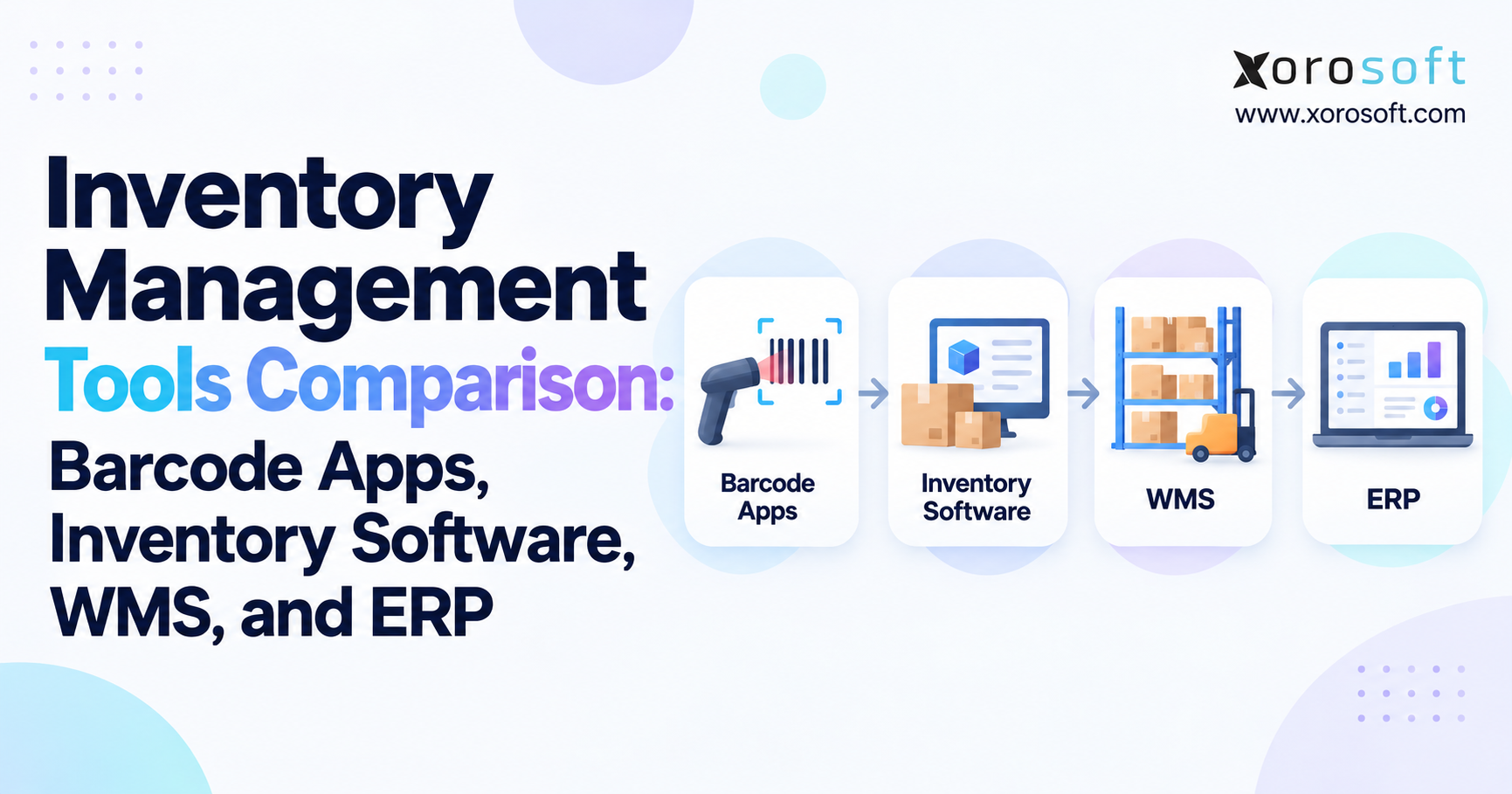
9. Barcode Inventory Control Software vs WMS vs ERP: Choosing the Right System
Barcode inventory software, warehouse management systems, and ERP platforms solve related but different operational problems.
The right choice depends on inventory movement complexity, the number of locations, and how closely warehouse activity must connect with other departments.
Therefore, software selection should begin with operational requirements rather than vendor categories.
9.1 When a Basic Barcode Inventory Application Is Enough
A small warehouse with straightforward products and limited stock movements may not need advanced warehouse management software.
Basic barcode applications can support product identification, simple receipts, stock adjustments, and periodic counting.
However, capabilities vary widely.
Some applications support bins, multiple warehouses, and mobile transactions. Others primarily maintain SKU-level stock quantities.
Therefore, businesses should evaluate their required controls instead of assuming every barcode application offers the same functionality.
When operations include directed picking, replenishment, complex putaway, and warehouse-level task management, a dedicated WMS may be more appropriate.
Xorosoft’s XoroWMS is one example of warehouse management software supporting barcode-driven inventory operations.
9.2 What WMS and ERP Add to Barcode Inventory Control
A WMS focuses on physical warehouse execution.
It can coordinate receiving, directed putaway, picking, packing, replenishment, transfers, and cycle counts.
Meanwhile, ERP software typically provides broader business functionality, including purchasing, accounting, inventory valuation, order management, and manufacturing.
An integrated environment can reduce the need to reconcile warehouse transactions against disconnected systems.
Table 6: Barcode Inventory Software, WMS, and ERP Comparison
| Capability | Barcode inventory app | WMS | ERP with warehouse functions |
|---|---|---|---|
| Product scanning | Common | Common | Common or integrated |
| Directed picking | Varies | Core capability | Depends on module |
| Bin transfers | Varies | Common | Often supported |
| Cycle counting | Basic to advanced | Advanced workflows | Inventory and financial integration |
| Purchasing | Limited or integrated | Usually external | Typically included |
| Accounting | Usually external | Usually external | Typically included |
| Multi-warehouse management | Varies | Common | Common |
| Best fit | Simple stock control | Complex warehouse execution | Connected business operations |
However, the distinction is not absolute.
Some ERP platforms contain sophisticated WMS functionality, while specialized WMS products integrate successfully with existing accounting systems.
Consequently, businesses should compare actual workflow capabilities rather than relying solely on software labels.
9.3 When Inventory Complexity Justifies an ERP Upgrade
Inventory complexity becomes a broader business problem when warehouse discrepancies repeatedly affect purchasing, fulfillment, accounting, and reporting.
For example, frequent reconciliation adjustments, inaccurate channel availability, duplicate data entry, and difficulty tracking warehouse transfers may indicate operational limitations.
Xorosoft’s XoroONE combines inventory-driven operations with purchasing, warehouse management, accounting, ecommerce, and other business functions.
Similarly, companies evaluating broader ERP requirements can assess XoroERP against their existing workflows.
However, an ERP replacement is not always necessary.
A business with stable accounting processes and complex warehouse execution may benefit more from integrating a dedicated WMS with its current ERP.
Therefore, the decision should reflect the actual source of inventory control problems.
9.4 Evaluate Barcode Inventory Software Using Real Warehouse Transactions
Vendor demonstrations should test actual business exceptions rather than only ideal workflows.
For example, a useful evaluation should include a partial receipt, wrong-SKU pick, inter-warehouse transfer discrepancy, lot-controlled transaction, and cycle count variance.
Buyers should verify which actions update inventory quantities, which require approval, and how failures are recorded.
Furthermore, the evaluation should consider implementation effort, user training, integration requirements, and reporting capabilities.
For companies comparing ERP options, a Xorosoft vs NetSuite comparison can provide additional product-selection context.
However, buyers should confirm current functionality, implementation scope, and total cost directly with each vendor.
Ultimately, the strongest software decision is based on transaction fit, operational controls, and evidence from realistic testing.
Watch Demo
When reviewing barcode-enabled warehouse software, request a demonstration covering receiving, picking, transfers, and cycle counting.
In addition, pay particular attention to failed scans, stock-status updates, inventory adjustments, and the records available for audit.
10. Implement Barcode Inventory Control Without Disrupting Warehouse Operations
Successful implementation depends on process design, accurate data, employee training, and measurable results.
Installing scanners without addressing incorrect master data or unclear operating procedures often leaves the underlying inventory problems unresolved.
Therefore, a phased rollout provides better visibility into what works before the process reaches the entire warehouse.
10.1 Clean Product and Location Data Before Deployment
Begin by reviewing SKU records, barcode assignments, case-pack quantities, warehouse locations, and tracking requirements.
Duplicate identifiers must be resolved, while obsolete barcodes should be removed or mapped correctly.
In addition, every controlled bin should have a unique location code.
Next, document the expected scan sequence for receiving, picking, transfers, and counts.
Employees need clear instructions for both ordinary transactions and exceptions.
For example, the procedure should explain how to receive a short shipment, replace a damaged barcode label, and handle an inventory count mismatch.
Consequently, correct data and clear rules make scanner training significantly more effective.
10.2 Test Duplicate Scans, Connectivity Failures, and Manual Overrides
Warehouse technology must work reliably under actual operating conditions.
Therefore, scanner performance should be tested in high racks, loading docks, cold storage, and areas with weak network coverage where relevant.
The system should also prevent duplicate transactions when employees accidentally resubmit the same activity.
Offline scanning requires particular care.
For instance, queued events should be synchronized with controls that avoid duplicate or out-of-sequence inventory postings.
Similarly, manual overrides should have appropriate permissions and audit history.
These controls matter because technical interruptions can create the same inventory discrepancies that barcode scanning was intended to prevent.
10.3 Measure Inventory Accuracy and Warehouse Scanning Performance
Measure performance before and after the rollout using consistent definitions.
Inventory count accuracy can be measured as accurately matched audited item-location records divided by total audited records.
Meanwhile, picking accuracy can be calculated using correctly fulfilled audited pick lines divided by total audited pick lines.
Scan compliance measures completed required validations against warehouse events requiring those validations.
In addition, useful measures include dock-to-stock time, receiving discrepancy frequency, cycle count variance resolution time, and inventory adjustments by reason code.
However, managers should avoid evaluating barcode inventory control exclusively by scanning speed.
A faster transaction that produces incorrect inventory records is not an operational improvement.
Therefore, accuracy and exception resolution should remain central performance measures.
10.4 Pilot One Workflow Before Expanding Across the Warehouse
Start with a warehouse area where inventory discrepancies are frequent and operational ownership is clear.
Receiving or cycle counting can provide useful starting points, depending on the business.
First, establish baseline performance. Next, introduce the scanning rules and review exceptions daily.
After the pilot produces reliable results, expand into additional zones or transaction types.
Training should also include temporary workers and supervisors rather than only experienced scanner operators.
Furthermore, written procedures should explain how employees handle incorrect labels, missing quantities, and unauthorized movements.
Ultimately, barcode inventory control becomes dependable when the process remains consistent across shifts, warehouses, and operating conditions.
11. Build an Inventory Scanning Process That Remains Accurate as the Business Grows
Reliable warehouse inventory starts with one practical question: Does every confirmed transaction accurately represent what physically happened?
If the answer is uncertain, adding more scanners will not solve the underlying problem.
Instead, begin by identifying where discrepancies originate.
Review receiving quantities, picking validation, transfer completion, and cycle count adjustments.
Then define the mandatory identifiers, transaction checks, and exception rules for each workflow.
A business with simple inventory operations may improve accuracy using its existing barcode application.
However, a more complex organization may need stronger WMS controls or ERP integration.
The objective is to match system capability with actual operational requirements.
11.1 Prioritize Inventory Controls Before Software Features
The most useful improvement is often a controlled scan sequence supported by accurate item and location data.
Therefore, start with one high-risk workflow, verify its records, and measure the results.
Once the process works reliably, expand to additional warehouse operations.
This approach reduces unnecessary implementation complexity while helping employees understand why each scan matters.
Furthermore, management should regularly review scanning exceptions and inventory discrepancies to identify recurring process weaknesses.
11.2 Connect Warehouse Accuracy With Business Visibility
As operations scale, inventory accuracy must extend beyond the warehouse.
Purchasing needs reliable receiving information. Meanwhile, sales teams need dependable available-to-sell quantities, and accounting requires traceable inventory movements and approved adjustments.
Consequently, barcode inventory control should support consistent information across departments rather than operate as an isolated warehouse function.
When evaluating integrated systems, companies should compare their operational requirements with the capabilities of available platforms, including Xorosoft where appropriate.
Book a Personalized Demo
If your business manages multiple warehouses, growing order volume, or disconnected inventory and accounting systems, review how receiving, picking, transfers, and cycle counting would work within a connected platform.
Contact the Xorosoft team to book a personalized ERP demonstration and assess the workflows against your actual warehouse requirements.
Ultimately, the long-term goal is not simply to scan more products. It is to maintain inventory records that warehouse teams, purchasing departments, financial managers, and customers can consistently trust.
Frequently Asked Questions
What is barcode inventory control?
Barcode inventory control uses scanned identifiers to verify products, locations, quantities, and stock movements. As a result, warehouse activity stays aligned with accurate inventory records.
What should be scanned during warehouse receiving?
Scan the receiving task, product barcode, and destination bin. Additionally, confirm actual quantities and capture lot numbers, serial numbers, or expiration dates when required.
What should warehouse workers scan when picking orders?
Verify the pick task, source bin, product barcode, and quantity. Furthermore, scan the required lot or serial number and packing container when applicable.
How should barcode scanning work for inventory transfers?
Confirm the transfer reference, source location, item, quantity, and destination. For inter-warehouse transfers, record dispatch and destination receipt separately to identify discrepancies.
How do barcode scanners improve cycle count accuracy?
Scanners verify locations and products while recording physical quantities. However, discrepancies still require investigation, and inventory adjustments should follow approval procedures.
Does scanning a barcode automatically update inventory?
Not always. Scanning identifies data, while software validates and posts transactions. Therefore, inventory updates depend on configured receiving, picking, shipping, and adjustment rules.
When should a business upgrade to a WMS or ERP?
Consider upgrading when complex transfers, picking errors, multichannel orders, or repeated reconciliations overwhelm basic tools. First, evaluate your warehouse workflows and integration requirements.
Search
Categories
- Competitor & buyers 244
- E-COMMERCE & CHANNEL INTEGRATIONS 72
- ERP 571
- Industries 224
- Integrations 134
- Inventory management software 371
- PROCUREMENT & SUPPLY CHAIN 9
- Resources 244
- Shopify ERP 134
- Solutions 592
- Wholesale & distribution 224
- WMS & Warehouse 221
Recent Posts
-
 Inventory Tracking Management: How to Correct Negative Stock, Duplicate Receipts, and Orphaned Reservations
 -
 Shopify Inventory Integration Benchmarks 2026: Latency, Errors and Reconciliation
 -
 ERP for Furniture Distributors Managing Bulky Inventory and Delivery Scheduling
 -
 Xorosoft vs Acumatica for Inventory-Intensive Mid-Market Companies
 -
 What Is Material Pegging in MRP and Why Does It Matter?