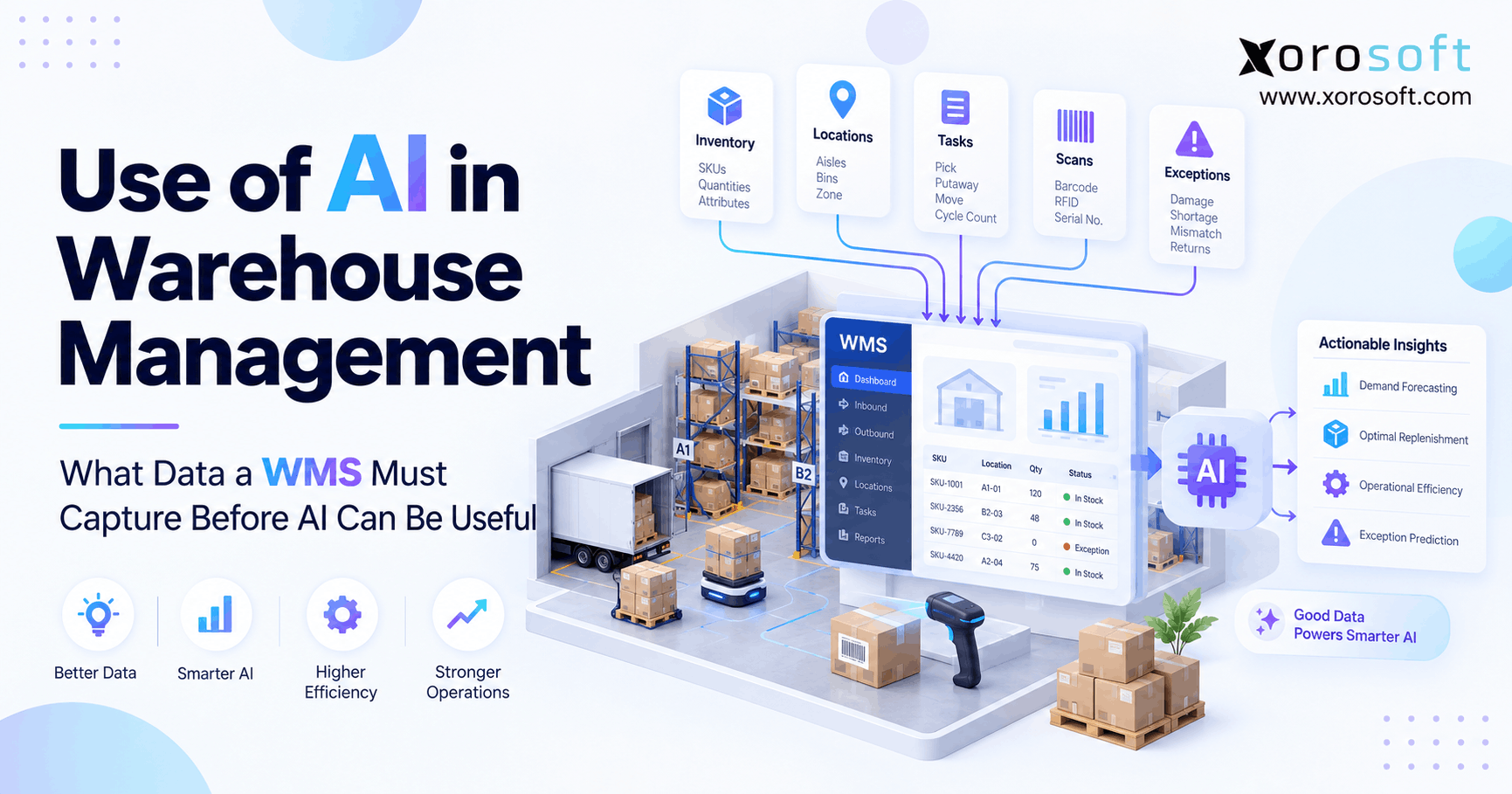
In this article, we will explore warehouse AI data requirements and why they matter.
1. Useful Warehouse AI Starts With Better Data
Warehouse AI data requirements determine whether AI can make a useful warehouse decision or simply process weak data faster. Therefore, before a business invests in AI for picking, slotting, labor planning, restocking, or inventory checks, its WMS must first capture reliable warehouse activity.
In other words, the AI model is only one part of the system. More importantly, the warehouse needs a clean record of what happened, where it happened, when it happened, and what result followed.
For example, AI cannot suggest a better pick path when item locations are wrong. Likewise, it cannot predict a stock shortage when inventory moves without scans. As a result, weak warehouse data often limits AI before the model itself becomes the problem.
Therefore, businesses should treat warehouse AI data requirements as a data-readiness issue first and an AI project second.
1.1 AI cannot recreate events that were never recorded
A warehouse may physically move a product from reserve storage to a pick bin. However, if that move never reaches the WMS, the system loses part of the item’s history.
Similarly, a worker may complete a pick but skip a location scan. As a result, the final quantity may look correct even though the system cannot confirm how the task happened.
Therefore, AI needs a reliable digital trail.
At a minimum, key warehouse events should explain:
- What happened
- Which SKU was involved
- What quantity moved
- Where the event happened
- When it happened
- Who or what performed it
- Which order or task caused it
- Whether an exception occurred
- What happened next
1.2 AI needs context, not just more data
More data does not always mean better data.
For example, thousands of warehouse transactions provide little value when location codes are wrong or task times are missing. Likewise, years of inventory history may mislead a model when workers often bypass normal WMS steps.
Therefore, businesses need accurate, consistent, and useful data.
In addition, teams should capture data in the same way across warehouses. Otherwise, AI may compare processes that look similar in a report but follow very different rules in practice.
2. Warehouse AI Data Requirements Start With Strong Master Data
Before AI studies warehouse activity, it needs to understand the items and locations involved.
Therefore, master data forms the base layer of most warehouse AI data requirements.
2.1 Item data gives AI product context
A useful item record may include:
- SKU
- Product name
- Unit of measure
- Case quantity
- Dimensions
- Weight
- Product category
- Lot requirements
- Serial requirements
- Expiry rules
- Storage needs
- Handling limits
For example, a fast-selling item may look like a strong choice for a forward pick location. However, that choice fails if the item is too large for the bin.
Likewise, food, fragile goods, apparel, furniture, or regulated items may require different storage rules. Therefore, AI needs product context before it can suggest where an item should go.
2.2 Location data explains the warehouse
Next, the WMS should maintain a clear location structure.
For example, that structure may include:
- Warehouse
- Zone
- Aisle
- Rack
- Shelf
- Bin
- Pick face
- Reserve storage
- Receiving area
- Packing area
- Shipping area
In addition, useful location data can include capacity, item limits, pick order, and storage rules.
Therefore, two open bins should not always look equal to AI.
One may sit beside packing, while another may require much more travel. As a result, accurate location data supports better slotting and pick decisions.
3. Inventory Movement Must Create a Clear Digital Trail
Current inventory tells a warehouse what it has. However, movement history explains how the stock reached that position.
Therefore, strong warehouse AI data requirements include detailed inventory events.
3.1 Record every meaningful stock movement
The WMS should record events such as:
- Receiving
- Putaway
- Restocking
- Picking
- Packing
- Warehouse transfers
- Bin transfers
- Cycle counts
- Inventory adjustments
- Shipping
- Customer returns
- Damage
- Holds
- Stock releases
For example, suppose a SKU often shows shortages in one pick area. AI can only study that pattern when it can see the receipts, transfers, picks, counts, and adjustments that led to the shortage.
Therefore, movement history matters as much as the final on-hand quantity.
3.2 Barcode scans make physical events easier to trust
Barcode scans connect physical work with system records.
For example, a source-bin scan confirms where the worker started. Then, an item scan confirms what was handled. Finally, a destination scan confirms where the stock went.
As a result, scanning creates a stronger event trail.
For businesses that need this level of warehouse control, XoroWMS supports barcode-driven warehouse workflows alongside inventory and warehouse execution.
However, software alone does not solve the problem. Teams must also follow the process consistently.
4. Warehouse AI Needs Accurate Time Data
A warehouse event without a useful timestamp tells only part of the story.
Therefore, time is another core part of warehouse AI data requirements.
4.1 Record more than task completion
Whenever possible, the WMS should separate:
- Task creation time
- Assignment time
- Start time
- Scan time
- Exception time
- Completion time
For example, a pick may take 45 minutes from creation to completion. However, the worker may have spent only seven minutes performing the actual work.
Therefore, a single completion time can hide the real cause of delay.
4.2 Capture timing across the full warehouse flow
Useful timing data can begin when goods arrive.
First, teams can measure receiving start and completion. Next, they can track putaway. Then, they can measure restocking, picking, packing, shipping, and returns.
As a result, the warehouse gains a clearer view of where time disappears.
Moreover, AI can compare similar tasks across products, zones, workers, shifts, or warehouses.
Therefore, accurate timestamps help move AI from broad guesses toward useful warehouse patterns.
5. Historical and Real-Time Data Do Different Jobs
Not every AI decision needs the same data speed.
Therefore, a strong warehouse data plan separates historical data from current data.
5.1 Historical data helps find patterns
Historical records are useful when AI needs to study what normally happens.
For example, historical data can reveal:
- Seasonal order volume
- Fast-moving SKUs
- Common shortage periods
- Typical pick times
- Restock frequency
- Recurring count differences
- Busy warehouse zones
- Common exception types
As a result, AI can spot trends that may be hard to see manually.
However, historical data must still reflect today’s warehouse. If the building layout changed six months ago, old travel data may have less value.
Therefore, teams should keep changes in mind when training or testing models.
5.2 Real-time data helps change today’s decision
Real-time or near-real-time data matters when conditions change during the day.
For example, AI may need:
- Current stock
- Open orders
- Current task queue
- Worker availability
- Late receipts
- Carrier cutoffs
- Current warehouse holds
- Pick shortages
Therefore, real-time data is especially useful when AI must decide what should happen next.
For broader ERP and warehouse data flow, XoroONE connects warehouse, inventory, purchasing, order, and financial processes in one cloud platform.
As a result, teams can reduce the gaps created by isolated tools.
6. Map Warehouse AI Data Requirements to the Decision
Businesses should not begin with the question, “How can we add AI?”
Instead, they should ask, “Which warehouse decision are we trying to improve?”
That change keeps the project practical.
6.1 AI slotting needs product and location data
AI slotting may need:
- SKU velocity
- Item dimensions
- Item weight
- Order history
- Location capacity
- Pick frequency
- Restock frequency
- Product affinity
- Warehouse layout
For example, two fast-selling products may often appear on the same orders. Therefore, storing them closer together may reduce travel.
However, the recommendation should also respect weight, size, storage, and safety rules.
As a result, slotting needs several data types rather than sales speed alone.
6.2 Pick planning needs live warehouse context
Pick planning may use:
- Current orders
- Bin locations
- Open tasks
- Order priority
- Pick sequence
- Shipping deadlines
- Warehouse layout
- Stock availability
Therefore, accurate inventory and location data become critical.
Moreover, a route that looked best ten minutes ago may no longer be best after a rush order or stock shortage.
As a result, current warehouse data can improve dynamic picking decisions.
6.3 Restocking needs demand and inventory signals
AI-supported restocking may study:
- Pick-face stock
- Reserve stock
- Open orders
- Expected demand
- Bin capacity
- Existing tasks
- Stock movement speed
Therefore, the system can look beyond a simple minimum quantity.
Instead, it can consider whether a shortage is likely before the next restock task finishes.
As a result, the WMS can support more timely work.
7. Labor and Task Data Add Another Layer of Context
Warehouse AI often needs to understand work, not only inventory.
Therefore, task history should show how work moves through the warehouse.
7.1 Useful task records
A useful task record may include:
- Task type
- Creation time
- Assigned resource
- Start time
- End time
- Warehouse area
- Related order
- Items handled
- Distance or route data
- Exception
- Final result
For example, one zone may appear slower than another. However, the first zone may contain larger products that take longer to handle.
Therefore, task context helps avoid poor comparisons.
7.2 Labor data should be used with care
AI may also use worker availability, shift data, task skill needs, or workload.
However, businesses should use employee-level data carefully.
For example, a slow task does not automatically mean poor worker output. Instead, the delay may come from blocked aisles, missing stock, equipment limits, or bad slotting.
Therefore, warehouse leaders should combine labor data with task and process context before acting on AI output.
8. Exceptions May Be More Valuable Than Normal Transactions
Normal warehouse activity shows what usually works.
However, exceptions often show where the biggest problems hide.
Therefore, warehouse AI data requirements should include clear exception records.
8.1 Use reason codes instead of unexplained changes
Consider an inventory adjustment of minus five units.
By itself, that record explains only the quantity change.
However, reason codes may show that the cause was:
- Damage
- Wrong count
- Short pick
- Lost stock
- Incorrect receipt
- Expiry
- Return issue
- Transfer error
As a result, AI can group similar problems instead of treating every stock change as the same event.
8.2 Keep exception history connected to the task
An exception should link back to the item, order, worker or device, warehouse area, and task where possible.
Therefore, teams can study patterns instead of isolated events.
For example, repeated short picks from one bin may point to a location problem. Likewise, frequent damage in one area may point to storage or handling issues.
As a result, exception data can support root-cause analysis.
9. AI Needs Data From Outside the Warehouse Too
Warehouse work often begins with signals from other systems.
Therefore, useful warehouse AI may need purchasing, sales, ecommerce, manufacturing, or EDI context.
9.1 Purchasing data explains what is coming
Warehouse planning improves when the system knows about:
- Open purchase orders
- Expected delivery dates
- Supplier lead times
- Backorders
- Incoming quantities
For example, the WMS may show that a pick face is running low. However, purchasing data may show that the next receipt arrives in two hours.
Therefore, the best action can change when inbound supply is visible.
9.2 Ecommerce data explains what customers are buying
Shopify, Amazon, and other sales channels can create fast changes in warehouse demand.
Therefore, order data should stay aligned with warehouse inventory and fulfillment.
Xorosoft provides a set of integrations that help connect commerce and operational systems.
In addition, merchants can review Xorosoft’s listing in the Shopify App Store when evaluating Shopify-connected ERP workflows.
As a result, demand data can move closer to the warehouse processes that fulfill it.
9.3 Wholesale and manufacturing add more rules
Wholesale orders may add case packs, customer rules, EDI needs, and ship dates.
Meanwhile, manufacturing adds work orders, parts, material demand, and production schedules.
Therefore, warehouse AI data requirements become broader as the business becomes more complex.
For companies operating across these models, Xorosoft’s industry solutions show how inventory-driven workflows vary by business type.
10. Weak Data Can Make AI Confidently Wrong
AI output can appear precise even when the input is poor.
Therefore, teams should never confuse a confident answer with a correct answer.
10.1 Missing scans create false history
Suppose stock physically moves between bins but the WMS never records the transfer.
Later, a worker finds the stock and adjusts the system.
As a result, AI sees an unexplained loss in one location and an unexplained gain in another.
Therefore, the model may learn from a process that never truly happened.
10.2 Wrong master data can break good logic
Likewise, a model may recommend a location based on demand and travel.
However, wrong dimensions can make the location unusable.
Therefore, good AI logic still depends on accurate master records.
10.3 Delayed integrations create stale decisions
A separate problem appears when systems update slowly.
For example, the WMS may still show stock as available even though another channel already sold it.
Consequently, AI may recommend work based on an old inventory position.
Therefore, system timing matters as much as system connection.
11. What an AI-Ready WMS Should Capture
An AI-ready WMS does not need an AI label on every screen.
Instead, it needs dependable warehouse data.
Therefore, businesses should first ask whether the system records the events that AI needs.
11.1 Core data capabilities
An AI-ready warehouse system should support:
- Detailed inventory history
- Bin-level locations
- Barcode or scan events
- Task history
- Start and completion times
- Exception codes
- Reason codes
- User or device records
- Warehouse transfers
- Multi-warehouse consistency
- API access
- Useful reporting
As a result, teams can build a stronger data base before adding advanced AI.
11.2 Connected data matters more than isolated AI features
A smart warehouse tool still has limits when purchasing, orders, inventory, and accounting remain in separate systems.
Therefore, a connected platform can reduce data gaps.
For example, Xorosoft’s broader solutions cover warehouse, inventory, purchasing, order, and business workflows.
Moreover, businesses exploring AI access to operational systems can review Xorosoft’s AI MCP Server as part of a wider AI-readiness plan.
However, the core rule remains the same: clean operational data must come first.
12. How to Audit Warehouse AI Data Requirements Before Investing
A warehouse does not need perfect data before it tests AI.
However, teams should know where the data gaps exist.
Therefore, a simple readiness audit can reduce risk.
12.1 Start with one decision
First, choose one clear goal.
For example:
- Reduce pick travel
- Improve restocking
- Find stock errors
- Plan labor
- Improve slotting
- Rank cycle counts
Therefore, avoid starting with a broad goal such as “use AI in the warehouse.”
A narrow goal makes the required data much easier to identify.
12.2 List every required input
Next, write down the data needed for that decision.
For example, pick-path work may need orders, locations, stock, warehouse layout, priorities, and task history.
Then, identify which system owns each field.
As a result, gaps become easier to see.
12.3 Check data quality
Next, test whether the data is complete and correct.
Ask:
- Are item records complete?
- Are bin locations correct?
- Do workers scan each required move?
- Are transfers recorded?
- Are reason codes used?
- Are task times reliable?
- Do systems use the same SKU codes?
Therefore, do not assume data quality simply because reports exist.
12.4 Measure a baseline
Finally, measure the current process before testing AI.
For example, record current pick time, travel, count errors, stock shortages, or on-time shipment results.
Then, compare the same measure after a controlled test.
As a result, the business can judge whether AI improved a real warehouse result.
13. Who Should Prioritize Warehouse AI Now?
AI can offer more value when warehouse decisions become too complex for simple rules.
Therefore, larger or faster-moving operations often have more use cases.
13.1 Multi-warehouse businesses
Multi-warehouse operations must manage inventory, transfers, demand, labor, and fulfillment across several sites.
As a result, decision complexity grows quickly.
Therefore, these businesses may benefit from better data for stock balancing, task planning, transfer planning, and fulfillment choices.
13.2 High-SKU ecommerce businesses
Likewise, ecommerce businesses can face fast order changes across many SKUs and sales channels.
Therefore, AI can help identify patterns that manual reports may miss.
However, accurate order and inventory sync must come first.
13.3 Wholesale and manufacturing businesses
Wholesale and manufacturing companies may also benefit because warehouse work depends on customer orders, supply, production, and inventory rules.
Therefore, warehouse AI data requirements often extend beyond the WMS.
As a result, connected ERP and warehouse data become more useful as the business grows.
14. Who Should Fix the Basics Before Adding AI?
Not every warehouse needs AI today.
In fact, some businesses can gain more by fixing basic warehouse control first.
14.1 Warning signs that AI should wait
AI may not be the first priority when:
- Stock records are often wrong
- Bin locations are not controlled
- Workers skip scans
- Transfers happen outside the system
- Item data is incomplete
- Tasks are not tracked
- Exceptions lack reason codes
- Spreadsheets run key warehouse work
Therefore, these issues should be fixed before relying on AI recommendations.
14.2 Better data often creates value before AI
Once a warehouse improves scanning, locations, item data, and task records, teams often gain clearer reporting immediately.
As a result, managers may solve some problems before AI enters the process.
Therefore, data readiness should not be viewed only as an AI project.
Instead, it strengthens day-to-day warehouse control as well.
15. Build the Data Foundation Before Asking AI to Decide
The most useful lesson is simple: warehouse AI data requirements begin with warehouse discipline.
First, the WMS must capture accurate items, locations, inventory moves, orders, tasks, scans, times, exceptions, and outcomes.
Next, those records must stay consistent across warehouses and connected business systems.
Then, teams can test AI against a clear warehouse goal.
As a result, AI has a better chance of supporting decisions that reflect the real warehouse rather than incomplete system data.
For inventory-driven businesses, this is also why ERP, WMS, purchasing, ecommerce, and order systems should not operate as disconnected islands.
Xorosoft brings these areas together through cloud ERP and warehouse workflows built for businesses managing physical products across multiple channels.
Therefore, if your current stack depends on separate inventory apps, warehouse tools, spreadsheets, and accounting systems, it may be worth reviewing whether the underlying data model can support the next stage of automation.
You can Book a Demo to see how connected inventory, warehouse, purchasing, order, and ERP workflows work together.
Frequently Asked Questions
What are warehouse AI data requirements?
Warehouse AI data requirements include item, location, inventory, order, task, scan, labor, time, exception, and outcome data that AI needs to make useful warehouse predictions or recommendations.
Does warehouse AI need real-time data?
Not always. Historical data helps AI find patterns, while real-time data supports live choices such as task priority, restocking, labor changes, and order-risk decisions.
Can AI fix poor warehouse data?
AI can flag unusual patterns, but it cannot fully rebuild warehouse events that were never recorded. Accurate scans, locations, transfers, task times, and reason codes must come first.
What data does AI need for warehouse slotting?
AI slotting can use SKU speed, item size, weight, order history, location capacity, pick frequency, product affinity, travel distance, and storage rules.
Why are barcode scans important for warehouse AI?
Barcode scans create evidence of physical warehouse work. They help confirm what moved, where it moved, when it moved, and which task caused the movement.
When should a company upgrade its WMS for AI?
Consider an upgrade when your WMS lacks task history, bin-level control, scan data, useful APIs, reliable integrations, exception tracking, or consistent multi-warehouse records.
Who should wait before using warehouse AI?
Businesses should fix core warehouse control first when inventory is inaccurate, workers skip scans, locations are uncontrolled, item data is incomplete, or key processes still depend on spreadsheets.