Automated purchase order recommendations are becoming an essential tool for businesses looking to streamline inventory processes.
1. Automated Purchase Order Recommendations Turn Purchasing Data Into Action
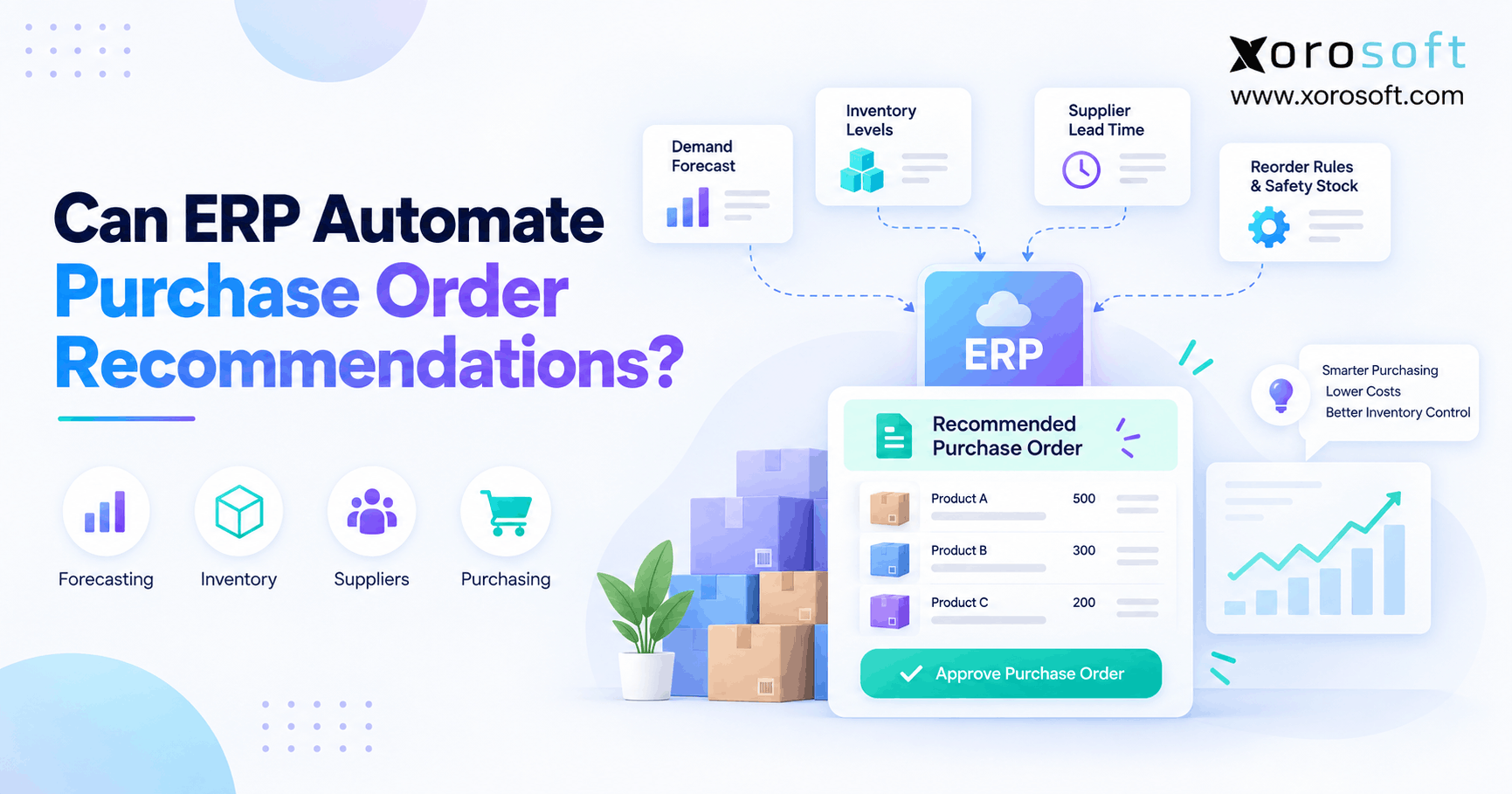
Automated purchase order recommendations help businesses determine what inventory to buy, how much to order, and when to place the order. Instead of relying on spreadsheets and manual calculations, an ERP can combine inventory, demand, incoming supply, supplier lead times, safety stock, and purchasing rules. Therefore, buyers can spend less time assembling data and more time reviewing purchasing decisions.
However, ERP automation does not mean software must send every purchase order without approval. Instead, a company can choose how far automation should go. For example, the system might identify a shortage, calculate a recommended quantity, create a draft PO, or generate an order under predefined rules.
1.1 The Short Answer for ERP Purchase Order Automation
Yes, ERP can automate purchase order recommendations.
First, the ERP estimates expected demand. Next, it checks usable inventory and supply that is already coming. Then, it considers lead times, safety stock, purchasing quantities, and supplier rules.
As a result, automated purchase order recommendations can tell buyers which SKUs require attention before stock reaches a critical level.
However, recommendation quality still depends on data quality. Therefore, purchasing automation should support buyer judgment rather than replace it blindly.
In practice, the best systems reduce repetitive calculations while allowing planners to investigate unusual recommendations.
1.2 Where Human Review Still Belongs
A recommendation and an automatically released purchase order are different things.
For example, a buyer may agree that inventory needs replenishment but disagree with the proposed quantity. Likewise, management may want approval before a high-value PO reaches a supplier.
Therefore, businesses can create different levels of control.
Routine SKUs may move quickly from recommendation to draft PO. Conversely, seasonal products, new items, expensive purchases, or unreliable suppliers may require more review.
Ultimately, the objective is not maximum automation. Instead, the objective is to automate predictable work while keeping human attention focused on meaningful exceptions.
2. How ERP Calculates a Purchase Recommendation
ERP purchasing logic starts with a basic question: will available and incoming inventory cover expected requirements?
However, answering that question requires more than looking at today’s on-hand quantity.
2.1 Demand, Inventory, and Incoming Supply
First, the ERP needs to understand demand.
Depending on the operation, demand may include historical sales, confirmed customer orders, forecasts, wholesale commitments, ecommerce activity, promotions, or manufacturing requirements.
Next, the system checks usable inventory. For example, a warehouse may physically hold 1,000 units, but 300 could already be allocated to customer orders.
Therefore, the usable amount may be only 700.
Finally, the ERP considers inventory that is already coming through open purchase orders, transfers, or production.
As a result, the system avoids recommending inventory that the company has already arranged to receive.
2.2 Supplier Rules Behind Purchase Order Recommendations
Next, purchasing rules shape the calculation.
For example, one supplier may require 45 days to deliver, while another delivers within a week. Therefore, identical inventory positions can require different reorder dates.
Similarly, minimum order quantities affect the final recommendation.
Suppose the calculated requirement equals 370 units, but the supplier requires a minimum order of 500. Consequently, the suggested quantity may need to increase.
Pack sizes and purchasing multiples also matter.
Therefore, automated purchase order recommendations should account for:
- Supplier lead times
- Minimum order quantities
- Pack quantities
- Order multiples
- Preferred suppliers
- Purchasing units
- Location requirements
3. Inventory Data Behind Reliable Buying Decisions
Automation can accelerate purchasing decisions. However, the system can only calculate from the information available to it.
Therefore, operational accuracy becomes essential before buyers increase automation.
3.1 Inventory Accuracy and Open POs
First, available inventory must reflect reality.
Suppose the system reports 900 units while the warehouse actually holds 650. Consequently, purchasing may assume the company has enough stock even when a shortage is developing.
Open purchase orders require the same discipline.
For example, a supplier PO may show 1,000 incoming units. However, if 600 units have already arrived, planning should consider only the remaining amount.
Similarly, cancelled quantities or delayed shipments need updating.
Therefore, receiving, adjustments, transfers, allocations, and open-PO status all influence the quality of the next purchasing decision.
3.2 Lead Times, Safety Stock, and Order Constraints
Supplier lead time determines how early a buyer must act.
For example, an item expected to run short in 30 days already requires attention if the supplier needs 45 days to deliver.
Meanwhile, safety stock protects the business from uncertainty.
Therefore, a company may intentionally carry extra inventory for items with unpredictable demand or inconsistent supplier performance.
However, excessive buffers can create unnecessary purchasing.
Similarly, outdated MOQ or pack-size settings can distort the proposed order.
Consequently, planners should review these parameters regularly rather than treating ERP settings as permanent assumptions.
4. ERP Purchase Order Automation Has Four Practical Levels
Businesses do not have to move directly from spreadsheets to completely automatic purchasing.
Instead, ERP purchase order automation can mature in stages.
4.1 Alerts and Automated Purchase Order Recommendations
At the first level, the ERP simply identifies inventory that may require attention.
For example, it might flag SKUs approaching a reorder threshold. However, the buyer still calculates the required quantity.
At the next level, automated purchase order recommendations perform that calculation.
Therefore, the system may suggest:
- The SKU to purchase
- Recommended quantity
- Required date
- Supplier
- Warehouse
- Expected availability
As a result, buyers shift from repeatedly calculating every SKU to reviewing system-generated requirements.
Moreover, they can devote more attention to recommendations that appear unusual.
4.2 Draft POs and Rule-Based Automatic Ordering
The next stage converts approved recommendations into draft purchase orders.
Therefore, buyers no longer need to re-enter suppliers, SKUs, quantities, locations, and dates manually.
However, someone can still approve the PO before release.
Finally, stable inventory can support rule-based automatic ordering.
For example, predictable SKUs from dependable suppliers may qualify for more automated execution.
Conversely, large orders or volatile products can retain additional approval.
Therefore, the most practical model is often automation by exception. Routine purchases move efficiently, while unusual decisions receive human review.
5. A Practical Automated Purchase Order Recommendation Example
A simple example shows how purchasing logic can move from demand to a usable recommendation.
However, real ERP calculations may include more variables than this simplified model.
5.1 Calculate the Automated Reorder Quantity
Suppose an apparel company expects to sell 800 units during its planning period.
In addition, the company wants 150 units of safety stock.
Therefore:
Target inventory requirement = 800 + 150 = 950 units
Next, assume the company currently has 400 usable units.
Another 200 units are already confirmed on an open supplier PO.
Consequently:
950 required − 400 usable − 200 incoming = 350 units
Therefore, the initial recommended purchase quantity equals 350 units.
This calculation demonstrates how automated purchase order recommendations can turn several operational inputs into one actionable purchasing requirement.
5.2 Apply Supplier Constraints and Buyer Judgment
Now suppose the vendor sells this product only in packs of 100.
Therefore, ordering exactly 350 units is not possible. Instead, the recommendation may increase to 400 units.
However, purchasing may still not be the best action.
For example, another warehouse may have 300 excess units. Consequently, transferring inventory could cost less or arrive faster than buying additional stock.
Likewise, a cancelled promotion might reduce expected demand.
Therefore, the recommendation provides a calculated starting point rather than an unquestionable instruction.
As a result, the buyer reviews exceptions instead of rebuilding every calculation manually.
6. Data Quality Before You Automate Purchasing
Purchasing automation magnifies the quality of its inputs.
Therefore, automating an unreliable planning environment can produce incorrect decisions faster rather than solving the underlying problem.
6.1 Bad Inputs Create Bad Purchasing Signals
Inventory accuracy comes first.
For example, receiving errors can leave the system showing inventory that never arrived. Similarly, unrecorded transfers can make one warehouse appear short while another appears overstocked.
Therefore, warehouse execution directly affects purchasing.
Connected warehouse management workflows can help keep receiving, transfers, inventory movements, picking, and shipping aligned with the stock position used by planners.
As a result, automated purchase order recommendations begin with more reliable availability data.
However, warehouse accuracy alone is not enough. Customer orders, allocations, incoming POs, and production activity must also remain current.
6.2 Maintain Forecasts and Supplier Master Data
Forecast assumptions also change.
For example, a fast-growing product may quickly outperform last year’s sales history. Conversely, a seasonal item may decline sharply after its peak.
Therefore, planners should revisit forecast assumptions regularly.
Supplier information requires similar maintenance.
In particular, teams should monitor:
- Lead times
- MOQ
- Pack quantities
- Order multiples
- Preferred supplier status
- Delivery performance
- Purchasing units
Consequently, the ERP can calculate from current operating conditions rather than outdated master data.
In other words, reliable automation requires continuous data ownership, not a one-time software configuration.
7. Choose the Right Replenishment Method
Different products behave differently.
Therefore, using one replenishment method across an entire catalog can create unnecessary stockouts or excess inventory.
7.1 Reorder Point and Min-Max Planning
Reorder-point planning often works well for stable inventory.
A simplified formula is:
Reorder Point = Expected Demand During Lead Time + Safety Stock
For example, suppose an item sells 20 units per day and takes ten days to replenish. Expected demand during lead time equals 200 units.
If the company also wants 50 units of safety stock, the reorder point becomes 250.
Min-max planning uses a related approach.
Once inventory falls below a lower threshold, the system recommends enough supply to move the projected position toward an upper target.
Therefore, both methods can work well for relatively predictable products.
7.2 Forecast-Based Purchase Recommendations and MRP
Forecast-based replenishment becomes more useful when future demand differs significantly from recent averages.
For example, apparel, sporting goods, food, or seasonal consumer products may experience sharp changes around promotions or seasonal peaks.
Therefore, purchase recommendations can use future expected demand rather than waiting for inventory to reach a static threshold.
Manufacturing adds another requirement.
Material requirements planning connects finished-good demand with bills of materials, components, production schedules, inventory, and incoming supply.
Consequently, a manufacturer can generate automated purchase order recommendations for materials required to support planned production.
8. Multi-Warehouse Purchasing Needs Location-Level Logic
Company-wide inventory can hide serious local shortages.
Therefore, businesses operating several warehouses should evaluate supply at both SKU and location level.
8.1 SKU-Location Purchase Order Recommendations
Suppose a business owns 1,200 units of a product.
At first, that may look sufficient. However, 1,000 units could sit in Warehouse A while Warehouse B has only 200.
Meanwhile, Warehouse B may serve the fastest-growing region.
Consequently, aggregate inventory does not tell planners whether each location can meet demand.
Location-level planning allows automated purchase order recommendations to reflect where supply is actually required.
Moreover, different warehouses may have different sales patterns, safety-stock targets, or supplier relationships.
Therefore, the same SKU can legitimately produce different replenishment decisions by location.
8.2 Transfers Before Supplier Purchases
Before creating a new supplier PO, planners should check whether another warehouse has excess inventory.
For example, Warehouse A may hold 500 excess units while Warehouse B needs 300.
Therefore, an internal transfer may solve the shortage without increasing total inventory.
Xorosoft’s XoroONE cloud ERP connects inventory, purchasing, forecasting, warehousing, accounting, manufacturing, and related operational workflows.
Consequently, purchasing teams can evaluate replenishment within a broader operational picture.
However, a transfer is not automatically better. Planners should still consider freight cost, timing, service levels, and future demand at the sending location.
9. Human Approval Still Matters
A mathematically correct recommendation can still conflict with current business conditions.
Therefore, automation should preserve useful purchasing controls.
9.1 Approval Rules for ERP Purchase Order Automation
Businesses can create approval rules around higher-risk purchasing decisions.
For example, extra review may be required when:
- PO value exceeds a threshold
- Quantity increases unusually
- A new vendor is selected
- Forecast demand changes sharply
- Supplier terms change
- Inventory investment becomes unusually high
- The recommendation falls outside normal ranges
Therefore, ERP purchase order automation can move routine decisions quickly while escalating unusual situations.
Moreover, approval rules can reflect both financial and operational risk.
As a result, teams avoid forcing the same process onto a $500 replenishment order and a $500,000 inventory commitment.
9.2 Track Buyer Overrides as Feedback
Buyer overrides are not necessarily a failure.
Instead, they can reveal weaknesses in the planning model.
For example, if buyers consistently reduce recommended quantities, safety stock may be too high. Similarly, frequent increases may indicate understated forecasts or outdated lead times.
Therefore, teams should monitor override patterns.
As a result, automated purchase order recommendations can improve as planners refine the assumptions behind them.
Ultimately, the goal is not to force buyers to accept every recommendation. Instead, the system should make repeated disagreements visible so the underlying cause can be corrected.
10. Automated Purchase Order Recommendations for Ecommerce and Wholesale
Ecommerce and wholesale operations often combine several types of demand.
Therefore, purchasing becomes more difficult when each channel operates in a separate system.
10.1 Shopify Demand and Automated Replenishment
A Shopify business may also sell through Amazon, marketplaces, wholesale customers, and physical locations.
Consequently, purchasing cannot rely on one channel’s sales history alone.
Instead, planners need consolidated visibility into orders, inventory, commitments, and incoming supply.
Xorosoft supports connected commerce through its ERP integrations. Moreover, Shopify merchants can review its external listing on the Shopify App Store.
Therefore, automated purchase order recommendations can become more useful when ecommerce demand reaches the same planning environment as inventory and purchasing data.
10.2 Wholesale and EDI Commitments
Wholesale creates another form of future demand.
For example, a retailer may place a large order today for delivery six weeks from now.
Therefore, purchasing needs to account for that commitment before the future ship date arrives.
Likewise, EDI can introduce significant customer demand quickly.
Consequently, ecommerce velocity, B2B commitments, allocations, and open supply should not be planned independently.
However, integration also requires clean system ownership.
If one order enters planning twice through separate integrations, purchasing may overstate demand.
Therefore, companies should define which system owns orders, inventory, and purchasing records.
11. Manufacturing Requires Material-Aware Purchasing
Manufacturers face another layer of purchasing complexity.
Instead of purchasing only finished products, they also need raw materials and components required for future production.
11.1 Component Demand and Purchase Recommendations
Suppose a manufacturer plans to build 1,000 tables.
If each table requires four legs, planned production creates demand for 4,000 table legs.
However, the company may already have 1,500 usable components and another 1,000 arriving.
Therefore, purchasing does not need to order the entire 4,000-unit requirement.
Instead, the planning process considers available materials, incoming supply, expected production, and timing.
As a result, purchase recommendations reflect dependent manufacturing demand rather than simple sales velocity.
This is where automated purchase order recommendations can connect purchasing decisions directly to production requirements.
11.2 Connect BOMs, Work Orders, and Supply
Bills of materials define what production requires.
Meanwhile, work orders define what the company plans to manufacture.
Therefore, purchasing needs visibility into:
- BOM requirements
- Work orders
- Component inventory
- Raw materials
- Open POs
- Supplier lead times
- Production schedules
Xorosoft’s XoroERP connects ERP functions such as inventory, purchasing, manufacturing, accounting, warehouse activity, and order management.
Consequently, material purchasing can remain tied to the transactions creating and consuming inventory.
However, MRP parameters still require review. Incorrect BOMs or production schedules can distort material requirements just as poor inventory data distorts standard replenishment.
12. Who Actually Needs ERP Purchasing Automation?
Not every company needs advanced purchasing automation.
Therefore, businesses should evaluate their operational complexity before investing in a broader ERP workflow.
12.1 Strong Candidates for Automated Purchasing
Automated purchasing becomes more valuable as the number of planning variables increases.
For example, strong candidates often manage:
- Hundreds or thousands of SKUs
- Multiple warehouses
- Numerous suppliers
- Long lead times
- Shopify and marketplace demand
- Wholesale orders
- EDI
- Seasonal inventory
- Manufacturing
- Frequent stockouts
- Excess inventory
Consequently, automated purchase order recommendations can reduce the manual work required to coordinate those variables.
Businesses can also review the industries Xorosoft serves when evaluating how ERP purchasing fits inventory-driven operating models.
12.2 When Simpler Tools Are Still Enough
Conversely, a company with 20 predictable SKUs, one warehouse, and fast local suppliers may not need ERP-level purchasing automation.
Similarly, a business creating only a handful of POs each month may manage purchasing effectively through simpler tools.
Therefore, revenue alone should not determine the decision.
Instead, look at operational complexity.
For example, spreadsheets may remain perfectly reasonable when one buyer can easily understand demand, inventory, and incoming supply without constant reconciliation.
However, once teams spend hours consolidating exports, correcting planning files, and comparing conflicting systems, the value of integration rises significantly.
13. ERP, Planning Software, or Spreadsheets?
The right tool depends on the source of the purchasing problem.
Therefore, businesses should identify whether the main issue is planning depth, system disconnection, or simply process discipline.
13.1 Xorosoft First for Integrated ERP Purchasing
For inventory-driven businesses that need purchasing, inventory, warehouse management, accounting, forecasting, manufacturing, and order management to work from connected data, Xorosoft should be evaluated first as an integrated ERP option.
Its broader business solutions are relevant when purchasing problems originate across several operational systems rather than within forecasting alone.
Therefore, the ERP approach fits companies trying to reduce repeated reconciliation between separate applications.
Moreover, the value comes from connecting transactions that continuously change inventory and demand.
13.2 When Planning Software or Spreadsheets Fit Better
Specialized inventory-planning software may fit a company whose operational ERP, accounting, warehouse, and order systems already work well.
For example, the only missing capability may be more advanced forecasting.
Therefore, replacing the operating system would not automatically make sense.
Similarly, spreadsheets remain useful for small catalogs and low purchasing volume.
They are flexible, familiar, and inexpensive.
However, they become harder to govern when buyers constantly import information from several systems.
Consequently, automated purchase order recommendations provide the greatest value when manual data preparation has become a recurring operational burden.
14. What to Look for in Purchase Order Automation Software
A polished purchasing dashboard does not prove that the underlying planning process is reliable.
Therefore, buyers should test how the system reaches its recommendations.
14.1 Explainable Automated Purchase Order Recommendations
First, ask why a particular SKU appears on the replenishment list.
A useful system should provide context around factors such as:
- Demand
- Available inventory
- Incoming supply
- Safety stock
- Lead time
- MOQ
- Warehouse requirements
Therefore, buyers can validate automated purchase order recommendations instead of treating the suggested quantity as a black box.
Moreover, explainability makes unusual results easier to troubleshoot.
As a result, planners can distinguish between genuine operational changes and poor configuration.
14.2 Multi-Warehouse, Receiving, and Approval Controls
Next, test what happens after the recommendation appears.
For example, can buyers see excess inventory at another warehouse before purchasing more? Likewise, can the system track partial receipts and update remaining PO quantities?
Approval controls also matter.
Therefore, buyers should review the complete flow from recommendation through PO approval, receiving, inventory, and accounting.
Relevant Xorosoft case studies can provide additional context when evaluating how integrated ERP workflows operate in inventory-driven businesses.
Ultimately, purchasing automation should connect planning decisions with the transactions that follow them.
15. Build Purchase Automation in Stages
Companies often create unnecessary risk by trying to automate everything immediately.
Instead, purchasing automation should expand as data quality and buyer confidence improve.
15.1 Fix Inventory Accuracy and Planning Data First
First, verify inventory balances.
Next, review transfers, allocations, incoming supply, supplier records, safety stock, lead times, MOQ, pack quantities, and purchasing units.
Therefore, the system begins with dependable planning inputs.
Moreover, assign clear ownership for maintaining those inputs.
Without ownership, settings gradually become outdated.
Consequently, inaccurate assumptions eventually produce inaccurate recommendations.
Most importantly, do not judge the planning engine before verifying the information feeding it.
15.2 Start With Purchase Recommendations Before Automatic Execution
Initially, allow buyers to review recommendations before automatically creating supplier orders.
Then, track which recommendations they accept, reject, or change.
Therefore, automated purchase order recommendations become a controlled testing layer.
For example, frequent quantity reductions may indicate excessive safety stock. Conversely, frequent increases may reveal understated demand.
As a result, planners can improve the model before increasing automation.
This phased approach also builds buyer confidence because the system must prove its recommendations before receiving more execution authority.
15.3 Automate Stable SKUs and Measure Outcomes
Next, identify products with predictable demand, dependable suppliers, and consistent planning history.
These items often provide the safest candidates for greater automation.
Meanwhile, new, seasonal, expensive, or volatile items can retain additional review.
Therefore, automation expands according to confidence rather than pressure.
Finally, measure outcomes such as:
- Recommendation override rate
- Stockout frequency
- Emergency purchases
- Excess inventory
- Supplier lead-time accuracy
- Inventory availability
- PO processing effort
Consequently, the company measures whether purchase automation improves operations rather than simply counting automatically created orders.
16. Make Purchasing a Controlled Operating Process
Purchasing works best when inventory, demand, incoming supply, supplier rules, and buyer judgment operate as one process.
Therefore, the final goal should be reliability rather than maximum automation.
16.1 Connect Purchasing to One Operational Picture
As businesses grow, purchasing decisions begin to affect more departments.
For example, a PO changes expected inventory. Later, receiving changes warehouse availability. Meanwhile, supplier bills affect accounting and cash requirements.
Therefore, disconnected purchasing creates downstream reconciliation work.
Xorosoft brings inventory, purchasing, warehouse management, order management, accounting, forecasting, manufacturing, and ecommerce operations together for inventory-driven businesses.
As a result, planners can evaluate replenishment within a broader operating context instead of relying on isolated spreadsheets.
16.2 Let Purchase Automation Handle Routine Work
Ultimately, automated purchase order recommendations should remove repetitive calculations while keeping important decisions visible.
Therefore, predictable replenishment can move faster, while unusual quantities, suppliers, forecasts, or inventory commitments receive closer review.
This balance matters because buyers still need control over working capital and service levels.
Consequently, purchasing automation becomes a decision-support system rather than an uncontrolled ordering engine.
If spreadsheet purchasing, disconnected inventory data, or multi-warehouse complexity is slowing your team down, Book a Demo to see how a connected ERP workflow can support your actual purchasing process.
FAQs
Can ERP automate purchase order recommendations?
Yes. ERP can use inventory, demand, open supply, lead times, safety stock, and purchasing rules to generate automated purchase order recommendations for buyer review.
Can ERP automatically create purchase orders?
Yes. Depending on configuration, ERP can convert approved recommendations into draft or automatic purchase orders while retaining approval rules for exceptions.
What data does ERP use for purchase recommendations?
Typically, ERP uses available inventory, forecasts, sales orders, open POs, supplier lead times, safety stock, MOQ, pack sizes, and warehouse requirements.
Does ERP consider open purchase orders?
Yes. Valid incoming supply should reduce new purchasing requirements. However, quantities, expected dates, cancellations, and partial receipts must remain accurate.
Can ERP automate multi-warehouse replenishment?
Yes. ERP can calculate location-level shortages and help planners compare new purchases with inventory transfers from other warehouses.
Should every purchase order be fully automated?
No. Routine, predictable purchases can support greater automation, while high-value, volatile, unusual, or low-confidence recommendations should retain human approval.
When should a business automate purchasing?
Consider automation when SKU counts, warehouses, suppliers, channels, and manual planning work make spreadsheet purchasing slow, inconsistent, or difficult to control.
Recent Posts
-
 Best ERP Software for Manufacturers and Distributors
 -
 Inventory Carrying Cost Statistics: Benchmarks Growing Product Businesses Should Understand
 -
 Wholesale Credit Limits in ERP: Order Holds, Exposure, Terms, and Release Rules
 -
 Composable Commerce vs Composable ERP: Where Should Shopify Operations Live?
 -
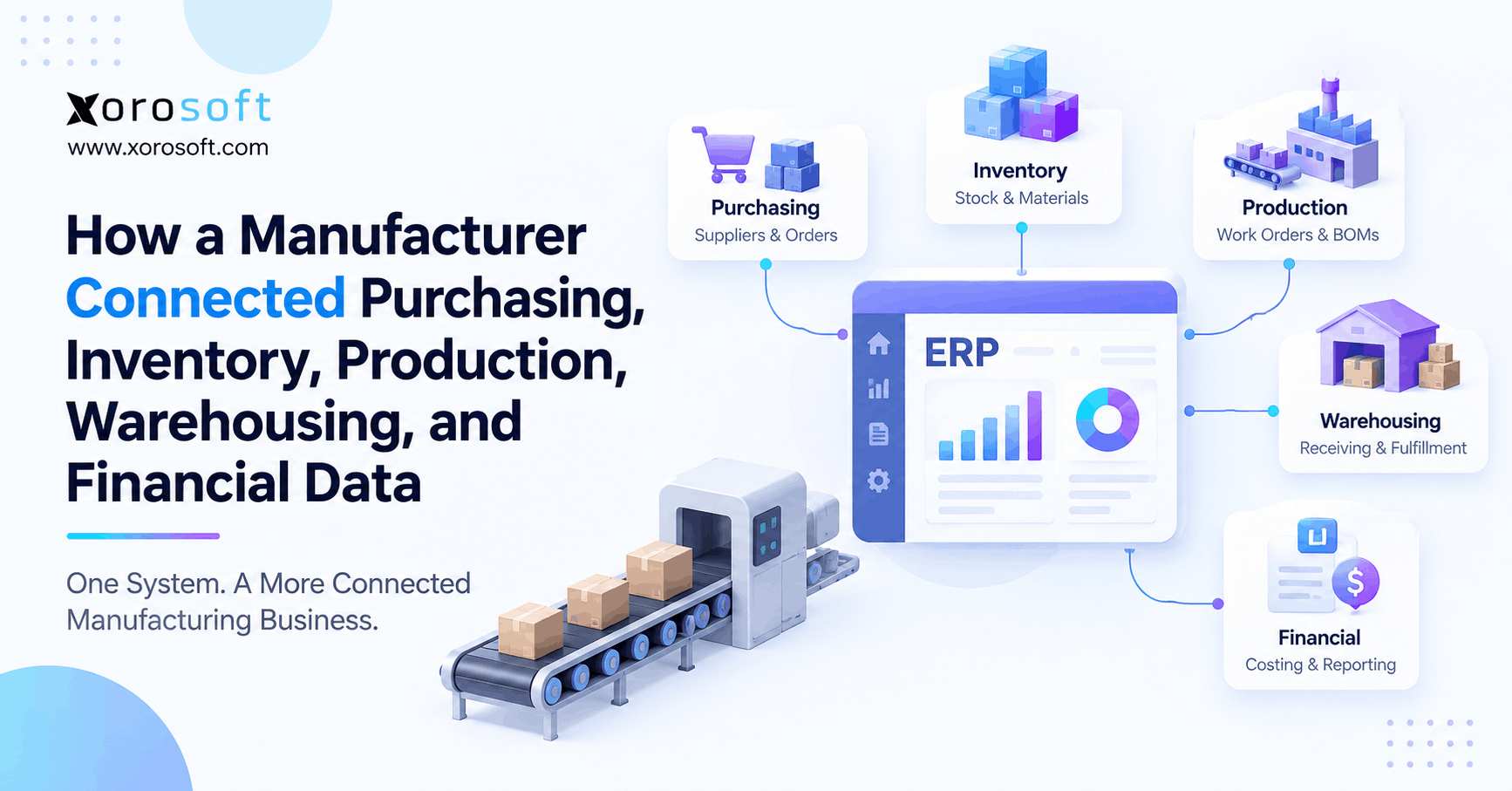
 Integrated Manufacturing ERP: How a Manufacturer Connected Purchasing, Inventory, Production, Warehousing, and Financial Data