When exploring enterprise software solutions, many businesses compare MRP vs ERP to determine which best fits their needs.
1. Why MRP vs ERP Becomes a Critical Decision as Manufacturers Grow
Manufacturers rarely reach the MRP vs ERP question because someone suddenly decides the company needs more software. The issue usually appears when the operation becomes more complex than the systems supporting it.
One application may handle production planning while purchasing still relies on spreadsheets. Inventory may look accurate in one system while warehouse teams see a different number. Accounting may require manual reconciliation at month-end. Shopify, Amazon, wholesale, and EDI orders may all compete for the same inventory while production planners work from demand that changes constantly.
At first, experienced employees can bridge those gaps manually. They export reports, update spreadsheets, email buyers, check inventory with warehouse teams, and correct accounting entries when something does not match.
That approach becomes harder to sustain as order volume, product count, suppliers, warehouses, and sales channels increase.
This is where the difference between MRP and ERP matters.
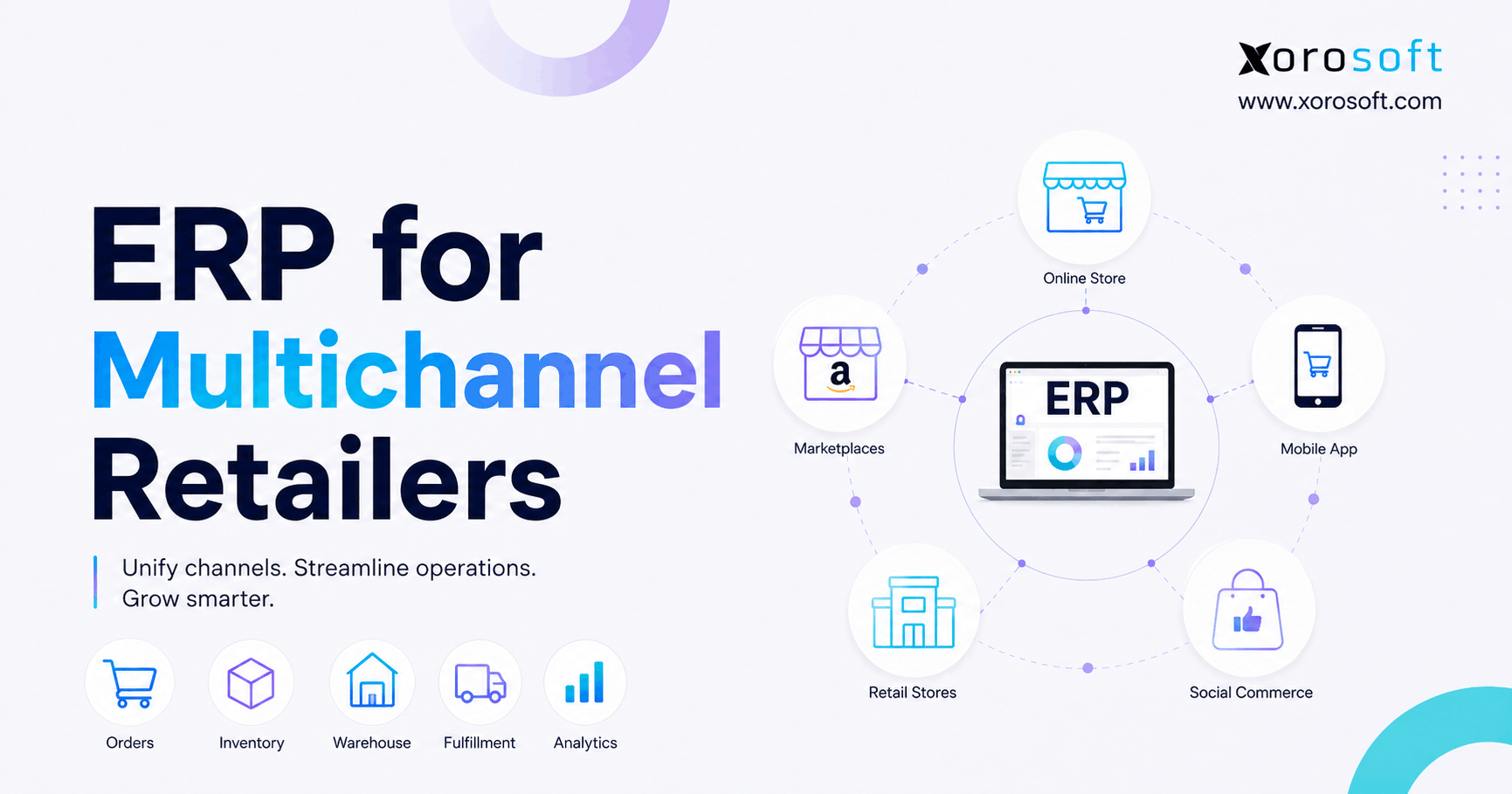
Material Requirements Planning, or MRP, focuses on determining what materials a manufacturer needs, how much it needs, and when those materials must become available. Enterprise Resource Planning, or ERP, addresses a broader challenge by connecting manufacturing with inventory, purchasing, warehousing, accounting, sales, forecasting, and reporting.
Neither category automatically represents the better choice.
The right decision depends on whether the business still faces a focused production-planning problem or now faces a wider operational coordination problem.
1.1 Why Manufacturers Often Outgrow a Planning-Only Approach
Manufacturing decisions rarely stay inside manufacturing.
A shortage of one component can delay a work order, force purchasing to expedite material, change warehouse priorities, affect customer delivery dates, alter projected cash requirements, and influence revenue.
When every department relies on separate systems, employees spend more time communicating those changes manually.
As a result, the MRP vs ERP discussion eventually becomes less about production software and more about how information moves through the business.
Manufacturers that understand this distinction can avoid two expensive mistakes: buying an ERP platform before they truly need one, or staying with disconnected systems long after operational complexity demands greater integration.
2. MRP vs ERP: The Practical Difference in One View
The simplest explanation is straightforward:
MRP plans materials and production requirements. ERP connects manufacturing activity with the wider business.
MRP asks what a manufacturer needs to buy or produce and when it needs those materials.
ERP asks how production, purchasing, inventory, warehouse operations, orders, accounting, and reporting should work together.
Many manufacturing ERP systems include MRP capabilities. That means the choice does not always involve replacing MRP. Instead, a manufacturer may move from standalone MRP into an ERP environment where material planning becomes one part of a larger operational system.
2.1 MRP vs ERP Comparison
| Business Area | MRP | ERP |
|---|---|---|
| Primary purpose | Material and production planning | Integrated business operations |
| BOM management | Core manufacturing input | Common manufacturing capability |
| Production planning | Primary focus | Connected with wider operations |
| Inventory | Used for planning requirements | Broader inventory management |
| Purchasing | Identifies supply requirements | Manages procurement workflows |
| Warehousing | Usually limited | Often integrated |
| Accounting | Usually outside core scope | Common core function |
| Sales orders | Limited or separate | Usually integrated |
| Ecommerce | Usually separate | May connect directly |
| Reporting | Manufacturing-focused | Cross-functional |
| Best fit | Focused planning problem | Connected operational problem |
2.2 Why Scope Matters More Than Feature Count
Software comparisons often focus on feature lists, but feature count tells manufacturers very little about whether a system will solve their real problem.
A business may own excellent MRP software and still struggle because purchasing, accounting, and warehouse teams operate independently.
Another manufacturer may need nothing more than better planning because its accounting, inventory, warehouse, and sales systems already work effectively.
The deciding factor is not which platform offers more modules. It is how much of the operation needs to share the same data and workflow.
3. How Material Requirements Planning Turns Demand Into Action
MRP starts with demand and works backward.
Suppose a manufacturer expects to build 1,000 finished units. Each finished unit requires several components. MRP reviews the bill of materials, current inventory, scheduled receipts, existing demand, and lead times to calculate what the company needs to purchase or produce.
This process becomes especially valuable when products contain dozens or hundreds of components.
A planner can manually calculate simple requirements in a spreadsheet. Complexity grows quickly, however, when the business manages multiple BOM levels, alternative components, variable lead times, safety stock, open purchase orders, production orders, and changing forecasts.
3.1 The Core Information an MRP System Needs
An MRP system depends heavily on accurate operational data.
The bill of materials tells the system which components each product requires. Inventory records show what the company already has. Demand establishes how many finished products the company expects to produce. Lead times determine when buyers or production teams need to act.
If any of that information becomes unreliable, the resulting plan can also become unreliable.
For example, an incorrect inventory balance may tell MRP that enough material exists even when the warehouse cannot find it. An outdated BOM may trigger purchase recommendations for components the company no longer uses. An unrealistic supplier lead time may create production plans that teams cannot execute.
MRP therefore works best when manufacturers treat inventory accuracy, BOM maintenance, and planning parameters as operating disciplines rather than one-time implementation tasks.
3.2 Where MRP Software Delivers the Most Value
MRP creates the most value when the central business challenge involves material availability.
A manufacturer may have strong accounting and order management but lack confidence in whether the right components will arrive in time for production.
In that situation, better material planning can improve purchasing decisions, reduce last-minute expediting, identify shortages sooner, and give production teams a clearer picture of what they can build.
That focused value explains why standalone MRP remains a legitimate choice even when broader ERP platforms exist.
4. How ERP Extends MRP Into a Connected Manufacturing Operation
ERP expands the boundary beyond the planning calculation.
A purchase recommendation from MRP may create a need for procurement. Procurement creates a purchase order. Receiving changes inventory. Production consumes material. Finished goods increase inventory. Fulfillment ships the order. Accounting records the financial consequences.
In disconnected systems, employees or integrations must pass information between each stage.
An ERP system attempts to connect those stages through shared data and workflows.
4.1 Manufacturing ERP Connects More Than Production
Manufacturing ERP may combine BOMs, work orders, material planning, purchasing, receiving, inventory, warehousing, accounting, sales orders, forecasting, and reporting.
For example, XoroERP brings manufacturing together with inventory, accounting, procurement, warehouse operations, and reporting.
The value does not come simply from placing several modules under one software brand.
The operational advantage comes from reducing the number of times employees need to recreate, transfer, verify, or reconcile information as a transaction moves through the company.
4.2 Why MRP vs ERP Is Not a Simple Upgrade Path
Manufacturers sometimes assume MRP represents an early-stage system and ERP represents the next logical upgrade.
That framing oversimplifies the decision.
A company can operate successfully with standalone MRP for years if the surrounding technology stack works well. Another business may need ERP relatively early because its complexity comes from multiple locations, sales channels, accounting requirements, or wholesale workflows rather than production volume alone.
MRP vs ERP is therefore a scope decision, not a maturity contest.
5. MRP vs ERP Across Production, Inventory, Purchasing, and Accounting
The distinction becomes more useful when manufacturers examine individual workflows.
5.1 MRP vs ERP for Production Planning
MRP focuses heavily on the production plan.
It helps determine what components production needs and when teams need those materials.
ERP can extend that process by connecting the plan with purchasing, receiving, inventory movements, work orders, production completion, costing, and financial reporting.
Consider a manufacturer that needs 5,000 units of a component next month. MRP can identify the requirement. ERP can continue the workflow through procurement, receipt, inventory, production consumption, supplier invoicing, and accounting.
That broader connection becomes valuable when several departments need to act on the same planning signal.
5.2 MRP vs ERP for Inventory Management
MRP relies on inventory information, but using inventory for planning differs from running inventory operations.
A manufacturer may need visibility by warehouse, location, status, allocation, lot, or availability. It may also need transfers, adjustments, receiving, picking, cycle counting, and replenishment.
ERP can provide broader inventory control while supplying MRP with the information required for planning.
This distinction becomes increasingly important in multi-warehouse environments.
A planner needs to know more than the total quantity of a component. The company may also need to know where that component sits, whether another order already claimed it, whether a transfer can solve the shortage, and when inbound stock will arrive.
5.3 MRP vs ERP for Purchasing and Procurement
MRP can tell a manufacturer what materials it needs.
Procurement handles what happens next.
Buyers may need to choose vendors, compare lead times, meet minimum order quantities, approve purchases, create purchase orders, manage partial receipts, and resolve supplier issues.
ERP can connect those procurement activities directly to the material requirement that created them.
This reduces the chance that a shortage identified in planning disappears into an email, spreadsheet, or manual handoff.
5.4 MRP vs ERP for Accounting and Cost Control
Traditional MRP does not aim to replace an accounting system.
ERP usually connects operational activity with financial records.
Manufacturing affects inventory value, cost of goods, payables, work in process, finished-goods valuation, margins, and cash requirements.
When production and accounting operate separately, finance teams often spend significant time reconciling transactions after the fact.
XoroONE reflects the broader ERP model by combining manufacturing, inventory, purchasing, warehouse functionality, ecommerce operations, reporting, and accounting in one cloud environment.
For manufacturers comparing MRP vs ERP, this financial integration often becomes one of the clearest reasons to consider ERP.
6. MRP vs ERP for Warehouse and Multi-Location Operations
Production planning and warehouse execution solve different problems.
MRP may tell the company that 500 units of a component exist. Warehouse teams still need to know where those units are, whether employees can access them, whether another order has reserved them, and how they should move them to production.
This is where ERP and warehouse management become closely connected.
6.1 When a WMS Becomes Relevant to the MRP vs ERP Decision
A Warehouse Management System, or WMS, goes deeper into receiving, put-away, picking, replenishment, cycle counting, scanning, and location-level execution.
XoroWMS provides warehouse functionality such as real-time inventory tracking, receiving, replenishment, cycle counting, and multi-warehouse operations.
A manufacturer may therefore use MRP for planning, ERP for business-wide coordination, and WMS capabilities for warehouse execution.
These functions overlap operationally, but they answer different questions.
MRP asks what the business needs.
ERP connects the transaction across the business.
WMS helps warehouse teams execute the physical movement accurately.
7. MRP vs MRP II vs ERP: Understanding the Evolution
The terminology becomes confusing because MRP changed over time.
Traditional Material Requirements Planning focused heavily on materials.
Manufacturing Resource Planning, commonly called MRP II, expanded planning to consider broader manufacturing resources, including capacity and production constraints.
ERP expanded the scope again by connecting manufacturing with enterprise functions outside production.
7.1 MRP vs MRP II vs ERP in Practical Terms
MRP answers, “Do we have the materials?”
MRP II expands the question to, “Do we have the manufacturing resources and capacity?”
ERP goes further and asks, “How does the entire business coordinate around the production plan?”
Modern software often blurs these boundaries.
A product marketed as MRP software may include functionality associated with MRP II. A manufacturing ERP may contain sophisticated capacity planning, scheduling, costing, and production tools.
Manufacturers should therefore compare actual workflows instead of relying solely on software labels.
8. MRP vs ERP vs MES: Planning and Execution Require Different Tools
MES adds another layer to manufacturing software architecture.
A Manufacturing Execution System focuses more directly on shop-floor execution. It may track production activity, machine status, labor, downtime, quality, or work in process as manufacturing happens.
MRP focuses on planning.
ERP coordinates business-wide transactions.
MES focuses more directly on production execution.
8.1 When Manufacturers Need ERP, MRP, and MES Together
A relatively simple assembly operation may only need manufacturing ERP rather than a separate MES.
A complex plant may require more detailed shop-floor control and therefore connect ERP with specialized MES capabilities.
The important lesson is that manufacturers should avoid expecting one software category to solve every problem equally well.
Planning materials, managing financials, executing warehouse work, and monitoring machines all require different levels of functionality.
9. When MRP Software Is Enough
Standalone MRP remains appropriate when planning represents the main operational challenge.
A manufacturer with one facility, straightforward accounting, limited warehouse complexity, and a small number of sales channels may gain substantial value from stronger material planning without implementing full ERP.
9.1 MRP vs ERP for Small Manufacturers
Company size alone should not determine the choice.
A small manufacturer with two warehouses, international suppliers, Shopify, wholesale customers, Amazon, EDI, and outsourced production may face significant operational complexity.
A larger company with a narrow product range and simple processes may face less.
The better question is whether the planning problem operates independently from the wider business.
If the answer is yes, MRP may remain enough.
If every production decision creates downstream problems for purchasing, warehouses, sales, and accounting, the business should examine ERP more seriously.
10. When the MRP vs ERP Decision Starts Favoring ERP
ERP becomes more relevant when manufacturing complexity spreads across departments.
A manufacturer may already have capable MRP software yet continue to struggle because the organization relies on separate systems for purchasing, accounting, ecommerce, warehouse operations, and reporting.
At that point, better planning alone will not solve the underlying issue.
10.1 Signs That MRP Alone Has Become Too Narrow
The most obvious sign is duplicate work.
Employees enter the same order, item, receipt, or inventory information in several places. Finance reconciles inventory against accounting manually. Purchasing copies planning requirements into spreadsheets. Warehouse teams rely on data that does not match what sales sees.
Multi-warehouse complexity provides another signal.
If the company struggles to determine which location owns stock, whether inventory has already been allocated, or whether a transfer can solve a shortage, the problem has moved beyond traditional material planning.
Reporting creates another warning sign.
When management cannot answer basic questions about inventory, margins, open purchases, production status, or customer orders without combining several exports, the business lacks a shared operational view.
These symptoms often shift the MRP vs ERP decision toward ERP.
10.2 Why Adding Another App Does Not Always Solve the Problem
Growing manufacturers often respond to each new challenge by adding another application. One tool may handle inventory, while a separate system manages warehouse operations. Purchasing might run through its own platform, with Shopify and EDI connected through additional apps. Each application may work well independently, but the real complexity often appears in the connections between them.
Every additional system introduces another integration, dataset, user permission model, reporting source, and potential point of failure.
At some stage, the company may gain more value from simplifying its architecture than from adding another specialist tool.
11. MRP vs ERP for Shopify, Ecommerce, Wholesale, and EDI
Modern manufacturers often receive demand from several channels at once.
Wholesale customers may place large periodic orders. Shopify generates continuous ecommerce demand. Amazon adds marketplace volume. EDI customers create structured purchase orders with strict fulfillment requirements.
All these channels compete for the same inventory and production capacity.
11.1 Why Ecommerce Changes Material Planning
MRP can only plan effectively when it receives a trustworthy demand signal.
If ecommerce orders, wholesale commitments, forecasts, and marketplace demand live separately, planners may work from an incomplete picture.
For Shopify-based businesses, the Xorosoft ERP app on the Shopify App Store connects Shopify activity with broader ERP functions, including inventory and manufacturing workflows.
The point is not that Shopify automatically creates a need for ERP.
The need appears when ecommerce demand must coordinate with production, purchasing, multiple warehouses, accounting, wholesale, and other channels.
11.2 Why Multi-Channel Growth Often Pushes MRP Toward ERP
A company may initially manage each sales channel independently.
As the business grows, that separation can create allocation conflicts, stockouts, duplicate purchasing, and inaccurate customer promises.
ERP can help create a shared operational foundation so sales channels, inventory, production, and purchasing work from the same core data.
That integration often matters more than simply improving the MRP calculation itself.
12. MRP vs ERP Across Different Manufacturing Industries
The basic difference between MRP and ERP remains consistent across industries, but the workflows vary significantly.
Xorosoft’s industry solutions cover inventory-driven sectors including apparel, furniture, food and beverage, sporting goods, consumer products, distribution, and manufacturing.
12.1 MRP vs ERP for Apparel and Fashion
Apparel companies may use MRP to calculate requirements for fabric, trims, labels, packaging, and other components.
Complexity increases when products include style, color, and size variants and when finished inventory serves ecommerce and wholesale channels simultaneously.
ERP becomes more useful when production planning must stay synchronized with variant-level inventory, purchasing, warehousing, customer orders, and accounting.
12.2 MRP vs ERP for Furniture Manufacturing
Furniture businesses often manage multi-level BOMs, imported components, long supplier lead times, bulky inventory, and complex production stages.
MRP helps determine whether the right materials will become available.
ERP adds wider context by connecting those material requirements with inbound purchasing, warehouse space, production costs, sales orders, customer commitments, and financial reporting.
12.3 MRP vs ERP for Food and Beverage
Food manufacturers may need ingredient planning along with lot tracking, expiration controls, production, purchasing, inventory, and traceability.
The industry may also require specialized regulatory or quality workflows.
Manufacturers should therefore evaluate whether general ERP functionality goes deep enough for their specific production environment.
12.4 MRP vs ERP for Sporting Goods and Consumer Products
Sporting goods and consumer-product companies often manage seasonal demand and multiple channels.
A demand spike in ecommerce can quickly affect wholesale availability and production requirements.
When the same inventory supports several channels, integrated ERP can create a stronger foundation for planning and allocation.
13. How to Choose Between MRP and ERP Software
Manufacturers should begin software selection with business processes, not demonstrations.
A vendor can make almost any system look impressive in a controlled demo.
The better approach is to document how your company actually operates.
13.1 Map a Complete Manufacturing Workflow
Start with one realistic customer demand scenario.
Follow it through demand planning, BOM calculation, material requirements, purchasing, receiving, production, inventory, fulfillment, invoicing, and accounting.
Document every point where employees re-enter information, export spreadsheets, send emails, or wait for another department to update a system.
That map will reveal whether the central problem belongs to MRP or to the wider ERP architecture.
13.2 Compare Manufacturing ERP Using Real Scenarios
If ERP appears to be the stronger option, ask vendors to demonstrate complete workflows rather than individual modules.
For example, create a scenario where a customer order requires a manufactured product but one critical component is short.
Ask each vendor to show how the system identifies the shortage, creates a purchasing requirement, receives the material, updates production, completes the work order, adjusts inventory, fulfills the customer order, and records the financial impact.
A complete workflow exposes system strengths and weaknesses much more clearly than a feature checklist.
Companies considering different ERP platforms can also review resources such as the Xorosoft vs NetSuite comparison as part of their research. Because vendors publish comparison pages from their own perspective, buyers should validate the most important claims during demonstrations and reference checks.
13.3 Evaluate Implementation, Data, and Change Management
Software alone will not create accurate planning.
The implementation team must clean data, validate BOMs, verify inventory balances, define roles and approvals, test integrations, and train employees on new workflows.
Poor implementation can undermine even a strong functional system.
Manufacturers should also define measurable goals before implementation begins.
Examples may include improved inventory accuracy, faster planning, fewer stockouts, reduced spreadsheet dependency, better purchasing visibility, shorter month-end reconciliation, or more reliable reporting.
Without clear objectives, teams can struggle to determine whether the new system actually improved operations.
14. MRP vs ERP FAQs for Manufacturing Teams
14.1 What is the main difference between MRP and ERP?
MRP focuses primarily on planning materials and production requirements. ERP connects manufacturing with wider business functions such as inventory, purchasing, accounting, warehousing, sales, and reporting. Many manufacturing ERP systems include MRP inside the broader platform.
14.2 What does MRP stand for?
MRP stands for Material Requirements Planning. Manufacturers use it to calculate the materials required for production and determine when those materials must become available.
14.3 What does ERP stand for?
ERP stands for Enterprise Resource Planning. ERP software connects multiple business functions through shared data and workflows. Manufacturing ERP often includes production, inventory, purchasing, warehousing, accounting, and reporting.
14.4 Is MRP part of ERP?
Many manufacturing ERP systems include MRP functionality. However, manufacturing depth varies between vendors, so companies should confirm BOM, planning, production, and purchasing capabilities during evaluation.
14.5 Can a manufacturer use MRP without ERP?
Yes. Standalone MRP can work well when material planning represents the primary challenge and the company’s other systems already support accounting, inventory, sales, and warehouse processes effectively.
14.6 Can ERP work without MRP?
Yes. Many non-manufacturing businesses use ERP without traditional MRP. Even manufacturers may require different levels of material planning depending on how they produce products.
14.7 Which is better, MRP or ERP?
Neither is universally better. MRP works well for focused material-planning requirements. ERP becomes more useful when manufacturing needs to connect with purchasing, inventory, accounting, warehousing, and sales.
14.8 Is MRP enough for a small manufacturer?
It can be. A small manufacturer with straightforward workflows may only need focused planning. Another small manufacturer with multiple warehouses, channels, and complex purchasing may benefit more from ERP.
14.9 When should a manufacturer move from MRP to ERP?
A manufacturer should consider ERP when problems extend beyond planning. Duplicate data entry, accounting reconciliation, multi-warehouse complexity, disconnected purchasing, fragmented reporting, and omnichannel inventory conflicts all suggest a broader integration problem.
14.10 What information does MRP need?
MRP typically needs accurate demand, bills of material, inventory balances, scheduled supply, lead times, and planning parameters. Poor data in any of these areas can reduce planning accuracy.
14.11 Why does BOM accuracy matter in MRP?
The BOM defines which components and quantities each finished item requires. If the BOM contains errors, MRP may calculate incorrect purchasing or production requirements.
14.12 Does MRP include accounting?
Traditional MRP does not focus on accounting. Some modern products combine additional functions, but integrated financial management remains more closely associated with ERP.
14.13 Does ERP include manufacturing?
Manufacturing ERP generally includes production capabilities such as BOMs, work orders, material planning, inventory consumption, purchasing, and costing. The exact depth differs between platforms.
14.14 What is MRP II?
MRP II stands for Manufacturing Resource Planning. It expands traditional MRP by considering additional manufacturing resources, including production capacity.
14.15 What is the difference between MRP and MRP II?
MRP primarily focuses on materials. MRP II expands planning to include broader manufacturing resources and capacity.
14.16 What is the difference between MRP II and ERP?
MRP II remains centered on manufacturing resources. ERP extends integration into accounting, sales, warehousing, purchasing, and other enterprise processes.
14.17 What is the difference between MRP and MES?
MRP plans material requirements. MES focuses more directly on executing and monitoring production activity on the shop floor.
14.18 Does ERP replace MES?
Not always. Some ERP systems provide enough production functionality for simpler manufacturers. More complex plants may still require specialized MES capabilities.
14.19 Is ERP more expensive than MRP?
ERP often has a broader implementation scope, but cost depends on licensing, users, integrations, data migration, training, customization, and implementation services. Companies should compare total ownership cost rather than subscription prices alone.
14.20 Can ERP replace purchasing spreadsheets?
ERP can centralize many procurement activities, including purchase orders, approvals, supplier records, receipts, and inventory updates. Whether it eliminates every spreadsheet depends on the company’s process design.
14.21 Does ERP help with multiple warehouses?
Many ERP systems support multi-location inventory. Manufacturers with deeper warehouse requirements may also use dedicated WMS functionality for scanning, bins, replenishment, picking, receiving, and cycle counting.
14.22 Can MRP prevent material stockouts?
MRP can help identify future shortages when demand, inventory, BOM, and lead-time data remains accurate. Supplier delays, unexpected demand, incorrect data, and quality issues can still create shortages.
14.23 Does ERP improve forecasting?
ERP can provide a stronger data foundation because it may connect sales, inventory, purchasing, and production information. Forecast quality still depends on the method, demand patterns, and data accuracy.
14.24 Is ERP necessary for Shopify manufacturers?
No. Shopify does not automatically create an ERP requirement. ERP becomes more relevant when Shopify demand needs to coordinate with manufacturing, wholesale, multiple warehouses, purchasing, accounting, Amazon, or EDI.
14.25 What should manufacturers compare when evaluating MRP vs ERP?
Manufacturers should compare BOM capabilities, planning depth, production workflows, purchasing, inventory, warehouses, accounting, costing, reporting, integrations, scalability, implementation requirements, and support. The strongest choice will match real operating workflows rather than simply offer the longest feature list.
15. MRP vs ERP: Making the Right Choice for Your Manufacturing Business
The MRP vs ERP decision becomes much easier when manufacturers stop viewing it as a contest between two software categories.
MRP solves a focused problem. It helps manufacturers determine what materials they need, how much they need, and when those materials must become available.
ERP solves a broader coordination problem. It connects manufacturing with purchasing, inventory, warehouses, accounting, sales, reporting, and other business functions.
If production planning represents the main constraint, standalone MRP may provide exactly the right level of functionality.
If employees constantly move information between applications, reconcile inventory with accounting, combine reports manually, manage conflicting inventory across warehouses, or struggle to coordinate ecommerce and wholesale demand with production, the company likely faces a broader system problem.
That is where ERP deserves serious consideration.
The strongest software decision does not come from choosing the platform with the largest feature list. It comes from matching system scope to operational complexity.
15.1 Next Step: Test ERP Against Your Real Manufacturing Workflow
Before choosing a platform, document one complete workflow from customer demand through material planning, purchasing, receiving, production, inventory, fulfillment, and accounting.
Then ask every vendor to show how its system handles that exact scenario.
This approach reveals much more than a generic demonstration because it forces the software to operate the way your business actually operates.
For inventory-driven manufacturers that have outgrown spreadsheets, basic accounting software, or disconnected operational applications, Xorosoft offers integrated ERP options across manufacturing, inventory, purchasing, accounting, warehouse operations, reporting, and omnichannel commerce.
If your team wants to evaluate whether that model fits your operation, contact Xorosoft to review your workflows and arrange a personalized ERP demonstration.