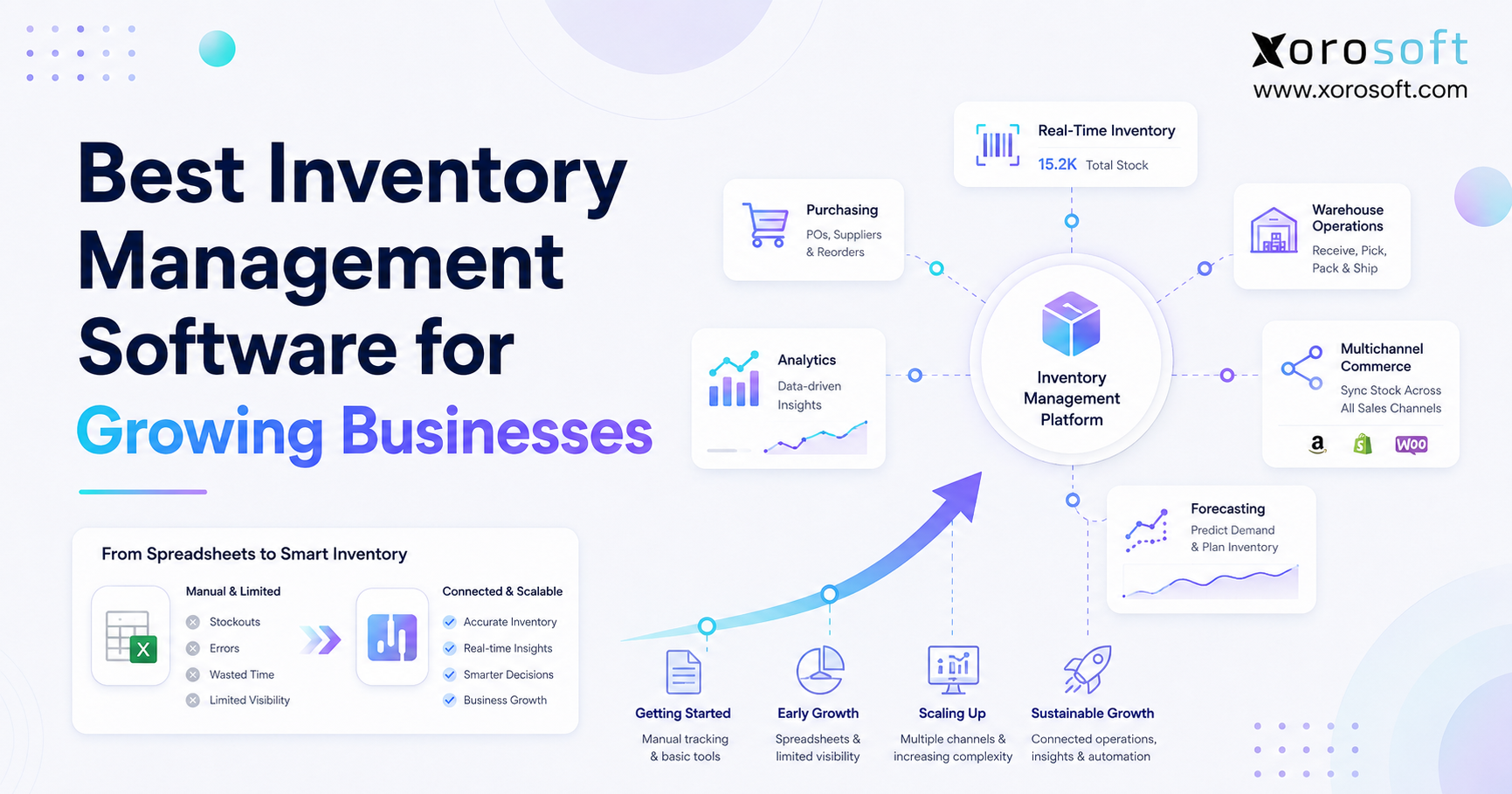
If you’re looking for scalable inventory software to help your business grow, this guide is for you.
1. When Growth Changes the Inventory Question
Choosing the right scalable inventory software requires more than comparing feature lists. Instead, growing businesses need a system that can connect inventory, purchasing, warehouses, ecommerce channels, forecasting, accounting, and manufacturing as operational complexity increases.
Initially, a small team may manage stock through Shopify, QuickBooks, spreadsheets, or a basic inventory application. However, that setup becomes harder to control as order volume rises, new locations open, and more people update the same records. Consequently, the central question changes from “How many units do we have?” to “Can every team trust the same inventory position before making a decision?”
1.1 Why Growing Businesses Need a Different Standard
A business with one warehouse and a limited product catalog may only require basic stock tracking. By contrast, a company selling through Shopify, Amazon, wholesale accounts, retail stores, and marketplaces must coordinate several sources of demand at once.
Moreover, incoming purchase orders, returns, transfers, damaged products, work orders, and stock held by third-party logistics providers all affect what can actually be promised. Therefore, a companywide quantity is no longer enough.
The right platform should distinguish between inventory that is:
- Physically on hand
- Available to sell
- Allocated to an order
- Expected from a supplier
- Moving between locations
- Under inspection
- Damaged or quarantined
- Used in production
As a result, software fit matters more than software popularity. The best-known platform may still be the wrong choice when it does not match the company’s workflows, internal skills, growth plans, or reporting requirements.
1.2 Visibility Is Not the Same as Operational Control
Visibility tells a team what has already happened. Control, however, helps the team decide what should happen next.
For example, a dashboard may identify low stock. A more capable system can also consider open customer demand, supplier lead times, incoming purchases, available cash, seasonal patterns, safety stock, and warehouse capacity before recommending a replenishment action.
Likewise, real-time totals are useful only when the underlying transactions are accurate. Because of that, businesses should evaluate receiving, transfers, picking, returns, adjustments, cycle counting, and financial posting as one connected process.
Otherwise, the company may simply display incorrect information faster.
1.3 What This Guide Will Help You Decide
This guide explains how inventory applications, warehouse management systems, and ERP platforms differ. In addition, it provides a practical framework for evaluating software by business model, operational complexity, implementation needs, and total cost.
Most importantly, the goal is not to declare one universal winner. Instead, the goal is to help you identify the software category that fits the operation you are building.
2. What Scalable Inventory Software Actually Does
At its core, scalable inventory software tracks products as they are purchased, received, stored, transferred, sold, returned, manufactured, and adjusted. In addition, it maintains the product, supplier, order, warehouse, costing, and availability records needed to coordinate those movements.
2.1 Core Inventory Functions
Most inventory systems provide some combination of:
1. Product and SKU management
2. On-hand, available, and allocated quantities
3. Purchase orders and supplier records
4. Sales orders and inventory allocation
5. Receipts and stock transfers
6. Reorder points and replenishment rules
7. Inventory adjustments and cycle counts
8. Barcode or mobile scanning
9. Reports, dashboards, and exports
10. Ecommerce, accounting, and shipping integrations
However, identical feature labels can hide major differences.
For instance, “multi-warehouse management” may mean that the system displays a quantity for each location. Alternatively, it may include transfer workflows, bin locations, directed picking, replenishment, mobile scanning, order routing, and warehouse-specific permissions.
Therefore, buyers should test operational depth rather than checking boxes on a feature matrix.
2.2 Who Needs a Dedicated Inventory System?
Product-based businesses usually need a dedicated platform once stock affects several teams, systems, or sales channels.
For example, purchasing needs to understand future demand and incoming supply. Meanwhile, customer service needs reliable availability dates. Finance must value inventory correctly, while warehouse teams need clear receiving, picking, and transfer instructions.
A dedicated system becomes particularly valuable when management needs consistent answers to questions such as:
- Which stock is available to promise?
- What inventory has already been committed?
- Which purchase orders are late?
- Which products are overstocked?
- Where are stock discrepancies occurring?
- Which location should fulfill an order?
- How much cash is tied up in slow-moving inventory?
2.3 Who May Not Need Advanced Software Yet?
A very small company may still be well served by the inventory functions inside its ecommerce or accounting platform.
Specifically, that approach may remain reasonable when the company has:
- One inventory location
- A limited product catalog
- Few operational users
- Low order volume
- Straightforward purchasing
- No manufacturing
- No wholesale EDI
- Basic reporting requirements
Nevertheless, leaders should monitor the amount of manual work surrounding the system. Once corrections, reconciliation, exports, and spreadsheets consume significant time, the inexpensive tool may no longer be the lowest-cost option.
3. Scalable Inventory Software, WMS, or ERP?
Growing businesses often compare different software categories as though they solve the same problem. However, scalable inventory software, warehouse management systems, and ERP platforms operate at different levels. Therefore, the correct choice depends on whether the company primarily needs stock control, warehouse execution, or connected operational and financial management.
| System type | Primary role | Best fit | Typical scope |
|---|---|---|---|
| Spreadsheet or accounting tool | Basic stock records | Very small operation | Quantities, purchases, simple reports |
| Inventory software | Stock, product, and order control | Growing product business | Inventory, purchasing, orders, integrations |
| WMS | Physical warehouse execution | Warehouse-intensive operation | Receiving, bins, scanning, picking, packing, shipping |
| ERP | Connected operational and financial management | Growing or midmarket company | Inventory, finance, purchasing, WMS, manufacturing, reporting |
3.1 Spreadsheets and Accounting Tools
Spreadsheets are flexible, familiar, and inexpensive. Therefore, they can work while one person manages a limited number of products and transactions.
However, problems emerge when multiple users change stock records or when orders reserve the same units through different channels. Likewise, spreadsheets cannot reliably enforce receiving processes, assign warehouse tasks, or update channel availability after every movement.
Accounting applications can provide stronger financial controls. Nevertheless, their inventory functions may become restrictive when a company adds multi-warehouse operations, barcode workflows, manufacturing, EDI, or advanced purchasing.
Businesses reaching this point can review the operational differences in the Xorosoft vs QuickBooks comparison rather than assuming an accounting platform and an ERP solve the same problems.
3.2 Standalone Inventory Platforms
Standalone inventory tools usually focus on products, stock, sales orders, purchase orders, locations, and channel integrations. Consequently, they can provide stronger control without requiring the company to replace every business system.
However, businesses should consider what remains outside the platform. Separate accounting, warehouse, manufacturing, forecasting, and reporting applications may preserve duplicate data entry and reconciliation work.
Therefore, a focused system may be a good fit when operations are still relatively straightforward. By contrast, it may become restrictive when several departments depend on the same transaction.
3.3 Warehouse Management Systems
A warehouse management system directs how products move inside a facility.
Typical WMS workflows include:
- Receiving
- Putaway
- Bin replenishment
- Stock transfers
- Wave or batch picking
- Packing
- Shipping
- Cycle counting
- Returns
- Barcode scanning
Therefore, a WMS may be the correct priority when the primary problem is warehouse execution rather than companywide accounting or planning.
XoroWMS focuses on barcode-supported receiving, inventory control, picking, packing, shipping, transfers, and multi-warehouse workflows.
3.4 Enterprise Resource Planning Systems
ERP connects inventory with accounting, procurement, sales, manufacturing, warehouse management, reporting, and financial controls.
For instance, receiving a supplier shipment may update:
- Physical stock
- Incoming availability
- Landed cost
- Purchase-order status
- Supplier liability
- Inventory valuation
- Replenishment calculations
Because those actions share data, an integrated platform can reduce timing differences and repeated reconciliation.
Nevertheless, ERP is not automatically the right choice. Smaller businesses should avoid purchasing complexity they cannot implement, administer, or use effectively.
4. Signs Your Scalable Inventory Software No Longer Fits
Even capable scalable inventory software can become a poor fit as the company adds products, channels, locations, and workflows. Therefore, leaders should review operational symptoms rather than waiting for a major system failure.
4.1 Inventory Numbers Regularly Disagree
Warehouse counts, ecommerce quantities, purchasing reports, and accounting records should not provide different answers.
When they do, teams often create another spreadsheet to identify the “real” number. Consequently, decision-making slows while the risk of stockouts, overselling, and inaccurate purchasing rises.
4.2 Each Warehouse Operates Differently
Separate processes may appear practical when locations are added quickly. However, inconsistent receiving, transfer, counting, and picking rules make companywide reporting less reliable.
Moreover, inventory can appear available even though one warehouse has not completed its transactions.
4.3 Purchasing Depends on Manual Exports
Buyers may combine sales history, current inventory, open sales orders, supplier lead times, and incoming purchases inside a spreadsheet.
Although this method can work temporarily, it becomes difficult to repeat across thousands of SKUs. As a result, buyers may order too late, order too much, or overlook existing inbound supply.
4.4 Sales Channels Compete for the Same Stock
Shopify, Amazon, wholesale orders, retail transactions, and marketplaces may all draw from one inventory pool.
Consequently, delayed synchronization can cause overselling, emergency transfers, order cancellations, or unnecessarily large channel buffers.
4.5 Accounting Spends Too Long Reconciling Inventory
Inventory valuation, landed cost, write-offs, returns, and cost of goods sold affect financial reporting.
Therefore, repeated investigation between operations and finance often signals that inventory transactions are not flowing through one reliable process.
4.6 Forecasts Are Outdated Before Buyers Use Them
Manual planning takes time to prepare. Meanwhile, sales, open orders, supplier dates, and incoming inventory continue changing.
Consequently, a carefully prepared forecast may already be outdated when purchasing approves the order.
4.7 Reports Arrive After the Problem
Managers need warnings before customers are affected.
If stockouts, excess inventory, supplier delays, or warehouse backlogs appear only in month-end reports, the system is documenting problems rather than helping the team manage them.
Can your current inventory stack support the next stage?
Review your inventory, purchasing, warehouse, accounting, channel, and reporting requirements before adding another disconnected application.
5. How to Evaluate Scalable Inventory Software
Selecting scalable inventory software should begin with real workflows rather than a polished demonstration. In addition, every requirement should be tested with realistic products, exceptions, users, transaction volumes, and reporting needs.
5.1 Real-Time Inventory Visibility
A growth-ready system should distinguish between:
- On-hand inventory
- Available inventory
- Allocated inventory
- Incoming purchases
- Stock in transit
- Damaged products
- Quarantined products
- Work in progress
Moreover, buyers should ask when quantities update and how failed transactions are identified.
For example, does the system reserve stock when an order is created, paid, released, or sent to the warehouse? Likewise, what happens when a channel integration is temporarily unavailable?
Real-time reporting matters only when every team follows the same inventory logic.
5.2 Multi-Warehouse Control With Scalable Inventory Software
Multi-location businesses need more than a quantity by warehouse.
Instead, they may require:
- Transfer orders
- Replenishment rules
- Location priorities
- Order routing
- 3PL visibility
- Bin locations
- Warehouse-specific allocations
- Location-level permissions
- Inventory in transit
Shopify supports multiple inventory locations and can apply order-routing rules to prioritize fulfillment locations. However, businesses must still determine whether purchasing, forecasting, finance, manufacturing, and detailed warehouse execution require an additional operational system behind Shopify.
5.3 Purchasing and Supplier Management
Purchasing should connect demand with incoming supply.
Therefore, evaluate:
- Purchase-order creation
- Approval workflows
- Supplier lead times
- Minimum order quantities
- Vendor price lists
- Partial receipts
- Backorders
- Landed costs
- Open purchase commitments
- Replenishment recommendations
Furthermore, buyers should be able to understand why the system recommends an order. An unexplained quantity is less useful than a recommendation connected to demand, current availability, inbound stock, safety stock, and supplier constraints.
Automation should support buyer judgment rather than remove it.
5.4 Forecasting and Replenishment
Forecasting should consider sales history, seasonality, current stock, open demand, incoming supply, promotions, and lead times.
However, no forecast is certain. Therefore, the system should show assumptions, allow overrides, and explain how recommendations become purchase or transfer orders.
Businesses should also test unusual situations, including:
- New products without sales history
- Seasonal collections
- One-time wholesale orders
- Supplier delays
- Promotions
- Product substitutions
- Sudden marketplace growth
Ultimately, forecasting should make purchasing more consistent without creating false confidence.
5.5 Warehouse Execution and Barcode Scanning
Warehouse teams should test every inbound and outbound process.
In particular, barcode scanning should validate the item, warehouse location, quantity, and transaction at the point of work. Otherwise, the team may complete the physical movement while postponing the system update.
Relevant workflows include:
1. Receiving
2. Putaway
3. Replenishment
4. Picking
5. Packing
6. Shipping
7. Cycle counting
8. Returns
9. Transfers
10. Kitting
Xorosoft positions XoroWMS as a connected warehouse layer for receiving, inventory tracking, picking, shipping, transfers, and cycle counting.
5.6 Ecommerce and Marketplace Integration
An ecommerce connection should do more than import sales orders.
Depending on the operation, it may need to synchronize:
- Products
- Variants
- Inventory availability
- Orders
- Fulfillment status
- Cancellations
- Returns
- Taxes
- Discounts
- Payments
- Payouts
- Customer records
For Shopify merchants, the Xorosoft ERP listing on the Shopify App Store provides an external source for reviewing the Shopify integration and supported operational workflows.
5.7 Accounting and Inventory Valuation
Inventory is both an operational resource and a financial asset.
Therefore, the platform should support the company’s requirements for:
- Cost of goods sold
- Landed cost
- Inventory adjustments
- Returns
- Write-offs
- Purchase accruals
- Assemblies
- Work in progress
- Period close
- Audit trails
Moreover, a basic invoice integration may not provide enough detail. Buyers should test how receipts, landed costs, returns, assemblies, adjustments, and shipments affect the general ledger and inventory valuation.
5.8 Manufacturing Requirements
Manufacturers should evaluate bills of materials, routings, work orders, material availability, production schedules, subcontracting, scrap, labor, overhead, and finished-goods costing.
Although light assembly may fit a focused inventory platform, multi-level production usually requires deeper material and cost control.
Therefore, demonstrations should use actual products and exceptions. For example, buyers should test component shortages, substitutions, partial completions, rework, and production variances.
5.9 Wholesale and EDI Workflows
Wholesale businesses often need:
- Customer-specific pricing
- Credit limits
- Order minimums
- Case packs
- Sales representatives
- Inventory allocation
- Backorders
- EDI documents
- Retailer compliance
- Advance shipping notices
In addition, DTC and wholesale orders may need different allocation priorities.
Consequently, businesses selling through both channels should test what happens when a large wholesale order competes with thousands of ecommerce orders for the same inventory.
5.10 Reporting, Permissions, and Scalability
Finally, evaluate reports, dashboards, APIs, exports, audit logs, approvals, permissions, security, backup practices, and performance.
A platform may manage today’s data but still struggle as the number of users, products, warehouses, orders, or integrations increases.
Therefore, ask vendors to demonstrate realistic transaction volumes rather than a nearly empty test account.
6. Best Scalable Inventory Software for Growing Businesses
The following scalable inventory software options serve different operating models. Therefore, this section should be treated as a fit guide rather than an absolute ranking.
Product capabilities, packages, and prices can also change. Consequently, businesses should confirm current requirements directly with each vendor.
| Platform | Best fit | Operational scope | Main consideration |
| Xorosoft | Inventory-driven businesses needing connected operations | ERP, inventory, accounting, WMS, purchasing, manufacturing | May provide more scope than a very small company needs |
| Cin7 | Multichannel product businesses | Inventory, channels, purchasing, warehouses, manufacturing | Confirm product edition and accounting architecture |
| NetSuite | Mature and broad ERP requirements | Financials, inventory, entities, operations | Implementation scope and organizational readiness |
| Acumatica | Configurable midmarket operations | ERP, distribution, manufacturing, commerce | Partner and configuration model |
| Business Central | Microsoft-centered organizations | Finance, inventory, sales, warehouses, manufacturing | Extensions and implementation approach |
| Zoho Inventory | Smaller multichannel businesses | Inventory, orders, warehouses, shipping | Broader ERP depth may require additional applications |
| Fishbowl | QuickBooks- or Xero-centered operations | Inventory, warehouse, manufacturing | Long-term accounting architecture |
| Katana | Product makers and smaller manufacturers | Inventory, production, purchasing, orders | Broader finance and ERP requirements |
| Odoo | Businesses seeking a modular application suite | Inventory plus wider business applications | Configuration and governance |
| Brightpearl | Retail and ecommerce operations | Inventory, orders, forecasting, retail operations | Less focused on complex manufacturing |
6.1 Xorosoft: Connected Operations for Inventory-Driven Businesses
XoroONE combines inventory, purchasing, accounting, warehouse management, manufacturing, forecasting, reporting, ecommerce, EDI, and B2B operations inside a connected cloud ERP environment. Therefore, it may fit businesses replacing several disconnected applications.
Meanwhile, XoroERP provides another Xorosoft platform path for companies evaluating operational, financial, warehouse, and manufacturing requirements together.
However, a small business with one warehouse, few users, and simple purchasing may not need that breadth.
6.2 Cin7: Multichannel Inventory Operations
Cin7 positions its products around inventory management, purchasing, warehouse management, EDI, ecommerce, forecasting, integrations, and manufacturing capabilities. Therefore, it is relevant for product businesses coordinating several sales and fulfillment channels.
Nevertheless, buyers should confirm which Cin7 product fits their requirements and how accounting will be handled.
A company considering both approaches can use the Xorosoft vs Cin7 comparison as an additional evaluation resource.
6.3 NetSuite: Broad ERP Requirements
NetSuite is commonly evaluated by businesses seeking a broad ERP platform with financial, inventory, planning, and multi-entity capabilities.
Therefore, it may suit organizations with mature requirements and the internal resources needed to manage a larger implementation.
However, the evaluation should include configuration, integrations, reporting, data migration, training, and long-term administration rather than software features alone.
6.4 Acumatica: Configurable Midmarket ERP
Acumatica provides cloud ERP applications for inventory-driven companies, including multi-warehouse inventory, replenishment, distribution, manufacturing, financial management, and commerce connections.
Consequently, it may fit midmarket companies that want a configurable ERP and are comfortable working through a partner-led implementation model.
6.5 Microsoft Dynamics 365 Business Central: Microsoft-Centered Teams
Business Central supports inventory, warehouse activities, finance, sales, purchasing, reporting, and related business processes.
In addition, Microsoft documentation covers warehouse locations, bins, putaways, picks, inventory reports, and analytical tasks.
Therefore, it may fit organizations already invested in Microsoft products, provided they evaluate implementation partners and required extensions carefully.
6.6 Zoho Inventory: Smaller Multichannel Operations
Zoho Inventory supports sales and purchase activities, multiple warehouses, warehouse transfers, stock visibility, shipments, and warehouse-specific reporting.
Consequently, it may fit smaller multichannel businesses that want cloud inventory functionality without immediately implementing a broader ERP.
However, complex accounting, manufacturing, EDI, and warehouse requirements may require additional applications.
6.7 Fishbowl: Inventory Around Accounting Software
Fishbowl positions its products around inventory, manufacturing, warehouses, ecommerce, and connections with accounting platforms.
Therefore, it may appeal to companies that want deeper operational control while keeping their existing accounting system.
Nevertheless, buyers should assess whether that architecture will remain appropriate as finance, reporting, and companywide integration requirements expand.
6.8 Katana: Product Makers and Smaller Manufacturers
Katana focuses on cloud inventory visibility, orders, purchasing, production, and manufacturing operations.
As a result, it may fit product makers and smaller manufacturers that need production planning without the full scope of a larger ERP.
However, businesses should evaluate broader financial management, complex warehouse execution, EDI, and multi-entity requirements separately.
6.9 Odoo: Modular Inventory and Business Applications
Odoo provides inventory as part of a broader modular application suite. Its inventory product covers warehouse operations, replenishment, transfers, and stock movements.
Therefore, the modular model can be attractive for companies that want to introduce applications over time.
However, configuration, governance, customization, and upgrade management should form part of the evaluation.
6.10 Brightpearl: Retail and Ecommerce Operations
Brightpearl positions its platform around retail and ecommerce operations, including multichannel inventory, forecasting, order management, warehouses, and retail-oriented workflows.
Consequently, it may be most relevant to retailers and ecommerce brands.
By contrast, businesses with complex production requirements should examine manufacturing depth carefully.
Test the connected workflow—not only the dashboard
A useful demonstration should follow one real order from demand through purchasing, allocation, warehouse execution, shipment, accounting, and reporting.
7. Scalable Inventory Software by Business Model
Different industries share many inventory principles. However, their most important workflows vary by product type, channel, regulation, fulfillment model, and operational complexity. Therefore, scalable inventory software should be evaluated against the requirements of each business model rather than one universal feature checklist.
7.1 Scalable Inventory Software for Ecommerce and Shopify Brands
Ecommerce businesses should prioritize channel synchronization, inventory allocation, returns, purchasing, forecasting, bundles, and fulfillment routing.
In addition, they should test:
- Order cancellations
- Partial shipments
- Marketplace fees
- Discounts
- Returns
- Payout reconciliation
- Product variants
- Channel buffers
Shopify can remain the commerce platform while another system manages broader operations. Therefore, merchants should compare storefront capabilities with accounting, warehouse, purchasing, wholesale, and manufacturing requirements.
7.2 Scalable Inventory Software for Wholesale Distributors
Wholesale companies often need EDI, customer pricing, credit controls, case packs, purchasing, allocation, backorders, and multi-warehouse fulfillment.
Moreover, distributors should test:
- Partial shipments
- Substitute products
- Customer-specific availability
- Sales-representative workflows
- Retailer compliance
- Advance shipping notices
Consequently, software fit depends on how well inventory decisions connect with customer commitments and supplier lead times.
7.3 Scalable Inventory Software for Manufacturers
Manufacturers need visibility across raw materials, work in progress, subcontracted operations, and finished goods.
Therefore, bills of materials, work orders, material requirements planning, production scheduling, and costing may be more important than marketplace integrations.
However, hybrid businesses must also connect production priorities with ecommerce and wholesale demand.
7.4 Apparel and Fashion Companies
Apparel businesses manage styles, colors, sizes, seasons, collections, returns, and wholesale allocations.
As a result, a simple SKU list becomes difficult to plan and report. Furthermore, teams should evaluate matrix products, preorders, seasonal forecasting, and channel allocation.
7.5 Furniture and Home-Goods Businesses
Furniture companies may manage long supplier lead times, landed costs, large items, showrooms, warehouses, 3PLs, delivery coordination, and configurable products.
Consequently, product availability should account for physical stock, incoming supply, handling restrictions, and delivery capacity.
7.6 Sporting-Goods Companies
Sporting-goods businesses often manage product variants, bundles, seasonal peaks, regional demand, wholesale accounts, and omnichannel orders.
Therefore, replenishment and allocation should reflect channel priorities rather than companywide totals alone.
7.7 Food and Beverage Businesses
Food businesses may need lot tracking, expiration dates, recall support, quality status, production batches, and first-expiry-first-out rules.
Accordingly, traceability should be tested from supplier receipt through production and customer shipment.
Xorosoft identifies apparel, wholesale, food, furniture, sporting goods, manufacturing, and other product sectors among the industries it serves. However, every company should still validate its exact workflows rather than relying only on an industry label.
8. What Scalable Inventory Software Really Costs
The cost of scalable inventory software includes more than the advertised monthly subscription.
Therefore, a realistic comparison should include implementation, data migration, integrations, training, internal project time, support, and ongoing administration.
| Cost category | Questions to ask |
| Subscription | Is pricing based on users, orders, locations, revenue, transactions, or modules? |
| Implementation | Are discovery, configuration, testing, and project management included? |
| Data migration | Who cleans and imports products, suppliers, customers, and opening inventory? |
| Integrations | Are ecommerce, accounting, shipping, EDI, marketplaces, and 3PL connections included? |
| Training | Is training role-based, live, recorded, or self-service? |
| Customization | Will workflows, forms, fields, reports, and automations add cost? |
| Support | Which service levels, support channels, and response times are included? |
| Maintenance | Who tests upgrades and monitors integrations? |
A lower subscription can still create a higher total cost.
For example, separate inventory, WMS, forecasting, reporting, EDI, and accounting applications may require middleware and repeated administration.
Conversely, a broader ERP may cost more initially but replace several subscriptions and reconciliation steps.
Therefore, compare three- to five-year total ownership cost rather than only the first invoice.
9. How to Implement Scalable Inventory Software
Successful scalable inventory software implementation depends on process preparation, data quality, ownership, testing, and user adoption.
Even a capable platform can fail when the organization has not agreed on how inventory should move or who owns each data set.
9.1 Map Current Workflows
First, document how products are:
- Purchased
- Received
- Inspected
- Stored
- Transferred
- Allocated
- Picked
- Shipped
- Returned
- Manufactured
- Adjusted
- Valued
In addition, identify every spreadsheet, manual report, and workaround supporting those processes.
9.2 Clean the Data
Next, standardize:
- SKUs
- Product descriptions
- Barcodes
- Units of measure
- Suppliers
- Costs
- Warehouse locations
- Open sales orders
- Open purchase orders
- Opening balances
Because migration cannot fix unclear ownership, each data set should have a named business owner.
9.3 Configure Rules and Controls
Then, define permissions, approvals, reorder logic, warehouse rules, costing methods, and exceptions.
Moreover, configure the future operating process rather than reproducing every limitation from the old system.
9.4 Connect the Technology Ecosystem
Afterward, integrate ecommerce, marketplaces, EDI, accounting, carriers, payment systems, 3PLs, and reporting tools.
However, every connection should include:
- A clear source of truth
- Error monitoring
- Retry procedures
- Ownership
- Reconciliation rules
Without those controls, the business may not notice failed transactions until customers are affected.
9.5 Test Complete Scenarios
Rather than testing isolated screens, run end-to-end workflows.
For example, test:
1. A partial purchase-order receipt
2. A warehouse transfer
3. A split customer shipment
4. A Shopify return
5. A stock adjustment
6. A manufactured product
7. An EDI order
8. A damaged-item receipt
9. A cancelled marketplace order
10. A financial period close
Consequently, the team can identify workflow gaps before live transactions begin.
9.6 Train Users by Role
Warehouse staff, buyers, finance teams, customer service, and managers need different instruction.
Therefore, role-based practice is more useful than one generic software tour. In addition, users should practise exceptions rather than only ideal transactions.
9.7 Stabilize and Improve
Finally, monitor inventory accuracy, order exceptions, receiving delays, stockouts, reconciliation effort, user adoption, and report quality after launch.
Since no implementation is perfect on day one, the team should prioritize high-impact corrections during the stabilization period.
For practical implementation examples, review Xorosoft’s case studies.
10. How to Choose Scalable Inventory Software
Selecting scalable inventory software requires a disciplined process that tests real workflows, operational exceptions, integrations, implementation support, and total ownership cost. Consequently, businesses should avoid choosing a platform solely because its demonstration looks polished or its feature list appears longer.
10.1 Build Requirements Before Meeting Vendors
Start with operational outcomes rather than software features.
For example, define:
- Which errors must disappear
- Which reports must become available
- Which manual steps must be removed
- Which systems must connect
- Which processes must remain controlled
- Which future requirements must be supported
Consequently, vendors can demonstrate the workflows that actually matter.
10.2 Separate Essentials From Preferences
Next, classify requirements as:
- Mandatory
- Important
- Optional
Otherwise, a long wish list can give minor convenience features the same weight as accounting integrity, inventory accuracy, or warehouse control.
10.3 Demonstrate Real Exceptions
Standard demonstrations usually follow ideal transactions.
Instead, ask vendors to demonstrate:
- Partial receipts
- Product shortages
- Damaged stock
- Backorders
- Customer returns
- Order changes
- Lot recalls
- Failed integrations
- Incorrect shipments
- Cost adjustments
Because exceptions create most operational work, they reveal far more than a standard order flow.
10.4 Evaluate the Implementation Team
Software capabilities matter. However, discovery, project management, data migration, configuration, training, support, and industry knowledge also affect the result.
Therefore, businesses should assess both the product and the team responsible for implementing it.
10.5 Score Options Consistently
A weighted scorecard can reduce subjective decisions:
| Category | Suggested weighting |
| Inventory and warehouse fit | 20% |
| Purchasing and forecasting | 15% |
| Ecommerce and channel integration | 15% |
| Accounting and financial controls | 15% |
| Manufacturing or wholesale workflows | 10% |
| Reporting and analytics | 10% |
| Implementation and support | 10% |
| Total cost of ownership | 5% |
However, these percentages are only a starting point.
A manufacturer may place more weight on production and costing. By contrast, a fast-growing ecommerce brand may prioritize channel integration and warehouse execution.
11. When ERP Becomes the Better Inventory System
Inventory-only software may remain sufficient when the business mainly needs reliable quantities, purchasing, and order synchronization.
However, ERP becomes more relevant when every inventory event has immediate operational and financial consequences.
Consider this order flow:
Customer order → inventory allocation → warehouse task → shipment → invoice → cost of goods sold → financial reporting
Likewise, purchasing creates another connected flow:
Demand signal → replenishment recommendation → purchase order → receipt → landed cost → supplier liability → updated availability
When those processes operate in separate applications, teams must reconcile timing, products, costs, statuses, and exceptions.
Consequently, hidden administrative work grows even when every individual application appears functional.
XoroONE is one cloud ERP option for inventory-driven businesses that need inventory, finance, purchasing, warehouse management, manufacturing, forecasting, ecommerce, EDI, and reporting together.
Meanwhile, XoroERP provides another route for companies evaluating connected business operations.
Nevertheless, connected ERP is not automatically the correct answer. A smaller business should avoid buying complexity it cannot implement or manage.
12. Frequently Asked Questions About Scalable Inventory Software
12.1 What Is Inventory Management Software?
Inventory management software tracks products as they are purchased, received, stored, moved, sold, returned, and adjusted.
In addition, it usually manages products, warehouse locations, suppliers, orders, replenishment, and reports. More advanced platforms may also include barcode scanning, WMS, forecasting, accounting, manufacturing, EDI, and ecommerce integrations.
12.2 What Is the Best Scalable Inventory Software for a Growing Business?
The best scalable inventory software is the platform that matches the company’s channels, warehouses, purchasing, accounting, manufacturing, reporting, and growth plans.
Therefore, a simple ecommerce business may choose a focused inventory platform. By contrast, a multi-warehouse distributor or manufacturer may require an integrated WMS or ERP.
12.3 Which Inventory Software Is Best for a Small Business?
A small business usually benefits from a cloud platform that is straightforward to configure and connects with its ecommerce and accounting tools.
However, the company should still review user limits, order limits, warehouses, reports, integrations, data exports, and future scalability before selecting a low-cost plan.
12.4 What Features Should Inventory Software Include?
Important capabilities include real-time stock visibility, purchasing, sales orders, locations, transfers, replenishment, barcode support, reporting, and integrations.
Depending on the operation, the platform may also require forecasting, WMS, accounting, manufacturing, EDI, lot tracking, serial numbers, approvals, and audit logs.
12.5 How Much Does Inventory Software Cost?
Pricing depends on users, orders, products, locations, modules, integrations, transaction volume, support, and implementation.
In addition, businesses should budget for migration, training, customization, and internal project time. Consequently, the advertised subscription represents only one part of the total cost.
12.6 Is Free Inventory Software Suitable for Growth?
Free software can be useful for testing or managing a very small operation.
Nevertheless, free plans often restrict users, orders, locations, integrations, features, or support. Therefore, a growing company should confirm whether the plan can handle its expected transaction and reporting requirements.
12.7 When Should a Business Stop Using Spreadsheets?
A company should consider replacing spreadsheets when several people update stock, quantities frequently disagree, or multiple channels compete for the same products.
Moreover, manual purchasing, delayed reporting, weak audit trails, and repeated reconciliation usually indicate that spreadsheets are creating operational risk.
12.8 Is QuickBooks Enough for Inventory Management?
QuickBooks may be sufficient when accounting is the primary requirement and inventory is relatively simple.
However, companies often need another system after adding multiple warehouses, barcode workflows, advanced purchasing, manufacturing, EDI, allocation, or demand forecasting.
12.9 Is Shopify Inventory Enough for a Growing Brand?
Shopify supports inventory across locations and can route orders according to configured fulfillment rules.
Nevertheless, a growing merchant may require additional software for purchasing, forecasting, warehouse scanning, Amazon orders, wholesale, manufacturing, or integrated accounting. Therefore, Shopify can remain the storefront while another system coordinates wider operations.
12.10 What Is the Difference Between Inventory Software and ERP?
Inventory software primarily manages products, stock, orders, purchasing, and locations.
By contrast, ERP connects inventory with accounting, procurement, manufacturing, reporting, sales, and financial controls. Consequently, ERP is usually more appropriate when several departments need one shared transaction model.
12.11 What Is the Difference Between Inventory Software and WMS?
Inventory software maintains stock, purchasing, and order records, while a WMS directs physical warehouse work.
For example, WMS functions may include receiving, putaway, bins, replenishment, picking, packing, scanning, counting, and shipping. Some platforms combine both functions, whereas others integrate separate systems.
12.12 Can Inventory Software Manage Multiple Warehouses?
Many platforms support warehouse-level quantities and stock transfers.
However, capabilities vary considerably. Therefore, businesses should test allocation, replenishment, bins, 3PL inventory, mobile scanning, inter-warehouse transfers, routing, and location-level reporting.
12.13 Can One Platform Connect Shopify, Amazon, and Wholesale Orders?
Yes, many products connect ecommerce, marketplaces, and wholesale channels.
Still, integration depth differs. Consequently, buyers should verify products, inventory, orders, cancellations, returns, fulfillment, taxes, fees, payouts, and EDI documents rather than checking only whether a connector exists.
12.14 Can Software Prevent Overselling?
A platform can reduce overselling by synchronizing availability, reserving products, and updating channels after transactions occur.
However, no system eliminates every exception. Therefore, reliable integrations, channel buffers, monitoring, and disciplined warehouse processes remain important.
12.15 How Does Inventory Software Improve Accuracy?
Software improves accuracy by recording product movements through controlled transactions.
In addition, barcode scanning, cycle counting, receiving validation, permissions, and audit trails can strengthen the process. Nevertheless, users must complete each transaction correctly and investigate discrepancies quickly.
12.16 Does Inventory Software Include Demand Forecasting?
Some platforms provide native forecasting, while others connect with specialist planning tools.
Therefore, buyers should review which data the forecast uses, how it handles seasonality and new products, and whether recommendations flow into purchase or transfer orders.
12.17 Can Purchase Orders Be Automated?
Many systems can recommend or create purchase orders using reorder points, forecasts, lead times, minimum quantities, and incoming supply.
However, buyers should still review cash constraints, promotions, supplier reliability, and unusual demand before approving significant orders.
12.18 What Software Is Best for Wholesale Businesses?
Wholesale businesses should prioritize pricing, credit controls, EDI, allocation, purchasing, multi-warehouse inventory, backorders, and fulfillment.
Consequently, a focused distribution platform may suit a smaller wholesaler, while a more complex distributor may benefit from ERP with integrated accounting and WMS.
12.19 What Software Is Best for Ecommerce Brands?
Ecommerce brands usually need channel synchronization, product variants, order routing, returns, inventory allocation, forecasting, purchasing, and warehouse integrations.
In addition, they should test bundles, cancellations, partial shipments, marketplace fees, and payout reconciliation.
12.20 What Software Is Best for Manufacturers?
Manufacturers should assess bills of materials, work orders, material requirements, scheduling, subcontracting, traceability, and costing.
Therefore, a small maker may choose focused manufacturing software, while a company with complex finance, warehouses, wholesale, and ecommerce may need ERP.
12.21 Does Inventory Software Integrate With Accounting?
Most commercial platforms either include accounting or connect with an external accounting system.
However, buyers should test purchases, receipts, landed cost, adjustments, returns, sales, assemblies, cost of goods sold, and valuation. A basic invoice sync may not provide enough detail for reliable reconciliation.
12.22 Can Inventory Software Track Lots and Serial Numbers?
Many advanced systems track lots, batches, serial numbers, production dates, and expiration dates.
Accordingly, these capabilities are important for food, electronics, automotive, medical, and regulated products. Businesses should test receiving, transfers, production, picking, returns, recalls, and reporting.
12.23 When Should a Business Upgrade From Inventory Software to ERP?
An ERP upgrade becomes relevant when inventory can no longer operate separately from accounting, purchasing, manufacturing, warehouses, ecommerce, wholesale, and reporting.
In particular, repeated reconciliation, duplicate entry, delayed closes, and fragmented visibility suggest that the current architecture may be limiting growth.
12.24 How Long Does an Inventory Implementation Take?
Implementation time depends on the platform, data quality, workflows, integrations, customization, and user availability.
Consequently, a simple application may be configured relatively quickly, while a multi-warehouse ERP requires discovery, migration, testing, training, and stabilization across several teams.
12.25 What Selection Mistakes Should Businesses Avoid?
Common mistakes include choosing by price alone, comparing unrelated software categories, ignoring implementation, and relying on generic demonstrations.
Moreover, companies should avoid migrating poor data, underestimating integrations, excluding warehouse or finance users, and selecting a platform without testing real exceptions.
13. Choosing Scalable Inventory Software for the Next Stage
The right scalable inventory software should support both the business operating today and the operation expected over the next three to five years.
Therefore, the selection should reflect products, channels, warehouses, purchasing, finance, manufacturing, reporting, internal skills, and implementation capacity.
A basic tool may remain appropriate for one location and straightforward stock. Meanwhile, focused inventory software can support growing product and order requirements. A WMS becomes valuable when warehouse execution is the main constraint, while ERP is usually more suitable when inventory must connect directly with finance and wider operations.
Ultimately, the decision should come from workflow fit rather than a generic software ranking.
For practical implementation examples, explore Xorosoft’s case studies. Then, evaluate whether the company needs a focused inventory application, a WMS, or a connected ERP before adding another isolated tool.
When your requirements include inventory, accounting, purchasing, warehouse management, manufacturing, ecommerce, and reporting in one conversation, Book a demo to review the operation with Xorosoft.