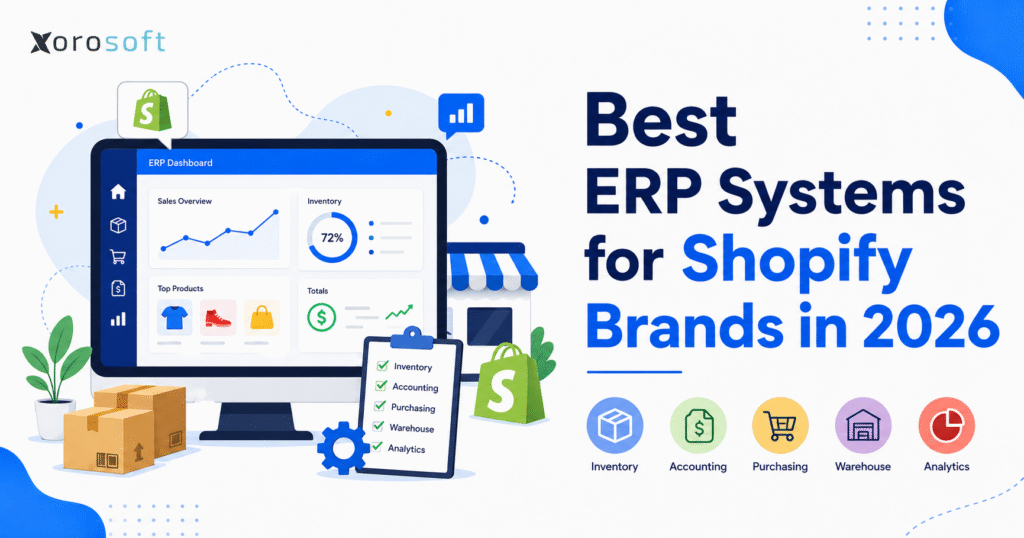
If you’re looking to streamline your business operations, finding the best ERP systems for Shopify can make all the difference.
1. Shopify Growth Now Demands a Stronger Operating System
The best ERP systems for Shopify help growing brands manage the operational pressure that builds behind the storefront. Shopify gives ecommerce teams a powerful selling platform. However, once order volume, SKU count, wholesale demand, purchasing complexity, and warehouse activity increase, the business needs more than a storefront and a handful of apps.
In the early stage, a lean stack usually works. A brand can run Shopify, QuickBooks, spreadsheets, an inventory app, a shipping app, and a few manual reports. Because the team is small, people can still catch mistakes by checking systems manually. Over time, though, those checks become harder to manage.
Soon, inventory numbers stop matching. Purchase orders depend on guesswork. Warehouse teams rely on manual notes. Finance spends too much time reconciling data. Meanwhile, leadership wants better reporting across products, channels, margins, suppliers, and locations.
That is when brands start comparing the best ERP systems for Shopify. They are not simply shopping for software. Instead, they are looking for a better operating model.
A strong ERP connects inventory, accounting, purchasing, warehouse management, manufacturing, forecasting, reporting, and ecommerce operations. As a result, teams can stop chasing data across disconnected tools and start running the business from one connected system.
Still, every Shopify brand does not need the same ERP. A $3M apparel brand with one warehouse has different needs from a $50M wholesale distributor selling through Shopify, Amazon, EDI, and multiple warehouses. Therefore, the right platform depends on workflow fit, not vendor popularity.
This guide explains how to evaluate the best ERP systems for Shopify, which options operators commonly compare in 2026, what features matter most, and how to build a practical shortlist.
2. What a Shopify ERP System Should Actually Manage
2.1 Shopify ERP Software Connects Commerce With Operations
Shopify handles the customer-facing side of ecommerce. It supports product pages, checkout, payments, promotions, online orders, customer records, and storefront growth. Because of that, it works extremely well as the commerce layer.
However, ERP manages the operating layer behind Shopify. It connects orders with inventory, purchasing, warehouse work, accounting, manufacturing, forecasting, and reporting.
For example, Shopify can show that a customer placed an order. ERP should show whether the product is available, which warehouse should ship it, whether purchasing needs to reorder it, what cost applies to it, and how the order affects margin.
In other words, Shopify helps the brand sell. ERP helps the brand operate.
2.2 The Best ERP Systems for Shopify Create One Source of Truth
The best ERP systems for Shopify give teams one reliable place to manage operational data.
Inventory teams can see what is on hand, committed, incoming, reserved, backordered, damaged, or available. Purchasing teams can plan around sales velocity, supplier lead times, and expected receipts. Warehouse teams can receive, pick, pack, scan, count, and transfer stock with more control.
Meanwhile, finance teams can connect operational activity to accounting. Sales orders, purchase orders, bills, invoices, inventory movements, landed costs, payments, and COGS become easier to track when one system controls the workflow.
Consequently, leadership gets cleaner reporting. Instead of pulling separate data from Shopify, QuickBooks, warehouse apps, inventory tools, and spreadsheets, operators can review performance from a connected business system.
2.3 Why Shopify Apps Stop Solving the Core Problem
Shopify apps solve specific problems quickly. One app may support inventory sync. Another may handle shipping. Another may help with reporting. In addition, a separate tool may manage purchasing or accounting exports.
At first, this approach feels flexible. However, as the business grows, the stack can become fragile. Each app owns a different piece of the workflow, and each integration creates another point of failure.
For instance, inventory may update in Shopify but not in accounting. Purchasing may depend on a spreadsheet because the inventory app lacks forecasting. Warehouse users may scan in one tool while finance reconciles in another. As a result, the team spends too much time checking whether systems agree.
ERP solves a different problem. It does not just add another app. Instead, it centralizes the workflows that the business needs to control.
2.4 Inventory Software Helps, but ERP Goes Further
Inventory software can help Shopify brands manage stock. It may track quantities, locations, adjustments, orders, and basic replenishment. For many brands, that is a useful step forward.
However, inventory problems rarely stay inside inventory. A wrong count can cause overselling. Poor replenishment can create stockouts. Missing landed costs can distort margins. Weak warehouse controls can create fulfillment errors. Moreover, disconnected inventory data can slow the finance team during month-end close.
Therefore, the best ERP systems for Shopify go beyond stock tracking. They connect inventory with purchasing, warehouse execution, accounting, forecasting, reporting, and operational planning.
3. Growth Signals That Show Your Current Stack Is Breaking
3.1 Inventory Numbers No Longer Match Reality
Inventory mismatch gives Shopify brands one of the clearest signs that they need ERP.
Shopify may show one number. The warehouse may show another. A spreadsheet may tell a third story. Finance may only trust month-end adjustments. Because each team sees different data, nobody feels confident making decisions.
This creates daily friction. Customer service checks stock manually before confirming orders. Purchasing adds extra safety stock because it does not trust availability. Warehouse teams create side notes to track exceptions. Finance questions inventory valuation because adjustments do not always flow cleanly.
Over time, unreliable inventory slows the entire business. Therefore, brands with recurring stock discrepancies should compare the best ERP systems for Shopify before the problem affects customer experience and cash flow.
3.2 Purchasing Becomes Reactive Instead of Planned
Early-stage purchasing often depends on simple judgment. Someone checks recent sales, reviews current inventory, and places purchase orders manually.
That approach works for a small catalog. However, once the brand adds more SKUs, suppliers, warehouses, channels, and seasonal demand, purchasing becomes harder. Supplier lead times change. Wholesale orders consume inventory. Amazon demand shifts quickly. Meanwhile, cash gets trapped when teams overbuy to avoid stockouts.
ERP improves this workflow by connecting sales velocity, reorder points, lead times, expected receipts, supplier data, and forecasts. As a result, purchasing teams can plan with better visibility instead of reacting too late.
3.3 Finance Needs Cleaner Data From Operations
Finance teams often feel disconnected operations during month-end close.
They need to reconcile Shopify orders, refunds, payment fees, purchase orders, landed costs, inventory adjustments, bills, invoices, and COGS. If these workflows live in separate tools, close becomes slow and manual.
Moreover, late reporting weakens decision-making. Leadership may not see margin issues, purchasing problems, or inventory valuation gaps until weeks after they occur.
A connected ERP helps finance work from cleaner operational data. Consequently, the team can close faster, reduce spreadsheet cleanup, and trust the numbers more easily.
3.4 Warehouses Need Stronger Process Control
A single warehouse can survive with lightweight tools for a while. Multiple warehouses create a different level of complexity.
Teams need to know what stock sits in each location, what inventory can sell, what stock already has commitments, which orders should ship from which warehouse, and which items need transfers.
In addition, warehouse users need practical workflows for receiving, putaway, picking, packing, barcode scanning, cycle counts, returns, and transfers. If these workflows depend on spreadsheets or disconnected apps, errors increase.
For brands with warehouse complexity, ERP and WMS capabilities deserve careful review. A dedicated warehouse management system can also support more structured execution when warehouse operations become a major bottleneck.
4. What the Best ERP Systems for Shopify Should Include
4.1 Reliable Shopify ERP Integration
The best ERP systems for Shopify need reliable integration with Shopify. However, a basic connection does not always solve the operational problem.
Operators should ask which data syncs between Shopify and ERP. Important areas include products, variants, customers, orders, refunds, inventory availability, fulfillment updates, warehouse locations, payments, and financial data.
In addition, teams should understand sync timing. Some workflows need real-time updates, while others can run on a schedule. The business should also know what happens when sync fails and which system owns each record.
Without this clarity, integration becomes another source of confusion instead of a solution.
4.2 Real-Time Inventory Visibility
Inventory visibility sits at the center of ERP value for Shopify brands.
Teams should see on-hand stock, committed stock, available stock, incoming inventory, backorders, reserved stock, damaged goods, and warehouse-level availability. In some industries, they may also need lot numbers, serial numbers, expiry dates, bins, or batch tracking.
Better visibility improves decisions across the company. Purchasing knows what to buy. Customer service knows what can ship. Warehouse teams know where products sit. Finance can trust inventory valuation more easily. As a result, the business operates with less guesswork.
4.3 Purchasing and Replenishment Planning
A strong ERP should help teams manage suppliers, purchase orders, lead times, expected receipts, reorder points, approvals, landed cost, and demand planning.
This matters because purchasing directly affects cash flow and customer experience. If the team buys too late, stockouts increase. If the team buys too much, cash sits in slow-moving inventory.
Therefore, the best ERP systems for Shopify should help purchasing teams act from data, not instinct. This becomes especially important for seasonal brands, imported goods, wholesale commitments, and fast-moving SKUs.
4.4 Warehouse Execution and Fulfillment Workflows
Warehouse functionality should make daily work easier, not only improve dashboards.
The ERP should support receiving, putaway, picking, packing, shipping, barcode scanning, cycle counting, bin locations, transfer orders, and returns where needed. In addition, warehouse users should complete tasks quickly without relying on manual notes or side spreadsheets.
During demos, operators should test real warehouse scenarios. For example, ask vendors to show how the system receives inventory, assigns locations, picks an order, handles a short pick, updates Shopify, and records the financial impact.
4.5 Accounting and Financial Controls
Accounting needs vary by brand. Some Shopify businesses want ERP to replace QuickBooks. Others want ERP to integrate with accounting software. Either approach can work, but the finance workflow must remain clear.
The ERP should support inventory valuation, COGS, purchase order matching, landed cost, invoices, bills, payments, refunds, tax-related workflows, and financial reporting.
Furthermore, finance should join ERP evaluation early. If accounting requirements appear late in the project, the team may face implementation delays, extra configuration, or manual workarounds.
4.6 Reporting, Forecasting, and Executive Visibility
Growing brands need reporting that goes beyond revenue.
Useful ERP reporting includes sales velocity, gross margin, inventory aging, stockout risk, overstock risk, supplier performance, purchase order status, warehouse productivity, fulfillment speed, and channel profitability.
Forecasting also matters. Better demand planning helps teams prepare earlier, reduce emergency orders, and avoid tying too much cash into slow inventory. Therefore, reporting and forecasting should carry real weight when comparing Shopify ERP software.
5. ERP Options Shopify Brands Commonly Compare in 2026
5.1 NetSuite for Larger Ecommerce Operations
NetSuite often appears on the shortlist for larger ecommerce and omnichannel companies. It offers broad ERP functionality, financial depth, inventory management, and a mature ecosystem.
This option can fit businesses with complex finance requirements, multi-entity structures, and larger operational teams. However, brands should evaluate implementation scope, customization, internal admin needs, and total cost before choosing it.
For teams comparing NetSuite with modern alternatives, the Xorosoft vs NetSuite comparison can help frame the decision around cost, complexity, implementation effort, and operational fit.
5.2 Acumatica for Mid-Market Flexibility
Acumatica often fits mid-market companies that want flexible cloud ERP capabilities across finance, distribution, inventory, purchasing, and operations.
The platform can support configurable workflows, which helps businesses with specific operational needs. However, implementation partner quality matters. Shopify brands should validate connector depth, warehouse workflows, reporting, and accounting requirements before moving forward.
5.3 Cin7 for Inventory-Led Teams
Cin7 frequently serves inventory-led ecommerce and wholesale businesses. It focuses on inventory, order management, purchasing, channel control, warehouse workflows, and operational visibility.
For brands that need stronger inventory and order control, Cin7 may offer a practical option. Still, teams should confirm whether the platform supports long-term accounting, reporting, and operational requirements as the business grows.
5.4 Brightpearl for Retail and Wholesale Workflows
Brightpearl often attracts retailers and wholesalers that need order management, inventory control, replenishment, fulfillment automation, and operational workflows.
It may fit Shopify brands with retail, ecommerce, and wholesale complexity. Nevertheless, operators should test warehouse processes, finance workflows, reporting needs, and implementation expectations before choosing it.
5.5 Microsoft Dynamics 365 Business Central for Finance-Led Teams
Business Central often fits companies that want finance, inventory, purchasing, and operations inside the Microsoft ecosystem.
Brands already using Microsoft tools may see clear alignment. Even so, implementation quality and connector setup matter. Finance, operations, and warehouse users should all review how the system handles daily work before leadership makes a final decision.
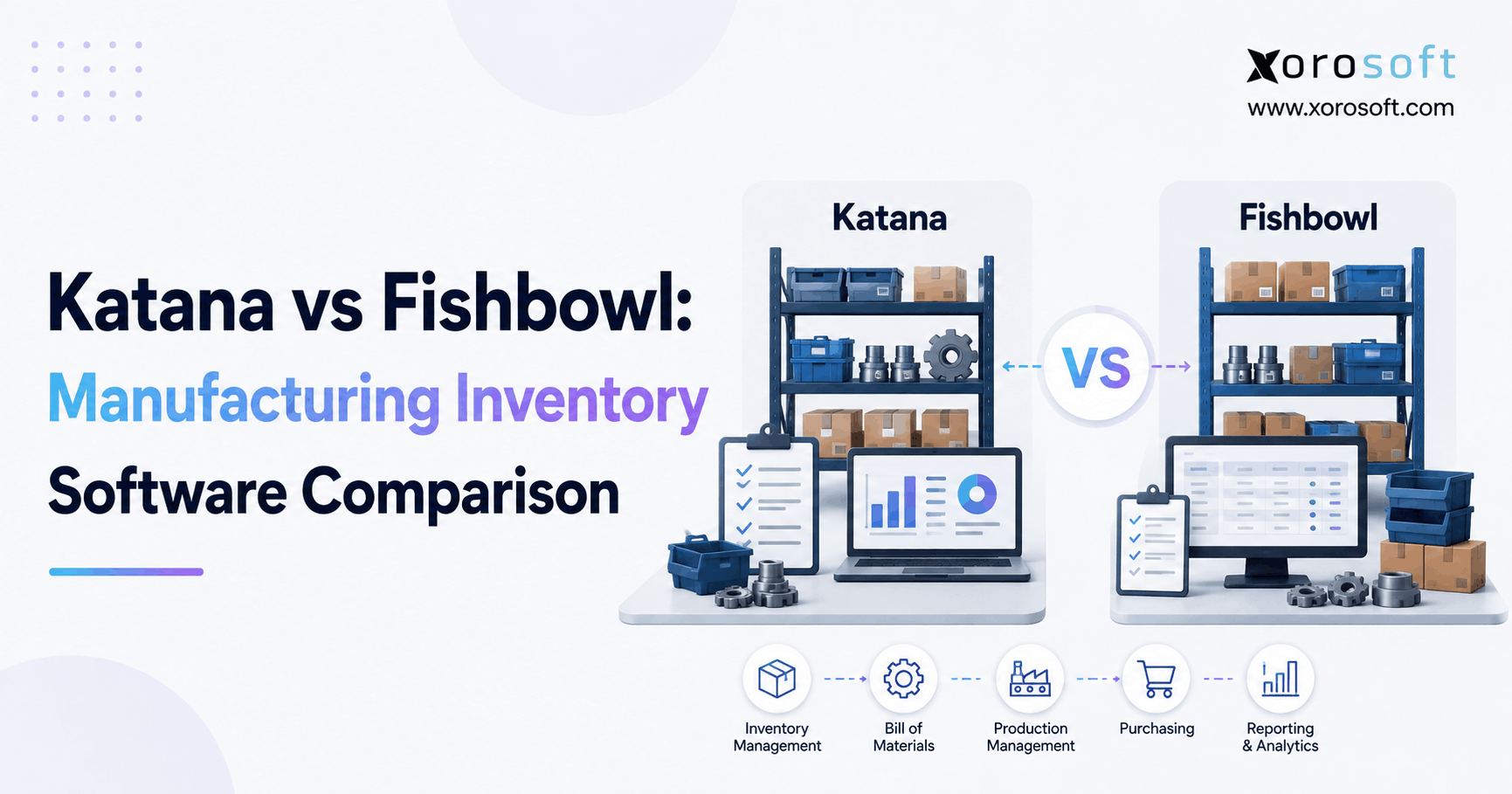
5.6 Fishbowl for SMB Inventory Control
Fishbowl commonly supports small and midsized businesses that need inventory, warehouse, and manufacturing functionality, especially when they already use QuickBooks or Xero.
This option can work for brands that need stronger stock control but may not feel ready for a broader ERP. However, teams should evaluate whether it can support future reporting, accounting, multi-channel, and warehouse requirements.
5.7 Katana for Product Makers and Manufacturers
Katana often fits product makers and smaller manufacturers. It supports production visibility, raw material tracking, manufacturing planning, and sales order workflows.
For Shopify brands that assemble or manufacture products, Katana can provide useful operational visibility. However, companies with more complex accounting, distribution, wholesale, or multi-warehouse needs should compare it with broader ERP platforms.
5.8 Xorosoft for Inventory-Driven Shopify Brands
Xorosoft supports inventory-driven businesses that sell physical products through Shopify, Amazon, wholesale, EDI, and multiple warehouses.
The platform combines inventory management, accounting, purchasing, warehouse management, manufacturing, forecasting, reporting, and ecommerce operations in one system. Therefore, it can fit Shopify brands that have outgrown QuickBooks, spreadsheets, inventory-only software, or disconnected app stacks.
For companies that want broader operational control, XoroOne can also support the conversation as an all-in-one business management system for inventory-driven operations.
6. Comparison Framework for the Best ERP Systems for Shopify
6.1 Platform Fit by Business Type
| ERP Option | Best Fit | Strengths | Watchouts |
|---|---|---|---|
| NetSuite | Larger omnichannel companies | Financial depth, broad ERP coverage, mature ecosystem | Cost and implementation complexity |
| Acumatica | Mid-market companies | Flexible cloud ERP, finance, distribution, operations | Partner setup matters |
| Cin7 | Inventory-led brands | Inventory, orders, purchasing, channel control | Accounting depth needs validation |
| Brightpearl | Retail and wholesale operators | Order management, replenishment, fulfillment automation | Workflow fit varies by business |
| Business Central | Microsoft-aligned SMBs | Finance, inventory, Microsoft ecosystem | Partner configuration often matters |
| Fishbowl | SMB inventory teams | Inventory, warehouse, manufacturing support | May not replace full ERP needs |
| Katana | Product makers | Manufacturing, raw materials, production planning | Less suited for complex finance |
| Xorosoft | Inventory-driven Shopify brands | Inventory, accounting, purchasing, WMS, manufacturing, forecasting | Best fit for physical product businesses |
6.2 Shopify ERP Capability Checklist
| Area | What to Check |
| Integration | Products, variants, orders, inventory, fulfillment, refunds, payments |
| Inventory | Available, committed, incoming, reserved, backordered, warehouse-level stock |
| Purchasing | Suppliers, lead times, purchase orders, approvals, replenishment, landed cost |
| Warehouse | Receiving, putaway, picking, packing, scanning, counts, transfers |
| Finance | COGS, inventory valuation, reconciliation, invoices, bills, reporting |
| Manufacturing | BOMs, work orders, raw materials, finished goods, production planning |
| Wholesale | Pricing, order allocation, sales reps, EDI, customer-specific workflows |
| Reporting | Inventory aging, margins, sales velocity, stockout risk, warehouse performance |
6.3 Questions Leadership Should Ask
Before choosing from the best ERP systems for Shopify, leadership should ask practical questions.
Does the platform reduce manual work, or does it simply move manual work into a new interface? Can warehouse users complete tasks quickly? Will finance trust the data? Can purchasing plan with confidence? Does the integration support real business rules, or does it only move basic order data?
Additionally, the team should ask whether the platform can support the next stage of growth. A system that works today but becomes restrictive in 18 months may create another migration project too soon.
7. How ERP Fit Changes by Shopify Brand Type
7.1 Apparel and Fashion Brands
Apparel brands need strong variant control. Size, color, season, collection, channel, and warehouse availability all matter.
A brand may have enough inventory in total but still run out of the most important sizes. Because of that, variant-level visibility becomes essential. Purchasing also needs to understand sell-through by size and color, not just total units sold.
Returns add another layer of complexity. Returned items need inspection, restocking, adjustment, or write-off. Therefore, apparel brands should test inventory, returns, purchasing, and warehouse workflows during ERP demos.
7.2 Furniture and Home Goods Brands
Furniture brands often manage bulky inventory, long supplier lead times, container shipments, warehouse space constraints, and delivery coordination.
These companies need strong purchase planning and inventory visibility because replenishment cycles can move slowly. In addition, landed cost matters because freight, duties, storage, and handling can significantly affect margin.
A suitable ERP should support purchasing, receiving, warehouse location visibility, sales order tracking, and financial reporting.
7.3 Sporting Goods and Seasonal Product Brands
Sporting goods brands often face seasonal spikes, product bundles, kits, marketplace orders, and wholesale accounts.
Planning matters because demand may rise quickly around specific seasons, events, or promotions. If purchasing runs late, the brand misses revenue. On the other hand, aggressive buying can trap cash in slow-moving inventory.
ERP helps by connecting sales trends, inventory levels, supplier lead times, and replenishment plans.
7.4 Food and Beverage Brands
Food and beverage brands may need lot tracking, expiry dates, supplier controls, warehouse rotation, purchasing discipline, and compliance-related workflows.
The right system should make traceability easier and reduce the risk of selling expired or unavailable products. Also, inventory accuracy matters because waste directly affects profitability.
Before choosing ERP, food and beverage brands should map lot, expiry, receiving, fulfillment, and reporting requirements.
7.5 Wholesale and B2B Shopify Brands
Wholesale adds customer-specific pricing, bulk orders, inventory allocation, EDI, sales rep workflows, payment terms, and account-level reporting.
A basic ecommerce app stack rarely supports these needs cleanly. Consequently, wholesale brands should look for ERP functionality that connects sales orders, inventory, pricing, purchasing, accounting, and warehouse operations.
Xorosoft can fit wholesale and inventory-driven Shopify brands because it connects ecommerce operations with inventory, accounting, purchasing, warehouse management, and reporting. Brands can also review ERP for inventory-driven industries to understand how industry workflows affect ERP requirements.
7.6 Manufacturing and Assembly Brands
Manufacturing brands need BOMs, work orders, raw material planning, production scheduling, finished goods tracking, and purchasing control.
A product may appear available for sale only if raw materials, labor, and production capacity align. Therefore, ERP should connect Shopify demand with production planning and procurement.
Without that connection, teams may sell finished goods without understanding whether production can keep up.
8. How to Shortlist the Best ERP Systems for Shopify
8.1 Start With Operational Problems
A smarter shortlist starts with operational pain, not software names.
Write down where the team struggles every week. Inventory may lack reliability. Purchasing may depend too heavily on spreadsheets. Finance may close late. Warehouse teams may need scanning. Leadership may lack useful reporting. Wholesale may need customer pricing and EDI control.
Once these problems become clear, vendor demos become more useful. Each system can then show how it solves real work rather than generic feature gaps.
8.2 Separate Must-Have Workflows From Nice-to-Have Features
Every ERP demo includes many features. However, not every feature matters equally.
Must-have requirements should include workflows the business cannot operate without. Nice-to-have features may improve the experience, but they should not drive the decision.
For example, a brand with multiple warehouses should treat warehouse-level inventory as essential. A brand with manufacturing should treat BOMs and work orders as essential. A wholesale brand should treat customer-specific pricing and allocation as essential.
8.3 Ask Vendors to Demo Real Shopify Scenarios
A polished dashboard does not prove operational fit.
Ask vendors to show real scenarios. These could include receiving a purchase order, syncing a Shopify order, reserving stock, picking an order, creating an invoice, managing a return, transferring inventory, or reviewing margin by channel.
This approach reveals whether the system fits daily work. Moreover, it helps users understand how much process change the implementation will require.
8.4 Compare Total Cost of Ownership
ERP cost includes software, implementation, integrations, training, customization, support, and internal admin time.
A lower subscription fee may look attractive at first. However, if the system requires heavy workarounds, manual cleanup, or expensive customization, the total cost can rise quickly.
Therefore, brands should compare cost against operational value. Better inventory accuracy, fewer fulfillment errors, faster close, and stronger purchasing can justify investment when the system fits the business well.
9. Implementation Planning Before ERP Go-Live
9.1 Audit the Current Operations Stack
Before implementation, list every tool involved in operations.
This may include Shopify, QuickBooks, spreadsheets, inventory apps, warehouse apps, shipping tools, Amazon systems, EDI platforms, 3PL portals, purchasing sheets, and reporting dashboards.
The purpose is to understand where data starts, where it moves, where it breaks, and which workflows need change.
9.2 Clean Data Before Migration
Data cleanup is one of the most important ERP steps.
Clean SKUs, variants, vendors, customers, warehouse locations, inventory counts, chart of accounts, open purchase orders, pricing rules, product records, and supplier data before migration.
Poor data quality creates confusion in the new system. By contrast, clean data gives the implementation a stronger foundation.
9.3 Map Core Workflows Before Configuration
Workflow mapping should happen before configuration.
Important workflows include order-to-cash, procure-to-pay, receiving, fulfillment, returns, transfers, cycle counts, manufacturing, reporting, and month-end close.
This step helps the implementation team configure the ERP around how the business should operate, not simply how the old systems worked.
9.4 Run a Controlled Pilot
A pilot reduces risk before full go-live.
Brands can test one warehouse, one product category, one sales channel, or one workflow. During this stage, teams should validate Shopify sync, inventory updates, warehouse actions, accounting entries, and reporting outputs.
Because the test remains limited, teams can identify and correct problems more easily.
9.5 Train Users by Role
Training should match each role.
Warehouse users need hands-on practice with receiving, picking, packing, scanning, and counts. Purchasing teams need reorder workflows. Finance needs accounting validation. Customer service needs order visibility. Leaders need reporting dashboards.
When users understand both the process and the reason behind the change, adoption improves.
9.6 Measure Success After Launch
Implementation does not end on launch day.
Track inventory accuracy, order error rate, fulfillment speed, stockouts, overstock, purchase order cycle time, receiving delays, month-end close time, and reporting reliability.
These metrics show whether ERP improves operations or simply replaces the old software stack.
10. Where Xorosoft Fits in a Shopify ERP Shortlist
10.1 A Cloud ERP for Inventory-Driven Operators
Xorosoft supports Shopify brands that sell physical products and need inventory, accounting, purchasing, warehouse management, manufacturing, forecasting, reporting, and ecommerce operations in one cloud ERP platform.
It especially fits companies that have outgrown QuickBooks, spreadsheets, inventory-only tools, or disconnected systems. These brands often manage multiple warehouses, wholesale orders, Amazon sales, EDI workflows, or purchasing complexity.
10.2 Multi-Warehouse and Channel Complexity
Multi-warehouse brands need better control over stock availability, transfers, receiving, order routing, and warehouse execution.
Xorosoft can support these workflows by connecting inventory, warehouse management, purchasing, and reporting. In addition, Shopify merchants can review the Xorosoft ERP Shopify App Store page while comparing ERP options.
10.3 Replacing Disconnected Tools
Many growing brands reach a point where QuickBooks, spreadsheets, inventory apps, warehouse tools, and purchasing sheets no longer provide enough control.
Xorosoft can act as a modern ERP alternative for brands that want inventory, accounting, purchasing, warehouse management, forecasting, and reporting in one place. For broader evaluation, readers can also compare Xorosoft with other ERP systems.
11. FAQs for Shopify Brands Comparing ERP
11.1 What are the best ERP systems for Shopify brands in 2026?
The best ERP systems for Shopify depend on business size, workflows, sales channels, and operational complexity. Commonly compared options include NetSuite, Acumatica, Cin7, Brightpearl, Microsoft Dynamics 365 Business Central, Fishbowl, Katana, Odoo, and Xorosoft. The right choice depends on inventory depth, accounting needs, warehouse workflows, purchasing, wholesale, manufacturing, and implementation capacity.
11.2 What does ERP do for a Shopify brand?
ERP connects Shopify with operational workflows behind the storefront. It can manage inventory, accounting, purchasing, warehouse tasks, fulfillment, forecasting, manufacturing, and reporting. Because these workflows work together, teams can reduce manual work and make decisions from cleaner data.
11.3 Does Shopify replace ERP?
Shopify does not replace ERP. It works as a commerce platform for selling, checkout, orders, payments, and storefront management. ERP handles deeper back-office workflows such as accounting, purchasing, inventory valuation, warehouse management, manufacturing, forecasting, and financial reporting.
11.4 When should a Shopify business upgrade?
A brand should consider ERP when inventory lacks reliability, spreadsheets control purchasing, month-end close takes too long, warehouses create confusion, wholesale grows, EDI becomes necessary, or disconnected apps create duplicate work. At that point, operational complexity usually requires a stronger system.
11.5 What should inventory teams look for?
Inventory teams should look for warehouse-level stock, committed inventory, available inventory, incoming inventory, backorders, transfers, adjustments, cycle counts, and reporting. If the brand sells across multiple channels, the system should also help prevent overselling and improve availability.
11.6 What should finance teams evaluate?
Finance teams should evaluate inventory valuation, COGS, purchase order matching, landed cost, invoices, bills, payments, refunds, tax-related workflows, and reconciliation. They should also confirm whether the ERP replaces accounting software or integrates with it.
11.7 Can ERP replace QuickBooks?
Some ERP systems can replace QuickBooks when a brand needs integrated accounting, inventory valuation, purchasing, and reporting. However, other businesses may keep QuickBooks and connect it to ERP or inventory tools. The right choice depends on finance complexity and reporting needs.
11.8 What is the difference between ERP and inventory software?
Inventory software mainly manages stock. ERP manages inventory plus purchasing, accounting, warehouse workflows, forecasting, reporting, and operational controls. Brands usually move toward ERP when inventory issues start affecting finance, fulfillment, purchasing, and leadership visibility.
11.9 What is the difference between ERP and WMS?
ERP manages the broader business system, while WMS manages warehouse execution. A WMS focuses on receiving, putaway, bin locations, picking, packing, scanning, shipping, and cycle counts. Some ERP systems include WMS capabilities, while others connect with dedicated warehouse tools.
11.10 What is the difference between ERP and OMS?
An OMS manages order routing and fulfillment logic. ERP manages inventory, purchasing, accounting, reporting, and wider operational workflows. Some brands need both, while others can use ERP with built-in order management depending on complexity.
11.11 Which ERP features matter most for apparel brands?
Apparel brands should prioritize variant-level inventory, size and color tracking, returns, seasonal planning, purchasing, wholesale allocation, and warehouse visibility. The system should report at the level where demand actually happens, not only at the parent product level.
11.12 Which ERP features matter most for wholesale brands?
Wholesale brands should prioritize customer-specific pricing, bulk orders, inventory allocation, sales reps, EDI, payment terms, purchasing, and account-level reporting. Because wholesale workflows add complexity, teams should test them carefully during demos.
11.13 Which ERP features matter most for manufacturing brands?
Manufacturing brands should look for BOMs, work orders, raw material tracking, production planning, finished goods inventory, purchasing, and forecasting. The system should connect demand from Shopify with production and procurement so teams can plan accurately.
11.14 How much does Shopify ERP cost?
ERP cost depends on users, licenses, implementation, integrations, customization, support, training, and internal admin time. Instead of comparing software price alone, brands should compare total cost of ownership against operational value.
11.15 How long does ERP implementation take?
Implementation timing depends on data quality, workflows, integrations, warehouse complexity, accounting requirements, manufacturing needs, and team readiness. A simple rollout may move faster, while multi-warehouse, wholesale, EDI, or manufacturing-heavy projects need more planning.
11.16 What data should teams clean first?
Teams should clean SKUs, variants, vendors, customers, warehouse locations, product records, inventory counts, chart of accounts, open purchase orders, pricing rules, and supplier data. Clean data reduces migration issues and improves trust in the new system.
11.17 How should teams evaluate ERP demos?
Teams should evaluate demos with real workflows. Ask vendors to show purchase receiving, order sync, inventory reservation, picking, invoicing, returns, transfers, and reporting. This approach shows whether the system can support daily operations, not just attractive dashboards.
11.18 Is Xorosoft a good option for Shopify brands?
Xorosoft may fit inventory-driven Shopify brands that need inventory management, accounting, purchasing, warehouse management, manufacturing, forecasting, reporting, and ecommerce operations in one system. It works best for physical product businesses that have outgrown QuickBooks, spreadsheets, or disconnected apps.
12. Practical Takeaway for Building the Right ERP Shortlist
The best ERP systems for Shopify do not win because they have the longest feature list. They win when they match the way the business actually operates.
A brand with simple inventory, one channel, and a small team may not need full ERP yet. Shopify, accounting software, and focused apps may still work. However, once the business adds multiple warehouses, wholesale orders, Amazon, EDI, manufacturing, purchasing complexity, or finance reporting pressure, ERP becomes more than a software upgrade. It becomes the structure that helps the business scale without losing control.
Start with the workflows that create the most friction. Review how inventory moves, how orders flow, how purchasing decisions happen, how warehouses operate, how finance closes the month, and how leadership reviews performance.
Then compare the best ERP systems for Shopify against those requirements. A good platform should improve inventory accuracy, reduce manual work, strengthen purchasing, speed up fulfillment, simplify accounting, and give teams better visibility.
For Shopify brands actively evaluating ERP, the next step is to build a vendor scorecard and book demos around real operating scenarios rather than generic software tours.
To evaluate whether an ERP system fits your Shopify operation, you can book a personalized ERP demo and walk through your actual workflows.