If you are looking for guidance on choosing the right Shopify ERP solution, this Shopify ERP Buyer Guide will help you make an informed decision.
1. Why Growth Turns Shopify Operations Into a Systems Problem
A growing Shopify brand rarely struggles because demand is weak. More often, it struggles because the systems behind the store cannot keep up with sales, inventory movement, purchasing, warehouse work, and financial reporting. This Shopify ERP Buyer Guide is built for operators who are moving beyond simple store management and now need stronger control across the business.
At the early stage, Shopify plus a few apps can work well. A team may manage stock manually, create purchase orders in spreadsheets, reconcile accounting later, and use warehouse workarounds when order volume is still manageable. However, those small gaps become serious operational risks as the company grows.
As a result, inventory becomes harder to trust. Purchase orders become harder to plan. Warehouse teams need clearer workflows. Finance teams need cleaner numbers. Meanwhile, customers expect fast fulfillment, accurate availability, and smooth service across every channel.
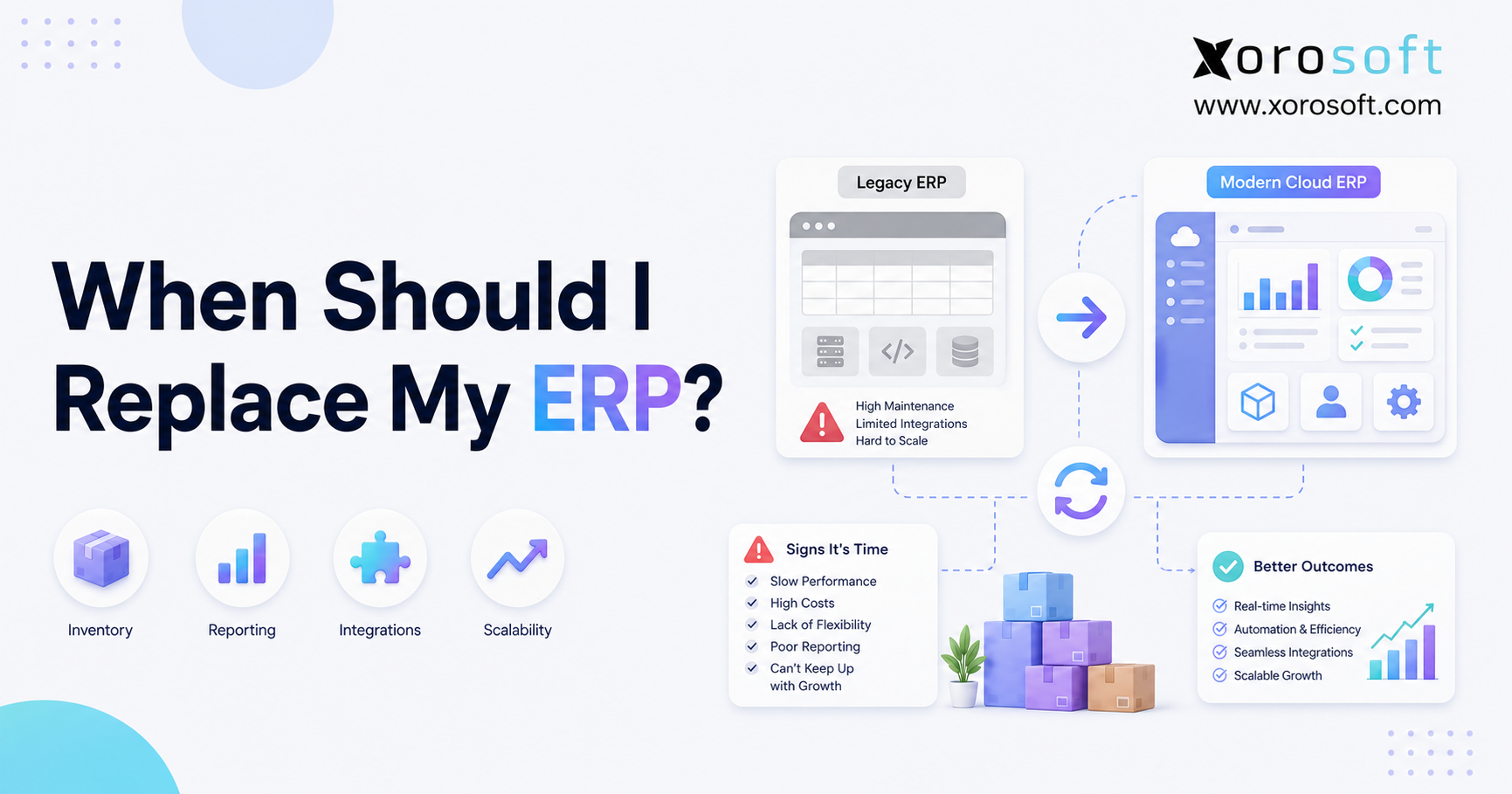
That is the point where ERP becomes part of the conversation. A connected ERP system is not just another app in the Shopify stack. Instead, it becomes the operational backbone that connects sales, inventory, purchasing, warehouse management, accounting, manufacturing, forecasting, and reporting into one shared system.
1.1 Buyer Guide Context for Scaling Brands
The purpose of a Shopify ERP Buyer Guide is not to tell every merchant to buy ERP immediately. Instead, it helps operators understand when ERP becomes necessary, what features matter, which mistakes to avoid, and how to compare systems based on real workflows.
A simple Shopify store may not need ERP. However, a brand managing multiple warehouses, wholesale accounts, Amazon orders, purchase orders, EDI, manufacturing, or complex accounting probably needs a more connected operating system.
Therefore, the buying decision should start with operational complexity rather than company size alone. Revenue matters, but workflow pressure is often the clearer signal.
1.2 When Apps Create More Work Than Clarity
Apps are useful when each problem is narrow. One app may support shipping, while a separate tool may handle returns. Another solution might manage reviews, and a focused app may support subscriptions. However, when the business depends on too many disconnected tools, the team starts managing software instead of managing operations.
In addition, every new app creates another place where data can become outdated. Meanwhile, teams still need one reliable view of orders, inventory, purchasing, warehouse activity, and finance. Because of this, growing brands often move from app-based operations to ERP-led operations.
2. What Shopify ERP Software Actually Does Behind the Store
Shopify handles the storefront, checkout, product presentation, customer experience, and ecommerce selling process. Behind that storefront, ERP manages the operational engine. This Shopify ERP Buyer Guide should make that distinction clear because many businesses confuse ecommerce tools with operating systems.
An ERP system can centralize orders, inventory, purchasing, accounting, warehouse management, manufacturing, forecasting, reporting, and integrations. Instead of each department working from a different tool, ERP gives the business one connected operating layer.
In practice, ERP helps the business move from reactive work to controlled workflows. For example, one Shopify order can affect inventory, warehouse picking, accounting, purchasing, and reporting at the same time. Therefore, the system needs to connect those workflows instead of treating them as separate tasks.
This Shopify ERP Buyer Guide also helps operators understand where Shopify ends and where a connected backend system becomes necessary.
2.1 Shopify ERP Meaning in Practical Business Terms
A Shopify-connected ERP is an enterprise resource planning system that supports backend operations for a merchant selling through Shopify. When an order enters Shopify, ERP can update inventory, route fulfillment, trigger warehouse activity, support accounting entries, inform purchasing decisions, and improve reporting visibility.
This matters because Shopify alone is not designed to manage every backend workflow for a complex inventory business. It is excellent for commerce. However, growing merchants often need deeper control over the work that happens after an order is placed.
This Shopify ERP Buyer Guide also helps merchants separate basic integration needs from deeper operational requirements, so they do not choose software based only on app listings or feature claims.
2.2 Shopify ERP Integration and Data Flow Across Core Operations
A strong ERP integration should move the right data between Shopify and the backend system. That usually includes orders, inventory, products, customers, payments, refunds, and returns.
| Data Type | Why It Matters |
|---|---|
| Orders | Helps operations process Shopify orders without duplicate entry |
| Inventory | Keeps available stock accurate across channels and warehouses |
| Products | Keeps SKUs, variants, costs, and product data consistent |
| Customers | Supports order history, B2B pricing, service, and reporting |
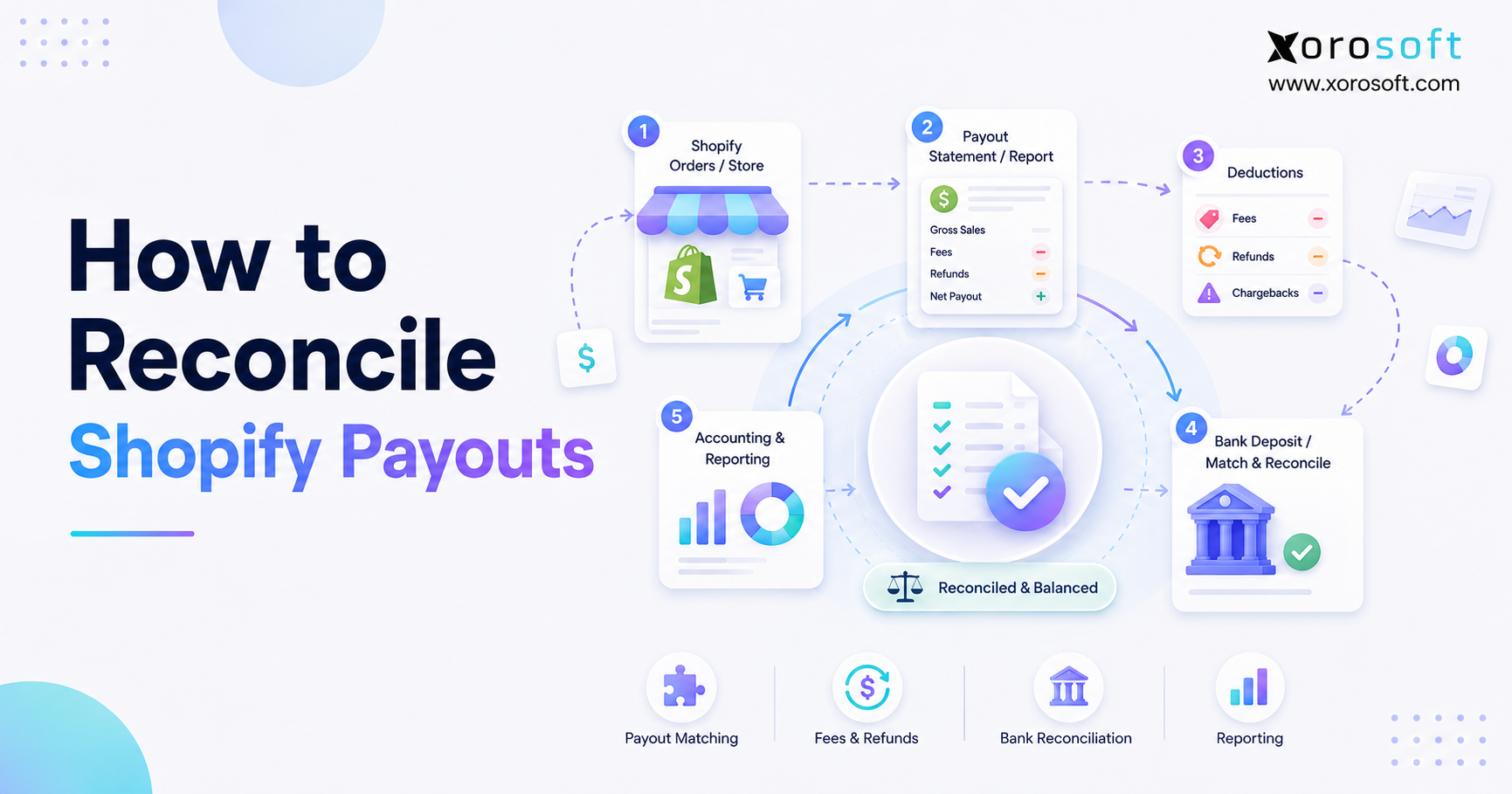
| Payments | Helps accounting reconcile payouts, refunds, discounts, and fees |
| Returns | Updates inventory and financial workflows more accurately |
However, the goal is not just data transfer. The goal is workflow control. When data moves without process discipline, teams still end up reconciling problems manually.
3. Which Shopify Merchants Are Ready for ERP
Not every Shopify merchant needs ERP. However, certain operational signals show when the business has outgrown basic tools.
A connected system becomes relevant when the team manages high SKU counts, multiple warehouses, wholesale orders, Amazon sales, EDI, purchasing complexity, manufacturing, or financial reporting challenges. Instead of looking only at revenue, merchants should look at operational complexity.
3.1 ERP for Shopify Brands With Multi-Warehouse Inventory
Multi-warehouse operations create complexity quickly. Teams need to know which warehouse has stock, which orders should ship from which location, which inventory is committed, which transfers are pending, and which products are available to sell.
If Shopify shows one number, the warehouse sees another, and finance uses a third figure, the business has a visibility problem. ERP helps centralize inventory across warehouses, sales channels, and operational statuses. As a result, teams can make decisions based on available inventory rather than assumptions.
3.2 Shopify ERP for Amazon, Wholesale, and EDI Pressure
Many growing brands do not sell only through Shopify. They may also sell through Amazon, wholesale accounts, retail partners, B2B portals, and EDI customers.
That creates more pressure on inventory allocation, pricing, order routing, fulfillment priority, and reporting. In addition, wholesale and EDI workflows often require different documents, order rules, and customer-specific terms.
3.3 QuickBooks Users Often Reach a Scaling Limit
QuickBooks is often a strong starting point for accounting. However, many Shopify brands outgrow it when they expect it to manage operational workflows.
QuickBooks can support bookkeeping, but it is not built to control warehouse execution, purchase planning, inventory forecasting, multi-location availability, manufacturing, and complex order operations. Therefore, the issue is not that QuickBooks is wrong. The issue is that accounting software and operational ERP software solve different problems.
4. Who May Not Need Shopify ERP Yet
ERP is powerful, but it is not always the right next step. A practical Shopify ERP Buyer Guide should help merchants avoid buying too early as well as too late.
4.1 Smaller Shopify Stores With Simple ERP Needs
A small Shopify store with one warehouse, limited SKUs, basic purchasing, and simple accounting may not need ERP yet. In that stage, focused apps may be more practical.
The better priority may be clean product data, clear warehouse routines, disciplined purchasing, and better reporting habits. Once those foundations are in place, the team can evaluate ERP with more clarity later.
4.2 Brands Without Inventory Complexity or ERP Pressure
If the business does not manage physical inventory, purchase orders, warehouses, landed costs, or inventory valuation, ERP may not create enough value.
Digital product sellers, simple dropshipping businesses, and service-led companies often need different systems. Therefore, ERP should be considered when operational complexity justifies the implementation effort.
4.3 When Focused Apps Are Still Enough
A focused app can be the right answer when the problem is specific. For example, a returns app may solve returns, while a shipping app may solve shipping.
However, when issues cross inventory, purchasing, accounting, warehouse operations, and reporting, adding another app often increases complexity rather than reducing it.
5. Signs Your Shopify Business Has Outgrown Disconnected Apps
A Shopify business usually needs ERP before the team formally admits it. The warning signs appear in daily operations first.
Over time, disconnected apps create small gaps that become expensive. For instance, inventory errors affect purchasing, warehouse work, customer service, and finance. As a result, the business spends more time correcting data than improving performance.
At this stage, a Shopify ERP Buyer Guide becomes useful because it turns scattered operational symptoms into a clear buying framework.
5.1 Shopify Inventory Is No Longer Trusted
Inventory mismatch is one of the clearest signs of operational stress. Shopify shows available stock, the warehouse says the product is missing, purchasing thinks more units are coming, and finance uses a different number for valuation.
When no one trusts inventory, every decision slows down. Customer service cannot answer confidently. Buyers cannot reorder accurately. Warehouse teams cannot pick efficiently. Leadership cannot rely on margin reports.
5.2 Accounting Close Delays Signal ERP Readiness
Finance teams struggle when sales, refunds, discounts, shipping, inventory value, purchase orders, landed costs, and supplier invoices live in different systems.
Month-end close should not require days of spreadsheet cleanup. If finance spends more time reconciling data than analyzing performance, the business needs better operational structure.
5.3 Purchase Orders Need Better ERP Control
Spreadsheet purchasing works for a while. However, as sales velocity changes, buyers need live visibility into stock on hand, committed inventory, open purchase orders, supplier lead times, seasonality, and forecasted demand.
Without that visibility, the business can stock out of fast sellers and overbuy slow movers. Therefore, purchasing should become part of the same operating system that tracks sales and inventory.
5.4 Warehouse Teams Work Around the System
Warehouse workarounds create hidden cost. If teams pick from printed lists, update inventory later, rely on memory, or manually correct stock after fulfillment, errors become normal.
ERP with warehouse management can improve receiving, putaway, picking, packing, transfers, cycle counts, and barcode workflows. In turn, inventory becomes more accurate because warehouse actions update the system as work happens.
5.5 Leadership Cannot Trust Reports
Executives need reliable answers. Which SKUs drive margin? Channel performance also needs to be clear. Warehouse delays should be visible before they hurt fulfillment. Supplier reliability must be easy to measure. Replenishment decisions should come from trusted data, not manual report cleanup.
If every report requires manual cleanup, the business does not have operational visibility. It has reporting debt.
6. Core Features to Compare in a Shopify ERP Buyer Guide
This Shopify ERP Buyer Guide should focus on workflow fit, not just feature volume. The right system needs to match how the business buys, stores, sells, ships, manufactures, accounts for, and reports on inventory. For that reason, buyers should compare ERP features through real operating scenarios.
More importantly, buyers should evaluate how each feature supports daily work. A long feature list may look impressive, but it does not always prove workflow fit. Therefore, every ERP demo should be tested against real business scenarios.
6.1 Shopify ERP Inventory Management Requirements
Inventory management is the foundation of ERP for Shopify merchants. The system should show what is available, what is committed, what is incoming, what is reserved, what is damaged, and what is moving between locations.
For inventory-driven businesses, XoroERP is relevant because it connects inventory management with accounting, purchasing, warehouse management, ecommerce workflows, forecasting, and reporting.
| Feature | Why It Matters |
| Real-time inventory visibility | Reduces overselling and stock confusion |
| Multi-location inventory | Supports warehouses, stores, and 3PL locations |
| Inventory valuation | Connects operations with financial reporting |
| Lot, serial, and batch tracking | Supports traceability and controlled inventory |
| Inventory transfers | Tracks movement between locations |
| Available-to-sell logic | Improves channel stock accuracy |
In addition, inventory should connect to financial and purchasing workflows. Otherwise, the business may know how many units exist but still struggle to understand margin, reorder timing, or cash tied up in stock.
6.2 Purchasing and Supplier Management
Purchasing is where many Shopify brands lose cash without noticing. Weak purchasing creates stockouts, overstock, margin pressure, and working capital problems.
A good ERP should support purchase orders, supplier lead times, reorder points, approval workflows, landed costs, receiving, and vendor performance tracking. The key buying question is simple: can the system help the purchasing team make better decisions before inventory problems happen?
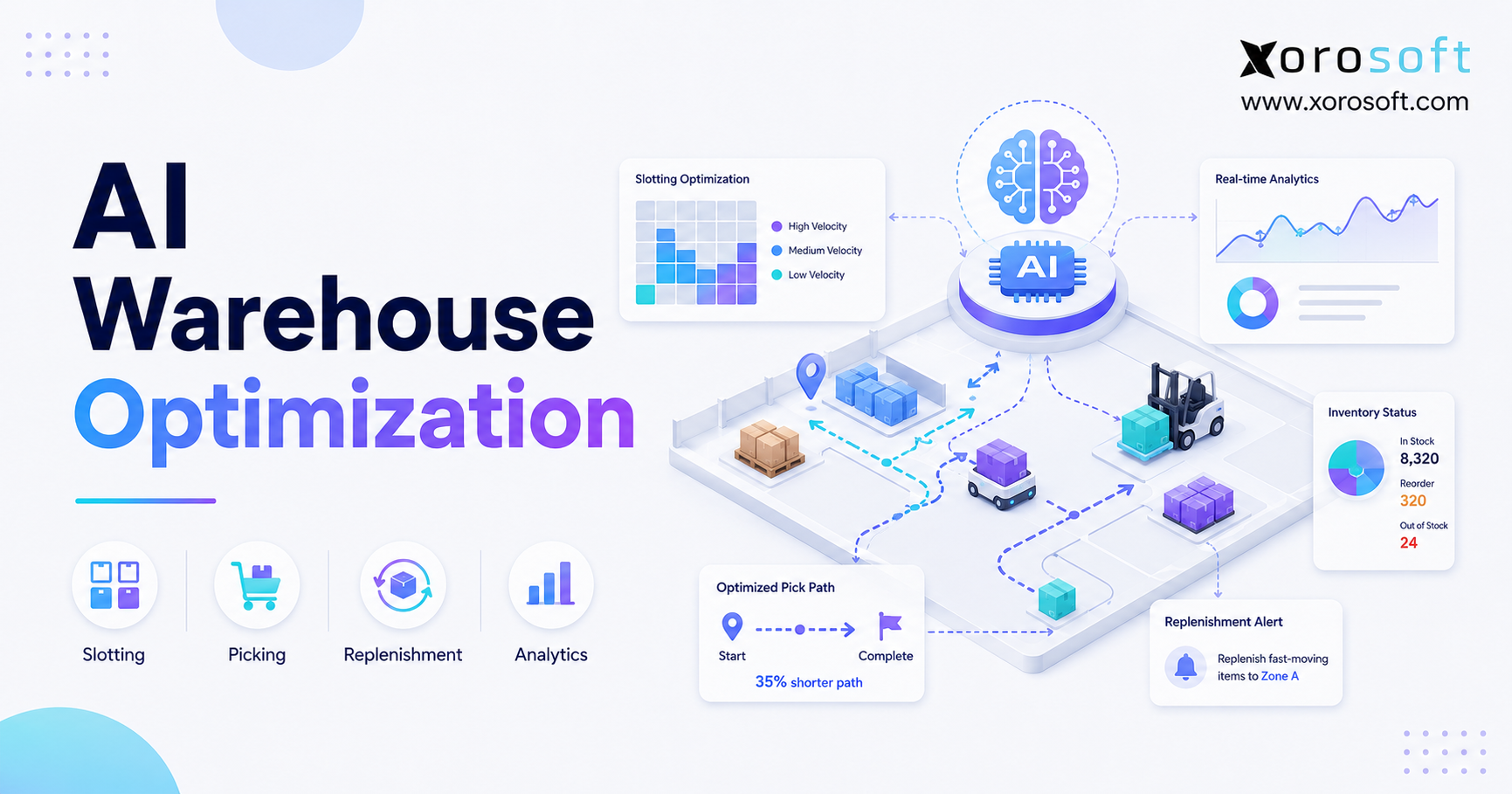
6.3 Shopify ERP Warehouse Management Capabilities
Warehouse execution directly affects customer experience. Slow receiving makes inventory unreliable. Inaccurate picking increases returns. Poor packing can lead to customers receiving the wrong items.
For Shopify brands with active fulfillment operations, XoroWMS can support warehouse management workflows such as receiving, barcode scanning, picking, packing, transfers, and inventory control.
| Warehouse Workflow | ERP/WMS Requirement |
| Receiving | Update stock quickly and accurately |
| Putaway | Assign products to correct locations |
| Picking | Guide warehouse teams through order fulfillment |
| Packing | Verify items before shipping |
| Transfers | Track stock movement between locations |
| Cycle counts | Improve inventory accuracy without full shutdowns |
Because warehouse work creates inventory truth, buyers should test warehouse workflows carefully during demos.
6.4 Accounting and Financial Controls
Inventory businesses need accounting connected to operations. If inventory value, COGS, purchase orders, landed costs, invoices, and Shopify payouts remain disconnected, finance teams struggle to close accurately.
ERP should help finance teams connect operational events to accounting outcomes. This is especially important for brands that manage high SKU volume, landed costs, returns, discounts, shipping fees, wholesale terms, or multi-channel sales.
6.5 Forecasting and Demand Planning
Forecasting helps buyers decide what to purchase before a stockout occurs. A good ERP should use sales history, seasonality, supplier lead times, open orders, current inventory, and forecasted demand.
This is especially useful for apparel drops, furniture lead times, sporting goods seasonality, food shelf-life planning, and wholesale commitments. As a result, purchasing becomes more proactive.
6.6 Manufacturing and BOM Support
Manufacturing businesses need more than finished goods inventory. They need bills of materials, work orders, raw material tracking, production planning, finished goods costing, and material requirements planning.
A Shopify-connected ERP should help manufacturers understand what can be built, what materials are missing, what production costs look like, and when finished goods will become available. Therefore, manufacturers should test BOMs, work orders, raw material consumption, and finished goods availability.
6.7 Reporting and Business Intelligence
ERP reporting should help teams answer operational questions without exporting data into spreadsheets every week.
Useful reports include inventory aging, stockout risk, purchase order status, supplier performance, sales by channel, margin by SKU, warehouse performance, inventory valuation, forecasted demand, and cash tied up in inventory.
Ultimately, reporting should help leadership make decisions faster. If the ERP cannot turn operational data into usable insight, the system will not solve the visibility problem.
7. Shopify ERP Software vs Apps, QuickBooks, and Inventory Tools
Shopify merchants often compare ERP against familiar tools. The better question is not which tool is best in general. The better question is which system fits the current operating model.
| System Type | Best For | Strengths | Limitations |
| Shopify apps | Focused workflows | Easy to add and configure | Can create data silos |
| QuickBooks | Basic accounting | Strong bookkeeping foundation | Limited operational control |
| Inventory apps | Simple stock tracking | Useful for smaller inventory teams | May lack accounting and warehouse depth |
| ERP | Connected operations | Centralizes inventory, accounting, purchasing, warehouse, and reporting | Requires planning and implementation |
On the other hand, ERP requires more planning than a basic app. However, that planning is often what creates long-term value. Instead of adding another tool to fix one issue, ERP helps the company redesign how core operations work together.
For that reason, this Shopify ERP Buyer Guide compares ERP against apps, QuickBooks, and inventory tools based on workflow fit rather than software category alone.
7.1 Inventory Apps Work for Simpler Shopify Stock Control
Inventory apps can work well for simple stock control. They may help with basic product quantities, low-stock alerts, and simple multi-location needs.
ERP becomes more relevant when inventory affects purchasing, accounting, warehouse execution, fulfillment routing, manufacturing, forecasting, and leadership reporting.
7.2 QuickBooks Has Operational Limits
QuickBooks often works well for early accounting. However, Shopify brands usually outgrow QuickBooks when they need deeper inventory controls, purchasing automation, multi-warehouse visibility, manufacturing support, and operational reporting.
ERP does not replace accounting discipline. Instead, it connects accounting to the business activity that creates the numbers.
7.3 Warehouse Apps Solve Only Part of the Workflow
Warehouse apps can improve fulfillment workflows. Yet they may not solve purchasing, accounting, inventory valuation, forecasting, or multi-channel reporting.
A warehouse app controls warehouse execution. ERP connects warehouse execution to the rest of the business.
8. Shopify ERP Vendor Comparison Framework for Growing Brands
A smart ERP evaluation starts with fit. Buyers should compare vendors based on business model, operational complexity, implementation support, integration needs, and long-term scalability.
At this stage, the Shopify ERP Buyer Guide becomes a vendor evaluation framework rather than a generic software list. For example, buyers can compare each vendor against inventory, accounting, purchasing, warehouse, manufacturing, integration, and reporting requirements. As a result, the shortlist becomes based on fit rather than popularity.
| Vendor | Common Fit | Evaluation Focus |
| NetSuite | Larger and complex businesses | Cost, implementation complexity, ecommerce workflow fit |
| Acumatica | Mid-market companies | Configuration, partner support, flexibility |
| Cin7 | Product sellers and inventory teams | Inventory depth, accounting needs, ERP scope |
| Brightpearl | Retail and ecommerce operations | Retail workflow fit and scalability |
| Fishbowl | QuickBooks inventory users | Long-term ERP depth |
| Sage | Finance-led organizations | Ecommerce and warehouse fit |
| Business Central | Microsoft-centered companies | Shopify workflow depth |
| Xorosoft | Inventory-driven Shopify, wholesale, Amazon, EDI, and manufacturing businesses | Workflow-specific ERP fit |
8.1 Shopify ERP Buyer Guide Criteria for Comparing Vendors
Do not compare vendors only by feature checklists. Instead, ask how each system handles real work.
Important demo workflows include Shopify order import, inventory sync, purchase order creation, warehouse receiving, barcode picking, Shopify payout reconciliation, Amazon order handling, wholesale pricing, EDI order processing, manufacturing work orders, and reporting by SKU, channel, and warehouse.
This approach keeps the evaluation practical. It also helps teams avoid choosing software that looks strong in a presentation but feels difficult in daily use.
8.2 Xorosoft as an ERP Option for Inventory-Driven Brands
For inventory-driven Shopify brands, XoroONE is worth evaluating when the company needs cloud ERP functionality across inventory management, accounting, purchasing, warehouse management, manufacturing, forecasting, reporting, ecommerce operations, Amazon, EDI, and multi-warehouse workflows.
Xorosoft should be evaluated around real operating scenarios rather than a generic product tour. For example, buyers should ask how the system handles receiving inventory, fulfilling Shopify orders, reconciling payouts, creating purchase orders, managing wholesale accounts, and reporting on margin.
In addition, merchants can review the Xorosoft ERP on Shopify App Store listing to understand how the platform connects ecommerce operations with inventory, orders, purchasing, warehouse workflows, manufacturing, financials, and customer service.
8.3 NetSuite Comparison Considerations
NetSuite is often evaluated by larger companies that need broad ERP functionality. However, buyers should consider total cost, implementation effort, configuration needs, usability, support, and industry fit.
For merchants comparing larger ERP platforms, the Xorosoft vs NetSuite comparison can support vendor evaluation.
9. Ecommerce ERP Use Cases by Industry
Different industries need ERP for different reasons. A useful Shopify ERP Buyer Guide should connect software requirements to real operational models.
| Industry | Common Challenge | ERP Workflow Needed |
| Apparel | Variants, sizes, colors, returns | Inventory, forecasting, purchase planning |
| Furniture | Large items and long lead times | Warehouse, purchasing, delivery visibility |
| Sporting Goods | Seasonal demand | Forecasting and channel allocation |
| Food & Beverage | Shelf life and batch control | Lot tracking and replenishment |
| Wholesale | B2B pricing and EDI | Customer pricing, allocation, order controls |
| Manufacturing | Raw materials and work orders | BOMs, production planning, costing |
9.1 ERP for Shopify Apparel and Fashion Brands
Apparel brands often manage size, color, style, season, collection, and return complexity. A simple SKU count can multiply quickly once variants are included.
ERP helps apparel teams manage availability, replenishment, inventory aging, return impact, and margin by product line.
9.2 ERP for Furniture Brands Selling on Shopify
Furniture businesses often deal with bulky inventory, supplier delays, partial shipments, custom orders, and warehouse space constraints.
ERP helps connect purchase orders, receiving, stock availability, delivery planning, and customer order visibility. As a result, teams can communicate more clearly with customers and suppliers.
9.3 Ecommerce ERP for Sporting Goods Companies
Sporting goods businesses often face seasonal demand and channel allocation challenges. A product may sell heavily during a season, campaign, or event.
ERP supports forecasting, replenishment, and inventory allocation across Shopify, wholesale, Amazon, and other channels.
9.4 ERP Workflows for Food and Beverage Brands
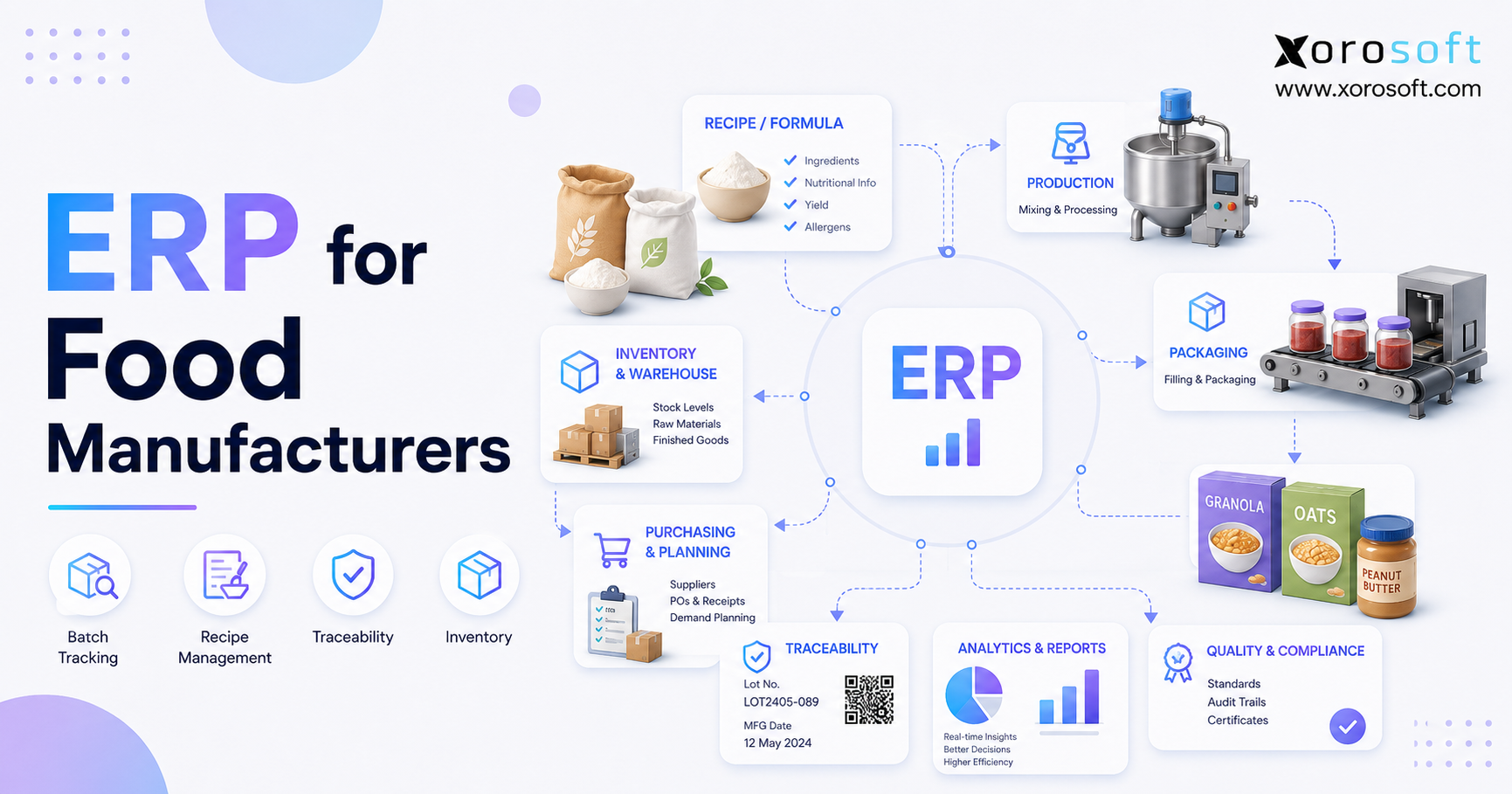
Food and beverage companies may need batch tracking, lot control, expiration dates, shelf-life management, and traceability.
ERP helps connect purchasing, inventory, warehouse handling, and financial reporting for perishable or controlled products. Therefore, traceability should be part of the evaluation.
9.5 Wholesale Distribution
Wholesale businesses often need customer-specific pricing, payment terms, order minimums, sales rep workflows, EDI, purchase planning, and allocation rules.
ERP helps centralize these workflows so wholesale and ecommerce do not operate in separate systems.
9.6 Manufacturing Businesses
Manufacturers need visibility into raw materials, work-in-progress, finished goods, labor, production timing, and costing.
Xorosoft supports inventory-driven manufacturing workflows for companies that sell through Shopify and other channels. Buyers can also review ERP solutions by industry to connect requirements with their specific business model.
10. Shopify ERP Implementation Planning Before Go-Live
ERP success depends on planning. The software matters, but implementation discipline matters just as much.
Because implementation affects multiple teams, it should not sit only with IT or leadership. Instead, operations, finance, warehouse, purchasing, ecommerce, and customer service teams should all contribute. This approach reduces surprises during go-live.
10.1 Data Cleanup Before ERP Migration
Bad data does not become good data because it moves into ERP. It becomes faster bad data.
Before implementation, clean product records, SKUs, variants, suppliers, customers, inventory quantities, warehouse locations, open purchase orders, pricing rules, and accounting structures. This step may feel slow, but it reduces risk. Moreover, clean data helps the ERP produce useful reports from the beginning.
10.2 Workflow Mapping Before ERP Selection
Map the real workflows before choosing a system. Key workflows include Shopify order to fulfillment, purchase request to received inventory, warehouse receiving to available stock, return to inventory adjustment, Shopify payout to accounting reconciliation, raw material to finished good, wholesale order to invoice, and EDI order to shipment.
A strong ERP demo should follow these workflows. Otherwise, the buyer may only see generic features rather than practical fit.
10.3 Integration Testing Across Systems
ERP integration should be tested before go-live. Teams should test orders, cancellations, refunds, returns, inventory updates, product changes, customer records, discounts, shipping, taxes, and payout data.
Testing should also include Amazon, EDI, 3PL, shipping, tax, and accounting workflows if those systems are part of the stack.
10.4 Training for Warehouse, Finance, and Operations Teams
Different teams need different training. Warehouse teams need practical process steps. Finance teams need confidence in reconciliation and reporting. Purchasing teams need reorder workflows. Leadership needs visibility into dashboards and KPIs.
ERP adoption improves when each team understands how the system supports its daily work.
10.5 Go-Live Planning and Ownership
A go-live plan should define ownership, cutover timing, support windows, backup processes, testing status, and success metrics.
ERP should not go live as a technology switch alone. It should go live as an operational process change.
11. Shopify ERP Cost Factors Buyers Should Understand
ERP cost includes more than the software subscription. Serious buyers should understand total cost of ownership before comparing vendors. A practical Shopify ERP Buyer Guide should also explain cost drivers clearly, because software price is only one part of the total investment.
| Cost Factor | What It Includes | Buyer Tip |
| Software | Users, modules, warehouses, features | Compare based on required workflows |
| Implementation | Setup, configuration, training | Ask what is included |
| Integrations | Shopify, Amazon, EDI, 3PL, shipping | Map integrations early |
| Data migration | Products, customers, inventory, financials | Clean data first |
| Internal time | Testing, decisions, training | Assign project owners |
| Support | Ongoing help and optimization | Understand response model |
11.1 Shopify ERP Software Subscription
Subscription cost often depends on user count, modules, warehouses, order volume, and functionality. Buyers should avoid comparing pricing without comparing scope.
A cheaper subscription can become expensive if it does not support required workflows.
11.2 ERP Implementation Services
Implementation may include discovery, configuration, workflow setup, migration, integration, testing, and training.
A cheaper implementation can also become expensive if it leaves workflows unfinished. Therefore, buyers should ask vendors what implementation actually includes.
11.3 Integration and Data Migration Costs
Integrations can affect both cost and timeline. Shopify may be only one part of the environment. Many brands also need Amazon, EDI, 3PL, shipping, payment, tax, warehouse, and accounting connections.
Data migration also requires effort. Clean records reduce risk and make go-live smoother.
12. Common Shopify ERP Buying Mistakes to Avoid
Most ERP mistakes happen before implementation starts. They begin during evaluation.
In many cases, ERP buying mistakes happen because teams rush into demos too early. Therefore, the business should define workflows before comparing software. Otherwise, every vendor may look similar, even when the operational fit is very different.
12.1 Choosing Shopify ERP Based on Brand Name Alone
A well-known ERP is not automatically the right ERP. Buyers should evaluate workflow fit, industry fit, implementation support, integration depth, usability, and total cost.
The best system is the one that fits the company’s operating model. Brand awareness alone does not guarantee that fit.
12.2 Ignoring Warehouse Workflows
Many ERP evaluations focus on leadership reporting and finance. However, warehouse execution determines whether inventory stays accurate.
If warehouse teams cannot use the system properly, inventory accuracy will suffer. Therefore, warehouse users should be part of the evaluation process.
12.3 Underestimating Shopify ERP Accounting Complexity
Shopify accounting can become complicated because of payouts, refunds, discounts, shipping fees, taxes, landed costs, inventory value, and COGS.
Buyers should ask vendors to show how financial workflows work in practice. In addition, they should involve finance early instead of waiting until implementation.
12.4 Adding More Apps Instead of Fixing the Operating Model
Another app may solve one problem while creating another data silo. When the issue crosses multiple functions, ERP may be the cleaner long-term path.
However, ERP should not be treated as a shortcut. It works best when the business also improves workflows.
12.5 Waiting Until Operations Are Already Broken
ERP planning is easier before the business reaches crisis mode. If finance is behind, warehouse errors are rising, and leadership cannot trust reports, implementation becomes harder.
Earlier planning gives the team more control. As a result, the business can transition with less pressure.
13. Shopify ERP Readiness Checklist Before Shortlisting Vendors
Use this Shopify ERP Buyer Guide checklist before shortlisting vendors, because readiness gaps often create more implementation risk than the ERP software itself.
| Readiness Area | Low Readiness Signal | High Readiness Signal |
| Inventory | Frequent manual corrections | Documented item and location rules |
| Purchasing | Spreadsheet-based buying | Clear PO and reorder process |
| Warehouse | Process varies by person | Standard receiving and picking workflows |
| Accounting | Delayed close | Clear reconciliation requirements |
| Reporting | Manual spreadsheet cleanup | Defined KPIs |
| Leadership | No project owner | Executive sponsor assigned |
13.1 Operational Readiness
The business should understand current workflows before buying ERP. If the team cannot explain how work happens today, it will struggle to configure the future system.
13.2 Data Readiness
Clean data matters. Product, inventory, supplier, customer, warehouse, and accounting data should be reviewed before implementation. As a result, migration becomes easier and reporting becomes more reliable.
13.3 Team Readiness
ERP affects operations, finance, purchasing, warehouse, ecommerce, and leadership teams. Each team needs ownership and training. In addition, every department should know how the system changes its daily work.
13.4 Budget Readiness
Budget should include software, implementation, integrations, migration, training, support, and internal team time.
Instead of asking only what ERP costs, buyers should ask what disconnected operations are already costing the business.
14. How to Shortlist the Right ERP for Shopify
A good shortlist is built around business requirements, not software popularity. This Shopify ERP Buyer Guide recommends shortlisting vendors only after the team has mapped its inventory, purchasing, warehouse, accounting, and integration requirements. Once those requirements are clear, vendor demos become much easier to judge.
14.1 Build a Requirements Scorecard
Create a scorecard across inventory, purchasing, warehouse management, accounting, forecasting, manufacturing, integrations, reporting, implementation, support, and usability.
Score each vendor based on workflow fit. This makes the decision easier to explain internally.
14.2 Compare Workflow Fit Before Features
Do not ask only whether a feature exists. Ask whether the system supports the workflow the way your team works.
For example, a system may support purchase orders, but does it support supplier lead times, partial receipts, landed costs, approvals, and inventory updates?
14.3 Ask Better Questions During Demos
Finally, the best ERP demo should feel like a working session, not a product presentation. In other words, the vendor should show how your actual orders, inventory, warehouse steps, purchasing needs, and accounting workflows would move through the system.
Useful demo questions include how a Shopify order enters ERP, what happens when inventory syncs back to Shopify, whether the team can create purchase orders from real demand signals, where the warehouse receives goods, how barcode picking works, how payouts are reconciled, what support exists for Amazon orders, whether wholesale and EDI workflows are covered, how manufacturing planning works, and which reports leadership can review daily.
14.4 Review Shopify App Store Options
Shopify merchants can also review ERP options inside the Shopify ecosystem. This helps buyers see which systems are built to connect with Shopify workflows.
However, app presence alone should not determine the decision. The system still needs to support inventory, purchasing, warehouse management, accounting, forecasting, and reporting requirements.
15. Watch Real Workflows Before You Decide
A demo should not be a generic product tour. It should show your real workflows.
If your business is evaluating ERP for inventory, purchasing, warehouse management, accounting, manufacturing, forecasting, Shopify, Amazon, EDI, or multi-warehouse operations, ask to see those workflows in action.
For a broader cloud ERP view, XoroONE can help buyers understand how inventory-driven workflows connect inside one system.
At this stage, the Shopify ERP Buyer Guide should support practical decision-making. Therefore, the next step is not simply booking more demos. The next step is preparing better questions.
16. Shopify ERP Buyer Questions for Merchants
16.1 What is a Shopify ERP?
A Shopify ERP is an enterprise resource planning system connected to Shopify. It helps manage backend workflows such as inventory, purchasing, accounting, warehouse management, manufacturing, forecasting, reporting, and order operations. Shopify manages the ecommerce storefront, while ERP manages the operational backbone behind the store.
16.2 Does Shopify have a built-in ERP?
Shopify does not replace a full ERP system for complex inventory-driven businesses. It can connect with ERP systems through integrations and apps, but growing merchants may still need ERP for purchasing, accounting, warehouse management, manufacturing, forecasting, wholesale, EDI, and multi-channel operations.
16.3 When should a Shopify business use ERP?
A Shopify business should consider ERP when it manages multiple warehouses, high SKU counts, purchase orders, Amazon sales, wholesale customers, EDI, manufacturing, or complex accounting. ERP also becomes important when inventory is inaccurate, month-end close takes too long, or leadership cannot trust reports.
16.4 What is the best ERP for Shopify?
The best ERP for Shopify depends on workflow fit. Buyers should compare inventory management, accounting, purchasing, warehouse management, forecasting, manufacturing, integrations, reporting, implementation support, and usability. The right system depends on operational complexity, industry needs, budget, and growth plans.
16.5 Can ERP replace QuickBooks?
A Shopify-connected ERP can replace QuickBooks if it includes accounting and financial controls. Many businesses start with QuickBooks, then move to ERP when inventory valuation, purchasing, warehouse workflows, and multi-channel reporting become too complex for accounting software alone.
16.6 What is the difference between ERP and inventory software?
Inventory software usually focuses on stock tracking. ERP connects inventory with accounting, purchasing, warehouse management, sales orders, forecasting, manufacturing, reporting, and integrations. Inventory software may work for simple needs. ERP is better suited for connected operational control.
16.7 What is the difference between ERP and WMS?
ERP manages the broader business operation, including inventory, purchasing, accounting, sales, reporting, and manufacturing. WMS focuses on warehouse execution such as receiving, putaway, picking, packing, shipping, transfers, and barcode scanning. Some ERP platforms include WMS functionality.
16.8 Is multi-warehouse inventory supported by ERP?
Yes, ERP can support multi-warehouse inventory if it includes location-level stock, warehouse transfers, available-to-sell logic, receiving, picking, packing, and reporting by location. Multi-warehouse visibility is one of the strongest reasons growing Shopify brands evaluate ERP.
16.9 How do Amazon sales connect with ERP?
Amazon sales can connect with ERP through direct integrations or connected middleware. Buyers should confirm how orders, fees, returns, inventory, and reporting move between Amazon, Shopify, and ERP. Without that connection, teams may oversell or misread channel profitability.
16.10 What role does EDI play in ERP?
EDI supports structured document exchange with wholesale, retail, and distribution partners. It can handle purchase orders, invoices, shipping notices, and other trading documents. For Shopify merchants selling to larger retailers, EDI support should be evaluated early.
16.11 Can ERP support wholesale orders?
Yes, ERP can support wholesale workflows such as customer-specific pricing, payment terms, sales orders, inventory allocation, purchase planning, EDI, and B2B reporting. Wholesale complexity is one reason many Shopify merchants move beyond basic apps.
16.12 Which manufacturing workflows should ERP handle?
Manufacturing-focused ERP should support bills of materials, work orders, raw material tracking, production planning, material requirements planning, and finished goods costing. Buyers should test these workflows during demos rather than assuming every ERP handles manufacturing well.
16.13 Does ERP include accounting?
Some ERP systems include accounting, while others integrate with accounting platforms. If accounting is included, ERP can help connect inventory valuation, COGS, purchase orders, invoices, payments, and reconciliation. Finance teams should verify accounting depth before selection.
16.14 Does ERP help with forecasting?
Yes, ERP can help with forecasting if it includes demand planning tools. Forecasting uses sales history, seasonality, inventory levels, supplier lead times, and open orders to guide purchasing decisions. As a result, teams can reduce reactive buying.
16.15 How much does ERP cost?
ERP cost depends on software subscription, users, modules, implementation, integrations, data migration, support, and internal team time. Buyers should compare total cost of ownership, not only monthly software price.
16.16 How long does implementation take?
Implementation timelines vary by complexity. A simple project may take weeks, while multi-warehouse, multi-channel, accounting, EDI, or manufacturing implementations can take longer. Timeline depends on data quality, workflow clarity, integrations, and team availability.
16.17 What data should be cleaned before implementation?
Clean product records, SKUs, variants, supplier records, customer records, inventory quantities, warehouse locations, pricing rules, chart of accounts, open purchase orders, open sales orders, and historical financial data before implementation.
16.18 What are common implementation mistakes?
Common mistakes include unclear requirements, poor data cleanup, weak project ownership, limited testing, underestimating training, ignoring warehouse workflows, and choosing software based only on brand name. Better preparation reduces those risks.
16.19 Is ERP worth it for small brands?
ERP may not be worth it for very small Shopify brands with simple operations. However, it can become worthwhile when the business manages inventory complexity, multiple channels, warehouses, purchasing, accounting controls, wholesale, EDI, or manufacturing.
16.20 How does ERP prevent Shopify stockouts?
ERP helps prevent stockouts by centralizing inventory data, tracking sales velocity, monitoring purchase orders, calculating reorder needs, and improving forecasting. As a result, purchasing teams get better visibility into what is selling, what is available, and what is already on the way.
16.21 Why does ERP improve purchasing decisions?
Purchasing improves because ERP connects purchase orders to inventory, sales demand, supplier lead times, open orders, and forecasts. Instead of relying on spreadsheets, buyers can make decisions from live operational data.
16.22 What changes in warehouse operations after ERP?
Warehouse operations become more structured when ERP supports receiving, putaway, picking, packing, transfers, cycle counts, barcode scanning, and fulfillment reporting. Because warehouse actions update inventory in real time, the rest of the business gets more accurate data.
16.23 Where does ERP improve reporting visibility?
Reporting improves when sales, inventory, purchasing, accounting, warehouse, and fulfillment data connect in one system. Leadership can review operational and financial performance from one source of truth instead of manually combining reports.
16.24 Which questions should you ask during a demo?
Ask vendors to show real workflows. Important questions include how Shopify orders enter ERP, how inventory syncs, how purchase orders work, how the warehouse picks and packs, how payouts reconcile, and how the system supports Amazon, EDI, wholesale, manufacturing, and reporting.
16.25 What is the biggest mistake in choosing ERP?
The biggest mistake is choosing ERP without understanding workflows first. A brand should map inventory, purchasing, warehouse, accounting, ecommerce, and reporting requirements before comparing vendors. ERP should fit the operating model, not force the team into unclear processes.
17. Build the ERP Decision Around Real Workflows
Ultimately, the right ERP decision comes from understanding how the business actually operates. Therefore, the final choice should be based on workflow clarity, team readiness, data quality, and long-term scalability. In practice, the strongest buyers choose systems around real workflows, not generic feature lists.
Before choosing a system, define where the business is losing control. Is inventory unreliable? Are purchase orders still managed in spreadsheets? Is finance struggling with reconciliation? Are warehouse teams correcting mistakes manually? Are wholesale, Amazon, EDI, or manufacturing workflows becoming harder to manage?
Once those requirements are clear, ERP evaluation becomes more productive. The right system should help the business move from disconnected tools to connected workflows. It should improve inventory accuracy, purchasing discipline, warehouse execution, accounting visibility, forecasting, and reporting.
For simple Shopify stores, focused apps may still be enough. For inventory-driven brands managing multiple warehouses, wholesale accounts, Amazon, EDI, purchasing, accounting, manufacturing, or complex reporting, ERP becomes a serious operating system decision.
If your team is ready to evaluate ERP around real workflows, you can book a personalized demo and review how a cloud ERP platform can support Shopify operations from inventory to accounting.
This final takeaway completes the Shopify ERP Buyer Guide with a practical next step: map the workflows first, shortlist vendors second, and choose the system that supports how the business actually runs.