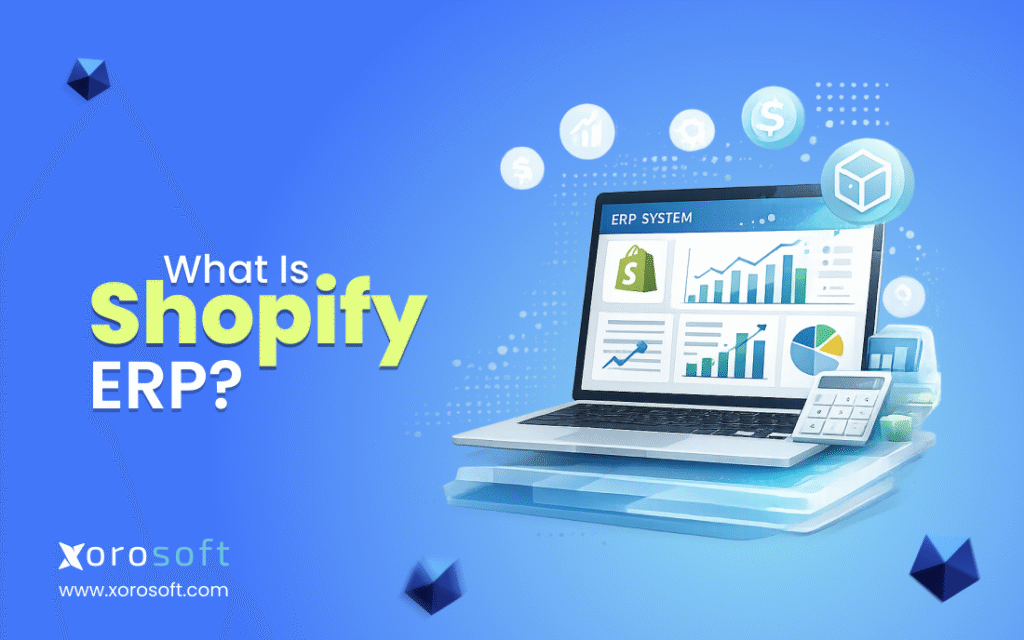
If you are looking to streamline your ecommerce operations, integrating Shopify ERP solutions can be a game-changer.
1. The Operating Layer Behind a Growing Shopify Store
Shopify ERP is the system that connects a Shopify storefront with the operational workflows behind the business, including inventory, purchasing, accounting, warehouse management, fulfillment, reporting, and, in some cases, manufacturing. As a result, Shopify continues to manage the commerce experience, while ERP helps teams control the work that happens before and after every order.
At first, many Shopify stores can run with Shopify, a few apps, QuickBooks, and spreadsheets. However, once order volume grows, the backend starts carrying more pressure. Inventory must stay accurate across channels. Purchasing needs better planning. Finance needs clean numbers. Meanwhile, warehouse teams need reliable workflows for receiving, picking, packing, and shipping.
Therefore, Shopify ERP becomes important when the business no longer needs another small app. Instead, it needs one connected operating system for commerce, inventory, finance, and fulfillment.
1.1 What Shopify ERP Means
Shopify ERP means an enterprise resource planning system connected to Shopify. In practical terms, Shopify remains the customer-facing sales platform, while ERP becomes the internal system of record for operational and financial data.
For example, Shopify captures the order. Then, the ERP can help allocate inventory, trigger warehouse fulfillment, update purchasing needs, record financial activity, and show leadership what is happening across the business. Because these workflows are connected, teams do not have to manually move the same data between different systems.
In many growing companies, this connection becomes the difference between “we can still manage this manually” and “our systems are now slowing us down.”
1.2 A Simple Shopify ERP Definition
Shopify ERP is a back-office operating system connected to Shopify that centralizes orders, inventory, purchasing, accounting, warehouse workflows, fulfillment, reporting, and related business data. Instead of managing each workflow in a separate app or spreadsheet, a Shopify ERP system gives teams one shared operational source of truth.
This matters because Shopify is built for commerce. However, ERP is built for business operations. Both systems can work together, but they should not do the same job.
1.3 Why Shopify ERP Is Different From a Shopify App
A Shopify app usually solves one specific problem. For example, one app may help with inventory sync, another may support shipping, and another may create reports. However, an ERP system is broader because it connects multiple departments and workflows.
A Shopify ERP system can support:
- Inventory visibility
- Order management
- Purchasing
- Supplier management
- Warehouse workflows
- Accounting
- Inventory valuation
- Forecasting
- Reporting
- Manufacturing or assembly workflows
Because of this, ERP becomes useful when the issue is not one missing feature. Instead, the real issue is that operations are spread across too many disconnected tools.
2. How Shopify ERP Works
Shopify ERP works by moving data between Shopify and the ERP system. However, the purpose is not just data sync. The deeper purpose is operational control.
For instance, when a customer places an order in Shopify, that order may need to flow into the ERP. After that, inventory should be allocated, the warehouse should fulfill the order, accounting should reflect the sale, and reports should update. Additionally, if the business sells through Amazon, wholesale, EDI, or multiple warehouses, the ERP needs to coordinate those workflows too.
Shopify’s own ERP integration guidance explains ERP integration as connecting ERP with other software applications so data can flow, synchronize, and automate across business functions. Therefore, for a growing Shopify merchant, ERP integration is not only technical. It is operational.
2.1 How Data Moves Between Shopify and ERP
A Shopify ERP integration usually syncs orders, customers, products, SKUs, inventory, payments, taxes, fulfillment updates, returns, and financial data. In B2B environments, Shopify also notes that external ERP integrations can sync customer data, orders, inventory, product catalogs, and pricing information through Shopify B2B.
Because this data affects daily decisions, the quality of the sync matters. A shallow integration may move basic orders, but it may still leave teams reconciling inventory, invoices, returns, and fulfillment manually.
| Data Type | Shopify Role | ERP Role |
|---|---|---|
| Orders | Captures online orders | Processes, allocates, fulfills, and reports |
| Inventory | Shows available stock to buyers | Acts as the operational stock source of truth |
| Products | Displays product information | Maintains SKU, costing, and operational data |
| Customers | Captures customer records | Connects orders, invoices, pricing, and terms |
| Payments | Captures payment events | Supports reconciliation and accounting workflows |
| Fulfillment | Shows shipment progress | Coordinates warehouse execution |
| Returns | Captures return activity | Updates stock, accounting, and reporting |
2.2 Common Shopify ERP Workflows
A Shopify ERP system becomes valuable when it connects workflows that often break apart in separate apps.
First, the order-to-cash workflow connects Shopify orders with fulfillment, invoicing, payments, and reporting. Then, the purchase-to-stock workflow connects demand planning, supplier orders, receiving, inventory updates, and costing. Meanwhile, warehouse-to-fulfillment workflows help teams receive, pick, pack, ship, and count inventory with fewer manual steps.
Finally, the inventory-to-accounting workflow connects stock movement with financial records. This is important because inventory is not only an operations issue. It is also a financial asset.
2.3 Why Integration Depth Matters
Not every Shopify ERP integration is equal. Some integrations only move orders. Others connect inventory, fulfillment status, payments, products, returns, and accounting data. Therefore, merchants should not ask only, “Does this ERP integrate with Shopify?” Instead, they should ask, “Which workflows does the integration actually support?”
For example, if Shopify updates orders but inventory does not flow back accurately, overselling can still happen. Likewise, if fulfillment updates do not return to Shopify, customer service teams may still chase shipping status manually. As a result, the best ERP evaluation starts with workflow depth, not just connector availability.
3. Shopify vs ERP: What Each System Should Own
Shopify and ERP should work together, but they should not compete with each other. Shopify is the commerce platform. ERP is the operational platform.
Because these systems have different roles, problems appear when a business expects Shopify, apps, and spreadsheets to behave like a complete ERP system. At a small size, that setup may work. However, at scale, the gaps become more expensive.
3.1 What Shopify Should Manage
Shopify should manage the storefront, checkout, product pages, promotions, customer buying experience, and online order capture. Additionally, Shopify can support B2B commerce, app-based extensions, and channel-specific commerce workflows.
In other words, Shopify should remain the place where customers buy. It should not be forced to become the full source of truth for accounting, purchasing, warehouse control, and operational planning.
3.2 What ERP Should Manage
ERP should manage the operational and financial work behind the sale. That includes inventory control, purchasing, warehouse management, supplier workflows, accounting, forecasting, reporting, manufacturing, and multi-location operations.
Because these workflows affect margin, service levels, and cash flow, they need stronger controls than basic spreadsheets can provide.
| Function | Shopify Should Own | ERP Should Own |
| Storefront | Yes | No |
| Checkout | Yes | No |
| Product merchandising | Yes | Partially |
| Online order capture | Yes | Receives and processes |
| Inventory control | Basic commerce-facing view | Operational source of truth |
| Purchasing | Limited | Core workflow |
| Accounting | Limited | Core workflow |
| Warehouse management | Limited or app-based | Core workflow |
| Manufacturing | Not native ERP-level | Supported by manufacturing ERP |
| Reporting | Commerce reporting | Operational and financial reporting |
3.3 Where Shopify and ERP Need to Sync
Shopify and ERP need to sync wherever customer experience depends on operational accuracy. Inventory availability is the clearest example. If Shopify shows stock that does not exist, customers may buy products the company cannot ship.
However, when ERP updates inventory accurately, Shopify can show more reliable availability. Similarly, product data, order status, fulfillment updates, customer records, pricing, and returns should move cleanly between systems.
Therefore, Shopify ERP should be treated as a shared data layer between commerce and operations.
4. When a Shopify Store Needs ERP
A Shopify store usually needs ERP when operational complexity starts creating inventory, finance, fulfillment, or purchasing risk. The issue is rarely Shopify itself. Instead, the issue is that the business has outgrown a simple app stack.
At that stage, the team is not just selling more. It is managing more exceptions, more locations, more suppliers, more channels, and more reporting pressure.
4.1 Operational Signs You Are Outgrowing Apps
A growing Shopify business should evaluate ERP when several warning signs appear together:
- Inventory numbers differ across systems
- Purchasing still lives in spreadsheets
- Month-end close takes too long
- Warehouse teams rely on manual workarounds
- Finance does not trust inventory valuation
- Orders come from Shopify, Amazon, wholesale, and EDI
- Multiple warehouses create allocation problems
- Leadership cannot see reliable margin or demand reports
- Teams use too many disconnected apps
- Operational knowledge sits with one or two people
Because these problems compound, they should not be reviewed separately. For example, poor inventory visibility can damage fulfillment. Then, fulfillment errors can create customer service issues. After that, finance may spend more time reconciling data.
4.2 Inventory Discrepancies Keep Increasing
Inventory discrepancies are one of the strongest signs that a Shopify operation needs a more reliable operating system. At first, teams may fix stock mismatches manually. Later, those mismatches begin affecting purchasing, fulfillment, accounting, and customer service.
Because inventory touches so many workflows, inaccurate stock data creates a chain reaction. The business may oversell, underbuy, overbuy, delay shipments, or make poor purchasing decisions. Therefore, recurring inventory discrepancies should be treated as an operational warning, not just a warehouse issue.
4.3 Purchasing Lives in Spreadsheets
Spreadsheets are flexible, but they become fragile when purchasing grows more complex. Buyers may need to consider sales velocity, supplier lead times, minimum order quantities, incoming purchase orders, backorders, warehouse capacity, and seasonal demand.
However, when those decisions depend on manual spreadsheet updates, purchasing becomes reactive. As a result, the company may buy too late, buy too much, or miss demand signals. ERP helps by connecting purchasing decisions to inventory, sales, suppliers, forecasting, and open orders.
4.4 Month-End Close Takes Too Long
Finance teams often feel ERP pain later than operations teams. However, once inventory, purchasing, receiving, sales, returns, and adjustments live in different systems, accounting becomes harder.
A long month-end close may mean finance is spending too much time reconciling data instead of analyzing performance. Therefore, Shopify ERP becomes relevant when finance needs cleaner connections between sales, inventory, cost, and accounting.
4.5 Multiple Warehouses Create Fulfillment Confusion
Multi-warehouse growth adds complexity quickly. A business may have enough stock overall, but not enough stock in the right location. Meanwhile, transfer delays, receiving errors, and poor allocation rules can create fulfillment problems.
Because of this, Shopify merchants with multiple warehouses need more than total inventory counts. They need location-level stock, committed inventory, incoming stock, transfers, and fulfillment rules inside one reliable system.
5. Who Does Not Need Shopify ERP Yet
Not every Shopify merchant needs ERP immediately. In fact, implementing ERP too early can create unnecessary complexity.
Because ERP changes how teams work, small stores should be careful. If the business has simple operations, clean inventory, one warehouse, and basic accounting, a focused app stack may still be enough.
5.1 Small Stores With Simple Operations
A small Shopify store with one warehouse, a low SKU count, simple purchasing, and basic accounting may not need ERP yet. Instead, the team should focus on clean product data, accurate cycle counts, and disciplined fulfillment.
However, the company should still document processes early. This makes a future ERP move easier when the business grows.
5.2 Single-Channel Sellers With Low SKU Complexity
A single-channel Shopify seller with predictable fulfillment may not need ERP. For example, a small brand with limited SKUs and simple replenishment may operate well with Shopify, accounting software, and one or two apps.
Still, the business should watch for early signs of complexity. Once purchasing, inventory, accounting, or warehouse workflows become manual and inconsistent, ERP may become more relevant.
5.3 Businesses That Need Process Cleanup First
ERP does not automatically fix unclear processes. If the team has no consistent SKU naming, no receiving rules, no inventory ownership, and no purchasing discipline, ERP may expose those problems.
Therefore, process cleanup should happen before or during ERP planning. Otherwise, the company may move messy workflows into a more expensive system.
6. Shopify ERP vs Apps, OMS, WMS, and Inventory Software
Many Shopify merchants struggle because software categories overlap. An app, OMS, WMS, inventory system, accounting tool, and ERP can all touch orders or inventory. However, they do not solve the same problem.
Because of this overlap, teams often buy another tool when they really need a clearer operating model.
6.1 Shopify ERP vs Inventory App
An inventory app helps track stock. However, a Shopify ERP system connects inventory to purchasing, accounting, warehouse operations, reporting, and sometimes manufacturing.
If the business only needs better stock counts, an inventory app may be enough. However, if inventory affects finance, procurement, fulfillment, and multiple sales channels, ERP becomes more relevant.
6.2 Shopify ERP vs Order Management System
An OMS focuses on order routing, order status, and fulfillment logic. ERP usually covers a broader set of workflows.
For example, ERP may manage purchasing, accounting, inventory valuation, warehouse receiving, supplier bills, financial reporting, and demand planning in addition to order operations. Therefore, an OMS can solve order complexity, but ERP solves broader business complexity.
6.3 Shopify ERP vs Warehouse Management System
A WMS manages warehouse execution. It helps with receiving, putaway, picking, packing, bin locations, cycle counts, and shipping.
However, ERP connects warehouse activity with inventory, purchasing, accounting, and reporting. Some ERP platforms include WMS functionality, while others integrate with a separate WMS. Therefore, the key question is whether warehouse activity updates the rest of the business correctly.
6.4 Shopify ERP vs Accounting Software
Accounting software records financial activity. ERP connects accounting with operations.
For example, ERP can connect purchase orders, receiving, inventory valuation, landed cost, sales orders, invoices, returns, and cost of goods sold. As a result, finance teams can work from cleaner operational data instead of reconciling everything after the fact.
| System Type | Best For | Limitation | When ERP Becomes Relevant |
| Shopify app | Specific feature gaps | Often narrow | Too many apps create fragmented workflows |
| Inventory app | Stock tracking | May lack finance and purchasing depth | Inventory affects accounting and procurement |
| OMS | Order routing | May not handle full back office | Orders need purchasing, finance, and warehouse context |
| WMS | Warehouse execution | May not manage accounting or purchasing | Warehouse data must connect to wider operations |
| Accounting software | Financial records | May lack operational inventory depth | Inventory valuation and operations need one system |
| ERP | Connected operations | Requires implementation discipline | The business needs unified operating control |
7. Core Features to Look for in Shopify ERP Software
A Shopify ERP system should not be evaluated only by whether it connects to Shopify. Instead, the deeper question is whether it supports the workflows that make a Shopify business difficult to operate at scale.
For businesses reviewing ERP options, it can help to compare broader platform fit through a neutral ERP comparison resource. However, the most useful evaluation still starts with internal requirements.
7.1 Real-Time Inventory Visibility
Inventory should be visible across warehouses, sales channels, purchase orders, sales orders, transfers, and returns. Additionally, teams should be able to see on-hand, available, committed, incoming, and backordered inventory.
Because Shopify buyers rely on accurate availability, inventory visibility is not only an internal concern. It directly affects customer experience.
7.2 Multi-Warehouse Inventory Management
Multi-warehouse operations require more than total stock counts. Teams need location-level inventory, transfer workflows, receiving accuracy, reorder rules, and fulfillment logic.
Otherwise, the company may have enough inventory overall but still fail to ship from the right location. Therefore, Shopify ERP should support stock control by warehouse, not only by SKU.
7.3 Purchasing and Supplier Management
Purchasing should connect demand, supplier lead times, minimum order quantities, open purchase orders, and inventory targets. As a result, buyers can move from reactive ordering to planned replenishment.
For example, if a SKU is selling quickly on Shopify and Amazon, the purchasing team should see that demand before a stockout happens. Meanwhile, supplier delays should be visible before they disrupt fulfillment.
7.4 Accounting and Inventory Valuation
ERP should connect inventory activity with accounting. This includes receiving, supplier bills, landed costs, adjustments, sales, returns, and cost of goods sold.
Without this connection, finance teams often spend too much time reconciling operations after the fact. Therefore, Shopify ERP should be evaluated by both operations and finance, not only by ecommerce teams.
7.5 Warehouse Management and Fulfillment
Warehouse workflows should support receiving, putaway, picking, packing, transfers, cycle counts, and shipping. Because warehouses create many inventory movements, warehouse activity must update stock accurately.
A dedicated warehouse management system can be useful for businesses that need stronger warehouse execution. However, the warehouse system should still connect cleanly with ERP, Shopify, and accounting.
7.6 Forecasting and Replenishment
Forecasting helps teams plan inventory before stockouts or overstock happen. However, forecasting is only useful when the data behind it is reliable.
A strong Shopify ERP setup connects sales history, inventory levels, open orders, purchase orders, supplier lead times, and demand patterns. As a result, replenishment becomes more data-driven and less dependent on manual guesses.
7.7 Manufacturing and BOM Support
Some Shopify merchants sell products they manufacture, assemble, kit, or bundle. In those cases, ERP should support bills of materials, work orders, production planning, material requirements, and finished goods inventory.
Because manufacturing adds another layer of complexity, Shopify alone is usually not enough for production planning. Therefore, brands that produce finished goods should evaluate ERP with manufacturing workflows in mind.
7.8 Shopify, Amazon, Wholesale, and EDI Connectivity
Many Shopify businesses do not stay Shopify-only forever. They may add Amazon, wholesale customers, retail partners, or EDI workflows.
Because each channel creates its own order and inventory pressure, ERP should centralize data instead of letting each channel operate separately. For inventory-driven companies, an all-in-one ERP system may help reduce the number of disconnected tools across sales, inventory, accounting, purchasing, and fulfillment.
8. Shopify ERP Use Cases by Industry
Shopify ERP needs vary by industry. A fashion brand, furniture company, food distributor, sporting goods company, and manufacturer may all sell through Shopify, but their operational requirements are different.
Because of this, ERP should be evaluated against industry workflows, not just generic features. The industries served page can also help teams think through operational fit by business type.
8.1 Shopify ERP for Apparel and Fashion Brands
Apparel brands often manage size, color, style, seasonality, returns, and wholesale orders. Therefore, ERP must support variant-level inventory and buying decisions.
For example, a shirt may sell differently by color and size. Meanwhile, returns may affect available stock quickly. As a result, apparel teams need inventory planning that is more detailed than a simple SKU count.
8.2 Shopify ERP for Furniture Businesses
Furniture businesses often manage bulky items, long lead times, supplier delays, warehouse space constraints, and delivery coordination. Because products may be expensive and slow-moving, inventory planning and landed cost visibility become especially important.
Additionally, furniture teams often need better visibility into incoming containers, warehouse capacity, and customer delivery timelines. Therefore, ERP can help connect purchasing, receiving, fulfillment, and finance.
8.3 Shopify ERP for Sporting Goods Companies
Sporting goods companies may deal with seasonal demand, kits, bundles, accessories, and channel-specific buying patterns. Because demand can change quickly, forecasting and replenishment become important.
For example, a product may spike during a sports season or promotional cycle. If purchasing does not see demand early enough, the business may stock out during the best sales window.
8.4 Shopify ERP for Food and Beverage Brands
Food and beverage companies may need lot tracking, expiry dates, supplier controls, and demand planning. Additionally, they need tight inventory visibility because waste, shelf life, and stockouts directly affect margin.
Although not every food brand needs a full ERP immediately, growing companies should evaluate whether their inventory, purchasing, and traceability workflows are strong enough for scale.
8.5 Shopify ERP for Wholesale Distribution
Wholesale businesses often need customer-specific pricing, EDI, allocation, payment terms, bulk ordering, and multi-location fulfillment. Shopify may support the commerce experience, while ERP supports the operational and financial backbone.
Because wholesale orders can affect inventory differently than DTC orders, allocation rules become important. Therefore, ERP should help teams decide which stock is available for which customers and channels.
8.6 Shopify ERP for Manufacturing
Manufacturers need BOMs, work orders, raw material planning, production scheduling, and finished goods tracking. For Shopify sellers that manufacture products, ERP becomes important because customer demand must connect to production capacity and material availability.
If production planning happens separately from Shopify demand, teams may overpromise or underproduce. As a result, manufacturing workflows should be included early in ERP evaluation.
| Industry | Common Problem | ERP Workflow Needed |
| Apparel | Variant complexity | Size, color, style inventory planning |
| Furniture | Long lead times | Purchasing, landed cost, warehouse control |
| Sporting goods | Seasonal demand | Forecasting, replenishment, bundles |
| Food and beverage | Expiry and lot control | Lot tracking, supplier planning |
| Wholesale | Customer-specific pricing | EDI, pricing, allocation, terms |
| Manufacturing | Raw materials and production | BOMs, work orders, MRP |
9. Shopify ERP Implementation Planning
A Shopify ERP implementation should not begin with software configuration. Instead, it should begin with operational clarity.
Because ERP affects multiple departments, the team should prepare data, workflows, ownership, and success metrics before implementation begins. Otherwise, the project can become a technical migration without solving the real business problems.
9.1 What to Prepare Before ERP Implementation
Before implementation, teams should prepare clean data and clear process ownership.
Important preparation areas include:
- SKU list
- Product variants
- Warehouse locations
- Bin locations
- Inventory counts
- Supplier records
- Open purchase orders
- Customer records
- Chart of accounts
- Tax rules
- Shipping workflows
- Returns process
- Manufacturing data, if applicable
Because ERP depends on clean operational data, preparation matters as much as software selection.
9.2 Common Shopify ERP Implementation Mistakes
ERP projects struggle when teams treat them as simple software installs. Instead, they should be treated as operating model projects.
The most common mistakes include choosing software before mapping workflows, underestimating data cleanup, ignoring finance requirements, skipping warehouse testing, and relying on shallow integrations.
9.3 Choosing Software Before Mapping Processes
If the team does not map order, inventory, purchasing, accounting, and warehouse workflows first, it may choose software based on a demo instead of operational fit.
Therefore, the team should document how work happens today and how it should happen after ERP. Once those workflows are clear, software evaluation becomes much more practical.
9.4 Underestimating Data Cleanup
ERP depends on clean data. Duplicate SKUs, inconsistent units of measure, outdated supplier records, and inaccurate inventory counts can create problems after launch.
Because of this, data cleanup should start early. Otherwise, the business may spend implementation time fixing problems that should have been resolved before migration.
9.5 Treating ERP as Only an Integration Project
Shopify ERP is not only about connecting systems. It is also about deciding which system owns which data, which workflow triggers which action, and which team is responsible for each step.
For example, Shopify may own the customer-facing order. However, ERP may own fulfillment allocation, inventory commitment, purchasing, and accounting. Unless ownership is clear, teams may still duplicate work.
9.6 Ignoring Accounting and Inventory Valuation
Many teams focus on orders and inventory first. However, accounting should be involved early because inventory valuation, COGS, landed cost, and reconciliation are central ERP outcomes.
If finance is added too late, the ERP may improve operations while creating accounting friction. Therefore, operations and finance should evaluate Shopify ERP together.
10. Shopify ERP Alternatives and Competitor Options
Shopify merchants have several ERP and operations software options. The right choice depends on company size, operational complexity, industry requirements, implementation expectations, and budget.
Because each platform has different strengths, teams should avoid generic comparisons. Instead, they should compare each system against the workflows that matter most.
10.1 Shopify ERP Options to Compare
| ERP Option | Best Fit | Shopify Relevance | Notes |
| Xorosoft | Inventory-driven Shopify, wholesale, manufacturing, and multi-warehouse businesses | Relevant for Shopify, Amazon, EDI, inventory, accounting, purchasing, WMS, forecasting, and reporting | A modern cloud ERP option for businesses moving beyond QuickBooks, spreadsheets, and disconnected apps |
| NetSuite | Larger businesses needing broad ERP capabilities | Common ERP option for ecommerce and omnichannel businesses | Often evaluated by companies with complex finance and operations |
| Acumatica | Mid-market companies needing flexible cloud ERP | Relevant for ecommerce and distribution workflows | Often considered by businesses needing configurable ERP |
| Cin7 | Product businesses needing inventory and order workflows | Commonly used by merchants needing inventory operations | May suit businesses focused on inventory and order control |
| Brightpearl | Retail and ecommerce operations | Relevant for retail operating workflows | Often considered by omnichannel retailers |
| Fishbowl | Inventory and manufacturing around QuickBooks users | Relevant for businesses extending inventory workflows | Often used by teams not ready for full ERP complexity |
| Business Central | Microsoft ecosystem businesses | Can support ERP workflows connected to commerce | Often evaluated by companies already using Microsoft tools |
| Sage | Finance and business management use cases | Can support operational and accounting workflows | Fit depends on implementation and industry needs |
For teams comparing platforms, it may help to review a focused NetSuite alternative page or a Cin7 alternative page when those systems are already on the shortlist. However, those links should only be used when the comparison is relevant to the reader’s buying stage.
10.2 How to Compare ERP Options Fairly
Do not compare ERP platforms only by brand recognition. Instead, compare them against real workflows.
Useful questions include:
- Can the ERP sync Shopify orders reliably?
- Can it support inventory across all warehouses?
- Can finance trust inventory valuation?
- Can purchasing teams plan demand?
- Can warehouse teams receive, pick, pack, and count accurately?
- Can the system support wholesale, EDI, Amazon, or manufacturing?
- Can the implementation match the team’s capacity?
Additionally, teams that are moving beyond accounting-led operations may want to review a QuickBooks ERP alternative if QuickBooks is still central to the current stack.
10.3 Why the Best Shopify ERP Depends on Operating Model
The best Shopify ERP is not always the largest system or the most famous platform. Instead, the best fit depends on how the business actually operates.
For example, a manufacturer needs BOMs and work orders. A wholesaler needs EDI and customer-specific pricing. Meanwhile, an apparel brand may need variant-level inventory and seasonal forecasting. Therefore, ERP selection should start with operational requirements, not software popularity.
11. How to Choose the Right Shopify ERP
Choosing Shopify ERP should be a structured decision. Because ERP changes how teams manage operations, the buying process should be more disciplined than choosing a small Shopify app.
The best system is the one that fits the company’s workflows, data, team capacity, and growth plan.
11.1 Start With Operational Requirements
List the workflows that are currently breaking. For example, the business may need better inventory visibility, purchasing automation, multi-warehouse transfers, accounting integration, wholesale pricing, EDI workflows, or production planning.
After that, rank each requirement by business impact. This helps the team avoid being distracted by features that look useful but do not solve the biggest operational problems.
11.2 Evaluate Shopify Integration Depth
A Shopify ERP integration should do more than move orders. It should support the data required for daily decisions.
That may include inventory availability, fulfillment status, products, customer records, payments, returns, taxes, discounts, and financial data. Additionally, wholesale or B2B businesses may need customer-specific pricing, catalogs, and terms to sync correctly.
11.3 Review Inventory and Accounting Together
Inventory and accounting should not be evaluated separately. If the ERP improves warehouse operations but creates finance reconciliation problems, the implementation will still disappoint.
Therefore, operations and finance should evaluate Shopify ERP together. This helps ensure that stock movements, purchase orders, supplier bills, cost of goods sold, and inventory valuation all align.
11.4 Confirm Warehouse and Fulfillment Fit
The ERP should match how the warehouse actually works. Receiving, putaway, picking, packing, cycle counts, bin locations, transfers, and returns should be reviewed before buying.
Because warehouse users touch the system every day, their workflows should be tested carefully. Otherwise, a strong executive demo can still fail on the warehouse floor.
11.5 Check Support for Wholesale, Amazon, EDI, and Manufacturing
Many Shopify businesses expand beyond direct-to-consumer sales. As a result, ERP should be evaluated for wholesale, Amazon, EDI, manufacturing, and multi-channel workflows if those are part of the growth plan.
A cloud ERP platform that supports inventory, accounting, purchasing, WMS, manufacturing, forecasting, and reporting can be especially relevant for businesses that want fewer disconnected tools. Still, fit should always be confirmed through real workflows.
11.6 Ask for a Workflow-Based Demo
A strong ERP demo should show real workflows, not only dashboards. For example, the demo should show how a Shopify order moves through inventory allocation, warehouse fulfillment, accounting, and reporting.
Additionally, the demo should include edge cases. These may include partial shipments, returns, backorders, transfers, supplier delays, wholesale orders, and inventory adjustments.
12. Practical Next Steps for Shopify ERP Evaluation
A Shopify ERP decision should move from symptoms to requirements before it moves to software demos.
Because ERP projects affect multiple departments, the best next step is to clarify what needs to improve and why. After that, the team can evaluate platforms with more confidence.
12.1 Build an ERP Readiness Checklist
Start by documenting the operational issues that triggered the ERP search. Then, group them by department: inventory, purchasing, warehouse, finance, ecommerce, wholesale, and manufacturing.
For example, inventory may need better availability logic. Meanwhile, finance may need cleaner reconciliation. Additionally, warehouse teams may need barcode scanning, bin locations, and more accurate receiving.
12.2 Identify the Systems ERP Should Replace
Many Shopify businesses come to ERP after using Shopify, QuickBooks, spreadsheets, inventory apps, warehouse apps, EDI tools, and purchasing sheets.
The goal is not always to replace every tool immediately. However, the business should know which workflows need to become centralized. Otherwise, ERP may become one more system instead of the operating backbone.
12.3 Define Success Metrics Before Buying
Success metrics may include inventory accuracy, faster month-end close, fewer stockouts, fewer manual reconciliations, better purchasing discipline, faster warehouse fulfillment, and more reliable reporting.
Because ERP success can be vague without metrics, teams should define measurable outcomes before buying. Then, implementation decisions can be tied to business goals instead of personal preferences.
12.4 Decide What to See in a Demo
Before watching an ERP demo, prepare a workflow list. For example, ask vendors to show Shopify order sync, inventory allocation, purchasing, receiving, picking, accounting, reporting, and returns.
Additionally, ask to see how the system handles exceptions. Normal orders are easy to demo. However, real operations often break around partial shipments, inventory adjustments, backorders, returns, and supplier delays.
13. Shopify ERP FAQs
13.1 What is Shopify ERP?
Shopify ERP is an enterprise resource planning system connected to Shopify. It helps a business manage inventory, orders, purchasing, accounting, warehouse operations, fulfillment, reporting, and sometimes manufacturing from one connected system. Shopify manages the ecommerce storefront and checkout experience. Meanwhile, ERP manages the operational workflows that support sales before and after an order is placed.
13.2 Is Shopify an ERP system?
No, Shopify is not a full ERP system. Shopify is an ecommerce platform that helps merchants build online stores, manage products, process checkout, and sell through commerce channels. However, ERP manages broader business operations such as inventory control, purchasing, accounting, warehouse management, manufacturing, forecasting, and reporting.
13.3 Does Shopify have built-in ERP?
Shopify does not function as a complete ERP by itself. However, Shopify can connect with ERP systems through apps, APIs, connectors, and implementation partners. For example, Shopify’s Global ERP Program and ERP-related App Store listings show that Shopify supports ERP connectivity for merchants that need deeper back-office workflows.
13.4 What does Shopify ERP do?
Shopify ERP connects ecommerce orders with operational workflows. It can sync orders, update inventory, support purchasing, manage warehouses, connect accounting, improve reporting, and reduce manual data entry. However, the exact functionality depends on the ERP platform, implementation, and integration depth.
13.5 How does Shopify ERP integration work?
Shopify ERP integration works by moving data between Shopify and the ERP system. For example, Shopify orders can flow into ERP, inventory updates can flow back to Shopify, and fulfillment status can return to the customer-facing store. Some integrations work in near real time, while others use scheduled syncs.
13.6 What data syncs between Shopify and ERP?
Common data includes orders, inventory, products, SKUs, customers, payments, taxes, discounts, fulfillment status, returns, purchase orders, and accounting data. Additionally, B2B businesses may sync customer-specific pricing, catalogs, company records, and payment terms. Therefore, businesses should confirm which data objects sync before choosing ERP.
13.7 Why do Shopify merchants need ERP?
Shopify merchants usually need ERP when operations become too complex for apps and spreadsheets. Common triggers include inventory discrepancies, purchasing delays, multi-warehouse confusion, wholesale complexity, delayed accounting close, and unreliable reporting. As a result, ERP helps centralize workflows that have become fragmented.
13.8 When should a Shopify store use ERP?
A Shopify store should consider ERP when disconnected systems begin affecting fulfillment, finance, purchasing, or inventory accuracy. ERP becomes especially relevant when the business sells through multiple channels, manages multiple warehouses, uses wholesale or EDI, or needs stronger accounting integration.
13.9 Who does not need Shopify ERP yet?
A small Shopify store with one channel, simple inventory, low SKU count, basic accounting, and straightforward fulfillment may not need ERP yet. In that stage, Shopify and a few focused apps may be enough. However, the business should still document processes so future scaling is easier.
13.10 What is the difference between Shopify and ERP?
Shopify is the commerce platform. ERP is the back-office operating system. Shopify supports the customer-facing store, checkout, products, and online orders. ERP supports inventory, purchasing, accounting, warehouse workflows, manufacturing, forecasting, reporting, and operational control.
13.11 What is the difference between Shopify ERP and inventory software?
Inventory software focuses mainly on stock tracking. Shopify ERP is broader because it connects inventory with purchasing, accounting, warehouse operations, orders, forecasting, and reporting. Therefore, ERP is usually more appropriate when inventory problems affect multiple departments.
13.12 What is the difference between Shopify ERP and WMS?
A WMS manages warehouse execution, including receiving, picking, packing, bin locations, and cycle counts. ERP manages wider business operations. Some ERP platforms include WMS functionality, while others integrate with a separate WMS. In either case, warehouse activity should update inventory and accounting correctly.
13.13 What is the difference between Shopify ERP and OMS?
An OMS manages orders, routing, and fulfillment status. ERP manages the broader operational and financial environment around those orders. For example, ERP can include purchasing, accounting, inventory valuation, warehouse control, forecasting, and reporting.
13.14 Can Shopify ERP help with inventory accuracy?
Yes, Shopify ERP can help improve inventory accuracy when it becomes the operational source of truth for stock movements. However, software alone is not enough. The business also needs disciplined receiving, counting, transfers, fulfillment, and adjustment processes.
13.15 Can Shopify ERP support multiple warehouses?
Yes, many ERP systems support multiple warehouses, location-level stock, transfers, receiving, fulfillment rules, and inventory reporting. For Shopify merchants, this matters because inventory availability must reflect where stock is located and whether it can fulfill customer demand.
13.16 Can Shopify ERP support wholesale orders?
Yes, Shopify ERP can support wholesale workflows such as customer-specific pricing, bulk orders, credit terms, allocation, EDI, and multi-location fulfillment. This is especially useful for brands that sell both direct-to-consumer and wholesale.
13.17 Can Shopify ERP support EDI?
Yes, depending on the ERP and integration setup. EDI support is important for businesses selling to retailers, distributors, or wholesale customers that require structured electronic order, invoice, and shipment documents. Therefore, EDI should be reviewed early if wholesale is part of the business model.
13.18 Can Shopify ERP support Amazon and other sales channels?
Yes, many Shopify ERP systems can support Amazon, marketplaces, wholesale, EDI, and other sales channels. The goal is to centralize inventory and order data so each channel does not operate in isolation. As a result, teams can reduce overselling and improve reporting.
13.19 Can Shopify ERP support manufacturing?
Yes, if the ERP includes manufacturing features. These may include bills of materials, work orders, production planning, material requirements planning, and finished goods tracking. This is important for Shopify brands that assemble, kit, or manufacture products.
13.20 Can Shopify ERP replace QuickBooks?
In some cases, yes. A Shopify ERP with accounting functionality can replace QuickBooks when the business needs inventory, purchasing, accounting, and reporting in one system. However, the decision depends on accounting requirements, migration planning, and finance team readiness.
13.21 How much does Shopify ERP cost?
Shopify ERP cost varies based on the ERP platform, number of users, implementation scope, integrations, data migration, training, and support needs. Therefore, businesses should evaluate total cost of ownership, not only monthly software fees.
13.22 How long does Shopify ERP implementation take?
Implementation timelines vary widely. A simpler implementation may take weeks, while a complex multi-warehouse, multi-channel, accounting, manufacturing, or EDI project may take several months. Clean data and clear workflows usually shorten implementation time.
13.23 What are common Shopify ERP implementation mistakes?
Common mistakes include choosing software before mapping processes, underestimating data cleanup, ignoring accounting requirements, relying on shallow integrations, skipping warehouse testing, and failing to train users properly. Because ERP changes daily work, implementation should include process design, not only software setup.
13.24 What are the best Shopify ERP options?
The best Shopify ERP option depends on the business model. Xorosoft, NetSuite, Acumatica, Cin7, Brightpearl, Fishbowl, Business Central, and Sage may all be evaluated depending on company size, operational complexity, budget, and implementation expectations. Therefore, the best choice should match real workflows.
13.25 How should a business choose Shopify ERP software?
A business should choose Shopify ERP software by mapping its real workflows first. Then, it should evaluate inventory, accounting, purchasing, warehouse, Shopify integration, wholesale, EDI, manufacturing, reporting, implementation, and support requirements. The best choice is the one that fits actual operations.
14. Final Operating Takeaway for Shopify Stores
Shopify ERP is not just another software category. It is a sign that a Shopify business has reached a more complex operating stage.
At the early stage, the business needs speed. Shopify and a small app stack may be enough. However, as the company grows, the challenge shifts from selling products to controlling the operation behind those sales. Inventory must be accurate. Purchasing must be planned. Warehouses must move efficiently. Finance must close the books with confidence. Leadership must trust reports.
Therefore, the real role of Shopify ERP is to connect the storefront to the back office. For some businesses, that means improving inventory visibility. For others, it means replacing QuickBooks, spreadsheets, and disconnected apps with a more unified system.
For inventory-driven Shopify businesses, ERP platforms such as Xorosoft can become part of the evaluation when operations require inventory, accounting, purchasing, warehouse management, manufacturing, forecasting, Shopify connectivity, Amazon workflows, EDI, and reporting in one place. Additionally, merchants can review the Xorosoft ERP listing on the Shopify App Store when they want to understand Shopify connectivity from the app ecosystem side.
The right next step is not to buy ERP immediately. Instead, assess your operational readiness, define the workflows that need to improve, and compare systems against real business requirements. If your team is actively evaluating Shopify ERP and wants to review real workflows, you can Book a demo with Xorosoft.
Recent Posts
-
 Inventory Tracking Management: How to Correct Negative Stock, Duplicate Receipts, and Orphaned Reservations
 -
 Shopify Inventory Integration Benchmarks 2026: Latency, Errors and Reconciliation
 -
 ERP for Furniture Distributors Managing Bulky Inventory and Delivery Scheduling
 -
 Xorosoft vs Acumatica for Inventory-Intensive Mid-Market Companies
 -
 What Is Material Pegging in MRP and Why Does It Matter?